




Both these controllers are excellent choices and offer a great experience for the price. The choice between them is a difficult one to make, and it comes down to your preferences.
I’ve used both the Flydigi Direwolf 4 and the GameSir Cyclone 2 extensively, and I hope this comparison between the two makes the decision clearer for you.

– Charging Dock separately : $15
– Controller + Dock bundle = $50
– Genshin Impact Yoimiya Special Edition : $99 (comes with dock and few accessories)
– Xbox-style shape (wider, flared handles)
– Plastic grips with slight texture. Not ideal grip for large hands, but it’s not too bad.
– Feels more comfortable to hold with my large hands, grip texture could’ve been better.
– Trigger stops sre in a comfortable position. Where it is on most controllers.
– White
– Yopimiya Special Edition (extra cost)
– no RGB
– Removable top
– Tension Adjustment mechanism
– Feels excellent and smoother due to internal restriction ring
– Micro-switch trigger stops (satisfying mouse click)
– The mouse click trigger stops here have a little bit of pre-travel for a less fatiguing and bouncier experience.
– Deeper “thocky” sound
– Good actuation force and the button is stable.
– Central pivot is great and there is no wobble.
– More bouncy feel due to a little bit of pre-travel. Feels great.
– Accuracy is good and performance is good. Diagonals are excellent.
– Average feel. Nothing spectacular, but not particularly disappointing.
– Glossy material makes the buttons feel a little slippery which I don’t like.
– Comfortable positioning and actuation force. No complaints.
– Remappable
– Works on multiple platforms
– Feels detailed and pretty good.
– 1000hz in wired and 2.4ghz mode, 250hz in bluetooth mode
– good latency numbers. No qualms in experience. Bluetooth latency could have been better but it is good enough for Nintendo Switch.
Compatible with Windows, Android, iOS, Nintendo Switch
– Excellent experience with extremely granular cusomization.
– Flydigi android app is okay. It gives you a good amount of customization but it’s not as granular as the PC app.
– about 17 hours with rumble enabled
N/A
AVAILABLE SEPARATELY :
– Wireless charging Dock
– 2 Styles of D-pads
– Interchangeable height sticks
– Elite accessory pack (Case + D-Pads + Sticks)
– no RGB
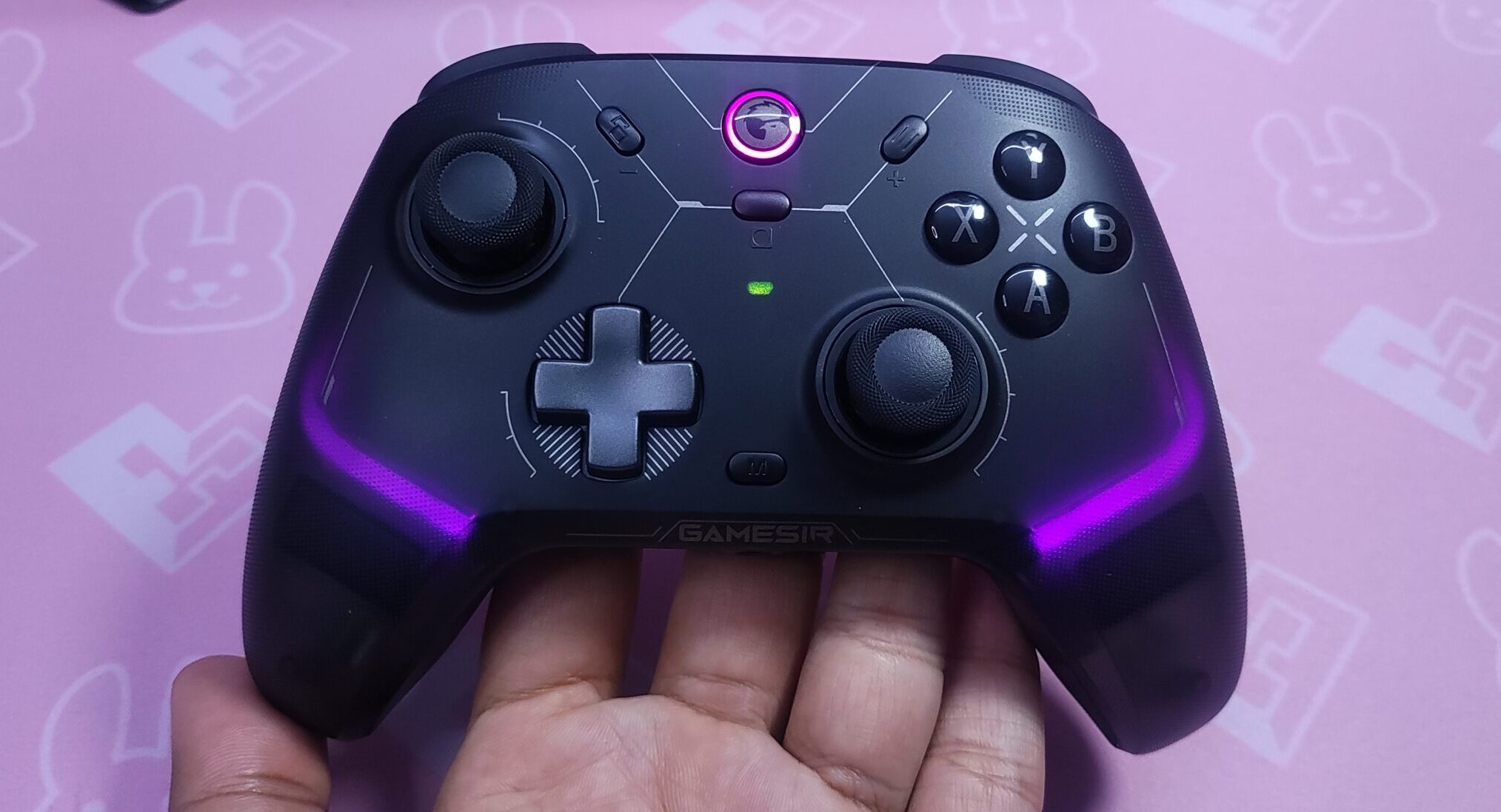
– $55.99 with charging dock
– Xbox-style shape (wider, flared grips)
– Textured, stippled plastic for grip
– Feels a little more comfortable to hold, due to lighter weight and flatter inner side of the handle
– Trigger stops are on the trigger itself, which I don’t find as comfortable to reach with my large hands
– Shadow Black
– Phantom White
– Quite nice RGB. Customisable too
– Non removable top
– No tension adjustment
– Also feels excellent
– Micro-switch trigger stops (satisfying mouse click)
– Slightly less travel in hair trigger mode
– Feels just as good, and feels slightly better in hair trigger mode
– Lighter, “clacky” sound
– Needs slightly more force to actuate, but not uncomfortably so.
– There’s some wobble in this d-pad, but not too bad
– Accuracy is decent, diagonals are sometimes hard to hit
– Feels great, but has a little play
– Nice texture and good overall feel. Crisp sound.
– Comfortable position and feel. No complaints.
– Remappable
– Feels nice, hefty, and detailed. Overall slightly better feel.
– 1000hz in wired and 2.4ghz mode, 125hz in bluetooth mode
– good latency numbers. No qualms in experience
Compatible with windows, android, ios, macos, linux.
– GameSir mobile App
– Great experience on both apps – Good amount of customisation
– about 8 hours without RGB
– about 6 hours with RGB
– Charging dock (if you pay the extra $6, which IMO you should)
AVAILABLE SEPARATELY :
– Charging dock (if you didn’t buy it with the controller)
– Customisable RGB
So which one should you buy? 🤔
Both the Direwolf 4 and the Cyclone 2 are great picks. The Direwolf 4 prioritizes unique features like the tension adjustment sticks over stuff like RGB, while the cyclone 2 tries it’s best to nail the basics as well as have some glam.
I personally prefer the Cyclone 2 simply because the face buttons are nicer to me. A lot of people don’t like the loud, clicky switches on the ABXY of the cyclone 2, in which case you could definitely opt for the Direwolf 4.
And if a good dpad is imperative to you, the Direwolf 4 is a no-brainer. The D-pad implementation here is excellent and it takes the whole experience up a notch.

Hello! 🥰 I'm Fang.
I like gaming and related tech. I enjoy learning more, and sharing my experiences through my review videos and blog posts. Have fun! 💖


