


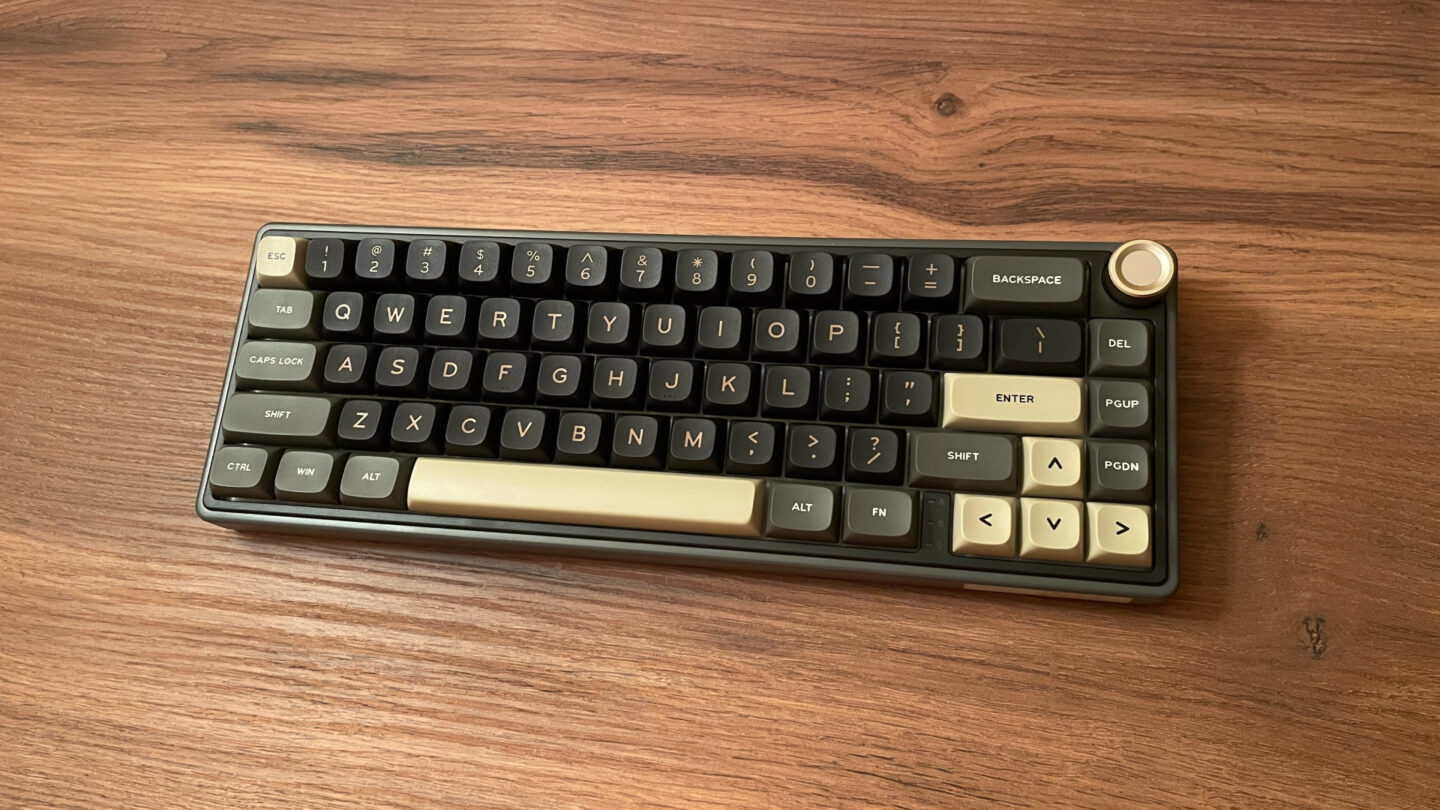
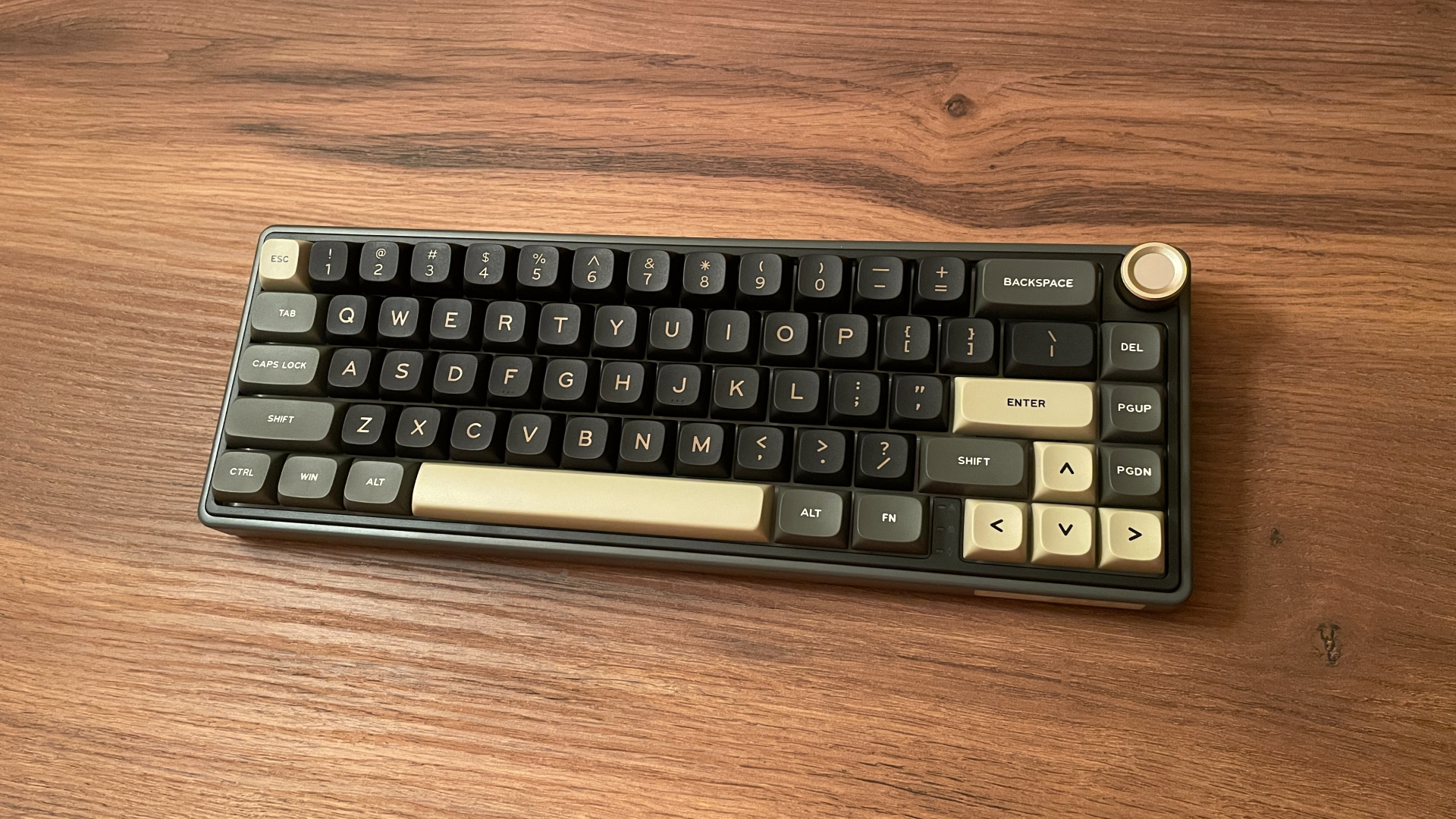

Today, I’m taking a closer look at the Royal Kludge R65 – a keyboard that has been around for a while and that many of you may have come across before. I bought mine a little over a year ago, and it has continued to find its way back onto my desk ever since. A year is plenty of time, so I think it is finally time to share how well the R65 has held up, what I still enjoy about it, and where it falls short.
A Quick Note on R65 Versions
Before getting into the review, I think it is worth clearing up a few details about the different versions of the R65.
First, at launch and for some time afterward, the R65 came with proprietary firmware and relied on Royal Kludge’s own software for configuration. Later, Royal Kludge introduced a QMK-based version that is, of course, configured through VIA. If you are considering an R65, the firmware version is therefore one of the first details worth checking – assuming that it matters to you.
Second, the R65 is available in numerous regional versions, including US-ANSI, FR-ISO, ES-ISO, PT-ISO, TR-ISO, DE-ISO, and several others. The available colorways, switch options, and preinstalled keycaps vary from one regional version to another. This means the R65 sold in your region may come in a slightly different configuration from the one covered in this review.
Finally, the wired and wireless models have a few minor differences of their own, which I will cover in more detail later in the review.
The version covered in this review is the wireless, QMK-based US-ANSI model in the Phantom colorway, and the specification table below applies specifically to this version.
Unboxing: What’s Inside?
The R65 comes in a simple cardboard box, which is perfectly reasonable for a keyboard in this price range. Inside, the keyboard is surrounded by foam on all sides and held securely in place, so it should remain well protected during shipping.
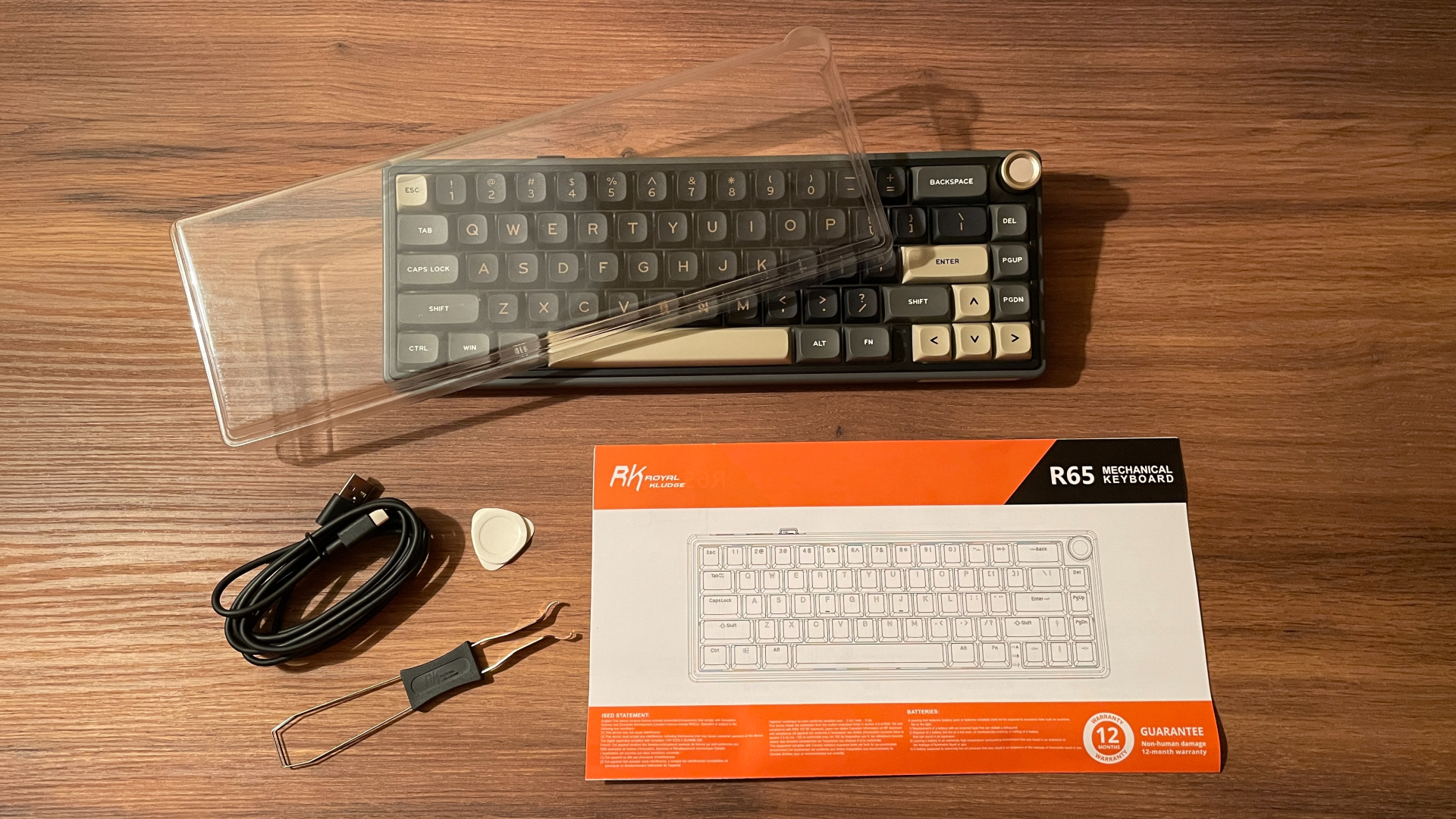
Here’s what you’ll find in the box:
- Royal Kludge R65 Keyboard
- 2.4 GHz Wireless Dongle (Stored in a Built-In Compartment)
- Rubber USB-C to USB-A Cable
- 2-in-1 Keycap & Switch Puller
- 4 Spare Switches
- Dust Cover
- Pry Tool
- User Manual
Overall, the accessory bundle is quite good. I particularly appreciate the dust cover, which I find useful. Four spare switches are also nice to have on hand in case one ever needs replacing. Although the cable is not braided (I have no issue with that at this price), it feels solid. I used the R65 with this cable for some time and never experienced any problems. The manual is large and reasonably detailed rather than just a small folded sheet included as an afterthought.
Royal Kludge even includes a pry tool for opening the case, which is a very unusual extra for a plastic keyboard. If you ever decide to modify the R65, it should make getting inside the case a little easier.
A Closer Look
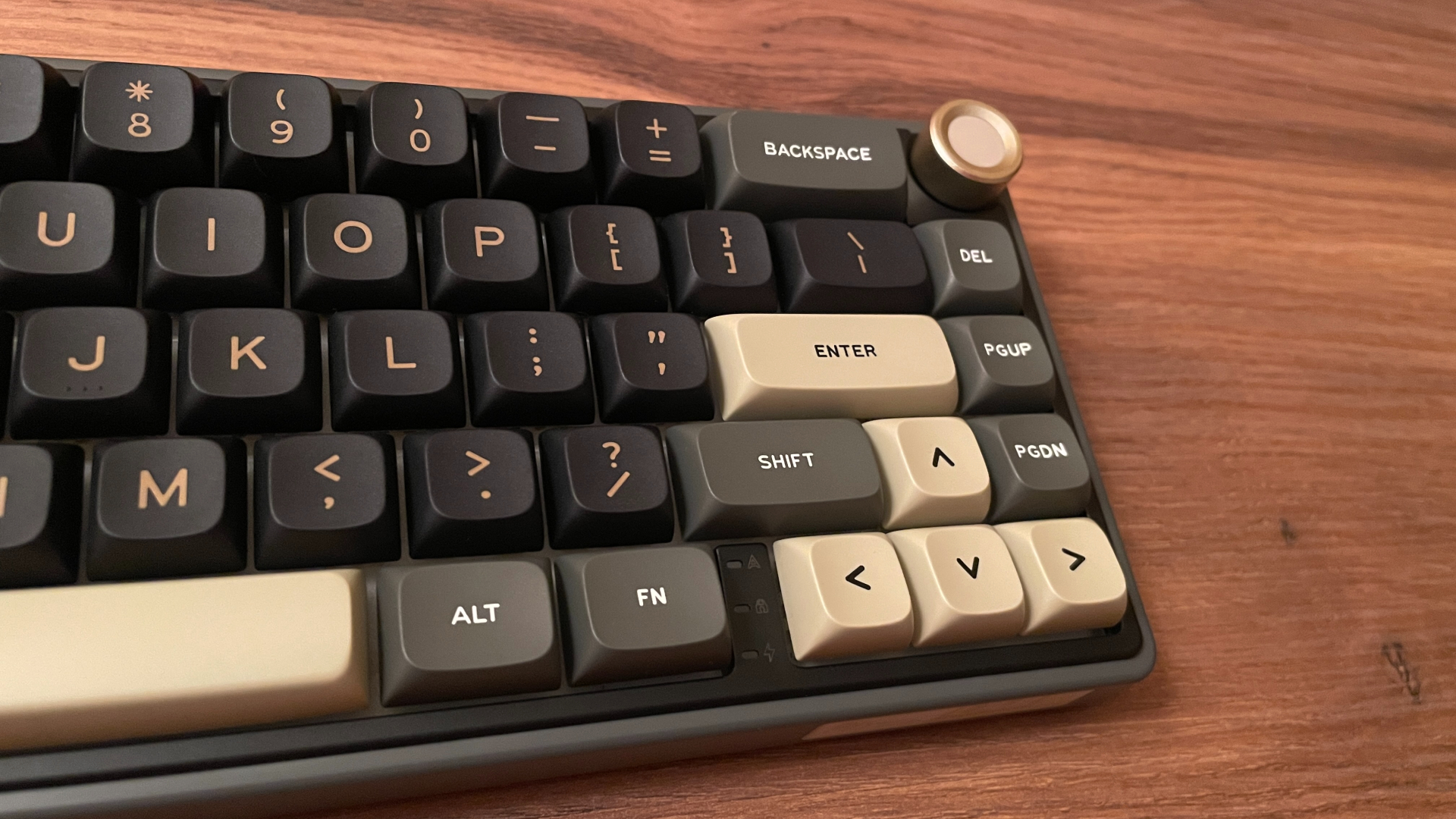
The Royal Kludge R65 is a 65% mechanical keyboard with 66 keys in a standard ANSI layout, along with a rotary encoder. Its default typing angle is 7°, while the two-stage flip-out feet can raise it to 11° or 15°.
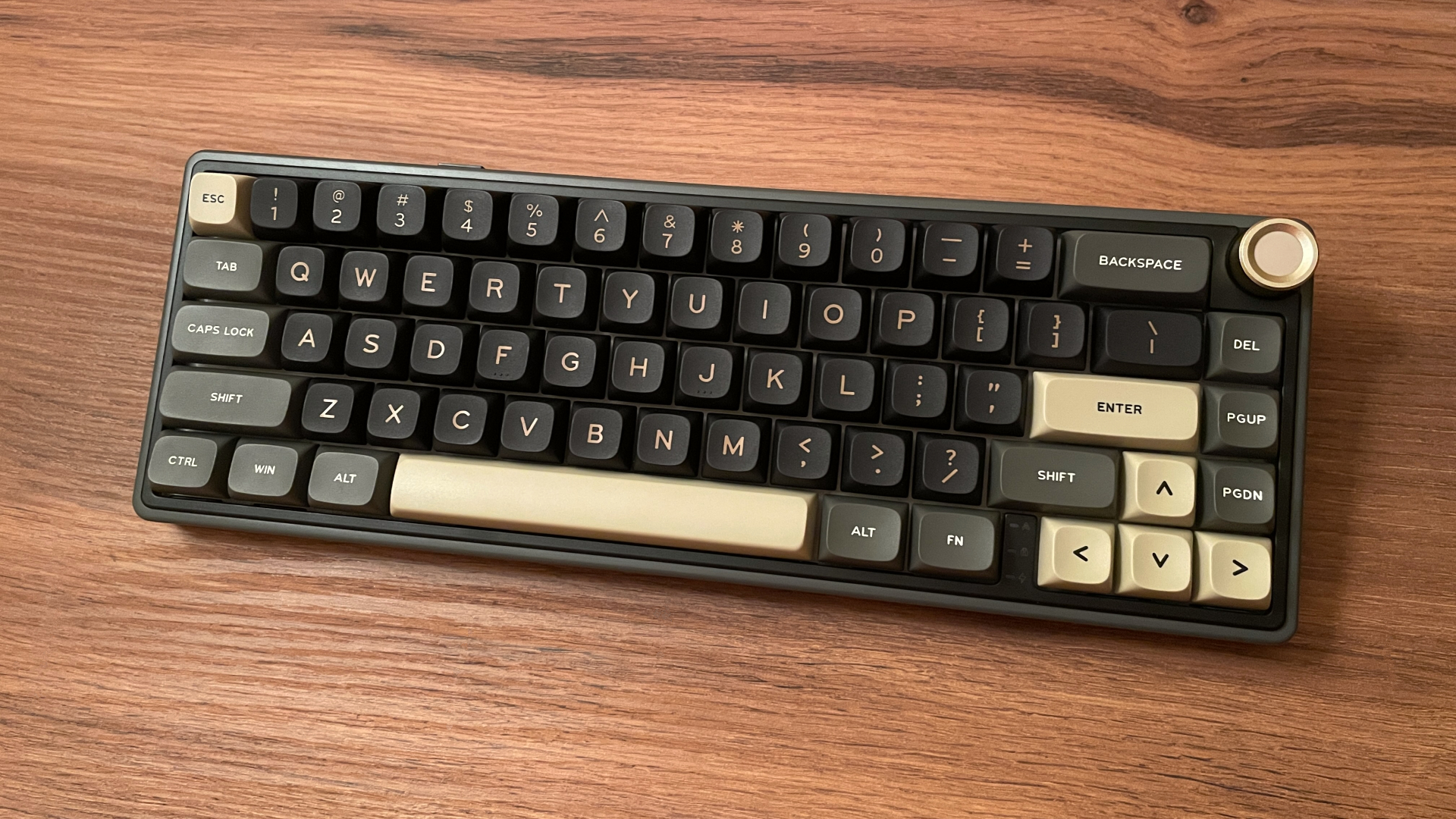
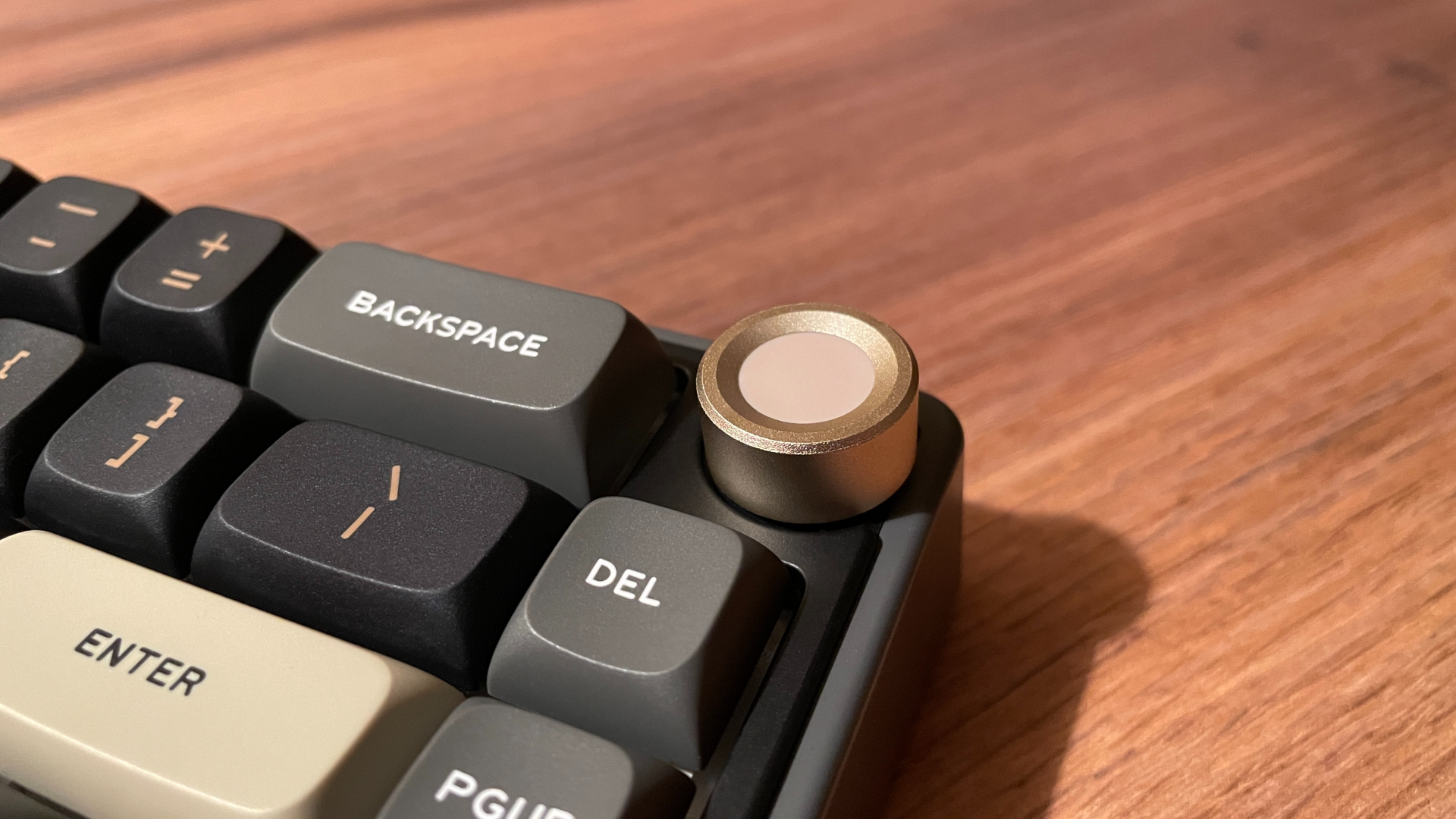
Having a knob is always a big plus for me, as I consider it a genuinely useful quality-of-life addition. The knob is made mostly of aluminum, with a plastic piece in the center of its top surface. It turns smoothly, and the tactile steps are clearly defined. What I especially like is its position. Instead of sitting exactly where another key would normally be, it is shifted slightly toward the outer edge of the case, making it much easier to reach and turn. It is also fully programmable in VIA.
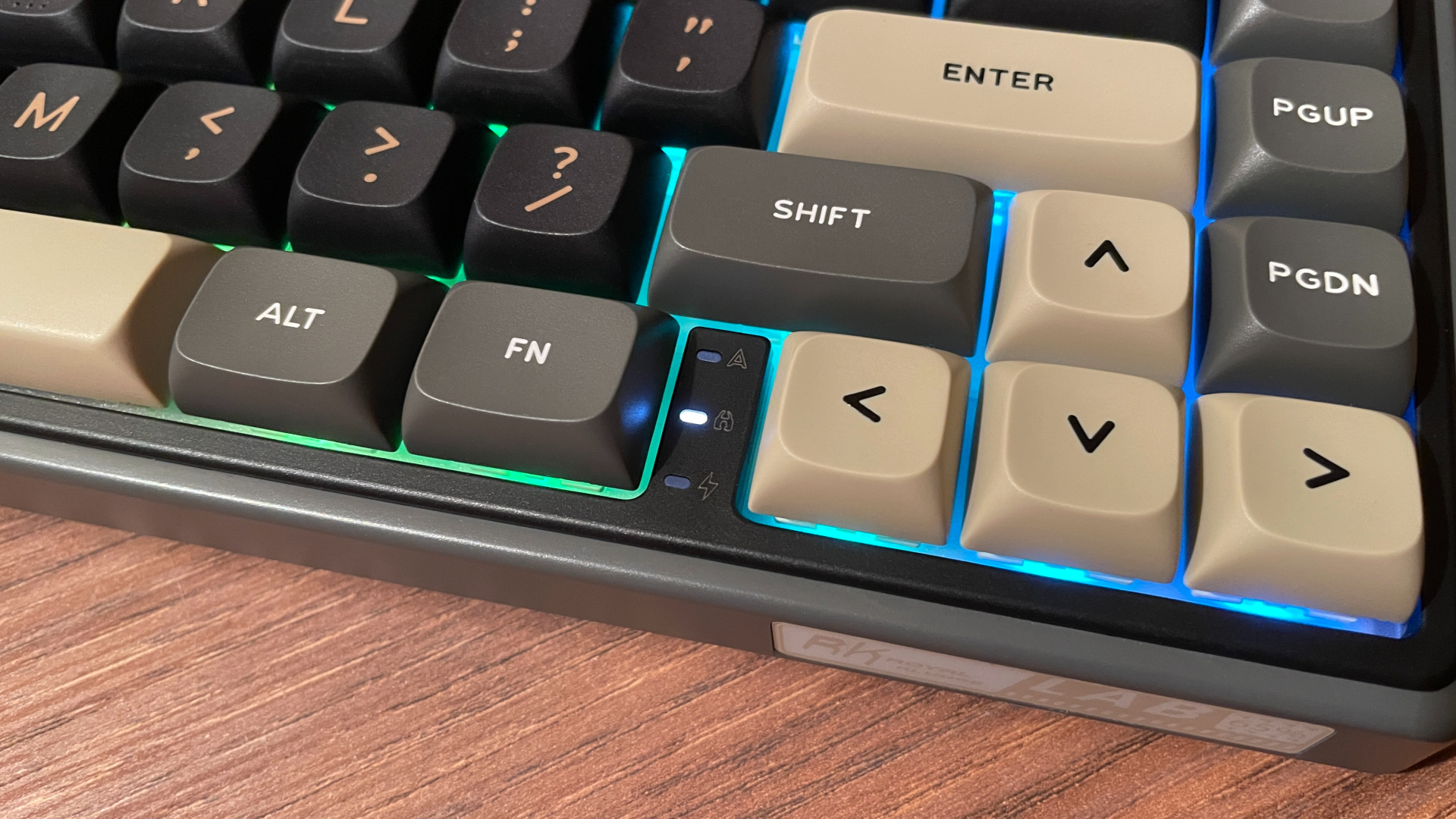
The R65 has a blocker between the arrow cluster and the neighboring modifier keys. This narrow gap makes the two groups easier to tell apart by touch while typing. Royal Kludge has cleverly placed three indicator lights inside it, showing the status of Caps Lock, Win Lock, and the battery. I like how naturally they fit into this space without cluttering the keyboard’s design.
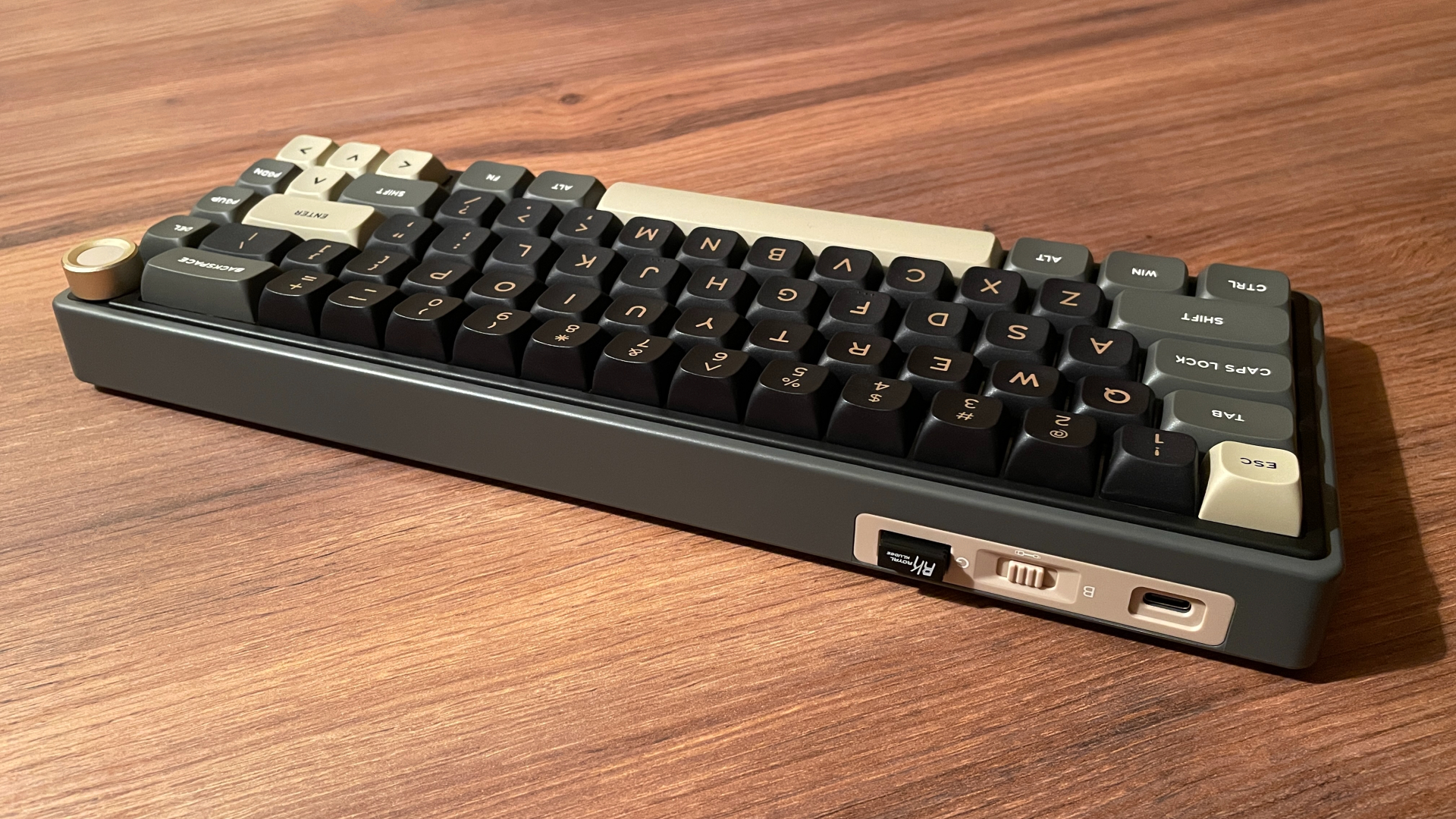
The case is made from plastic, and the entire keyboard weighs around 640 g. Its compact size and relatively low weight make it a good option if you need a keyboard that is easy to carry. There is also a dedicated compartment for the 2.4 GHz dongle at the back of the case, where magnets hold it securely in place.
Build quality is good overall. The case feels solid, with no visible gaps between its separate pieces. The plastic is neatly finished, evenly colored, and its matte surface feels pleasant and does not collect fingerprints. If I gently twist the keyboard on purpose, the case flexes noticeably. This suggests that the walls are not especially thick, which honestly did not surprise me considering the affordable price. To be fair, though, this is a deliberate stress test and hardly anyone regularly twists their keyboard like this in everyday use.
After more than a year, that flex has not caused any practical problems. I have moved the keyboard around, carried it from time to time, and regularly taken it off my desk and put it back. The case has held up well, and the matte finish has not worn smooth or developed any shiny spots.
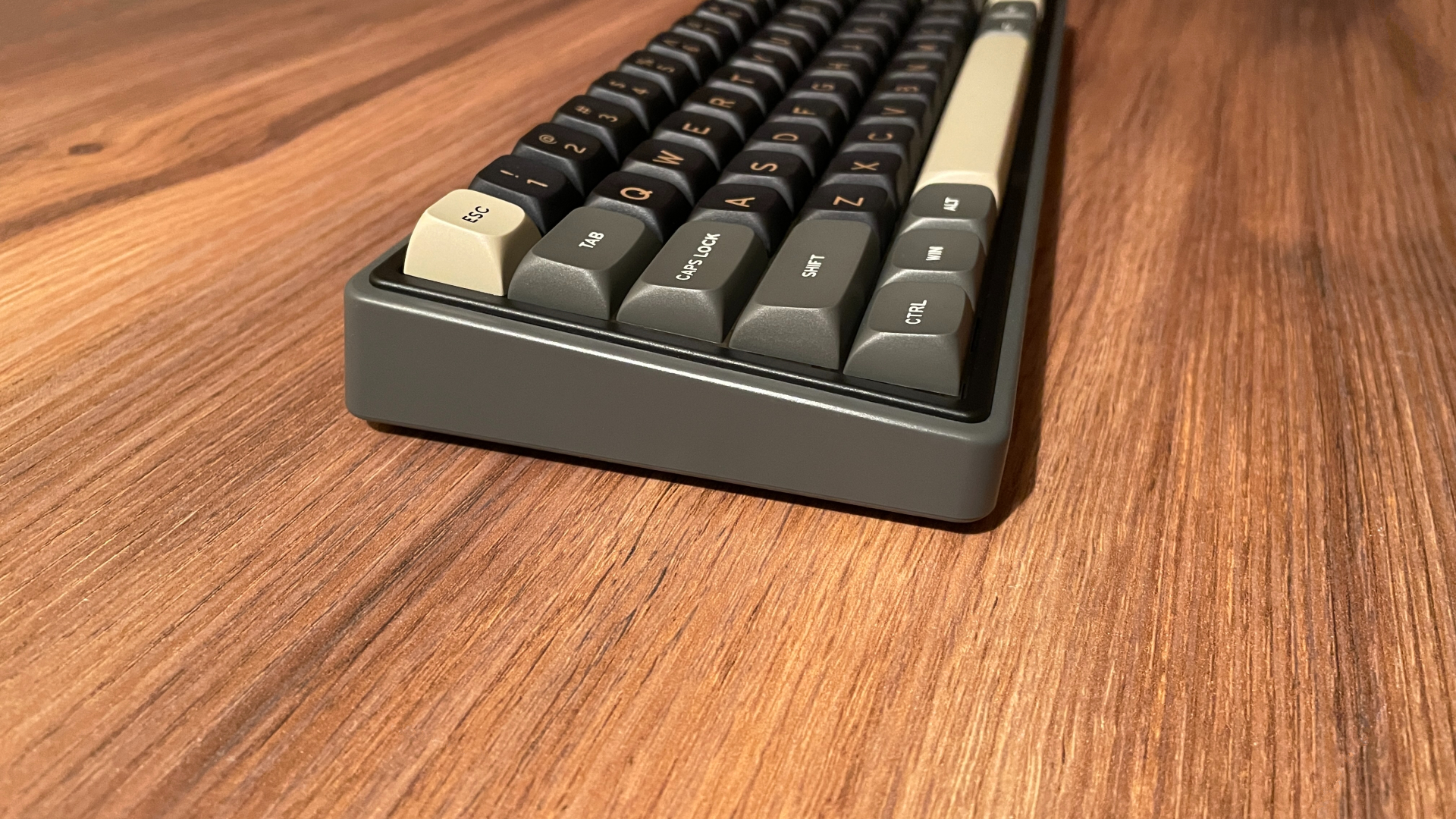
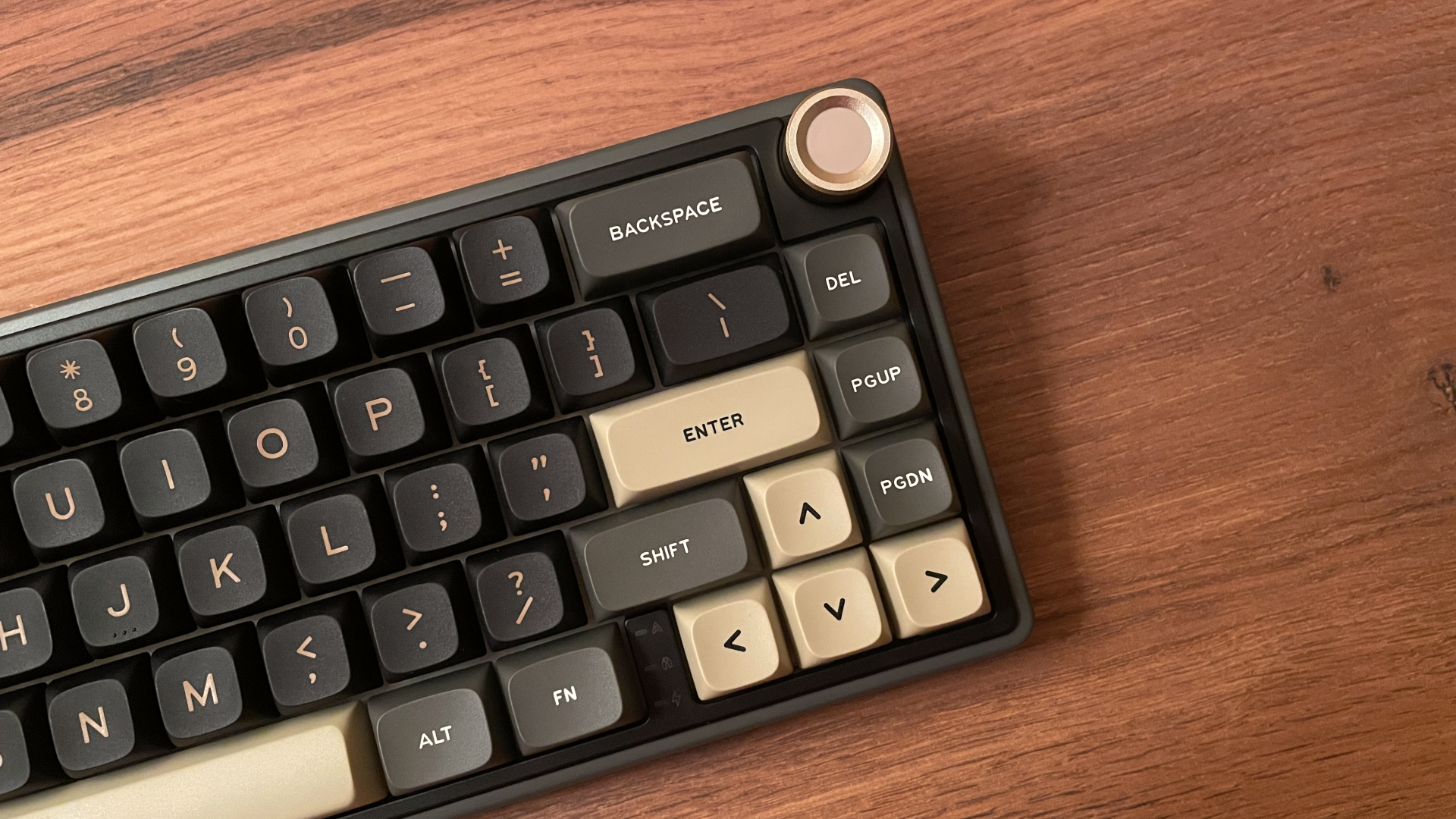
Design-wise, I am generally not a big fan of plastic keyboards. Many models in this price range play it safe with a simple black case, rounded edges, and little else. But the R65 has more personality, and credit where it is due: I genuinely like its design.
The upper frame consists of two separate pieces, each finished in a different color. A dark gray outer frame surrounds a black inner section around the keys, creating a layered, two-tone design. The black center helps the entire key cluster stand out against the dark gray outer frame and gives the case more visual depth.
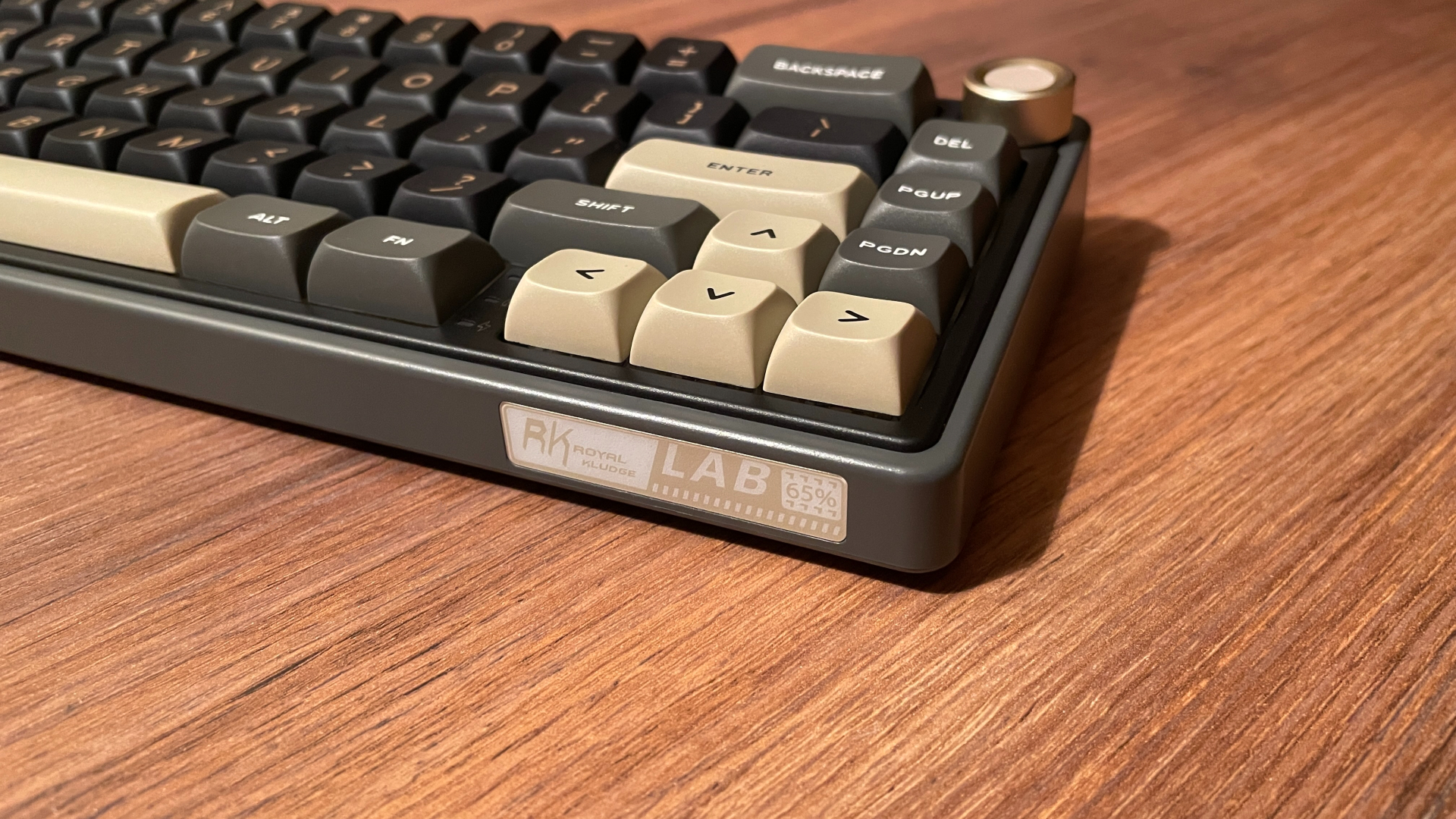
The keycaps follow the same color palette. The alphas are black, while most of the modifiers are gray. Several warm sand-beige accent keycaps add some color and pair beautifully with the matching legends on the alphas and the gold-colored knob. The front edge of the case also carries branding in matching tan and light-beige colors. I usually prefer keyboards with no visible branding at all, but here it fits into the overall design so well that I actually like it.
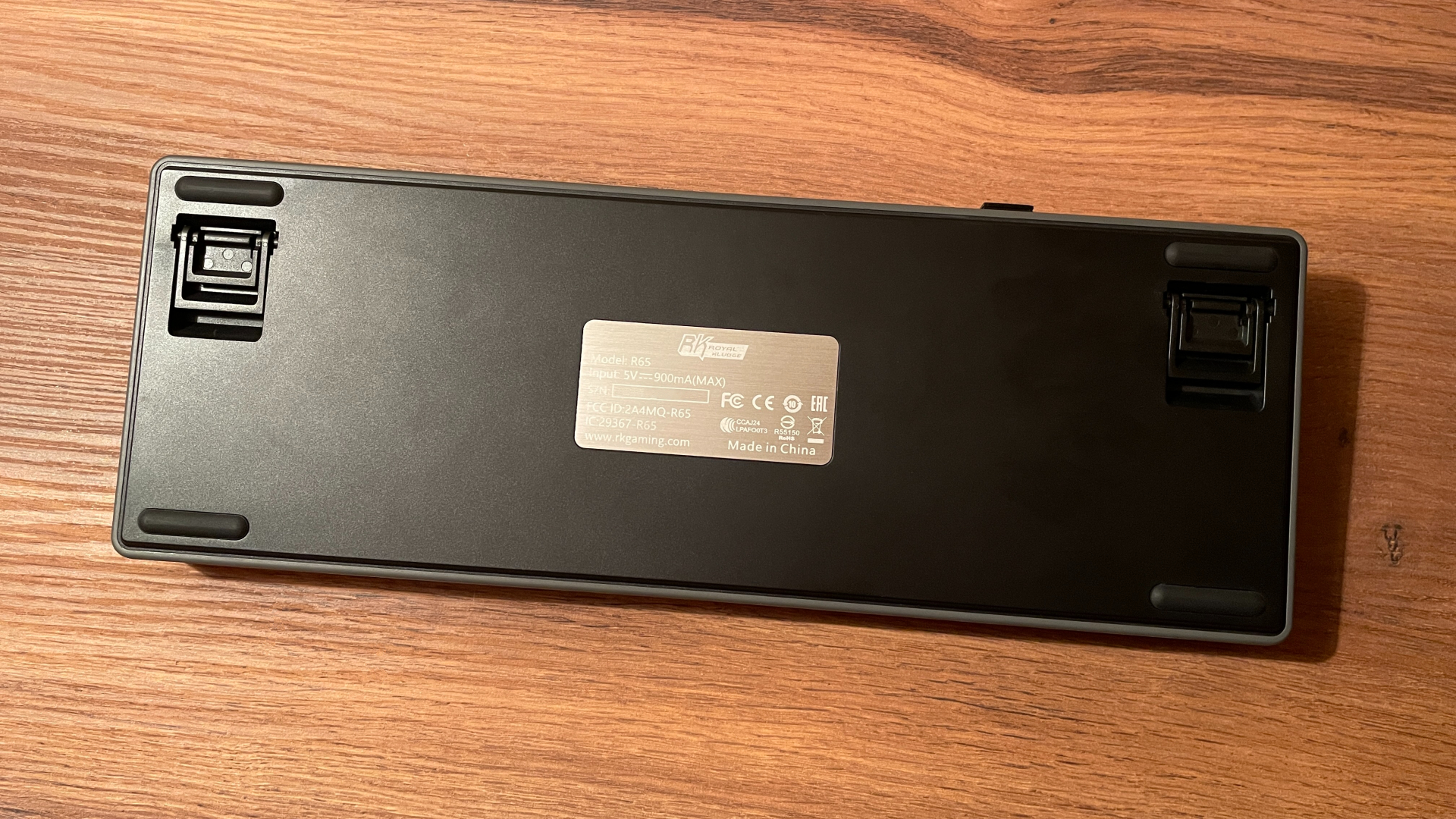
On the bottom, there are four grippy rubber feet that keep the R65 firmly planted on the desk, along with two pairs of flip-out feet for the additional typing angles – a common advantage of plastic cases. There is also a small, mirror-polished metal insert with the compliance and regulatory information. It is a small detail, but not something I often see on affordable plastic keyboards.
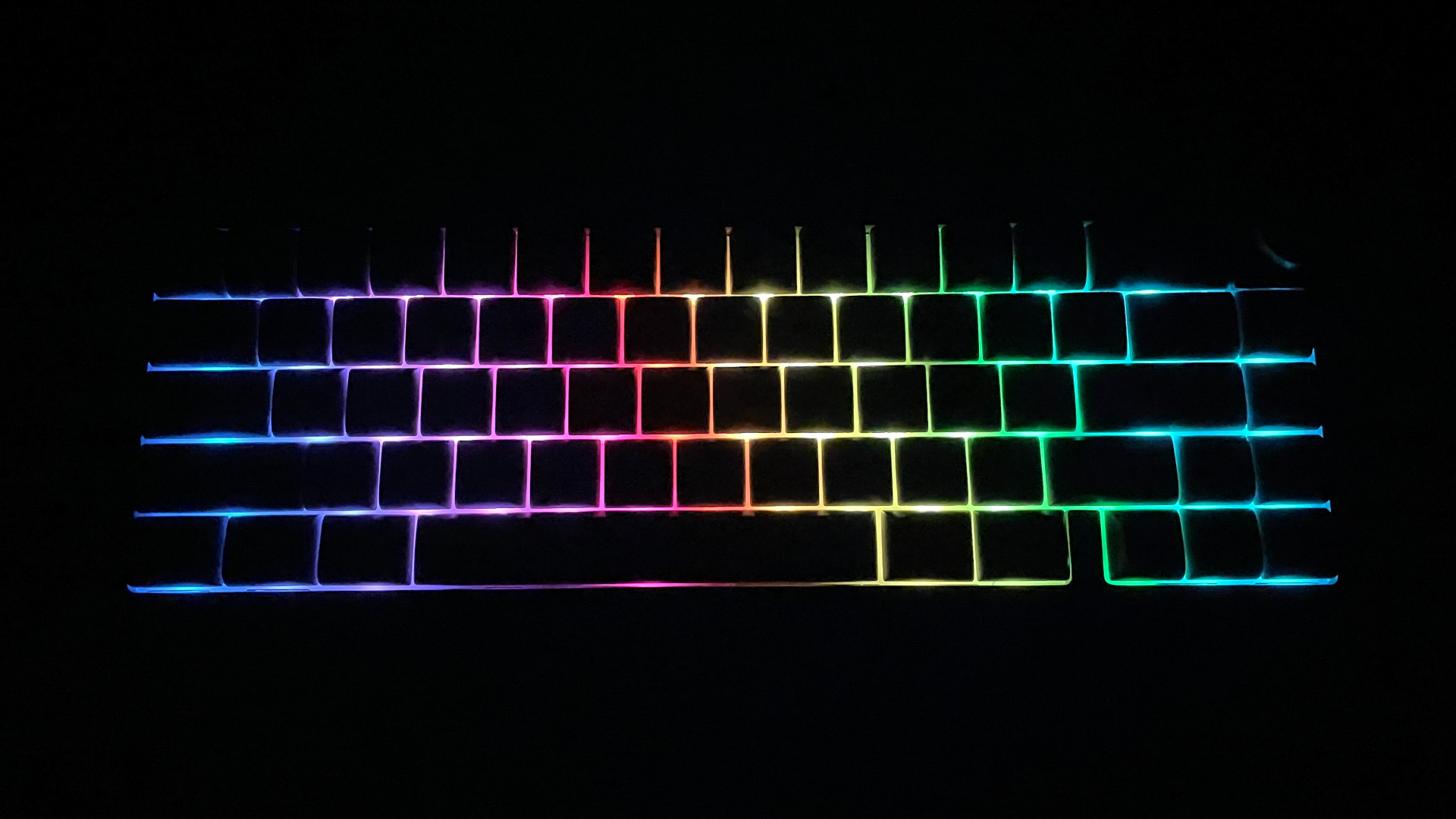
The R65 has bright, saturated RGB backlighting, but the stock switches limit its brightness because they have opaque housings and no LED diffusers. If you replace them with switches that have transparent housings or built-in diffusers, the backlighting will become much brighter.
It is well implemented, and I have not noticed any visible PWM-related flicker, which may be important if you are sensitive to it. After more than a year, the lighting has held up well. I have not had any problems with it, and every single LED still works.
One detail to keep in mind is that the wireless version has south-facing LEDs, while the wired model has north-facing LEDs. If you strongly prefer north- or south-facing LEDs, make sure to check which version you are buying.
Connectivity and Battery
My R65, as I mentioned earlier, is the wireless version and offers tri-mode connectivity: wired through a detachable USB-C cable, 2.4 GHz wireless, and Bluetooth 5.0.
Bluetooth is especially flexible, with three separate channels that allow the keyboard to remember up to three paired devices. You can switch between them whenever needed without repeating the pairing process each time. This is particularly convenient if the R65 regularly moves between home and work or is used with both a desktop PC and a tablet, for example.
Over both USB and 2.4 GHz wireless, the R65 operates at a 1,000 Hz polling rate. This has become standard for modern mechanical keyboards and is enough for smooth, responsive gaming, let alone typing. Bluetooth, meanwhile, runs at a more power-efficient 125 Hz. I have regularly used both wireless modes without encountering any unexpected delays, disconnects, or other problems.
As with most modern wireless keyboards, the R65 enters sleep mode after a period of inactivity to reduce battery drain. What matters more is how it wakes up, and the R65 handles this well. Wake-up is instant, and the first keypress registers properly instead of merely waking the keyboard. It may sound like a small detail, but it keeps sleep mode from becoming an everyday annoyance.
One practical detail I have come to appreciate is the physical connection-mode selector on the back of the keyboard. Switching modes does not require memorizing Fn combinations, and the power switch is not hidden beneath Caps Lock, as it is on some wireless mechanical keyboards. Everything needed to change modes or switch the keyboard off is immediately accessible.
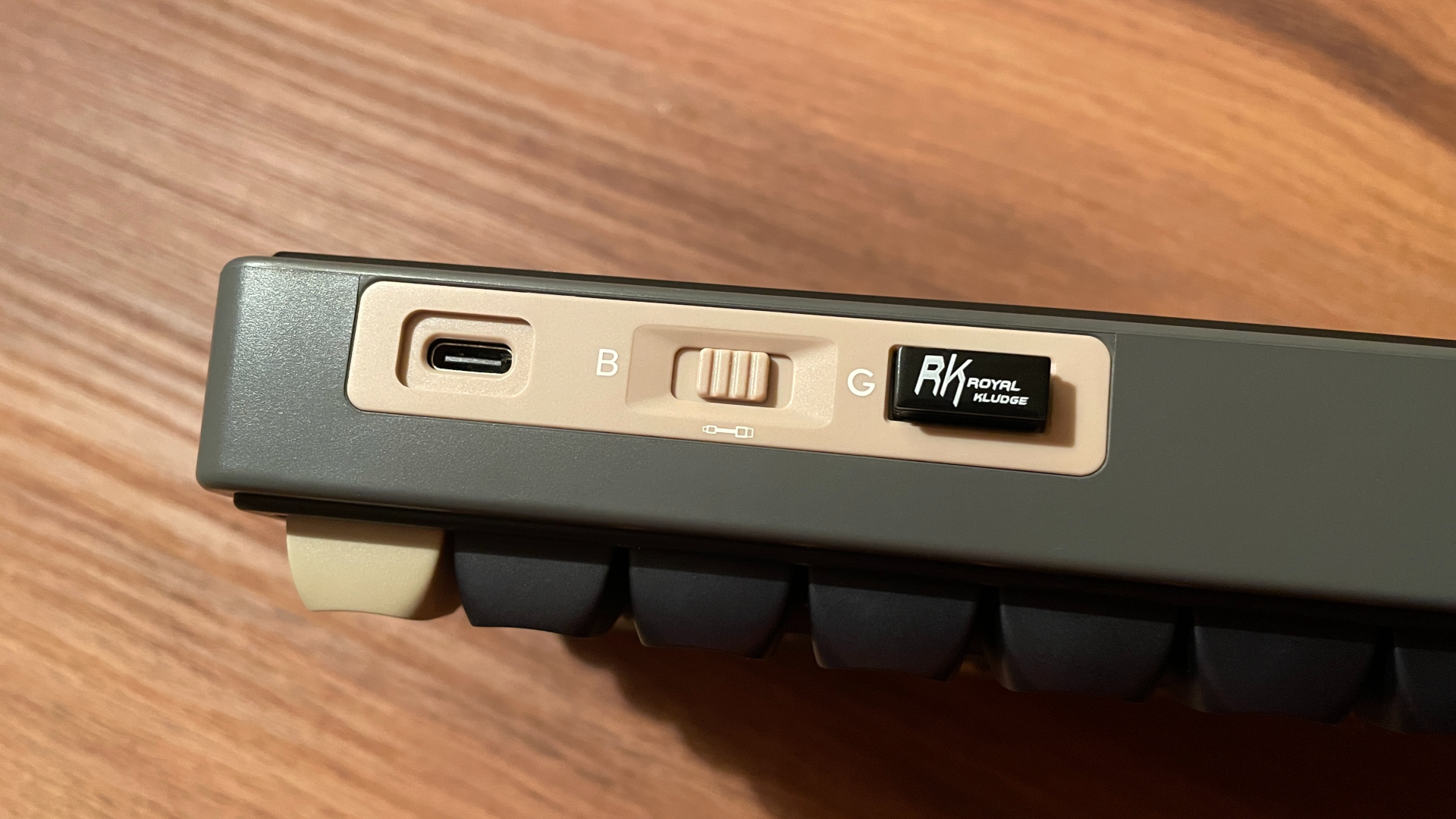
That accessibility becomes valuable if you regularly carry your keyboard in a backpack. Before putting it away, you can quickly switch it off and be certain that accidental keypresses will not wake it up inside the bag.
The R65 has a 3,750 mAh battery. That is just 250 mAh below the 4,000 mAh capacity commonly found in wireless 60–65% mechanical keyboards. Some competing models in this price range come with 3,000 mAh batteries, so 3,750 mAh is a solid capacity overall for a budget-friendly keyboard.
With the backlighting set to maximum brightness, my R65 lasted around four to five days over a 2.4 GHz connection. Turning the backlighting off extended the battery life to around two to three weeks. Those results are not particularly impressive, but the battery life never felt limiting in everyday use either. The runtime is perfectly reasonable for a battery of this capacity.
To check the battery level, press Fn + Enter. The keys from 1 to 0 will light up to indicate the battery percentage. For example, if keys 1 through 4 light up, the battery level is around 40%.
VIA Web-Based Configurator
As I mentioned at the beginning of the review, configuration differs between versions of the R65. Older versions rely on Royal Kludge’s proprietary software, while newer versions are configured through VIA. My particular unit is the VIA-compatible version.
Not familiar with VIA yet? Here’s a quick breakdown:
VIA is essentially web-based software for keyboards running QMK firmware. It allows you to remap keys on the fly, configure layers, create and assign macros, and change preset lighting effects – all without needing to install any extra software. VIA works directly in your browser, whether you’re on Windows, Linux, or macOS. It’s very convenient and user-friendly.
For enthusiasts and power users, VIA provides access to a wide range of advanced QMK keycodes that go far beyond standard key remapping. These allow you to build highly customized multi-layer setups, create complex key combinations, define unique key behaviors, and more. For example, QMK supports Tap-Hold functionality, allowing a key to perform one action when tapped and another when held, effectively expanding what a single key can do.
Mod-Tap and Layer-Tap are good examples of how deep this customization can go. Mod-Tap lets a single key send a regular keycode – such as a letter, number, or function key – when tapped and act as a modifier, such as Shift or Ctrl, when held. Layer-Tap works similarly: tapping the key sends a regular keycode, while holding it activates a secondary layer for as long as the key remains pressed, giving you instant access to arrows, media controls, or whatever you’ve mapped there. The moment you release the key, the secondary layer deactivates, returning you to the previous layer.
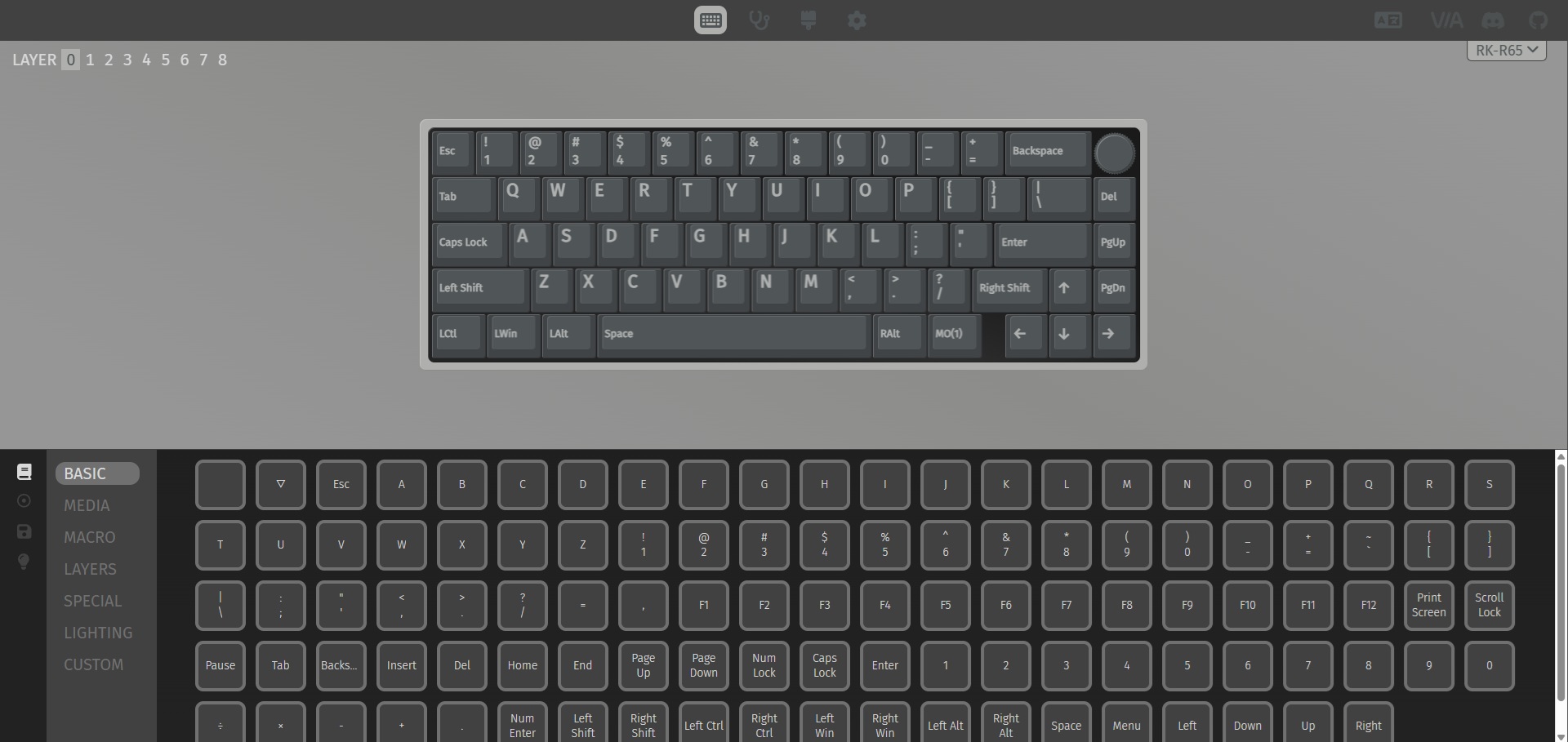
Now, there is one important point to consider. The firmware source code for the wired R65 is available online. Experienced users with the necessary skills can use it to compile their own firmware and add functionality beyond what VIA offers by default. By contrast, the source code for the wireless version is not publicly available. So, if you ever want to build your own firmware for the R65, the wired model is the right choice here.
Most VIA-compatible keyboards need to be connected by cable for VIA to recognize them. The R65, however, is a rare exception, as VIA can detect it over either a wired connection or the 2.4 GHz dongle. It is a small advantage, but one worth mentioning. In either case, the first time you connect it to VIA, you’ll also need to download a JSON configuration file for your exact model from Royal Kludge’s website and import it into VIA.
When it comes to the R65 specifically, it offers nine fully programmable layers, leaving plenty of room to go beyond the default layer configuration and build a more advanced multi-layer setup. The advanced QMK functions mentioned above work properly here as well. I tested Mod-Tap, Layer-Tap, and Tap-Toggle, and everything worked as expected, without any strange behavior.
Keycaps
My version of the R65 comes with double-shot PBT keycaps in the MDA profile, which is fairly uncommon on prebuilt keyboards. To my surprise, they ended up being the strongest part of the keyboard for me. They are very well made and feel excellent. I will go even further: they are better than many keycaps I have seen on keyboards costing two or three times as much as the R65.
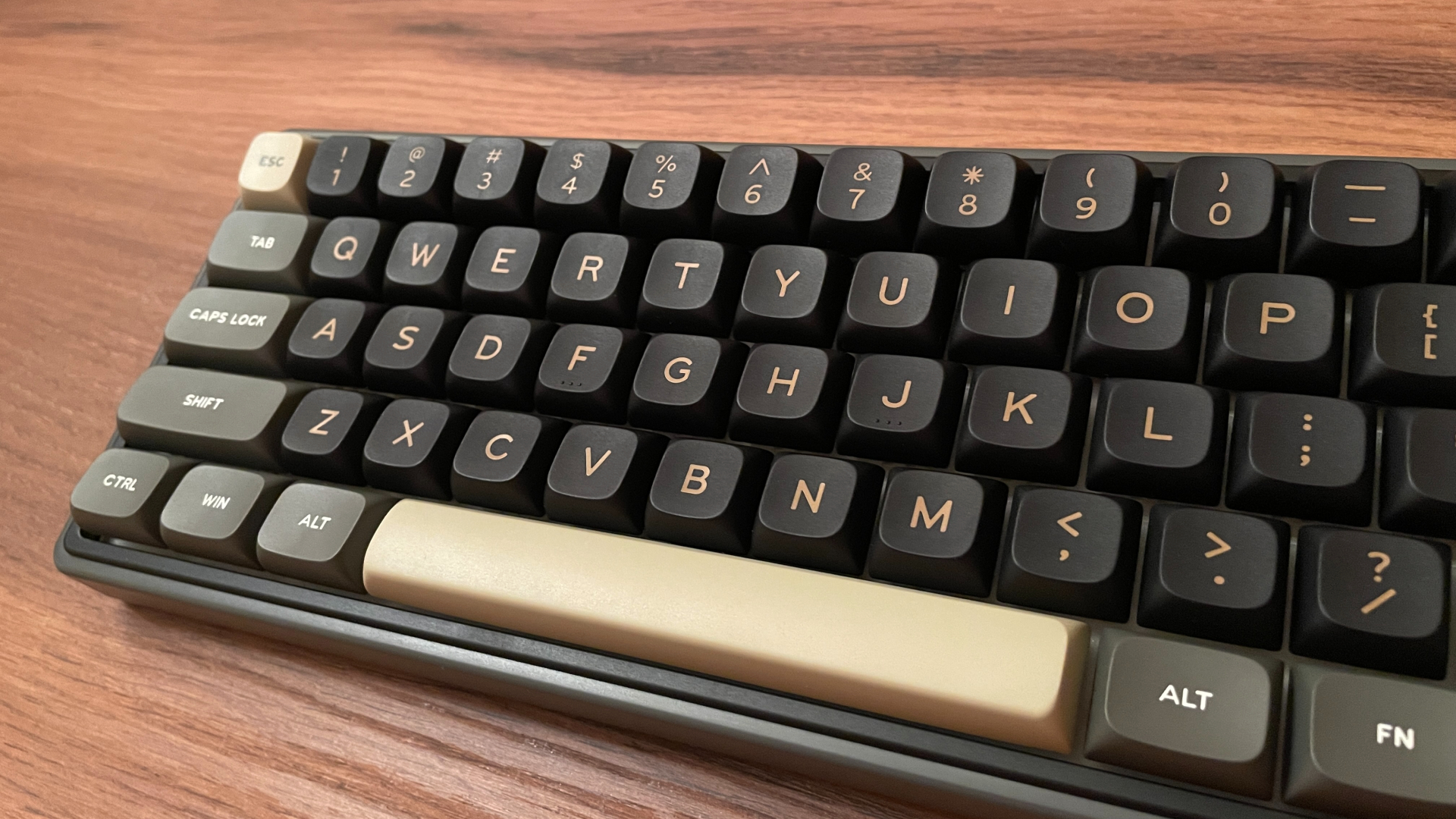
But let’s start at the beginning. They are made from PBT plastic, a material well known for its excellent resistance to wear. Unlike ABS keycaps, which can develop shiny spots over time, PBT keycaps retain their original surface texture for much longer. PBT keycaps also have a fine surface texture that many people enjoy. That subtle texture also helps keep them from feeling slippery.
Of course, not all PBT keycaps are equally good. Simply being made from PBT does not automatically make them high quality. The surface texture, for example, can be more pronounced on some PBT keycaps and subtler on others. But these particular keycaps have a genuinely pleasant texture under the fingertips.
The legends are made using double-shot molding, meaning that instead of being printed on top, they are molded from a separate piece of plastic and become part of the keycap itself. Since the legends are part of the keycaps themselves, they will not fade or wear away even after years of use. That durability is paired with clean styling. The legends are centered on the keycaps, fairly large, and sharply defined, making them easy to read.
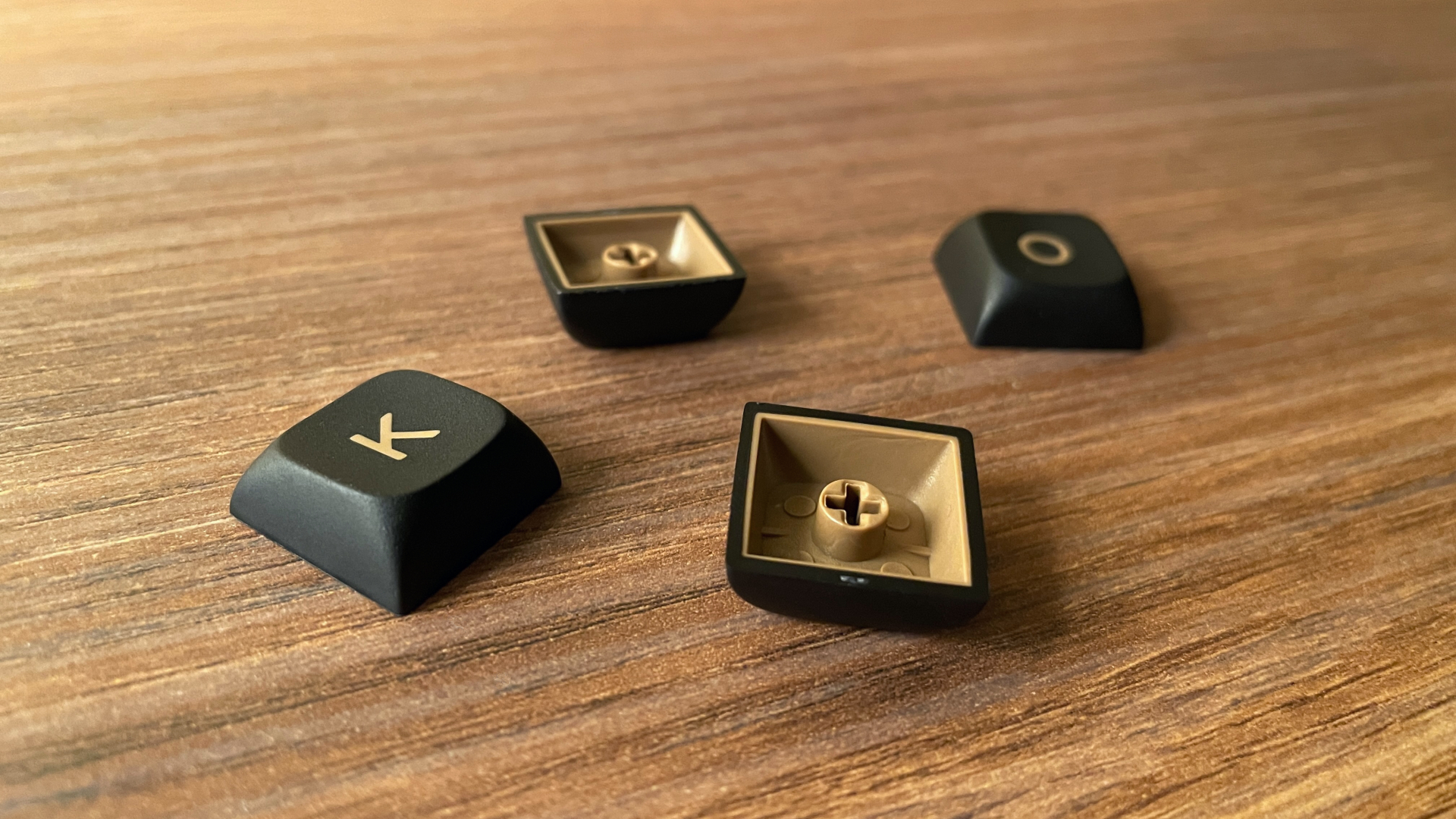
The double-shot molding itself is well executed here. Flip over some cheaper double-shot keycaps and you may find that the inner plastic layer only covers the underside of the top surface without extending down the sidewalls. Or they may simply have very thin walls. Neither is the case here: these are proper double-shot keycaps, with the inner layer extending all the way down all four sidewalls and I measured their walls at around 1.6 mm thick.
Then there is the MDA profile itself. It is a medium-height, sculpted profile, meaning that each row has a different shape. Compared with Cherry-profile keycaps, MDA keycaps are taller, have more rounded edges, and provide a larger contact area. The tops also have shallow dishes where your fingertips naturally rest. MDA is popular among mechanical keyboard enthusiasts, and I can understand why. Typing on these keycaps is an absolute joy. If you have never tried this profile, I highly recommend giving it a chance. If you are switching from Cherry-profile keycaps, you may need a little time to get used to the different shape, but the adjustment is quick and easy. MDA soon starts to feel natural.
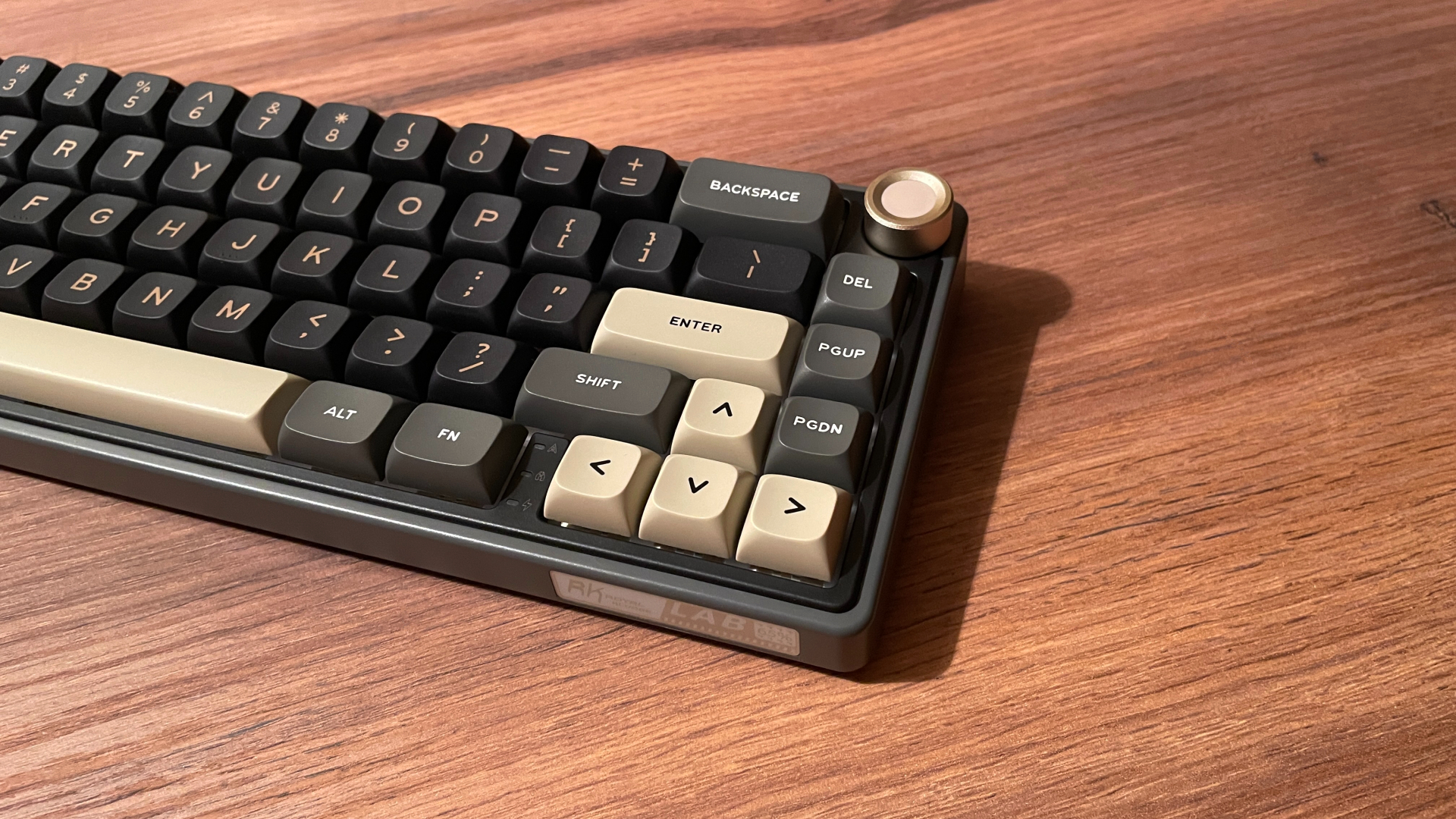
Visually, the keycaps have a restrained, minimalist style that feels right at home on the R65. Their color scheme pairs nicely with the two-tone case design, and their rounded edges complement the case’s rounded contours, reinforcing the keyboard’s soft, laid-back appearance.
Overall, these are genuinely excellent stock keycaps. I would even call them enthusiast-grade.
Royal Kludge Chartreuse Switches
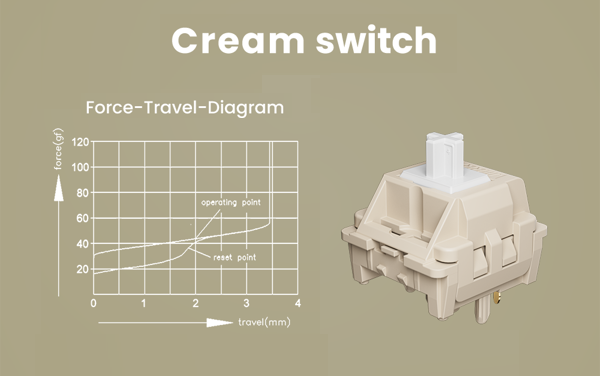
My R65 came with Royal Kludge Chartreuse switches. Confusingly, these switches are also commonly listed as RK Cream switches, but both names refer to the same model. Here are the specifications I was able to find, in case you are curious:
Chartreuse are 5-pin linears with a standard cross-mount stem. Stem wobble is about average. Royal Kludge does not specify which plastics are used for the upper housing, lower housing, or stem. The switches are fully opaque and do not have built-in LED diffusers, so they block some of the keyboard’s backlighting.
These are medium-weight switches with a fairly balanced force curve. They feel neither too light nor too heavy, which makes them a versatile option for both gaming and typing. According to my measurements, the initial force is approximately 35 gf, while the listed actuation and bottom-out forces are 45 gf and 55 gf, respectively. Thanks to this steady increase, each keypress feels controlled and predictable.
Total travel is 3.4 mm, slightly shorter than the standard 4.0 mm travel found in many mechanical switches. I personally prefer switches with shorter travel. That said, if you have never compared switches with different travel distances side by side, you are unlikely to notice the difference at all.
Royal Kludge says the Chartreuse switches come factory-lubed, and the keypresses are indeed smooth. I could neither feel nor hear any scratchiness. There is not much lube visible on the stem, but it is enough to keep the switch feeling smooth.
The springs are a different story. The switches in my R65 have spring ping. At first, I did not notice it because ordinary background noise masks most of it during the day. But I do a lot of late-night typing, and the ringing is much easier to hear in a quiet room. It is one of those sounds that becomes difficult to ignore once you know it is there. To check, I opened a few switches and found visible lube only on the stem and housing, not on the spring. The lack of lubrication on the springs likely explains the ringing.
I do not want to suggest that every Chartreuse switch suffers from the same problem. I looked through several other R65 reviews, and none of the reviewers reported anything similar, so maybe this is an issue with the particular batch of switches in my R65.
Fortunately, the R65 is hot-swappable, so replacing the stock switches does not require any soldering. If you decide to upgrade them later, the process is easy and straightforward. So I ended up swapping out the switches in my R65 for a different set.
I was much more satisfied with the stabilizers. They are unexpectedly well-lubed, with no rattle or ticking, and they sit tightly in the plate without any wobble.
Structure and Mounting
Plastic keyboards are rarely designed with disassembly in mind. The two halves of the case are usually held together by plastic clips, which can be stubborn to release and very easy to break. The R65 is different, and the pry tool included in the box is the first clue. I used it to open mine, and the clips released more easily than they normally do on plastic keyboards. Even so, I strongly recommend against doing it yourself if you have never opened a clip-together plastic keyboard before. It is still very easy to permanently damage the case.
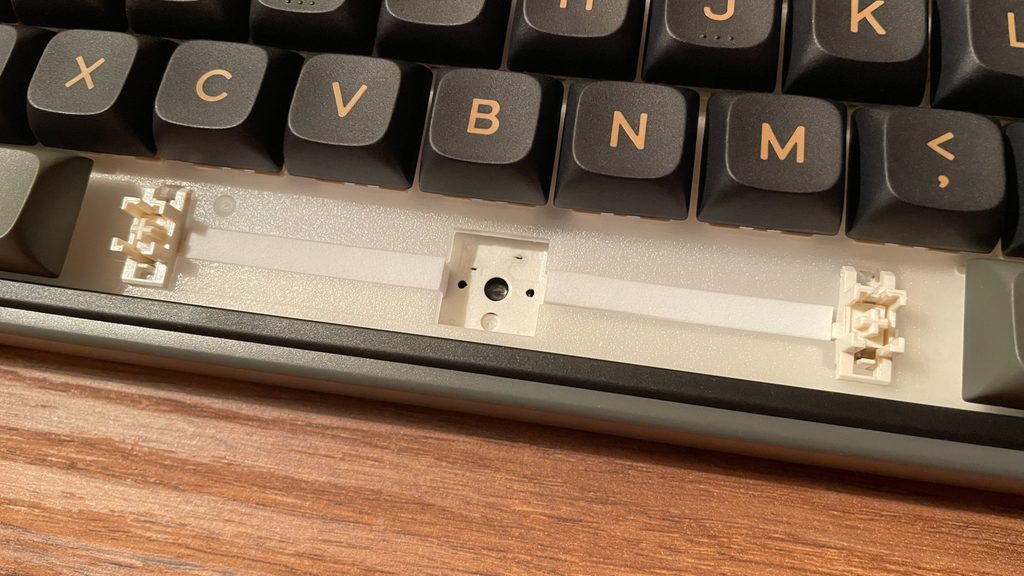
Royal Kludge R65 is a gasket-mounted keyboard, and one of the first things you notice after opening it is its silicone-socks gasket mount implementation. Compared with silicone bean gaskets, this variant usually provides a little more flex and a softer typing feel. The plate has eight gaskets along each of its two long sides, for sixteen in total.
The plate itself is made from polycarbonate, already one of the more flexible materials commonly used for keyboard plates, and Royal Kludge has added plenty of flex cuts on top of that. The translucent polycarbonate has another advantage, as it helps diffuse the RGB lighting and creates a soft glow between the keycaps. Between the plate and PCB are three sound dampening layers:
- PORON Foam
- IXPE Switch Pad
- PCB Sound Enhancement Pad
The PCB sits beneath this stack and is just as generously flex-cut. It does not support screw-in stabilizers, which did not surprise me. Two more sound damping layers sit beneath the PCB:
- Bottom PORON Foam
- Silicone Bottom Pad
Overall, the R65 has a thoroughly modern internal structure for a budget-friendly plastic keyboard. It combines a classsic five-layer sound dampening with a well-implemented gasket mount.
Typing Experience
The typing experience on the R65 surprised me. The keyboard feels very soft, with a noticeable amount of flex under the fingers. The numerous flex cuts across both the polycarbonate plate and PCB, combined with the soft gasket mount, noticeably cushion each keypress. The R65 never feels stiff or tiring to type on, making it very comfortable for long typing sessions.
As for acoustics, the R65 has a pronounced creamy sound profile. Its five acoustic layers effectively damp unwanted case resonance and eliminate any hollowness. The stock Chartreuse switches – also known as Cream switches – contribute to that character as well. However, as I mentioned earlier, I eventually replaced mine because of their spring ping. The good news is that with the right switches, you can even shift the R65 toward a thocky sound signature. The thick PBT keycaps deserve credit too. These excellent stock keycaps contribute significantly to the keyboard’s sound, giving it a noticeably deeper tone. I experimented with several other keycap sets I own, and the R65 sounded somewhat higher-pitched with them.
Budget-friendly keyboards often need extra work before they sound good, but that is not the case here. Aside from replacing my pingy stock switches, I see no need for any further modifications – the R65 already sounds and feels good without any additional work.
Pros and Cons
Final Verdict
The Royal Kludge R65 offers almost everything you could want from a good mechanical keyboard: a soft gasket mount, five-layer sound dampening, a hot-swap PCB, genuinely good PBT keycaps, tri-mode connectivity, VIA support, and bright RGB backlighting. It even has a programmable knob, which I always appreciate. The visual design deserves credit too: it has plenty of character without ever feeling overdone.
However, the R65’s greatest strength is not how much it offers on paper but how good it feels to type on. Many keyboards in this price range either sound rather uninspiring in their stock configuration or feel more like a starting point for further modification. The R65 does not. Its soft, cushioned typing experience and deep, creamy sound profile are already there without any additional work, and that is ultimately what makes it so appealing.
All of this comes at a very reasonable price – around $60 for the wired model and $65 for the tri-mode model, with both often available for considerably less during sales. And its availability in multiple regional layouts will be the cherry on top for some users.
Of course, some corners have to be cut to reach this price. The stock switches in my R65 could have been lubed better, though I may have just gotten unlucky with my unit, as I haven’t seen anyone else mention the same issue. Either way, this feels like a relatively minor issue, since the R65 is hot-swappable.
Taken as a whole, I think the R65 is not only a very well-rounded keyboard for the price but also one of the best mechanical keyboards in the budget segment.

Controller and mechanical keyboard enthusiast. Tech reviewer, regularly sharing thoughts about gadgets and computer peripherals.


