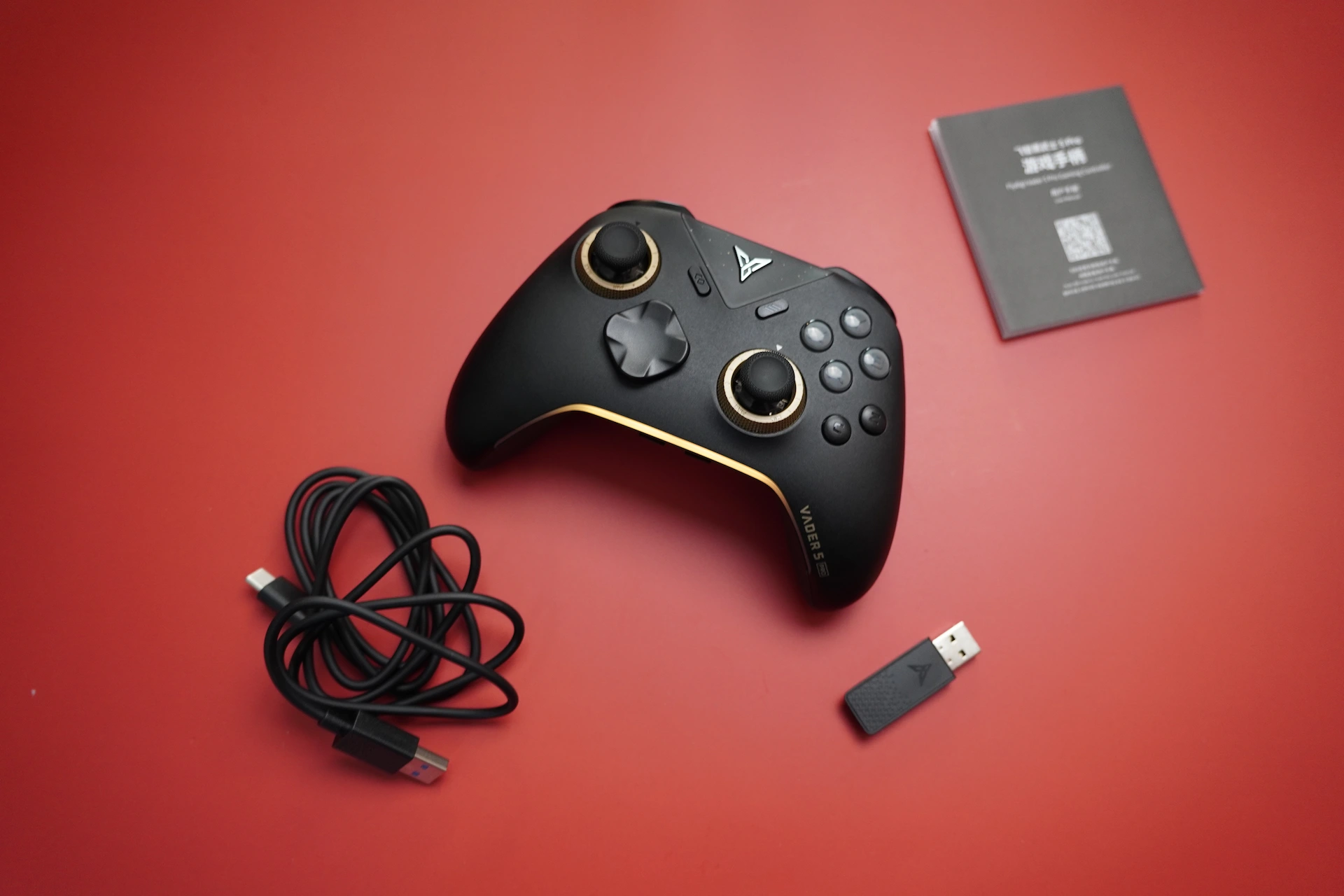
I’ve been using a lot of great budget controllers recently from well known global brands like 8bitdo, Gamesir, Gulikit, etc. It got me wondering whether controllers offered by Indian brands match the quality and value provided by these international brands.
So today, I will be providing my thoughts on the Evofox Elite X2 Pro after using it for over a month. Just how Elite can a controller be for just ₹2000 ($23)?
The spec sheet sure looks promising. But does the actual product deliver upon these high expectations? Let’s find out.
PACKAGING

The Evofox Elite X2 Pro comes in a compact little box. The box has a large illustration of the controller, depicting the colour of the controller inside the box. We see a lot of information about the specs of the controller on the box.
The controller is nested in a plastic protective mould to prevent scratches and damage. Other contents of the box include :
- A 2.4ghz micro adapter
- A USB-A to USB-C cable
- A USB extension cable
- A pair of taller removable joysticks
- A user manual booklet, some evofox stickers, a warranty card, and a “join the community” card
At this price point, these are enough. The taller sticks are a really thoughtful addition.
The cable could have been of better quality. It has that cheap rubber-plastic feel that you get from those cheap computer mice you used to have in your school computer lab.
SPECIFICATIONS
from evofox website and my own observation :
- Layout: Xbox (asymmetrical)
- Connectivity: 2.4G / Wired / BT 5.0
- Connectors: USB-C
- Analogs: Hall Effect, replaceable joystick top
- Triggers: Hall effect with Trigger stops (NOT HAIR TRIGGER / MOUSECLICK)
- ABXY : Membrane rubber dome
- D-Pad : Membrane rubber dome buttons
- Shoulder bumpers : Mechanical buttons
- Haptics : Two motors system, asymmetric dual rumble motors
- Gyroscope: No Gyroscope
- Battery: 800 mAh
- Polling rate: 1000Hz (Wired, 2.4G) , 250Hz (Bluetooth)
- Docking station: None
- Available Colours : White, Grey
- Price: ₹2499 [$28] (often goes on sale, and with card offers it can come down to as low as ₹2000 [$23])
BUILD & APPEARANCE

This controller initially caught my attention because of the non standard shape and the cool looking RGB lighting. I have the grey variant with me. It features a dark grey top half and black bottom half. The ABXY buttons have coloured legends in a tacky, gamery font. The little silkscreened pattern between the ABXY buttons is quite cool.
The plastics used in this controller feel quite good, but not exactly “premium”. Overall the build quality is up to par. There’s no creaking anywhere and it feels solid in your hand as you’re gaming, but it’s quite light and the weight distribution is a little bottom heavy (more weight in the handles), which doesn’t feel very nice in the hand to me. The RGB is the star of the show here. The clean pattern of smooth RGB is pretty good looking. It’s complemented well by the RGB rings around the analog sticks.
The Evofox Elite X2 Pro weighs about 230 grams, and it’s comfortable to hold in my hands for long periods.
ERGONOMICS


The shape is a little unorthodox. It’s not uncomfortable to use, but the standard Xbox controller shape is definitely more comfortable than this.
The controller has hard textured rubber grips on the top half of the handles, and textured plastic on the bottom half. This results in a good grip. But in my opinion, the rubber was unnecessary, as my hands barely ever touch the front of the controller. The textured plastic of the bottom half is doing all the work here.

There’s also some stippling on the bottom half of the triggers, which is really handy. Good job Amkette.

The back buttons are very easily accessible and feel comfortable to press. All in all, it’s a good controller to hold and use.
ANALOG STICKS

The Evofox Elite X2 Pro has hall effect sticks. It’s using some Hall Effect sticks that I couldn’t open the controller to take a look at, as the screw holes are too thin for all of my screw drivers. The sticks are fine to use, and there’s no issues in the performance as such.
There was minimal deadzone in the sticks and it was a pretty good experience. The sticks aren’t very linear, and I felt the difference in stick curve when aiming in COD.
The anti friction rings leave much to be desired. It’s pretty scratchy and it has broken my immersion from the games in a few occasions. Demonstrated in sound test later in the review.
The stick tops are removable, and the controller comes with 2 extra taller sticks. This is a great addition, and I switched to the taller sticks on day 1. The default short sticks are reminiscent of the switch joycons in height.
A very interesting feature here is the addition of a “precision button”. This basically acts as a sniper button in ye old gaming mice, and it halves the sensitivity for more precise aiming. This is the first controller that I’ve seen with a dedicated button for this feature. Pretty cool. Not something that I use ever, but cool to have nonetheless.
BUTTONS

The ABXY face buttons are in an Xbox layout and it uses rubber dome membrane buttons. They’re… meh. It’s fairly tactile, but the feedback is a little underwhelming. It’s not mushy, but it feels a little “sticky”. I’ve had a few missed inputs here and there because of the stickiness of the buttons.

The other buttons are fine. They’re placed in such a manner that you have to reach over with your thumb to press them. It’s not the end of the world, but it definitely is something to consider, especially for people with smaller hands than mine (mine are pretty large)
The mode switching buttons are quite a welcome addition actually. I’ve been switching between my PC and my Android tablet a lot recently, and the easy mode switching is a nice feature. I would prefer a slider on the back for a cleaner look, but this is fine too.
D-PAD

The dpad is very clearly an afterthought in this controller. It works, but it feels downright bad to use. There’s practically no tactility or feedback to the rubber dome implementation here. The diagonals feel awful. The 4 directions have different levels of feedback. There’s no central pivot so you can press all four directions at once if you press in the middle.
If you’re planning to get this controller and use the d-pad for anything important like movement, you might wanna reconsider. It works fine for changing items or quick menus, but other than that it’s pretty useless.
SHOULDER BUMPERS

The bumpers are decent. They use mechanical buttons, but they’re too tight and it takes more force to activate them on this controller than any other controller I’ve ever used. Uncomfortably so.
It’s quite loud as well, and the sound of the bumper stands out amongst all the other sounds of this controller.
TRIGGERS
The triggers used here are hall effect ones. The performance is satisfactory. There isn’t a lot of initial or terminal deadzone (after calibration) and the control is pretty good. It’s quite smooth and consistent.
The trigger stops are half-way stops. They do turn the triggers into a digital input, but they’re not mouse click / hair trigger stops. That’s fine at this price in my opinion.


The stippling on the lower half of the triggers is very handy.
EXTRAS
Back Buttons :

There are two back buttons which can be programmed to act as macros.
Gyroscope :
No gyroscope
Haptics / Rumble :
The vibration is smooth but not very detailed. Nothing mind-blowing, but it’s sufficient. The vibration intensity and frequency are good enough, but there’s not much “texture” to the rumble. Difficult to describe XD. There’s 4 levels of vibration adjustment using shortcuts on the controller.
Software :
The keylinker app on iOS and android lets you remap buttons, set macros, adjust sensitivity, etc etc. It’s also used for firmware updates.
There is no software for customisation or firmware updates on PC.
CONNECTION & LATENCY
The Evofox Elite X2 Pro can be connected in the following ways –
- 2.4ghz dongle : Xinput , 1000 Hz
- Wired : Xinput , 1000 Hz
- Bluetooth : Dinput , 125 Hz
And it works on Android, iOS, Linux, MacOS and Windows
I don’t have the exact latency numbers, but there’s no noticable latency in wired or 2.4ghz mode. There’s a little bit of latency in bluetooth mode which can be chalked up to the lower polling rate in bluetooth mode.
BATTERY LIFE
The controller lasts about 15 hours on 2.4ghz and about 25 hours on bluetooth with the RGB off.
With the RGB on, it lasts about 8 hours on 2.4ghz and 13 hours on bluetooth.
HEADPHONE JACK

It apparently only works in wired mode. I haven’t tested this port at all so I can’t comment on its quality and functionality.
SOUND TEST
GAMEPLAY
I wanted to test the bluetooth performance with android so I emulated Silksong on android. I did this so I have a common reference for all my platforms.
CONCLUSION
What I like about this controller:
- Good Value
- Decent build quality
- Unique and varied Aesthetic
- Lightweight
- Good, reliable performance across the board (aside from the awful dpad)
- Pretty cool features like the precision button
Where it could be better:
- Handles could have used a different style. Maybe even skip the rubber half entirely.
- Anti-friction rings are a little scratchy. Not the worst but not ideal.
- D-pad is ass. Needs a complete rework
- Shoulder buttons should be easier to press.
- Gyroscope would have been very nice, but at this price it’s a tough ask.
- Good Value
- Decent build quality
- Unique and varied Aesthetic
- Lightweight
- Good, reliable performance across the board (aside from the awful dpad)
- Pretty cool features like the precision button
- Handles could have used a different style. Maybe even skip the rubber half entirely.
- Anti-friction rings are a little scratchy. Not the worst but not ideal.
- D-pad is ass. Needs a complete rework
- Shoulder buttons should be easier to press.
- Gyroscope would have been very nice, but at this price it’s a tough ask.
This is a decent controller at the price of ₹2500, but its real value lies during sales. For a price nearly as low as ₹2000 during sales, this is a tough controller to beat. There are other wired options which would be better in my opinion, but if wired isn’t an option for you, then this might be the best controller under ₹2100.
I can recommend this controller to people on a tight budget. I personally recommend increasing your budget a little bit and buying better, more globally cherished controllers. But if that’s not an option, the Evofox Elite X2 Pro is great for everything from casual gaming to competitive gaming.

Hello! 🥰 I'm Fang.
I like gaming and related tech. I enjoy learning more, and sharing my experiences through my review videos and blog posts. Have fun! 💖