


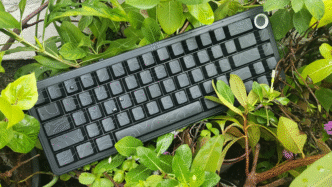


Aula has been making some the best budget keyboards in these past few years, and they’ve covered every popular form factor out there.
But now with the F65 Pro, they’ve added a new and improved knob to their already popular Aula F65, and moreover, it has a cool little party trick! And they’ve given us even more cool switch and keycap options to pick from.

- EPOMAKER X AULA F65 PRO: Draw from the predecessor Aula F65 with creamy sound and compact size, the F65 PRO features a rotary knob and the innovative top-printed shine-through keycaps with topographic lines. Designed for…

What makes this keyboard a compelling purchase? What makes this keyboard PRO? Let’s find out together.
You can watch the full review here for visuals and oration.
PACKAGING & UNBOXING


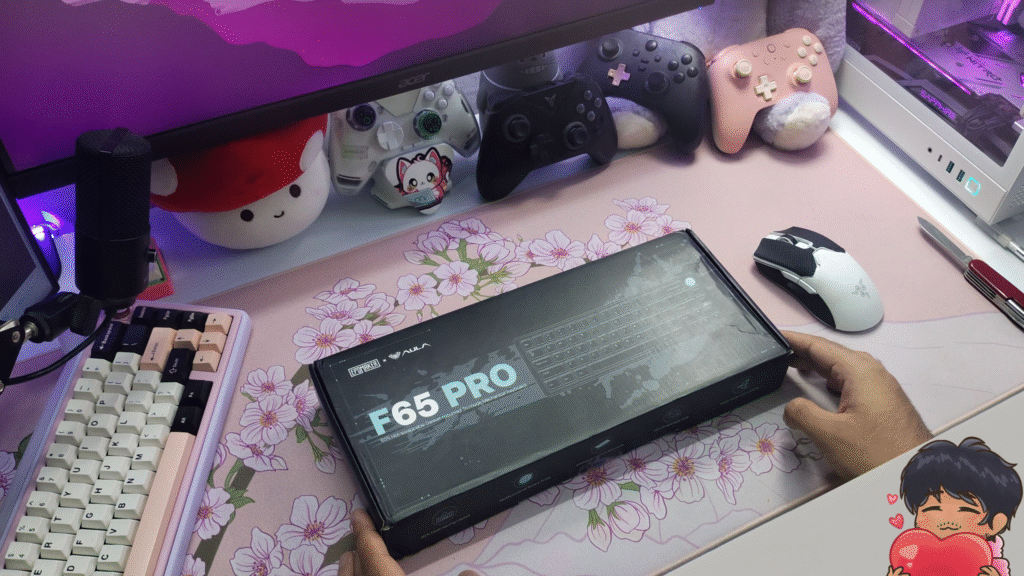
The Aula F65 Pro comes in a sleek, compact box with a new design. I like it.
The packaging is super basic, just enough foam to not damage anything in shipment.
In the box, you see a manual for the keyboard, a plastic dust cover, the keyboard wrapped in a plastic protective sheath, and two compartments containing a couple of extra switches, a USB A to C cable for charging and wired connection and a basic keycap and switch puller.
GENERAL FEATURES
The Aula F65 Pro comes in TWO variants, and you’re gonna want to pay attention here.
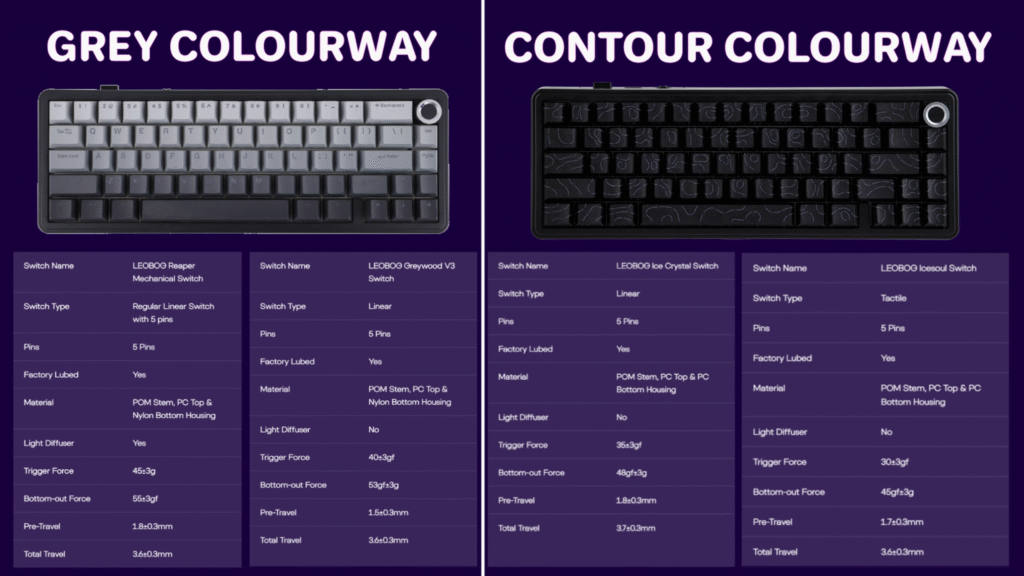
1) The Grey colourway, which features a black ABS plastic body, and these PBT “shadow” keycaps which are shinethrough at the top.
This variant comes with NORTH FACING LEDs to support the front facing RGB.
The grey variant comes with two switch options – The Leobog Greywood V3 switches, which you can listen to in THIS video, and the Leobog Reaper switches, which you can listen to in THIS video.
They are both linear switches, and they’re quite nice. Definitely get the reapers if you’re getting this variant, in my opinion.
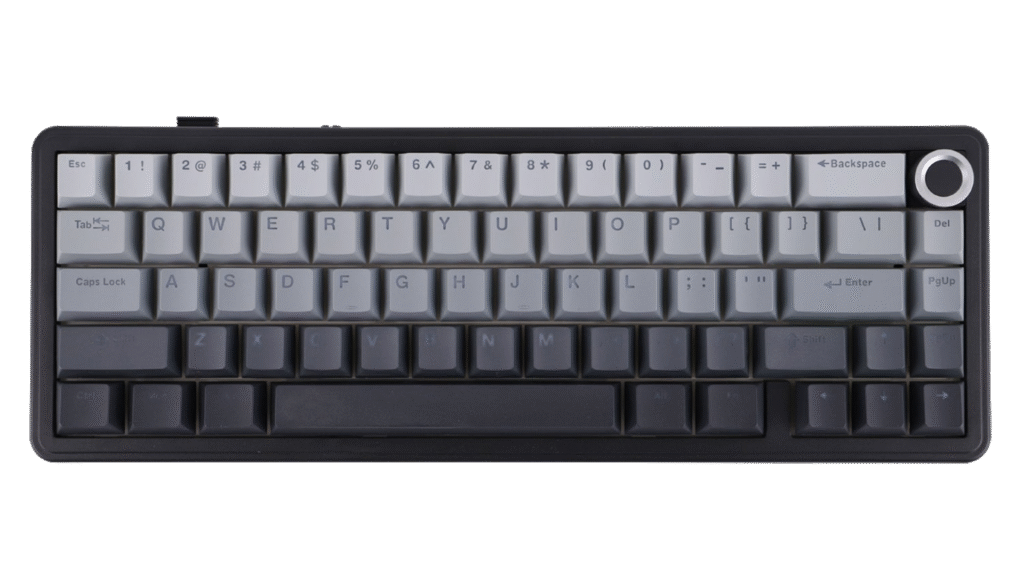
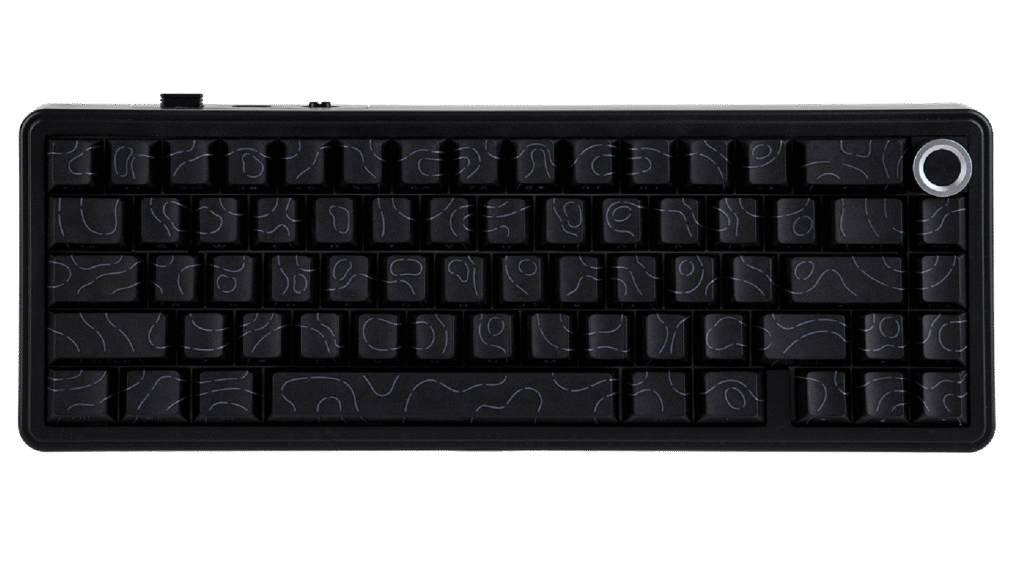
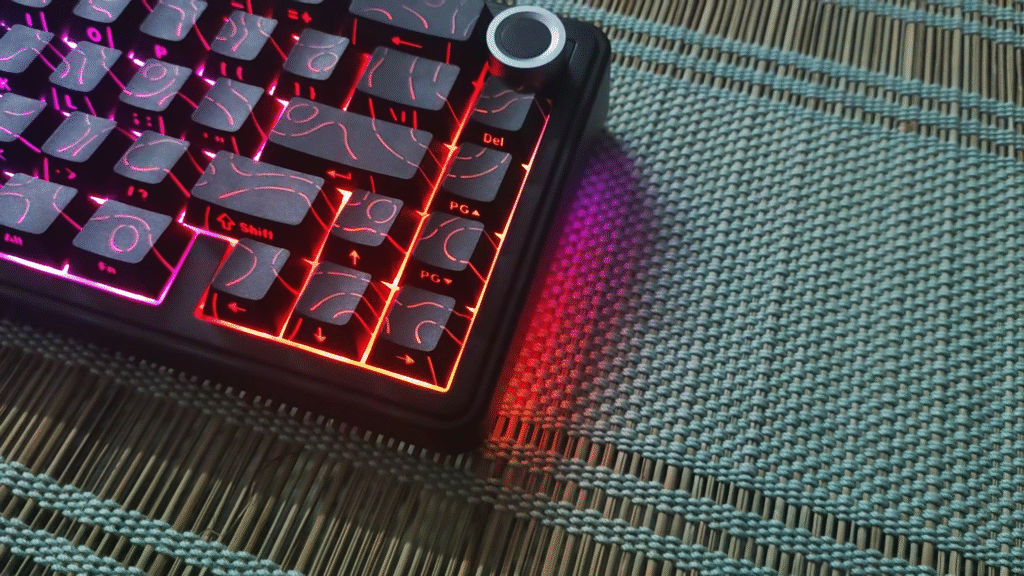
2) The second variant is the one I have with me here, the “black contours” colourway. This variant features a black ABS plastic body again, but this time the PBT keycaps have a cracked topographic shine-through pattern, with south facing shine-through legends.
And to light these south facing legends, this keyboard comes with SOUTH FACING LEDs.
The contour variant comes with two interesting switch options. Since there is a need to light up the topographic pattern as well as the south-facing legends, this variant of the F65 Pro features TRANSPARENT switches. Namely, the Leobog Ice Crystal Switches, which is a linear switch, and here’s the interesting option, the Leobog IceSoul Switches, which is a TACTILE option. I have never seen an aula keyboard come with a tactile switch option before, so I knew that I just HAD to get this one.
The Aula F65 Pro is a compact 65% layout, with 66 keys, and a tactile knob. It weighs about 730 grams which is about 1.6 pounds.
It’s a gasket mounted keyboard which gives it a nice bouncy feel when typing.
It comes with a flex cut PC plate, and the PCB is non-flex cut, which gives it a softer, flexible typing feel. I personally like flex cut builds but some people prefer non-flex cut. It mostly changes the typing feel in a keyboard like this which is filled to the brim with foam. In foamless builds, the flex cut or non flex cut also changes sound. Not relevant here so I won’t go into much detail. As most things in this hobby, it’s all up to YOUR preference. But you’ll only know which one you like after you try them out.
The F65 pro comes with good ol’ five layers of sound absorbing dampening material, which you can see in the teardown section of the video.
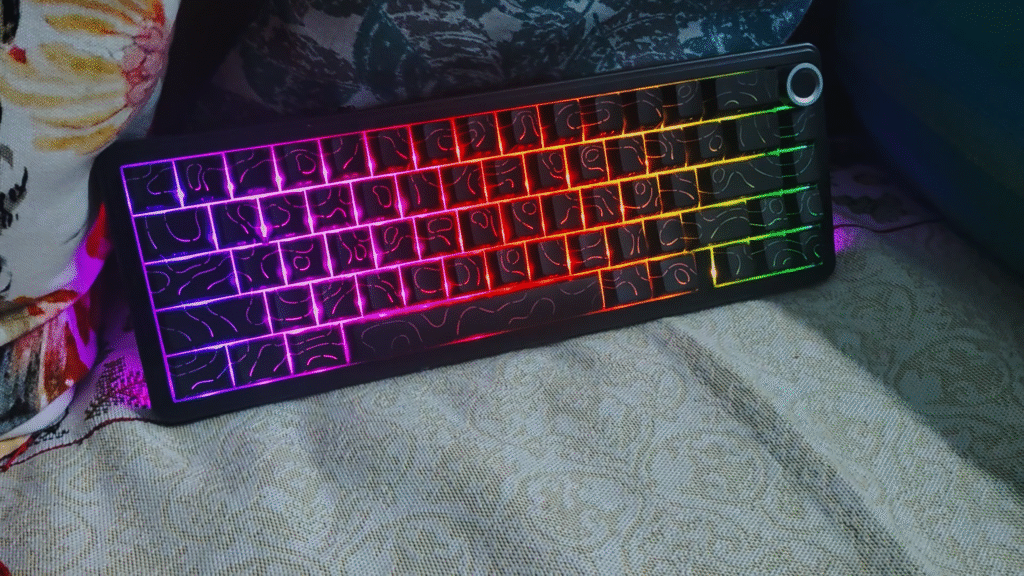
The F65 pro has got a good RGB implementation which is very bright and has tons of lighting patterns. The contour pattern lights up really nice and looks very clean. One thing people don’t talk about on Aula keyboards is the PC plate that they use makes the RGB look REALLY nice, bright and diffused.
I’ve already discussed what switch options are available for the F65 pro, so I’ll just show the specs and you can check it out. Points to note – IceSoul switches are TACTILE switches, Greywood V3 switches DON’T HAVE A LIGHT DIFFUSER so RGB looks less diffused on the PC plate, but shine-through is still good.
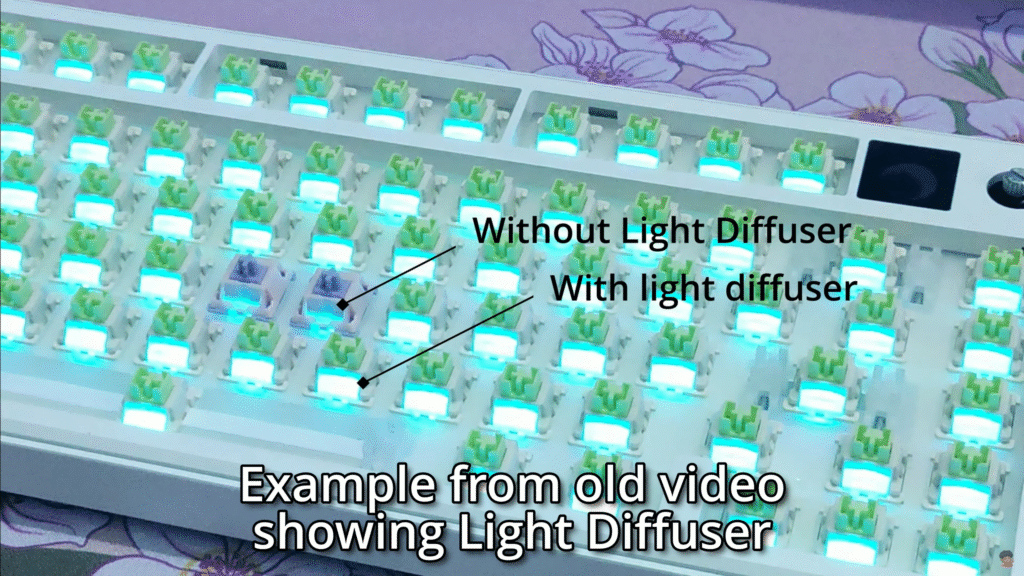
Do note that the keyboard is fully hot-swappable so you can use any switches that you like with ease.
It comes with plate mount stabilizers out of the box with no support for screw-in stabilizers. Granted, the stock plate mounted stabilizers are perfect and don’t have any ticking, rattle or inconsistencies.
It has tri-mode connectivity (Wired, Bluetooth, 2.4ghz dongle) and so far I haven’t had any issues with connectivity or interference. It is compatible with Mac, Windows, and Android. I haven’t tried this with a Linux system, nor does it state anywhere on the product page that it supports Linux, so make of that what you will. It doesn’t come with any extra mac keycaps. But it’s full feature set is really only available on windows. More on this later in the video.
The keyboard has a 1000Hz polling rate which is standard. Do note that it’s only 1000Hz in the 2.4ghz and wired connection mode. In bluetooth mode, it has a 125hz polling rate.
The keyboard has 1-3ms of latency when used in wired and 2.4ghz mode, and 8ms of latency when used in bluetooth mode.
The F65 Pro comes with a 4000mah battery, and from my testing, the battery life is quite good. With the RGB off, the keyboard lasted about 190 hours (about 4 weeks of use) and with the RGB on it lasted about 45 hours (about a week of use)
The F65 Pro lacks height adjustable feet. I like the stock typing angle of this keyboard but I still like to have the option. No big deal though.
THE KNOB
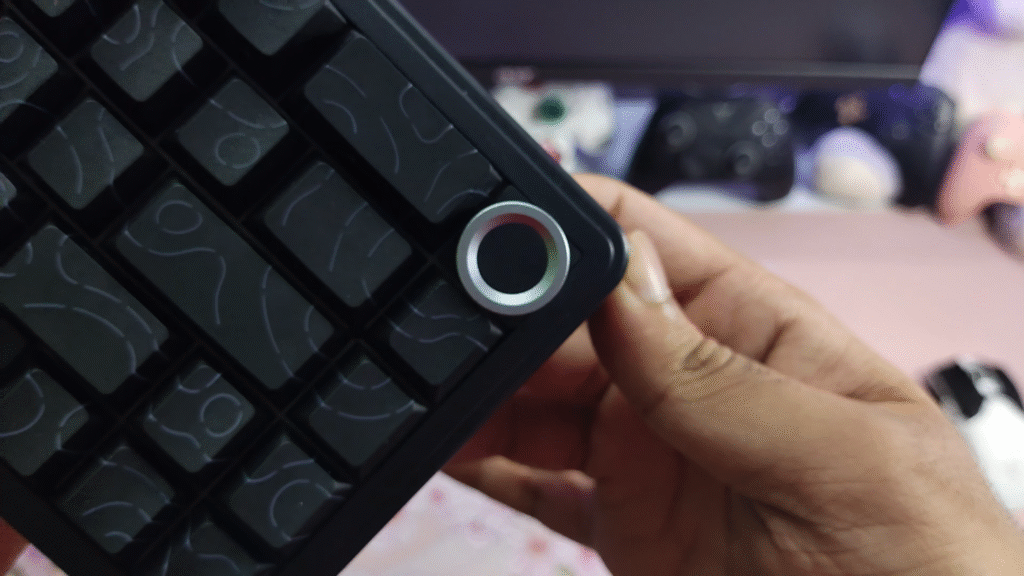
The F65 Pro has Aula’s new and improved knob. It has clear, audible clicks when rotating and it feels very nice. I primarily use the knob to change the volume but the knob can also be used to toggle change RGB brightness and change the RGB brightness. These two modes can be switched between by holding the knob down for 3 seconds.
Interestingly, this knob module is HOT SWAPPABLE. You would ask “But fang, what does that mean? Why would I switch this knob for another knob?” That’s the cool thing. You don’t have to swap it with a knob. You can swap the knob for a regular switch, and it will act as the home key. Very cool. (If you’re gonna use this keyboard without the knob, I recommend just getting the Aula F65 non pro which has a home key by default, and it’s about $5 cheaper.)
The knob is kinda squeezed in here it seems, since there’s not really any space on the left and bottom of the knob to operate it. You can realistically only use it from the top and the right side, which isn’t an issue or anything, just something to be noted.
SOFTWARE
I discuss and showcase the software here.
WHY has Aula not started implementing VIA support into its keyboards still, I have no idea. It’s the ONE thing that EVERYONE brings up when discussing Aula keyboards. Literally just ONE downside that Aula keyboards have. It’s such a shame really. As it stands, Aula F65 Pro’s software is quite robust and user friendly. VIA/QMK would definitely have been better, but in terms of proprietary software, this keyboard’s software is standard and has all the features you’d need. BUT the issue is that this software is only available on windows, and that’s why brands should use web-drivers like VIA instead of proprietary software.
One cool thing on this keyboard is the music sync. I like it, it’s really fun to show off to friends and also adds a level of impact to games, well, some games. In games like Counter strike it’ll just be a distraction so I keep it off.
PERSONAL THOUGHTS
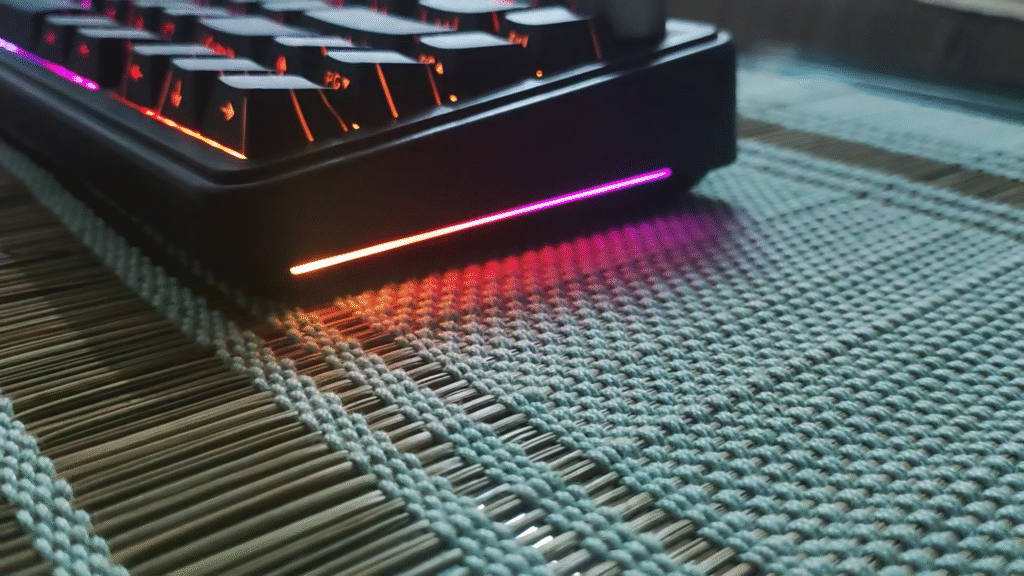
The F65 Pro looks really nice. The spacing between the keys is very comfortable to type on and the RGB shows through the space very nicely. The RGB shine-through on the keycaps is very nice as well, as you can see in the view. The RGB side-glow is fairly bright and shows up on the desk.
The tactile knob is a joy to use and I keep fiddling with it because it’s just so satisfying. They nailed the sound.
The mode switch and the USB C port for wired connection and charging are located on the left side of the keyboard. It’s my favourite spot as it looks nice, and any coiled cable that I use won’t get in the way of the mouse. Just a me thing though.
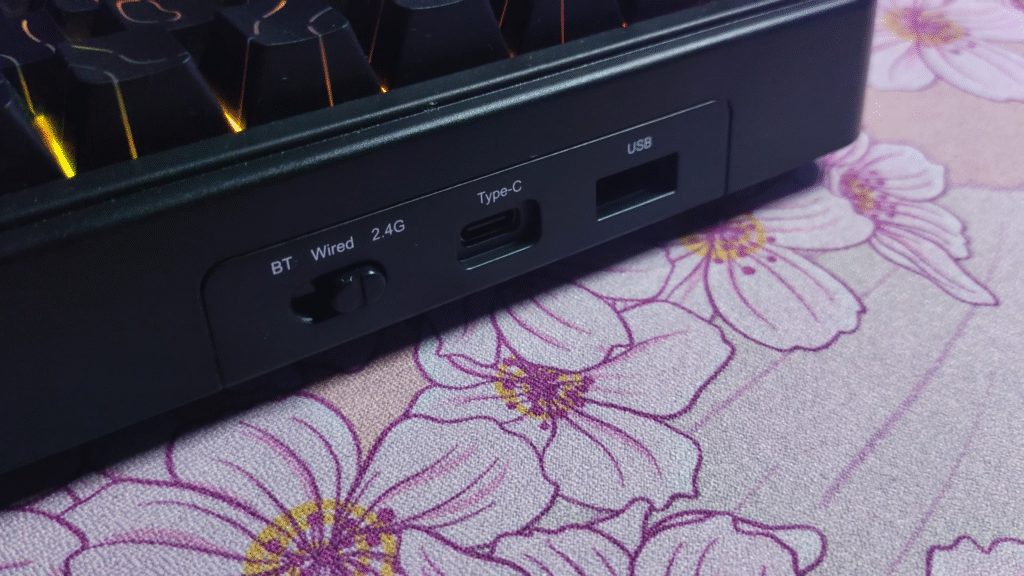
Speaking of the mode switch, I’m glad they have an easily accessible one. I dislike it when manufacturers put the mode/power switch under the caps lock or under the space bar.
The included keycaps are nice. They’re good quality, are of decent thickness, and sound good. The print of the legends are consistent and sharp. The texture on the keycaps is smooth but grippy. It’s not exactly matte, but it isn’t too abrasive either. It almost feels like a nice mouse surface. It’s good. Very pleasant to type on.
The stock Leobog Ice Soul switches are very nice. They’re factory lubed really well. The tactility is off the charts, so much so that it feels almost like a clicky switch. To paint a rough picture about what these switches are like, I’ll compare them to the Akko Creamy Purple V3 Pro Tactile switches. The tactility on the Leobog Icesoul switches is a bit heavier and more “rounded” out compared to the lighter, sharper tactile bump of the Creamy Purples. The bottom out on the Icesouls is nice and smooth. They end up having a nice and poppy sound signature in the F65 Pro.
SOUND TEST
TEARDOWN & INTERNALS
CONCLUSION
The Aula F65 Pro and regular Aula F65 non pro are probably gonna be my budget recommendation in the 65% category to everyone at this moment, at least till something better comes out at this kind of a price point. The F65 pro retails at 66 USD, and it goes on sale often and you can get it at a discount.
2025 has seen an insane boom of hall effect keyboards, and they’re getting REALLY affordable. But I still like the vast modding capabilities of regular mechanical keyboards, and the sheer amount of switches available for these keyboards at every price point. For example, you literally cannot get a clicky or tactile hall effect keyboard. Or even silent switches.
The F65 Pro has added the much needed knob to the F65 non pro of last year, and this has become a true 65% successor to the budget GOAT, the Aula F75. And the fact that they added a tactile switch option is just the cherry on top.
I recommend this keyboard to anyone on a budget, and it is especially going to be an incredible experience for beginners to the mechanical keyboard hobby.
Thank you for reading. Any other brands, shoot me a DM if you’d like to discuss a collaboration with me for a review <3.

Hello! 🥰 I'm Fang.
I like gaming and related tech. I enjoy learning more, and sharing my experiences through my review videos and blog posts. Have fun! 💖


If it had VIA I would get this one instantly
RIGHT? It baffles me how Aula STILL hasn’t figured this out. It’s the one thing that adds a “but” to my recommendations for Aula keyboards.