
Beitong has a long history of making some pretty good controllers, but only in recent years have they come into the limelight for consistently making top tier controllers with innovative features and competitive performance. Today, I’ll be taking a look at one such controller. It boasts a feature set which is goes toe-to-toe with well acclaimed controllers in it’s price territory, and performance to be competitively viable.
I’m talking about the Beitong KP40D. It derives it’s name, Kunpeng, from the Chinese mythological creature of the same name – symbolising boundless potential. Let’s see if this controller lives up to it’s name.
Oh also, while we’re talking about the name, make sure to not confuse this controller with the older KP40 (non-D).
Unboxing

The KP40D comes in a pretty nice and compact package. Aside from the excellent shipping packaging from GadgetHyper, the controller’s own box is quite sturdy too. It comes in 2 layers of boxes, and the contents within are as follows:
- The Controller itself
- A 2.4gHz adapter
- 2 additional taller thumbsticks
- 2 plastic back paddles (long)
- A basic white USB-A to USB-C cable (unbraided)
Map to Beitong headquartersThe Product Manual (it spans half my desk when unfurled lmao)
Spec Sheet
From Beitong website and my own observations
- Layout: Xbox
- Connectivity: Wired, Bluetooth, 2.4GHz
- Compatibility: PC, Android, iOS, Switch, Vehicle Systems
- Sticks: TMR sticks with Tension Adjustment
- Triggers: Hall Effect – Trigger vibration, Mouse-click trigger stops
- Extra Buttons: 4 rear paddles (2 detachable), 2 extra bumpers
- Battery: 1000mAh, charging dock available separately
- Polling Rate: 1000Hz in wired & 2.4gHz mode, 125Hz in bluetooth mode
- Colors: White
- Software: Beitong iControl
- Price: $80 base, accessories available separately
Ergonomics & Build Quality

The materials used in the Beitong KP40D feel quite good. The plastics are nice and firm, and the tolerances are good on my unit. There’s no creaking or rattling under normal circumstances.
The ergonomics of this controller are quite good as well. The flared xbox style shape is a staple of controllers. But here, the handles are slightly longer and it’s not a very thick body. Combined with the excellent weight balance of the KP40D, you get a controller which doesn’t cause fatigue even after long gaming sessions.

You usually see textured rubber grips in premium controllers. But the texture they’ve implemented in the KP40D is interesting. It’s supposed to emulate a “skin-like” feeling when holding the controller. Tbh, I don’t know what they’re talking about but I find the grip to be sufficient and the controller doesn’t slip out of my hands at all. This is partly thanks to the rubber wrapping all the way around the back of the controller towards the insides of the handle as well. I like it.

I also like the patterned texture Beitong has used for the triggers and bumpers. It looks great, and grips even better. The tension adjustment ring also has a nice texture, and it’s easy to turn it without your fingers slipping.
All in all, the Beitong KP40D offers an excellent, reliable in-hand feel.
Analog Sticks – The Star of the Show

The Beitong KP40D features TMR sticks. They perform really well and they feel great to use. It’s a very smooth experience overall, with the antifriction mechanisms working perfectly. You can set the joystick from 8 bit to 12 bit depending on the resolution you prefer. I find 12 bit to be great for racing games and FPS games, and 8 bit is sufficient for fighting games.

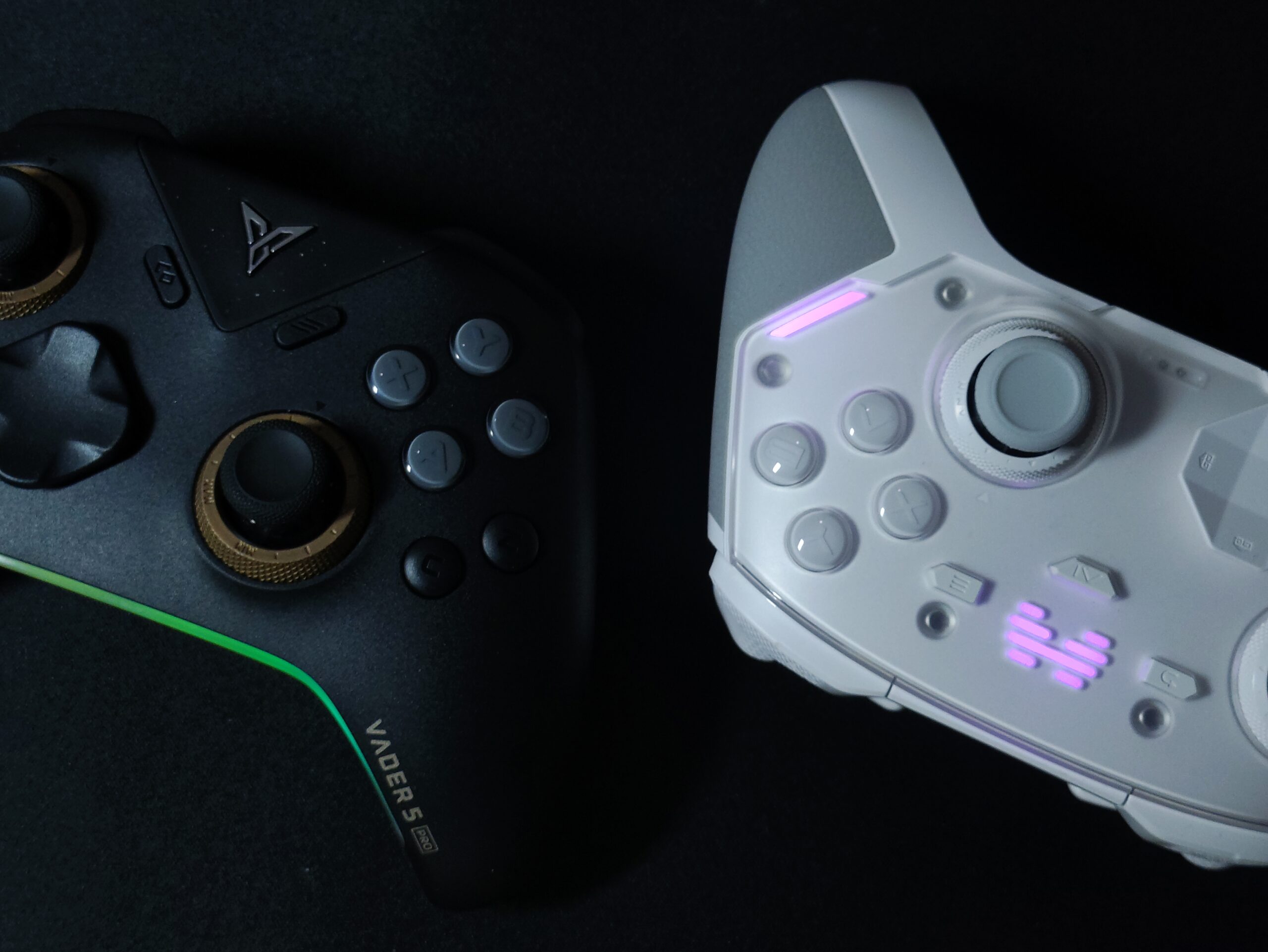
The tension adjustment mechanism is the real head-turner in this controller. It is the best and most satisfying implementation I have seen in a controller so far- better than even the new Flydigi Vader 4 Pro V2 iteration with the fixed ratcheting mechanism. It has a very satisfying tactility to it, but it’s not just a sudden bump. It builds up to the bump for every tick. To give you an idea, it gives the same sensation as clicking a nice retractable pen. Muy bien.
The tension can be adjusted from 30gf at the lowest to 90gf at most. For context, a standard Xbox series controller is about 60gf. This is a very handy feature when you like to switch between competitive shooters and other games. And combined with the included taller sticks it’s a really nice experience all in all. I’m a fan of these sticks.

The one nitpick I do have about these sticks is that the center bump is a little stronger than I would like. It resulted in my missing a good number of shots in Aimlabs. Although I did end up getting used to it after several runs.
There is also a little bit of stick snap-back, which is easily resolved by enabling the appropriate stick algorithm in the Beitong iControl software.


The circularity test gives an expected result. In the app there are 5 different settings for the mode you want to keep it at. Here are the results for raw and circular edge shapes. There are also octagonal gate, square, and octagon shapes in the app.
ABXY buttons

The KP40D features optical micro-switch ABXY buttons, which gives it a longer theoretical lifespan. It also allows for an incredibly short pre-travel of just 0.25mm. These switches have a fairly loud and sharp tone when clicked, which may or may not be a bother to you. I personally don’t mind it at all.
The clicks aren’t very heavy and they’re easy to actuate. There’s only a slight convexity to these buttons so it doesn’t hurt your thumbs after long gaming sessions. Overall, these switches perform and feel great, and don’t leave much to be desired.
But I do have a small gripe to pick here. There is a distinct lack of “bounce-back” when you click these buttons. This is not a problem in most cases, but in the rare occasion that I need to spam click a button (for example in Quick-Time events in God of War, or the button mashing minigame in Mario Party) it makes me miss a few inputs and tires my thumb out a bit. Other than this one thing, it’s pretty good.
D-Pad

The KP40D’s D-Pad is great. It’s uses 4 microswitches with a silicone layer above to provide pretravel and bounce-back. The D-pad is very accurate and I haven’t had any missed inputs with it.
The stock D-Pad provided is an octagonal shape, and you can find other shapes if you buy the accessories pack or the elite bundle.
I don’t see a setting for switching between a 4-direction and 8-direction D-Pad. Seems like something they could’ve added easily.
I used this D-Pad for games of various genres – platformers (Celeste, silksong), fighting games (street fighter 6, mortal kombat 1, tekken 8), retro games (pokemon, zelda games) etc and it performed well in every scenario.
Shoulder Bumpers

The shoulder bumpers feel good. They’re mechanical and the tensioning is good. It feels stable to click, and the textured plastic adds a good amount of grip. The bumpers feel nicer to click towards the outside than the inside, which is closer to the hinge.
There is an extra pair of mouse click shoulder buttons which can be remapped to buttons, macros, or turbo activation as well.
Triggers
The KP40D features hall effect triggers with trigger vibrations. The implementation is good and it feels great in supported games. You can also tie the trigger vibration to the grip vibration for games that don’t support trigger vibrations. This actually was a pretty nice experience in older COD titles. You can set the vibration intensity from 0 to 4. I personally use it at 3.


The triggers also feature a mouse click trigger stop. There’s a travel of 0.3 mm in this mode and overall it feels pretty good. I performed well in FPS games and Aimlabs with these hair triggers. I personally would like zero travel, but that’s upto your preference.
Back Buttons

The Beitong KP40D has 2 permanently affixed back buttons and 2 optional attachable back paddles. The plastic paddles are included in the controller box. They attach to the M2 and M4 slot magnetically, and they’re pretty easy to remove.
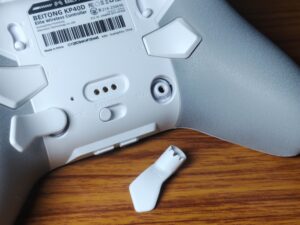
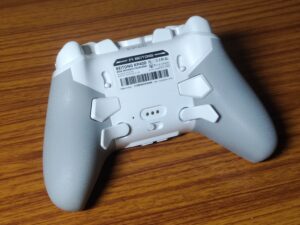
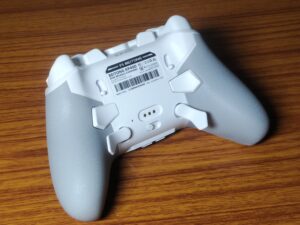
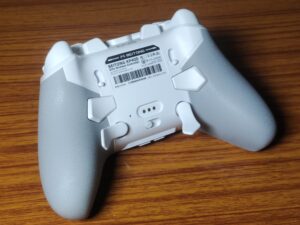
There’s a really cool feature here. They’ve made the paddles so that you can rotate them into 3 different positions as per your comfort depending on factors like hand size and grip style. I quite like this feature. I use it in the top-most, “default” position.
Connection & Latency
The Beitong KP40D connects via 2.4gHz dongle, wired and bluetooth modes. The polling rates are as follows :
- 2.4 gHz mode – 1000Hz
- Wired mode – 1000Hz
- Bluetooth mode – 125Hz

The latency numbers here are pretty good too. Here is some data from Gamepadla for reference.

As you can see here, in wired mode, the button latency is about 2.5ms and stuck latency is 2.7ms. Interestingly, in 2.4gHz mode, the button latency is higher than the stick latency, at 6.5ms and 6.2ms respectively.
So, while the numbers arent industry leading, it’s still a very competitively viable controller. I personally cannot tell the difference between a few milliseconds of latency as in this case.
Other Important Stuff
Haptics
Haptics in the Beitong KP40D are quite good. It features a 4 motor system – a pair of asymmetric motors in the grip handles, and 2 motors in the triggers. In supported games, the trigger haptics feel great. This list is quite limited at the moment, but it’s an enjoyable experience regardless.
At maximum rumble intensity, you can hear a little bit of rattle from buttons rattling against their housing. So I recommend using the controller at rumble intensity setting 3, instead of 4.
Gyroscope
It has a gyroscope which works fine. It’s not the most accurate gyroscope I’ve ever used, but at a low sensitivity, it suffices for precision aiming in games like Call Of Duty. I’ve noticed that some latency is introduced if you flick the gyro hard in a direction. It doesn’t affect my gameplay, but perhaps it’s a deal breaker to avid gyro users. So I’ve mentioned it here.
The way gyro works for PC is that you can map gyro to either one of the sticks. And then, in the app, you can set whether you want gyro to activate when you tilt the controller on the XY plane (shooter mode) or the XZ plane (racing mode). All in all, it works well enough.
Battery Life
The KP40D comes with a 1000mah battery. In my usage, it lasted about 10 hours. Pretty decent battery life. I don’t have the charging dock, but I would definitely recommend getting it as it would remove any battery hassle that comes with a controller like this.
Software
The Beitong iControl windows app is quite robust and granular. I like it. You can see all the features of the app in the screenshots below. I’m impressed by the level of control you get.


“AI” features
The AI features are apparently a highlight in this controller. It’s mentioned multiple times on the product page and the product box. But in my experience, it’s not really particularly useful. Anything the “AI” does, you can do yourself in the app settings. I believe they’ve just used AI as a buzzword here, and while there is an AI feature, there’s nothing particularly Intelligent about it XD.


Faceplate Profiles
This is a pretty interesting feature of the KP40D. Basically, the faceplate holds a settings profile for the controller inside of it. You can see at the front where it connects to the controller via these contact points. And the idea is that when you swap out the faceplate to a different one, it automatically switches profiles. So you can have faceplates for particular games, or if you’re sharing the controller with your sibling, they can have their own profile via a faceplate. Very interesting stuff, but I couldn’t test this as I don’t have a second faceplate.
Available Accessories
- Charging Dock
- Carrying Case
- Elite Accessory Kit (2 D-Pad styles, Mushroom sticks, Short back paddles)
CONCLUDING THOUGHTS
The Beitong KP40D is an excellent, well rounded, premium controller with all of the “essential features”, plus some more really thoughtful features. There are a ton of positives to the controller which I’ve said in the review, and if I list them out here, it’ll be too long of a list. So instead I’ll list out:
Things I particularly liked about the KP40D:
- The mechanism for tension adjustment feels excellent. The best I’ve ever seen in a controller.
- The software is very granular and gives you a lot of customisation options.
- The secondary set of back paddles feel great, and I love the adjustment options you get for different hand sizes and grip styles.
- The included pair of taller sticks is a very thoughtful addition to a controller suited for competitive shooters.
And here are some areas where I would’ve liked some improvement/changes :
- The D-Pad could have a 4 direction option in the software, as I like to play retro games alongside my modern games.
- The ABXY buttons would’ve been nicer to use if there was more bounce to it (via a layer of silicone or stronger springs in the button, that’s up to them)
- They could have included a couple of D-Pad options in the box – a standard cross shaped D-Pad especially would’ve been nice. BUT at least they sell it separately which is fine.
The Beitong KP40D is an excellent controller which I can wholeheartedly recommend to you for all your gaming needs. It’s excellent for everything from competitive titles to fighting games to platformers.
Beitong KP40D


Hello! 🥰 I'm Fang.
I like gaming and related tech. I enjoy learning more, and sharing my experiences through my review videos and blog posts. Have fun! 💖