

A few years ago, 8BitDo released the 8BitDo Arcade Stick for Nintendo Switch and PC. It was an instant hit in the Fighting Game Community. It came in at a price of just $89.99 while offering great features, aesthetics and it was even tournament legal. Back then, I wasn’t much into the FGC, but the story has changed now. I play a variety of Fighting games ranging from mainstream games like Tekken, Mortal Kombat and Street Fighter, to more niche FGC games like Guilty Gear, NidHogg and Blaz Blue Centralfiction.
Today, I’m going to showcase the arcade stick that has stuck with me through it all – the 8BitDo Arcade Stick for Xbox. I use it primarily on PC but I’ve tested it on Xbox as well.
(Aside from fighting games, the arcade stick is excellent for retro games too, since, you know, it’s an arcade stick and not just a Fighting game controller.)
Unboxing Experience & First Impressions
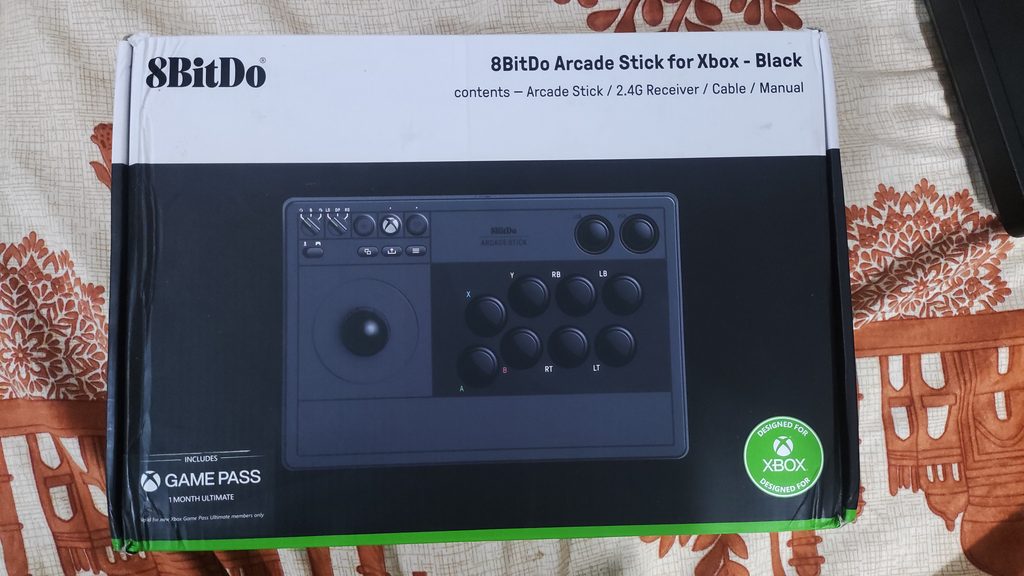
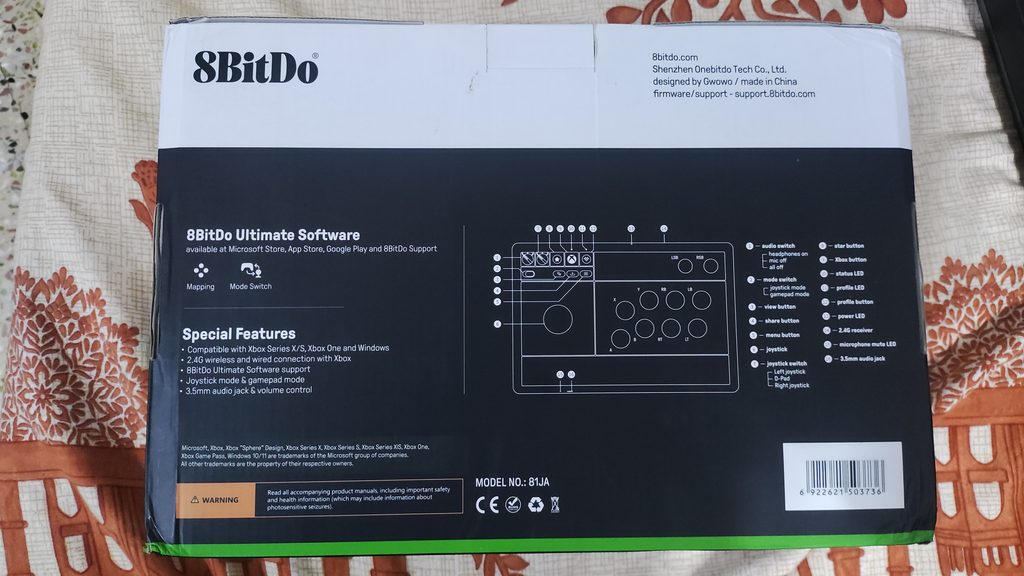
The 8BitDo Arcade Stick offers an excellent unboxing experience. It has ample foam padding on the inside to prevent damage during shipping.
In the box, you’ll find:
- The Arcade Stick
- 1 month free Xbox GamePass
- USB-A to USB-C cable (about 3 metres long)
- User Manual
- A 2.4gHz dongle (placed in a dedicated slot in the Arcade Stick)
The first thing I noticed was the weight. It feels hefty. This is due to the thick metal plate inside at the base of the controller. This gives it a very stable and sturdy feel when using. Combined with the large flat rubber feet, this arcade stick doesn’t slide around at all even under frantic operation. Upon measuring, the weight is around 2kg. Damn.
Appearance-wise, this bad boy is a stunner. Both the white and black colours look great. I got the black variant because I will eventually print out custom stickers for it and I have a certain vision in mind which will look good on the black variant. I like how flat it is for this reason.
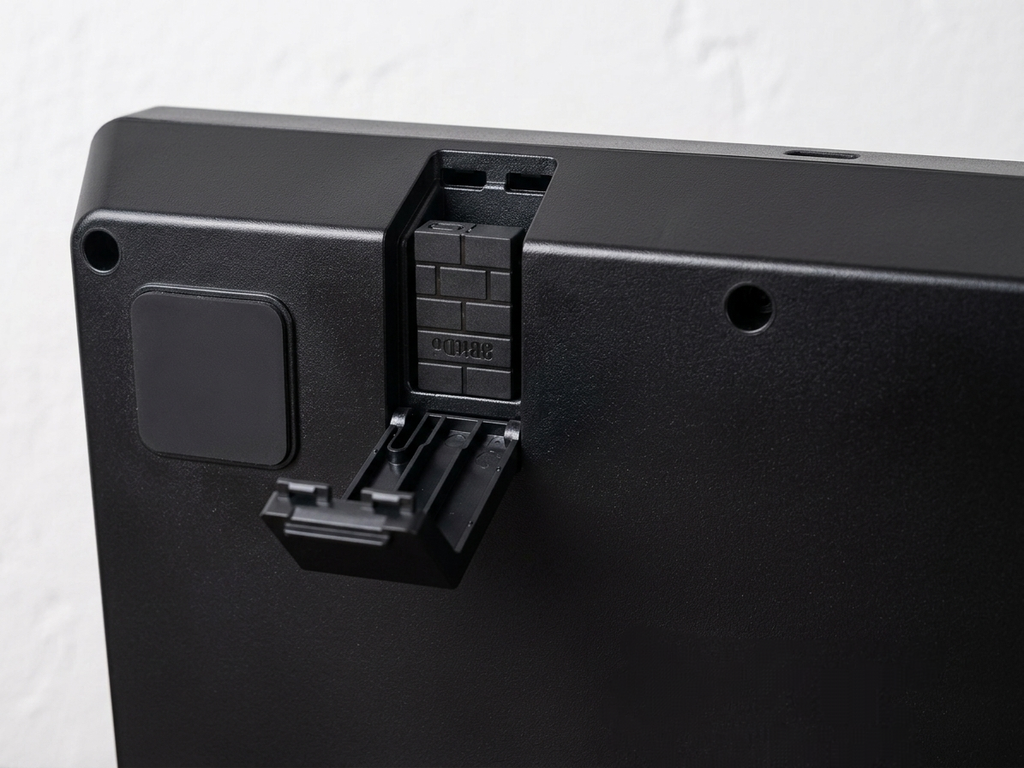
We see a hidden compartment for the wireless dongle on the rear left side of the 8BitDo Arcade Stick. This houses the dongle featuring 8BitDo’s signature brick pattern. I like this inclusion, as it makes carrying the whole package to a tournament a lot easier.
We also see the USB-C port at the back, for using the arcade stick in wired mode (as this gives least latency) and charging the 1000mAh battery inside. This battery lasts about 30 hours in my experience.
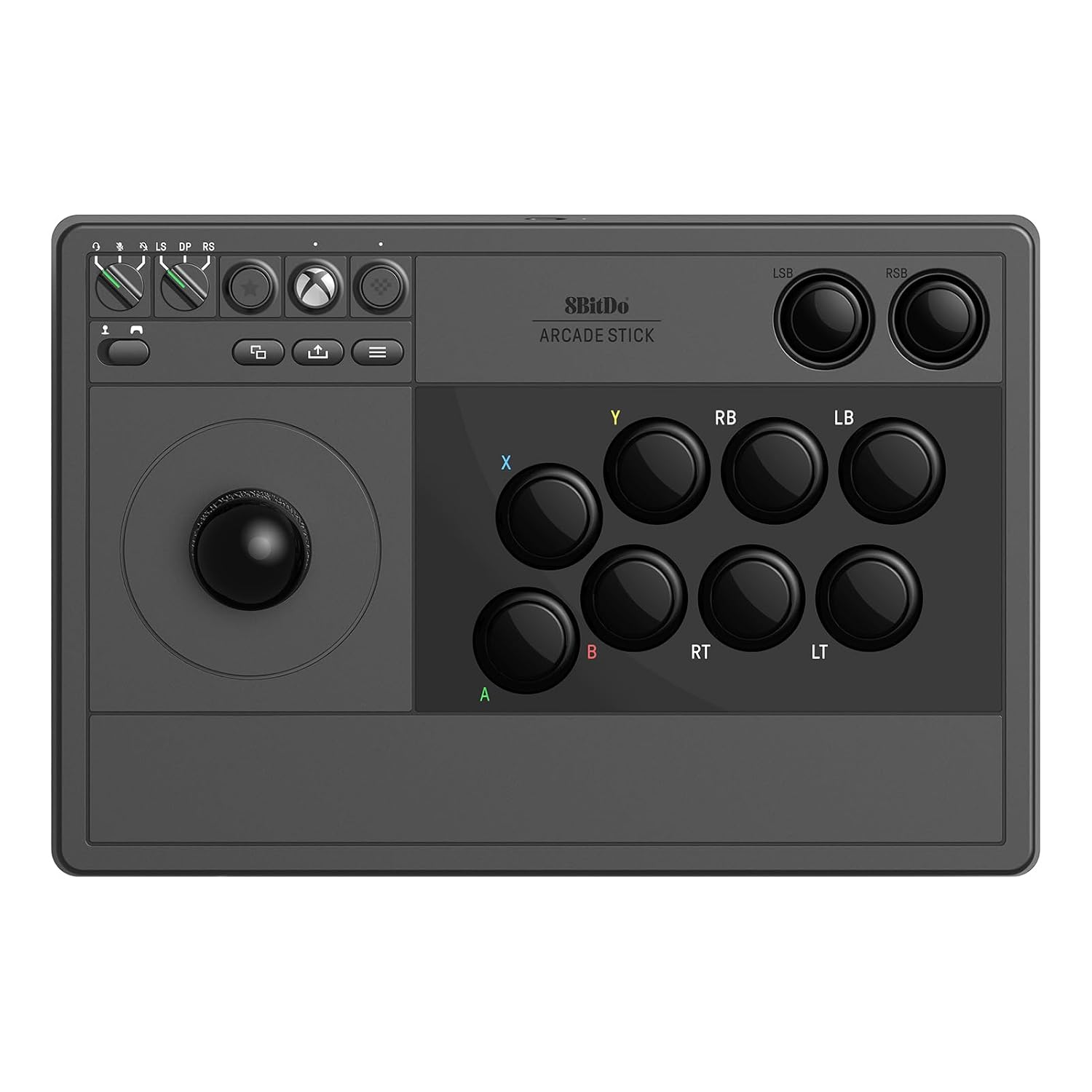
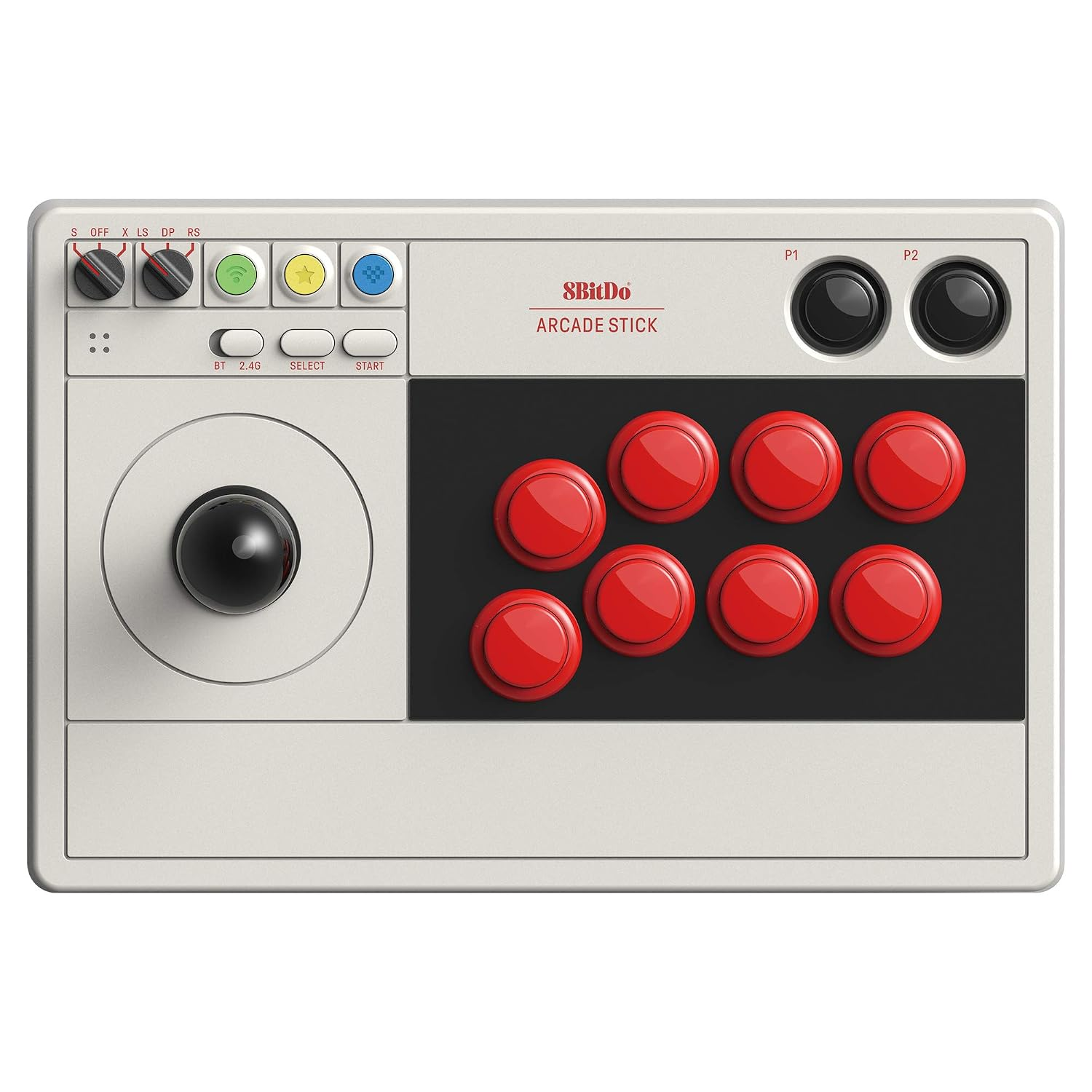
Unlike the older switch version, you’ll find a headphone jack on this one. You can toggle between muted audio and microphone using the knob at the top. There are also quite a few differences in the buttons between these two models. You can compare the two from the images below.
Ergonomics & Build Quality
The materials used in the 8BitDo Arcade Stick feel quite premium. It’s a plastic build with a heavy metal plate inside for stability during fast use as mentioned earlier. The weight is 2kg. The weight is removable with just a few simple screws.
The build quality overall is excellent. There isn’t any creaking or flex in the body of the arcade stick. The joystick and buttons feel as expected and don’t rattle.
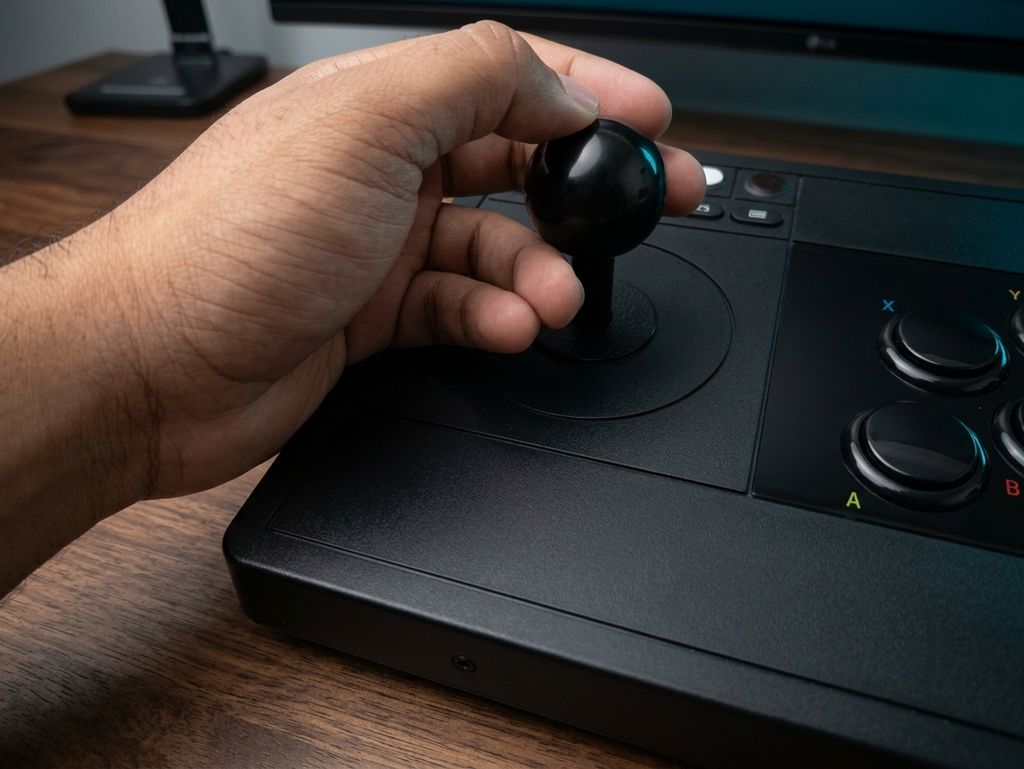
The ergonomics are good but… there’s a distinct lack of room for your wrist to rest. This is perfectly fine if you use the proper way to use this arcade stick with your hand floating above the desk instead of resting on the arcade stick, but not everyone plays like that. I personally find that over time, the bottom edge of the controller kind of digs into the heel of your palm, especially on the left hand which operates the joystick.
Aside from this, the ergonomics are great. Button placement is comfortable and I don’t get any missed inputs or mis-inputs when using this arcade stick.
Buttons and Functionality
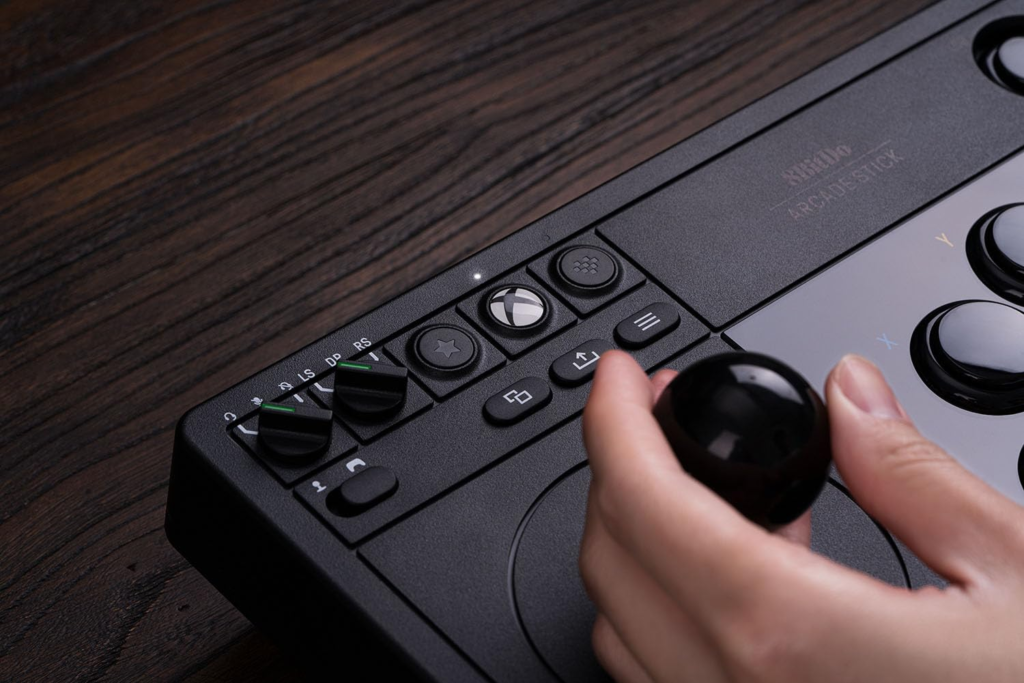
The button cluster on the top left actually has quite a few handy functions.
As I mentioned before, the first knob toggles between three audio states –
- Mic and Audio active
- Mic muted
- Mic and Audio muted
The second knob toggles the Stick between three modes –
- Left Stick
- D-Pad
- Right Stick
This is pretty convenient if you want to use the arcade stick for menu navigation or in non-fighting games (I played a good amount of Hollow Knight : Silksong with this Arcade stick lol)
The Star button is new to the Xbox version of this arcade stick. What it does is it allows you to swap the inputs of any two buttons. So if you hold A + B and press the star button, the B button inputs A and the A button inputs B. This is quite handy when different games use different buttons for punches and kicks, or front and back attacks.
The next button is the Xbox button, just like you would see on an Xbox controller. It also acts as the On/Off button for the Arcade Stick.
Then we have the Profile button. This lets you set multiple profiles for different games or if a friend uses different controls than you and you share your arcade stick with them, they can just use as different profile instead of ruining your keybinds. To set these profiles, you will need to use the 8BitDo Ultimate Software X.
On the second row, we see a slider that toggles between Joystick mode for Xbox and Controller mode for PC use.
The next three buttons are the view button, the share button, and the menu button, like you would see on your Xbox controller.
Main Buttons
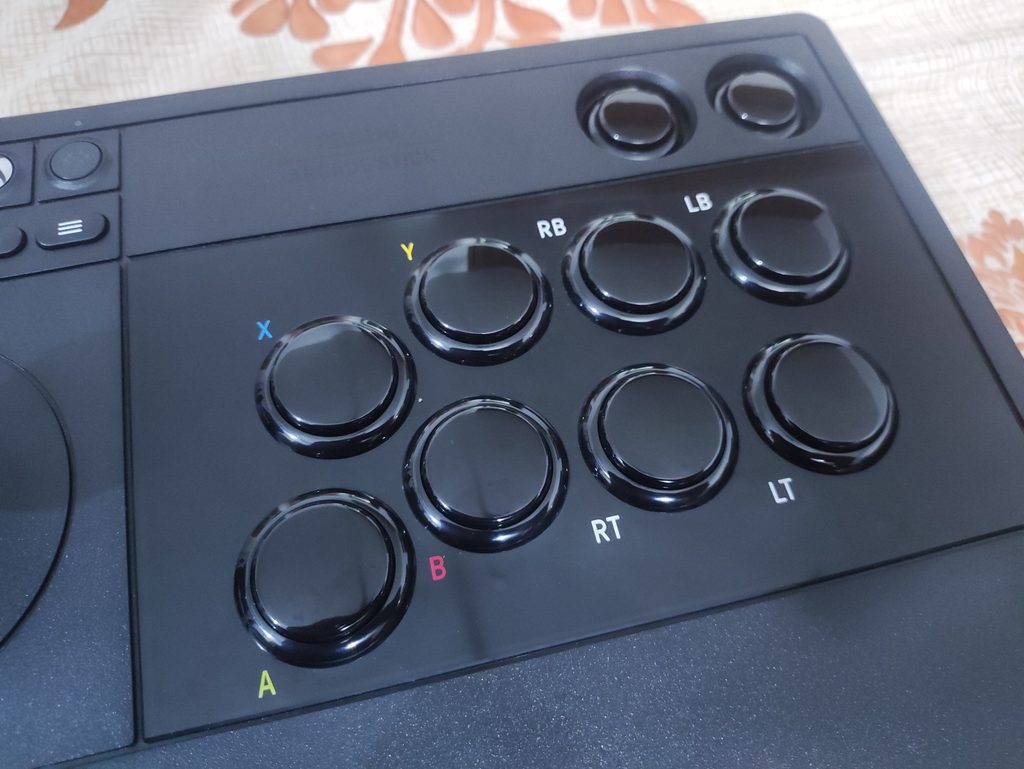
The 8BitDo Arcade Stick for Xbox features an Xbox button layout and a couple of extra buttons up top which act as the rear trigger buttons by default. Everything is remappable in the Ultimate Software X, but the labels cannot be changed. You can always slap on some stickers and call it a day though.
The buttons themselves are fine. They’re standard feeling buttons that you’d find in most budget arcade sticks. Not much tactility to speak of. But the highlight feature here is how easy it is to modify the 8BitDo arcade stick. The buttons can be replaced by something more to your liking like Sanwa buttons (which are a community favourite).
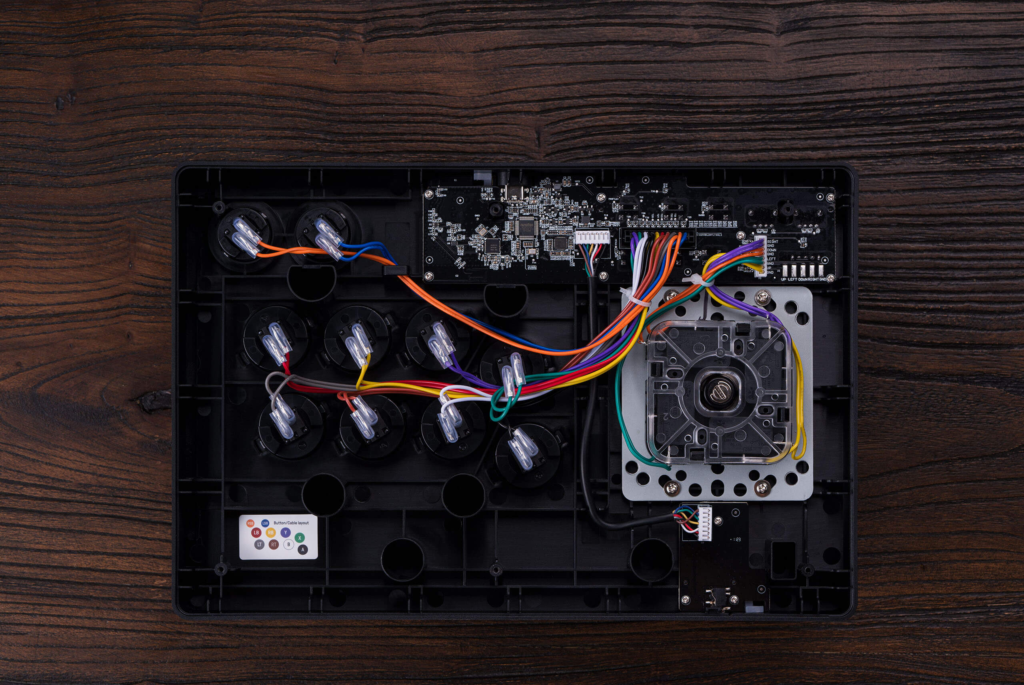
To gain access to the internals, you’ll need to unscrew the base with a thin screwdriver (the screws are seated in rather narrow holes). Then you can easily swap the buttons or even the stick module, which we will get to later.
Joystick
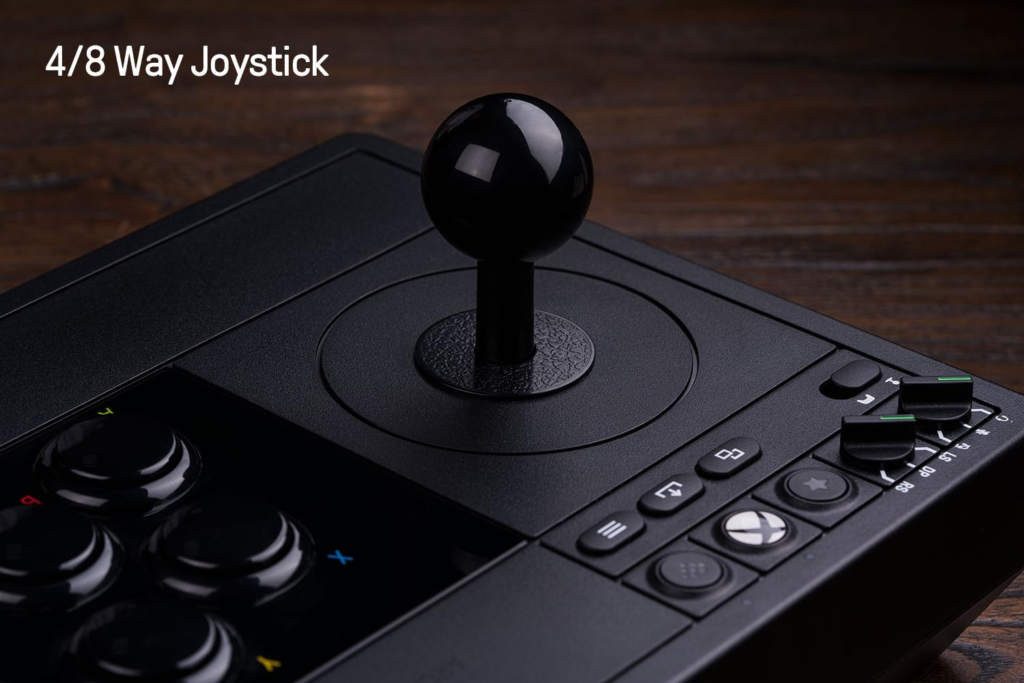
The 8BitDo Arcade Stick comes with an 8-way joystick, which can be turned into a 4-way joystick using the 8BitDo Ultimate Software X. But this doesn’t add a physical gate. You can add a physical gate yourself by opening the arcade stick up. By default, you can feel a square gate, not an octagonal gate.
The stick has great tactility and clear clicks for all 8 directions. The ball knob is nice for a particular grip style, but you might want to replace it with a different stick. The stick is also just as easy to replace as the buttons, and people have used Sanwa sticks on this controller too. It’s apparently a perfect fit. I like the stock stick personally, and the ball knob fits my hand well.
Some people might find the stock stick to be a little too light and floaty, so you can swap out the sticks for something like a Sanwa stick quite easily.
Connection & Latency
The 8BitDo Arcade Stick connects to PC and Xbox using wired and 2.4gHz modes. The non-Xbox version also supports bluetooth connection for Nintendo Switch, but that isn’t supported here. From what I’ve seen, it functions at a 250Hz polling rate on PC and 125Hz on Xbox.
I’ve noticed a little bit of latency when using the arcade stick wirelessly. Using it wired immediately makes complex moves, like juggles and combos in Tekken 8, more consistent. This is a shame, since the wireless capability of this product is one of its highlighting features.
The 8BitDo Arcade Stick is compatible with Xbox Series X|S, Xbox One, Windows.
Software Experience
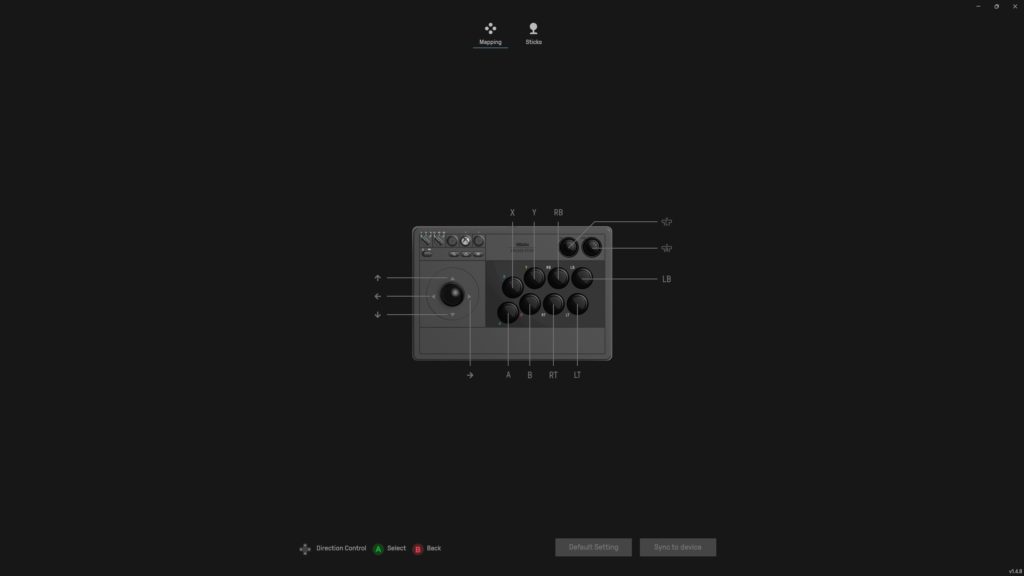
The 8BitDo Ultimate Software X is a pretty useful but barebones tool for configuring your Arcade Stick. You can download the app from the Microsoft Store. Here are all the functions of the software w.r.t. the 8BitDo Arcade Stick for Xbox :
- Remap buttons
- Set multiple profiles
- Change between 4-way and 8-way joystick mode
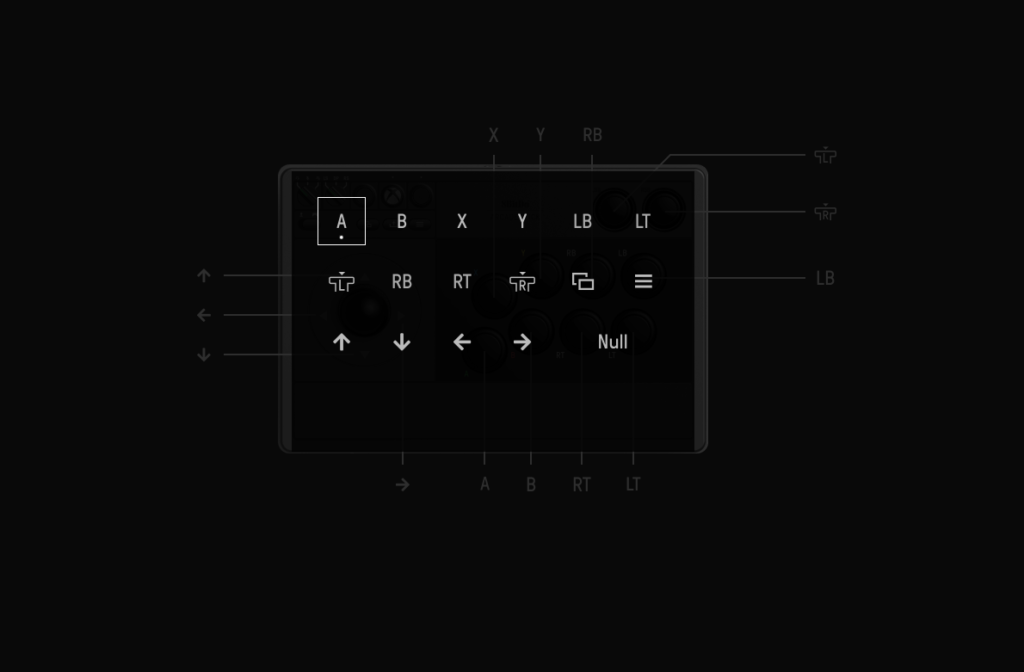
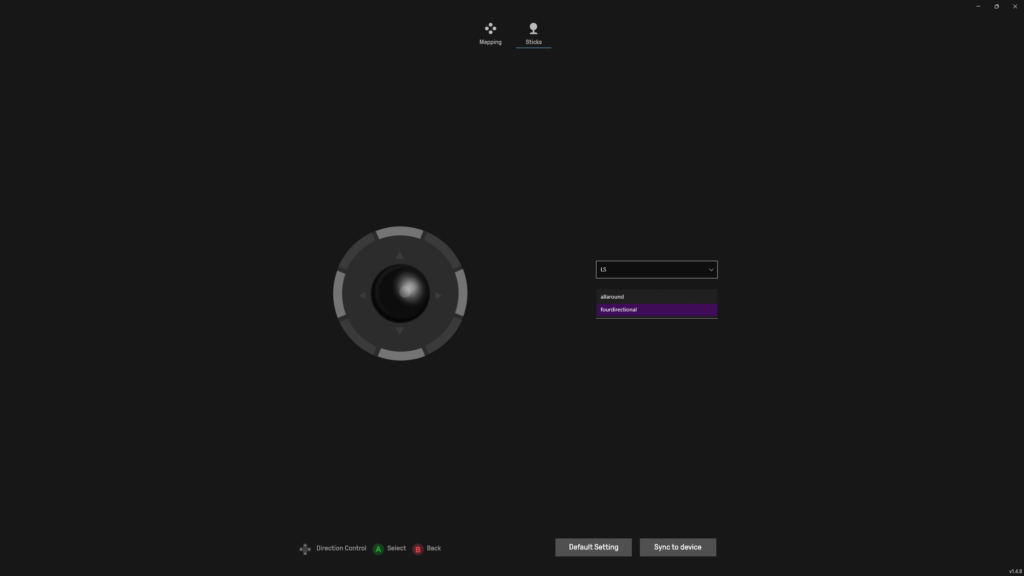
One thing to note – since this Arcade Stick is Xbox certified, it does NOT have macro functionality. The regular non-Xbox version has macro functionality.
Other Points of Note
- One benefit of it being an 8BitDo product is its wider availability throughout the world.
- It takes about 4 hours to charge fully, and a full charge lasts about 30 hours.
- 8BitDo Ultimate Software X is not the same as Ultimate Software. X is just for Xbox certified products from 8BitDo
Conclusion
The 8BitDo Arcade Stick for Xbox is an easy recommendation for someone looking to get into this hobby. In 2026, it’s not the “cheapest” option – you can always DIY something for a lot less, but it’s an easy to get, user friendly entry level arcade stick with deliberately easy modding capabilities if you want to upgrade on the same platform. The wireless usability of it is an underrated QOL feature. Other wireless arcade sticks cost upwards of $200. And Xbox compatible sticks are also kinda uncommon due to popularity of PlayStation compatible ones.
It has it’s shortcomings – the slight latency when using it wirelessly, the lack of space for your left palm being the most noticeable ones, but I believe these shortcomings are widely offset by the positives of the 8BitDo Arcade Stick.
You can always get the slightly cheaper non-Xbox version of this arcade stick if you’re using it on PC, which removes the headphone jack and won’t work on Xbox. But it costs $90, compared to the $120 Xbox Licensed version.
8BitDo Arcade Stick for Xbox


Hello! 🥰 I'm Fang.
I like gaming and related tech. I enjoy learning more, and sharing my experiences through my review videos and blog posts. Have fun! 💖