


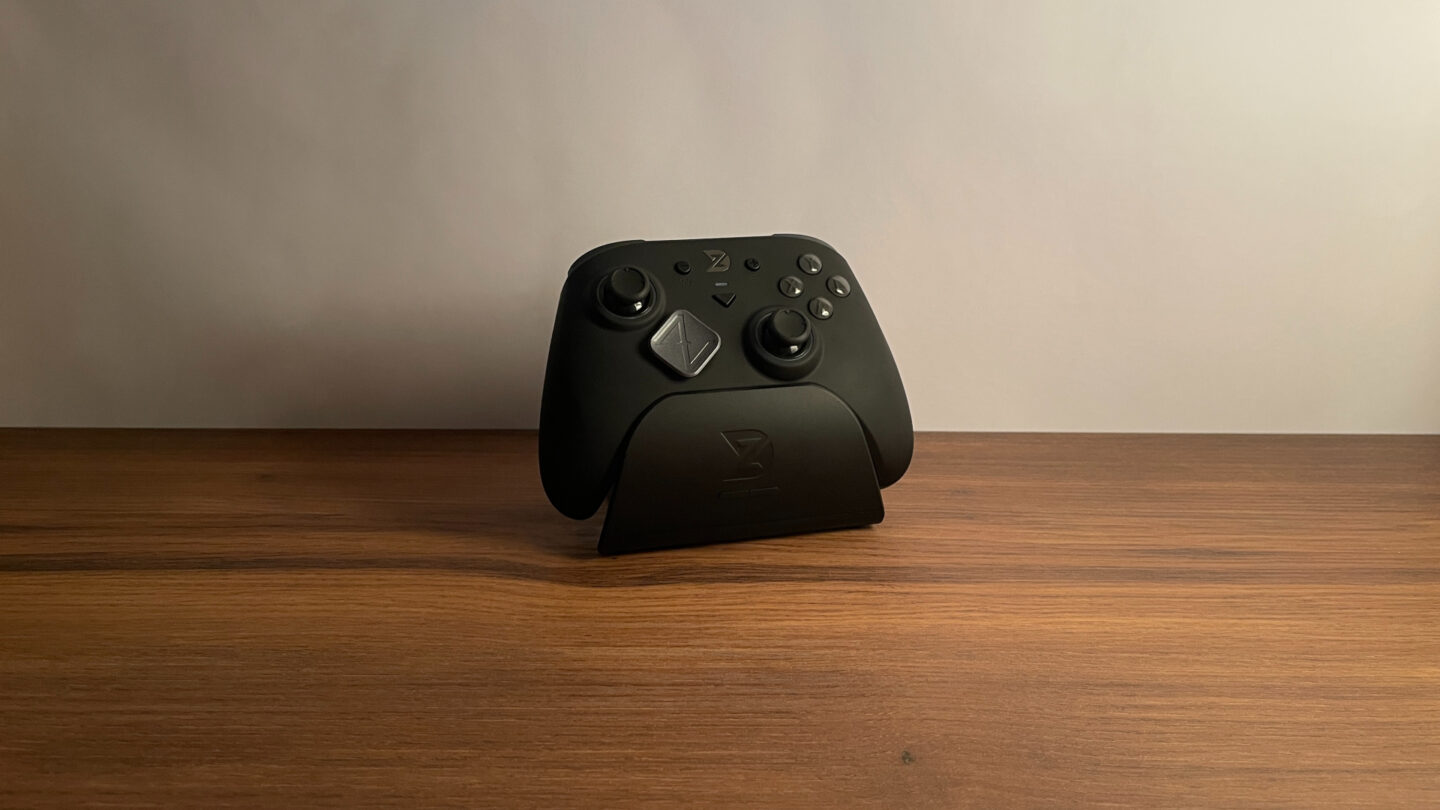
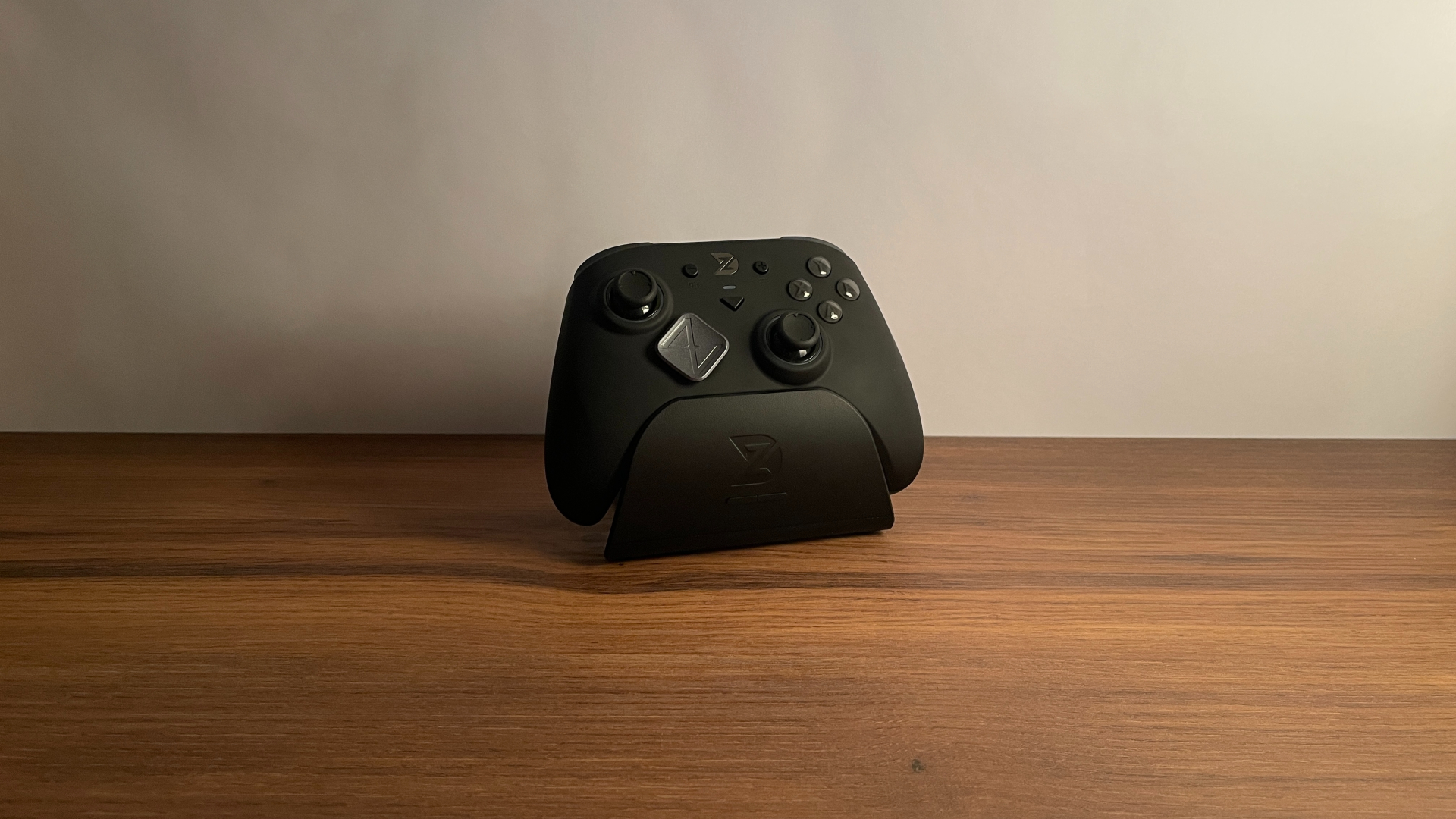

ZD recently gave its mid-range controller model, the Super Legend, a substantial refresh. Now called the ZD Super Legend Excellence, it retains the familiar silhouette but brings several interesting upgrades, including modern angular TMR sticks and support for an 8,000 Hz polling rate.
The new hardware sounds promising, and adding Excellence to the name raises expectations even further. But can the new Super Legend actually live up to that name? Let’s take a closer look.
Unboxing: What’s Inside?
The ZD Super Legend Excellence 8K (SLE) arrives in a fairly compact but nicely presented cardboard box. The packaging is simple, but it does its job well: controller is held securely in place, and everything arrived in perfect condition.
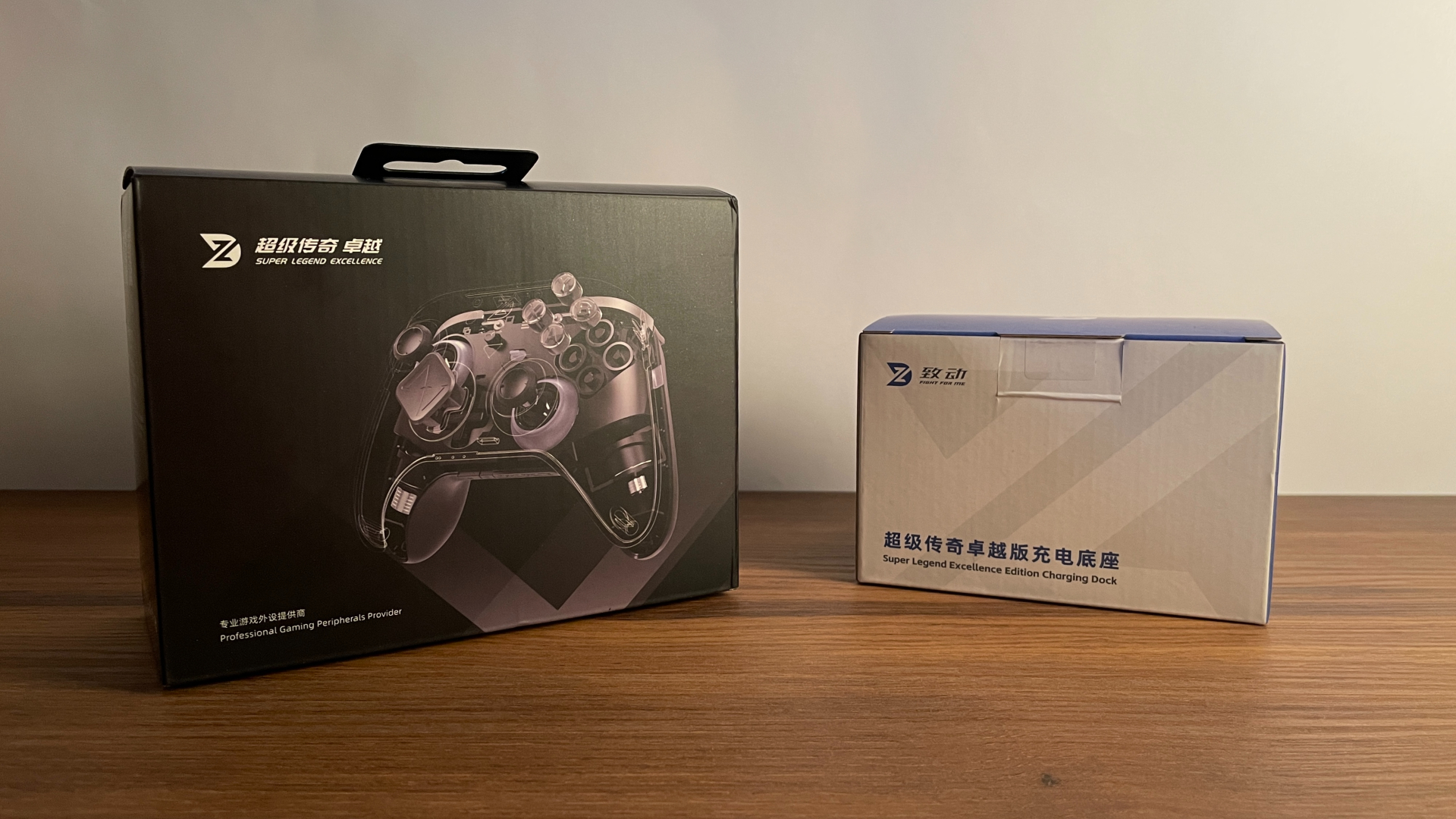
Inside the box, you’ll find:
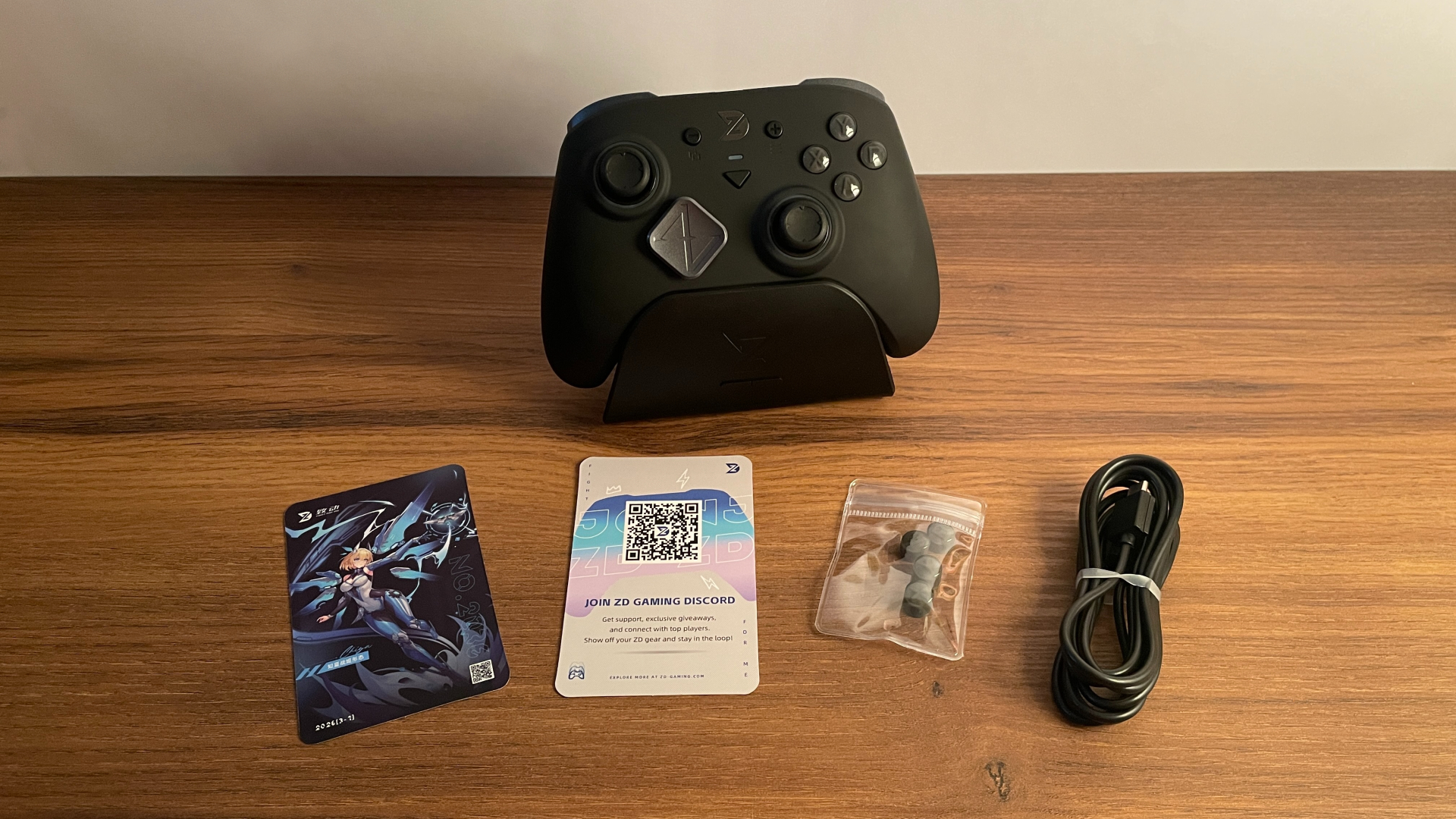
- ZD Super Legend Excellence 8K Controller
- Rubber USB-C to USB-A Cable
- Extra Set of ABXY Buttons in the Nintendo Switch Layout
- Quality Control Card
- Official Website & Social Media Card
One important detail is that the Super Legend Excellence 8K is available either on its own or bundled with a charging dock. If you purchase the standalone version, the box also includes a separate 2.4 GHz wireless receiver. With the dock bundle, the receiver is built into the charging dock itself, so there is no separate dongle in the box.
If you prefer having a separate 2.4 GHz dongle so that you can take the controller with you without carrying the dock, it may make sense to purchase the controller on its own and buy the charging dock separately. This way, the dongle comes with the controller, and this combination costs only $2 more than the bundle.
Returning to the box contents, ZD includes only the essentials, though I was glad to see an extra set of ABXY buttons in the Nintendo Switch layout. I should also mention that, while the included cable is rubber rather than braided, it is pleasantly soft and flexible, without the stiffness that rubber cables sometimes have. However, since players who want to take advantage of the controller’s 8,000 Hz polling rate will need to use it in wired mode, it would have been nice to see a high-quality braided cable included in the box.
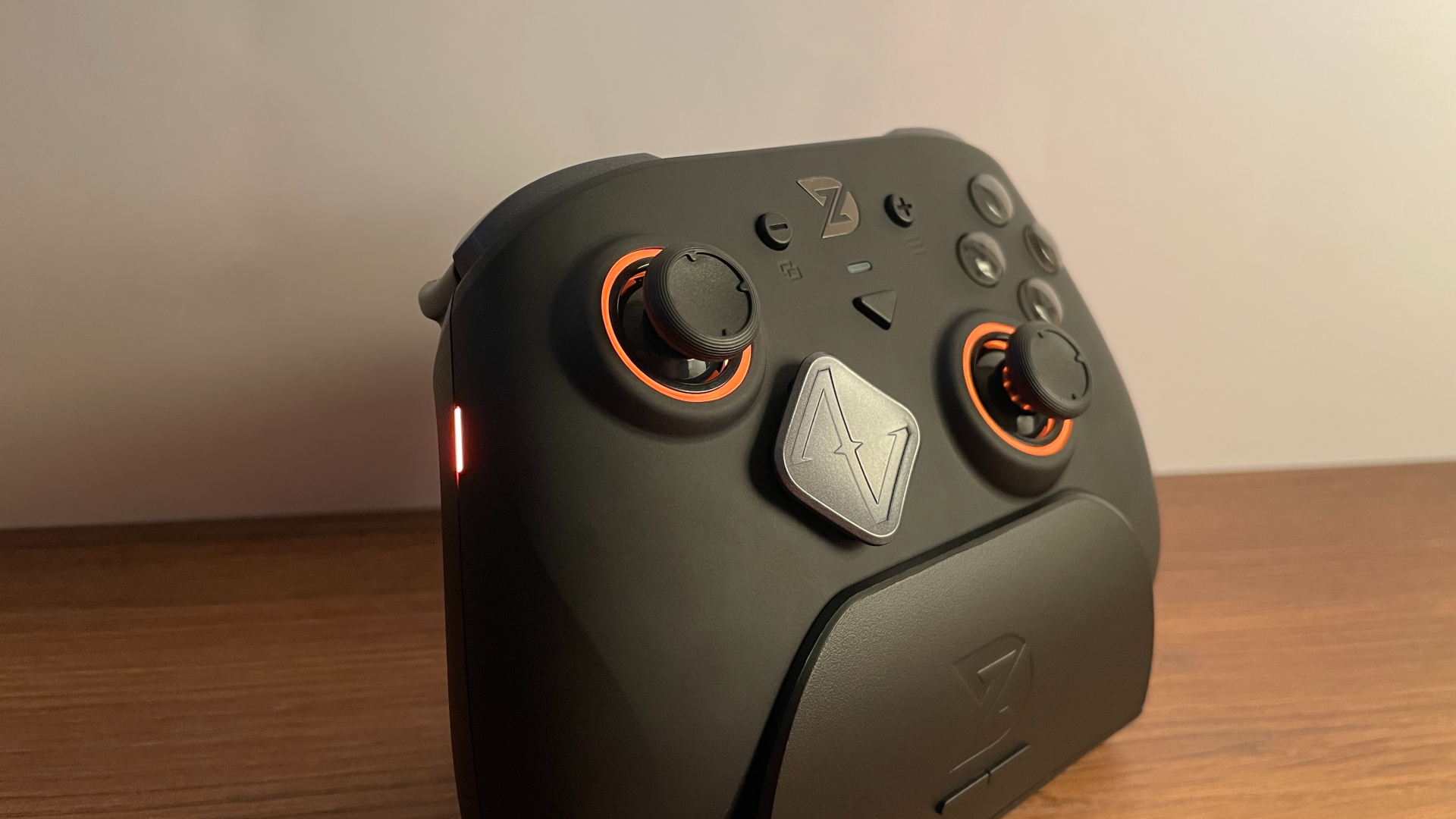
I have the version bundled with the charging dock, and I have to admit that the dock itself is the real star here. It has everything I expect from a good controller charging dock, starting with a large, stable base. Magnets pull the controller into place and hold it securely – once seated, it does not wobble or lose contact with the charging pins. It also supports a Smart Sleep/Wake-Up feature, meaning that the controller turns off automatically when placed on the dock, then powers back on and reconnects when lifted. The dock even has its own RGB lighting, with several modes available.
There are two buttons on the front panel of the dock. A short press of the left button cycles through the lighting modes, while holding it for a few seconds turns the lighting off completely. The one on the right is the pairing button; hold it for a few seconds to put the built-in receiver into pairing mode if you need to re-pair the controller.
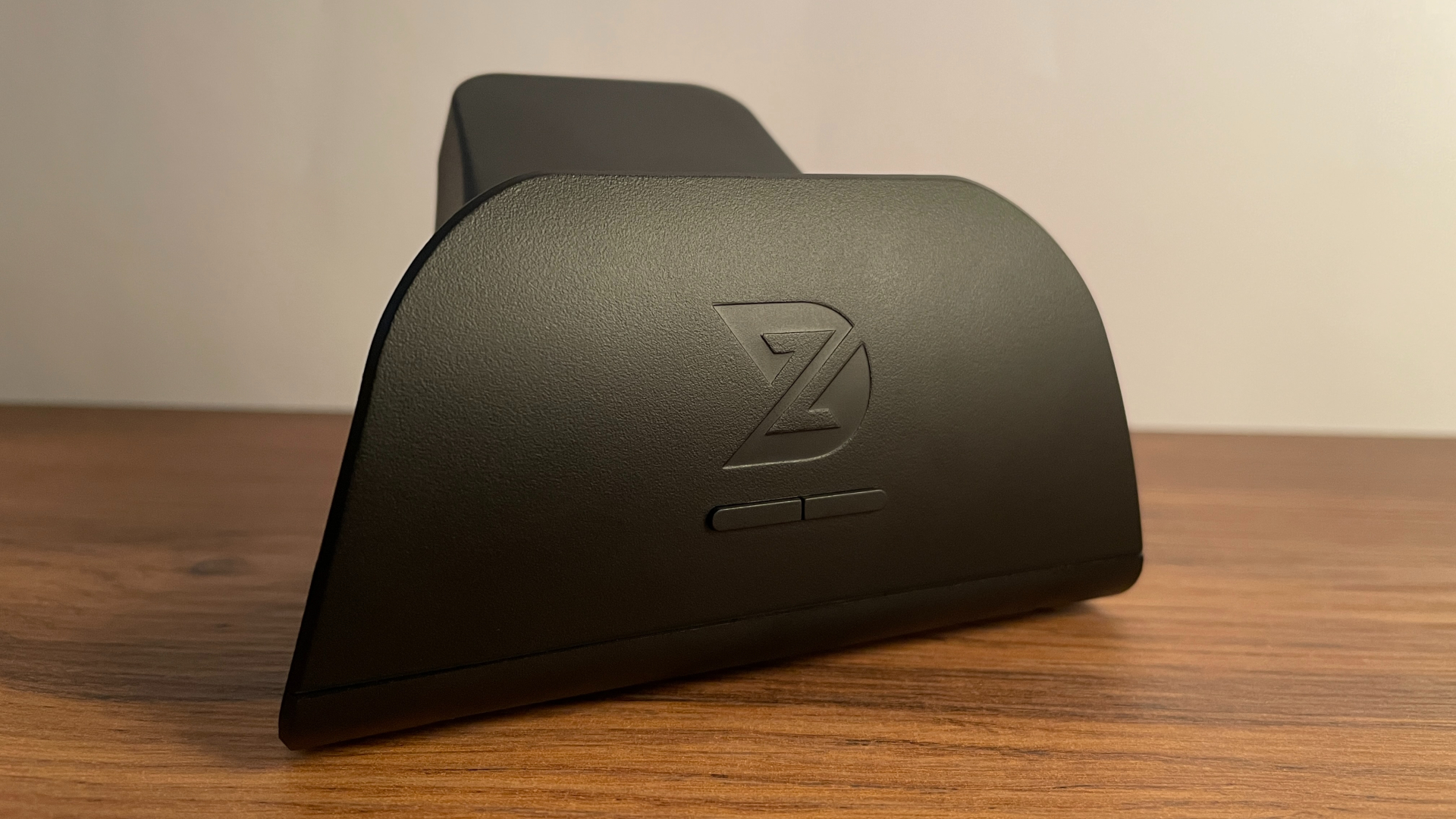
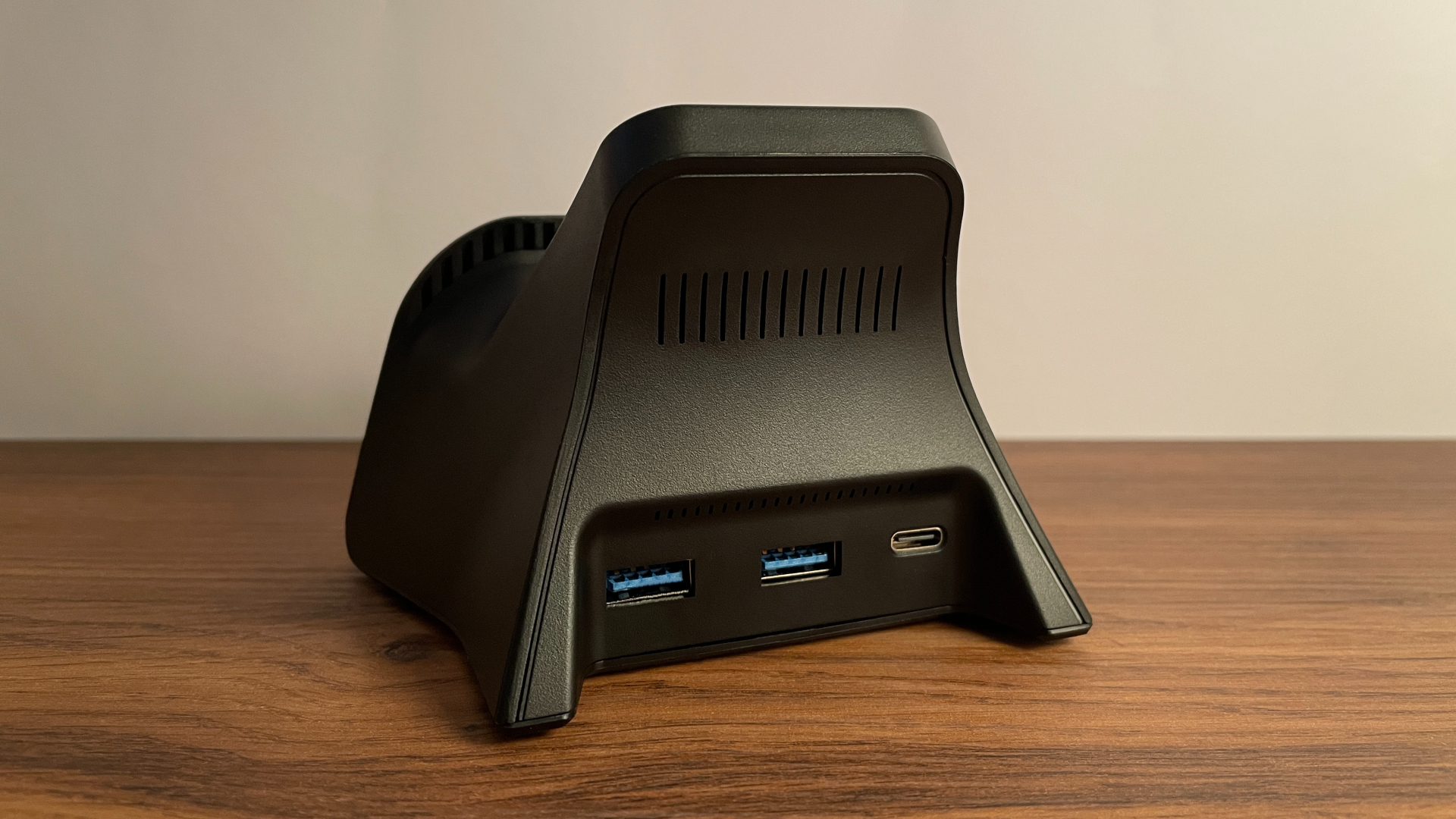
Beyond these basics, it offers several features that make it more interesting than most controller charging docks on the market. First, it supports QC Fast Charging, which helps keep charging times down. Second, in addition to the USB-C port used to connect it to a PC, the dock has two USB-A ports. This means, rather than taking up one of your PC’s USB ports, it actually increases the number of available ports, efectively turning it into a fully functional mini USB hub. For me, that is a very welcome bonus.
With all that in mind, if you are choosing between the two versions, I would recommend the one bundled with the charging dock, as its added functionality makes it well worth the extra cost.
A Closer Look
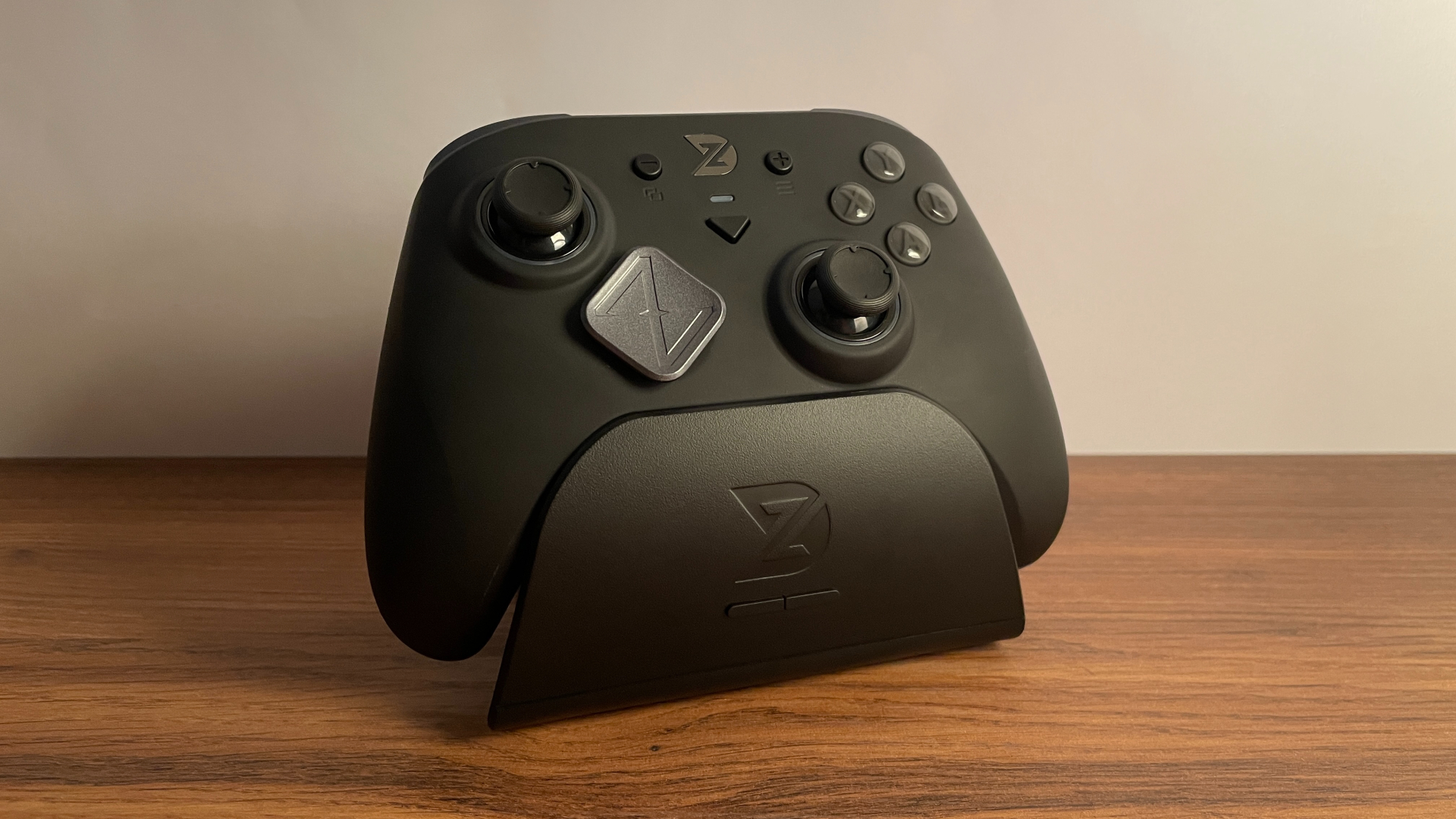
The ZD Super Legend Excellence 8K has a fairly understated visual design. There are no loud graphics, oversized logos, or other overly flashy elements. It leans into a clean, minimalist look without much visual clutter.
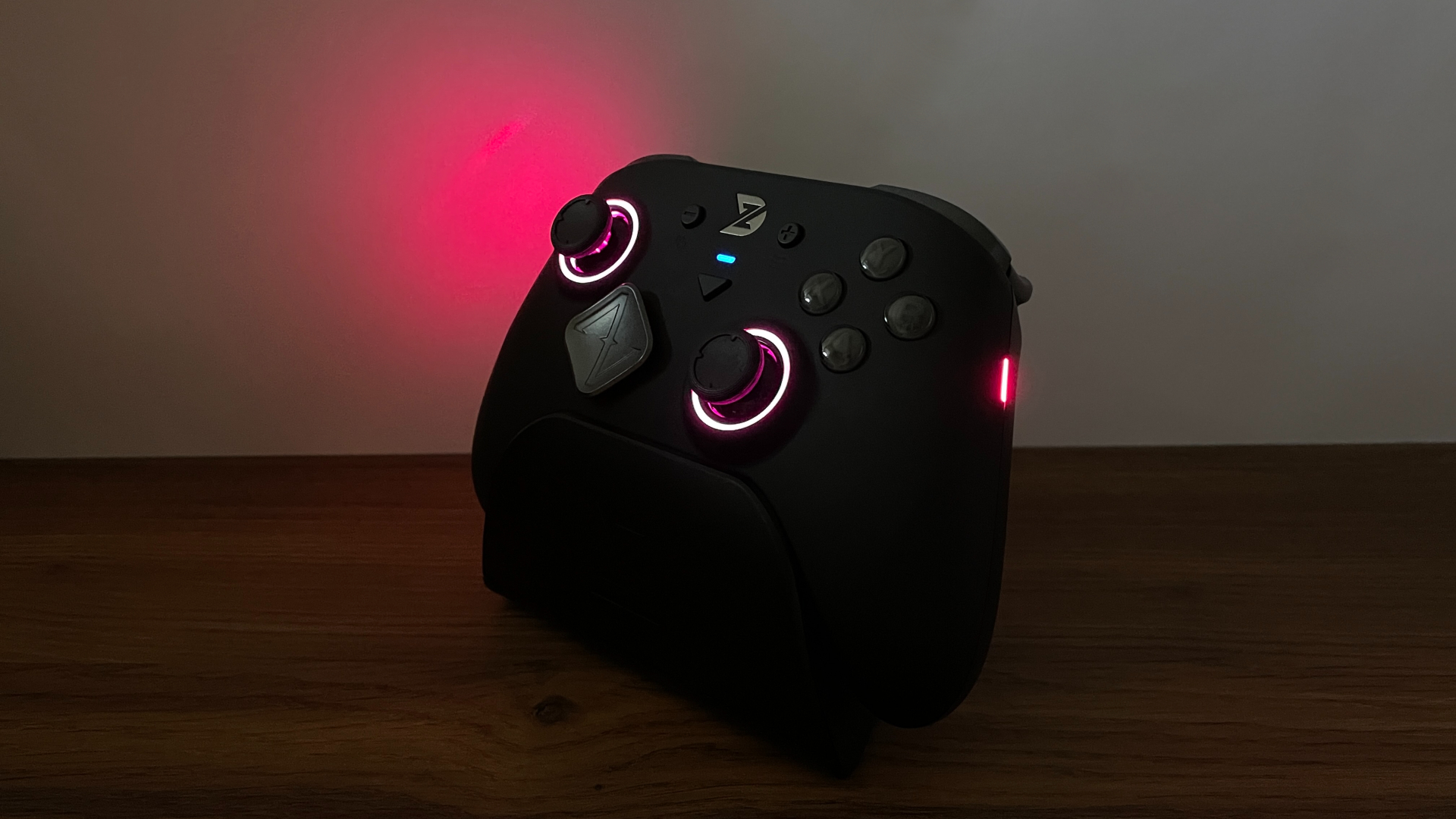
Turn the controller on, and the three-zone RGB lighting adds some color to the otherwise restrained design. There are illuminated rings around both analog sticks, small RGB strips running along the sides, and a small LED indicator above the Home button. All three zones can be customized and switched on or off independently, letting you tailor the lighting to your taste.
Super Legend Excellence also features a removable faceplate, and ZD usually releases additional faceplates with more eye-catching designs for its controllers some time after launch. So I hope the SLE also gets a few faceplate options of its own in the future, which would give owners more ways to customize its appearance. Speaking of the faceplate, the stock one has a matte soft-touch finish that feels genuinely pleasant in hand.
As for build quality, the SLE feels solid all around. Nothing creaks or flexes when I squeeze the controller, and I cannot hear anything moving inside when I shake it. The removable faceplate fits snugly and sits evenly, without any visible gaps. The plastic does not feel cheap, but it does not feel particularly premium either – it is about what I would expect from a controller in this price range. Overall, I have no complaints about the construction.
Another detail I appreciate is the design of the USB-C port. It sits inside a deep opening in the shell, and the connector housing on the included cable fits snugly into this space. This keeps the connector firmly supported, prevents it from moving from side to side, and reduces the physical strain transferred directly to the USB-C port. It is a thoughtful design choice that should help improve long-term durability, and I like it. However, if you plan to use a third-party cable, make sure its connector housing is narrow enough to fit inside the opening.
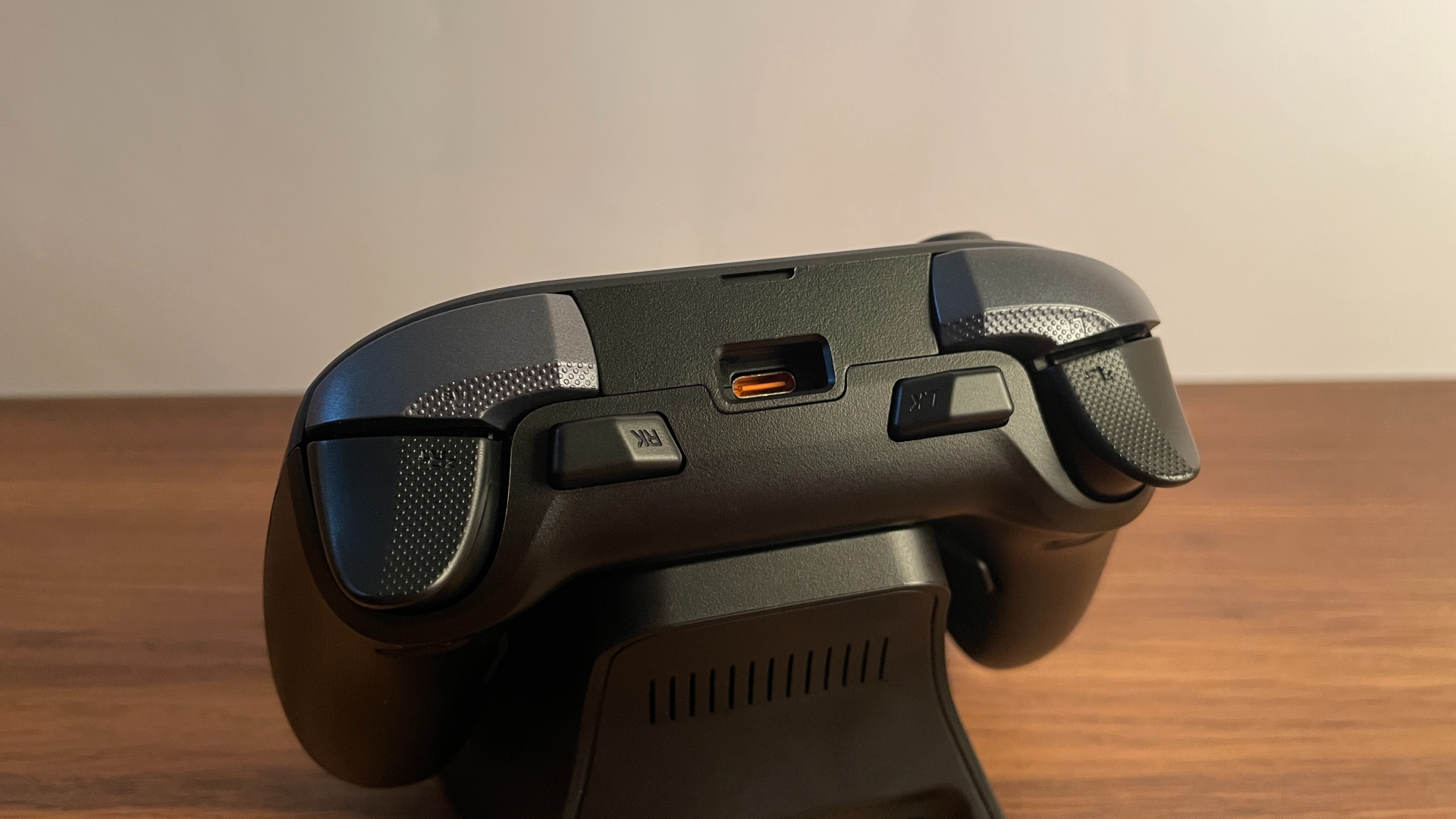
Ergonomically, the SLE has a more distinctive identity. Its shape is not a direct copy of any other controller; I would describe it as a blend of an Xbox controller and the Nintendo Switch Pro Controller. The overall size is closer to that of an Xbox controller, but the handles sit at a more vertical angle, much like those on the Switch Pro Controller.
With my medium-sized hands, I found this shape very comfortable, and I think it should work particularly well for people with medium to large hands. For comparison, the ZD Ultimate Legend shares the same basic shape, although the Super Legend is slightly smaller overall.
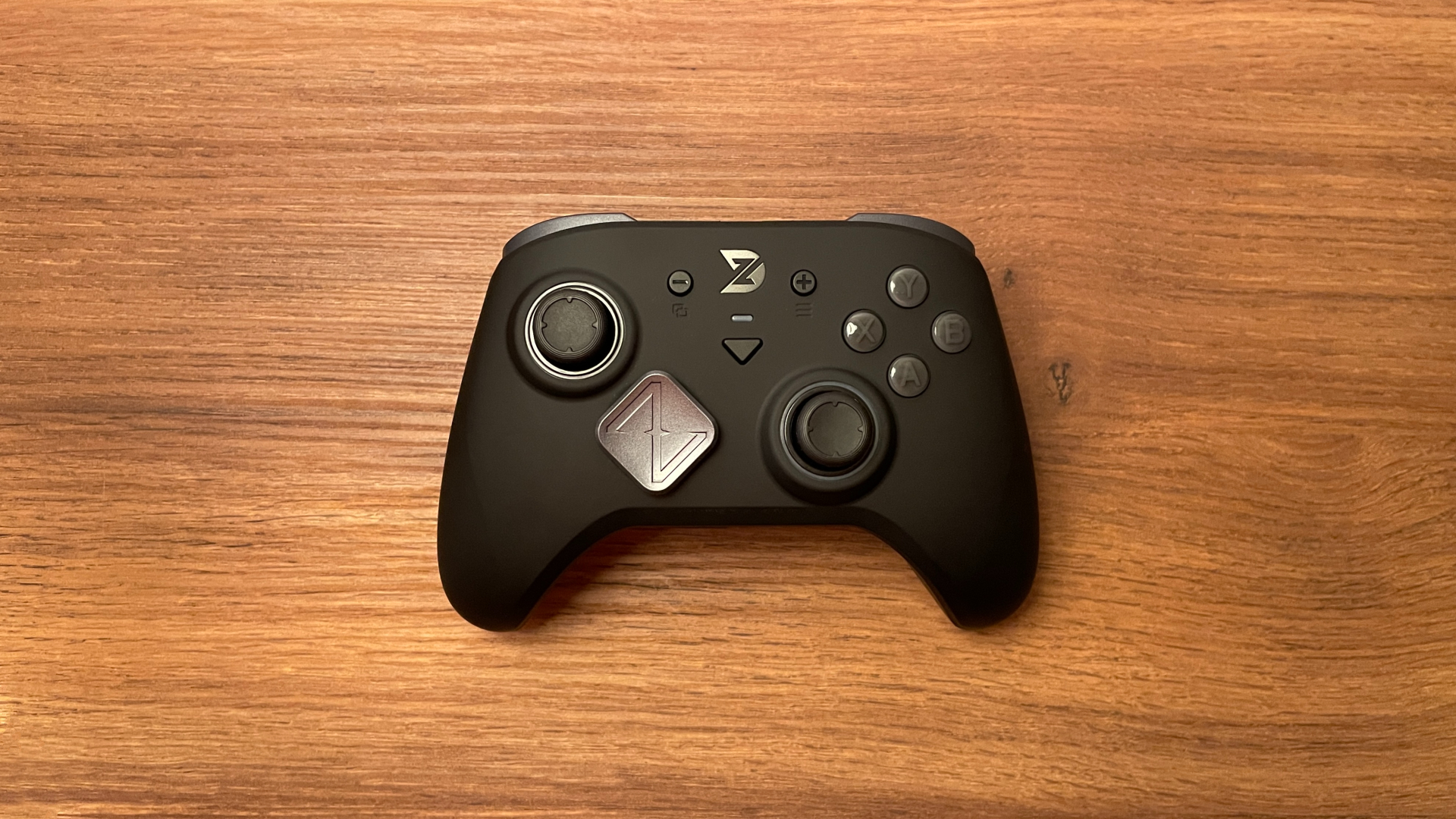
My controller weighs 249 g, placing it roughly in the middle of the weight spectrum. It does not feel especially light, but it is far from heavy and is unlikely to become tiring during longer gaming sessions.
The grips are plastic and feature a laser-etched texture. It is not overly aggressive, but I would not call it subtle either – I can clearly feel it while holding the controller Personally, I prefer plastic grips to rubberized ones because rubberized surfaces tend to wear down and lose their original appearance over time, whereas textured plastic holds up far better. So I am perfectly happy with ZD’s decision to stick with textured plastic here.
Analog Sticks
The analog sticks are one of the strongest aspects of the Super Legend Excellence. It comes with K-Silver JS13 Pro angular TMR modules paired with a 12-bit ADC capable of delivering a stick resolution of up to 4,096 steps.
Angular TMR is a further evolution of TMR stick technology, and the JS13 Pro modules are widely regarded as some of the best currently available. Many controller enthusiasts even consider the JS13 Pro something of a gold standard, largely because of its excellent linearity. And of course, they also offer the main long-term advantage of TMR technology: resistance to the wear-related drift that can develop in traditional potentiometer sticks over time.
Tension is roughly 60 gf, which feels well balanced to me. Neither too light nor too heavy, it should suit a broad range of players. Both sticks are well centered. With the central deadzone set to 0, the resting readings around the center point are extremely low and entirely within normal limits. Speaking of that zero-deadzone setting, zero really does mean zero here: there is no physical inner deadzone that cannot be disabled, so even the smallest movements around the center are registered. Recentering is just as good, with both sticks snapping back to the center reliably after being pushed to the outer edge.
The L3 and R3 clicks are nicely balanced too. They do not feel excessively stiff, as stick clicks often can, and the clicks themselves have a pleasant, slightly muted sound.
In actual gameplay, the sticks perform extremely well. They are very smooth and precise, responding cleanly to even the smallest micro-adjustments I make. They also feel highly predictable thanks to their excellent linearity throughout the entire range.
Stick latency is another major strength of Super Legend Excellence 8K. According to an independent test published on Gamepadla – a website where users with specialized equipment share controller latency measurements – the SLE’s wired stick latency was measured at just 0.57 ms, which is genuinely impressive. At the time of writing, that places the Super Legend Excellence among the top three controllers with the lowest wired stick latency in the site’s database. If keeping stick latency as low as possible is particularly important to you, the SLE is one of the best choices currently available.
The hardware is only part of the story, however. Two software settings in particular can significantly affect how the sticks feel and behave in games, so I think they are worth discussing in more detail.
The first is called Step Size. It can be found in the third tab of the Joystick Tuning section in the mobile software, or under the Parameters tab in the web and desktop versions. The name is not especially self-explanatory, but this setting essentially controls stick resolution.
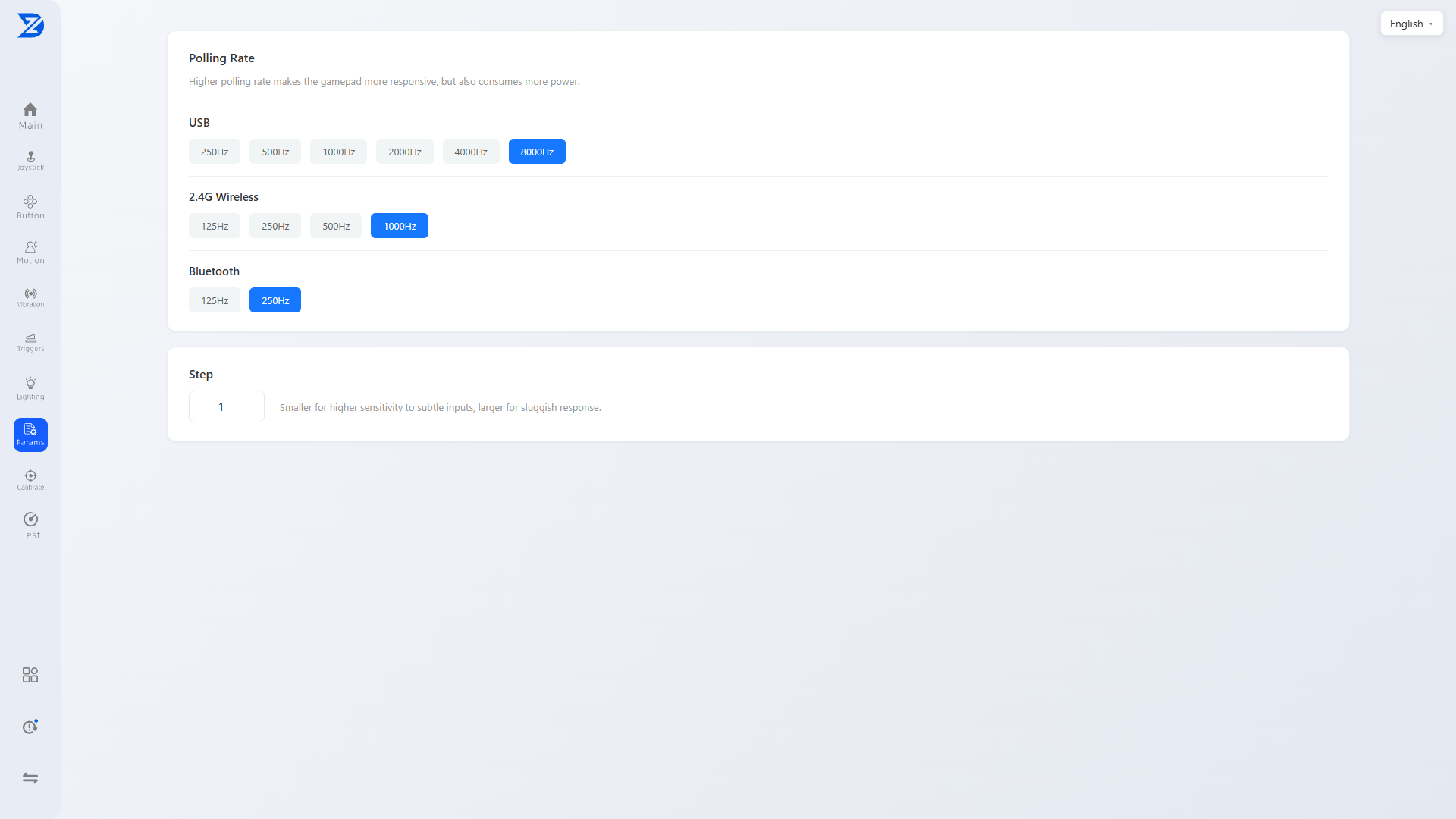
A Step Size of 1 corresponds to 12-bit resolution, while 255 corresponds to 8-bit resolution. The default value of 74 gives you 10-bit resolution. Most controllers simply let you choose between five fixed options – 8, 9, 10, 11, or 12 bits. ZD instead takes a more flexible approach and allows you to enter any value from 1 to 255, giving you much more granular control over stick resolution.
I recommend experimenting with different values to find what feels best for you. However, here is a quick breakdown that should give you a useful starting point:
- 8-bit resolution, the lowest available option, makes the sticks feel less smooth and less responsive to very small movements.
- 12-bit resolution, the highest available option, allows the sticks to register even the smallest micro-movements precisely, resulting in smoother and more responsive stick performance.
In many modern competitive shooters, the lower the stick resolution, the stronger the aim assist.
So, if you mainly play competitive shooters and want to maximize aim assist, you may prefer to set the sticks to the lowest resolution of 8 bits.
If aim assist is not important to you – for example, if you mostly play single-player games, or perhaps you are simply good enough at competitive shooters that you do not need it at all – you can safely set the sticks to 12 bits and enjoy the highest resolution they can offer.
Alternatively, you can try the 10-bit “sweet spot”. At 10-bit resolution, the sticks feel smoother and more responsive than at 8-bit resolution, while aim assist remains stronger than at 12-bit resolution. This provides a good balance between smoothness and aim assist.
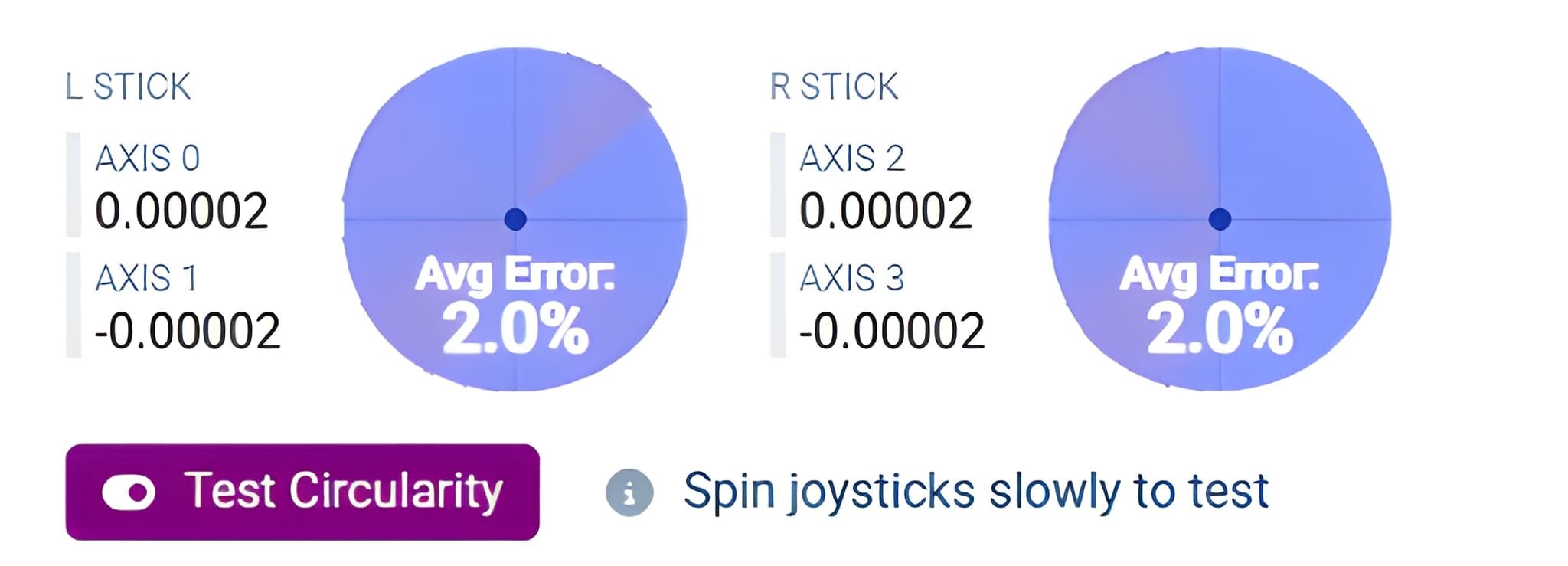
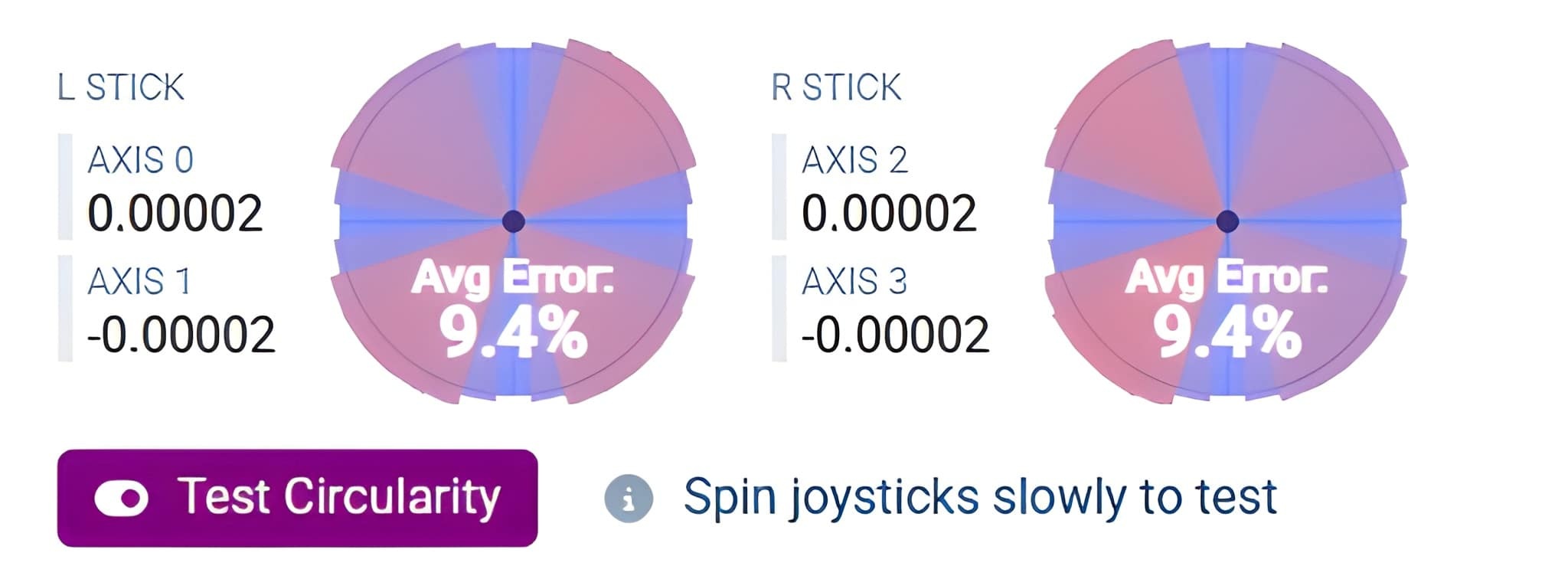
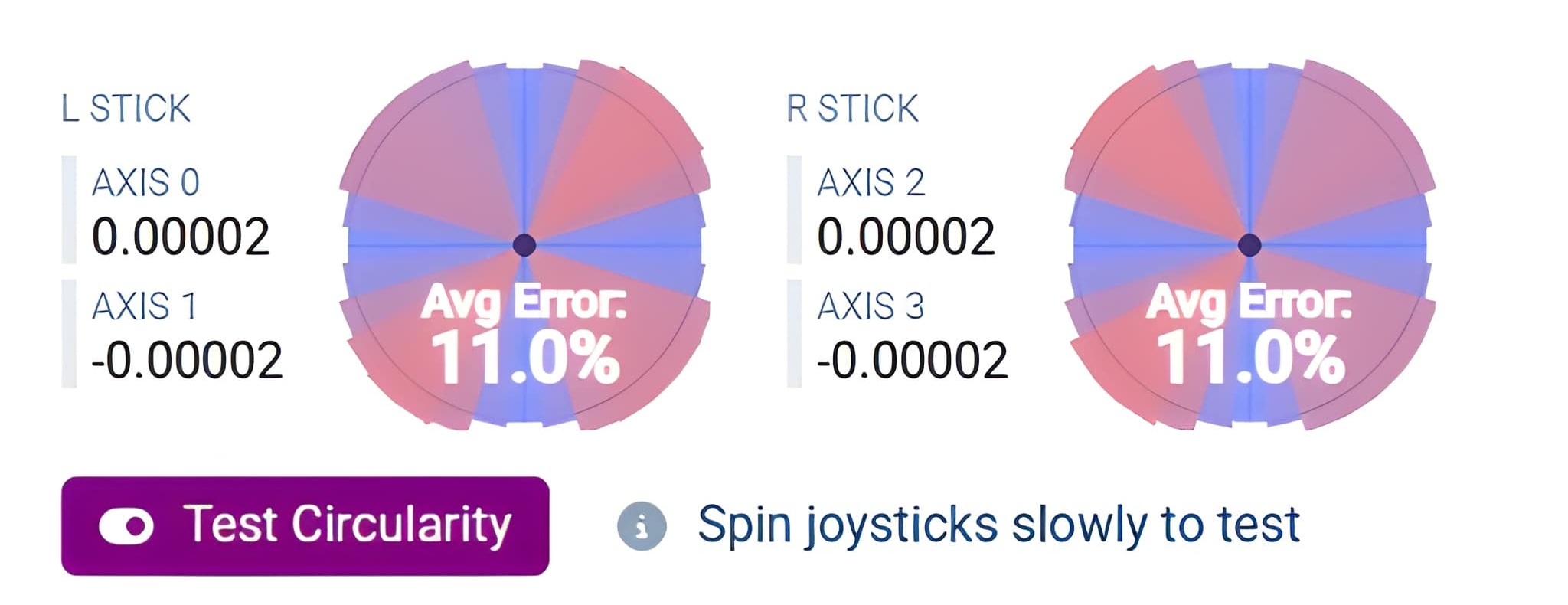
The second setting is Peripheral Deadzone, which is called Outer Deadzone in the web and desktop versions of the software. In simple terms, this setting controls the stick output shape. Once again, ZD offers more flexibility than the simple choice between the Circle and Square modes available on most controllers. Instead of choosing between those two fixed shapes, you can fine-tune the value until you find the output shape that suits you best.
In the screenshots below, you can see the stick output shape with Peripheral Deadzone set to 0, 4, and 6.
As for the thumbsticks themselves, the Super Legend Excellence features metal rings on their shafts and anti-friction POM rings around the stick openings. Together, these should prevent grinding and improve long-term durability. The thumbstick caps are made of rubber and have a concave shape with a nicely pronounced outer rim.
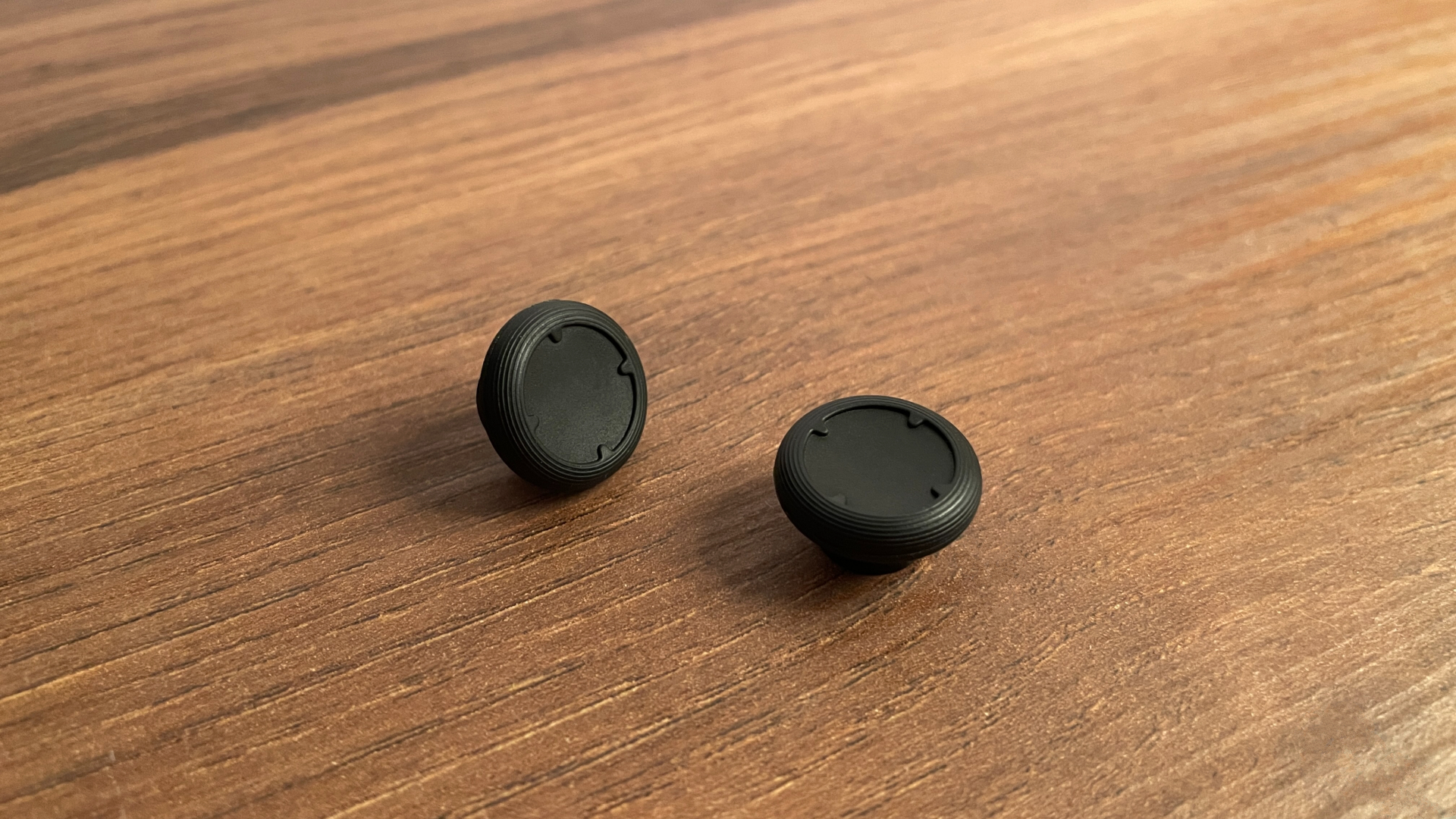
The material feels pleasantly grippy, and my thumbs never slipped or lost traction during gameplay. I really like how they feel under my thumbs. As a side note, if you plan to use aftermarket thumb grips or KontrolFreeks, PlayStation-sized versions will fit the ZD SLE.
Although no alternative thumbsticks are included in the box, the pre-installed ones are still swappable. One thing I particularly like about ZD controllers is that their D-pads and thumbsticks are swappable and cross-compatible throughout the lineup. This means you can remove them from one controller and install them on another. ZD keeps the same mounting system across different models and generations instead of making parts model- or generation-specific, as some other brands do. So, if you own another ZD controller that comes with additional thumbsticks – for example, the ZD O+ Excellence, which includes six different pairs – you can install them on the Super Legend Excellence without any issues.
ZD also sells four different thumbstick sets separately. Any of them can be used with the SLE, and they will remain compatible with any other ZD controllers you might pick up down the line. I really like that approach. I will cover these sets in more detail in the Optional Accessories section.
D-Pad
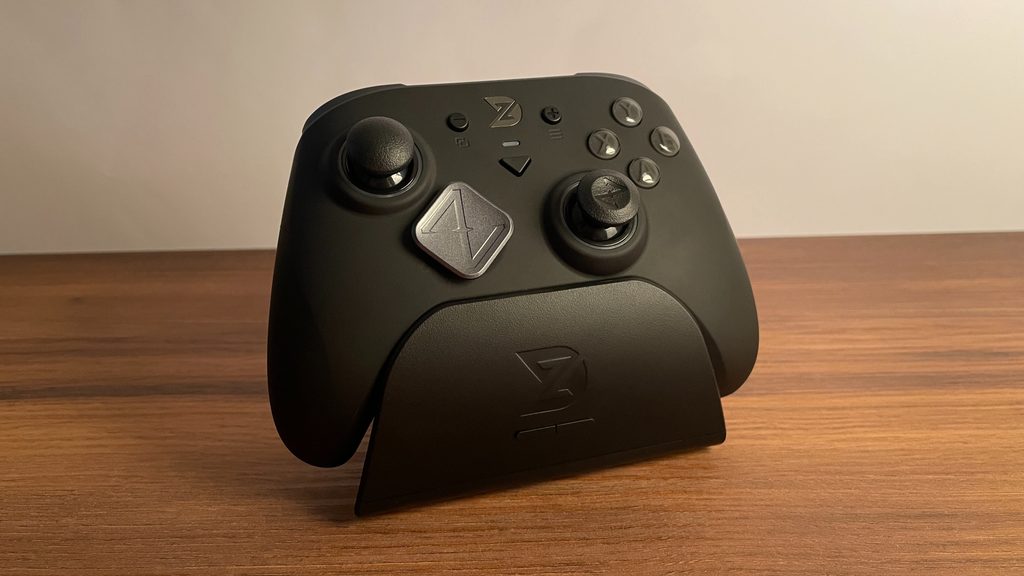
The ZD Super Legend Excellence has a microswitch D-pad with a central pivot design. By default, it comes with a diamond-shaped D-pad cap, which happens to be one of my two favorite D-pad shapes. I find it especially comfortable because the four main directions – up, down, left, and right – are easy to distinguish under the thumb, reducing the chance of accidental diagonal inputs. Intentional diagonals are still effortless and precise: press one of the edges rather than on one of the points, and you get a predictable diagonal input.
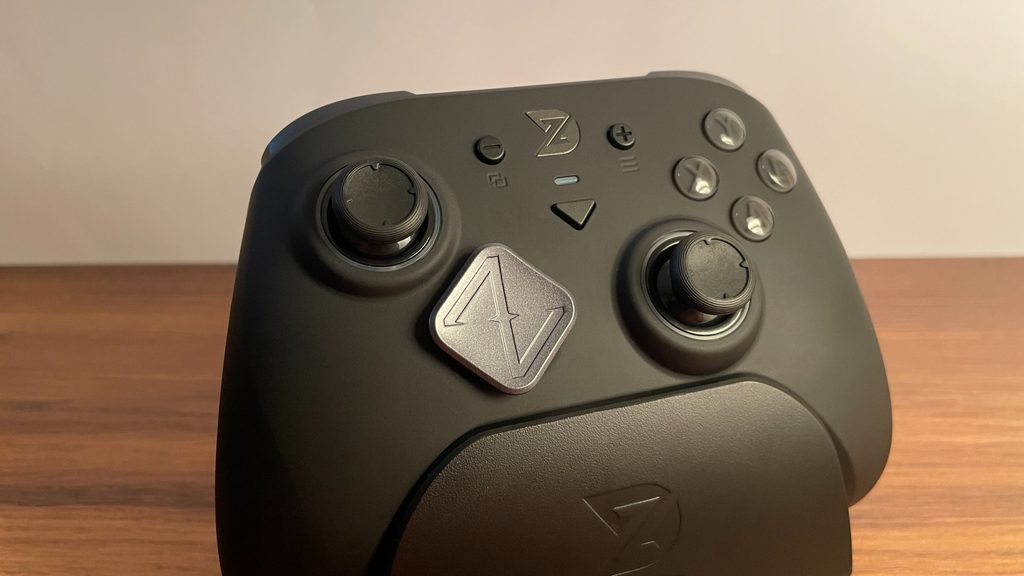
When it comes to the D-pad itself, my verdict is simple: this is one of the best D-pads I have tried, both in how it performs and how it feels. Each press feels satisfying and tactile, with a quick, snappy rebound. The clicks themselves sound slightly muted. There is a small amount of pre-travel, completely within the normal range, and only minimal post-travel. The actuation force is 90 gf, which I would describe as medium. For me, it strikes an excellent balance: it is not so light that accidental presses become a problem, but not so heavy that it becomes tiring during long gaming sessions.
The D-pad performs every bit as well as it feels. The central pivot works exactly as intended, making it impossible to press opposite directions simultaneously. Diagonal inputs are easy and predictable, while quarter-circle and half-circle motions are just as straightforward and reliable – I can execute them correctly ten times out of ten.
Overall, this is an excellent, versatile D-pad that should suit a wide range of players. It works well across different genres and is particularly well suited to fighting games, in my opinion.
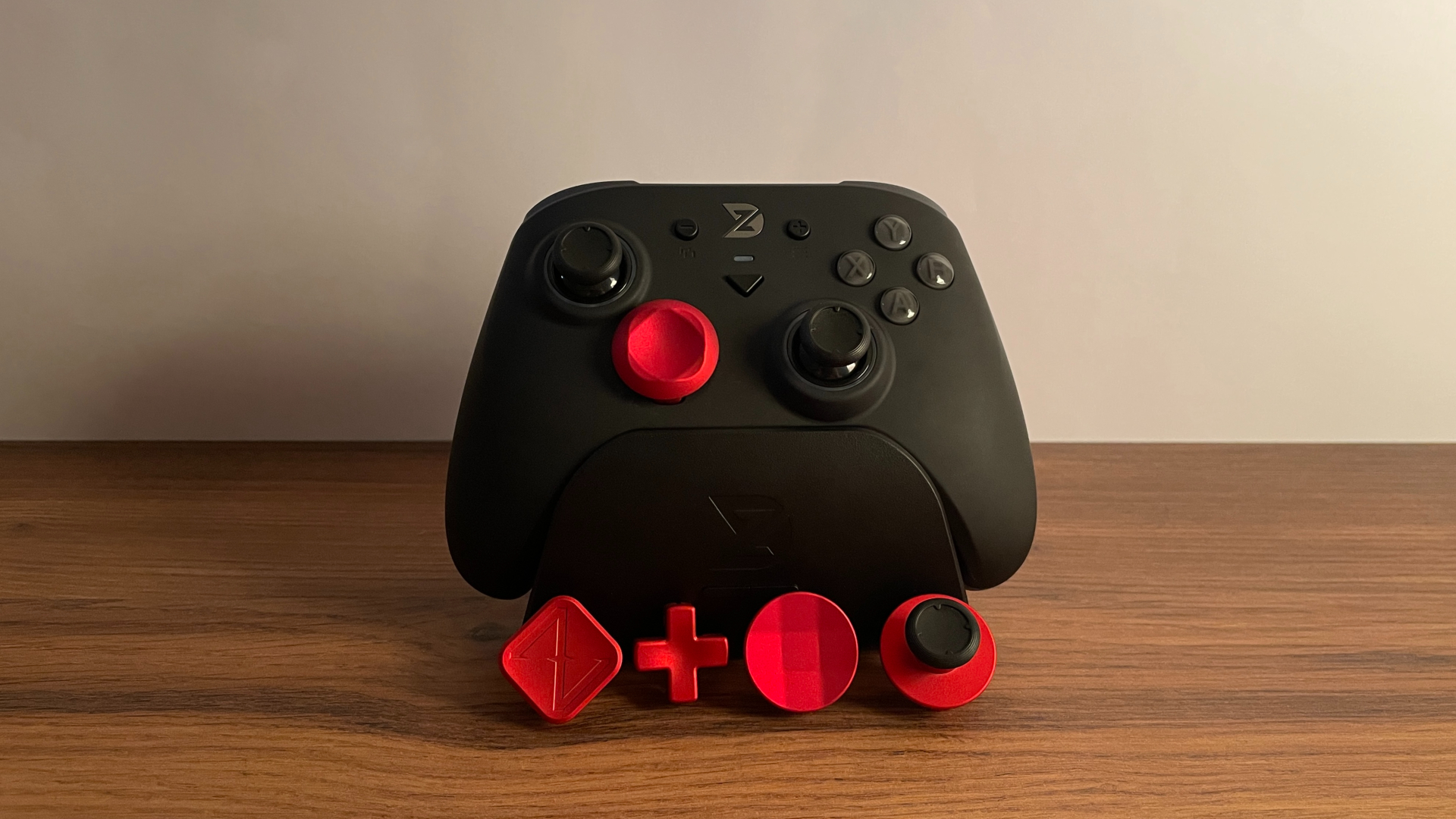
While the SLE comes with only the diamond-shaped D-pad cap, the cap itself is still swappable, so you are not limited to that one option. As mentioned earlier, ZD keeps its D-pad caps cross-compatible throughout the lineup, and the SLE is no exception. So, if you own another ZD controller that includes alternative D-pad caps, such as the ZD Ultimate Legend or the ZD O+ Excellence, you can use those caps on the SLE without any problems. I see that flexibility as a real advantage, especially if you own more than one ZD controller.
Alternatively, ZD sells a set of five D-pad caps in different shapes, with several color options available. I will take a closer look at two of these sets in the Optional Accessories section.
ABXY Buttons
The ABXY buttons on the Super Legend Excellence are a bit unusual – and not just for one reason, but two. But let’s break it down step by step.
The button caps themselves have a dual-layer design. The legends are molded directly into the base layer of plastic and covered by a transparent top layer. This keeps the legends away from direct contact with your fingers, so they cannot wear off even after years of normal use. The button caps also have very little wobble, well within normal limits.
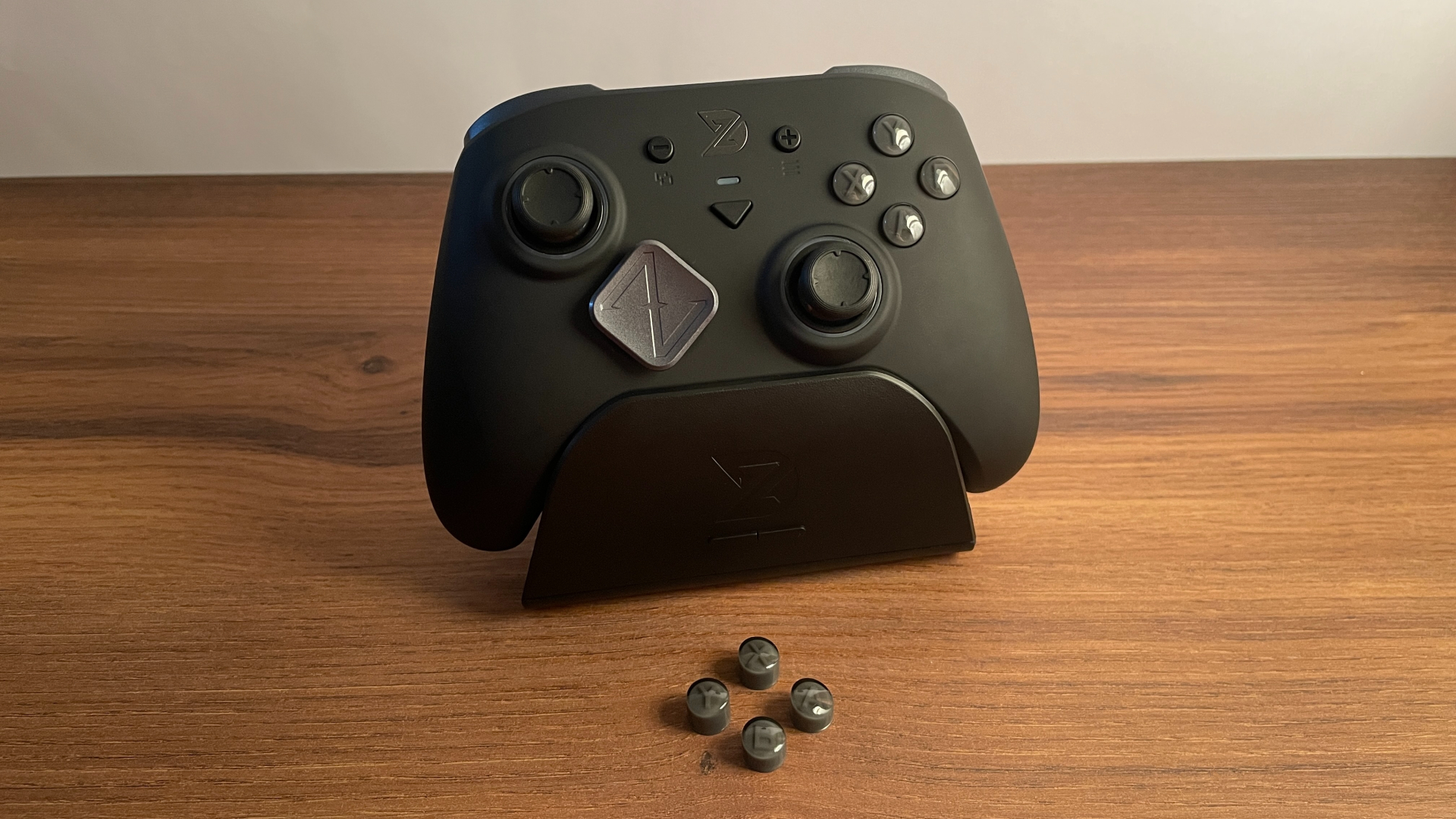
The first unusual feature is that the button caps are swappable. The SLE comes with the Xbox layout buttons installed, but the box includes an extra set in the Nintendo Switch layout. This allows you to switch between the Xbox and Nintendo Switch ABXY button layouts when needed, which is particularly useful for Switch owners. Just be prepared: the caps fit very tightly, so removing them takes some effort. On the other hand, that tight fit means they will not come loose during an intense gaming session, and realistically, you probably will not be changing the layout very often.
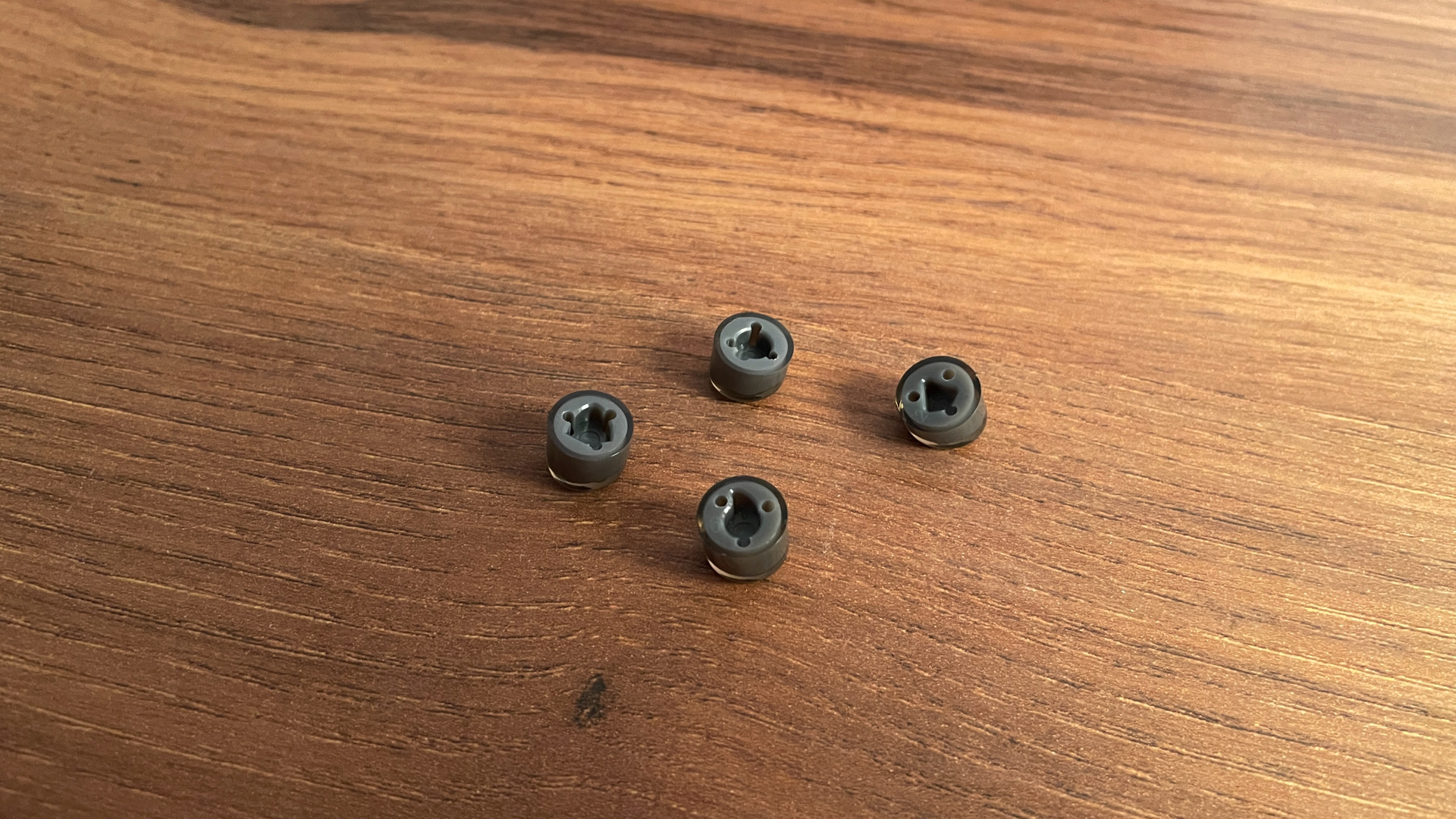
The second unusual feature is their direct-touch structure. The ABXY buttons are built around mechanical microswitches, but unlike more traditional designs, they have no silicone membrane between the button caps and the microswitches. This has a noticeable effect on how these buttons feel.
Both pre-travel and post-travel are minimal, and the overall button travel is slightly shorter than that of a traditional design with a silicone layer. Each press feels exceptionally quick, crisp, and sharply defined, with a somewhat more direct response. The click sound is slightly louder as well. The actuation force is on the lighter side. I would not call them ultralight, and accidental presses were never a problem for me, but they are still noticeably lighter than average mechanical ABXY buttons.
Personally, I really like the way these ABXY buttons feel. Their short travel, light actuation, and direct response should be particularly appealing to competitive players who prioritize quick, effortless presses and generally prefer buttons that are easy to spam.
At the same time, I can see that their more direct tactile feel might not be for everyone, so that is worth keeping in mind. They are not bad by any means; they simply feel different from mechanical ABXY buttons that use a silicone layer between the microswitch and the button cap, a design many players may be more familiar.
System Buttons
The Super Legend Excellence has a fairly standard set of system buttons, and all of them use tactile microswitches. Each feels quick and satisfying to press, with a pleasantly muted click and virtually no pre-travel or post-travel.
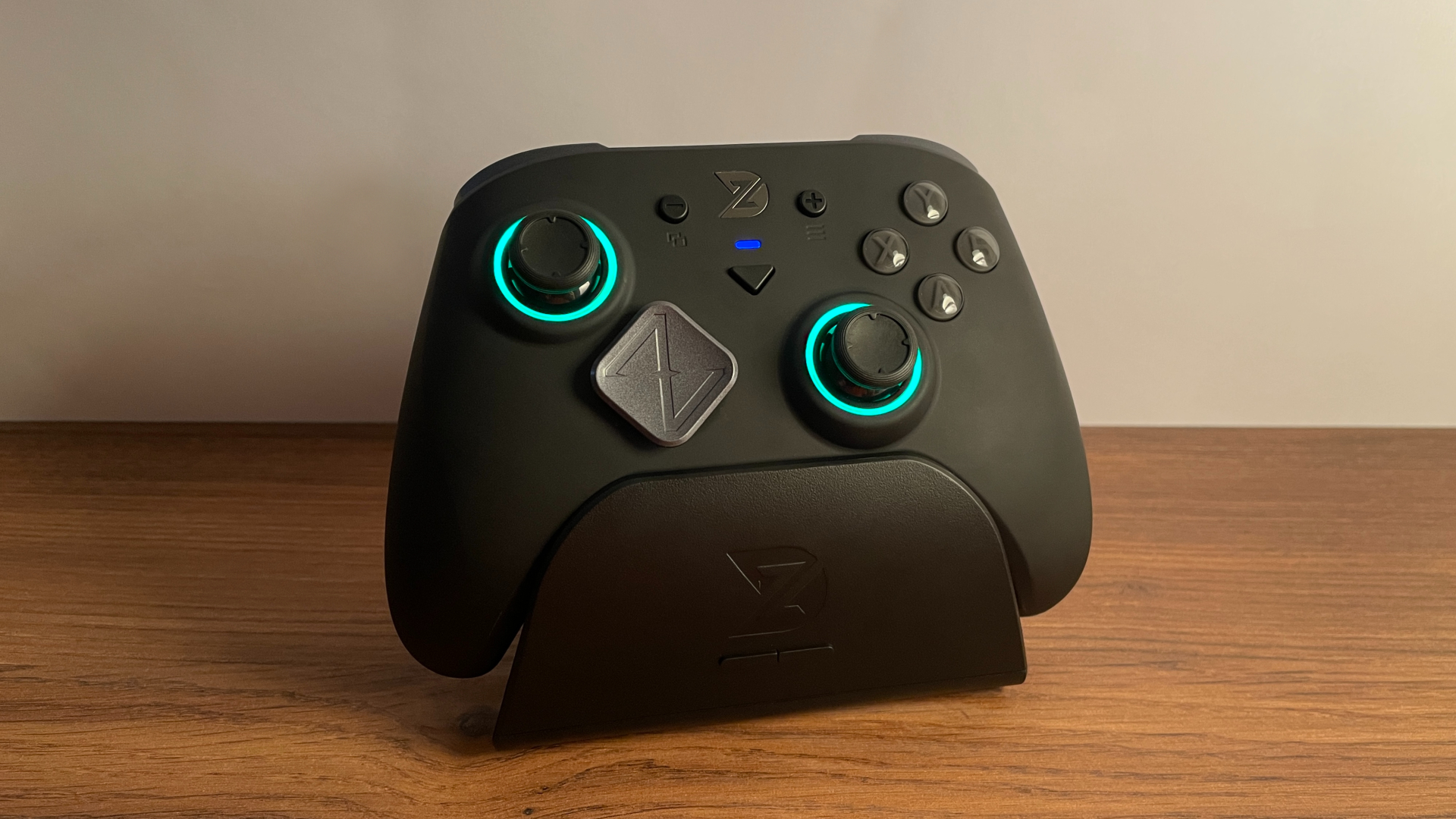
The View and Menu buttons are located in roughly their usual positions and are easy to reach. The Mode button is located slightly below them.
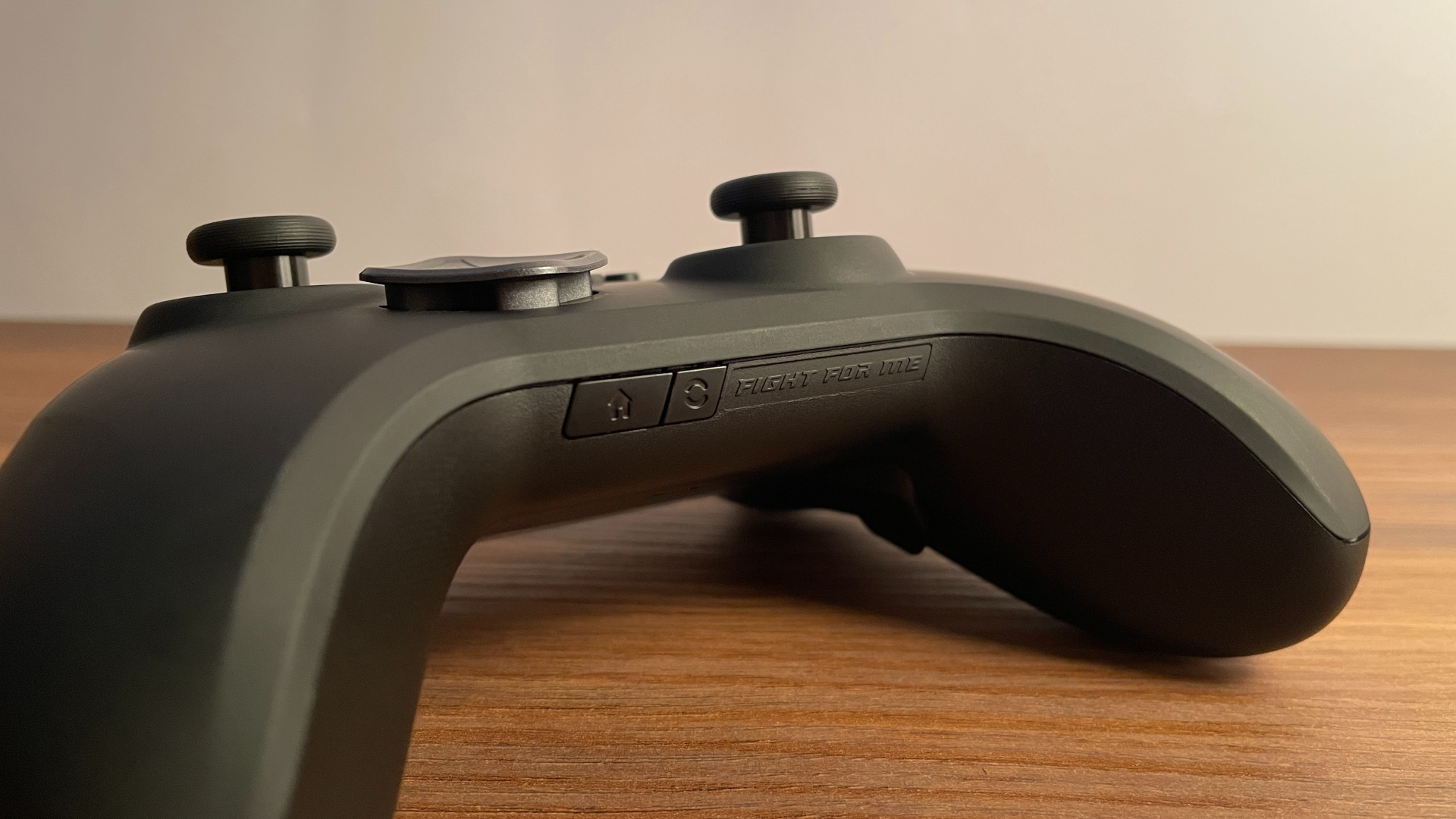
The placement of the Home and Pairing buttons is somewhat unusual: both sit on the bottom edge of the controller. Since I use the Home button almost exclusively to turn the controller on and off, having it there made no practical difference to me. If anything, I ended up liking this placement, as moving the Home button off the front gives the controller a cleaner, less cluttered appearance. Placing the Pairing button here has a similar benefit, leaving the back of the controller cleaner as well – especially since I use it even less often.
Shoulder Buttons & Triggers
The shoulder buttons are mostly smooth, with a textured section only along the edge closest to the triggers. They rely on mechanical microswitches, but the way their click is implemented feels quite unusual – I have not encountered anything quite like it on another controller.
It is difficult to describe and really needs to be felt firsthand, but I will give it a try. Pressing the button does not feel like moving a separate piece of plastic that eventually engages a microswitch somewhere inside the shell. Instead, the entire mechanism feels like one solid unit. Each press has a clearly defined beginning and end, with no vague movement or sense of an intermediate layer between your finger and the switch. The button actuates with a short, distinct, remarkably solid click – as though you were pressing the microswitch itself rather than a plastic button sitting above it.
I personally really enjoyed this feeling. Pre-travel is minimal, and I cannot feel any post-travel at all; there appears to be a physical stop inside the mechanism that halts the button immediately after actuation, making the button feel exceptionally well tuned. The actuation force is on the lighter side, though the buttons never feel excessively light.
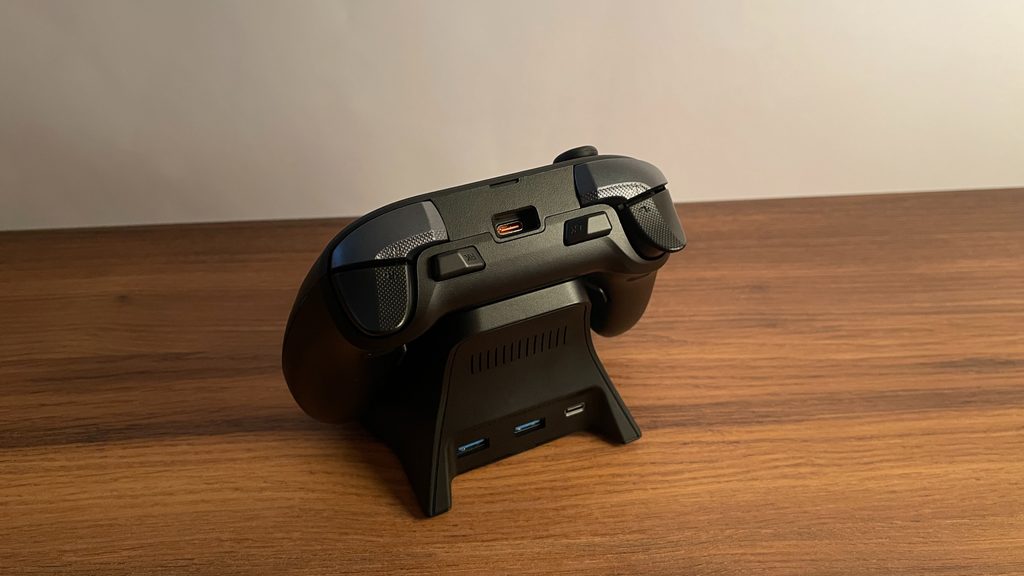
Moving on to the triggers, the Super Legend Excellence features dual-mode triggers that let you choose between full analog travel and a short mechanical click. Each trigger has a fairly wide surface shaped like a rounded triangle, along with a shallow concave section for the finger. I found this shape very comfortable. Roughly half of each trigger surface has a subtle, pleasant texture that adds a bit of grip without feeling aggressive.
In analog mode, the triggers rely on Hall effect sensors with 255 steps of resolution. Each pull feels smooth, with moderate resistance and excellent linearity throughout the entire range. I did not notice any physical dead zones at either the beginning or the end of the trigger travel. There is damping both when the trigger bottoms out and when it returns to its resting position, which I particularly appreciated. It is a small detail, but it keeps them quieter and more pleasant to use.
Flipping the two toggles on the back puts the triggers into digital mode, where mechanical microswitches provide a short click. The toggles themselves are recessed into the shell, so they stay out of the way of your palms and fingers during gameplay. Despite their recessed position, they are surprisingly easy to operate.
The digital click is very well implemented too. There is virtually no pre-travel or post-travel, making every press feel fast and crisp. The actuation force feels moderate: the triggers are not overly light, but they are still easy to press repeatedly. I think their clearly defined click and virtually nonexistent pre-travel should make them particularly appealing to players who mainly play shooters.
Extra Buttons
The ZD Super Legend Excellence has four extra buttons arranged in a 2+2 layout: two back buttons and two extra shoulder buttons. Personally, this is my favorite layout for four extra buttons, and I think many other players will feel the same because it is highly versatile and works well with a wide range of grip styles.
Starting with the back buttons, they are positioned exactly where I want them to be. My fingers naturally land on them whenever I pick up the controller, so reaching them never requires adjusting my grip. They are medium-sized and have a smooth, untextured surface. There is a small amount of pre-travel, though nothing beyond what I would consider normal, followed by very little post-travel. They use mechanical microswitches, so each press feels quick and crisp. The actuation force feels moderate, striking a good balance: there is enough resistance to prevent accidental presses without the buttons ever feeling too heavy. Their clicks sound clean and solid, with no hollow resonance.
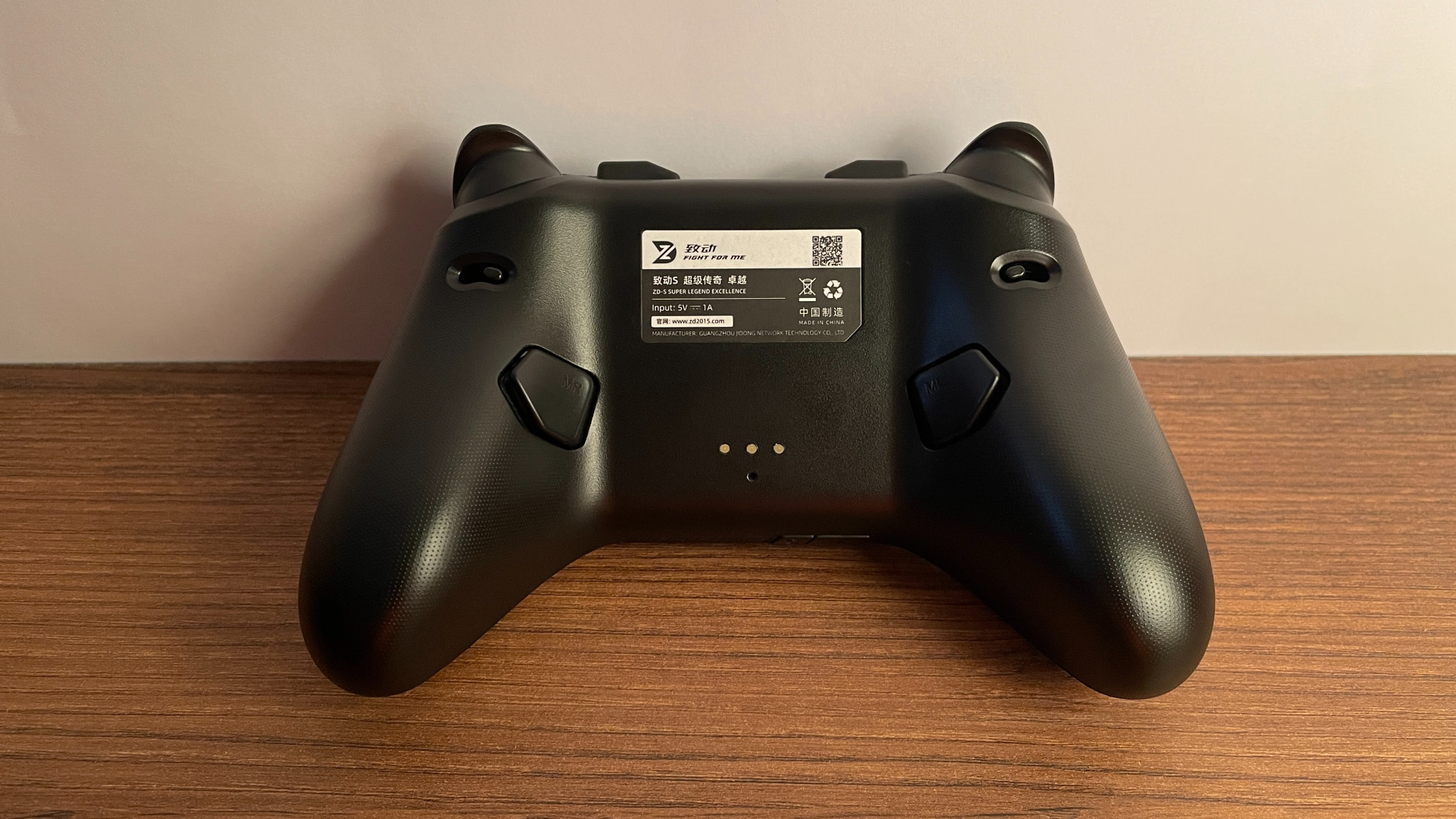
The two extra shoulder buttons are just as well positioned. What I particularly like is their relatively low-profile design that keeps them close to the shell, avoiding the bulky feel that taller extra shoulder buttons can have on some controllers. On the SLE, they feel much more neatly integrated into the body. Their surfaces are smooth and untextured, but the shape provides enough grip that my fingers never slipped off them while playing. They also use mechanical microswitches with a medium actuation force, so their clicks feel just as quick and nice. Their sound is rather unusual, though. It is crisp and pronounced, with a distinct metallic tone. If you have ever heard the sound of Omron optical switches commonly found in modern gaming mice, these buttons sound remarkably similar.
Haptics & Gyro
The Super Legend Excellence has four vibration motors: two asymmetric rumble motors inside the grips and two additional motors in the triggers.
The main rumble left an especially strong impression on me. On many controllers, vibration feels as though the motors are simply buzzing somewhere inside the shell, making the body shake in a flat, monotonous way and sometimes even introducing a slight rattle. The SLE feels completely different. Its vibration does not seem confined to the shell; instead, it travels into your hands through clear, solid, and quite powerful pulses. You can feel them distinctly in your palms, so the result comes across as genuine tactile feedback rather than the controller merely buzzing in your hands.
I would go so far as to say that this is one of the best rumble implementations I have experienced on a third-party controller. If tactile feedback is something you value, I think you will be very happy with what the SLE delivers here.
The two additional motors power the SLE’s Impulse Triggers. Their vibration is pleasant and clearly noticeable, and I can see fans of racing games appreciating it in particular.
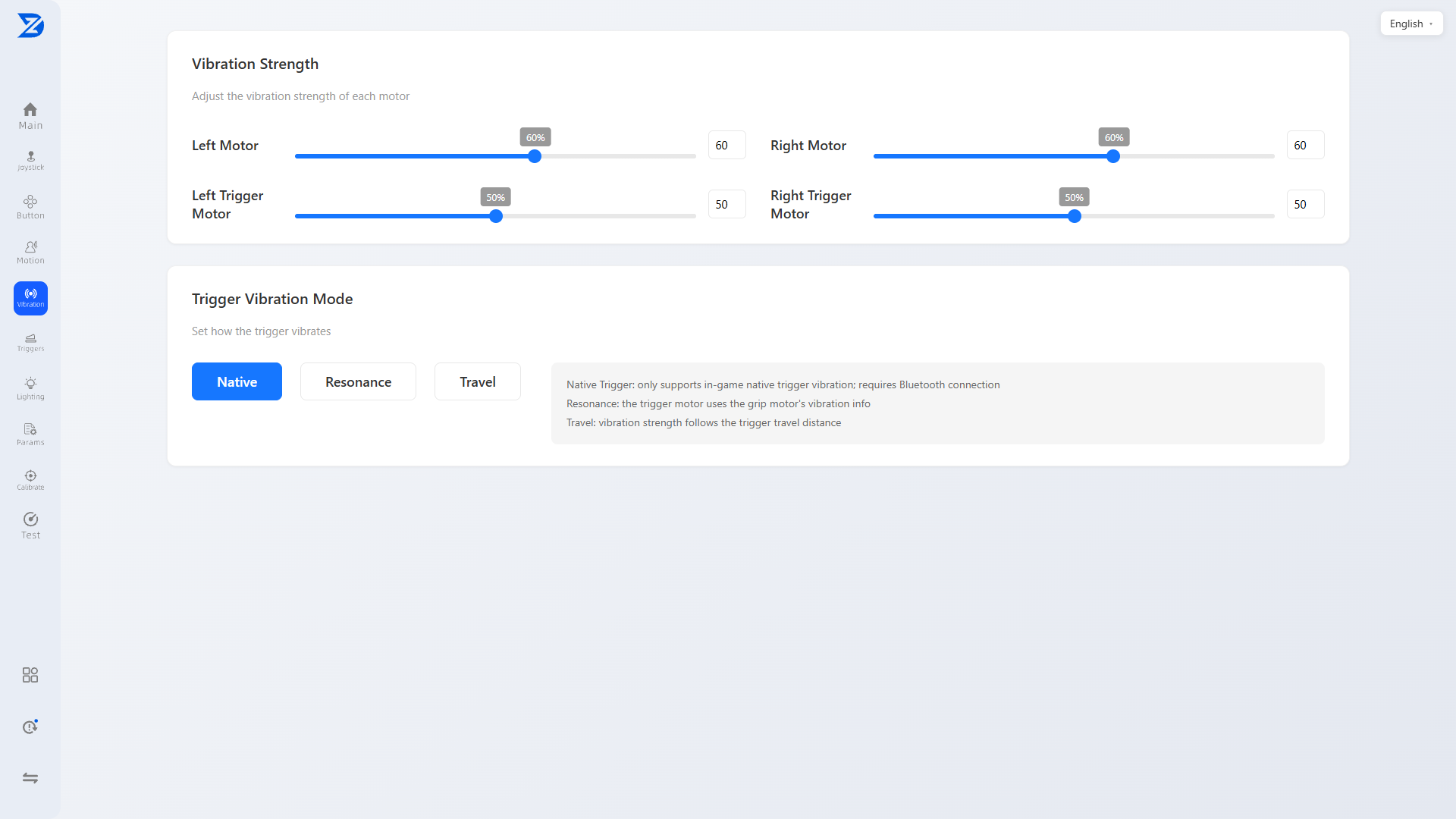
The trigger vibration can work in three different ways. In Native mode, it is controlled directly by the game, provided that the game supports Impulse Triggers. Stereo mode synchronizes the trigger vibration with the main rumble motors in the grips, allowing all four motors to work together. Finally, Travel mode links the vibration directly to trigger movement: the effect begins as soon as you start pulling a trigger and grows stronger the farther you pull it.
Moving from haptics to motion controls, the SLE has a six-axis gyroscope that can work in either Native or Simulated mode. Native gyro input is available when the controller is connected in Switch mode. I have no complaints about its performance in this mode. The gyro feels responsive and accurate, and I did not notice any delay, jitter, or other problems.
Simulated mode takes a different approach, allowing gyro movement to be mapped to either the right or left analog stick. This is a useful addition for players who use the controller in XInput mode, giving them access to motion controls even when native gyro input is not an option. For a simulated gyro mode, the implementation works reasonably well. Its response feels consistent, and I encountered no issues that got in the way of using it.
Connectivity & Compatibility
The Super Legend Excellence is a tri-mode controller, supporting Bluetooth, 2.4 GHz wireless, and a wired USB-C connection. It works with PC, the original Nintendo Switch, Nintendo Switch 2, Android, and iOS. The SLE supports waking the original Nintendo Switch from sleep, but it cannot wake Nintendo Switch 2.
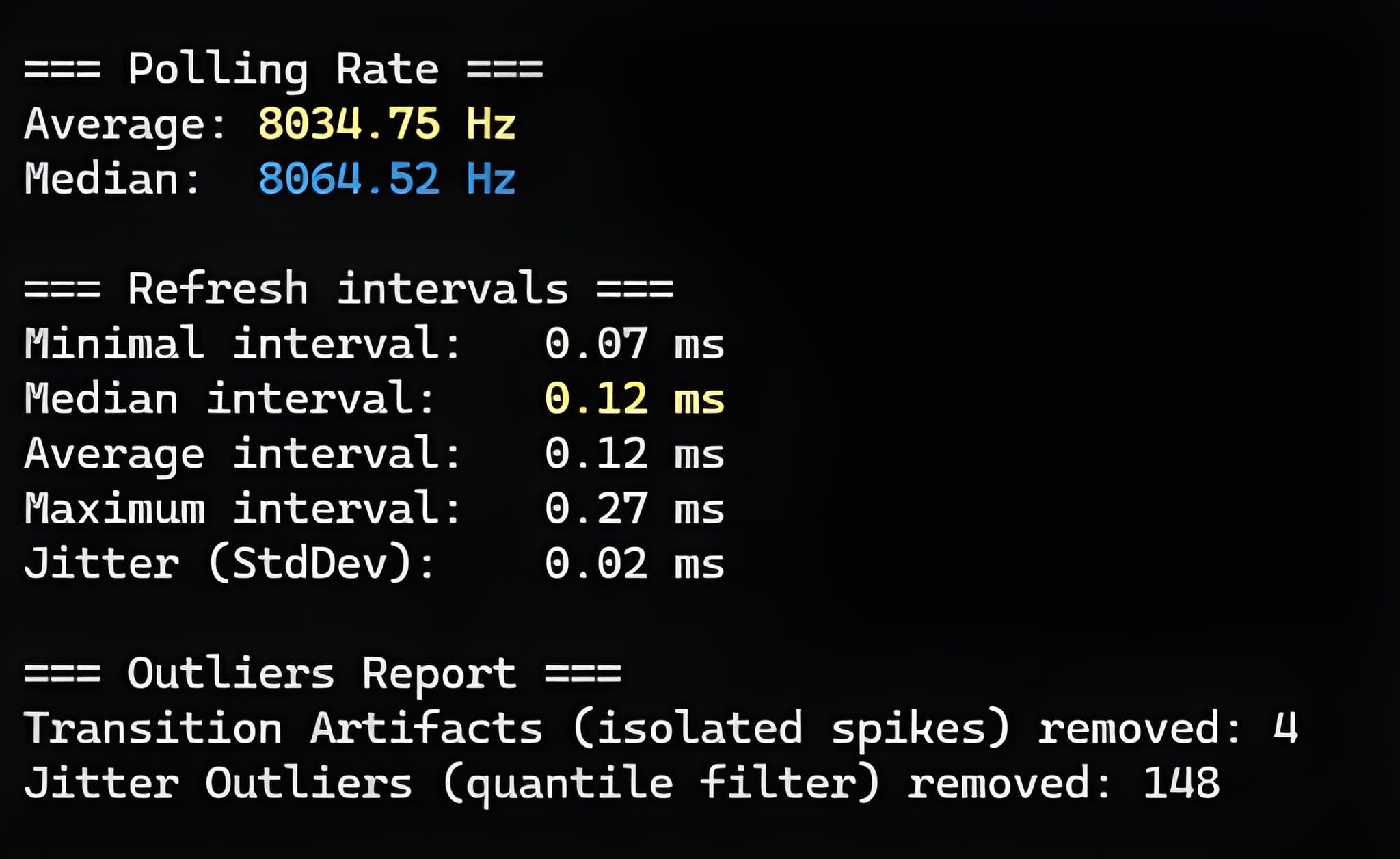
When connected wirelessly over 2.4 GHz, the SLE runs at a 1,000 Hz polling rate, while Bluetooth tops out at 250 Hz. Throughout my time with the controller, I did not encounter a single problem with its wireless performance. The connection remained completely stable, with no disconnects, dropouts, or other wireless issues.
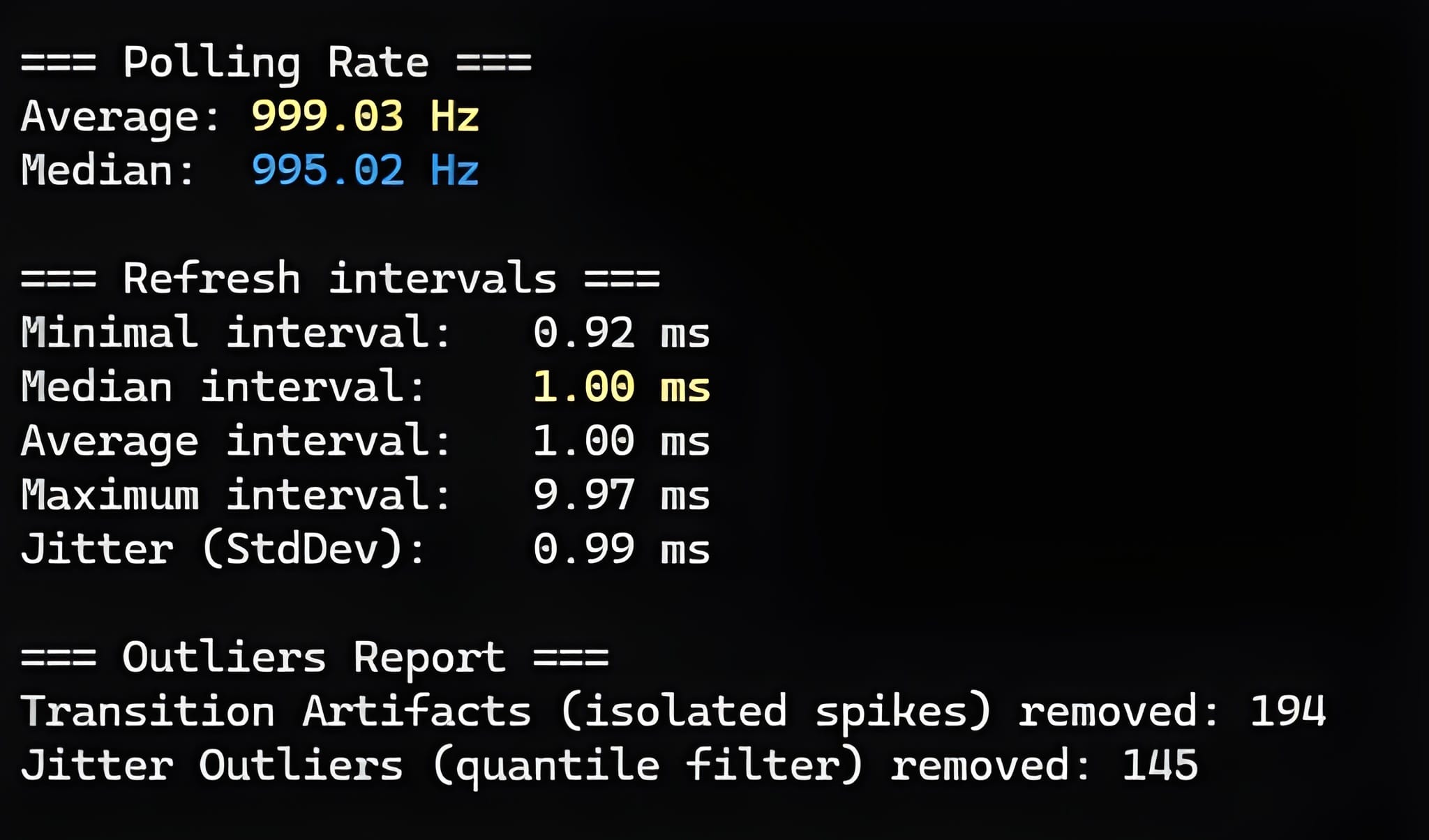
If every millisecond matters in the games you play and you want to keep input latency as low as possible, the SLE offers an 8,000 Hz polling rate over a wired connection. I tested its polling performance myself and can confirm that the SLE consistently maintains the advertised 8K rate.
Keep in mind, however, that such a high polling rate places additional load on your PC’s processor, so your system needs enough performance headroom to handle it properly.
Supported input modes:
- Wired:
- XInput
- Switch
- Bluetooth:
- XInput
- Switch
- 2.4 GHz Wireless:
- XInput
- Switch
The SLE covers the main input modes across all three connection methods, though some players may still miss DInput support.
A stable connection is only one part of the wireless experience, though; battery life matters just as much. The SLE has a 1,200 mAh battery, which is a pretty solid capacity for a controller. Naturally, the exact runtime can vary considerably depending on the selected polling rate, whether the lighting is enabled and how brightly it is set, as well as how often the rumble is activated and at what intensity.
To give you a more useful idea of what to expect, my SLE lasted approximately 12 hours over the 2.4 GHz connection at a 1,000 Hz polling rate, with the lighting enabled and the rumble set to 60% intensity. I’m perfectly happy with that kind of battery life.
The mobile app also displays the exact remaining battery percentage, which is very convenient. That said, aside from the time I spent measuring battery life, I normally relied on the charging dock to keep the controller topped up. Whenever I took even a short break during a gaming session, I simply placed the controller back on the dock. Thanks to QC Fast Charging, those brief top-ups added enough charge that I effectively stopped thinking about the battery level, even when playing for extended periods.
Software: Desktop, Mobile & Web
The ZD Super Legend Excellence can be configured through a PC app, a mobile app (Android/iOS), or a web-based app. No matter where or how you prefer to customize your controller, there is an option for you, and I appreciate that flexibility.
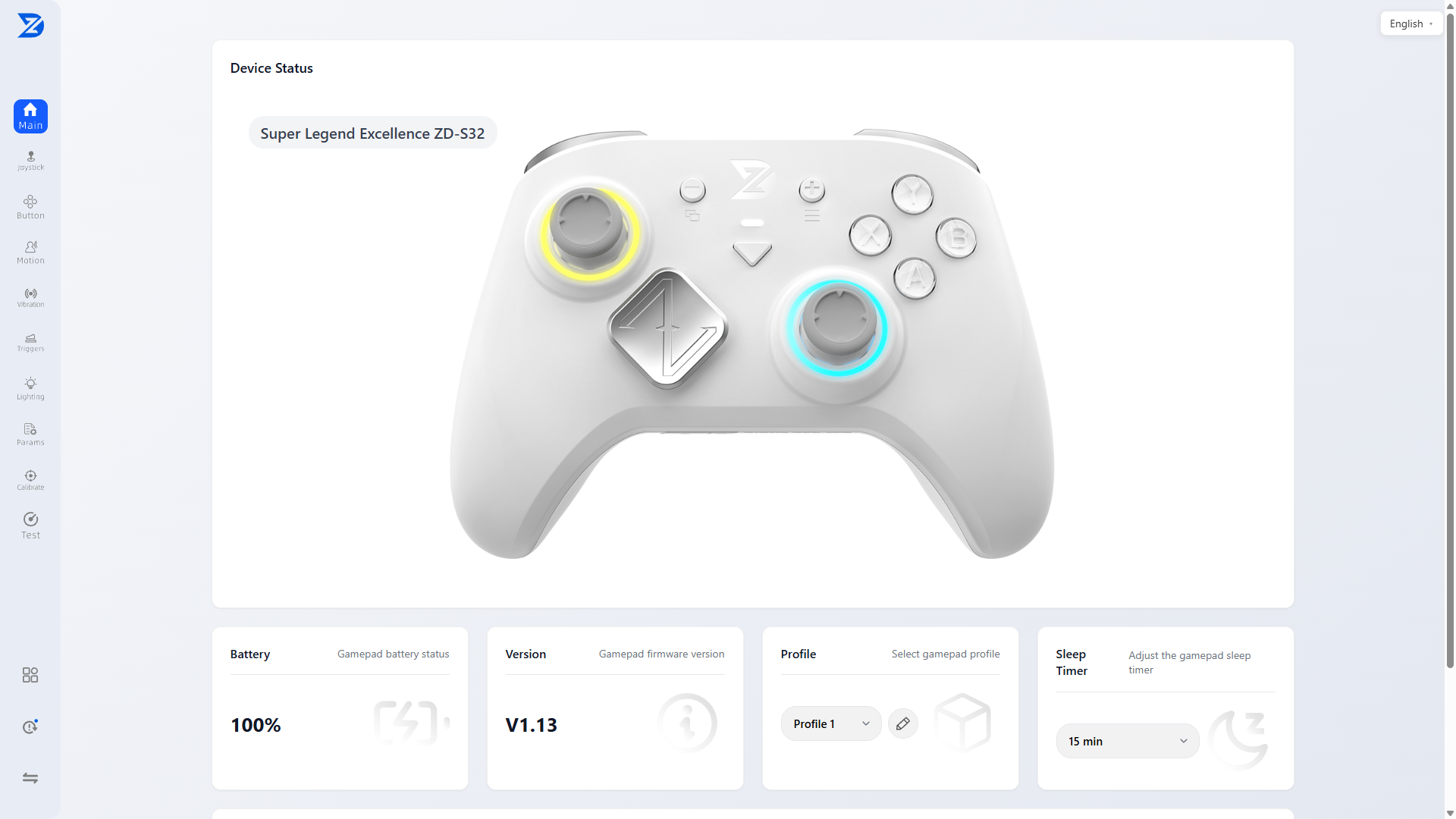
The web-based version deserves special mention. Although web-based software has become increasingly common for keyboards and mice, it is still rare among controllers. More broadly, having all three options is a major advantage, not only because it makes the software easier to access but also because each version can serve as a backup for the others. If the web version ever becomes unavailable or you cannot access the mobile app for some reason, you still have another way to configure the controller. I think this is absolutely the right approach.
Connecting the controller to any of the three versions is simple and straightforward. Both the PC software and the web-based app require a wired connection. To use the mobile app, enable Bluetooth, select the exact controller model in the app, tap Search, and then tap Connect once the app detects it. No pairing is required, so the entire process is quick and convenient.
All three versions offer the same functionality, so whichever one you choose, you do not lose access to any settings. The interface itself is simple, clear, and well organized. I did notice that a few settings are translated slightly differently depending on the version. These differences are minor, though, and the wording remains clear and easy to understand overall, so they never had any real effect on my experience with the software.
Available options include:
- Switching between onboard profiles
- Stick settings (including stick resolution, output shape, and curve adjustment)
- Button remapping (every button on the controller can be freely remapped, including to keyboard keys and mouse buttons)
- Trigger settings
- Gyroscope settings
- Vibration settings
- Sleep timer setting
- Macros and turbo
- RGB lighting settings
- Polling rate selection
- Controller calibration
- Factory reset
You can also view the installed firmware version, check the exact remaining battery percentage, and access a controller test screen directly through the software.
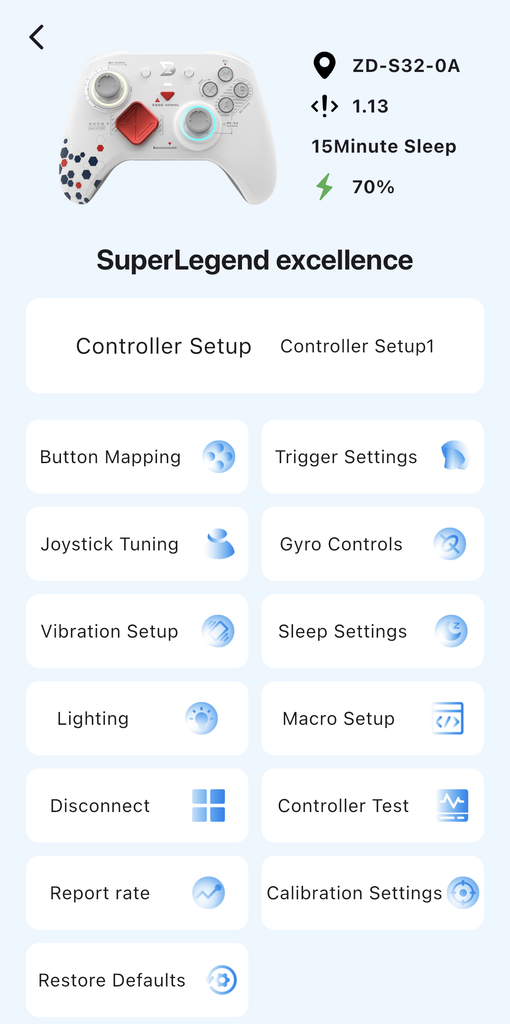
Overall, I am happy with the software. It offers all the settings I consider essential without becoming unnecessarily complicated or difficult to navigate, and it even includes a few less common options. All settings are saved directly to the controller’s onboard memory under one of four profiles. You can easily switch between these profiles at any time, even directly from the controller, without opening the software. That is a major plus for me.
Optional Accessories
Beyond the charging dock I mentioned earlier, ZD offers several other optional accessories for the Super Legend Excellence, including a D-pad cap set and several thumbstick sets.
Starting with the D-pad set, it contains five swappable D-pad caps, each offering a distinctly different shape:
- Classic Cross – the familiar cross-shaped D-pad that everyone will recognize. This will probably be the best option if you want to avoid accidental diagonal inputs as much as possible.
- Faceted Disc – a design many players will recognize from the Xbox Elite Series. It takes the opposite approach, making diagonal inputs easier to hit.
- Diamond-shaped – the standard D-pad cap found across the ZD controller lineup and one that I personally like a lot.
- Concave – a rather interesting option that could be particularly appealing to players who enjoy fighting games and platformers.
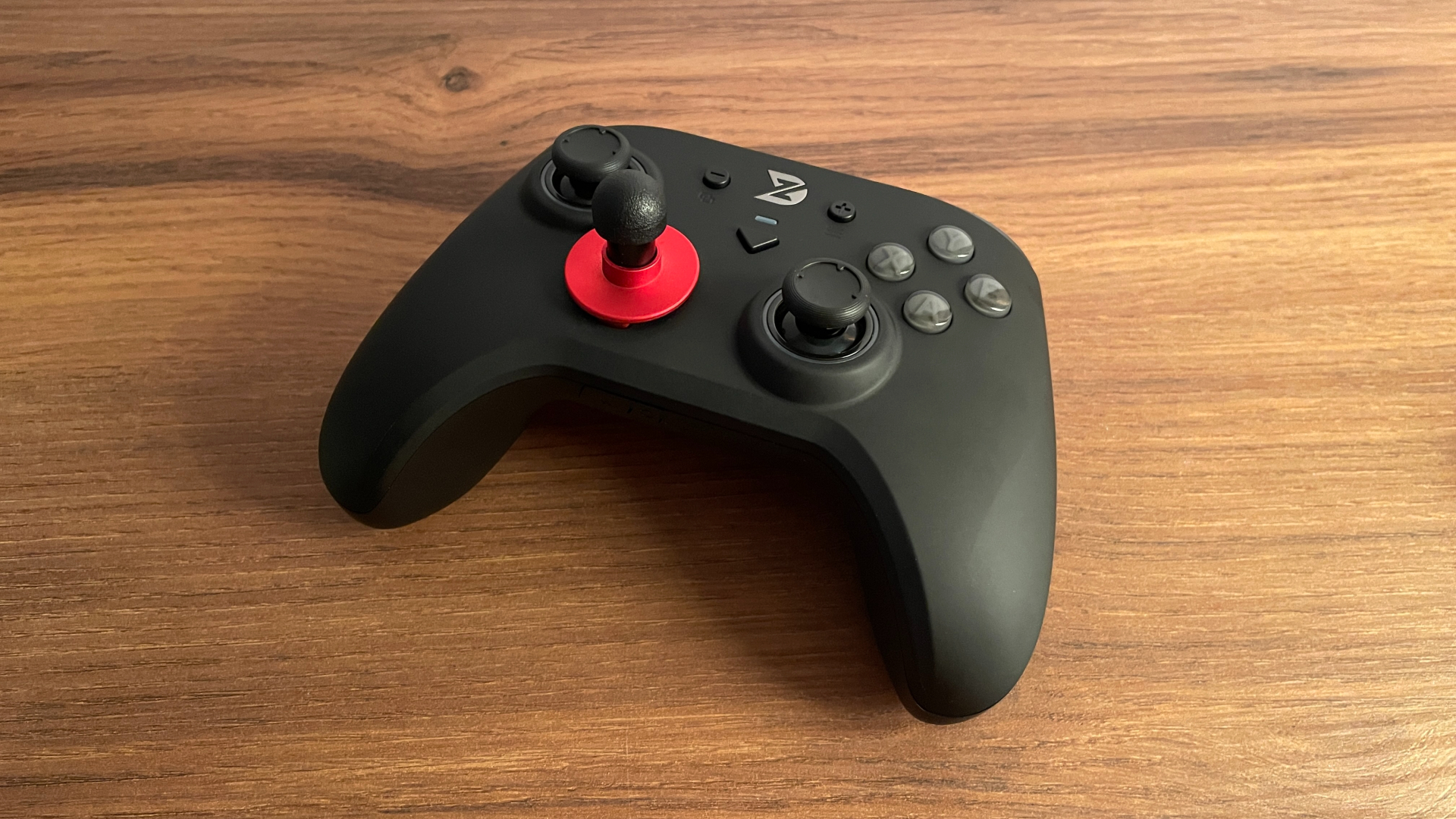
- Stick-style – easily the most unusual and original of the five. It effectively turns the D-pad into a digital stick, creating a very different – and genuinely fun – way to use it. The best part is that it uses the same thumbstick mounting system as the analog sticks on all ZD controllers (remember what I said earlier about cross-compatibility? Nice, right?). You can install any ZD thumbstick on it and experiment until you find one that feels right for you. There is even a way to literally turn the D-pad into a miniature arcade stick using one particular thumbstick that I will show below. This is really one of those things you need to try for yourself to see whether you like it.
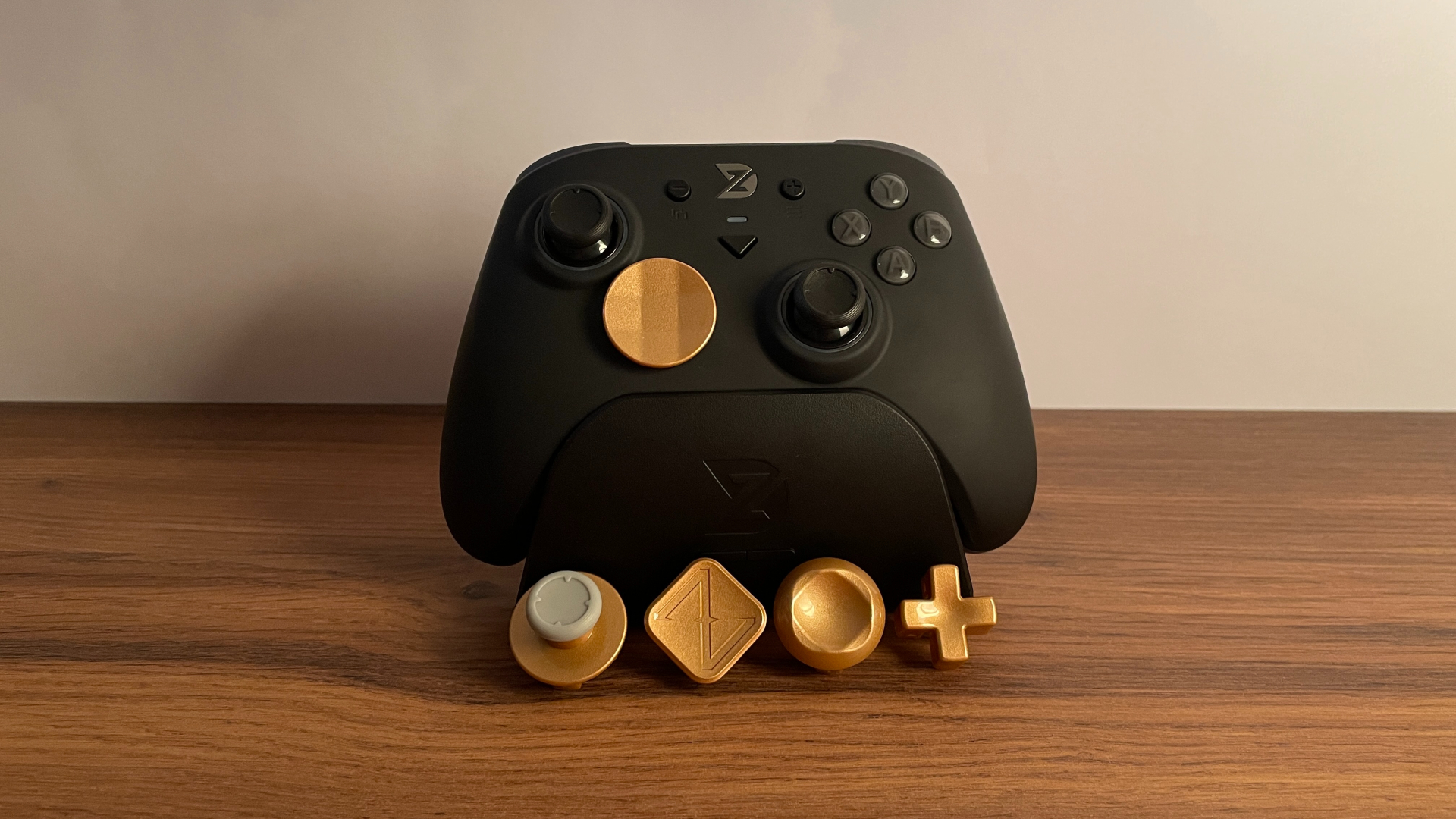
This set is available in red, gold, silver, matte silver, and dark gray. What I especially like is that ZD did not limit it to the usual cross and disc shapes, as many similar D-pad sets do. More importantly, the Stick-style cap is unlike anything I have encountered on any other controller. In my opinion, that one cap alone makes the entire set worth trying.
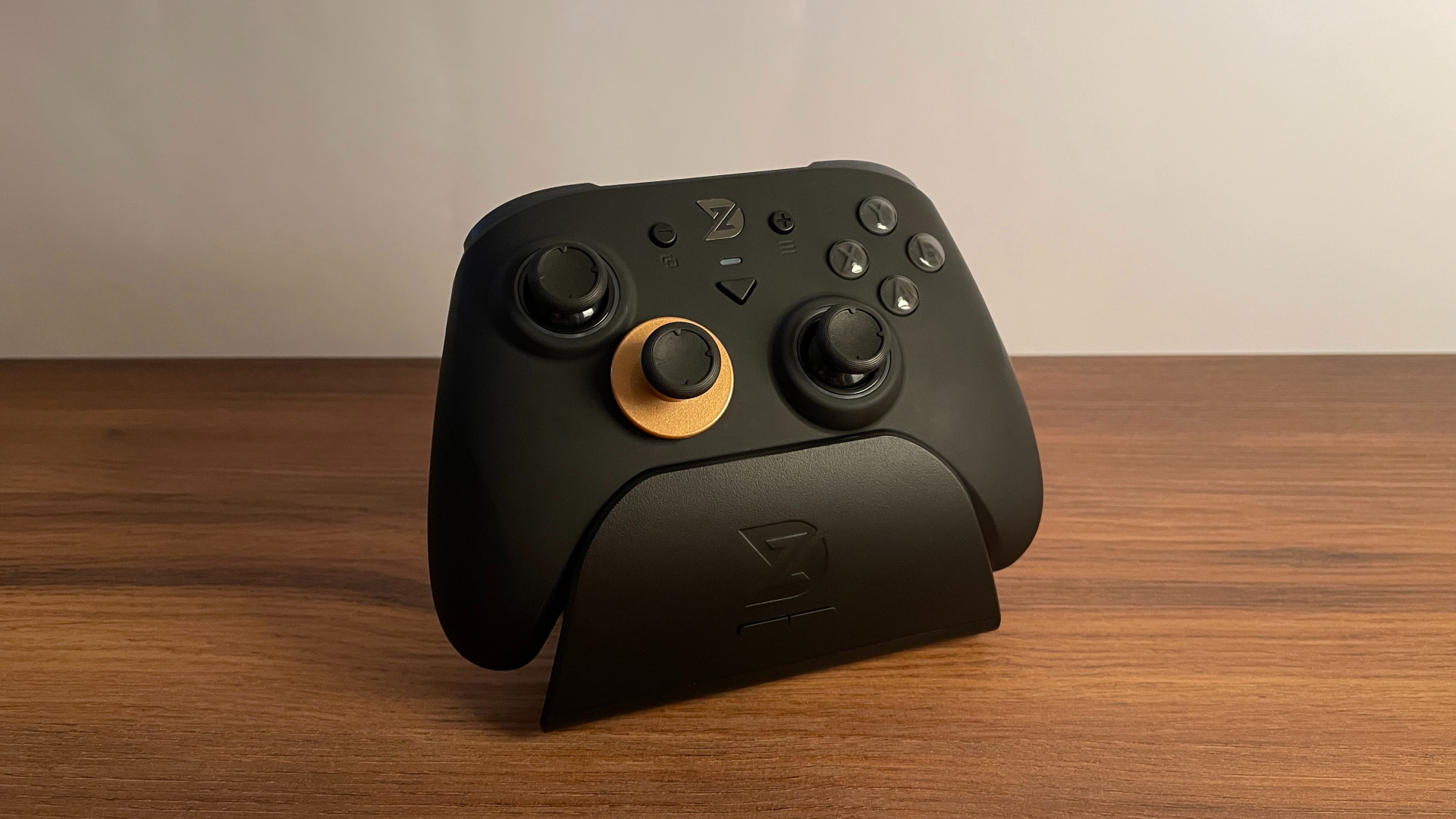
Moving on to the thumbstick sets, ZD offers four different options. What is especially interesting is that each one includes not only the thumbsticks themselves but also stick bases that you can install in other controllers. Thanks to these bases, the thumbsticks are not limited to ZD models and can be used with controllers from other brands as well.
Note: Standard, FPS-style, and Arcade-style sets are available in two versions: B-Type and C-Type.
The version you choose affects only the compatibility of the included stick bases with the shafts inside the stick mechanisms of other controllers. The thumbsticks themselves remain compatible with ZD controllers regardless of which version you choose.
B-Type bases are compatible with ZD, PS4, PS5, and Nintendo Switch Pro controllers.
C-Type bases are compatible with Xbox controllers and certain other models, including the GameSir G7 Pro.
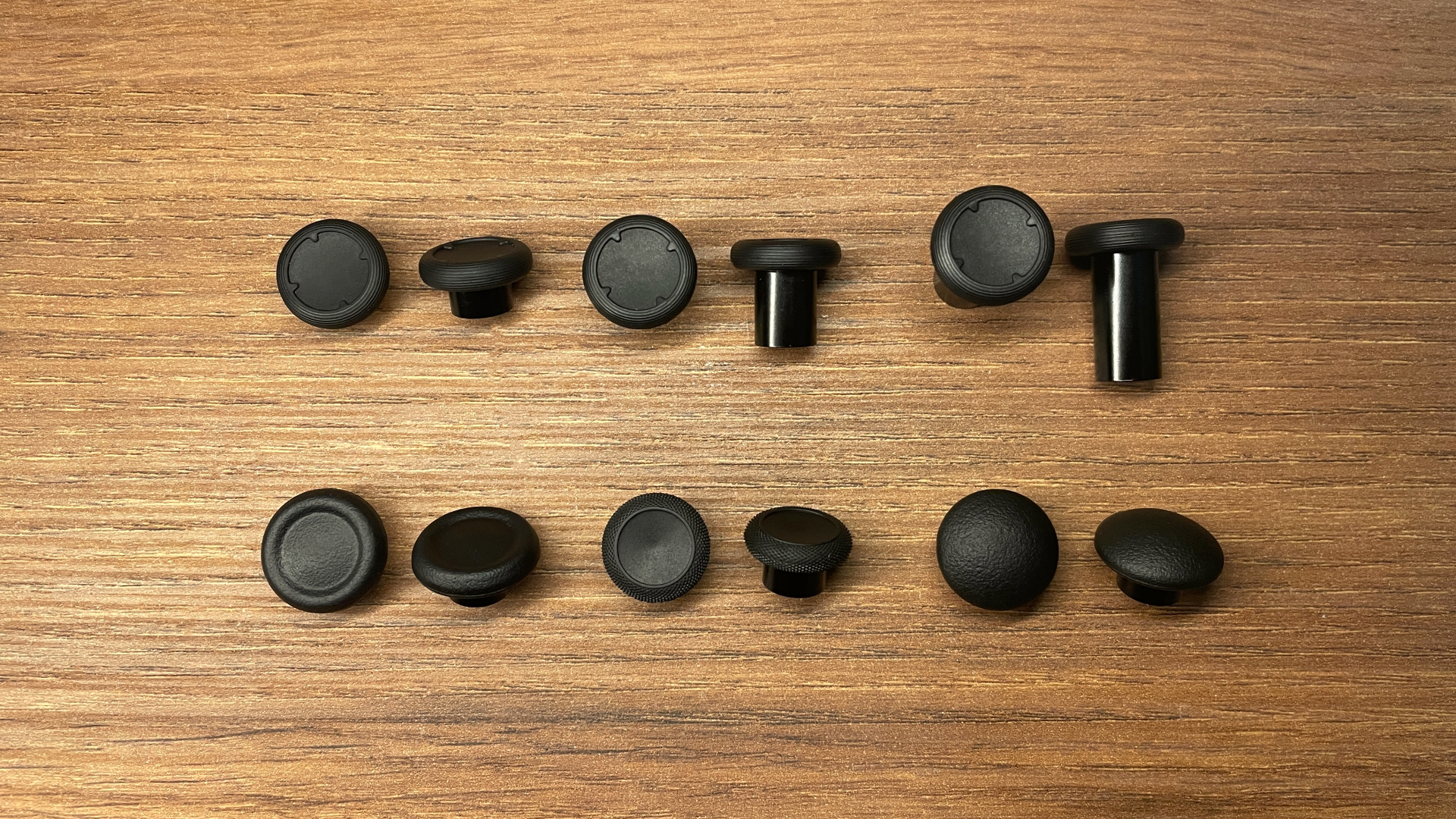
The first option is the “Original” set, which is the same set included with the O+ Excellence. It contains six pairs of thumbsticks:
- Xbox-style (standard height)
- PlayStation-style (standard height)
- Dome-shaped (standard height)
- ZD-style (9.6 mm) – the same thumbsticks installed on the SLE by default
- ZD-style (16.6 mm)
- ZD-style (24 mm)
With several different shapes and height options, this is a nicely varied set. It should be a good choice for anyone who wants to experiment and find out which shape and height feel most comfortable.
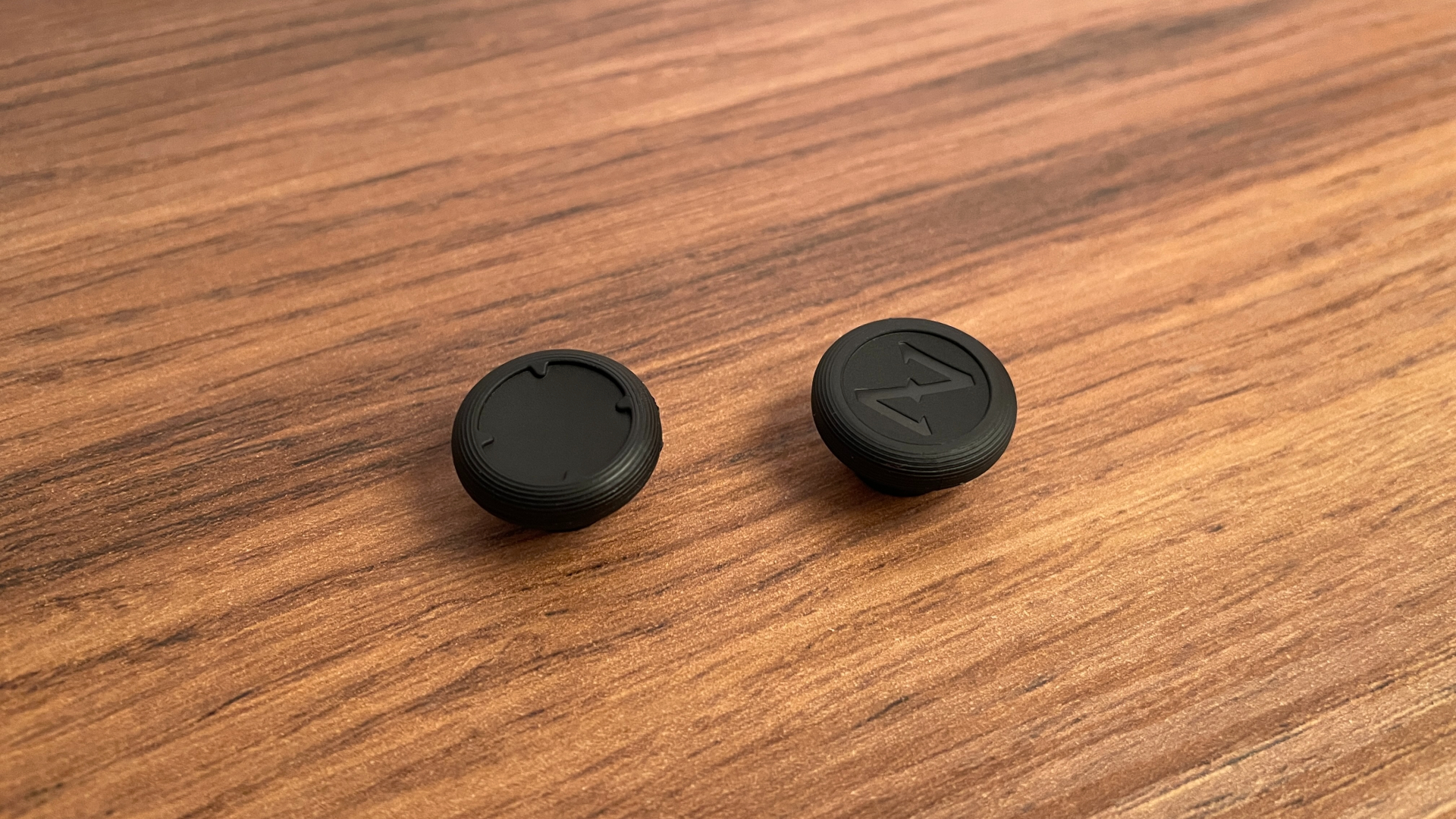
The second option is the “Standard” set. It includes three pairs of thumbsticks in different heights, all with rubber caps very similar in shape to those on the SLE’s default thumbsticks:
- New ZD-style (9.6 mm)
- New ZD-style (11.6 mm)
- New ZD-style (14.6 mm)
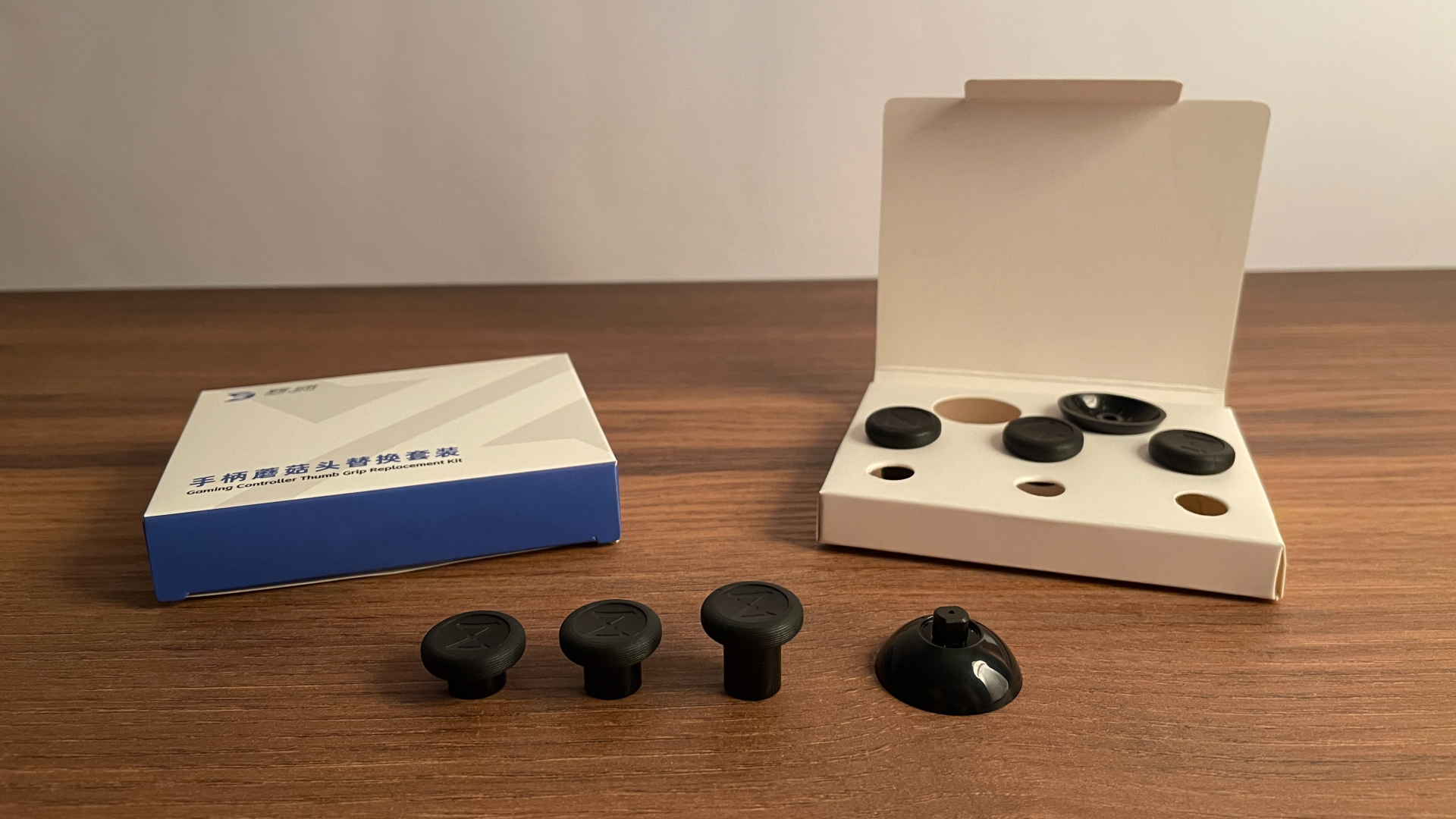
This set should suit anyone who likes the shape of the rubber caps on the default thumbsticks but would prefer something taller, for example, when playing FPS games.
The third option is the “FPS-style” set. It contains six pairs of thumbsticks, combining two different shapes with three height options for each:
- Dome-shaped (11.6 mm)
- Dome-shaped (13.6 mm)
- Dome-shaped (16.6 mm)
- Hybrid Concave (9.1 mm)
- Hybrid Concave (11.1 mm)
- Hybrid Concave (14.1 mm)
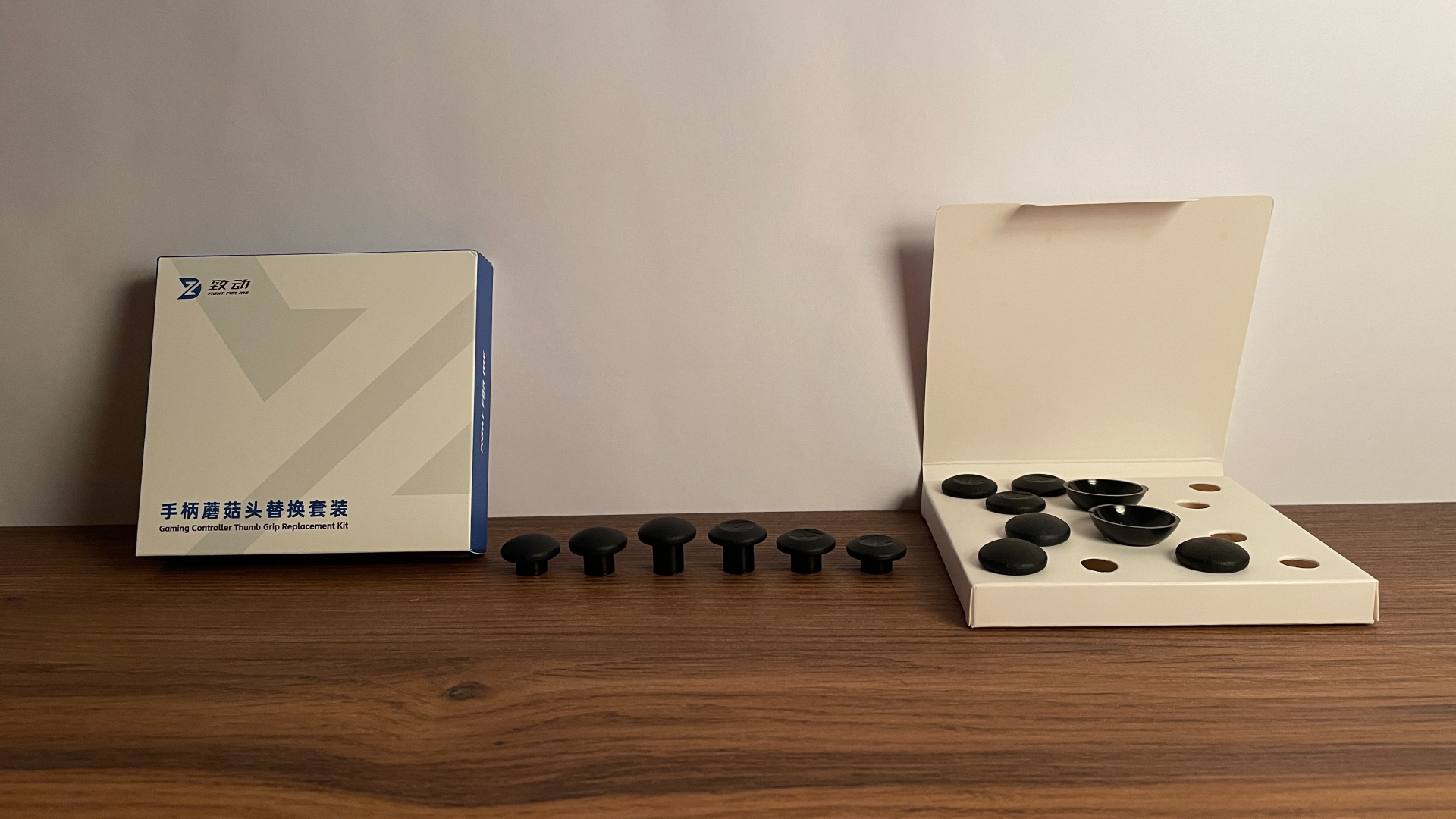
As the name suggests, this set is designed primarily with FPS players in mind. The dome-shaped thumbsticks are already familiar. The Hybrid Concave thumbsticks, however, feature a much more unusual design, and I ended up liking them quite a lot. I would say they feel very well balanced, combining the best qualities of concave and convex thumbsticks.
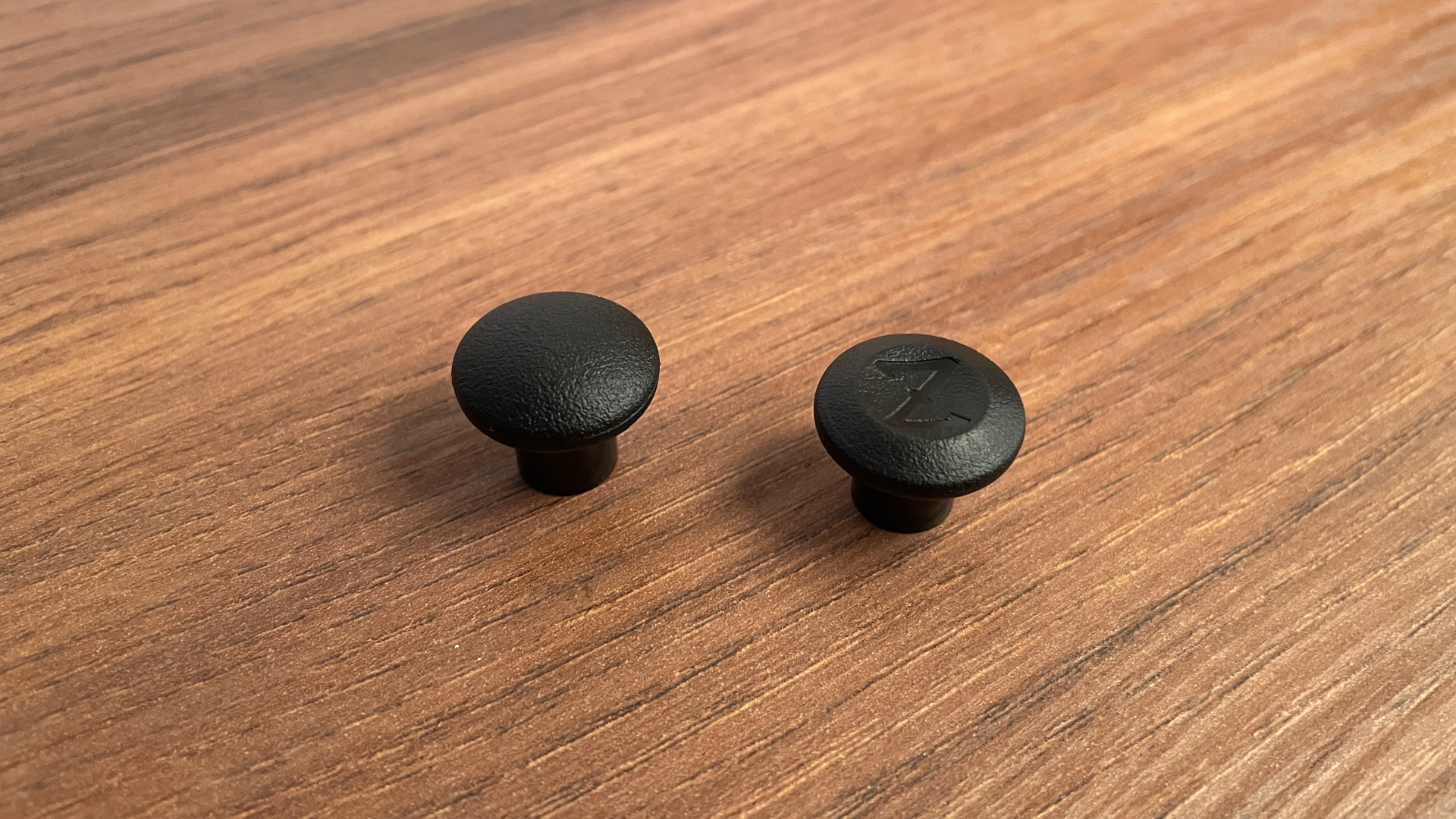
The fourth and final option is the “Arcade-style” set. It contains three pairs of thumbsticks in different heights:
- Arcade-style (18 mm)
- Arcade-style (23 mm)
- Arcade-style (27.7 mm)
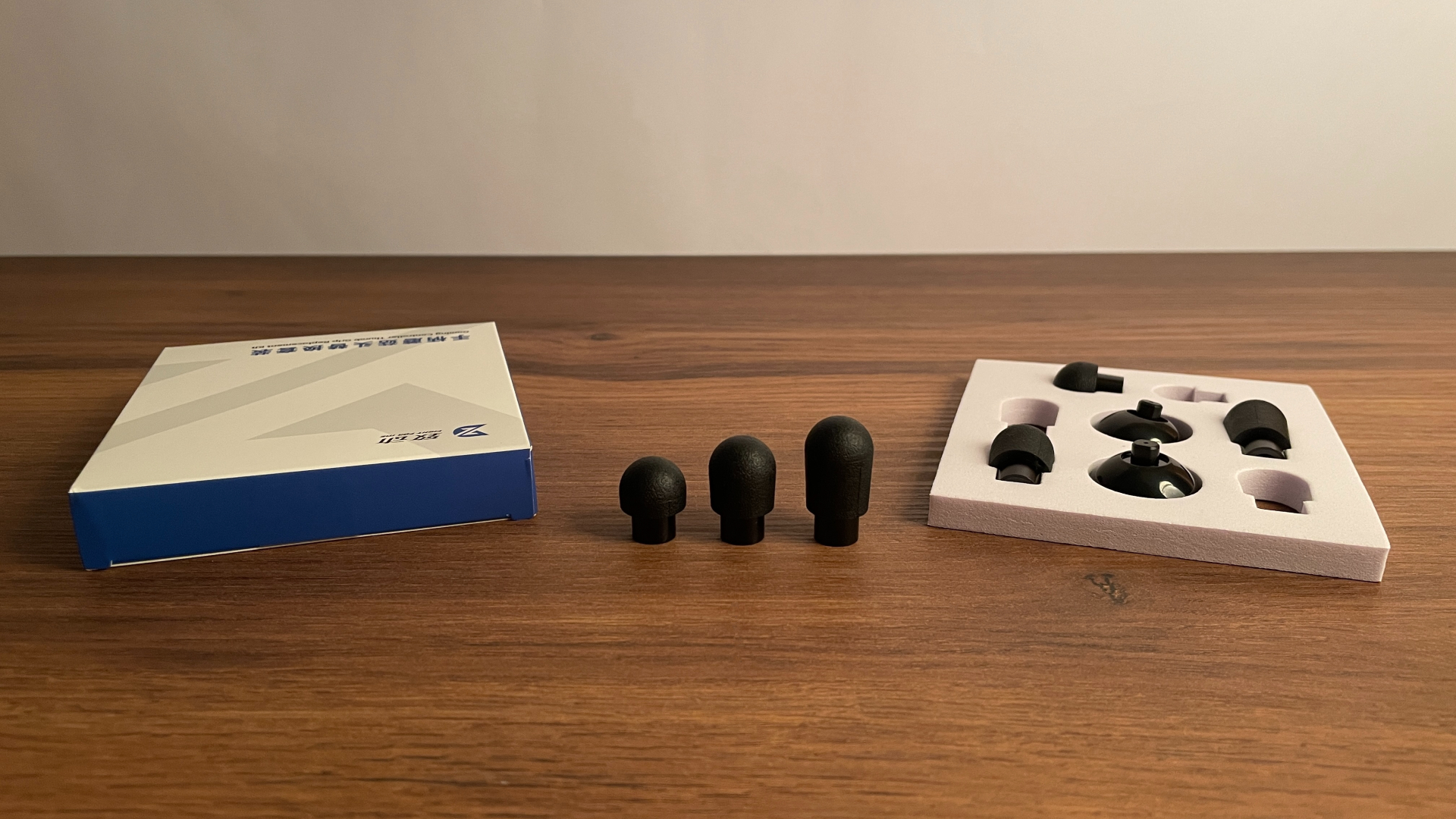
As the name suggests, their shape is clearly inspired by arcade sticks. This makes the set an interesting option for anyone who wants to recreate the arcade experience they remember from childhood – or at least enjoy something close to it on a controller. These thumbsticks also work especially well with the Stick-style D-pad cap mentioned earlier.
There is another group of players that may find this set especially interesting: fans of flight and drone simulators. With these Arcade-style thumbsticks installed, the SLE starts to feel much more like a professional drone controller.
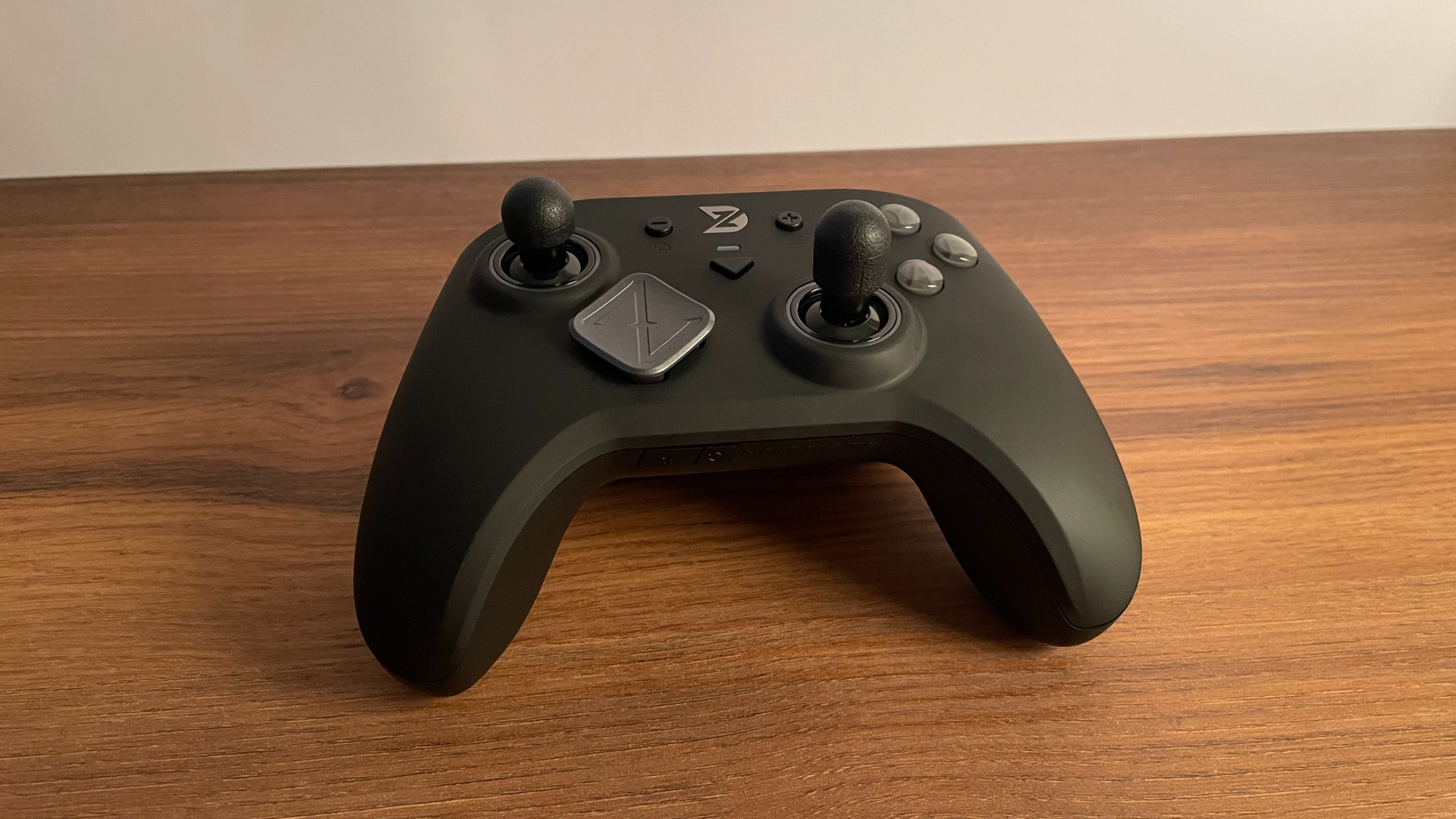
Overall, with four sets covering so many different shapes and heights, I think almost everyone should be able to find something that suits them – or at least something interesting to experiment with.
Pros and Cons
Final Verdict
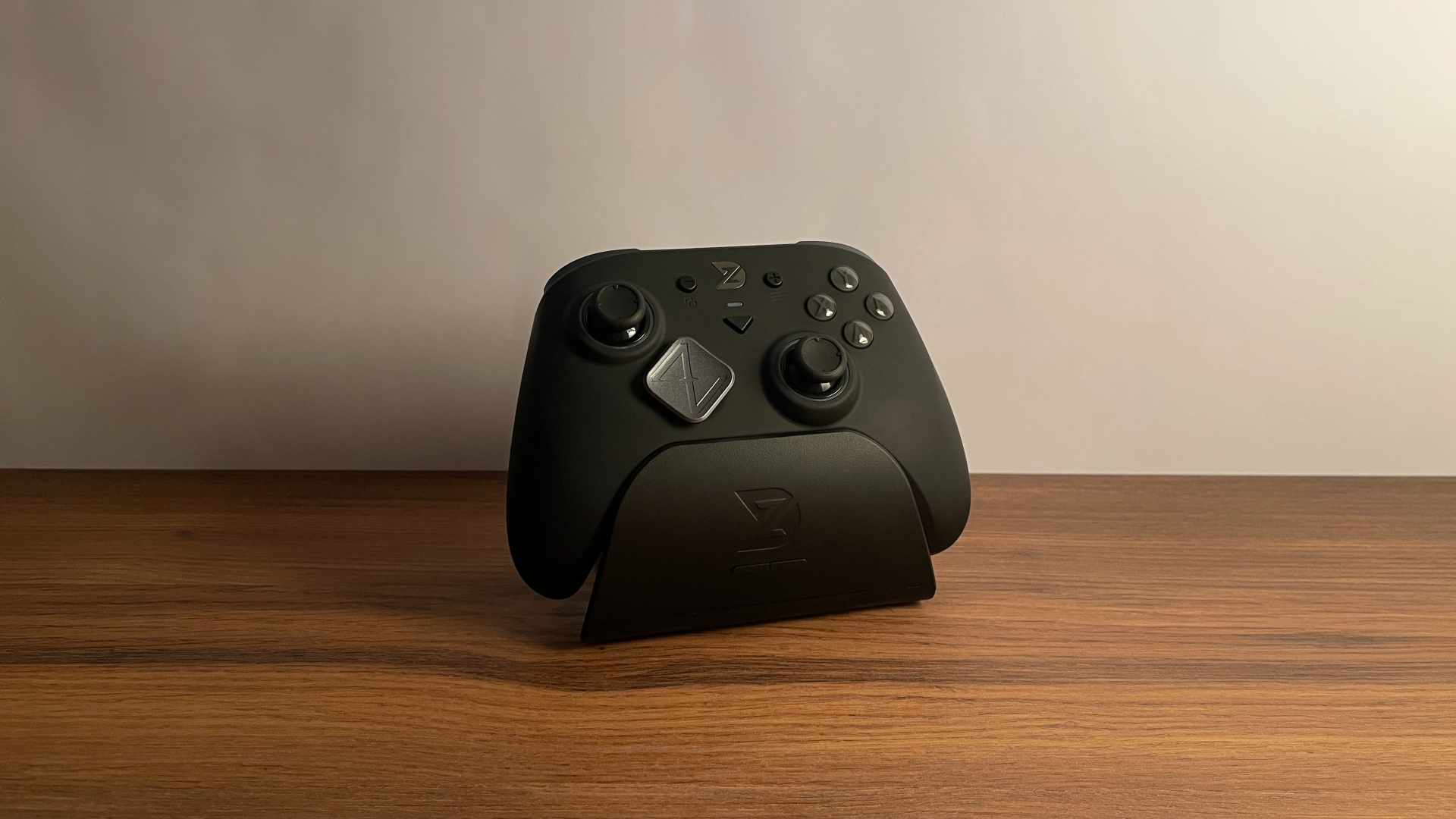
There is definitely a lot to love about the ZD Super Legend Excellence. With 16 microswitch-based buttons in total, every click feels crisp and immediate. The top-tier K-Silver JS13 Pro TMR sticks feel smooth and precise. The D-pad delivers accurate and reliable performance, especially in fighting games and platformers. And the 8,000 Hz polling rate and one of the lowest stick latencies on the market in wired mode make the controller feel genuinely fast and responsive.
Add to that the well-implemented dual-mode triggers, flexible 2+2 extra-button layout, and refined rumble, and the result is a versatile, well-rounded controller that feels at home in almost any game genre. Whether you mainly play competitive shooters, fighting games, racing games, or more relaxed single-player games, the SLE has something worthwhile to offer.
Overall, I think the Super Legend Excellence punches well above its weight at $70 for the controller-only version. It is fast, versatile, and simply enjoyable to use. If you are looking for a capable hardware-first controller rather than one that tries to justify its price with flashy styling or unnecessary features, the SLE is one of the best options in this price range.

Controller and mechanical keyboard enthusiast. Tech reviewer, regularly sharing thoughts about gadgets and computer peripherals.


