


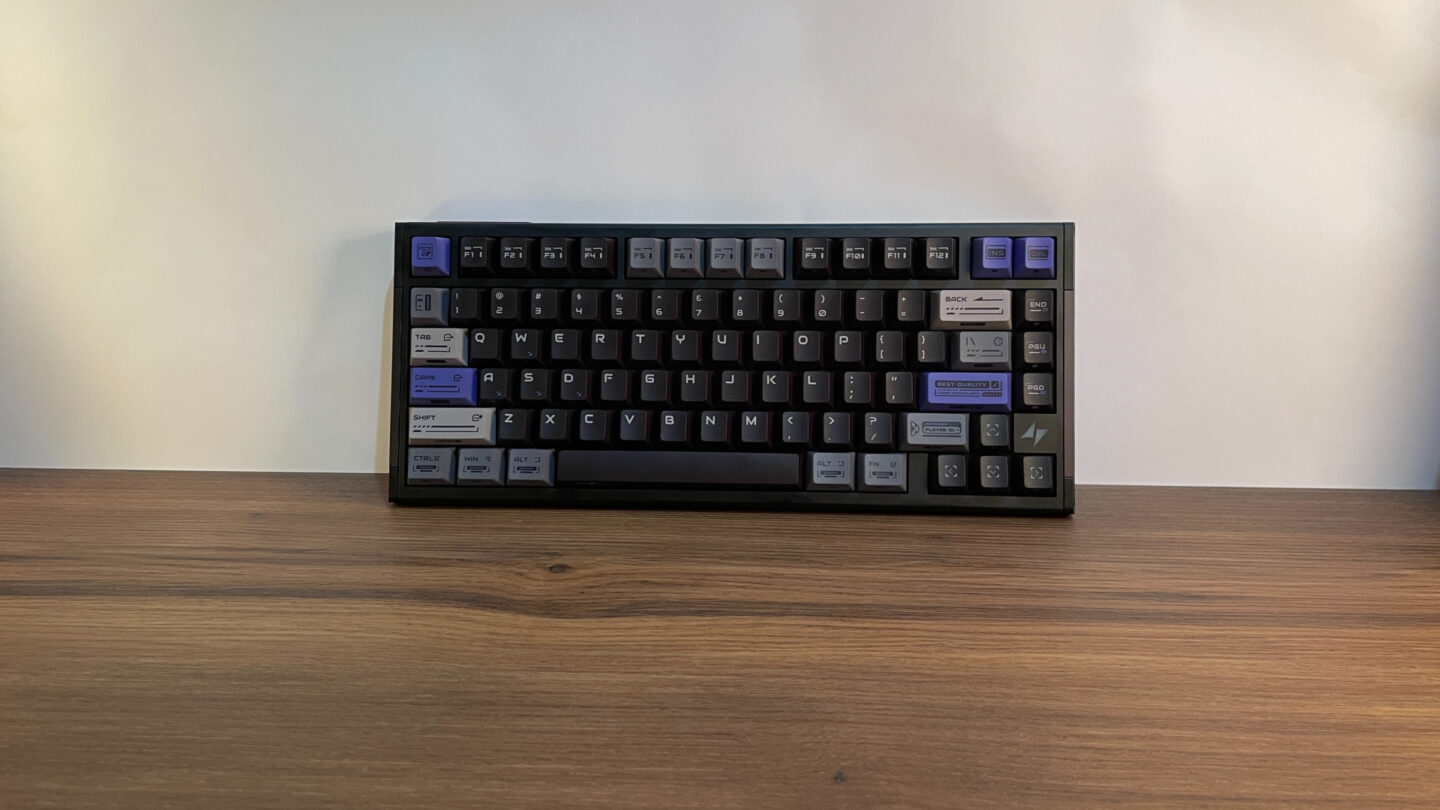
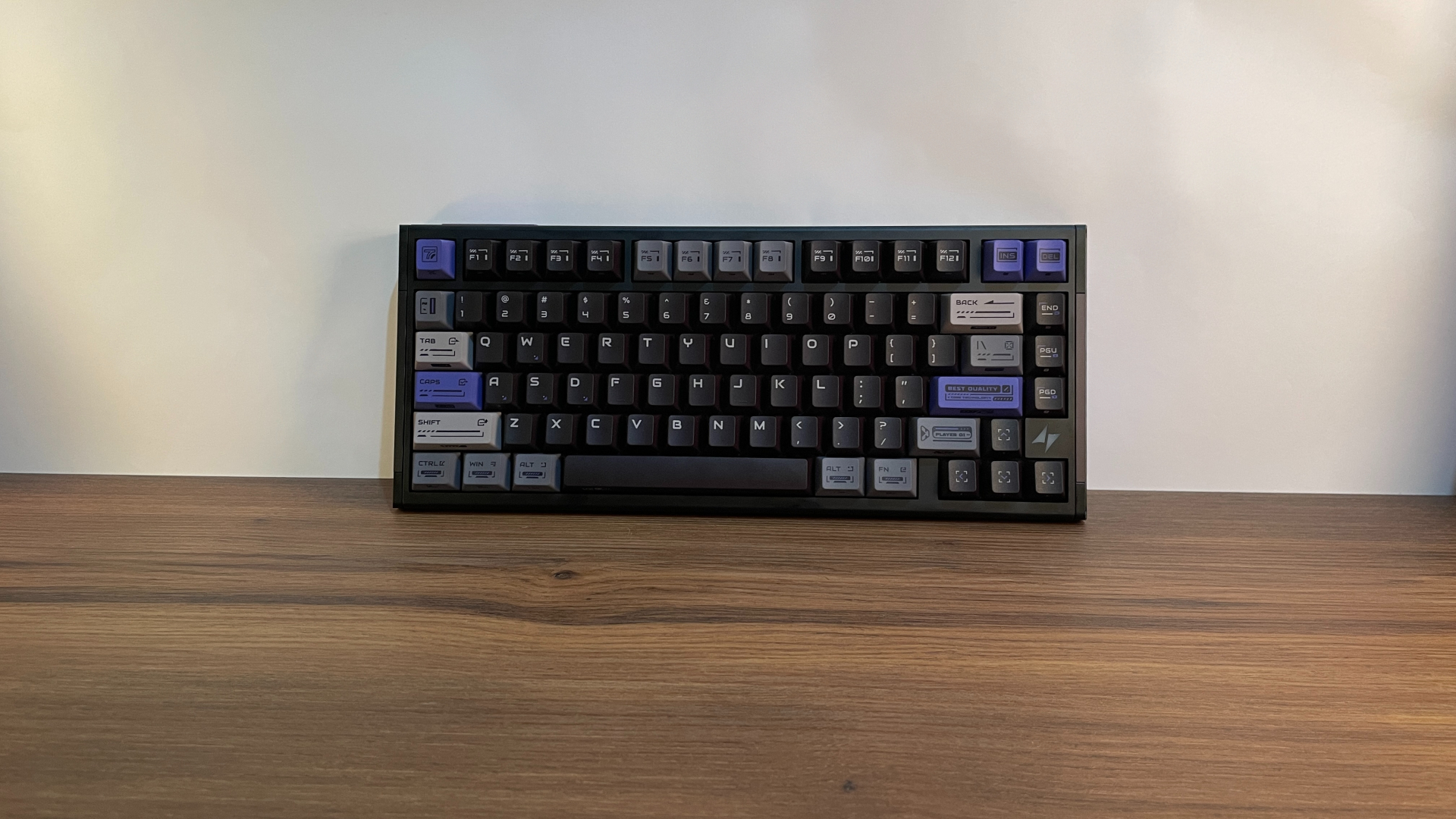

If you’ve been looking for a Hall Effect keyboard, you’ve probably noticed that 60% and 65% boards dominate the market. Finding a solid 75% option without sacrificing performance or build quality can be a surprisingly tough task.
The ATK RS7 V2 Ultra aims to solve that problem by pairing a heavy CNC-machined aluminum case with ultra-fast hardware inside. But raw speed and an aluminum build are far from all it brings to the table – it also has an unusual trick up its sleeve that makes it even more interesting. So, let’s dive in and see what makes this 75% board truly stand out.
Unboxing: What’s Inside?
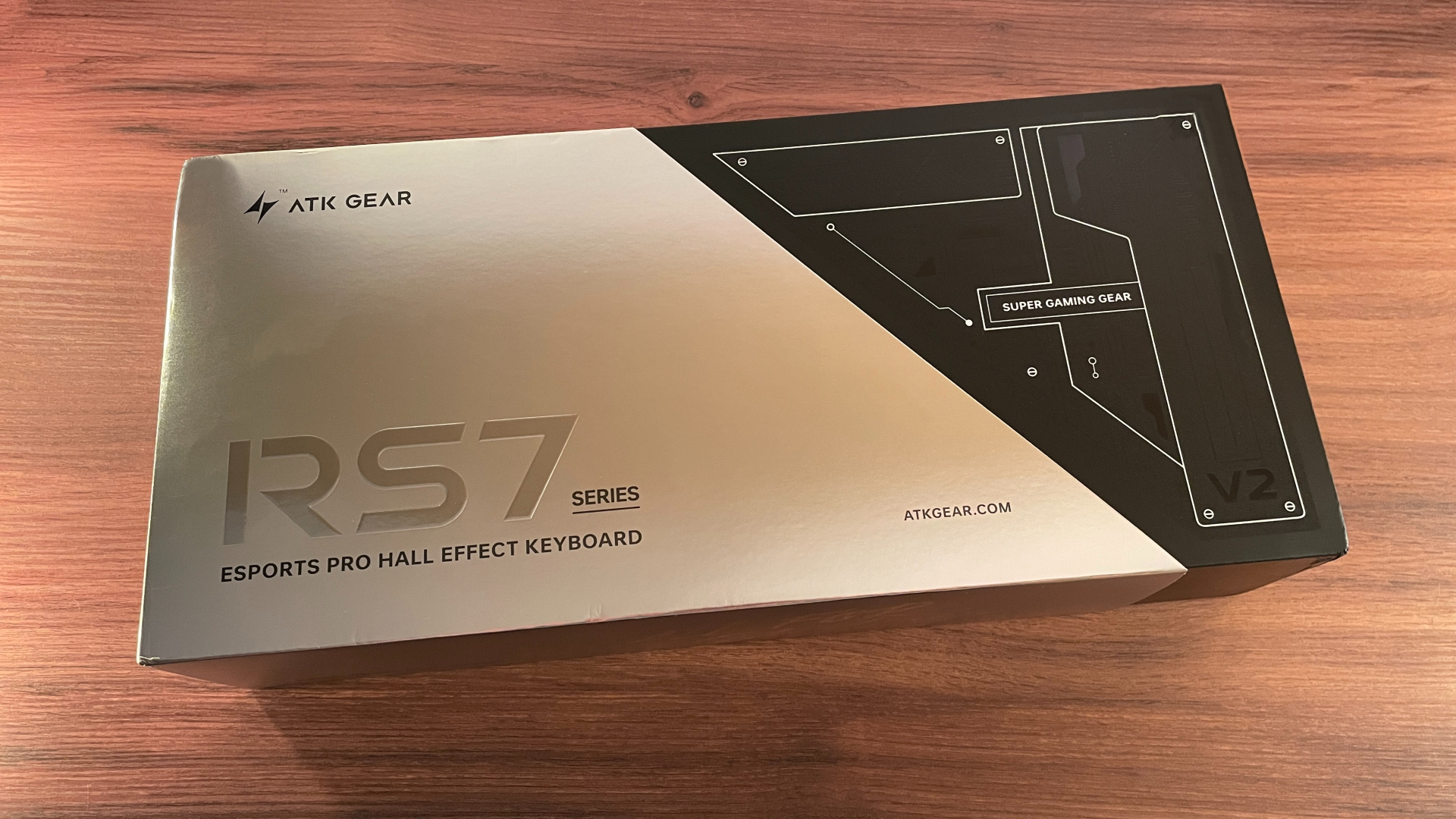
The ATK RS7 V2 Ultra comes in a fairly large, nicely designed cardboard box.
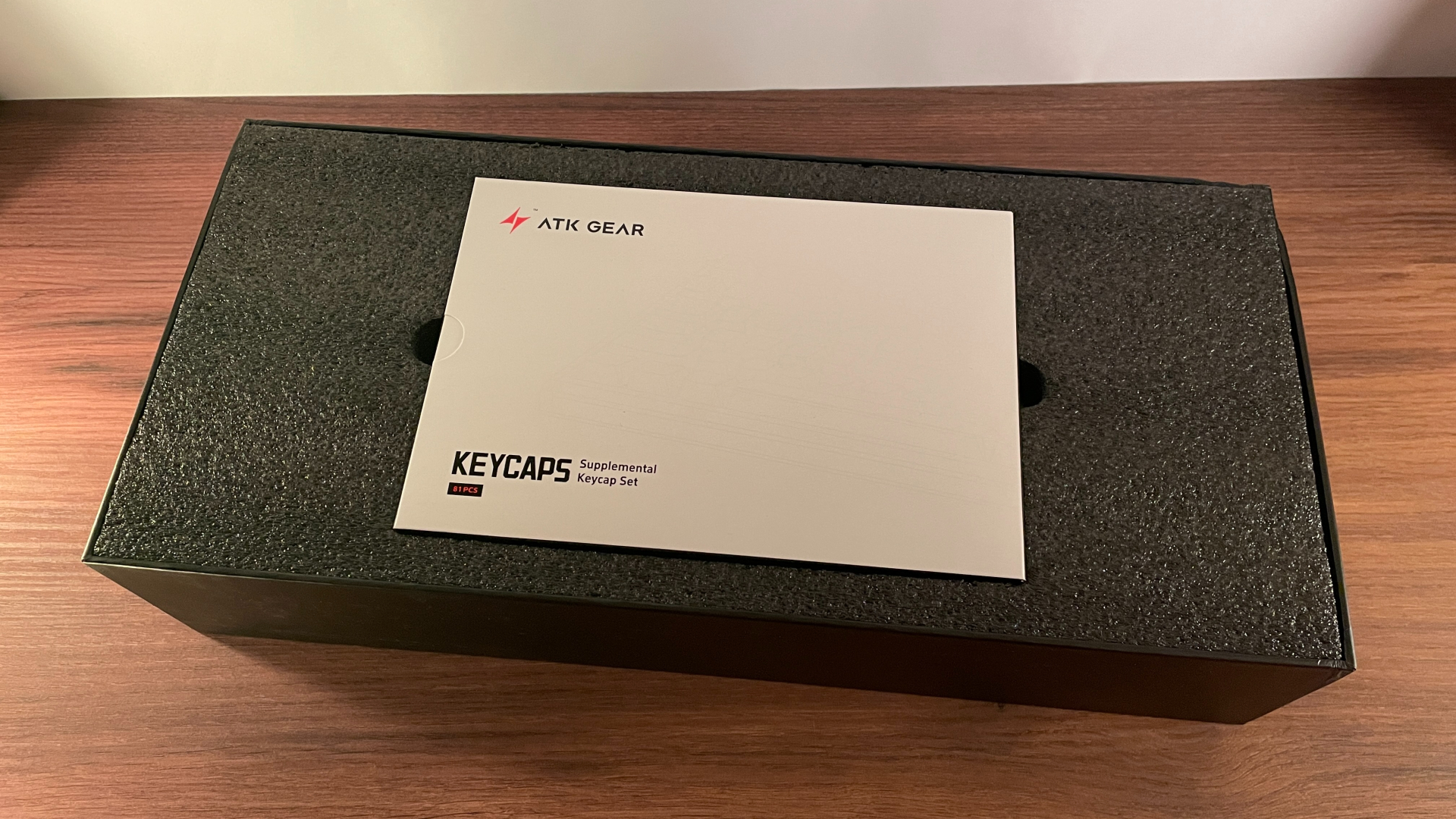
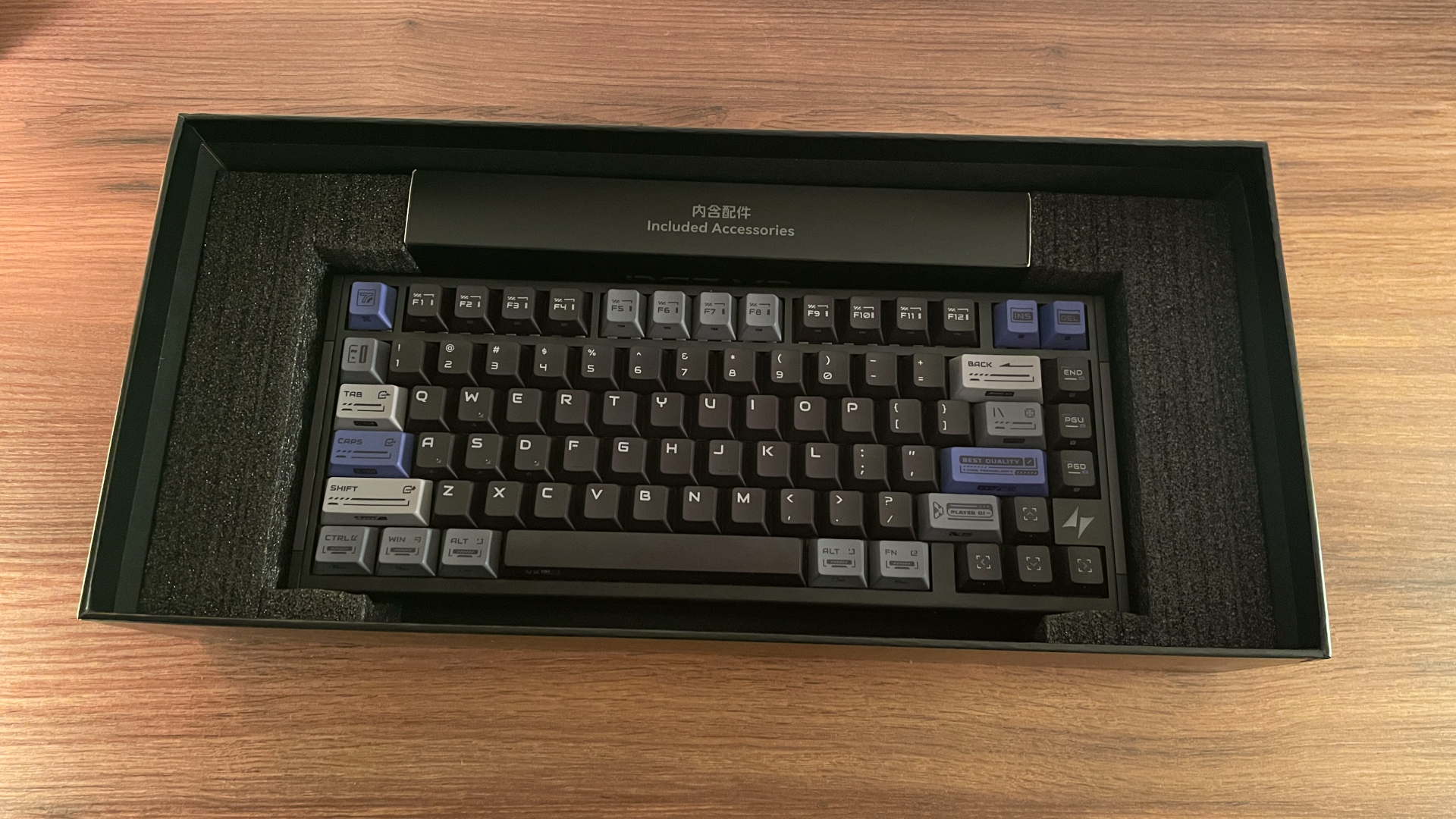
Here’s what you’ll find inside:
- ATK RS7 V2 Ultra Keyboard
- Extra PC Keycap Set
- Braided USB-C to USB-A Cable
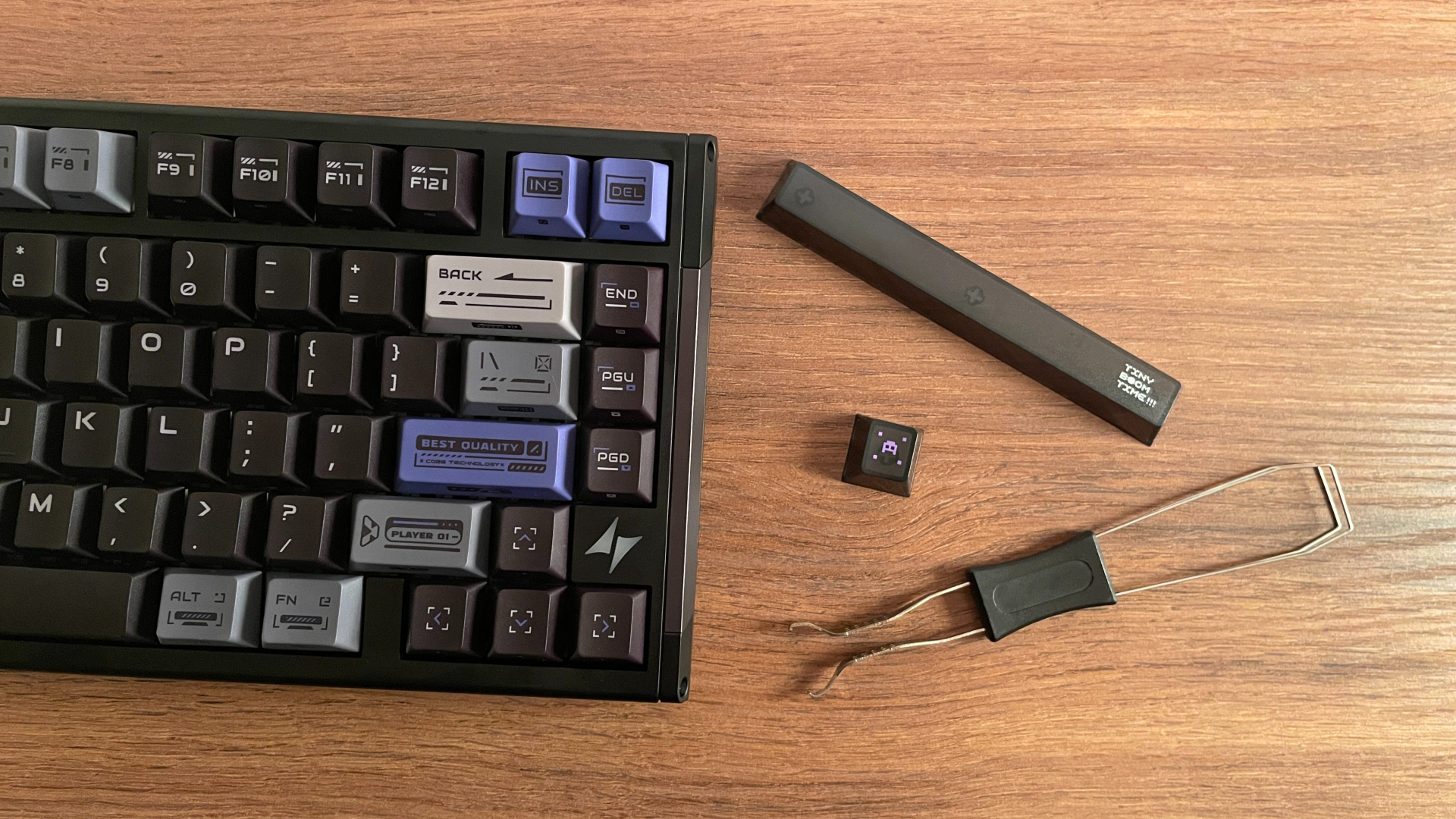
- 2-in-1 Keycap and Switch Puller
- 4 Spare Switches
- Top-Mount Screw Set
- Silicone Top-Mount Pads
- 2 Spare Silicone Beans for Core-Flex Mount
- Self-Adhesive Spacebar Dampening Pad
- ATK Sticker Set
- Quick Start Guide
- Safety Information Card
- Warranty Certificate
The accessory bundle is pretty solid overall. All the essentials are here, including a 2-in-1 keycap and switch puller and a USB cable. The cable itself is braided and quite nice, and it even carries ATK branding, so it does not feel like a cheap generic one. There are also four spare switches, which I particularly appreciate. It is always nice to have a few replacements on hand, just in case.
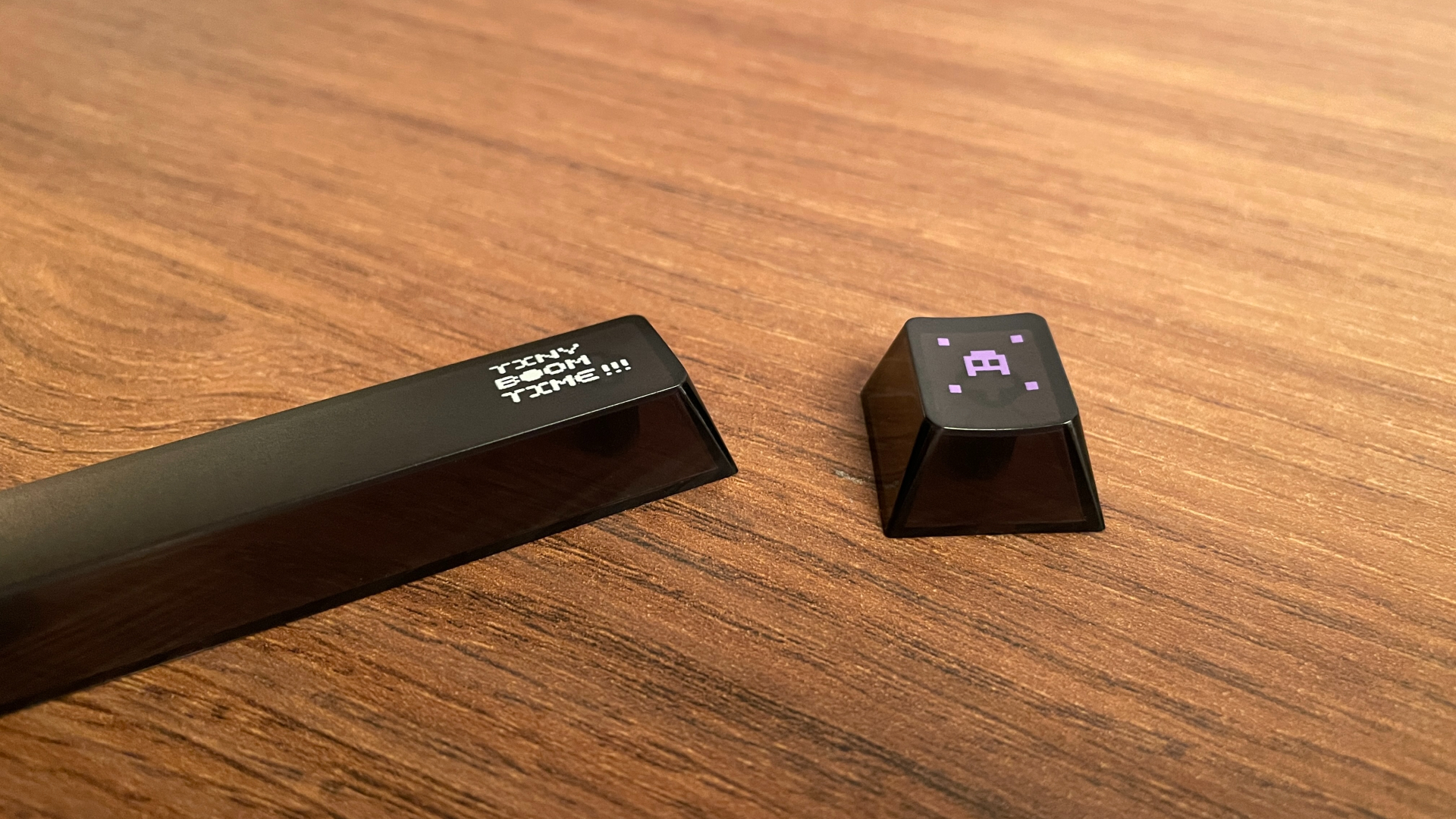
Among the extras, the additional set of polycarbonate keycaps is the obvious highlight. These come alongside the preinstalled set, giving you two options to try right out of the box. That is a fairly substantial extra, though I’ll leave the details for the keycaps section, where we’ll take a closer look at both sets.
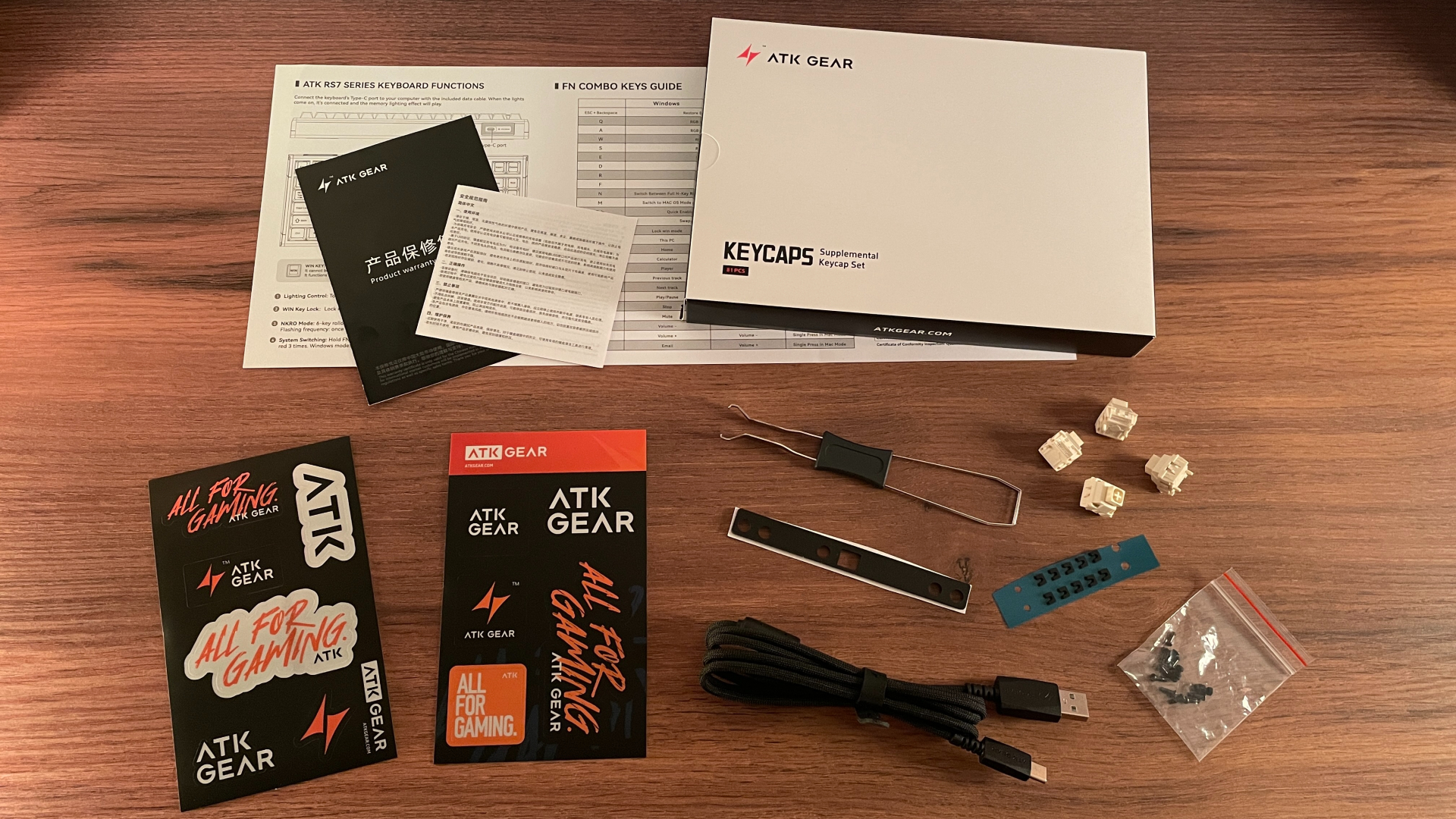
You also get a set of screws and silicone pads for converting the keyboard to a top-mount configuration (to get a little ahead of myself, the RS7 V2 Ultra has a dual-mounting system). Alongside those, there are even two spare silicone beans for the Core-Flex mount. I’m glad these are included: if you have ever taken apart a gasket-mounted keyboard, you will know how easy it is to lose one or two of those little pieces during disassembly.
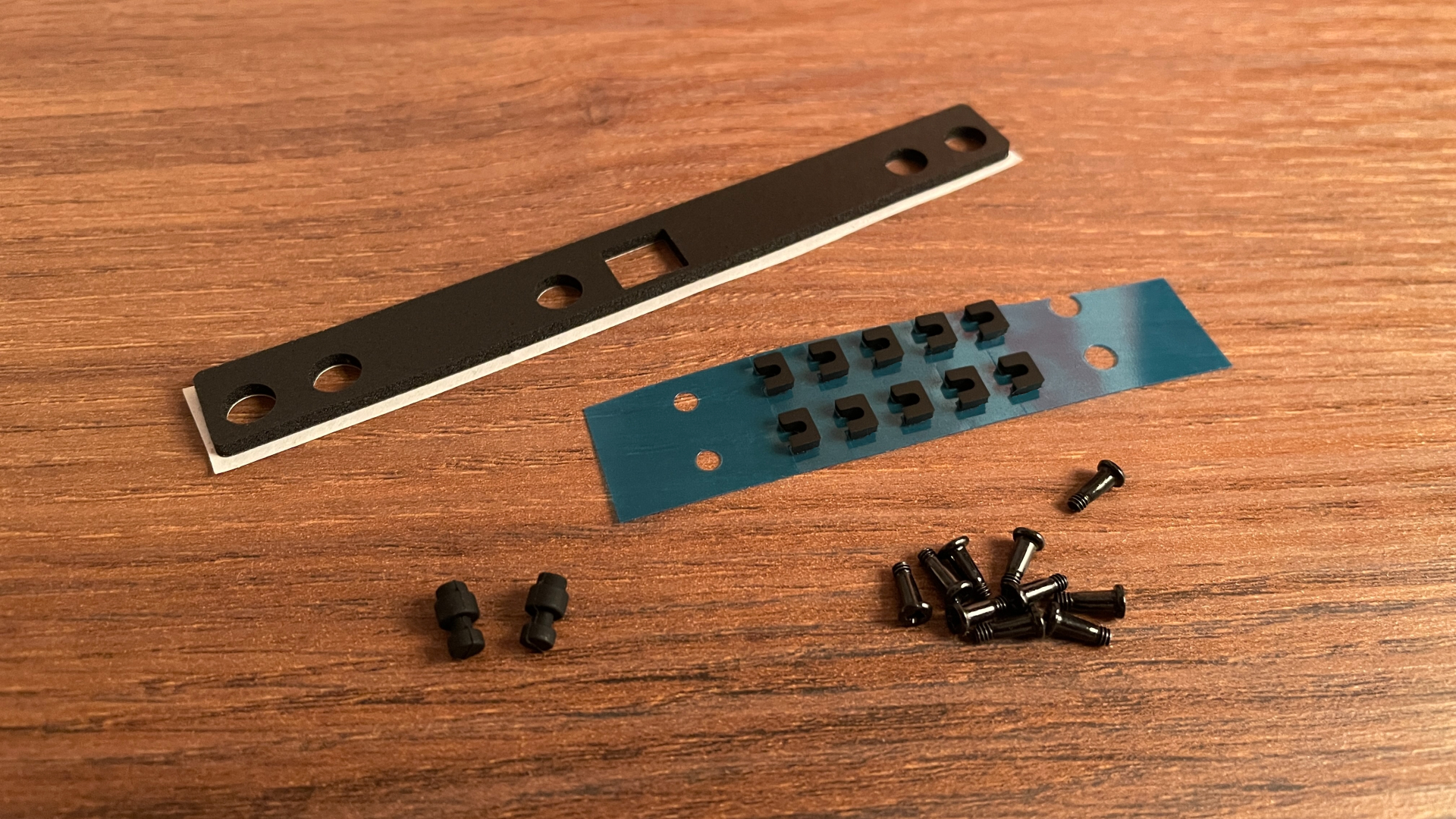
ATK also includes a self-adhesive spacebar dampening pad – a nice little touch if you want to experiment with the spacebar’s sound. And if you’re a fan of stickers, there’s a set of those from ATK as well.
The only thing missing from the bundle is a dust cover. It’s a small accessory, but one I find useful for keeping dust off the keyboard when it’s not in use. Not everyone will need one, of course, but I would have appreciated having it included.
A Closer Look
The ATK RS7 V2 Ultra is a 75% Hall Effect keyboard featuring 81 keys in a standard ANSI layout, with a fixed 5-degree typing angle.
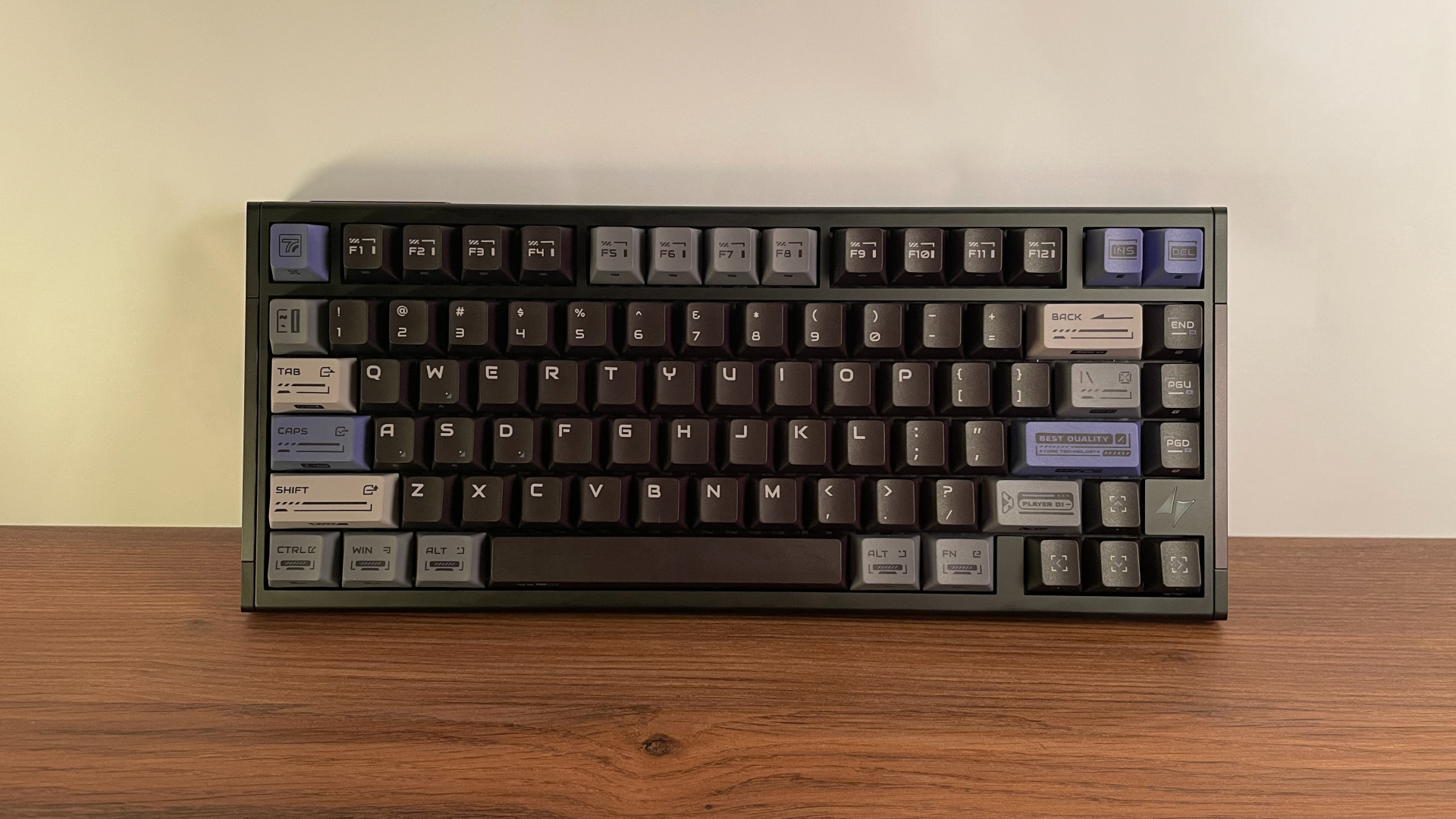
The case is made from CNC-machined aluminum, and the whole keyboard weighs around 1.65 kg. That is quite a bit of weight for a 75% board, so ATK clearly has not skimped on the metal. It feels substantial in hand, and once placed on the desk, it stays firmly planted without shifting during use. If you enjoy heavy aluminum keyboards as much as I do, the RS7 V2 Ultra will not disappoint in that respect.
The 220-mesh surface treatment gives the aluminum a fine, even texture that feels silky smooth to the touch. When I ran my fingers across the case, I could not feel any rough spots or noticeable changes in texture. My Shadow Gleam unit has an anodized finish, and the color is just as consistent. I could not find any discoloration, blotches, or other visible imperfections.
After CNC machining, aluminum surfaces can have subtle tool marks, fine scratches, or slight variations in texture. Before the final coating is applied – whether that’s anodizing, electrophoretic coating (E-coating), spray coating, or powder coating – the surface needs to be properly prepared to remove any imperfections that may be present.
This is where sandblasting comes in. The aluminum is blasted with fine abrasive particles under pressure to remove minor surface defects. This also creates a uniform matte texture that helps the final coating go on more evenly, reducing the risk of blotches or inconsistencies. Besides improving the appearance, sandblasting has another benefit: it creates microscopic surface roughness that helps the coating adhere better.
The mesh rating (also commonly called grit) refers to the size of the abrasive particles used during this process. The higher the mesh number, the finer the abrasive particles. In the mechanical keyboard world, aluminum cases are most commonly sandblasted with 150-, 180-, or 220-mesh abrasives. A finer abrasive creates a smoother surface, resulting in a more refined, silkier feel to the touch. Achieving that finer finish also tends to cost more, which helps explain why higher-mesh finishes are more common on premium aluminum keyboards.
Build quality is just as good. There are no loose parts, rattles, or creaks, and the different parts of the case fit together neatly. The machining is equally clean, particularly along the rounded front and back edges of the case. Both feel exceptionally smooth and carefully finished. Nothing about the keyboard suggests that corners were cut during manufacturing; its fit and finish are at the level I would expect from a keyboard in this price range.
Visually, the RS7 V2 Ultra strikes a nice balance between restraint and character, blending understated elegance with a distinct industrial, mecha-inspired aesthetic.
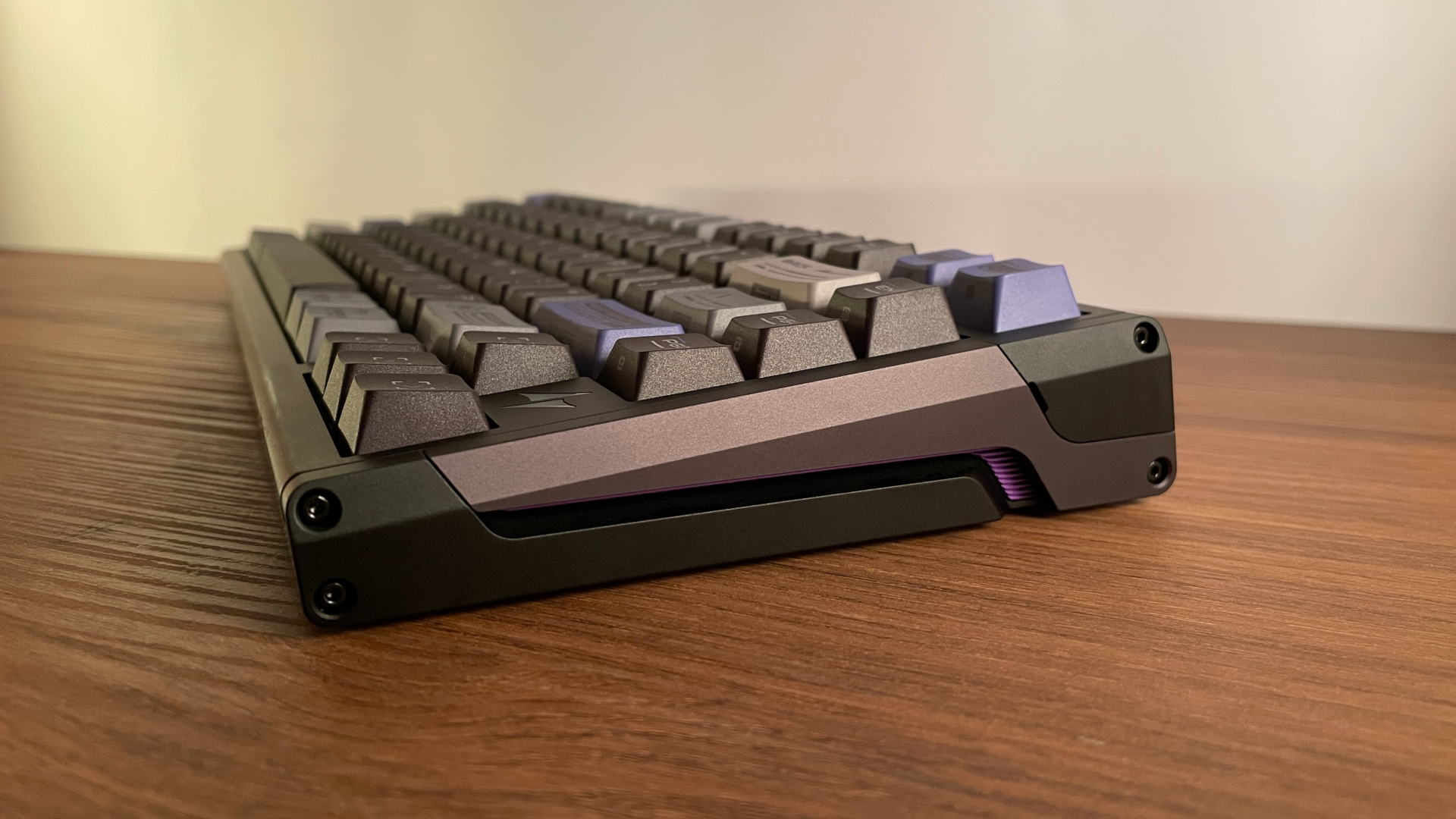
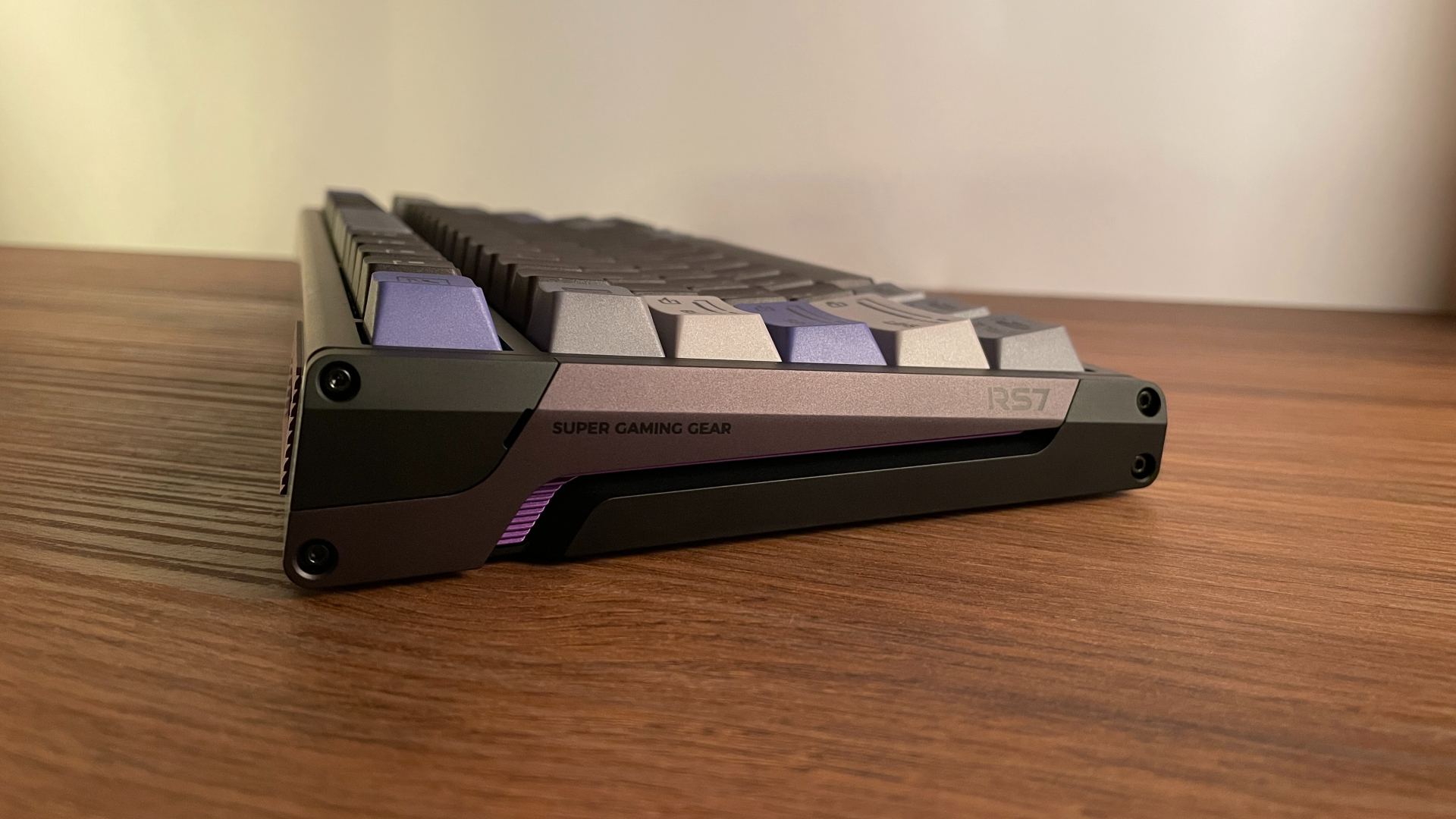
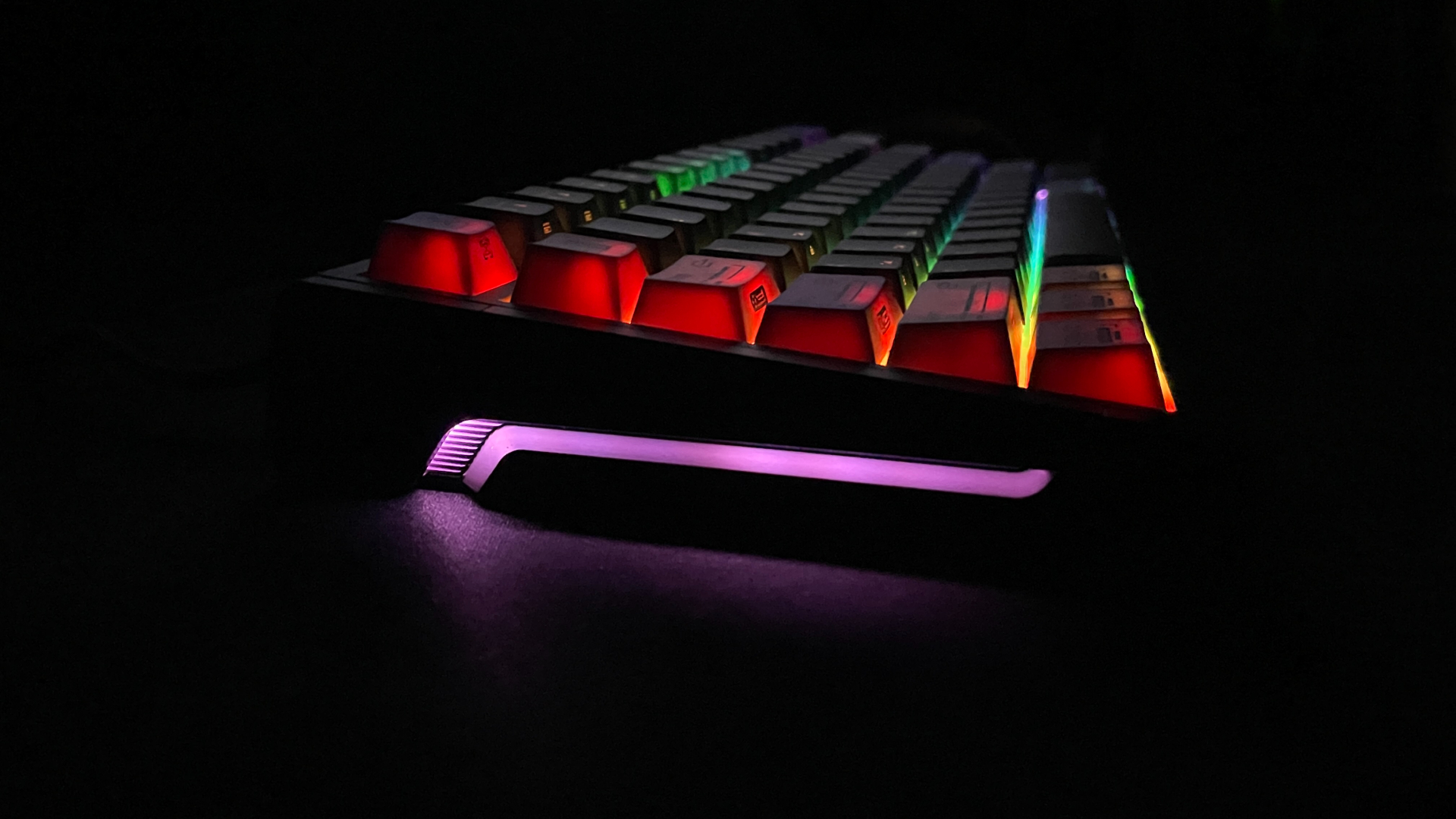
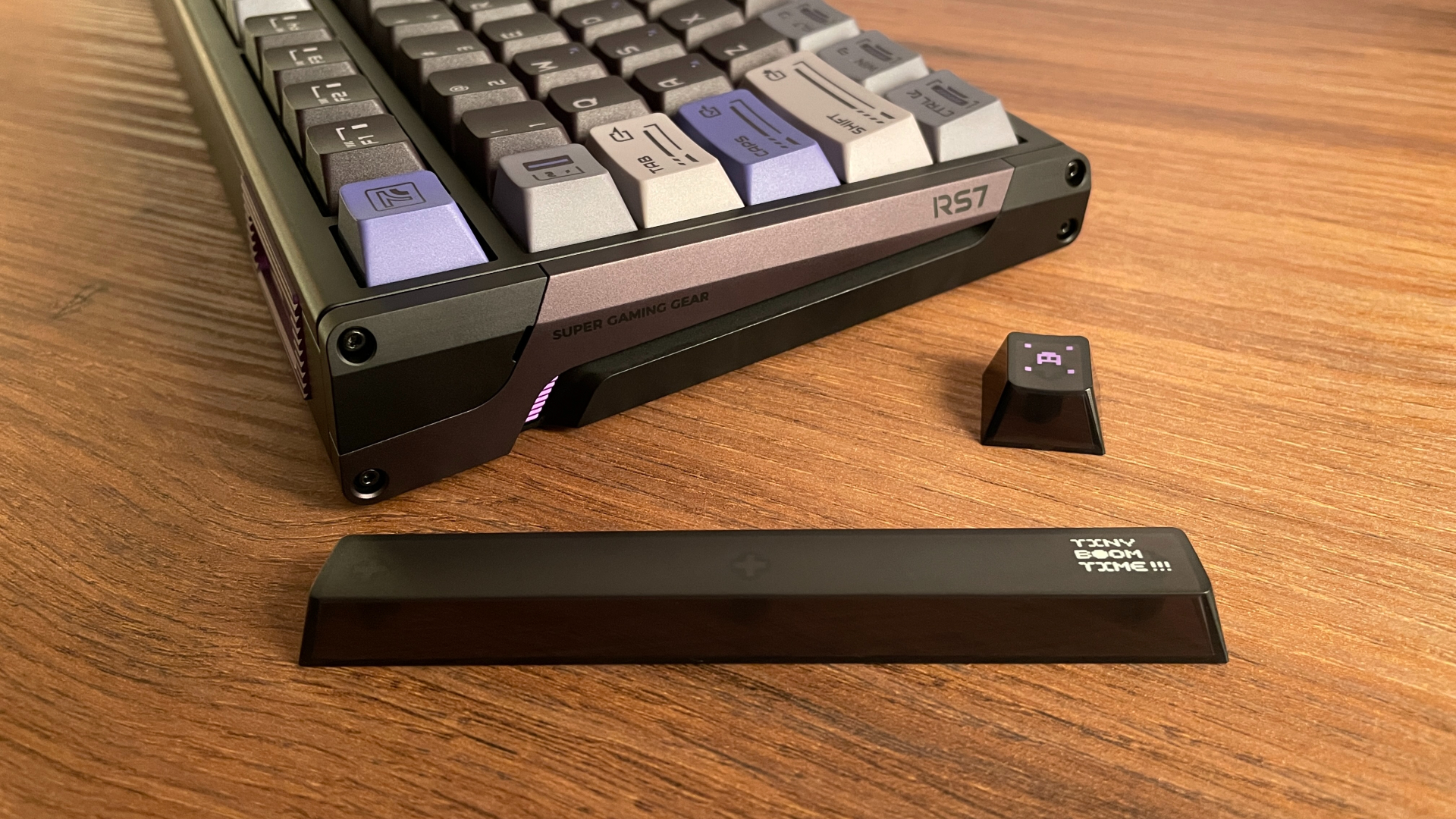
The mecha-inspired design is especially noticeable from the side, where three sculpted sections finished in contrasting black and dark gray create a layered, armor-like appearance. Their angular shapes fit together in a way that brings to mind the paneling of a robot, while the exposed screws at the corners reinforce that mechanical feel. A long, recessed cutout runs between the two bigger sections and bends downward near the rear. RGB lighting shines through this gap, adding a sci-fi touch that suits the overall mecha aesthetic nicely.
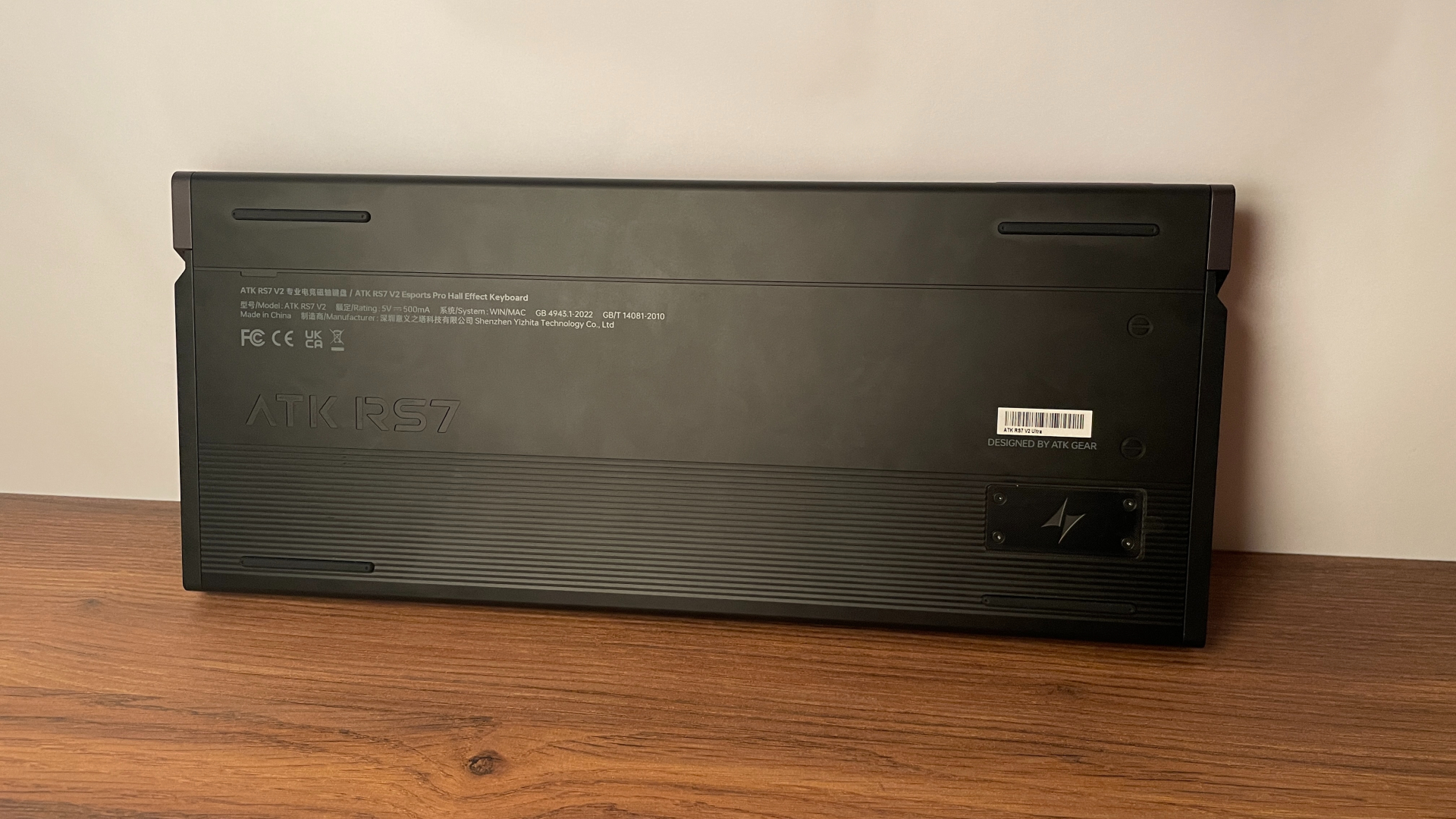
The underside continues the same theme, with decorative screw-head outlines machined into the surface to resemble fasteners on a mechanical panel. A large ATK RS7 engraving sits on the left, just above a series of closely spaced horizontal grooves spanning almost the entire width of the lower section. These milled lines give the base an industrial, almost vent-like appearance that works well with the overall theme. On the right, a small rectangular PVD nameplate bearing the ATK logo sits within the grooved area and provides a neat focal point among all the machined details.
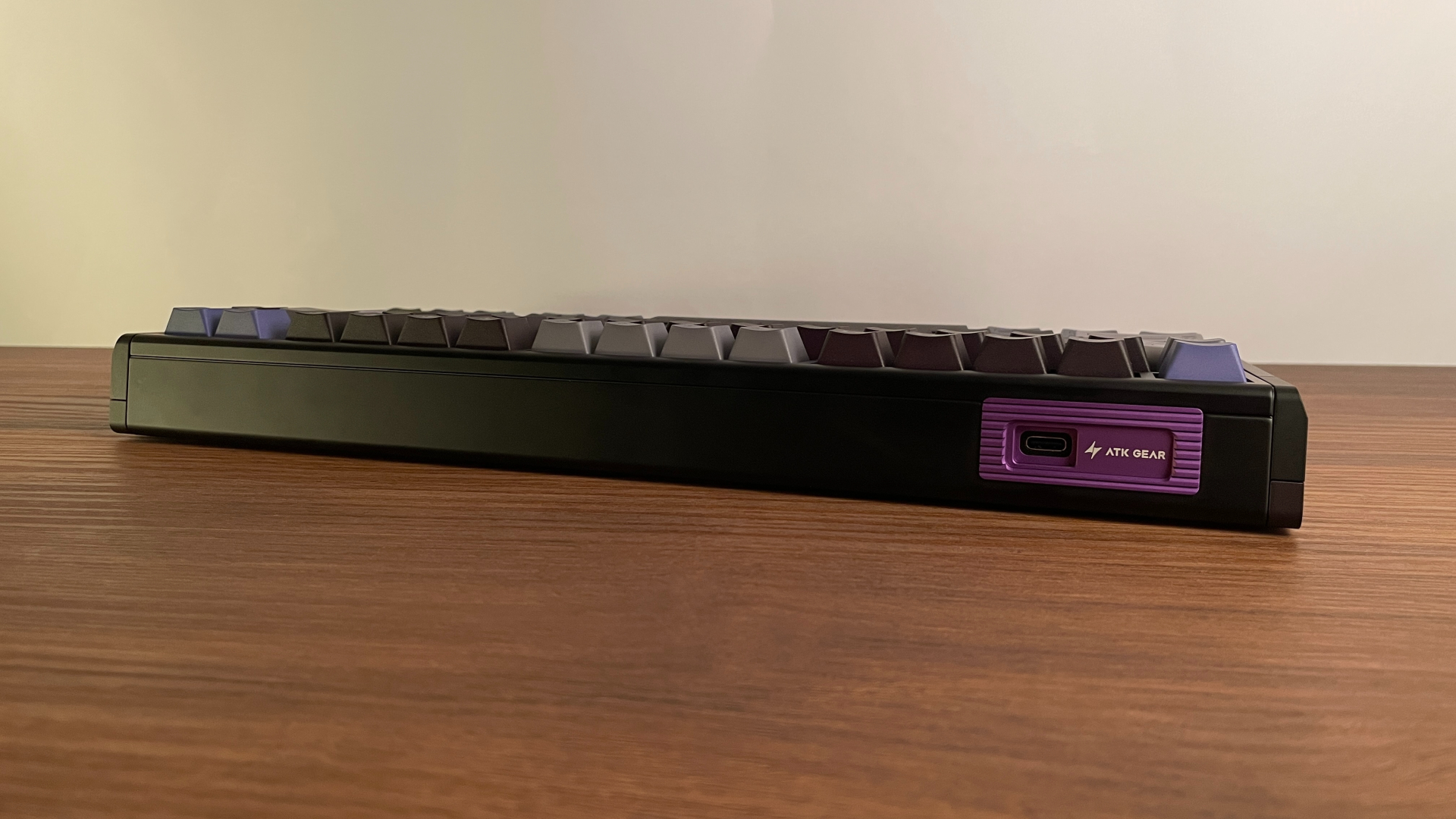
There are a few smaller accents, too. An RGB-lit ATK logo sits beside the arrow keys, and the front of the case carries ATK GEAR branding. At the back, a purple insert with ATK branding surrounds the USB port, adding a small splash of color to the case.
Overall, I like how expressive the design is without being overly flashy. It should also work well with a wide range of keycaps. A simple, minimalist set would keep the overall look clean and understated, while something bolder or more gaming-oriented would complement the mecha aesthetic. There is enough flexibility here to go in either direction.
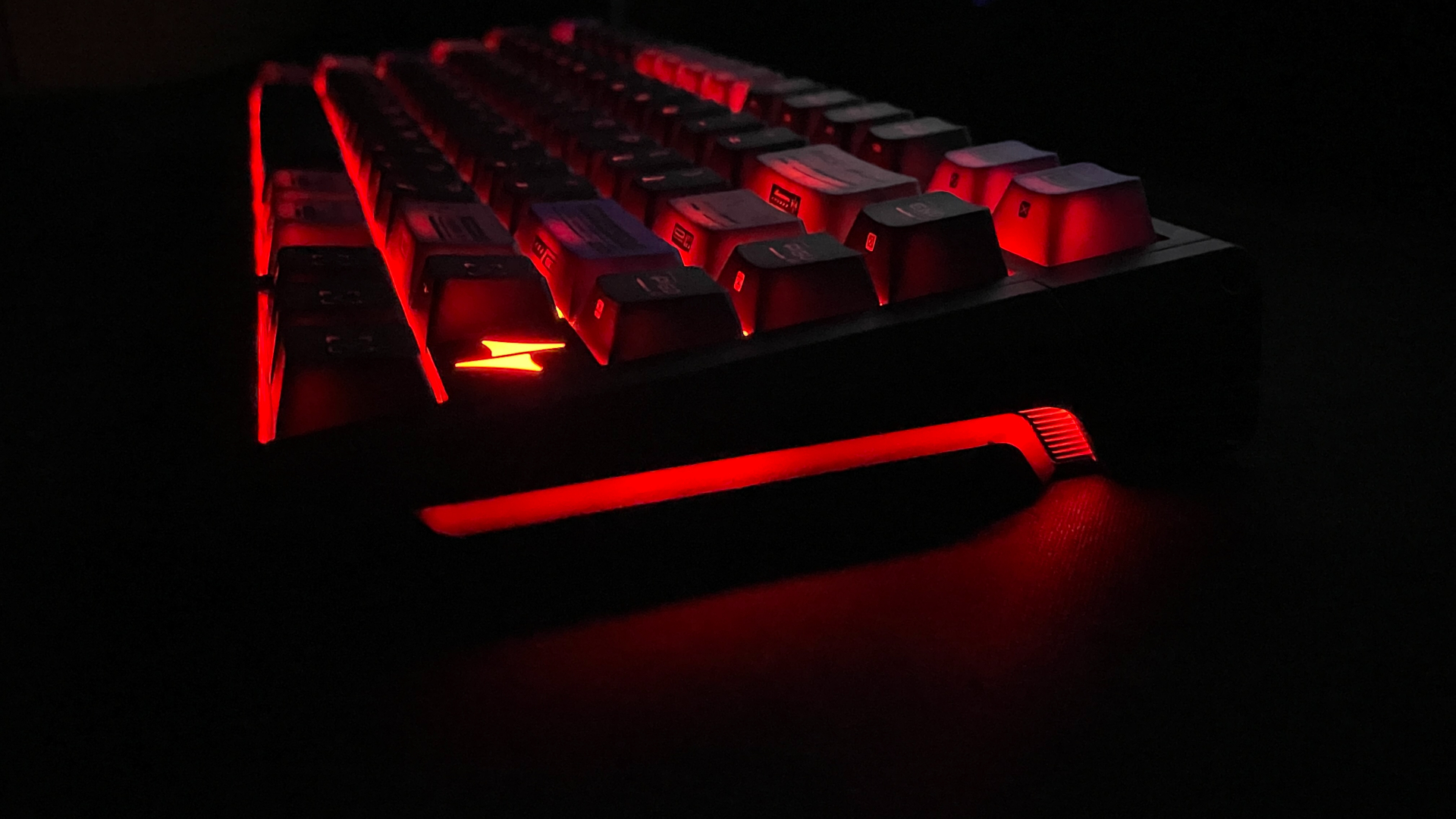
Lighting plays an important part in that overall look, so it is worth discussing in a little more detail. The RS7 V2 Ultra has three separate lighting zones: the key backlighting, the illuminated ATK logo, and the side lighting. Each can be fully customized and switched on or off independently. You can, for example, leave the side lighting and keys illuminated while turning off the logo lighting.
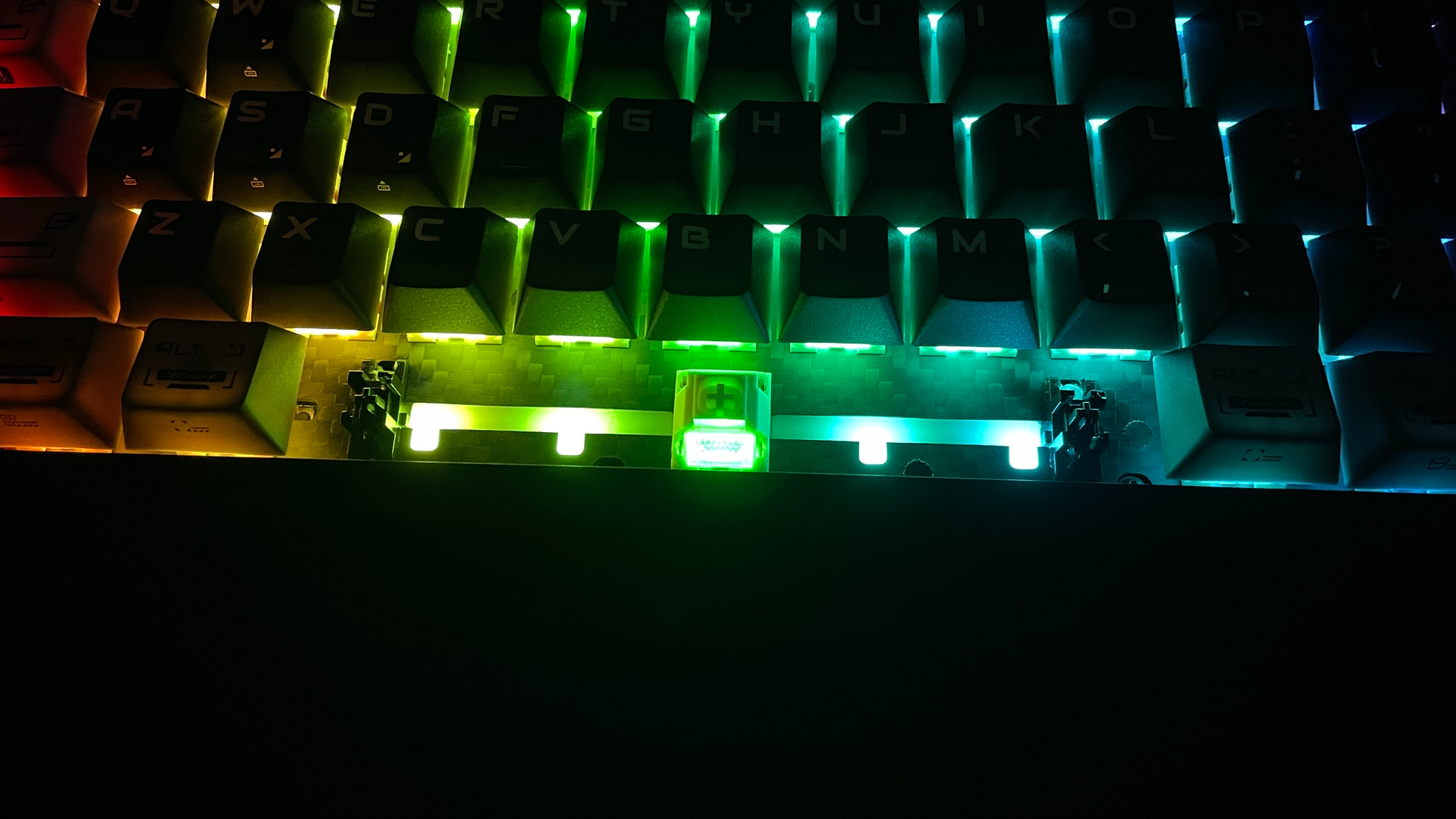
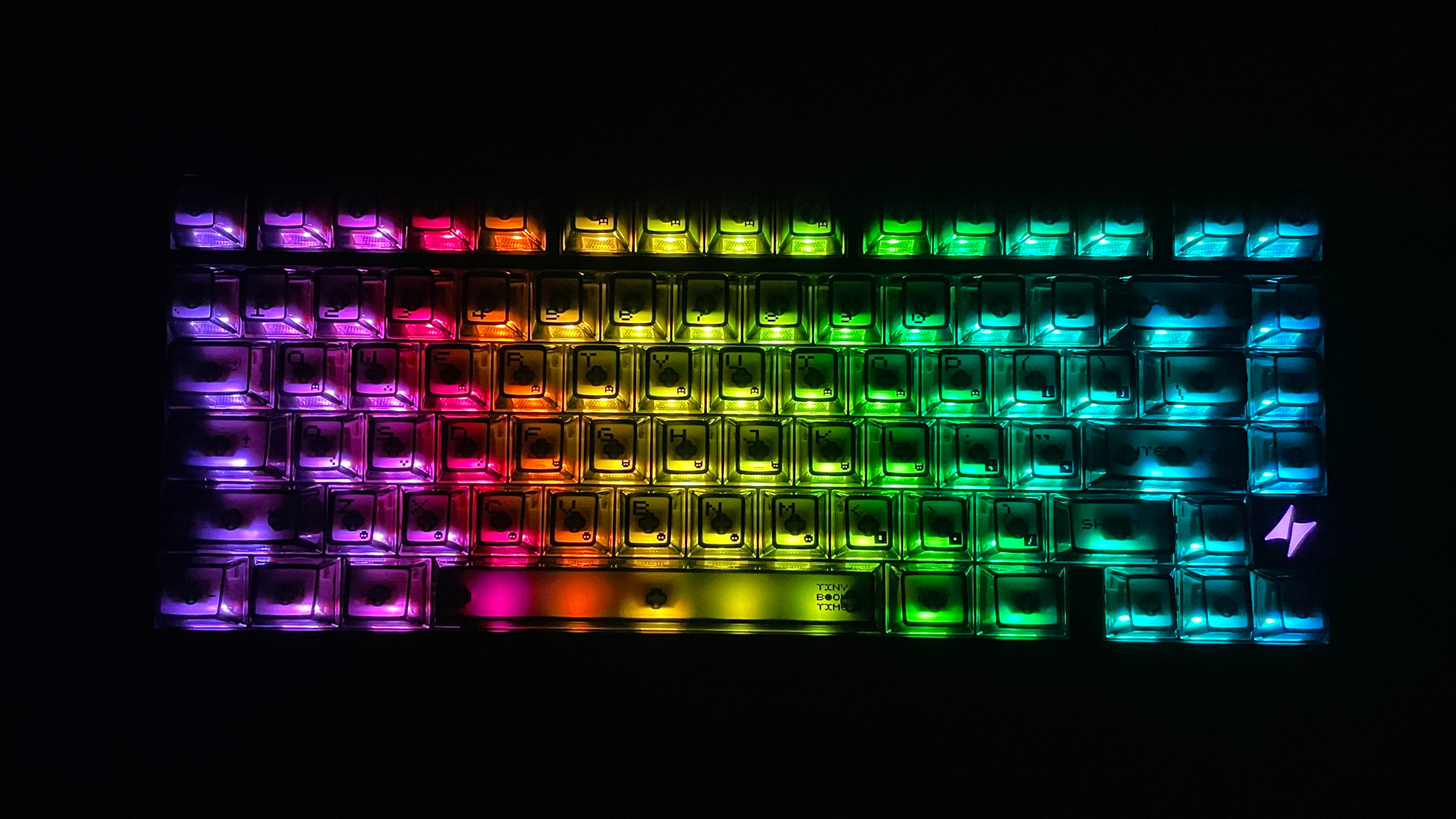
There is also an unusual detail beneath the spacebar. Instead of the single LED typically found under this key, ATK has placed five LEDs along its length. This produces much more even illumination and helps prevent dark spots across the spacebar. The difference is especially noticeable with transparent keycaps (such as the extra PC keycap set included in the box) or keycaps with shine-through patterns on their top surfaces.
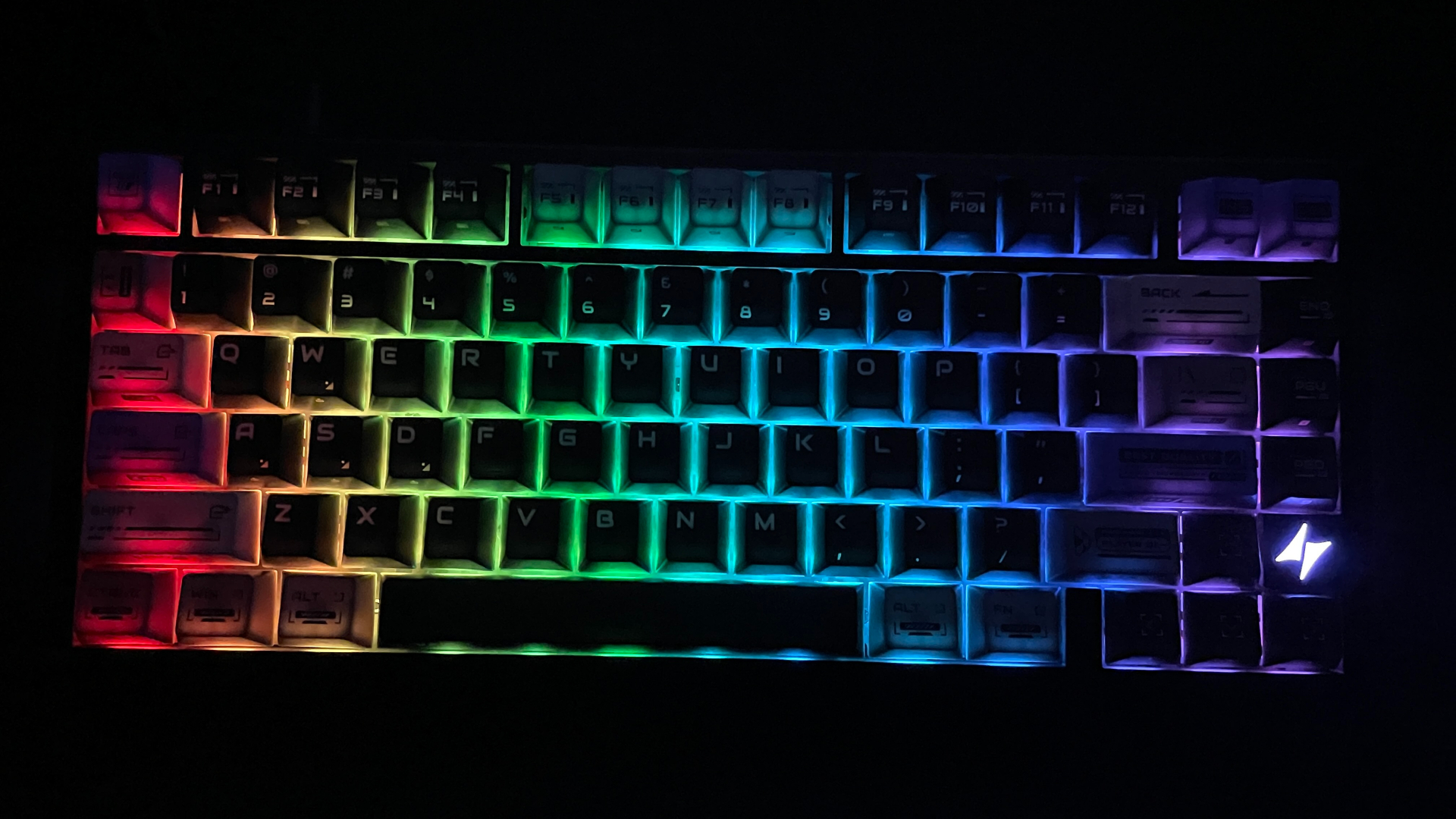
Overall, the lighting is fairly bright, though not blindingly so, and the colors are rich and saturated. What matters most to me, though, is that it stays perfectly stable. I have not noticed any visible LED flickering or other PWM-related issues.
Connectivity
Like almost all Hall Effect keyboards, the ATK RS7 V2 Ultra is wired only. These boards are built with gaming performance in mind, so connection stability and low latency take priority. A wired connection is the most reliable way to achieve both. High-performance Hall Effect sensors also draw a fair amount of power, which is another reason to favor a wired design. So the wired-only approach comes as no surprise here.
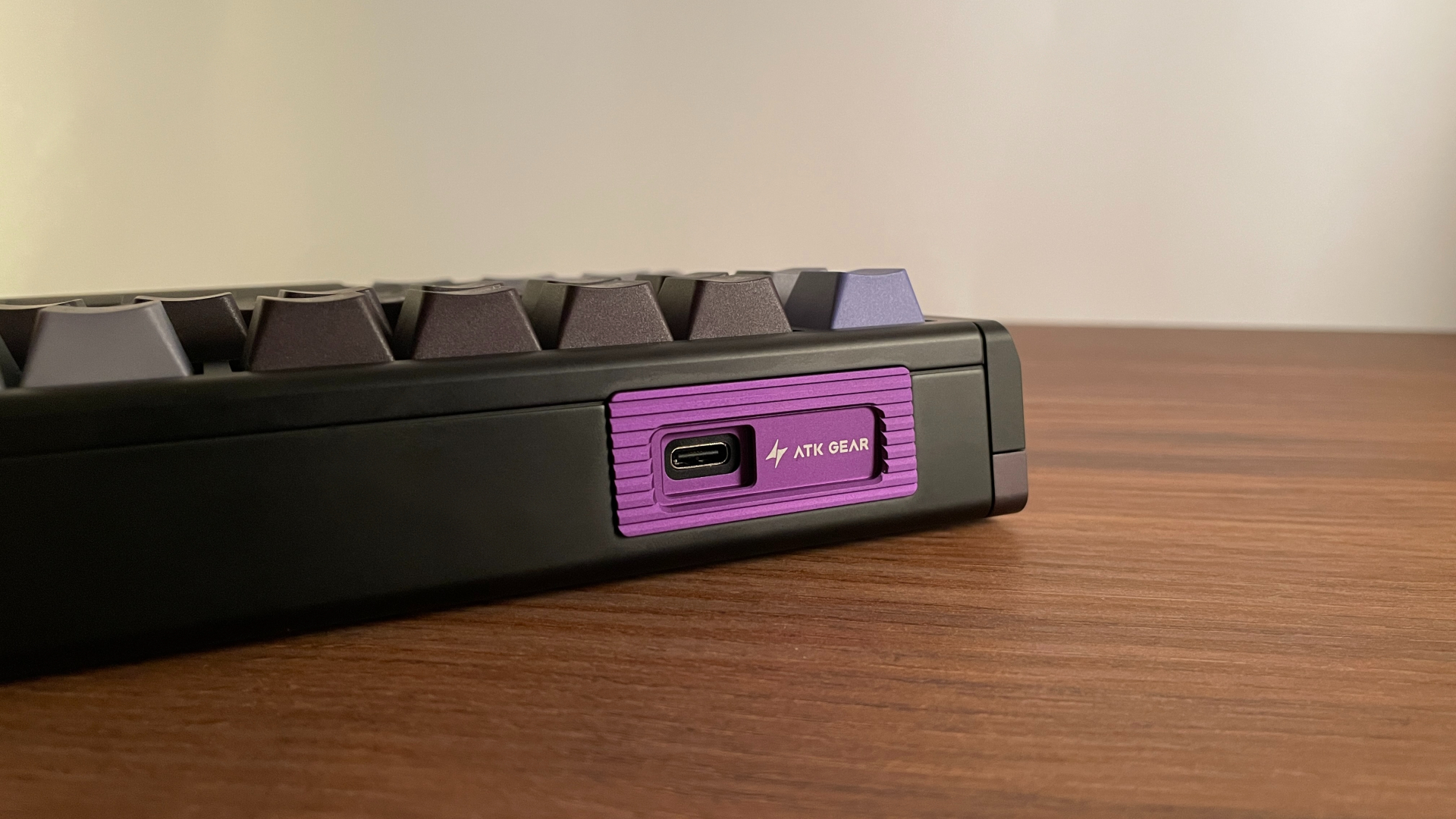
Just remember to plug it into a USB 3.0 port. And if you’re planning to use one of those fancy aviator cables or something similar instead of the included one, make sure it’s a good-quality data cable so everything works as it should.
ATK HUB V3 Software
You can configure the RS7 V2 Ultra in ATK HUB V3. It is accessible both as a web-based app and as a traditional desktop app. Moreover, the desktop app is available for both Windows and macOS – something you do not see very often, since plenty of gaming peripheral software is still limited to Windows. Having both options – web-based app and desktop app – gives you some welcome flexibility in how you can access the keyboard’s settings.
I particularly like the web-based app as it runs directly in a browser, so you aren’t forced to install anything to access the keyboard’s settings. That is very convenient if you, like me, prefer to avoid installing another peripheral utility, but it also makes things easier if you regularly move between different PCs.
It’s also worth highlighting how easy ATK has made it to open the web version. By default, pressing Fn + H launches your browser and takes you straight to the configurator. That means there is no need to keep a bookmark or go through ATK’s website every time you want to change a setting. It is a small convenience, but one that makes quick adjustments a little easier.
However, if you prefer a desktop app, you still have that option. Keeping the app installed also gives you a fallback if the web configurator is ever unavailable or you temporarily lose your internet access for some reason.
Whichever version you choose, ATK HUB has another advantage: it covers nearly the entire ATK lineup, including keyboards, mice, controllers, and headsets. If you happen to own more than one ATK device, you can manage them in the same place without having to install and learn a separate application for each one.
The interface itself looks clean and modern, and it is easy to navigate. You can even customize its appearance by switching between light and dark themes, changing the background image, or uploading one of your own.
All of the keyboard settings are organized into tabs, with related controls grouped together to make the extensive list of options easier to work through. Here’s a quick look at what you’ll find in each tab.
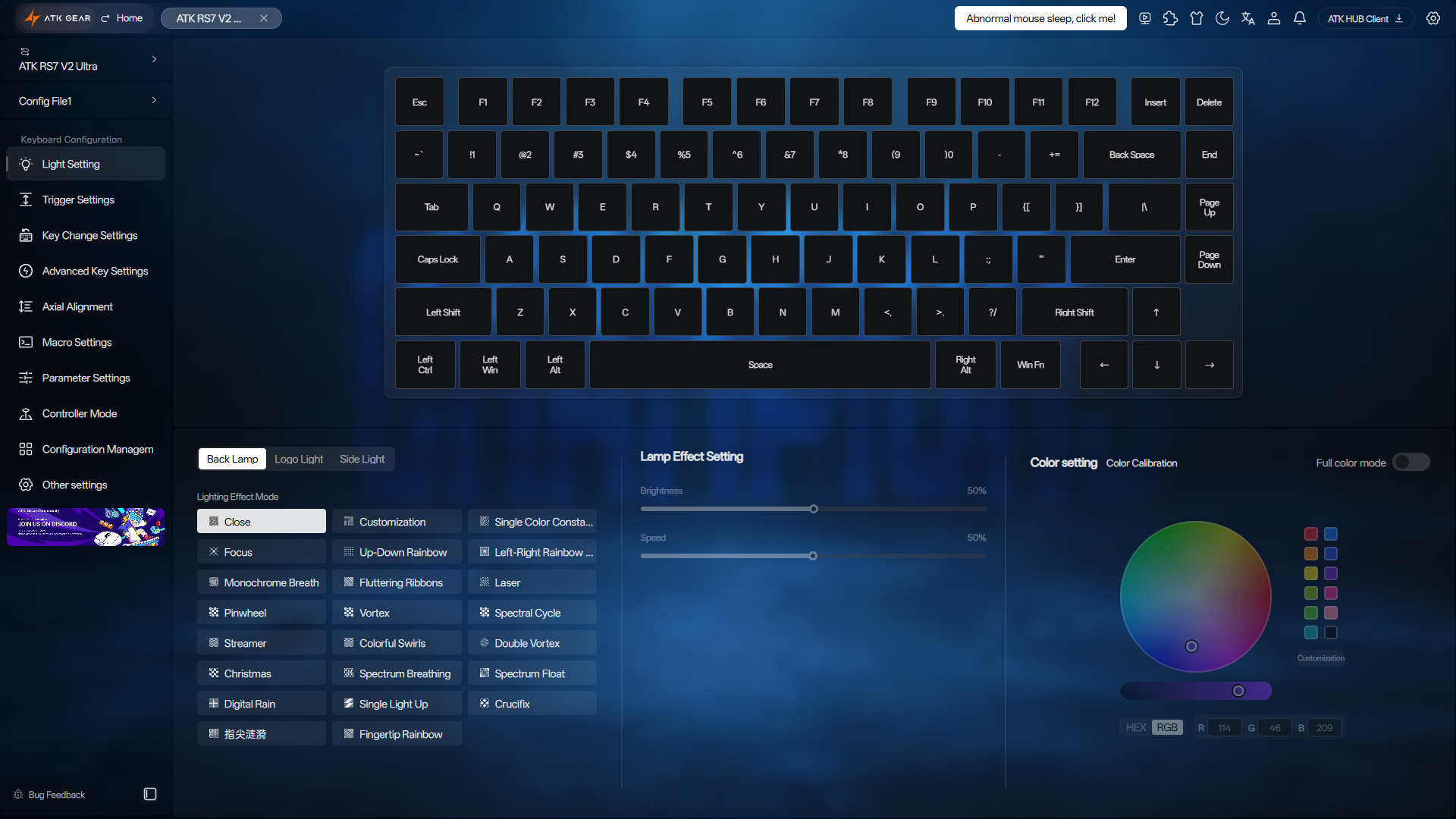
Light Settings gives you independent control over the three lighting zones I mentioned earlier. There are 22 built-in effects for the key backlighting, plus per-key customization if you want to create your own lighting scheme. The logo and side lighting each have four effects. The usual controls for brightness, animation speed and colors are all here. One option I found particularly useful is RGB color calibration. If the material of a switch’s top housing gives the backlighting a slight tint, you can fine-tune the output to help compensate for it and bring the colors closer to their intended appearance.
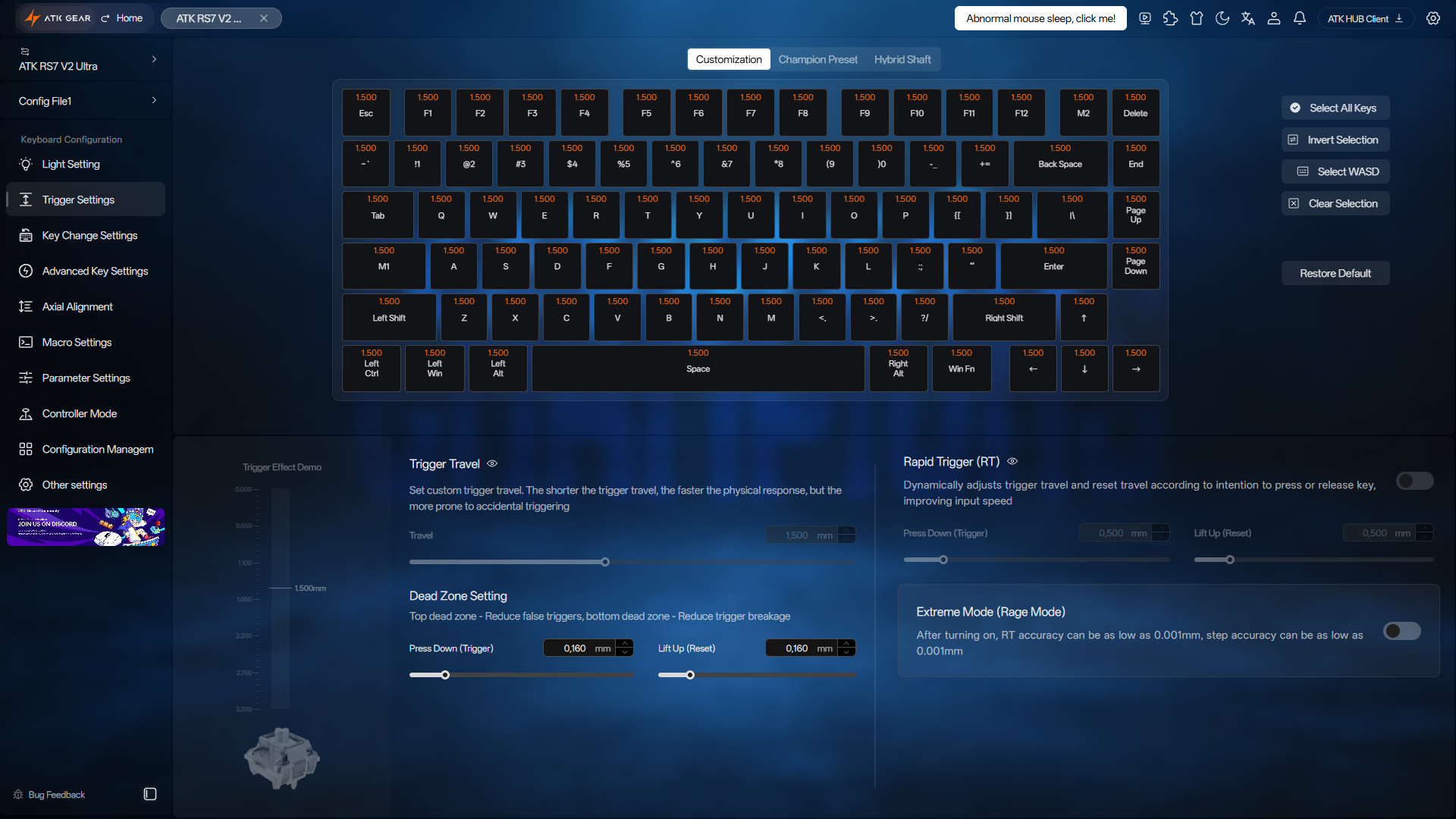
Trigger Settings is split into three sections. Customization, the first section, is where you can find all core Hall Effect settings, including actuation point adjustment, Rapid Trigger, and the option to enable Extreme Mode. The second section, Champion Presets, provides configurations created by professional esports players, giving you a ready-made setup to try before making your own adjustments. The third section, Hybrid Shaft, is essentially a switch selector. It lets you choose the model installed in your keyboard from a list of supported magnetic switches to ensure accurate sensing. The selection can be made separately for every key, which is useful if you’ve mixed different switch models across the board.
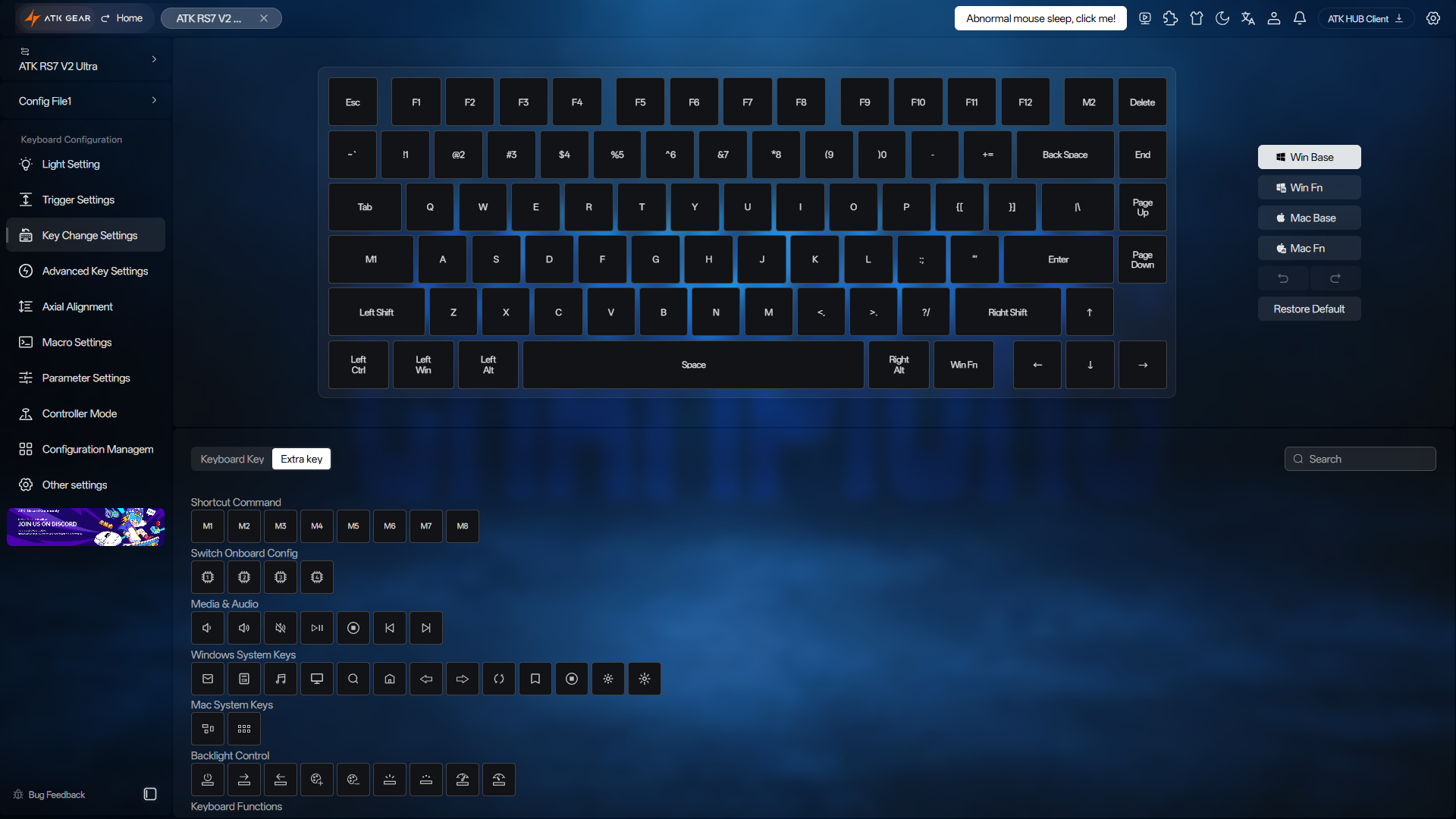
Key Change Settings handles key remapping. There are four customizable layers in total: a default layer for Windows mode, another for Mac mode, and two Fn layers that remain accessible regardless of which mode is active. In practice, this means you always have access to three layers: the default layer for your current mode and both Fn layers. Many Hall Effect keyboards offer just one default layer and one Fn layer, so the extra Fn layer here gives you a little more room for shortcuts and secondary functions.
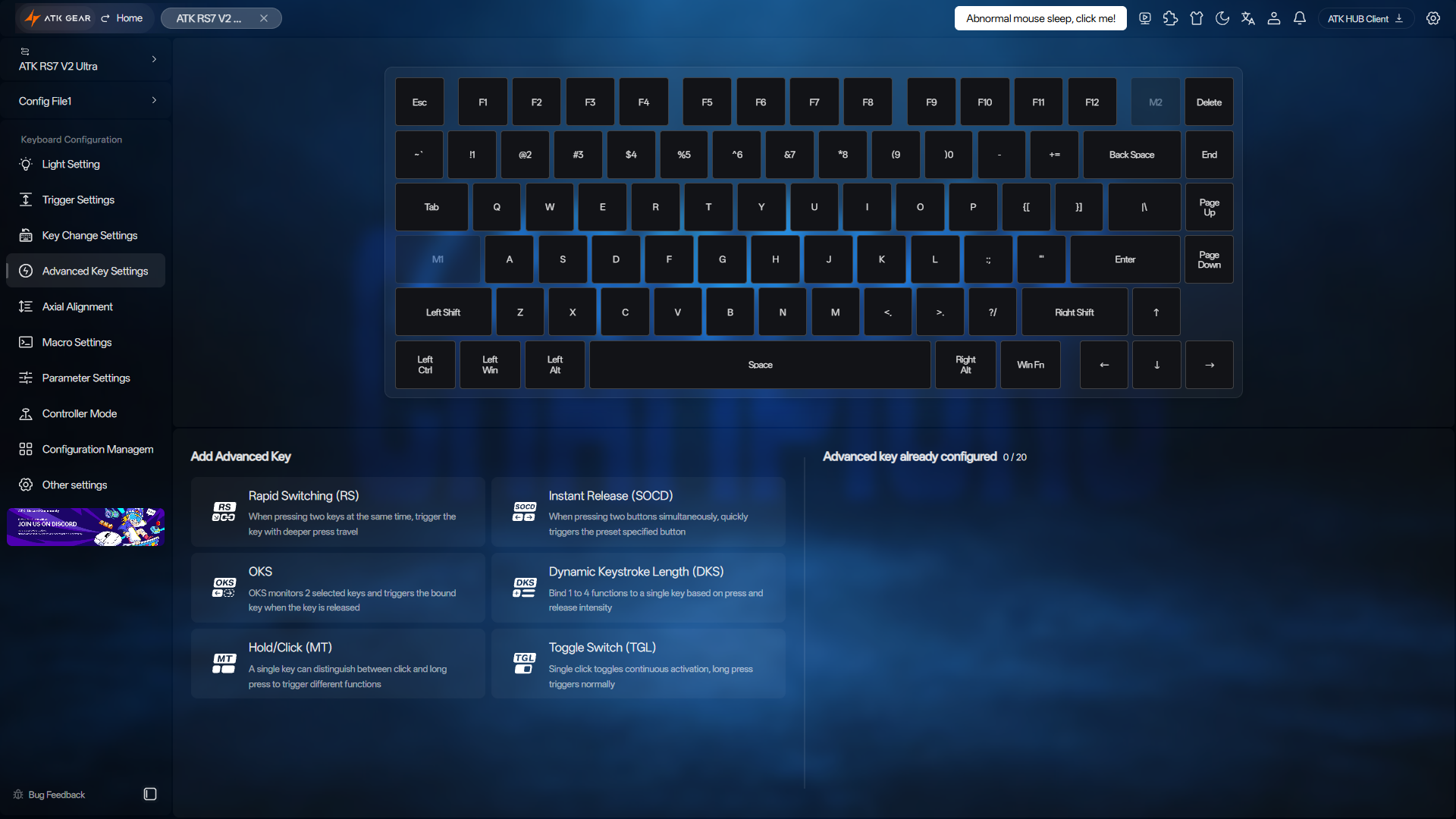
The more advanced Hall Effect functions have their own tab, Advanced Key Settings. Here you’ll find Rappy Snappy (RS), SOCD, Dynamic Keystrokes (DKS), OKS, TGL, and Mod Tap. This is likely where you’ll spend most of your time if you enjoy experimenting with key behavior and want to explore all the magnetic magic a Hall Effect keyboard has to offer.
Switch calibration is handled in Axial Alignment. You can run it manually, but automatic real-time calibration is enabled by default. With that on, the keyboard keeps fine-tuning its calibration as you use it, helping maintain accurate sensing without requiring regular manual recalibration.
In Macro Settings, you can create and edit macros. They can be useful for repetitive work tasks as well as more complex sequences of actions in a game.
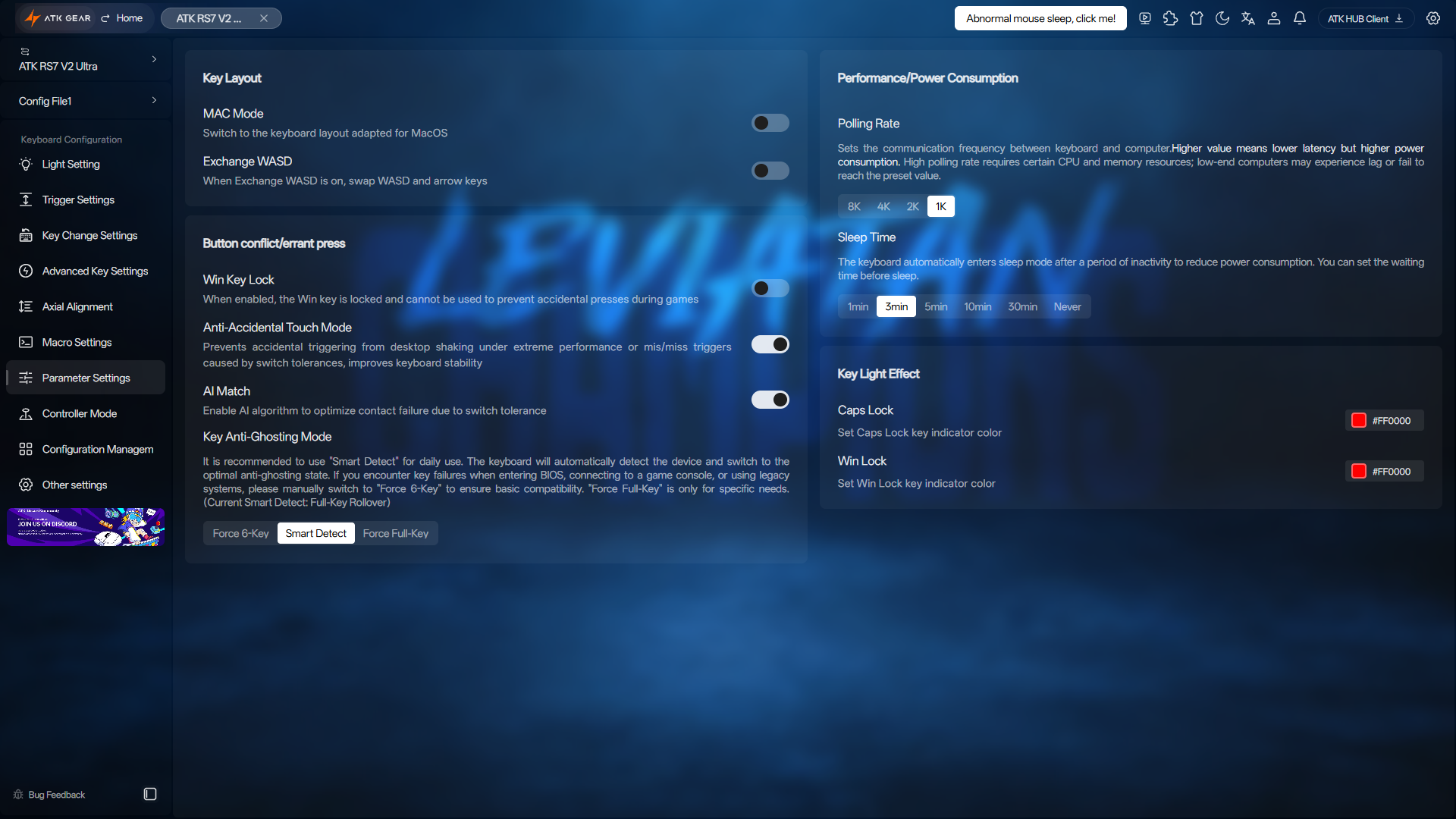
Most of the general keyboard options sit in Parameter Settings. These include Mac Mode, WASD-to-Arrow, Windows Key Lock, Anti-Accidental Touch Mode, and AI Match. You can also choose among N-Key Rollover, 6-Key Rollover, and Smart Detect modes. The same tab lets you select a polling rate from 1,000 Hz to 8,000 Hz, adjust the sleep timer, and choose colors for the Caps Lock and Win Lock indicators.
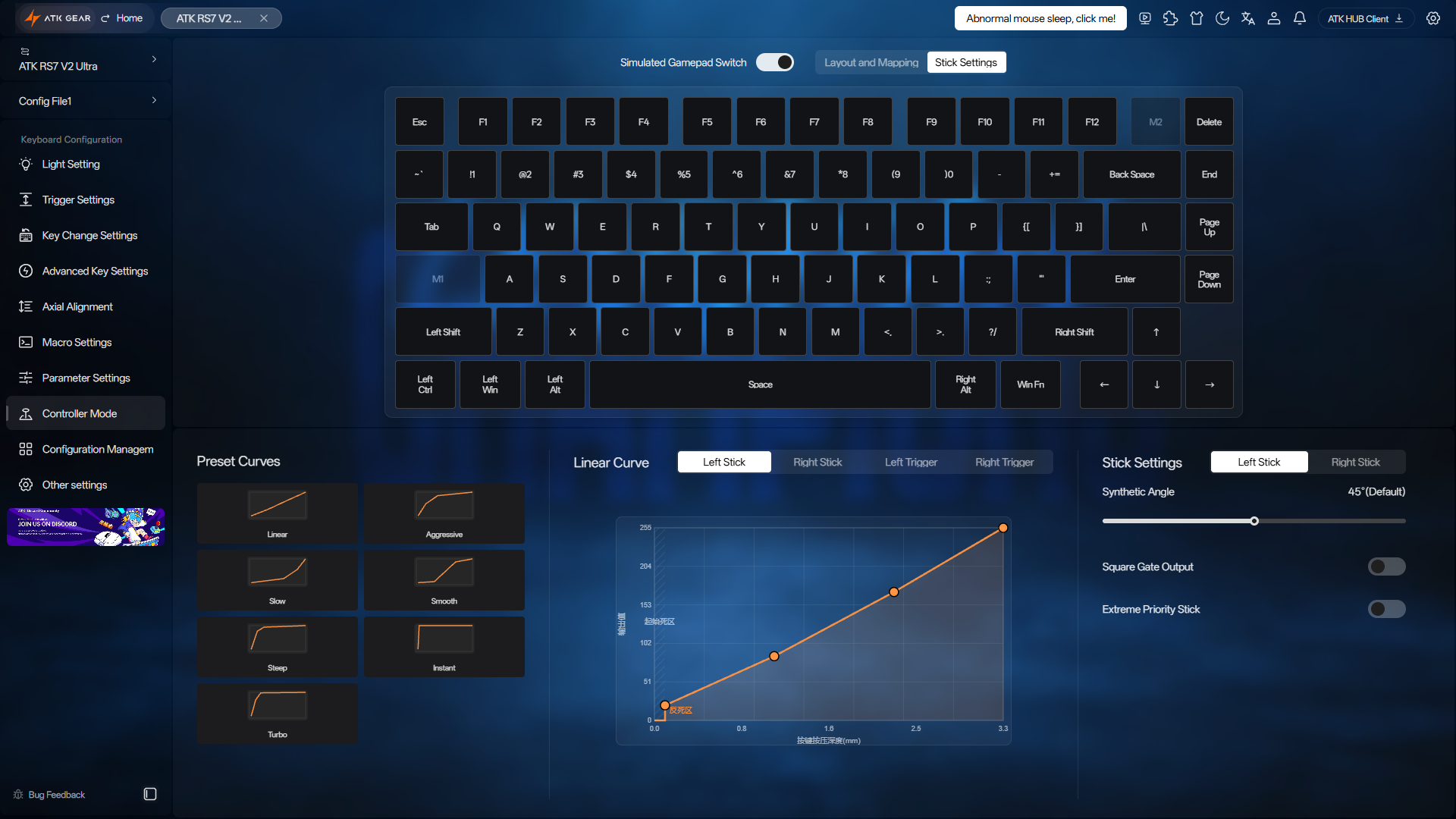
If you want the keyboard to emulate a game controller, Controller Mode is where you enable that function and adjust its settings. All the controller-related options are kept together here.
Configuration Management handles everything related to profiles. You can rename them, switch between them, and store up to four directly on the keyboard. Profiles can also be saved locally, either in the desktop software or in your browser’s local storage when using the web version. If you create an ATK account, you can back them up to the cloud. You can also share your profiles with other users or download ready-made ones they have created. If you prefer to manage the files yourself, you can export and import them manually as well.
Other Settings shows which firmware version the keyboard is running and lets you install updates when new releases become available. If you want to start over with the default settings, the factory reset option is here as well.
Beyond configuration, ATK HUB includes an FAQ, the user manual, and links to customer support and ATK’s official Discord server. You’ll also find a key test page here for checking inputs, along with a download link for the desktop app if you decide to switch from the web version.
I think ATK has done an excellent job with ATK HUB. All the essential Hall Effect settings are here, and there’s plenty more to work with if you want to fine-tune the keyboard or explore its more advanced features. The range of options, the straightforward interface, and the flexibility of having both web-based and desktop versions make it one of the best Hall Effect keyboard configurators I’ve used.
Keycaps
One of the more unusual things about the ATK RS7 V2 Ultra is that it comes with two complete keycap sets: one made from PBT plastic and the other from PC plastic (the non-Ultra model comes with only one set made from PC).
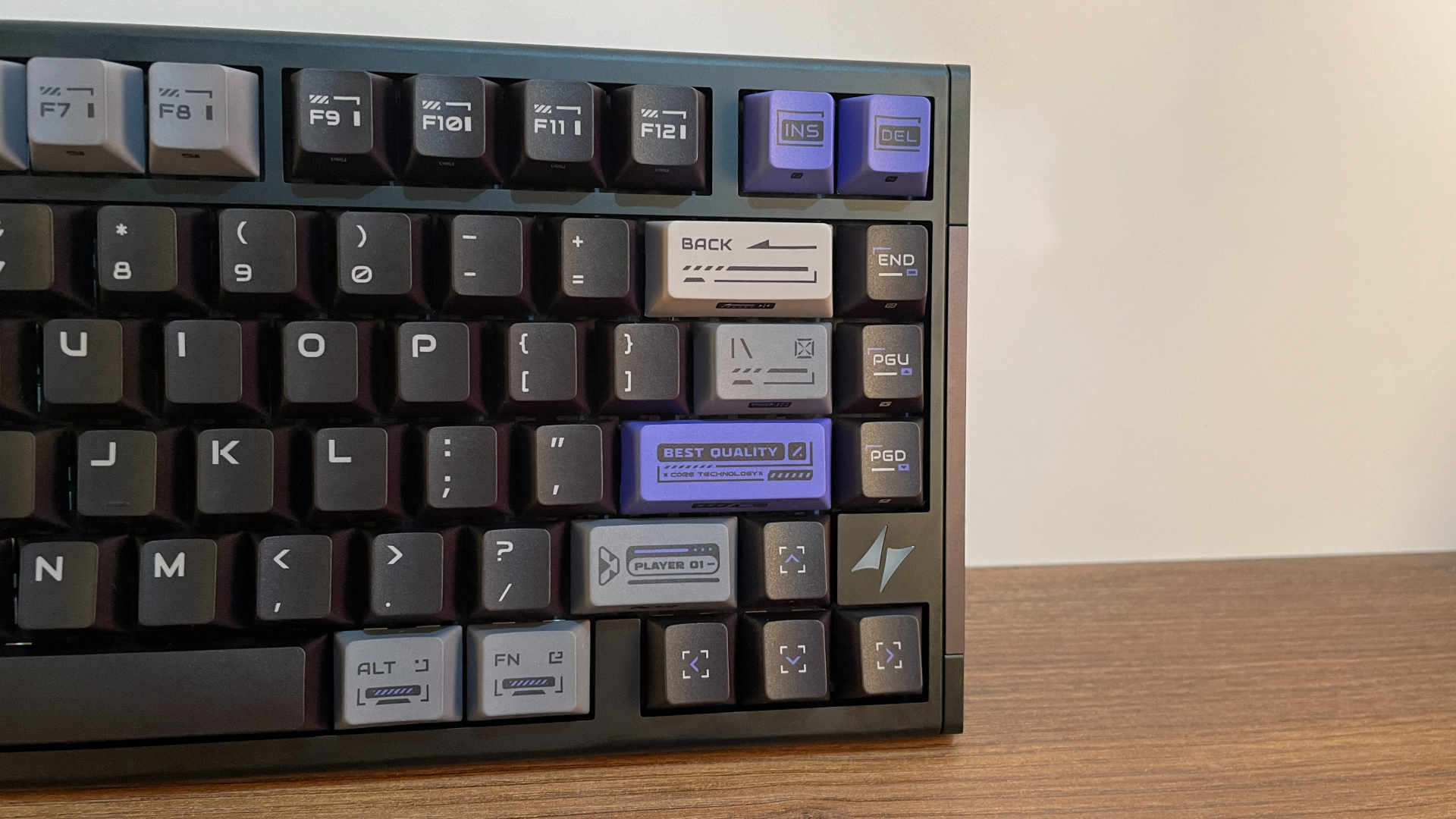
The keyboard arrives with the PBT keycap set preinstalled. The keycap walls are pleasantly thick at around 1.5 mm. Compared with ABS, PBT is more resistant to wear and much less prone to developing shiny spots over time. The surface of PBT keycaps also has a subtle microtexture that feels pleasant under the fingertips and keeps them from feeling slippery. So, its really nice to see PBT keycaps here.
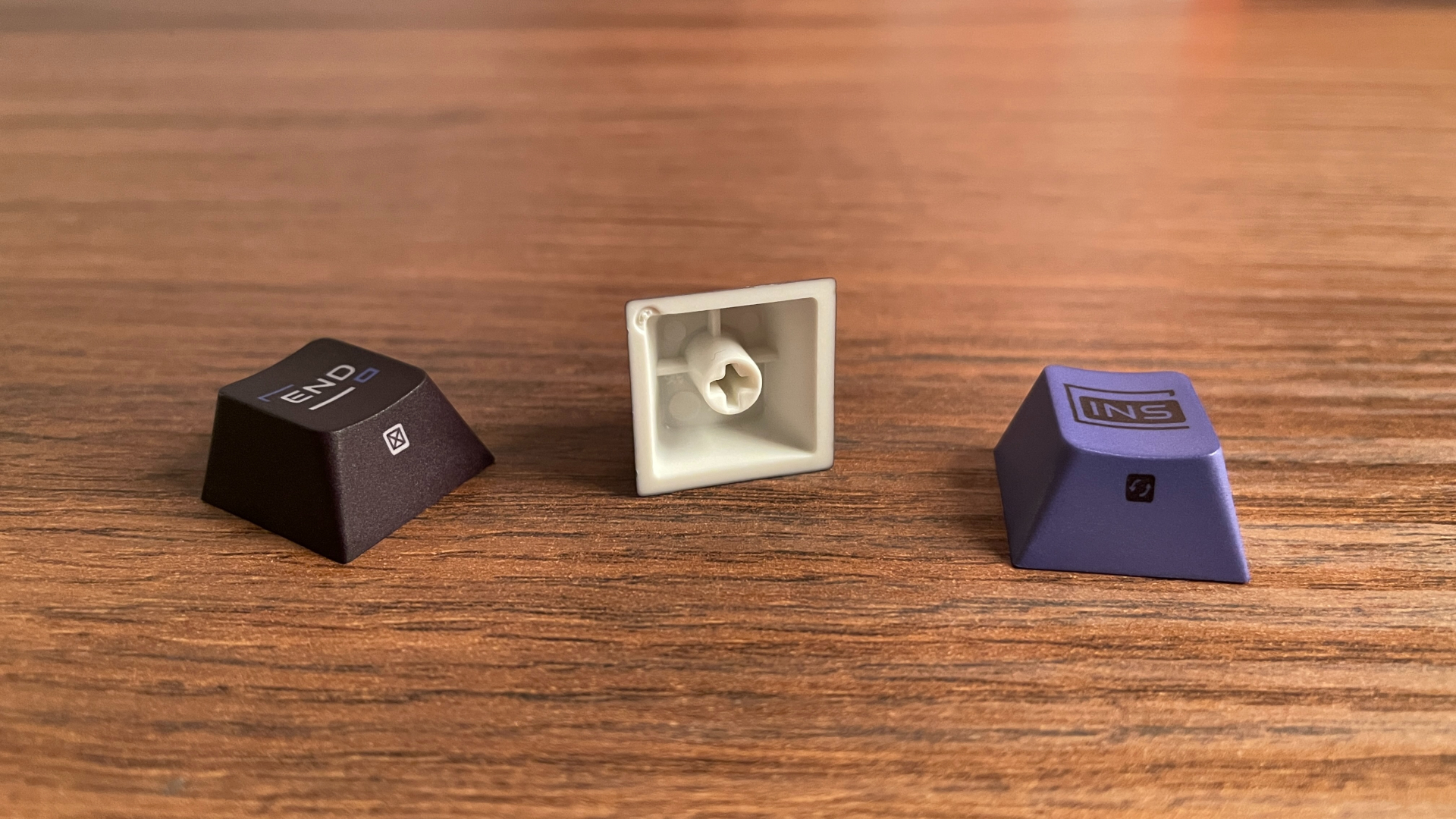
The legends are applied using a five-sided dye-sublimation process, meaning the dye is fused directly into the PBT material rather than printed on top. As a result, they should hold up extremely well without fading or wearing away with use. They’re also fairly large and easy to read.
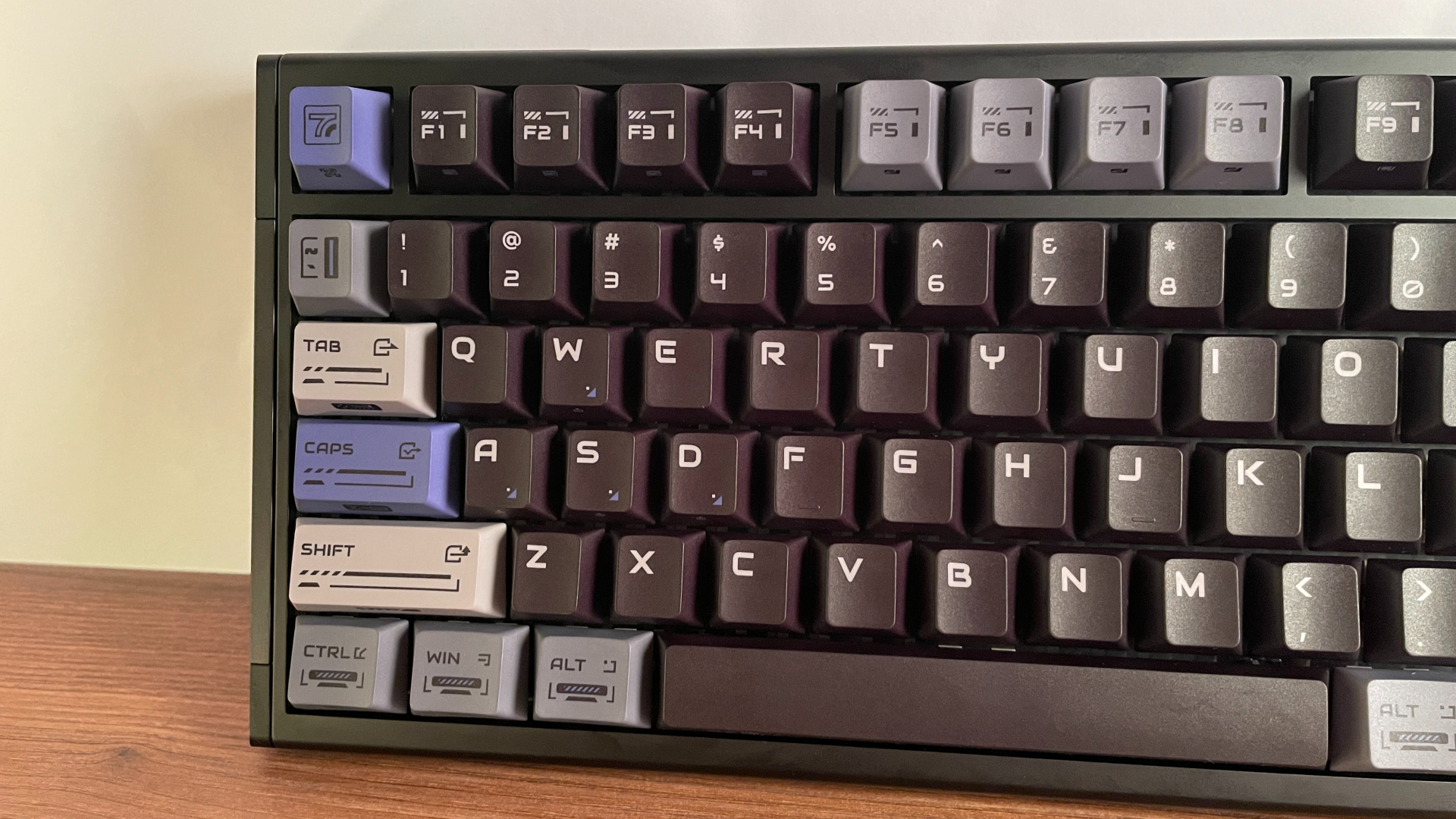
The styling leans heavily into a gaming aesthetic, and whether that works for you will naturally come down to personal preference. I do like the purple accent keycaps, though, as they break up the overall look and add some welcome contrast.
The standout extra in the box is the additional set of PC keycaps. Getting a complete second set alongside the preinstalled one is a generous bonus, as it gives you a quick way to refresh the keyboard’s look without spending extra money. Or you can even mix and match both sets and put together a look that’s entirely your own.
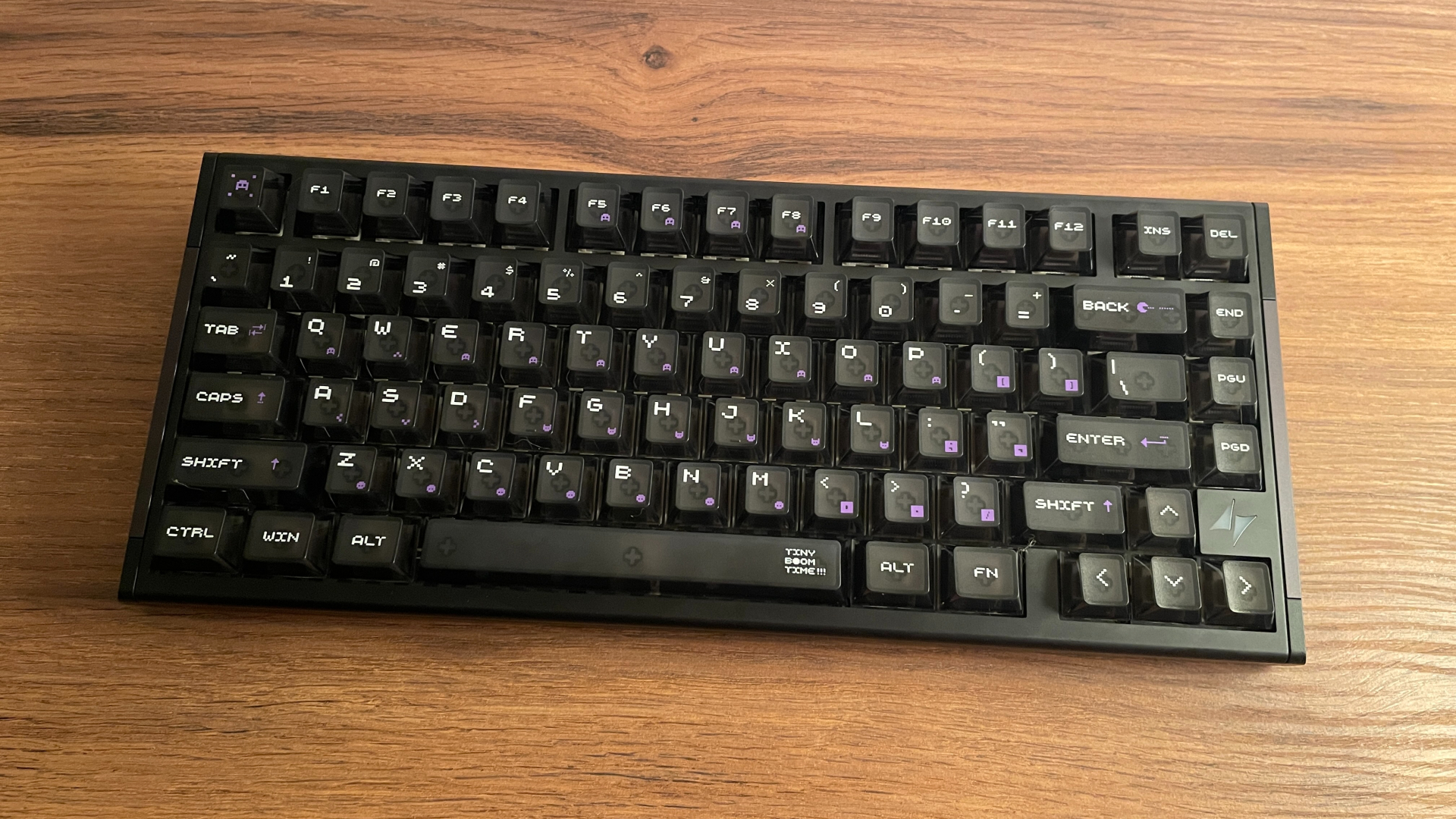
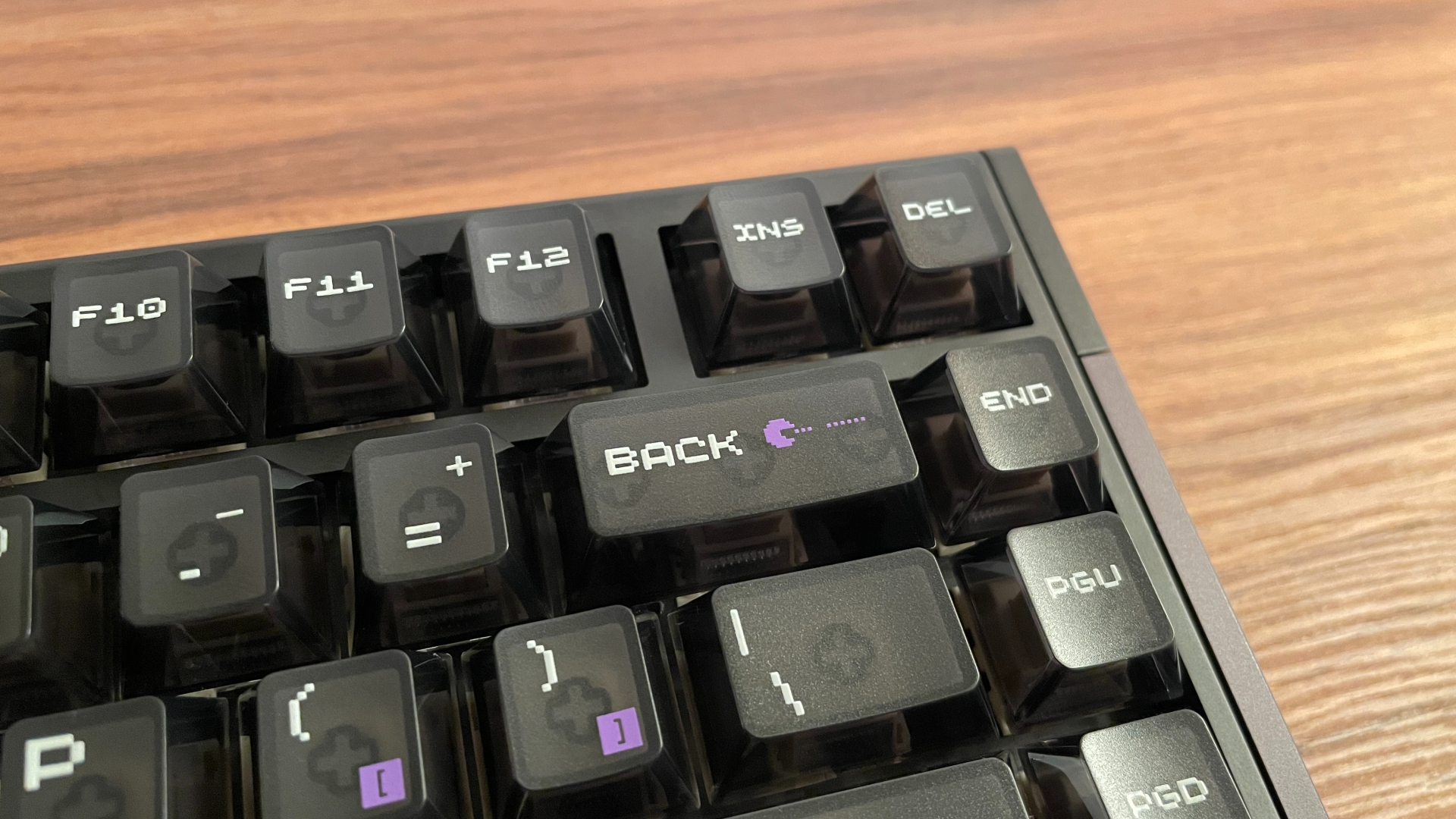
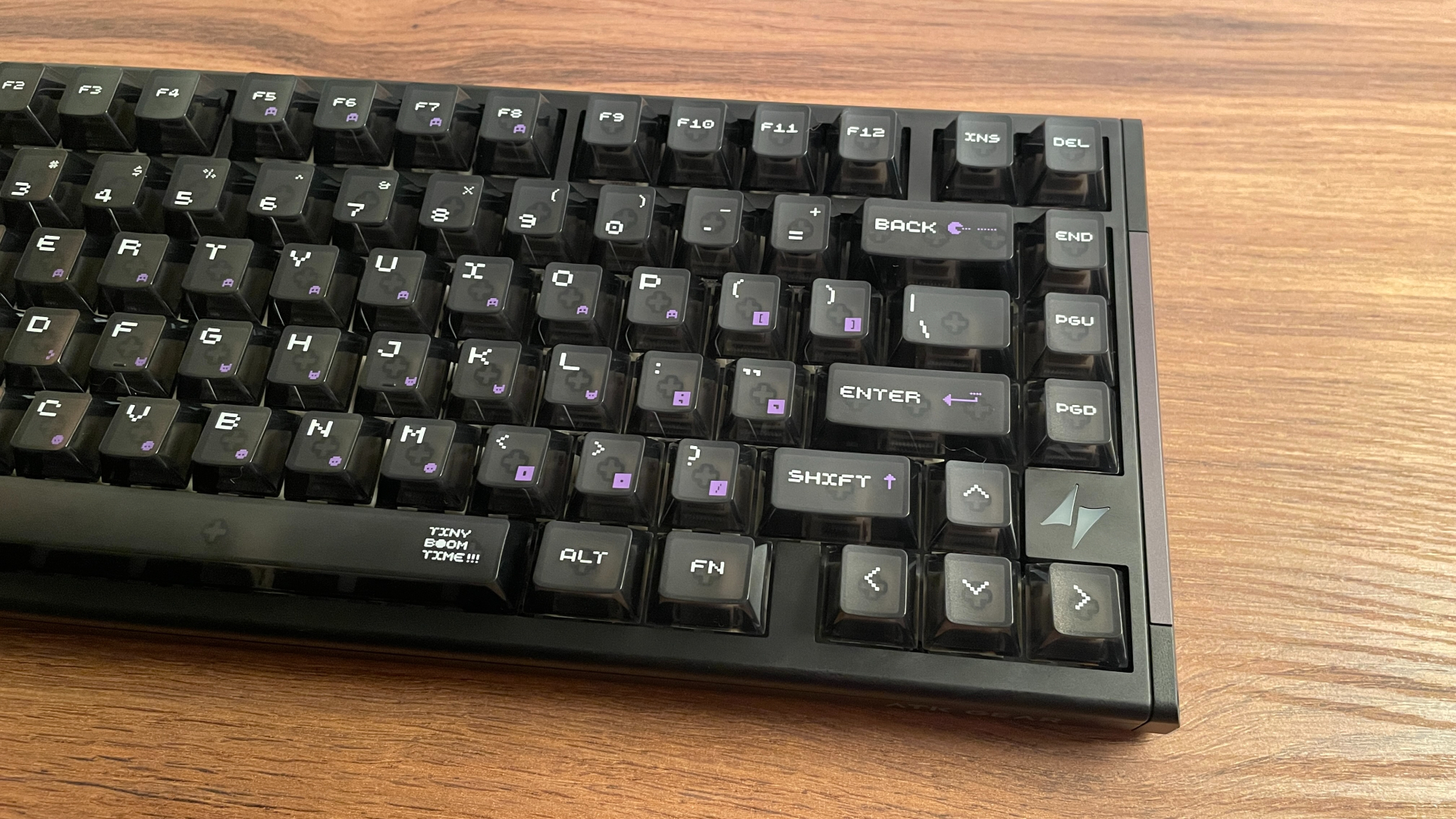
This second PC keycap set is a fairly unusual one, though. The tops of the keycaps are frosted, while the sidewalls are fully transparent. It is an interesting combination: the frosted surface feels pleasant under the fingertips and does not feel slippery, while the clear sides allow plenty of RGB light to pass through. If you’re a fan of vibrant lighting setups, you’ll love this set.
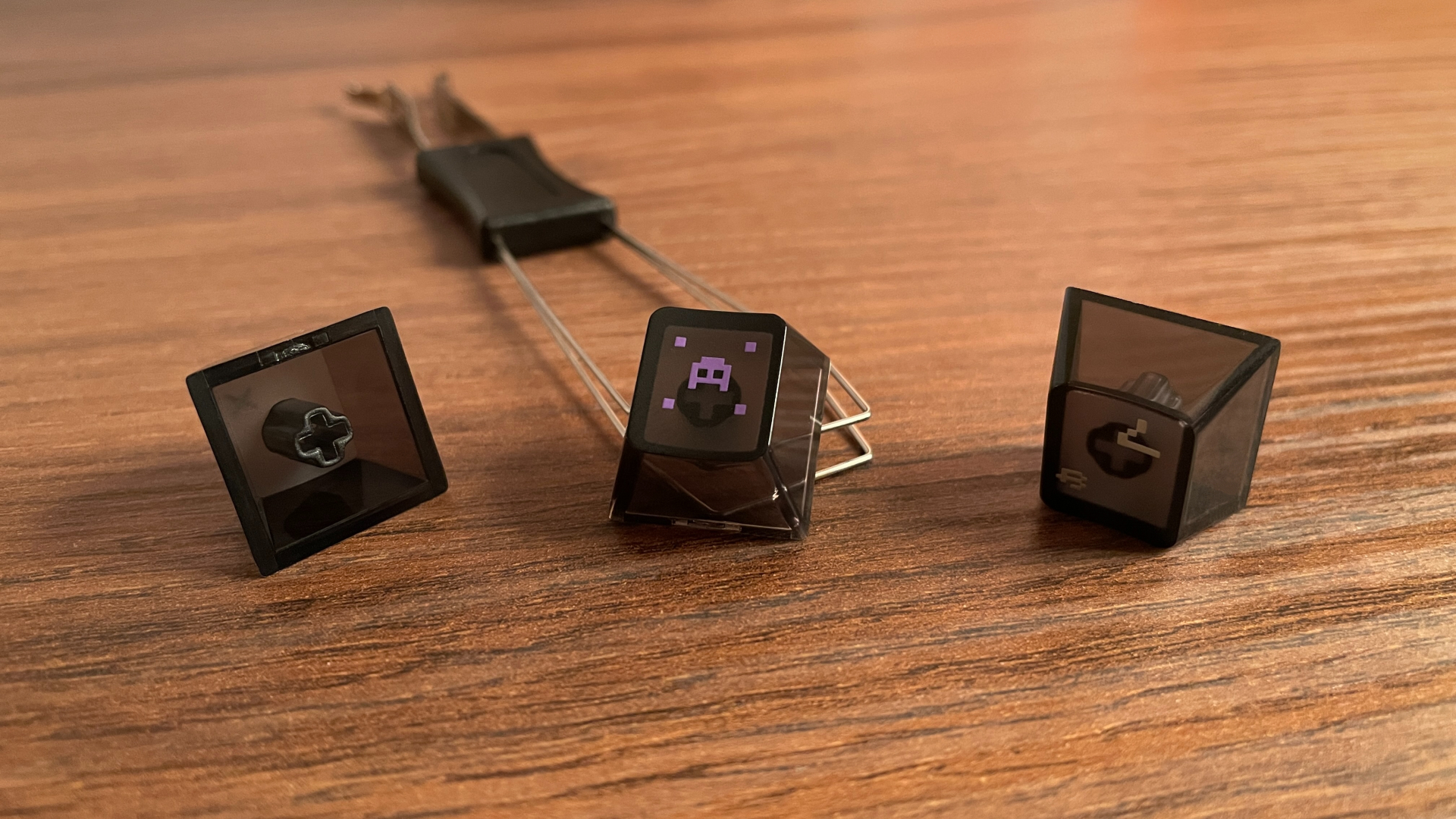
The keycap walls are also around 1.5 mm thick, matching those of the PBT set. The legends are UV printed, which should not be confused with simpler methods such as pad printing or silk screening. UV-printed legends should still hold up fairly well against wear and fading, though not as well as the nearly permanent dye-sublimated legends on the PBT set. The legends themselves are fairly large, with a dotted font that gives them a subtle pixel-inspired appearance. Despite that styling, they remain easy to read.
The overall design likewise has a clear gaming influence, but without the purple or gray accent keycaps, the RS7 V2 Ultra looks somewhat more restrained and a little stealthier with this set.
Overall, it is simply nice to have this much choice right out of the box. Between the different materials, the different approaches to RGB, and the option to mix the two sets, there is plenty of room to make the keyboard suit your own taste without even starting to look at aftermarket keycaps. It also means you can try both keycap sets to see which material you prefer in terms of feel and sound profile.
Blaze Blade Switches
The RS7 V2 Ultra comes with a fairly broad choice of magnetic switches: Crystal Blade, Snow Blade, and Blaze Blade. (The non-Ultra model is available with Leviatan Siren and Leviatan Ultra switches.) I went with the Blaze Blade version, so those are the switches I’ll be focusing on here. For reference, here are the specifications in case anyone wants a closer look:
The Blaze Blade is a linear magnetic switch made by Kailh. It features a closed-bottom housing, a box stem, and a built-in LED diffuser, and it comes factory-lubed. It is an all-POM switch, meaning its stem, top housing, and bottom housing are all made from the same material – polyoxymethylene.
POM is a dense material with good vibration-damping properties, so switches made entirely from it often have a softer, slightly muted, and deeper sound. That’s not the only thing POM has going for it. POM also has a very low coefficient of friction, which is why it is so popular for switch stems: it helps create a smoother keypress with less scratchiness. Here, the stem also slides inside a POM housing, so the Blaze Blade certainly has the right ingredients to feel very smooth. And that turned out to be true: in actual use, the switches feel smooth, without even a hint of scratchiness. I couldn’t hear any spring ping either, which is good.
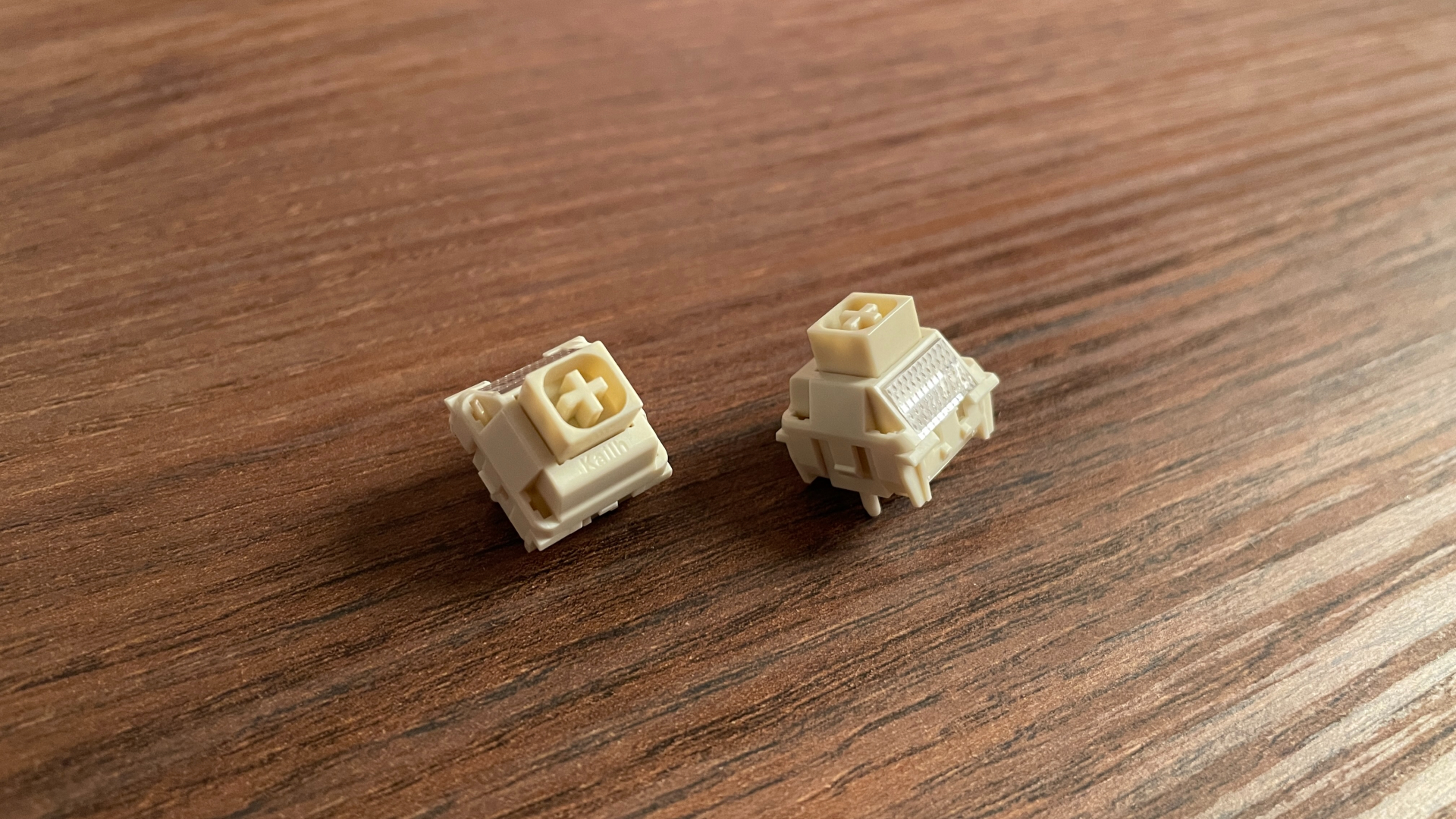
I am also very happy with the stem stability: there is very little movement in either the resting or fully pressed position. That kind of stem stability always makes a keypress feel more solid, but it matters even more on a Hall Effect keyboard, where keeping the magnet stable helps maintain consistent sensing when the actuation point and Rapid Trigger sensitivity are set to extremely low values.
With an initial force of 35 gf, Blaze Blade switches sit firmly on the lighter side. Despite that, they don’t feel sluggish the way light switches sometimes do. Instead, they feel quite snappy under the fingers, which I really like. Their quick rebound makes them especially well suited to gaming.
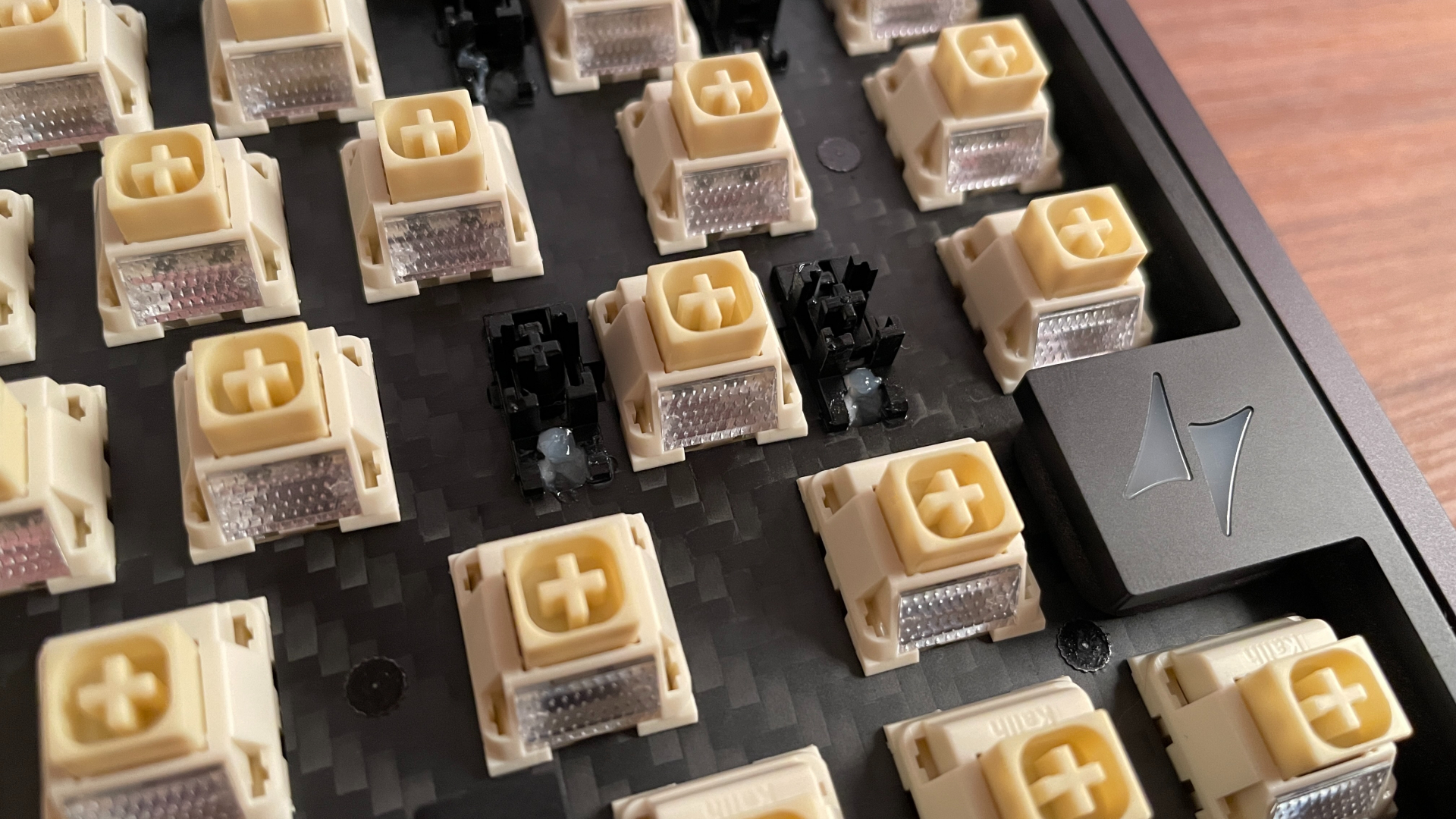
As you’d expect, the ATK RS7 V2 Ultra is hot-swappable, so you can experiment freely with other magnetic switches. Just make sure the ones you pick are compatible with the keyboard: you need KS-20-type magnetic switches, meaning ones with an N-pole-down magnet orientation. Luckily, this is pretty much the standard for modern Hall Effect keyboards, so most magnetic switches on the market should be compatible.
As for the stabilizers, I have no complaints. I haven’t noticed any rattle, ticking, or other issues from the stabilized keys. They are very generously lubed from the factory – and I really do mean generously, because there is a lot of lube here – ATK certainly did not hold back on it.
Structure and Mounting
Perhaps the most interesting feature of the ATK RS7 V2 Ultra for me is its dual-mounting structure. The keyboard supports two mounting styles – top mount and Core-Flex mount – and you can convert from one to the other whenever you want. Multiple mounting styles support is a pretty rare feature in prebuilt keyboards, so having both options to experiment with is a very welcome bonus.
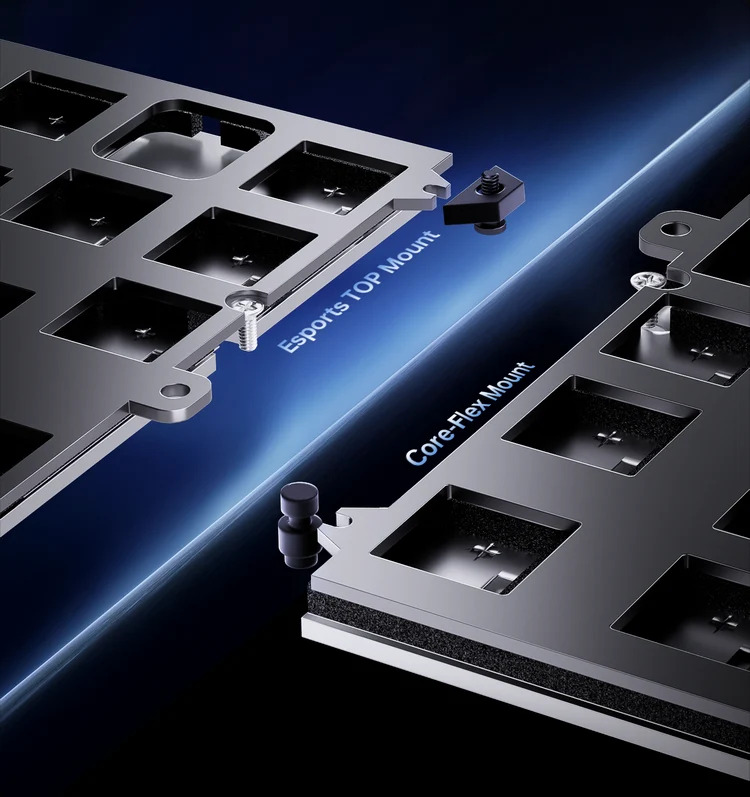
Core-Flex is essentially a conventional gasket mount. The plate/PCB sandwich is suspended between the case halves on rubber gaskets. These gaskets slightly damp the impact of keystrokes and help prevent vibrations from transferring to the case, reducing unwanted resonance and noise.
The top-mount configuration is more straightforward: it is the classic mounting style in which the plate/PCB sandwich is screwed directly to the upper frame. Here, though, ATK has gone with a slightly modified version known as an isolated top mount. Tiny rubber pads sit between the top frame and the plate, serving a similar purpose to gaskets by absorbing stray vibrations and dampening harsh sounds.
Converting the keyboard from one mount to the other requires unscrewing and opening the case. Fortunately, ATK has a step-by-step video guide on its official YouTube channel that walks you through the process.
I will return to how each configuration affects the typing feel and sound in the corresponding section. For now, let’s take a closer look at the keyboard’s internal structure.
The RS7 V2 Ultra has a carbon-fiber plate without flex cuts (the non-Ultra model comes with an aluminum plate, though you can buy a carbon-fiber plate separately from ATK’s website). Hall Effect keyboards need a stable, rigid structure for precise sensing, which is why aluminum and carbon fiber are the most common plate materials in this category. Personally, I prefer carbon fiber over aluminum because it tends to produce a slightly quieter, less high-pitched sound, so I am glad to see it used as the stock plate here. Of course, that comes down to personal preference.
Beneath the plate are three layers of sound-dampening material:
- Poron Foam
- Vinylon Switch Dampener
- PET Film
The Vinylon layer is an interesting choice – it is the first time I have come across this material being used for damping in a keyboard. Underneath these layers sits a black PCB, which has no flex cuts and does not support screw-in stabilizers. Below the PCB are another three layers:
- Socket Foam
- EPDM Foam
- Insulation Pad
That brings the total to six layers, which is a fairly generous amount of damping material.
Gaming Performance
The ATK RS7 V2 Ultra is loaded with top-tier hardware designed to push Hall Effect performance to its limits. It features an 8,000 Hz polling rate alongside a 32,000 Hz scan rate, which can even be boosted to an impressive 256,000 Hz in Extreme Mode. Rapid Trigger sensitivity goes as low as 0.001 mm, and both RT and the actuation point are adjustable in ultrafine 0.001 mm increments.
Under the hood, driving all of this is a unique 14+1 chip architecture (I took the keyboard apart myself and can confirm the PCB really does have that many chips). Each group of five or six keys is handled by its own dedicated controller, with all of them managed by a primary 480 MHz MCU.
ATK claims an end-to-end latency of 0.28 ms. Realistically, anything below 1 ms is already lightning-fast, so the precise numbers matter far less than the fact that latency should never be a limiting factor here.
These specs are undeniably impressive on paper. But impressive numbers don’t always mean stable, reliable performance in real use. Some Hall Effect keyboards look impressive on paper, only to stumble in practice – either becoming inconsistent at ultra-sensitive settings or dropping inputs when you start slamming multiple keys at once.
So, the real question is: how does it hold up in actual use?
Fortunately, the RS7 V2 Ultra actually delivers. It is fast, but more importantly, its performance is consistently reliable. During my time gaming with it, I did not encounter a single problem: no phantom presses, no strange sensor behavior, and no input drops during heavy, chaotic keypresses.
Beyond performance, there’s one feature I really appreciate: controller emulation, especially since it is still not something every Hall Effect keyboard offers. Moreover, ATK has not treated it as a simple checkbox. It comes with a surprisingly deep set of settings, including adjustable stick response curves. It is a fun and useful feature to experiment with, especially in racing games and other titles that benefit from analog input.
Typing Experience
Typing on the RS7 V2 Ultra feels relatively direct and buttery smooth. It isn’t overly stiff – the Core-Flex mount does its job by slightly softening the bottom-out impact – but as I mentioned earlier, Hall Effect boards require a stable structure for precise sensing, so you won’t find a super bouncy or overly flexible typing experience here. The light Blaze Blade switches deserve some credit as well, since they make typing genuinely fast and effortless, even during long sessions.
If you swap over to the top mount, the typing feel becomes noticeably more direct and firm, exactly as you’d expect from that style of mounting. That configuration gives you a rigid structure with virtually zero flex, which is ideal for maximizing precision when you’re running ultra-sensitive Rapid Trigger or actuation point settings.
As for the sound, with the Blaze Blade switches on my unit, the keyboard has a clacky sound profile. Keypresses sound crisp and lively without any hollowness. I did not hear spring ping or metallic ringing from the case, either. The damping layers do a good job of keeping unwanted resonance under control. Switching to the top mount changes the sound along with the feel, making it slightly louder and adding a subtle metallic edge.
The keycaps also play a noticeable role in shaping the typing sound. The preinstalled PBT set gives the keyboard a slightly more muted tone compared with the PC set, which shifts the sound signature toward a higher-pitched clack and makes the keyboard sound a little brighter.
Ultimately, having the freedom to test out different configurations right out of the box is a huge plus. It lets you spend some time with different combinations and find the balance of sound and feel that suits you best, which is something very few prebuilt keyboards offer – so having that flexibility here is really nice.
Pros and Cons
Final Verdict
I have enjoyed my time with the RS7 V2 Ultra keyboard. Excellent gaming performance is clearly this board’s main strength, but there’s plenty to appreciate beyond that. The aluminum case feels solid and well made, ATK HUB is packed with useful features, and there’s a good selection of accessories in the box. I particularly like having an extra set of keycaps to play with whenever I feel like changing the look.
What surprised me most, though, was the dual-mounting structure – a feature that appeals directly to my inner keyboard enthusiast. After all, it’s rare for a prebuilt Hall Effect board to offer something like this, and it is a big part of what makes the RS7 V2 Ultra special to me.
If you are looking for a feature-packed 75% Hall Effect keyboard with strong gaming performance, solid build quality, and some freedom to tune the sound and typing feel, the RS7 V2 Ultra is well worth considering – especially with current sale prices starting at $160 for the Snow Blade and Blaze Blade versions and at $180 for the Crystal Blade version.

Controller and mechanical keyboard enthusiast. Tech reviewer, regularly sharing thoughts about gadgets and computer peripherals.


