These days, gaming mice have reached a plateau in terms of interesting shapes and form-factors, kind of like how all smartphones nowadays look like a glass slab with a camera bump on the back. For years, gaming mouse brands have been shaving off grams, adding holes and putting in extremely capable sensors in their mice. And then we have Ragnok.
Instead of trying to make yet another conventional gaming mouse, their answer to “what would make a gaming mouse more fun?” was to shape it like a pistol, give it a metal trigger, and put a recoil motor inside. A crazy concept that caught my attention as soon as I saw it.
Today I’ll be reviewing the Ragnok ErgoStrike7, a gun mouse unlike any mice that I’ve used before. Is it just a gimmick, or is here something genuinely fun here? Let’s take a look.
Unboxing
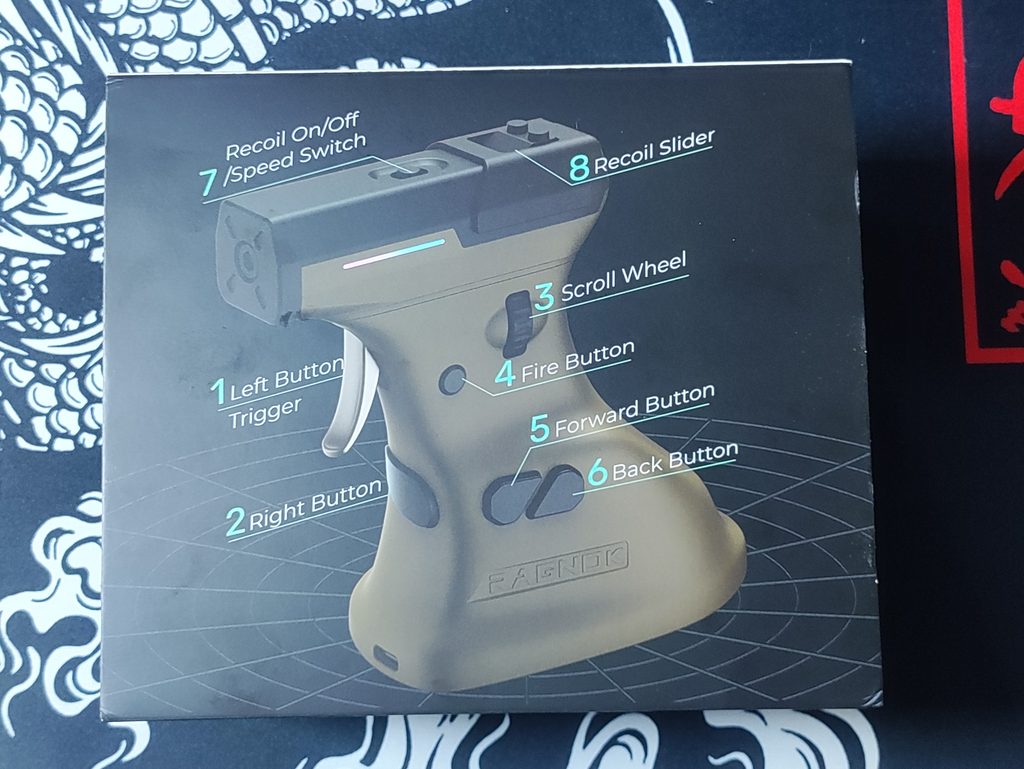
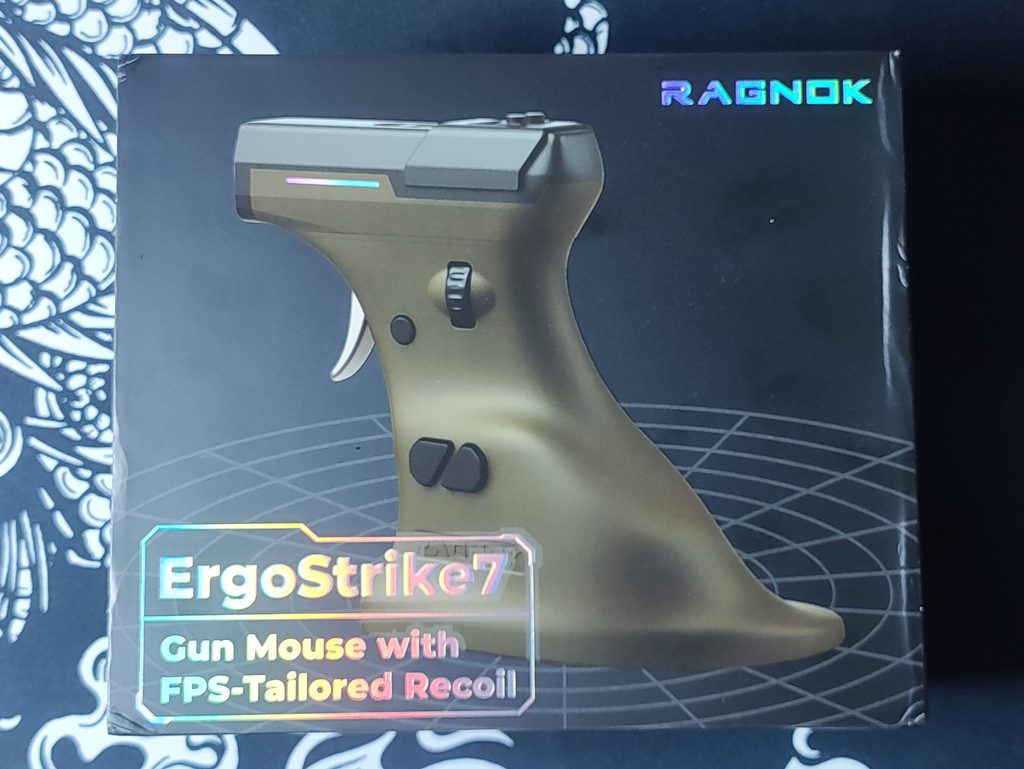
The outer box has an illustration of the ErgoStrike7, with labels pointing out the various unique features of this product. Inside the box, you will find:
- The ErgoStrike7 mouse
- A 2.4GHz wireless dongle (held magnetically under the mouse in a hidden slot)
- A USB-A to USB-C cable
- A USB-C to USB-A adapter
- Replacement mouse feet
- A user manual
- A rubber slider cover for the recoil mechanism
There is also the option to buy the “ErgoStrike7 Armory Case Limited Edition Tactical Kit” (phew, what a name). If you opt for this kit, you will get an aluminium-alloy shell rugged case, a flannel dust-safe bag, and a minifig to fit on top of the recoil mechanism. All this will run you an additional $40 or so (depends on whatever sales are going on at the time)
The Concept
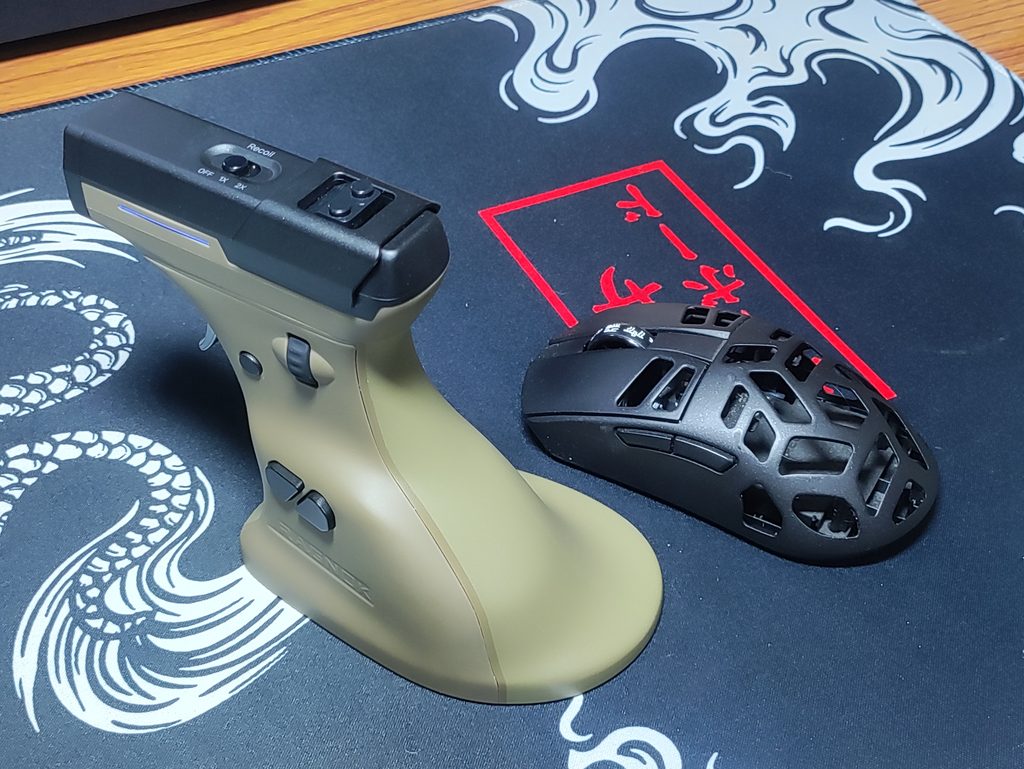
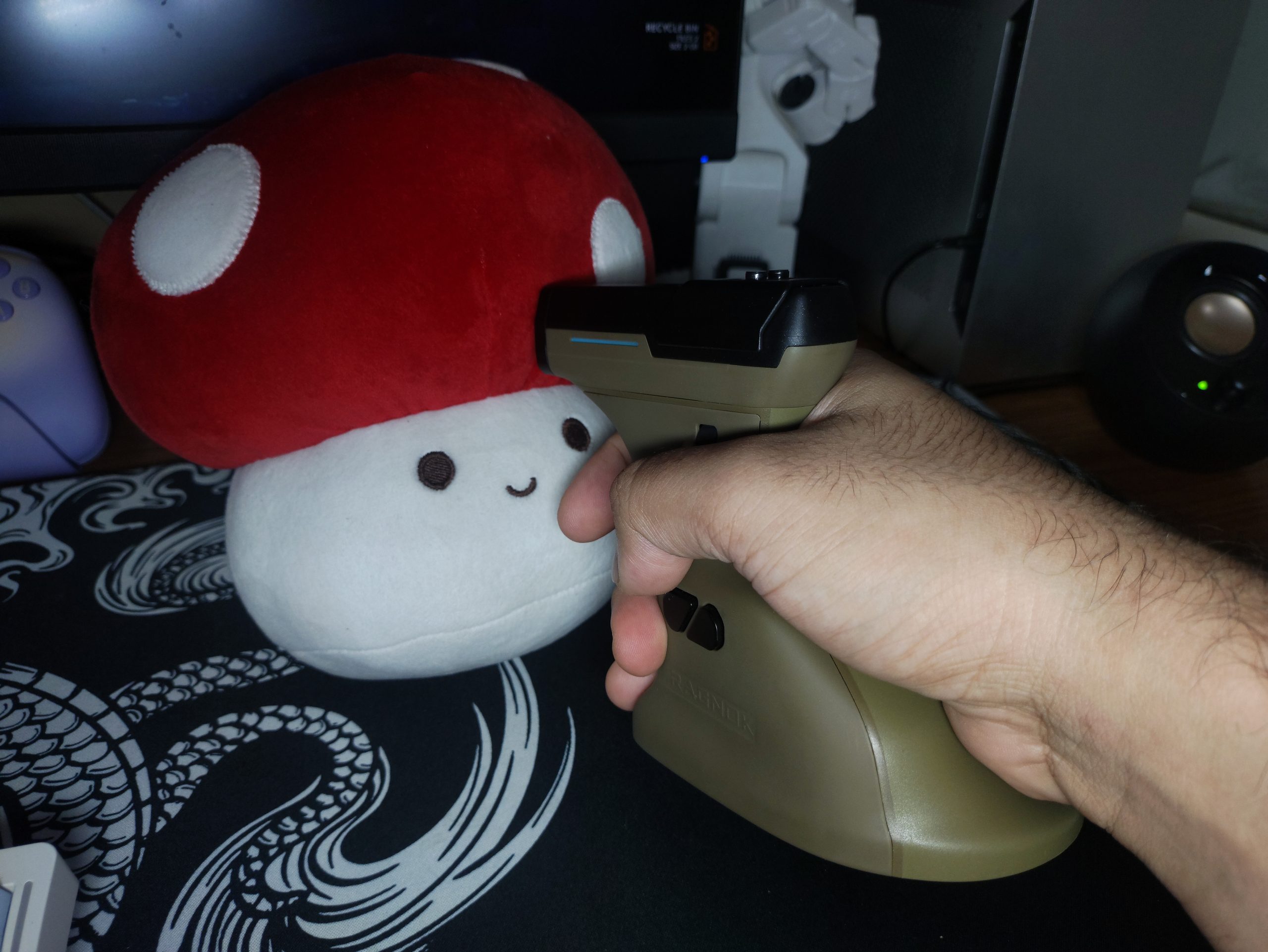
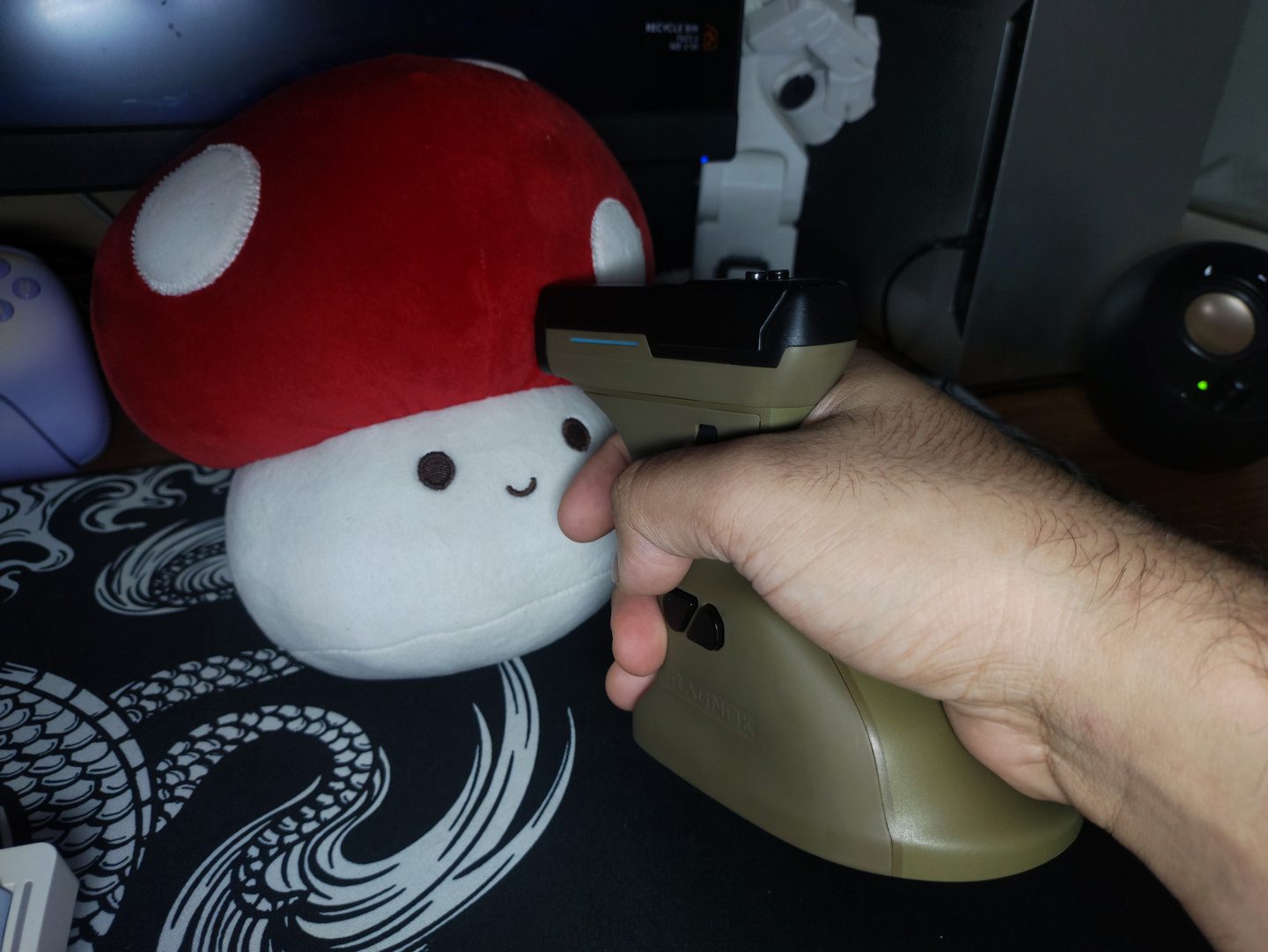
The ErgoStrike7 is what Ragnok calls a gun mouse. Instead of lying flat under your palm, it’s a pistol-style grip angled at around 65°, with a short barrel on top. Your index finger rests on a metal trigger (this is your left click), and a linear motor inside kicks back when you pull it. It follows the FireGrip, Ragnok’s first gun mouse, which is still sold as the less premium, more affordable option.
Ragnok is quite clear about what the ErgoStrike7 is, and what it isn’t. The pitch is immersion and fun, not esports precision. That changes the question from “is it better than a Razer Viper or a Logitech GPX?” to “does this make shooters more fun, and what do I give up for it?”
Specifications
Here are the specs at a glance:
- Sensor: PixArt PAW3395 (26,000 DPI | 650 IPS | 50G)
- Polling rate: 1000Hz
- Connectivity: 2.4GHz, Bluetooth 5.1, wired USB-C
- Weight: 180g
- Size: 113 x 122 x 78mm (though this isn’t directly comparable to standard shaped mice)
- Battery: 1000mAh
- Materials: Metal Trigger, Soft Rubber body with plastic buttons
- Ergonomics: Right-handed only
- Price: $119 on Ragnok’s site at the time of writing (MRP: $169)
Design & Build Quality
The ErgoStrike7’s body is made of plastic, covered in a soft rubber material, which feels more like gripping a gun (I mean, I have never held one so I wouldn’t know. But I imagine that’s what it feels like) and less like the hard plastic of most gaming mice. It’s very obviously pistol-shaped, with a trigger at the front and a short barrel on top, although the barrel is a lot smaller than the real thing. There are small LED strips along both sides of the barrel for RGB.
It weighs a whopping 180 grams. This sounds like a lot; it is about 3x the weight of mainstream ultralight mice. But the weight matters quite differently for a mouse like this. In fact, I found myself wanting an even heavier weight at times. But the 180g weight is comfortable for this form-factor and grip style.
As part of my testing, I squeezed it every which way possible and it shown no signs of creaking. And there’s also no rattling when you shake the mouse. Truly good build quality for a niche product. I mention this because I have sometimes seen niche form factors in products only to find their build quality lacking. This is not the case here.
In my several weeks of testing the ErgoStrike7, it hasn’t collected any more dust than my other things. I thought the rubber might collect dust or get yucky but it has stayed clean. Your mileage may vary if you get the White colour though.
Speaking of colours, the ErgoStrike7 comes in 3 colour variants:
- Barrel Black (Black handle, silver buttons and barrel)
- Desert Sand (Olive handle, black buttons and barrel)
- Yukon White (White handle, silver buttons and barrel)
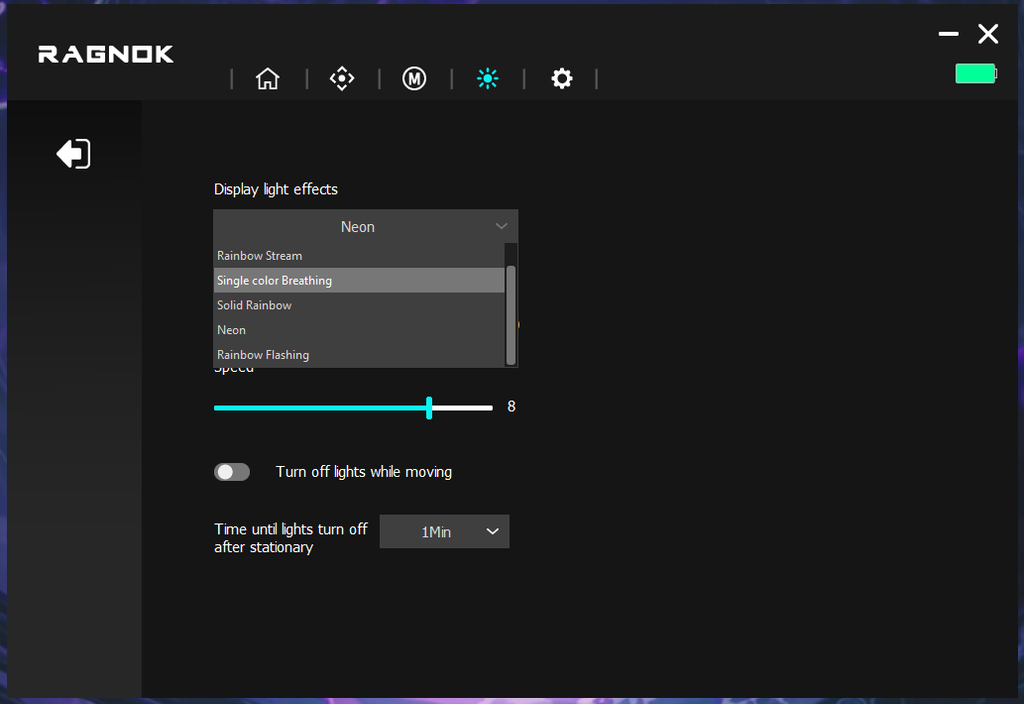
The only lighting on this mouse is the pair of small LED strips on either side of the barrel. There’s a handful of preset effects, but the software doesn’t offer much customisation beyond that.
Shape, Grip, Ergonomics
“Shape is king” is a common phrase in the mouse community, and the ErgoStrike7 takes it to the extreme, because the shape is the entire product.
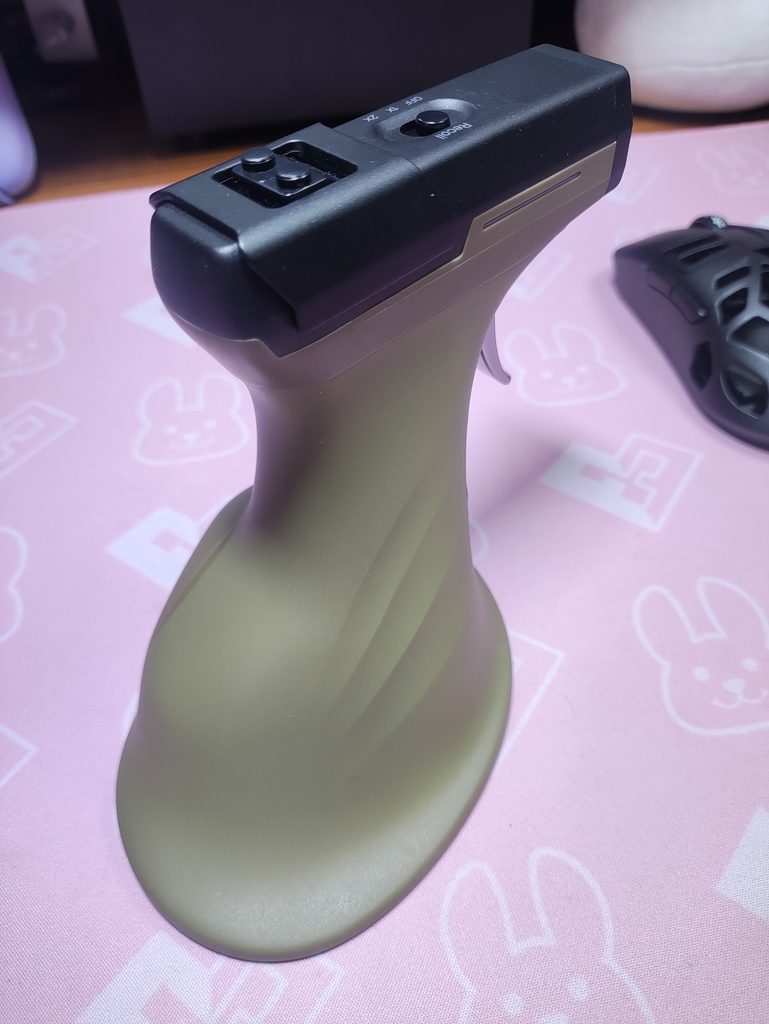
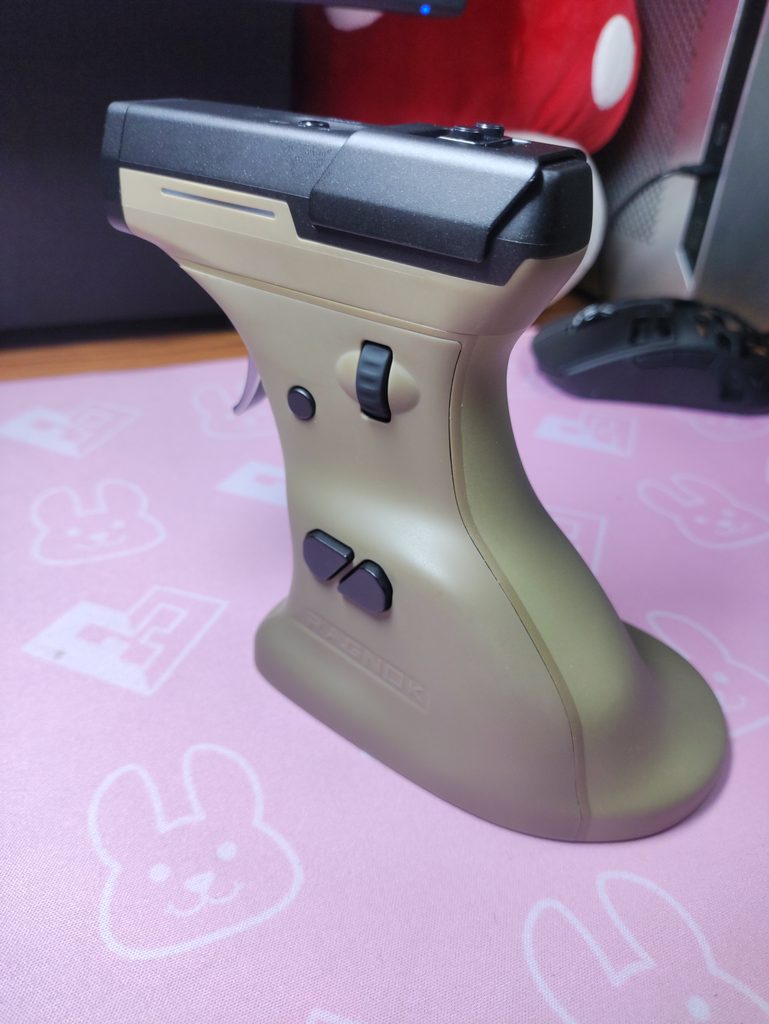
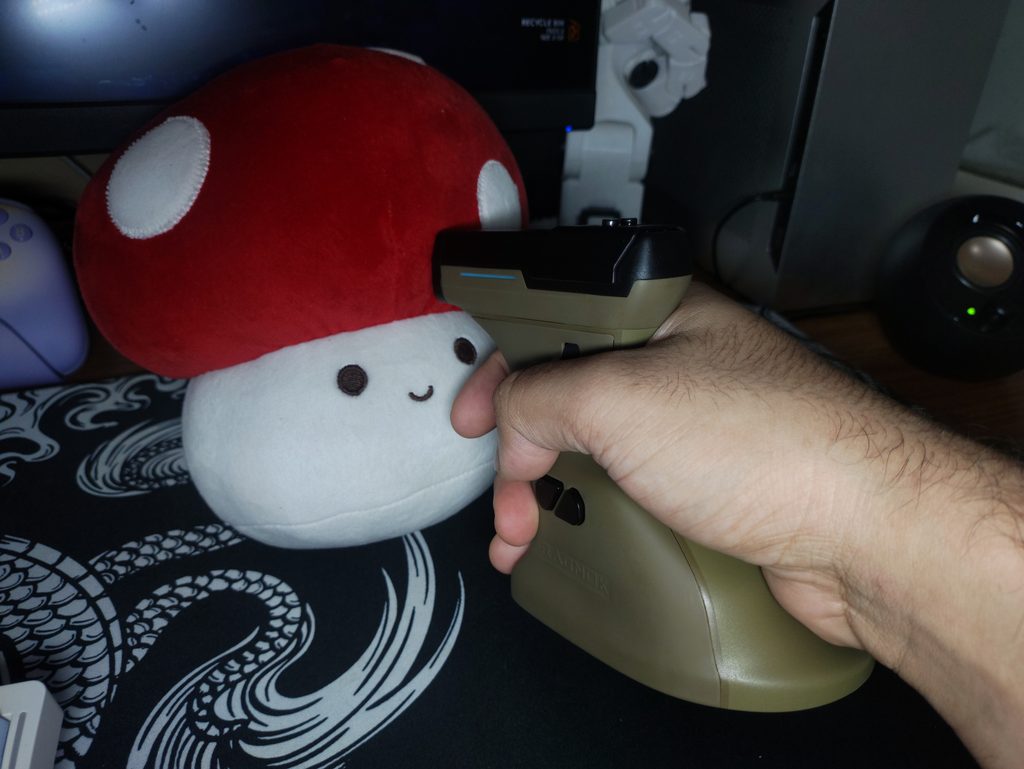
It’s strictly a right-handed mouse, and the base extends slightly to the right to support your hand. Ragnok recommends a palm size of roughly 18cm, which covers most adults. With my large 21cm hands, this mouse is comfortable. I got my friends and family to try it out, and the only kid with hands measuring 16cm found it too unwieldy. She couldn’t reach the trigger comfortably with her finger. I’d say this mouse is well suited for 17-21cm hands. I suppose it also depends on how chubby or skinny your palms and fingers are.
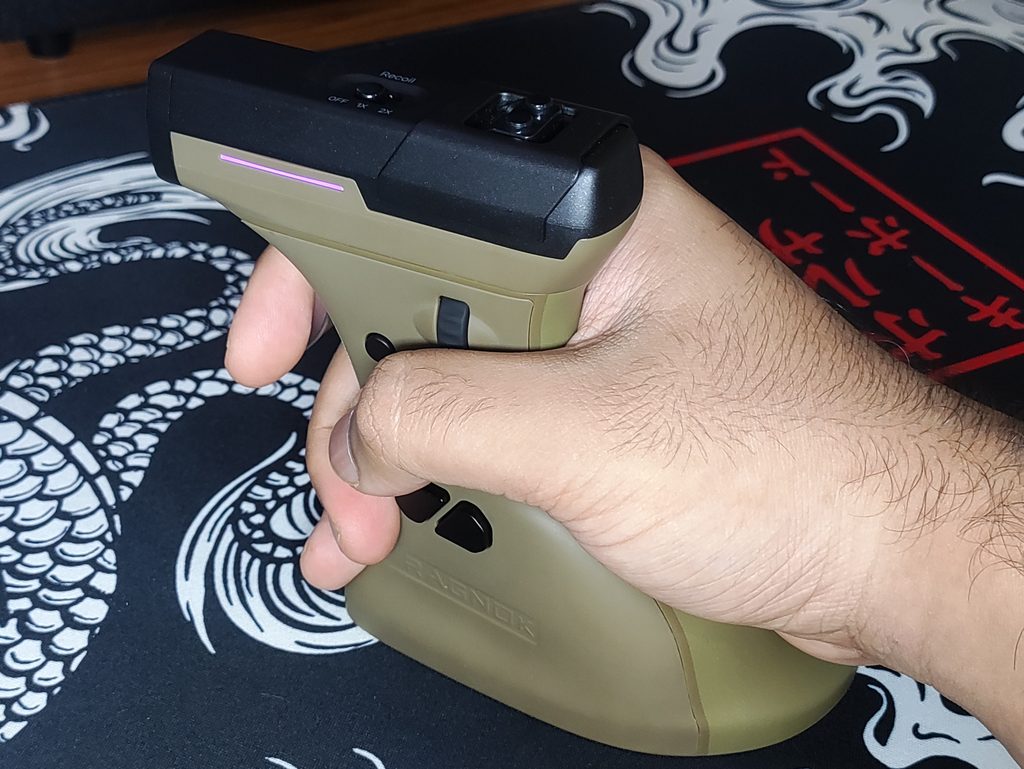
The 65° angle puts your hand in a handshake posture instead of palm-down, which is the idea behind vertical mice and why Ragnok markets this as being easier on the wrist. While this is true, the 180g weight of the ErgoStrike7 makes this mouse less than ideal for this purpose. There are vertical mice better suited for this aspect of Ergonomics.
Since I’m usually a rather aggressive claw-grip user, the ErgoStrike7’s grip style is quite a huge change for me. It took me a while to get used to it, but now it feels pretty comfortable. Since it is a vertical mouse, it’s not ideal for precise flicks in FPS games. This boils down to the mechanics and anatomy of the human wrist. But it’s accurate enough that I enjoyed myself in single-player experiences like the Halo campaign and Gears of War games.
The Trigger
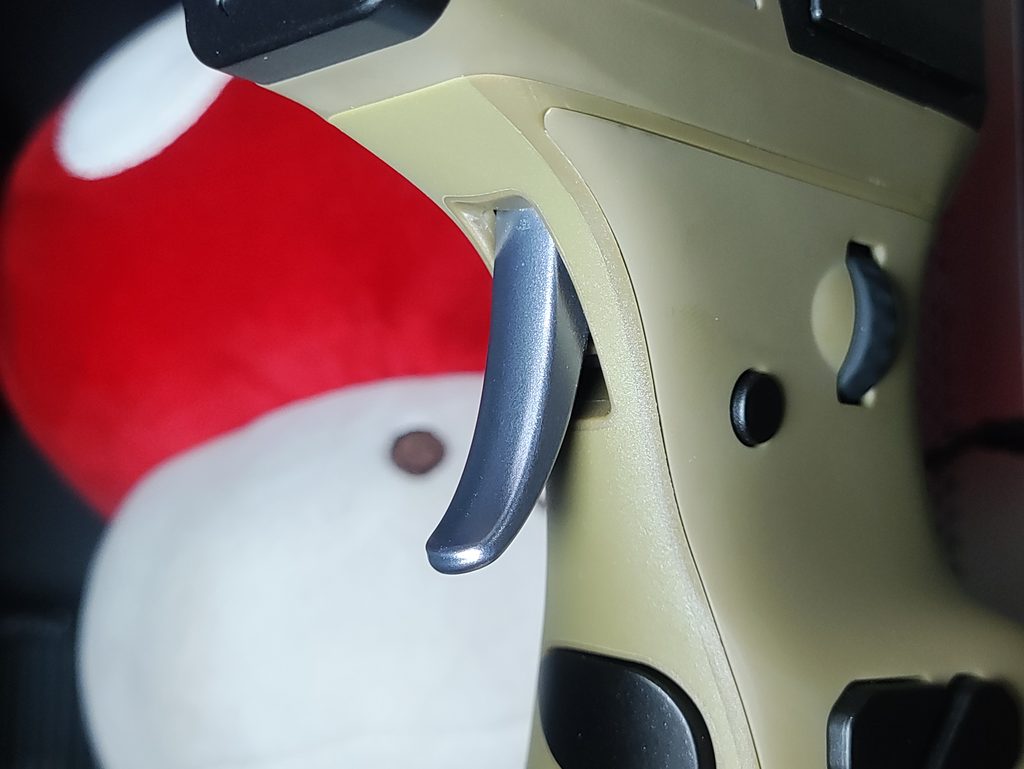
The left click on the ErgoStrike7 is a proper metal trigger that you pull instead of press down, and it’s the main reason this mouse feels like a shooter controller rather than an ordinary mouse. Ragnok says it’s designed to mimic a realistic trigger pull. I’ve never pulled the trigger on a real gun so I can’t comment on the accuracy of this.
What I can judge is that the trigger feels quite nice to use. The pull-weight, slight pre-travel, and minimal post-travel make the trigger feel quite excellent to pull. Although, since this is a rather unfamiliar motion for my finger, I found it aching after a couple of hours of gaming with this mouse. I don’t think this is something that will be mitigated over time with practice, so that’s one demerit of the ErgoStrike7. But for shorter sessions, this feels quite fun.
I don’t know which exact switch is being used for the trigger here, but it feels pretty good. The sound is crisp, and the weight is medium. The medium weight feels natural due to the unorthodox trigger action rather than a downward mouse click.
The Recoil Motor
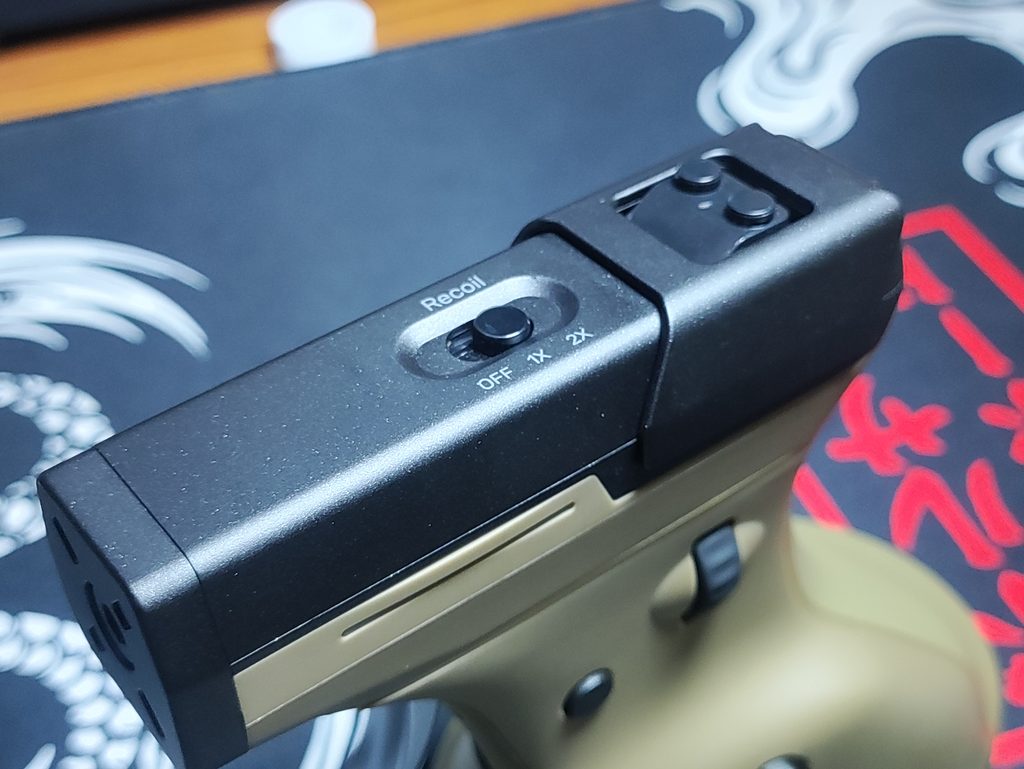
This is the feature that this whole product is built around. A linear motor inside the mouse kicks every time you pull the trigger, and a slider on top of the barrel moves back with each shot so you can see it as well as feel it. A switch next to the slider changes the recoil behaviour. There’s a no recoil mode, a single fire mode, and a continuous recoil mode.
One thing worth understanding is that the recoil is tied to your trigger pull, not to the game. The mouse has no idea whether your gun is actually firing, empty or mid-reload, so it kicks every time you click. In practice that means picking the recoil mode that suits whatever weapon you’re using. Recoil is also, along with RGB, what takes the battery from about 70 hours down to about 10 (more on that below).
I think the recoil isn’t as strong as it should have been. The recoil doesn’t have as much “kick” to it as I’d like. But it still feels quite satisfying in the appropriate games. And the slider is very loud. Annoyingly so. I wish there was some way to have an option to reduce the noise it makes. The rubber slider cover doesn’t seem to help. The noise seeps into my mic when streaming on Discord.
Buttons & Layout
The layout is where the “gun design” gets interesting, because every button has had to find a new home:
- Trigger: left click
- Right click: on the front of the grip, just below the trigger, pressed with your middle finger
- Thumb buttons: two side buttons, similar to the forward and back buttons on a regular mouse
- Scroll wheel: on the side, operated with your thumb
- Fire button: near the scroll wheel (Ragnok describes it as a rapid-fire/burst button)
- Recoil slider and switch: on top of the barrel
- DPI button: on the underside of the mouse
- Connection mode switch : on the underside of the mouse
The DPI button placement is noteworthy. Since it’s on the bottom, you have to pick the mouse up to change DPI, and with only one button it cycles through the stages in order. This is a set-it-and-forget-it feature. You can adjust and choose what DPI levels and how many levels it cycles through in the Ragnok Companion software.
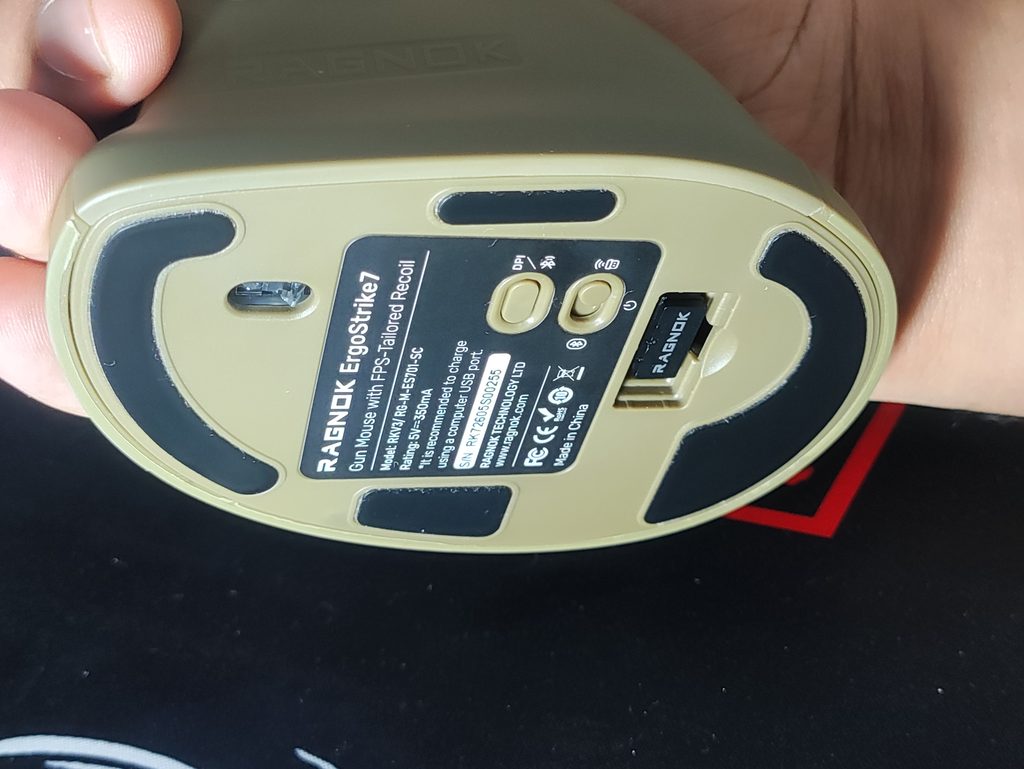
In practice, the layout works pretty well. All the active buttons and functions are within reach, and they feel nice to press. The scroll wheel has good tactility and feels nice to press, the buttons are all quite nice feeling and not too loud.
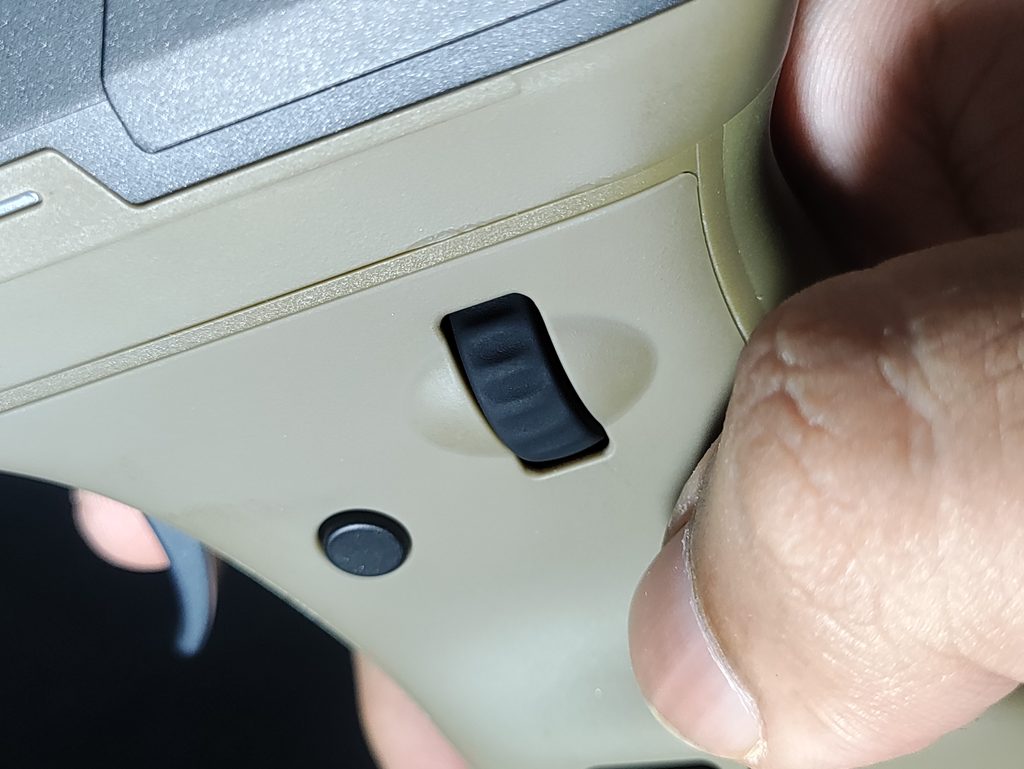
The scroll wheel being thumb operated makes bunny-hopping in CS2 or Valorant quite tricky, but if you’re using the ErgoStrike7 for those games, you’ve got other problems lol. Also, since we’re going for an immersive experience with this mouse, I can’t imagine any real soldiers hopping around the battlefield XD.
Gaming Experience
Since the ErgoStrike7 is built around immersion, I think it makes more sense to judge it game by game than to give one overall verdict. One common factor all the way through was that the mouse skates glide quite well. They’re pretty smooth, and they offer enough stopping power to not feel floaty on a cloth pad. I haven’t tried this mouse with a glass pad.
Single-player Shooters
This is what the ErgoStrike7 excels at: lining up a shot, pulling the trigger and feeling it. I played the Halo: Reach Campaign, Call of Duty: Black Ops 2 campaign, Titanfall 2, Cyberpunk 2077, and Gears 5 with the ErgoStrike7.
The most fun I had was when aiming down the sights of some weapons. Snipers feel nice, and the recoil feels awesome when shooting full-auto weapons. Even though the recoil doesn’t match up with the gun’s fire rate in the game, it felt pretty good since my hand wasn’t able of distinguish this difference in haptic feedback and audio. I made switching the recoil style from 1x to Continuous recoil a part of the experience, and it didn’t feel as annoying as I thought it would.
Competitive shooters
On a normal mouse, a lot of your small corrections come from your fingers and wrist. The vertical gun grip puts more of the work on your forearm and shoulder, which makes quick flicks and micro-adjustments harder by design. In addition, if you instinctively use your wrist to aim, the awkward angle actually causes uncomfortable aches after a while.
I think it’s safe to conclude that this mouse puts you at quite a severe competitive disadvantage in games like CS2, Valorant, Apex Legends etc. which I tried for a short period. Even in difficult and movement heavy single player games like Ultrakill, the form factor makes the ErgoStrike7 a pain to use.
Aim trainers
No. Just no. I scored like 60% of my usual scores on average using this mouse. It’s just the nature of vertical mice. It fails here for the same reason that it doesn’t work for competitive shooters.
Everyday use and work
At the end of the day it’s still just a mouse, and you can use it like any other. It’s surprisingly comfortable for mouse movement and ergonomics (not the best, but acceptable). But as I mentioned before, the trigger pulling action puts quite some strain on your index finger, making the Ragnok ErgoStrike7 a no-go for long work sessions.
The scroll wheel also feels somewhat unnatural to use with your thumb during long sessions. I’m writing this article while using the ErgoStrike7 lol.
Sensor & Performance
The ErgoStrike7 uses the PixArt PAW3395, the same flagship-level sensor found in many high-end mice. With 50G acceleration and 650 IPS tracking, it will never be the limiting factor here, especially for a 180 gram mouse moved by your arm. The tracking is flawless, and I don’t notice any jitter. You can change some settings in the software, which I will show you in the Software section of the review.
Other mice with this sensor can support polling rates up to 8000Hz, but the ErgoStrike7 stops at 1000Hz. That doesn’t bother me. 1000Hz is more than sufficient for most players, and raw performance isn’t where this mouse’s compromises come from. The limited polling rate might be due to whatever MCU the ErgoStrike7 comes with. Ragnok hasn’t specified which MCU it is so I don’t know.
Connectivity & Latency
The ErgoStrike7 is tri-mode: 2.4GHz via the included dongle, Bluetooth 5.1, or wired over USB-C. The toggle switch for changing these modes is at the bottom of the mouse, along with the dongle which has its own storage compartment there. Polling rate of this mouse is 1000Hz in wired and 2.4GHz mode, and 125Hz in Bluetooth mode. Ragnok also lists console compatibility (PS5, PS4, Xbox and Switch), though it says an adapter is required for that. I haven’t tested this claim. It works well on PC, Mac, and android.
So far, I haven’t faced any interference issues or connection drop-offs.
Battery Life
Ragnok claims about 70 hours from the 1000mAh battery with recoil off, dropping to roughly 10 hours with RGB and recoil both on. From my testing, these numbers appear to be accurate. Since recoil is the whole point of this mouse, that second number is the one that matters for most people, and it means you’ll be charging this far more often than a typical wireless mouse. I’ve had to charge this twice a week almost.
Wired USB-C mode is the obvious workaround for long sessions, but it’s not the most elegant solution. IMO, they should have just added a larger battery. It would increase the weight as I want, and would’ve given better battery life too.
Ragnok Companion Software
The ErgoStrike7 uses Ragnok’s own downloadable software. I’ve listed the most useful functions here:
- Remap 5 of the buttons
- Set macros
- Set up to seven DPI stages
- Adjust recoil strength
- Change the RGB effect
- Save app-specific profiles
- Update the firmware
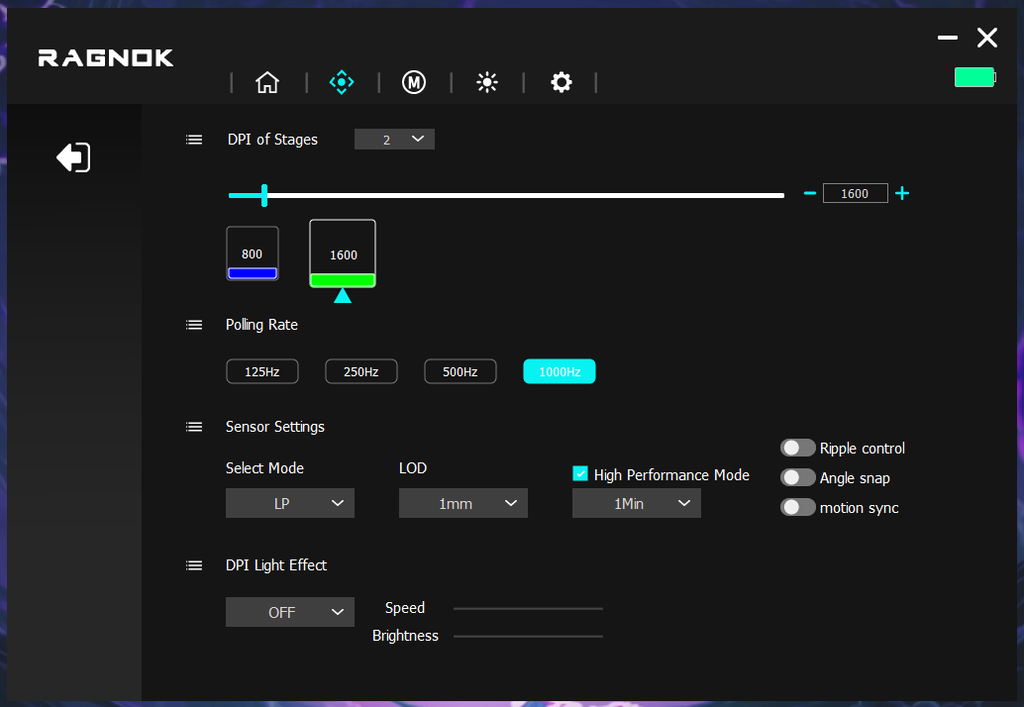
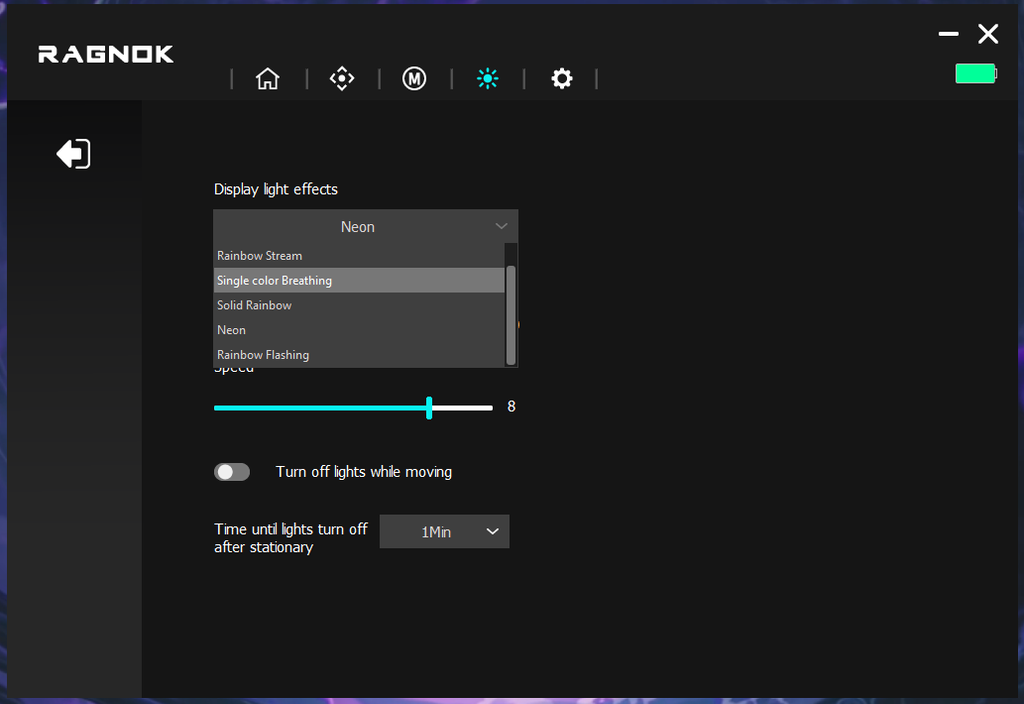
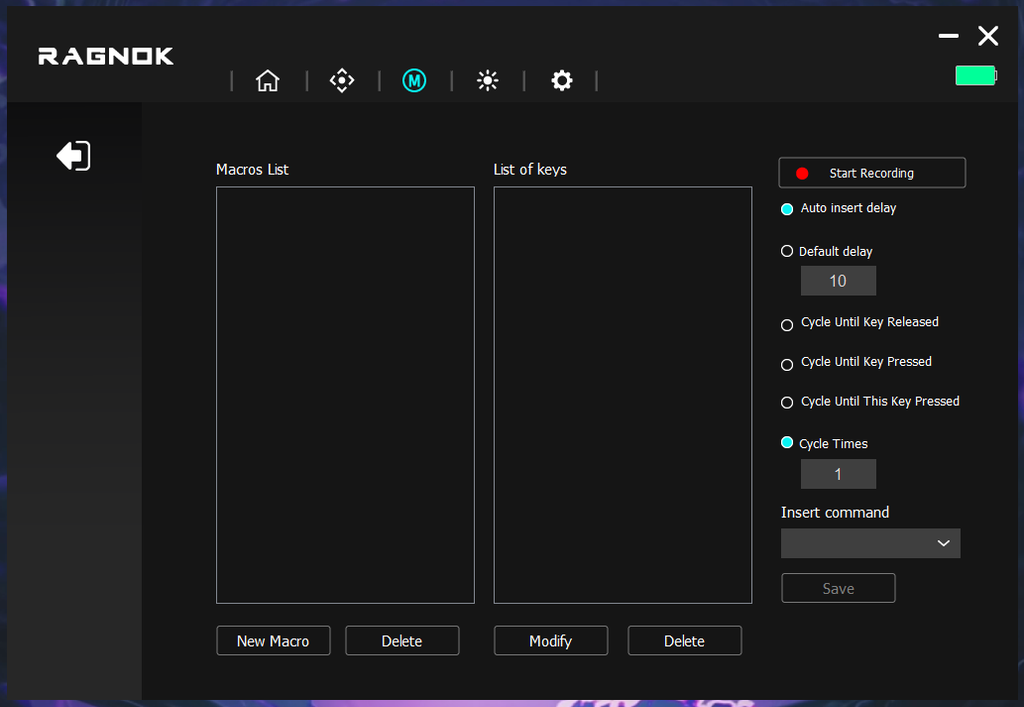
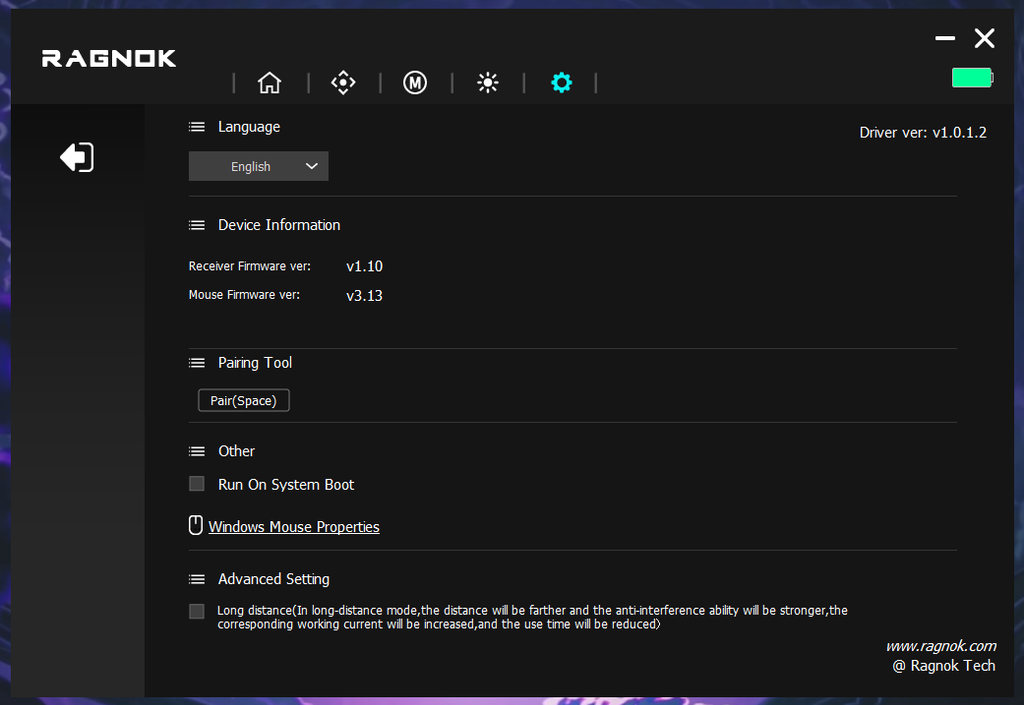
What you don’t seem to get are advanced settings like lift-off distance or surface calibration. I would also have preferred to see this as a web driver than an app to download.
A quick word on the fire button, rapid or burst fire, and macros: in online multiplayer, features like these can break a game’s rules or trigger anti-cheat, so check before using them in ranked or competitive play.
Is this Product for you?
Pros
This product makes sense for:
- Fans of single-player and story-driven shooters who want to feel a new style of immersive gameplay
- People curious about vertical mice who want something with personality
- Collectors and Enjoyers of unusual gaming gear – it’s a great piece to showcase amongst friends
Cons
You should probably skip it if you:
- Want to use this to play competitive shooters seriously
- Are left-handed, since it’s right-handed only
- Have hands outside the 16-21cm palm size (adjust this measurement to 1cm higher if you have chubbier hands)
- Game in quiet shared spaces, where the recoil noise may be a problem
- Want a lightweight mouse
Conclusion
The Ragnok ErgoStrike7 is a fun piece of tech. It’s not going to give you a competitive edge, but it doesn’t aim to do that either. It’s a refreshing, fun, immersive way to play your favourite games. There are some shortcomings though – the recoil could have been stronger, the battery life could have been longer, and there could have been more customization options.
But at the end of the day, the ErgoStrike7 is unlike any other mouse I’ve used. And I can recommend it for you as well if it sounds appealing to you after reading this review and keeping the drawbacks in mind.

Hello! 🥰 I'm Fang.
I like gaming and related tech. I enjoy learning more, and sharing my experiences through my review videos and blog posts. Have fun! 💖