


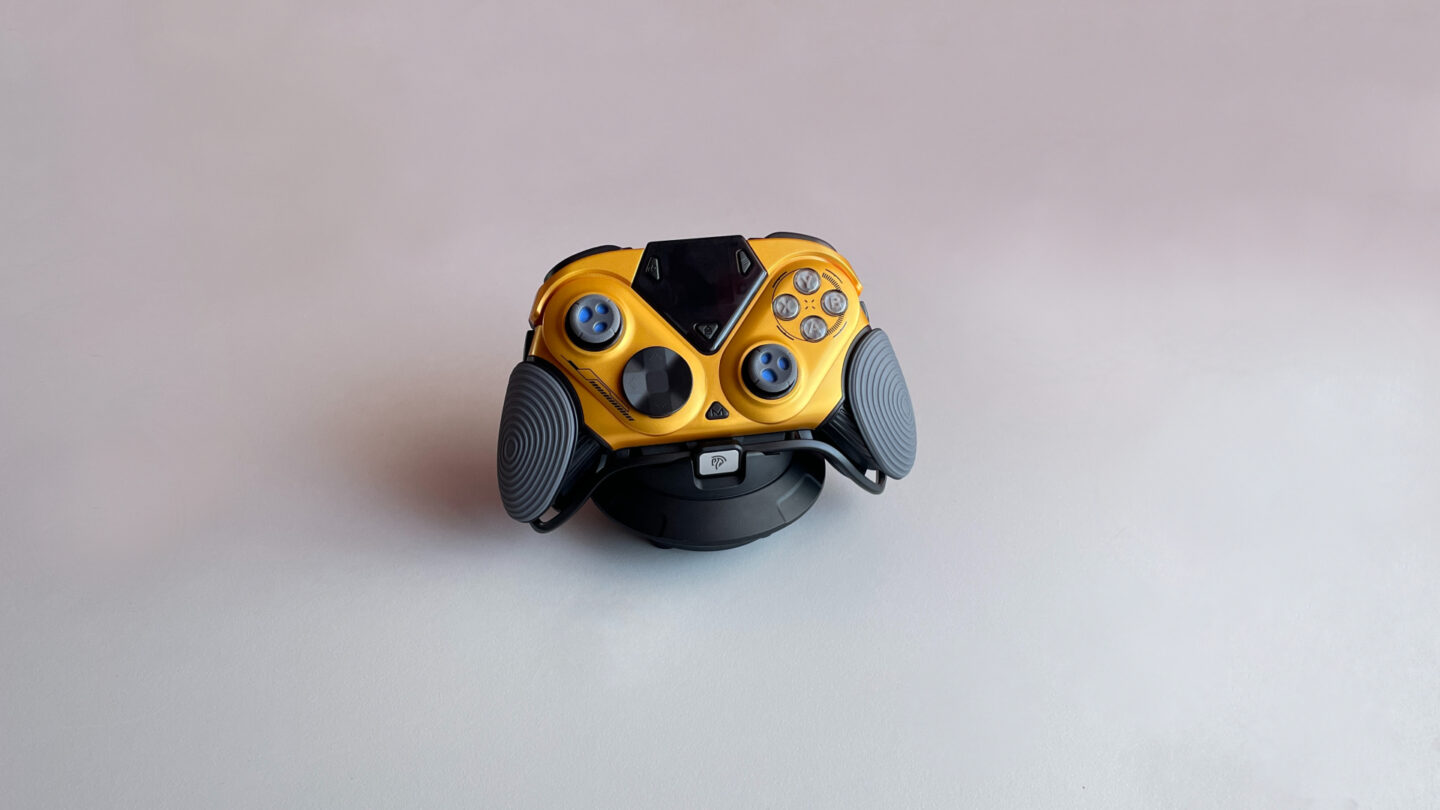
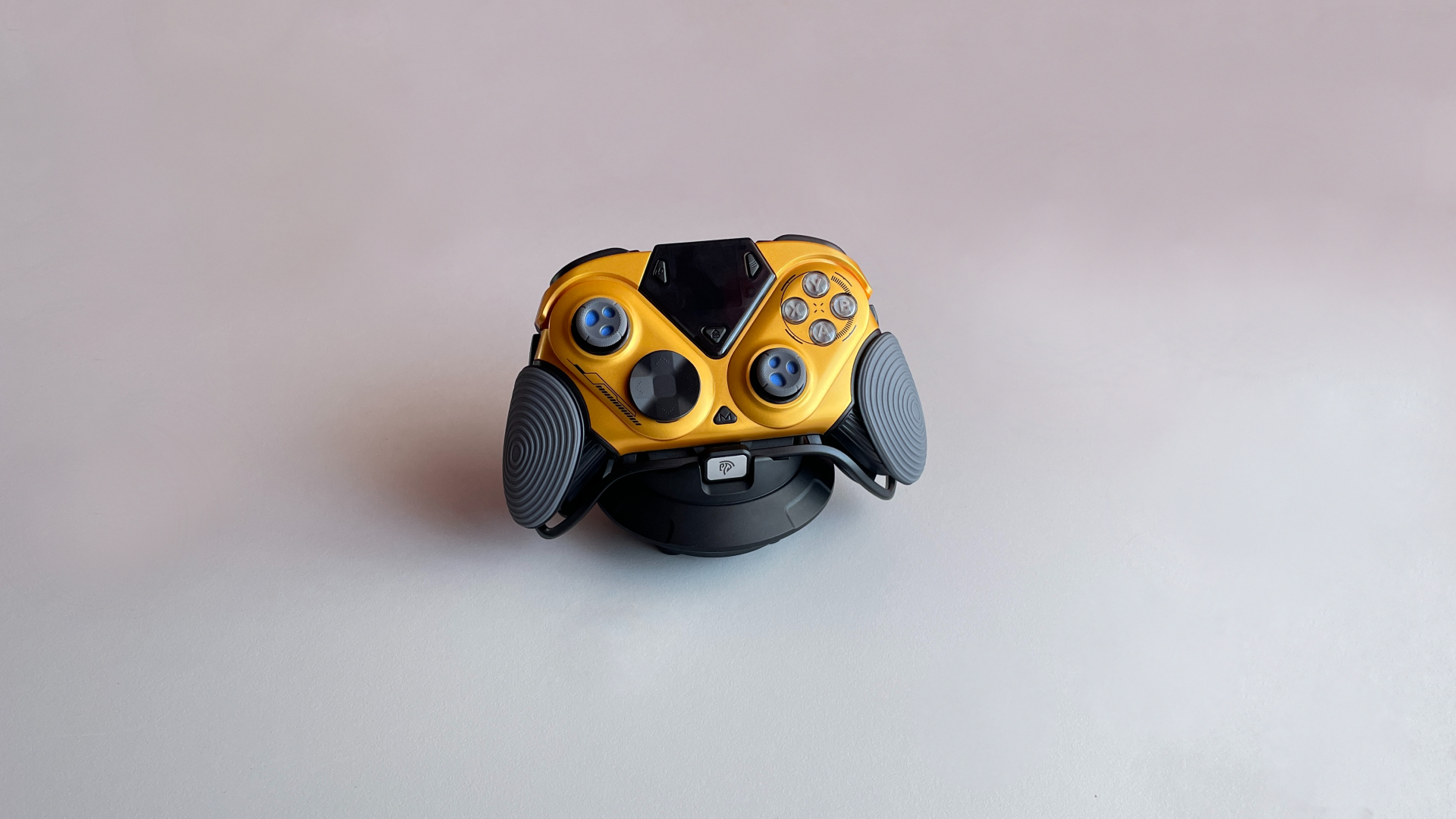

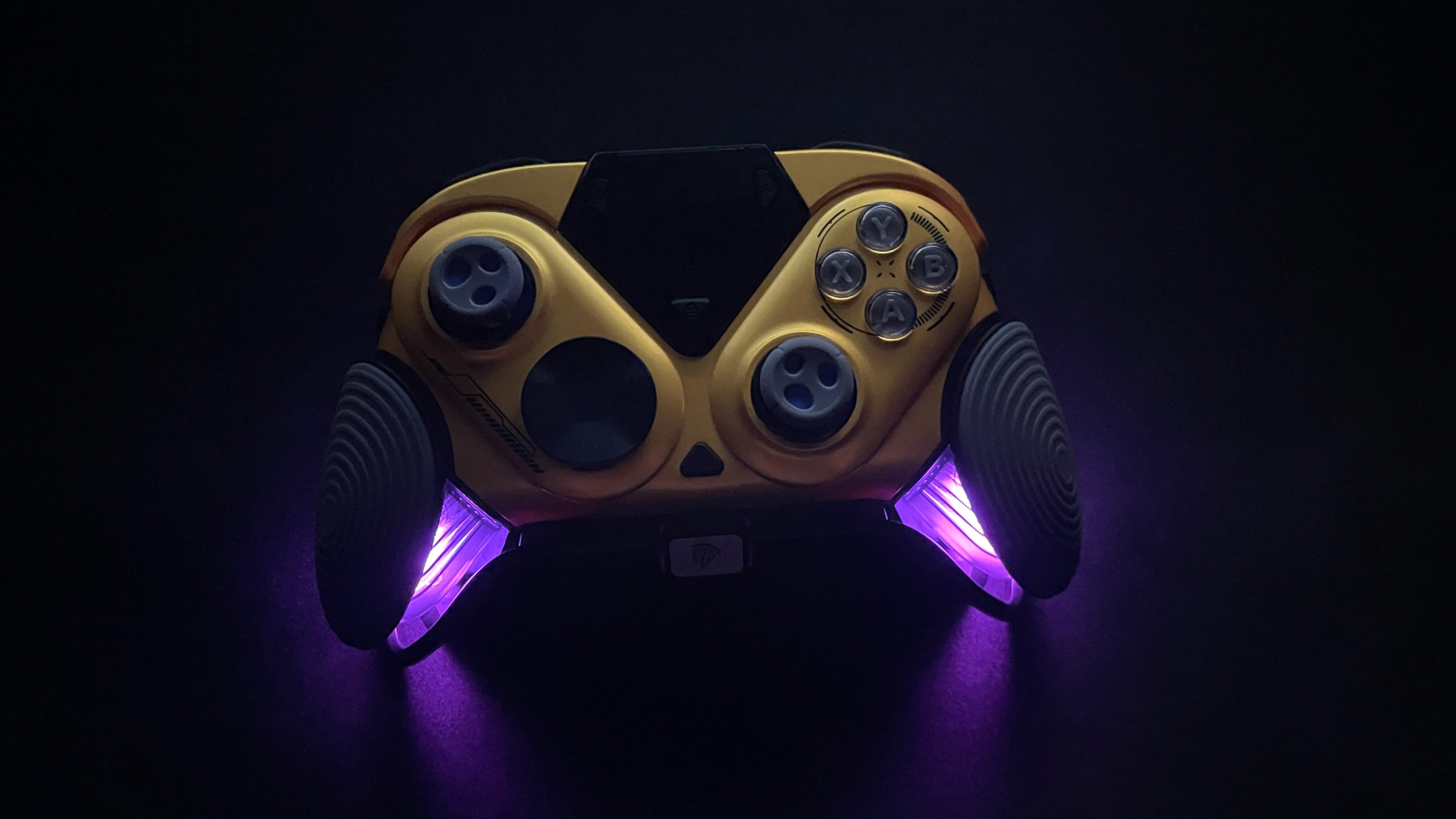
Today, I am taking a look at something very unusual: the EasySMX Dune 8K. Every time I look at it, I get the impression that it has landed on my desk straight from outer space. EasySMX clearly wanted its new flagship to look different, and the company did not hold back. The bright, futuristic design gives the Dune 8K a personality of its own, making it hard to confuse with anything else on the market.
The feature set is just as ambitious. The Dune 8K has a built-in display that fits the futuristic theme perfectly, and its 8,000 Hz polling rate makes it clear that EasySMX is aiming for serious performance, not just unusual looks. There is plenty more to cover, but none of it matters much if the controller itself is not enjoyable to use. So, let’s see how the Dune 8K feels and performs during gameplay and whether those extras are actually useful.
Unboxing: What’s Inside?
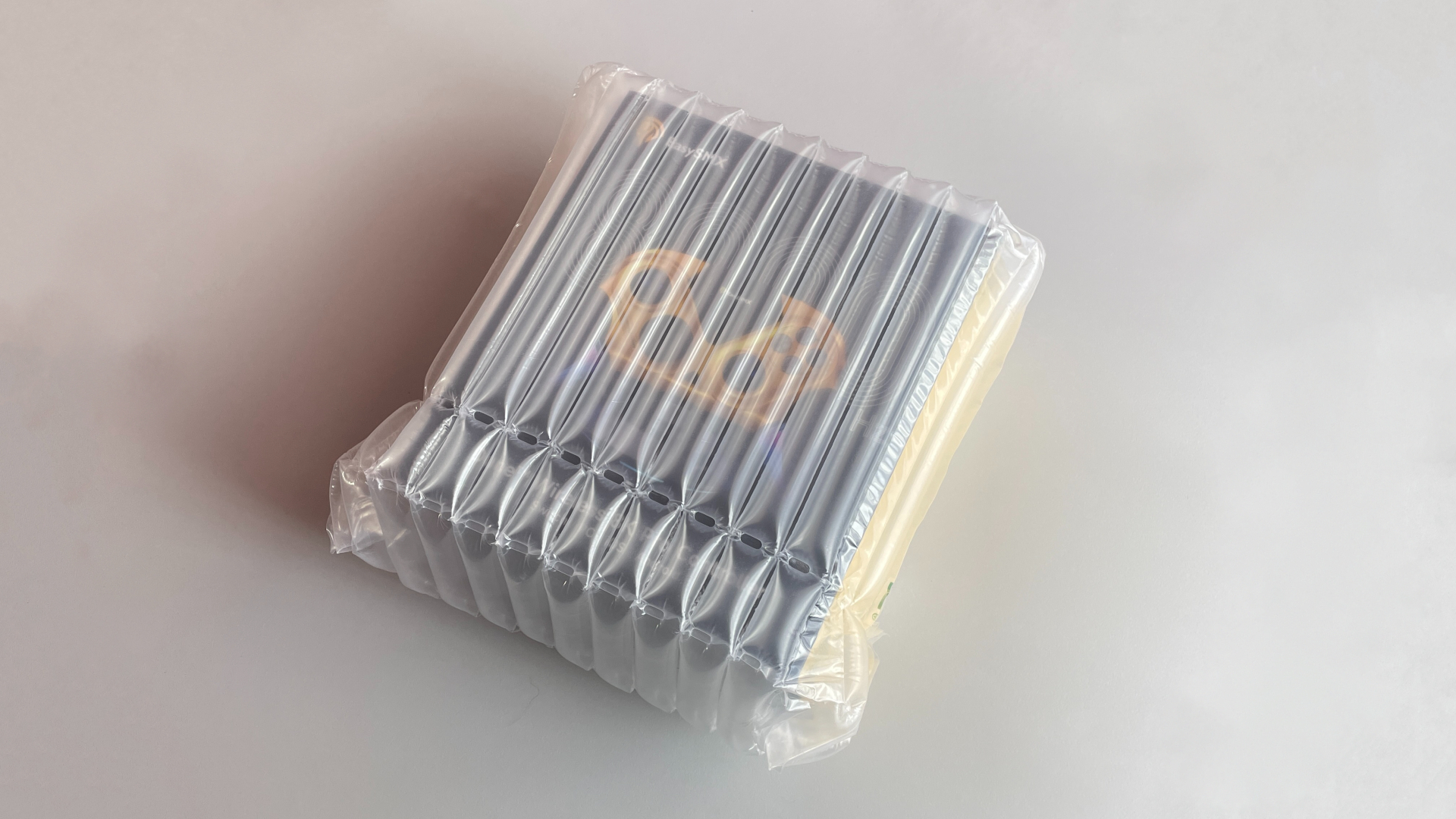
Before I even get to the controller box itself, I want to give EasySMX some credit for how well the Dune 8K is protected during shipping. The retail box comes enclosed in an inflatable air-column sleeve, with rows of air-filled chambers surrounding it on every side to protect it from impacts and prevent its corners from being crushed during transit. This is probably one of the best-protected packages I have received.
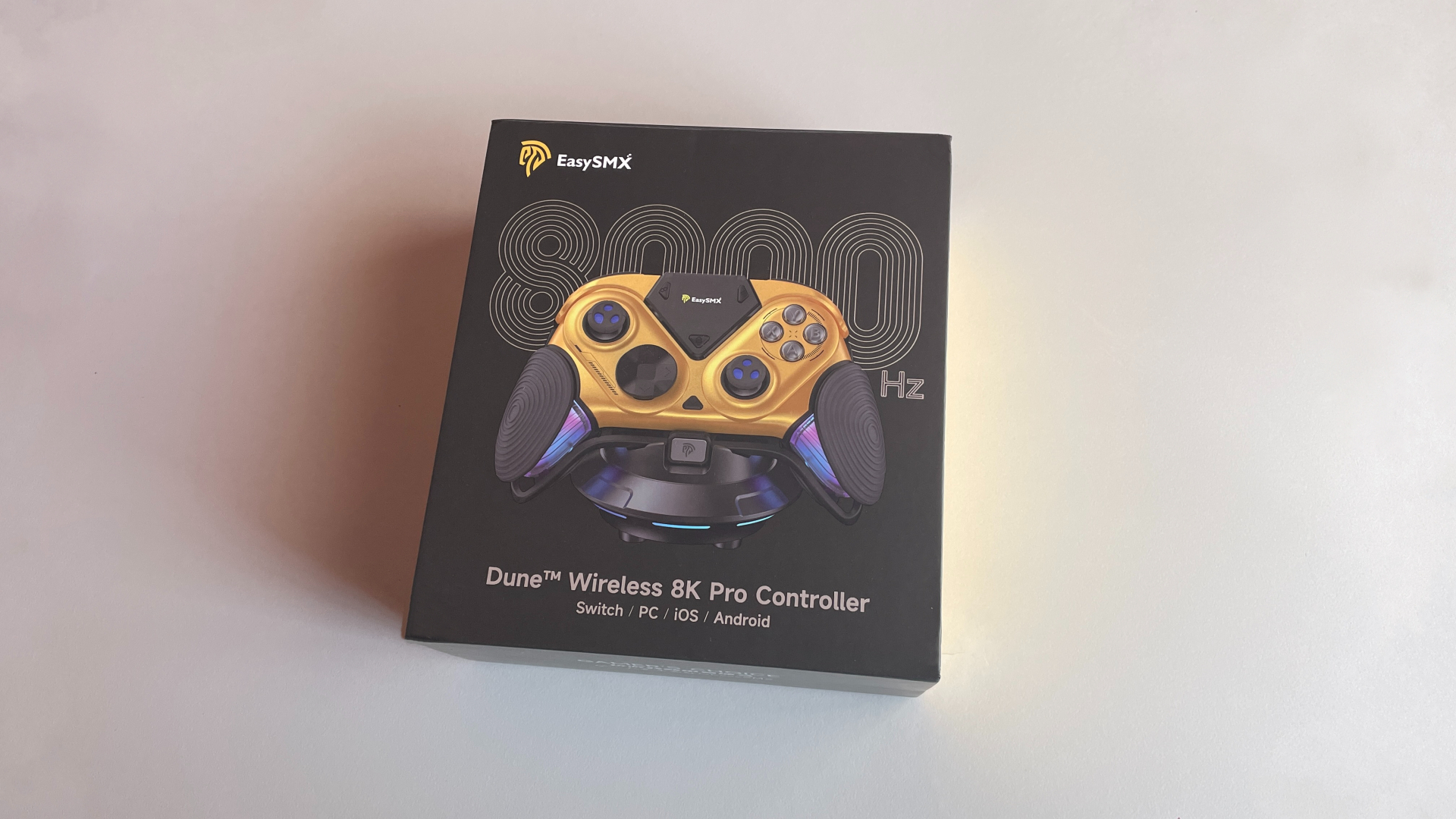
The controller itself comes in a fairly large box made from thick, rigid cardboard, with magnets holding the lid securely closed.
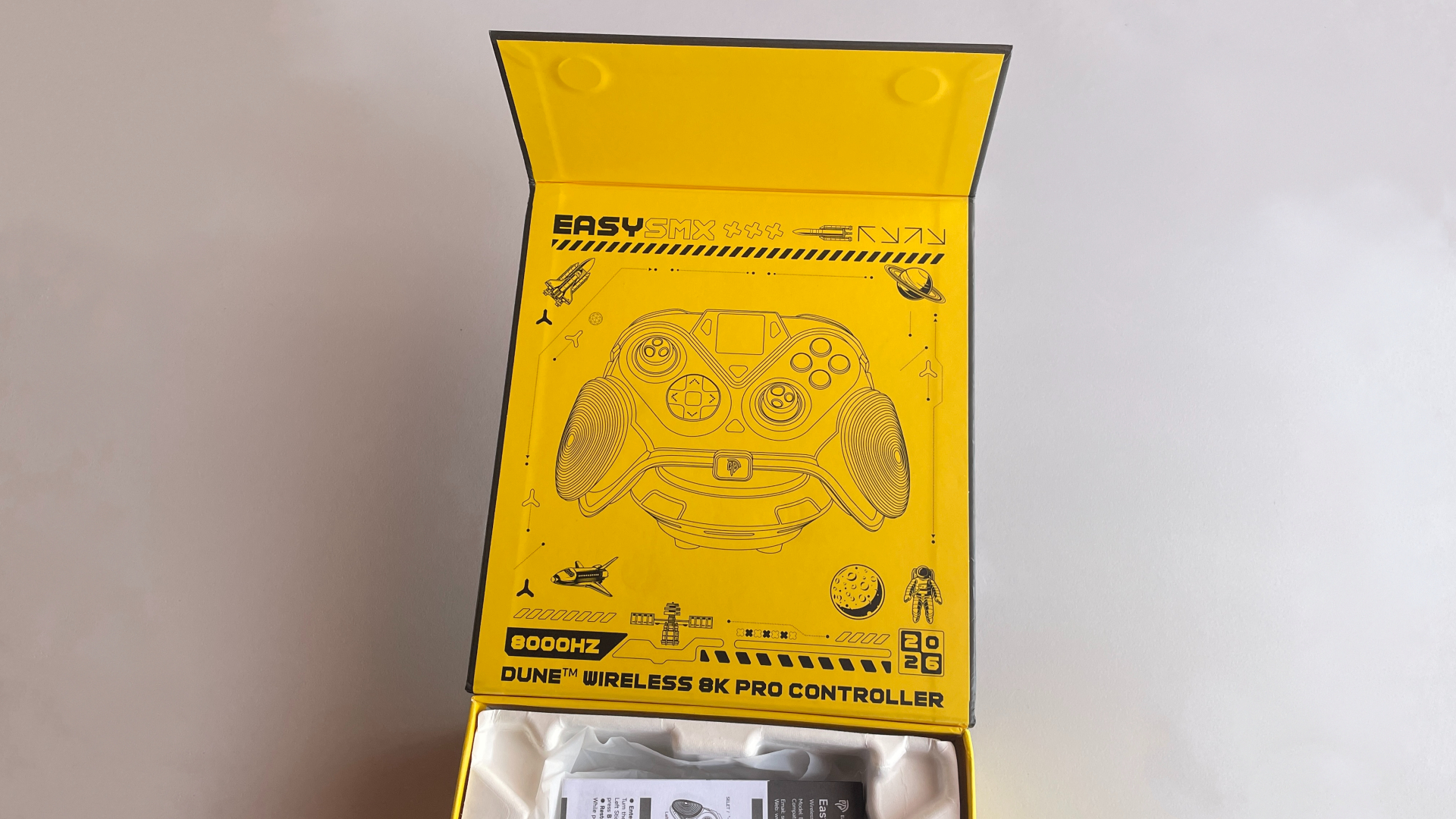
Opening it reveals a large illustration on the inside of the lid, featuring the Dune 8K surrounded by various stylized space-themed elements. EasySMX did a great job with the presentation here. This is exactly the kind of detail that makes a great first impression.
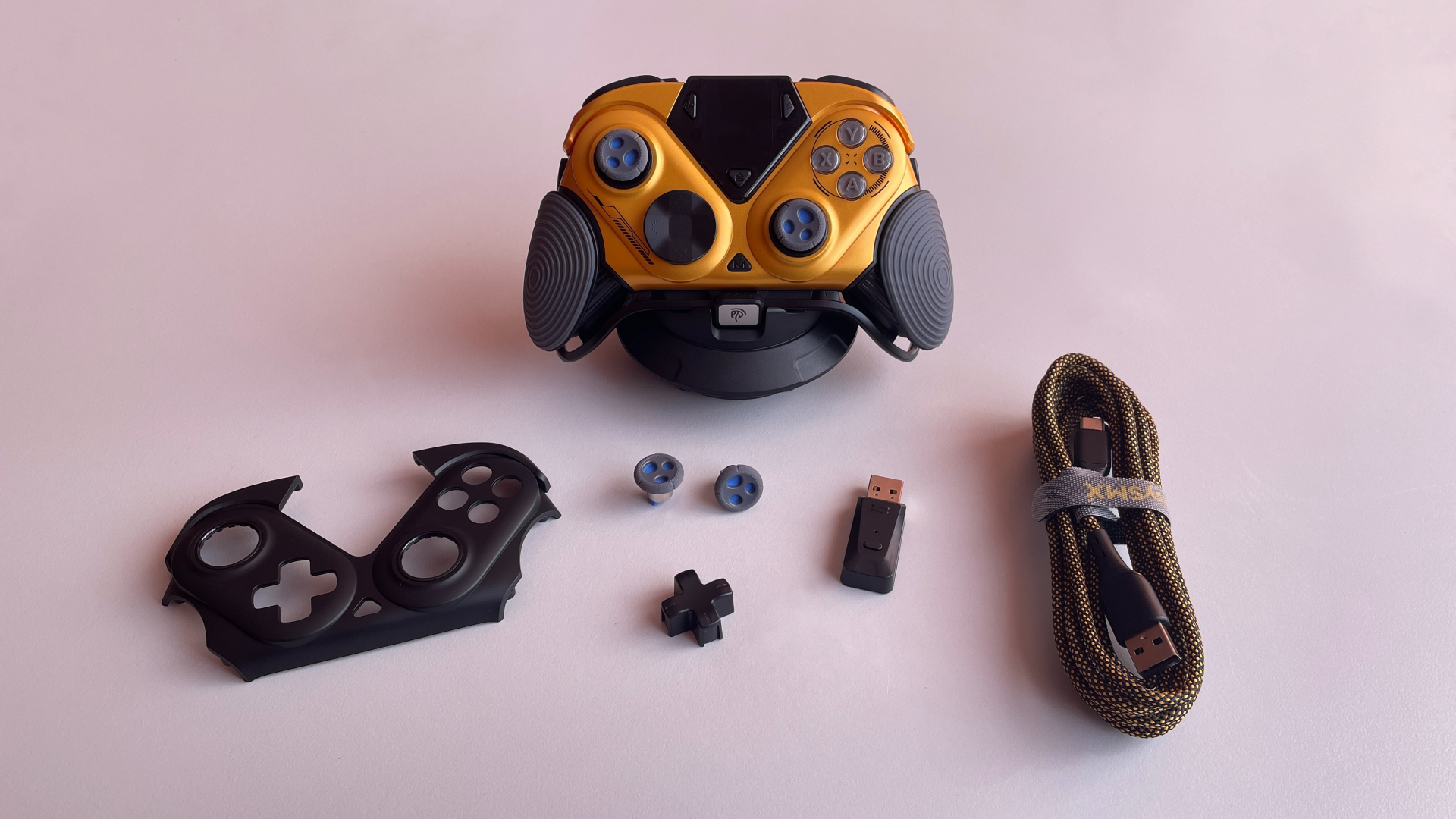
Inside the box, you’ll find:
- Dune 8K Controller
- Charging Dock
- 2.4 GHz Wireless Dongle
- Extra Faceplate
- Additional Cross-Style D-Pad Cap
- Additional Pair of Taller Thumbsticks
- Braided USB-C to USB-A Cable
- Manual
Overall, the accessory bundle is quite generous and includes a few welcome extras. More importantly, everything in the box feels well made, right down to the smaller accessories that are easy to overlook.
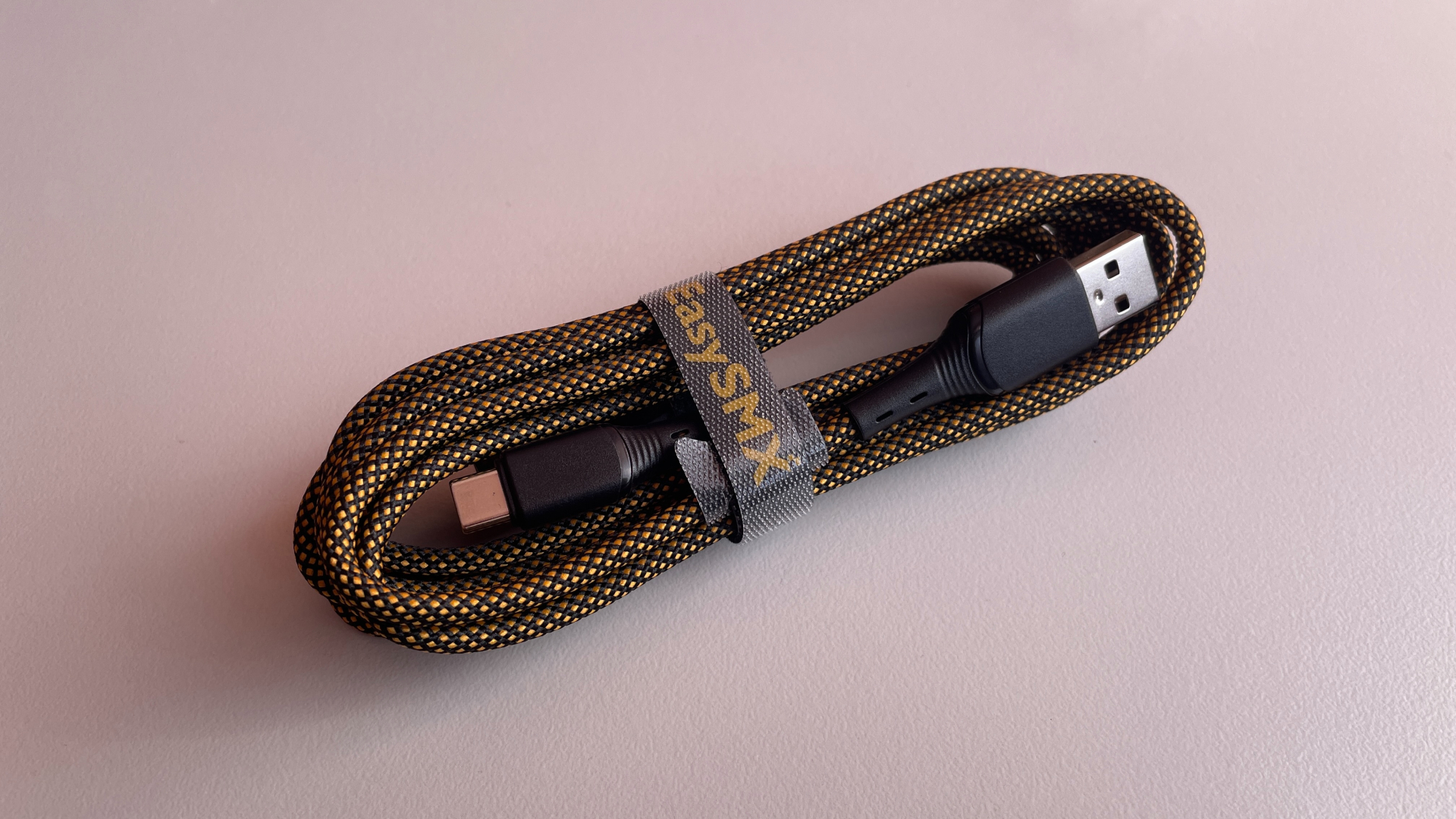
The included cable is excellent. The gold-and-black braiding looks great and suits the controller’s design nicely. At around 2.4 meters long, it seems meant for more than just connecting the charging dock. It is long enough to use the Dune 8K comfortably in wired mode, and it supports the controller’s full 8,000 Hz polling rate.
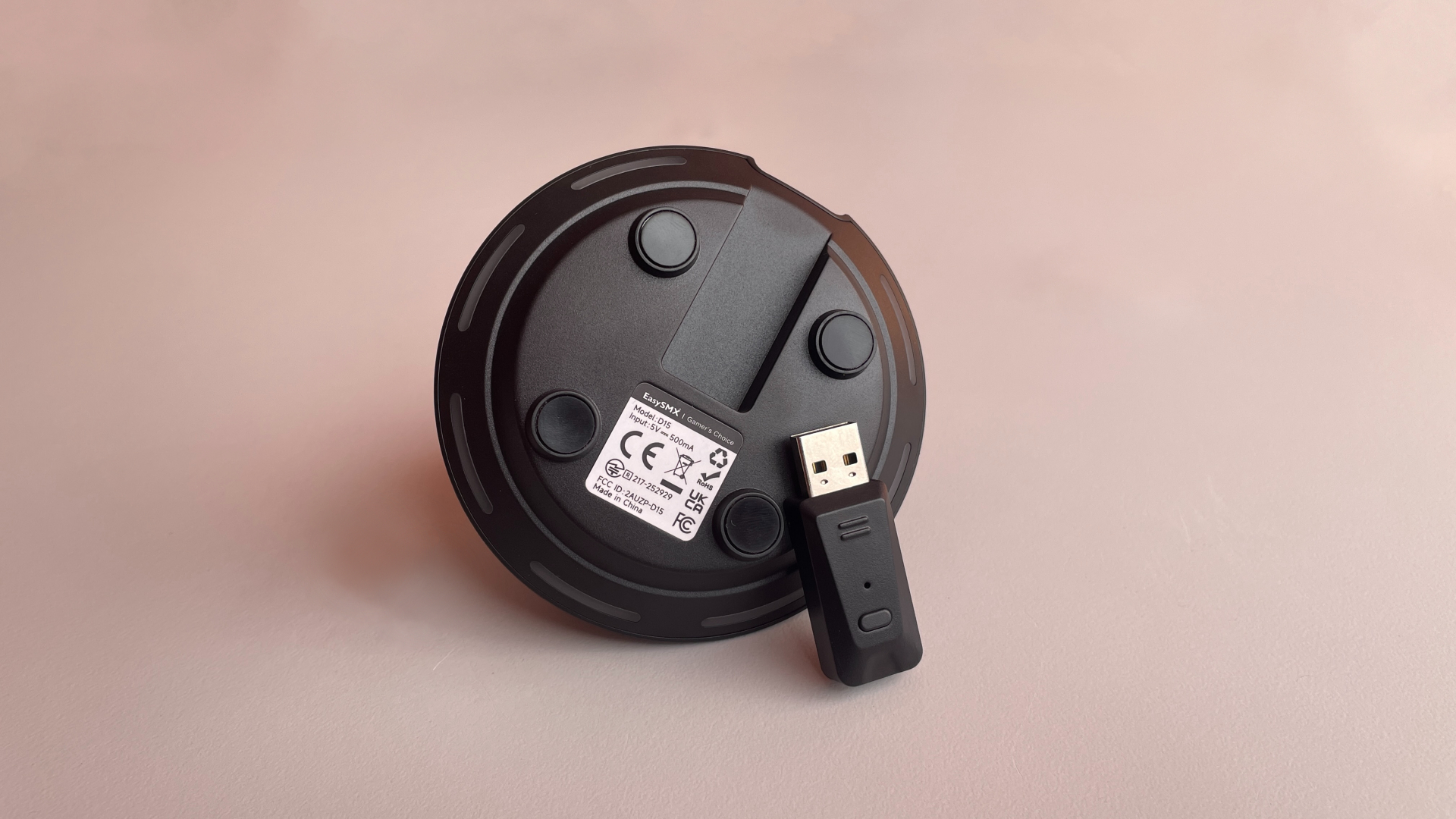
Even the wireless dongle feels well thought out. It has an LED that shows the connection status and a dedicated pairing button (it’s a tactile microswitch. In a dongle. Not bad at all). One side also has a ridged section that makes the dongle much easier to remove from the charging dock.
The real highlight of the accessory bundle, however, is the charging dock. It is shaped like a classic flying saucer from a sci-fi movie. When the controller is placed on top, the dock lights up, making it look like a miniature UFO has landed on the desk. This is easily the most unusual charging dock I have seen bundled with a controller so far.
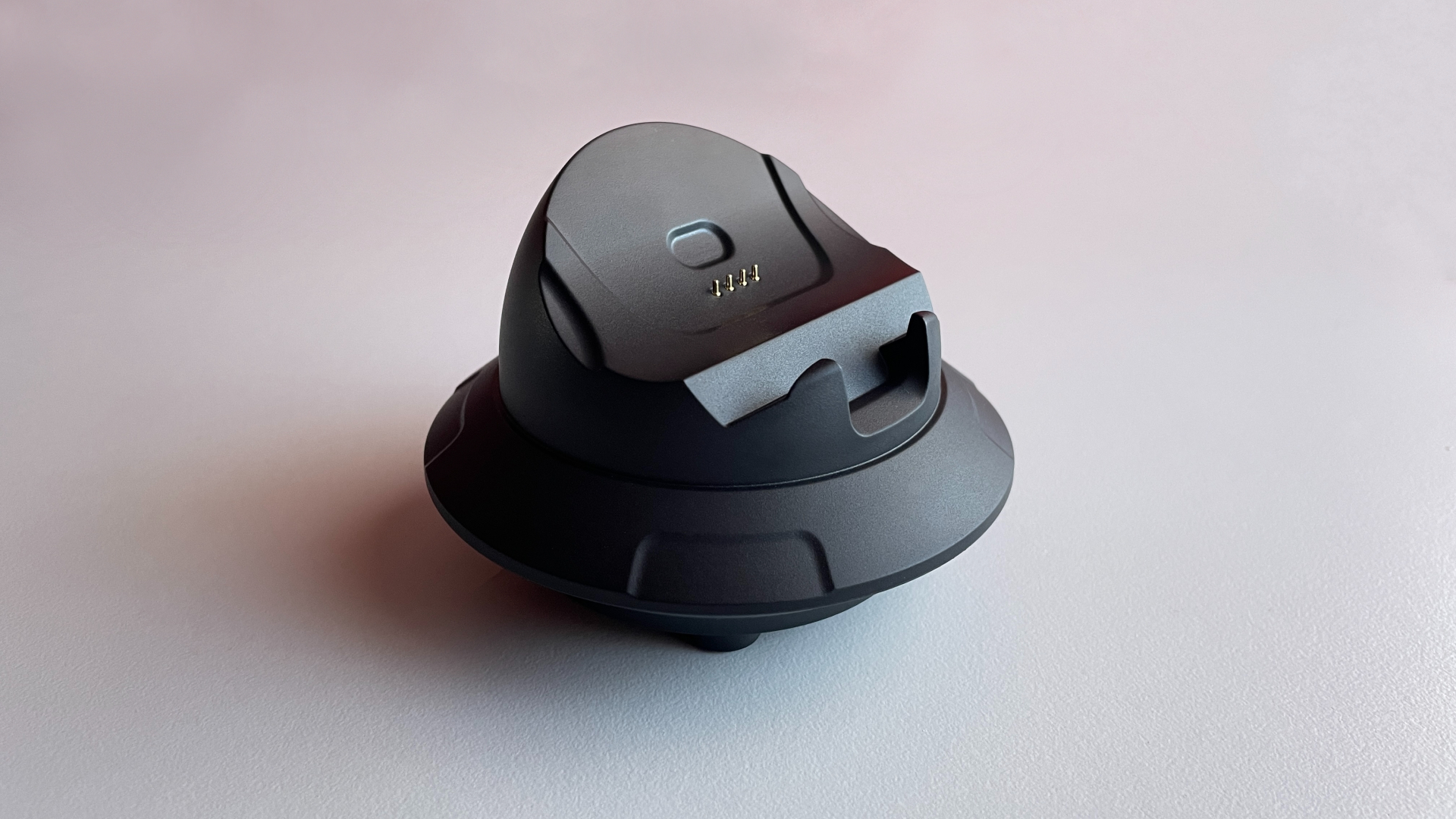
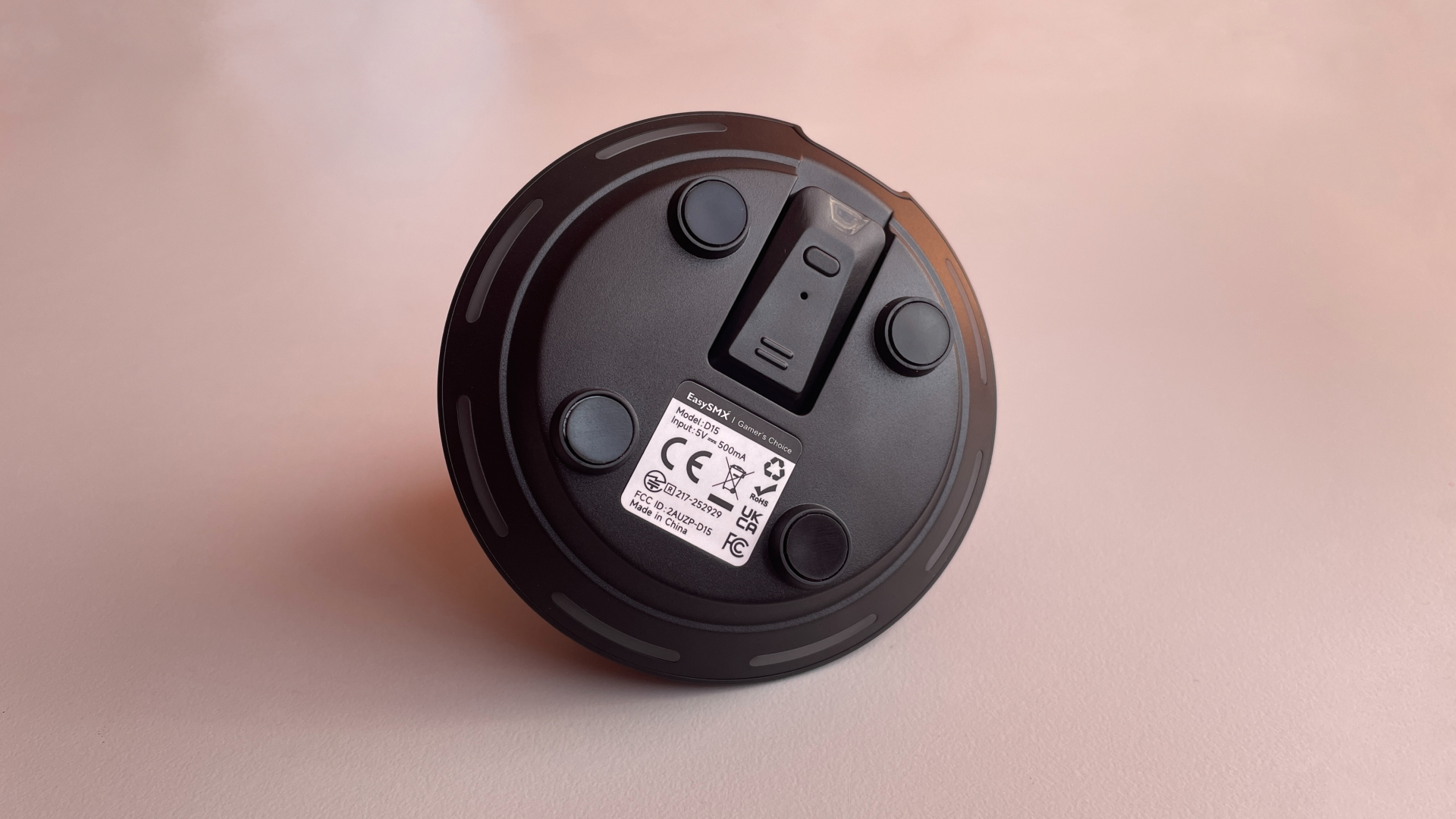
The dock is fairly heavy and stays firmly planted on the desk. The 2.4 GHz dongle plugs into a recessed compartment on the underside and sits completely flush, so nothing sticks out from the dock. Positioning the controller on the dock is straightforward.
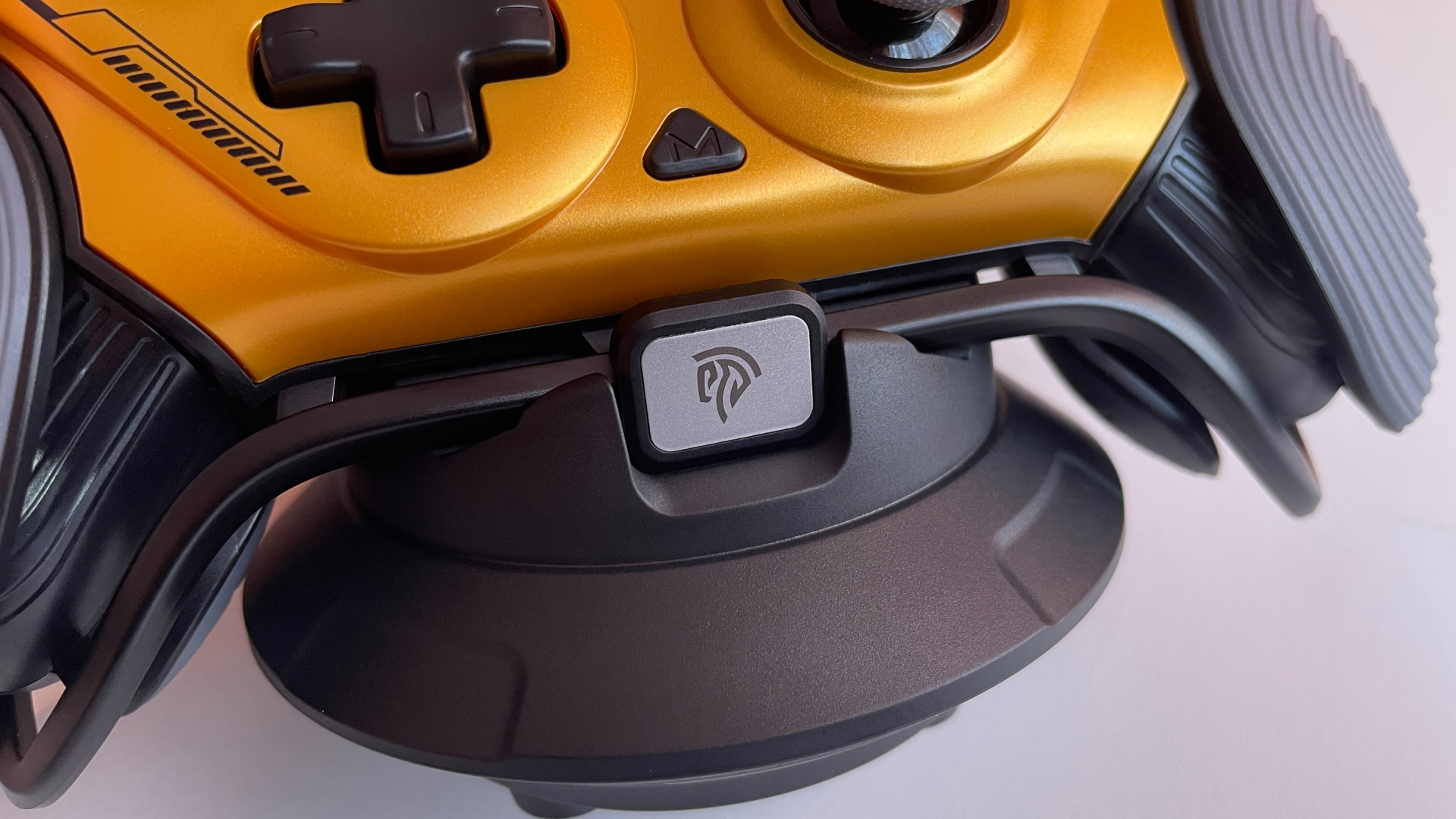
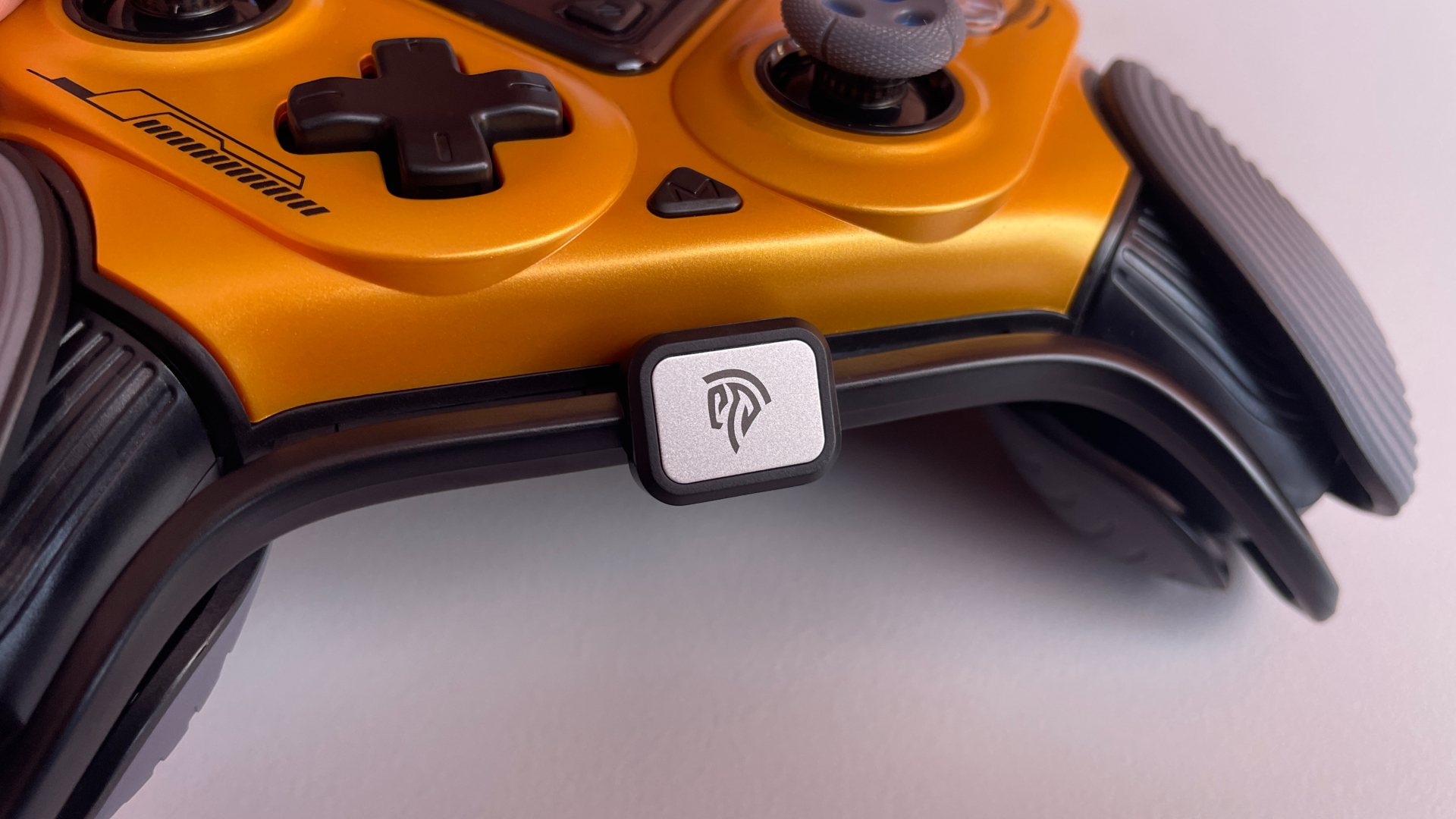
The controller’s logo badge slots into a matching cutout in the dock, guiding the controller into the correct position. A magnet then pulls the controller into place and keeps it securely seated without slipping or losing contact with the charging pins.
The dock also supports Smart Sleep/Wake-Up, meaning placing the controller on it automatically switches it off and starts charging. Once removed, the controller powers back on and reconnects automatically. No additional action is required, which makes the dock even more convenient.
A Closer Look
The first thing you notice when taking the Dune 8K out of the box is, of course, its otherworldly design. This is one of those controllers that simply cannot be mistaken for anything else. It leans heavily into that bio-organic sci-fi aesthetic, and much of it comes from the grips. They look unlike anything I have seen on another controller, giving the Dune 8K an almost alien appearance.
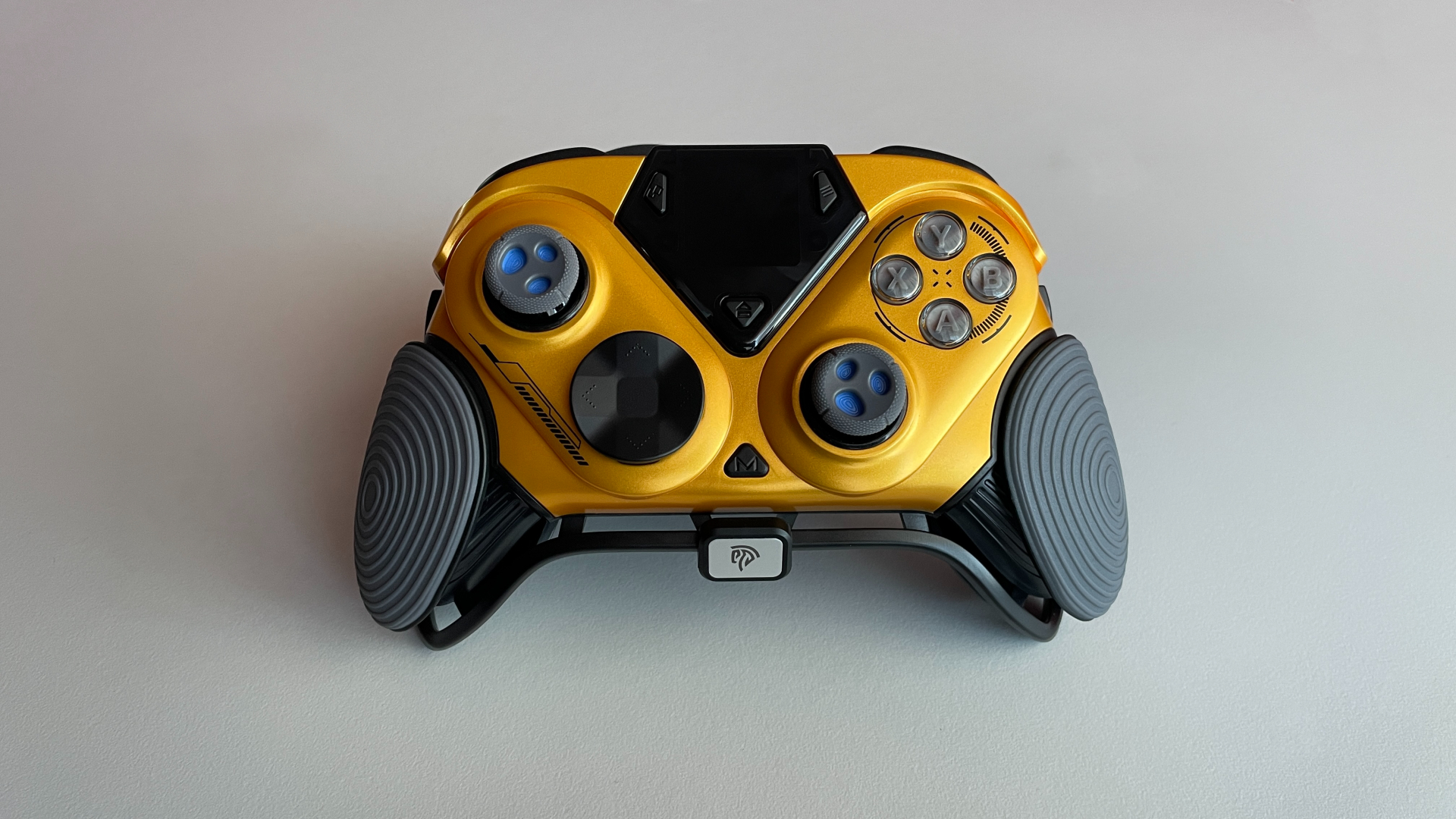
Rather than extending from the main body as one solid piece, each grip is visually divided into broad front and rear sections, with a gap between them creating a floating effect. A black bar runs from one grip to the other, passing through these gaps and curving around the bottom of the controller. The way it wraps around the body makes it resemble a protective frame, although it is purely decorative. Personally, I think it would be pretty cool if the bar were made of metal, even if that made the controller a little heavier. At the center of the bar is the metal EasySMX logo badge mentioned earlier. Unlike the bar itself, the badge also serves a practical purpose by helping guide the controller into the correct position on the charging dock.
Deeper inside each grip is a transparent section that lights up when RGB is enabled. The glow from within gives the grips an organic quality, as though something beneath the surface were alive. That impression becomes especially convincing in breathing mode, when the light slowly fades in and out like a pulse.
The thumbstick caps carry the same theme further, with irregular perforations across their surfaces giving them a distinctly bio-organic look. The built-in display at the top of the controller completes the picture by adding a contrasting high-tech element. All of these design elements make the Dune 8K look like a fusion of a living organic structure and futuristic technology.
Of course, this kind of design will not be to everyone’s taste. Some will love it, while others will not. That part is entirely subjective. What is hard to deny, however, is how distinctive the controller looks. The Dune 8K certainly has a visual identity of its own.
The pre-installed metallic gold faceplate adds even more to the Dune 8K’s bold aesthetic. But for anyone who prefers something a little more restrained, the box also includes a matte-black faceplate with a soft-touch-style finish. Personally, I prefer the way the controller looks with the metallic gold faceplate. If the design is going to be bold, it should be bold all the way. Still, it is good to have the option to tone things down.
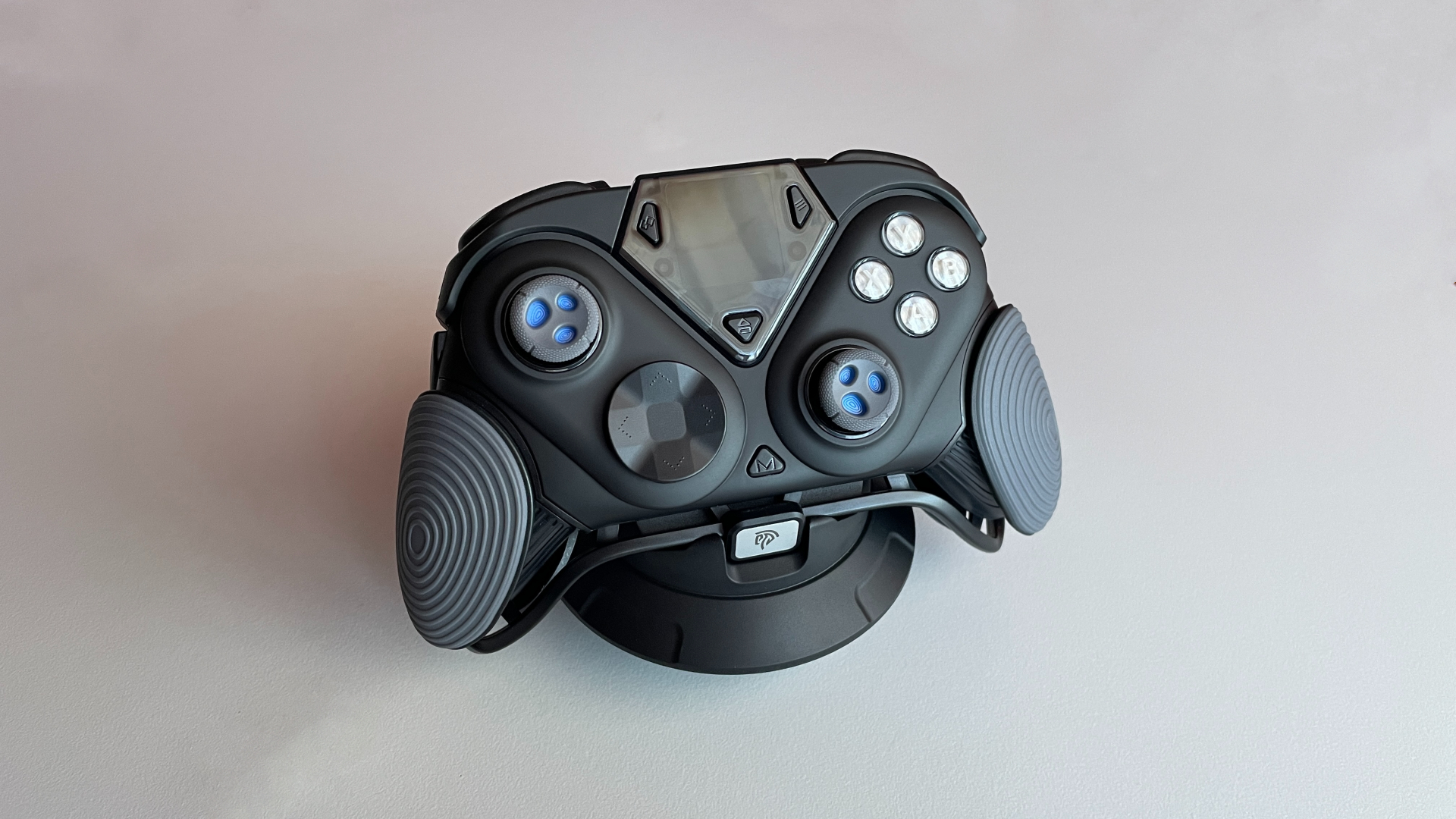
Seeing the Dune 8K for the first time, I had the same question I imagine most people will have: how does such an unusual design affect ergonomics? Is it actually comfortable to use? To my surprise, it feels perfectly comfortable in hand. Although the Dune 8K’s unusual construction makes its shape difficult to compare directly with that of other controllers, it feels very similar to an Xbox controller in hand. The Dune 8K does feel a little larger, though, making it a good fit for medium and large hands.
The grips themselves are comfortable to hold. Their material feels like something between rubber and plastic. It is quite grippy, but not as soft as regular rubber. The patterns across their surfaces – concentric circles on the front sections and a striped texture on the rear sections – add even more traction.
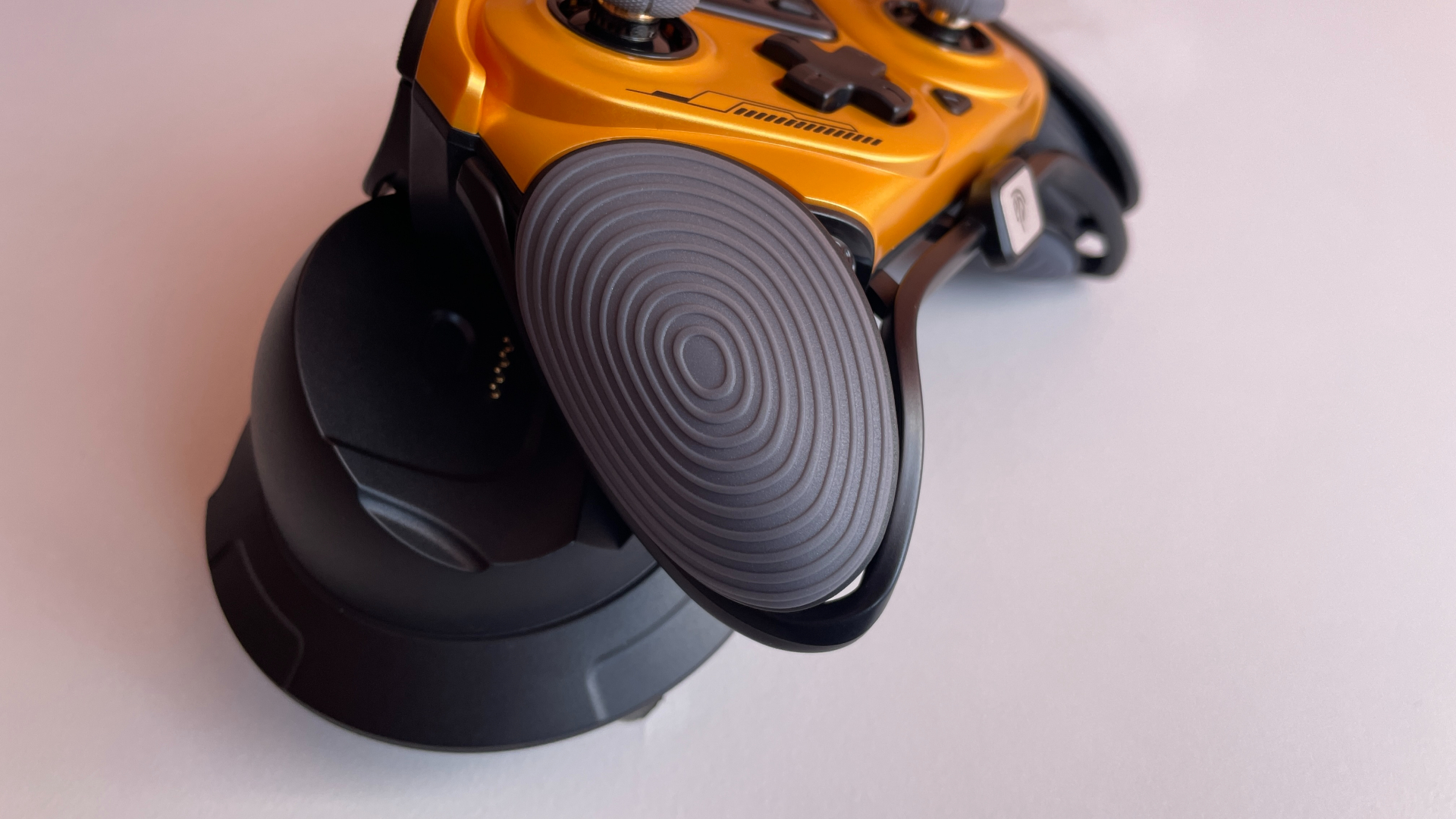
Rubberized grips are often found on more expensive controllers, but I have never been a fan of them. Rubberized surfaces do not always age well, particularly with regular exposure to sweat, and can eventually deteriorate or peel. Of course, plenty of players prefer them precisely because of the extra traction, so it ultimately comes down to personal preference.
EasySMX seems to have aimed for a middle ground here. The material is still noticeably grippier than standard textured plastic, but its firmer feel suggests it should hold up much better over time. For me, that is a sensible compromise – and I say that as someone who normally dislikes rubberized grips.
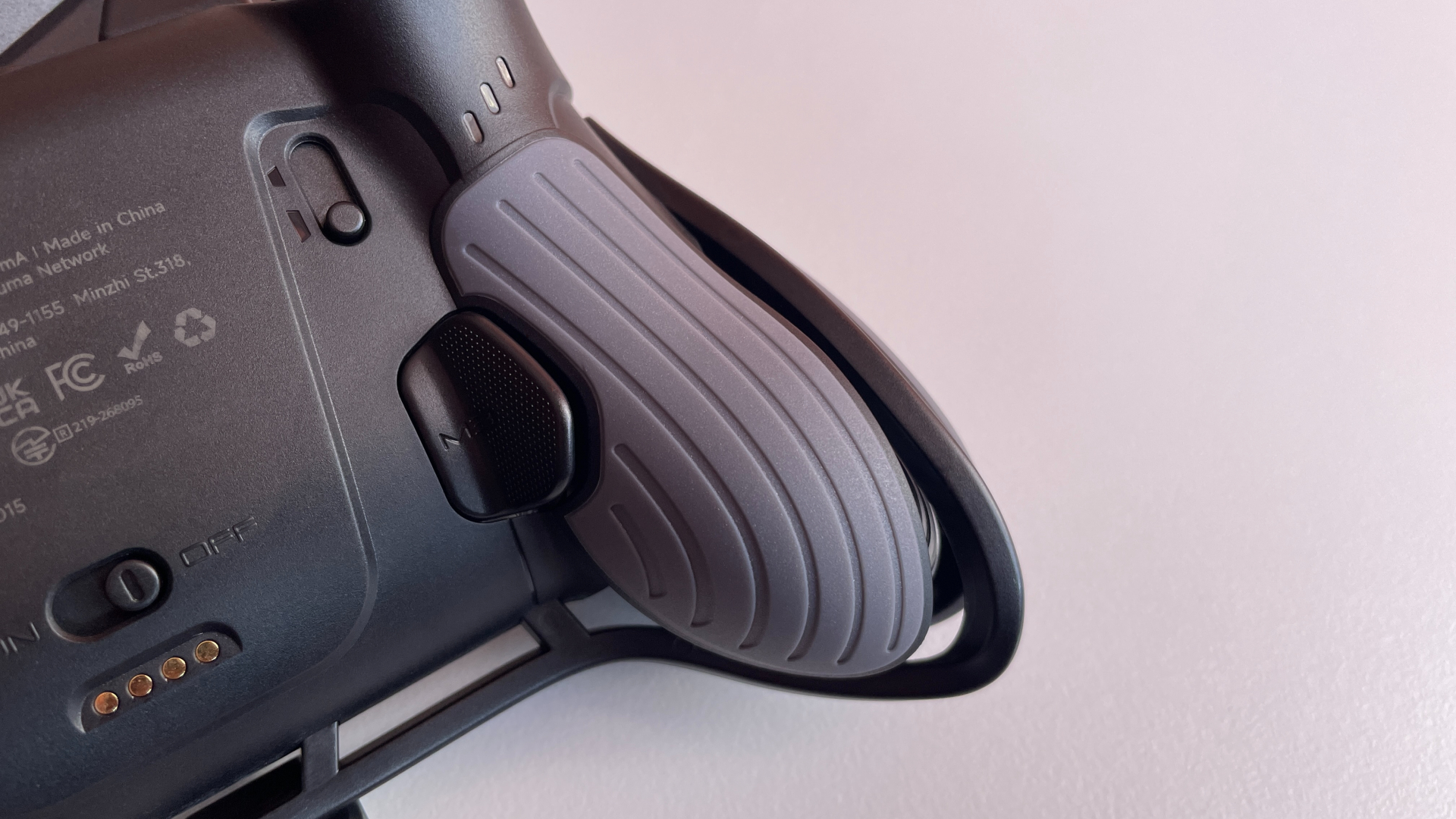
The open gaps in the grips and the bar running through them, neither has any negative effect on comfort for me. I can physically feel the unusual construction against my palms when I first pick up the controller, but it feels unfamiliar rather than uncomfortable. After a few minutes, my hands adjust and I stop noticing it altogether. If anything, the open design even has a practical upside: it allows air to circulate through the grips, helping keep my palms cooler and less sweaty during longer sessions.
As for the build quality, the Dune 8K leaves little to complain about. There is no creaking or flex when I squeeze the grips, and nothing rattles inside when I give the controller a shake. The faceplates fit snugly, with the magnets holding them firmly in place. The plastic bar mentioned earlier is the only part I would treat with a little extra care. It does not feel particularly fragile, but it does flex slightly when pressed with moderate force. I would avoid putting too much pressure on it or dropping the controller directly onto the bar.
Analog Sticks
The Dune 8K comes with GuliKit TMR sticks and a 12-bit ADC, providing up to 4,096 steps of resolution. TMR technology has an important long-term advantage: its contactless sensing makes the sticks resistant to the wear-related drift that can develop in traditional potentiometer sticks over time.
Those sticks turned out to be surprisingly good. At around 50 g, their tension sits slightly below what I would consider medium, but I would not describe them as particularly light. They feel effortless to use, yet still offer enough resistance for precise control. For me, that is an excellent balance, and the sticks are genuinely pleasant to use. They feel smooth, precise and very responsive, especially when making small adjustments.
What impressed me most, though, was the centering. It is practically flawless and possibly the best I have seen on any controller recently. With the inner dead zones set to 0, there’s little to no drift around the center. At the same time, 0 actually means 0: there is no physical dead zone, so even the smallest movement registers immediately. This level of stability is even more impressive because the controller is not relying on a physical dead zone to hide poor centering, as some controllers do.
The Dune 8K can switch between circular and square stick output shapes. In a circularity test, I measured an average error of 0.1% in circular mode and 10.2% in square mode.
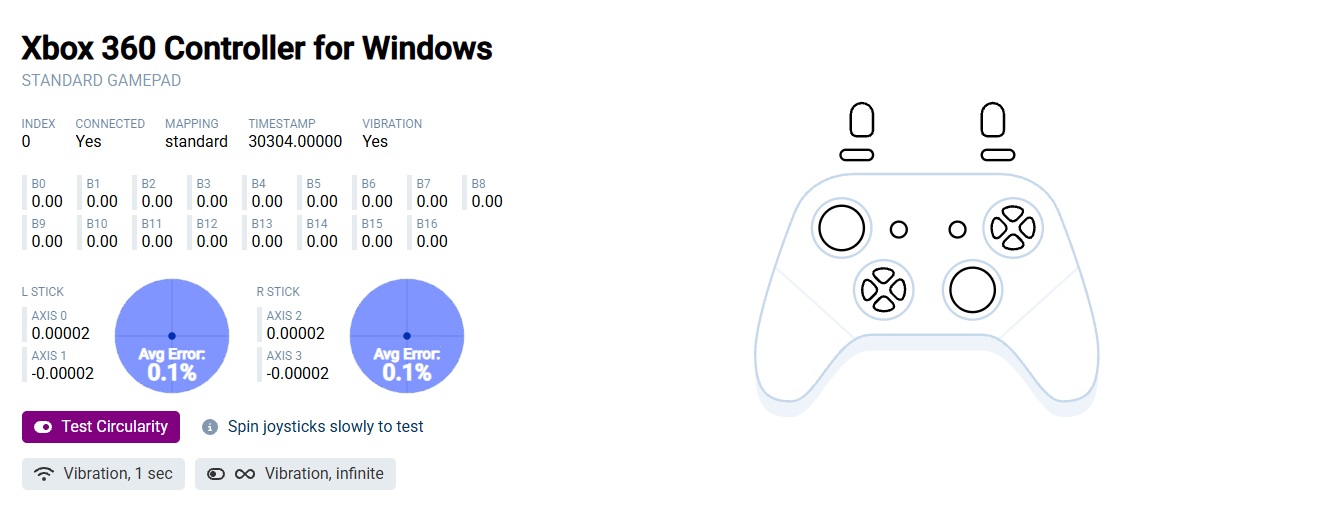
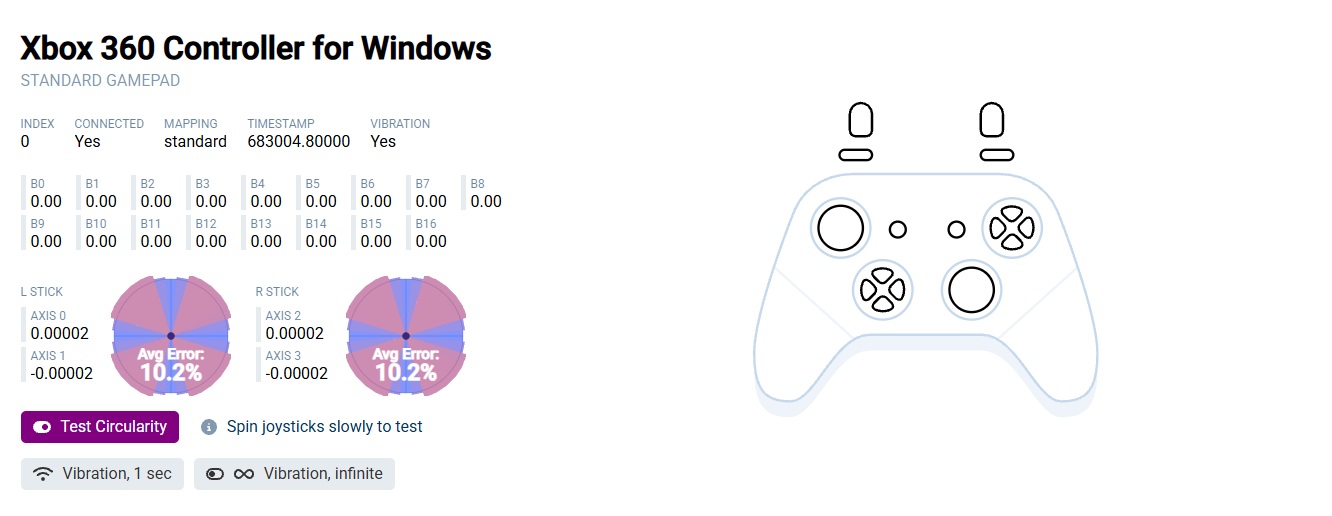
Throughout my time with the controller, I have had no trouble with the sticks – no visible jitter, no axis snapping, and no other odd behavior.
The LS and RS clicks are relatively light as well, though I would not call them exceptionally light. Each press produces a muted sound and pleasant, clearly defined tactile feedback.
The thumbstick shafts are fitted with metal rings that run against anti-friction POM rings surrounding the sticks. This combination makes circular movements feel very smooth, with no grinding against the outer edge. The reduced friction should also help minimize wear over time.
The thumbsticks are removable, and the included pair of taller replacements is a welcome bonus, especially for players who enjoy shooters, since the added height gives the thumb a wider arc of movement and makes fine aiming adjustments easier.
What surprised me, however, was the material used for the thumbstick caps. Although thumbstick caps are usually made from soft rubber, these feel like plastic – or perhaps they are made from some kind of firm rubber that I cannot distinguish from plastic by touch. Despite that, they never felt slippery to me. I think this comes down to three things. First, the concave shape creates a shallow pocket where the tip of the thumb naturally settles. Second, the outer rim has an aggressive texture that provides plenty of grip. Finally, even the irregular holes in the middle do more than serve as a visual detail: their edges give the fingertip something extra to grip within the concave surface.
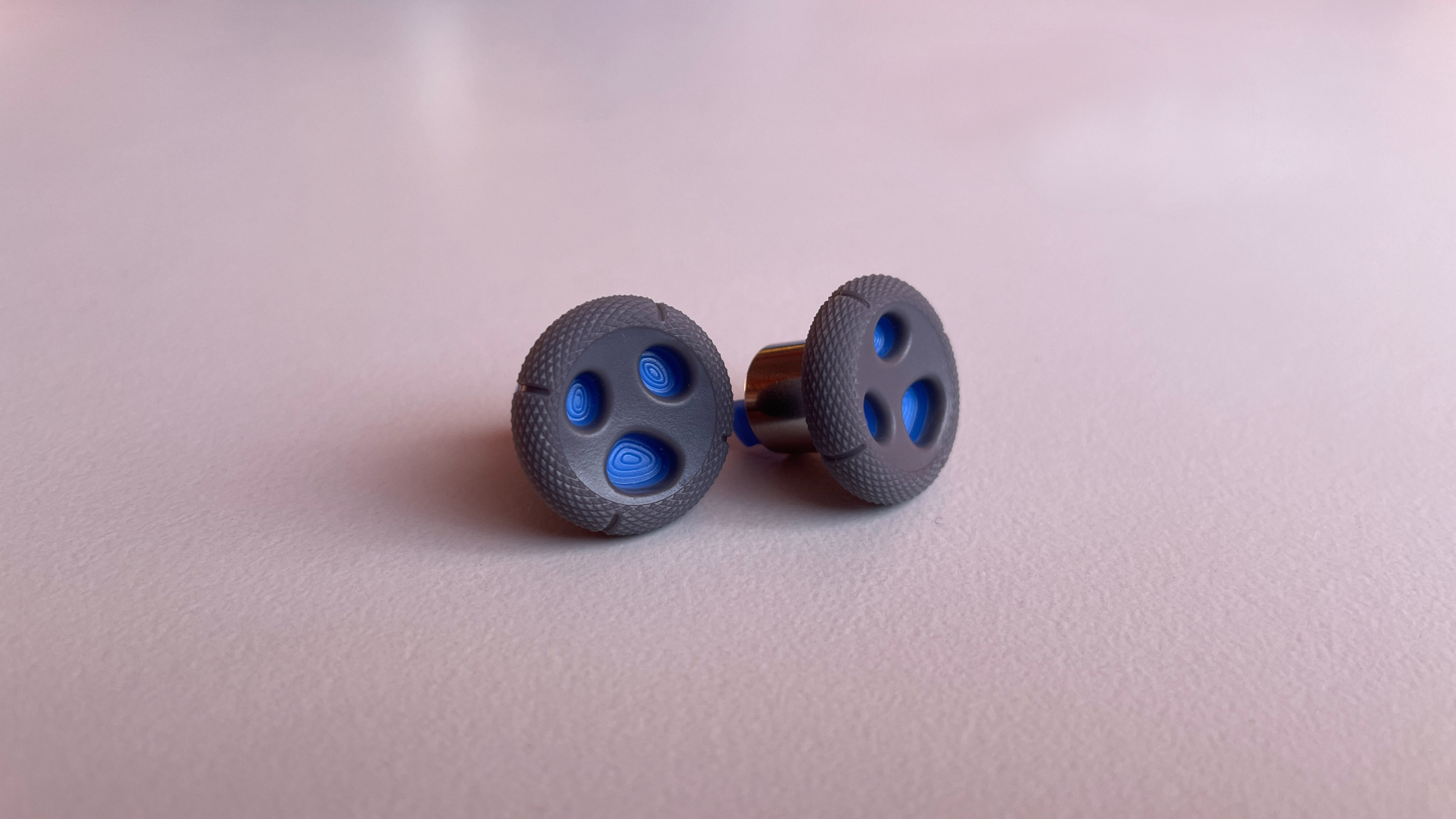
I particularly like the aggressively textured outer rim – not just for the grip it provides, but because the texture itself feels really great under my thumbs.
The firmer material also has one obvious benefit: durability. Soft rubber thumbstick caps tend to wear down with use, while these should hold up much better.
One useful compatibility note: if you plan to use aftermarket thumb grips or KontrolFreeks, PlayStation-sized ones fit the Dune 8K.
D-Pad
The Dune 8K’s D-pad is built around tactile microswitches and a central pivot, so opposite directions cannot be pressed at the same time. The D-pad cap is removable, and EasySMX includes two options in the box: a classic cross-style cap and a faceted disc.
The traditional cross needs little explanation. The faceted disc is more interesting, as EasySMX has taken a slightly unusual approach to its shape. Unlike a conventional faceted disc, such as the one on the Xbox Elite Series 2 controller, which has all eight directional facets raised, the Dune 8K’s disc places the diagonal sections lower than the sections for up, down, left, and right. That height difference makes the four cardinal directions particularly easy to locate by touch and clearly separates them from the diagonals. I like this design, as I get fewer accidental diagonal inputs with it.
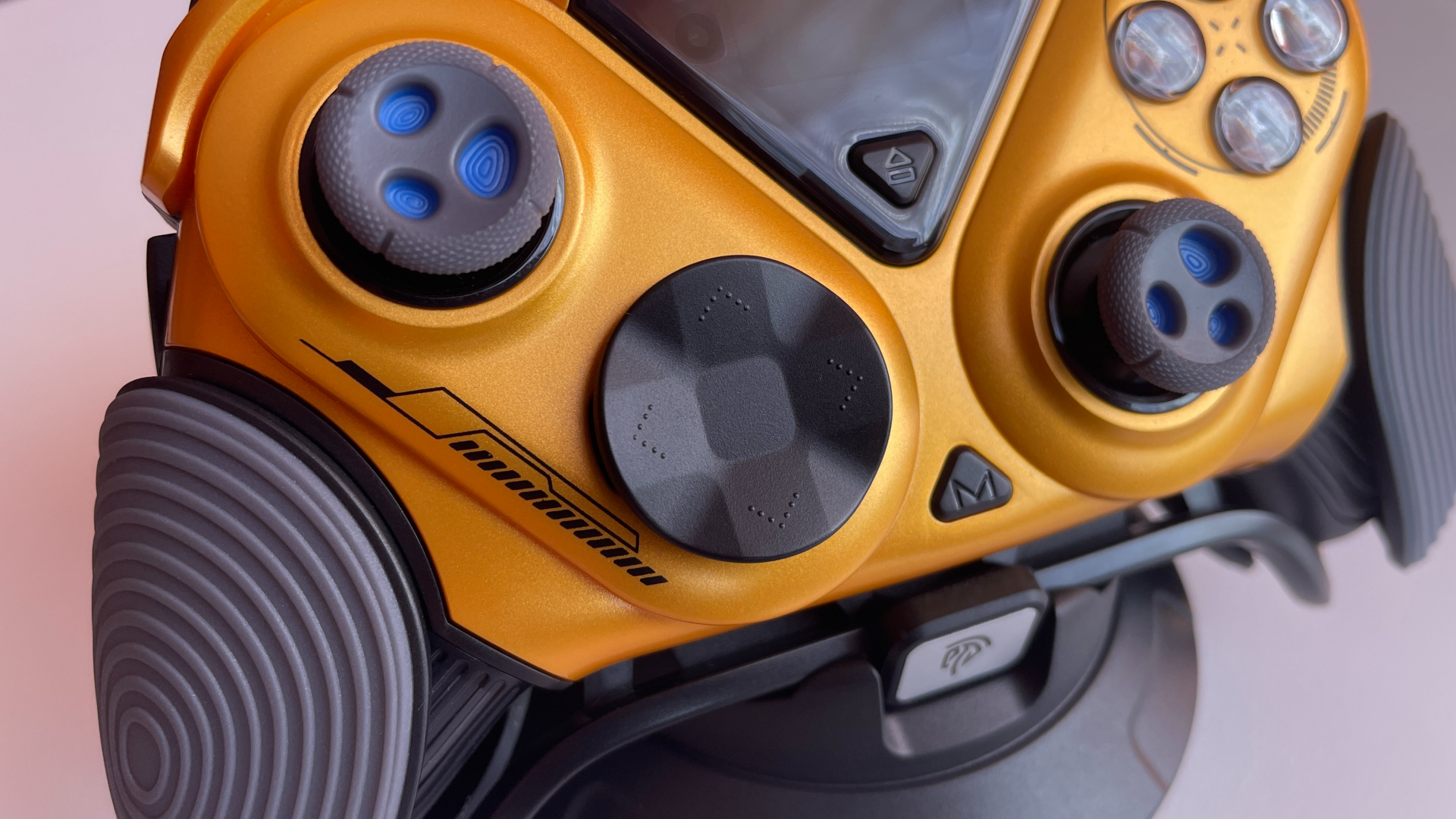
In use, the D-pad feels very pleasant. Presses feel quick and crisp but sound very quiet and muted. Actuation force is around medium. There is some pre-travel and post-travel, but not much of either.
Diagonal presses register cleanly and reliably, with no missed inputs. Quarter-circle and half-circle motions are a slightly different story. For me, around eight out of ten attempts register cleanly without dropping an input. However, I would not call the D-pad bad for these motions. It seems to be more a matter of thumb placement: to perform them consistently, I have to press right at the outer edge of the disc, whereas I am used to keeping my thumb somewhere between the center and the edge.
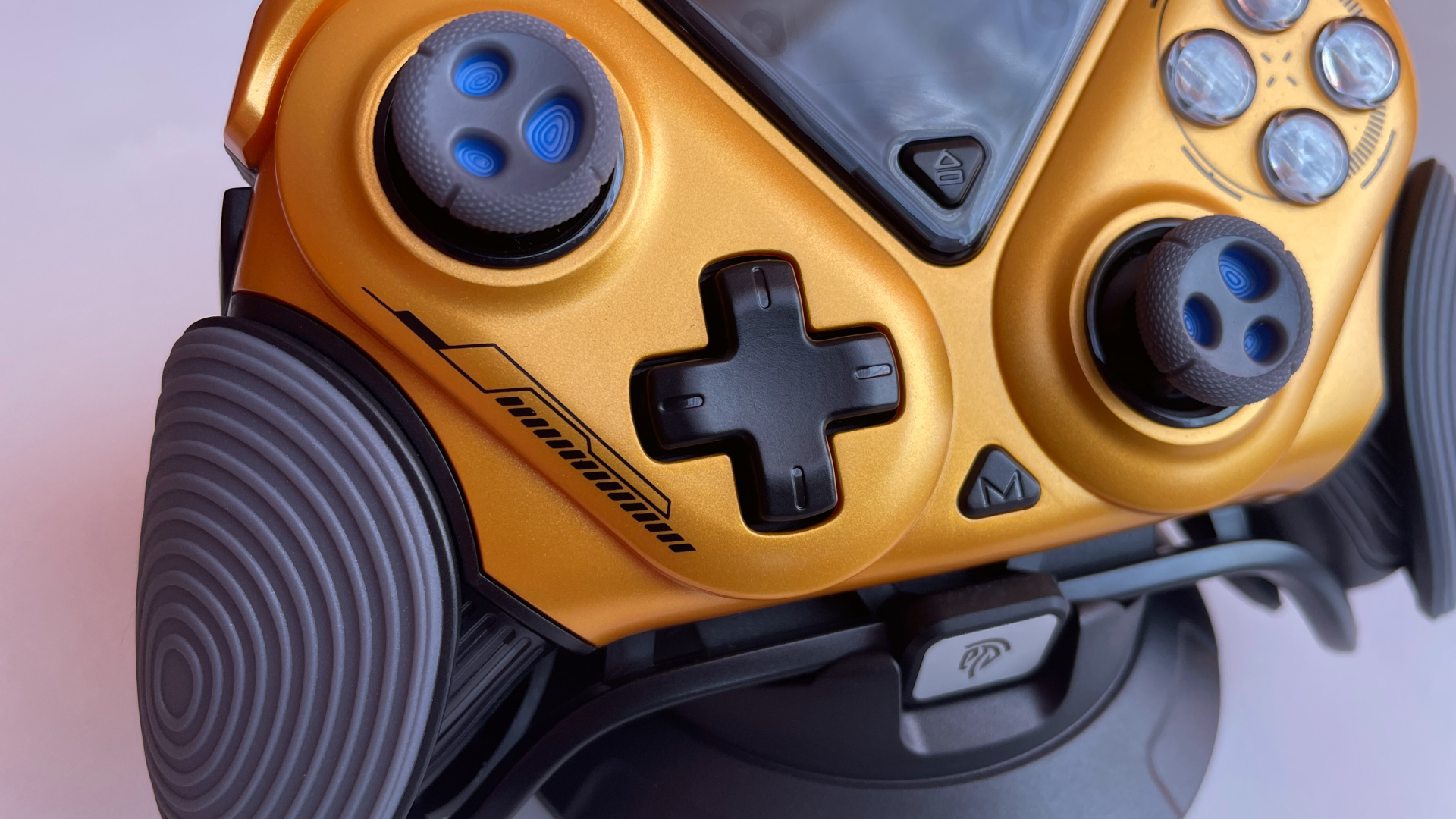
Overall, the D-pad leaves a good impression. Its crisp, quiet presses make it enjoyable to use, and I really like the faceted disc cap. Having two swappable caps to choose from is another plus, as you are not locked into a single shape. That said, fighting game players may be slightly less enthusiastic about it.
ABXY Buttons
The ABXY buttons have a two-layer construction. The symbols are part of an inner plastic layer and sit beneath a clear outer layer rather than being printed directly onto the surface. This protects them from direct contact with the fingers, so they should not fade or rub off with use.
One small detail is that the buttons are positioned slightly closer together than usual. In practice, this made no meaningful difference to me. If anything, it may make combinations that require pressing multiple ABXY buttons at once a little easier. Still, whether the tighter spacing feels better will likely come down to personal preference.
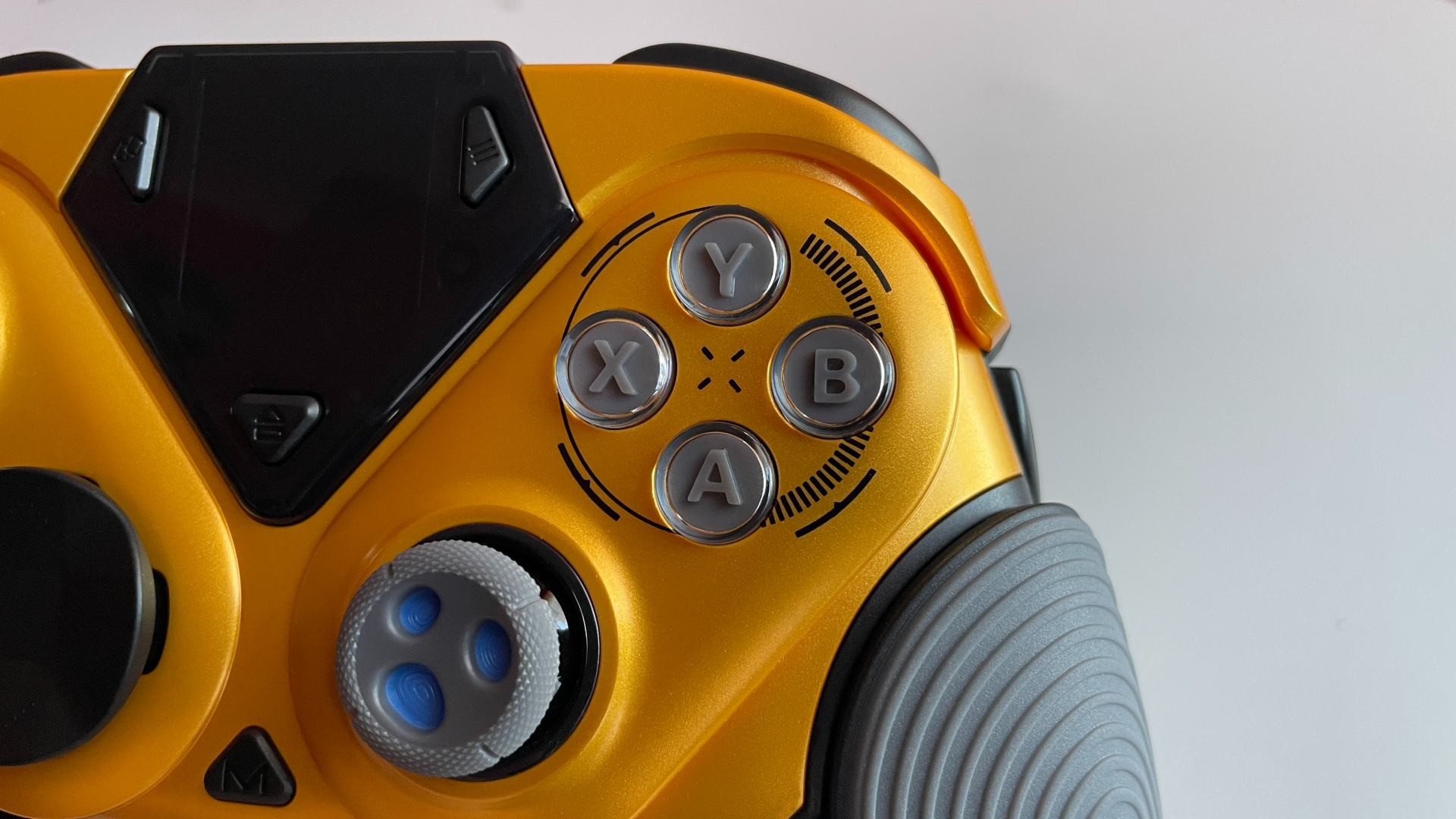
There is one thing I want to mention separately. Some YouTube reviewers noted that the ABXY buttons on their units sat unusually low in the shell, rising only a few millimeters above the faceplate and becoming flush with it when fully pressed, which made them somewhat awkward to use. That does not match my experience, as my unit does not have this issue. On my controller, the buttons protrude as far above the faceplate as I would normally expect and are perfectly comfortable to press. Even at the bottom of their travel, they do not sit flush with the faceplate. I cannot say whether EasySMX fixed this in newer production batches or whether there is another explanation, but I thought it was worth mentioning. Hopefully, this information will be useful to anyone concerned about the issue.
The ABXY buttons use mechanical microswitches, with the usual silicone layer between the button caps and the switches. I am very happy with how they feel. Presses are quick and crisp, with satisfying tactile feedback, while the click sound is slightly muted. Actuation force is medium, perhaps leaning slightly toward the lighter side. I would say the buttons are easy to spam, but they are definitely not so light that I ever press them accidentally. Button wobble is minimal. There’s some pre-travel, but nothing excessive. Post-travel is pretty minimal.
System Buttons
The Dune 8K has the standard set of system buttons: View, Menu, and Home. There is also an additional M button that lets you change some settings without using the built-in display, if you prefer.
All four buttons have debossed legends, use tactile microswitches and feel pleasant to press. They have a quick, crisp click and are neither particularly light nor heavy. Pre-travel and post-travel are practically nonexistent. They are easy to reach and positioned more or less where I would normally expect them to be. The display is compact enough that it has barely affected their placement.
There is also a physical on/off toggle on the back of the controller. Personally, I much prefer being able to power a device on and off with a dedicated switch, so no complaints from me here.
Shoulder Buttons & Triggers
Moving to the top of the controller, I’ll start with the LB and RB buttons. They have a pleasant textured surface that is not overly aggressive but still provides plenty of grip and feels good under the fingers. They use tactile microswitches, giving them a quick, crisp click with satisfying tactile feedback. Actuation force sits a little below medium. Pre-travel is barely noticeable, while post-travel is slightly longer but never feels excessive. Since LB and RB are fairly long, it is good to see that they press cleanly wherever my fingers land along their length. The click does not have the hollow sound that shoulder buttons sometimes suffer from, which is nice.
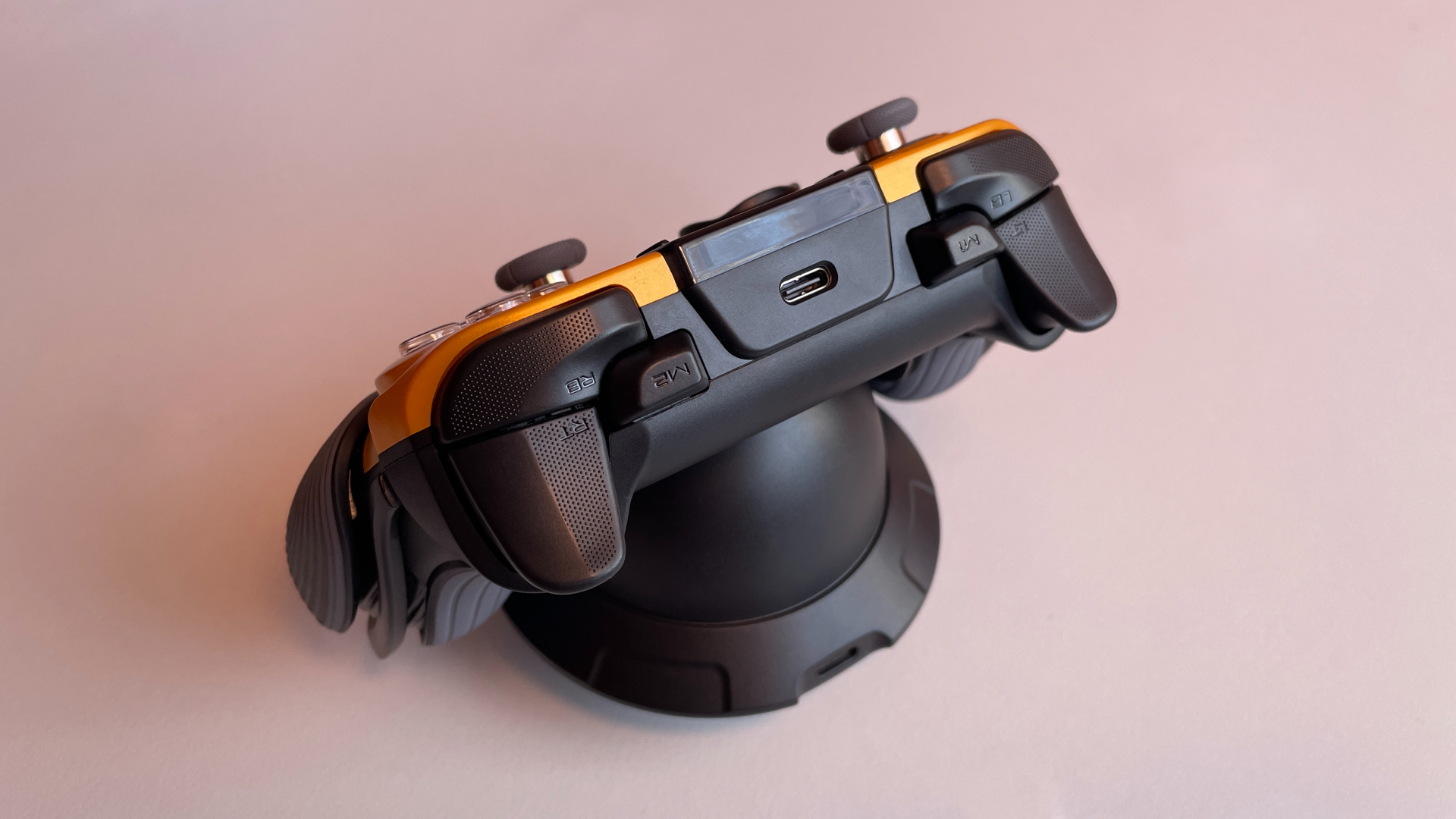
The triggers themselves are wide and comfortably shaped, with roughly half of each top surface covered in the same texture found on LB and RB. The Dune 8K features dual-mode triggers, giving you a choice between full analog travel and a short digital click.
In analog mode, the triggers use Hall effect sensors with 256 steps of resolution. There is no physical dead zone at the beginning or end of the travel. The pull stays smooth from start to finish, with resistance around medium level, perhaps a touch lighter. The analog response remains linear throughout the entire range. There is damping at bottom-out, so even pulling the triggers quickly all the way down does not produce a loud, unpleasant clack.
With the trigger stops enabled, the triggers switch to digital mode and use mechanical microswitches. The trigger-stop toggles are well positioned and stay out of the way of my fingers. In this mode, the click is fast, very crisp, and satisfyingly punchy. Pre-travel is practically nonexistent, so presses feel immediate, and there is almost no post-travel either. Actuation force is below medium, making the triggers very easy to spam. The digital mode genuinely surprised me. It feels excellent in use, and I am very happy with how well it has been implemented.
Extra Buttons
The Dune 8K has four extra buttons in a 2+2 layout: two extra back buttons and two extra shoulder buttons. This is my favorite layout for four extra buttons, so I was happy to see EasySMX use it here. I think many other players will find it convenient too, as the layout is very versatile and works well with different grip styles. Those who enjoy shooters should appreciate it in particular, as it gives them access to all four extra buttons without having to take their thumbs off the sticks – something that matters a lot in this genre.
The back buttons are fairly large, protrude slightly from the grips, and sit exactly where my fingers naturally rest. Their surfaces have a subtle texture that is not particularly aggressive but is still noticeable and pleasant to the touch. Pre-travel and post-travel are minimal. The tactile microswitches give them a quick, crisp click with very satisfying feedback. The medium actuation force works perfectly here: I never pressed them accidentally, but they still feel light enough that repeated presses do not become tiring.
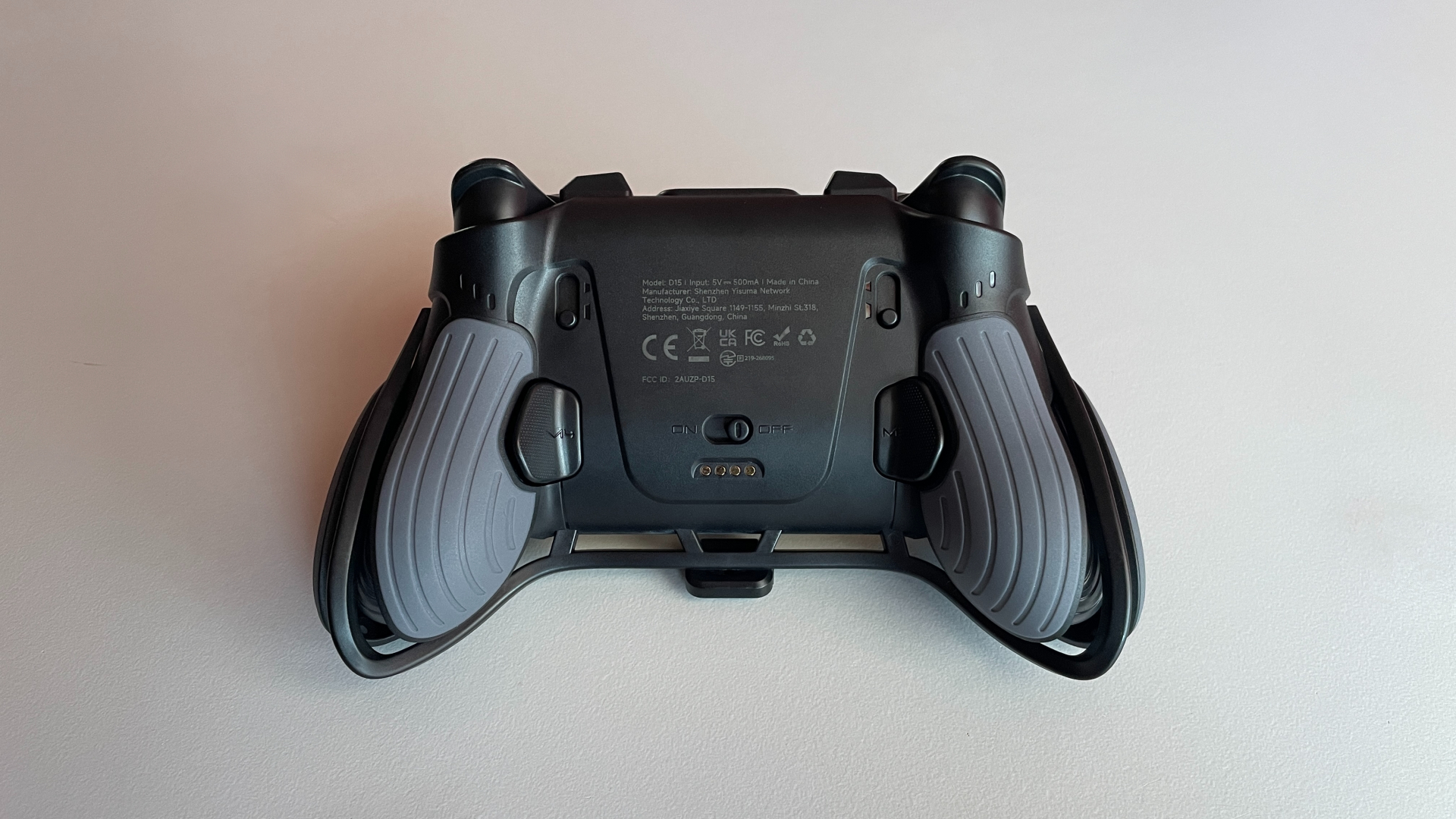
The extra shoulder buttons are well placed too. I can reach them comfortably when holding the controller with a “classic” grip. They are fairly tall, which makes them easy to distinguish by touch, but not so tall that they get in the way. Each button has a fairly small, completely smooth top surface marked only with its legend. Like the back buttons, they use tactile microswitches. The click is just as quick and crisp, with the same satisfying feedback. Pre-travel and post-travel are so minimal that, in normal use, it feels as if the buttons have none at all. Their response feels almost instantaneous. Actuation force is medium here as well. Because the contact area under the finger is smaller, they may feel slightly heavier than the back buttons, but I still would not describe them as heavy. I particularly like the way they sound. The click is very quiet and muted, without the hollow note that shoulder buttons can sometimes have.
Overall, I am completely satisfied with how the extra buttons have been implemented here.
Haptics & Gyro
The Dune 8K has four vibration motors: dual asymmetric motors in the grips provide the main rumble, while two additional motors in the triggers provide Impulse Trigger vibration.
The main rumble is quite good. It is strong and feels fairly sharp, without coming across as hollow or like a loose buzz somewhere inside the controller. Despite the Dune 8K’s unconventional grip construction, which consists of more separate pieces than a conventional grip design, there is no rattling from the shell or any unwanted secondary vibration.
Impulse Trigger vibration is a welcome bonus. It feels good as well, even if it is not quite as refined as the feedback from a first-party Xbox controller.
If a game does not support Impulse Triggers, you can still get vibration through the triggers by enabling a mirroring mode. In this mode, the triggers vibrate along with the main motors in the grips. Press M + View to turn it on. To disable the mirrored vibration later, press the same combination again. Mirroring works over Bluetooth as well. With mirroring disabled, games with Impulse Trigger support can control the trigger motors directly.
It is a little strange that this setting is only accessible through a button shortcut and does not appear in the built-in display menu. It would make much more sense to have it there alongside the other controller settings, where it would be easier to find.
I would also like to see a mode that ties vibration intensity to trigger travel, meaning the deeper the pull, the stronger the effect would become. It would be a simple but welcome alternative to vibration mirroring.
The Dune 8K is equipped with a 6-axis gyroscope that can work in both simulated and native modes. In simulated mode, the gyro can be mapped to either the left or right stick. It works, but I would not expect too much from it. As is usually the case with simulated gyro, it does not feel nearly as good or precise as proper native gyro.
Things get much better when the controller is connected in Switch mode, where the gyro works natively. Motion tracking feels smooth, responsive, and accurate, with no noticeable jitter or input delay. I have no complaints about the gyro’s performance here, so if you plan to use it regularly, Switch mode is definitely the way to go.
Connectivity & Compatibility
The Dune 8K is a tri-mode controller, meaning it can connect through a USB cable, Bluetooth, or the included 2.4 GHz wireless dongle. It works with PCs, Nintendo Switch and Switch 2 consoles, as well as Android and iOS devices.
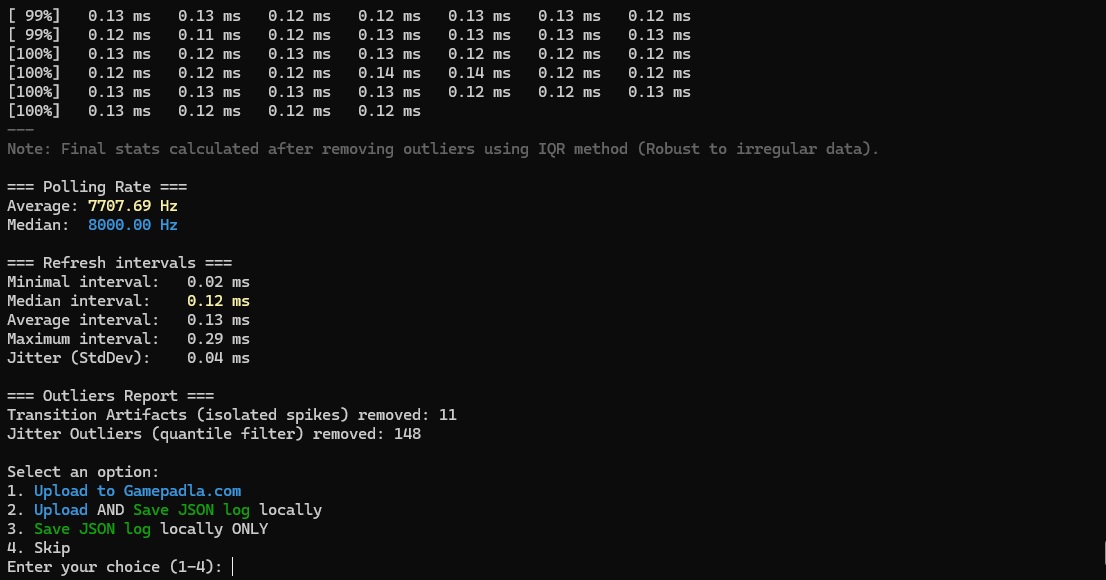
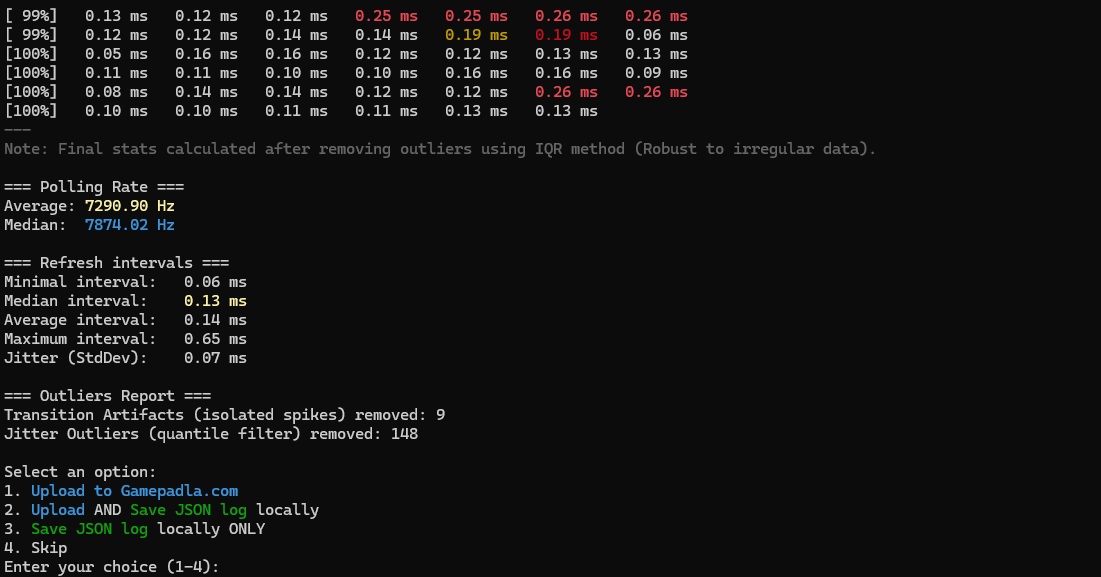
One of the Dune 8K’s main features is its dual 8K polling rate. Here, “dual” means that 8,000 Hz is available through both the wired and 2.4 GHz connections. In theory, the higher polling rate reduces latency and makes the controller feel more responsive. This matters most in competitive and/or fast-paced games, particularly shooters.
Of course, you should keep in mind that 8K polling puts additional load on the processor, so your PC needs to be powerful enough to handle it without affecting in-game performance. Whether 8K matters to you ultimately comes down to personal preference. Some players want the fastest hardware currently available, while others are perfectly happy with the standard 1,000 Hz. Either way, 8K support is becoming increasingly common among controllers, so it is good to see EasySMX keeping up. I tested the Dune 8K through its wired and 2.4 GHz connections and confirmed an 8,000 Hz polling rate with each.
Supported input modes:
- Wired:
- X-input
- D-input
- Switch
- Bluetooth:
- X-input
- D-input
- Switch
- 2.4 GHz Wireless:
- X-input
- D-input
- Switch
The controller is powered by a 1,200 mAh battery. Naturally, how long it lasts depends on how you use the controller. RGB lighting, vibration strength, and the selected polling rate all affect battery life. Higher polling rates drain the battery noticeably faster, so keep that in mind when choosing a setting.
With polling set to 2,000 Hz, RGB enabled, and vibration at level 4 out of 5, I got around 12 hours of playtime. I think that is a very solid result. It is easily enough to get through even a very long gaming session. In daily use, the included charging dock makes battery life something I rarely need to think about anyway. I simply place the controller back on the dock when I am done playing, and it charges while it is not being used. By the time I pick it up again, it is ready to go.
By the way, the built-in display has a battery indicator, so it is always easy to see how much charge is left.
Built-In Display
The Dune 8K does not have dedicated configuration software. Instead, all settings are handled directly through a menu on the built-in 1.3-inch display. To open the menu, press and hold the Home button for three seconds. Navigation is handled with the D-pad and ABXY buttons. Importantly, while the menu is open, the game receives no input from the controller, so you can change settings without accidentally triggering anything in the background.
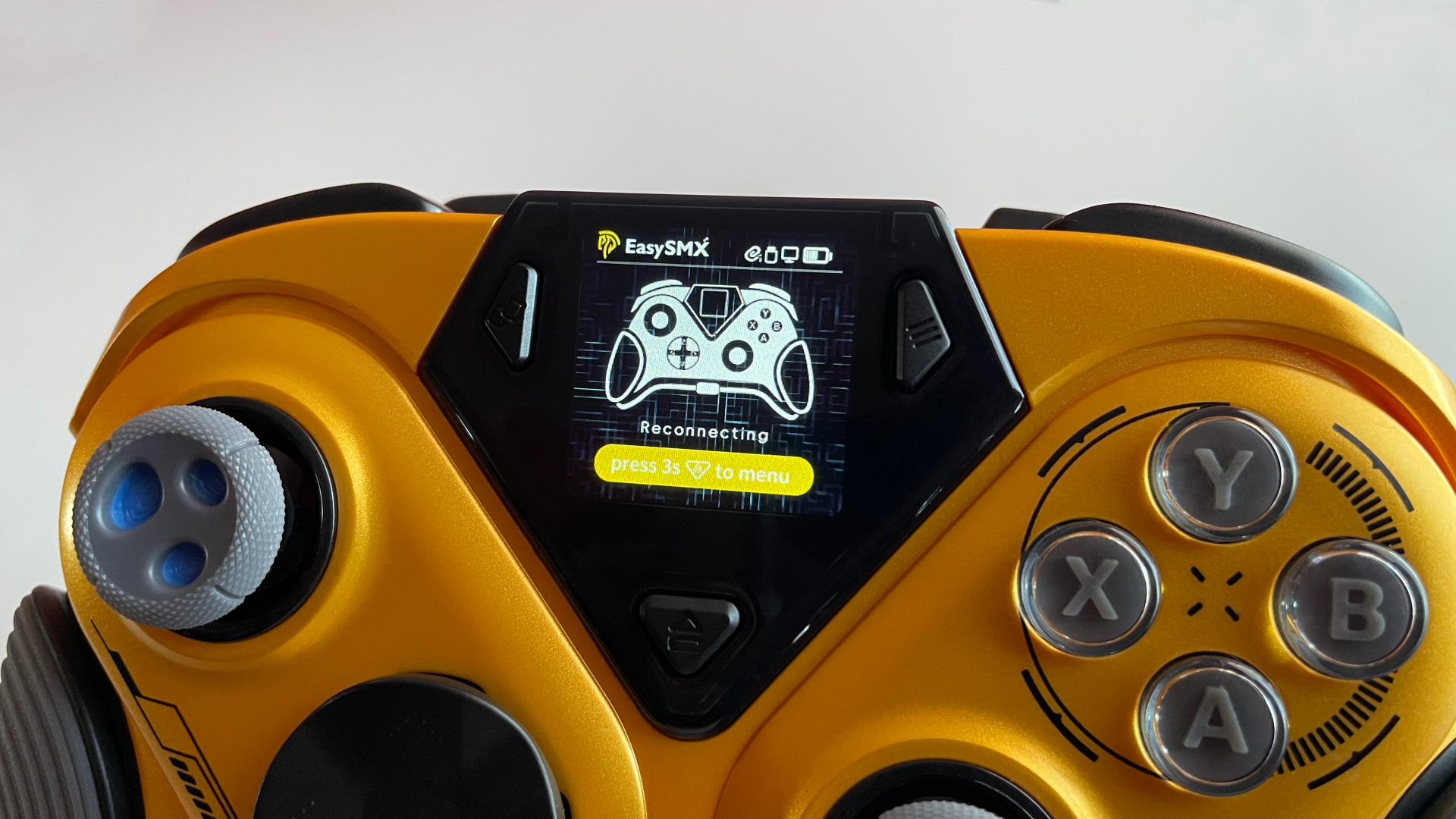
The on-screen menu gives you access to:
- Connection modes and protocols
- Button remapping (the D-pad cannot be remapped, and keyboard inputs are not supported)
- Stick settings (output shape and dead zones)
- Trigger settings (dead zones)
- Gyroscope settings (operating mode, activation method, and sensitivity)
- Vibration settings
- Polling-rate selection
- Language selection (English and Chinese)
- Stick, trigger, and gyroscope calibration
- Display settings (brightness and sleep timer)
- RGB lighting settings (colors and modes)
The menu also includes a button-test screen, with the current firmware version displayed on the same page. Outside the menu, the display serves as a useful status screen, showing the connection status, active protocol, and remaining battery charge.
Overall, EasySMX has done a very good job with the built-in display and its interface. Everything is easy to find, and navigating the menu feels straightforward. I especially appreciate the adjustable sleep timer, which prevents the display from staying on longer than necessary and wasting battery. The only extra I would still love to see is the option to upload a custom GIF.
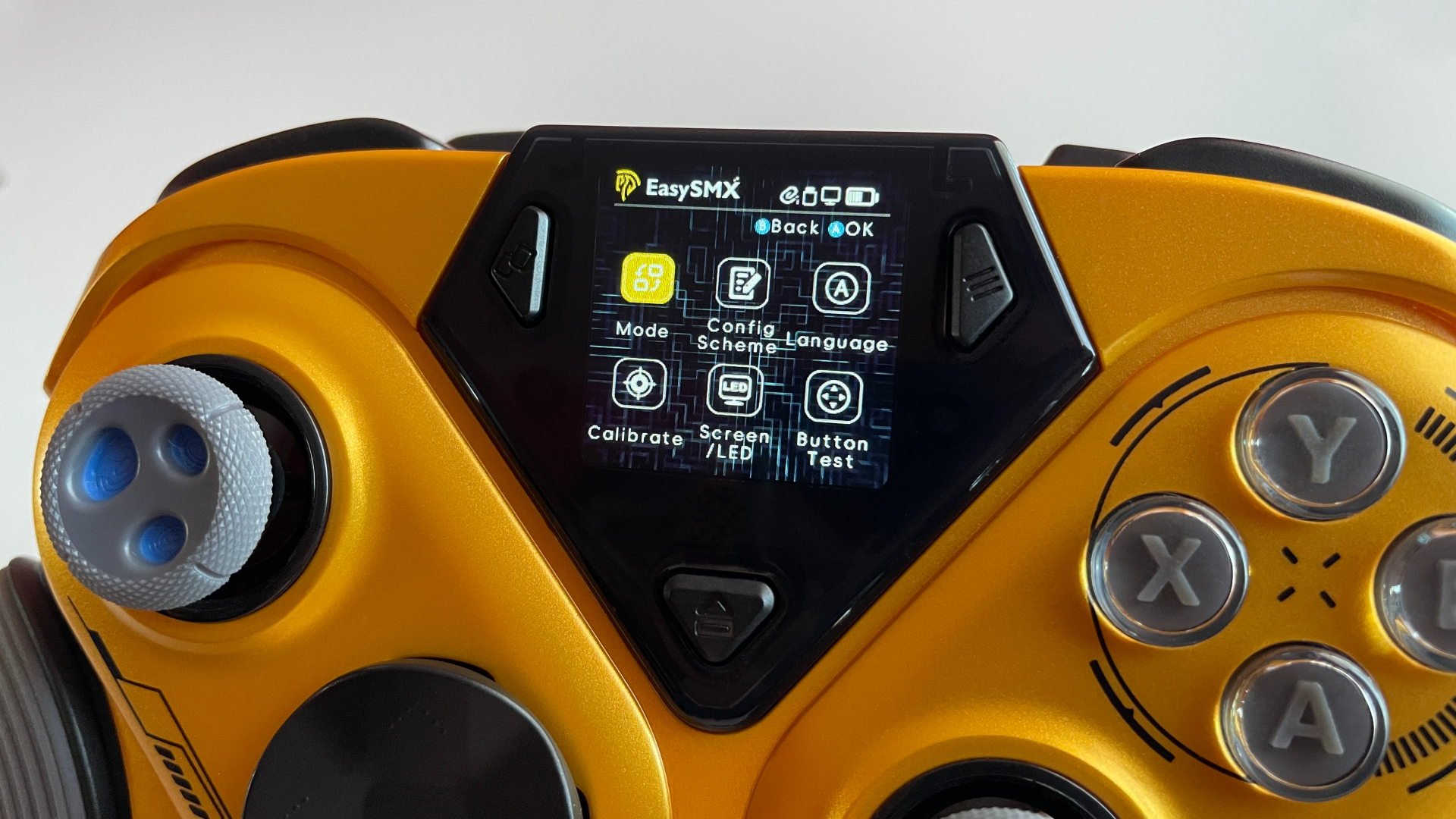
Using the display as the main way to configure the controller has some clear advantages, even if I would still welcome dedicated software alongside it. The biggest advantage is convenience. There is nothing to install or open, and no long list of button combinations to memorize. Every available setting is only a three-second press away, right on the controller. If you only need basic settings such as polling rate selection, button remapping, or connection modes, you may not miss dedicated software at all.
That said, I would still like EasySMX to offer a companion app for more advanced configuration. Dedicated software could provide more room for deeper customization without taking away from the convenience of the display. That way, players who want more control would have it, while everyone else could continue making quick adjustments directly on the controller.
Pros and Cons
Final Verdict
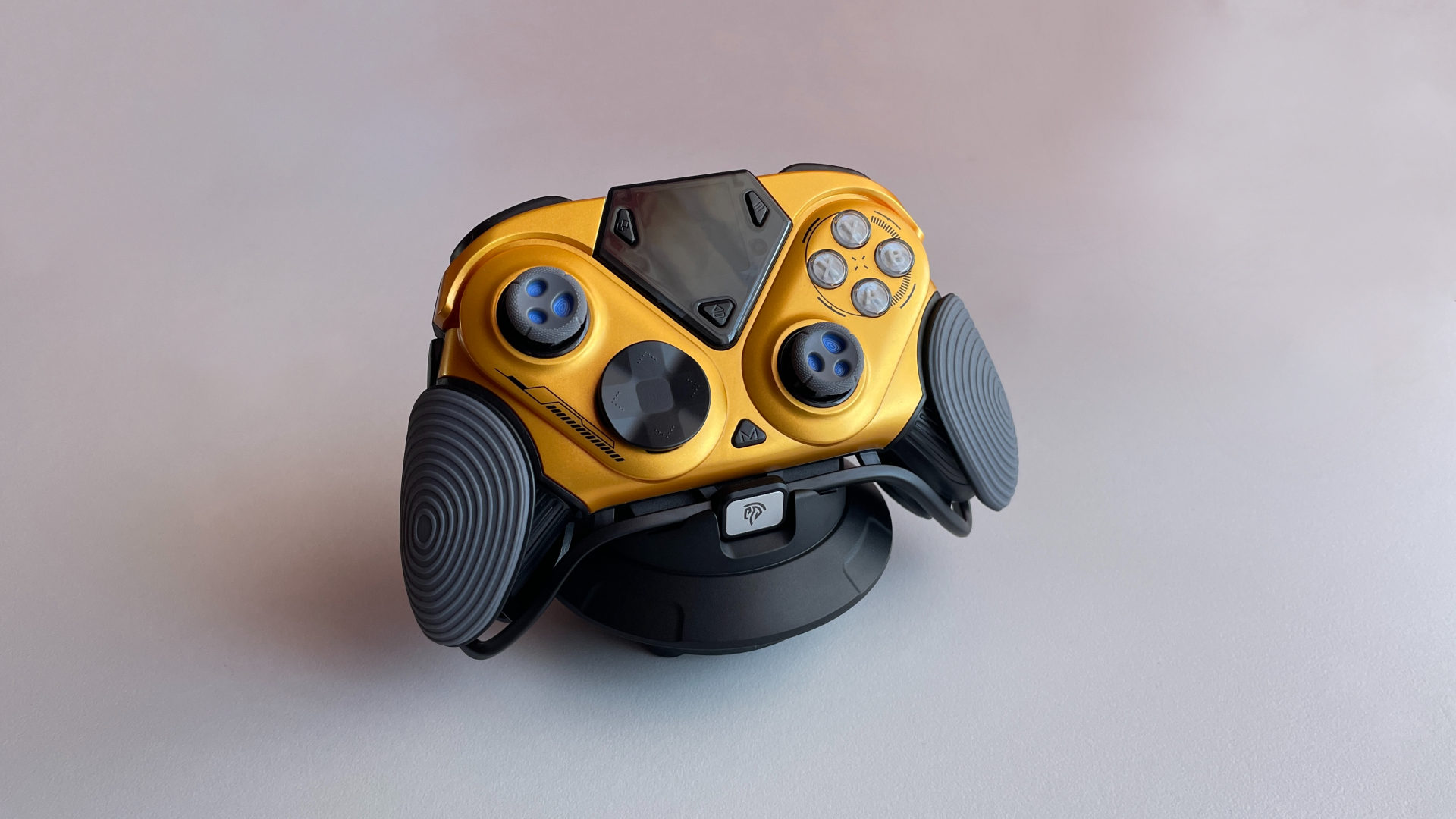
The Dune 8K is undeniably different. In a sea of controllers that seem to blend into one another, it has a character entirely of its own. It is bold, unmistakable, and full of personality.
These days, more and more attention goes to numbers: higher polling rates, lower latency, etc. Those things certainly matter, but in that race, it is easy to forget what a controller is actually supposed to do. At its core, it should simply be enjoyable and fun to use. And honestly, it has been a long time since I had this much fun with a controller. Literally everyone who saw the Dune 8K sitting on its flying-saucer-shaped charging dock on my desk reacted the same way: “Wow, what is that?”
The Dune 8K certainly knows how to draw attention, but it has plenty to offer besides its unusual alien appearance: excellent TMR sticks, crisp and satisfying microswitch ABXY buttons, dual 8K polling, and very well-implemented dual-mode triggers, among other things.
If its space-inspired design appeals to you, go for it. Everything else about the Dune 8K will not disappoint. However, if you are looking for your one and only controller and care more about getting the best possible specs for your money than having a unique design or a built-in display, it may also be worth looking at a few other models, as there are cheaper options with similar specs.
Finally, if you love to collect controllers, I would say the Dune 8K is a must-have. It is the kind of controller that stands out even in a large collection and gives you a good reason to make room for one more.

Controller and mechanical keyboard enthusiast. Tech reviewer, regularly sharing thoughts about gadgets and computer peripherals.


