


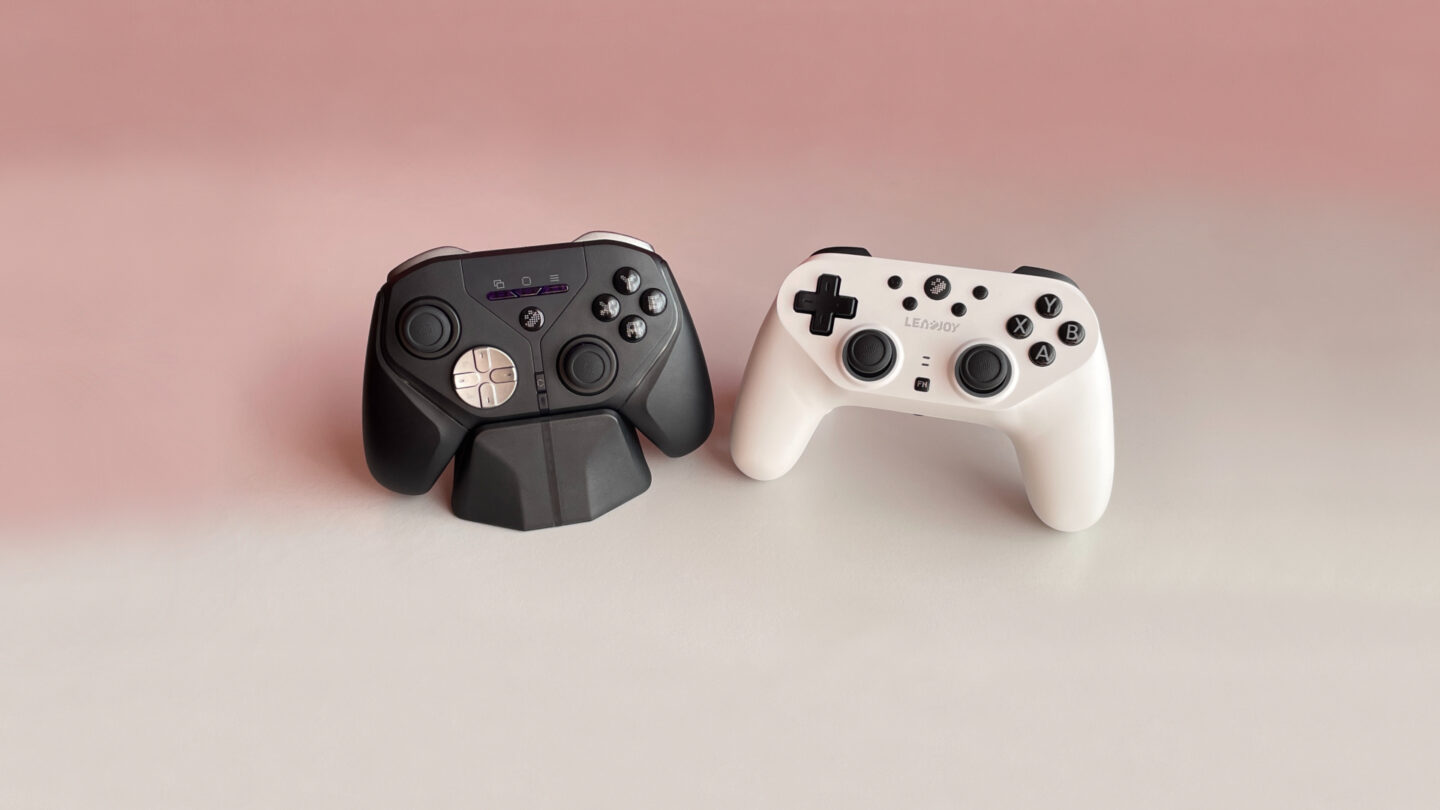
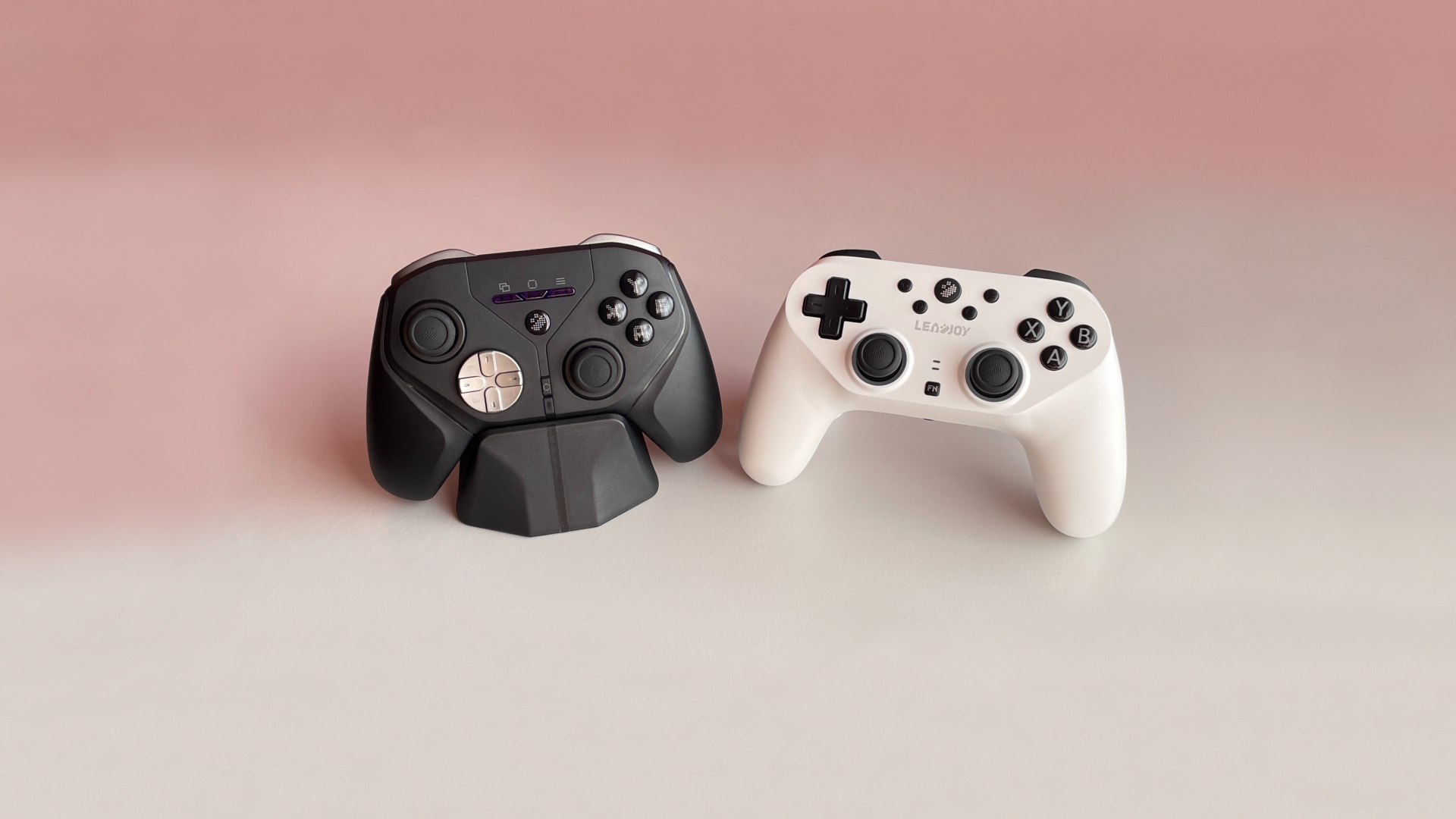

One brand, one price, two controllers that are quite similar in some ways, yet surprisingly different in others. The Saber Plus and Xeno Plus from Leadjoy share the same underlying DNA – high-performance hardware combined with surprisingly advanced software, but they take completely different paths in ergonomics and feel. However, beyond the obvious differences, there are also plenty of smaller details that are easy to miss, so let’s take a closer look at both controllers.
Key Points
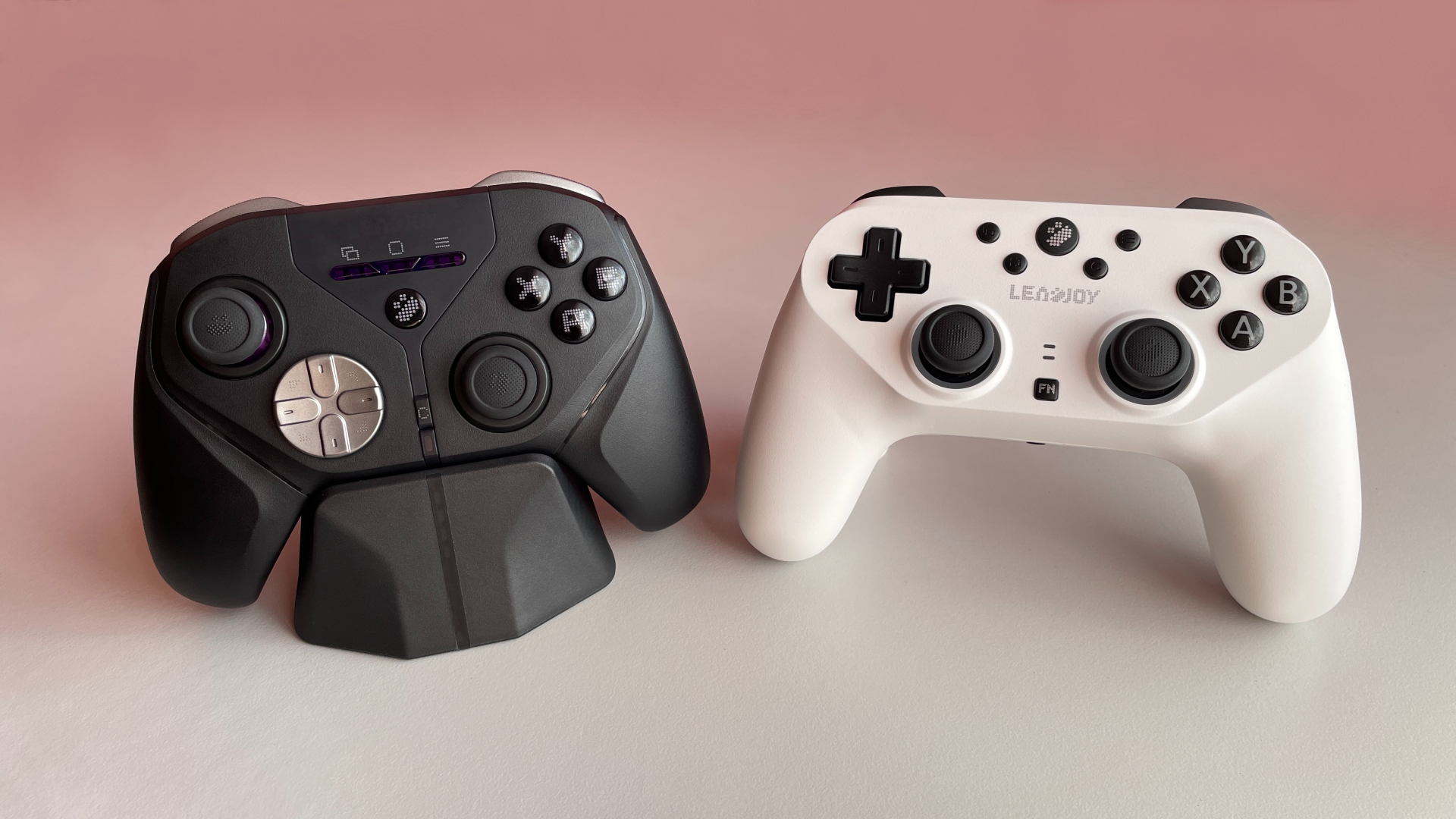
Analog sticks. Both controllers use JS13 Pro TMR sticks, which are widely recognized as some of the best stick modules on the market today. They also feature interchangeable thumbsticks with one of LeadJoy’s signature features: swappable rubber caps. The caps have a very grippy texture and feel particularly nice under the fingers. The most obvious difference between the two controllers isn’t quality, but layout. The Xeno Plus uses an asymmetric stick layout, while the Saber Plus has a symmetrical stick layout. Both layouts work equally well in practice, so this ultimately comes down to personal preference.
D-pad. The second major difference between the two controllers is their D-pad design. The Xeno Plus uses tactile microswitches and comes with a hybrid disc D-pad cap as standard. The D-pad cap is also swappable, and a classic 4-way cross cap is included in the box. The D-pad has very little pre-travel and a crisp, tactile click, making it feel excellent in use and well suited to a wide range of genres, including fighting games.
The Saber Plus, on the other hand, uses a classic 4-way cross-shaped membrane D-pad. Its cap is fixed and cannot be swapped. As is typical with membrane D-pads, it has noticeably more pre-travel and a softer, mushier feel. That said, it performs quite well in practice, with diagonal inputs registering reliably with no missed inputs. One thing is that pressing one cardinal direction can occasionally trigger a neighboring direction as well. However, if you don’t need diagonal inputs, you can enable the D-pad diagonal lock feature in the software to prevent this. Unless you specifically prefer the feel of membrane D-pads, the Xeno Plus delivers a more universal and reliable D-pad experience.
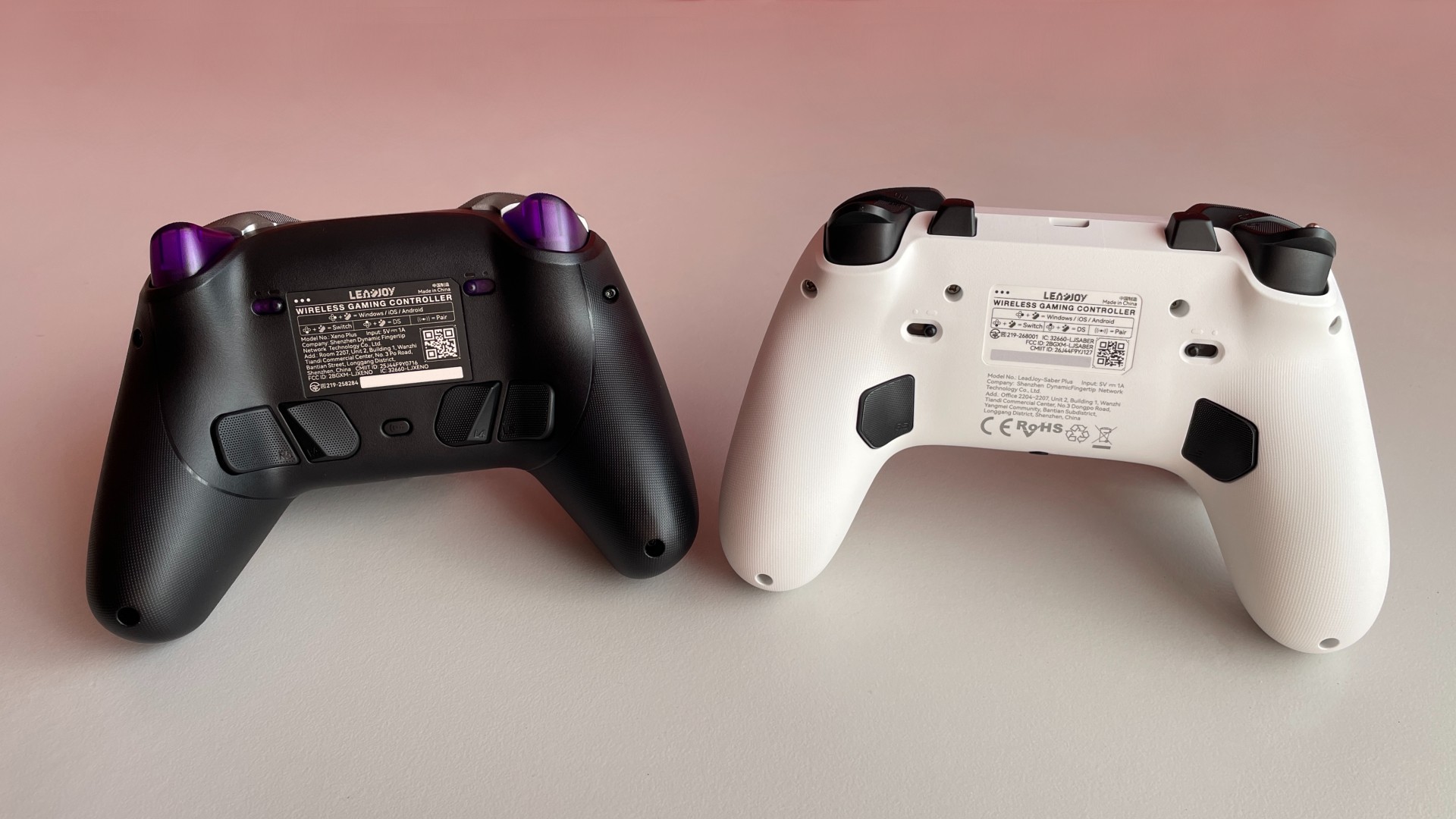
Extra buttons. Both controllers feature four extra buttons, and Leadjoy did a great job implementing them on each. They are comfortably positioned, offer fast and satisfying clicks, and I have no real complaints about either implementation.
The main difference lies purely in their positioning. The Xeno Plus places all four buttons on the back of the controller, while the Saber Plus uses a 2+2 layout, with two buttons on the back and two extra shoulder buttons. Both layouts work very well, although I personally find the Saber Plus’s 2+2 arrangement more convenient. As always, though, this mostly comes down to personal preference.
And one more small but interesting difference: all four extra buttons on the Saber Plus use mechanical microswitches. On the Xeno Plus, two of the extra buttons use mechanical microswitches, while the other two use tactile microswitches.
Controller shape. Another obvious difference is their overall shape. The Xeno Plus closely follows a classic Xbox-style silhouette, offering a familiar, slightly chunkier grip. The Saber Plus, by contrast, takes its design cues straight from the PlayStation ecosystem, bearing a strong resemblance to the curves and streamlined profile of a DualShock 4. That said, both controllers share a very similar overall size, making either option best suited to small-to-medium-sized hands.
ABXY buttons. One small but interesting feature of the Xeno Plus is its enlarged ABXY buttons. I wouldn’t call it a groundbreaking innovation, but the larger buttons are surprisingly comfortable to use and make for a slightly different experience. Since most controllers, including the Saber Plus, stick to the standard button size, it’s a feature you might appreciate if you’re curious to try something different from the usual.
RGB lighting. The Saber Plus leans into the modern gamer aesthetic with LED rings wrapped around the thumbsticks. It features some genuinely cool reactive lighting modes that respond dynamically to your stick movements and even button presses. The Xeno Plus, on the other hand, keeps things more classic and doesn’t have any RGB lighting. So if you’re a fan of customizable RGB to light up your desk, the choice here is obvious. In the box. Beyond the extra D-pad cap mentioned earlier, the Xeno Plus packs a serious value add: an included charging dock. While a dock might not matter to everyone, for many, that drop-and-charge convenience is a significant quality-of-life upgrade for daily gaming. The Saber Plus does not include a charging dock and doesn’t support one at all, as it lacks the required charging contacts. However, the Xeno Plus comes with a basic rubber cable, while the Saber Plus includes a genuinely high-quality, ultra-flexible purple paracord cable.
Final Thoughts
Looking at the full picture, it becomes obvious that LeadJoy didn’t build these controllers to compete with one another. Instead, they’ve simply designed them with different types of gamers in mind.
The Xeno Plus stands out as a reliable, all-around daily driver. With its charging dock and highly versatile D-pad, it’s a controller ready to tackle any genre you throw at it. Meanwhile, the Saber Plus feels specifically tuned for competitive shooter fans who often prefer a symmetrical stick layout, and that highly accessible 2+2 extra button configuration.
At the end of the day, there’s no clear winner here – and that’s actually a good thing. This makes the choice between them not about finding the “better” controller; it’s about finding the right controller for you.

Controller and mechanical keyboard enthusiast. Tech reviewer, regularly sharing thoughts about gadgets and computer peripherals.


