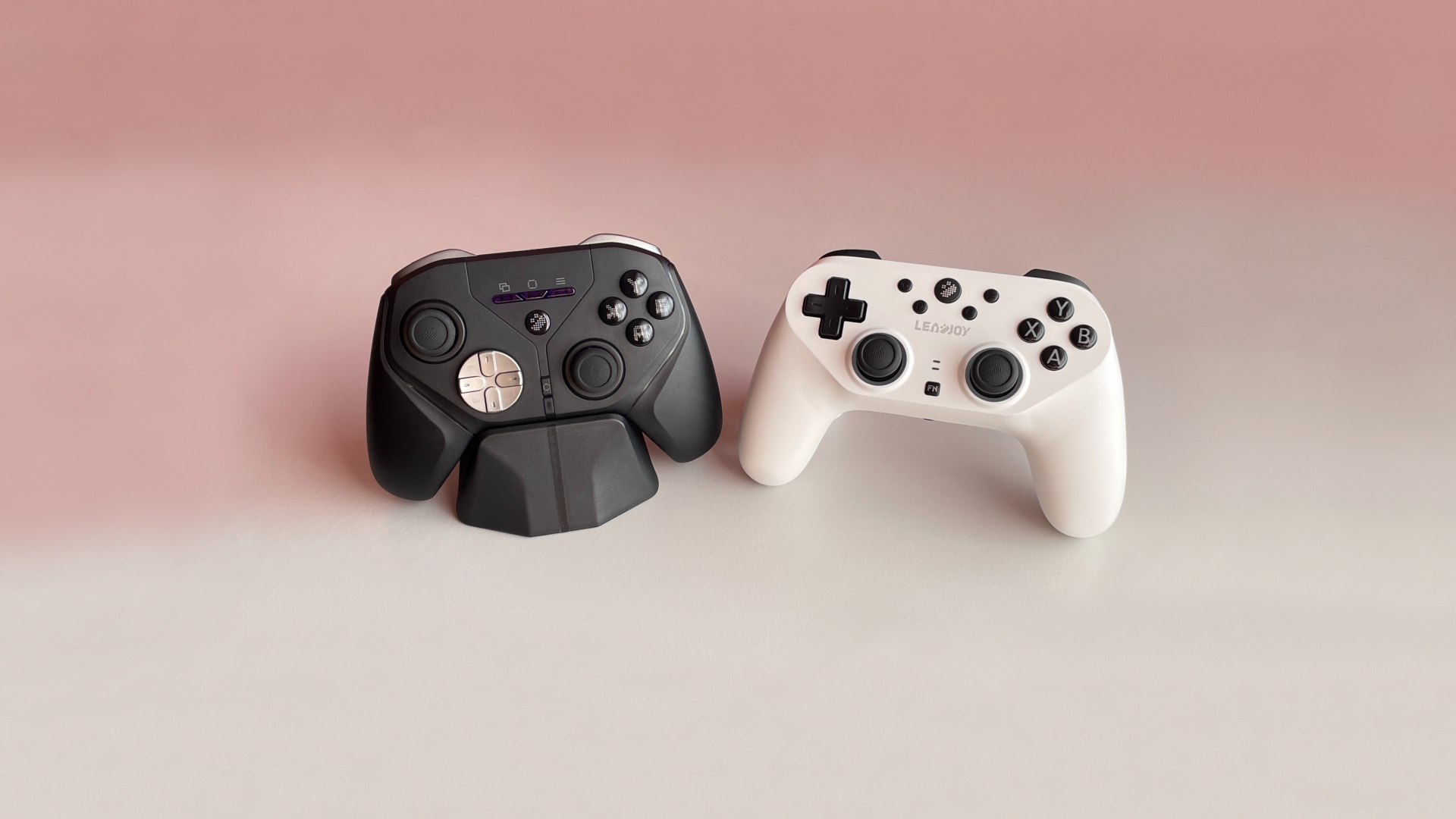
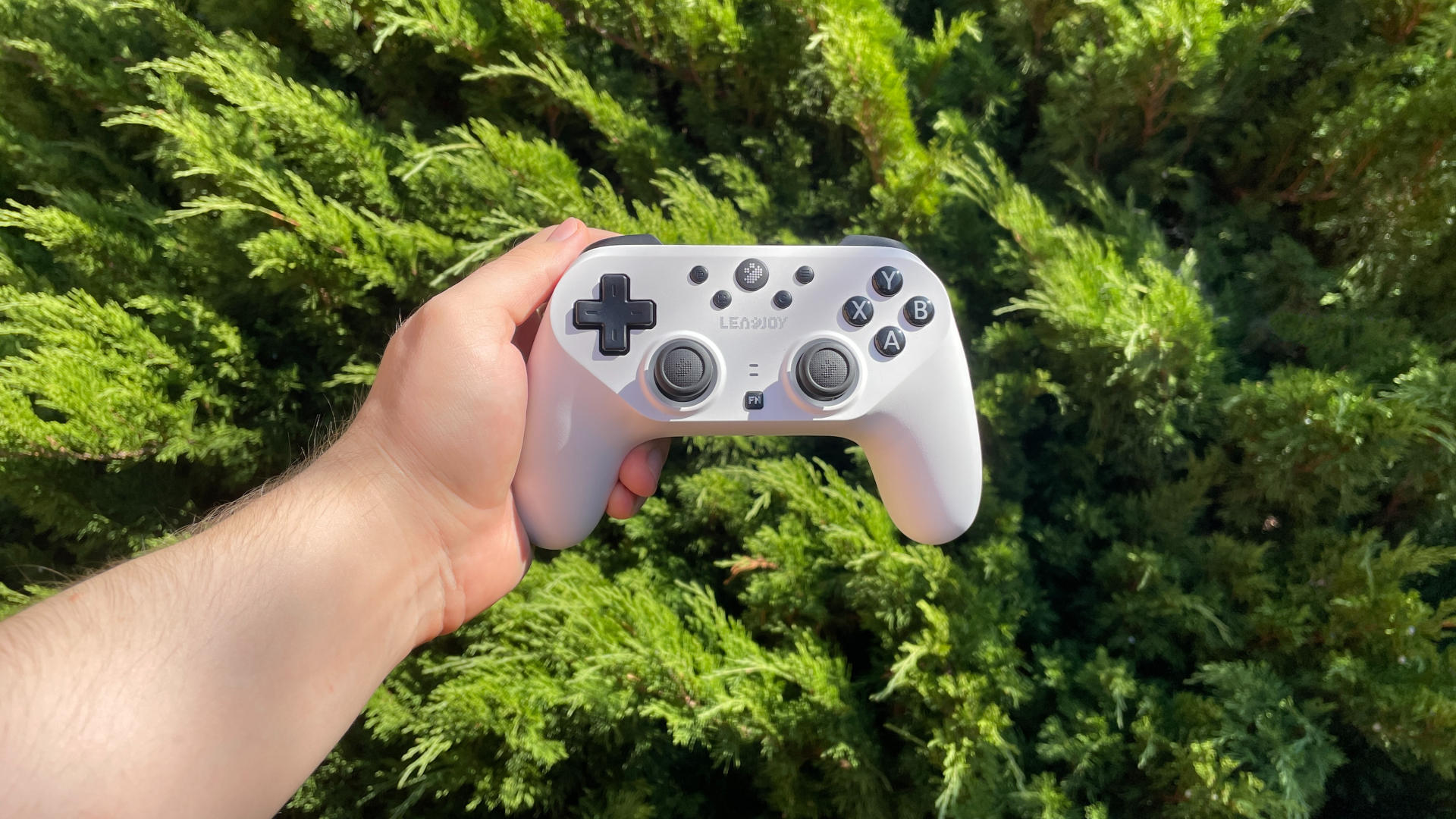

Not too long ago, I reviewed the Xeno Plus, Leadjoy’s first controller, and it left a very positive impression on me. It hasn’t been long, and today we have the brand’s second controller on the review table: the Leadjoy Saber Plus.
Unlike the Xeno Plus, the Saber Plus has a symmetric stick layout, which is less common among modern controllers. But what’s even more interesting is that it comes in at the exact same $60 price point as the Xeno Plus, so let’s see what Leadjoy has prepared for us this time and, more importantly, who the Saber Plus is actually for.
Unboxing: What’s Inside?
The Saber Plus comes in a relatively small cardboard box, with everything packed neatly and securely inside.
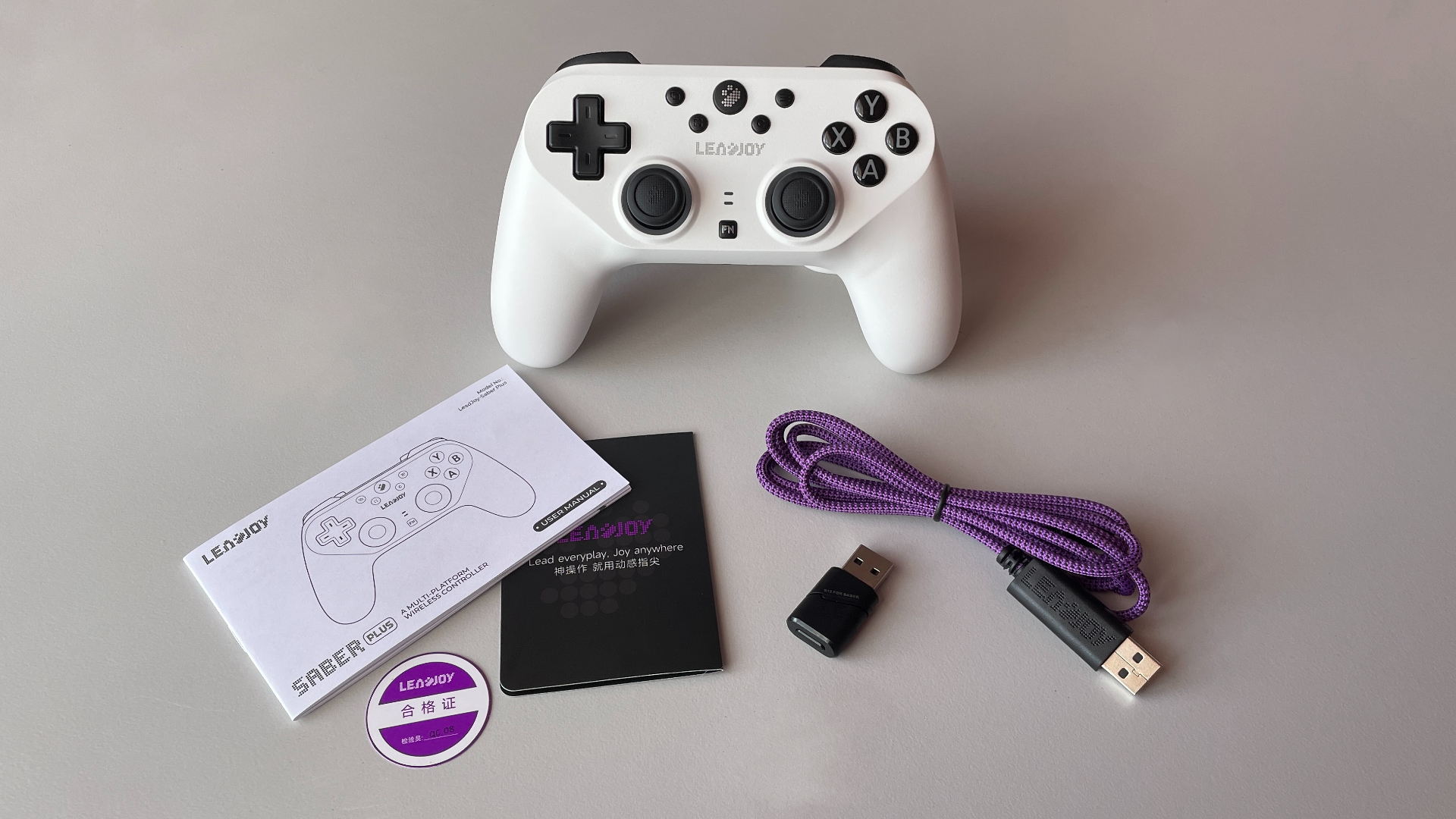
Here’s what you’ll find in the box:
- Saber Plus Controller
- R10 2.4 GHz Wireless Dongle
- USB-C to USB-A Paracord Cable
- Manual
- QC Card
- Support Card
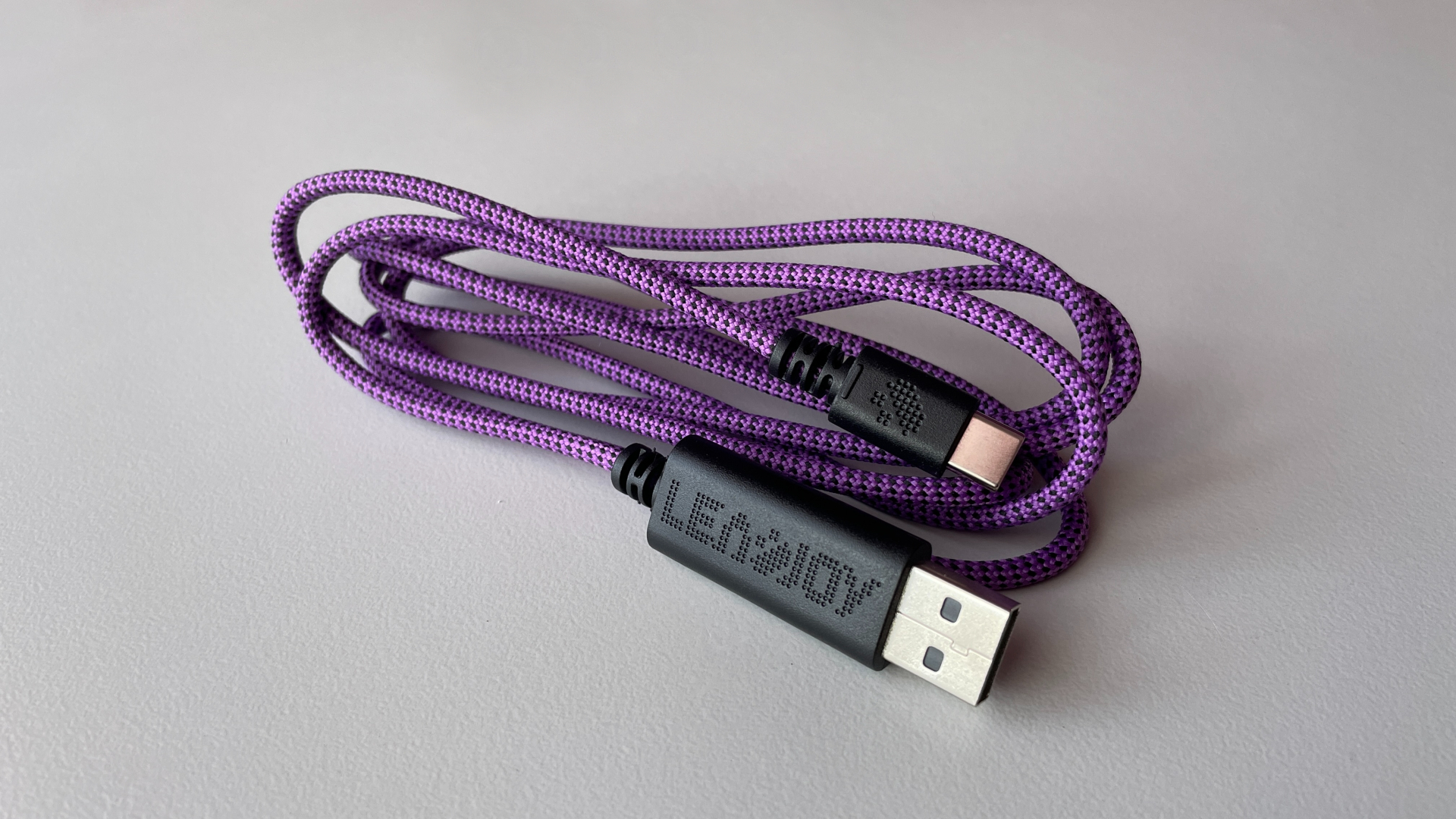
The included cable is surprisingly good quality. It’s a very soft and flexible paracord cable that barely gets in the way while using the controller, almost making it feel like you’re playing wirelessly. It is branded and comes in a nice purple color, which is a neat little touch.
It’s also worth mentioning the wireless dongle. It has a playful Leadjoy pixel-style design, so it doesn’t look like a generic USB dongle that you could easily lose or forget which device it actually belongs to. It even has a dedicated pairing button with a tactile microswitch underneath.
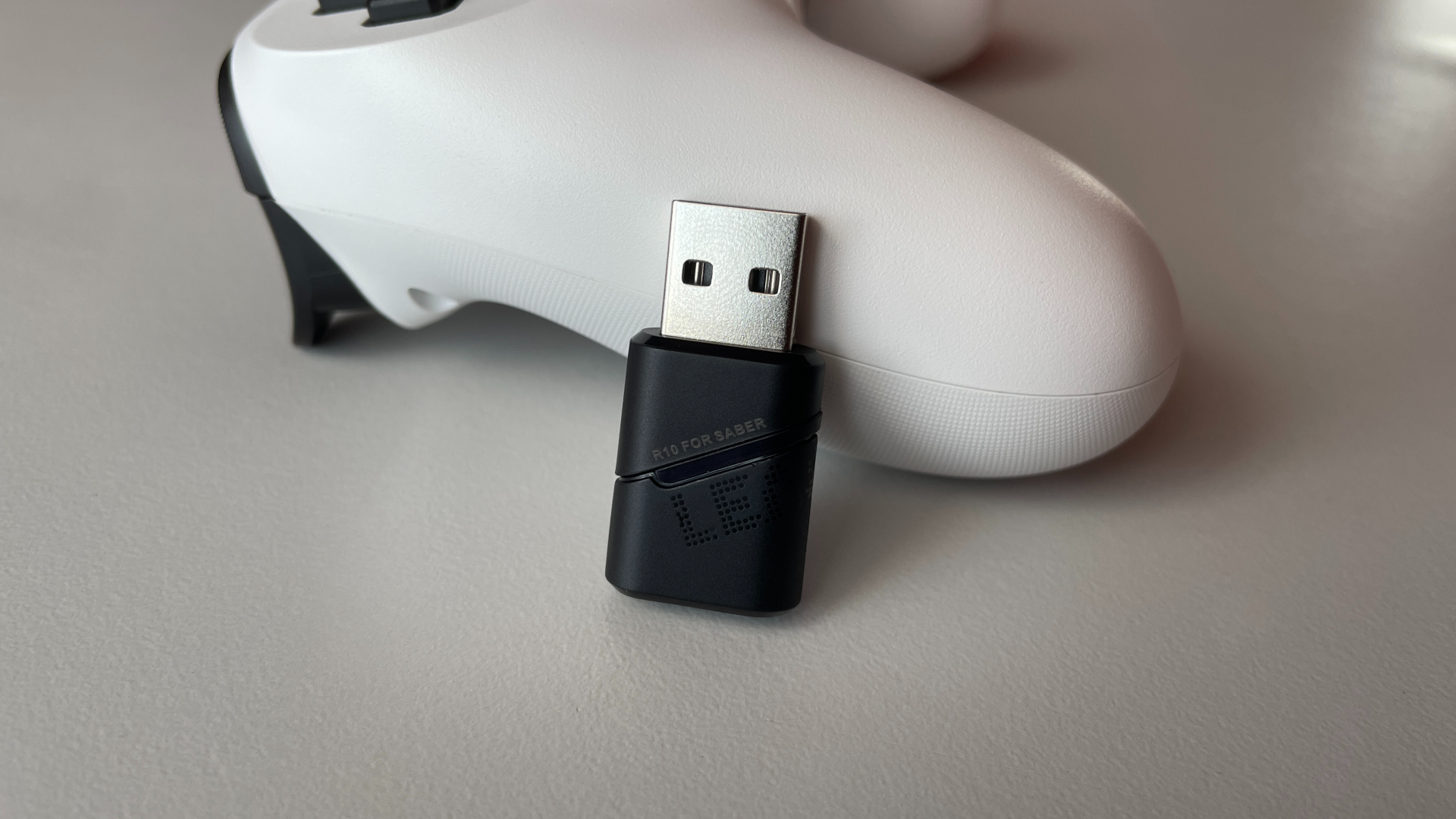
Interestingly, this is the same R10 dongle that came with the Xeno Pro, but the labeling is different. The one included with the Saber Plus is marked “R10 FOR SABER”, while the Xeno Pro dongle is marked “R10 FOR XENO”. This makes me think they use different firmware, so they aren’t interchangeable.
First Look
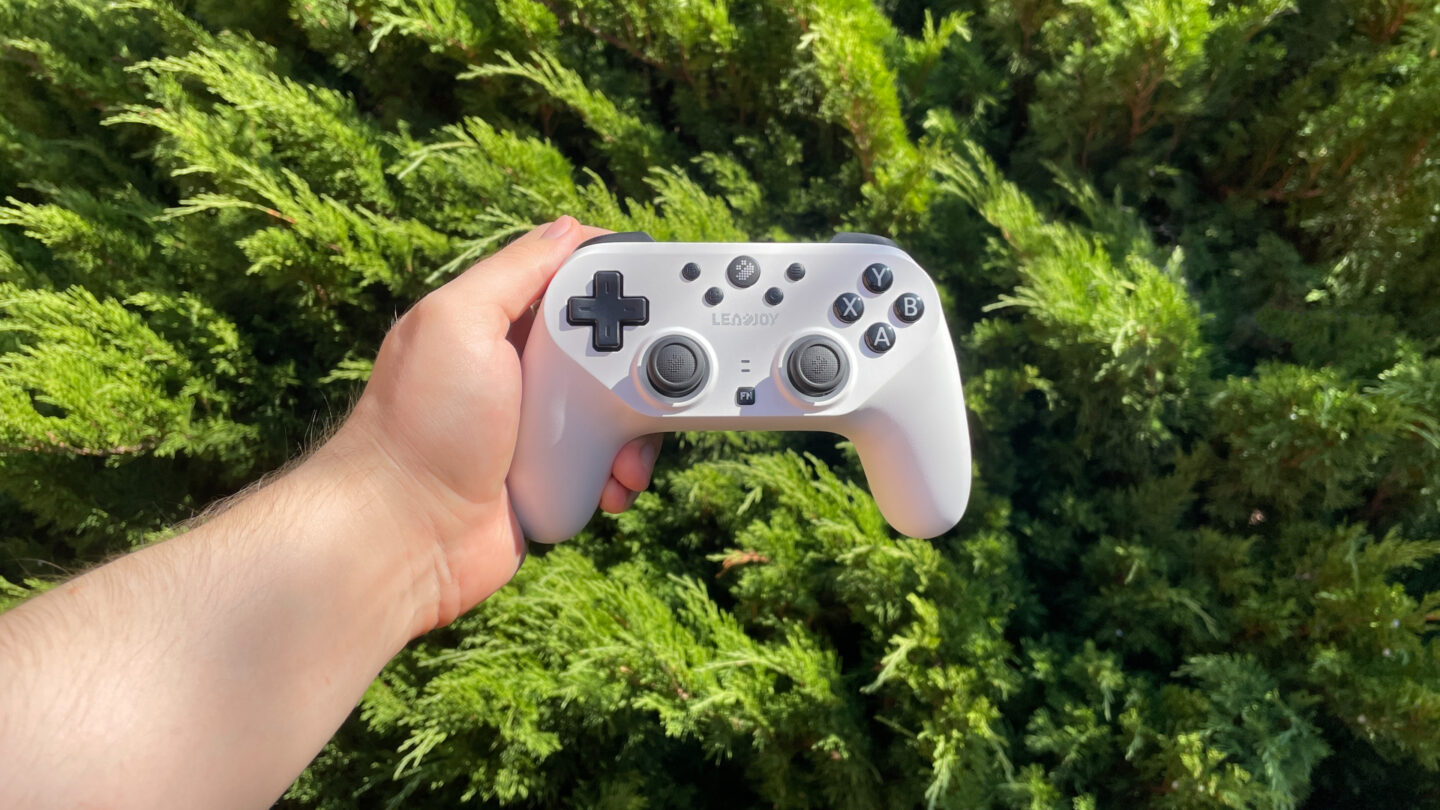
The first thing you notice when picking up the Saber Plus is its symmetrical stick layout. The market for symmetrical controllers is still relatively small, so it’s always interesting to see a new option in this space.
On the front, you get the usual set of face buttons, along with the C button, which I’ll talk about later, and an Fn button used for a number of quick adjustments directly on the controller without having to open the software. There are also two LED indicators above the Fn button and a pairing button located along the bottom edge.
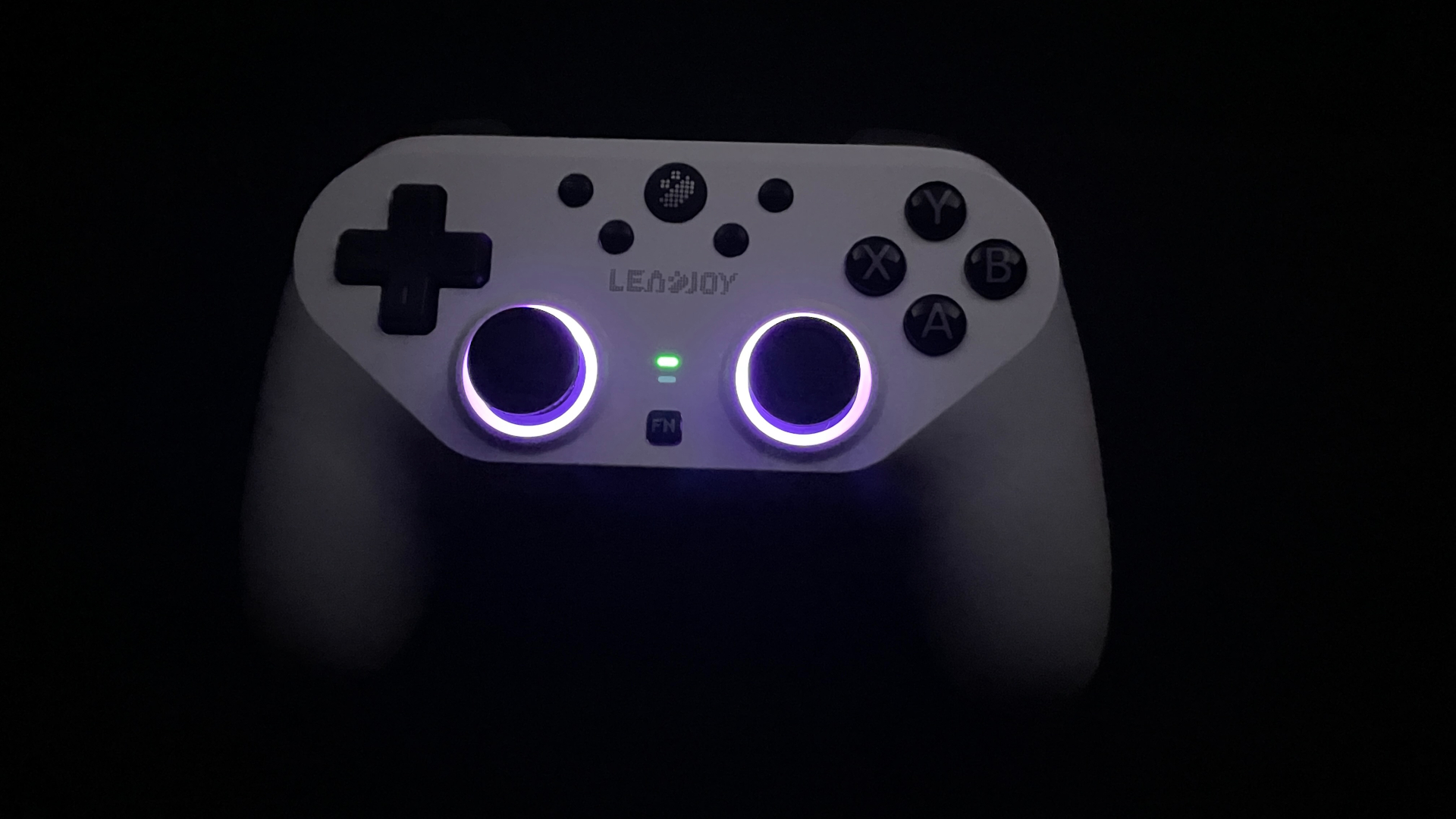
Around the analog sticks, you’ll find RGB lighting rings that look surprisingly neat. There are even reactive modes where the lights dynamically respond to your stick movements and button presses. This adds a really fun, interactive visual layer to the controller and makes it feel a bit more alive in the hands.
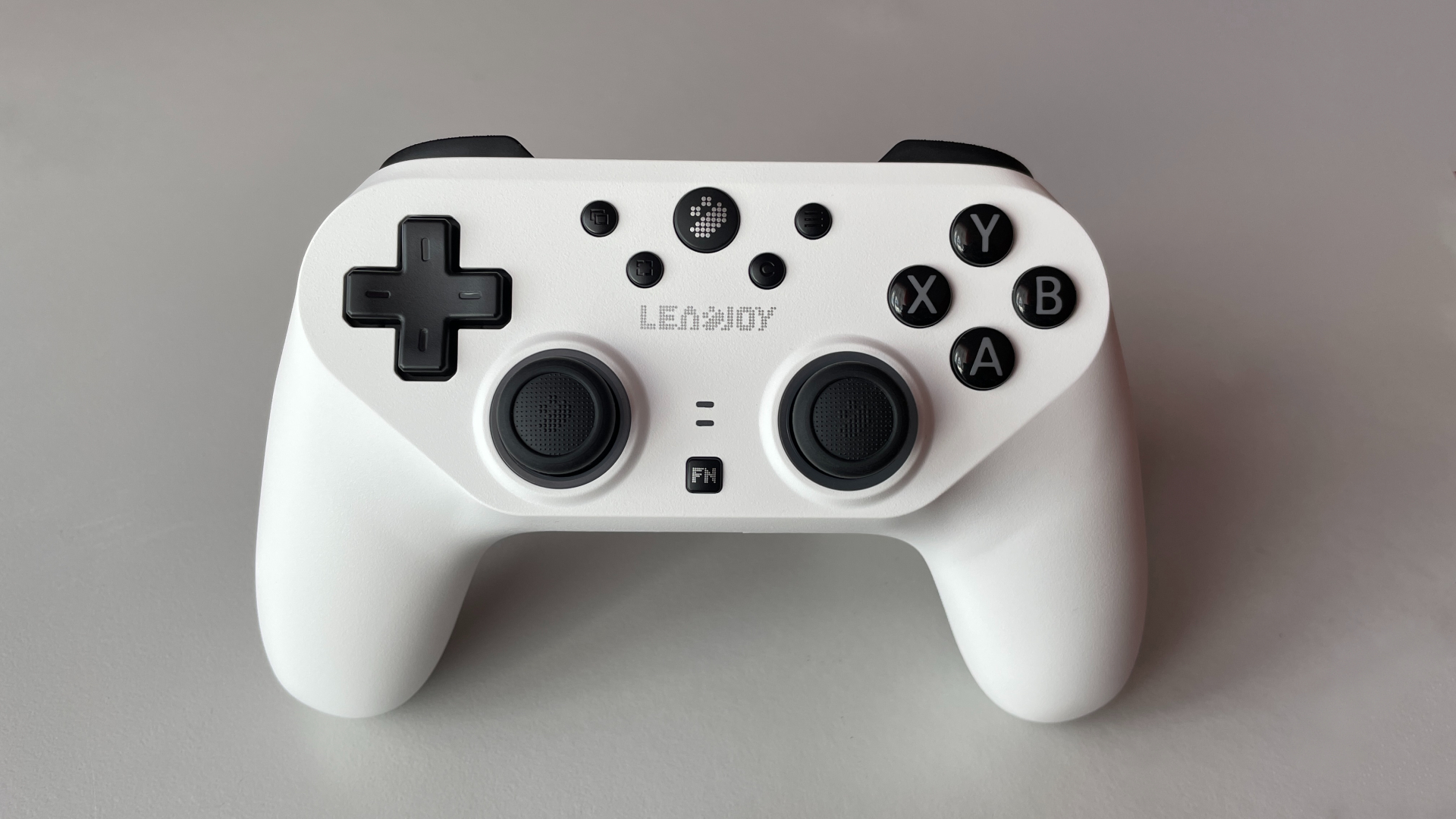
In terms of shape, the Saber Plus closely resembles the DualShock 4, so if you’re already comfortable with the DS4, the Saber Plus should feel immediately familiar in your hands. Size-wise, the two controllers are also very comparable, meaning the Saber Plus is definitely best suited for small to medium-sized hands. At 230 grams, it is quite lightweight and shouldn’t cause fatigue during long gaming sessions.
When it comes to build quality, the Saber Plus feels solid. The plastic is of good quality and doesn’t feel cheap; there’s no creaking or flexing when you grip the controller tightly. The handles aren’t rubberized, but they do feature a laser-etched texture. In practice, though, I found it fairly subtle and could barely feel it under my hands.
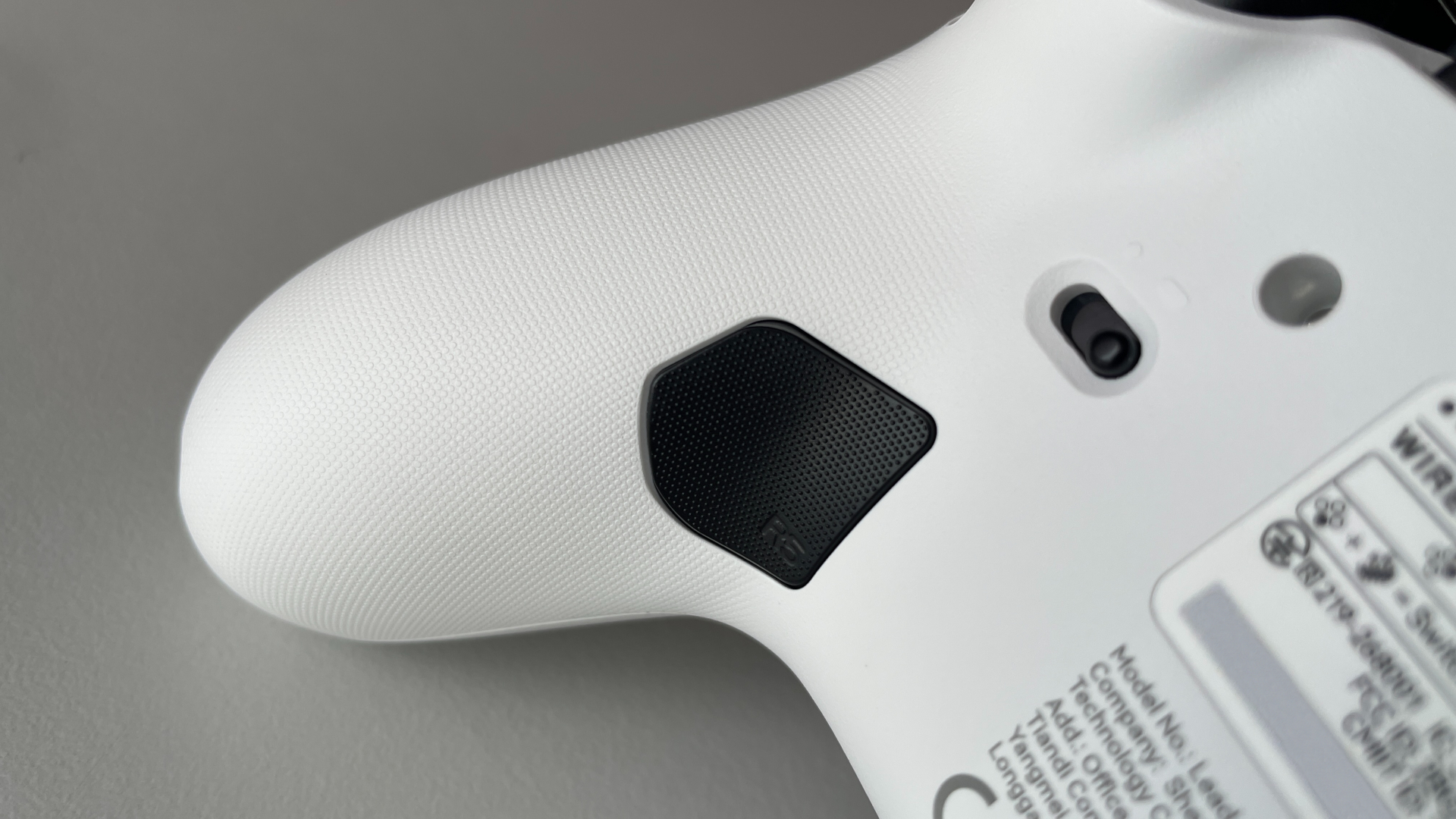
Design-wise, the Saber Plus keeps things fairly restrained. It’s available in either white or black. The white model is exactly what it looks like. The black version, on the other hand, uses a semi-transparent shell, which gives the RGB lighting a much more interesting look and lets it shine through the body in a way that the white version doesn’t.
Analog Sticks
The Saber Plus uses JS13 Pro TMR sticks paired with a 12-bit ADC, with a resolution up to 4096 steps. The JS13 Pro modules are well-known in the controller enthusiast community and are widely considered some of the best sticks available today, especially when it comes to linearity. And of course, they carry all the advantages of TMR technology, such as resistance to the wear-related drift that develops over time with traditional potentiometer sticks.
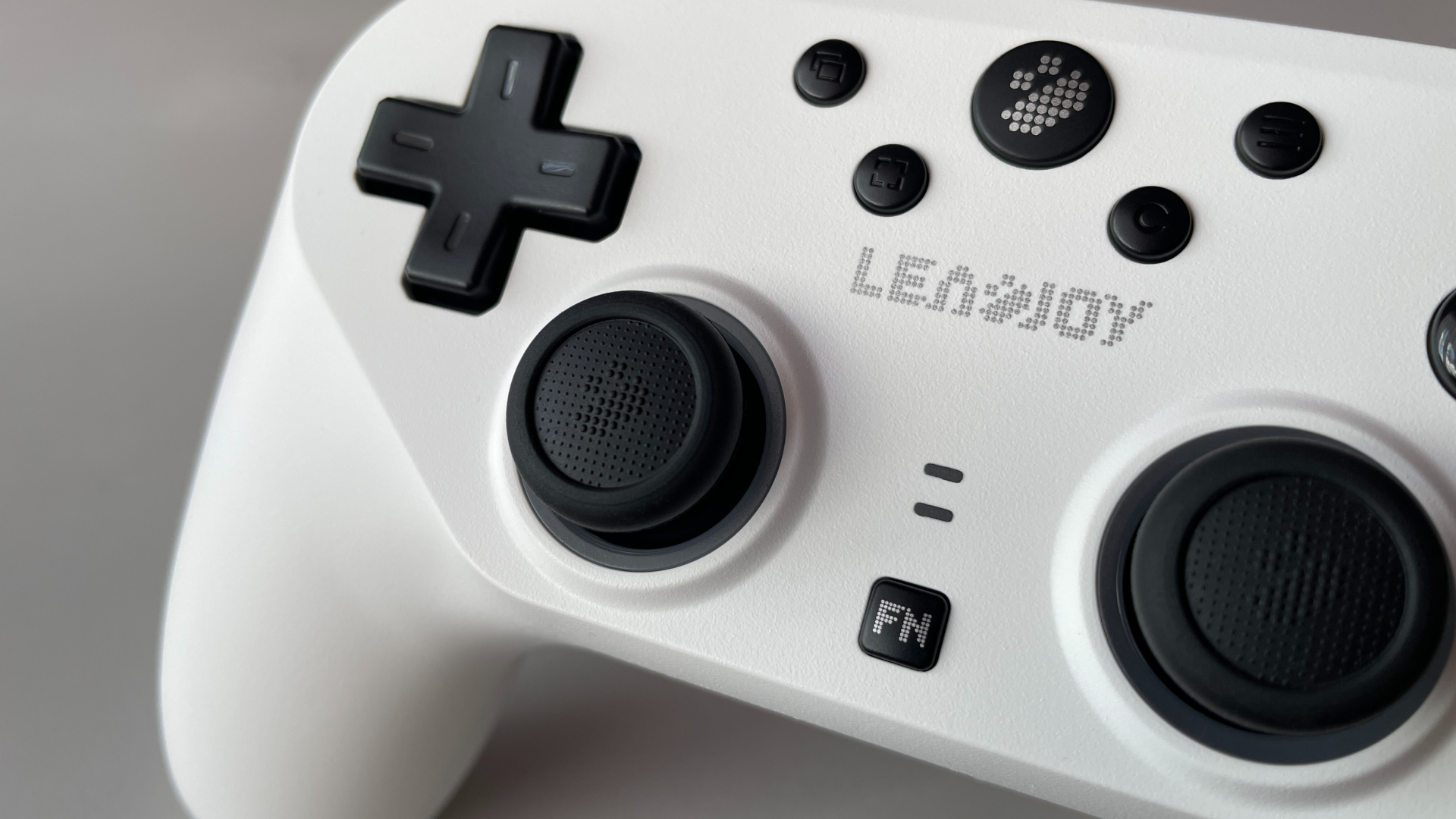
In actual use, they are just as good as their reputation suggests. They feel responsive and precise, and I didn’t notice any odd jitter, input delay, axis snapping, or other strange behavior. Everything feels very smooth and predictable throughout the entire travel range.
The stick tension is around 60g, which puts it right in the middle in terms of resistance. I found this to be a good balance – the sticks don’t feel too light or too heavy, and should work well for most players. They also do a great job of returning to center after being released, consistently settling back into the same position. Drift in the center position is minimal and well within normal limits. The LS and RS clicks are a little firmer, requiring slightly more force than average.
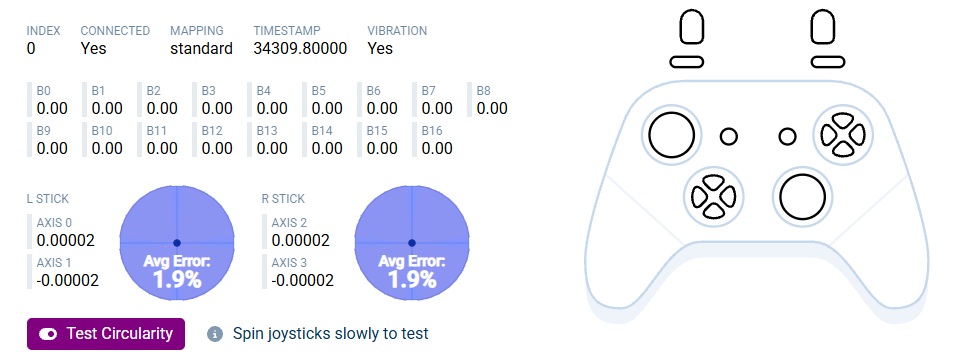
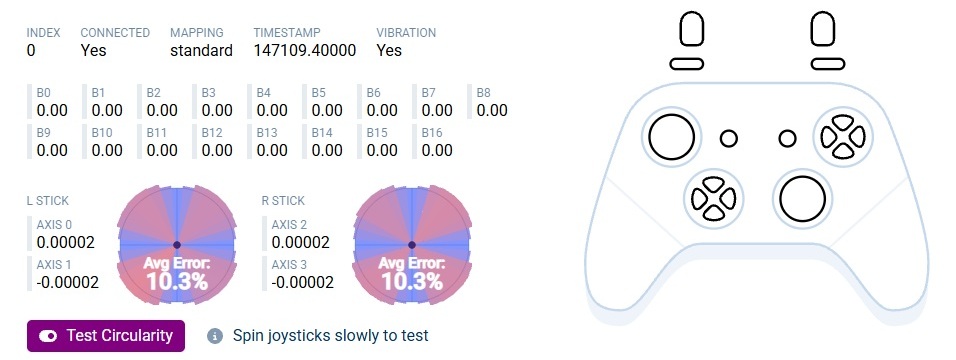
In the circularity test, I got 1.9% in Circle mode and 10.3% in Square mode. These results suggest that Leadjoy isn’t using aggressive firmware filtering to artificially achieve near-perfect results, which I think is a good thing.
Now let’s talk about the part your thumbs actually interact with – the thumbsticks. The rubber caps are made of a very grippy, soft rubber that feels pleasant to the touch. That’s a definite plus, as I never found my thumbs slipping off or the grip becoming unreliable. However, this material does have a downside: it tends to pick up dirt quite easily, and I have some concerns about how long these caps will last before wearing down.
Fortunately, a unique feature of Leadjoy controllers is that these rubber caps are removable and replaceable. Leadjoy separately sells two additional sets of caps with different shapes. So if the original caps ever wear out, or you simply want to try a different shape, you’re not stuck with the default ones like on many other controllers.
As a side note, if you plan to use aftermarket thumb grips or KontrolFreeks, PlayStation-sized ones will fit the Saber Plus.

The thumbstick shafts feature steel rings paired with anti-friction POM rings on the controller shell, ensuring a smooth glide and preventing any grinding. The thumbsticks themselves are also interchangeable. While taller thumbsticks are not included in the box, they do come bundled with the previously mentioned set of rubber caps.
My biggest complaint with the sticks is their spacing. They are positioned a bit too close to each other. To be clear, they aren’t so close that it causes obvious discomfort, but they are definitely closer together when compared to the DualShock or DualSense, which I consider the gold standard for stick spacing on symmetrical controllers. Depending on your hand size or specific grip style, this tighter spacing might cause your thumbs to occasionally bump into each other during gameplay.
D-Pad
The D-pad is probably the most controversial part of the Saber Plus. It’s a fairly basic cross-shaped membrane D-pad, which may not appeal to everyone. The D-pad cap is fixed, so there’s no option to swap it for a different shape. It features a central pivot design that prevents opposite directions from being registered simultaneously, and it worked flawlessly.
In terms of feel, it behaves pretty much as you’d expect from a membrane D-pad. It has a somewhat mushy feel and relatively long pre-travel, but on the other hand, it feels pleasantly tactile in use. Interestingly, the post-travel is very minimal. The actuation force is on the lighter side, although it’s not quite as light as some D-pads that use tactile or mechanical microswitches.
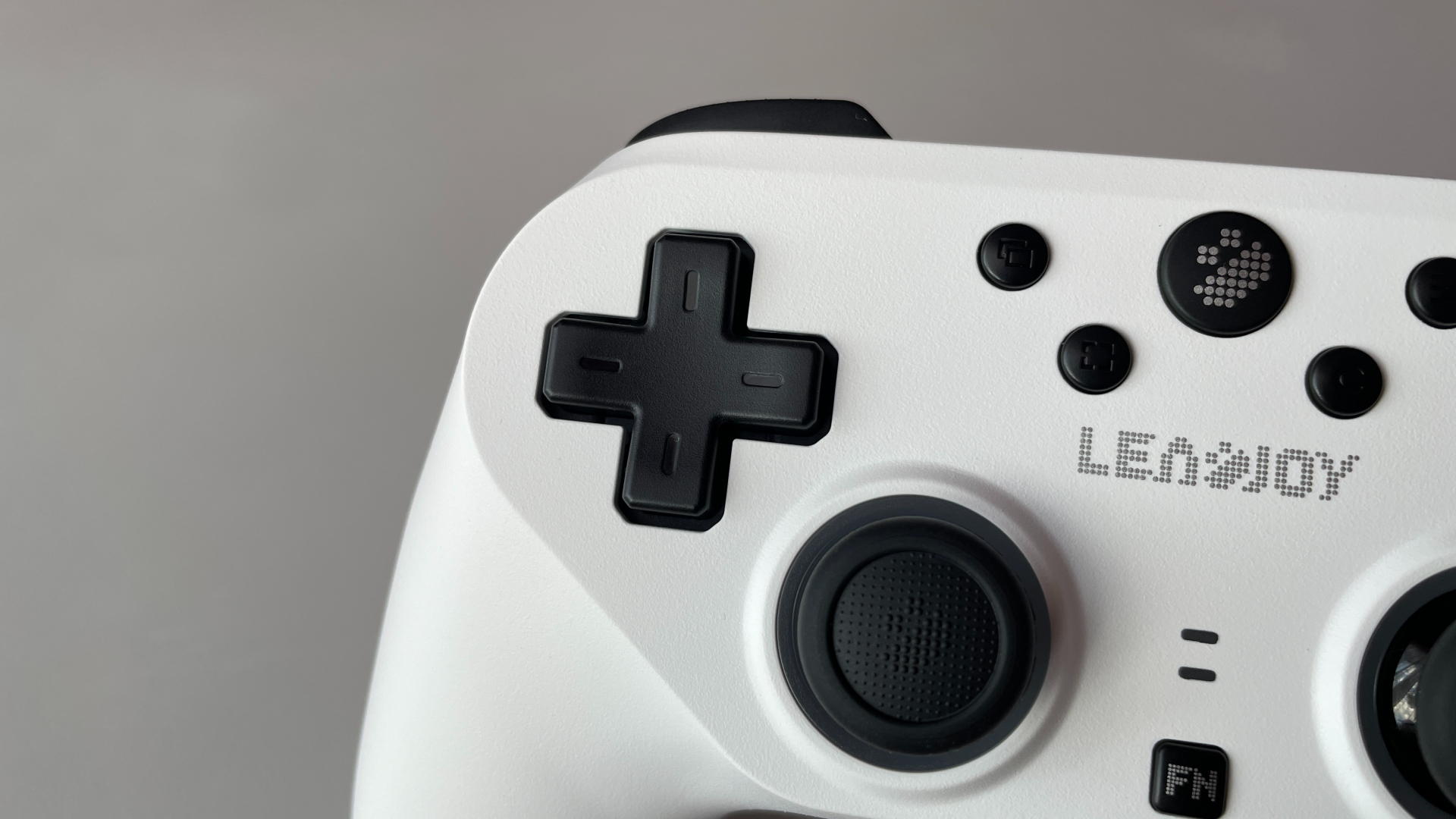
Surprisingly, the D-pad performed quite well in actual use. Diagonals register cleanly and consistently, and quarter-circle and half-circle motions also work very well with no missed inputs. The one thing I noticed is that pressing one cardinal direction can occasionally trigger a neighboring direction as well. For example, pressing Down while putting a significant amount of pressure toward the Right can result in a Down-Right input. Fortunately, this is very easy to fix in the software by enabling the D-pad diagonal lock, which blocks these unintended diagonal inputs.
Personally, I have mixed feelings about the Saber Plus D-pad. I have nothing against membrane D-pads in general, but this particular implementation didn’t really impress me. That said, if membrane D-pads are usually your preference, there’s a good chance you’ll still be happy with this one.
ABXY Buttons
The ABXY buttons have a fairly standard size, similar to what you’ll find on most modern controllers. The legends are double-shot, meaning the letters are molded as part of the button itself rather than printed onto the surface. As a result, they won’t wear off over time, which is always nice to see.
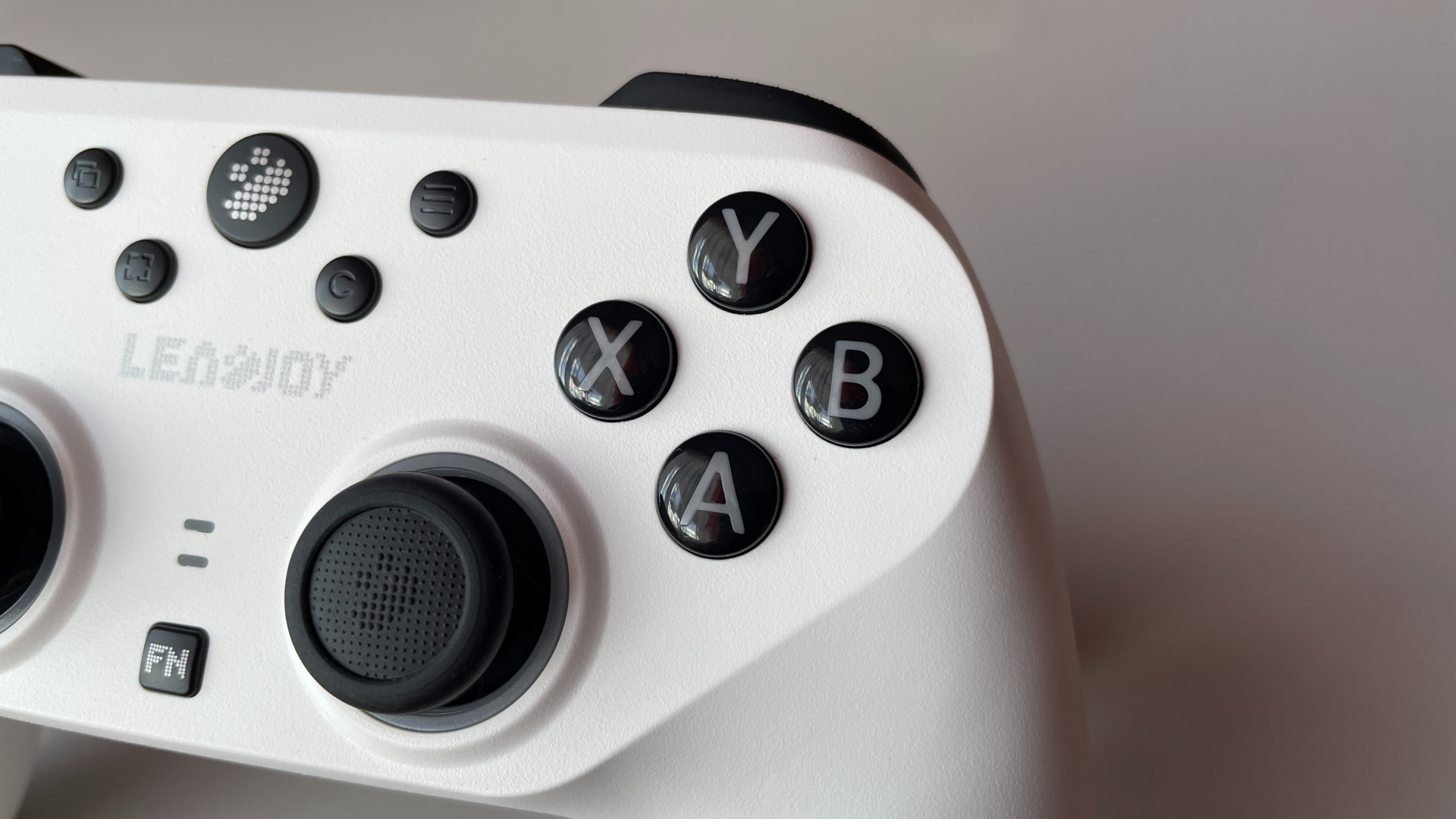
They use mechanical microswitches, with a silicone layer between the button cap and the switch. This is a common approach in modern controllers, as the silicone layer helps dampen the click, makes the press feel softer, and adds a bit of tactility to the overall feel.
As for the actual feel, I quite like these buttons. The click feels pleasant, with a fast and crisp actuation, while the sound is fairly well dampened. The actuation force is slightly above average, although I wouldn’t consider the buttons particularly heavy. There’s some pre-travel and post-travel, but neither feels excessive. The buttons also have a fairly energetic rebound, which gives them a nice, responsive feel under the fingers.
System Buttons
The system buttons are placed pretty conveniently, and I had no trouble reaching them when I needed to. At the same time, they never got in the way during gameplay.
All system buttons use tactile microswitches and have a pleasant, crisp click. There is virtually no pre-travel or post-travel. The actuation force is on the lighter side, but not so light that accidental presses become an issue. All system buttons except Home and Fn have debossed legends, while Home and Fn instead have printed legends in Leadjoy’s signature pixel style.
With the exception of Home, Fn, and the Pairing button, all system buttons can be freely remapped in the software. The C button in particular has no dedicated function outside of Switch mode, so it’s literally a fifth extra button that you can assign to a macro or whatever function you want. Personally, I mapped it to switching between the built-in profiles. Having a dedicated button for this is quite convenient, I have to say.
Shoulder Buttons & Triggers
Starting with the LB and RB buttons, they have a nice laser-etched texture on the surface. It isn’t overly aggressive, but it’s not so subtle that I barely notice it either, providing just the right amount of grip and feeling comfortable under my fingers.
These buttons use tactile microswitches that deliver a crisp, fast, and pleasantly tactile click, with a medium actuation force. There’s a small amount of both pre-travel and post-travel. The click has a slightly hollow sound to it. Actuation is consistent across the entire button – no matter where I press, whether near the outer edges, the middle, or the inner corners, it registers cleanly every time.
The Saber Plus features dual-mode triggers. In analog mode, they use 255-step Hall-effect sensors, while digital mode uses mechanical microswitches. About one-third of the surface of each trigger has the same texture as the shoulder buttons. The triggers themselves are slightly narrow, but I find their shape comfortable.
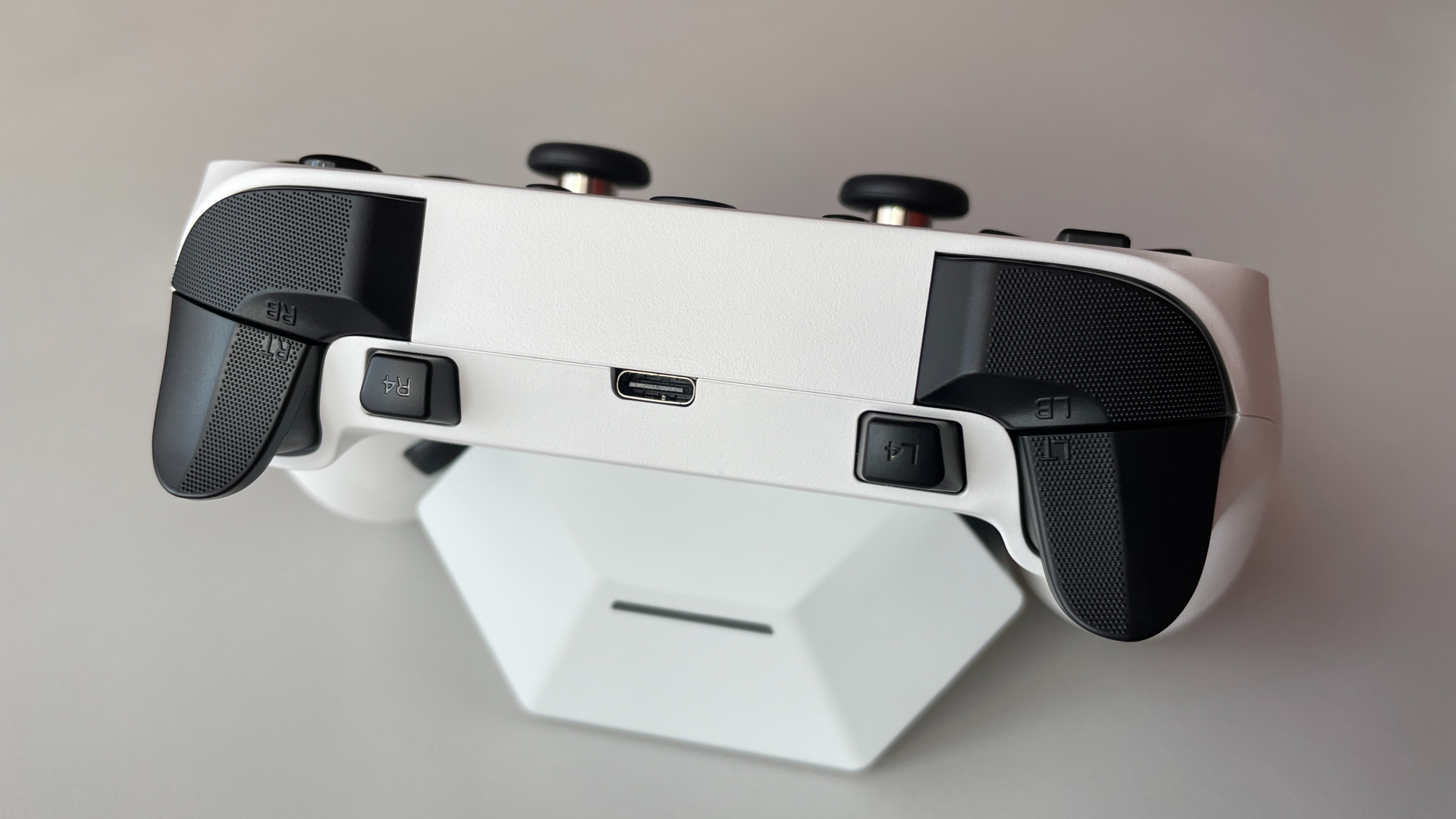
In analog mode, there’s a very small physical dead zone at the beginning of the travel, around 2–3%, and no physical dead zone at the end of the travel. The pull is smooth and consistent throughout the entire range, with a medium level of resistance. The triggers also have very good linearity from start to finish. When fully pressed quickly, the impact sound is fairly quiet and not particularly sharp, which I really like.
As for the microswitch mode, the implementation is simply excellent. The pre-travel is extremely short, while post-travel is practically nonexistent. The click is fast, crisp, and satisfying, with medium actuation force, perhaps just slightly above average. If you’re a fan of shooter games, there’s a good chance you’ll really like how the microswitch triggers are implemented on the Saber Plus. The crisp click and extremely short pre-travel make them particularly well suited for spam clicking.
The toggles for switching between the two modes are positioned well. They never got in the way, and I never accidentally switched them while playing. They sit slightly recessed, which helps keep them out of the way, but not so deep that they become difficult to switch. I can comfortably change the trigger mode during a game without having to turn the controller over.
Extra Buttons
In addition to the C button mentioned earlier, the Saber Plus has four more extra buttons in a 2+2 layout: two extra buttons on the back and two extra shoulder buttons. This layout has become increasingly popular, and for good reason. It’s a convenient and versatile layout that should work well for a wide range of users and grip styles. It’s especially popular among shooter players and those who prefer a claw grip.
Starting with the back buttons, I think they are placed quite well, sitting right where my fingers naturally rest. The buttons themselves have a fairly large surface area and have the same laser-etched texture as the shoulder buttons and triggers.
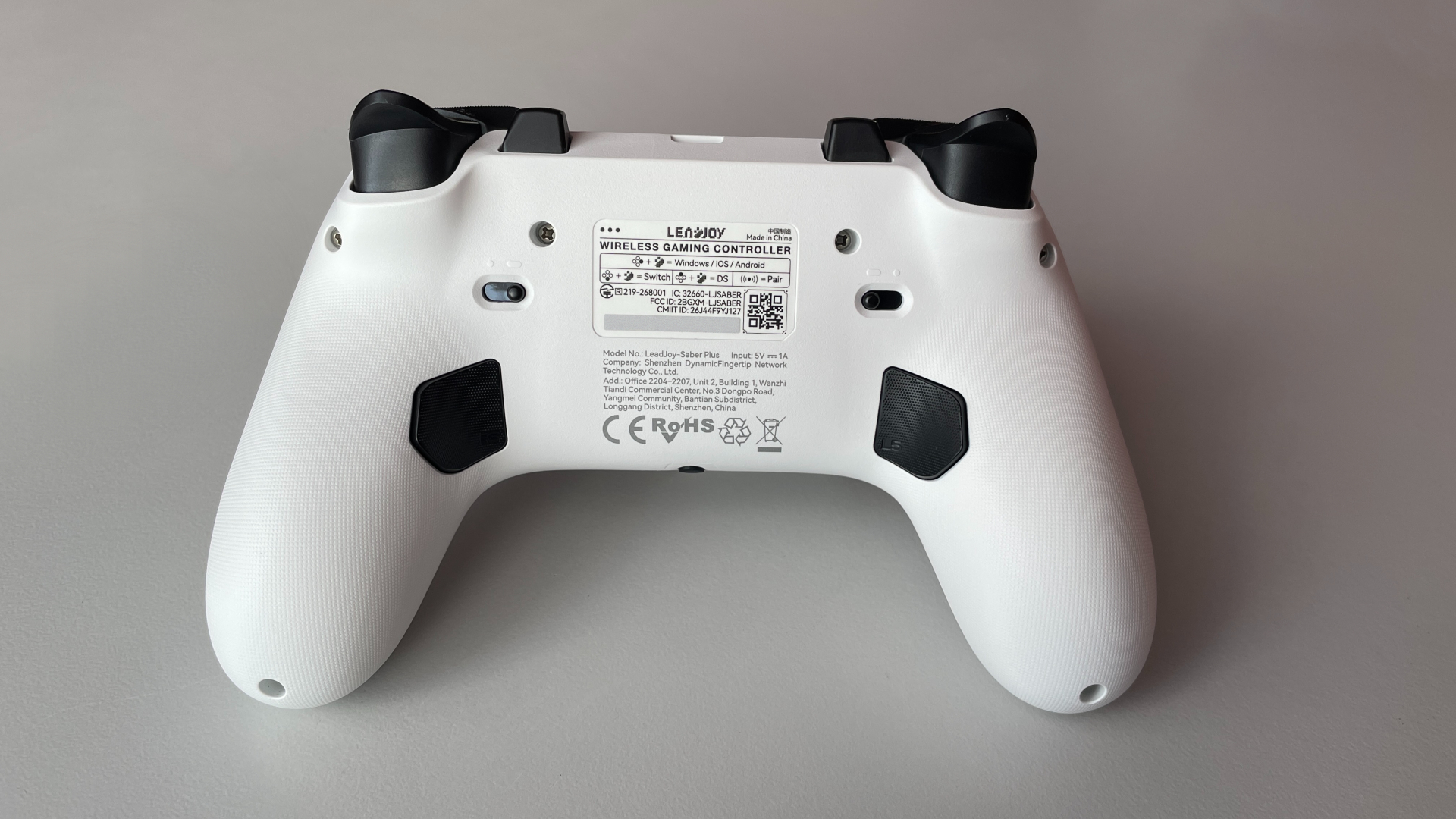
The back buttons use mechanical microswitches, and I really like how they feel. The click is fast and crisp, with a pleasant tactile response. There’s some pre-travel and slightly less post-travel, but neither is excessive or noticeable during gameplay.
Moving on to the extra shoulder buttons, I had a slightly different experience compared to the back buttons. When I first put my fingers on them, they felt a little too raised, and I occasionally found myself accidentally pressing them while using the triggers. It didn’t take long to get used to them, and the issue quickly went away, but it’s something to keep in mind if you have longer fingers. They have a smooth, untextured surface. Like the back buttons, they use mechanical microswitches and feel just as good to press. The click is fast and pleasant, with very little pre-travel and post-travel. The sound of the click is crisp and clear.
You can also get four additional “buttons” through the gyro, which I’ll cover in more detail in the next section.
Haptics & Gyro
The Saber Plus is equipped with dual asymmetric rumble motors with an instant-stop feature, which cuts vibration sharply the exact moment an in-game action ends – no trailing buzz after an explosion or impact, that often plagues cheap motors. The vibration itself feels quite good overall. Maybe it’s not the most refined haptic experience I’ve encountered, but I’d still say it’s above average. The motors can get fairly strong, delivering dense, pleasant feedback that doesn’t feel hollow or appears like it’s just buzzing somewhere inside the controller. Importantly, there’s no shell rattle or internal noise coming from the controller, even at higher vibration levels.
As for the gyro, the Saber Plus is equipped with a 6-axis gyroscope that can work in both native mode, when the controller is in Switch mode, and simulated mode.
In native mode on Nintendo Switch, the gyro performs very well. Motion tracking feels responsive and accurate, with no noticeable jitter or input delay. I didn’t run into any particular issues here, and overall the gyro behaved exactly as I would expect from a good implementation.
In simulated mode, the gyro can be mapped to either the left or right stick, which is pretty self-explanatory. It can also be used in a mouse mode, which I find to be a nice addition. Using mouse mode for micro-adjustments while aiming in shooters felt exceptionally precise and smooth.
Since the software also allows mouse clicks to be mapped to controller buttons, you can use the Saber Plus literally as an air mouse. I set this up as a separate on-board profile, which makes it very convenient to switch to whenever I need it.
The ability to map the gyro to up to four “buttons” is a more unique feature. Specific controller movements can be assigned to trigger a button input, and these inputs don’t necessarily have to be simple button presses. You can assign a macro or even a combination of buttons to a particular gyro movement, opening up some interesting possibilities and use cases.
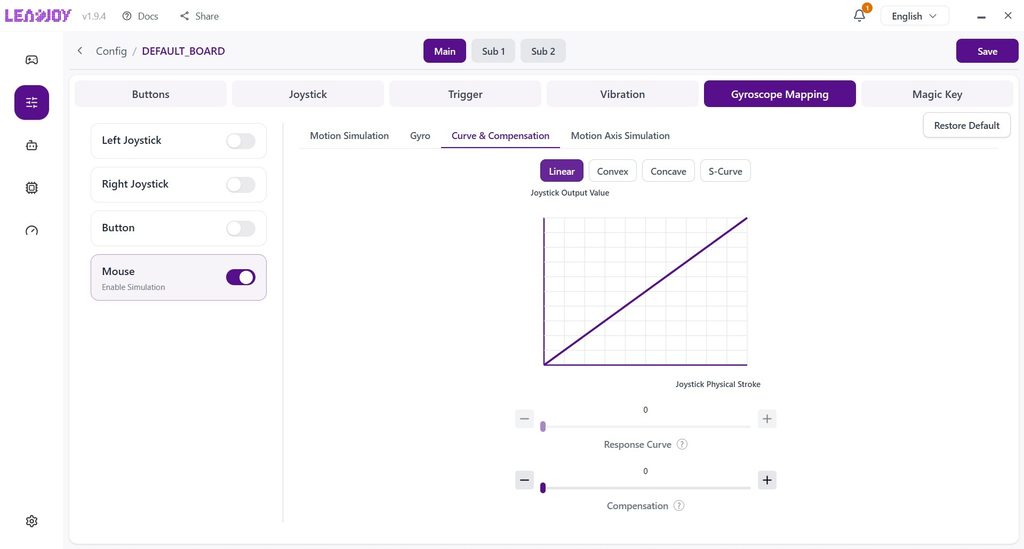
The software also provides a wide range of gyro settings for fine-tuning the gyro’s behavior to your liking. These include different operating modes, sensitivity adjustment, dead-zone adjustment, and response-curve settings, covering most of the important parameters you might want to adjust when using gyro.
I ended up very satisfied with how the gyro was implemented on the Saber Plus. The tracking feels smooth and precise, and the software offers plenty of options for fine-tuning. On top of that, the ability to map up to four additional inputs to gyro movements is one of the unique features that adds a lot of versatility to the gyro, even for players who don’t normally use gyro controls or gyro aiming.
Connectivity & Compatibility
The Saber Plus is a tri-mode controller, supporting wired, Bluetooth, and 2.4 GHz wireless connections. It is compatible with PC, Nintendo Switch 1/2, Android, and iOS devices. On the original Switch, the console wake-up feature works as expected, though the Saber Plus cannot wake up the Switch 2.
One of the more interesting connectivity features is the Dual Connection Mode. It allows the controller to stay connected to the same device through both a wired connection and 2.4 GHz wireless simultaneously, providing a backup connection in case one of the connections drops. Alternatively, you can use Dual Connection Mode to connect the controller to two different devices simultaneously, if you happen to need this for some reason.
Supported input modes:
- Wired:
- X-input
- D-input
- Switch
- DS4
- Bluetooth:
- X-input
- D-input
- Switch
- DS4
- 2.4 GHz Wireless:
- X-input
- D-input
- Switch
- DS4
Interestingly, the manual doesn’t mention how to put the controller into D-Input mode. To do so, you simply need to turn it on by pressing X + Home.
As for the battery, the Saber Plus is equipped with a 1000 mAh battery, which is a fairly solid capacity. Actual runtime will vary depending on your usage, as vibration intensity, polling rate, and RGB lighting all affect battery life. I got around 15 hours of battery life over 2.4 GHz wireless with the RGB lighting on and vibration set to 70%, which is a pretty good result.
One small inconvenience is that there’s no way to see the exact battery percentage in the software. The only indication you get is a flashing red LED when the battery level gets critically low. Many modern controllers can show the exact battery percentage in the software, so I find it a little odd that the Saber Plus doesn’t have this option. I’d definitely like to see it added in the future.
Software
Leadjoy provides software for both PC and mobile (iOS and Android), so you can choose whichever platform works best for you. The PC software is now available through the official Microsoft Store, meaning you don’t have to worry about installing executables from unknown sources.
In my Xeno Plus review, I mentioned that Leadjoy’s software managed to surprise me, as it already offered a surprisingly advanced feature set right from launch, including some genuinely unique options I hadn’t come across on other controllers. It’s nice to see that Leadjoy has continued improving and polishing the software since then. For example, there are no more untranslated sections – entire interface is now fully and properly localized in English.
On PC, it works as usual: the software recognizes the controller right away, whether you are connected via cable or the 2.4 GHz dongle. To connect the Saber Plus to the mobile app, just turn on Bluetooth, open the app, and select the controller when it appears on the screen. That’s it. There’s no need to pair it, and you don’t even have to press a “scan” button. It’s easily the simplest and fastest process for connecting a controller to an app that I’ve come across so far.
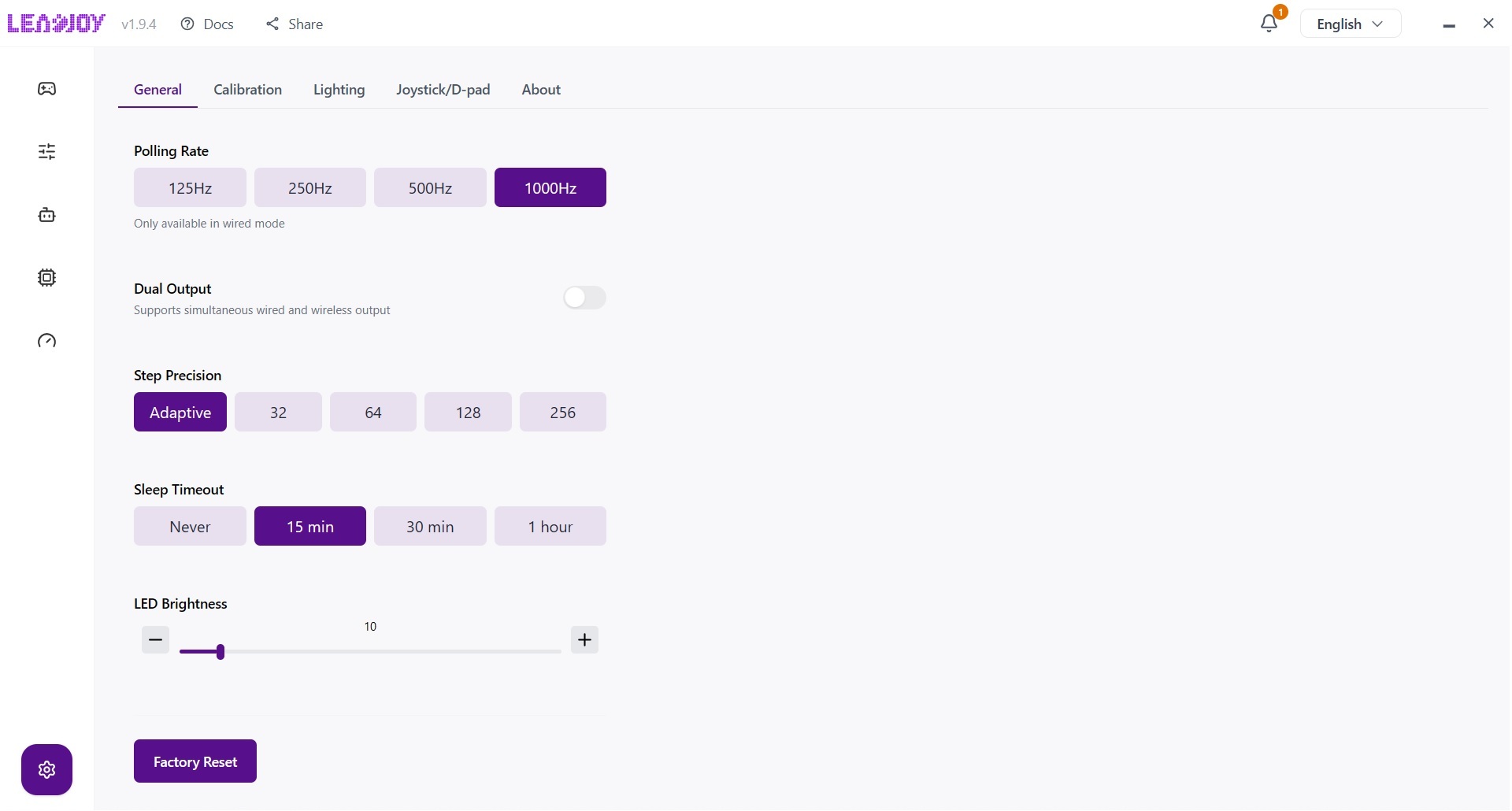
As I mentioned earlier, the software itself is very advanced. It includes all the basic settings you’d expect, along with a number of more interesting and unusual options. Here are some of the things you can find in the software:
- Configuration library
- Profile settings (3 onboard profiles that can also be used as shift layers)
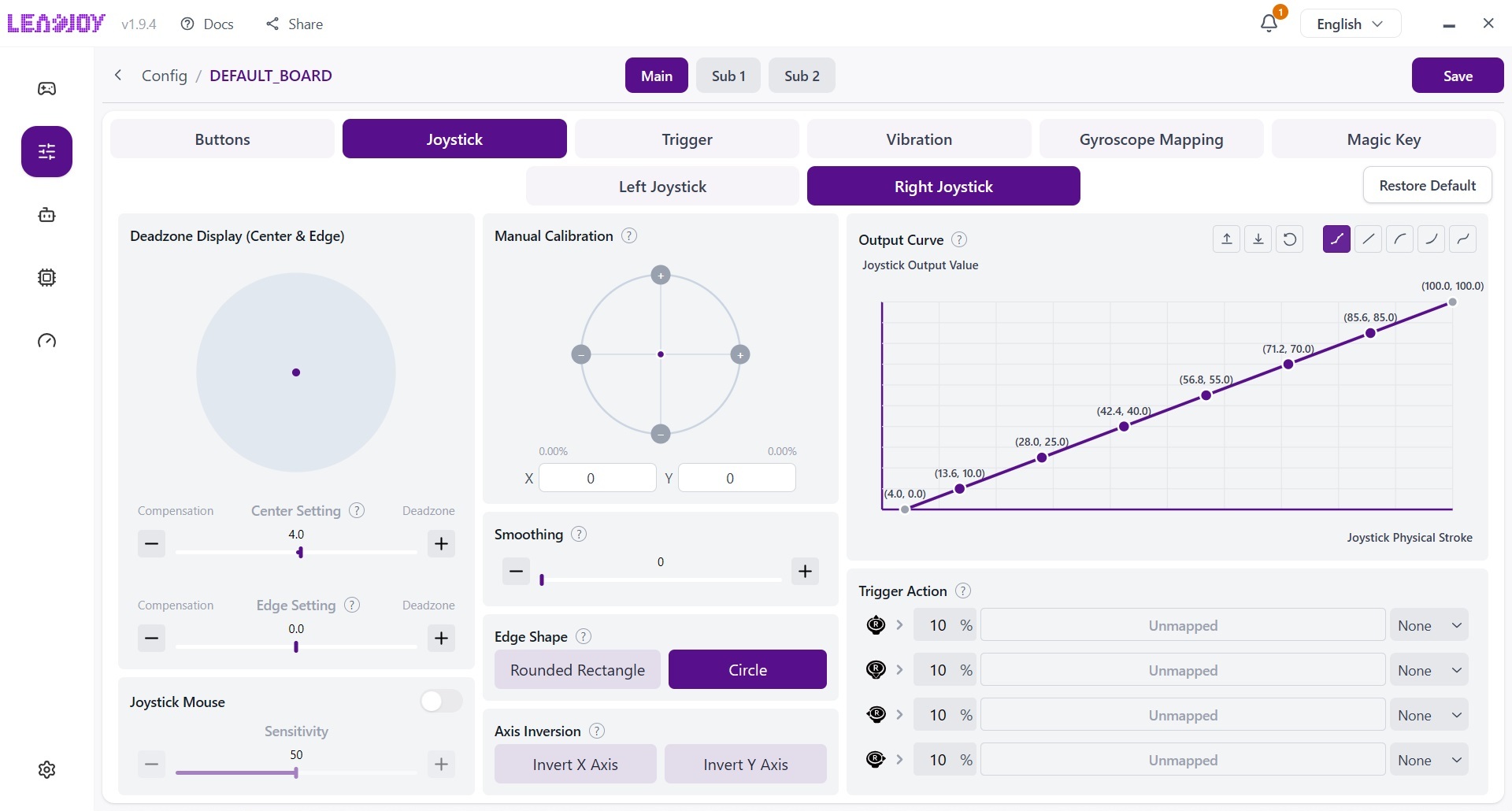
- Button mapping
- Supports mapping keyboard and mouse buttons
- Supports multi-input combinations – up to 4 buttons pressed simultaneously
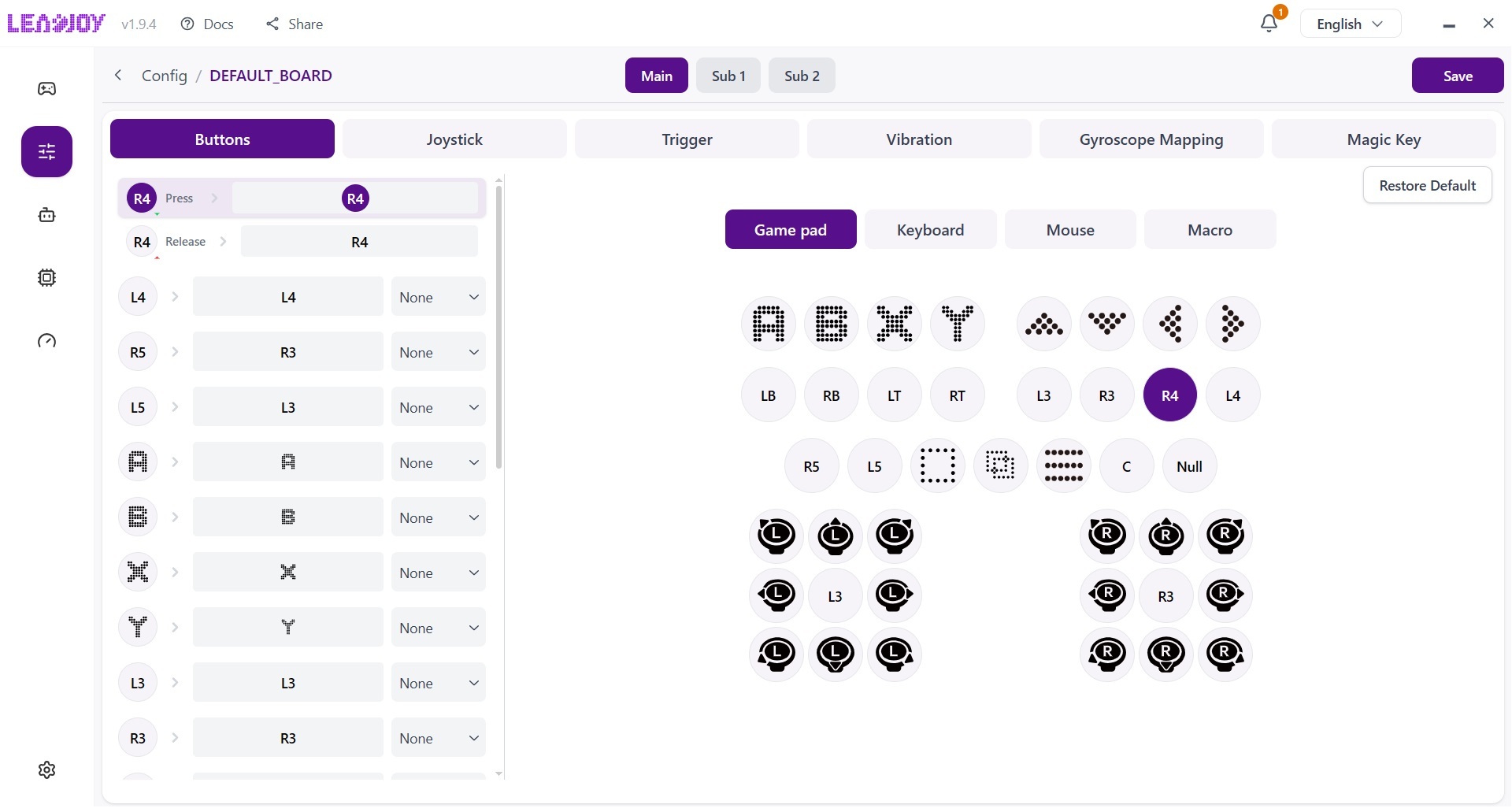
- Analog sticks settings
- Manual stick response curve with 8-point adjustment
- Circle or square mode
- AI Visual Recurve function
- Mapping buttons (including keyboard and mouse inputs) to stick movements
- Stick-to-mouse emulation
- Anti-shake filter
- Sticks resolution (8-12 bit)
- Turbo functionality
- Macro and macro repository (supports incredible 500-step macros, if you ever need them)
- Trigger settings
- Vibration parameters
- Gyro configuration (mapping up to 4 “extra buttons” to gyro movements)
- Magic Key settings
- Lighting settings
- Connection mode selection
- Dual connection function
- Polling rate settings
- Calibration
- Firmware update (only on PC software)
Leadjoy also offers a special “competitive firmware” for the Saber Plus. If you participate in tournaments where macros or certain advanced functions are strictly banned, you can flash this firmware to lock the controller down to only the basic, tournament-legal settings.
Optional Accessories
Several optional accessories are available for the Saber Plus as separate purchases:
- R20 wireless dongle – used to connect the Saber Plus to Xbox consoles. However, it requires an official Xbox Series X/S or Xbox One controller to be connected to the R20 for it to work
- Magic Key – Leadjoy’s modular motion control system
- Magic Cap – set of interchangeable thumbstick rubber caps, available in two variants: Magic Cap No.1 and Magic Cap No.2
- A branded carrying case
Pros & Cons
Final Verdict
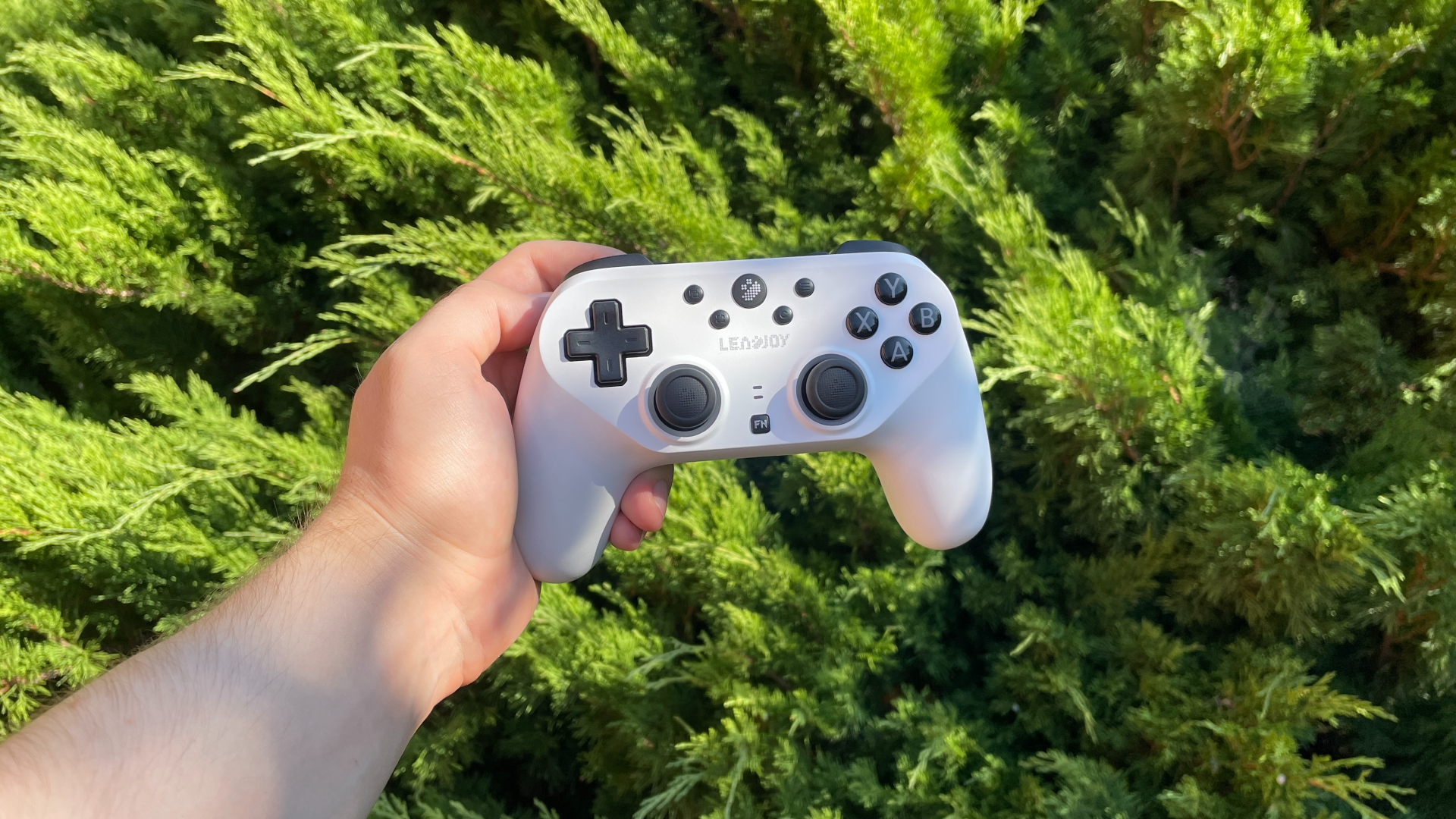
At $60, the Saber Plus is definitely an interesting controller that brings some genuinely premium features to the table. With top-tier JS13 Pro TMR sticks, advanced software, and well-implemented triggers, gyro and extra buttons, it packs a lot of value.
However, whether it’s the right controller for you largely comes down to personal preference. If you are specifically hunting for a symmetrical controller – a market that is still somewhat limited – the Saber Plus is a very solid choice, as long as a membrane D-pad isn’t a dealbreaker for you.
On the flip side, if symmetrical sticks aren’t a strict requirement, the competition opens up considerably. In that case, you might want to look at Leadjoy’s own Xeno Plus. It sits at the exact same price point but feels a bit more versatile overall, plus it includes a charging dock right in the box.
In the end, if you don’t have any specific requirements and are simply looking for an affordable yet highly capable controller, the Saber Plus will not disappoint.

Controller and mechanical keyboard enthusiast. Tech reviewer, regularly sharing thoughts about gadgets and computer peripherals.