
If you have ever built a mechanical keyboard yourself or simply looked for a high-quality aftermarket keycap set to change the look of your board or try a different keycap profile, you probably already know that the market is flooded with plastic options – ABS, PBT, PC – available in a huge variety of colors, profiles, and designs.
Yet, just a few years ago, ceramic keycaps entered the scene. They instantly grabbed the attention of mechanical keyboard enthusiasts and have remained in the spotlight ever since as one of the most intriguing and unique keycap options available. However, those early ceramic keycaps were not entirely free of issues.
Fast-forward to today, and more manufacturers are jumping on board. There are more designs to choose from, and overall quality has improved considerably over the past few years.
Today, I am taking a closer look at one of those newer options – the Year of the Horse ceramic keycap set from XVX – to find out whether it is worth your attention and whether XVX has managed to avoid some of the issues seen in earlier ceramic keycaps.
Packaging
The set arrives in a fairly large, sturdy cardboard box with holographic foil branding across the outside. The silver-toned artwork catches the light and shifts through different colors depending on the angle, which gives the packaging a much more distinctive appearance. The box opens with a book-style hinged lid and uses hidden magnets to keep it securely closed. Overall, the presentation is very nice and makes a strong first impression.
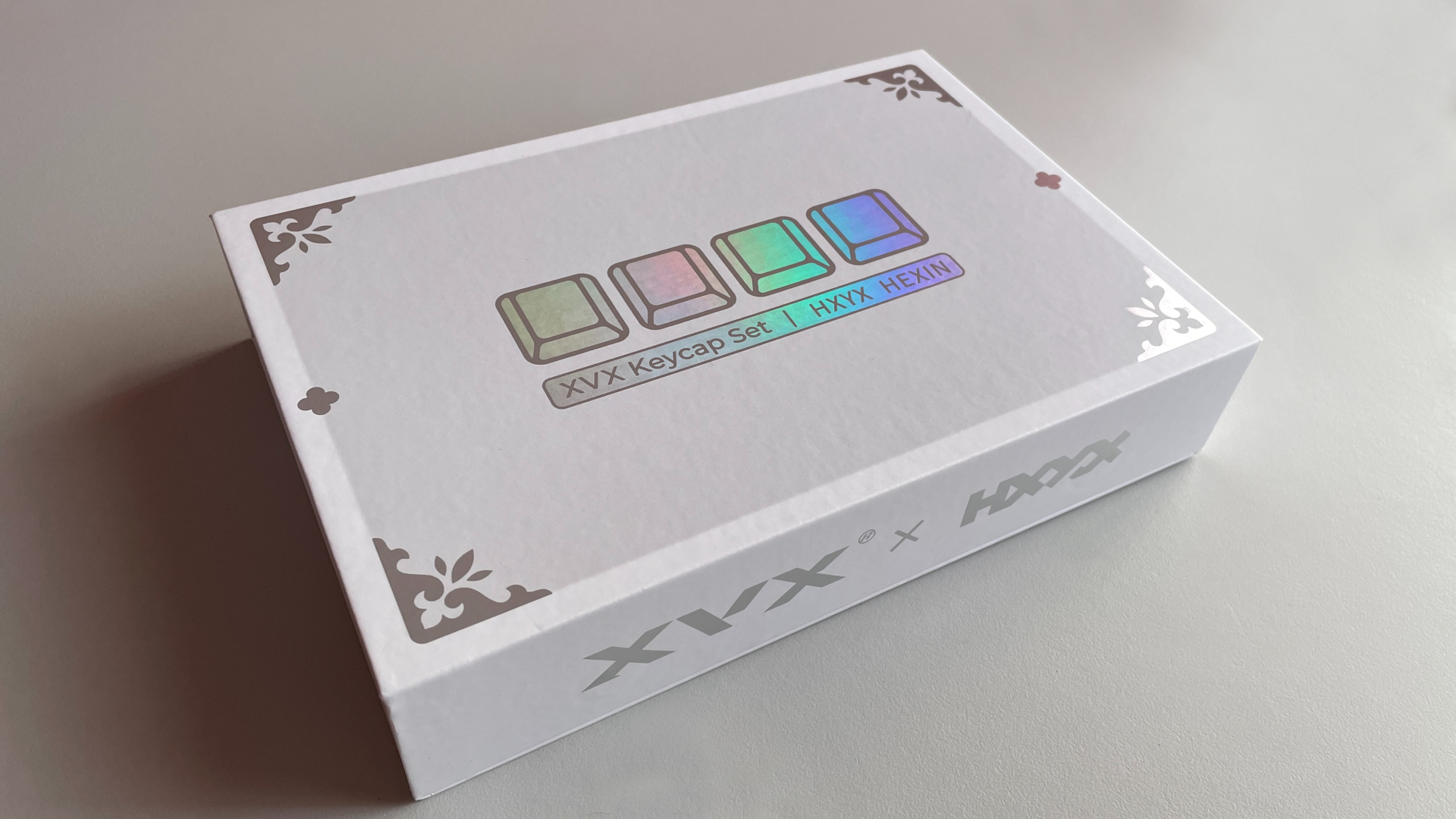
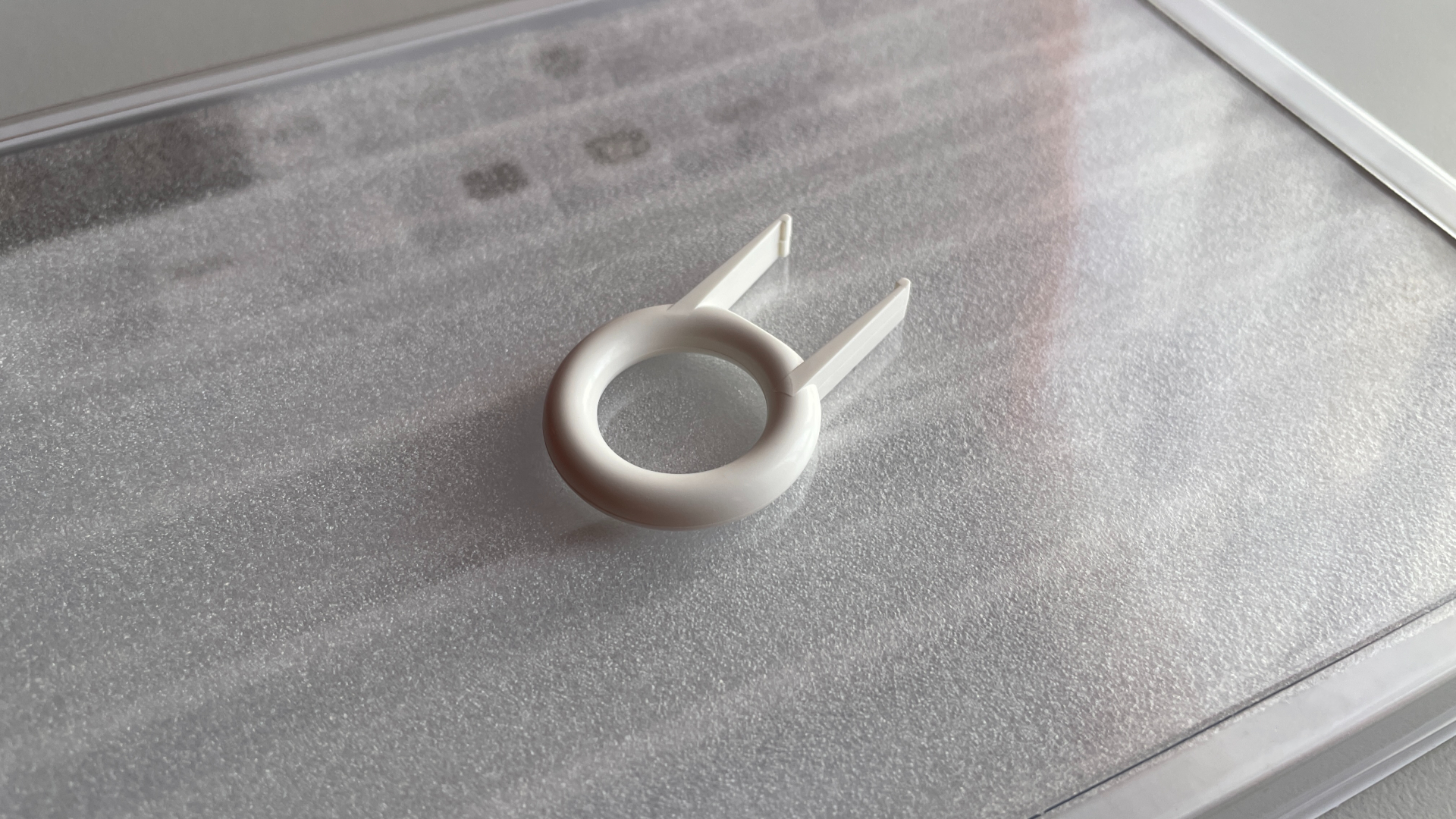
Inside, the keycaps are split across three plastic trays. XVX also includes a basic keycap puller, three additional springs – I will come back to their purpose later – and a microfiber cloth.
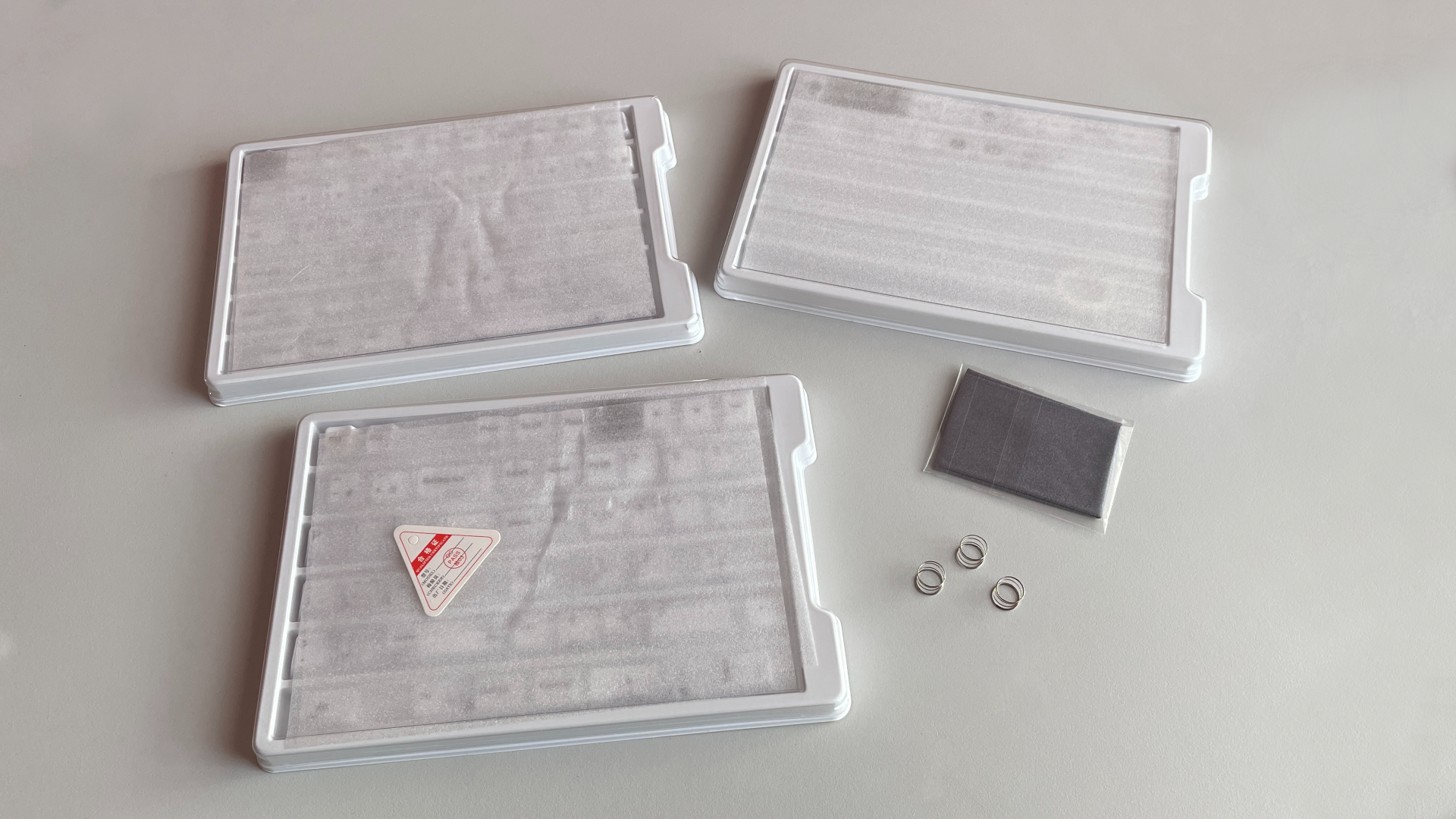
Each tray has a thin foam sheet placed over the keycaps for additional protection, while dividers separate the individual rows of keycaps. I would rate the packaging somewhere between 4 and 4.5 out of 5 for protection during shipping.
For ceramic keycaps specifically, I would still prefer a tray in which every keycap has its own compartment rather than one that relies solely on row dividers. That would give me a little more confidence, although considering how durable ceramic keycaps actually are, I may be nitpicking a bit here.
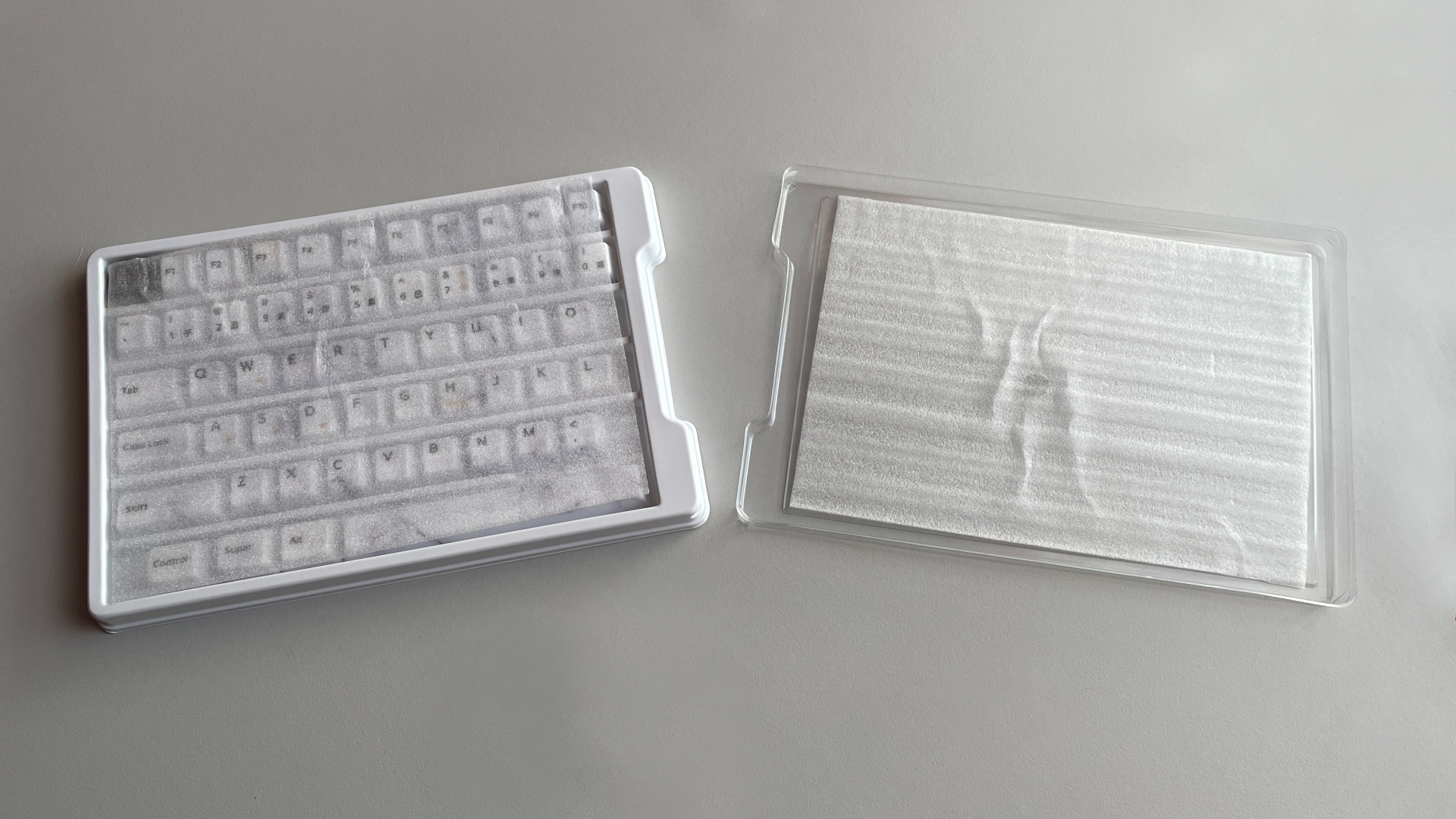
That said, every single keycap arrived in perfect condition, without even the slightest damage. Considering that the postal service in my country currently leaves quite a bit to be desired when it comes to handling packages, I think it is fair to say that the trays are doing their job very well.
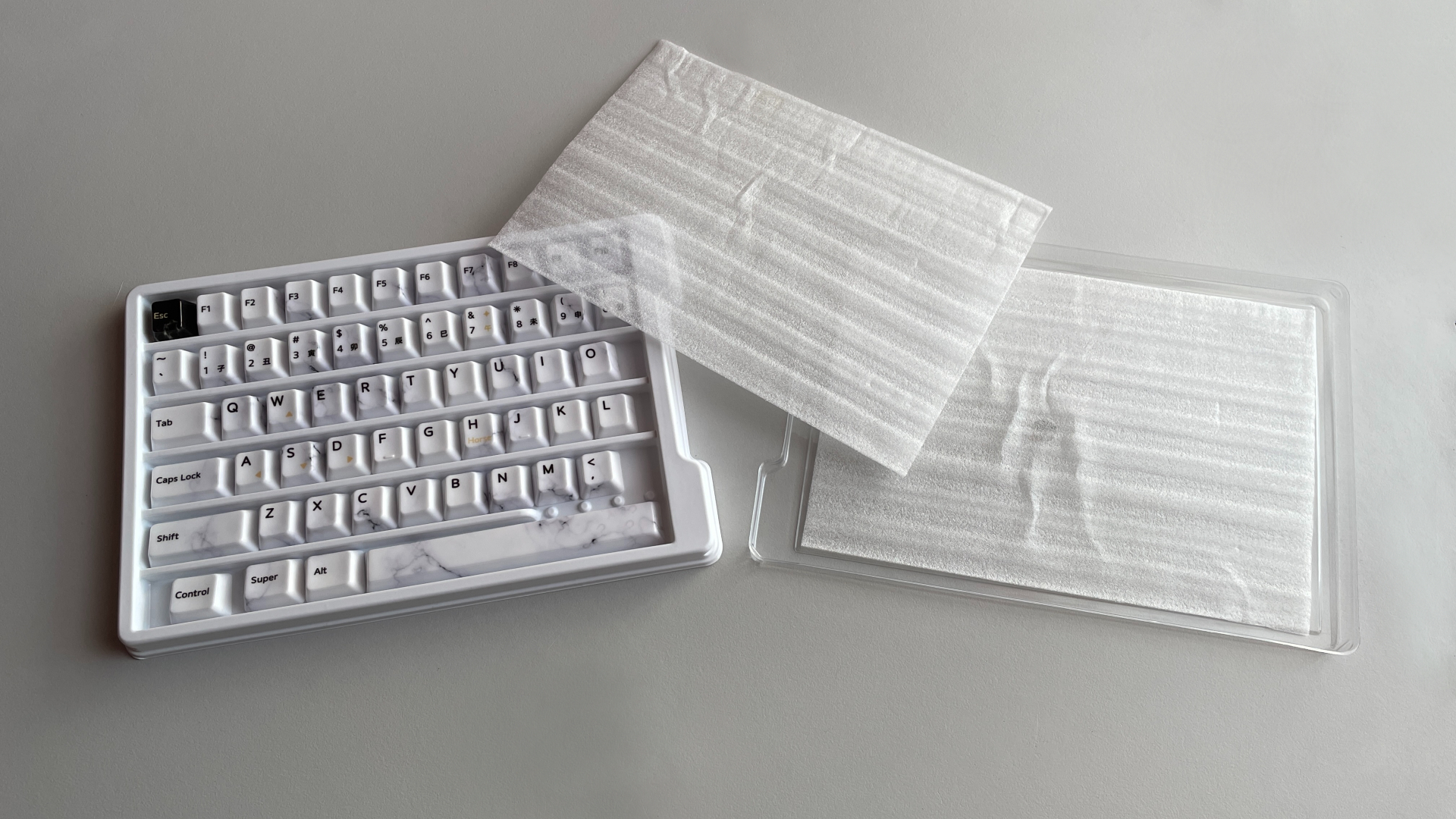
Beyond shipping, the sturdy box works great for long-term storage. The plastic trays are perfect for keeping unused or extra keycaps organized, dust-free, and protected from scratches, while the box itself looks presentable enough to keep on a shelf rather rather than tuck away as you might with ordinary packaging.
Design Language
The XVX Year of the Horse set strikes a balance between minimalist elegance and expressive artistic flair.
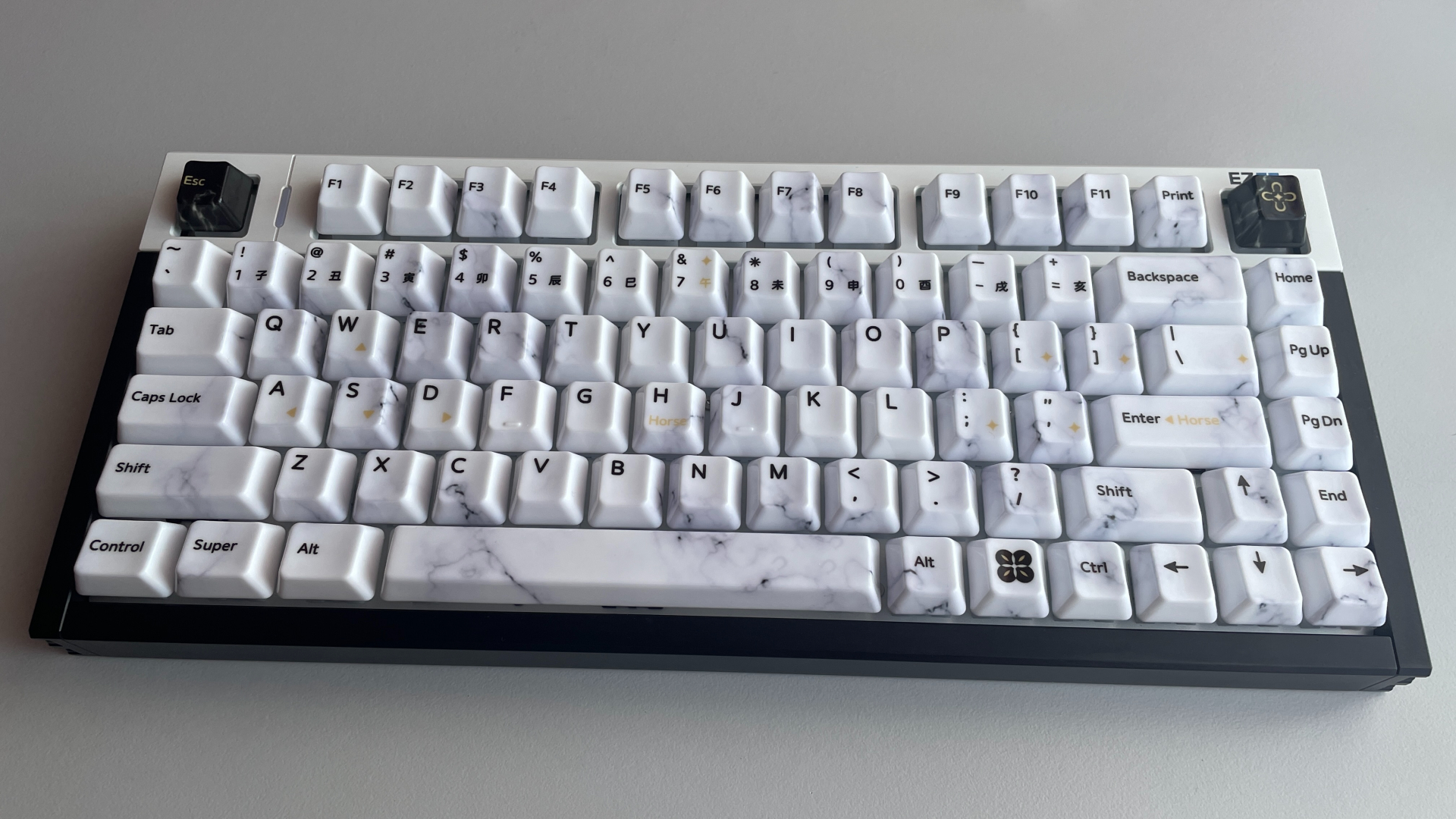
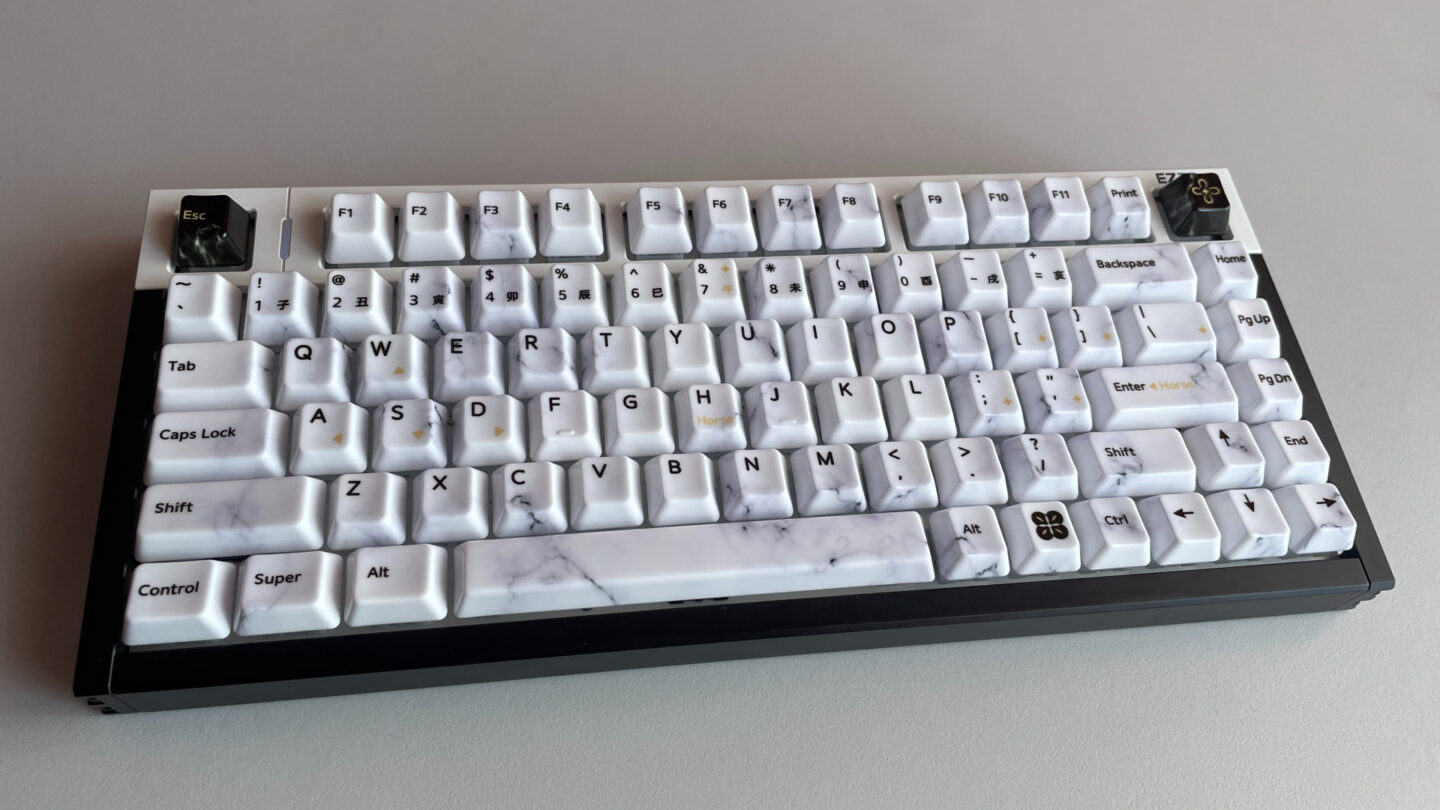
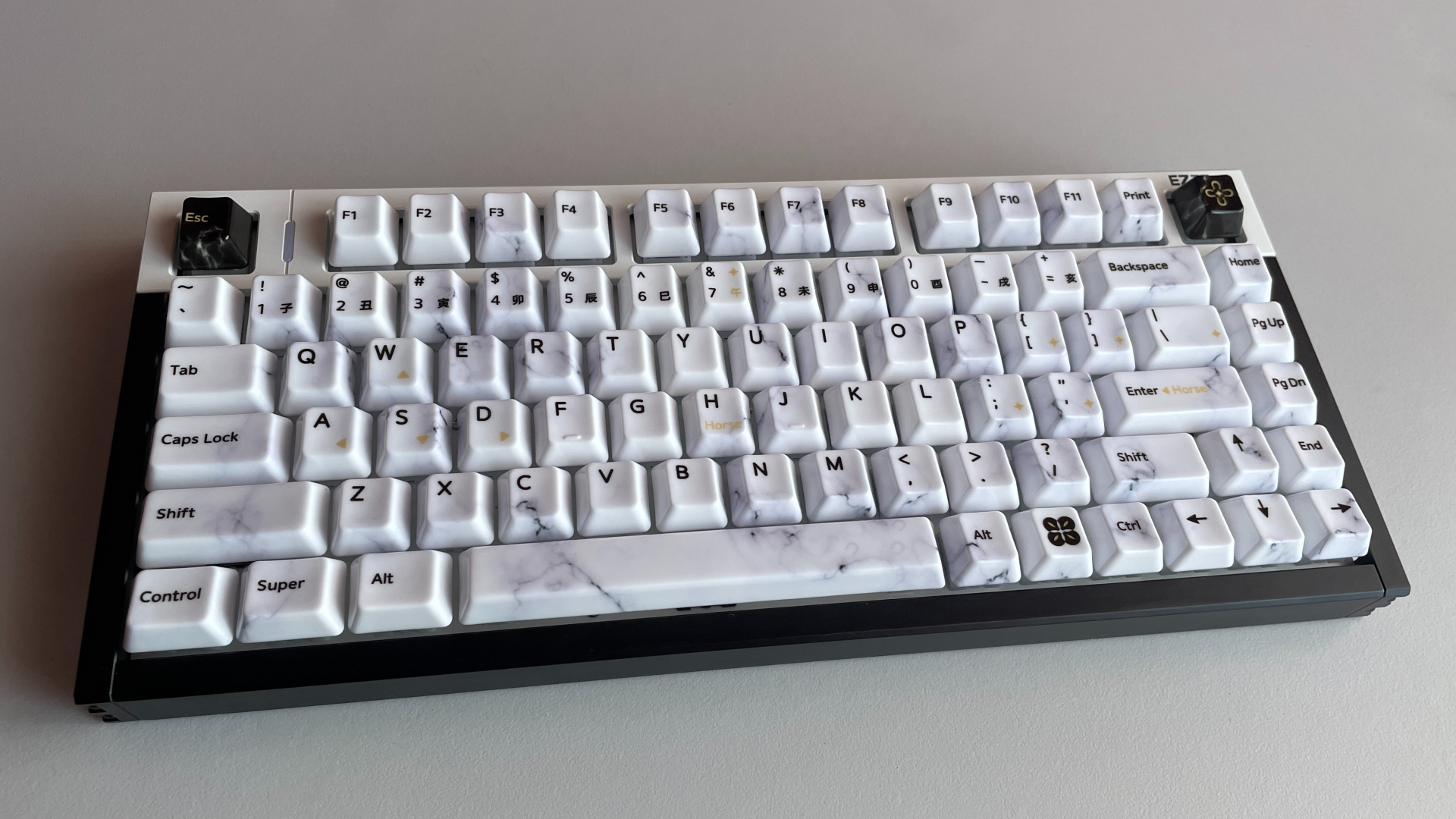
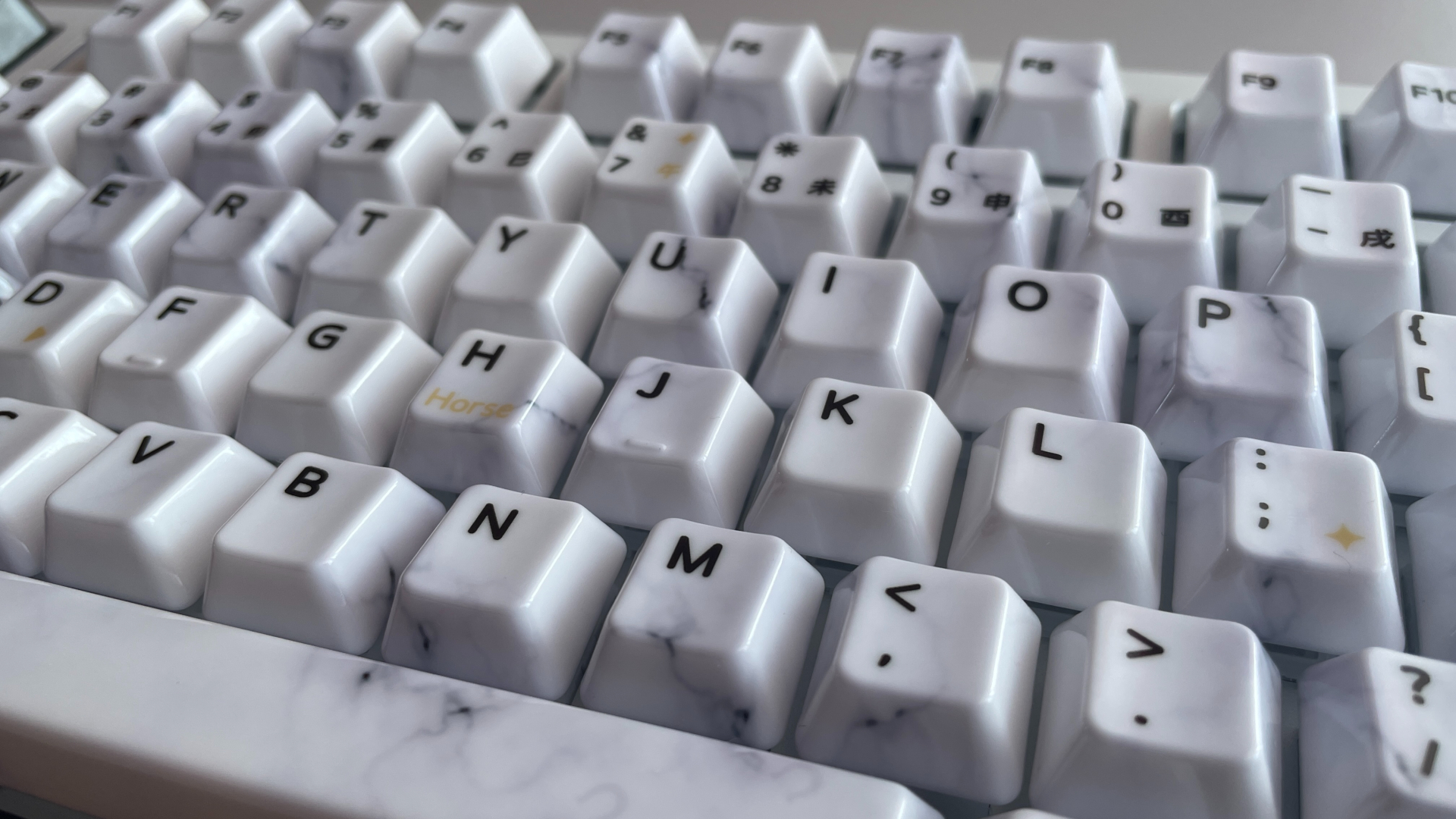
The first thing that catches the eye is undoubtedly the marble-like veining. It looks fantastic in person and gives the keycaps a very distinctive appearance, with no two featuring exactly the same marble-like pattern. Marble has always been associated with a more refined and luxurious aesthetic, and that comes through really well here. The keycaps look incredibly rich on a keyboard, but what I like even more is how naturally this design works with the material they are made from.
Since we’re talking about actual ceramic – heavy, dense, and naturally cool to the touch – the marble-like appearance does not feel cheap or disconnected from the material itself, as can sometimes happen with plastic keycaps textured to imitate a different material. Instead, the visual and tactile qualities of the keycaps complement each other really well – they don’t just look like marble, they feel like marble.
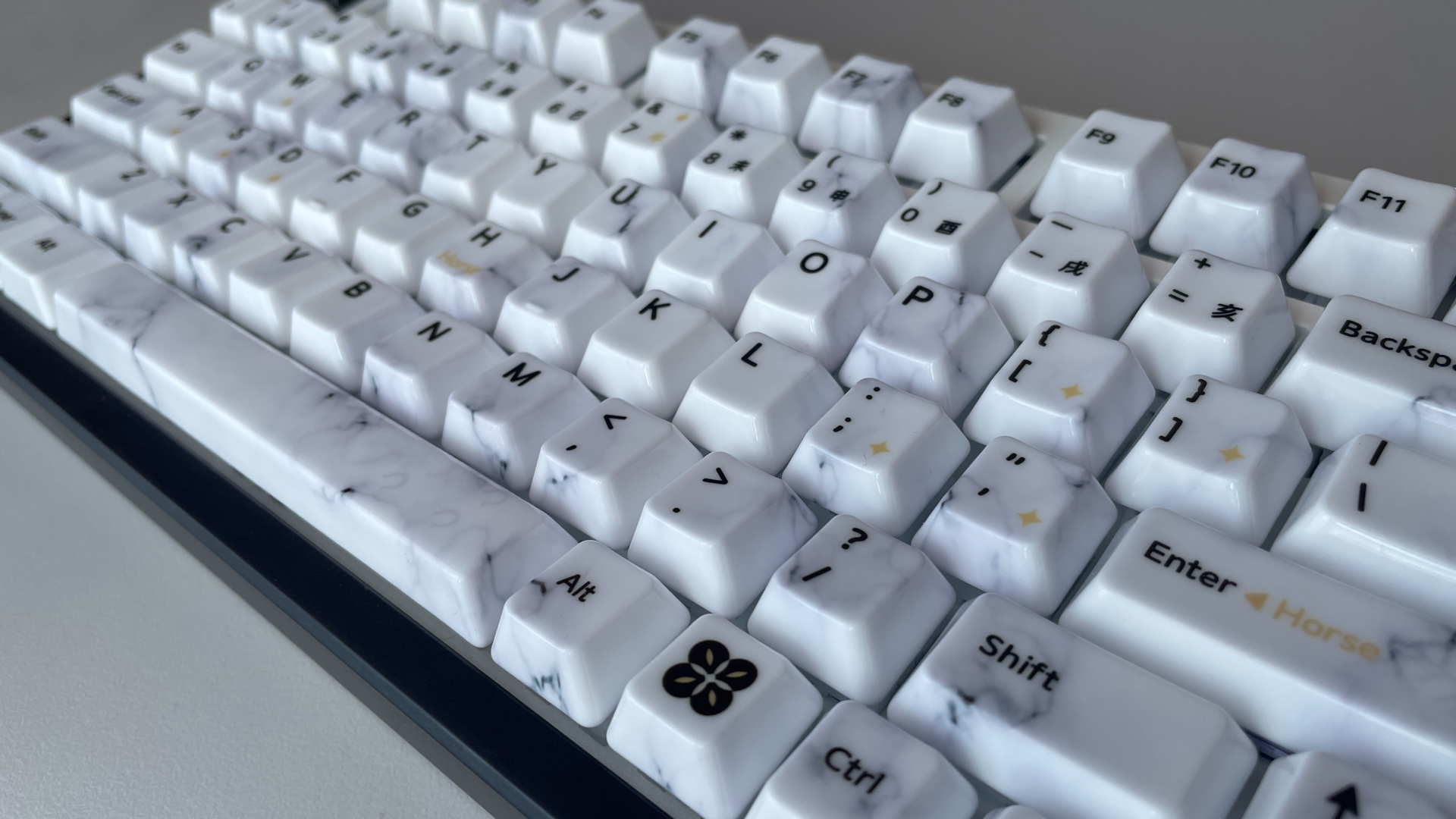
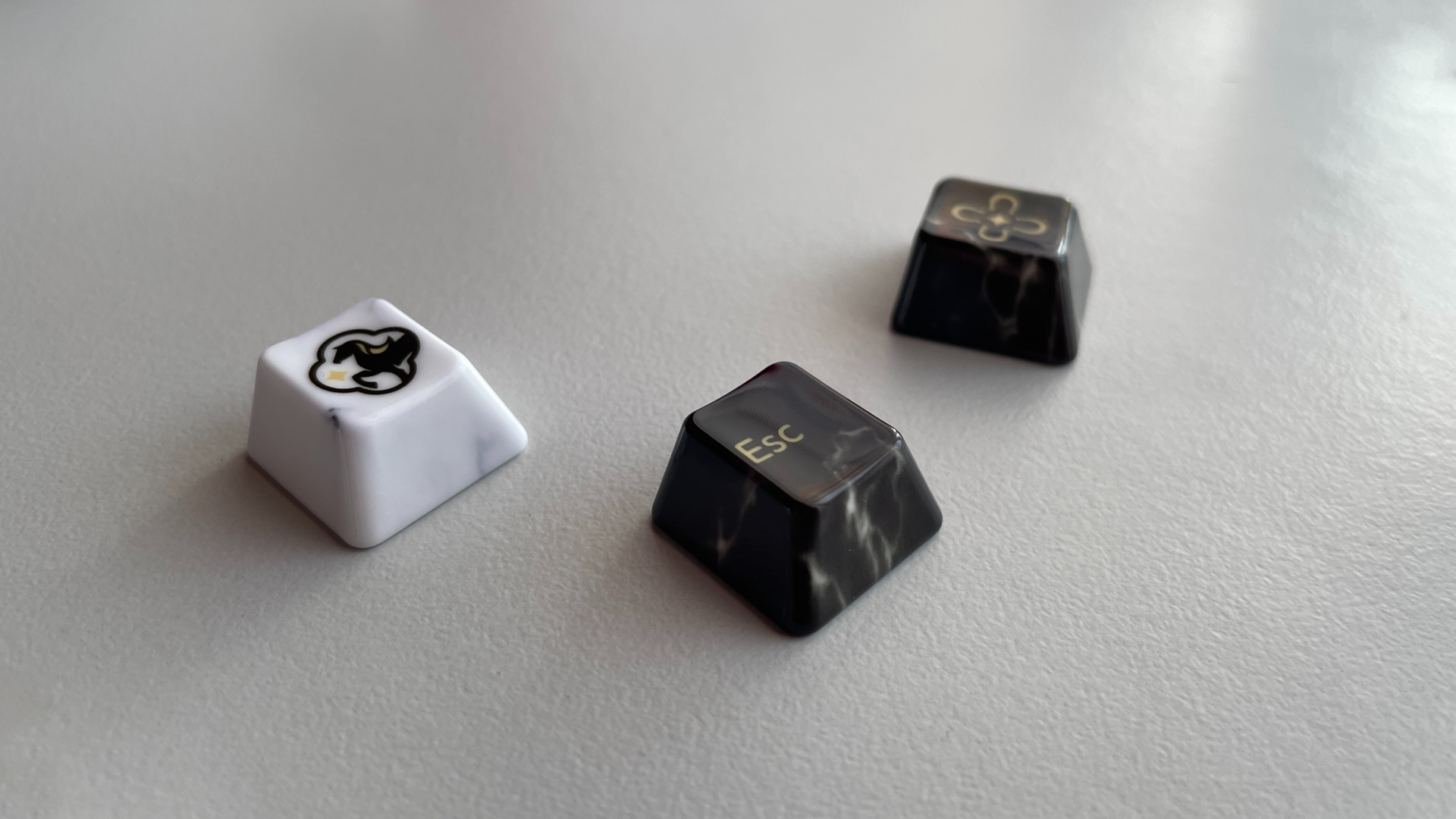
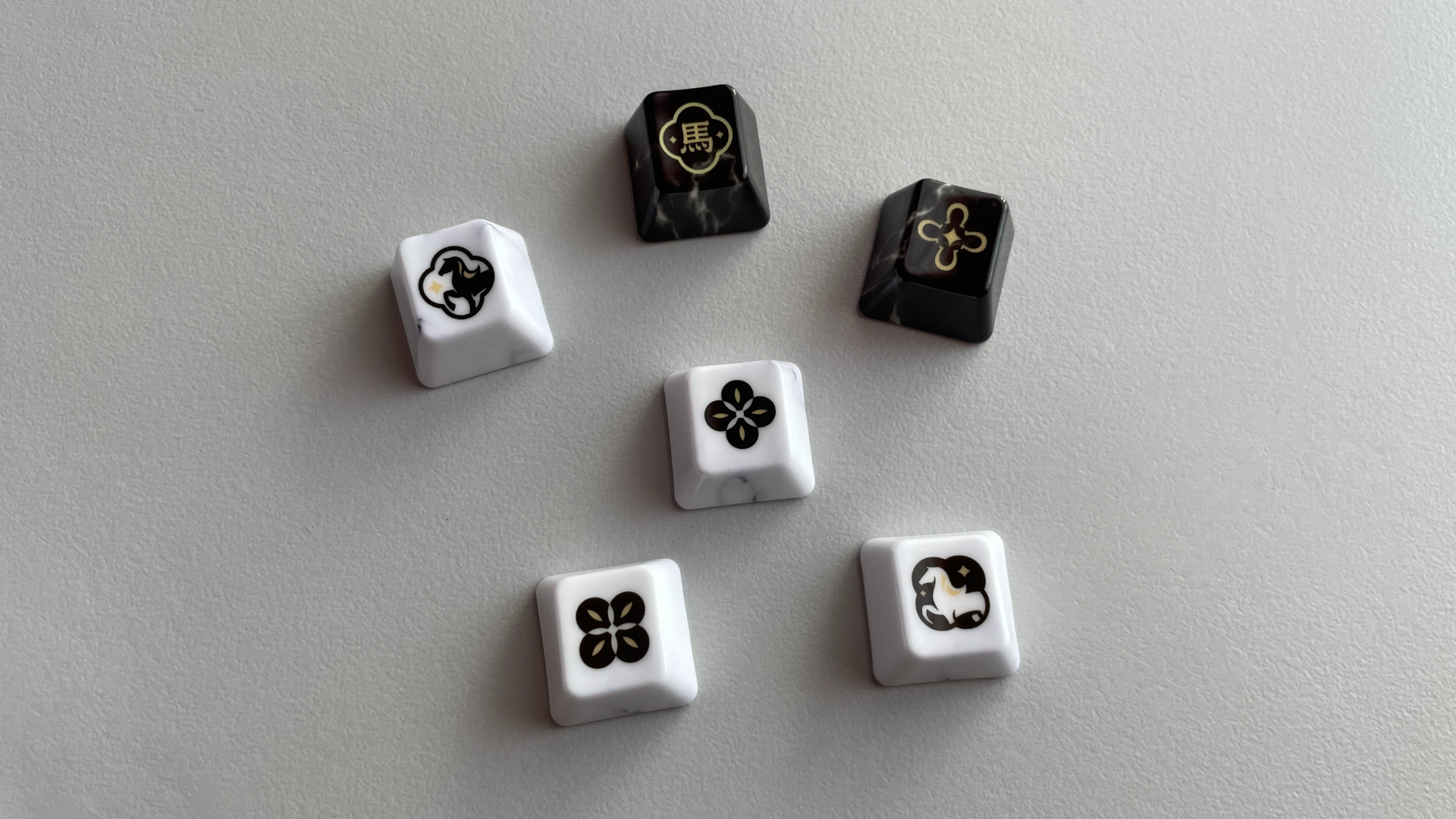
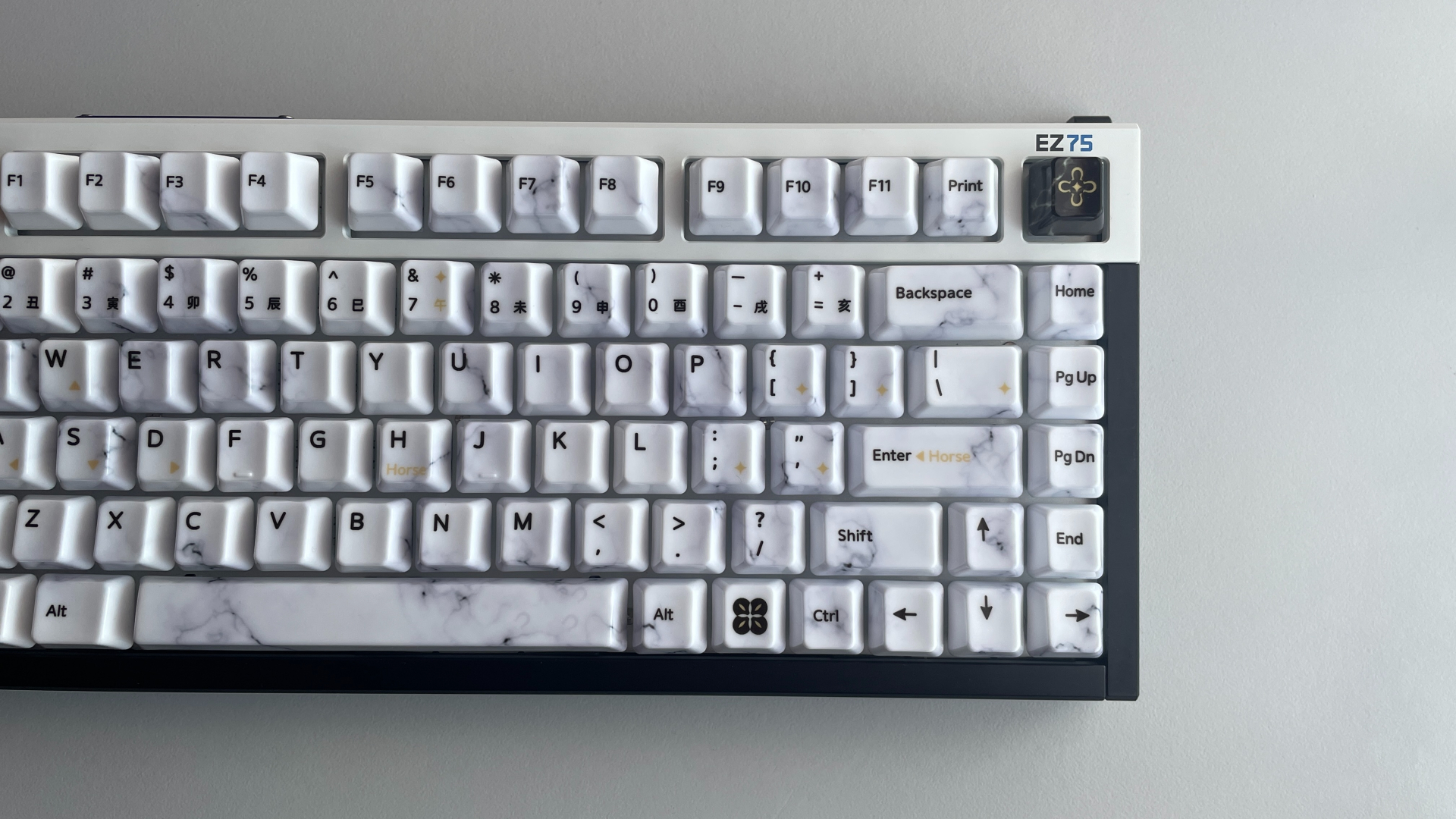
As the name suggests, the set is dedicated to the Year of the Horse in the Chinese zodiac, and there are several elements in the design that reflect this theme. First, there are novelty keycaps featuring horse artwork. Then, the H and Enter keycaps also have the word “Horse” printed on them.

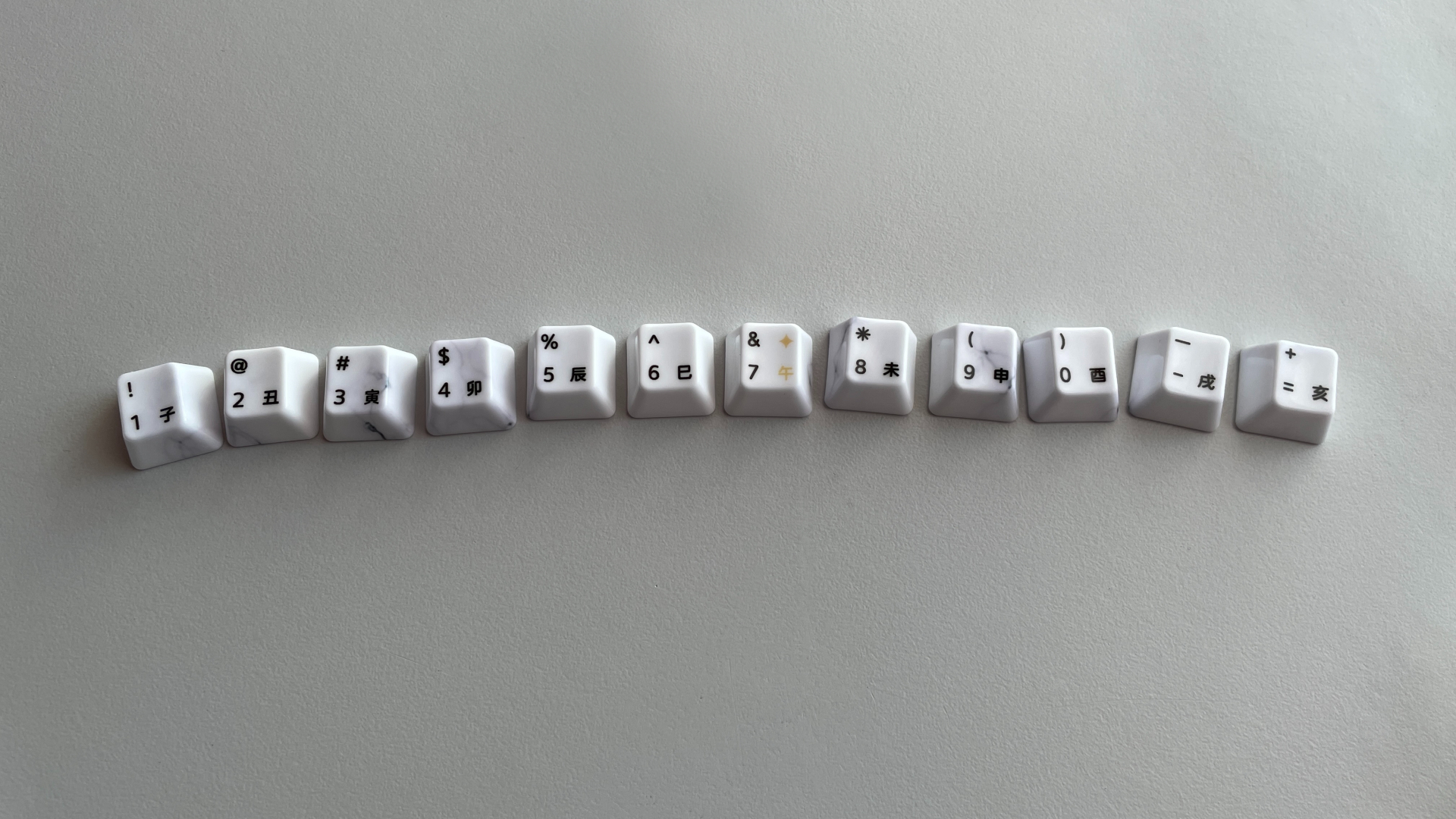
My favorite detail, however, is hidden in the number row. As you can see in the photos, 12 keycaps in this row each feature a Chinese character. Together, these characters represent the 12 animals of the Chinese zodiac in sequence. To honor the specific theme of the set, the character representing the Horse – the seventh animal in the zodiac cycle – is highlighted in gold on the “7” keycap.
I think it’s an interesting Easter egg that makes the set feel a little more special and gives the Year of the Horse theme more depth than just adding a few horse-themed novelty keycaps.
The set also features a few black-marble keycaps, including the Esc key. They break up the otherwise light-colored design and add a darker accent to the overall look. Because they retain the same marble-like veining as the rest of the set, they still feel like a natural part of the set aesthetic.
Keycap Anatomy
The Year of the Horse keycaps are made from ceramic – or, to be more precise, alumina ceramic. One of the biggest advantages of this material is its exceptional durability and resistance to wear. The ceramic surface is also covered with a layer of glaze, which helps protect the ceramic itself from scratches while shielding the legends and marble-like patterns from both scratches and fading.
In practical terms, that means these keycaps should last an extremely long time under normal use. Unlike some plastic keycaps, these should not gradually wear smooth, develop shine, or end up with faded legends after years of typing. They are about as close to wear-free as keycaps can get.
Of course, exceptional durability does not mean that ceramic keycaps are invulnerable. Like anything else made from ceramic, these keycaps are still vulnerable to strong impacts and drops onto hard surfaces. So, a little extra care while installing or removing them is a good idea, but durability should not be a concern in everyday use.
What I find much more interesting from a construction standpoint is the stem. XVX uses a transparent polycarbonate stem here, and while that may initially sound like a minor detail, it is actually one of the most important parts of a ceramic keycap – if not the most important.
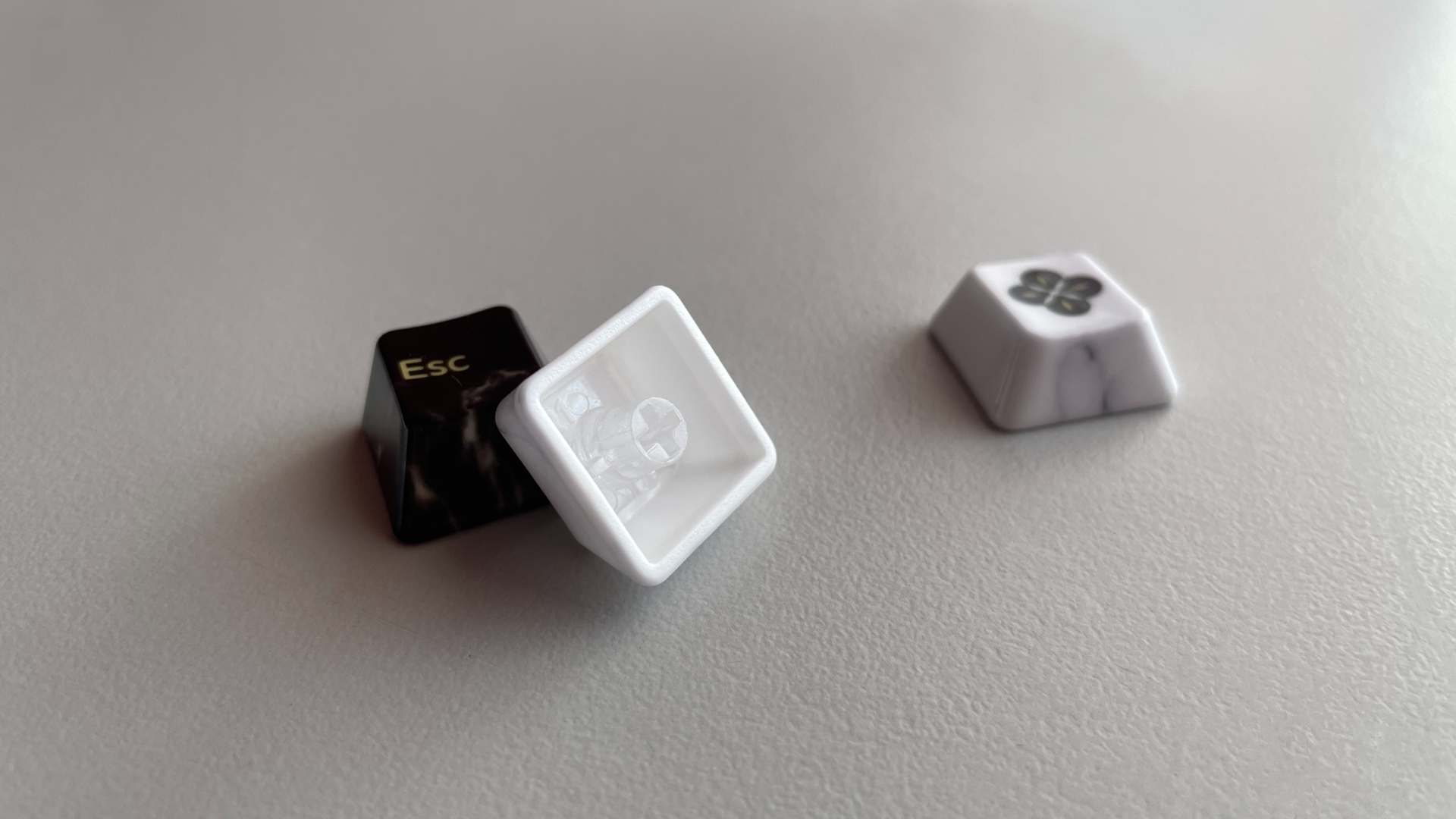
Ceramic keycap stems have gone through a fairly noticeable evolution over the years. The earliest designs had stems made from ceramic as part of the keycap itself. That approach did not last particularly long, as the stems could sometimes crack. Manufacturing tolerances were another problem. A stem that was even slightly too tight could make the keycap extremely difficult to install or remove and, in some cases, damage the switch stem itself.
Later designs moved away from ceramic stems and instead used separate opaque plastic stems glued into a circular mounting point on the inside of the keycap. This was already a substantial improvement because plastic made it much easier to achieve consistent tolerances and a proper fit on MX-style switches. However, the solution introduced a few problems of its own. Since only the stem itself was glued into a relatively small mounting area, it could occasionally come loose when the keycap was removed. The stem also had to be positioned very precisely during manufacturing. If it was glued in even slightly off-center or at an angle, the entire keycap could sit visibly crooked once installed on the switch.
There was a visual downside as well. Ceramic is naturally translucent (I’ll come back to this a little later), and with keyboard backlighting turned on, the dark silhouette of an opaque plastic stem could be quite noticeable through the keycap.
The design used by XVX here is essentially the next step in that evolution. Instead of an opaque stem, there is a transparent polycarbonate one, so it becomes far less noticeable through the ceramic when the backlight is on. More importantly, the stem is integrated into a much larger transparent platform that is bonded to almost the entire inner surface of the keycap. This gives the adhesive considerably more surface area to work with, which should make the stem much harder to pull away from the ceramic when removing the keycap. The larger platform also makes proper alignment much easier, helping to prevent keycaps from sitting slightly crooked as they sometimes could with older stem designs.
For that reason, I am particularly glad to see XVX using this latest solution here. It addresses the main weaknesses of earlier ceramic keycap designs and, as far as I know, is the best solution currently available.
It is also worth noting that fingerprints can remain on the glazed surface of ceramic. In practice, I barely noticed any on this set because the keycaps are white, though I imagine they would be much more visible on black ceramic keycaps. Out of curiosity, I wiped the keycaps with the included microfiber cloth and can confirm that any fingerprints come off effortlessly.
The keycaps themselves come in the familiar Cherry profile. It is a sculpted profile, so the height and angle change from row to row to follow the natural position of the fingers. Cherry is also one of the most widely used keycap profiles, and its relatively low height and familiar shape make it comfortable for both typing and gaming. Because of that, there should not be much of an adjustment period for anyone already accustomed to Cherry-profile keycaps.
The top-printed legends use a medium-sized font, and the dark lettering contrasts nicely with the white ceramic surface, making them clear and easy to read.
There is one much smaller detail that I still think deserves a mention: the F and J keycaps have homing bars. These are the small raised bars that help with hand positioning when touch typing. For some people, their presence may not matter much, while for others they are absolutely essential. The reason I am pointing them out is that producing these small raised details on ceramic keycaps is more difficult than on conventional plastic ones, and not every ceramic keycap set has them. So, it is good to see homing bars on this set, especially for touch typists who genuinely rely on them.
Finally, there is the weight. Ceramic is naturally much denser than plastic, and the difference is far from subtle. For comparison, a typical 1U plastic keycap weighs around 1 gram, while a ceramic keycap of the same size comes in at roughly 4 grams. The spacebar is even heavier, weighing approximately 20 grams on its own.
That extra weight feels quite satisfying under the fingers, but it also means that the spring inside each switch has more weight to lift after every press. With very light switches, this can slow down the return and make the keys feel less responsive than they would with ordinary plastic keycaps. From what I have seen, ceramic keycap manufacturers generally recommend switches with an actuation force of 45 gf or higher. Whether that is actually necessary and how much of a difference spring weight makes in real use are questions I will explore in more detail in the Hands-On Experience section.
A full set of ceramic keycaps also adds a little extra weight to the keyboard itself. The difference is not dramatic, but it still does make the whole board feel slightly more substantial. Whether that is a good thing is up to you. Personally, I love heavy keyboards, so I see the added weight as a bonus.
Manufacturing Quality
Starting with the legends and graphics, everything is applied very consistently. The alignment from keycap to keycap is well maintained, and I could not spot any noticeable inconsistencies across the set.
What surprised me, though, was the sharpness of the legends. For some reason, I expected the legends and graphics on ceramic keycaps to look slightly less crisp than what I am used to seeing on plastic keycaps, but that turned out to be completely wrong. They are extremely sharp and well-defined – in fact, I would say they look cleaner than those on some plastic keycap sets I have seen.
Considering that the manufacturing process for ceramic keycaps is quite different from the one used for plastic keycaps, I was particularly curious to see how consistent their shape would be. Thankfully, I could not find any noticeable warping, unevenness, or other irregularities across the set, nor did I come across any visible defects in the ceramic. The shape and finish remain uniform throughout the set.
The fit on the switch stems was another aspect I paid close attention to. Installation was easy, and I did not run into any issues with overly tight fits. More importantly, every keycap sits straight once installed, with no visible tilting or crooked alignment. I was especially glad to see this, since stem fit and alignment can still be problematic on some ceramic keycap sets.
Overall, I am very impressed by the manufacturing quality of this set. Everything from the legends to the way the keycaps fit and sit on the switches feels very well made, and I honestly could not find anything worth criticizing.
Layout Compatibility & Keycap Coverage
The set includes 120 keycaps and covers most common ANSI layouts, including 60%, 63%, 65%, 70%, 75%, 80% (TKL), 96%, 98%, and full-size. There is no support for Alice, split, HHKB, or ISO layouts, though, so that is something worth keeping in mind if your keyboard falls into one of those categories.
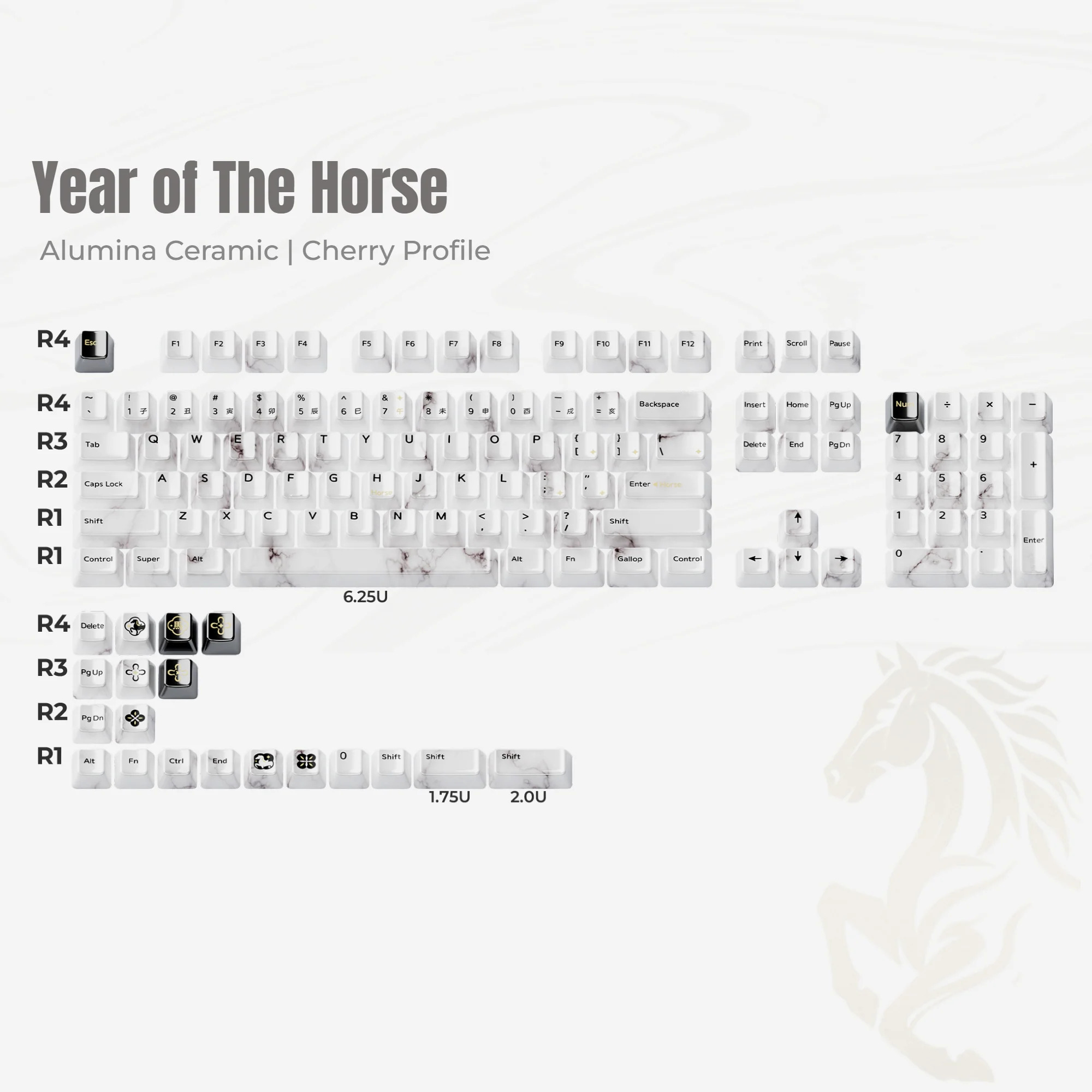
For a ceramic keycap set, I would consider the overall coverage quite generous. Many full ceramic keycap sets I have seen include slightly fewer keycaps, usually 114 or 115, while XVX provides 120 here. That already gives the set broader coverage, and on top of that, XVX even includes several novelty keycaps.
I like that for two reasons. From a design standpoint, novelty keycaps make it easier to give the keyboard a bit more character and lean further into the Year of the Horse theme. But they can also be useful in a more practical way. If you like remapping certain keys to different functions but dislike having a legend that no longer matches what the key actually does, a novelty keycap without a function-specific legend can be a much cleaner solution.
One thing I specifically want to point out is that the set includes a 2U Shift keycap. This size is used for the left Shift in 63% layout keyboards (basically the same physical size as 60%, but with dedicated arrow keys). This layout has become increasingly common, especially among Hall Effect keyboards, yet almost every ceramic keycap set I know of leaves out the 2U Shift and therefore lacks compatibility with 63% keyboards. Some manufacturers include one only in an extension kit sold separately, while others do not offer it at all. So, it is particularly nice to see XVX include one in the standard set. If you have a 63% keyboard and are looking for ceramic keycaps, this is definitely something worth paying attention to.
Hands-on Experience
Typing on ceramic keycaps is unlike typing on keycaps made from any other material. The first thing my fingertips notice is the glazed surface: exceptionally smooth, almost silky, and naturally cool to the touch. Then, once I start pressing the keys, there is the weight. Each keystroke feels noticeably more solid and substantial than it does with plastic keycaps.
What makes the experience even better is how naturally those physical qualities match the marble-like design. The cool, dense ceramic feels exactly right for this kind of look, so there is a very satisfying connection between what I see and what I feel under my fingers. It is not often that the material and the design of a keycap set work together this naturally, and here they really do.
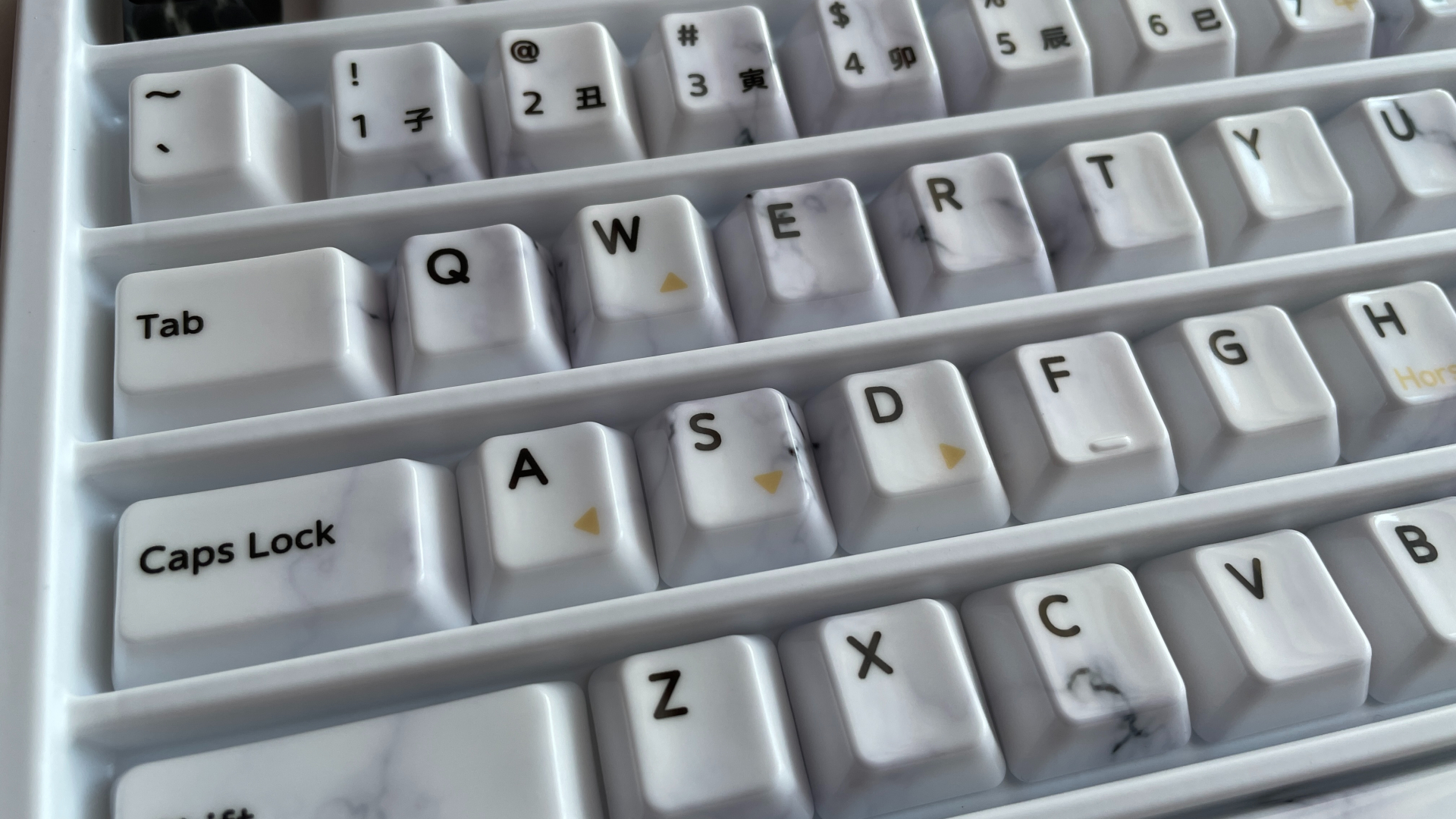
I also want to come back to that smooth glazed surface, because it may sound slippery on paper. In practice, however, that was not my experience at all, at least with this particular set. I never felt that my fingers were sliding around or that the finish made typing any more difficult. If anything, my fingertips seem to stick slightly to the surface.
The closest comparison I can make is a good ceramic mug. Its surface may be very smooth, but if I pick it up by the body rather than the handle, it does not suddenly feel like it is going to slip out of my hand. These keycaps feel much the same: extremely smooth, but not slippery.
I even compared the ceramic surface directly with the surfaces of several ABS keycap sets I have here, and the overall level of grip felt fairly similar under my fingertips. Ceramic does have one additional advantage, though: it is naturally cool to the touch. It eventually warms up under my fingers, of course, but it remains pleasantly cool for much longer than plastic. I suspect that may help my fingertips stay cooler for longer, which could make them feel a little less sweaty during extended typing sessions.
The biggest change, however, is the sound. If you have looked into ceramic keycaps before, you probably already know that they are often praised for making a keyboard sound deeper, but experiencing the difference firsthand still surprised me. Ceramic keycaps make the keyboard sound dramatically deeper and more thocky. There are countless things that affect keyboard acoustics – the case, plate, mounting style, switches, foam, and so on – but I cannot remember another single component that changes the sound as noticeably as ceramic keycaps do.
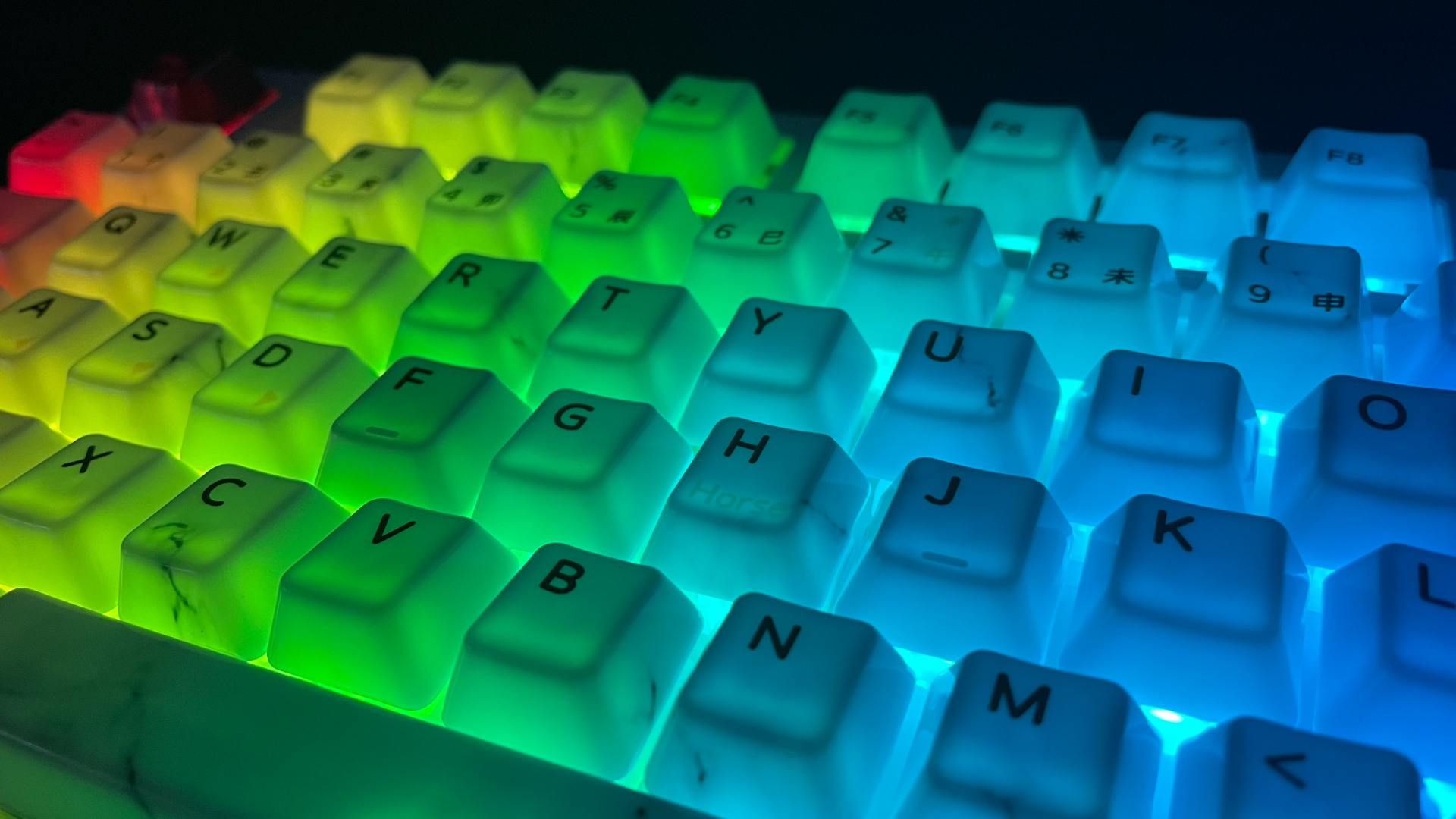
Ceramic keycaps also pair beautifully with RGB lighting. Many people are surprised by how much light ceramic keycaps let through, since the material looks completely opaque. It did not come as much of a surprise to me, as I have worked with ceramic materials before, but the effect is still wonderful to see on a keyboard.
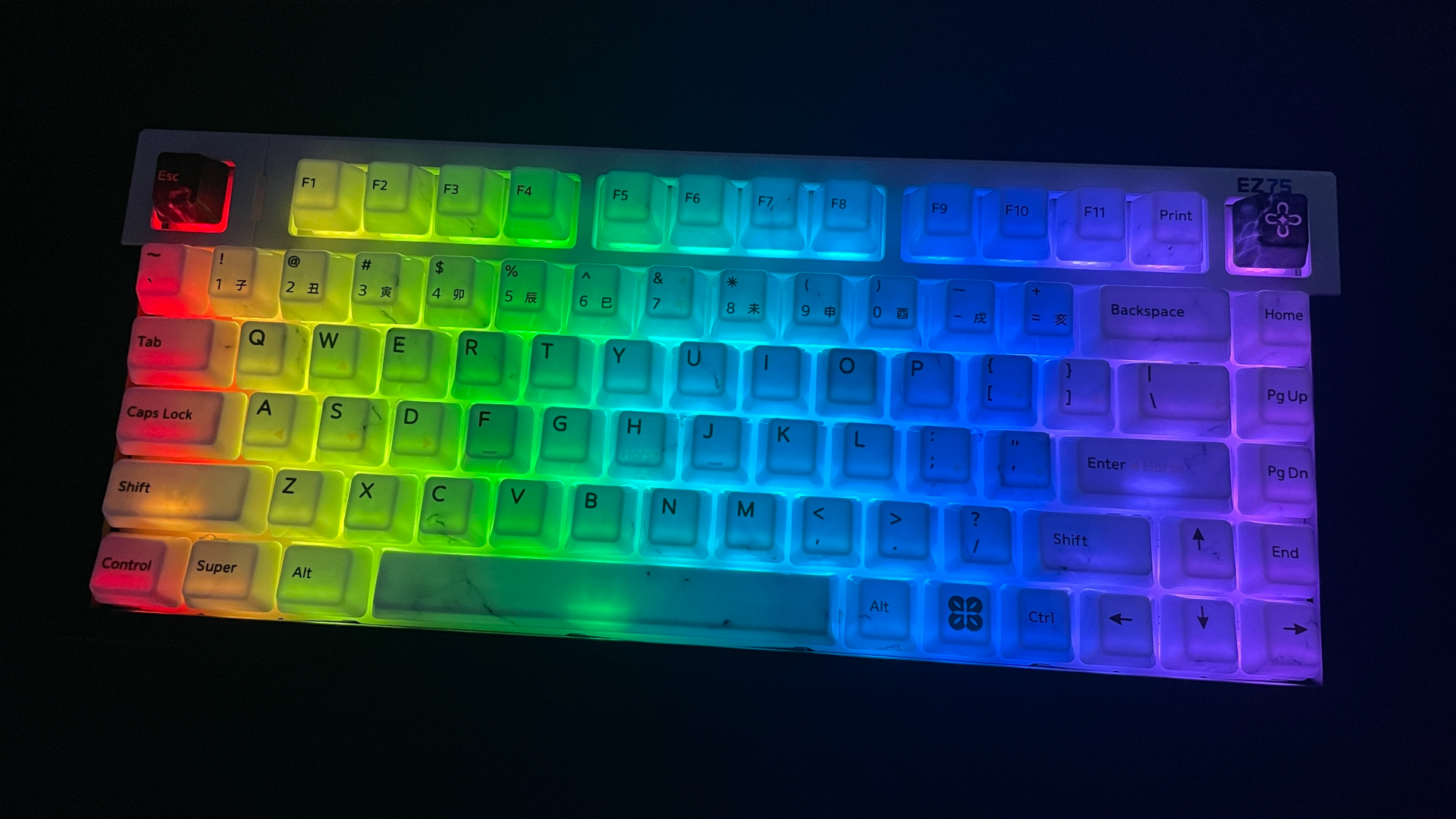
Ceramic keycaps do not transmit light as directly as transparent or translucent polycarbonate keycaps. Instead, the light scatters and diffuses as it travels through the material. Because of this, the RGB lighting does not simply shine through – it makes the entire keycap glow. In person, it looks incredible.
The closest comparison would probably be pudding keycaps, but there is an important difference. Pudding keycaps always look like pudding keycaps, even with the RGB turned off, because their translucent sections are part of the design. These ceramic keycaps look like completely normal opaque keycaps with the lighting off. Turn the RGB on, however, and the ceramic suddenly comes alive with light. In that sense, it almost feels like having two different looks in one set: if you like bright RGB, the keycaps make excellent use of it, while if you prefer keeping the lighting off, nothing about their appearance depends on it.
Another point I promised to discuss in more detail is the weight. Ceramic keycaps are considerably heavier than regular plastic ones (a 1U ceramic keycap weighs around 4 g, compared with roughly 1 g for a plastic keycap, while the ceramic spacebar weighs about 20 g), so it is worth considering which switches you plan to pair them with.
Based purely on my own experience (I have tried ceramic keycaps with both lighter and heavier switches), I would say if you mainly type and do not use your keyboard for gaming, you do not necessarily need heavier switches across the entire board. I still recommend switches with heavier springs for the larger keys, such as the spacebar, Shift, Enter, and Backspace, since the extra weight is much more noticeable there and can make them slower to spring back after each press. Naturally, if your keyboard has very light switches, moving to heavier ones throughout the board would still make sense.
For gaming, I would strongly recommend heavier switches across the entire keyboard. This helps preserve the quick, snappy return that matters when keys are pressed and released repeatedly. It is particularly relevant for magnetic keyboards, as many of them come with very light switches by default.
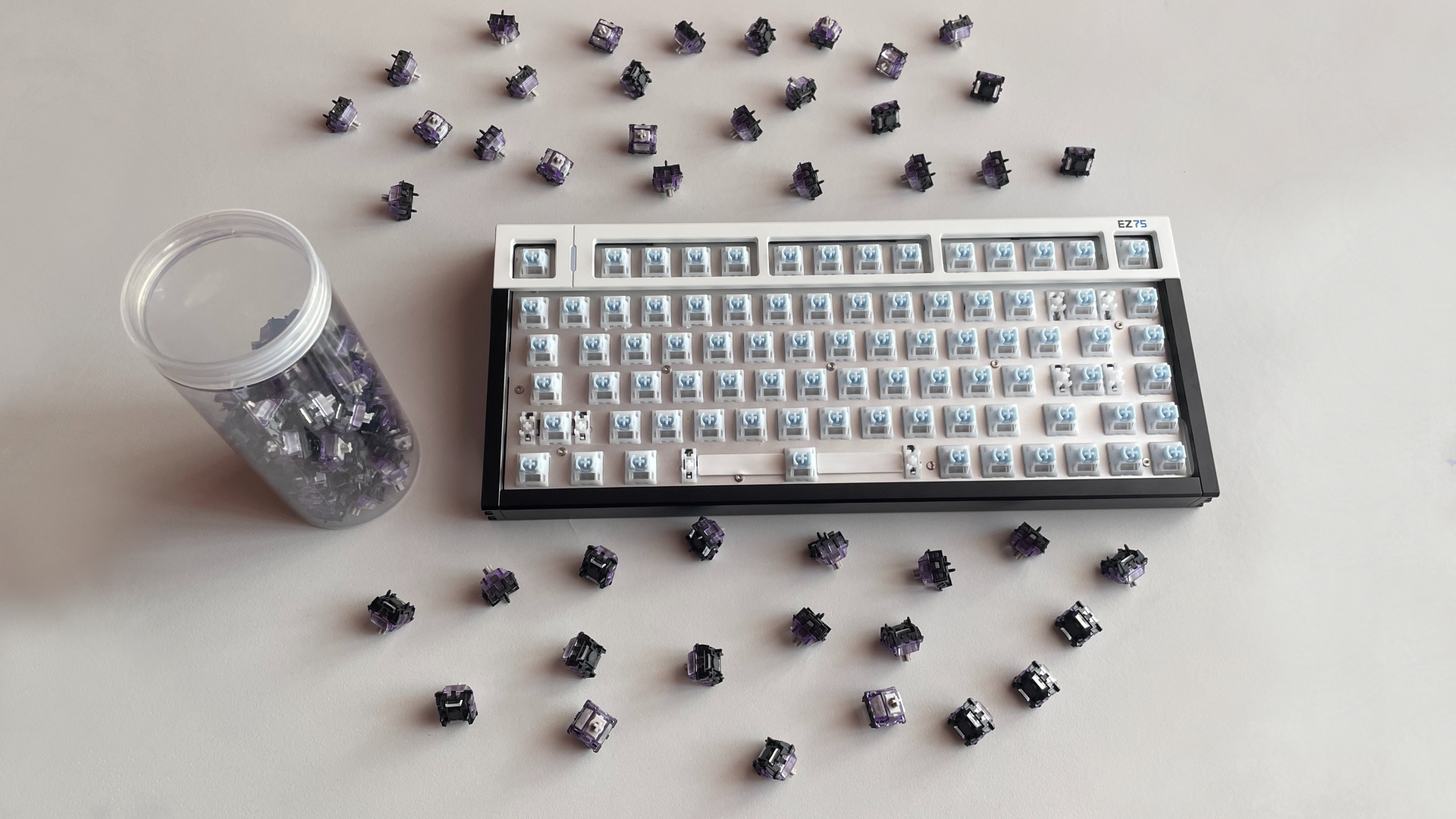
In the build shown in the photos, I used XVX x GATERON Pandora Magnetic Jade Pro switches. XVX offers a heavy-spring version on its website (46 gf initial force, 60 gf bottom-out force) specifically for ceramic and metal keycaps, and these switches handled the extra weight beautifully. Every key feels quick and snappy, with no sluggish rebound or mushiness. Even the larger keys return with plenty of energy.
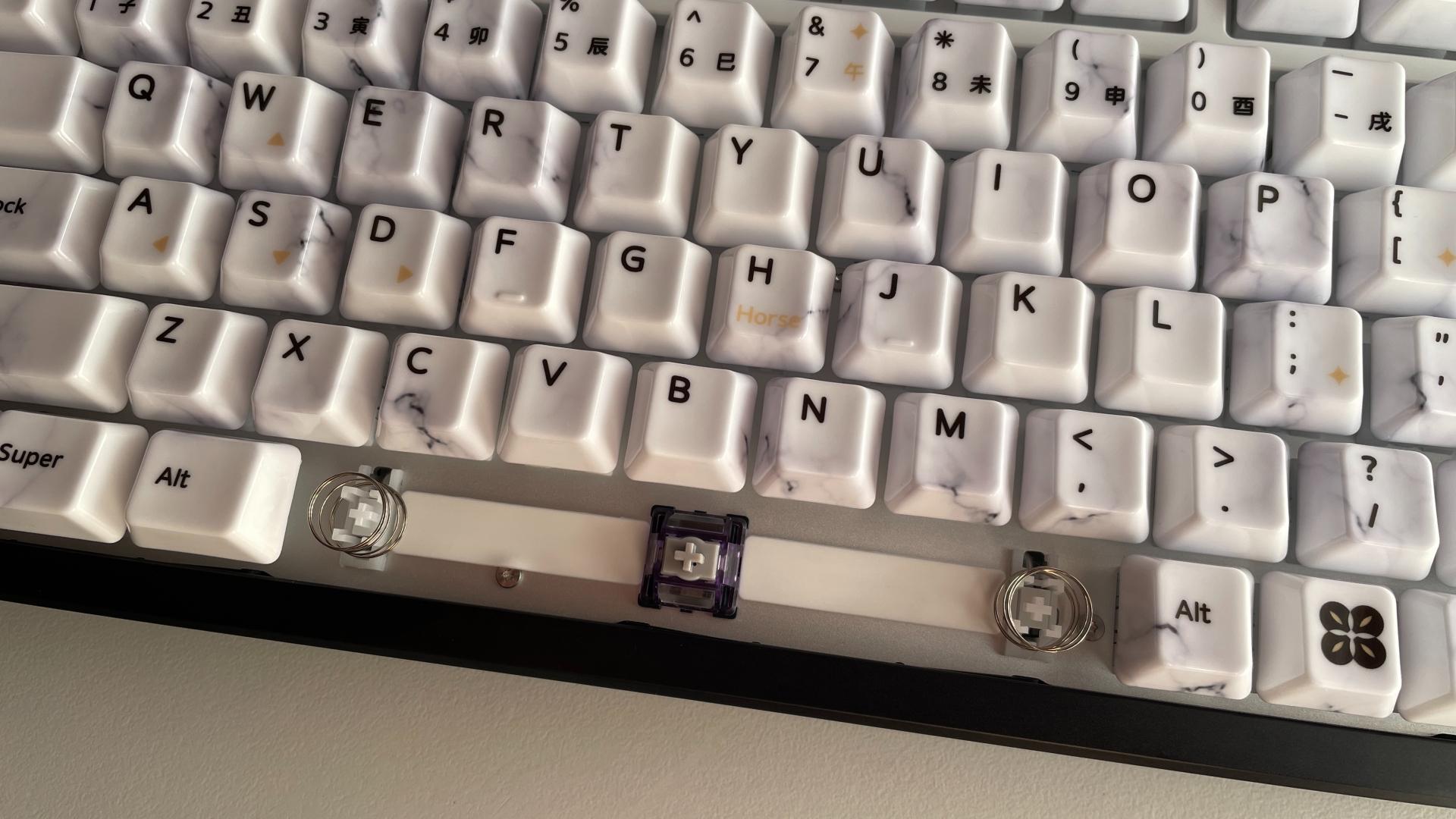
I also installed two of the three additional springs included with the set under the spacebar, making it feel very snappy and energetic. Honestly, I think the Pandora Magnetic Jade Pro switch could have handled the weight of the ceramic spacebar with just one additional spring. Still, I like how lively and responsive it feels with two, so I decided to leave both installed.
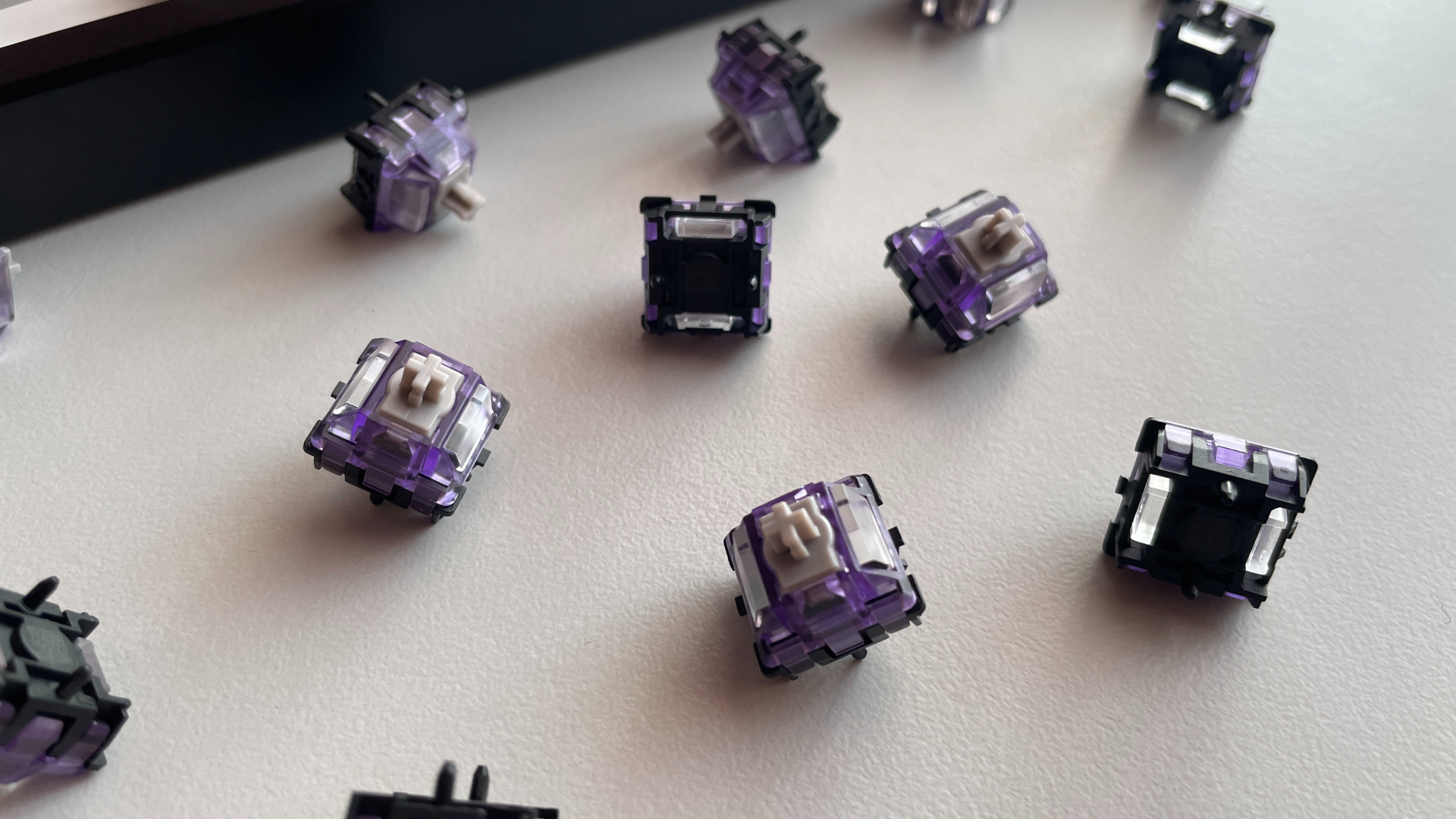
Overall, I can comfortably recommend the heavy-spring Pandora Magnetic Jade Pro switches for ceramic keycaps. They compensate for the additional weight without making the keyboard feel heavy to type on. Typing remains light and responsive, while the ceramic keycaps still deliver their wonderfully deep, thocky sound.
Final Thoughts
The XVX Year of the Horse keycaps look beautiful, but more importantly, they are capable of changing the character of a keyboard in ways that go far beyond appearance alone. They are an absolute joy to type on. Their cool, silky-smooth surface and extra mass give each press a solid feel, creating a typing experience distinctly different from what you get with plastic keycaps. They are especially appealing if you prefer a deep, thocky sound profile, as ceramic keycaps are one of the easiest and most effective ways to achieve it.
They are also a great fit for anyone who enjoys bright RGB lighting, since the ceramic material diffuses light throughout the entire body of each keycap, creating a soft, distinctive glow that looks very different from the effect you get with conventional shine-through or translucent plastic keycaps.
The price is another strong point. Admittedly, this is still not a cheap keycap set in absolute terms. However, it costs less than many competing ceramic sets and is even comparable in price to some limited-run plastic keycap sets. Considering what is being offered here, I find the asking price reasonable. This is especially true because the Year of the Horse avoids some of the common shortcomings found in other ceramic sets: the stem-fit issues have been resolved, keycaps with homing bars are included, and the kit itself is larger and more complete.
Overall, the Year of the Horse set is easy for me to recommend to anyone interested in trying ceramic keycaps.
XVX Year Of The Horse Ceramic Keycaps


Controller and mechanical keyboard enthusiast. Tech reviewer, regularly sharing thoughts about gadgets and computer peripherals.