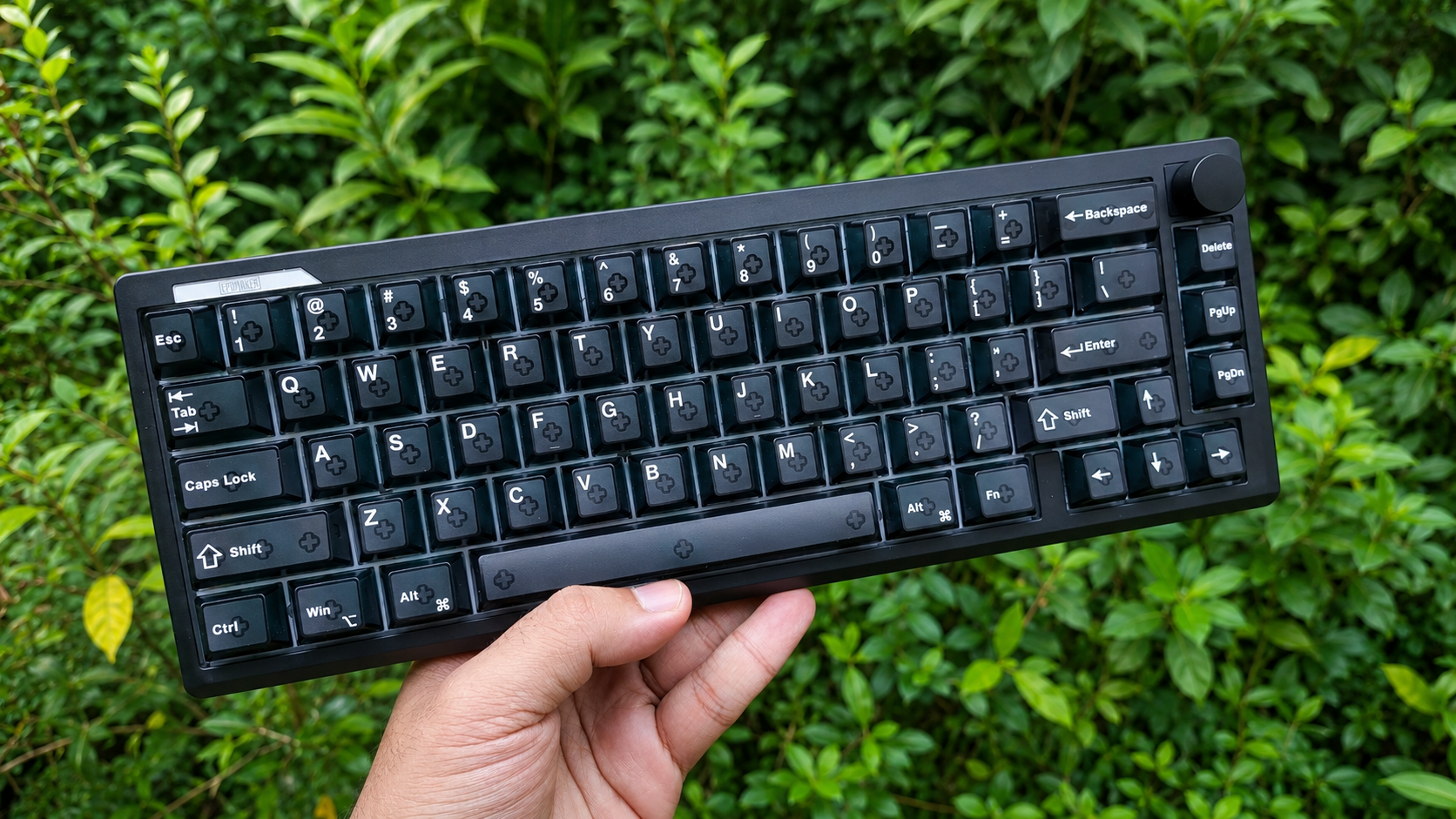
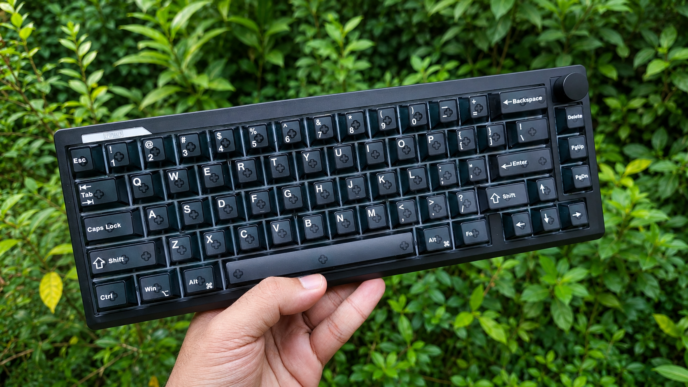
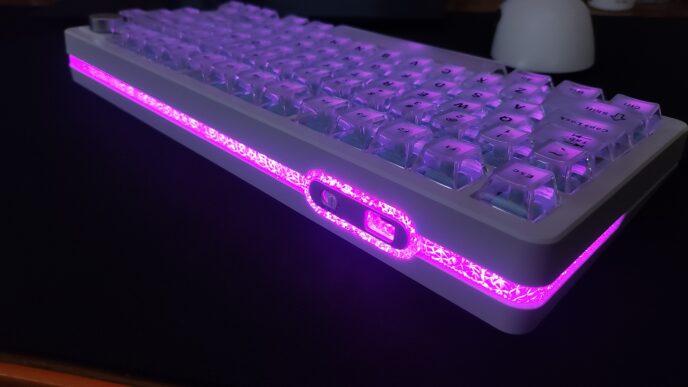
Hall Effect keyboards have become the go-to choice for gamers, and for good reason. Features like Rapid Trigger, adjustable actuation, and ultra-low latency can genuinely make a difference in competitive shooters like Counter-Strike 2, Valorant, or Apex Legends. But with so many Hall Effect keyboards now offering similar specs on paper, raw numbers are no longer enough to stand out. What really matters is how those features come together in actual gameplay – and whether the keyboard can also deliver a great overall user experience outside of gaming. In this review, I’ll be taking a closer look at the IQUNIX EZ75 to find out exactly that.
Unboxing: What’s Inside?
IQUNIX has always been good at making a strong first impression, and over the years they’ve consistently set a high bar when it comes to packaging. This time, though, I genuinely think they’ve outdone themselves.
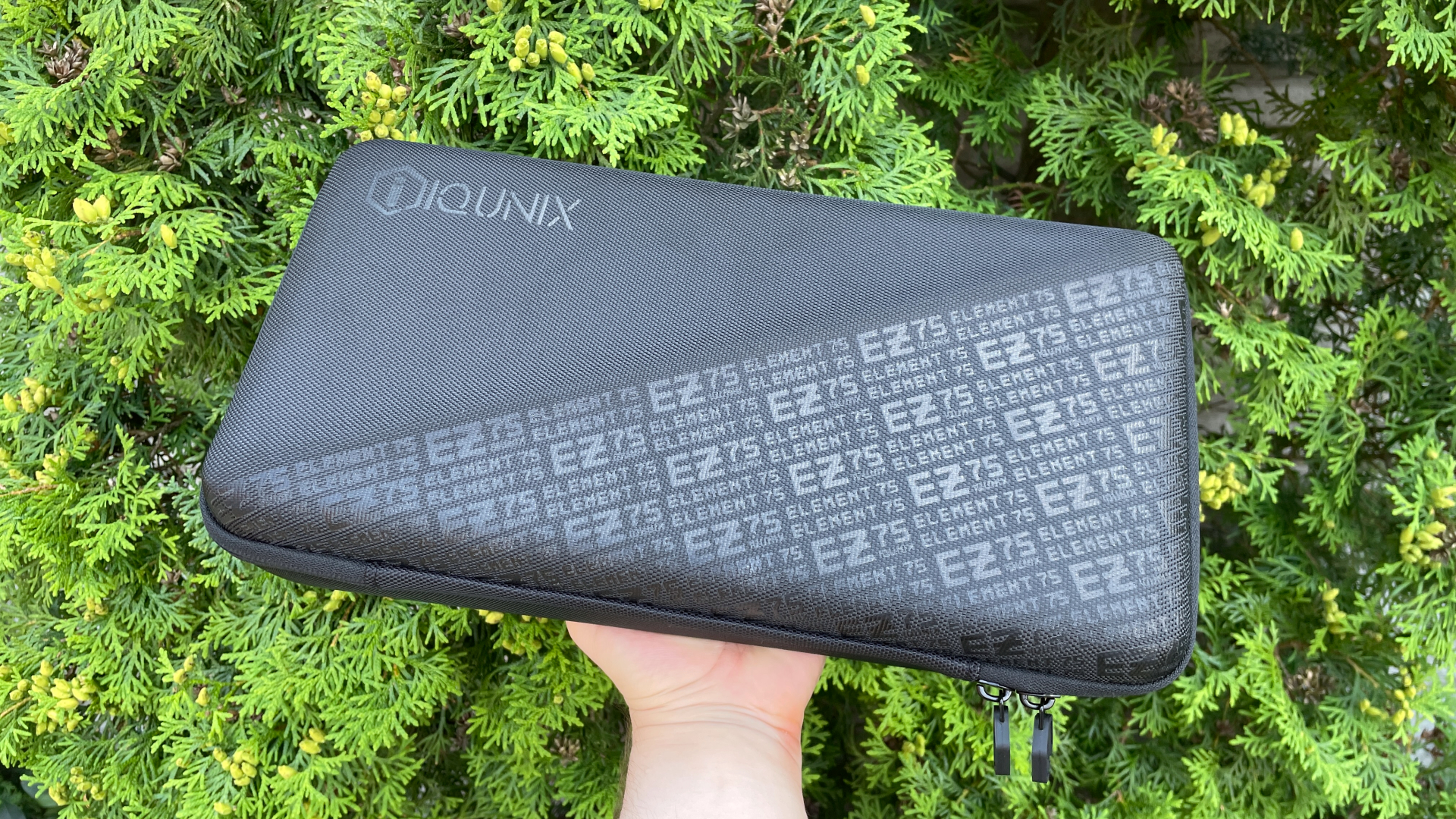
Instead of the usual cardboard box, the EZ75 comes inside a premium hard-shell carrying case. And when I say “premium,” I really mean it. This isn’t one of those generic cases you occasionally see bundled with some keyboards. It’s a fully customized case featuring a large EZ75 print on the front. Here’s a nice detail: whichever keyboard from the lineup you choose – EZ60, EZ63, EZ75, or EZ80 – the case will carry its own model-specific print. It’s a small detail, but it makes the whole package feel purpose-built for your keyboard rather than just another off-the-shelf accessory.

The carrying case itself is exceptionally well made. The thick rigid walls provide excellent protection during transport, while the soft inner lining keeps the aluminum case safe from scratches and adds another layer of refinement every time you open it. Inside, the keyboard is secured with retention straps and covered by a protective divider, keeping it firmly in place during shipping while also making the case ideal for transporting the keyboard between home, work, or LAN events.

Honestly, this is the kind of carrying case I’d expect from a custom group-buy keyboard – if not better. I absolutely love it.
Inside the carrying case, you’ll find:
- IQUNIX EZ75 keyboard
- L-shaped USB-C to USB-A paracord cable
- 2-in-1 keycap and switch puller
- Dust cover
- Dust brush
- Quick start guide
- IQUNIX stickers
- Safety and warranty brochure

The accessories deserve their own attention because these aren’t just the usual bundle fillers.
Let’s start with the cable. Rather than including a standard braided cable – which would already be perfectly acceptable – IQUNIX ships the EZ75 with a genuine paracord cable. It’s incredibly lightweight, soft, and flexible, making it much more pleasant to use than the stiff cables that often come bundled with peripherals.
Even better, the keyboard-side connector is L-shaped. It keeps the cable out of the way and is especially convenient if you prefer using your keyboard at a slight angle. There’s also a practical advantage: the softer cable puts less stress on the USB-C port while giving your desk setup a much cleaner appearance. IQUNIX even added a ferrite core to help reduce electrical interference and maintain a stable signal. I was impressed by this cable, especially considering that many gaming mice don’t even include one of this quality.
The keycap puller is another pleasant surprise. It’s made entirely of metal, has a satisfying weight in the hand, and never feels cheap or flimsy. If you’ve been in the mechanical keyboard hobby for a while and already have a small collection of tools, this is actually one you’ll probably want to keep using.
Two more thoughtful additions are the dust cover and the dust brush. Personally, I consider a dust cover an essential accessory, so I’m always happy to see one included in the box. It means you won’t have to hunt for a universal cover afterward if, like me, you prefer keeping your keyboard protected when it’s not in use. The dust brush is another small but genuinely useful extra that makes routine cleaning quick and effortless.

Overall, the accessory package is exceptionally well thought out and, more importantly, genuinely practical. Nothing here feels like filler. Every item has a purpose, and together they create a package that feels complete and carefully put together. In my opinion, it’s one of the EZ75’s biggest strengths and one of the things that helps it stand out from many of its competitors.
First Look
The IQUNIX EZ75 is a 75% Hall Effect mechanical keyboard featuring 81 keys in an ANSI layout with a fixed 6-degree typing angle.
The keyboard features a CNC-machined aluminum case weighing approximately 1.45 kg. I really like the weight – it feels solid in the hand and gives the keyboard a reassuring sense of sturdiness. Combined with the four grippy rubber feet on the underside, it stays firmly planted on the desk and doesn’t slide around, even during more intense gaming sessions.

One of the more unusual aspects of the EZ75 is its construction. Instead of using the typical two- or three-piece design found on most aluminum keyboards – a top frame, a bottom case, and perhaps a decorative weight – the EZ75 is built from seven individual aluminum components.
Naturally, manufacturing a multi-part case like this requires considerably more time and effort. Every part has to be machined with tight tolerances, assembled with precision to ensure a perfect fit, and finished so the anodization remains consistent across all parts. It’s not something you see very often, and it gives the EZ75 a more distinctive look.
So the first thing I wanted to check when I got the keyboard in my hands was its build quality.
Thankfully, IQUNIX absolutely nailed it. I’m happy to say the machining and assembly quality are excellent. There are no creaks, no flex, no rattles, and no inconsistencies in the fit between the individual parts. Every piece aligns together perfectly. The keyboard feels like a single solid unit. It’s easy to forget how many individual components make up the case once you have it in your hands.
The aluminum case has a 220-grit sandblasted surface. I really like the texture – it feels very smooth and pleasant to the touch whenever I run my hand across the case. The anodization itself is excellent. The finish looks clean and consistent across every component, with no visible discoloration, blotching, or uneven patches. Maintaining the colors this well across separate aluminum pieces can’t be easy, and IQUNIX did a great job here.
Not sure what sandblasting is or what the grit number means? Here’s a quick explanation.
After CNC machining, aluminum surfaces can have subtle tool marks, fine scratches, or slight variations in texture. Before the final coating is applied – whether that’s anodizing, electrophoretic coating (E-coating), or powder coating – the surface needs to be properly prepared to remove any imperfections that may be present.
This is where sandblasting comes in. The aluminum is blasted with fine abrasive particles under pressure, creating a uniform matte texture while also removing minor machining marks and scratches. Besides improving the appearance, sandblasting also creates microscopic surface roughness that helps the final coating adhere more evenly, reducing the risk of blotches or inconsistencies.
The grit rating refers to the size of the abrasive particles used during this process. In the mechanical keyboard world, you’ll typically see 150-, 180-, or 220-grit sandblasting. This number is important because the higher the grit, the finer the abrasive particles. A finer abrasive produces a smoother surface, resulting in a more refined silky feel after finishing. It also tends to be a more expensive manufacturing process, which is one of the reasons why higher-grit finishes are more commonly found on premium aluminum keyboards.
It’s also worth mentioning that my particular colorway features a white upper section of the case. Since white isn’t a color that can be achieved through anodization, this section is finished using an electrophoretic coating (E-coating) instead. So the EZ75 actually combines two different finishing techniques in a single case. It’s another interesting design element that makes the construction feel a bit more unique (and probably adds yet another layer of complexity to the manufacturing process).

Design. IQUNIX keyboards have always stood out for their bold, eye-catching designs, and the EZ75 is no exception. It has a striking industrial-inspired aesthetic that’s full of small details, giving the keyboard plenty of personality.
The first thing that caught my attention was the side profile. Rather than using simple flat sides, IQUNIX gave them a much more sculpted look with multiple machined surfaces, exposed screws, and a large opening that offers a glimpse of the keyboard’s internal construction. You can actually see part of the plate, PCB, and foam layers inside the case, which is a subtle but very cool detail.

The side profiles also continue slightly beyond the back of the main body, forming distinctive rear supports rather than ending flush with the case. It’s another subtle touch that gives the keyboard a silhouette that’s easy to recognize from the side.

The underside deserves a mention as well because it’s one of the most distinctive designs I’ve come across on a keyboard. Instead of a plain bottom panel, IQUNIX added a large sculpted blue centerpiece with an intricate geometric design, chamfered edges, and an engraved logo. The layered geometry gives it a surprising amount of depth, making it feel more like an integral part of the overall design than a simple accent piece. It’s one of those details you immediately notice the first time you flip the keyboard over. I think it adds a lot to the keyboard’s character and it ends up being one of my favorite parts of the entire design.

The white upper section of the case frames the function row before flowing around the back, creating a continuous design element. Even here, IQUNIX avoided leaving large uninterrupted surfaces. The back section features a pair of machined contours on the right side, while the left is accented by a blue aluminum piece secured with two exposed screws. These small touches make the back of the keyboard feel just as thoughtfully designed as the rest of the case.

What I like most is that none of these elements feel random. They all serve a purpose, coming together to create a design that feels cohesive and consistent. Rather than focusing only on the top, IQUNIX carried the same design language across the entire case. The sculpted side profiles, the intricate underside centerpiece, the back accents, and the contrasting color elements all work together to create a keyboard that’s interesting to look at from almost every angle. And I think that’s what gives the EZ75 such a unique identity.

Beyond the aesthetics, there are a few practical details worth pointing out as well.
Next to the Esc key is a dedicated LED indicator that lights up white whenever Caps Lock is enabled. It’s a nice addition, but personally, I’d like to have a bit more control over how this indicator is used. Like many people, I don’t actually use Caps Lock and have remapped the key, which makes the indicator largely useless in my case.

It would be great if it could instead show whether SOCD is enabled or disabled, since the EZ75 lets you toggle it on the fly using a keyboard shortcut or a dedicated key, if you’ve assigned one in the software. I’d also like the option to have it display the currently active profile by using a different color for each one (or at least light up in the corresponding color whenever the Fn key is pressed, making it easy to quickly check which profile is active).
Another thoughtful feature is the ability to calibrate the case if your desk isn’t perfectly level. If you notice any wobble, you can simply loosen the eight side screws (four on each side), gently press the keyboard against the desk, and tighten them again. The case then adjusts to your desk surface, helping eliminate any unwanted wobble. It’s another clever engineering touch, and personally, it’s the first time I’ve seen a solution like this on a mechanical keyboard.

The EZ75 uses south-facing LEDs, and backlighting is pleasantly bright with rich, well-saturated colors. This certainly isn’t one of those keyboards with dim, underwhelming RGB lighting.
More importantly, the backlighting is completely stable. If you’re sensitive to PWM flicker like I am, you shouldn’t have any issues here. I couldn’t notice any visible flickering at any brightness level, making the lighting comfortable to look at.

Connectivity
Connectivity is straightforward. Like most modern Hall Effect keyboards designed with gaming in mind, the EZ75 uses a wired USB-С connection. That isn’t surprising, as low latency, a stable connection, and consistent performance are clearly at the core of the EZ75’s design philosophy.
IQUNIX EZ 3.0 Web Software – Where Hall Effect Magic Comes Alive
The EZ75 is powered by IQUNIX’s latest HyperCore V3 firmware and configured through the web-based EZ 3.0 software.
When it comes to Hall Effect keyboards, software is more important than ever. It’s no longer just a utility for remapping keys or customizing RGB lighting. Instead, it’s an essential part of the overall experience – the place where all of the keyboard’s Hall Effect features are configured and fine-tuned.
I’m glad IQUNIX chose a web-based configuration tool instead of a traditional desktop application. Personally, I’m not a fan of installing additional software simply to configure a keyboard, so being able to do everything directly from a browser is a welcome convenience. It also means you can configure the keyboard from virtually any computer, whether it’s running Windows or macOS, without installing anything beforehand.
IQUNIX went a step further to make the whole experience even more convenient by integrating a dedicated shortcut for opening the EZ 3.0 software. Pressing Fn + M opens your default browser and takes you directly to the EZ 3.0 web page (and this function can be reassigned to any key you like). There’s no need to remember the website address, keep it bookmarked, or search for it every time you want to change a setting. It may sound like a small detail, but I found it surprisingly convenient in day-to-day use. It’s one of those quality-of-life features you never knew you wanted until you started using it. The only thing to keep in mind is that your input language needs to be set to English, since the shortcut works by typing the web address automatically.
Now let’s take a look at the software itself. Everything is organized into a series of clearly labeled tabs, making it easy to find the setting you’re looking for. Let’s take a quick look at each tab, see what the software has to offer, and explore some of its more interesting – and even unique – features along the way.
Keymap. This is where all key remapping is handled. The EZ75 provides two fully customizable layers, giving you plenty of flexibility when setting up the keyboard to match your workflow. One thing I particularly appreciate is how comprehensive the remapping options are. Unlike many Hall Effect keyboards, which often offer fairly basic key reassignment, IQUNIX gives you access to a much broader selection of functions and actions. You’re not limited to standard keyboard keys – you can freely assign a wide range of additional functions, including mouse controls, media functions, and more. Even the Fn key can be reassigned, something that surprisingly isn’t always possible on many other keyboards.

Lighting. As the name suggests, this tab is dedicated to the keyboard’s RGB lighting. It offers an impressive selection of 45 different lighting effects, along with all the controls you’d expect for fine-tuning them, including colors, brightness, speed, and more. One feature I particularly like is that the lighting is configured independently for each profile. That means you can assign a different effect or color scheme to every profile, making it easy to tell which one is currently active.
Performance. This is probably the most important tab in the entire software, as it’s where virtually all of the keyboard’s Hall Effect magic happens. This is where you configure the actuation point with 0.01 mm step resolution, allowing you to fine-tune exactly when each key registers.
You’ll also find five performance modes here: Tournament, EDG, Esports, Fury, and Infinite. The selected mode affects the keyboard’s polling rate (some modes use a fixed polling rate, while others let you choose it manually from 1K Hz to 8K Hz in the Settings tab) and the minimum step resolution available for Rapid Trigger adjustment. Rapid Trigger is also configured here, with a minimum step resolution of just 0.005 mm available in Infinite mode.

The Performance tab also includes a switch selector with a list of supported Hall Effect switches. You can even assign a different switch model to each individual key, which is especially useful if you’re using a mix of different switches across the keyboard.
But the most interesting feature here is undoubtedly Smart Switch Adaptation. It allows you to use virtually any physically compatible Hall Effect switch, even if it isn’t listed in the switch selector. To better understand why this feature matters, let’s start from the beginning.
Since every Hall Effect switch has different characteristics – such as magnetic flux density, travel range, and magnetic curve – installing a new magnetic switch traditionally required selecting the corresponding model in the switch selector. The keyboard firmware would then apply calibration parameters tailored to that specific switch, helping ensure accurate sensing and consistent performance. If that particular switch model wasn’t available, you had to choose the closest match based on its travel range and magnetic flux, then manually calibrate the keyboard. Even then, there was no guarantee that everything would work with perfect accuracy.

Smart Switch Adaptation changes that completely. The keyboard can automatically “learn” the installed switch after around 20–30 key presses and adapt to its characteristics. This makes experimenting with different Hall Effect switches much easier while also ensuring more accurate and consistent performance. Better yet, you don’t actually have to do anything. As another option, if you don’t want to wait for the keyboard to learn the new switch, you can run a manual calibration with Smart Switch Adaptation enabled, and it will instantly learn the newly installed switch.
It’s a genuinely innovative feature that solves one of the biggest pain points of Hall Effect keyboards. Instead of worrying about switch compatibility or spending time trying to fine-tune the setup, you can simply swap in the new switches and let the keyboard handle the rest. To me, this is exactly the kind of feature that pushes Hall Effect keyboards forward by removing one of the biggest barriers to seamless and effortless experimentation with different magnetic switches, making HE boards far more enjoyable for anyone who loves trying different switches.
Alternatively, if you’re only using one or just a few magnetic switches (for example, on your WASD keys) that aren’t listed in the switch selector and don’t see much benefit in enabling Smart Switch Adaptation, there are also two additional universal switch profiles that cover different magnetic flux ranges – Universal Switch A (650–800 Gs) and Universal Switch B (450–650 Gs). Simply choose the option that best matches the magnetic flux of your switch, and the keyboard will take care of the rest.
Pro Keys. This is home to advanced features such as RS, SOCD, MT, DKS, and TGL. It’s also worth highlighting the flexibility of the SOCD implementation, which offers four different operating modes. Another standout feature is MT, which combines the functionality of both Mod-Tap and Layer-Tap from QMK-based keyboards. This allows you to assign two different functions to a single key – for example, a regular key press can output a character, while holding the same key can act as Fn and switch to a function layer.

Macro Record. Here you can record and manage macros, and the editor includes all the essential options, such as configurable delays between keystrokes and different macro playback modes. The EZ75 can store up to 15 macros directly in its onboard memory.
Professional Presets. This tab includes a collection of ready-to-use presets created by professional esports players. If you follow the Valorant competitive scene, you’ll probably recognize who these profiles belong to just by reading their descriptions. It’s a really nice addition, especially for newcomers, since it lets you try settings used by professional players with a single click and quickly find something that suits your own playstyle.

Crosshair Center. This one will be particularly useful for Counter-Strike and Valorant players. It contains a large library of crosshairs that can be imported directly into the corresponding game.
My Profiles. Another important tab. This is where the EZ75’s onboard profiles are managed. The keyboard supports three fully customizable onboard profiles, while another ten can be stored in the browser’s local storage and transferred to the keyboard whenever needed. You can rename each profile, change its icon, and customize every setting within it. Having multiple onboard profiles that you can switch between instantly is extremely convenient if, for example, you want one profile for gaming and another for work. Profiles can also be exported and imported.

Key Calibration. Here you can test every key individually and recalibrate the keyboard whenever necessary.
Settings. Finally, this is where you’ll find all the general keyboard settings, including polling rate, the lighting sleep timer, Switch Wobble Compensation, the NKRO toggle, and the Win Lock function. You can also check the current firmware version here and install updates whenever a newer version becomes available.
The software also includes a link to IQUNIX‘s dedicated magnetic keyboard subreddit, where you can find additional information, ask questions, and chat with other members of the community.
Overall, IQUNIX has done a great job with the software. The interface is clean, intuitive, and easy to navigate, while still offering plenty of customization for users who like to fine-tune every aspect of the keyboard. It includes virtually every modern Hall Effect feature you’d expect, along with several unique features and thoughtful additions that meaningfully improve the overall user experience. The only thing I’d still like to see is a dedicated Gamepad Mode. It’s admittedly a fairly niche feature, but it would make the software feel even more complete.
It’s also worth mentioning that during the time I’ve been using the keyboard, both the web software and the keyboard firmware have already received several updates. It’s always nice to see this level of ongoing support, as it shows that IQUNIX continues to actively improve the platform instead of simply releasing a product and moving on.
Keycaps
My colorway comes with double-shot PBT keycaps in Cherry profile. Compared to ABS, PBT is generally more resistant to wear and is much less prone to developing the glossy shine that often appears after prolonged use. It also tends to retain its original texture much better over time, helping the keyboard maintain the same look and feel even after months of daily use.

The keycaps themselves are also quite thick – around 1.5 mm, according to my measurements, which gives them a solid and high-quality feel. The legends are exceptionally crisp, sharp, and easy to read, with excellent consistency across the entire board.
I also really like the overall design. It’s clean and minimalist, while the blue accent keycaps tie in nicely with the matching blue details on the keyboard’s case, giving the entire keyboard a cohesive look without feeling overly flashy.

Overall, these are high-quality keycaps that not only feel great to type on but also complement the keyboard’s design really well.
Magnetic X Ultra Switches
The keyboard comes equipped with IQUNIX’s own Magnetic X Ultra switches. If you’re interested in the technical specifications, here’s a quick overview:
These are IQUNIX’s own flagship magnetic switches, designed for users who want the best possible performance from a Hall Effect keyboard. Thanks to their 780 Gs magnetic flux density, which is among the higher values you’ll find on magnetic switches, they offer more stable and precise sensing, contributing to more consistent overall performance.
The switches feature a closed-bottom housing, a dust-proof stem, and an integrated LED diffuser that helps distribute the RGB lighting more evenly.
Stem wobble is minimal, which not only makes the switches feel more stable but also becomes increasingly important when using Rapid Trigger with very low sensitivity settings.
In terms of weighting, I think IQUNIX found a really nice balance. The switches feel light enough to remain comfortable during long gaming or typing sessions, yet they’re not overly light, so you still maintain excellent control over every key press.
The factory lubrication is excellent. The switches feel remarkably smooth, and I didn’t notice any scratchiness or spring ping whatsoever. I also really like their snappy return, which makes them feel responsive and satisfying to use, especially during fast-paced gameplay.

As mentioned earlier in the software section, the EZ75 supports hot-swapping and features IQUNIX’s unique Smart Switch Adaptation, making it easy to experiment with different magnetic switches. So if you ever feel like trying something different, you’re free to swap in other compatible switches whenever you like.
The only thing to keep in mind is physical compatibility. Fortunately, the EZ75 is compatible with the most common type of magnetic switches currently available – KS-20 style magnetic switches – so finding compatible alternatives shouldn’t be a problem. Just make sure that any switches you plan to install use an N-pole-down magnet orientation.
Before wrapping up this section, it’s also worth mentioning the stabilizers. The EZ75 uses pre-lubed plate-mounted stabilizers that come well-tuned straight from the factory. I didn’t notice any rattle, ticking, or other unwanted noises. Larger keys feel stable and smooth, with no issues that made me want to open the keyboard or tune the stabilizers further.
Structure and Mounting
The EZ75 uses a gasket mount design, and it is implemented exactly the way it should be on a Hall Effect keyboard. To maintain precise sensing – even with extremely sensitive trigger settings as low as 0.005 mm – the internal structure needs to remain stable. Excessive movement of the plate/PCB sandwich could negatively affect sensing accuracy, so unlike on traditional mechanical keyboards, the goal here isn’t to maximize flex.
Instead, the gasket’s primary job is to isolate the plate/PCB sandwich from the aluminum case. This helps prevent unwanted vibrations from being transferred into the case, effectively eliminating case resonance, slightly softening bottom-outs, and resulting in a quieter, more refined sound profile. The EZ75 delivers on all of this remarkably well while maintaining the rigid and consistent structure that Hall Effect keyboards require.

Looking at the internal construction, the EZ75 features an aluminum plate without any flex cuts. One thing I particularly like is that the plate reflects and diffuses RGB lighting very well, creating a pleasant glow between the keycaps.
Between the plate and the PCB you’ll find:
- PORON Foam
- PET Film
Just like the plate, the PCB doesn’t feature any flex cuts. It also supports screw-in stabilizers, which is a nice touch for enthusiasts who may want to modify the keyboard in the future. Under the PCB, there are three more sound-dampening layers:
- PORON Bottom Case Foam
- IXPE Bottom Case Pad
- PET Film
Altogether, it’s a well-thought-out internal structure that effectively balances acoustics and structural stability, helping maintain consistent and precise Hall Effect performance.
Gaming Performance
Gaming is where the EZ75 truly shines. I’ve spent most of my time using this keyboard in Counter-Strike 2 and Apex Legends, where fast and precise movements is absolutely critical, and the EZ75 never gave me a reason to question its performance.
The combination of an 8000 Hz polling rate, ultra-low latency, and Rapid Trigger adjustable down to just 0.005 mm makes the keyboard feel exceptionally fast and responsive. Movement feels precise, while strafes, counter-strafes, and quick direction changes happen exactly when you expect them to. This isn’t one of those cases where the specifications only look impressive on paper – you can genuinely feel the responsiveness once you’re in-game.

One thing I particularly want to highlight is the keyboard’s stability. Some Hall Effect keyboards start behaving unpredictably when I’m spamming keys aggressively, with sensors becoming less reliable or even causing individual inputs to feel inconsistent. I never experienced anything like that on the EZ75. Even during the most chaotic moments, every keypress was registered precisely, without missed or delayed inputs.
Another strength is its predictability. Once I dialed in my preferred actuation point and Rapid Trigger settings, the keyboard behaved exactly the same in every match. That’s especially important for building muscle memory – when every keypress is registered consistently, it felt like my in-game movement was perfectly synchronized with my fingers, allowing me to focus entirely on the game instead of thinking about the keyboard. There was never a moment when it felt slightly different from one session to the next, and that consistency translates directly into more predictable gameplay.
As a gaming keyboard, the IQUNIX EZ75 delivers the level of precision, stability, and responsiveness I’d expect from a modern flagship Hall Effect board, making it an excellent choice for competitive players.
Typing Experience
The sound profile of the EZ75 pleasantly surprised me. Most Hall Effect keyboards tend to have a distinctly clacky sound signature, but that’s not the case with the EZ75. I’d describe its sound profile as poppy. If you’ve ever popped a sheet of bubble wrap, you’ll have a pretty good idea of the kind of sound it produces. Overall, it sits somewhere between creamy and clacky sound signature. It’s not particularly deep, but it also isn’t as overly sharp and high-pitched as a typical clacky sound profile. Every keystroke has a satisfying, punchy pop, while the overall sound remains clean, with no spring ping or case ping. The result is a pleasant, poppy sound signature with a nicely rounded character. Personally, I think this is a very well-balanced sound profile that makes the EZ75 just as enjoyable to type on as it is to game on.

Beyond the sound profile, the EZ75 is simply a very comfortable keyboard to type on. Typing feels light and effortless, making it easy to maintain a fast and consistent rhythm without your fingers getting tired too quickly. At the same time, the properly implemented gasket mount slightly softens the bottom-out and absorbs part of the impact from each keystroke, making longer typing sessions noticeably more comfortable. Overall, the EZ75 proved to be an equally satisfying keyboard for everyday typing as it is for gaming, which isn’t always something you can say about Hall Effect keyboards. And that’s one of the things I like most about the EZ75.
Pros and Cons
Final Verdict

The IQUNIX EZ75 left a very positive impression on me. It delivers exactly what I’d expect from a modern competitive Hall Effect keyboard – outstanding gaming performance. It combines exceptional speed, accuracy, and consistency in a package that remained rock solid even during the most demanding gaming sessions.
However, the most impressive part is that IQUNIX didn’t sacrifice everything else to achieve that. Beyond its gaming performance, the EZ75 also offers an enjoyable typing experience, excellent build quality, polished software, and even a generous accessory bundle, making it feel like a genuinely well-rounded keyboard rather than just another Hall Effect gaming tool.
Yes, it’s an expensive keyboard, but if you’re looking for a premium Hall Effect board without compromise, I’m sure you won’t be disappointed with the IQUNIX EZ75.
You can buy IQUNIX EZ75 for 5% off using our code “HLPLANET” on IQUNIX official store.
IQUNIX EZ75

More IQUNIX reviews:

Controller and mechanical keyboard enthusiast. Tech reviewer, regularly sharing thoughts about gadgets and computer peripherals.