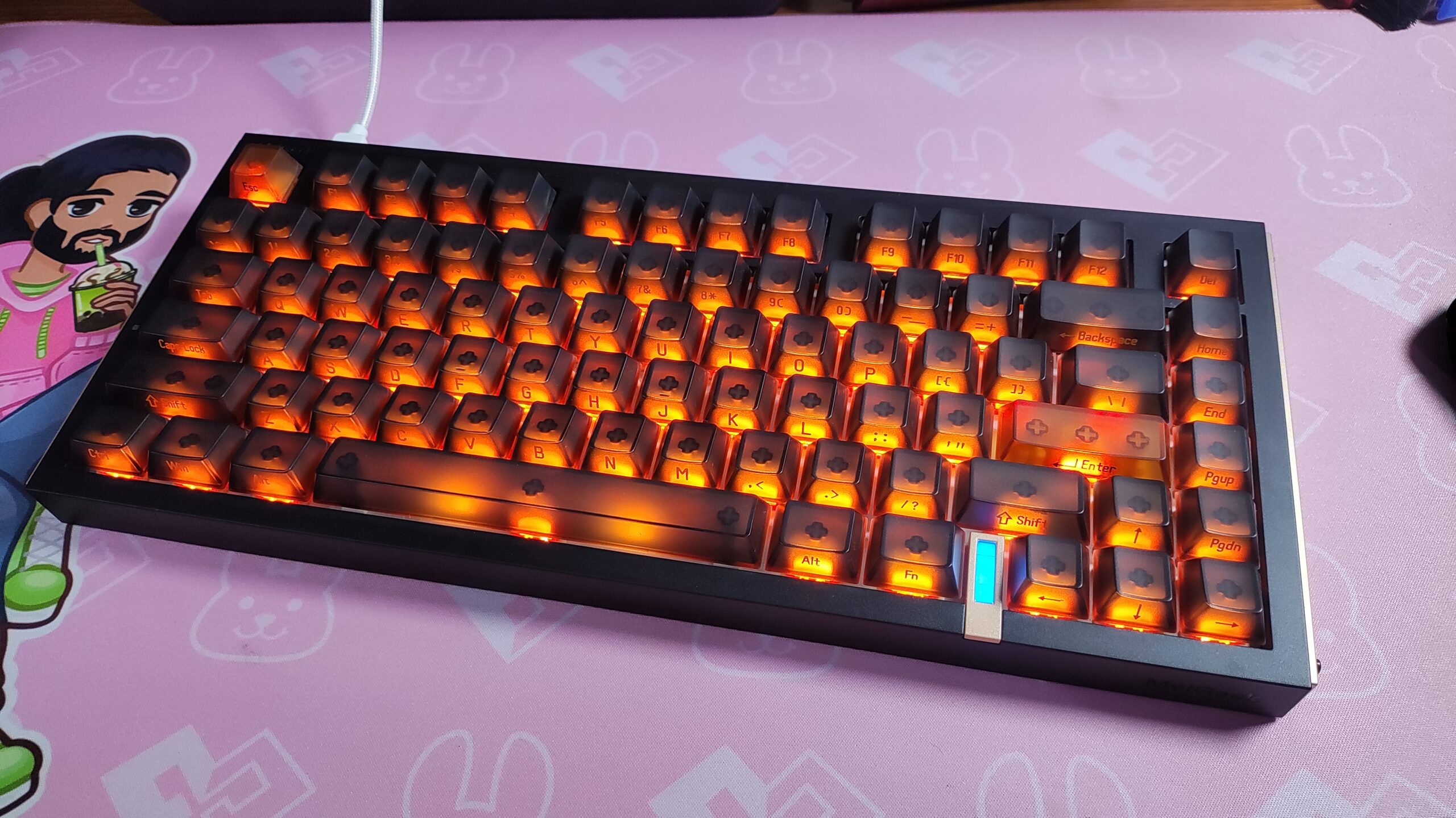

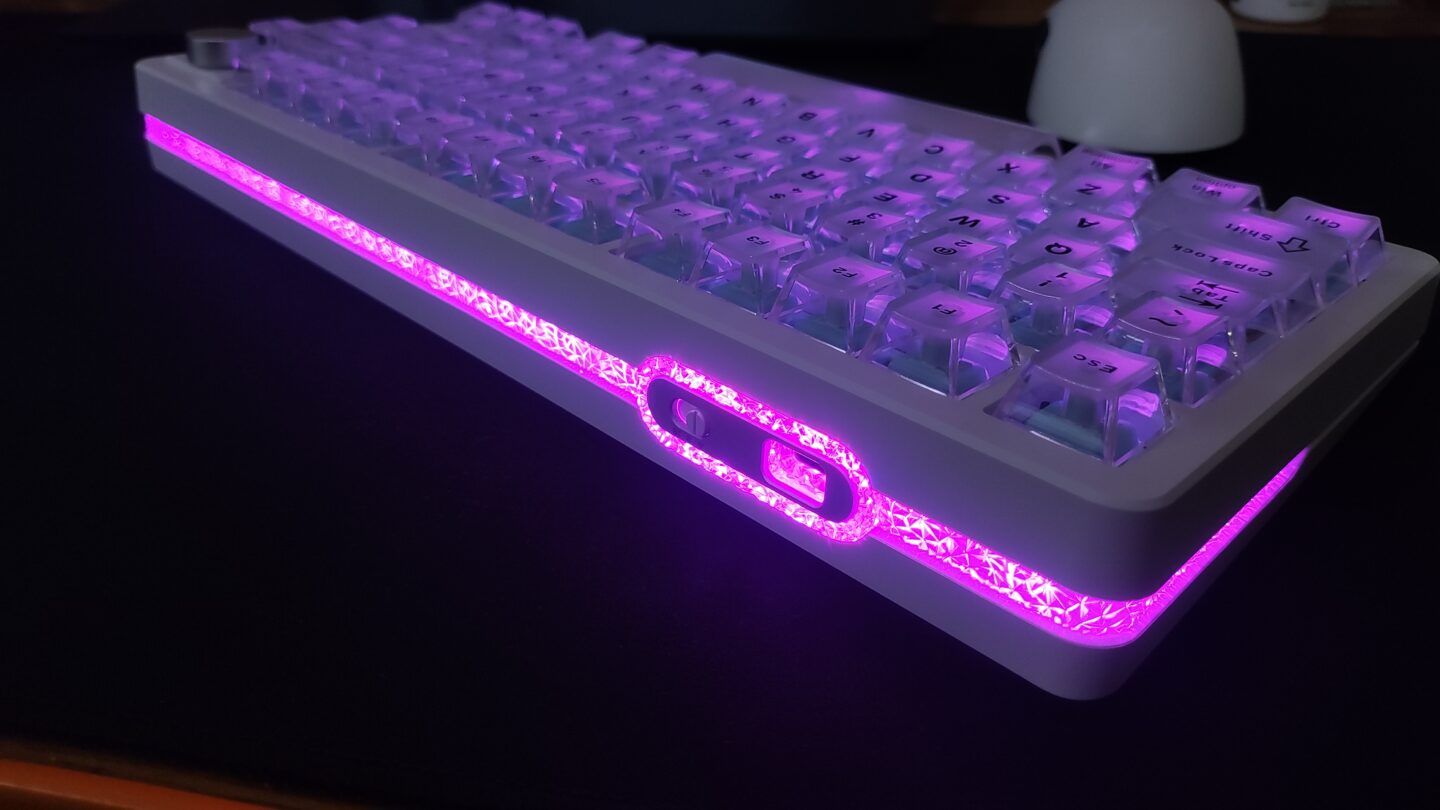
I reviewed the Epomaker HE65 V2 TMR recently, and that keyboard greatly impressed me. But the main entry in their new TMR lineup is their first release, the Epomaker HE75 V2 TMR. I wanted to see if this keyboard impresses me as much as its 65% younger brother (HE75 V2 TMR launched first).
In this review, I’ll be taking a look at many factors – the typing experience, the gaming experience, the quality of life features (battery life, ease of repair, etc) and I’ll share my experiences with you.
NOTE: Epomaker also has a non-TMR version of the HE75 V2, which has HE switches instead of TMR. I have not used it, and hence cannot say whether it will match this review or not.
Keyboard Specs
| Epomaker HE75 V2 TMR | |
|---|---|
| LAYOUT | 75% Layout, ANSI US Layout, QWERTY Layout |
| Number of Keys | 80 Keys + 1 Knob (Knob is swappable as 2 Keys) |
| Battery | 8000mAh Battery (4000mAh x 2) |
| Connectivity | 2.4Ghz / Bluetooth / Wired |
| Compatibility | Mac / Windows /Android |
| Typing Height | Front – 1.9cm Back – 3.29cm |
| Typing Angle | Default – 5.8 degrees Stage 1 – 9.5 degrees Stage 2 – 12 degrees |
| Case Material | ABS Plastic |
| Plate Material | FR4 Plate, Non Flex-cut |
| PCB | Non Flex-cut |
| Stabilizers | Plate-Mounted Stabilizer |
| Mounting Structure | Gasket Mounted |
| Sound Dampening | 5-layer sound-optimizing system including Sandwich Latex Foam, Switch Pad, PET sound enhancement pad, Noise Absorbing Foam and bottom silicone. |
| Keycaps | Cherry Profile, Transparent PC keycaps with matte top surface, SIlk print legends |
| Polling Rate | USB/2.4Ghz – 8000hz Bluetooth – 125hz |
| Scan Rate | 128,000hz (128kHz) |
| Latency | 0.1ms (Wired), 0.58ms (2.4Ghz) and 15ms (Bluetooth) |
| Software | Epomaker Driver V4 |
| Dimensions | 32.4cm x 13.8cm x 4.3cm |
| Weight | 1 kg |
Unboxing & First Impressions
The Epomaker HE75 V2 TMR has a pretty standard unboxing experience. The box is the usual Epomaker design and inside the box you’ll find:
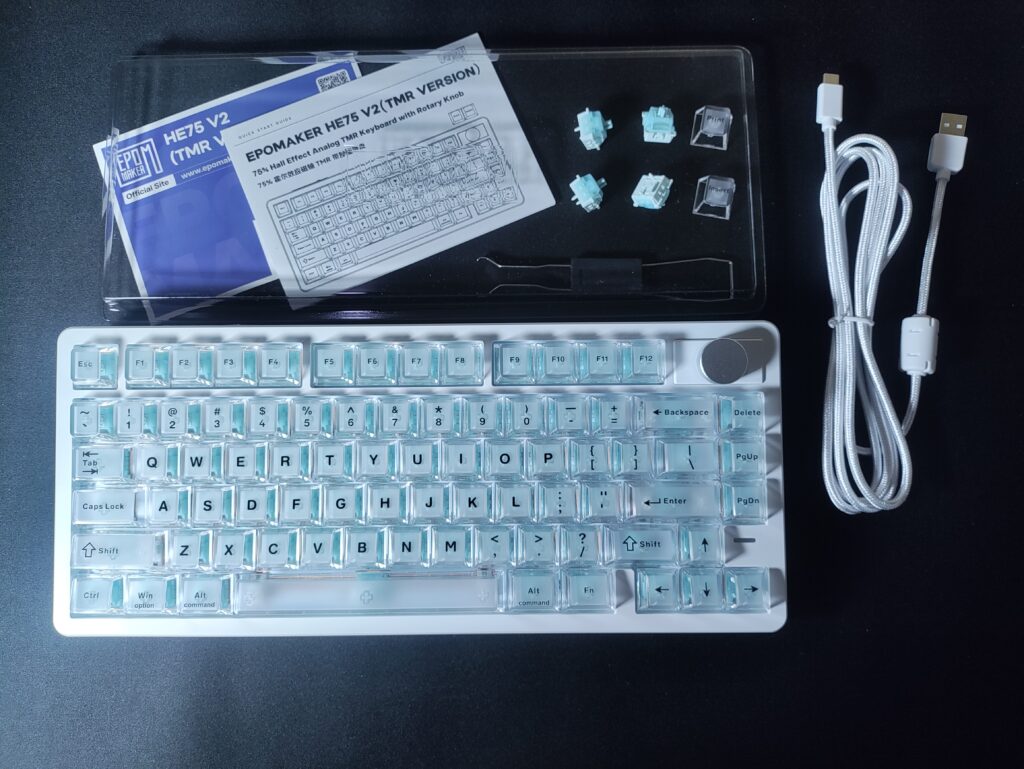
- The keyboard (which houses the 2.4gHz adapter under the left foot)
- A plastic dust cover
- A user manual
- A quick actions guide with shortcuts on the back
- A USB-A to USB-C cable
- A keycap and switch puller
- 4 spare switches
- 2 extra keycaps (for hotswap knob)
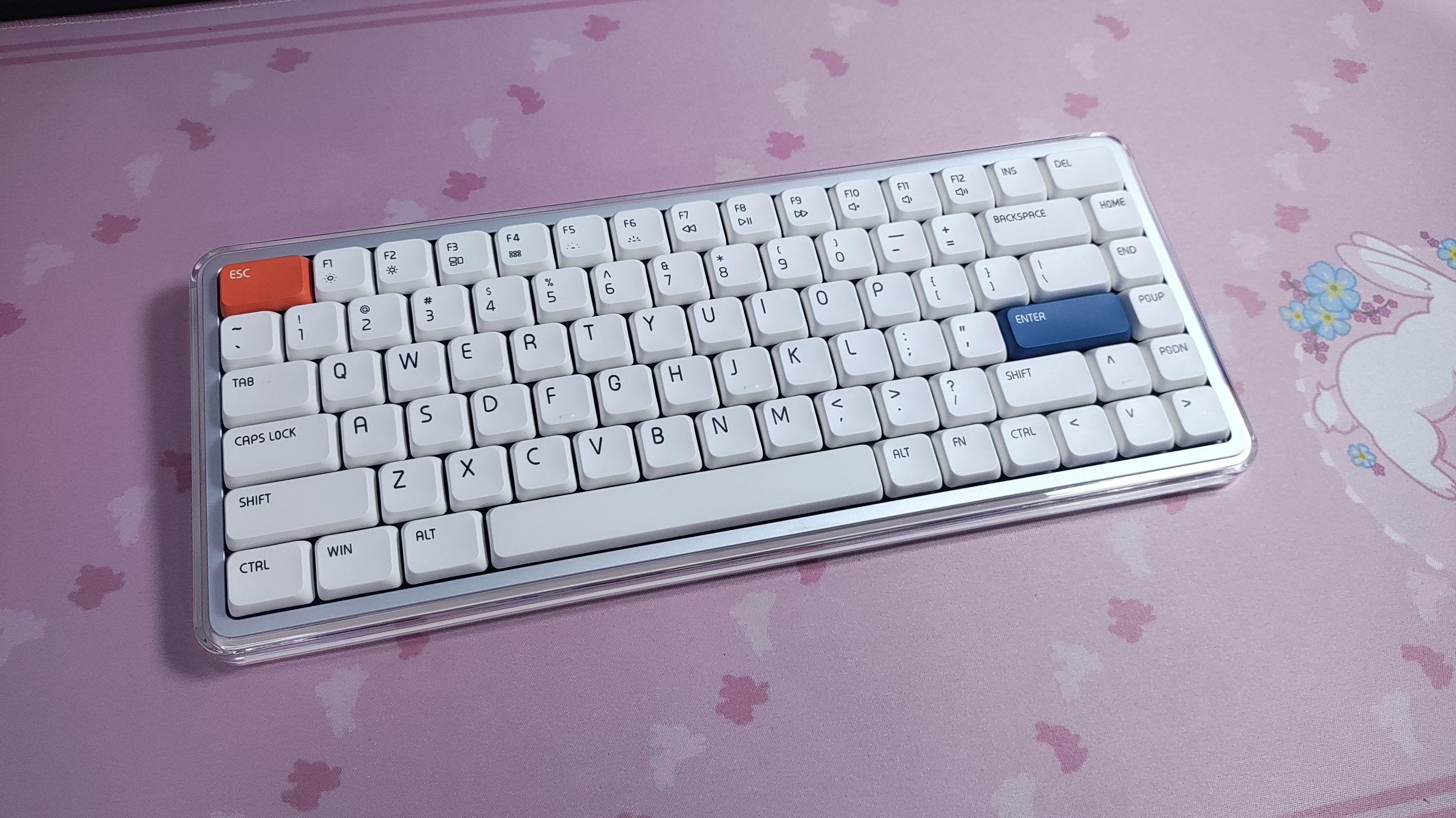
The first thing you notice about the HE75 V2 TMR is that it looks different from other keyboards. It shares the popular 75% layout, but there are subtle differences (and more pronounced ones from certain angles). The 2-slot knob, the included crystal-like keycaps, and the taillight style edge lighting stand out amongst other keyboards.

The Epomaker HE75 V2 TMR is a beautiful keyboard. The included blue coloured switches combined with the transparent keycaps give it a “crystal” like look which is so pretty. You could probably create a different look with different coloured switches, or maybe even mix-n-match! The RGB looks great in this keyboard. Bright and vibrant. The letters are visible quite well too. Centered legends surely helps.
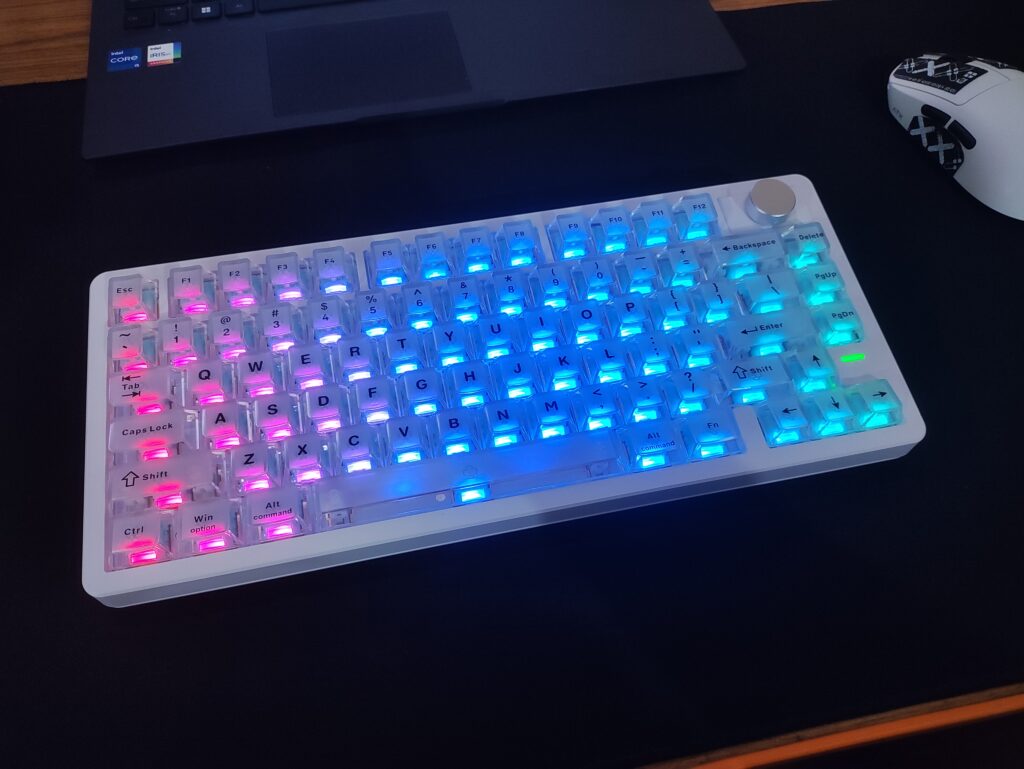
The black lettering looks good on the white matte keycaps, but it’s printed on top of the keycaps. This means it will probably wear out after long term use from skin oils and friction. I understand the aesthetic trade-off they would have to make if they went for a double-shot lettering process, so it’s excusable.

You can always swap the keycaps out with the included keycap puller. I quite like the Epomaker x Lindseyszn Azure Dragon SZN Keycap set on this keyboard.
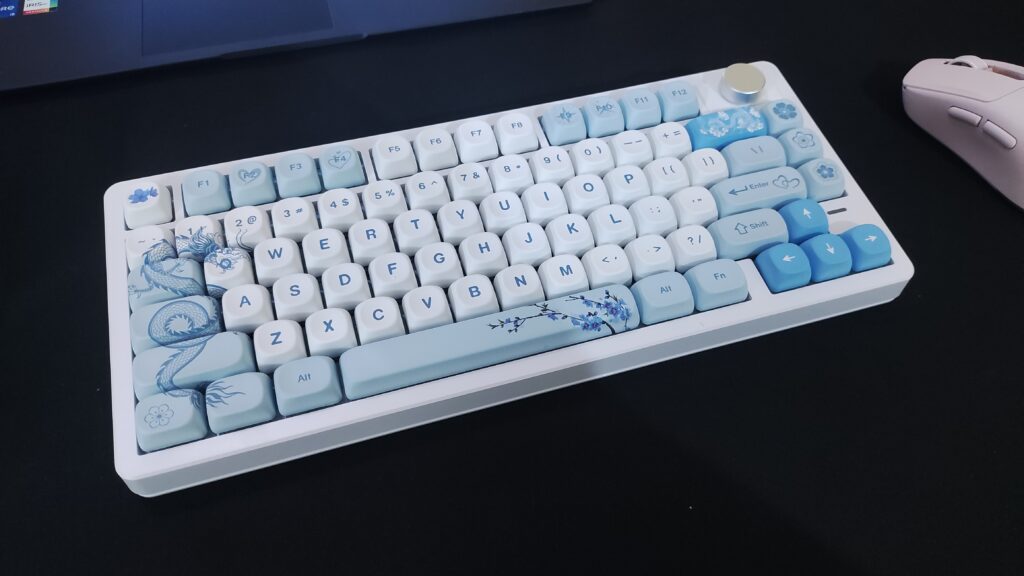
The build quality is up to par. Even though it’s a plastic keyboard, it feels substantial. It’s not too heavy to the point that you can’t lift or move it around comfortably, but it’s hefty enough to not move around on the desk during regular, or even rigorous use. This is also in part thanks to the rubber feet.
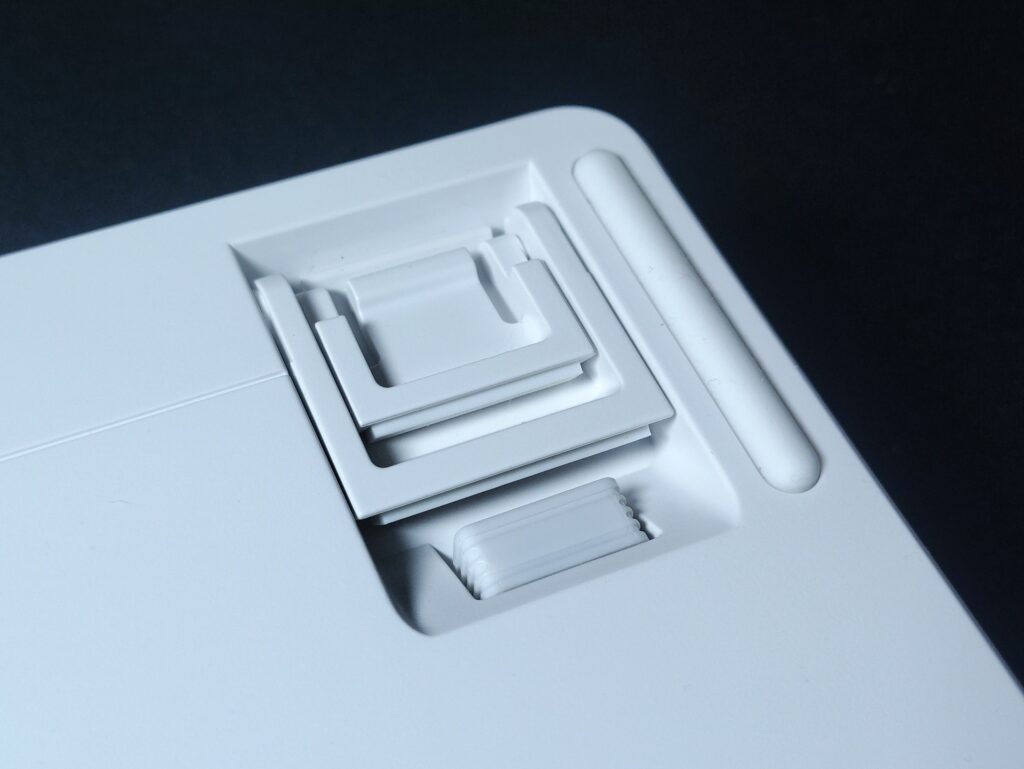
There are a few thoughtful additions here which I would like to point out :
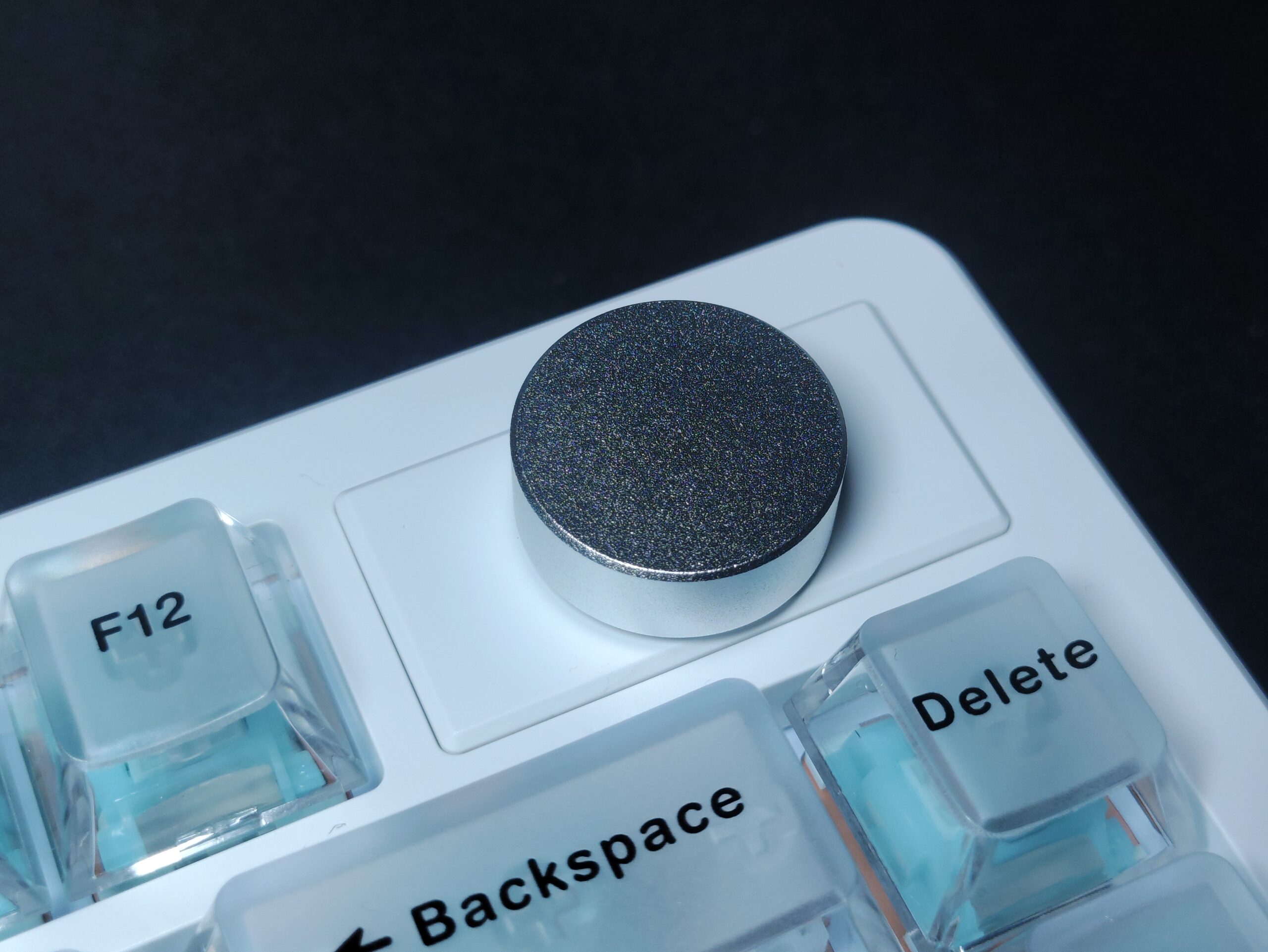
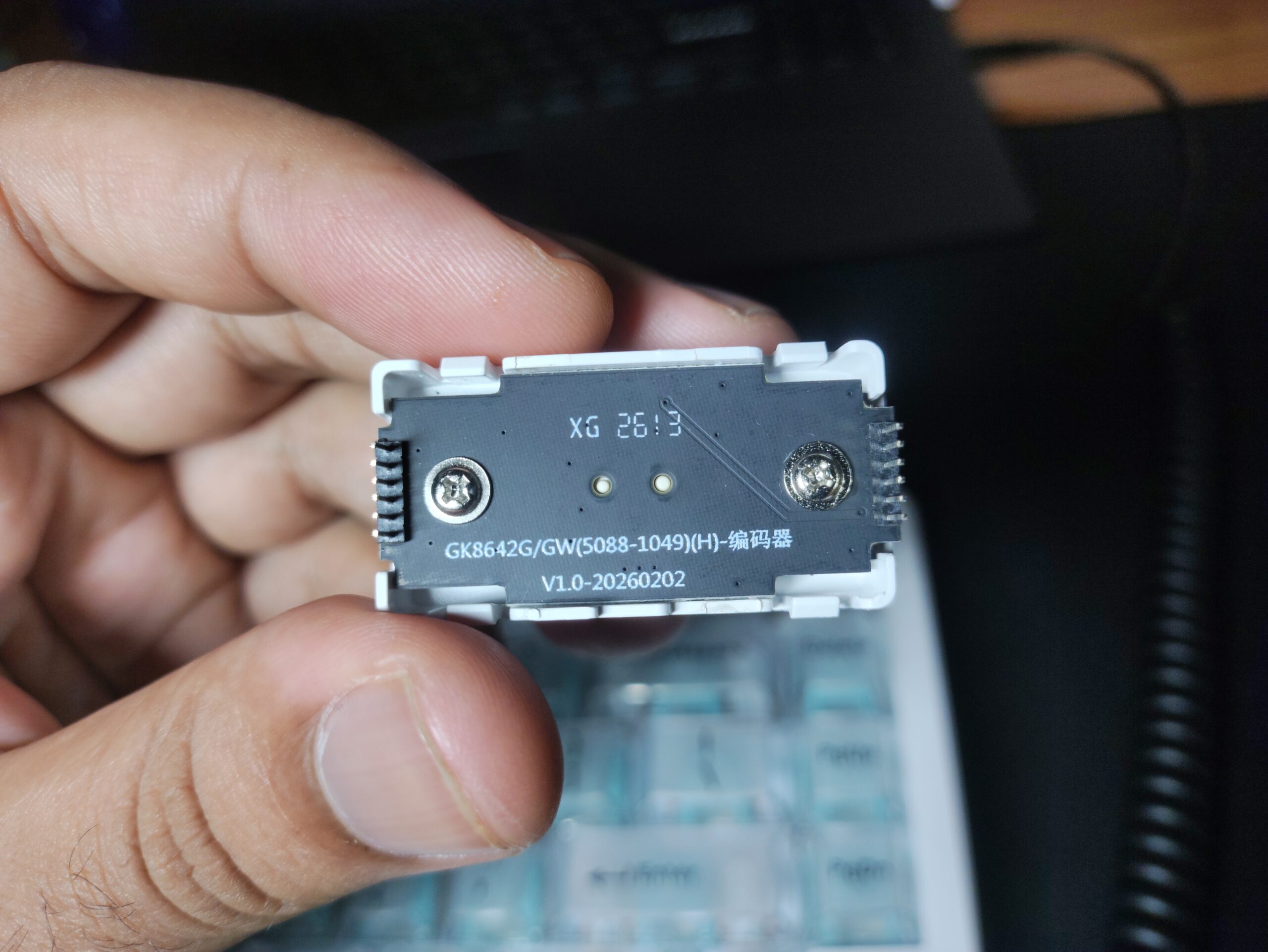
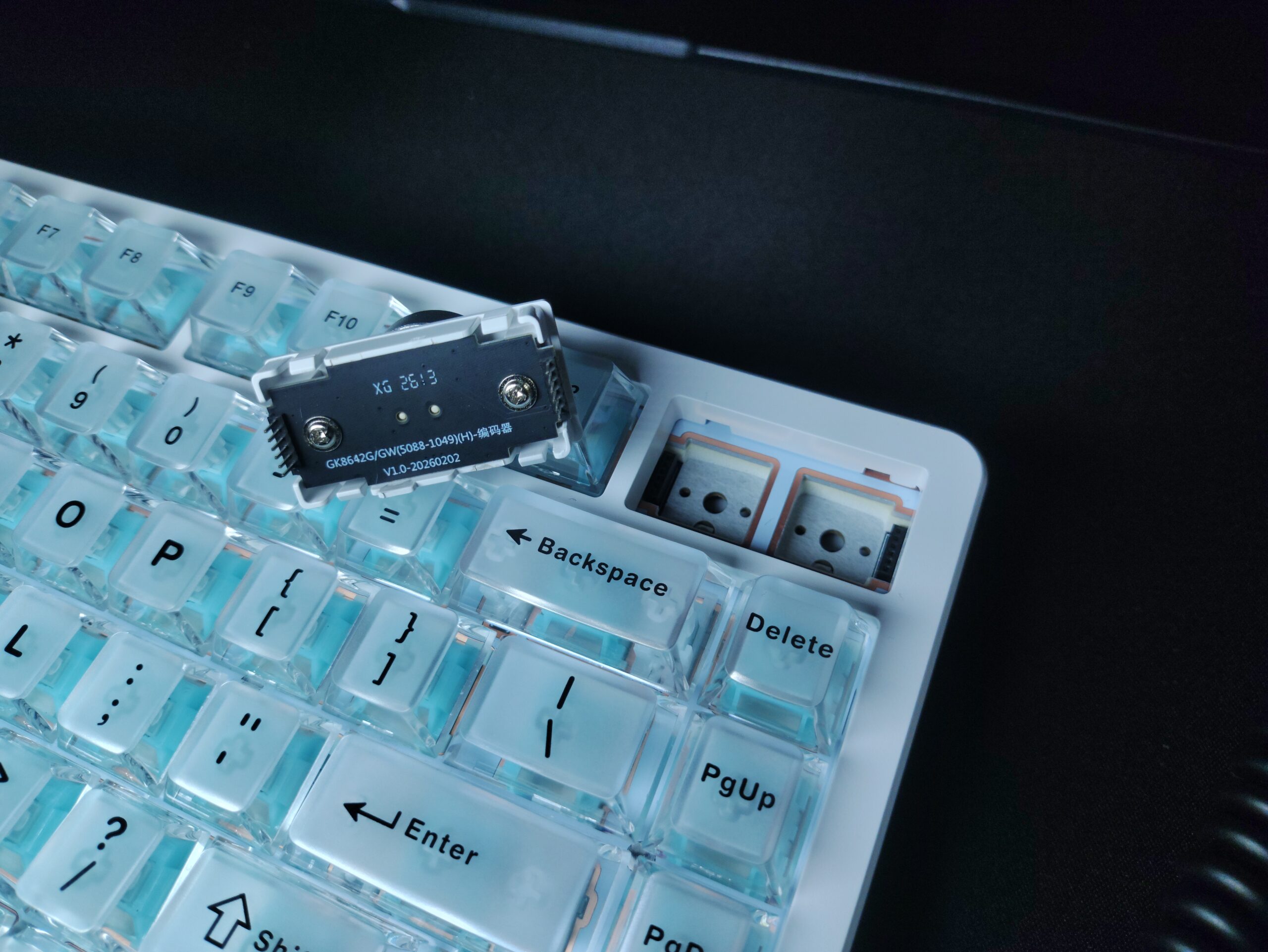
- Hotswappable Tactile knob – It’s a nice, metal knob with satisfying tactile bumps. The bumps match the actual input and the resistance is enough to feel premium but not tight. This knob is also hotswappable with 2 switches. There are included switches but you can use any switches you want.
- Dongle holder – The slot for holding the 2.4gHz dongle holds the dongle firmly and prevents it from falling out when you’re taking the keyboard in your backpack. It’s secured well underneath the left adjustable foot of the keyboard.
- Height adjustable feet – The two stage height adjustment feet is a nice QOL feature to have. I use it for osu mostly.
Features
The Epomaker HE75 V2 TMR is a 75% layout keyboard, which opens up about 25% of the keyboard’s length for mouse movement. The keyboard weighs about a kilogram.
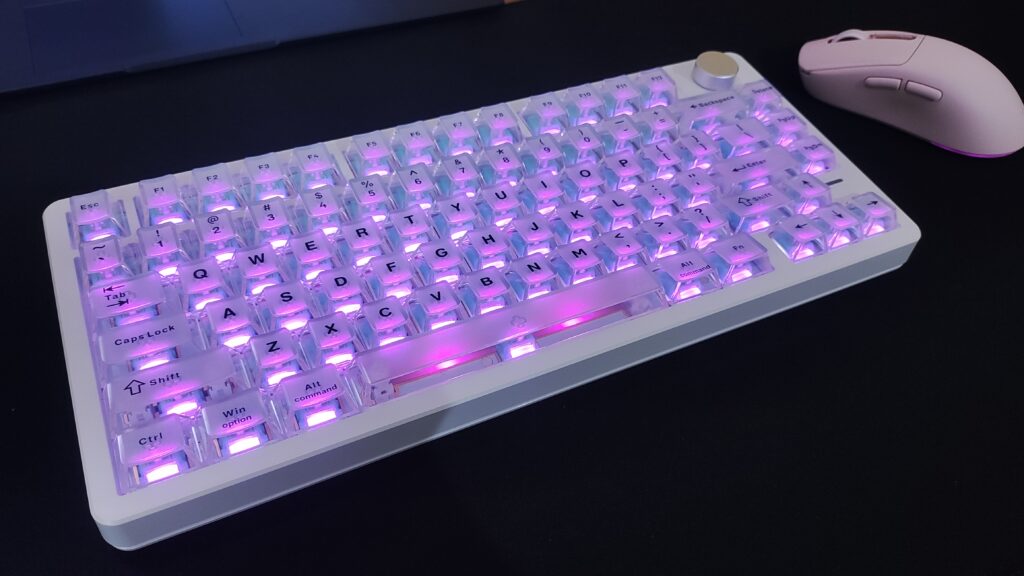
It has a gasket mounted PCB which helps to mitigate stiffness while typing and gaming. This leads to reduced finger fatigue over long typing or gaming sessions. It’s not a super pronounced effect, but it also helps in preventing some unwanted sounds in your keyboard so it doesn’t hurt to have.
The FR4 Plate and the PCB are not flex-cut. In regular mechanical keyboards, flex cuts are often used to add more bounce and… well, flex to the keyboard. But in a Hall Effect or TMR keyboard, you don’t want flex and bounce, since these keyboards are precise down to 0.01mm of key travel. Too much flex could cause accidental inputs. So I don’t mind this. The typing feel of the keyboard is great regardless.
The HE75 V2 TMR comes with 5 layers of sound dampening, which gives the keyboard a pleasant sound profile. This leads to zero chatter and rattle, which I have experienced in other cheaper Hall Effect keyboards.
The keyboard only comes with one switch option out of the box – the Epomaker Creamy Jade HE switches. They’re quite good to type on. It’s a smooth linear switch (Hall effect and TMR keyboards don’t have tactile switches yet) and it gives this keyboard a relatively deep and satisfying sound profile.
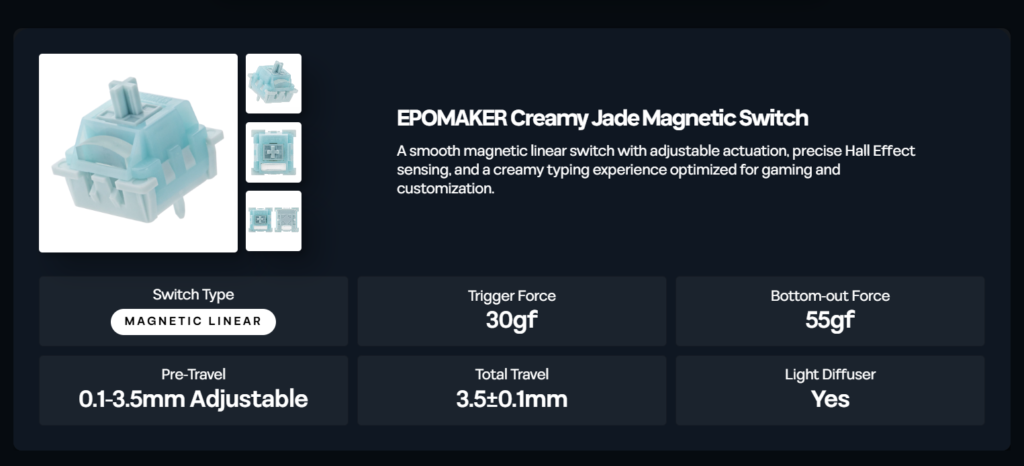
One of the signature features of the HE75 V2 TMR is that you can swap out the TMR switches it comes with, and instead swap in regular mechanical switches as per your liking. IMO this is a really handy feature because this lets the user use a plethora of switches- tactile, linear, clicky, silent- as they wish to use. You can even mix and match the switches – Rapid Trigger for WSAD and your preferred switches on every other key.
The rotary knob is actually a hotswapable module here, which can be replaced with 2 switches if that’s what your preference is. This is a pretty cool addition. The included keycaps for this purpose are print and insert.
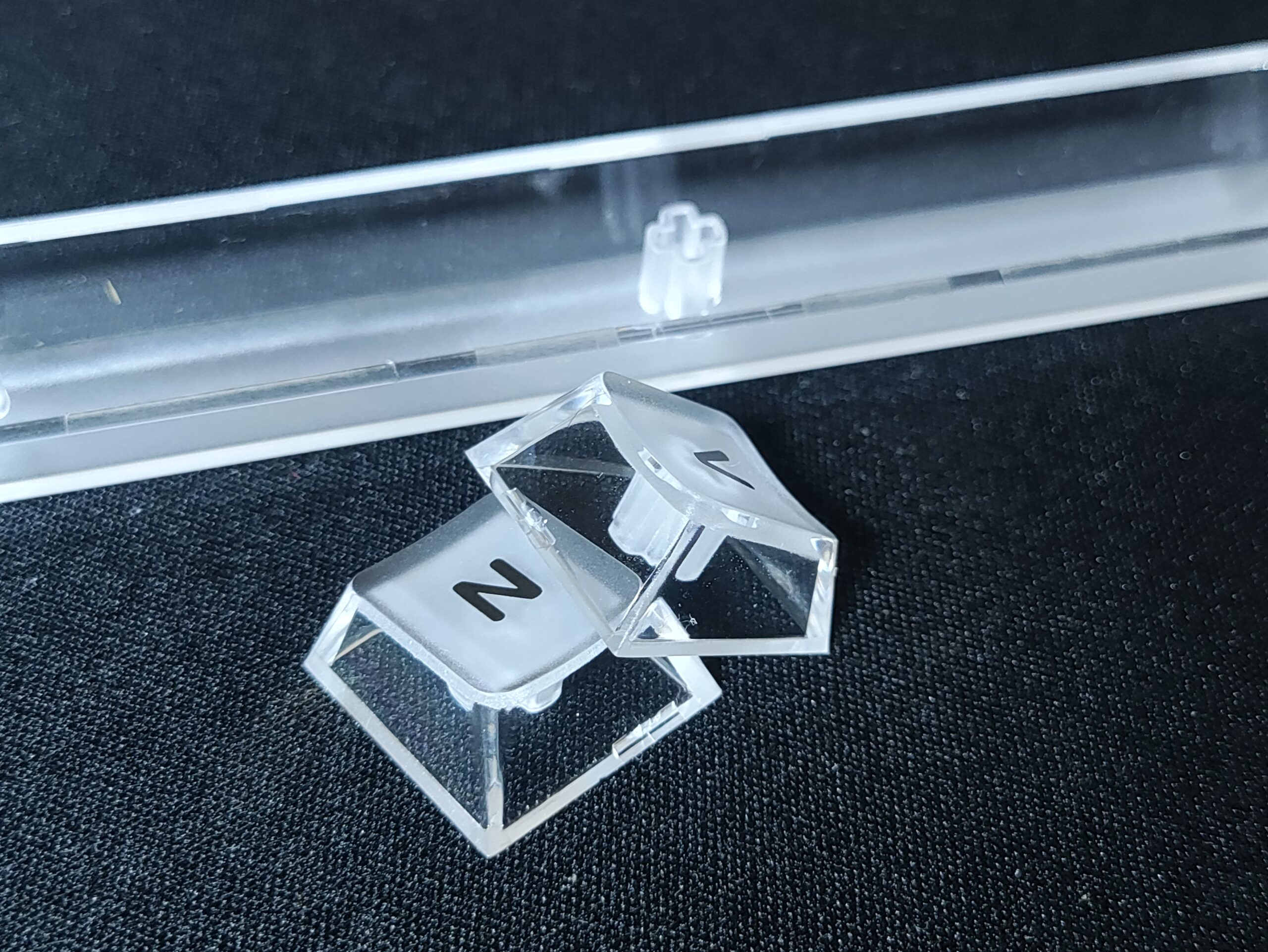
This keyboard comes with transparent PC keycaps with a matte top surface. This material choice contributes to the deep thocky sound profile of this keyboard out of the box. The matte top surface is an excellent design choice, as it feels good to type on and it makes the legends easier to see. It also gives the keycaps a “frosted glass” aesthetic which is very chic. The legends are silkscreened onto the keycaps, and they’re pretty sharp. As I mentioned earlier, this could mean that they’ll wear off over time, but the aesthetic makes up for it. I like these keycaps.
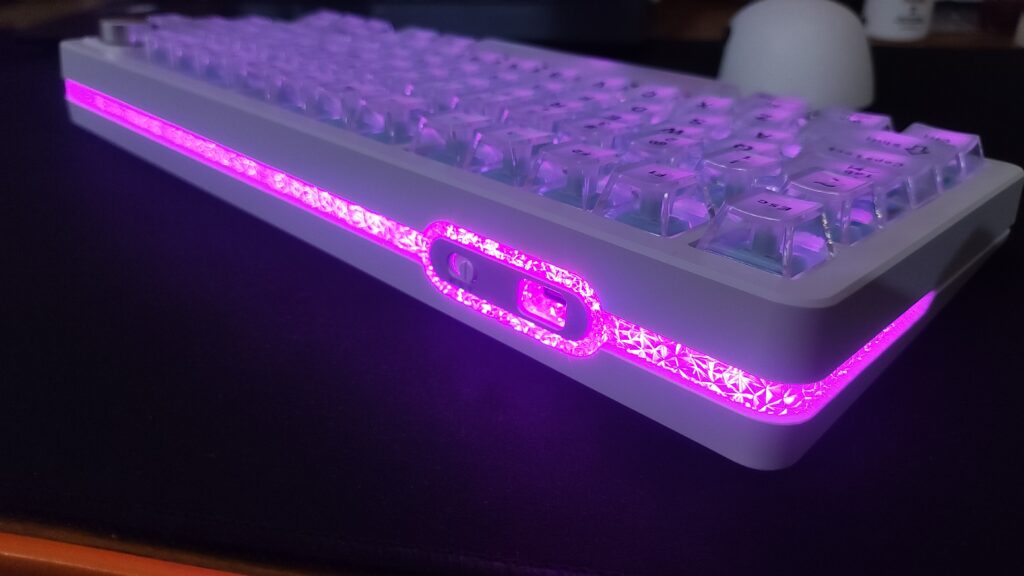
The RGB here is unlike any I’ve seen on a keyboard before. It reminds me of the Trident Z Royal RAM design. There is a also good variety of animation and colour options which you can access via the software or by using built-in shortcuts in the keyboard. Aside from the under-switch RGB illumination, the HE75 V2 TMR also has a nice “tail-light” style RGB lighting. It’s clad with a crystalline textured light diffuser which gives it a very unique aesthetic.
With the RGB enabled, the keyboard lasts about 55 hours. And with the RGB disabled, the keyboard should last a very long time (I haven’t tested that maximum duration yet cuz it would take too long). This is thanks to the 8000mAh battery in the keyboard, combined with TMR switches which offer excellent power efficiency (compared to hall effect switches)
The HE75 V2 TMR features Tri-mode connectivity compatible with Mac, Windows, and Android. Wireless and wired performance has been flawless in my experience.
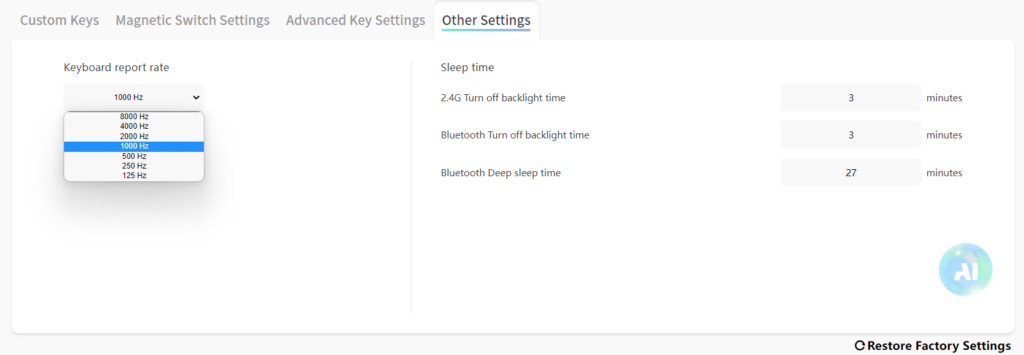
This keyboard supports 8000Hz of polling rate with a 128000Hz scanning rate, which supposedly is helpful in competitive games. While this is technically correct, the difference in imperceptible to a human being without using something like a slow motion camera pointed at a 500hz screen.
I’ve been using the keyboard at 1000Hz and the performance is great. Since I can’t notice any difference between 8000Hz and 1000Hz, I stick to the lower number. This is because if you go for higher polling rates, it puts some strain on your CPU and can cause slight FPS drops and micro stutters, especially on less powerful CPUs.
The latency numbers are impressive. Apparently you can get up to 0.1ms latency at 8000Hz polling rate. I personally cannot perceive any difference between this and a few milliseconds of latency, but I can tell you that there isn’t any perceptible latency in wired and 2.4gHz mode, and I’ve had a flawless experience in all games that I play – Shooters like CS2, Valorant, and rhythm games like osu!, ADOFAI, etc. In Bluetooth mode, there’s 14ms of latency at 125hz polling rate. I’d recommend using the bluetooth mode mostly for preserving battery life during regular typing use cases, when you don’t need fast response times.
Software & TMR Features: Epomaker Driver V4
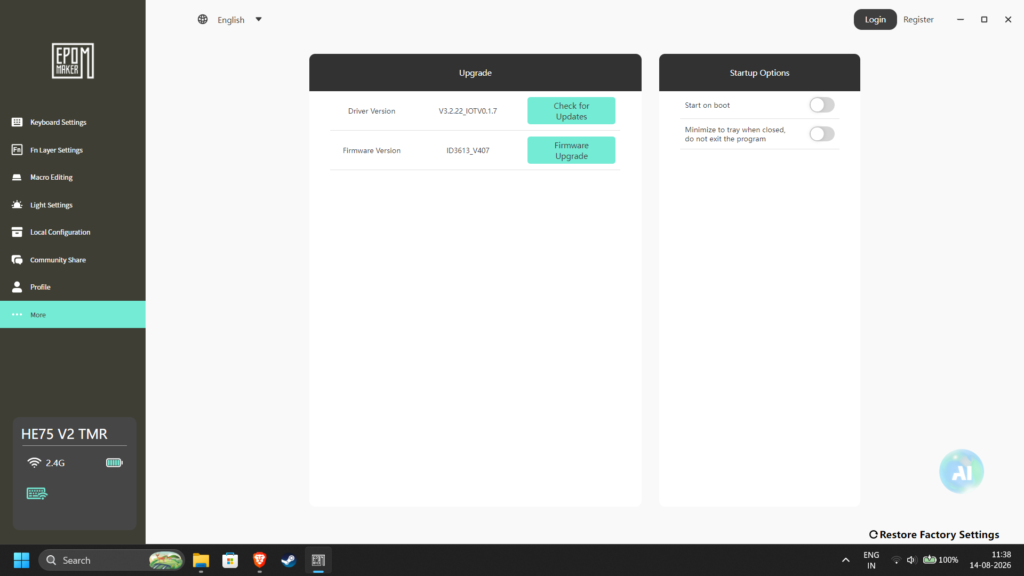
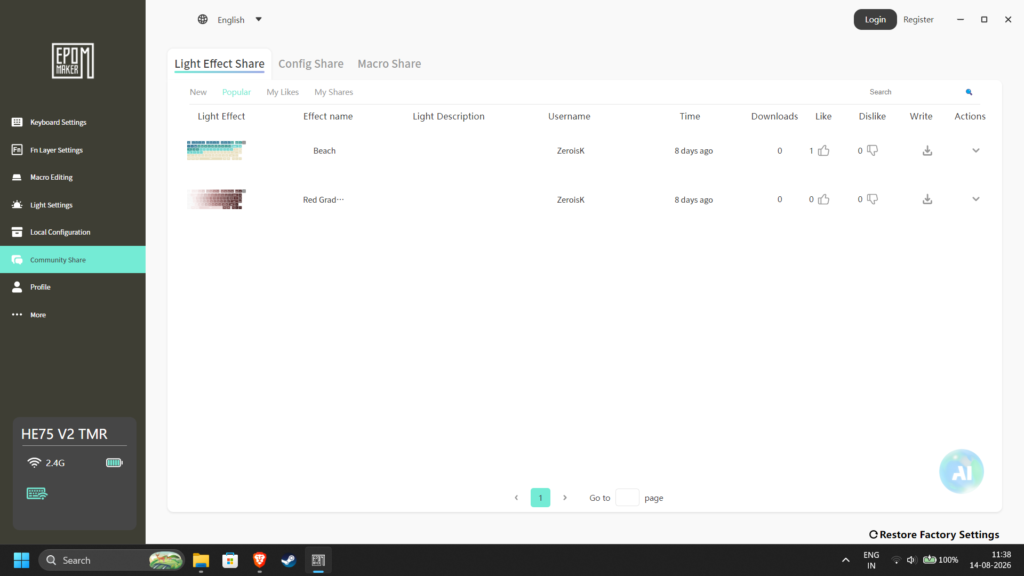
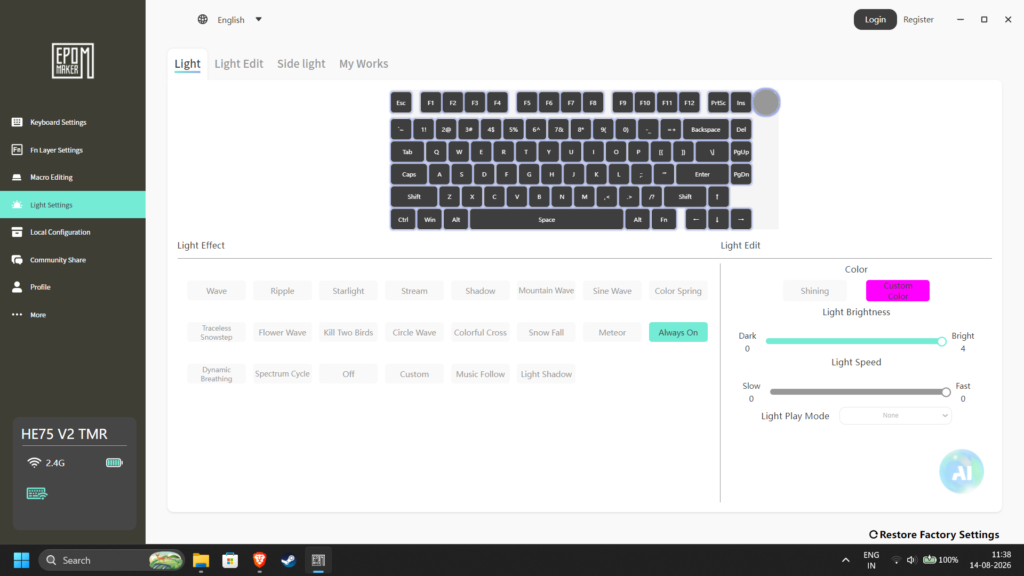
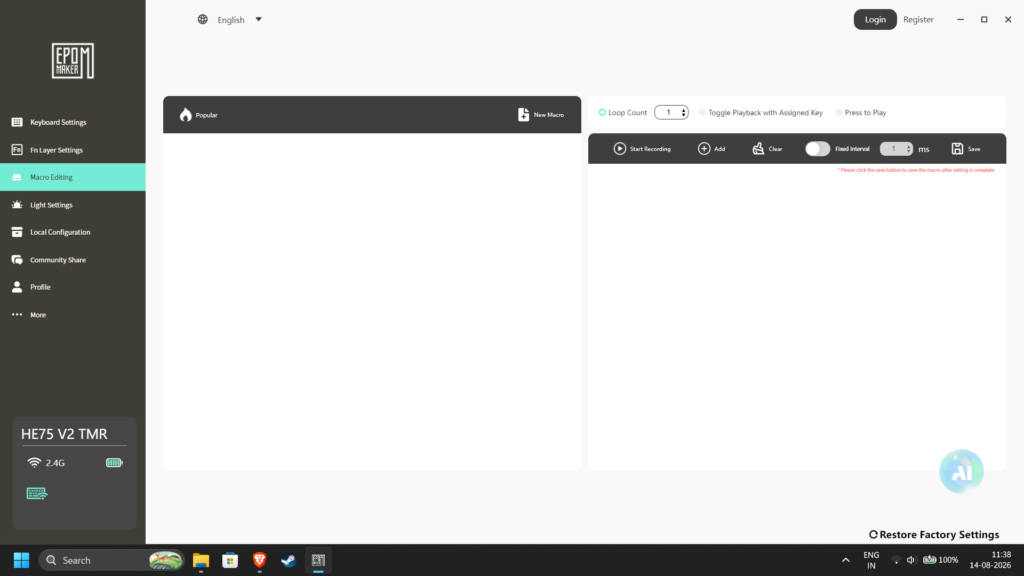
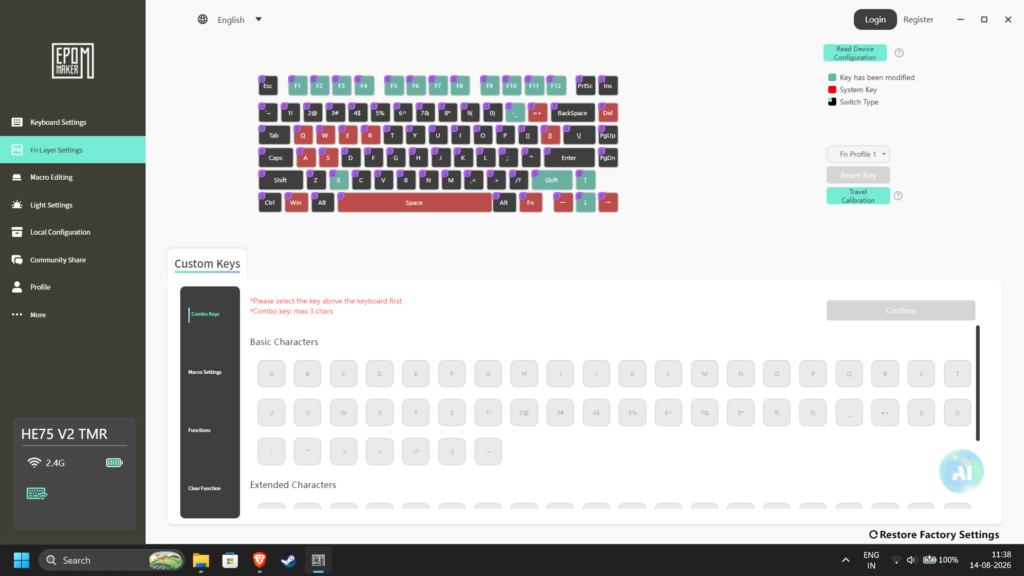
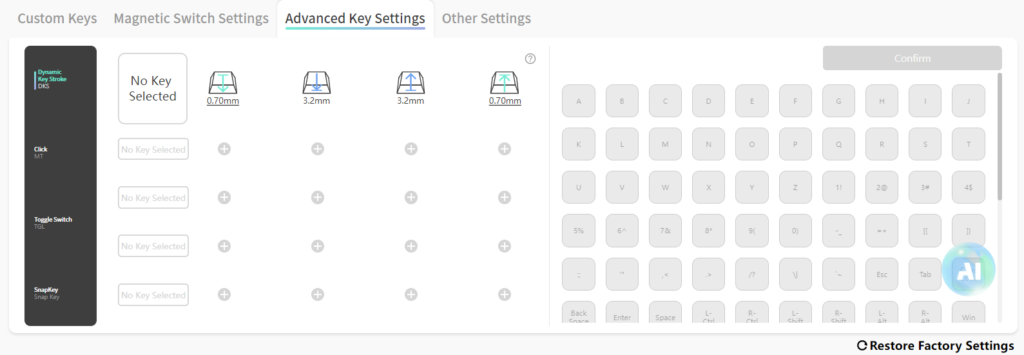
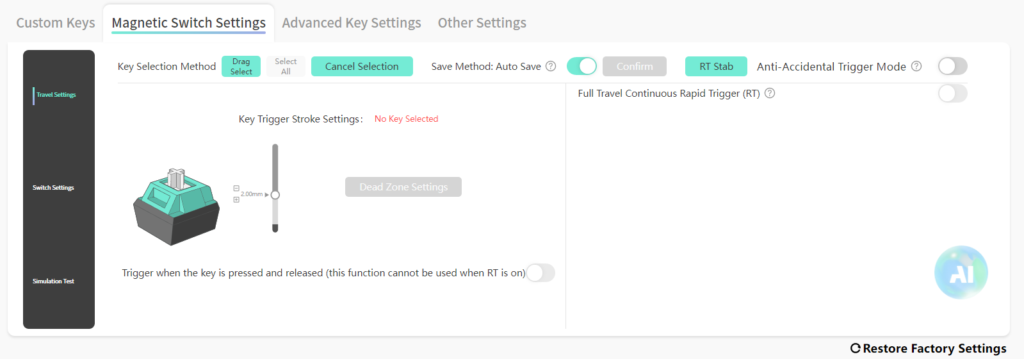
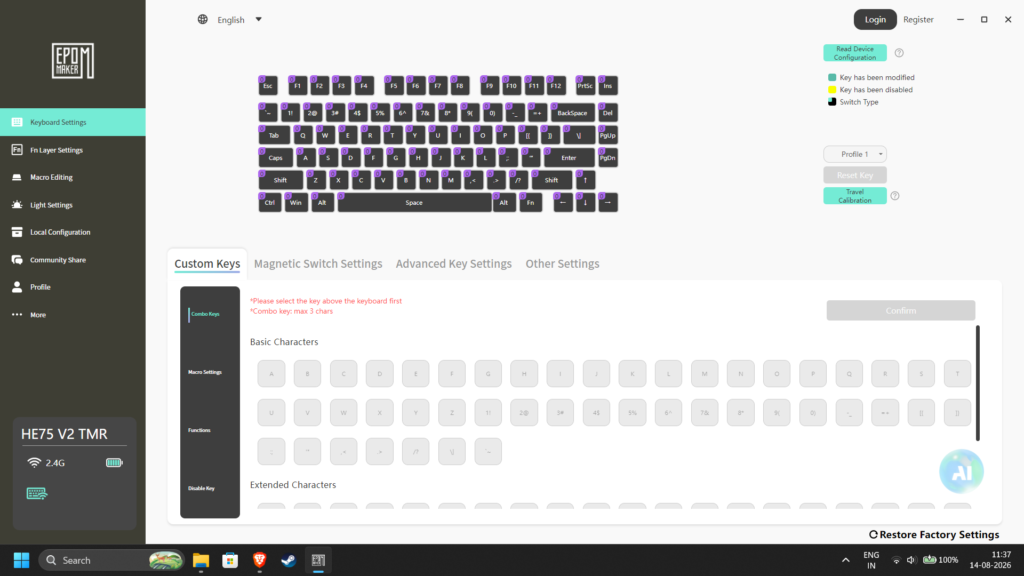
The HE75 V2 TMR pairs with the Epomaker Driver V4. It’s quite clunky and unappealing to use. But it does have all the basic features you would expect from a Hall Effect or TMR keyboard. Refer to the screenshots below to see the exact features available.
TMR FEATURES :
Rapid Trigger – This feature removes fixed actuation and reset points at a precision of 0.01mm. Instead of waiting for a key to travel all the way back up to reset, the key deactivates the instant your finger lifts upward, allowing for ultra-fast repeated keystrokes and immediate input changes. This is incredibly useful for shooters such as Counter Strike and rhythm games such as osu!.
Adjustable Actuation – You can adjust how far into the keystroke the input actually registers. This can be adjusted individually per key in the software. I usually keep actuation distance low for WASD.
DKS (Dynamic Keystroke) – You can assign multiple actions to a single key press based on how far down you press the key or lift the key. Quite handy for games like tarkov or PUBG where there is a ridiculous number of keybinds. It’s also quite handy in day to day typing scenarios. I’ve set it up so that the number row inputs the function row input when I press the key halfway.
SOCD (Simultaneous Opposing Cardinal Directions) – Also called Snap Tap or Snap key by certain brands, SOCD dictates how opposing movement keys are handled when pressed at the same time. The most common use for this is to “counter step” in games – as soon as you press D, the A input gets cancelled which gives you a movement advantage in competitive games which could only be achieved at a very high skill level before this. In fact, the advantage is so significant that many games ban the use of this feature.
Aside from these TMR specific features, the software also provides you with all the standard customization that a keyboard software should provide – RGB customization, Polling rate control, Key remapping, Sleep timer, firmware updates etc.
My one complaint with this software is that it doesn’t auto-calibrate when you swap switches, so you need to have the software installed on your PC to perform the calibration yourself.
CONCLUSION
The Epomaker HE75 V2 TMR is what I wanted to see in a Rapid Trigger keyboard ever since the fad came into being. I’m enjoying all the choices made in this keyboard, both aesthetically and functionally. The one thing that it is behind it’s competitors in is the software experience. I hope they change this with future updates (but I wouldn’t count on it)
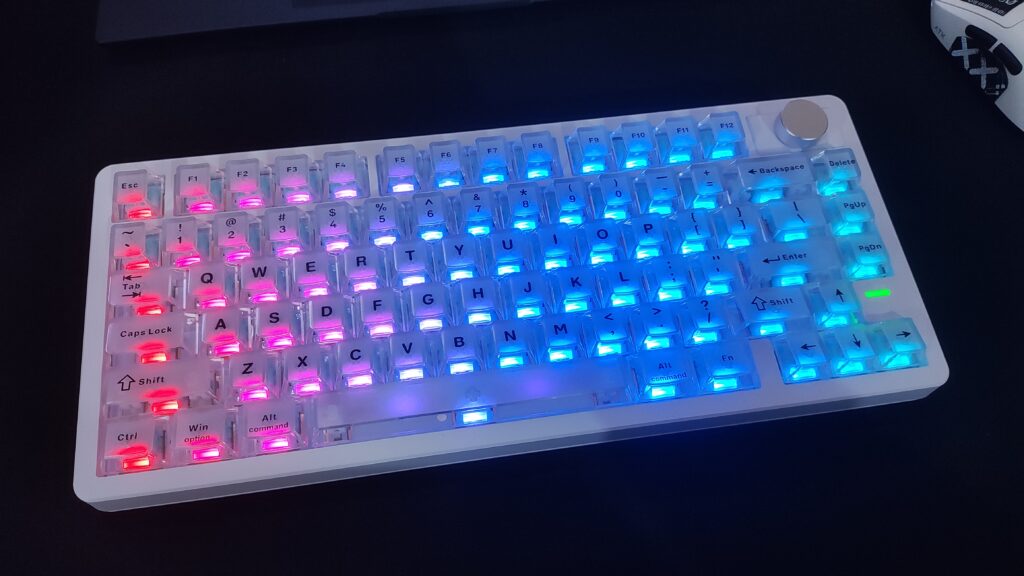
This keyboard an excellent tool for gaming AND productivity, and it offers uniqueness beyond just being a “75% version of the HE65 V2 TMR”
So in conclusion, I highly recommend this keyboard to anyone looking for a nice Rapid Trigger keyboard that also sounds awesome to type on. It’s definitely a tad pricier than I would like at $125, but it does offer some unique aesthetic and quality of life features that you won’t get in its competitors.
Epomaker HE75 V2 TMR


Hello! 🥰 I'm Fang.
I like gaming and related tech. I enjoy learning more, and sharing my experiences through my review videos and blog posts. Have fun! 💖