



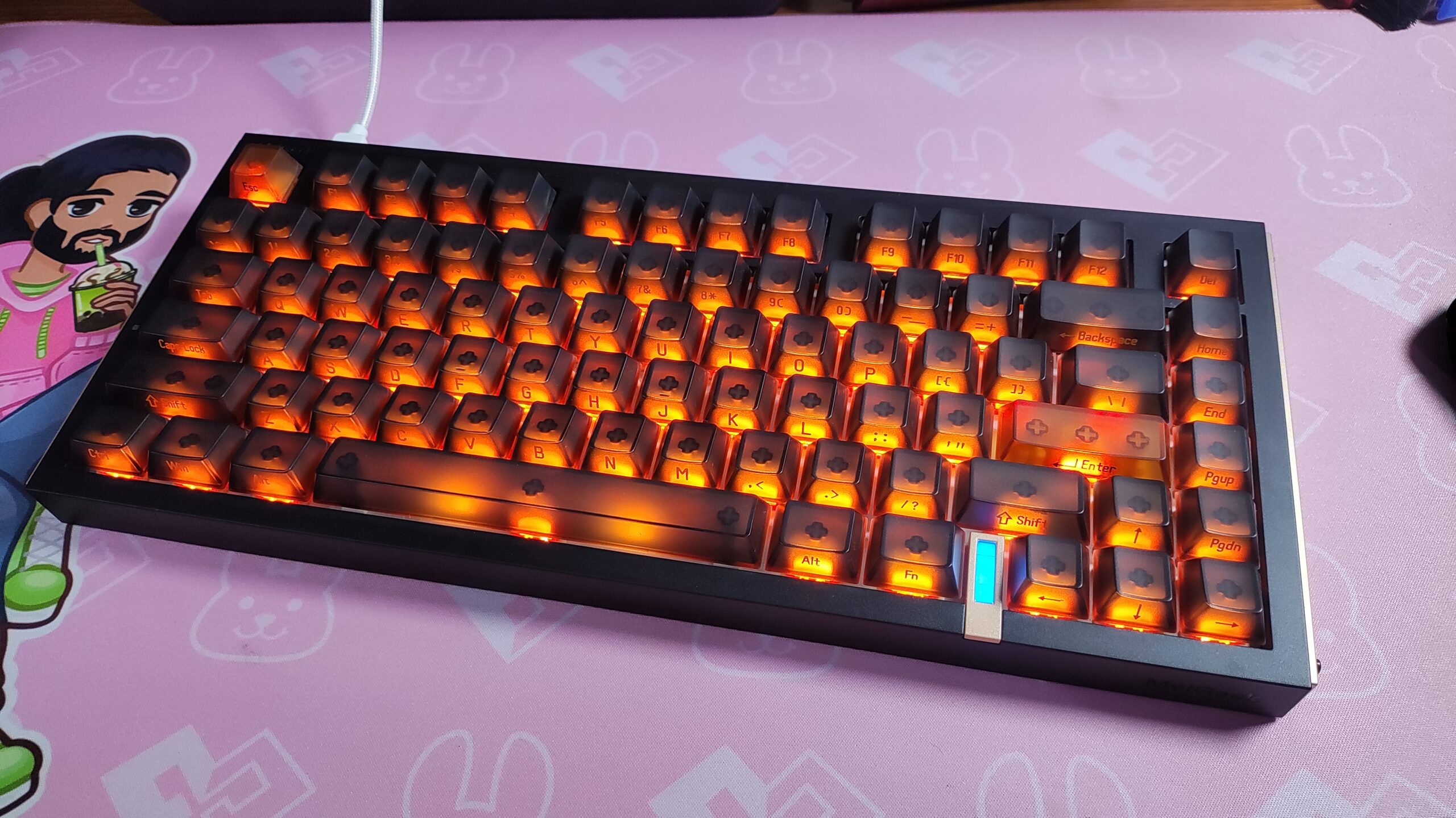
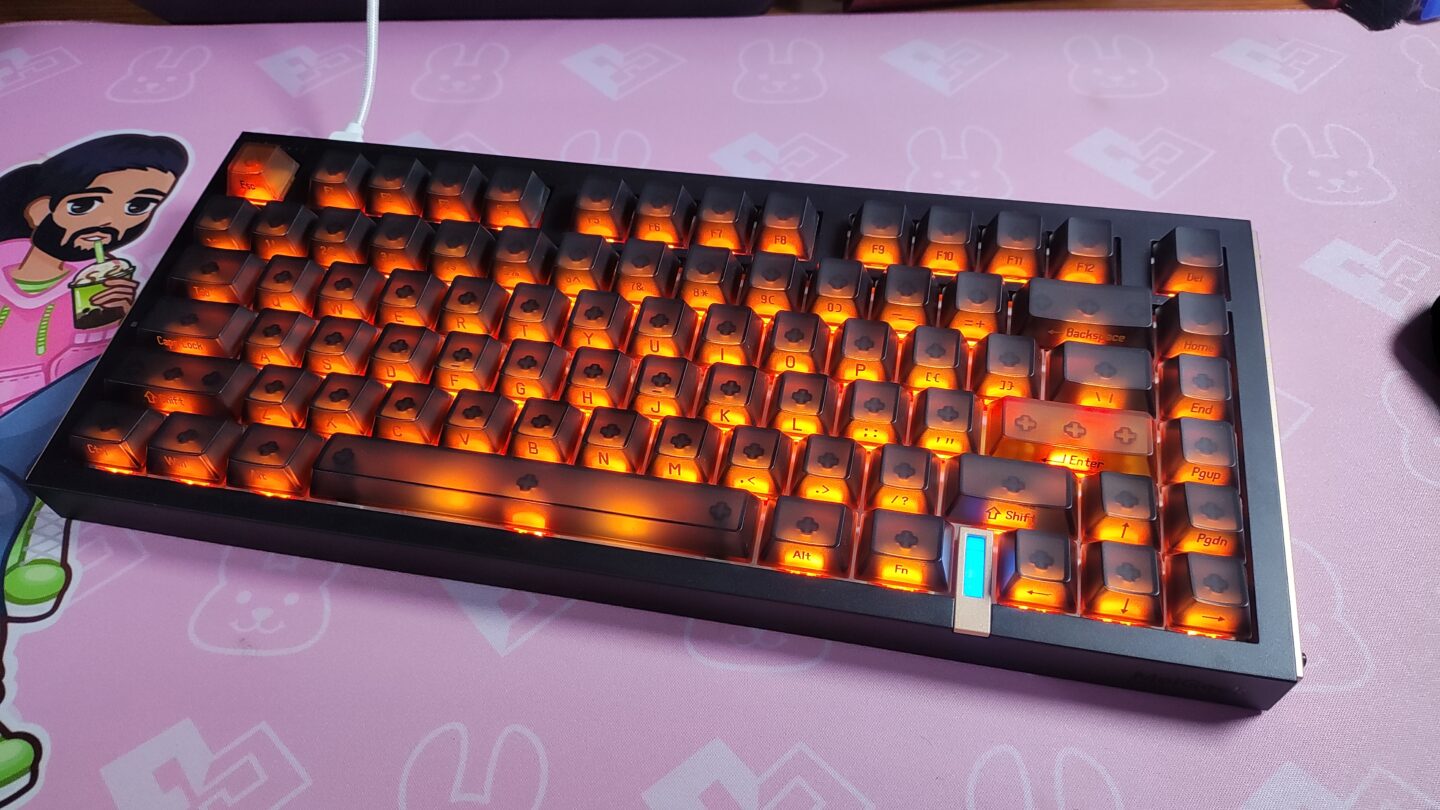
There are a ton of Hall Effect or TMR keyboards available at every imaginable price point in 2026. From $30 cheapo plastic ones like the Aula Win68HE to $250 premium Metal ones like the Lofree Hyzen. In order to make a name for itself in this hyper competitive space, what would a keyboard need to do? The way I see it, there are three main paths here.
It can stand on the shoulders of a brand’s already present reputation, and then it can be touted as a good keyboard by word of mouth. Or it can offer good specs at a very competitive price so that everyone talks about it and gives it a chance. Or the third option, it can offer features that other boards in its price category don’t – a different layout, better latency, better software, etc etc.
The Melgeek Real81 seems to be a mix of the first and third category. Being a wired HE keyboard at a price tag of $139 is a hard sell in today’s market. So let’s see what this keyboard brings to the table for that price point, and who this keyboard is the right desk buddy for in this review.
SPECIFICATIONS
| Melgeek Real81 | |
|---|---|
| LAYOUT | 75% Layout, ANSI US Layout, QWERTY Layout |
| Number of Keys | 81 Keys |
| Battery | N/A |
| Connectivity | Wired only |
| Compatibility | Mac / Windows / Linux |
| Typing Height | Front – 1.3cm Back – 2.5cm |
| Typing Angle | 6.5 degree |
| Case Material | ABS Plastic |
| Plate Material | Aluminium Plate, non-Flex Cut |
| PCB | Non Flex-cut |
| Stabilizers | Plate-Mounted Stabilizer |
| Mounting Structure | Gasket Mounted |
| Sound Dampening | 5-layer sound-optimizing system including Integrated Poron silencer pad, silicone & Poron switch foam, bottom Poron & silicone sound dampening foam. |
| Keycaps | OEM Profile, Transparent PC keycaps with matte top surface, SIlk print legends |
| Polling Rate | USB – 8000hz |
| Scan Rate | 16,000hz (16kHz) |
| Latency | 0.125ms (perfect conditions) |
| Software | Melgeek Hive Driver |
| Dimensions | 330 mm (L) × 140mm (W) × 44 mm (H) |
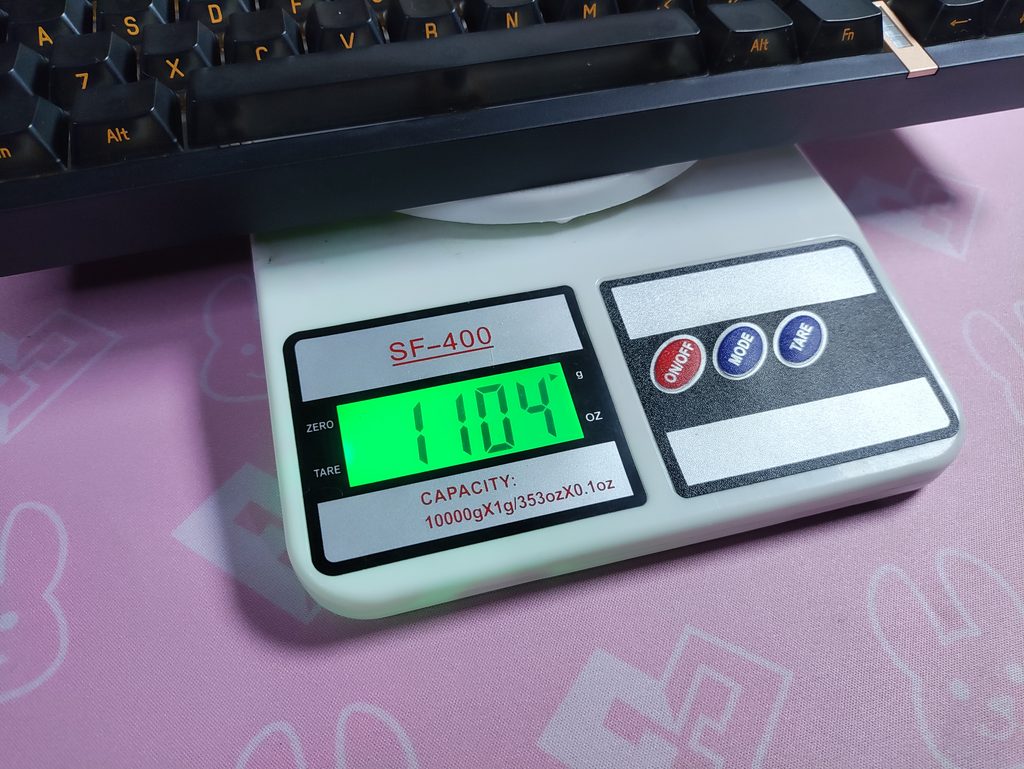
| Weight | 1.1 kg |
Unboxing & First Impressions
The Real81 offers a straightforward unboxing experience. The box itself shares a similar design to the Melgeek O2 that I reviewed previously. Inside the box, you will find:
- The Melgeek Real81 Keyboard
- Extra Mac Keycaps + 1 Bee themed keycap
- A pretty good quality, braided USB-A to USB-C cable
- Keycap Puller (no switch puller)
- Warranty Card, User Manual, Bee Stickers
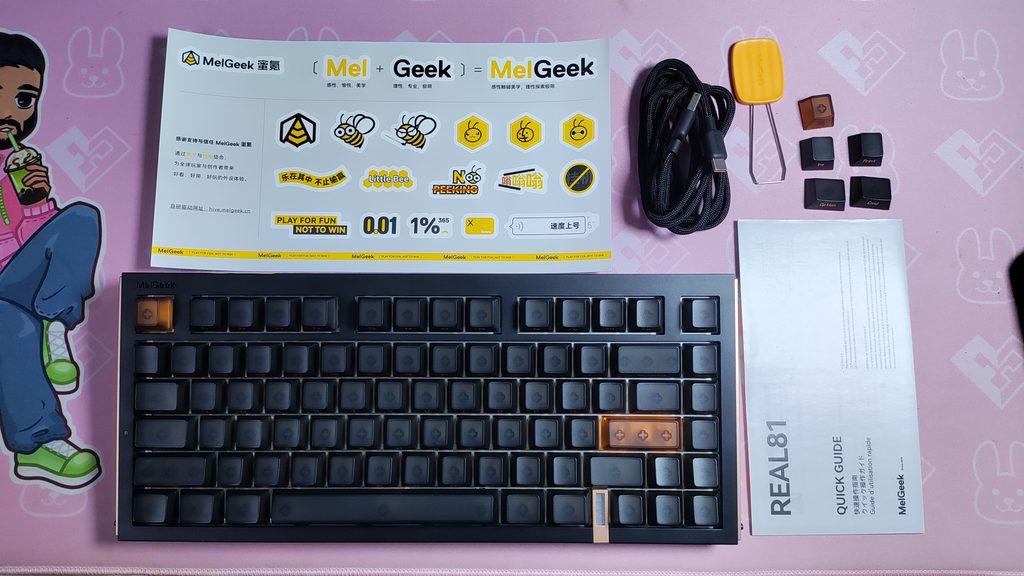
Since this is a wired only keyboard, the inclusion of a nice usable cable is a good addition. I’ve seen some cables have issues transmitting the full 8000Hz polling and 16kHz scanning rate of a keyboard before.
I like the way this keyboard looks, but it honestly isn’t that appealing to me. It comes in 2 colours – Cesium (opaque keycaps) & Sulfur (transparent keycaps), and I picked the tackier colour of the two. I don’t dislike it, but it’s just nothing particularly special. The back surface (back, not bottom) is completely flat, and the metal plates on each flank also feel flat. I would’ve liked to see some design or texture on it aside from the little bit of engraving in the Hive theme that they’ve done. I would expect a little more from a $139 keyboard.
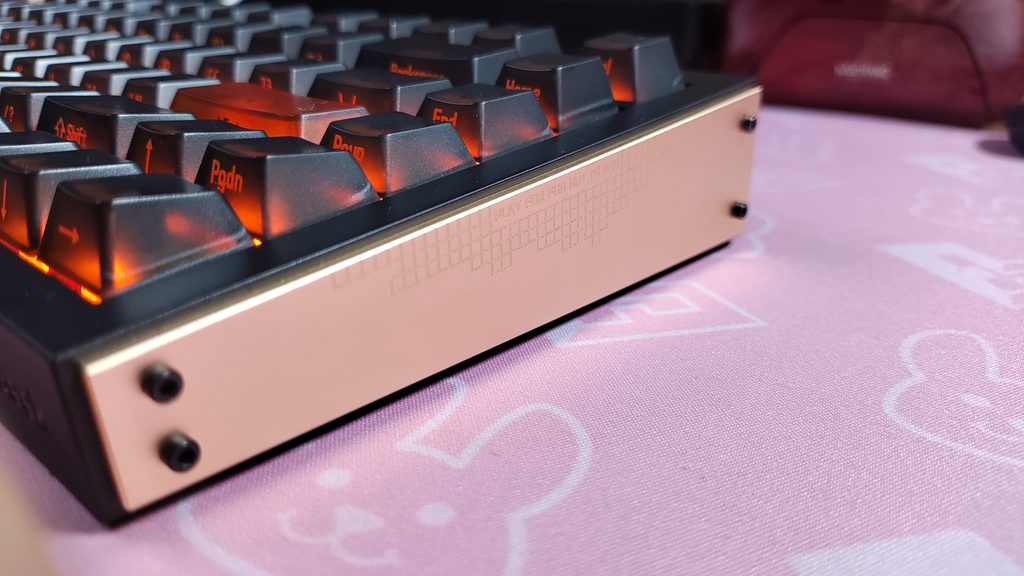
I do like the Melgeek logos on the bottom right and the top left. And the bottom of the keyboard is quite pretty. It’s a simple square checkered pattern but it adds enough texture and uniqueness to it that I like it. I like the tiny square rubber feet and the “Play for Fun, Not to Win” text is cute. (Although, you would probably be playing to Win on a Hall Effect keyboard lol)
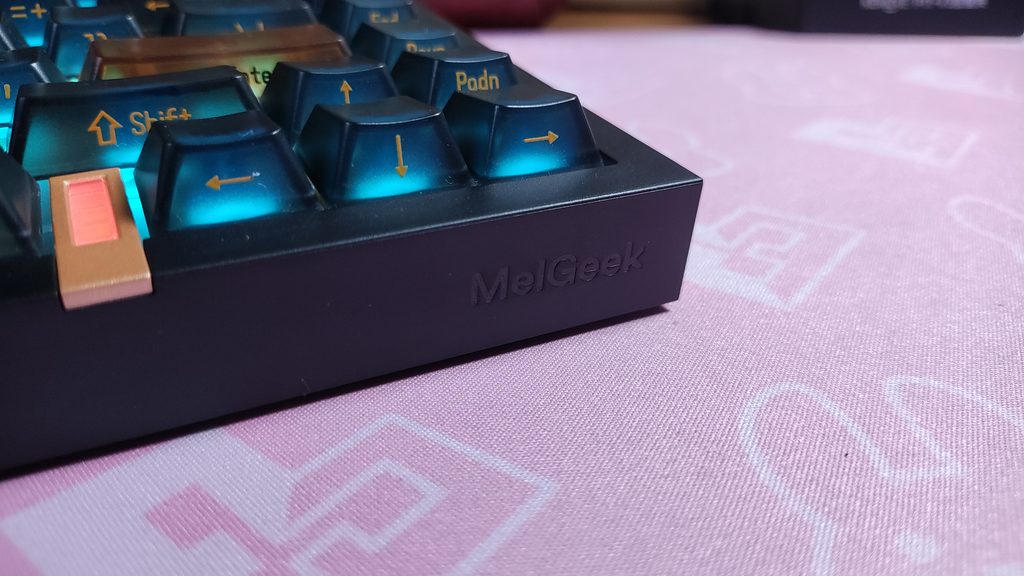
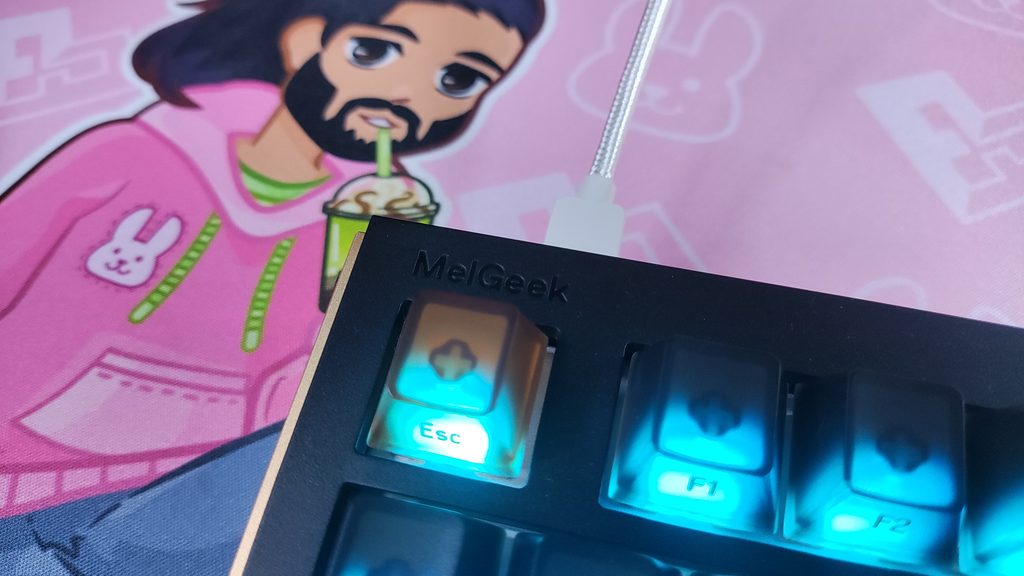
The keycaps have a frosted glass type look. The material is Polycarbonate, and the legends are screen-printed onto the keycaps. Usually this would raise a durability concern, but since the letters are side printed, it’s alright. Your fingers won’t be touching the legends so it won’t wear out.
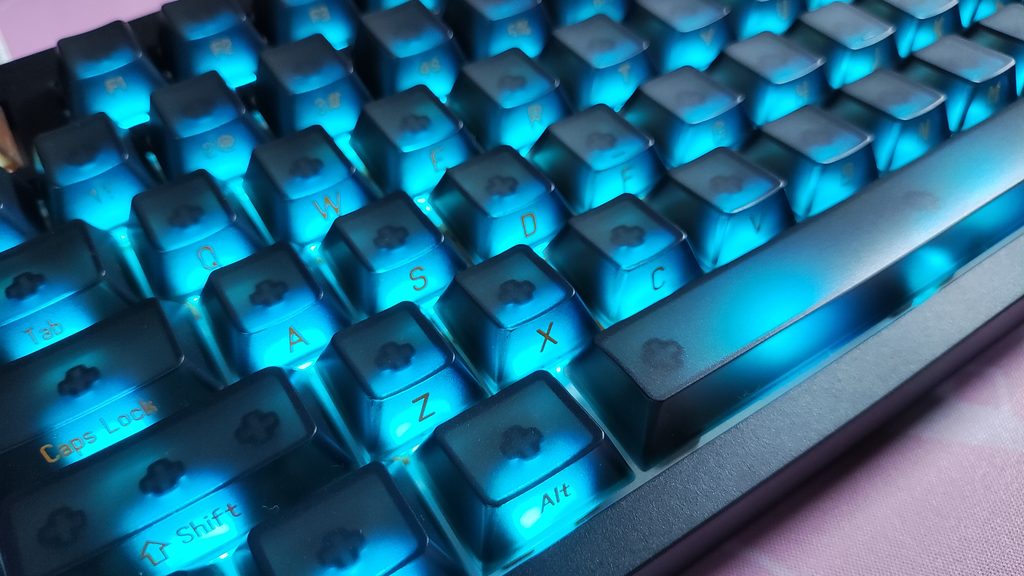
I noticed that the keycaps on my unit are completely different from the ones that are there on the product page and even the quick guide included in the box. The ones on the product page are top-printed and look similar to the keycaps on my recently reviewed Epomaker HE65 V2 and HE75 V2. But the one I have in person are side printed, and completely frosted, unlike the top printed, only top frosted ones in the photos.
I emailed Melgeek about this and they said that earlier batches had the keycaps that I have, and the newer batches have the top printed keycaps. So I guess YMMW. Proceed with caution. Everything else aside from the keycaps are the same (their words)
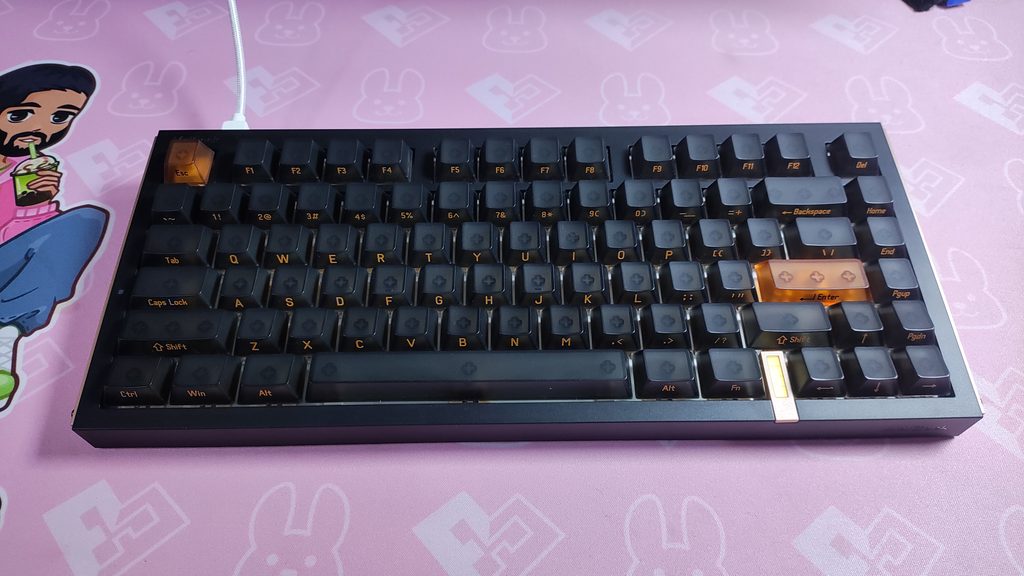
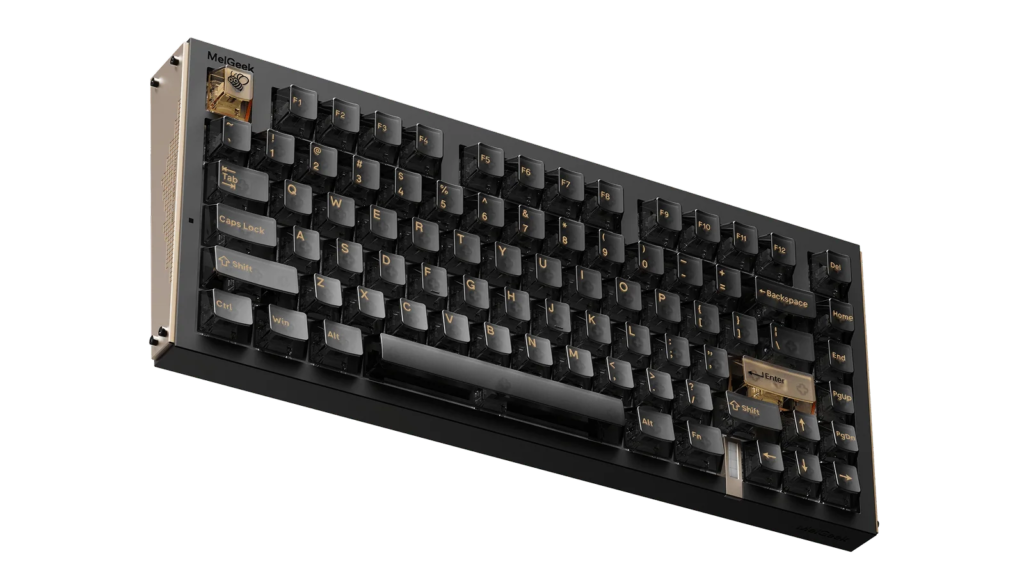
One thing that caught my attention is the fixed typing angle. There are no adjustable flip-out feet on the bottom, so you’re stuck with the default angle. I personally found it comfortable enough, but if you’re particular about your wrist ergonomics, this is something to keep in mind.
Features
The Melgeek Real81 features a 75% layout. Other brands would call it the Real75 but Melgeek… kept it real XD. It has 81 keys and is pretty compact horizontally. A lot of Hall Effect keyboards are 65% which looks nice but loses out on the function row without giving any additional desk space for the mouse. The Real81’s layout is a great balance between form and function.
At a weight of about 1.1kg, it’s somewhat easy to carry in a backpack if needed.
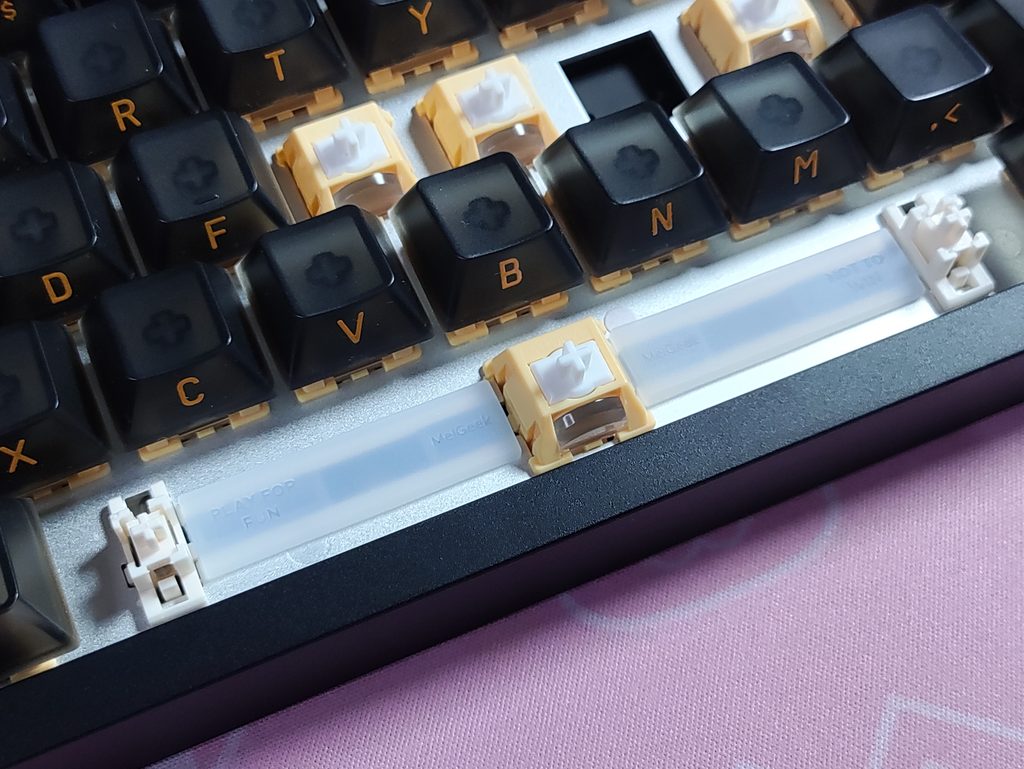
The Melgeek Real81 utilizes a gasket-mounted structure along with 4 other layers of sound dampening, and this makes the keyboard sound… okay. Magnetic keyboards often sound hollow and/or thin, and the Real81 has this issue too. Most of the time, it sounds fine, but occassionally you can hear chatter from the keys. Also, the modifiers sound pretty bad. The stabilizers on the larger keys, like the spacebar, are tuned reasonably well out of the box with only a very faint hint of wobble if you hit it aggressively. The sound dampening here also has “Play for Fun, Not to Win” written on it. A weird logo for a gaming keyboard that gives you a competitive edge.
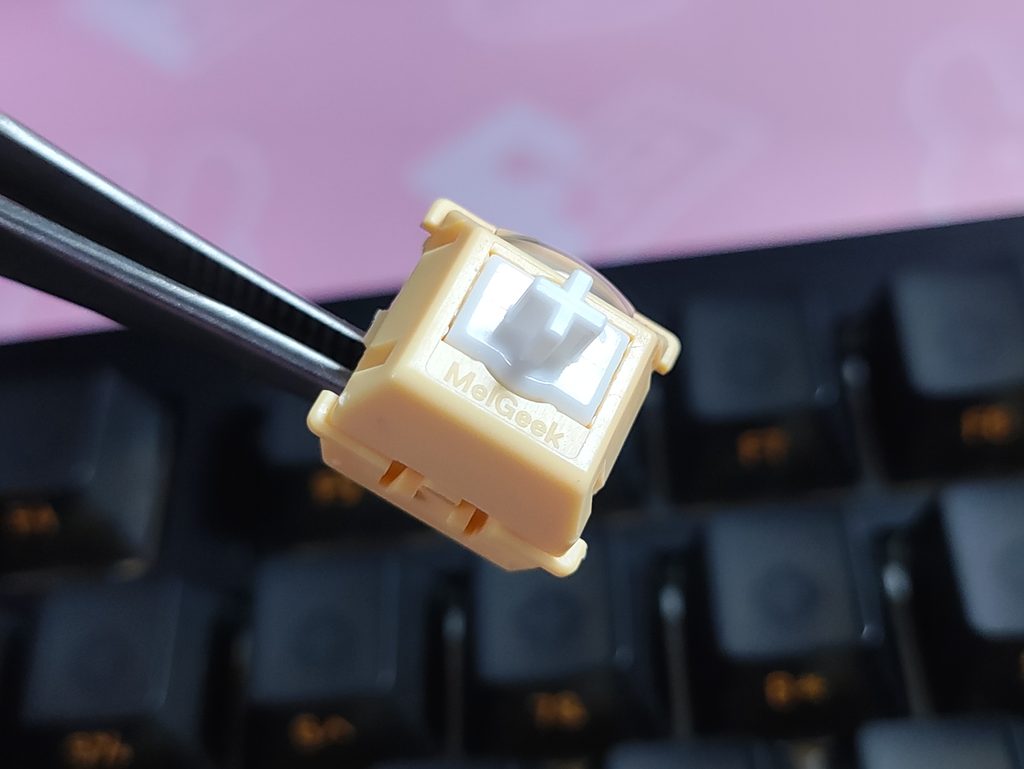
The switches in the Real81 are Melgeek’s own Honey magnetic switches. It also comes with an option with the Jellyfish switches. Upon looking at the underside of the switches, I noticed that the switches are actually made by TTC.
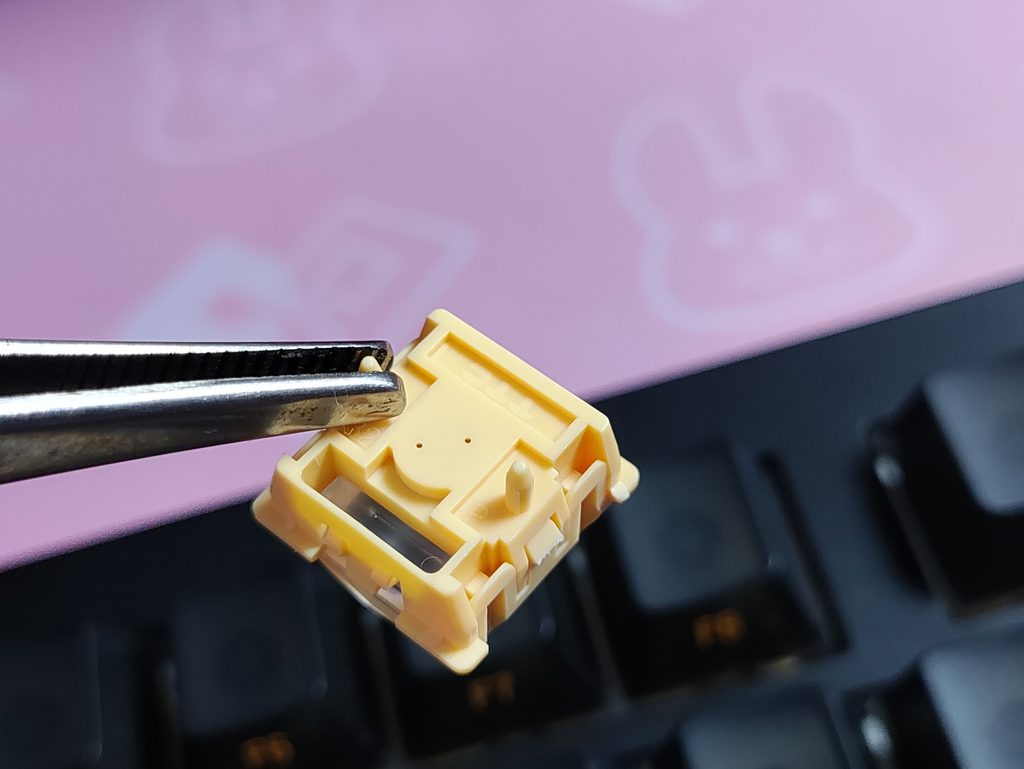
They are pretty snappy and responsive, which is exactly what you want for competitive gaming. However, they do have a slightly stiff or “heavy” feel to them. Combined with the Hall Effect features you get with the Hive software, it’s a pretty solid feeling keyboard while gaming. Typing on the other hand feels pretty lack lustre. I just plain don’t think this is what a keyboard that costs this much should feel or sound like. Perhaps the Jellyfish switches sound better? I can’t verify this since I don’t have the Jellyfish switches.
Speaking of gaming, it’s worth noting that the Real81 is a wired-only keyboard. Technically, gaming on a wired keyboard is always better than a 2.4GHz wireless solution. But in the real world, that 1ms isn’t going to change anything. And you could have just used the keyboard in wired mode even if it had a wireless option. This is a bit of a let-down in my opinion. Of course, some of you might actually prefer a wired-only experience. Not having a battery definitely gives it a lighter, easier to carry weight, and it also removes the hassle of keeping it charged. I rarely use the RGB on my wireless keyboards because I know in the back of my mind that all that RGB is draining the battery faster than Popeye chugs a can of Spinach.
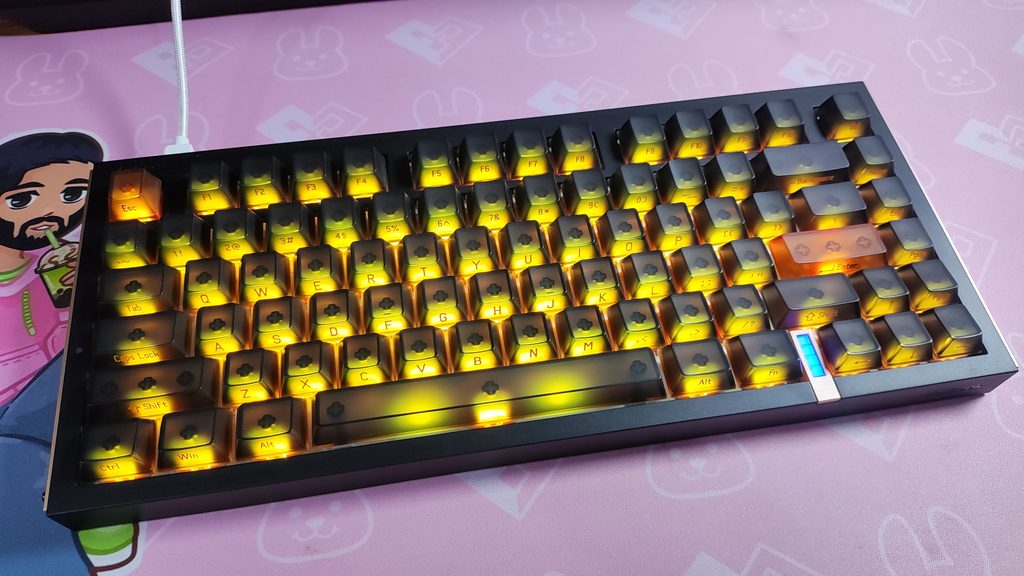
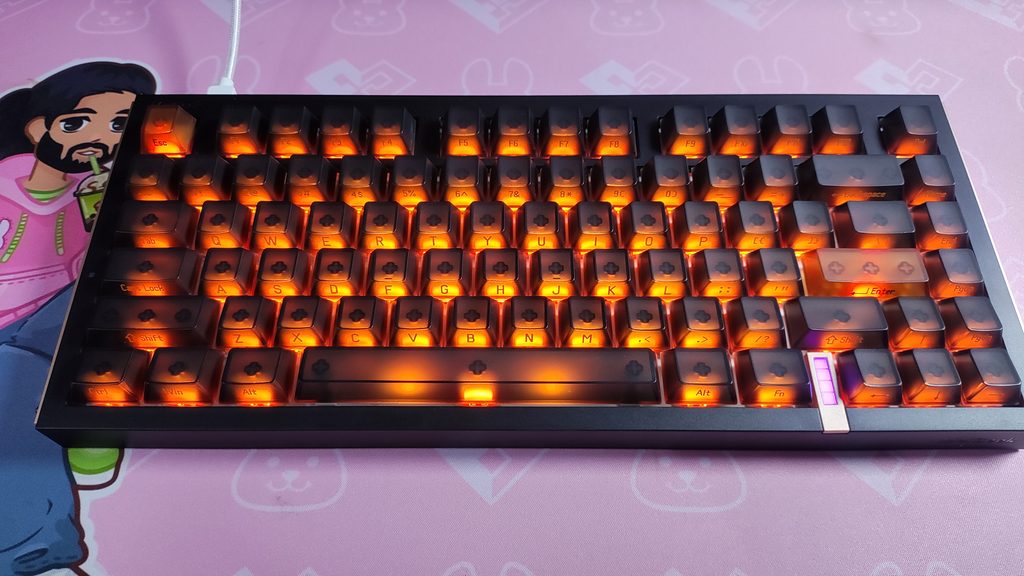
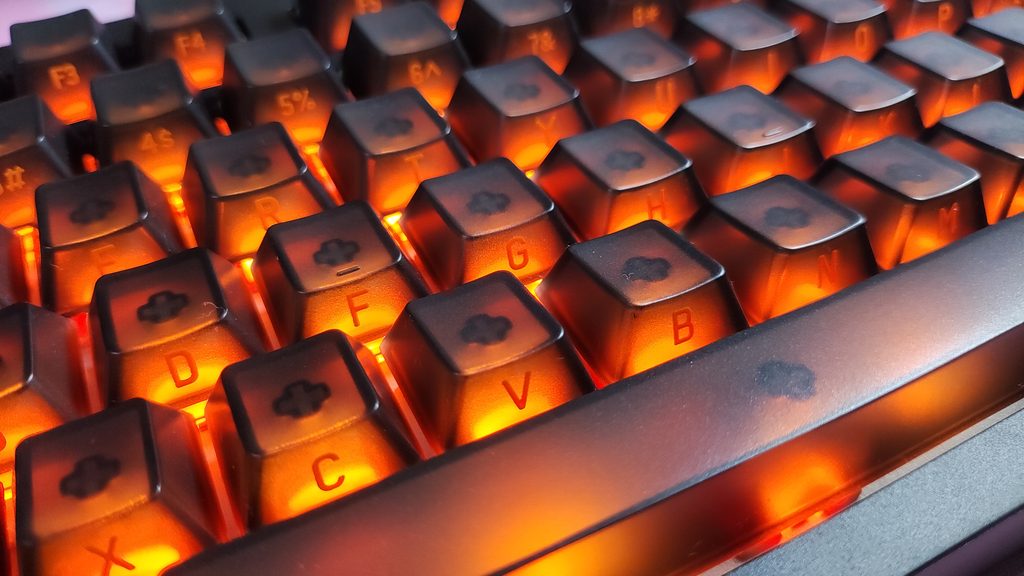
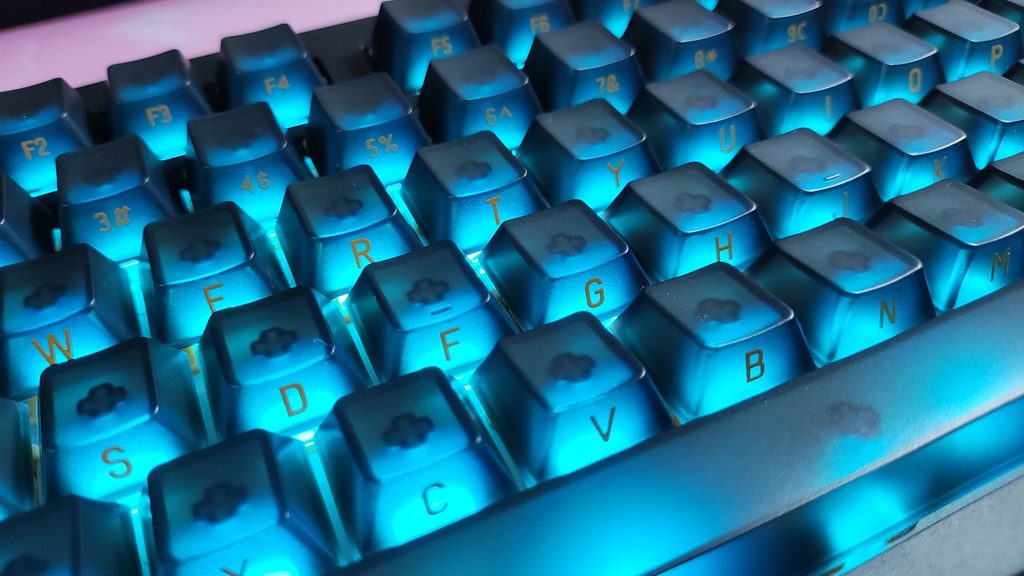
The RGB on this thing is quite good. Because of the frosted PC keycaps and south-facing LEDs, the lighting looks nice. It also has a real world advantage here where the RGB actually is a backlight for the legends! Perhaps this side-printed set is actually a better fit for this keyboard than the ones in the product photos…
There are a ton of RGB effects too. The Hive software allows you to set game specific animations such as when you use character abilities in Valorant or when you’re on low HP. There’s also an audio reactive mode. Note that the web app allows you to customize your keyboard, but certain features like the reactive RGB is specifically available only on the downloaded app.
Hall Effect Features
- Rapid Trigger : This feature removes fixed actuation points. The key deactivates the instant your finger lifts upward, allowing for ultra-fast repeated keystrokes and immediate movement cancellation in competitive shooters. It is accurate up to 0.1mm in the Melgeek Real81
- Adjustable Actuation : Because they are magnetic switches, you can use the software to decide exactly how far down you need to press a key for it to register.
- DKS (Dynamic Keystroke) : You can assign up to four different actions to a single key press based on how deep you press it and when you release it. It’s incredibly handy for complex macros in MMOs or rhythm games.
- SOCD (Simultaneous Opposing Cardinal Directions) : When two selected keys are pressed at the same time, the keyboard triggers the key that was pressed latter, and the former’s input is stopped simultaneously. This gave such a significant advantage in games like Counter Strike and Valorant, that they were banned from the game altogether. There is a limited list of games where this feature is even useful anymore.
For more information on these features, check out our article explaining Hall Effect keyboard features.
CONCLUSION
While the Real81 by Melgeek is by no means a bad keyboard… it does not deserve that $139 price tag in my opinion. You can get much nicer keyboards for this price.
Buying this keyboard would leave you with too many compromises :
- No wireless capabilities
- Poor typing experience
- A lighter waller
I cannot recommend this keyboard at the price it’s currently available at. If the price drops to something like $85 then this can be a consideration! In the meantime, you’re probably better off with something else, like the Epomaker HE75 V2 TMR.

Hello! 🥰 I'm Fang.
I like gaming and related tech. I enjoy learning more, and sharing my experiences through my review videos and blog posts. Have fun! 💖


Dude, what are you talking about? The Lofree Hyzen isn’t made of magnesium alloy – it’s an aluminum keyboard…
Ah my bad. I’m also writing an article about different mouse materials so that got mixed up here. Good shout. Fixed it now <3