


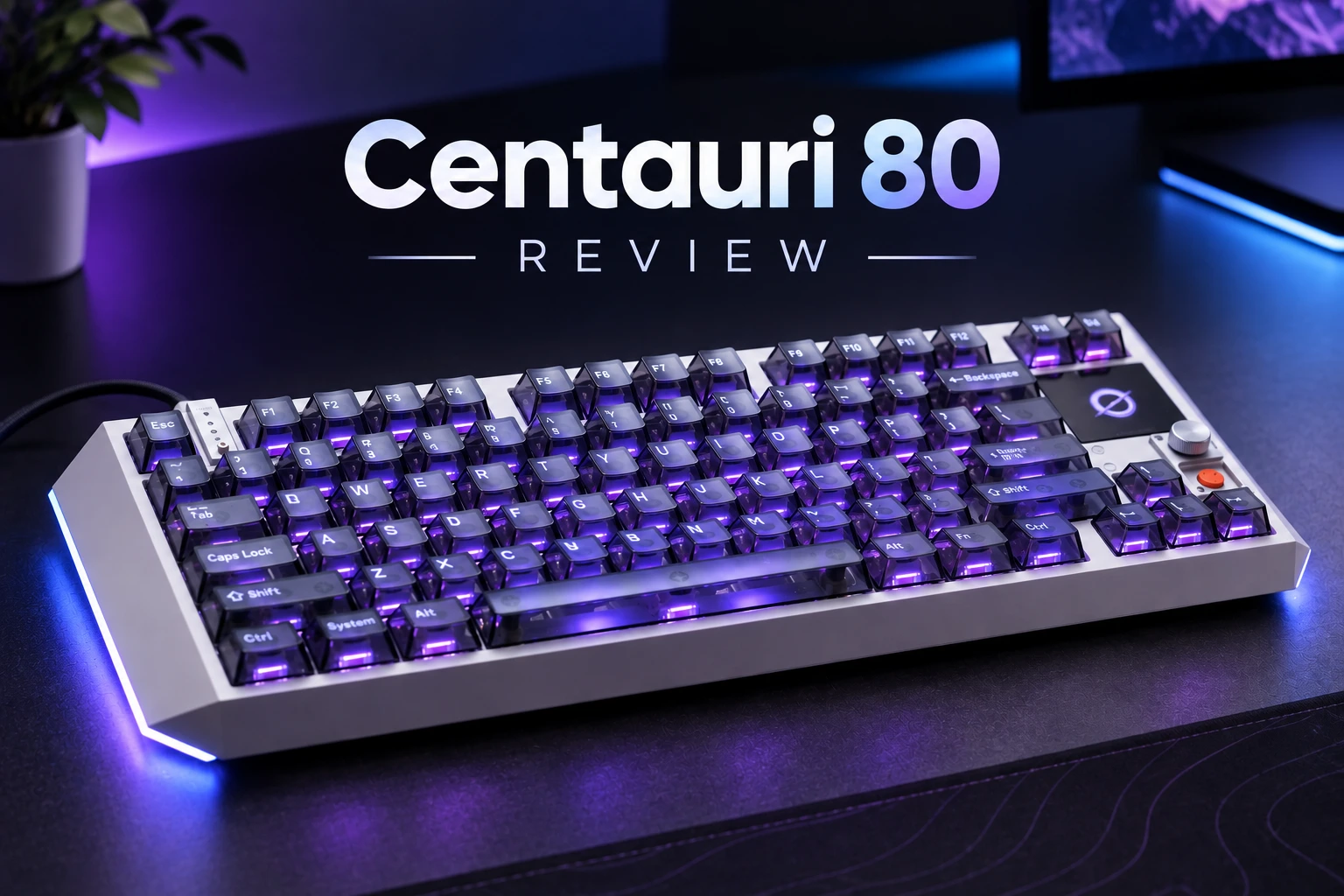
MelGeek has been on a roll lately. I recently spent time with the MADE68 Ultra V2, a solid and more affordable magnetic switch board, but the Centauri 80 is a different beast entirely. This is MelGeek’s flagship statement piece: an 83-key Hall Effect keyboard with a full aluminum alloy case, a color OLED touchscreen, and a design that openly borrows from sci-fi cinema. It’s heavy, it’s expensive and packed with lots and lots of features.
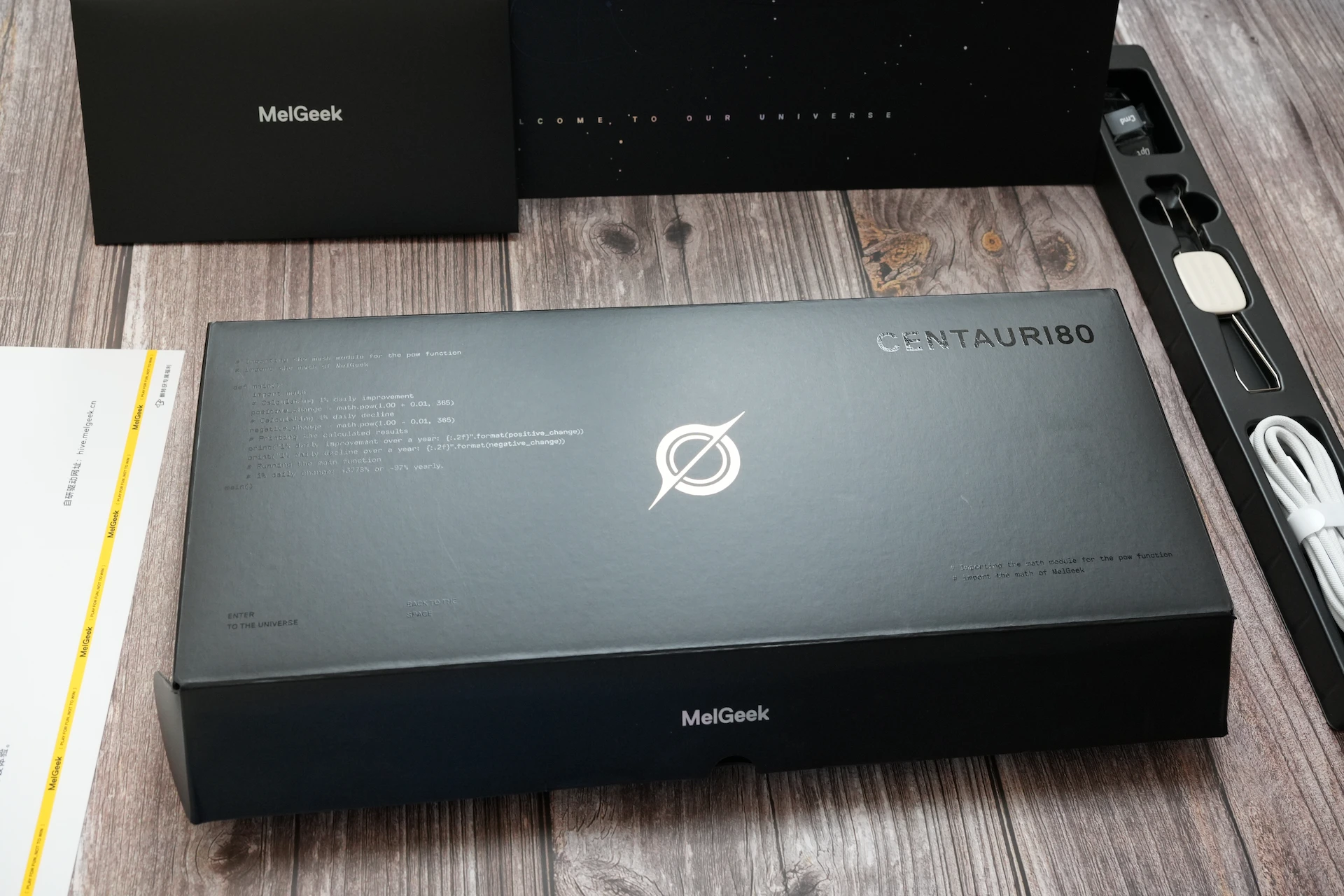
Specifications
| Layout | ANSI, 83 Keys (~80% style) |
| Switches | TTC x MelGeek Flip King Magnetic White (Linear) |
| Actuation Force | 35±10gf |
| Actuation Range | 0.1mm–3.4mm, adjustable in 0.01mm steps |
| Rapid Trigger | 0.01mm–2.5mm |
| Switch Lifespan | 100 Million Keystrokes |
| Polling Rate | 8000Hz |
| Scanning Rate | 16,000Hz |
| Latency | 0.125ms (claimed) / 0.53ms single key press (measured, OSLTT) |
| Gaming Features | Snap Tap (SOCD), Adjustable Dead Zone (0 supported), Super Key, NKRO |
| Hot-Swappable | Yes |
| Case Material | Aluminum Alloy |
| Plate | FR4 |
| Mounting | Tinned Leaf-Spring Gasket Mount |
| Dampening | Poron-based, 5-layer acoustic system |
| Keycaps | Transparent PC, OEM Profile |
| Screen | 1.78″ OLED Touchscreen, 368×448, 326 PPI, up to 700 nits |
| Lighting | South-facing per-key RGB + three-sided case lighting |
| Connectivity | Wired only (USB-C) |
| Software | MelGeek HIVE (Web + Desktop App) |
| Compatibility | Windows, macOS, Linux |
| Typing Angle / Front Height | ~8° / ~18.7mm (fixed) |
| Dimensions | ~375 × 150 × 45mm |
| Weight | Just under 2kg (keyboard only), 3540g with packaging |
| Price | $399 |
There’s also a smaller Centauri 60 sibling with 66 keys and the same core Hall Effect performance. It drops the OLED screen in favor of a knob and action button, and comes in at a lower price of $299.
Unboxing
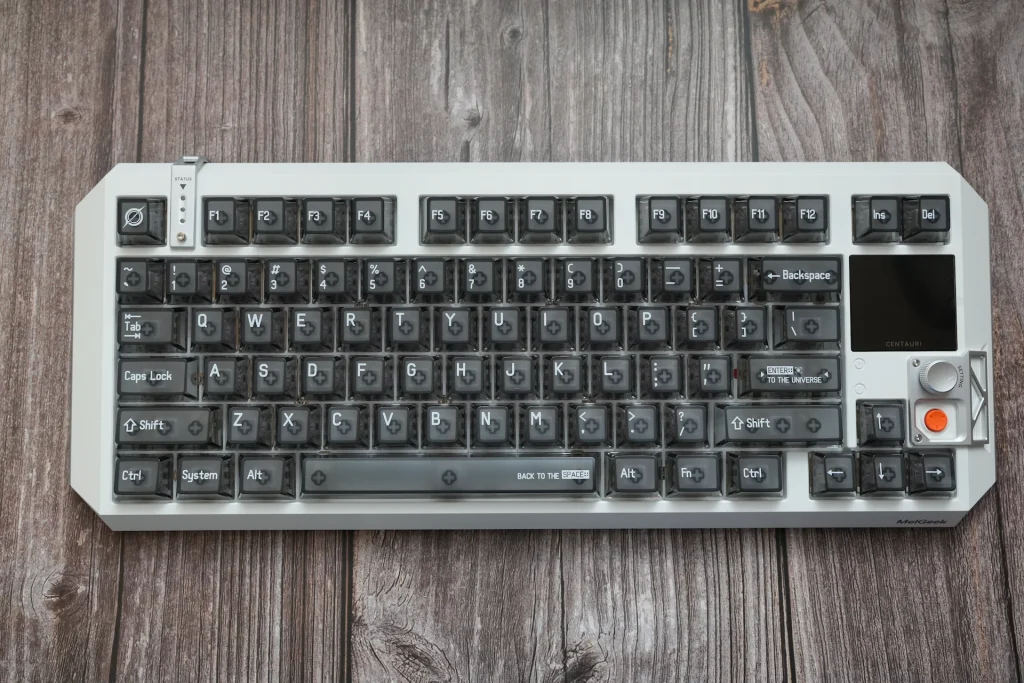
The Centauri 80 makes a strong first impression before it even leaves the box. The packaging is large, rigid, and well-padded, and the whole presentation feels like opening something that cost a lot of money. Inside you’ll find the keyboard, a braided white USB-C cable, and a keycap/switch puller. The cable in particular is excellent: thick, nicely braided, and clearly not a generic afterthought. The included puller, on the other hand, is a bit basic for a keyboard at this tier.
Design and Build Quality
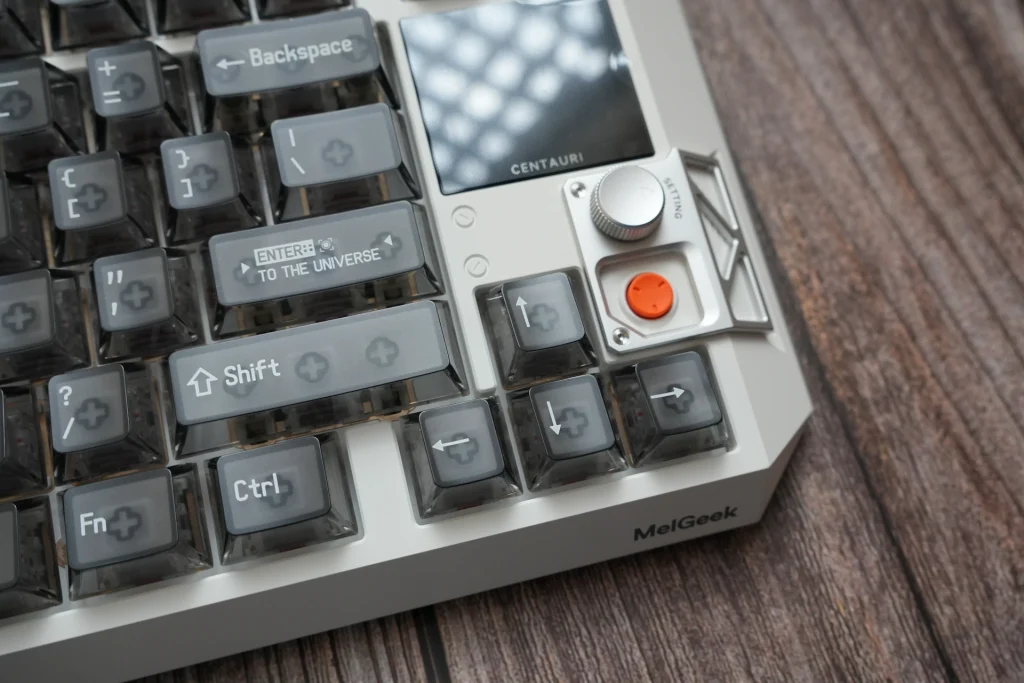
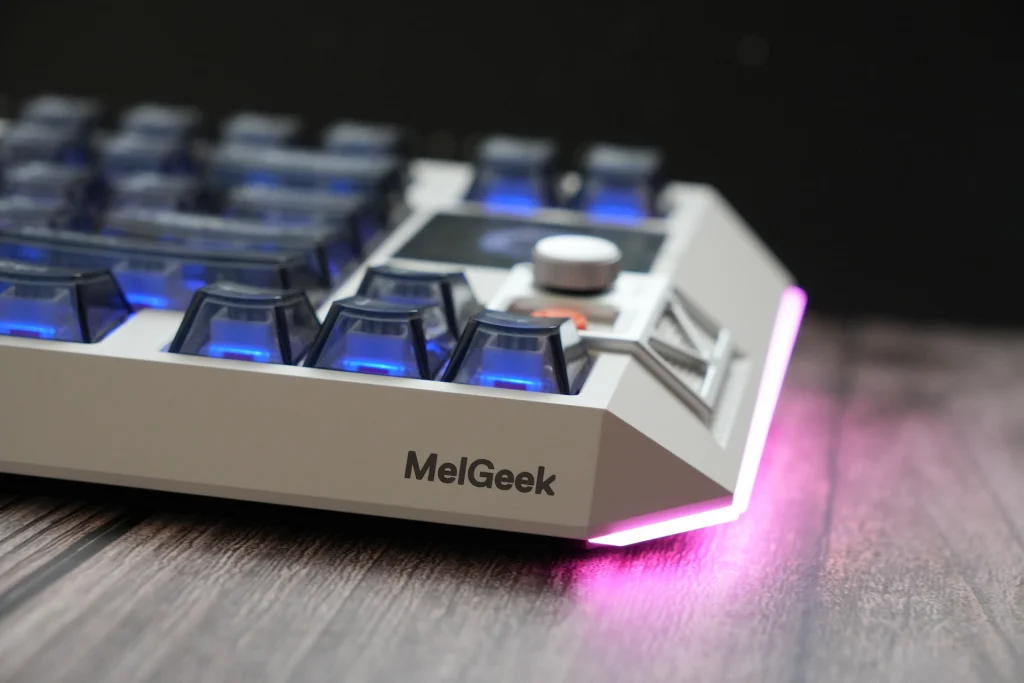
MelGeek openly cites Blade Runner and Interstellar as inspiration, and it shows. The Centauri 80 doesn’t look like any other keyboard on my desk. The aluminum case has sharply chamfered corners that give it an angular, almost hull-like silhouette, and the details lean fully into the theme: a small “STATUS” indicator strip in the top-left corner, an exposed silver bracket housing the knob and an orange action button on the right, and the “CENTAURI” label printed under the screen. Even the keycaps join in, with the Enter key reading “ENTER:: TO THE UNIVERSE” and the spacebar carrying “BACK TO THE SPACE::”.
The smoked translucent PC keycaps let you see straight down to the switches, which suits the industrial, deconstructed look. In a dark room with the backlight off, though, the legends can be hard to make out. In practice this mattered less than I expected: the layout is well-proportioned and everything falls naturally under the fingers, so I rarely missed a key even when I couldn’t clearly see it.
Build quality is outstanding. At just under 2kg, the Centauri 80 is properly chonky, and the aluminum alloy shell feels like it would shrug off just about anything. There’s no flex, no creak, and nothing rattles. The flip side of that weight is portability: this is not a keyboard you casually toss in a backpack and take to a friend’s place. It’s much more of a centerpiece that stays put on a desk, and honestly, that’s clearly what it was designed to be.
The typing angle is fixed at around 8 degrees. It worked well for me, but there are no flip-out feet if you prefer something steeper or flatter.
The OLED Touchscreen and Super Dock
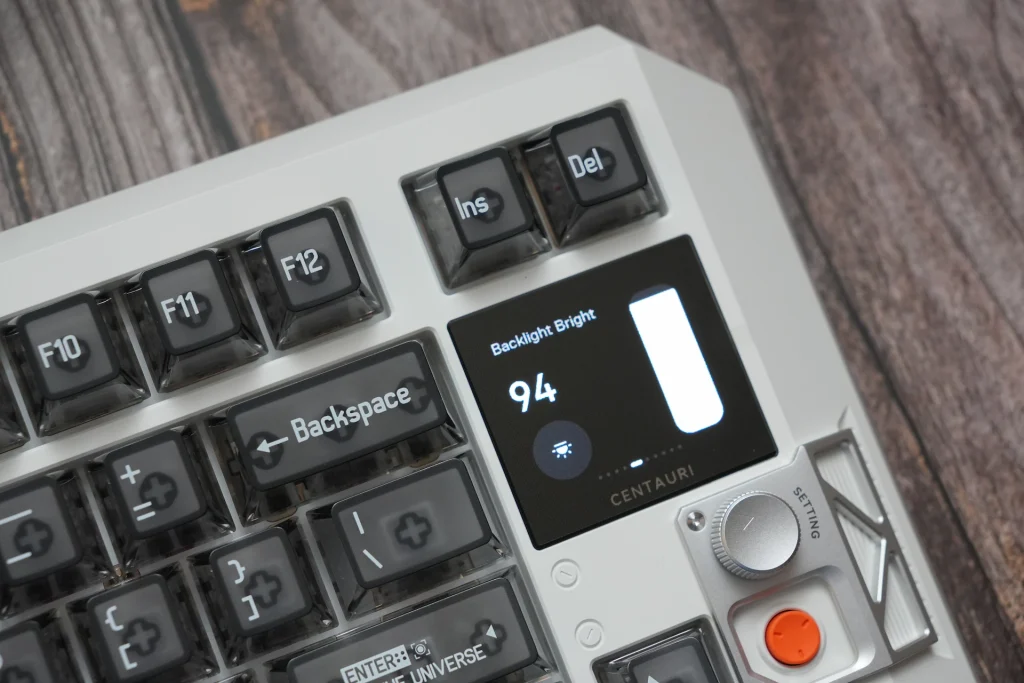
The screen is the Centauri 80’s headline feature, and it genuinely earns that spot. It’s a 1.78-inch color OLED touchscreen with a 368×448 resolution, 326 PPI density, and up to 700 nits of brightness. Without exaggeration, it’s the best screen I’ve seen on a gaming keyboard so far. It’s sharp, bright, and vibrant, and full-color GIFs look fantastic on it rather than like a compressed afterthought.
MelGeek calls the screen, knob, and button combination the Super Dock, and the way it works is clever. When you’re not using the knob, the screen shows whatever you’ve chosen as its idle state: a custom image or GIF, a status bar, or a live key actuation display. Once you interact with the knob, the screen switches into a control mode that matches the dial’s current function. In volume mode the dial adjusts system volume; in media mode it handles play, pause, and skipping tracks. It’s a single control, but the screen context makes it far more versatile than a typical volume knob.
Below the dial sits a bright orange button that, by default, opens the MelGeek HIVE web app directly. It can be reassigned, but having a one-press shortcut to the configuration software is a genuinely handy default.
Uploading custom images and GIFs is impressively fast compared to other screen-equipped keyboards I’ve tested, which makes the file size limits all the more puzzling: images must be under 2MB and GIFs under 10MB, and you can store up to three wallpapers. Given how quickly transfers complete, those caps feel unnecessarily restrictive. My other wish is for a way to switch between screen modes and presets directly from the keyboard. Right now, changing what the display shows requires opening HIVE, and a hotkey or button combination for cycling presets would make the screen feel much more like a true onboard feature.
Switches and Typing Experience
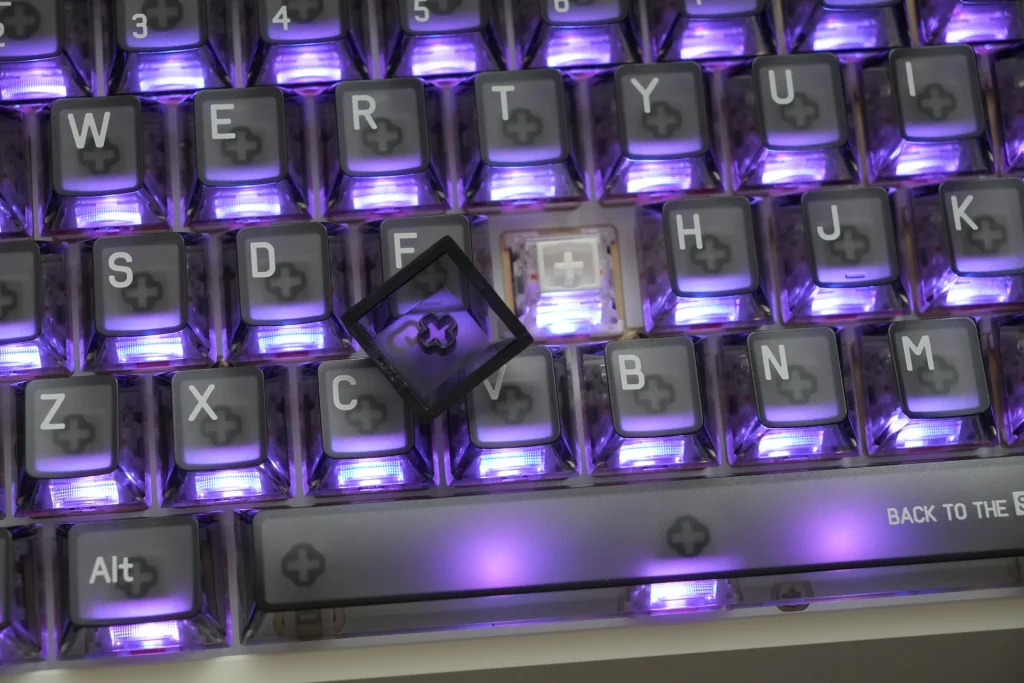
The Centauri 80 ships with the Flip King Magnetic White switches, developed together with TTC. They’re linear, with a 35±10gf actuation force, a full-surround POM stem, and a raised contact base designed to focus the bottom-out. They’re rated for 100 million keystrokes.
Typing on this board is a real pleasure. The switches are smooth from top to bottom, and each keystroke has a confident, well-defined feel. Bottom-outs land with clear feedback without ever feeling harsh or tiring. The tinned leaf-spring gasket mount and the five-layer acoustic stack (plate foam, switch pad, bottom foam, encapsulated cotton, and PET isolation film) do excellent work here, smoothing out the impact and removing any hint of hollowness from the aluminum case.
The sound is deep and satisfying, sitting somewhere between thocky and a slightly crisper “thacky” tone. For a prebuilt Hall Effect keyboard with transparent PC keycaps, which usually skew higher-pitched, it sounds remarkably refined.
Gaming Performance and Latency
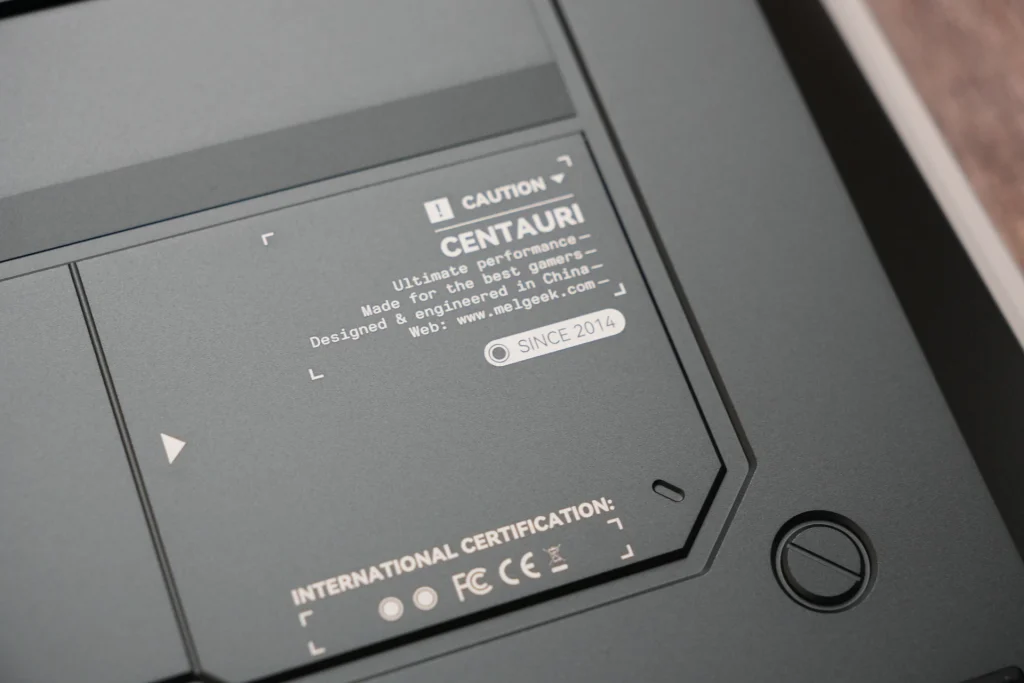
On paper, the Centauri 80 has everything a competitive Hall Effect board needs: 8000Hz polling, a 16,000Hz scanning rate, actuation adjustable from 0.1mm to 3.4mm in 0.01mm steps, Rapid Trigger from 0.01mm to 2.5mm, Snap Tap for SOCD handling, adjustable dead zones (including a true zero dead zone), and Super Key functions for advanced bindings.
More importantly, it backs those specs up in testing. I measured 0.53ms single key press latency using OSLTT, which is a top-tier result and places the Centauri 80 among the fastest keyboards we’ve tested. In practice, movement in shooters like Valorant and CS2 felt instant and precise, with Rapid Trigger making counter-strafing and quick direction changes feel effortless.
Under the hood, MelGeek uses a distributed multi-MCU architecture, a patented magnetic shielding design to reduce cross-key interference, and an adaptive Hall correction algorithm to keep sensing consistent over time. I can’t independently verify each of those claims, but I can say the keyboard stayed consistent and predictable throughout testing, even with aggressive Rapid Trigger settings.
MelGeek also includes smart voltage monitoring, which guards against power fluctuations and can even display a warning if it detects liquid. It’s not something you’ll notice day to day, but for a keyboard this expensive, it’s reassuring protection.
RGB Lighting
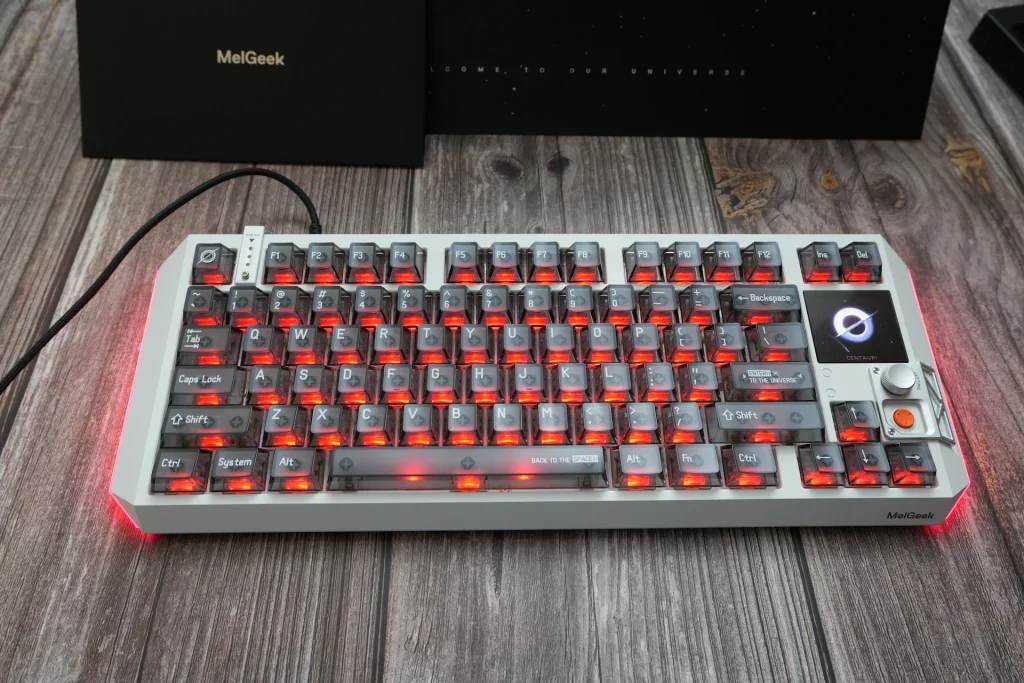
The lighting is bright and vibrant, with south-facing per-key RGB complemented by three-sided case lighting. The translucent keycaps let the light through generously, and lighting zones can be configured individually in HIVE, including several Centauri-exclusive effects. Combined with the OLED screen, the whole board glows like a piece of display hardware, which fits the sci-fi theme perfectly.
MelGeek HIVE Software
The Centauri 80 is configured through MelGeek HIVE, available both as a web app and as a desktop application. It covers key remapping, macros, lighting, Super Dock and screen customization, Rapid Trigger and actuation tuning, and firmware updates. All settings are saved to onboard memory, so nothing needs to run in the background once you’re done.
Overall, HIVE is intuitive and easy to find your way around. The web version can feel a little slow to load at times, but it’s stable and complete, and not having to install anything is exactly the point of a web-based driver.
Connectivity

The Centauri 80 is wired only. For a keyboard this heavy that’s designed to live in one spot, I don’t consider that a real drawback. Unlike a mouse or headset, a keyboard cable rarely gets in the way, and wired keeps things simple for top-end performance.
There is one peculiarity worth knowing about, though: the keyboard is picky about cables. Several of my own USB-C cables simply wouldn’t power it on. The included braided cable works perfectly, but if you plan to move the keyboard between setups or swap in a custom coiled cable, test it first or stick with the original.
The Price Problem
At $399, the Centauri 80 is priced firmly in luxury territory, and that will be the biggest hurdle for most buyers. You are paying for the aluminum build, the outstanding screen, and the design as much as for the performance, and you can get comparable Hall Effect gaming performance for a fraction of the cost. If performance per dollar is your main concern, take a look at our roundup of keyboards with Hall Effect switches, or MelGeek’s own MADE68 Ultra V2, which offers MelGeek’s magnetic switch tech at a much lower price.
Pros and Cons
✓ Great
- Bold, genuinely unique sci-fi design with excellent attention to detail
- Rock-solid aluminum alloy build with zero flex or rattle
- The best screen I’ve seen on a gaming keyboard: sharp, bright, full-color OLED touchscreen
- Super Dock knob and screen combination is versatile and well thought out
- Smooth Flip King magnetic switches with satisfying feedback
- Deep, refined sound thanks to the leaf-spring gasket mount and five-layer dampening
- Top-tier 0.53ms measured latency (OSLTT)
- Full Hall Effect feature set: Rapid Trigger, Snap Tap, zero dead zone, Super Key
- Fast image and GIF uploads
- Intuitive HIVE software, available as web app and desktop app
- Excellent included braided cable
- Voltage monitoring and liquid detection
✕ Not Great
- $399 price is very high
- Screen modes can only be changed through software, with no onboard hotkey
- Restrictive upload limits (2MB images, 10MB GIFs, three wallpapers)
- Picky about third-party USB-C cables
- Very heavy, not practical for travel
- Fixed typing angle
- Translucent legends are hard to read in the dark
- Basic keycap/switch puller for a flagship product
Final Verdict
The MelGeek Centauri 80 is one of the most impressive Hall Effect keyboards I’ve used. It looks like nothing else on the market, feels incredibly solid, types and sounds wonderfully, and has the best screen I’ve seen on any gaming keyboard. Just as importantly, it isn’t style over substance: 0.53ms measured latency and a complete Hall Effect feature set put it right at the top for competitive play.
The catch is the price. At $399, it’s a luxury product, and a few small frustrations, like software-only screen switching, strict upload limits, and cable pickiness, are harder to overlook at that level. If you want the best value, there are far cheaper ways to get excellent Hall Effect performance. But if you want a showpiece keyboard that performs as well as it looks, the Centauri 80 is very hard to beat.

I love testing and writing about new tech. I focus on keyboards and controllers. I'm also a gamer and an engineer. Check out my Twitter for keyboard and controller news and reviews.


