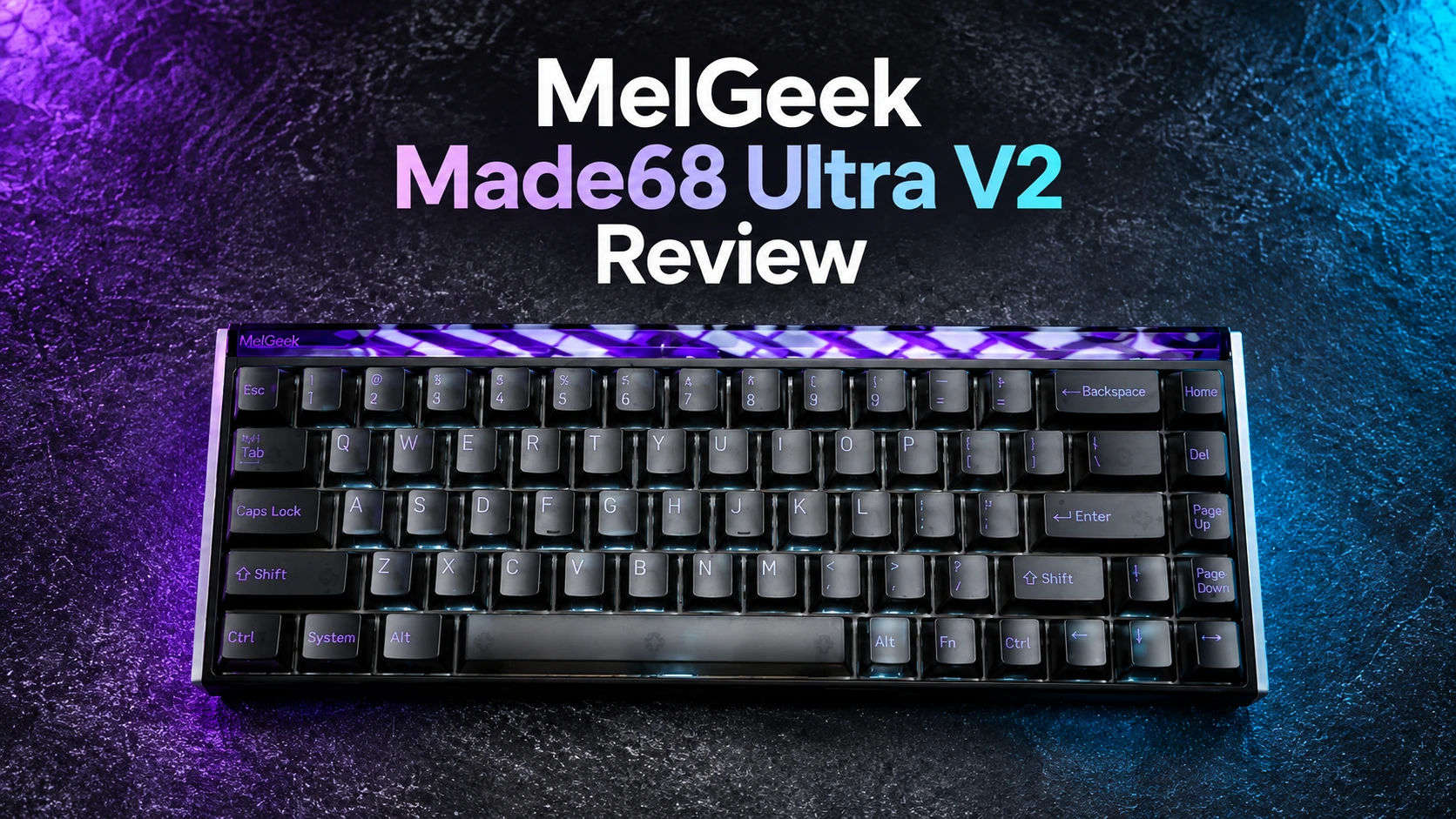
MelGeek isn’t a brand that needs a lengthy introduction around here. A while back I reviewed the Cyber01, a decent effort that unfortunately got discontinued not long after launch. This time around, the company is back with something considerably more ambitious: the MADE68 Ultra V2, a full-aluminum 68-key magnetic switch board that leans hard into a retro-industrial design language. My review unit came in the Night Purple colorway with KOM Lite switches, and after spending real time with it across both work and competitive gaming, I have a clear picture of where it excels and where it stumbles.


Specifications
| Layout | 68 Keys |
| Switch Type | KOM Lite Magnetic Switch / Flip King Magnetic Switch |
| Switch Travel | Adjustable (0.1mm–3.4mm) |
| Total Travel | 3.5±0.2mm |
| Polling Rate | 8000Hz |
| Scanning Rate | 16,000Hz (all keys / individual keys) |
| Material | Full Aluminum Alloy Chassis & Side Panels |
| Latency | 0.125ms |
| Accuracy | 0.01mm |
| Rapid Trigger | Adjustable (0.01–2.5mm) |
| Hot-Swappable | Yes |
| Dimensions | ≈319 (L) × 117 (W) × 40 (H) mm |
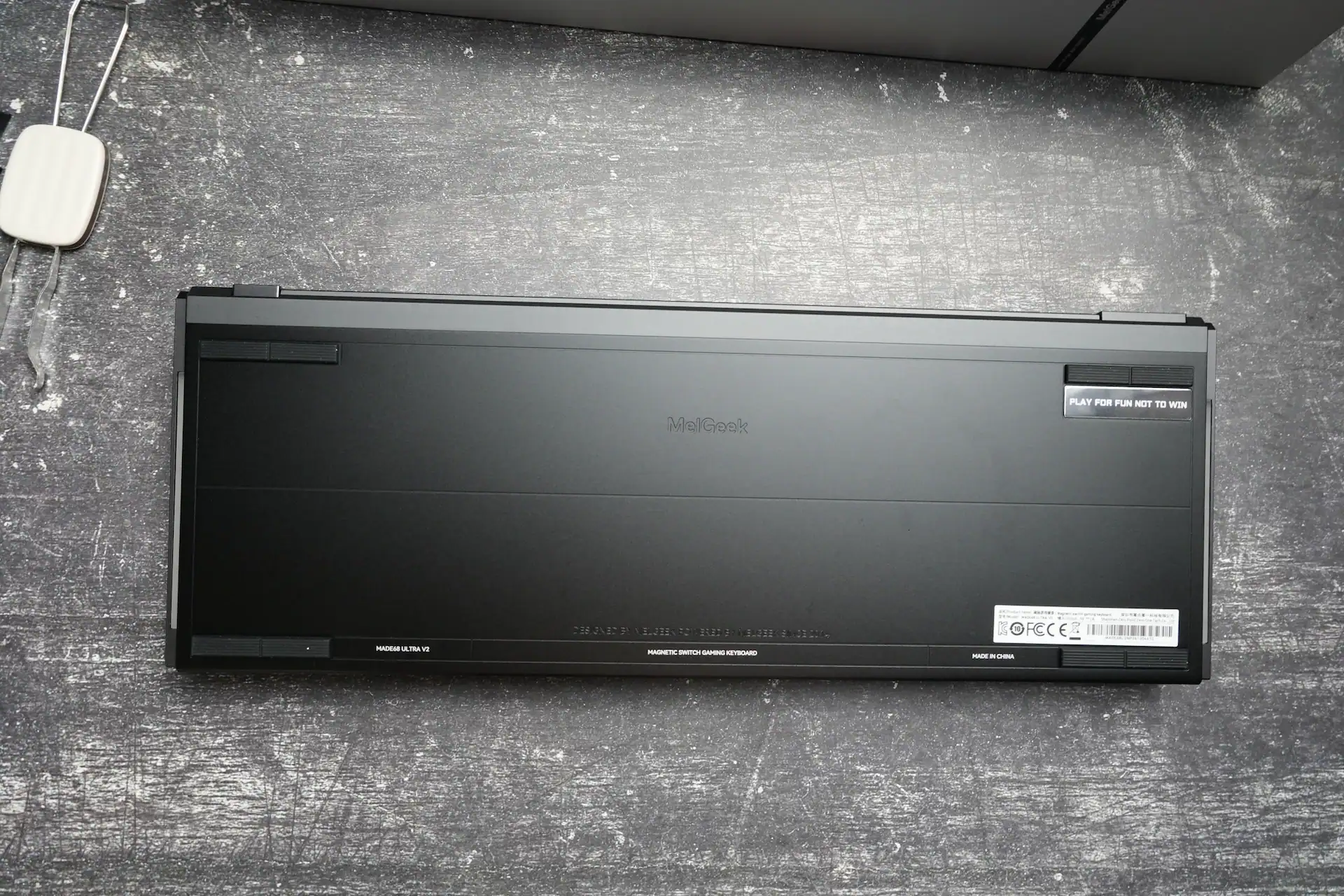
| Front Height & Tilt Angle | ≈18mm & ≈7° (fixed) |
| Weight | ≈1175g |
| Lighting | Full-Screen Backlit System + Illuminated Side Panels |
| Structure | Silicone Dampened Gasket Mount |
| Internal Padding | 5-Layer Sound-Dampening Foam |
| Software | HIVE 2.0 |
| Price | $199 |
Unboxing
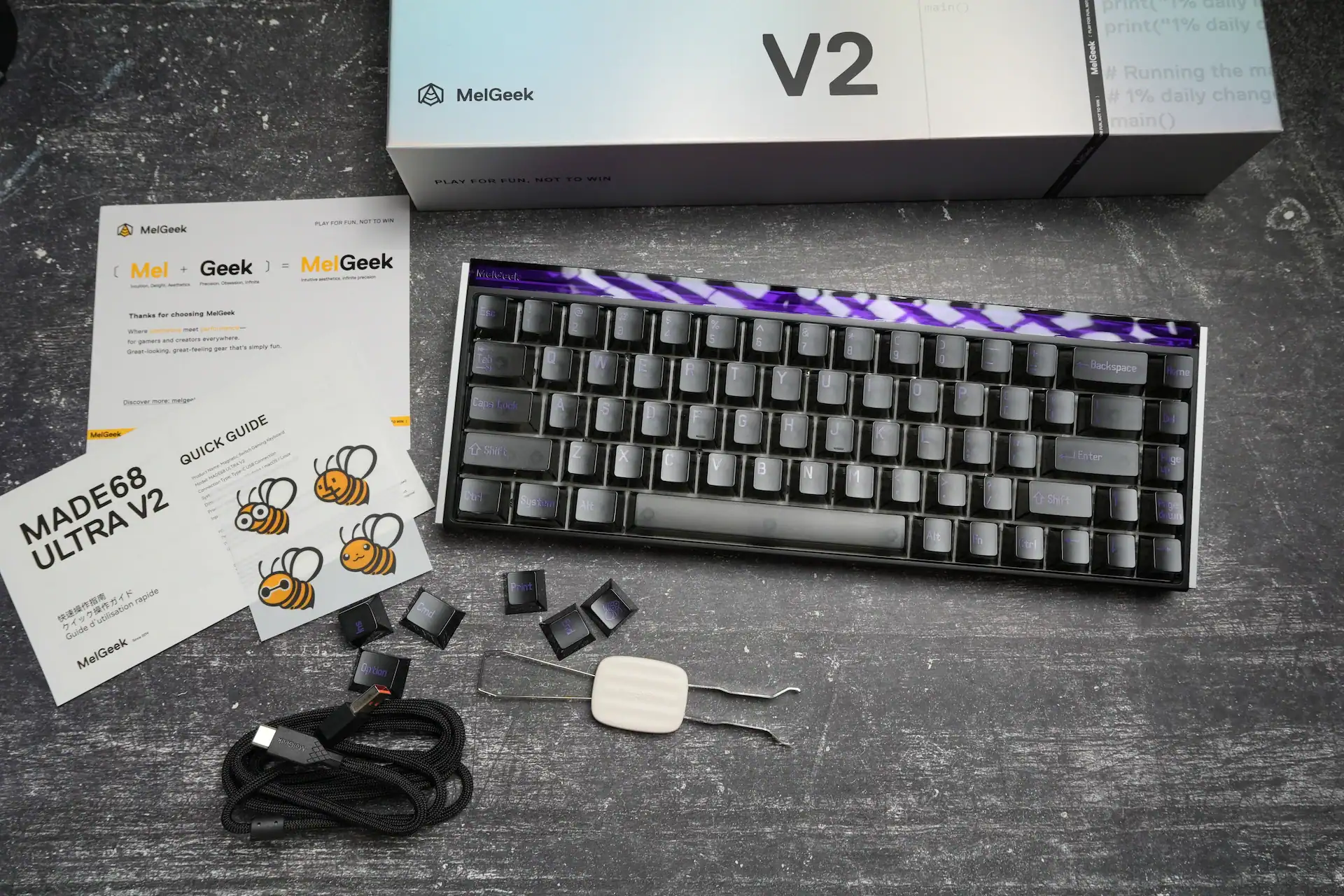
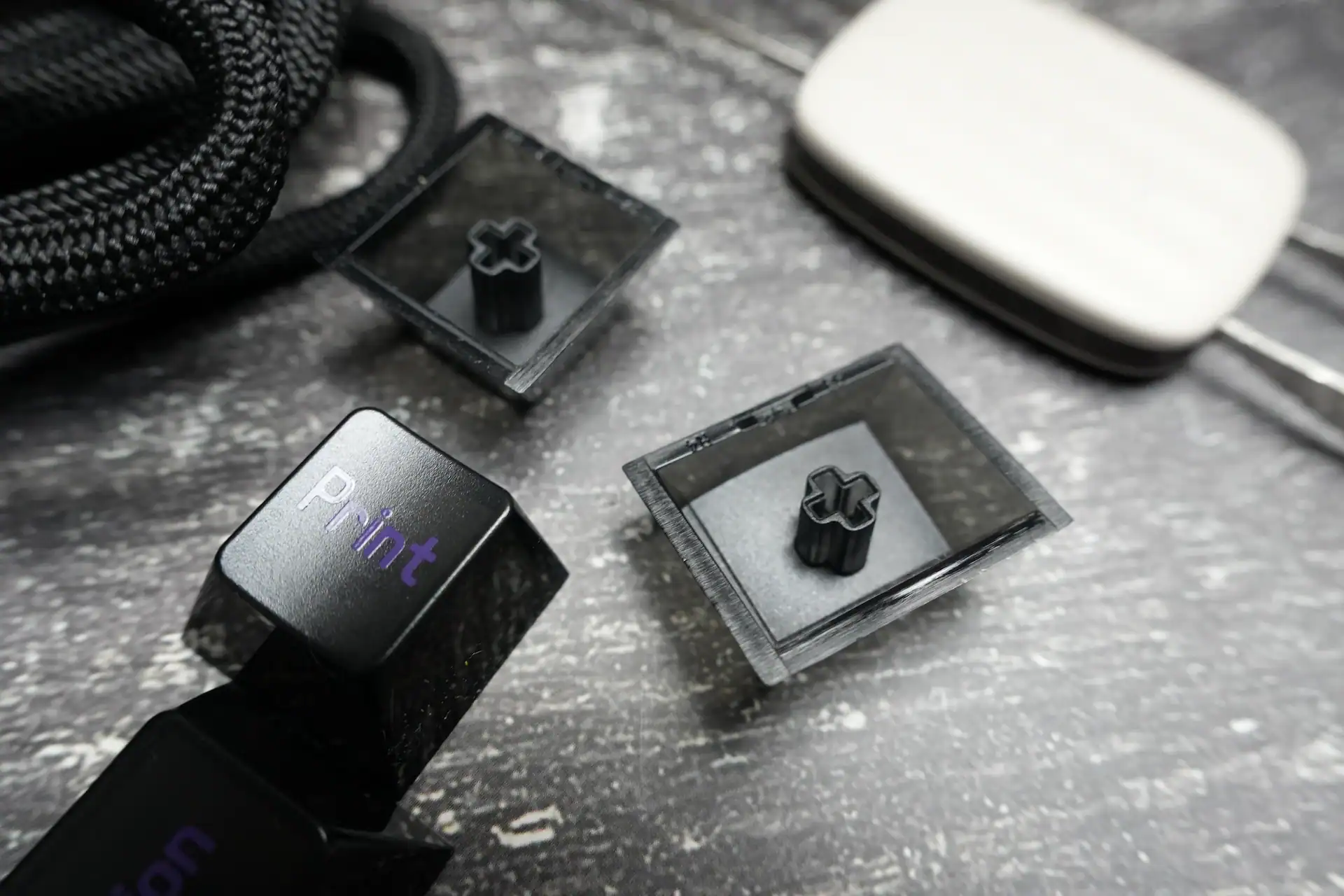
The retail box carries MelGeek’s clean, minimalist branding with a large “V2” printed on the lid. Inside, alongside the keyboard itself, you get a quick-start guide (complete with a small sheet of bee stickers, a nice little brand touch), a braided USB cable, a set of extra keycaps including a dedicated Print key, and a wire keycap/switch puller.
The cable is braided and feels durable, matching the premium positioning of the board. The extra keycaps are a welcome inclusion for anyone who wants to personalize the layout slightly without hunting down a separate keycap set.
Design and Build
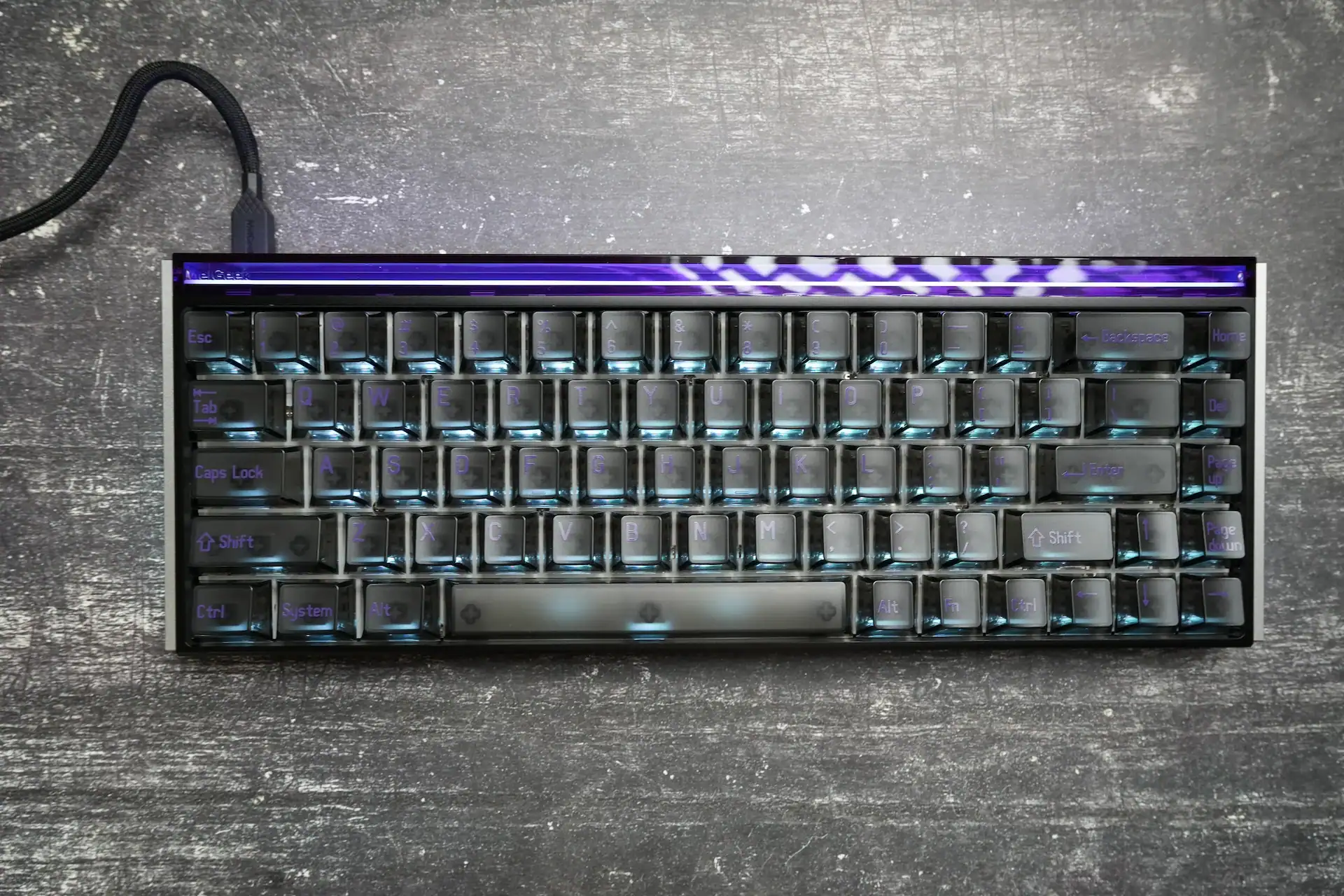
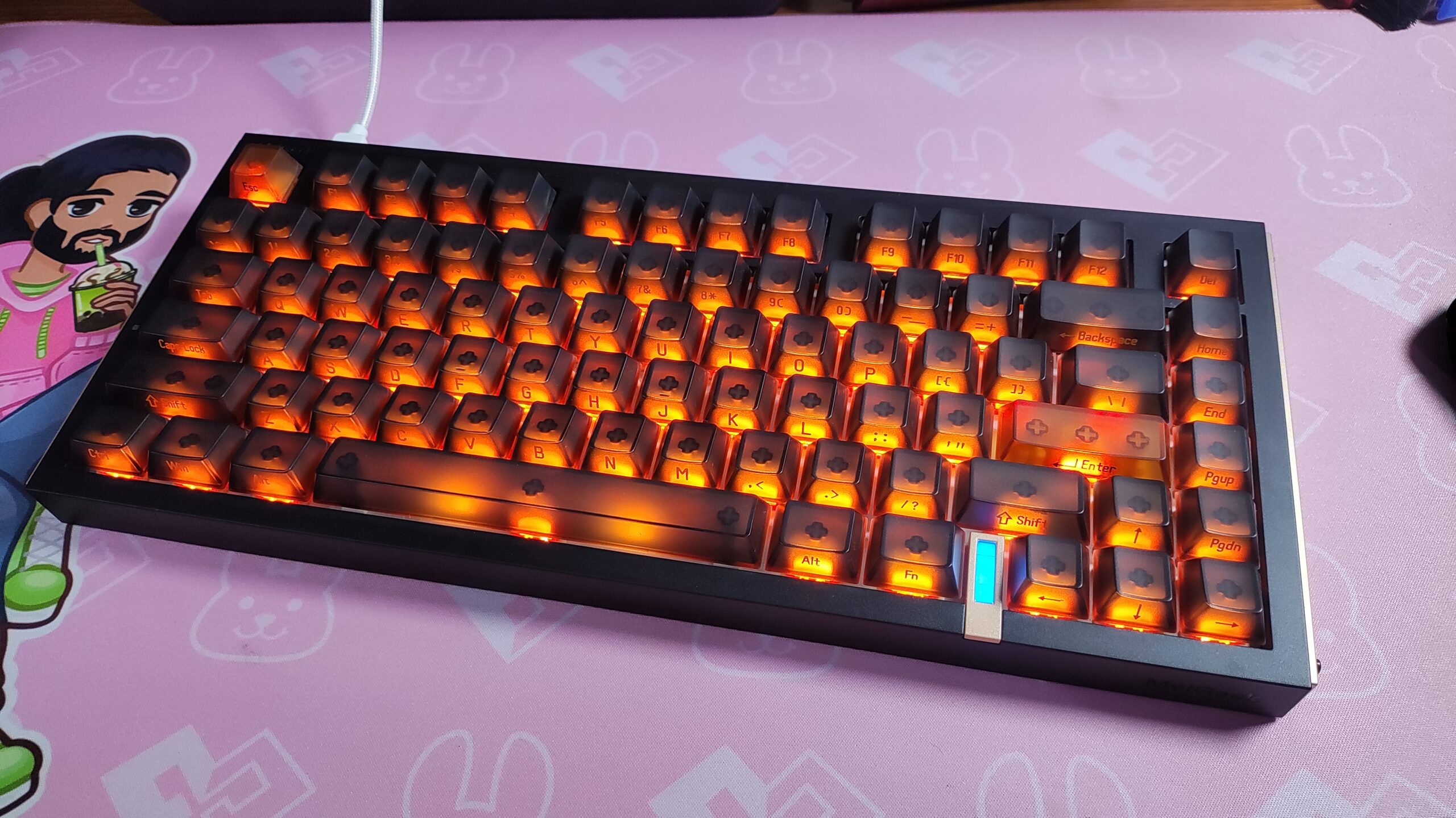
The MADE68 Ultra V2’s appearance is going to split opinion, and I think that’s by design. The full aluminum alloy chassis and side panels give it an industrial, almost throwback aesthetic – sharp corners, metallic accents, and a silhouette that feels pulled from an earlier era of gaming peripherals rather than the softer, more minimalist boards currently trending. Some will find that charming. Others will find it dated. I lean toward the former, but it’s worth going in with the right expectations.
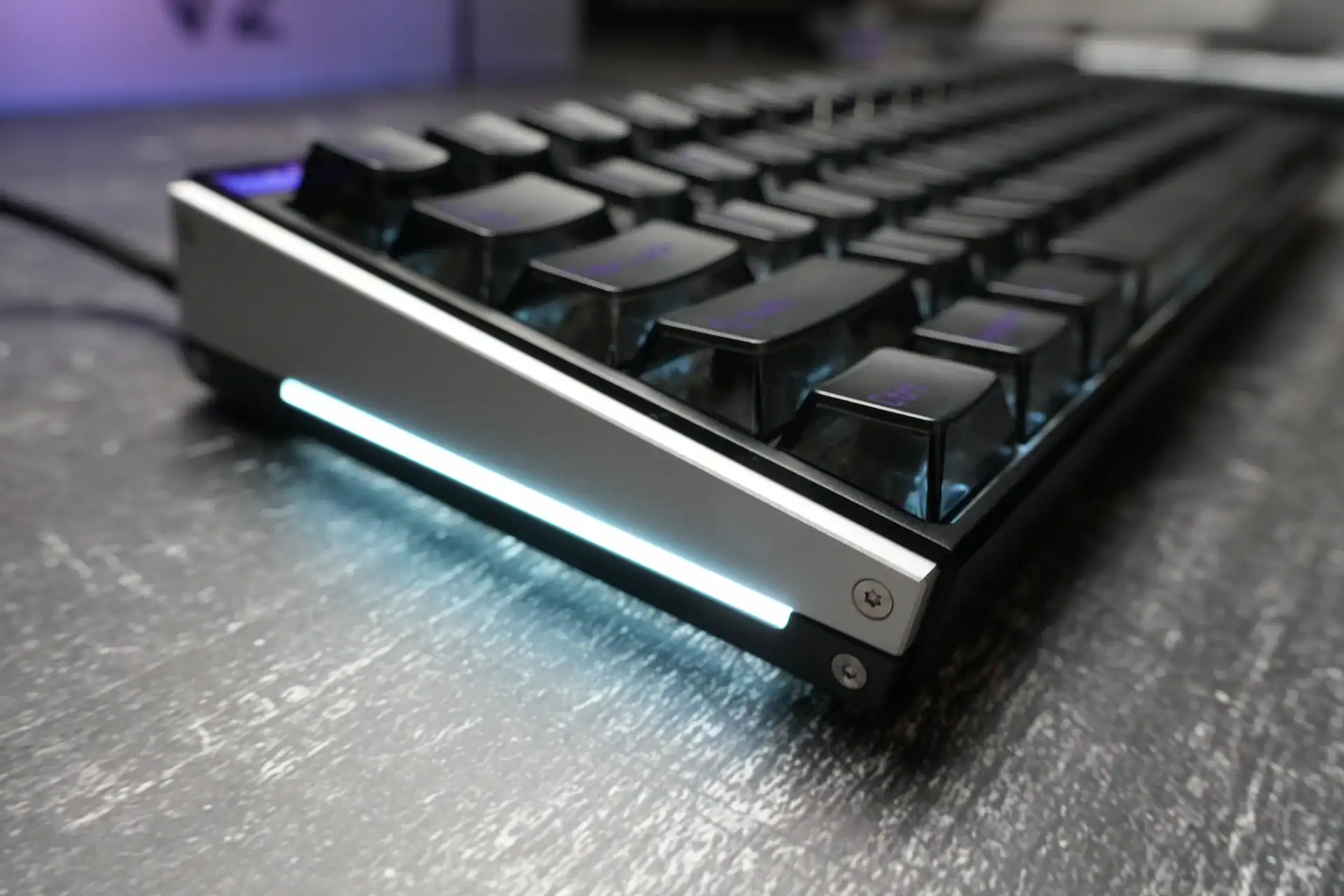
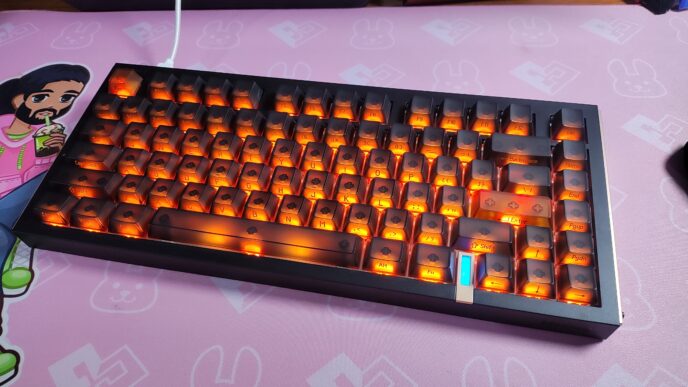
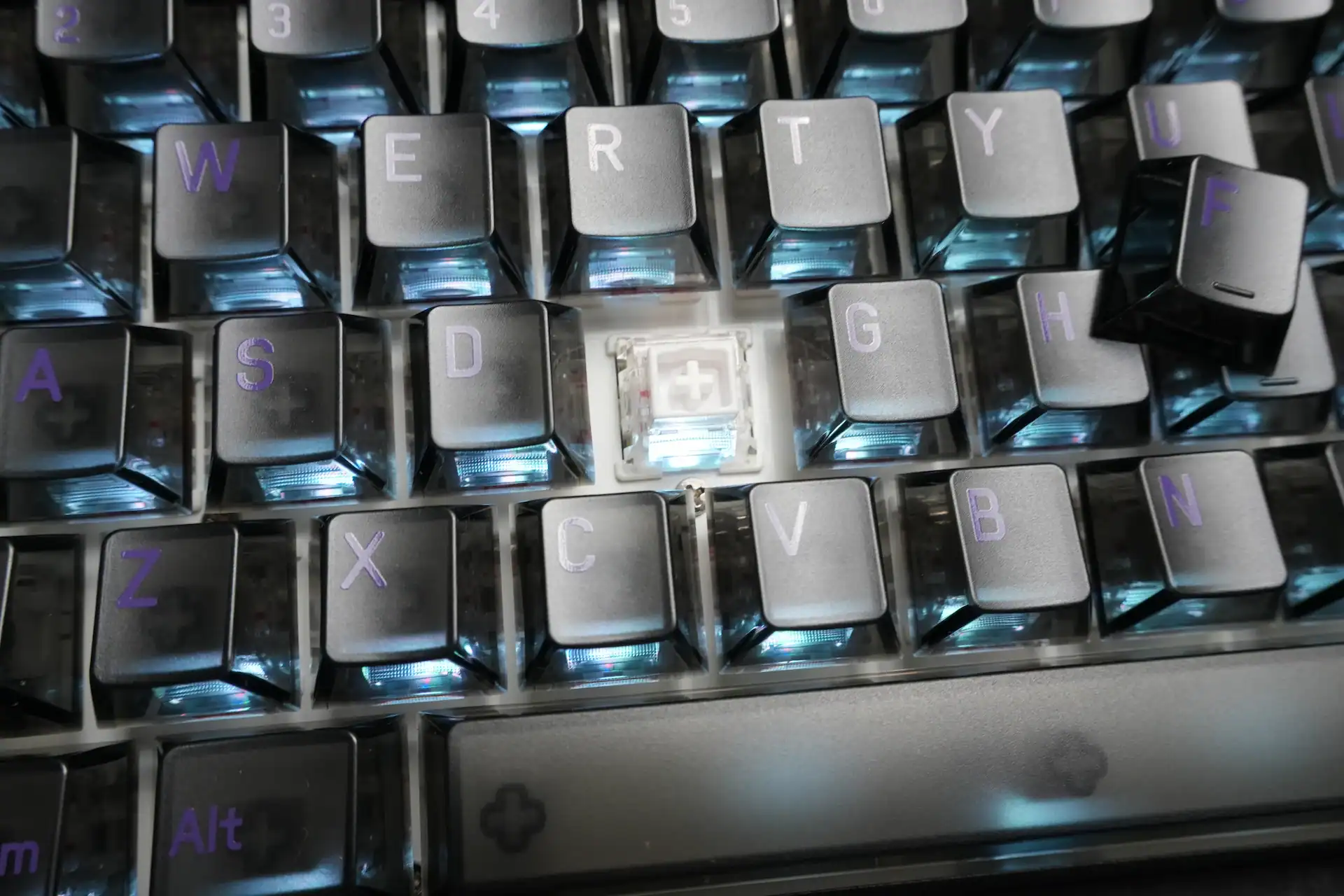
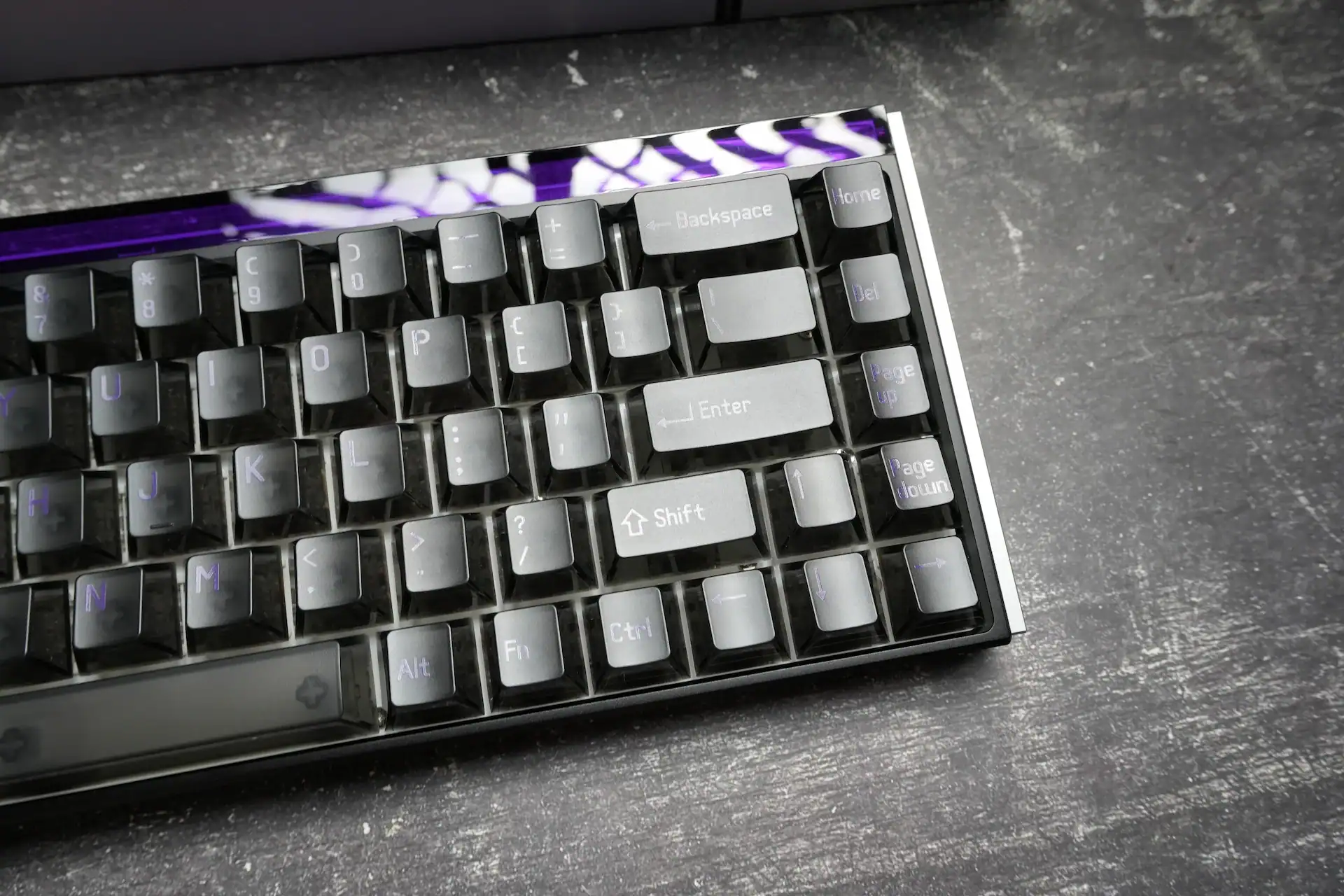
What really sells the retro-industrial angle are the translucent keycaps, which let you see straight down to the switches and the RGB glowing beneath them. Combined with the illuminated, interlocking metal side panels, the whole board has a layered, almost architectural look when the lighting is active. At nearly 1175 grams, it’s also dense – this is not a keyboard that’s going anywhere on your desk, intentionally or not.
The one design decision I have reservations about is the fixed typing angle. At roughly 7 degrees with an 18mm front height, there are no flip-out feet to adjust the tilt. Personally, the fixed angle worked fine for my hand position, but anyone who prefers a steeper or flatter angle is simply out of luck here – a notable omission on a board otherwise packed with adjustability everywhere else.
There is a legibility trade-off with these translucent keycaps, though. Since the legends are printed in white against a mostly transparent cap sitting over a light-colored switch housing, the lettering doesn’t have much contrast to work with. In dim lighting with the backlight active it’s fine, but in daylight or under bright office lighting, some legends nearly disappear into the background.
Switches and Typing Feel
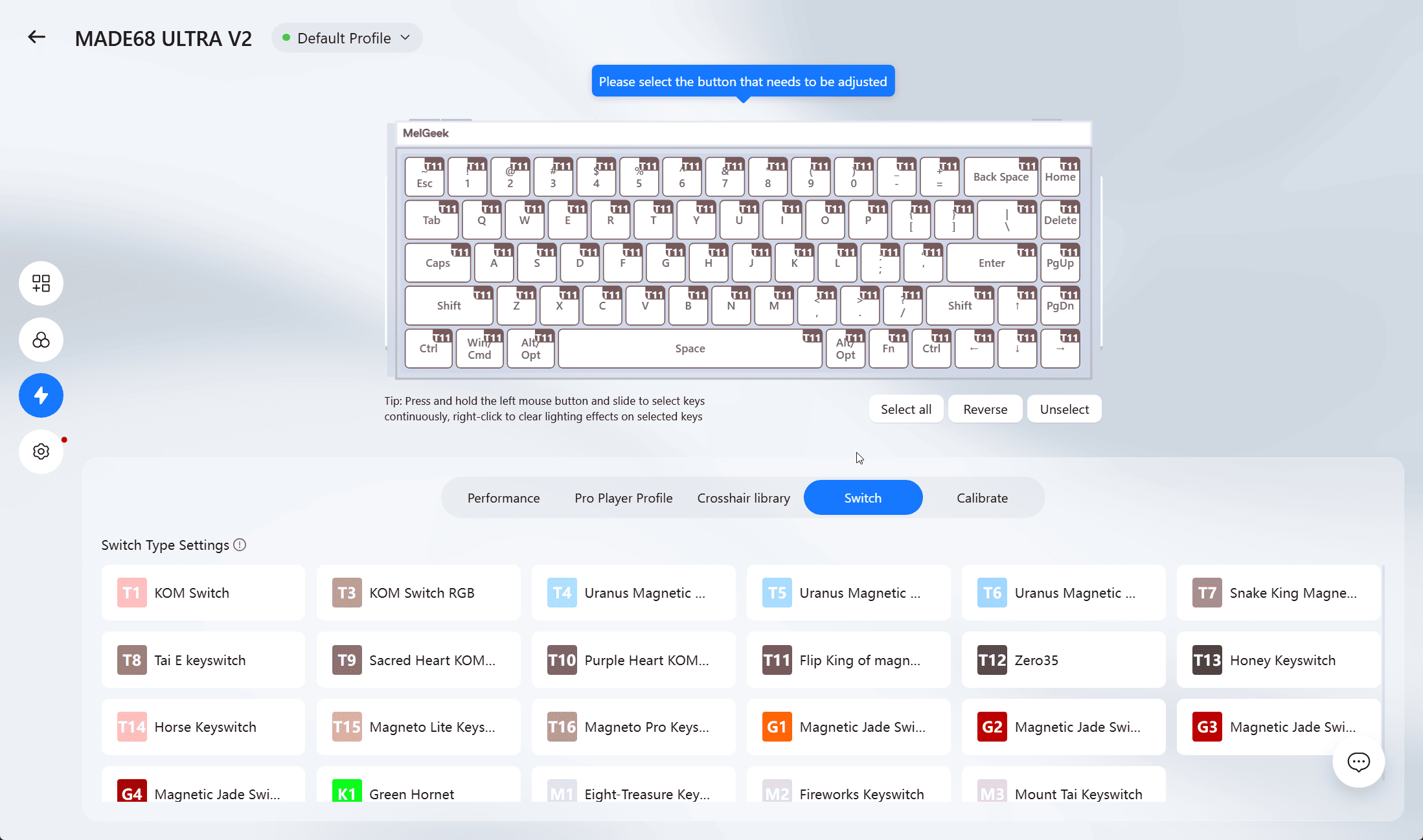
My unit shipped with MelGeek’s KOM Lite magnetic switches (a Flip King magnetic switch option is also available). These are Hall Effect style switches with a total travel of 3.5±0.2mm and an actuation point adjustable anywhere from 0.1mm to 3.4mm, read with 0.01mm accuracy. Paired with 8000Hz polling and a 16,000Hz scan rate, the responsiveness on paper is excellent – and it holds up in practice. In my OSLTT tests the single key press latency was around 0.4 ms.
The single best word to describe how the MADE68 Ultra V2 performs is solid. There’s essentially zero wobble across the keyset, and every press ends in a firm, satisfying thunk once it bottoms out. The internal 5-layer sound-dampening foam and silicone-dampened gasket mount keep that impact from ever feeling harsh, while the rebound is quick enough that the board never feels sluggish, even during fast repeated inputs. It’s a keyboard equally comfortable typing out a long article as it is spamming inputs in a shooter.
Acoustically, it leans toward a deep, thocky profile that mechanical keyboard enthusiasts tend to gravitate toward. Between the weight of the chassis, the dampening layers, and the magnetic switches themselves, there’s a density to the sound that cheaper boards simply can’t replicate.
HIVE 2.0 Software
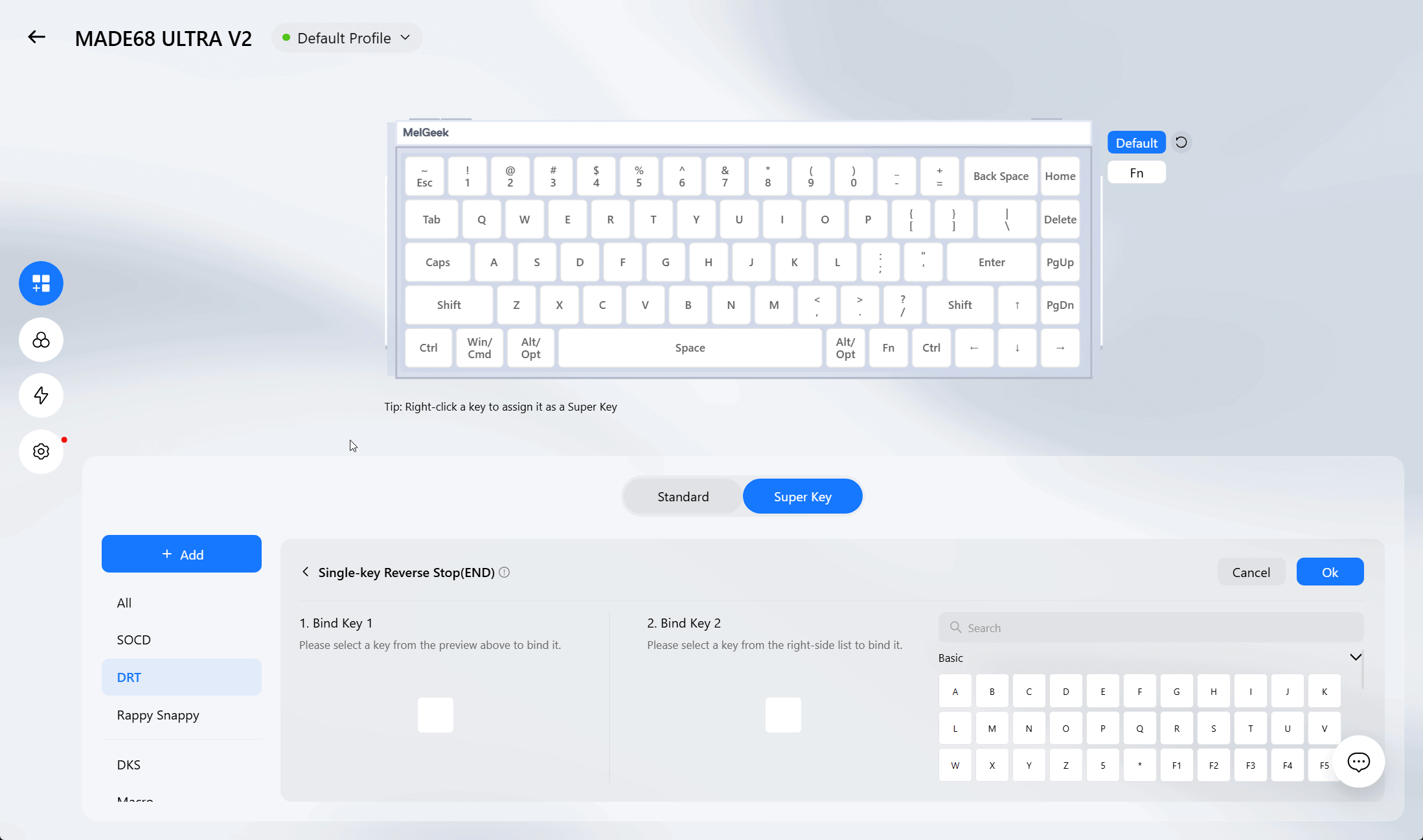
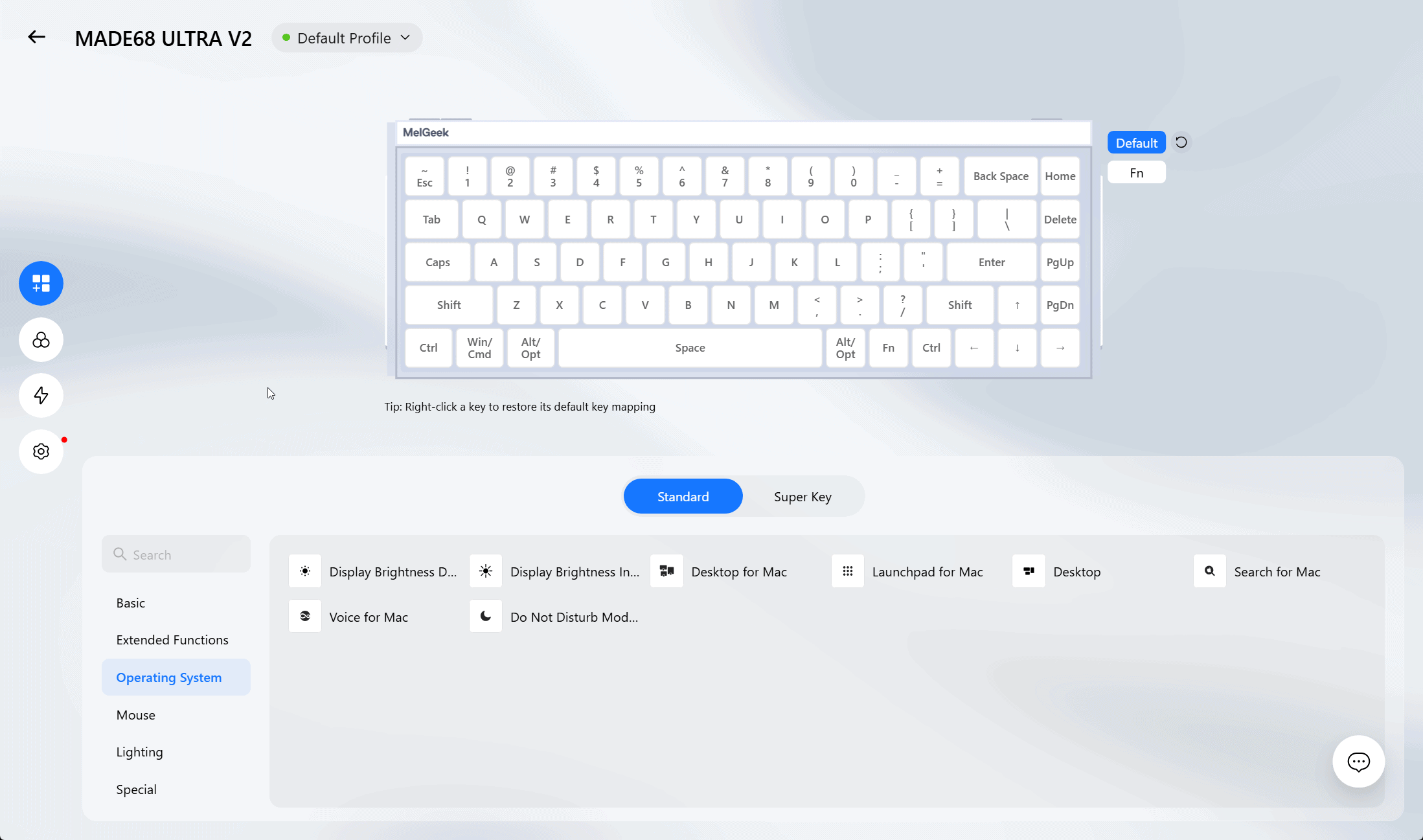
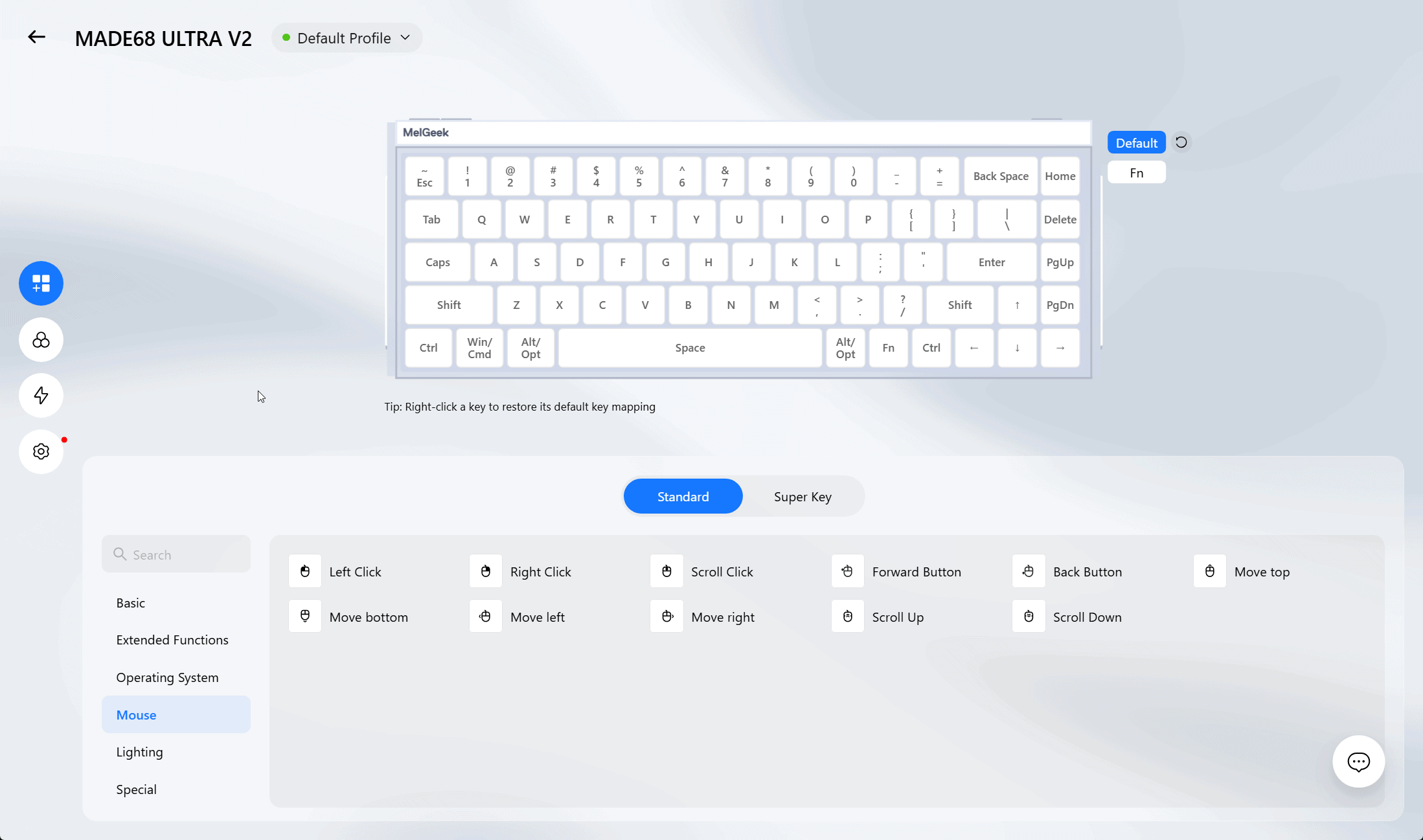
All of that adjustability is managed through MelGeek’s HIVE 2.0 software. The Performance tab is where most people will spend their time: you get a slider for the actuation point (0.1mm to 3.3mm), a separate bottom dead zone setting for fine-tuning how much travel is needed before the key fully resets, and a dedicated Rapid Trigger toggle.
Rapid Trigger can run in either Custom Actuation mode, where you set every parameter manually, or Adaptive Actuation, which auto-tunes the settings for a more plug-and-play starting point. There’s also a dedicated sensitivity slider that controls how much travel is needed on press and release to register a fast trigger event – I found 0.5mm to be a reasonable middle ground, sensitive enough to feel responsive without misfiring on light rests.
Compared to Wootility, which remains the benchmark for analog keyboard software, HIVE 2.0 isn’t quite as polished or intuitive. It’s not a bad piece of software by any measure – every setting you’d want is present and functional – but the interface takes slightly more digging to fully understand than Wooting’s implementation does.
Gaming Features and Rapid Trigger
For competitive titles like Valorant, CS2, Apex Legends, or Call of Duty, small differences in input latency and actuation timing genuinely matter, and this is where the MADE68 Ultra V2 makes its strongest case. Rapid Trigger doesn’t wait for a key to fully return to its resting position before it can register another input – it dynamically adjusts activation and deactivation in real time based on the direction you’re moving the key. In practice, that translates to noticeably snappier counter-strafing and direction changes compared to a traditional mechanical switch.
Beyond Rapid Trigger, HIVE 2.0’s Advanced Key menu opens up a genuinely deep set of tools for anyone who wants to push customization further:
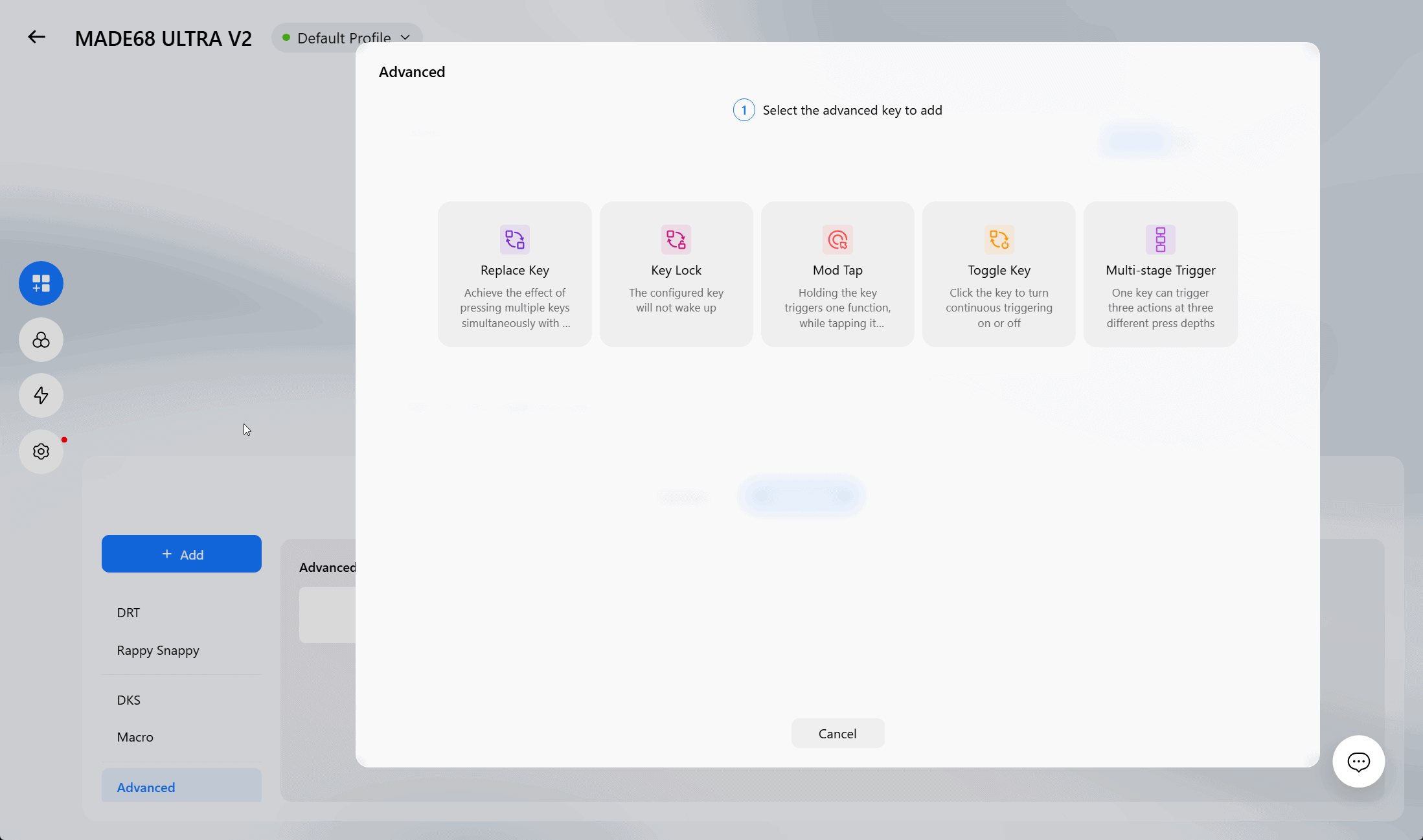
- Replace Key – lets a single key press trigger the effect of multiple simultaneous key presses.
- Key Lock – configures a key so it won’t wake the board from sleep, useful for avoiding accidental inputs.
- Mod Tap – assigns one function to a tap and a different one to a hold on the same key.
- Toggle Key – turns a key into an on/off switch with a single click, ideal for functions like sustained crouching or sprinting in games that don’t natively support toggles.
- Multi-stage Trigger – allows a single key to fire up to three different actions depending on how deep it’s pressed.
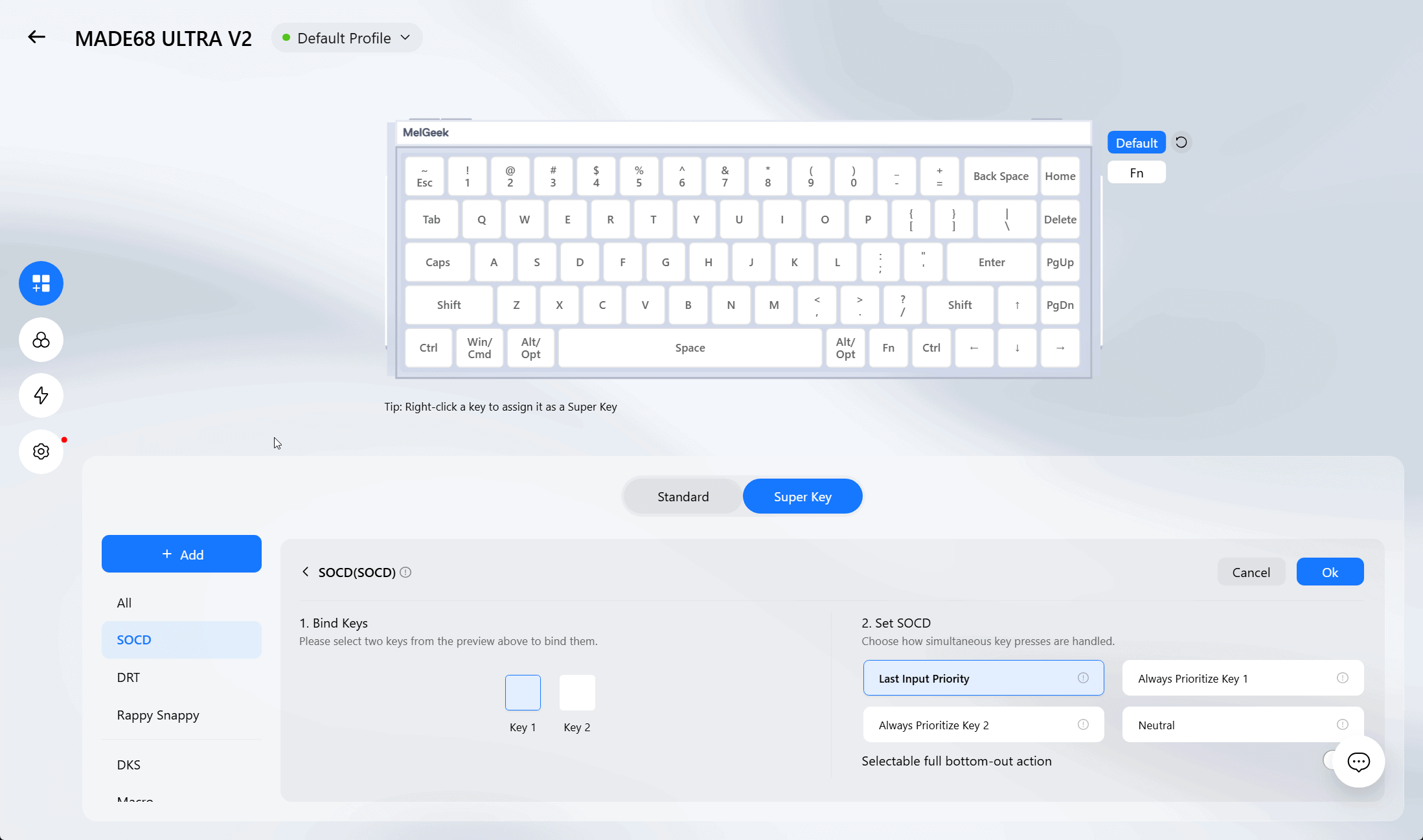
There’s also full SOCD (Simultaneous Opposite Cardinal Directions) support, letting you bind two opposing keys and decide exactly how conflicting inputs get resolved – last input priority, always prioritizing one key over the other, or a neutral resolution.
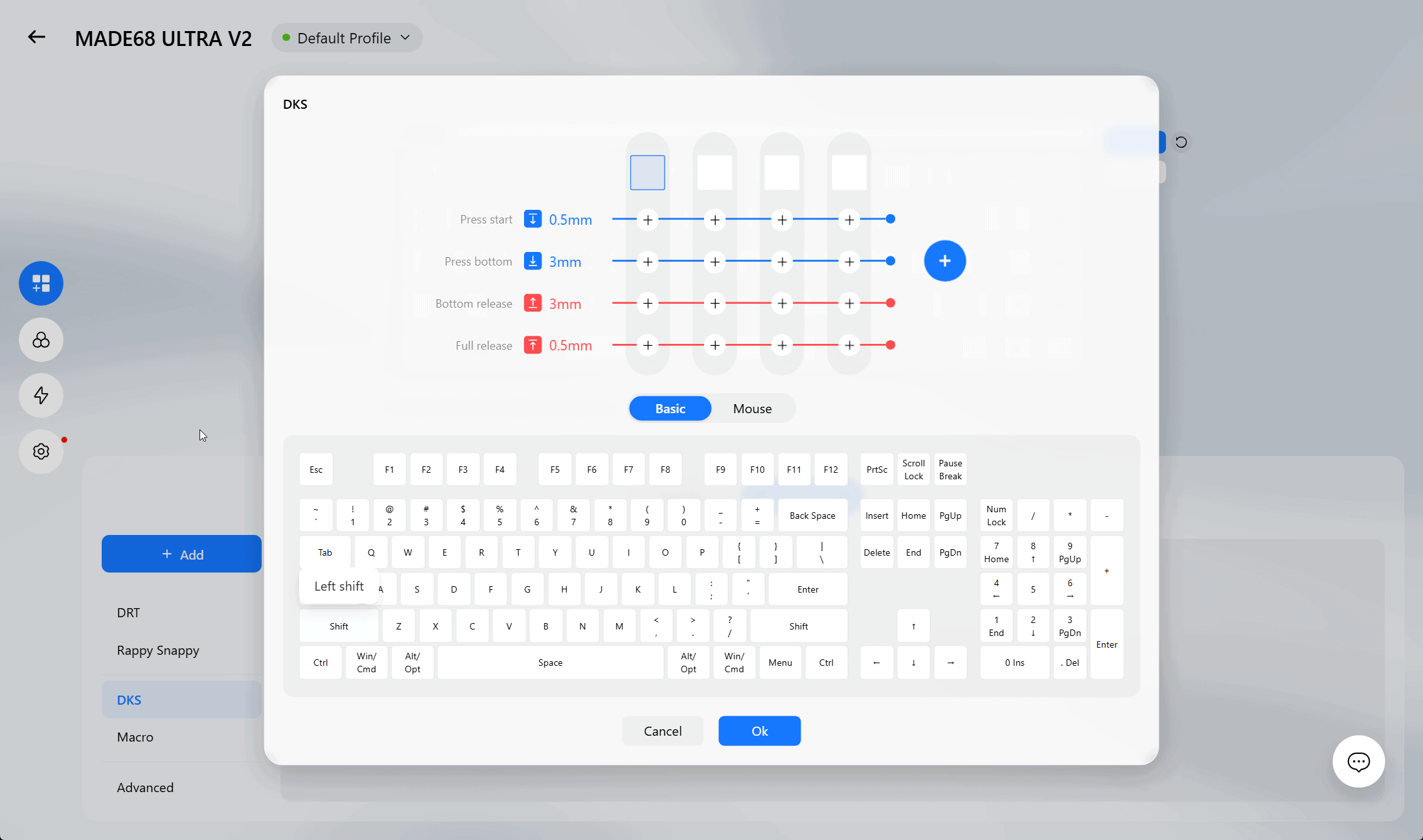
For those who want to go even deeper, Dynamic Keystroke (DKS) lets you define up to four distinct actions on a single key, each tied to a specific press depth and direction – start press, bottom press, bottom release, and full release can each trigger something different.
Honestly, the sheer depth on offer here rivals what you’d find on keyboards specifically marketed toward esports professionals, and it’s genuinely impressive to see this level of granularity on a board in this price bracket.
Pro Player Profiles
One feature I didn’t expect to enjoy as much as I did is the Pro Player Profile tab. Rather than starting from scratch, you can browse presets built around the actual settings used by sponsored pro players – when I chose Valorant, this was populated with members of team DRG competing in this game.
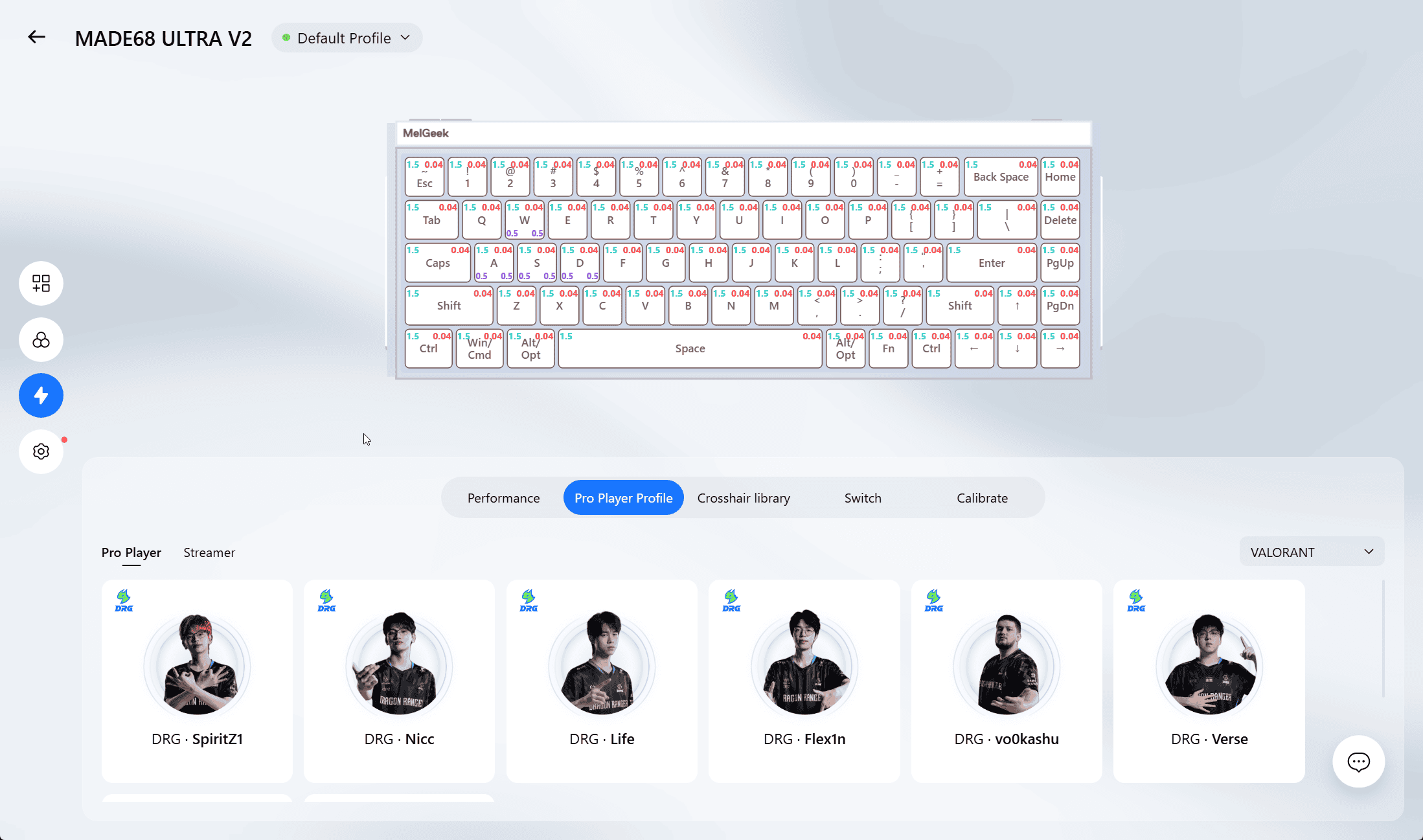
Selecting a player’s profile instantly applies their per-key actuation and sensitivity configuration to your keyboard. It’s a small feature in the grand scheme of things, but it’s a genuinely fun way to experiment with settings you might not have arrived at on your own, and it lowers the barrier for newcomers who don’t want to manually fine-tune every actuation point themselves. A Streamer tab sits alongside it for those who’d rather follow a content creator’s setup instead.
RGB and Lighting

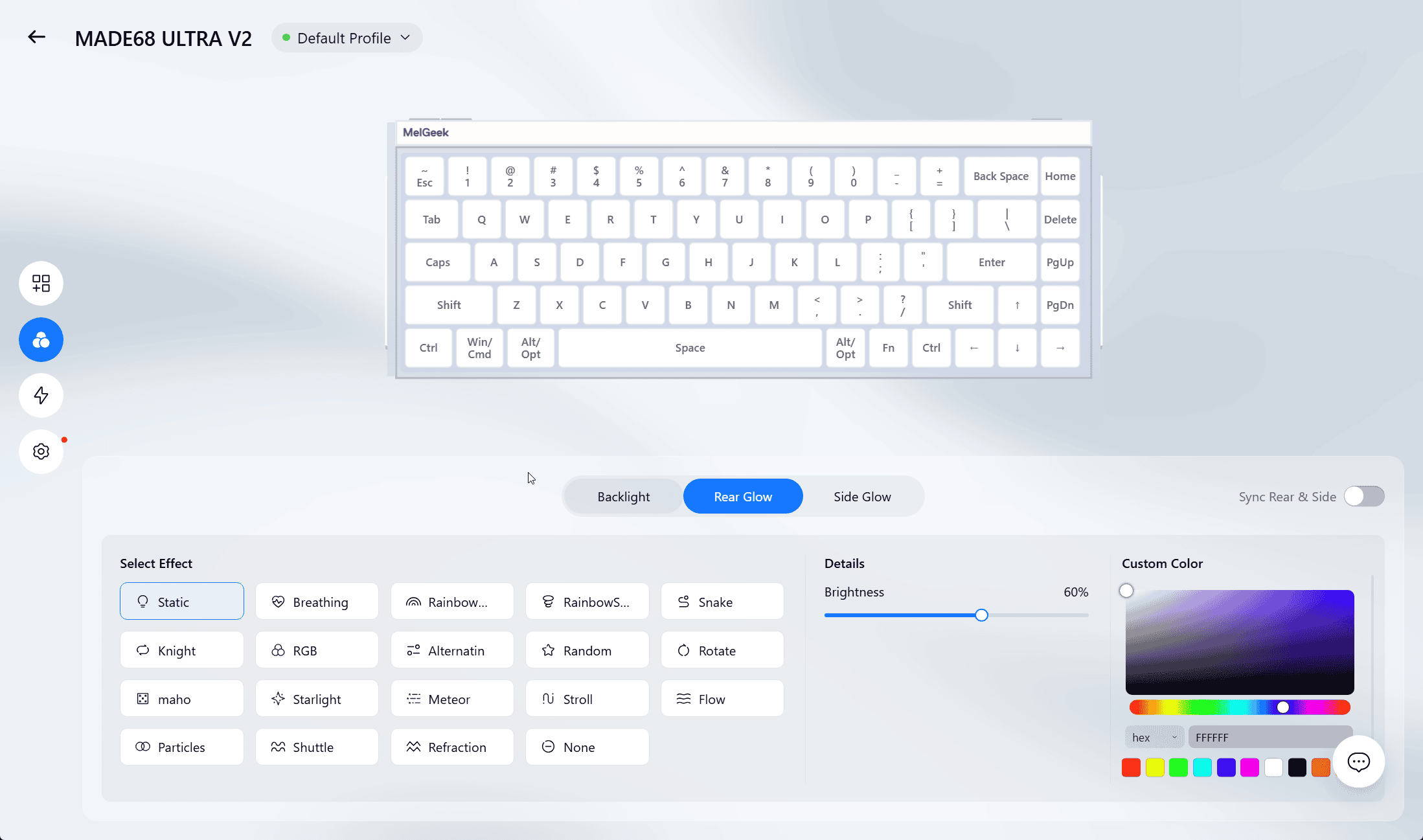
The MADE68 Ultra V2 features a full-screen backlit system paired with illuminated, interlocking side panels, and HIVE 2.0 gives you well over 50 built-in lighting effects to choose from, plus the ability to build fully custom animations. The main backlighting and the side/edge lighting zones can be configured independently, and there’s even an audio-reactive mode that pulses the lighting in sync with music or voice input in real time – a nice touch if you want your setup to feel a little more alive during music or movies.
That said, the actual visual execution left me slightly underwhelmed relative to the software’s ambitions. Because the keycaps are translucent rather than fully shine-through, the backlighting comes across softer and less vibrant than I expected going in, and it compounds the legend-readability issue mentioned earlier. It’s not bad lighting by any means – just not quite as striking as the spec sheet’s “50+ effects” and side-panel language might suggest.
You can save multiple lighting and performance presets and cycle between them using a dedicated mode button on the back of the keyboard, which is a convenient way to jump between a work profile and a gaming profile without opening the software each time.
The 65%-Style Layout
At 68 keys, the MADE68 Ultra V2 sits right in that compact-but-complete territory that’s become one of the most popular layouts among enthusiasts and FPS players alike – small enough to leave room for mouse movement, but still including a dedicated arrow cluster that full 60% boards sacrifice. For fast-paced shooters where quick access to arrow keys or navigation shortcuts occasionally matters, that’s a meaningful advantage over going even smaller.
Pros and Cons
Great
- Full aluminum alloy chassis and side panels – dense, premium build quality
- KOM Lite magnetic switches feel firm, snappy, and completely wobble-free
- Deep, thocky sound signature thanks to the gasket mount and 5-layer foam
- Rapid Trigger with 0.01mm actuation accuracy is genuinely competitive-grade
- Extensive Advanced Key toolkit – SOCD, Mod Tap, Toggle Key, DKS, Multi-stage Trigger
- Pro Player and Streamer preset profiles are a fun, useful shortcut
- 50+ RGB effects plus independently controllable side lighting and audio reactivity
- 68-key layout keeps arrow keys without sacrificing desk space
Not Great
- No adjustable feet – only fixed ~7° typing angle
- Translucent keycaps hurt legend readability and dull the backlighting’s visual impact
- Wired only, no wireless connectivity option
- HIVE 2.0 is capable but not as refined or intuitive as Wootility
- At $199, it’s priced above what most of the competition typically costs
Final Verdict
The MelGeek MADE68 Ultra V2 is, in a word, solid – in build, in sound, and in how it performs under both fingers during typing and fast directional inputs during gaming. The magnetic switches feel great out of the box, and HIVE 2.0’s deep customization suite, from Rapid Trigger down to per-key Dynamic Keystroke actions, gives serious players room to fine-tune the board to an impressive degree. The Pro Player profile feature is a small but genuinely enjoyable addition that sets it apart from most competitors.
Where it stumbles is in the details that should have been easy wins: no adjustable typing angle, keycaps that undercut both readability and the backlighting they’re meant to showcase, and no wireless option for anyone who wants a cleaner desk. Add in a $199 price tag that puts it in direct competition with – and slightly above – the Wooting 60HE, and the MADE68 Ultra V2 has to lean heavily on its retro-industrial design and full-aluminum build to justify the premium. If that aesthetic speaks to you and you value the depth of MelGeek’s analog customization, it’s a genuinely rewarding keyboard to own. If you’re shopping purely on specs and value, it’s a tougher sell.
You can purchase MelGeek MADE68 V2 from official Melgeek store using our creator code HLPLANET for 3% off. It’s unavailable on Amazon for now.

I love testing and writing about new tech. I focus on keyboards and controllers. I'm also a gamer and an engineer. Check out my Twitter for keyboard and controller news and reviews.