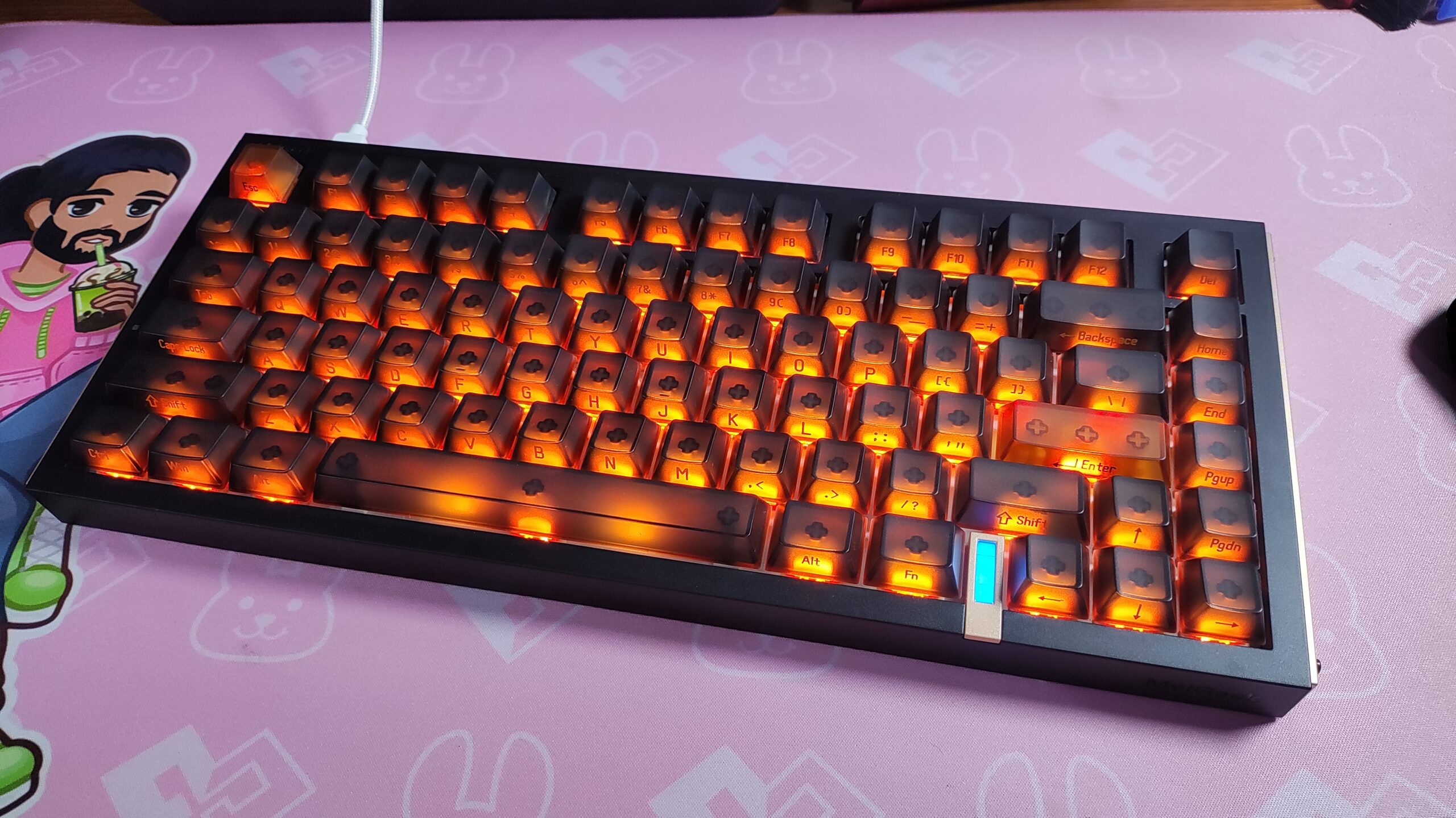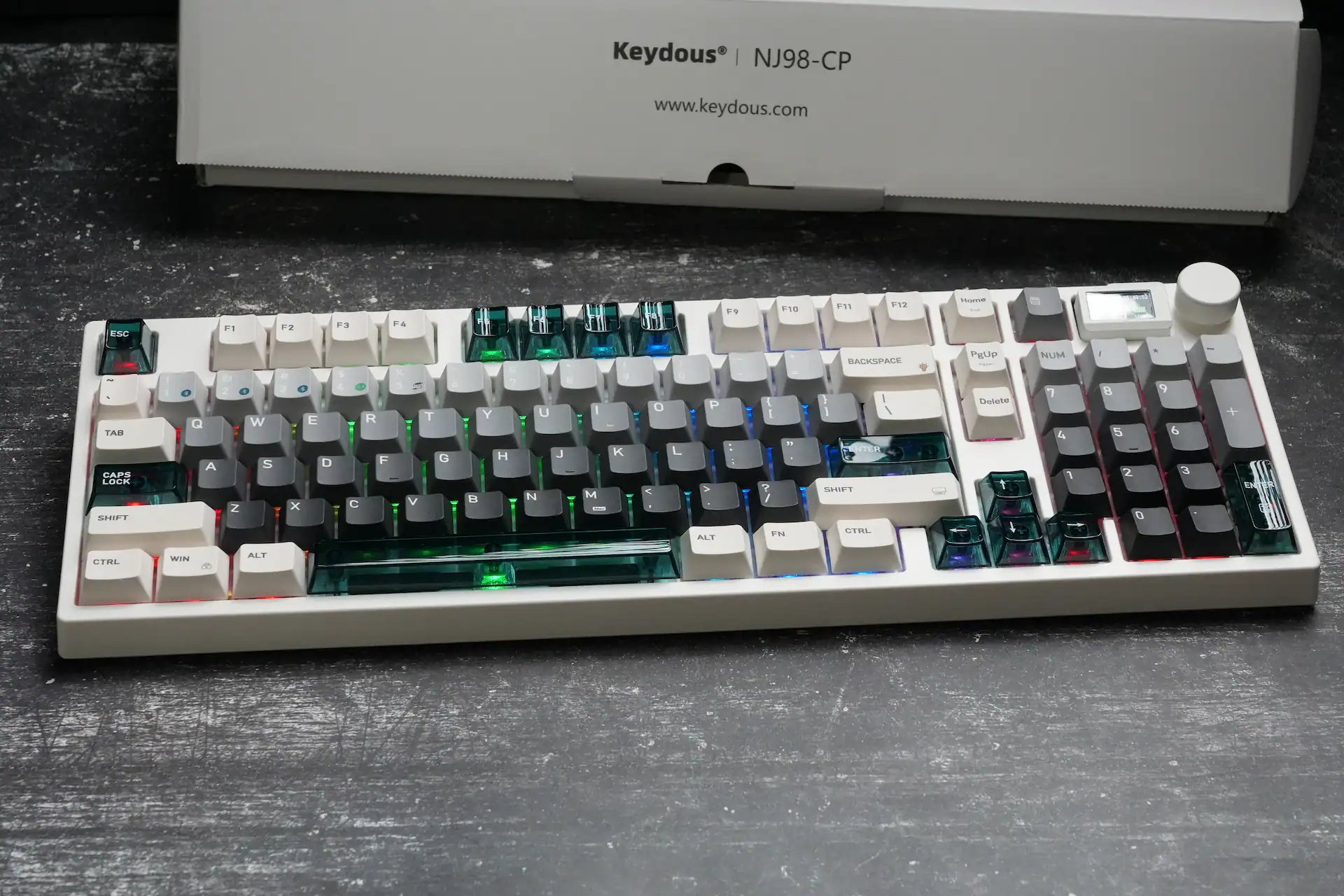
I reviewed the Keydous NJ98-CP V2 HE a while back and came away genuinely impressed — it’s rare to find a full-sized Hall Effect keyboard that doesn’t feel like an afterthought compared to the smaller 60% and 65% boards that usually get all the attention. Keydous is now back with the NJ98-CP V4 HE, and after spending time with it, I can say the formula hasn’t just been repeated — it’s been refined.
Specifications
| Layout | 98-Key Full-Sized (TKL + Numpad) |
| Switch Type | Hall Effect Magnetic — Keydous Custom Blue-white / Kailh Magnetic Silent Aurora / Gateron Magnetic Jade Pro |
| Plate Options | Aluminum or Brass |
| Actuation Range | 0.1mm–3.3mm, adjustable in 0.01mm steps |
| Rapid Trigger | 0.001mm reset threshold, zero dead zone |
| Polling Rate | 8000Hz (Wired / 2.4GHz), 125Hz (Bluetooth) |
| Scanning Rate | 32kHz, 256k sampling rate |
| Latency | ~0.9ms measured (OSLTT) |
| Connectivity | 2.4GHz Wireless / Bluetooth 5.0 (3 devices) / USB Type-C Wired |
| Battery | 8000mAh, ~5.5hr fast charge (67W) / ~12hr+ standard |
| Hot-Swappable | Yes — compatible with most HE magnetic switches |
| Keycaps | PBT (dye-sub, double-shot, or shine-through depending on colorway) |
| Extras | Magnetic docking display, aluminum volume knob, calculator function |
| Dimensions | 403 × 138 × 40mm |
| Weight | ~1,141g measured (spec sheet lists 1.4kg) |
| Software | Keydous Multi-Function Driver (Windows / macOS) |
| Price | $139.99 ($129.99 with code HLPLANET) |
Unboxing
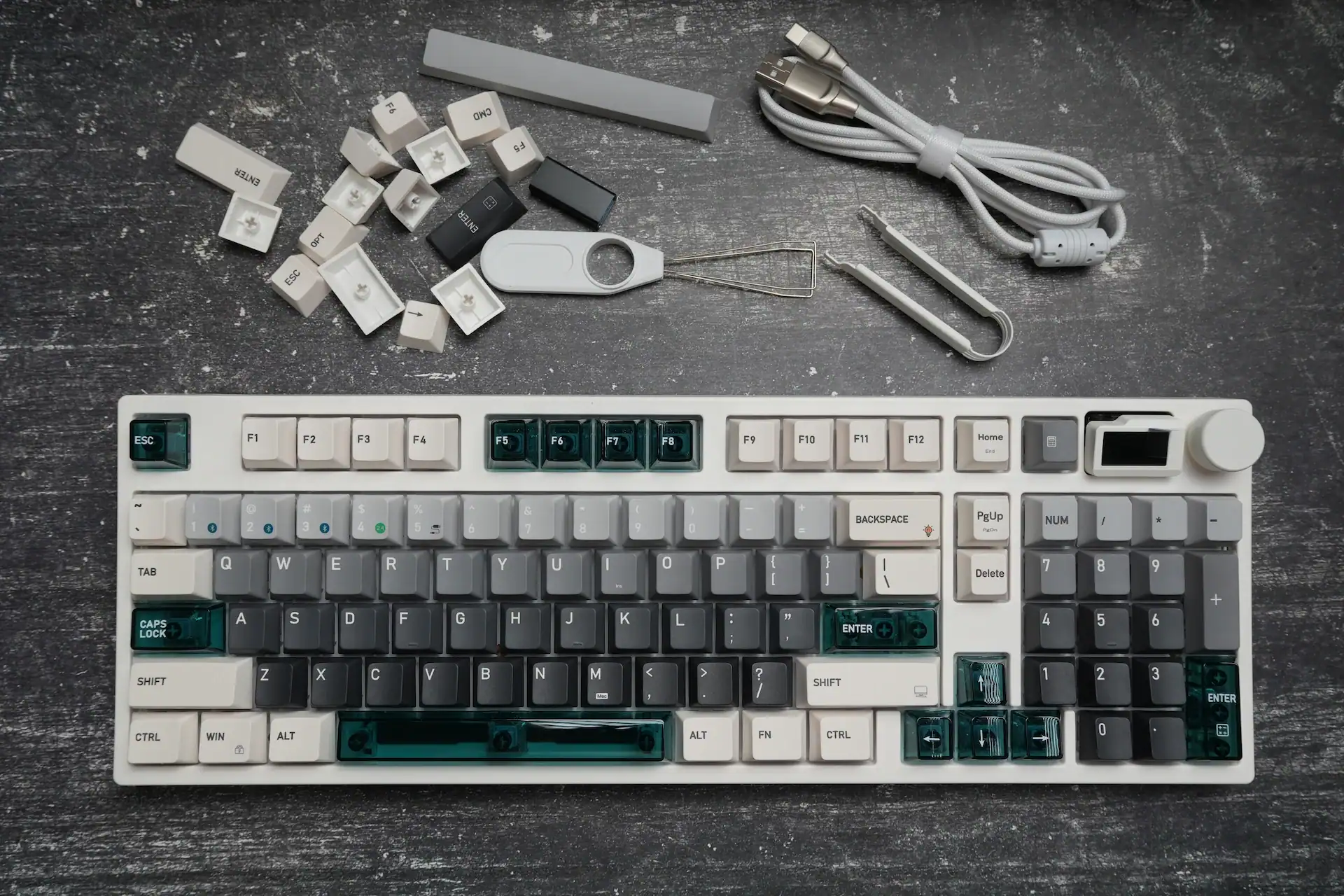
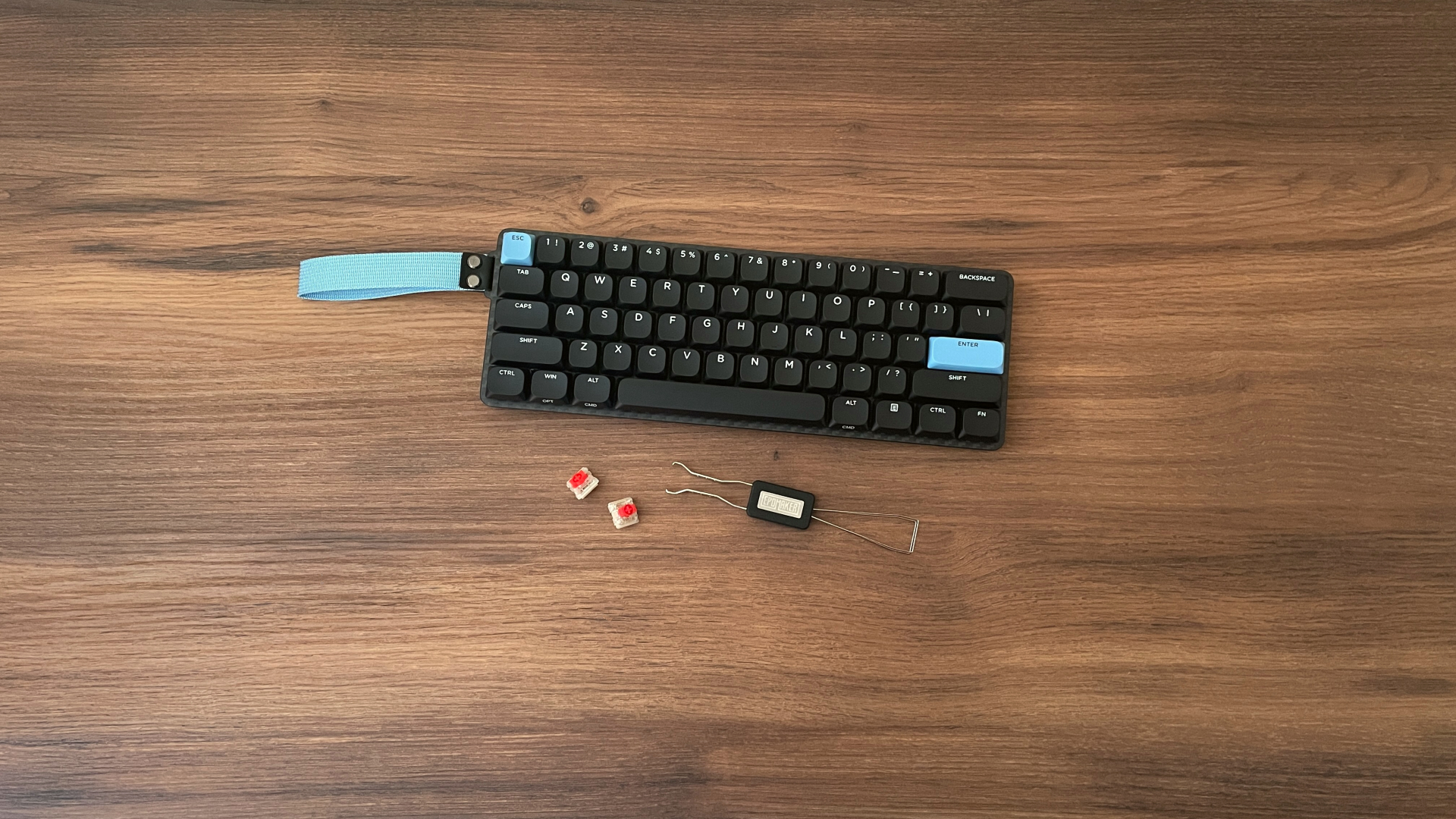
The accessory bundle is generous for a keyboard at this price. You get a braided USB-C cable, a keycap and switch puller, a set of alternate keycaps (including Mac modifier keys and a couple of function row replacements), and a small wireless dongle with its own little storage clip.


Flipping the accessories over reveals the underside of the case, which carries the standard model and serial number labels along with the charging input rating.
Design and Build Quality
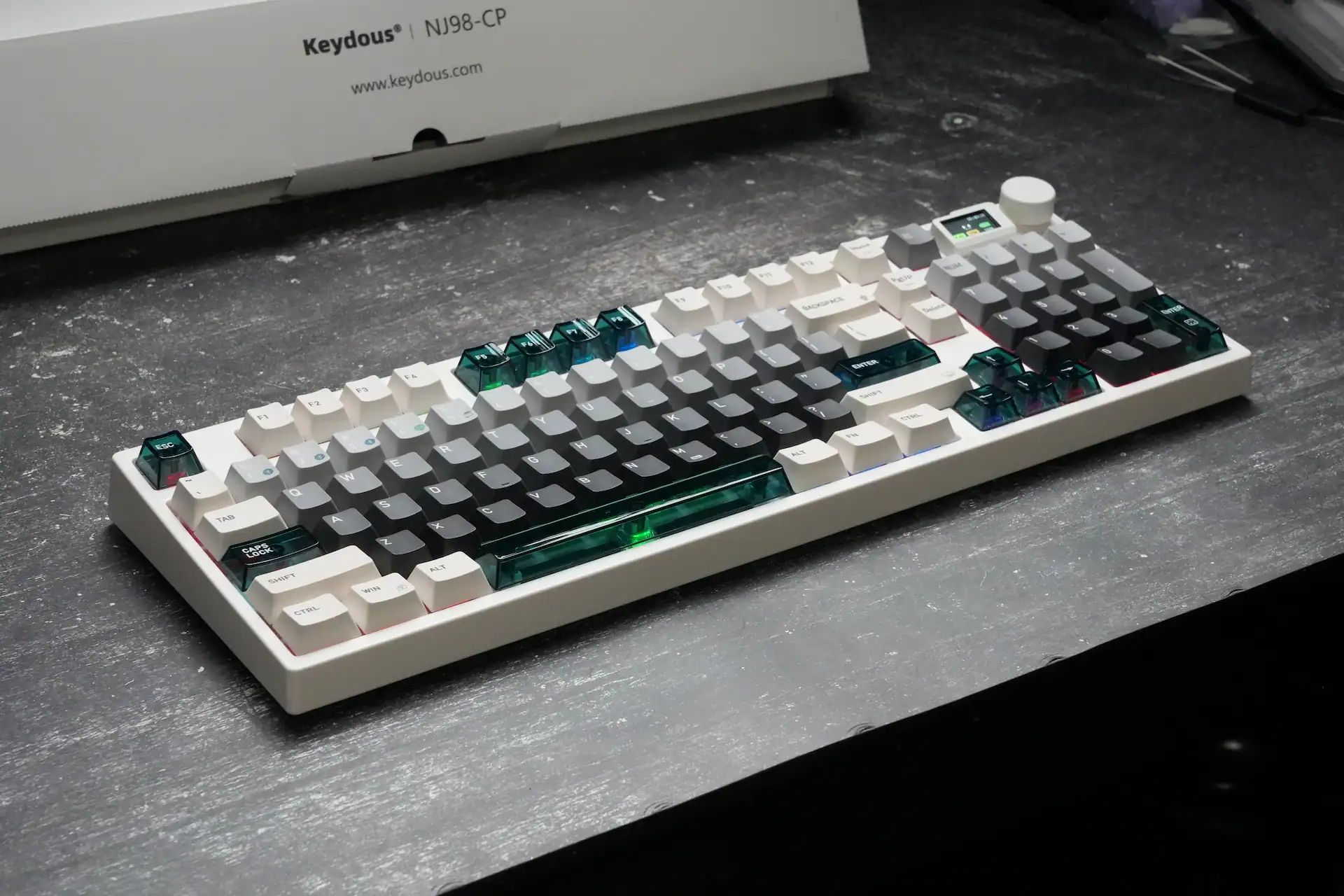
The NJ98-CP V4 HE is a plastic keyboard, but it doesn’t feel like one in the hand. The material Keydous is using here has a noticeably dense, high-quality feel to it rather than the hollow, creaky sensation you get from cheaper ABS builds. Combined with the internal battery and the sheer size of a full 98-key layout, the board comes in at around 1,141 grams on my scale — noticeably heavier than the spec sheet’s listed 1.4kg would actually be light for its footprint, and it sits on the desk with the kind of stability you’d expect from something heavier than its material would suggest.
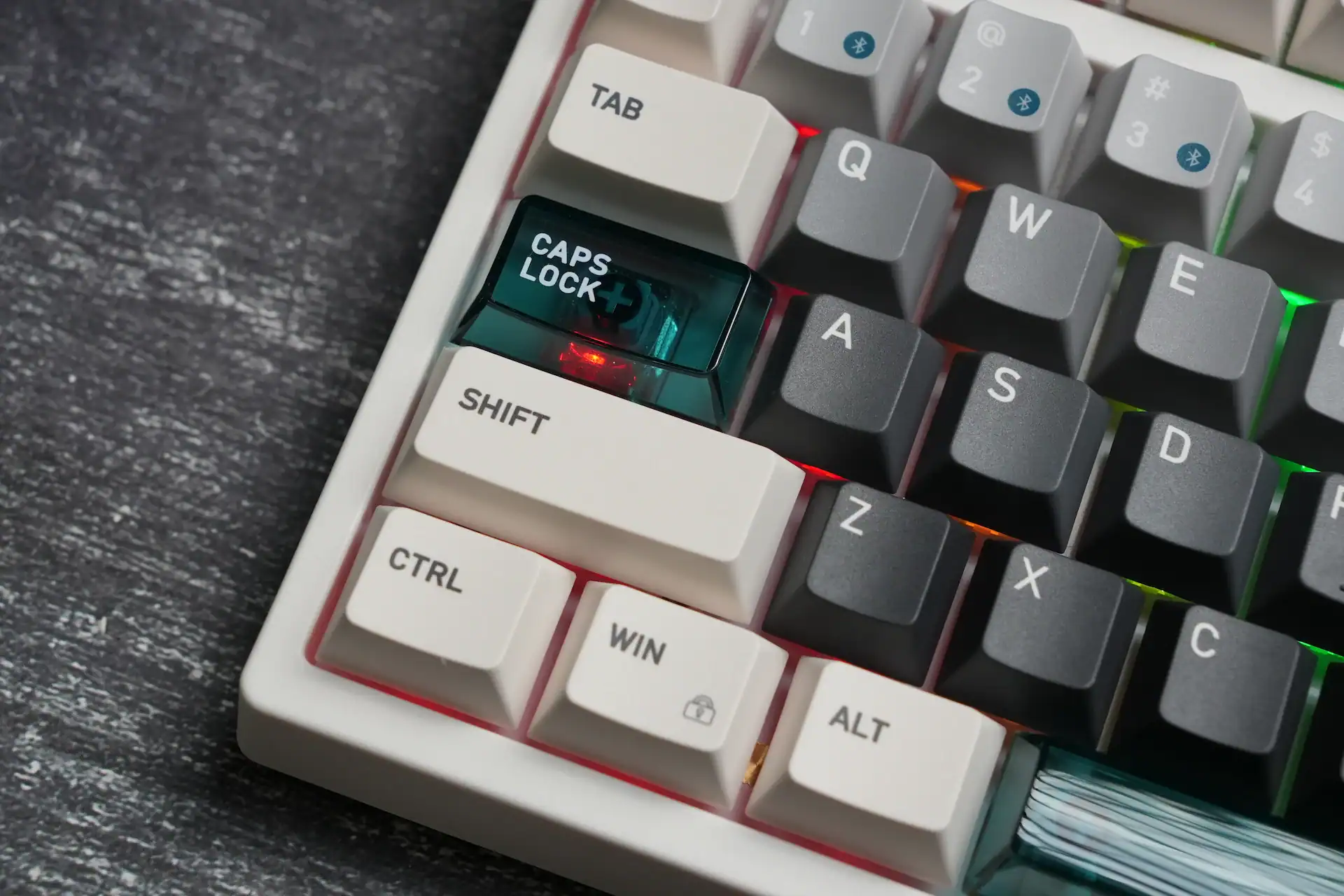
My review unit came in the light grey-to-charcoal gradient colorway with translucent teal accent keys on Escape, the spacebar, Enter, Caps Lock, and the arrow cluster — a genuinely clean, understated look that photographs really well and doesn’t feel like it’s trying too hard to look “gamer.” The RGB underglow bleeds nicely through the gaps between keycaps, giving the board a soft glow without being overwhelming.
South-facing LEDs run at a 500Hz refresh rate, which Keydous markets as reducing flicker and visual fatigue — and in practice, the lighting is smooth and consistent with no noticeable strobing, even when looking at it up close or through a camera.
Switches – Kailh Pink Aurora
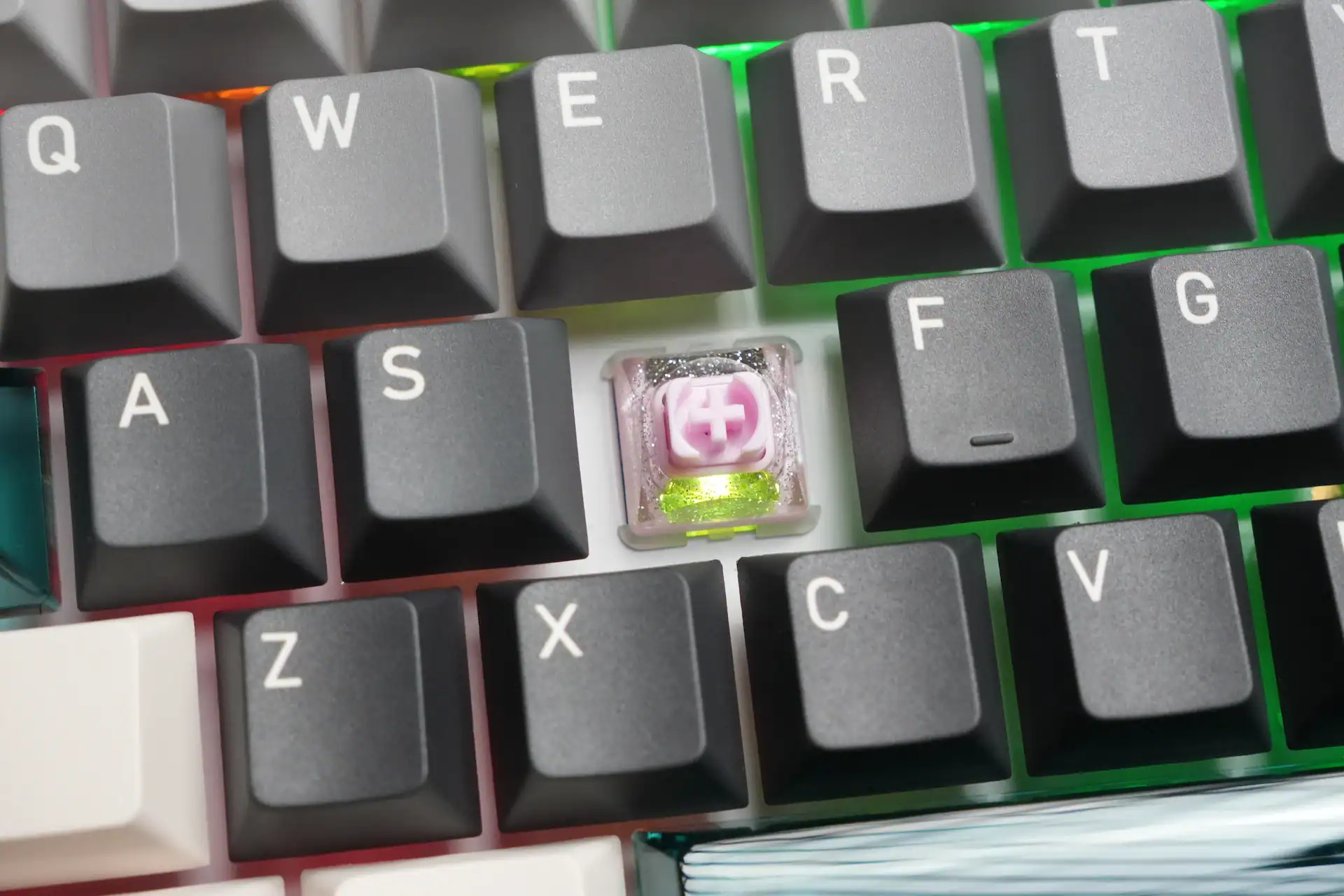
The NJ98-CP V4 HE ships with a choice of three magnetic switch options: the Keydous Custom Magnetic Blue-white, the Kailh Magnetic Silent Aurora, and the Gateron Magnetic Jade Pro. All three are linear, factory-lubed, and rated for well over 100 million (or in the case of the Aurora, over 10 million) keystrokes.
| Gateron Magnetic Jade Pro | Keydous Magnetic Blue-white | Kailh Magnetic Silent Aurora | |
| Type | Linear | Linear | Silent Linear |
| Initial Force | 36±5gf | 32±5gf | 30±10gf |
| Total Travel | 3.5±0.1mm | 3.65±0.1mm | 3.5±0.2mm |
| Lifespan | 100M+ keystrokes | 100M+ keystrokes | 10M+ keystrokes |
| Sound Profile | HIFI, “Mahjong” tile-like | Clean, HiFi | Silent |
My unit comes with the Kailh Aurora magnetic switches, but I don’t know why Keydous named them silent. They are really nice sounding switches, maybe a bit more quiet but definitely not a silent ones.
The Gateron Jade Pro switches are the standout of the three — a noticeably higher bottom-out magnetic flux rating (700±30Gs) gives them excellent consistency for precision Rapid Trigger tuning, and they deliver a satisfying “Mahjong tile” style click-free sound when bottoming out. If you want near-total silence, the Kailh Aurora is the way to go, though naturally you lose some of that acoustic feedback in exchange.
Performance, Rapid Trigger, and Latency

This is where the NJ98-CP V4 HE really earns its “gaming keyboard” label. Actuation is adjustable from 0.1mm to 3.3mm in 0.01mm increments, and Rapid Trigger operates with a 0.001mm reset threshold and effectively zero dead zone — the moment your finger starts lifting off a key, it deactivates. I measured latency at roughly 0.9ms using OSLTT, which is excellent and in line with what Keydous advertises.
The 8000Hz polling rate applies to both wired and 2.4GHz wireless modes — a detail worth highlighting, since most wireless keyboards force a choice between convenience and speed. Here you genuinely get both. You can also drop the polling rate down to 1000Hz on the fly for casual use to conserve battery and reduce CPU overhead, then bump it back up before a competitive session.
Beyond the basics, the driver includes SOCD (branded as “Last-Input Priority” or SNAP), which resolves opposing key presses instantly without needing to release the previous key — useful for counter-strafing in shooters like CS2 and Valorant. There’s also multi-stage triggering, supporting up to 16 sequential activations across different travel depths on a single key, plus continuous multi-stage triggering for chaining actions like sprint-then-skill combos with zero-latency transitions between them. Two full keymap layers are available, so you can maintain a dedicated productivity layout alongside a gaming-tuned one and swap between them instantly.
The Magnetic Docking Display and Knob
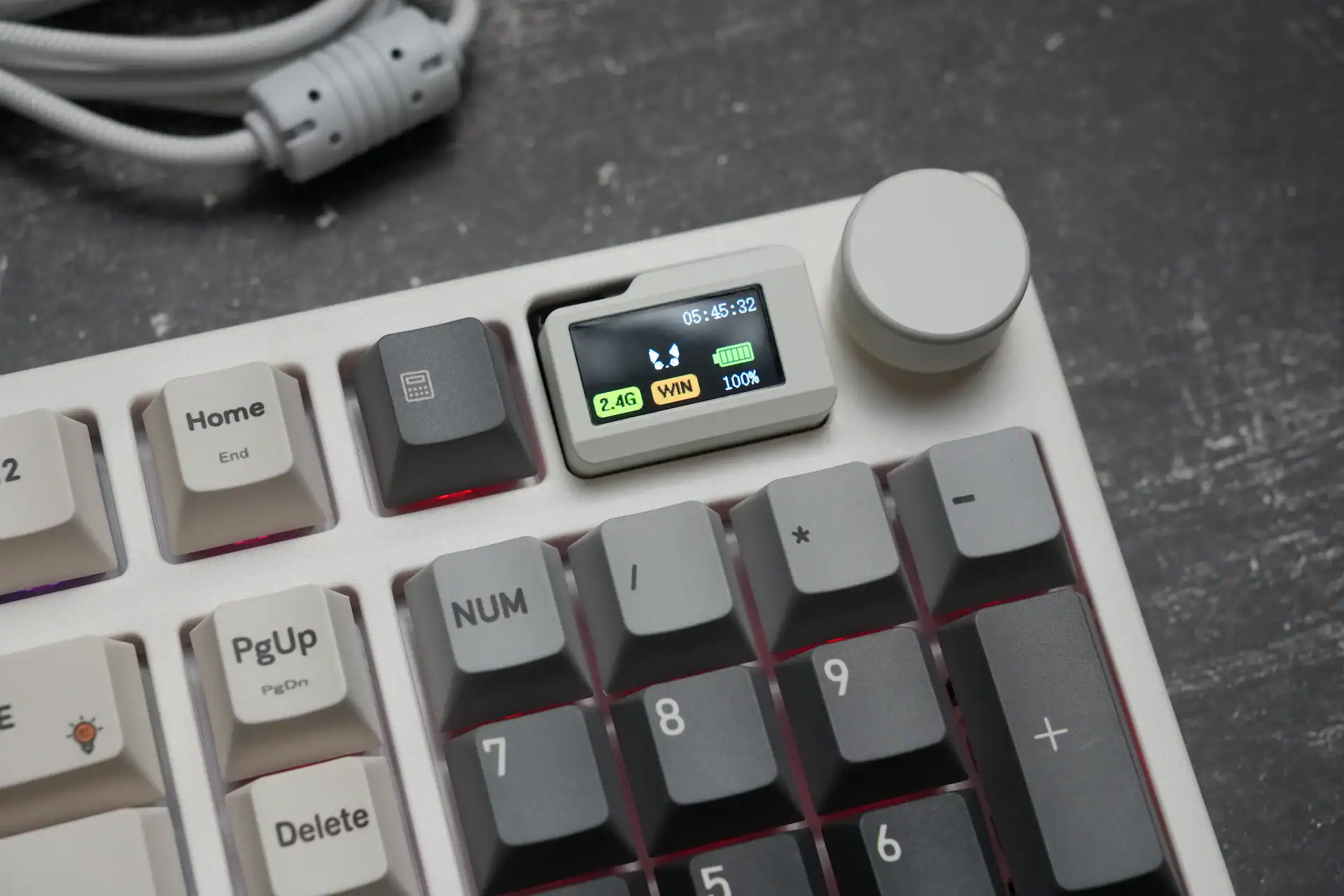
One of the nicer quality-of-life additions on this board is the small magnetic docking screen positioned above the numpad, next to the aluminum volume knob. By default it displays the time, battery percentage, connection mode, and Caps Lock/Num Lock status, but you can upload your own images or short animations to personalize it — up to eight total (three GIFs and five static images).
There’s also a built-in calculator accessible directly from the screen — a genuinely useful little touch for anyone doing spreadsheet work who doesn’t want to alt-tab out for a quick sum. The knob itself is aluminum, turns with a soft, satisfying resistance, and controls volume by default (press to mute), though it can be remapped to other functions or swapped for a different knob entirely if you prefer.
Keycaps and Colorways

Keydous offers four colorways — Star Dream, Pale Green, Black Samurai, and Dark — and the keycap material actually varies between them. The Star Dream and Pale Green colorways use dye-sublimated Cherry-profile PBT with translucent PC keycaps on select keys (spacebar, arrows, a handful of function keys, and Enter), while Black Samurai and Dark switch to double-shot PBT with shine-through side-printed legends in an OEM profile. All colorways except Black Samurai include Mac-specific modifier keycaps in the box.
The legends themselves are crisp and well-centered, and the PBT texture feels appropriately grainy rather than slick — a good sign for long-term durability against shine.
Connectivity and Battery
Tri-mode connectivity covers 2.4GHz wireless, Bluetooth 5.0 (with support for up to three paired devices), and wired USB Type-C, with mode switching handled through a key combination. The 8000mAh battery is the largest I’ve seen on a board this size, and it pays off — fast charging via a 67W charger gets you to full in about 5.5 hours, while a standard charger takes closer to 12 hours or more.
Bluetooth mode is capped at 125Hz polling, which is standard across essentially every keyboard on the market and is really only meant for casual, non-competitive use. For anything gaming-related, you’ll want to stay on 2.4GHz or wired.
Software

The Keydous driver supports both Windows and macOS and covers all the fundamentals — keybinding and macro setup, RGB configuration, actuation and Rapid Trigger tuning, and onboard memory so your settings persist even when connected to a different PC. Configurations can be exported and shared, which is a nice touch if you want to replicate someone else’s setup or back up your own.
That said, it’s not the most polished piece of software out there. The layout takes some getting used to, a handful of menus and labels still carry untranslated Chinese text, and some settings are buried in places that aren’t immediately intuitive. It’s functional and gets the job done, but anyone coming from Wootility or a more mature driver will notice the rough edges.
Typing Feel and Sound
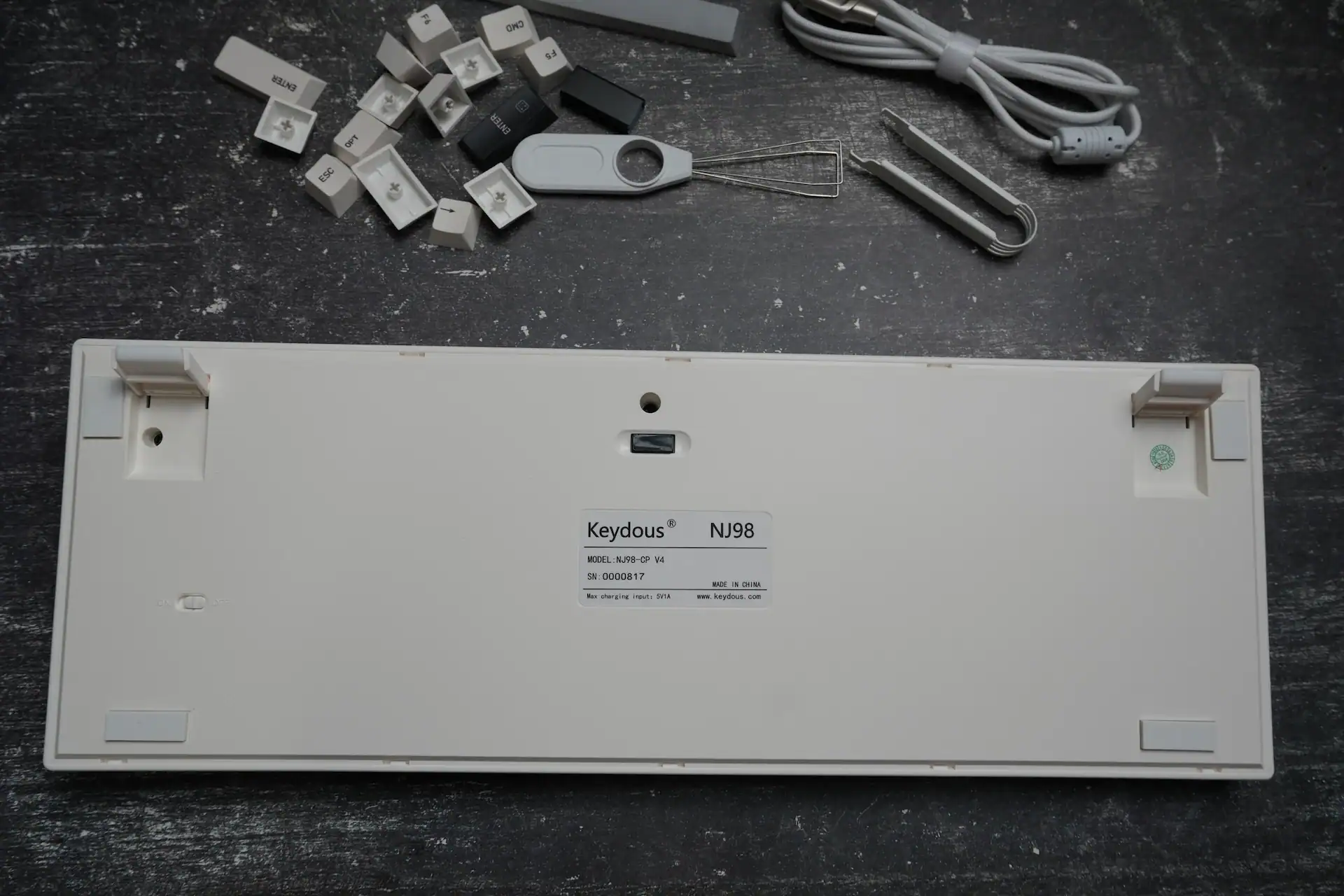
Plate choice makes a real difference here. The aluminum plate option leans toward a crisper, slightly higher-pitched profile, while the brass plate — as plenty of the keyboard’s own customer reviews echo — produces a noticeably deeper, “thockier” sound that most enthusiasts will prefer. Either way, the combination of magnetic switches and a full-sized plastic case results in a clean, consistent typing experience with no rattle or hollow resonance that I could detect.
Stabilizers are a mixed bag according to user feedback — most units perform well, but a subset of buyers have reported inconsistencies out of the box. My own unit didn’t show any issues, but it’s worth being aware of as a possibility.
Pros and Cons
✓ Great
- Full 98-key layout with genuine HE performance — a rare combination
- ~0.9ms measured latency and 8000Hz polling on both wired and wireless
- Rapid Trigger with a 0.001mm reset threshold and zero dead zone
- Three switch options to choose from, including a genuinely excellent Gateron Jade Pro
- Dense, high-quality plastic build that doesn’t feel cheap despite the material
- Huge 8000mAh battery with fast charging
- Magnetic docking screen with custom images plus a built-in calculator
- Tri-mode connectivity with full-speed 2.4GHz wireless — no compromise between wireless and performance
- Generous accessory bundle and Mac-compatible keycaps included
✕ Not Great
- Software is functional but unpolished, with some untranslated text and an unintuitive layout
- Stabilizer consistency varies by unit according to buyer feedback
- Bluetooth mode limited to 125Hz — fine for typing, not for competitive play
- Not a budget option, even with the discount
Final Verdict

The Keydous NJ98-CP V4 HE builds on what made the V2 a pleasant surprise and tightens up nearly everything around it. You’re getting genuine competitive-grade Hall Effect performance — sub-millisecond latency, true Rapid Trigger, and full 8000Hz polling over both wired and wireless — in a full-sized 98-key layout that most HE keyboard makers simply don’t bother offering. The build quality punches well above what you’d expect from a plastic case, the battery life and charging speed are excellent, and small touches like the docking screen and remappable knob add genuine day-to-day value rather than feeling like gimmicks.
The software could use another pass, and stabilizer consistency isn’t guaranteed unit to unit, but neither issue is significant enough to undercut what’s otherwise a genuinely strong keyboard. At $139.99 — or roughly $129.99 with the discount code — it’s not the cheapest keyboard on the market, but there simply aren’t many full-sized HE boards out there matching this level of quality for the price. If you need the numpad and don’t want to compromise on performance to get it, the NJ98-CP V4 HE is one of the easiest recommendations in this category right now.
Reminder: use code HLPLANET for $10 off, bringing the Keydous NJ98-CP V4 HE down to about $129.99.

I love testing and writing about new tech. I focus on keyboards and controllers. I'm also a gamer and an engineer. Check out my Twitter for keyboard and controller news and reviews.