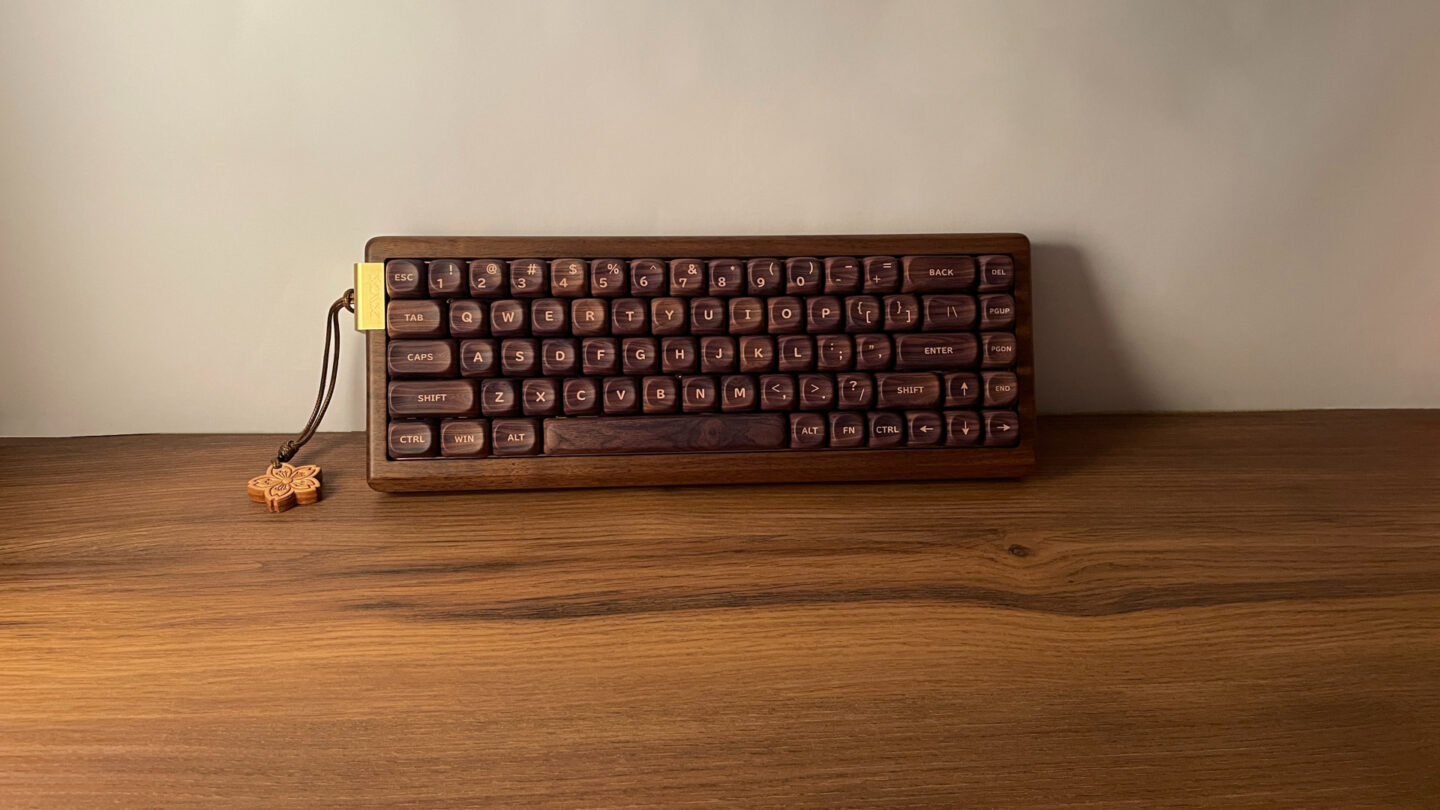
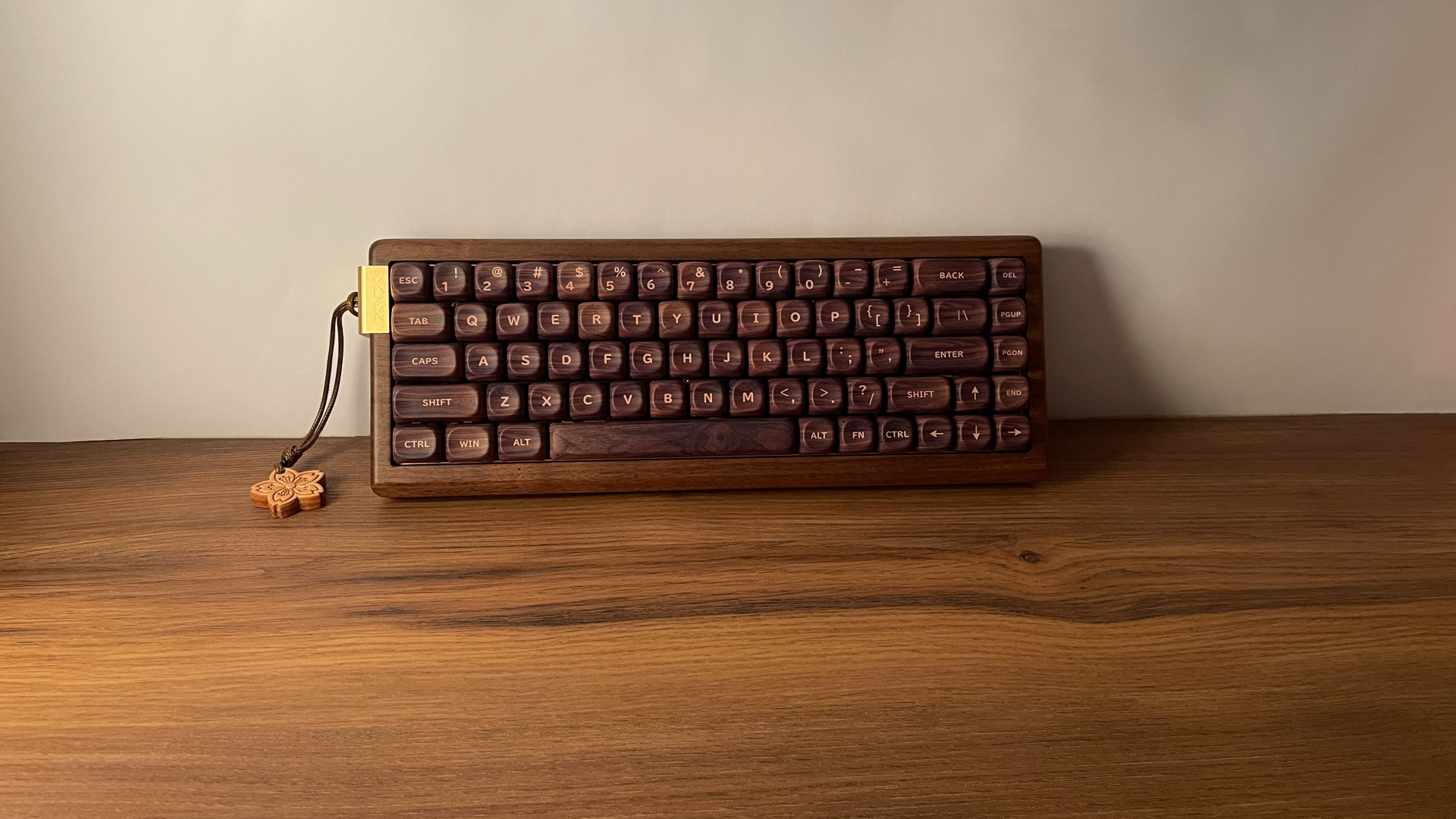

Wooden keyboards have always held a special place in the mechanical keyboard world. There is something inherently appealing about natural wood – the warmth of the material, the unique grain patterns that make every keyboard look slightly different, and the way it turns an everyday peripheral into something that feels a bit more special.
And today, I have exactly that kind of keyboard on my desk: the XVX MU68. So let’s take a closer look at what it has to offer and see whether there is more to it than just its distinctive wooden case.
Unboxing: What’s Inside?
The XVX MU68 comes in a fairly large cardboard box, with the keyboard surrounded by a generous amount of foam inside. The packaging itself is pretty straightforward, but everything is held securely in place and well protected during shipping.

Here’s what you’ll find in the box:
- XVX MU68 Keyboard
- 2.4 GHz Wireless Dongle
- Braided USB-C to USB-A Cable
- 2-in-1 Keycap and Switch Puller
- 3 Spare Switches
- Manual
The accessory bundle covers all the basics and even includes three spare switches, which are always useful to have in case you ever need a replacement.
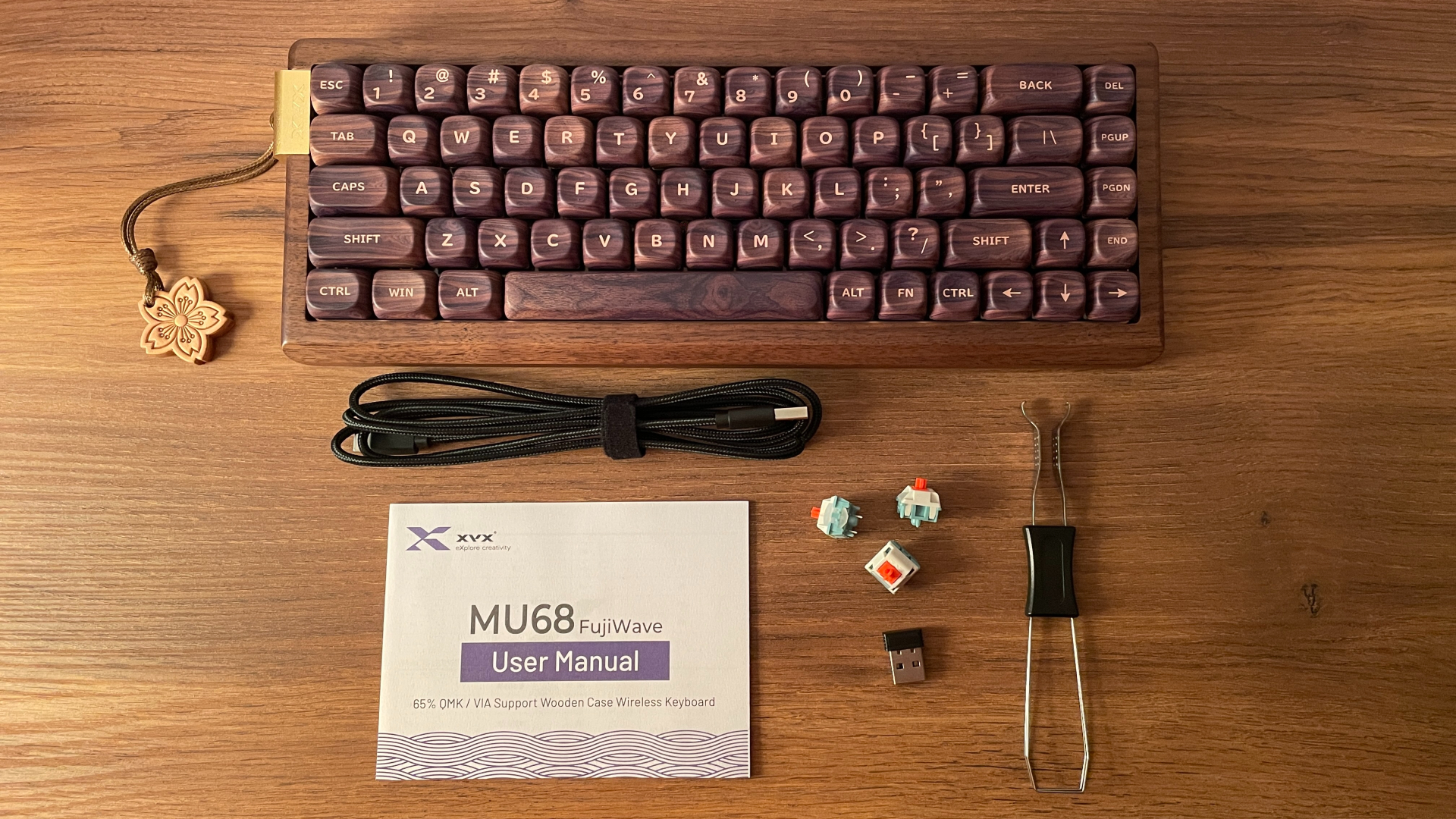
One small detail I noticed is that the 2.4 GHz dongle has no markings or branding on it at all. That is not an issue by itself, but if you already have a drawer full of similar wireless dongles, figuring out which device it belongs to later could be a bit of a hassle. So this is probably one dongle you will want to keep track of.
The only thing I would have liked to see included is a dust cover. It is certainly not essential, but it is one of those simple extras that is always useful to have.
A Closer Look
The XVX MU68 is a 65% mechanical keyboard featuring 68 keys in a standard ANSI layout. It comes with a fixed 7-degree typing angle.
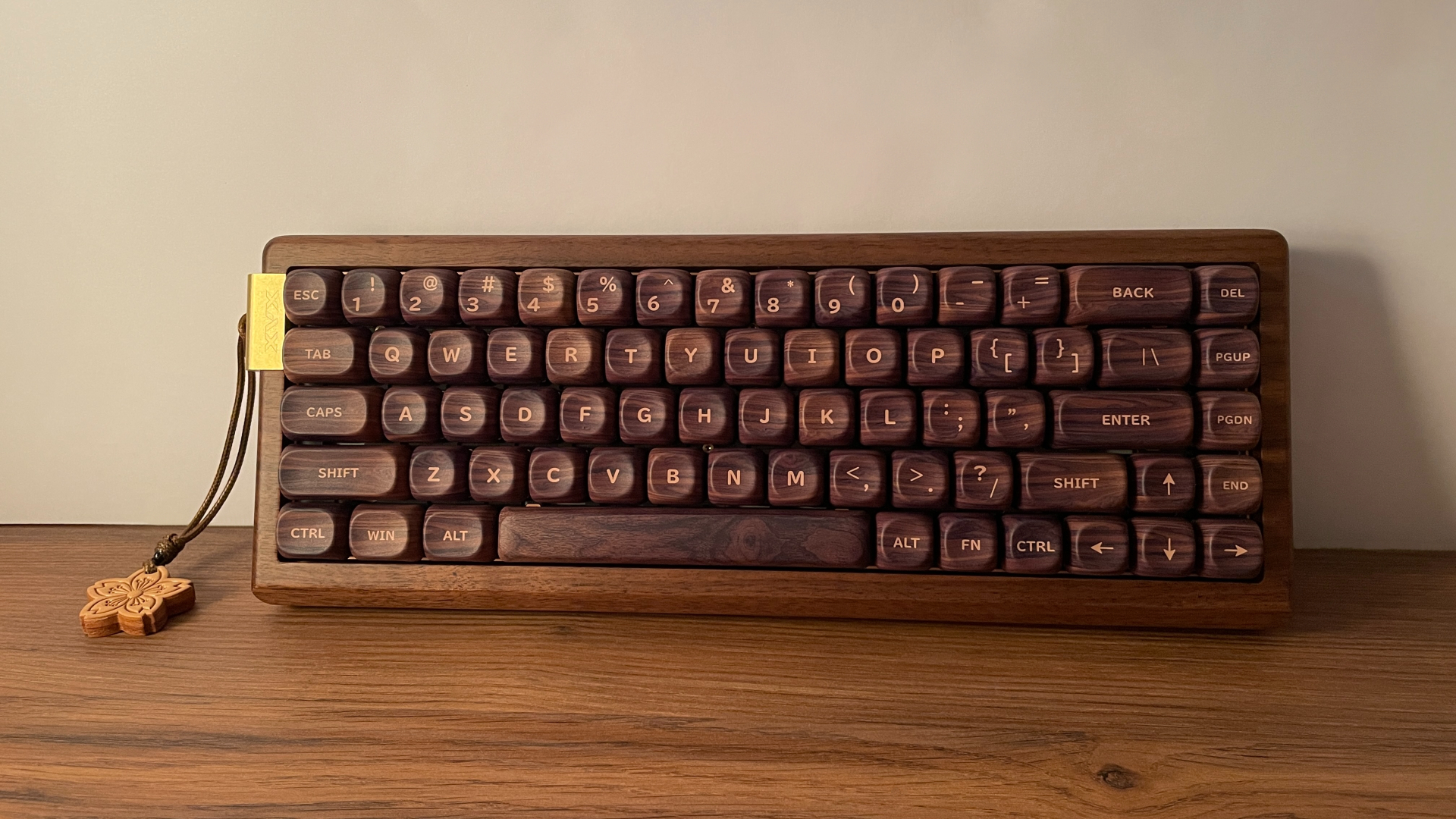
But let’s be honest – while the layout is highly practical, the true centerpiece and the absolute soul of this keyboard is its walnut wood case. There is something genuinely satisfying about having a piece of natural walnut on the desk – it brings a warm, cozy feel that completely shifts the atmosphere of your workspace. And, of course, because it’s real wood, every single MU68 carries its own distinct grain pattern, meaning the keyboard sitting in front of you is quite literally one of a kind.

To complement this organic beauty, XVX added a subtle yet striking gold-colored anodized aluminum accent on the left side of the case. It pairs beautifully with the dark walnut, adding a touch of refined elegance to the design. This metal insert also cleverly serves as a mounting point for a handcrafted leather pendant shaped like a sakura blossom, bringing a lovely, personalized touch to the overall aesthetic.

Weighing in at 865 grams, the MU68 occupies a perfect middle ground. It has much more substantial heft and presence than a typical plastic board of a similar size, yet it remains lighter and easier to handle than a full aluminum board.
As you might hope from a wooden board, the build quality is simply outstanding. The case is carved from a single, solid piece of wood. Because there are no separate top and bottom frames snapped or screwed together, there is absolutely zero creak and zero flex. It is just one unyielding piece of walnut, and there is an incredible amount of charm in that solid simplicity.

XVX also paid close attention to the details. The front edge features a clean bevel, and every single corner has been meticulously smoothed out. The finish on the wood is flawless – it is incredibly sleek and pleasant to the touch, yet it hasn’t been over-processed. I can still feel the subtle, natural texture of the grain right beneath my fingertips. Honestly, it’s such a smooth, pleasant-to-the-touch surface that I find myself running my fingers along the edge while thinking about what to type next.
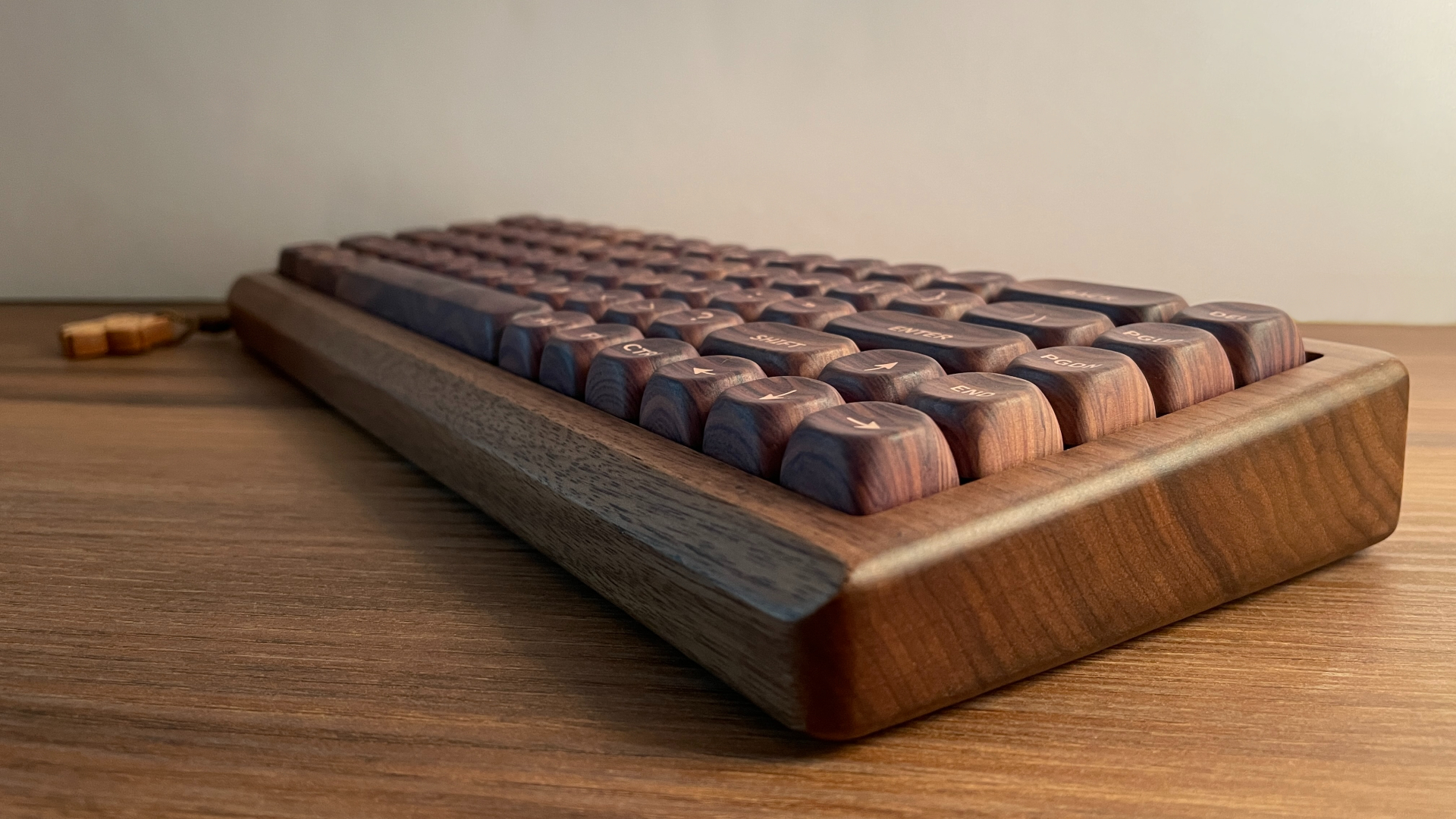
If you really want to appreciate the grain pattern in all its glory, you just have to flip the board over. The bottom is essentially a vast, unbroken canvas of solid walnut, giving you an impressive view of the natural wood patterns at their finest. And to top it all off, if you lean in close, you can even catch a faint, pleasant scent of real wood – a neat little detail that quietly reminds you that you’re dealing with a natural material, and honestly, I absolutely love it.

As with many XVX keyboards, backlighting wasn’t sidelined here. It is bright and saturated, with rich, lively colors. But what’s particularly interesting here – and fairly rare – is how they handled the larger stabilized keys.

Instead of sticking to just the single LED under the switch, XVX added extra lighting points beneath the longer keys. The Backspace, Enter, and left Shift each get two additional LEDs right under the stabilizer stems, bringing the total to three LEDs per key. The spacebar goes even further with four extra LEDs, bringing the total to five along its length.

This keeps the backlighting much more even across the board and prevents those annoying dim spots you usually get on longer keys. It’s a thoughtful touch, especially if you decide to pair the board with keycaps that benefit from backlighting, such as some topographic or similar sets with large shine-through patterns.

Connectivity and Battery
The XVX MU68 is a tri-mode keyboard, with a detachable USB-C wired connection, 2.4 GHz wireless, and Bluetooth connectivity. Bluetooth can stay paired with up to three devices, with separate channels that let you quickly switch between them when needed. This is especially convenient if you plan to use the keyboard with multiple devices.

The polling rate is 1000 Hz in both wired and 2.4 GHz modes, while Bluetooth runs at 125 Hz, which is typical for a Bluetooth connection. Throughout my time with the MU68, I have not experienced any connection issues, random dropouts, or unexpected disconnects in any of the three modes.
Switching between connection modes is handled through keyboard shortcuts:
- Fn + Q/W/E = Bluetooth channel 1/2/3
- Fn + R = 2.4G
- Fn + T = Wired Mode
There is also a physical power switch hidden underneath the Caps Lock key. This essentially connects or disconnects the battery from the PCB, so if you plan to use either wireless mode, the switch needs to be set to ON so the PCB can draw power from the battery. If you are going to use the keyboard exclusively over USB, you can leave it in the OFF position to help extend the battery’s overall lifespan (keep in mind that even with the switch set to OFF, the battery will still charge while the keyboard is connected over USB.)
Like most modern wireless keyboards, the MU68 automatically enters sleep mode after a period of inactivity. Waking it up is effectively instant, with no noticeable delay or missed first keypress. After a longer period without use, it enters deep sleep mode as well, so there is no reason to remove the Caps Lock key and manually switch the keyboard off every time you finish using it. That hidden switch makes much more sense for long-term storage or extended periods of inactivity, such as leaving the keyboard unused for several months.

The MU68 is powered by a 4000 mAh battery, and overall battery life has been solid. With the backlighting turned off, I was getting roughly two weeks of use on a charge on average.
To check the battery level, press Fn + Spacebar. The keys from 1 to 0 will light up to indicate the battery percentage. For example, if keys 1 through 5 light up, it means the battery is at 50%.
VIA Web-Based Configurator
The XVX MU68 is configured through VIA, which is good news for those who prefer using an established and well-known configuration tool instead of proprietary software.
Not familiar with VIA yet? Here’s a quick breakdown:
VIA is essentially web-based software for keyboards running QMK firmware. It allows you to remap keys on the fly, configure layers, create and assign macros, and change preset lighting effects – all without needing to install any extra software. VIA works directly in your browser, whether you’re on Windows, Linux, or macOS. It’s very convenient and user-friendly.
For enthusiasts and power users, VIA offers a wide range of advanced keycodes powered by QMK firmware, with options that go far beyond standard key remapping, allowing you to build highly customized multi-layer setups, create complex key combinations, define unique key behavior, and more. For example, QMK supports Tap-Hold functionality, where tapping a key performs one action, while holding the key triggers a different action, effectively expanding the functionality of a single key without switching between layers.
Mod-Tap and Layer-Tap are good examples of how deep this customization can go. Mod-Tap lets a single key act as a regular keycode – like a letter, number or function key – when tapped, but turns into a modifier, such as Shift or Ctrl, when held. Layer-Tap works similarly: tap for a regular keycode, but hold it and a secondary layer activates for as long as you keep the key pressed, giving you instant access to arrows, media controls, or whatever you’ve mapped there. The moment you release, you’re back to your base layer.

Keep in mind that VIA needs the keyboard to be connected in wired mode in order to detect it. The first time you connect it to VIA, you’ll also need to upload a JSON configuration file, which you can find on XVX’s official website.
When it comes to the MU68 specifically, it offers six fully programmable layers, leaving plenty of room to go beyond the default layer configuration and build a more advanced multi-layer setup. The advanced QMK functions mentioned above work properly here as well. I tested Mod-Tap, Layer-Tap, One Shot Layer, One Shot Modifier and Tap-Toggle, and everything worked as expected, without any strange behavior.
Keycaps
The XVX MU68 is available in two distinct variants that differ by the keycaps installed out of the box: the FujiWave variant features the XVX U-kiyoe Fugaku Series: Mount Fuji Theme keycaps and the Walnut variant comes with XVX Walnut Texture keycaps.
I have the Walnut version here, but the good news is that XVX also sells both keycap sets separately through its official store. So if you pick one style and later realize you actually wanted the other or just want to change things a bit, you don’t have to buy a whole new keyboard. You can simply pick up the other set on its own since the keycaps aren’t exclusive to the board, which I think is a huge plus. I also have the standalone Mount Fuji keycap set on hand, so I’ll be able to show you exactly how the board looks with both styles.
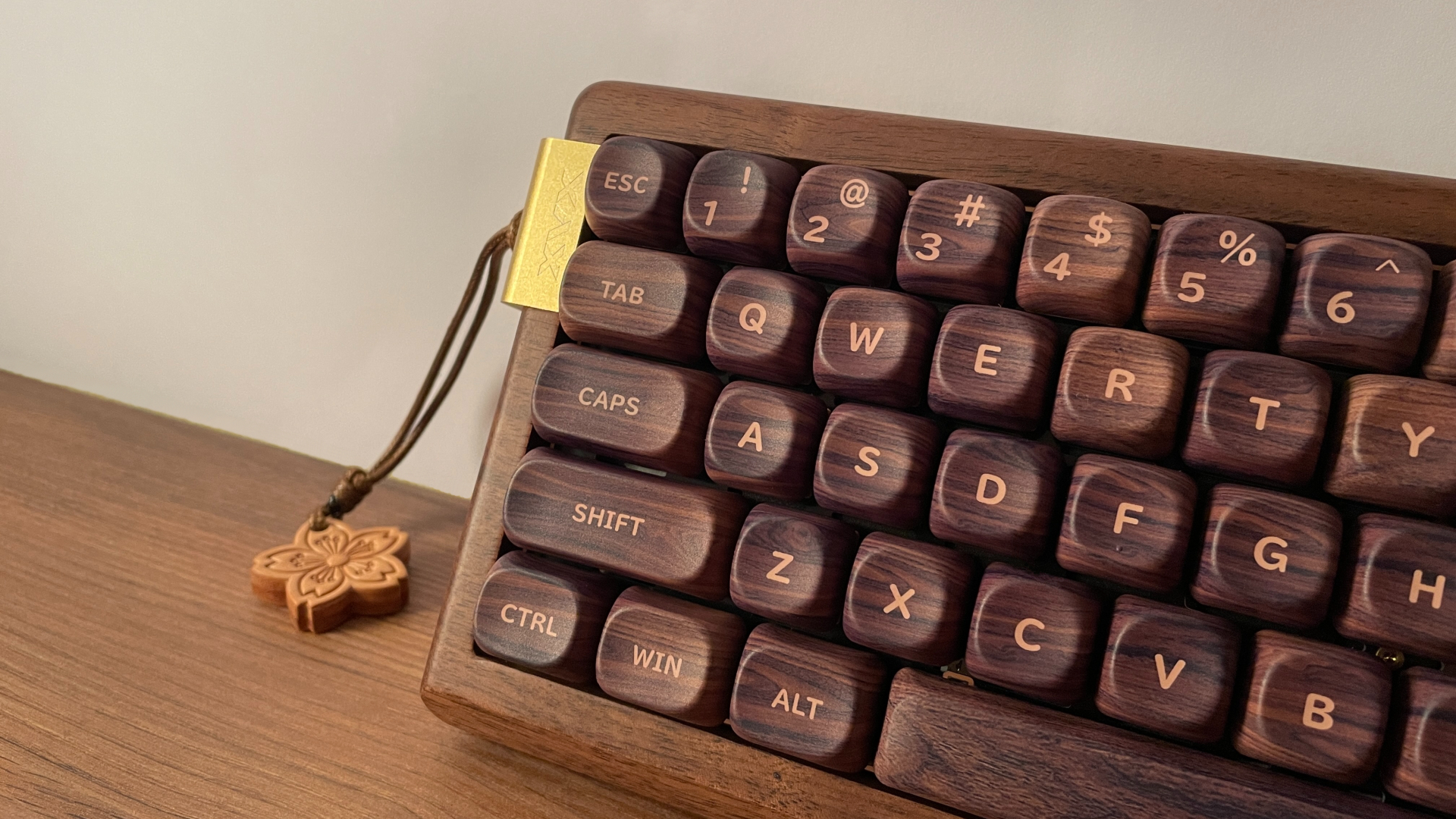
Both sets are made from thick PBT plastic – around 1.6 to 1.7 mm, by my measurements. That is a substantial thickness for a keycap, and it has a noticeable effect on the sound, generally making each keypress sound a little deeper and more muted. PBT is also a very practical material for long-term use. Compared with ABS, it is much more resistant to developing that shiny, worn-out surface that ABS keycaps tend to get after a few months of intense typing, so the keycaps should retain their original texture for much longer.

As for the shape, both sets use the MOA profile. It is a uniform profile, meaning every row has the same basic shape and height. Each keycap features a pronounced, rounded dish in the middle, right where your fingertip naturally rests. If you’ve spent all your time typing on sculpted shapes like Cherry profile, for example, MOA might feel a little unusual at first. However, the learning curve is practically non-existent – your fingers adapt quickly, and the rounded dishes end up feeling great to type on.

The legends and graphics are applied using dye-sublimation. Because the ink is fused directly into the PBT material rather than printed on top, the legends and graphics are highly resistant to fading or wearing away over time. Combined with the durability of PBT itself, this should make both sets hold up very well with long-term use.
As for the design, the choice is pretty straightforward in my mind. It really boils down to the vibe you want for your desk. If you want to lean fully into the wooden aesthetic of the MU68, the Walnut keycaps are the obvious choice. If you prefer something more decorative with a distinctly Japanese theme, the Mount Fuji keycaps give the keyboard a completely different character while still pairing very well with the walnut case.
XVX Coral Sea Switches
The MU68 comes with XVX Coral Sea linear switches. Below are the detailed specifications for anyone interested in the full technical breakdown.
The Coral Sea switches follow the familiar Coral Sea color scheme that you may have already seen on some other XVX products. They come factory-lubed, and the lubrication is decent overall. The switches feel very smooth throughout the travel, with no noticeable scratchiness. POM stems help here as well, thanks to the material’s naturally low coefficient of friction, which further reduces scratchiness during travel. I also did not notice any spring ping.
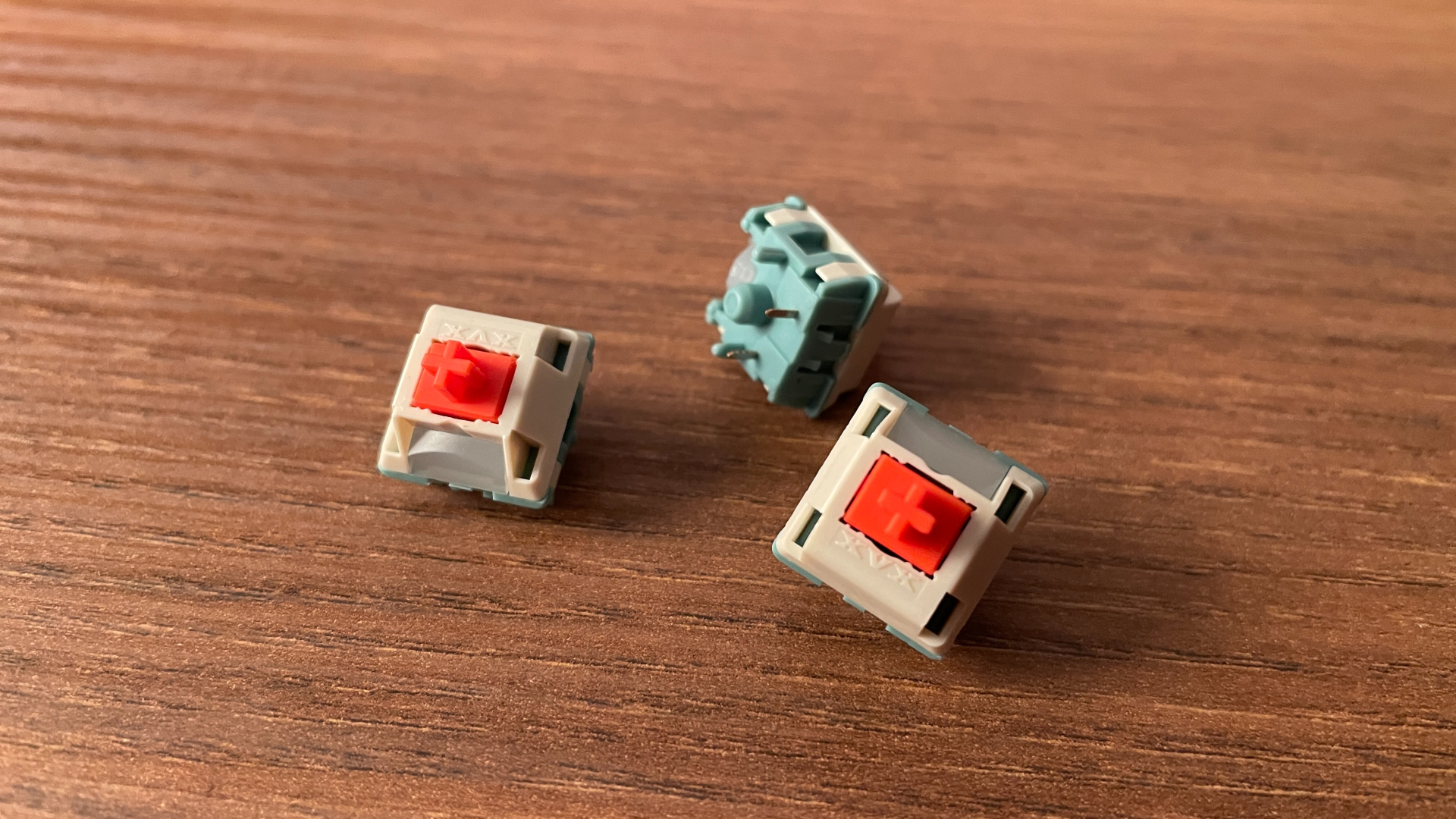
The actuation force sits right in the middle of the typical range for linear switches, so the Coral Sea switches never feel particularly light or heavy. They are light enough for gaming, but still have enough resistance to feel controlled while typing, and they remain comfortable during longer sessions. Overall, the Coral Sea switches are versatile middle-ground linear switches.
One thing that genuinely impressed me was how little stem wobble these switches have. There is very little movement in either direction, noticeably less than I expected, which helps the keys feel more stable under the fingers.
Each switch also has an integrated LED diffuser. Despite the opaque housing, the diffuser helps spread the light more evenly, allowing the MU68 to maintain bright and uniform backlighting.

The MU68 is, of course, hot-swappable, so if you want to install something better suited to your preferences or simply experiment with different switches, you can do so without soldering. The sockets support both 3-pin and 5-pin mechanical switches.
The stabilizers are factory-lubed as well, and I had no issues with them. There is no noticeable rattle or ticking, and the larger keys feel stable and smooth with each press.
Structure and Mounting
The MU68’s case is made from a single piece of wood, which gives the keyboard much of its character but also naturally shapes the way its internal structure is designed. Like most wooden keyboards, the MU68 uses a tray-mount structure.
XVX did make an effort to soften the typing feel, though. The MU68 comes with an FR4 plate with multiple flex cuts, allowing it to flex slightly under each keypress and absorb some of the bottom-out impact, making the overall typing feel a bit less harsh.

Under the plate, there are three layers of sound-dampening material:
- Poron Plate Foam
- IXPE Switch Pad
- PET Acoustic Pad
Below that sits a black 1.2 mm PCB, which also has flex cuts to soften the typing feel further. Interestingly, the PCB also has mounting holes for screw-in stabilizers, giving you a bit more flexibility if you want to modify the build later.
There is another layer of sound-dampening material underneath the PCB:
- Poron Case Foam
And there is still some space left inside the case. So if you want to experiment with additional foam or other sound-dampening materials, there is room to do so.
Typing Feel and Sound
The typing feel here leans toward the firmer, more direct side, which naturally comes with its tray-mount structure. However, it never feels overly stiff or harsh, as the numerous flex cuts in both the FR4 plate and PCB help absorb some of the bottom-out impact and soften each keypress slightly. The Coral Sea switches fit this character well, adding a smooth, moderately weighted keypress without making the board tiring to type on. Their extremely low stem wobble is another pleasant detail, as the keys feel very stable under the fingers with almost no unwanted side-to-side movement.

The wooden case gives the MU68 a very distinct acoustic character, influencing the way each keypress sounds in a way that is difficult to describe or directly compare with more conventional case materials. If I had to put it into familiar terms, I would describe the overall sound as poppy and slightly marbly, but with a character of its own that clearly comes from the wooden case. The multiple layers of sound-dampening material do a great job of keeping the sound clean and well-defined, preventing it from becoming hollow without completely muting its natural character.
Pros and Cons
Final Verdict

At the end of the day, wooden mechanical keyboards remain a rare find on the market, making a well-executed board like the XVX MU68 feel all the more special. The solid walnut case gives it a very distinctive look, while the gold-colored aluminum accent adds just enough contrast to make the design feel even more elegant. But the MU68 is not relying on looks alone. Combine that distinctive design with smooth switches, excellent PBT keycaps, bright and well-executed backlighting, and seamless VIA customization, and you get a keyboard that is not only beautiful but also highly practical for everyday use.
If you like the idea of a wooden keyboard and want to bring a warmer, cozier aesthetic to your desk without sacrificing build quality or essential features, the XVX MU68 is a genuinely compelling choice.
Additional products featured in this review: XVX Pro V2 Push-Pull Aviator Coiled Cable

Controller and mechanical keyboard enthusiast. Tech reviewer, regularly sharing thoughts about gadgets and computer peripherals.