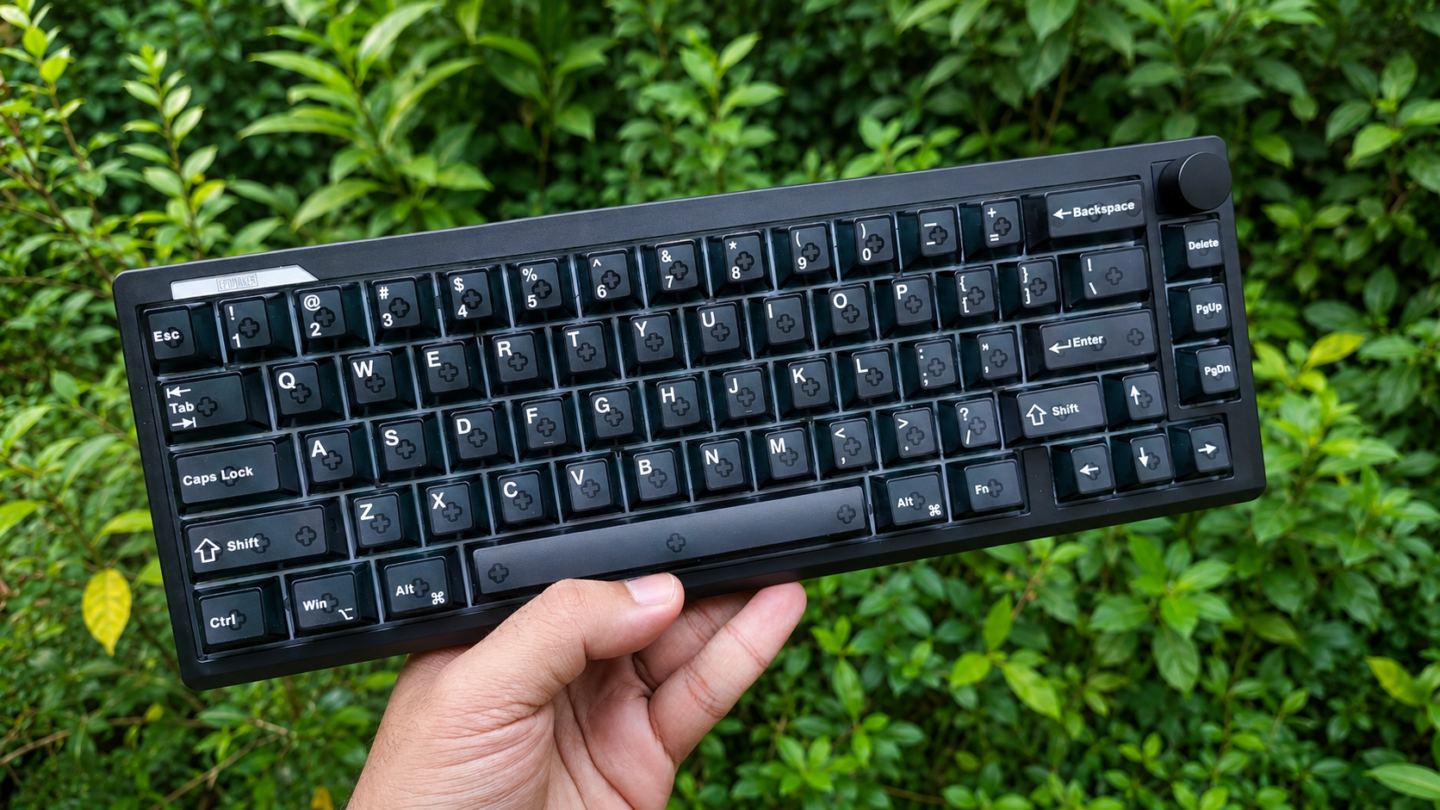
It’s undeniable that Hall Effect and TMR keyboards have been the go-to choice for gamers in recent times – and for good reason. But my one gripe with HE and TMR keyboards has always been that they don’t sound as good as traditional mechanical keyboards. But this keyboard from Epomaker proves that since my last hands-on experience a few months ago, magnetic keyboards have come a long way.
The Epomaker HE65 V2 TMR is an awesome keyboard. It plays games well, it types well, and the sound and feel of this keyboard doesn’t leave much to be desired. Let me show you why I like this keyboard so much in this review.
Keyboard Specs
| Epomaker HE65 V2 TMR | |
|---|---|
| LAYOUT | 65% Layout, ANSI US Layout, QWERTY Layout |
| Number of Keys | 66 Keys + 1 Knob (Knob is not swappable) |
| Battery | 4000mAh Battery (2000mAh x 2) |
| Connectivity | 2.4Ghz / Bluetooth / Wired |
| Compatibility | Mac / Windows /Android |
| Typing Height | Front – 2.15cm Back – 4.32cm |
| Typing Angle | Default – 6 degrees Stage 1 – 9.5 degrees Stage 2 – 13.5 degrees |
| Case Material | ABS Plastic |
| Plate Material | FR4 Plate, Non Flex-cut |
| PCB | Non Flex-cut |
| Stabilizers | Plate-Mounted Stabilizer |
| Mounting Structure | Gasket Mounted |
| Sound Dampening | 4-layer sound-optimizing system with sandwich latex foam, an IXPE switch pad, EPDM bottom foam, and bottom silicone. |
| Keycaps | Cherry Profile, Transparent PC keycaps with matte top surface, SIlk print legends |
| Polling Rate | USB/2.4Ghz – 8000hz Bluetooth – 125hz |
| Scan Rate | 64,000hz |
| Latency | 0.125ms (Wired), 0.125ms (2.4Ghz) and 14ms (Bluetooth) |
| Software | Epomaker Driver V4 |
| Dimensions | 32.4cm x 11.7cm x 4.3cm |
| Weight | 750g |
Unboxing & First Impressions
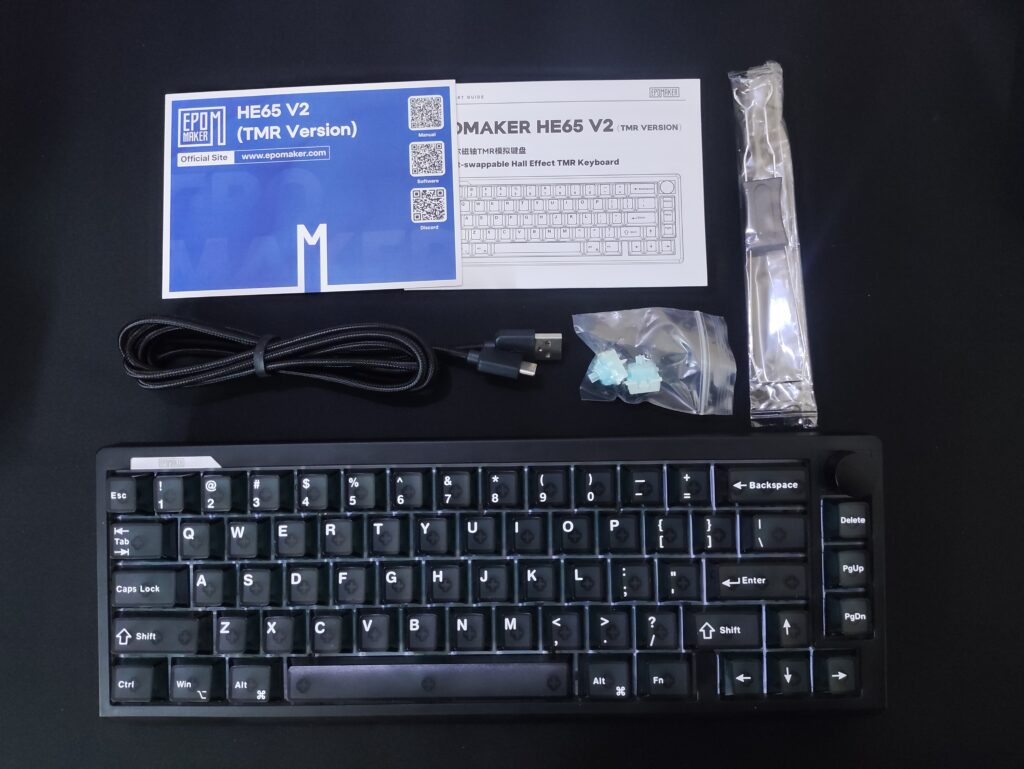
The Epomaker HE65 V2 TMR has a pretty simple unboxing experience. The box is the usual Epomaker design and inside the box you’ll find:
- The keyboard (which houses the 2.4gHz adapter on the back)
- A user manual
- A quick actions guide with shortcuts on the back
- A USB-A to USB-C cable
- A keycap and switch puller
- 2 spare switches
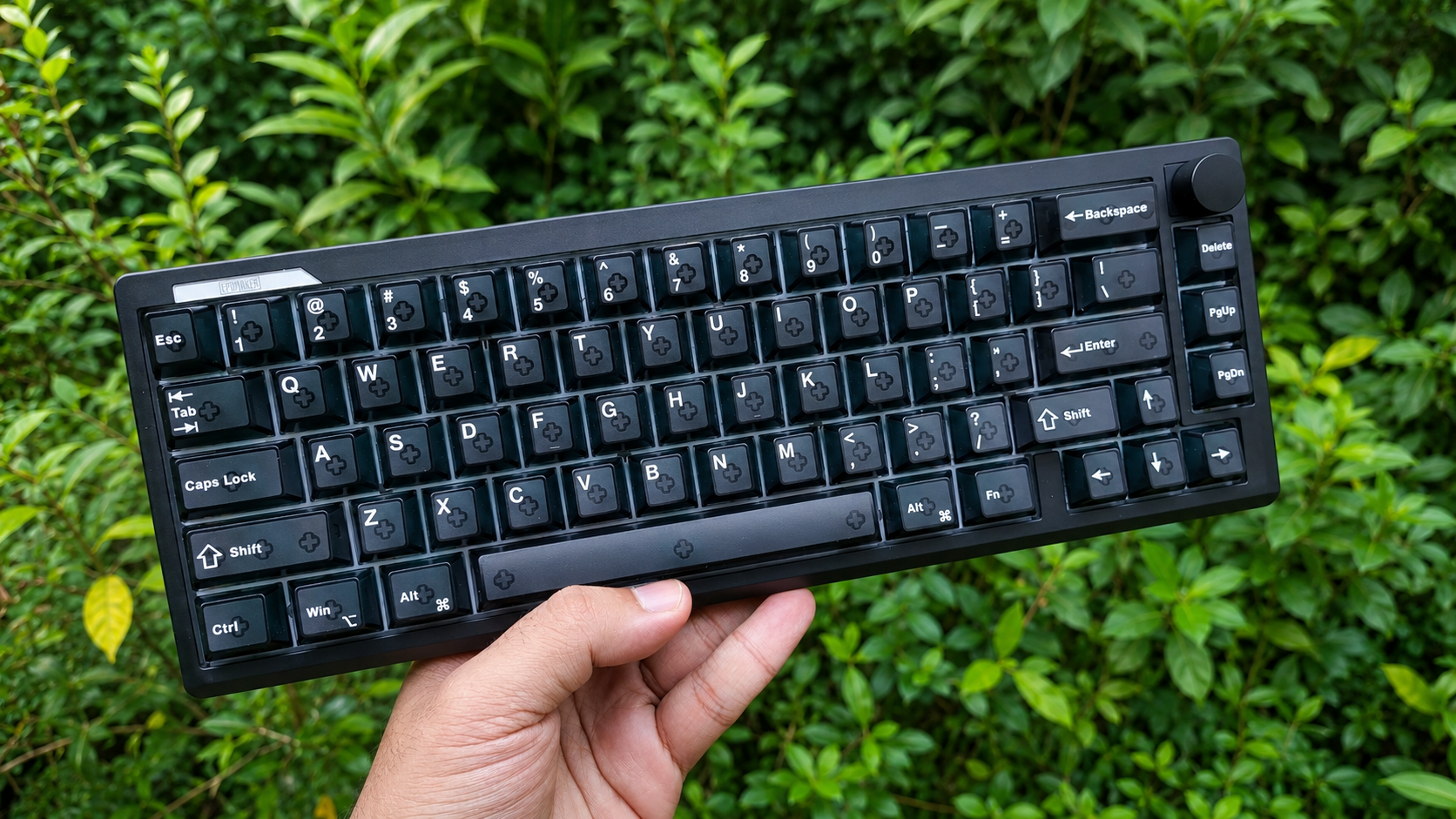
The keyboard looks and feels great. It comes in two colourways – black, which I got, and white. The white variant also looks pretty clean from the photos on the product page.
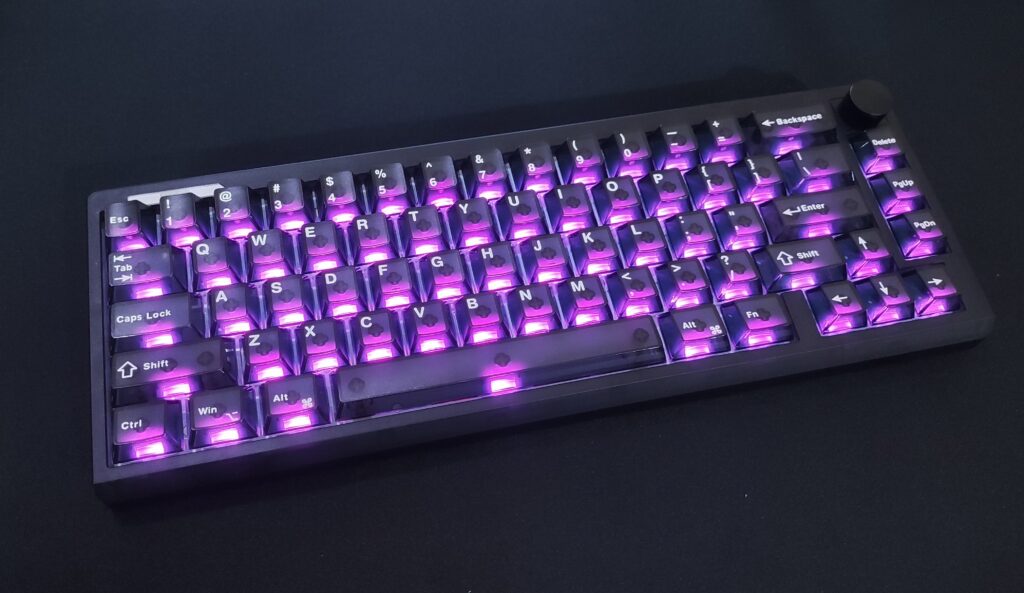
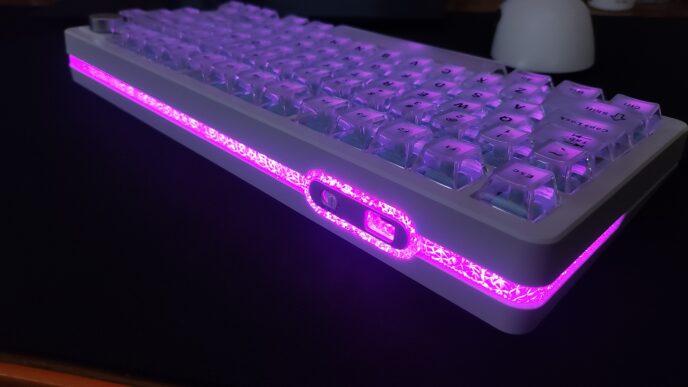
The Epomaker HE65 V2 TMR (gosh that’s a mouthful to say) sports a pretty clean aesthetic. With the RGB off, the translucent plastic gives it a “ghost” like look which I enjoy a lot. The RGB shines through the keycaps quite beautifully, and combined with the light diffusers in the switches, it looks awesome. It’s quite bright too. Although, when you have the RGB set to higher brightness levels, the visibility of the letters decreases. Not a big deal IMO, but figured I should still point it out.

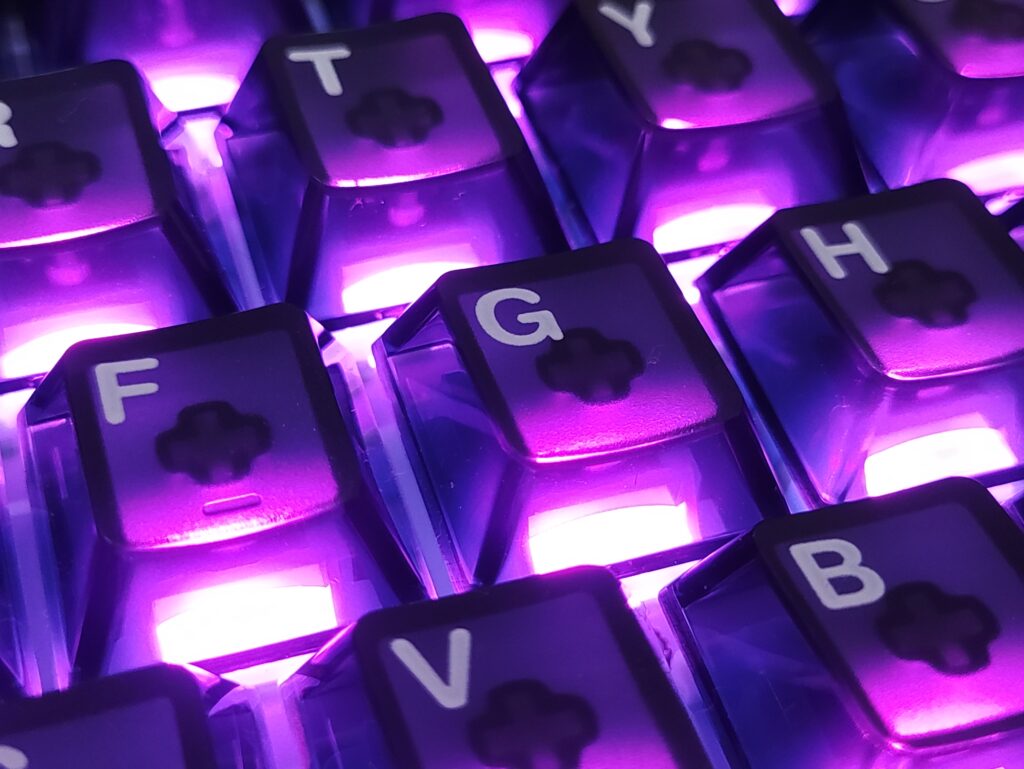
The white lettering looks great on it, but it’s painted on top of the keycaps. This makes me believe that it will wear out after long term use. I understand the aesthetic trade-off they would have to make if they went for a double-shot lettering process, so I’ll excuse this. You can always swap the keycaps out anyways, like Epomaker’s own offerings. I quite like the Epomaker × vvyruus Retromania Keycap set on this keyboard.
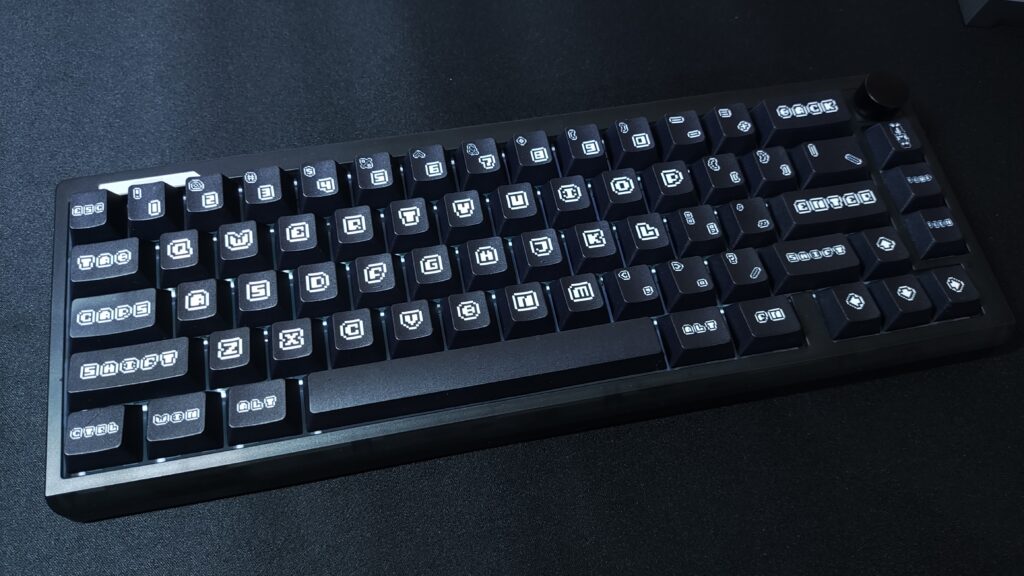
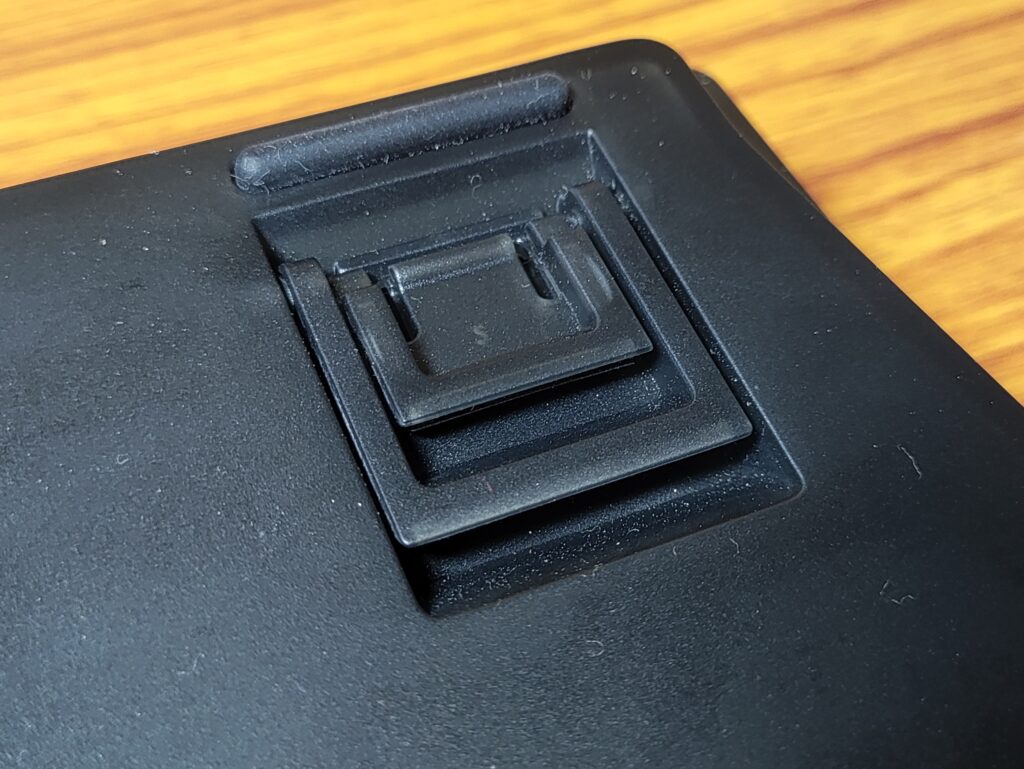
Build quality is quite good. It’s a very sturdy feeling keyboard even though the body is fully plastic. It feels quite hefty and premium, owing to the heavy silicone layer inside for sound dampening. There’s no flex in the keyboard frame. The rubber feet work well, and the 2 stage height adjustment feet are nice to have.
There are a few thoughtful additions here which I would like to point out :
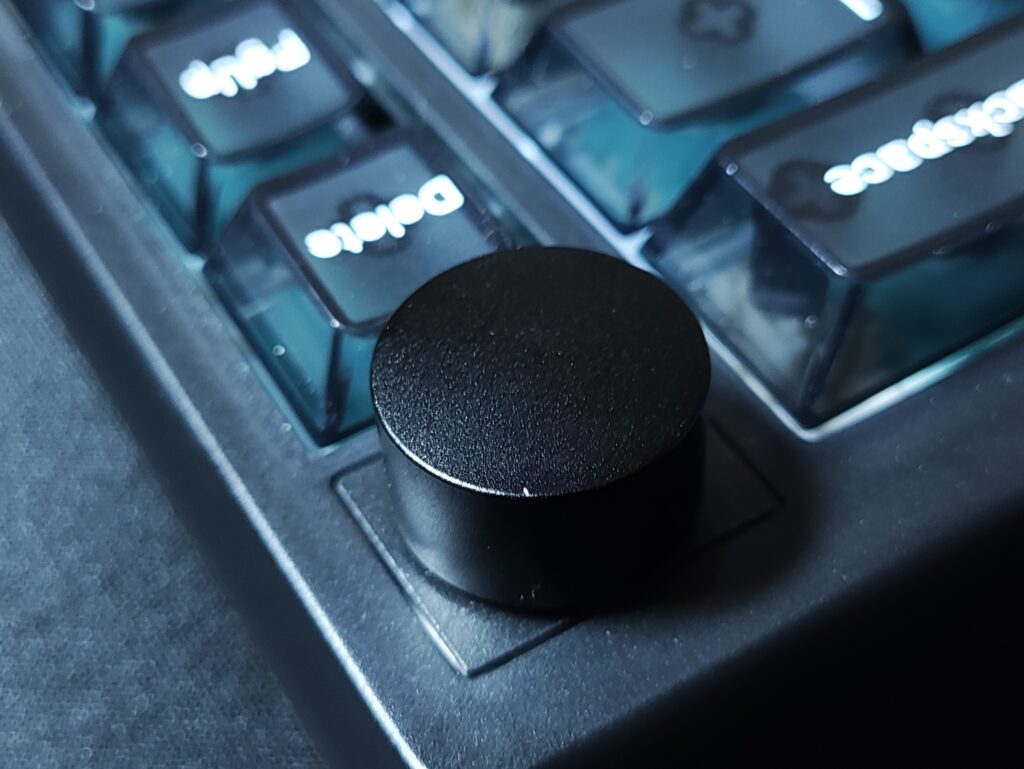
- Tactile knob – It’s a nice, metal knob with ample resistance when turned. There are tactile bumps, and the bumps match the actual input (which isn’t always the case with keyboards surprisingly)
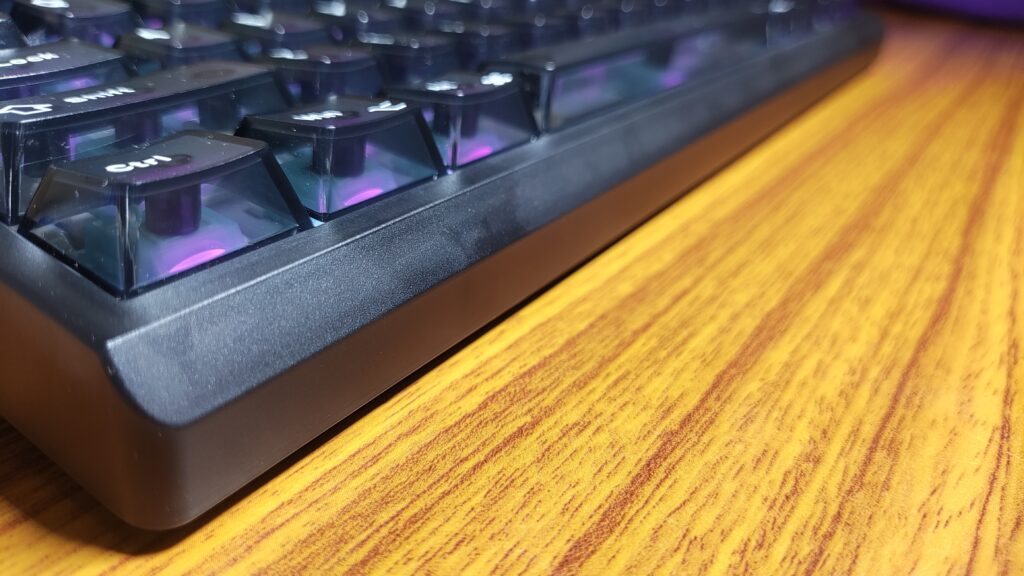
- Sloped front lip – The sloped lip gets out of the way of your thumb and palm when you’re typing or gaming. This is a small thing, but it’s definitely noticeable and makes the keyboard experience a lot more comfortable than in keyboards that don’t have this.
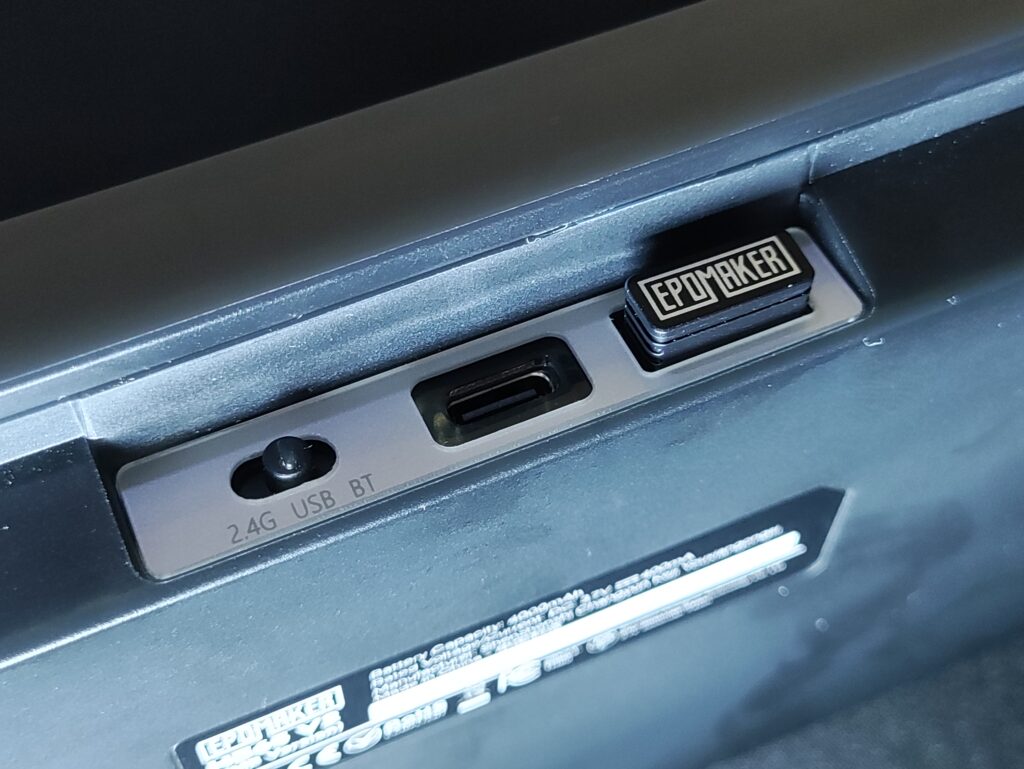
- Dongle holder – The slot for holding the 2.4gHz dongle, while not magnetic, holds the dongle firmly and prevents it from falling out when you’re taking the keyboard in your backpack.
- Height adjustment feet – The two stage height adjustment feet is a nice feature to have. Most metal keyboards skip this feature, but since this is a plastic keyboard, it’s present.
Features
The HE65 V2 TMR is a compact 65% layout keyboard, which means it gets rid of the numpad and function row to make the keyboard’s footprint smaller. This gives you a lot more room for mouse movement. The keyboard weighs about 750g, which is heavy enough to not move during gameplay, but light enough to carry in your backpack easily.
It features a gasket mounted PCB which helps to mitigate stiffness while typing and gaming, which in turn reduces finger fatigue over long typing or gaming sessions.
The FR4 Plate and the PCB are not flex-cut. While flex-cuts would add some more bounce to the feel of the switches, it would also cause inaccuracies in the TMR sensor which is quite sensitive (precise down to 0.01mm of travel). So I don’t mind this. The typing feel of the keyboard is great regardless.
The HE65 V2 TMR comes with 4 layers of sound dampening, which gives the keyboard a pleasant sound profile. This keyboard does not have the chatter and rattle that I have experienced in other Hall Effect keyboards. I’m impressed.
The keyboard only has one switch option currently – the Epomaker Creamy Jade HE switches. They’re really nice to use. It’s a smooth linear switch (Hall effect and TMR keyboards don’t have tactile switches yet) and it gives this keyboard a relatively deep and satisfying sound profile.
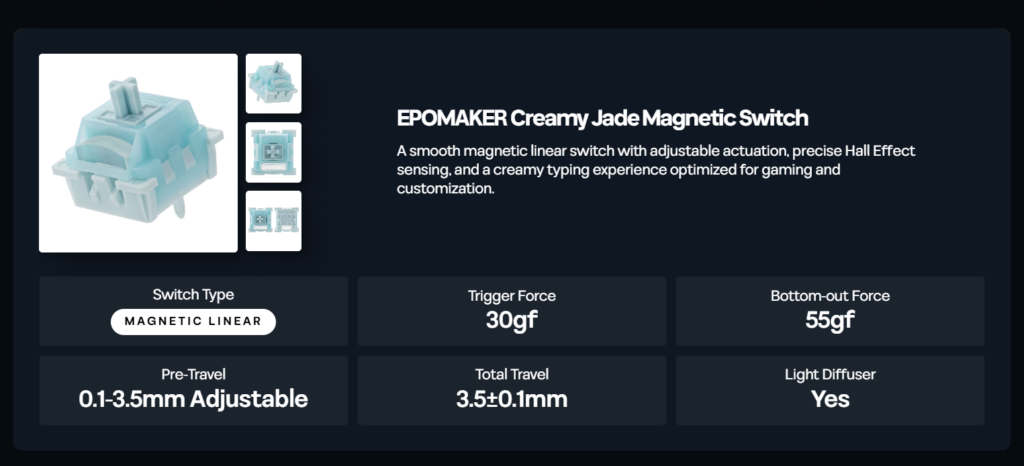
One really cool feature of the HE65 V2 TMR is that it supports “hybrid” hot-swapping of switches. This means that you can use regular mechanical switches in this keyboard as well! IMO this is a really important feature because this lets the user use a plethora of switches- tactile, linear, clicky, silent- as they wish to use. This mitigates the biggest downside of Hall Effect keyboards.
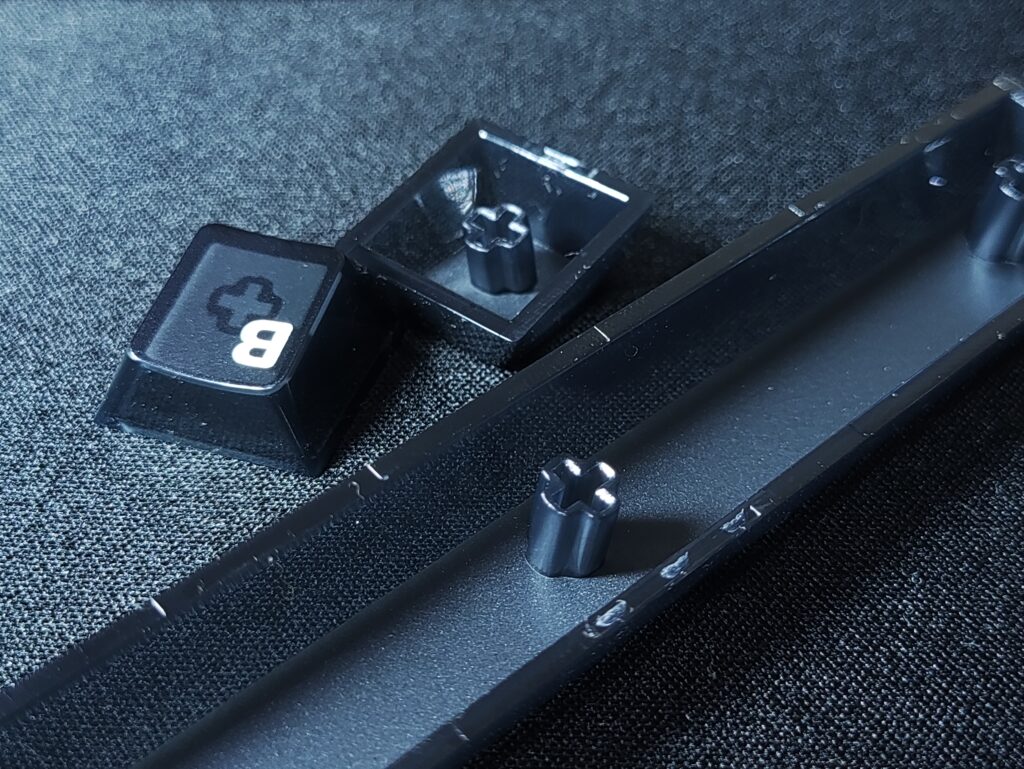
This keyboard comes with transparent PC keycaps with a matte top surface. This material choice contributes partly to the deep thocky sound profile of this keyboard out of the box. The matte top surface is an excellent design choice IMO, as it feels good to type on and it makes the legends easier to see. The legends are silkscreened onto the keycaps, and they’re pretty sharp. The quality of these keycaps doesn’t disappoint. Good job Epomaker.
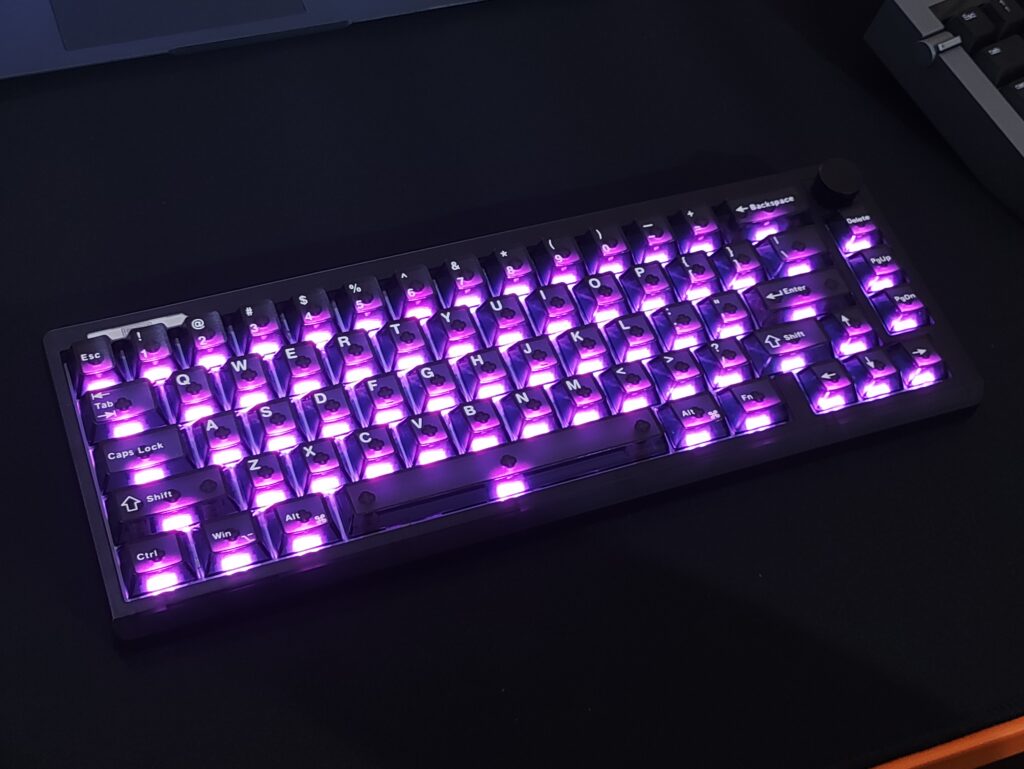
The RGB implementation is excellent, and there is a good variety of animation and colour options which you can access via the software or by using built-in shortcuts in the keyboard. There is only under-switch, south facing illumination, and no sideglow lights or anything. Not a complaint, just an observation.
With the RGB enabled, the keyboard lasts about 30 hours. And with the RGB disabled, the keyboard should last a very long time which I haven’t been able to test. This is thanks to the 4000mAh battery in the keyboard, combined with TMR switches which offer excellent power efficiency (compared to hall effect switches)
The HE65 V2 TMR features Tri-mode connectivity compatible with Mac, Windows, and Android. Wireless and wired performance has been flawless in my experience.
This keyboard supports 8000Hz of polling rate with a 64000Hz scanning rate, which supposedly is helpful in competitive games. While this is technically correct, the difference in imperceptible to a human being without using something like a slow motion camera pointed at a 500hz screen.
I’ve been using the keyboard at 1000Hz and the performance is great. Remember that if you go for higher polling rates, it puts some strain on your CPU and can cause slight FPS drops and micro stutters, especially on less powerful CPUs.
The latency numbers are impressive. Apparently you can get upto 0.125ms latency at 8000Hz polling rate. I personally cannot perceive any difference between this and a few milliseconds of latency, but I can tell you that there isn’t any perceptible latency in wired and 2.4gHz mode, and it has been excellent for all kinds of games. I’ve used it for CS2, Valorant, osu!, ADOFAI, etc. In Bluetooth mode, there’s 14ms of latency at 125hz polling rate. Excellent for using wirelessly while preserving battery life for regular typing use cases.
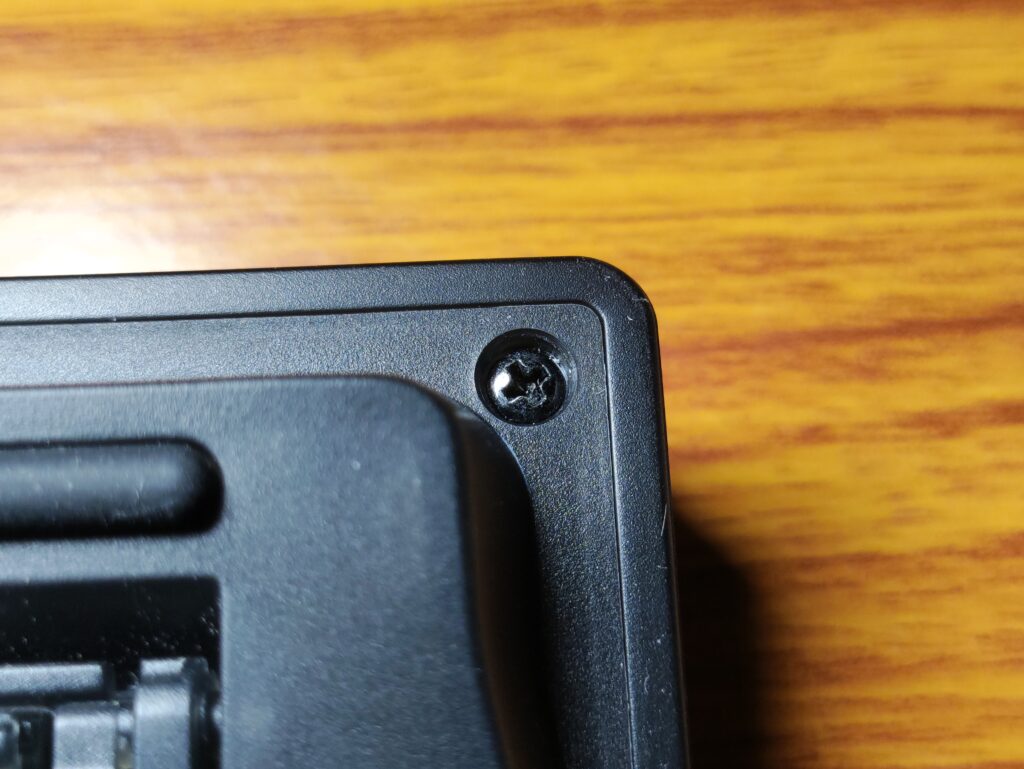
REPAIRABILITY – One “feature” which is not very common in pre-built keyboards these days that the HE65 V2 TMR has is ease of access to the internals. Most keyboards these days, including the HE75 V2 TMR in the same lineup by Epomaker, need you to pry the top and bottom parts of the case using a tool and pushing on plastic tabs that can break. But the HE65 V2 TMR can be opened by just unscrewing a few screws on the back! This is a feature that I enjoy very much as a tinkerer, and is something I can’t take for granted in this day and age.
Software & TMR Features
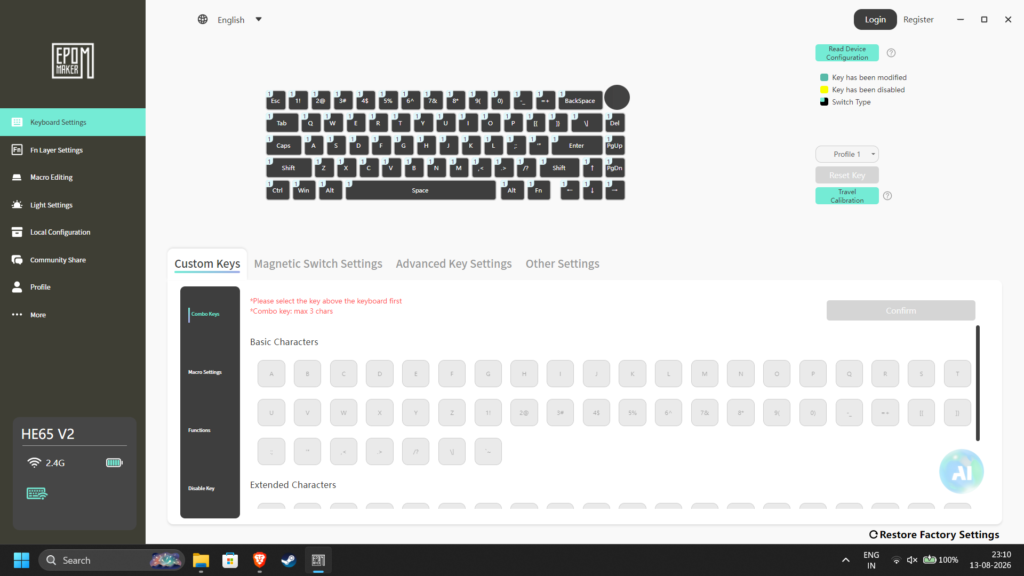
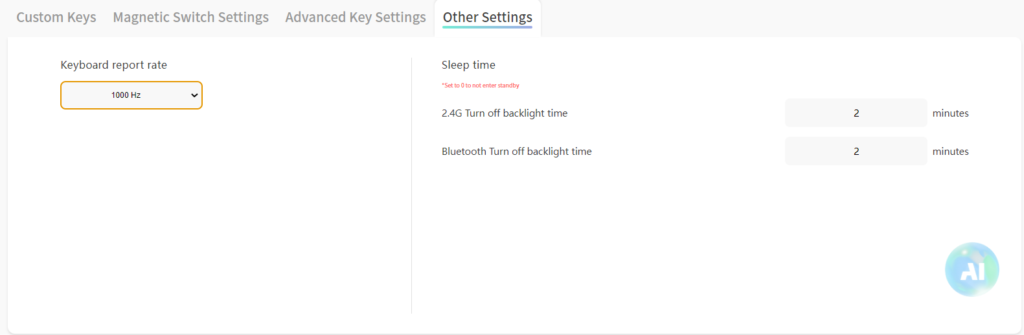
The HE65 V2 TMR pairs with the Epomaker Driver V4. It’s quite clunky and unappealing to use. But it does have all the basic features you would expect from a Hall Effect or TMR keyboard. Refer to the screenshots below to see the exact features available.
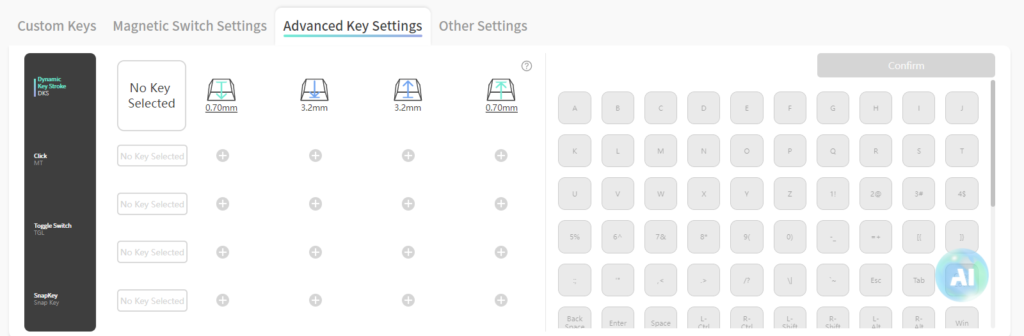
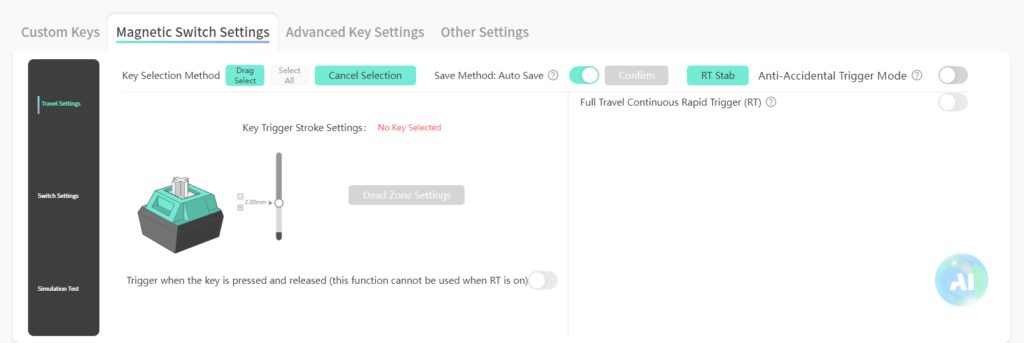
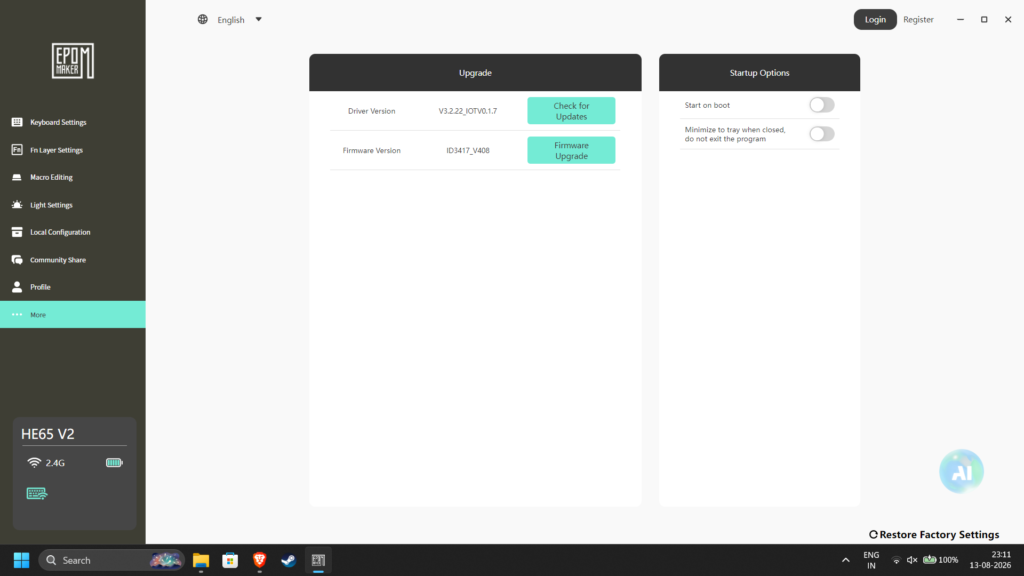
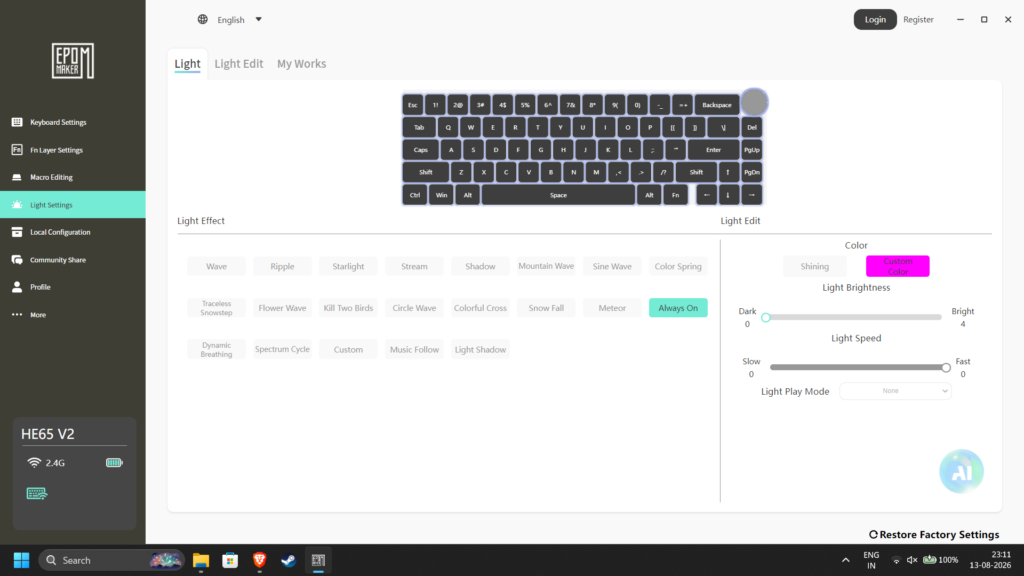
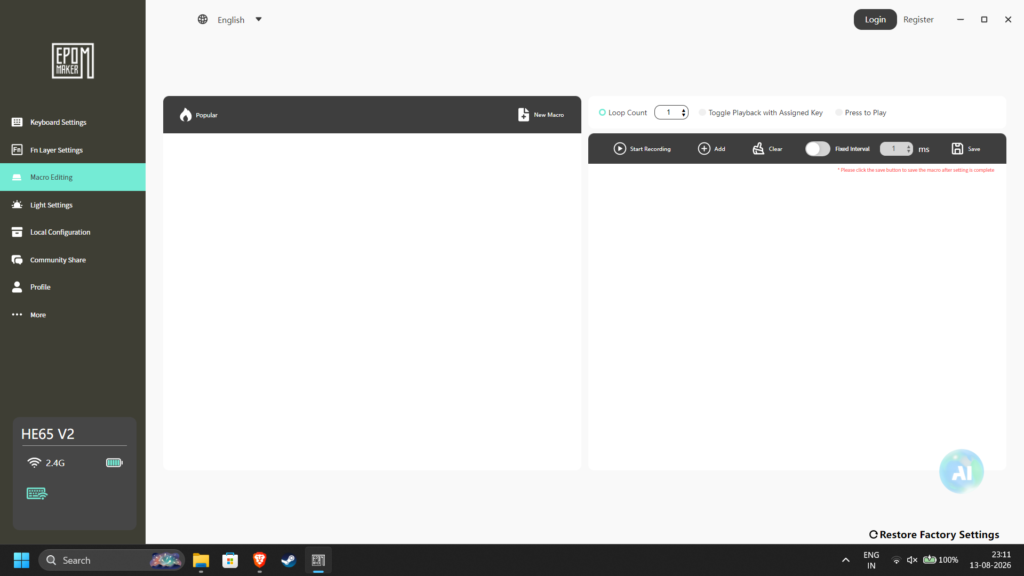
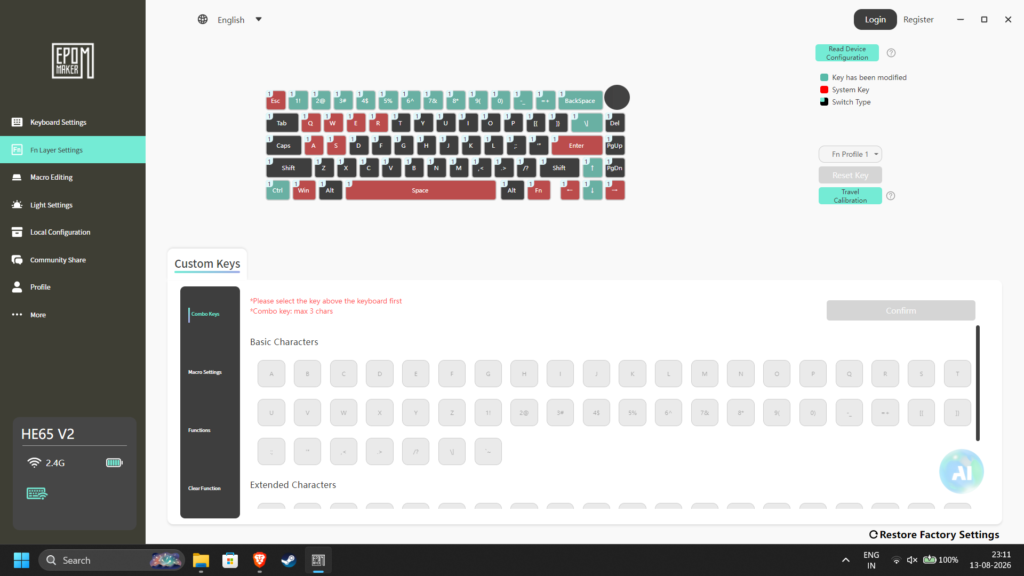
Rapid Trigger – This feature removes fixed actuation and reset points. Instead of waiting for a key to travel all the way back up to reset, the key deactivates the instant your finger lifts upward, allowing for ultra-fast repeated keystrokes and immediate input changes. With the HE65 V2 TMR, you get RT precision of as low as 0.01mm. This is incredibly useful for shooters such as Counter Strike and rhythm games such as osu!.
Adjustable Actuation – You can adjust how far into the keystroke the input actually registers. This can be adjusted individually per key in the software. I usually keep actuation distance low for WASD.
DKS (Dynamic Keystroke) – You can assign multiple actions to a single key press based on how far down you press the key or lift the key. Quite handy for games like tarkov or PUBG where there is a ridiculous number of keybinds. It’s also quite handy in day to day typing scenarios. I’ve set it up so that the number row inputs the function row input when I press the key halfway.
SOCD (Simultaneous Opposing Cardinal Directions) – Also called Snap Tap or Snap key by certain brands, SOCD dictates how opposing movement keys are handled when pressed at the same time. The most common use for this is to “counter step” in games – as soon as you press D, the A input gets cancelled which gives you a movement advantage in competitive games which could only be achieved at a very high skill level before this. In fact, the advantage is so significant that many games ban the use of this feature.
Aside from these TMR specific features, the software also provides you with all the standard customization that a keyboard software should provide – RGB customization, Polling rate control, Key remapping, Sleep timer, firmware updates etc.
My one complaint with this software is that it doesn’t auto-calibrate when you swap switches, so you need to have the software installed on your PC to perform the calibration yourself.
CONCLUSION
The Epomaker HE65 V2 TMR is an excellent, versatile keyboard with practically zero compromises. Sure, it has a plastic build instead of metal, but this helps keep the keyboard portable and the sound profile pleasant.
This keyboard has proved itself an excellent companion for gaming AND productivity, and it has swayed my opinion about Hall Effect keyboards not being great to type on.
All that being said, I highly recommend this keyboard to anyone looking for a great, relatively affordable hall effect keyboard that sounds awesome to type on. It’s also a great starting point for someone trying out a hall effect keyboard for the first time, as you can swap in regular mechanical switches into this keyboard if you don’t enjoy the magnetic keyboard experience.

Hello! 🥰 I'm Fang.
I like gaming and related tech. I enjoy learning more, and sharing my experiences through my review videos and blog posts. Have fun! 💖