



Have you ever found yourself repeating the same complex shortcuts dozens of times a day, wishing there was a single button for all of them? That frustration isn’t accidental — it’s a sign that your workflow has outgrown your keyboard.
A few months ago I added the Cybrix 16 to my setup to see if a dedicated macropad could actually change the way I work, or if it would just be another gadget gathering dust on my desk. Here’s what I found after using it for several months.
Main Features and Specifications
Notable Features:
- Dedicated LED for showing active layer
- Three cool-looking knobs
Brief technical specifications:
- Layout: 16 Keys + 3 Knobs
- Case Material: 6063 Aluminum, 180-grit CNC finish
- Finish Technology: Anodizing (Black/Silver), Electrophoresis (Pink)
- Keycaps: 5-Side Dye-sub PBT, Cherry Profile
- Switches: KiiBoom Flick, Pre-lubed
- Plate: FR4
- Hot-swappable: Yes, 3/5-pin Mechanical Switches
- Backlight: RGB, South-facing LEDs
- Software: VIA
- Connectivity: Wired
- Anti-Ghosting: N-Key Rollover
- Dimensions: 136 x 89 x 35 mm
- Weight: around 0.35 kg
Colorways and Finishes
The macropad is available in 3 colorways:
- Black (Anodized)
- Silver (Anodized)
- Pink (E-Coated)
All 3 variants come with KiiBOOM Flick Switches.

Unboxing: What’s Inside?
The Cybrix 16 comes in a solid and stylish box, shrink-wrapped in film. Each component is secure and well-packed in custom-cut foam inside the box.

Inside the package you can find:
- Cybrix 16 itself
- Two spare switches
- Combined 2-in-1 keycap and switch puller
- Braided USB-A to USB-C cable
- Manual
It is also worth noting that the included cable is braided and of fairly decent quality. It even has a ferrite bead to reduce radio interference.

Design and Build Quality
The Cybrix is a 16-key macropad with 3 rotary encoders. It offers a clean, sleek, and minimalist design. Its elegance is further enhanced by a beautifully crafted aluminum case. The build quality is truly top-notch. The finish matches the overall quality — the surface is smooth, without any rough edges. The Cybrix 16 feels extremely solid and pleasant to the touch.

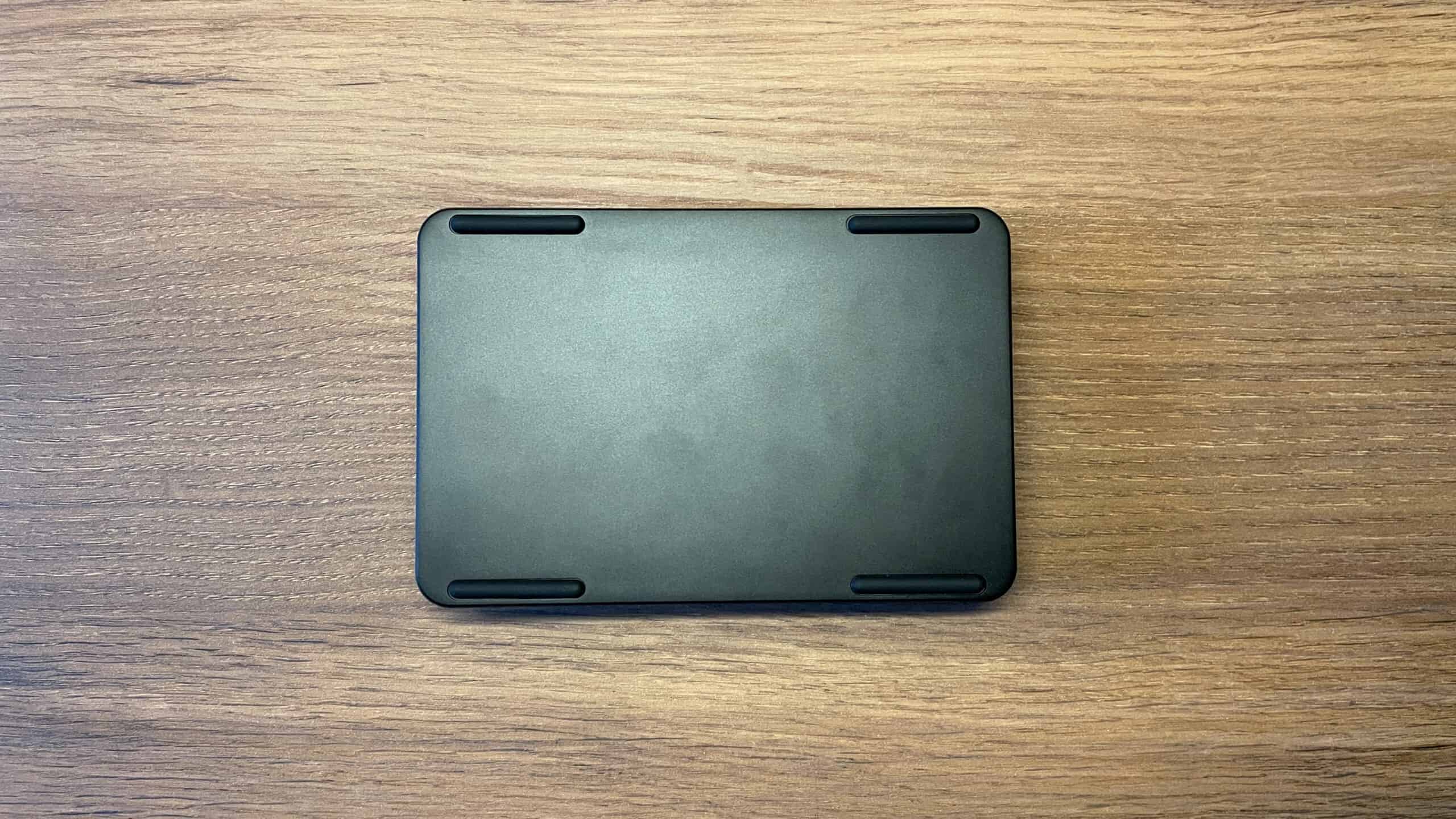
On the back of the device, there is only a port for the detachable USB-C cable. The bottom surface features 4 rubber feet. Despite its compact size, the aluminum case gives the device a weight of about 350 grams, which, combined with the rubber feet, keeps it firmly in place on the desk and prevents it from sliding.

And finally, we come to the feature that immediately draws attention when you look at this macropad — and personally, the one I really love — the rotary encoders.
The Cybrix 16 is equipped with 3 rotary encoders: two 17mm and one 35mm encoder. They are also made of aluminum and have side notches for more precise control. They feel extremely high-quality. There is practically no wobble, the scrolling is smooth and pleasant, and the tactile bumps (detents) are clear and precise. The larger encoder requires lighter force to turn, while the two smaller encoders require more force. I was very impressed with their quality and implementation.

Under the smaller knobs, there are LED indicator. It is designed to visualize the active layout layer by using different colors for each layer.
The Cybrix also features key backlighting. The LEDs are south-facing and bright enough if someone wants to use shine-through keycaps. A wide range of lighting effects is available, accessible both through key combinations and VIA.
In my reviews, I always mention the quality of the backlighting, as I am sensitive to backlight flickering. I was pleased because I didn’t notice any flicker or strobe effects, which can be noticeable to sensitive users like me.

Keycaps
The macropad comes with high-quality PBT keycaps in a cherry profile. They feature gradient coloring achieved through 5-side dye-sublimation. The keycaps are blank, meaning no legends are printed on them.

I personally understand and appreciate this decision, although some users might not like it. In my opinion, there’s a simple logic here — this is a macropad, not a numpad. It is primarily a tool for macros, designed for each user to program the keys according to their own needs and use cases. Therefore, the visual design reflects this purpose — the absence of key legends emphasizes the versatility of the device and gives a certain degree of freedom: you’re not tied to specific symbols or numbers like on a numpad. It’s a conscious choice in favor of flexibility.
Additionally, there is always the option to install custom keycaps with symbols or legends that match your programmed keys and actions. This is something that’s hard to achieve with numpads, as they have vertical 2U keys like “Enter” and “+”, and finding vertical keycaps of that size with custom legends is almost impossible.

Switches
The Cybrix 16 comes with their own KiiBOOM Flick switches. Here are their brief technical specifications:
- Name: KiiBOOM Flick
- Switch type: Linear 5 pin
- Total Travel: 3.60±0.2mm
- Pre Travel: 2.0±0.4mm
- Actuation Force: 45±15gf
- Bottom Force: 50±15gf
- Stem Material: LY
- Housing Material: PC
KiiBOOM Flick switches are linear and come pre-lubed from the factory, which is noticeable during daily use. The keypress feels smooth and soft. I didn’t notice any scratchiness or unwanted spring noise.
Thanks to their linear travel and medium actuation force, these switches are comfortable for a wide range of tasks, from typing to executing macros.
The sound profile of these switches deserves a special mention. When pressed, the keys produce a deep and “creamy” sound. Interestingly, most of the sound is generated at the bottom of the press, when the stem hits the switch housing, while the upstroke sound is almost inaudible. This makes the overall sound profile quieter and cleaner.
It is also worth mentioning that the Cybrix 16 supports 5-pin hot-swap, so if you wish, you can easily install the switches you prefer.

Connectivity
Macropad supports only a wired mode via detachable USB Type-C. Wired connection is always reliable and eliminates the need for a battery.
Software: Unlocking the Potential
Cybrix 16 is fully compatible with QMK/VIA. Firmware source code is available on KiiBOOM’s GitHub.
Not familiar with QMK/VIA? Here’s a quick explanation:
QMK – is a highly customizable mechanical keyboard firmware that offers extensive control over a keyboard’s functionality. VIA is essentially a web driver for keyboards based on the QMK firmware. It lets you remap keys in real time, set up layers, assign macros, change preset lighting effects, and create profiles – all without needing to install any extra software. It works directly in your browser regardless of whether you’re using Windows, Linux, or macOS. It’s incredibly user-friendly and convenient.For more experienced users, QMK provides a wide range of advanced keycodes for creating complex key combinations, implementing media controls, controlling mouse movements, etc. For example, QMK supports tap and hold functionality, where tapping a key performs one action, while holding the key performs a different action. This feature allows you to access additional functions on the key without needing to switch layers.
Having access to the firmware source code also allows users with the right skillset to build their own custom QMK firmware with unique features.
To have VIA detect your keyboard, you’ll need to upload a JSON configuration file (only once), which you can easily download from the manufacturer’s website.
Cybrix 16 offers 6 programmable layers, each represented by a different color on a dedicated LED indicator.
Both Mod-Tap and Layer-Tap features work without any issues.
All 3 rotary knobs are also fully customizable.

Usage Scenario, My Experience and Performance
You know, sometimes small devices turn out to be far more useful than they seem at first glance. The Cybrix 16 falls into this category — simple on the outside, but extremely practical in use. Honestly, before I started using this macropad, I couldn’t imagine how many possible use cases it offers. And I think the rotary encoders play a key role here, immediately setting the Cybrix 16 apart from other similar devices. They add a level of comfort that simply cannot be achieved with regular keys.

Initially, I programmed the first layer for everyday use — quick-launch shortcuts for the programs I use most often and some macros on the keys. I assigned the largest rotary encoder to Volume Up/Down when rotating and Mute/Unmute when pressed. This felt logical, as it’s the largest encoder and one of the most frequently used functions for me. Plus, it’s simply more pleasant to turn. Out of the box, this encoder was set to switch layers, so I reassigned that function to one of the keys.
Another encoder I programmed for video scrubbing on the timeline when rotated, and Play/Pause when pressed. It completely changed my workflow — I will never scroll through YouTube videos using arrow keys again. Using the knob provides a completely different feel and level of comfort.
The third knob I programmed for track control (Next/Previous Track and Play/Pause), which is convenient for managing music or video while gaming without using Alt+Tab.

Later, I created a separate layer for working in text editors, since I spend a lot of time in them. I mapped the most commonly used shortcuts to the keys. One encoder I set for vertical navigation — moving through pages, which turned out to be very convenient for reviewing documents page by page. Rotating left = Page Down, right = Page Up, pressing it = Home. The second encoder handles Undo/Redo: rotate backward = Undo, forward = Redo. The third knob I programmed for arrow keys when rotated, and Shift when pressed. This is for moving the input cursor. While working in text editors, I keep the macropad on the left of my keyboard to use it with my left hand. This feels natural and effective to me since all three encoders are within easy reach of my left hand while typing. This way, when I notice a mistake or need to edit something, I don’t have to tap arrow keys repeatedly or reach for the mouse. I just slightly move my left hand to reach the encoder and scroll to the desired position. The knob’s rotation provides extremely precise and fast navigation through symbols thanks to clear detents. Once I reach the spot and need to select text, I simply hold the knob while scrolling to select multiple words. This acts like Shift (held) + Arrow Keys (while turning), allowing text selection without touching the mouse. After making corrections, I scroll back to the end of the line. This is creates a smooth, uninterrupted typing flow. This experience truly changed the way I type.

But you shouldn’t be limited only by my experience. The Cybrix 16 allows for a wide range of possibilities, and over the time I’ve explored the device, collected a whole list of interesting ways to use the rotary encoders. I want to share it with you; perhaps it will be useful to someone.
Here it is:
- Scrolling pages in a browser
- Switching between tabs in a browser
- Horizontal scrolling
- Switching between open windows (instead of Alt+Tab)
- Switching between virtual desktops in Windows
- Adjusting microphone volume and mute/unmute on press
- Controlling volume in Discord / Browser / Zoom independently of the master volume
- Moving between different workspaces (on Mac)
- Moving the cursor one word left/right
- Moving the cursor one word left/right with Shift held
- Zoom in/out and reset to 100% on press in browser
- Switching input language
- Adjusting macropad backlight brightness
- Changing lighting modes of the macropad
- Adjusting screen brightness
Since you can assign key combinations to the encoders, the possibilities are nearly endless, limited only by your imagination and workflow needs.

However, watching my wife, a photo/video editor, use the Cybrix 16 made me realize that this macropad is especially useful for professionals working with complex software. I helped her set up a dedicated layer for her editing workflow. She even used all 16 keys for the most important shortcuts and macros in programs like Lightroom, Photoshop, and Adobe Premiere.
The largest encoder we programmed as a timeline scrubber for frame-by-frame navigation. According to her, this made the process much more comfortable, precise, and natural compared to endlessly pressing arrow keys or dragging the playhead along the timeline. Pressing the encoder toggles Play/Pause.
One of the smaller encoders was set to brush size adjustment, with the press function switching between brush and eraser. The third encoder was programmed for Zoom in/out and reset to 100% on press.
She was thrilled with the macropad, and it has become an integral part of her workflow. The Cybrix 16 didn’t just replace part of the keyboard — it fundamentally changed the pace of her work. Tasks that previously required repeated shortcut presses are now faster and, most importantly, more comfortable. This is a perfect example of a small device saving time and effort during long working sessions.

My wife’s experience made me realize that this device is not only useful for photo/video editors. It’s a versatile tool for any professional working with complex software, including creators, designers, and editors. For example, it’s clearly valuable for CAD designers.
The ability to program separate layers for different software or workflows is where this device truly shines. Having a dedicated layout for specific needs is incredibly convenient, and switching between layers is super intuitive, thanks to the LED indicator that shows a unique color for each layer, making it easy to see which exactly layer is active. This visual feedback significantly enhances the overall user experience and makes working with the macropad much more convenient.

I additionally want to mention that I used the macropad together with the KiiBOOM keyboard — the Moonshadow V2. You know, there is a rare satisfaction in a perfectly matched setup, and the pairing of the Cybrix 16 with the Moonshadow V2 is a masterclass in design consistency. They share the same striking finish and high-end hardware, creating a seamless visual flow across the desk. But the beauty is more than skin-deep — the shared switch feel and knob feedback ensure that moving your hand between the two feels completely natural. It’s a premium, unified experience where form and function are in total harmony.

Pros and Cons
Good:
- Excellent build quality
- Three fully programable and high-quality knobs
- Hot-swap support
- Pleasant, minimalistic design
- VIA & QMK support
- LED indicator for active layer
Bad:
- I wish it came with a dust cover included
Final Verdict
If you feel that a regular keyboard is no longer enough for all your shortcuts and macros, or you want to move them to a separate device for convenience, the Cybrix 16 is exactly the solution you’re looking for. This is not just an interesting accessory, but a fully-fledged tool for optimizing your workflow. With its thoughtful design, three rotary encoders, and extensive programming options, the Cybrix 16 can easily adapt to the needs of professionals, productivity-focused enthusiasts, or even casual users. It can also serve as a smart addition to your 65% or 75% keyboard, expanding its functionality whenever needed.
Users who value the combination of minimalist aesthetics, extensive functionality, and ease of use will undoubtedly find the Cybrix 16 a reliable assistant that enhances productivity and adds a personal touch to their workspace

Controller and mechanical keyboard enthusiast. Tech reviewer, regularly sharing thoughts about gadgets and computer peripherals.


