


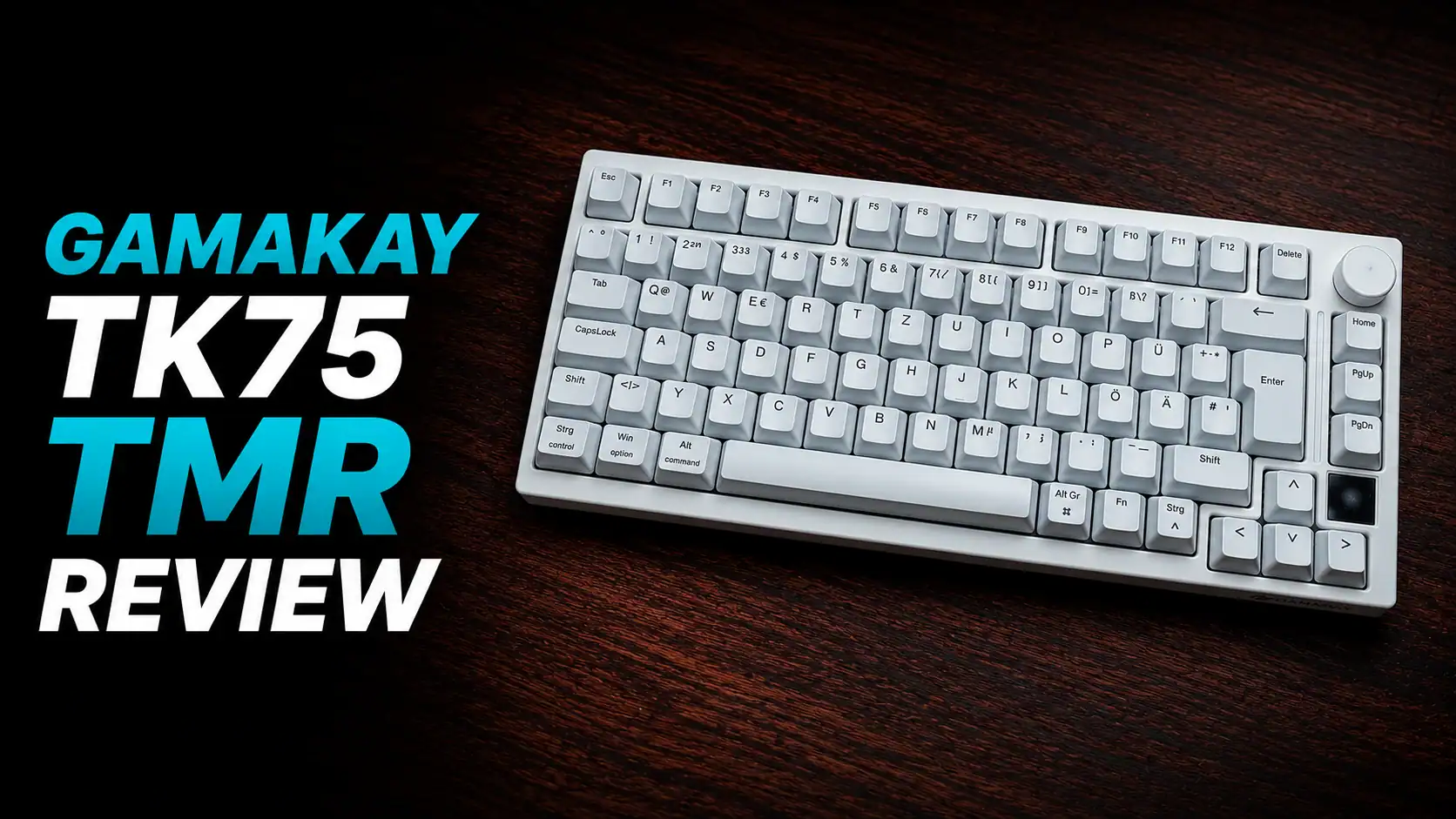
Two years ago I reviewed the Gamakay TK75 HE with silent switches and today we are back with a completely new version of this keyboard. This is the Gamakay TK75 TMR with TMR sensors instead of Hall Effect sensors and this time I got the version with Mercury V3 switches — regular magnetic switches, not silent ones. And in white color.
At $119.99, you get TMR sensors, wireless tri-mode connectivity, a 75% layout, a functional knob, a small display and a deep feature set. Whether you are after competitive latency or a quiet keyboard for night gaming or office work, this keyboard covers both use cases reasonably well.

There are very few ISO magnetic switch keyboards on the market. The TK75 TMR comes in both ISO DE and ANSI, which is a genuine differentiator. I wish they included more spare keycaps to make the ISO version more versatile, but for German users the defaults are fine.
In the box: the keyboard, a USB-C cable, a switch and keycap puller, and four spare switches — two Phoenix Silent and two Mercury.
Specifications
| Specs | GamaKay TK75 TMR |
|---|---|
| Layout | 75% · ANSI US 81 keys / ISO DE 82 keys |
| Sensor | TMR (Tunnel Magnetoresistance) |
| Switch options | Phoenix V3 Silent / Mercury V3 |
| Keycaps | Cherry Translucent — RGB shine-through |
| Actuation range | 0.01 mm – 3.0 mm adjustable |
| Rapid Trigger | Yes — 0.01 mm precision |
| Snap Tap (SOCD) | Yes |
| Polling rate | Wired & 2.4G: 8,000 Hz · Bluetooth: 1,000 Hz |
| Scanning rate | 256,000 Hz |
| Connectivity | USB-C / 2.4 GHz dongle / Bluetooth |
| Battery | 8,000 mAh |
| Backlight | 16M RGB per-key + RGB side bar |
| Display | Small screen — clock, GIFs, custom images |
| Knob | CNC multi-function |
| Dimensions | 340 × 140 × 20 mm |
| Weight | ~1,100 g |
| OS | Windows / Mac |
| Color | Black or White |
| Price | $119.99 |
Switches — Phoenix V3 vs Mercury V3

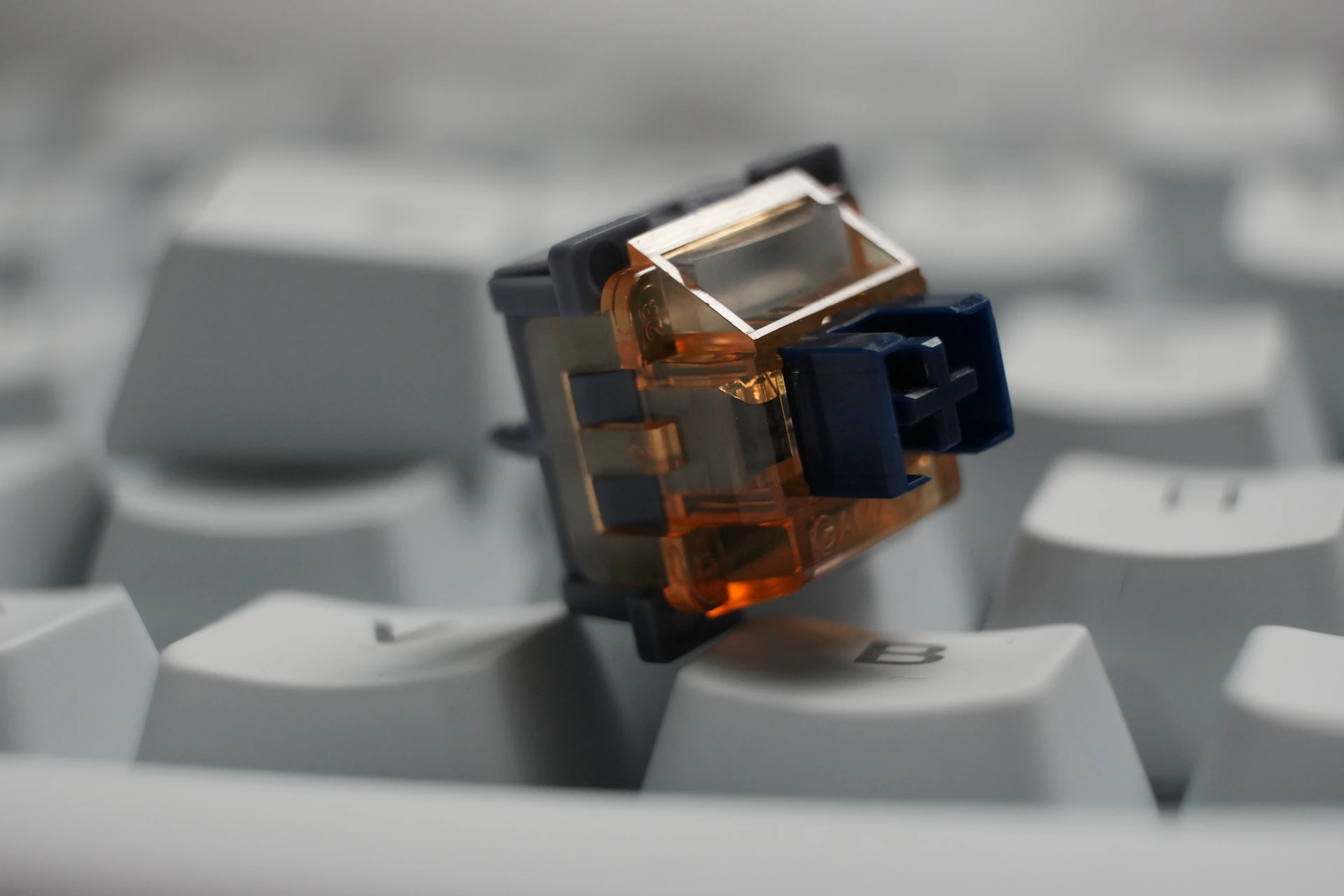
Both switches share the same magnetic flux profile and total travel distance. The Mercury V3 has a slightly lighter initial force and is the louder of the two. The Phoenix V3 Silent uses a higher initial force in exchange for significantly reduced noise.
| Switch | Mercury V3 | Phoenix V3 Silent |
|---|---|---|
| Total travel | 3.50 ± 0.1 mm | 3.50 ± 0.2 mm |
| Force at 2.0 mm | 45 ± 5 gf | 45 ± 5 gf |
| Initial force | 30 gf min | 35 gf min |
| End force | 55 gf max | 58 gf max |
| Initial magnetic flux | 95 ± 15 GS | 95 ± 15 GS |
| Bottom magnetic flux | 580 ± 50 GS | 580 ± 50 GS |
The keyboard also accepts 5-pin mechanical switches if you want to bring your own. Note that Rapid Trigger should be disabled for any key with a mechanical switch installed — otherwise double-click behavior can occur.
TMR vs Hall Effect

The Hall Effect sensor in the previous TK75 HE was already solid — wear-free, no drift, no ghosting. TMR takes it further. The technology uses a quantum mechanical effect where electrons tunnel through a thin barrier layer, resulting in sensitivity substantially higher than standard Hall Effect sensors, along with lower power consumption.
In practical terms this translates to 0.01 mm Rapid Trigger resolution and a 256k Hz scanning rate. For typing the benefit is long-term consistency. For competitive gaming it means the keyboard can detect and respond to press and release inputs faster and more precisely than Hall Effect-based boards.
Latency

I tested the keyboard with OSLTT (Open Source Latency Testing Tool), which measures the time between physical keycap contact and signal receipt by the computer.
| Connection | Latency |
|---|---|
| Wired | 0.60 ms |
| Wireless 2.4G | 0.75 ms |
Both wired and wireless results are very good. The margin over traditional keyboards from major brands is significant. The difference between the wired and wireless results here is not perceptible in use, but if you are competing at a high level, wired is still the safer choice.
Software – web app


The Gear Hub/Lab software (URL: https://gearhub.top/) covers all the essential ground: key remapping, combo keys (up to 3-key sequences per key), macro recording with loop and toggle playback, Rapid Trigger with per-key sensitivity, adjustable actuation point, SOCD/Snap Tap configuration, per-key RGB, and display management including custom image and GIF upload.


It is not on Wootility’s level in terms of interface polish and it is not as intuitive as it could be, but all the important features worked correctly during my testing. The one clear miss is the AI-generated RGB feature — the output did not match the descriptions I entered. This is something they should be able to fix in a firmware update and it does not affect any core functionality.


The display is mostly a cosmetic feature. You can show the time, battery status, connectivity mode, or upload your own GIFs. There is also a frame-by-frame drawing tool in the software if you want to create something custom.
Rapid Trigger, Snap Tap & the Bounce Caveat

Rapid Trigger lets the keyboard register a keypress and release at any point in the travel range rather than at a fixed actuation point. At 0.01 mm resolution, inputs register essentially the instant your finger moves. For FPS players doing rapid lateral movement this is meaningful, not theoretical.
Snap Tap addresses the SOCD problem: pressing A and D simultaneously on a standard keyboard typically results in no movement. With Snap Tap enabled the keyboard prioritizes the last pressed key, so switching directions is instant. This works reliably in testing.
One caveat: the keyboard has noticeable plate flex. At very aggressive Rapid Trigger release settings — below around 0.3 mm — pressing keys firmly can cause the plate to flex slightly, which the sensors can misread as a release event on neighboring keys. This is not unique to the TK75 TMR but it is more noticeable here than on stiffer boards. The practical fix is straightforward: set the RT release sensitivity to something around 0.4 mm. You will not notice the difference in gameplay but it eliminates the phantom release issue. Users who press keys very lightly are unlikely to encounter this at all.
Daily Use & Wireless
With the Phoenix V3 switches the keyboard is genuinely silent — the kind of silent where background noise is louder than the keys. For night gaming, open office environments or shared spaces this is a real advantage.
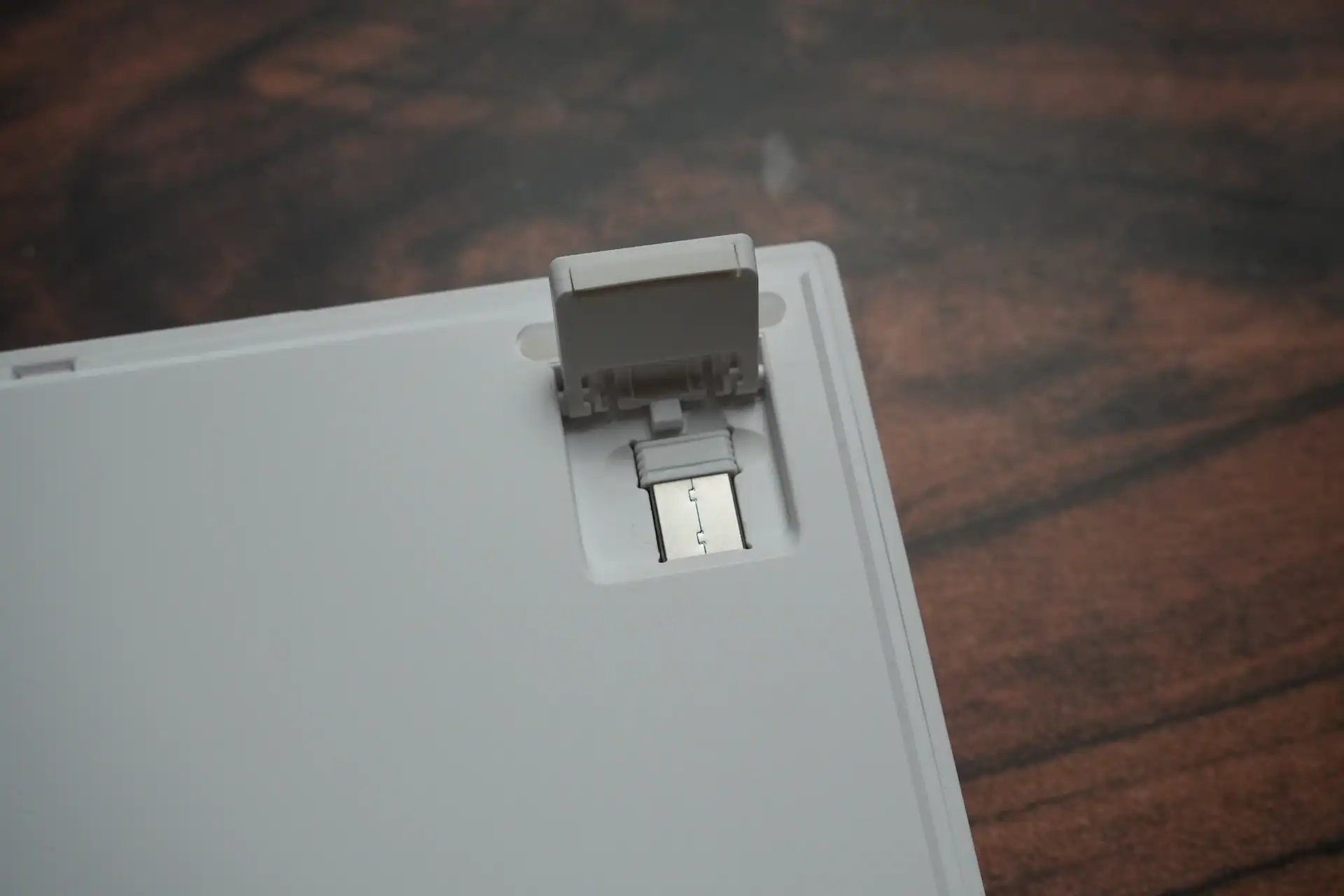
The tri-mode wireless is reliable. The 2.4G dongle stores in a slot under the keyboard so it stays with the board. The 8,000 mAh battery is large for a keyboard, and TMR sensors draw less power than Hall Effect sensors, so wireless endurance should be good. I was not able to fully deplete it during the review period.
The little screen beside the arrow keys is a cool feature. You can display a still image, a GIF, or a clock on it. The keycaps also have a very distinct coating that feels nice to type on, and it somehow gives your fingers more grip, making them feel less slippery while typing. Two step adjustable feet are always nice to have too.
The 75% layout keeps things compact without removing anything critical — you get a full function row, arrow keys, a navigation cluster, a knob and the small display, all in a board that takes up noticeably less desk space than a tenkeyless.
Verdict
The Gamakay TK75 TMR is a strong value at $119.99. TMR sensors, sub 1 ms latency, 8K polling, tri-mode wireless, 0.01 mm Rapid Trigger, Snap Tap, hot-swap compatibility for both magnetic and mechanical switches, a display and a knob — that is a competitive feature set at this price point.
The main limitations are the plastic case, the software UI which gets the job done but is not particularly pleasant to use, and the plate bounce issue at extreme RT sensitivity settings. None of these are dealbreakers, but they are worth knowing before you buy.
If you want an ISO DE magnetic switch keyboard, your options are limited and this is one of the better ones. If you want a quiet wireless gaming keyboard with serious specs under $120, this is one of the rare options out there and a good one.
Gamakay TK75 TMR is available in ISO DE and ANSI on official Gamakay store for $119.99 now.

I love testing and writing about new tech. I focus on keyboards and controllers. I'm also a gamer and an engineer. Check out my Twitter for keyboard and controller news and reviews.


