



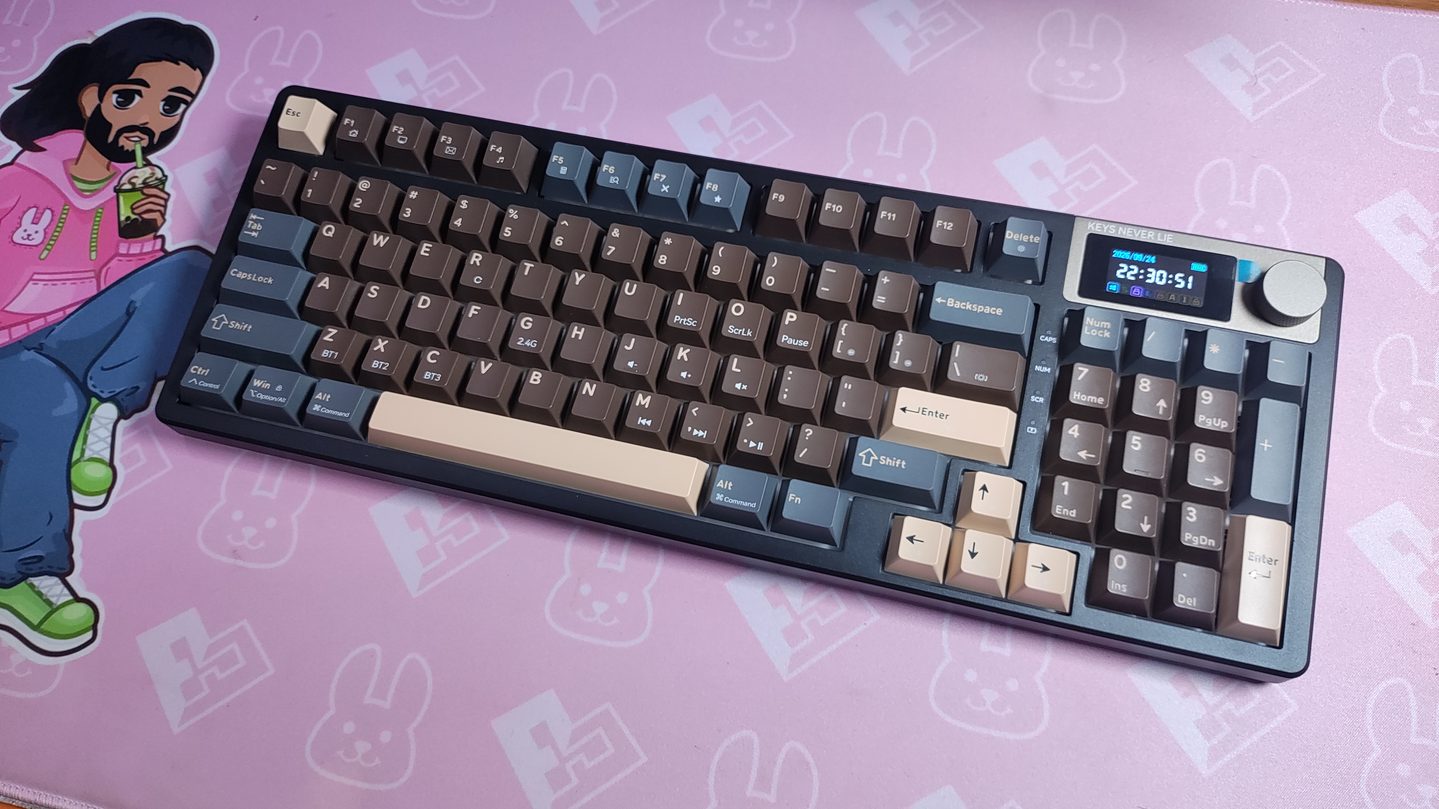
I don’t often use full-sized keyboards, because they impede my mousing space a bit too much. But I’ve always been intrigued by 94% and 98% keyboards that have almost the full functionality of their 108 key counterparts, but with a significantly reduced footprint. Today, I’ll be reviewing one such 94% keyboard, the Kemove K94. Kemove is pretty well-known in the keyboard space for their affordable and handy keyboard accessories, so I’ll also be using their keycap puller and switch puller.
Aside from just being a 94% keyboard, it also features a tactile knob, a screen, a massive 8000mAh battery, and some… interesting colour options. Let’s see what this keyboard offers at a price of $80 (which can be knocked down to $65 by using their $15 off coupon during checkout). Pretty good price for a full sized keyboard now-a-days.
What’s in the Box
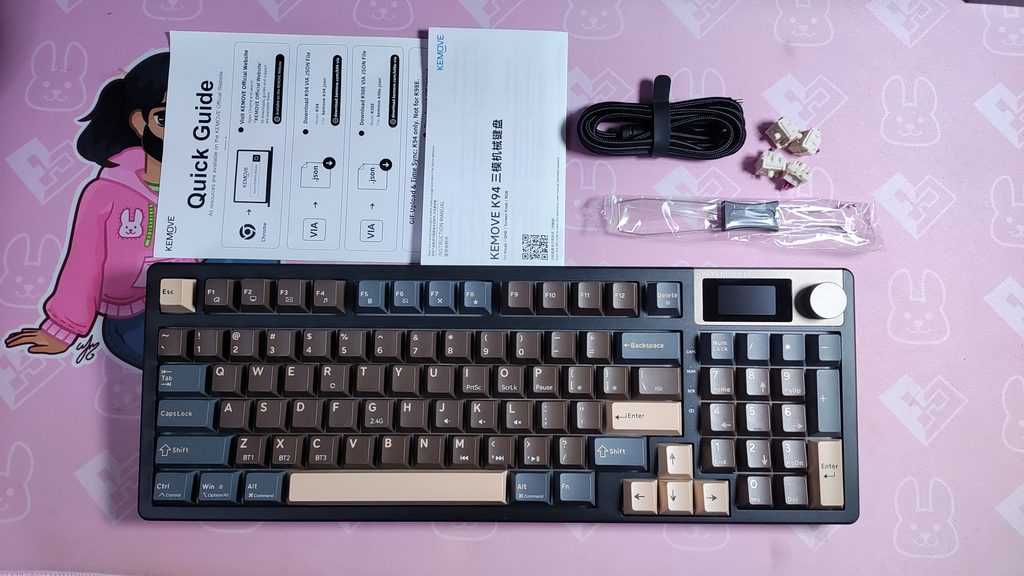
The Kemove K94 box shows some of the features of the keyboard on the back of it. In the box, you’ll find:
- The Kemove K94 keyboard wrapped in plastic
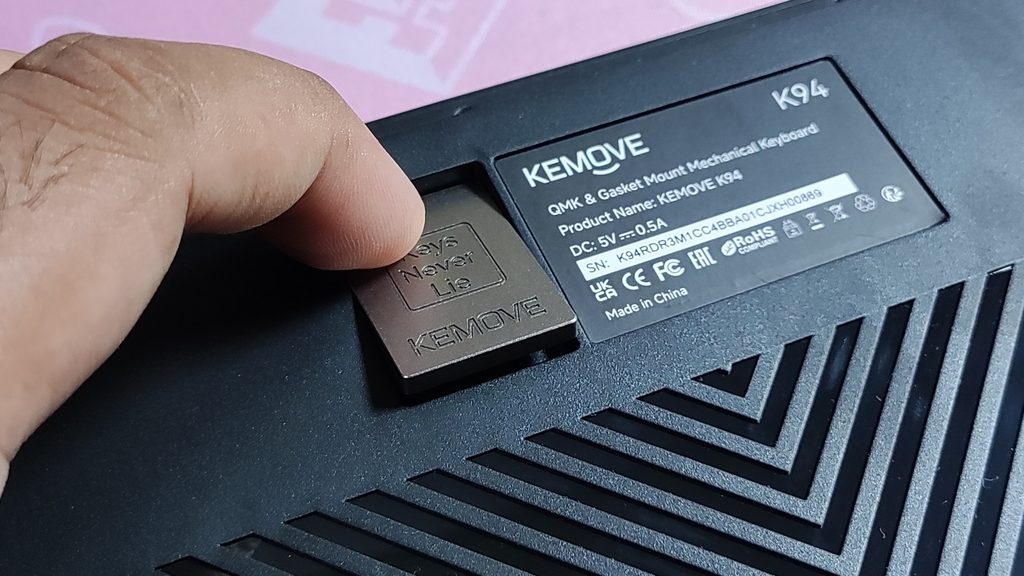
- The 2.4GHz dongle stored in a magnetic slot on the back of the keyboard
- A pretty nice, braided USB-A to USB-C cable
- A standard 2-in-1 keycap cum switch puller
- 4 extra switches
- A user manual
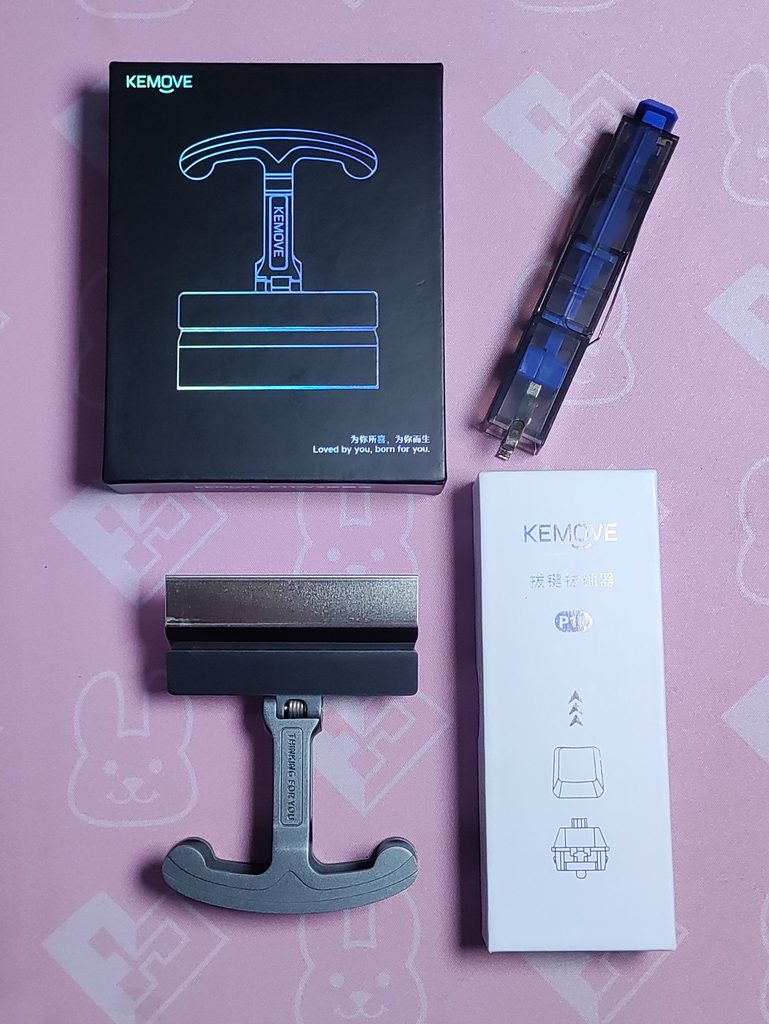
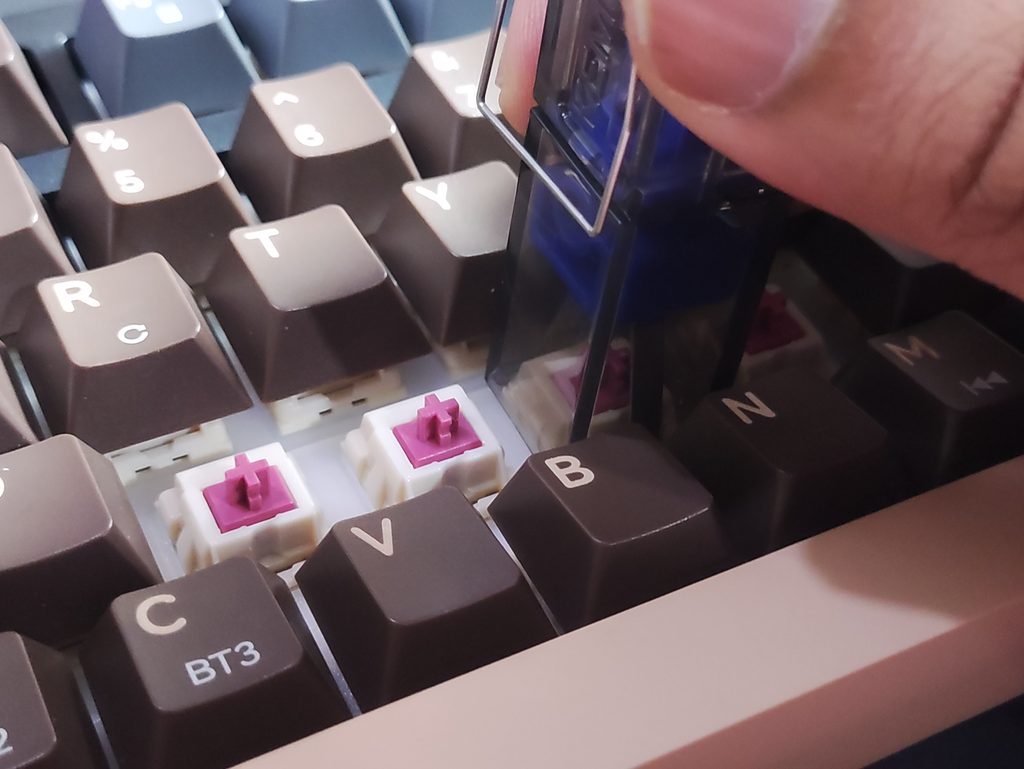
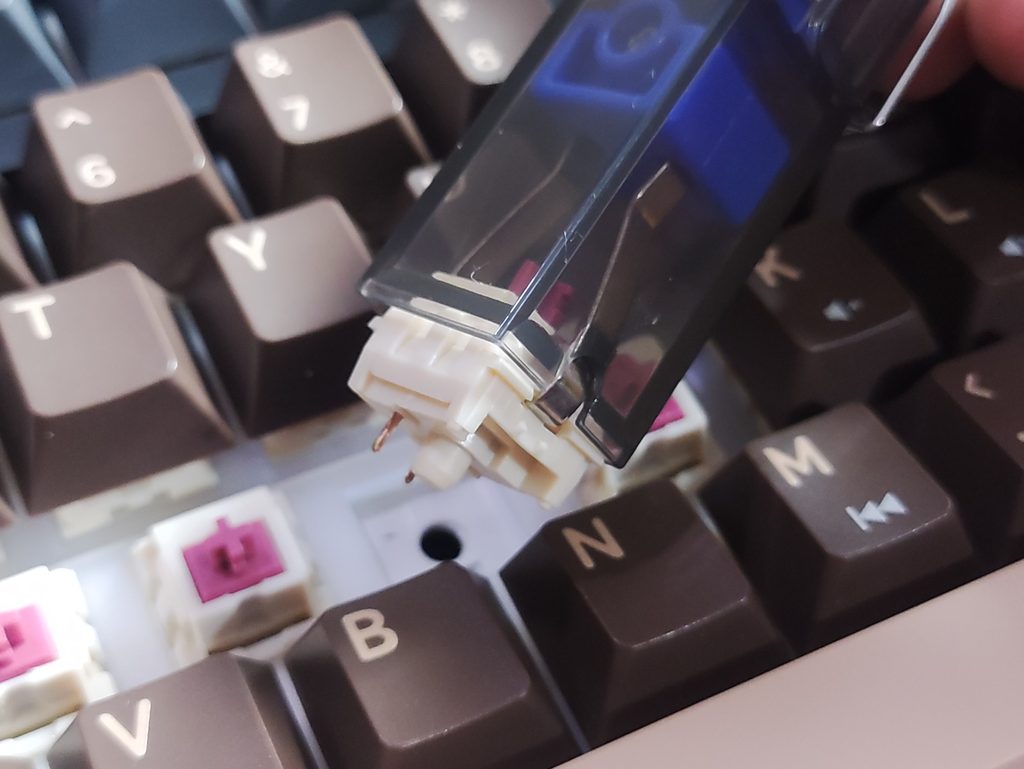
At the time of writing this review, they also provide a free P10 keycap puller when you purchase the Kemove K94. It’s a pretty handy tool for quickly removing a lot of switches. I’ve actually been using a similar switch puller for a few months now, and I can say for sure that it makes the process a lot faster and easier than the standard one included in the K94’s box.
Build & Design
The Kemove K94 comes in four colourways:
- Glided Black
- Mocha Brown
- Space Gray
- Dawn White
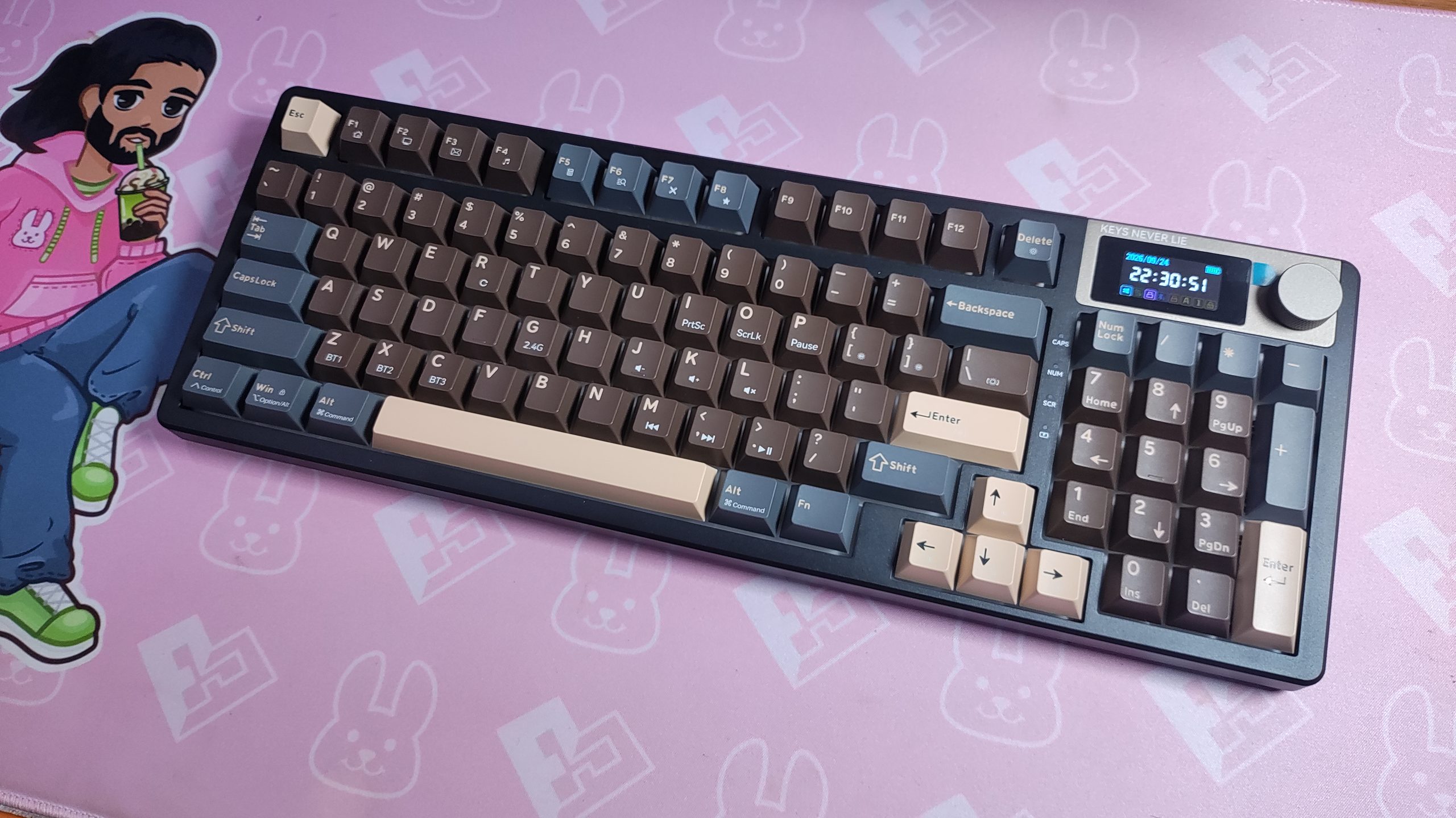
I went with the Mocha Brown edition, since I wanted something to go well with my wooden desk. It’s a darker brown than I had expected, but it still looks nice. The light brown accents is where the “Mocha” part shows. It has a nice shade of coffee brown. The keyboard case itself is just a black colour.
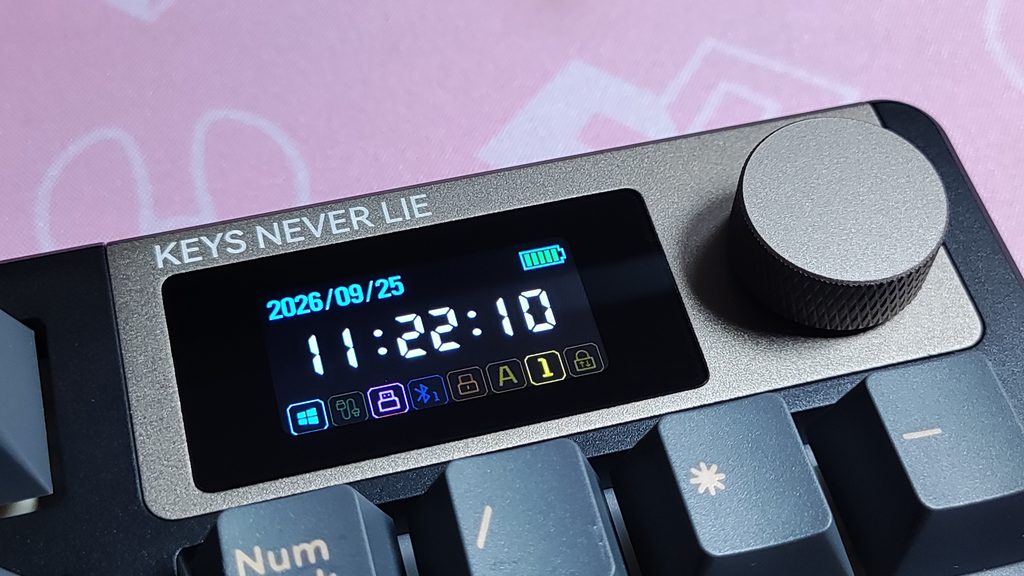
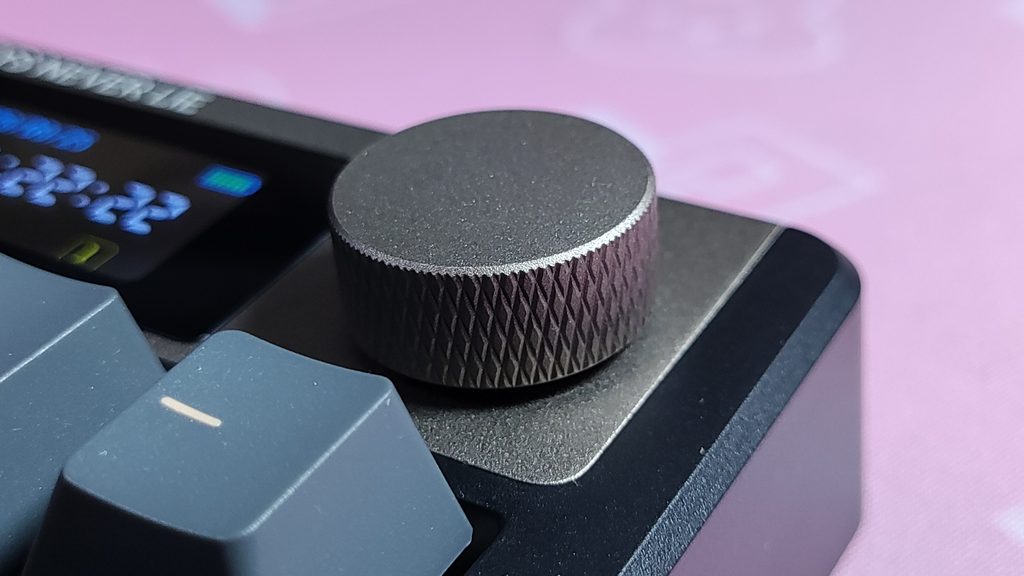
Aesthetically, Kemove leaned into a slightly tech-heavy look rather than a minimalist one with the K94. The top right corner is populated by a metal module (not removable) which houses a customizable LCD screen and a multi-function metal knob. Easy volume control via the knob is something I’m always happy to have in a keyboard, and the screen is a fun canvas for custom GIFs and quick on-the-fly customization of the keyboard settings. It can also display the time and date, but that’s not something I use my keyboard for. I’m more of a GIF kinda guy.
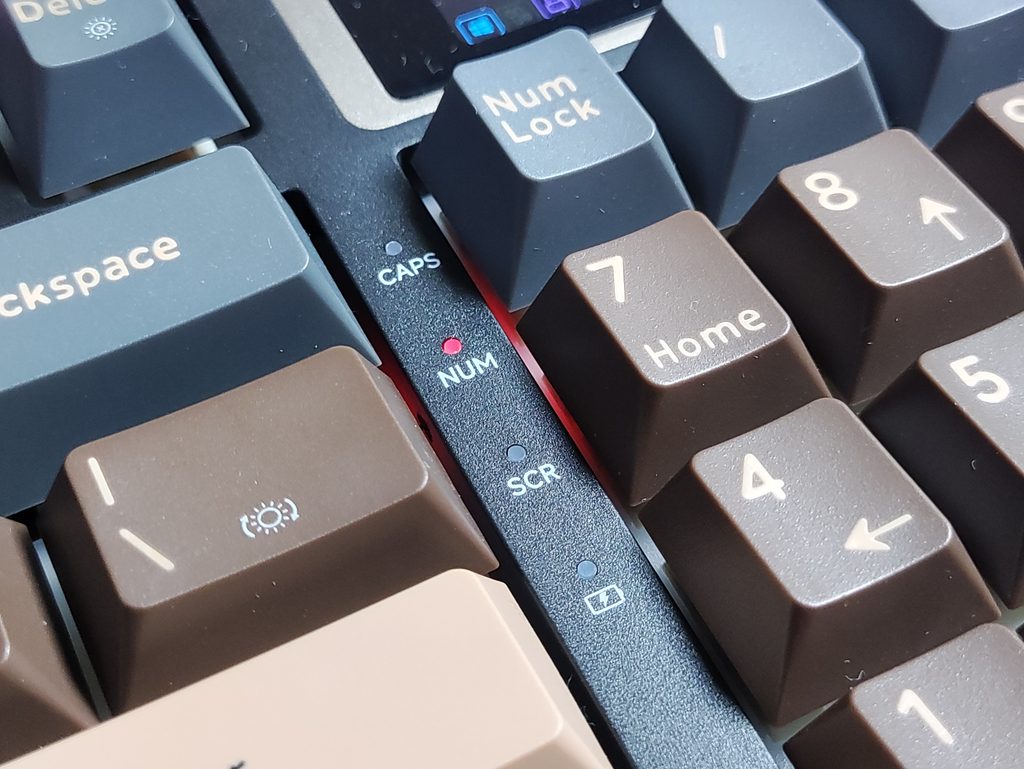
There are four indicator LEDs between the numpad and the main keys. They indicate Caps Lock, Numlock, Scroll Lock , and Battery level/Charging status. I would’ve liked to see white LEDs here instead of red personally, but it’s not a big issue.
The overall build quality of the K94 is pretty decent. It’s not super sturdy and it does flex a good bit when you twist it (which you totally shouldn’t do to your keyboards by the way), but while it’s on the desk being typed on, there isn’t anything wrong with it. I like the textured bottom – gives it a little more character.
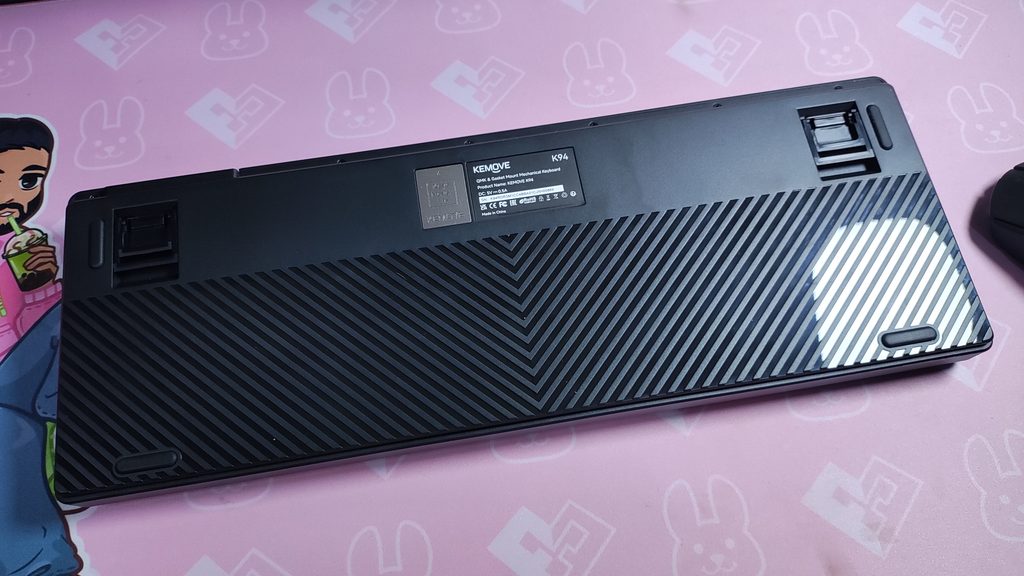
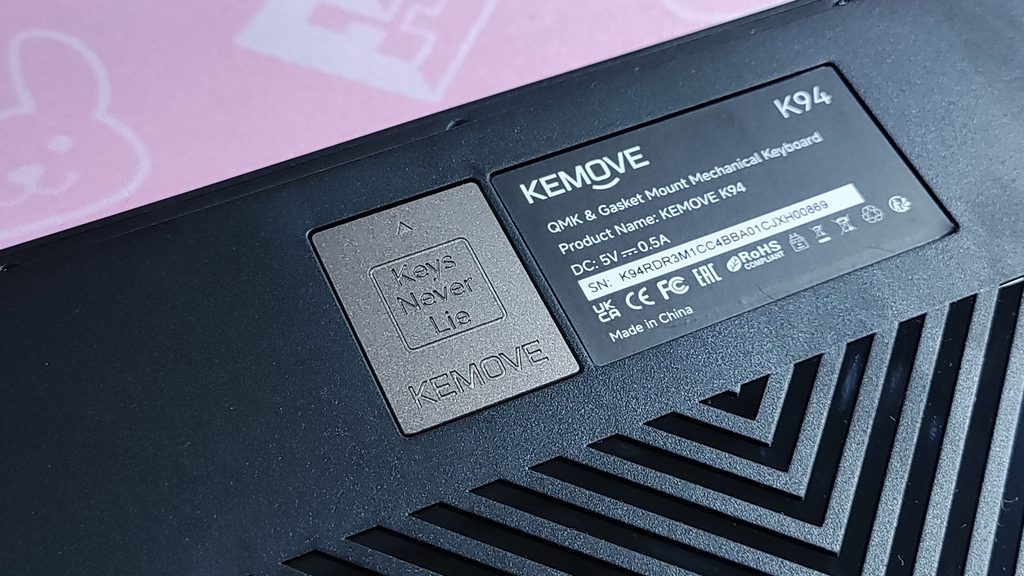
On the bottom of the keyboard, we see a couple of neat features. The dongle is magnetically held within a hidden compartment also held in place by the same magnet. The tacky text “Keys Never Lie” seems to be a theme on this board. It’s on the packaging, the front, and the back. These keys must be quite trustworthy XD.
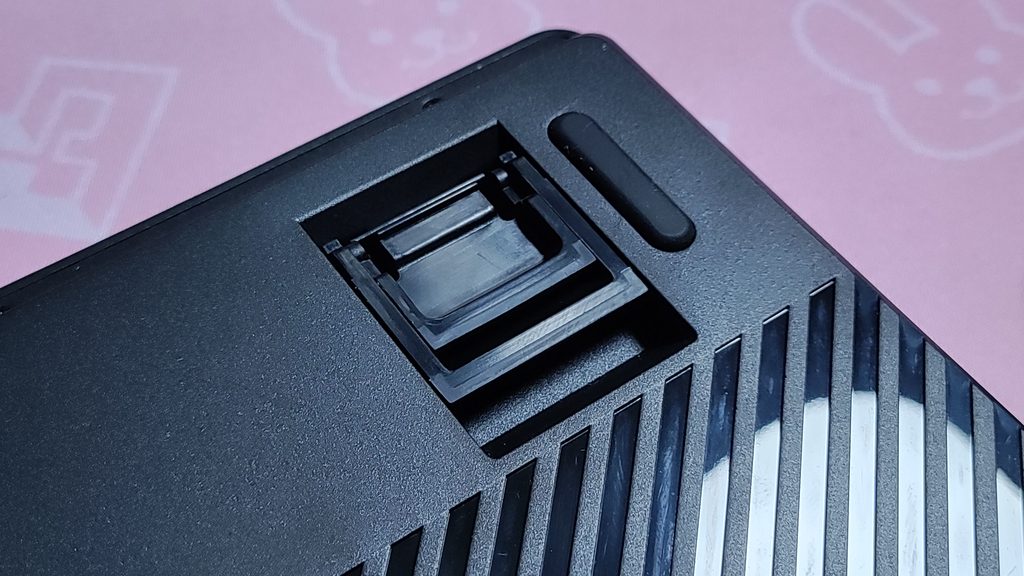
We also see the kick-up feet to adjust the typing angle. Handy for people who use it. Personally, I think the stock angle is plenty, especially after typing on the Melgeek O2 for the last couple of weeks.
And to top it all off, we see that the internals of the K94 are accessible with 4 screws on the back. Personally, I prefer this to plastic tabs even though that gives your keyboard that “seamless” look at the cost of repairability/customisability. Now I can remove any foam or reconnect any disconnected cables or replace the battery without needing to pry apart the bottom shell from the top shelf with Herculean strength.
Typing Experience and Features
The Kemove K94 features a 94-key semi-compact layout. It manages to keep the numpad while trimming down the keyboard’s footprint, which is great for productivity inclined folks that hate smacking their mouse into their keyboards.
Typing on the K94 feels quite nice thanks to the gasket-mounted design. The 6 internal dampening layers absorb harsh bottom-outs, leaving you with a comfortable, slightly bouncy typing feel and a classy, muted sound profile. If you type with heavy strokes, this keyboard significantly cuts down on finger fatigue.
The PCB has flex-cuts, and it’s 3-pin switch hot-swappable. I’ve grown to like non flex-cut PCBs lately, and the K94’s large 94% profile exaggerates the uneven flex you get between the centre and the edges of the keyboard. But this isn’t a deal breaker by any means, just a personal preference. I also think it would’ve been nicer to have 5 pin switch compatibility in 2026.
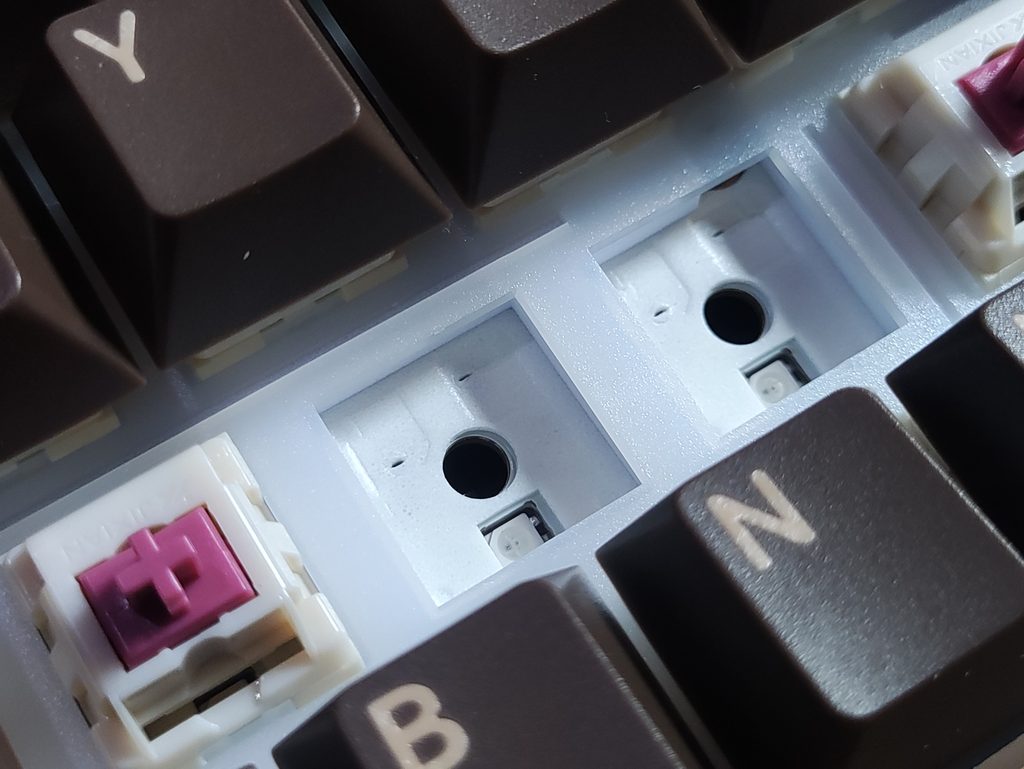
The Kemove K94 features south-facing RGB. The LEDs shines brightly through the gaps and look pretty vibrant. Unfortunately, the K94 doesn’t come with shinethrough keycaps, so the RGB is just for show, and isn’t much of a “backlight” with any function. You can always swap in keycaps of your choice though, since the black base would go well with a lot of keycap sets.
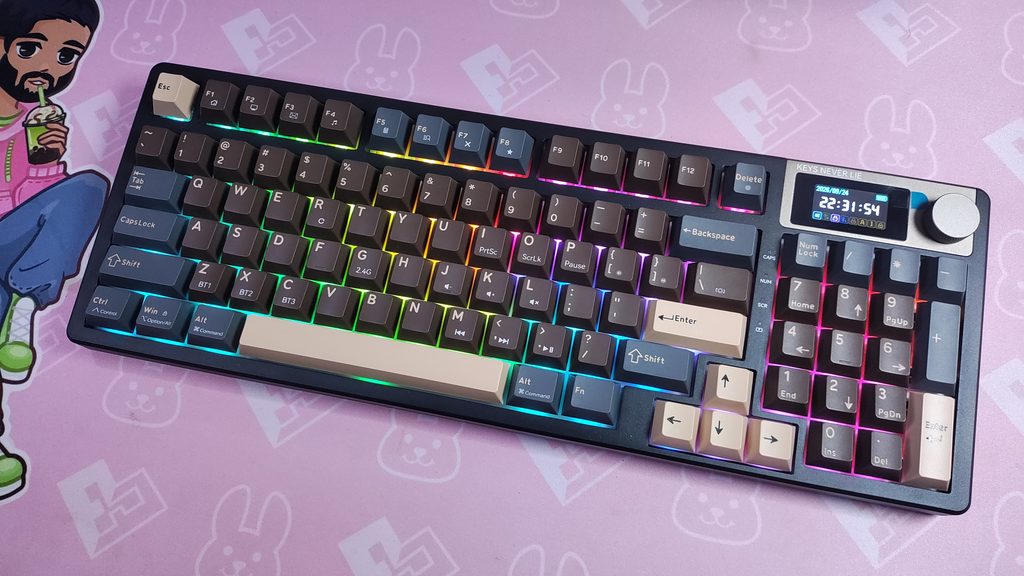
Speaking of keycaps, the K94 comes with doubleshot PBT keycaps in an OEM profile out of the box. The legends are quite consistent and there isn’t any letters that are thicker or darker than the rest. The keycaps themselves are a little dull looking, but that’s only because I’ve chosen to get the mocha latte colourway. Brown and grey on a black base is difficult to make look vibrant.
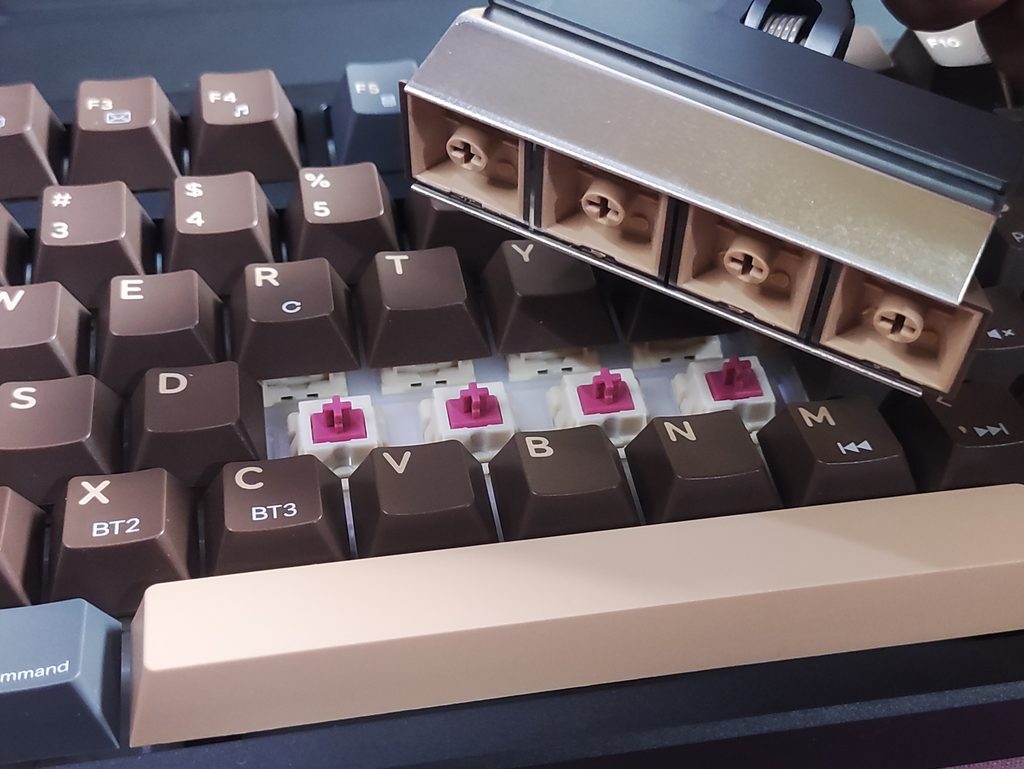
Kemove also sent me the Kemove P10 and P11. The P10 is a switch and keycap puller. I quite like the switch removal mechanism and it makes replacing switches a lot faster and quite a bit effortless. It’s also quite satisfying to use. As for the P11, it is a multi-keycap removal tool. It takes out 4 regular keycaps at once, without leaving any indentations on the keycap edges that you get from using wire or plastic keycap removers. The full metal construction feels very premium and the P11 works great. It makes removing kycaps from a keyboard much faster, easier, and prevents damage to the keycaps.
I like that they’ve also inscribed the keyboard’s shortcuts onto the keycaps. I use the PrtSc shortcut more than I thought I would.
The switches that the K94 comes with out of the box are “Blueberry Switches” by an un-named brand. I had to check it out myself and it seems to have Jixian Blueberry Switches. Never heard of them, but the switches feel and sound pretty good. It’s not as thocky as other keyboards I’ve tried, but it’s also not as loud. For a keyboard that will probably be used in a work setting, this is a good thing. The switches sound and feel consistent across the board, with the (understandable) exception of the spacebar.
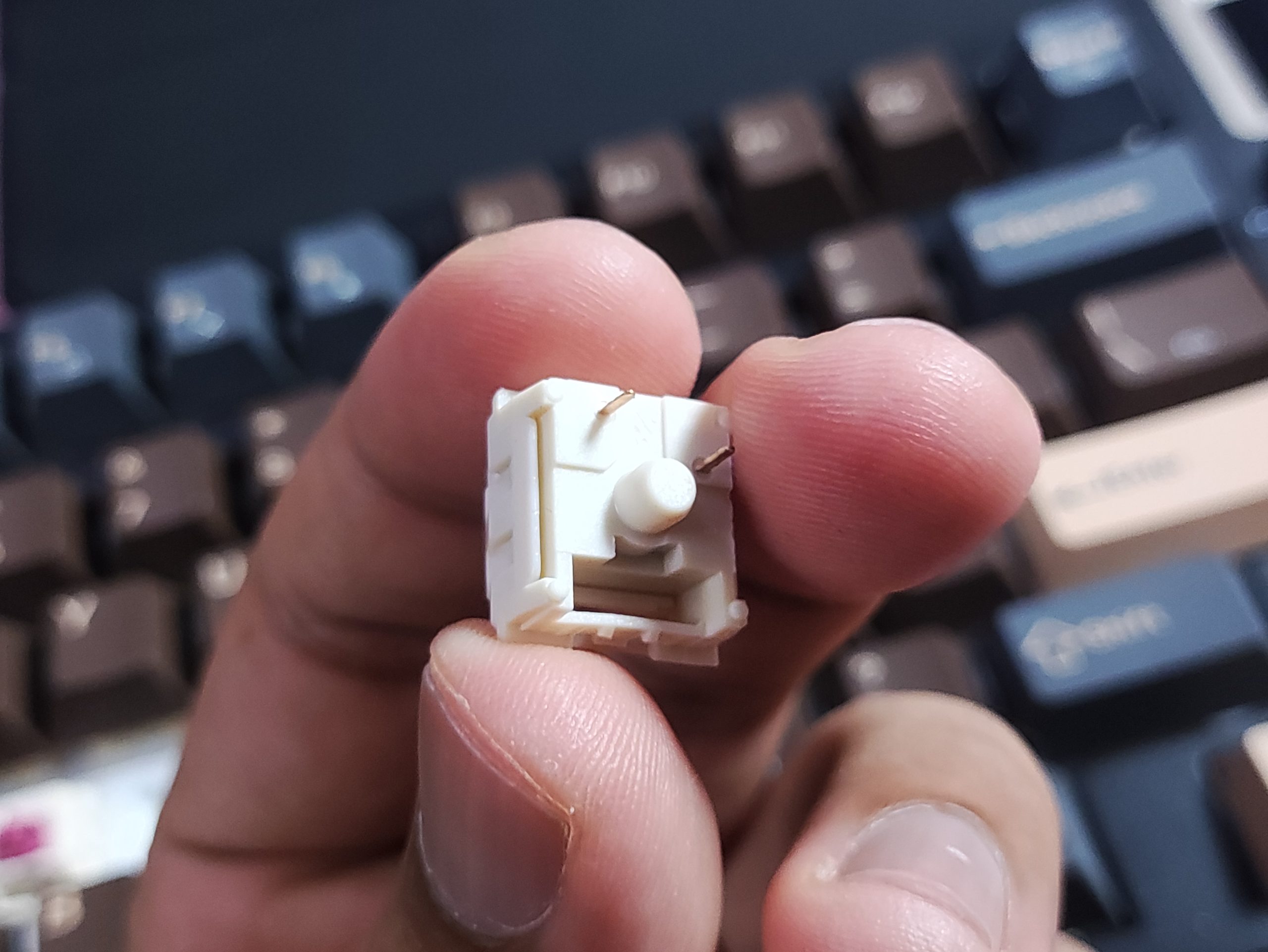
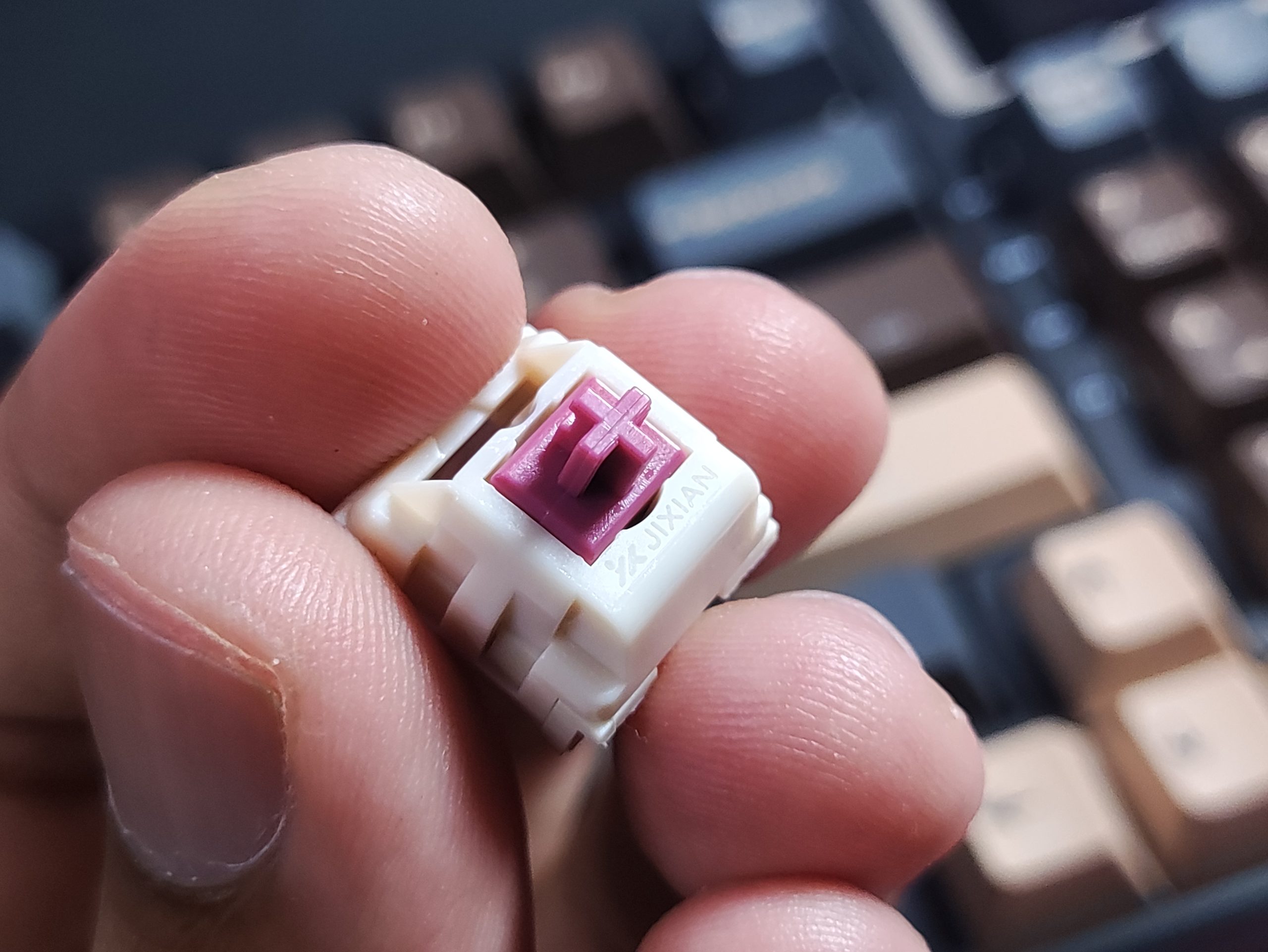
The Stabilizers are quite nice and I haven’t had any ticking or rattle in the time that I’ve used this keyboard.
Battery Life
Under the hood, the K94 is hiding a pretty large 8,000mAh battery. For a keyboard geared towards productivity, that capacity is great. In the real world with the RGB at full blast, it lasts about a week (about 60 hours). The screen seems to be draining a bit more of that battery than I would like. I’ve seen keyboards last a lot longer without a screen. Regardless, that’s still a pretty good battery life, and that deduction is a trade-off you will have with any keyboard featuring a screen.
Connectivity
It has tri-mode connectivity (2.4GHz, Bluetooth, and USB-C wired), and so far I haven’t had any issues with connectivity or interference. It has been great for seamlessly switching between my PC and tablet for work and messaging.
It’s also compatible with Mac systems, and comes with Mac specific legends printed onto the keycaps too. I don’t use any Apple products, but I think this is pretty good.
Software
One of the biggest selling points is the firmware support. It is QMK/VIA-compatible, granting open-source key remapping in wired mode. You can find the json file and the firmware’s GitHub repository on the K94’s product page.
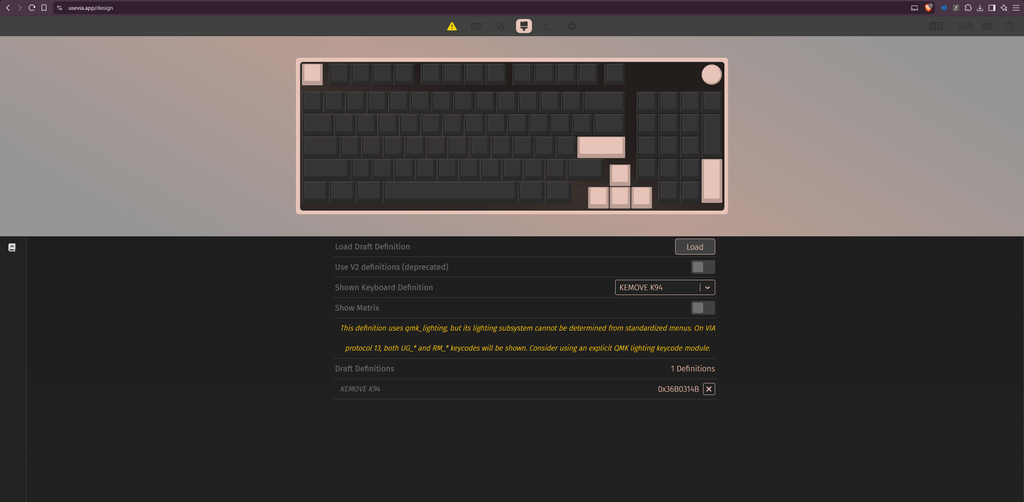
You can fully customize layers, remap keys, and set macros. They offer a web driver, which means you can tweak your RGB and settings easily without having to download and install any sketchy proprietary software onto your system.
Final Verdict
The Kemove K94 manages to strike a really impressive balance. It offers the productivity benefits of a full-size board, the mousing space close to TKL, and the acoustic performance of modern keyboard.
While the LCD screen might be a bit flashy for strict office environments, the massive battery life, QMK/VIA support, and satisfying gasket-mounted typing feel make this an incredibly easy recommendation. If you want a compact board but refuse to give up your numpad, the K94 is definitely worth your attention.

Hello! 🥰 I'm Fang.
I like gaming and related tech. I enjoy learning more, and sharing my experiences through my review videos and blog posts. Have fun! 💖


