



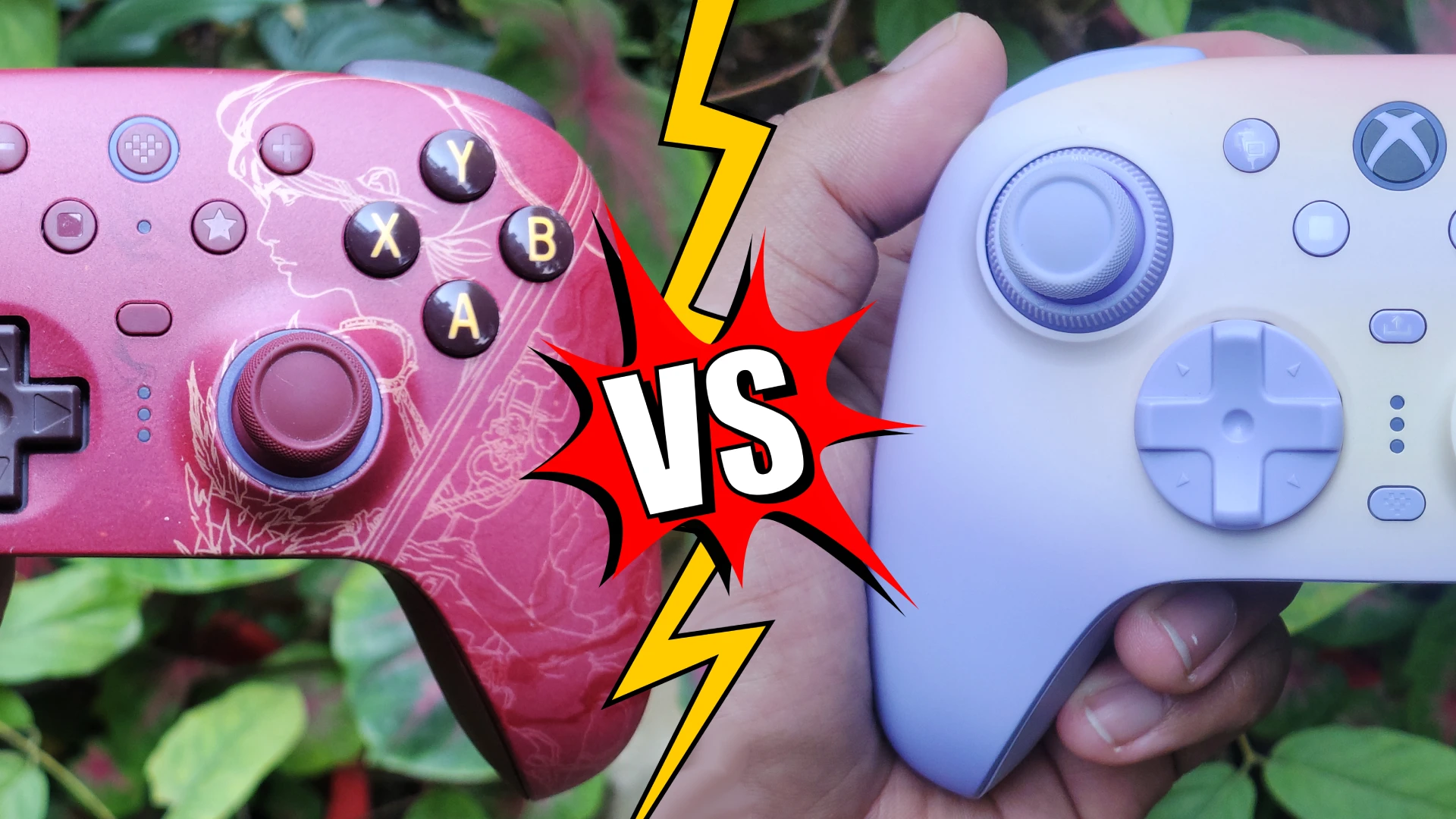
On paper, the 8BitDo Ultimate 3 for Xbox sounds like a straight-up upgrade to the 8BitDo Ultimate 2 Wireless. But there are caveats to the Ultimate 3, and some aspects where the Ultimate 2 is actually better than the Ultimate 3 for Xbox. The $40 jump on the Ultimate 3 gets you Xbox compatibility, trigger vibrations, and a tension adjustment mechanism.
The breakdown below covers the specs and hands-on feel of both, to help you decide which one deserves a spot on your desk.
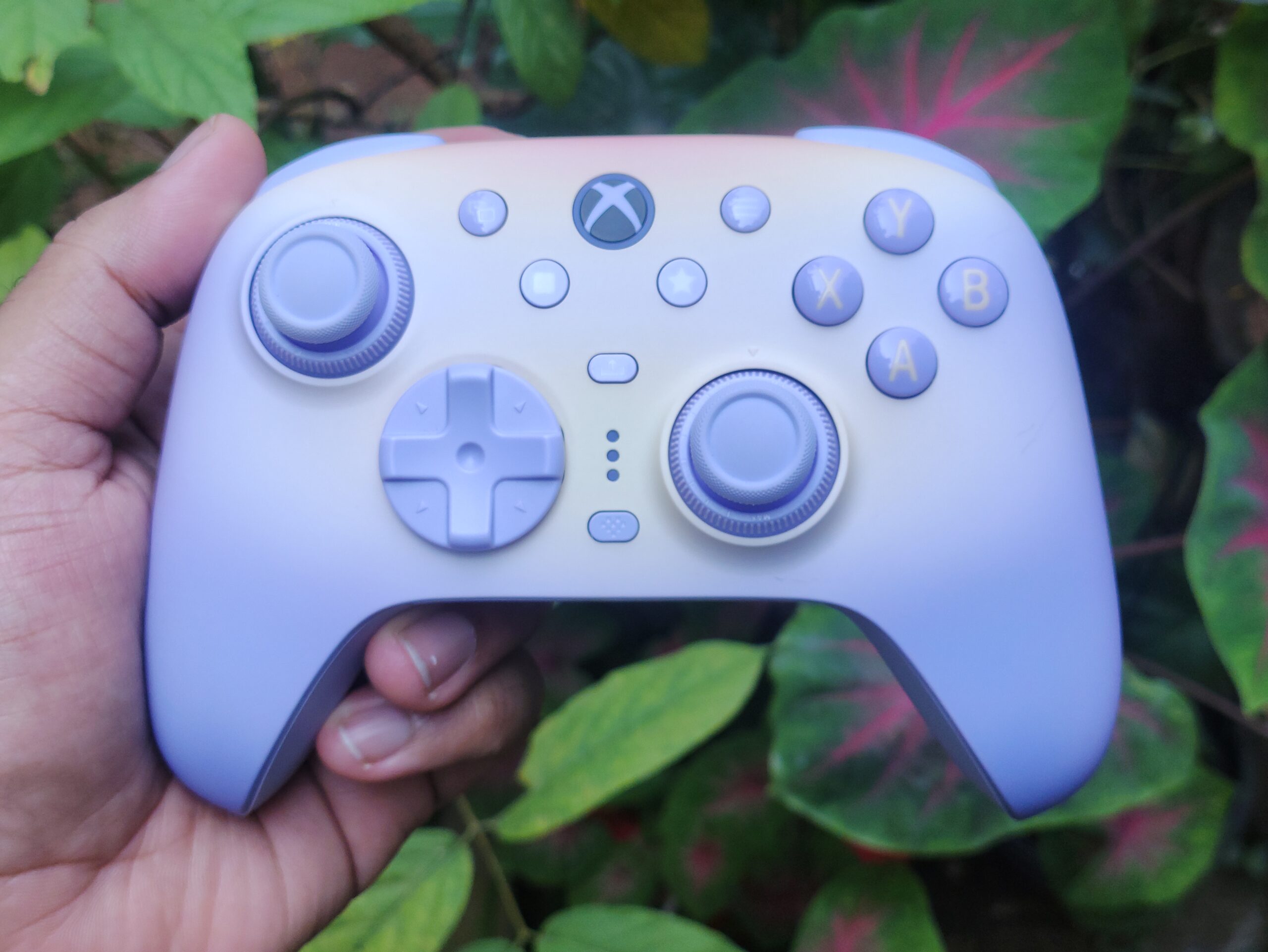
Wireless charging dock included
– Xbox layout with flared handles
– Rubber grips on the back half
– Soft-touch faceplate
– Excellent build quality
– Great weight balance
– Lavender Dusk
– Mossy Lagoon
– Tomb Raider 30th Anniversary Edition
– Colour-matched dock with an LED strip indicating charging status
– Colour-matched cable
– No RGB on the controller
– Tension Adjustment ring (Force Ring) : 40gf to 80gf with a soft ratcheting mechanism
– 10+ Bit Stick Resolution (See full review for details)
– Switch between 250Hz and 1000Hz (PC only) in software (switching to 1000Hz disables trigger vibrations and gyro functionality)
– Sticks are removable and replaceable
– Slight internal deadzone needed (2-3%) per stick due to centering error
– Snap Back present, not disruptive to gameplay
– Non micro-switch trigger stops
– Significant inner and outer deadzone
– Feels nice to use
– Sounds nice and full
– Good actuation force
– Two extra mechanical “fast bumpers” which feel and sound great
– Floating D-Pad design, but the D-Pad is very loosely attached.
– Central pivot is great and there is no wobble, but there is some play
– Slight pre- and post-travel present which gives it a bouncy feel
– Accurate inputs, reliable diagonals
– Quite quiet
– Good feel. Decent feedback, near zero pre-travel and post-travel.
– Slight wobble
– Overall medium weight feel
– Muted and dull thuds, no sound on bounce-back
– Comfortable positioning and actuation force. No complaints.
– Remappable
– Mappable to either stick
– Slightly weaker and muted vibration feel, probably due to heavier handle material
Xbox – 2.4GHz, Wired
Android – Bluetooth
No perceivable latency in wired and 2.4GHz modes at 1000Hz or 250Hz
– Ultimate Software V2 (Mobile)
– Decent experience with some pain points (Read full review for details)
– Less customisable options
– 5 hours to charge
– Contactless wireless charging dock included
– Smart charging dock
(yeah there’s not much out there for this controller)
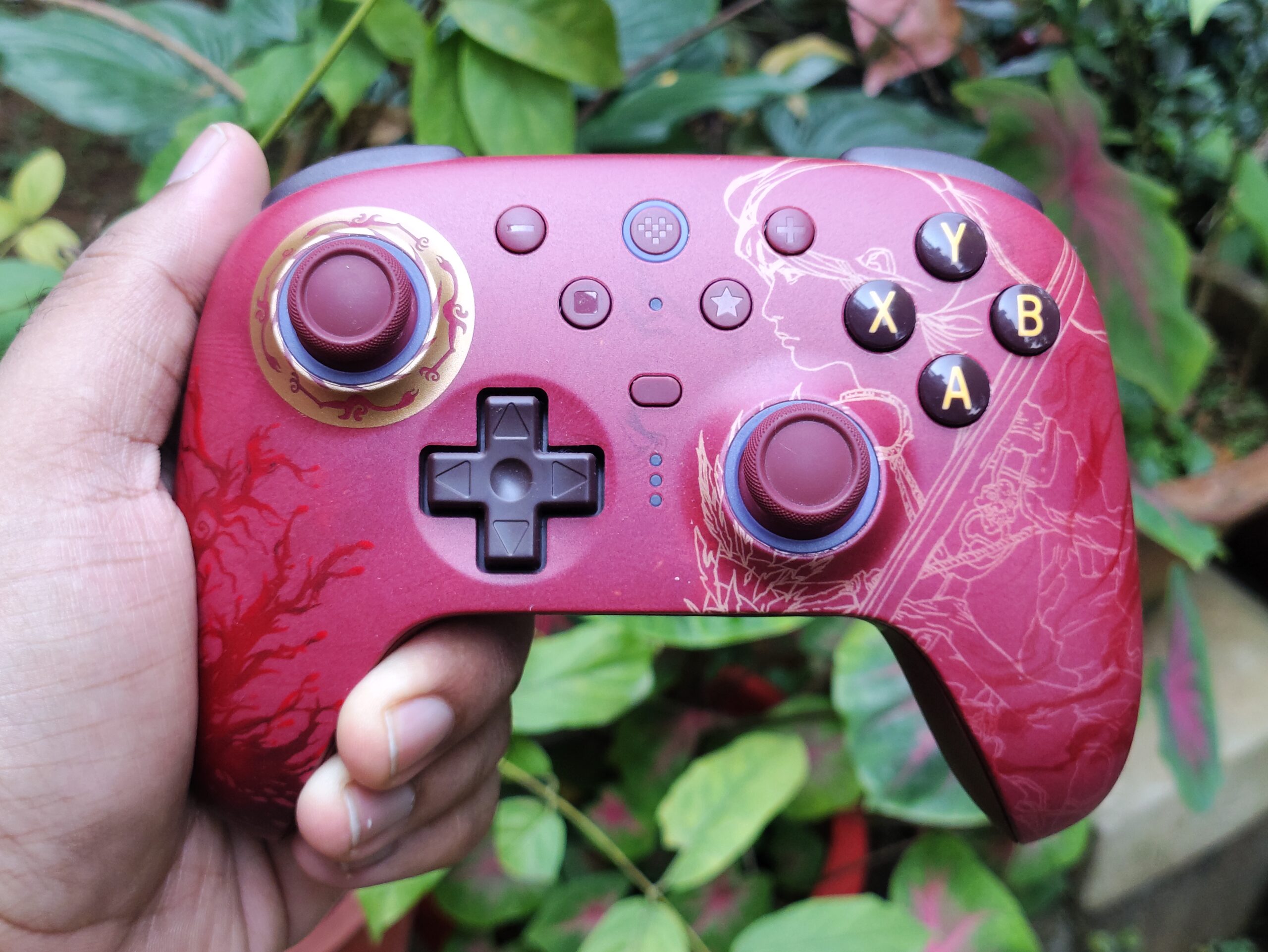
Switch-compatible version : $69.99
– Charging dock included
– Goes below $50 during sales
– Nintendo Switch Pro controller shape (boxy, less flared handles)
– Stippled, textured plastic on the back for grip, no rubber
– Slightly smaller overall
– Still comfortable, but less ergonomic for larger hands because of the boxy shape
– Green (AKNES)
– Black
– White
– Purple
– WUCHANG Edition
– Honkai: Star Rail – Evernight Edition
(Note that the special editions come with accessories like custom themed charging docks, etc. and they’re also priced differently)
– LED strip at bottom of charging dock indicates charging status
– Black cable, not colour matched
– RGB rings around the sticks with pre-made and reactive animations
– No Tension Adjustment mechanism
– Similar 10+ Bit Stick Resolution
– Switch between 250Hz and 1000Hz (PC only) in software
– Sticks are removable and replaceable
– Zero deadzone possible due to perfect stick centering
– Snap Back present, not disruptive to gameplay
– Clicky Micro-switch trigger stops
– Pretty large inner deadzone, small outer deadzone
– Feels nice to use
– Sounds nice and full (very similar)
– Good actuation force
– Two extra mechanical “fast bumpers” which feel and sound slightly deeper
– Non detachable, non floating D-Pad
– Central pivot is great but there is a tiny bit of wobble, and also some play
– Slight pre-travel present but it feels good
– Accurate inputs, but I’ve had some accidental diagonal inputs when I try to press a diagonal directly, instead of rolling to the diagonal from the central pivot. I got used to this within a day and haven’t had any misinputs since then.
– Also pretty quiet
– Good feel. Decent feedback, near zero pre-travel and post-travel.
– Slight wobble
– Overall medium weight feel
– Muted and dull thuds, but on bounce-back the buttons make a rather loud “clack” noise
– Comfortable positioning and actuation force. No complaints.
– Remappable
– Maps to either stick seamlessly via software for mouse/FPS aiming or racing.
– No impulse triggers (trigger vibration)
– Feels nice, hefty, and detailed
– 1000Hz in wired and 2.4GHz mode, 125Hz in bluetooth mode
– Good latency numbers. No qualms in experience
– Compatible with Windows, Android, iOS
– Separate switch model available for $10 more
– No mobile app
– Great experience
– Slightly more customisable
– 20+ hours with RGB and Vibration disabled
– 7-8 hours with RGB and Vibration enabled
– Charges in roughly 5 hours
– Contact pins charging dock included
– Smart charging dock
(yep, not much out there for this controller either)
– RGB rings around the sticks, somewhat customisable with multiple pre-made animations and reactive animations
Which one should YOU pick?
These two share a lot of DNA, so the decision comes down to your platform and which trade-offs you can live with. The Ultimate 3 is the only one that works on Xbox consoles, and it’s the better-shaped controller. But my early unit had a loose D-pad, slightly off-centre sticks and a significant amount of trigger deadzone, so check for recent updates before making your decision.
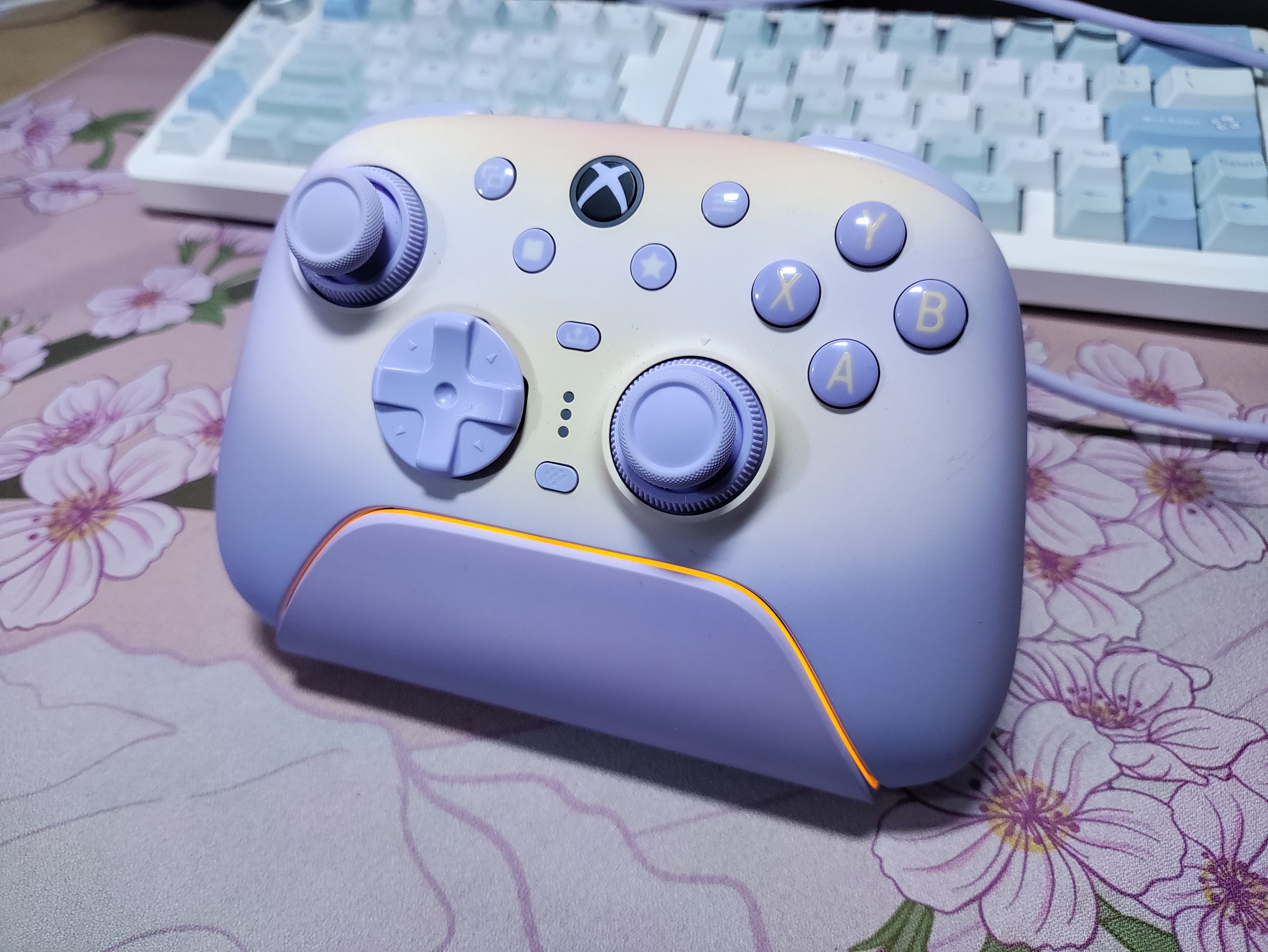
Go with the 8BitDo Ultimate 3 for Xbox if:
- You play on Xbox, or Xbox first and PC second. The Ultimate 2 doesn’t support Xbox consoles, while the Ultimate 3 connects over 2.4G or wired on both PC and Xbox.
- You found the Ultimate 2’s boxy shape tiring and want the flared handles, rubber grips and soft-touch faceplate.
- You want to tune stick tension (about 40gf to 80gf) with the Force Ring instead of living with one fixed feel.
- You want impulse trigger vibrations
- You like a wireless dock with no contact pins and the aesthetics of the Ultimate 3
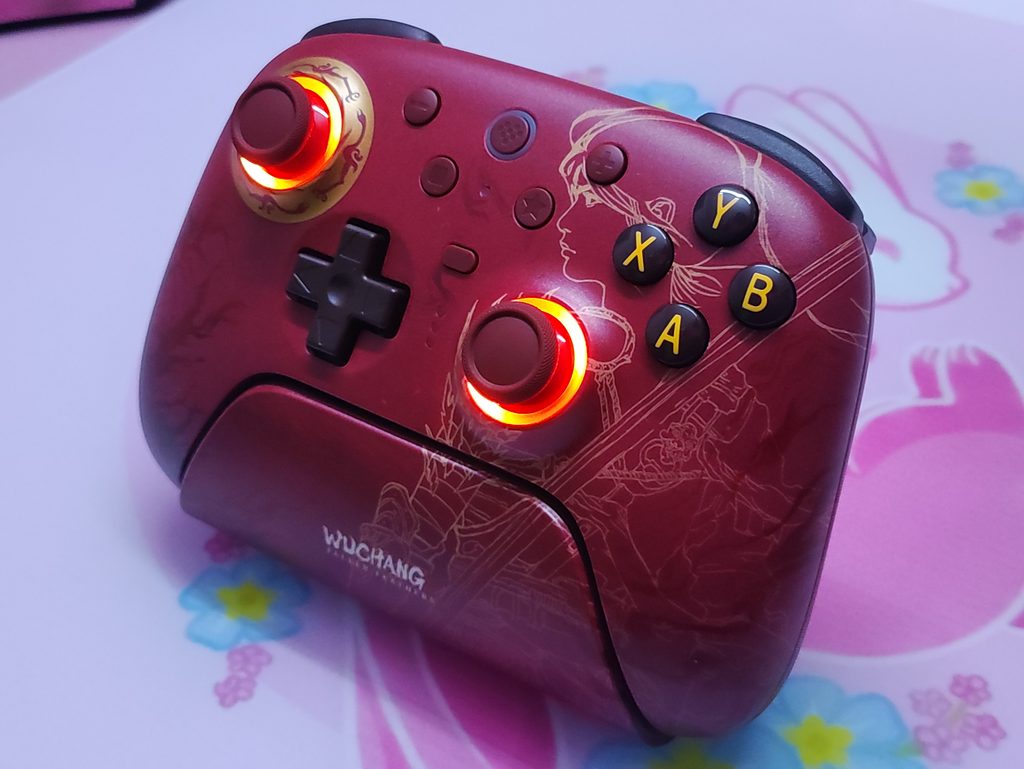
Go with the 8BitDo Ultimate 2 if:
- You’re PC-first. The Ultimate 3 makes you choose between 1000Hz polling and trigger vibration, while the Ultimate 2 gives you 1000Hz in wired and 2.4G with no such trade-off (well, you don’t get trigger vibrations at all in the first place)
- You want micro-switch trigger stops. The Ultimate 3’s are plain physical stops.
- You want a gyro that works on more than just PC, or you want the Switch compatible version.
- You like RGB.
- You don’t want to pay $40 more for a controller that is still new, with early-unit quirks that aren’t confirmed either way.
Both are strong TMR controllers. Xbox players only have one real choice here, while PC-first players are probably better served by the Ultimate 2 right now. Personally, I recommend waiting for Ultimate 3 non-Xbox version to drop if you’re looking for a PC controller. Though we currently have no news of that.

Hello! 🥰 I'm Fang.
I like gaming and related tech. I enjoy learning more, and sharing my experiences through my review videos and blog posts. Have fun! 💖


