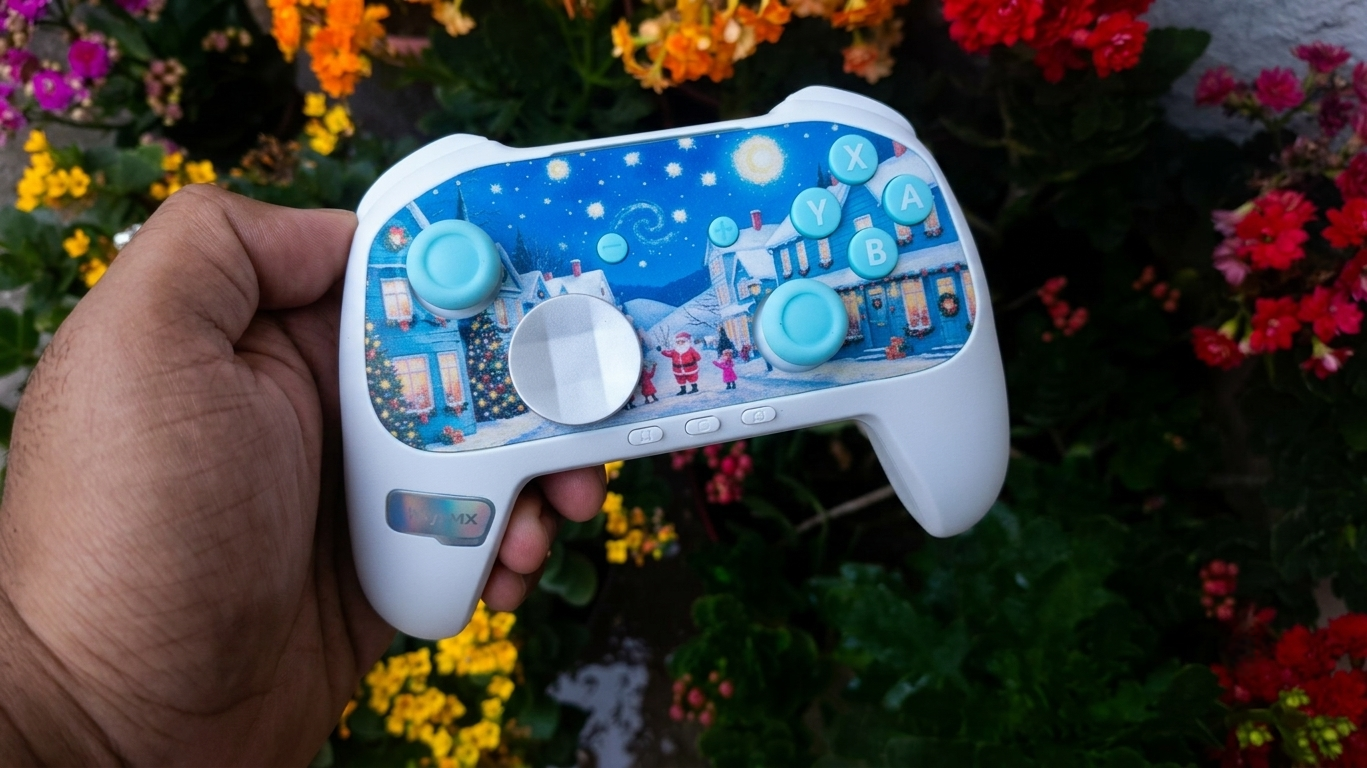

EasySMX is a brand that I didn’t know much about just a few months back. I first learnt of them when I received an early testers sample of the EasySMX D05, which I had quite a positive experience with. This got me interested in their other offerings. So today, I’m reviewing the EasySMX X15, a really cool looking controller at the $40 price point.
PACKAGING


The box is packaged like a collectible action figure. The front has a window that lets you see a majority of the controller’s design.
Looking at the box you might think that this packaging isn’t sufficient for protection during shipping. But worry not, as they cover the box in thick air-tube packaging which is very secure.

Inside the box, we find:
- The controller (nestled securely in a plastic mould)
- a 2.4 ghz dongle with a pairing button
- a short, basic USB-A to USB-C cable
- and a user manual
The contents here are minimal. No included accessories or such. The cable should have been a longer, higher quality cable in my opinion.
SPECIFICATIONS
These specs are from the EasySMX X15 product page and my own observations:
- Layout: Xbox
- Connectivity: Wired, Bluetooth, 2.4GHz
- Compatibility: Windows, Android, iOS, MacOS, Linux, Nintendo Switch (not Switch 2)
- Sticks: Hall Effect
- Triggers: Hall Effect, no trigger stops
- Main Switches : Rubber Dome Membrane
- Extra Buttons: 2 rear buttons
- Gyroscope : Absent
- Haptics: 2 Asymmetric motors in handles
- Battery: 1000mAh
- Polling Rate: 1000Hz – wired, 2.4gHz; 125Hz – Bluetooth
- Colours: Mecha (black), Starfield limited edition, Wukong limited edition
- Software: No software, only firmware upgrade tool
- Price: $40
BUILD & APPEARANCE

The EasySMX X15 looks quite snazzy. The shape is that of a standard Xbox controller, so it sits comfortably in your hands. The X15 comes in three colourways, the default “Mecha” colourway, which is mostly black, and two special editions – the starfield edition and the Wukong edition. I got the Wukong edition, and I gotta say, this looks great. The print quality is great. You can see the design of the faceplate in the images that I have included.


The ABXY buttons are an off-white colour with a cool, gamer-y font. I thought this lettering was shine-through, but it isn’t. The D-pad is a nice chromed plastic, and it looks nice. The black sticks are a good choice here, as grey or white would look weird in the middle of the green design.
There is some nice texture on the back half of the handles. It provides more grip than some other stippled plastic grips I’ve used. There’s also a similar texture on the triggers, which is a nice touch.

The RGB implementation here is great. It looks really clean and well dispersed. The side glow RGB is a good touch which gives this a fairly unique look. I love that every element on the front is wrapped in RGB. A lot of controllers refrain from putting RGB around the buttons or the dpad, but here the RGB is well rounded. The customisation is limited to two modes. A static mode, in which you can change the colours to what you like, and a colour cycling mode.
The build quality here is pretty good. There’s no weird creaking or noises even when I squeeze the controller. Some plastics are a little cheap feeling though, like the ones on the start and select button, and the extra rear buttons. Overall though, it feels good.
ANALOG STICKS

The analog sticks of EasySMX X15 are hall effect, and they perform well. Smooth operation, and quite accurate. The anti-friction rings work great for now, but since there isn’t any metal protector, I fear the plastic will wear out over time and feel scratchy. But for now it feels good.
It’s a linear stick and feels consistent. The stick resolution is 256. It’s not bad, but I’m used to having higher resolution now and that feels better. It’s not like I didn’t perform well with 256, but if you look closely, the “jump” can be felt.
The stick centering is good and there isn’t a large bump in the middle. I didn’t have any snap back issues either.


BUTTONS

The EasySMX X15’s ABXY buttons are rubber dome membrane buttons. They’re quite good. They feel nice and tactile. There’s no wobble or rattle, and the shape is also comfortable to press.
D-PAD

The D-pad here is… not good. It’s a membrane d-pad with a very mushy feel. The central pivot is good, but the actual button presses feel distinctly rubbery and mushy. The diagonals are also not very nice to press. If you roll from a direction to a diagonal, you actually cannot tell when the diagonal has been activated.
I used this D-pad for movement in different genres of games, and this was a very unsatisfactory experience. The games I tested are Celeste, Hollow Knight : Silksong, Mortal Kombat, BlazBlue Central Fiction, and some emulated retro games.
SHOULDER BUMPERS

The shoulder bumpers are decent. I’ve used better, I’ve used worse. They’re mechanical switches, and are nice and clicky. The outside of the bumpers feel great, but as you close in towards the centre, the stability diminishes and the sound is a little rough. You most likely won’t get close to the centre when using this so this doesn’t really matter too much, but it’s good to know. You’ll see what I mean in the sound test a little later in the review.
TRIGGERS
The triggers are quite pleasant to use. It’s not perfect though. It’s a smooth travel all the way through, with very minimal deadzone. The trigger sit well under your finger, but if you have large hands like me, the edge can feel a little sharp. Nothing too uncomfortable, but you notice it digging into your fingertip over the course of hours.
The travel distance is a little short. It’s sufficient, but more travel would feel nice.
There are no trigger locks or trigger vibrations. (It isn’t a super common feature at this price point, but I mentioned it because some controllers do have these features)
BACK BUTTONS

There’s 2 extra buttons at the back. They’re placed in a comfortable position, and are easy to press. There were zero accidental presses in the time I used it. It’s a tactile button with a nice, comfortable actuation force.
SOUND TEST
To give you an idea of what the X15’s buttons and other parts feel like, here is a sound test of the controller, along with a few notes here and there.
BATTERY LIFE
The EasySMX X15 comes with a 1000mAh battery. This lasts for about 18 hours with the RGB on, and a little more with the RGB off.
There is no fast charging here, so it takes about 3 hours to get back up to 100% from 0% charge.
HAPTICS
There’s a pair of asymmetric motors in the handles. They work well and are actually quite detailed. I’ve had a really satisfying experience with these rumbles while playing forza and some single player games.
SOFTWARE
There is no software, but there’s a firmware update tool available on the EasySMX website. You can remap buttons and customise settings on the fly with on-controller shortcuts listed in the manual.
EXTRA FEATURES
- Gyroscope – none
- Charging Dock – none
- Audio Port – none
CONNECTIVITY
The X15 is a tri-mode controller, which means it can be used in wired, bluetooth and 2.4ghz wireless mode. The latency numbers are as follows:
| MODE | BUTTON LATENCY | STICK LATENCY | POLLING RATE |
| Wired X-input | 3ms | 7ms | 1000Hz |
| Wired D-input | 7ms | 8ms | 150Hz |
| 2.4gHz X-input | 3ms | 8ms | 1000Hz |
| 2.4gHz D-input | 8ms | 10ms | 150Hz |
| Bluetooth | 18ms | 21ms | 125Hz |
You might notice that the 2.4ghz latency numbers don’t match with Gamepadla. This is because on an earlier firmware, the controller only had 150hz polling rate on 2.4ghz wireless mode, but in the latest firmware, it is at 1000Hz.
These are good latency numbers, and the usage experience mirrors this data. I felt no connection hiccups or latency when gaming with the EasySMX X15.
CONCLUSION
The EasySMX X15 is a good controller. Is it the best in its price bracket? No. But it is definitely a controller worth considering, and if the aesthetics please you, this isn’t a controller that will be a bad experience at the very least. But if you have other options like the Flydigi Direwolf 4 or GameSir Cyclone 2 available to you, I would recommend those over this.

Hello! 🥰 I'm Fang.
I like gaming and related tech. I enjoy learning more, and sharing my experiences through my review videos and blog posts. Have fun! 💖