



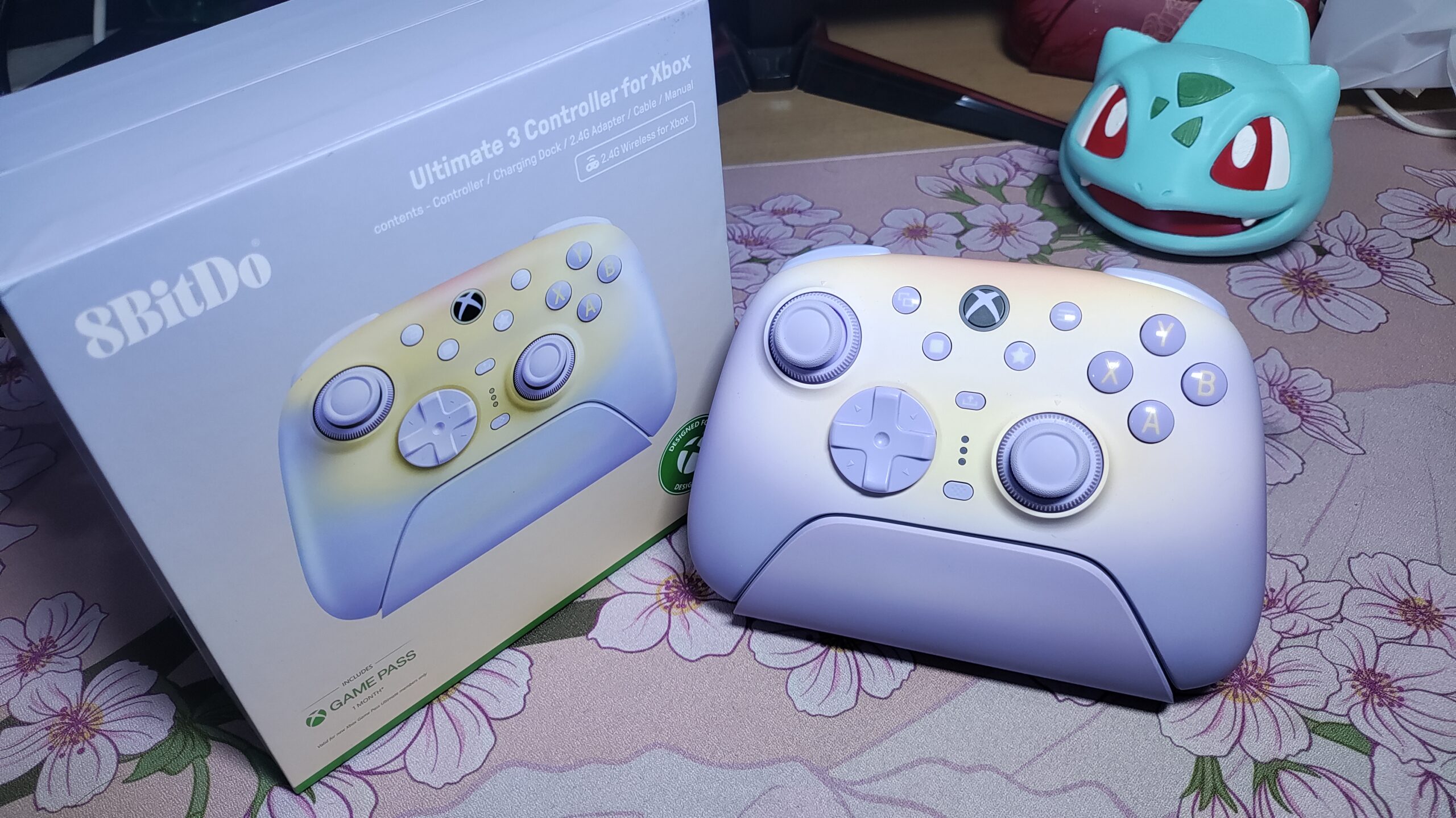
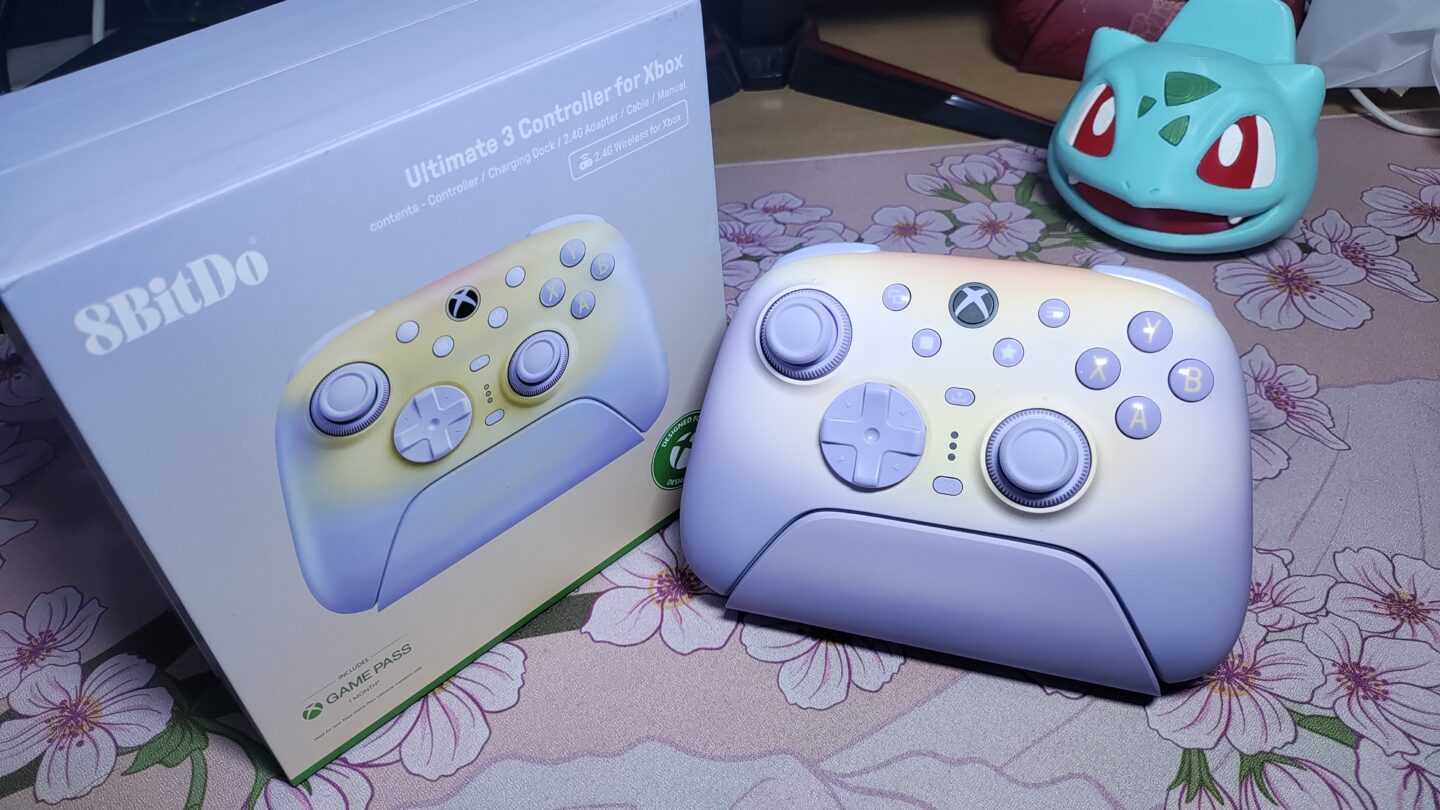
8BitDo controllers are always ones I look forward to checking out and using. Their Retro Mechanical Keyboard was the first product I ever reviewed, and the $30 Ultimate 2C has been in my main controller rotation ever since I got it. So a $99.99 8BitDo controller that is more ergonomic, has TMR sticks with adjustable tension, and comes with a dock? I just had to get one.
Today I’m reviewing the 8BitDo Ultimate 3 Controller for Xbox in the Lavender Dusk colourway. I’ll be adding my impressions of the Mossy Lagoon colourway as an update once I get my hands on it.
Here’s a quick confusion clarification, because 8BitDo’s naming scheme is confusing. This is not the older Ultimate 3-mode Controller for Xbox, which uses Hall Effect sticks and is wired-only (except the 40th Anniversary Rare edition) on Xbox consoles. It’s also not the Ultimate 3E, the $149.99 modular version with swappable parts. The Ultimate 3 for Xbox sits in between: TMR sticks with a Force Ring for tension adjustment, 2.4GHz wireless on both Xbox and PC, and a wireless dock in the box. It’s their latest release (as of writing this review)
Unboxing
The box for the 8BitDo Ultimate 3 controller for Xbox (that’s such a mouthful to say; I will just call it Ultimate 3 going forward) is very cool. It has a premium presentation, where the insides lift up to greet you and present the controller to you. I really like this touch.
Putting the theatrics aside, inside the box, you will find:
- The Ultimate 3 controller
- Wireless charging dock
- USB-C 2.4GHz adapter (already inside the dock)
- USB-A to USB-C cable (matching the controller’s colour!)
- User manual
The buttons are covered with a protective film and the analog sticks are secured in a foam that prevents them from moving around, getting stuck on something, and getting damaged during shipment.
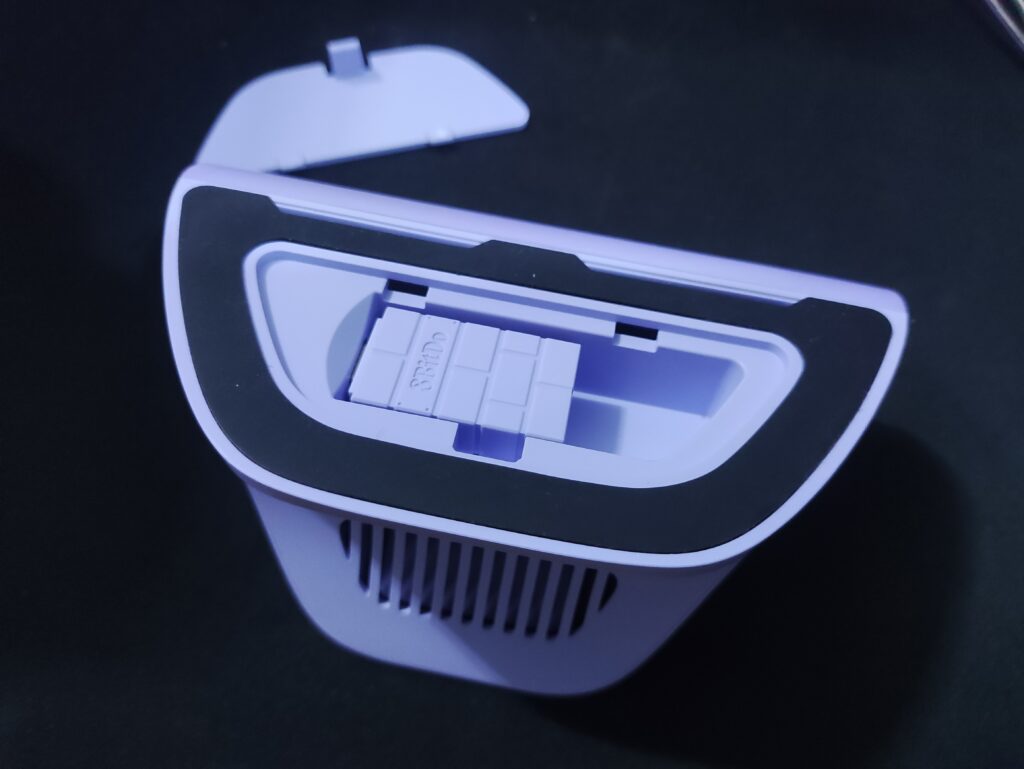
I am honestly almost as excited about the gorgeous colour-matched cable as the controller itself. It’s a simple cable – no braiding or anything. But the colour is just so nice. Anyways, moving on.
Specifications
From 8BitDo’s website and my own observations
| 8BitDo Ultimate 3 Controller for Xbox | |
|---|---|
| Layout | Xbox |
| Connectivity | 2.4GHz and wired (Xbox and PC), Bluetooth (mobile) |
| Compatibility | Xbox Series X|S, Xbox One, Windows 10 (1903) and above, Android 13 and above, Apple devices |
| Sticks | TMR with Force Ring tension adjustment, 12-Bit ADC sampling chip, 216MHz processor |
| Triggers | Hall Effect impulse triggers with trigger-stop (Not microswitch) |
| ABXY Face buttons | Membrane |
| D-Pad | Hybrid : Disc-style D-pad with raised Cross pattern |
| Shoulder Bumpers | Mechanical switches, 2 Extra Remappable L4/R4 bumpers |
| Back Buttons | 2 mechanical back buttons |
| Gyroscope | 6-axis, PC only, mappable to the left or right stick |
| Haptics | 4 vibration motors (2 handles and 2 triggers) |
| Battery | 1000mAh Li-ion, about 20 hours of play, 4-5 hours to charge |
| Dock | Wireless (no pogo pins, contactless) charging dock included |
| Polling Rate | Up to 1000Hz on PC, wired and wireless (8BitDo’s lab figure, not supported on Xbox consoles) |
| Audio | 3.5mm headphone jack |
| Software | 8BitDo Ultimate Software X (PC), Ultimate Software V2 Mobile |
| Weight | With dock : ~450g Just controller : ~295g |
| Colours | Lavender Dusk, Mossy Lagoon, Tomb Raider 30th Anniversary Edition |
| Price | $99.99 |
Design & Build Quality
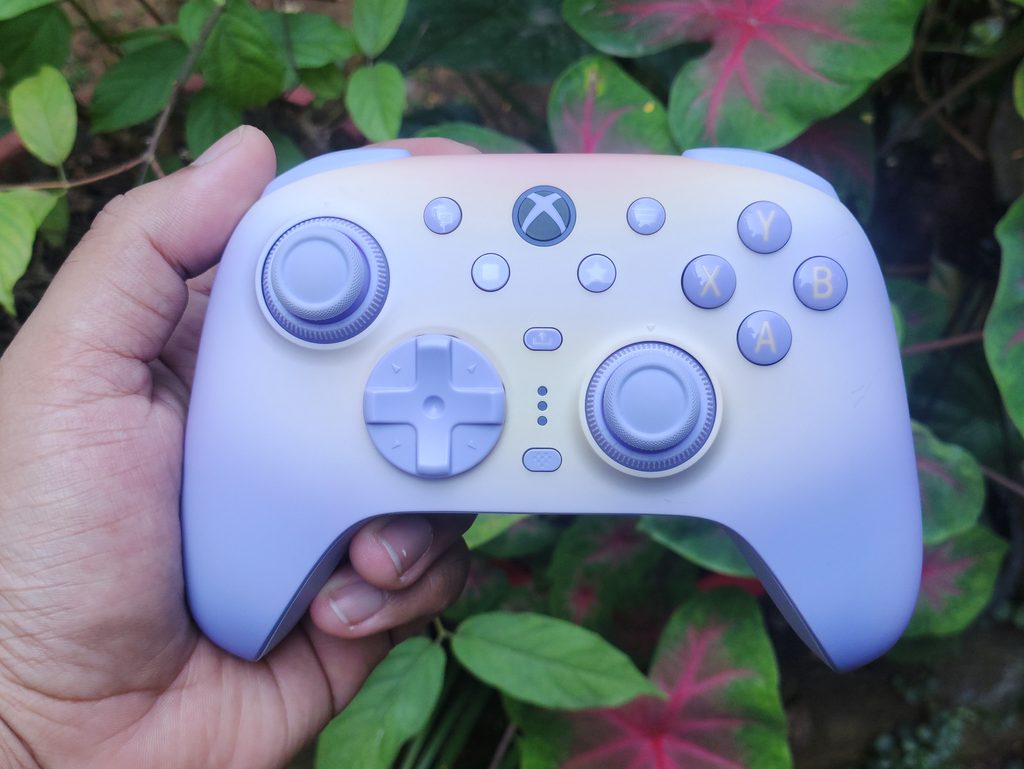
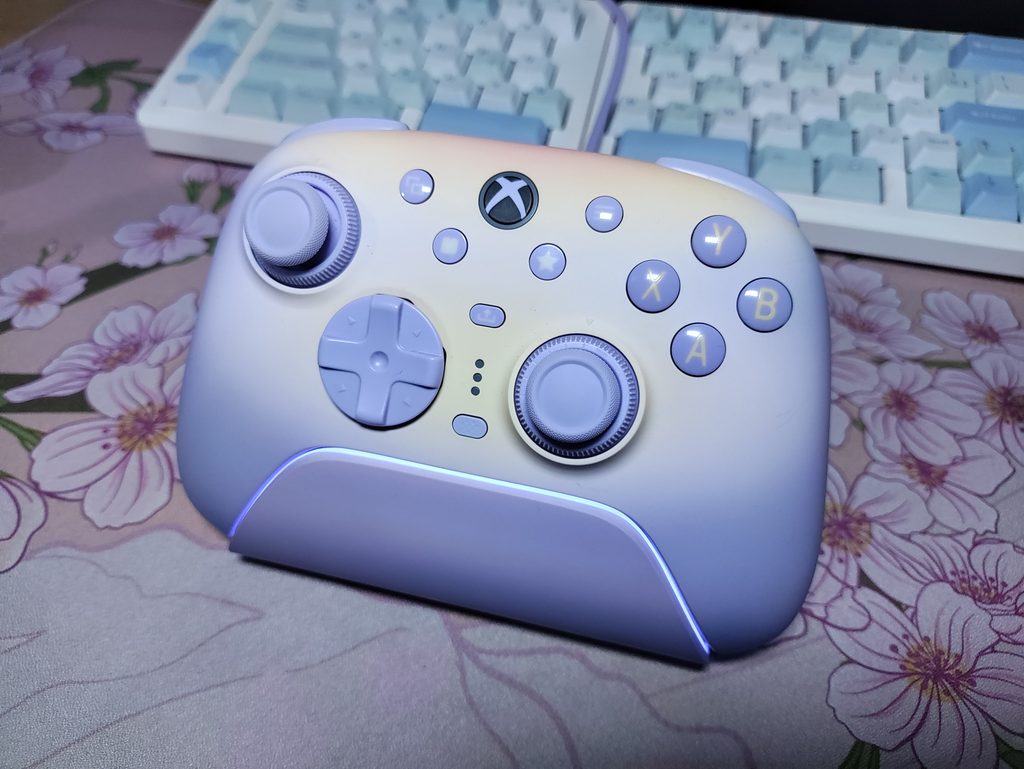
Design-wise, the Ultimate 3 is gorgeous. I love the way it looks. The orange and lavender colour look awesome on the Lavender Dusk version. In total, there are three variants of this controller (so far):
- Lavender Dusk
- Mossy Lagoon
- Tomb Raider 30th Anniversary edition
All three of them come with the same features and contents, but the Tomb Raider Edition will come with a metal D-Pad as opposed to the plastic one found on the other two variants. At the time of writing this review, it is still in pre-order phase.
The major change that 8BitDo has implemented for the new Ultimate 3 series controllers is the shape. Gone are the days of hand cramps due to the square, boxy shape of the handles. Now, it has more flared handles which results in a much more ergonomic experience.
The build quality is excellent on this controller. The weight balance, the edge finishing, the materials – everything feels premium and well thought out. The rubber grips on the back half of the controller are great, but the faceplate is also something to note. It has a soft touch finish of sorts, and it feels so nice. I might even go as far as saying that this is the best feeling faceplate material I’ve ever used on a controller.
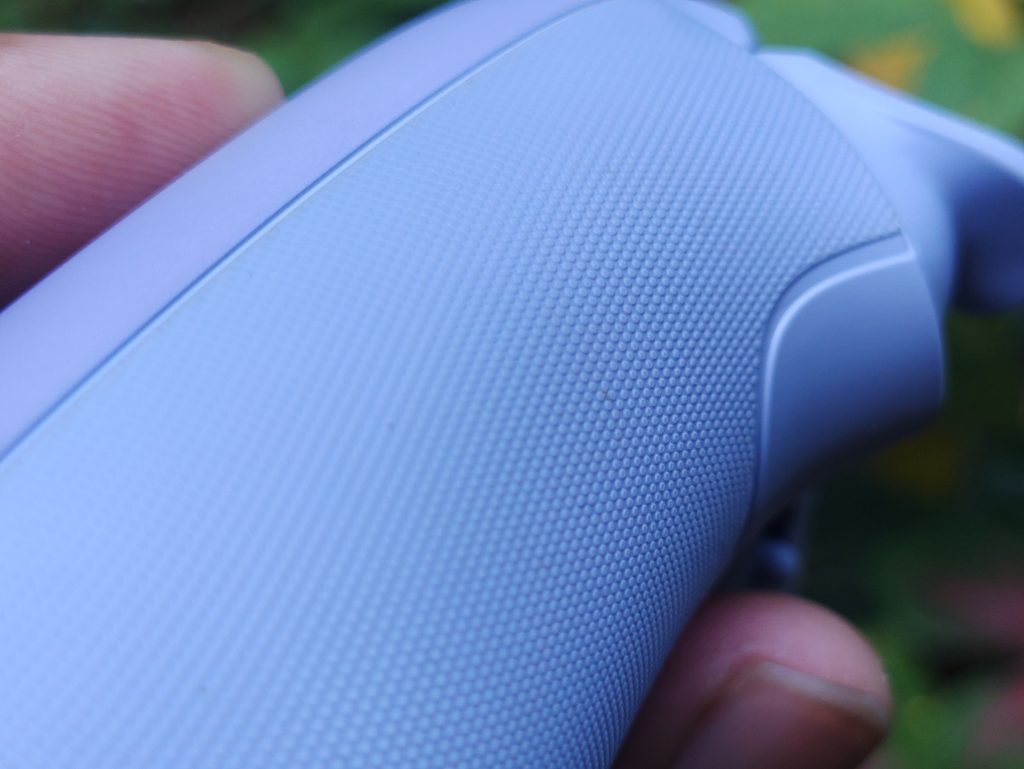
The one gripe I have in terms of build quality is the tolerance on the D-Pad pins. The D-Pad is incredibly easy to take off with minimal force. This doesn’t affect anything during gameplay, and it even feels quite good to use actually. I’ll talk more about this later in the review.
I like the charging dock’s design too. It matches the colour of the controller, and the LED strip on the top edge gives it a distinct and premium look. There’s no way to change the colour of this LED though, and you’re stuck with orange when charging, and lavender-white when fully charged. Luckily, it looks great on this dock.
Since the dock is a fully wireless solution without any need for contact pins, the dock and controller both look very clean. I like it.
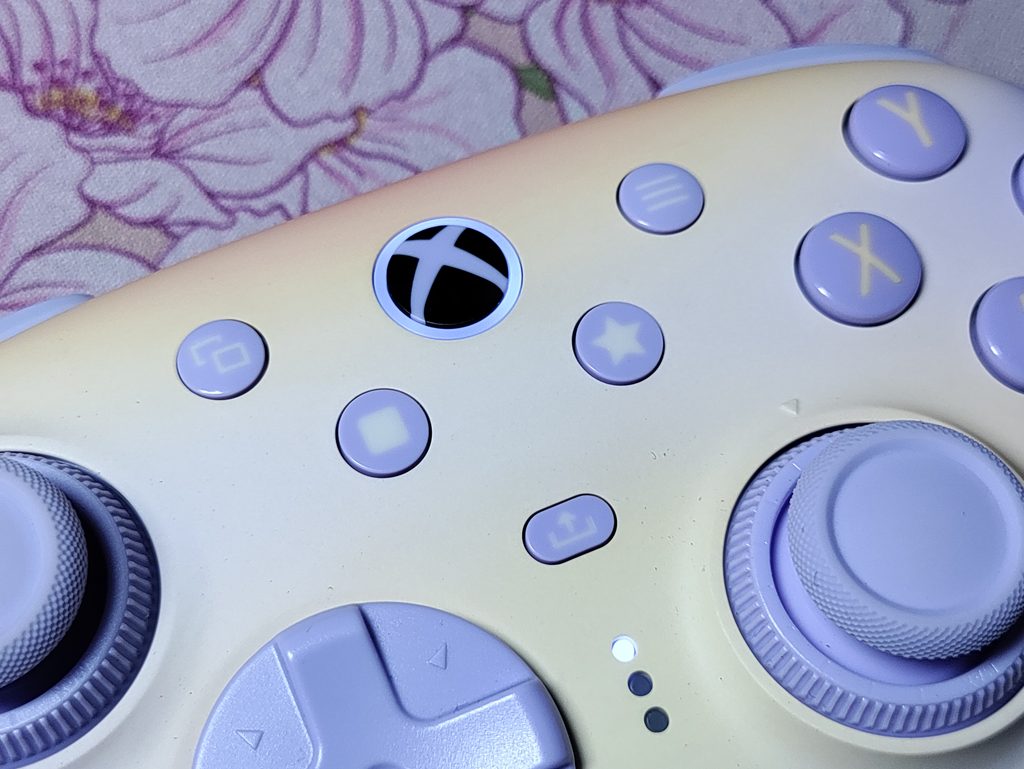
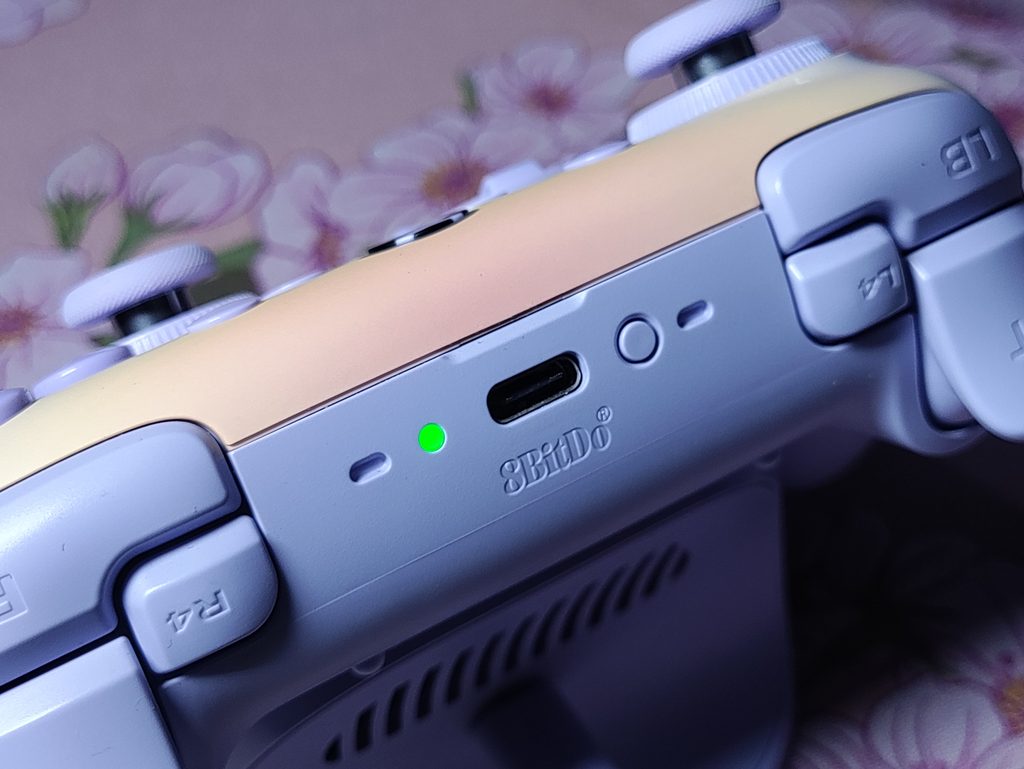
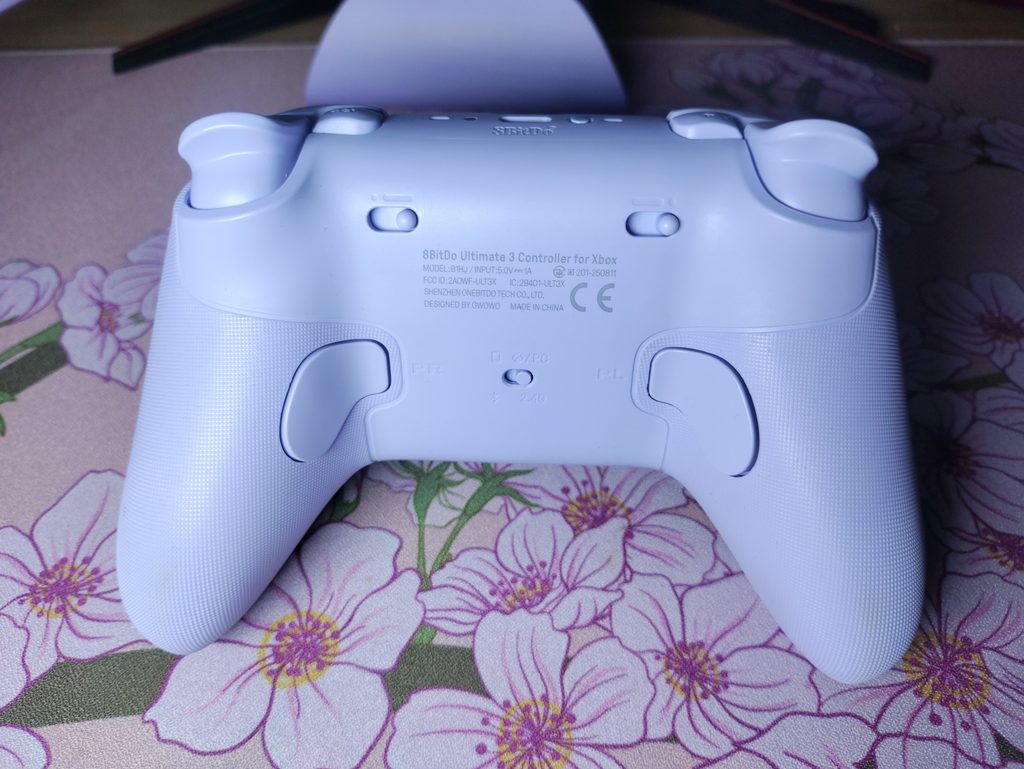
You can see all the button positions and ports of the controller in these photos.
Analog Sticks
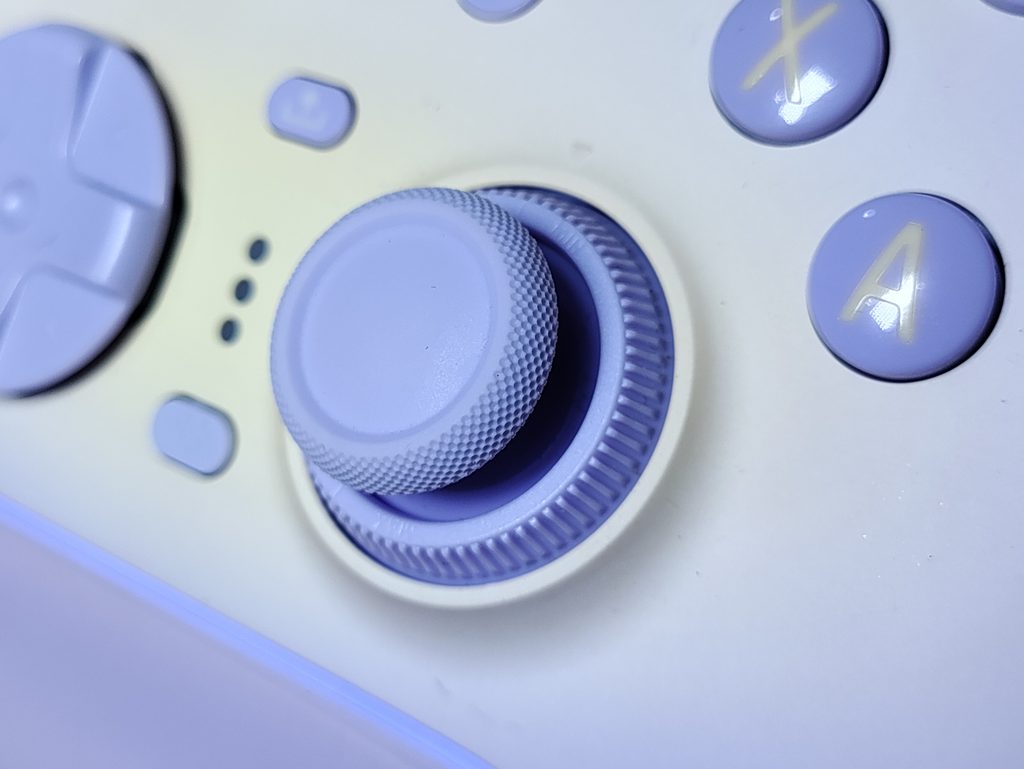
The sticks are the headline feature here. The Ultimate 3 uses TMR sticks, paired with a 12-Bit ADC sampling chip and a 216MHz processor. 8BitDo says this gives higher sensitivity, better accuracy and long-term durability. In my testing (using Gamepadla’s Stick Tracer tool), the stick resolution was consistently between 10.5 bit and 10.8 bit, rather than 12 bit. This still gives a good experience in games and I enjoy all genres of games with this controller.
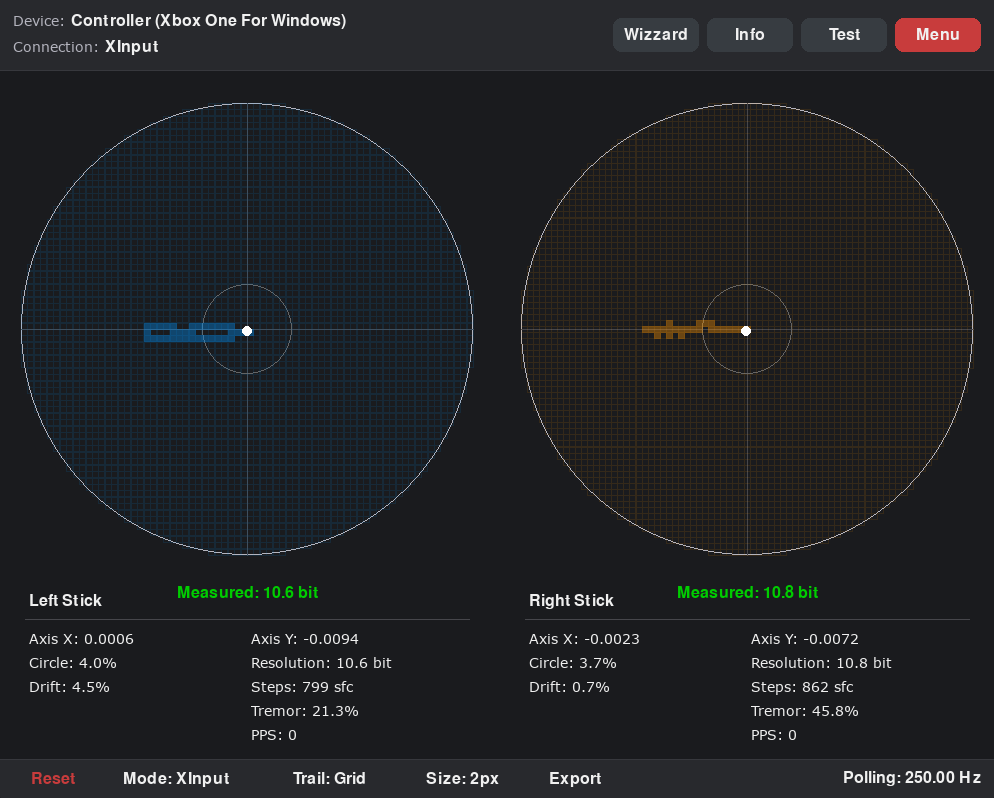
In general, the higher your stick resolution, the twitchier your aim will feel. Standard controllers like the dualsense or xbox series controllers use 8 bit, and 12 bit gives your stick a lot more data points. 10 bit is usually a good middle ground. Some games have systems like aim assist which don’t play too well with higher resolution, as they were built with standard 8 bit controllers in mind. One example is Apex Legends, where the aim assist drops off too early if you’re using higher resolution sticks at a high polling rate. Usually 10 bit is a good middle ground, but aim assist is the strongest with 8 bit resolution
Technical specs aside, the feel of the sticks is what matters the most. I’m glad to say that the sticks feel just as good as 8BitDo’s other controllers. 8BitDo has used an internal restriction mechanism here instead of the metal/POM anti-friction mechanisms that their older controllers have. This is nice and leads to a smooth, soft, and even stick feel. The sticks don’t touch the tension-adjustment ring on the outside. Speaking of which –
One feature of the Ultimate 3 which is new to the 8BitDo Ultimate series of controllers is the Force Ring – an integrated ring around the stick for adjusting stick tension; lighter for speed, tighter for control. The ring is made of plastic (pretty high quality plastic so it doesn’t feel cheap or anything) and it uses a ratcheted mechanism. The tension can be adjusted from around 40gf to around 80gf. I say “around” because the left and right sticks had slightly different lowest and highest tension on my unit. This doesn’t affect gameplay, of course.
These sticks have a decent bit of snap-back when released from the edge at all tension settings. This hasn’t caused any problems for me in games. There is practically zero centre-bump here which is quite a nice change from all these other controllers that I’ve been using lately. This doesn’t inherently make the Ultimate 3 better than these other controllers, but it does have a different feel. I like it.
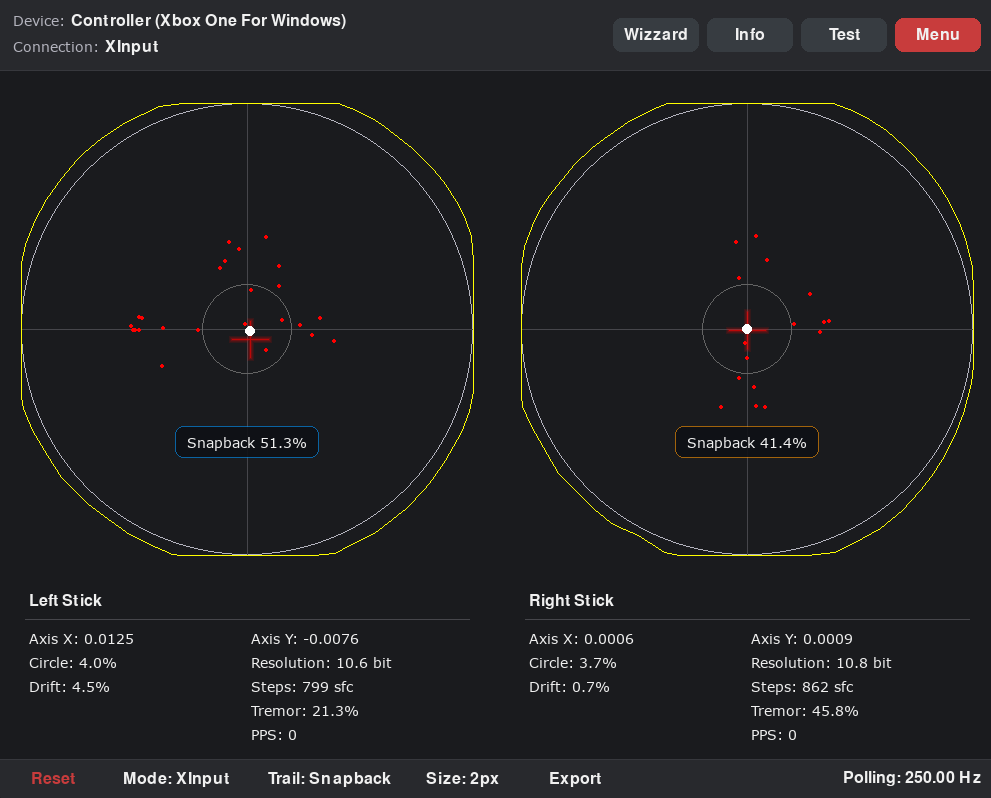
One thing to note: On my unit, the sticks aren’t perfectly centred. It still leaves some input when set to zero inner deadzone. It takes 3% inner deadzone on the left stick and 2% on the right stick on my unit to stop registering inputs. This is not a dealbreaker to me, since the deadzone percentages are quite small. But you should look out for other people’s accounts of the stick centering before you make your purchase, since I only have one unit at the moment.
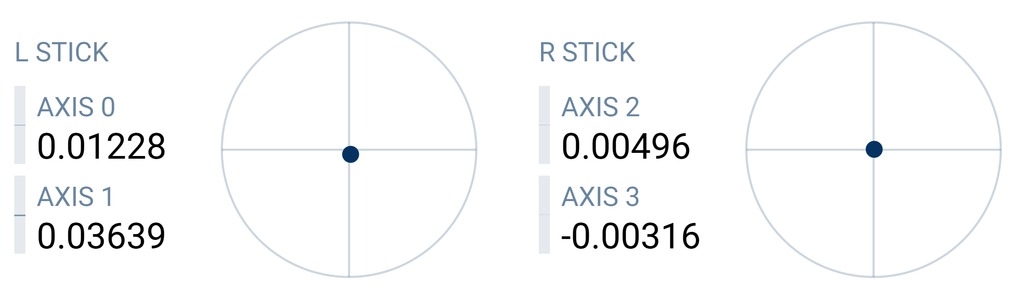
Overall, the sticks feel great physically but it seems that there are a couple of kinks to work out on the software and firmware side.
D-Pad
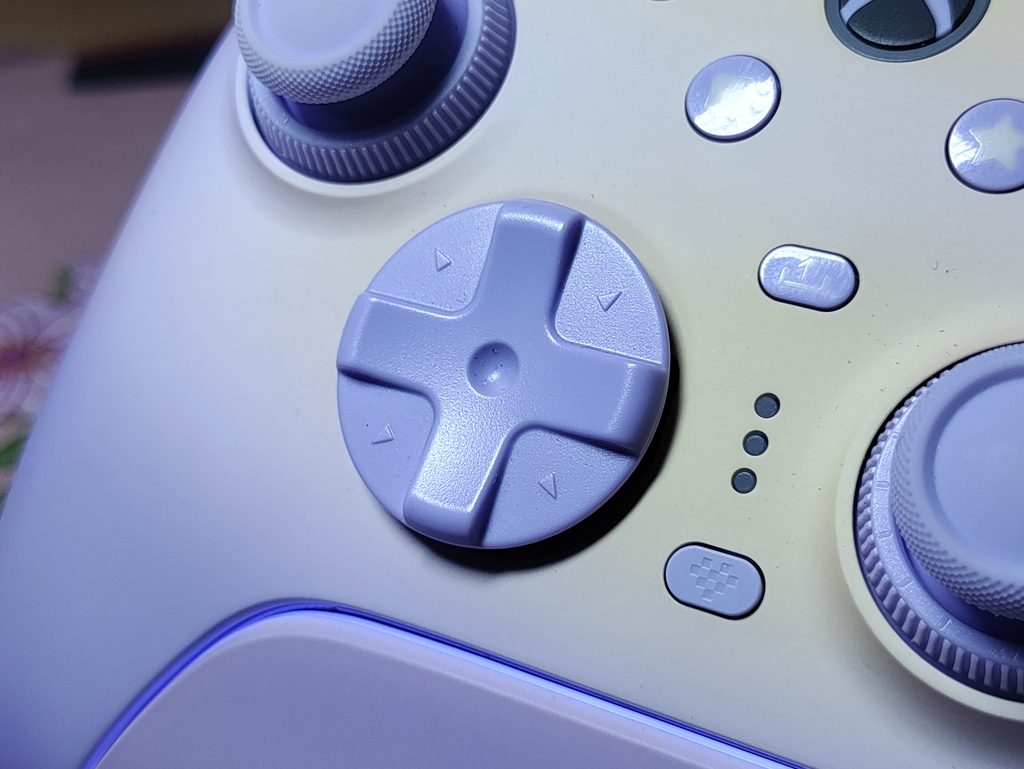
The Ultimate 3 for Xbox comes with a hybrid style, floating, tactile D-Pad. It’s a round disc D-Pad with raised cardinal directions in a cross shape. The tactility feels great, and all inputs are very easy to do. Diagonals are very easy to hit and I have no complaints with regard to how the D-Pad feels. There’s a slight play but it’s not noticeable unless you’re looking for it.
But… how do I say this… the D-Pad face is not attached to anything? The internal mechanism and the outer floating D-Pad are just held together with friction. Well, on my unit it’s not even really held together at all. It’s quite loose, and comes off with the slightest upwards jolt. I can’t lift the controller by the D-Pad either, as it just slides off. This doesn’t affect your gameplay in any way but it just… feels weird to know. I’ll update this article later if this causes any issues, but for now I’ll just keep an eye on it. My Mossy Lagoon variant of this controller is in transit, so I’ll check if this is just an issue with my unit or a problem with the Ultimate 3 as a whole.
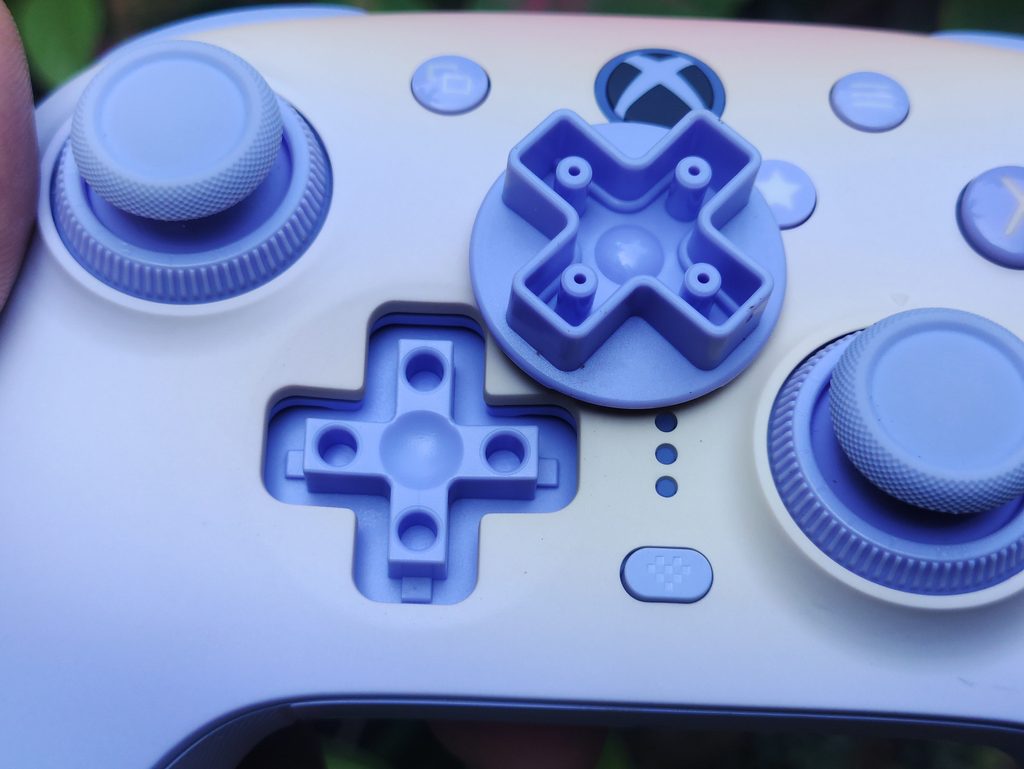
Anyways, the D-Pad feels excellent while gaming. Great tactility, reliable diagonals, and no thumb mashing when pulling the right stick towards the left and pressing the right D-Pad direction. There is some wobble to it, but it’s inoffensive and doesn’t affect gameplay. Probably due to the rather large diameter of the D-Pad and the hybrid style.
I tested the D-Pad with 2D platformers (Celeste, Silksong, Blasphemous) and fighting games (Mortal Kombat 1, Tekken 8, Guilty Gear Strive, Marvel Tokon); It works well for all purposes. But as always, D-Pads are quite subjective.
ABXY Face Buttons
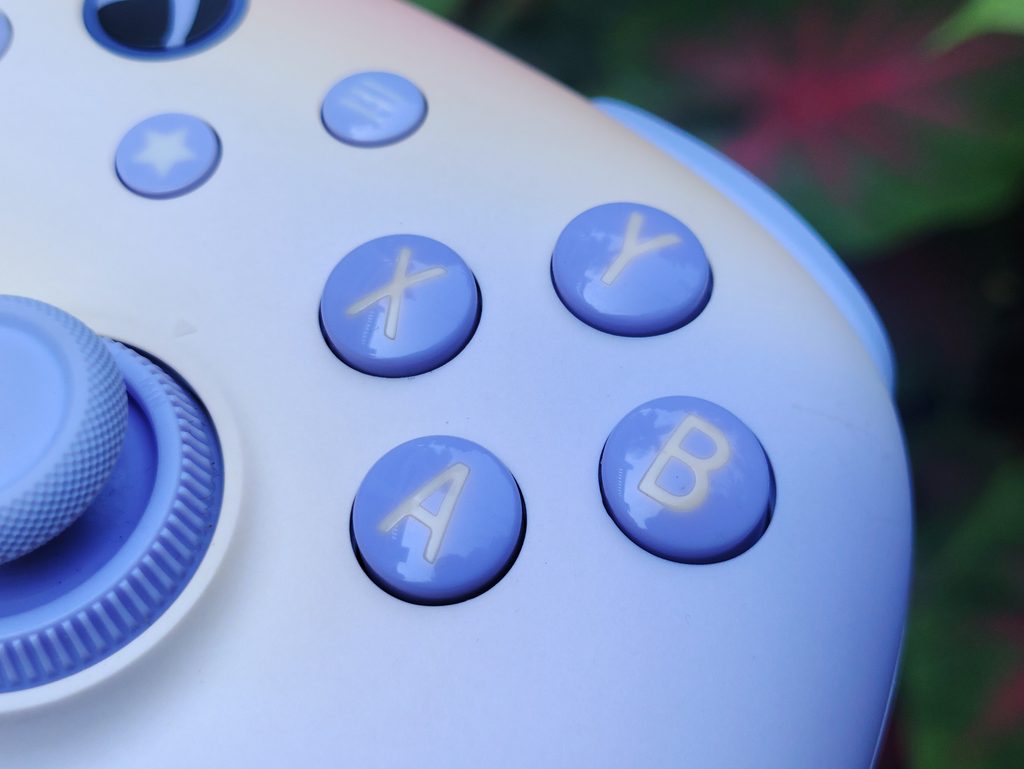
The Ultimate 3 goes for tried and trusted membrane buttons here. It almost shares the exact same button feel as the previous gen Ultimate 2, and a lot of other 8BitDo controllers. It feels nice and soft, has a decent amount of tactility, and only wobbles a tiny bit. The button material is a glossy plastic which feels inoffensive under the pads of your thumb even during intense inputs. There is almost no pre-travel, and there’s a bit of post-travel which just feels like “follow-through”. The bounce back is good and I haven’t faced any misinputs on this controller.
All in all, I like these face buttons. I personally prefer having mechanical, clicky face buttons, or at least more tactile ones like you find in Gulikit’s KK and TT series. But 8BitDo’s implementation of membrane buttons is amongst the best, and I don’t mind it. These buttons not being mechanical also mean that they’re not super loud, which is a plus point.
Triggers
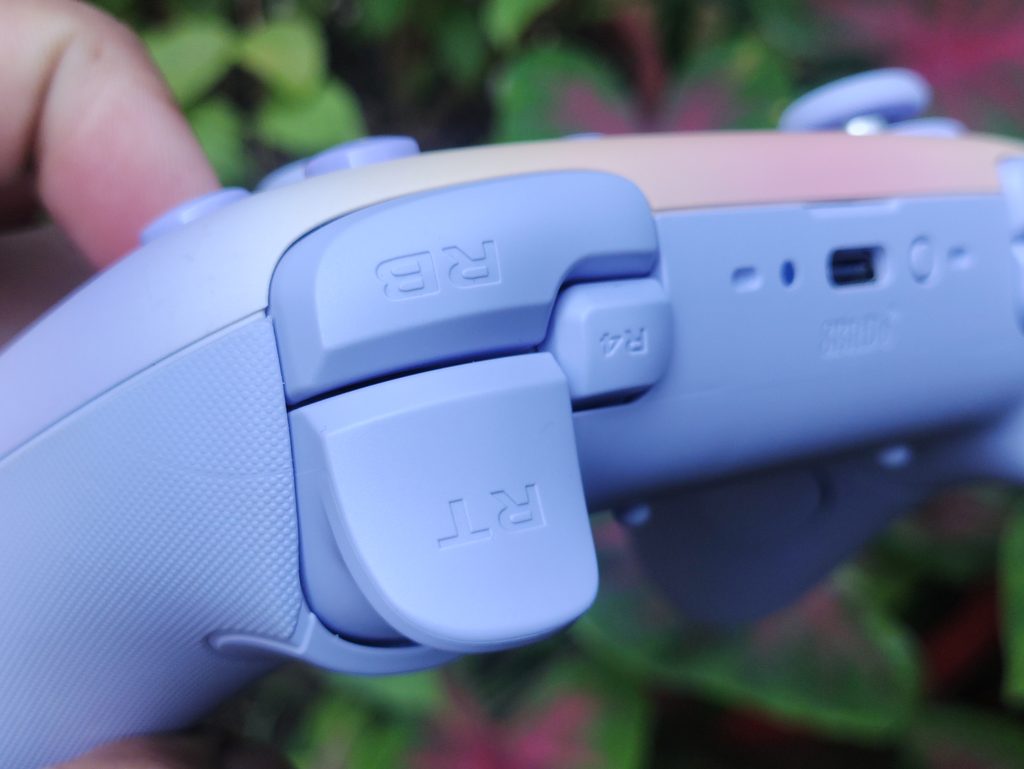
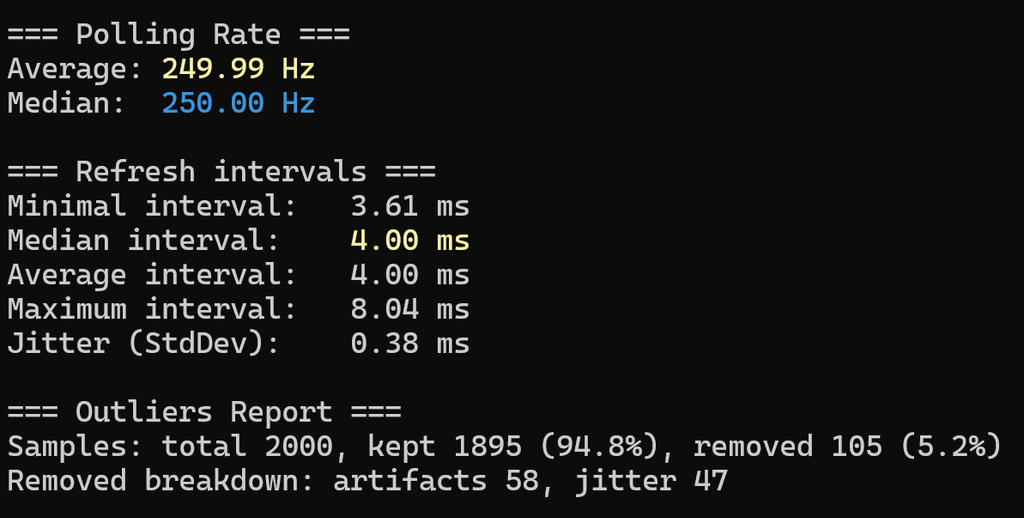
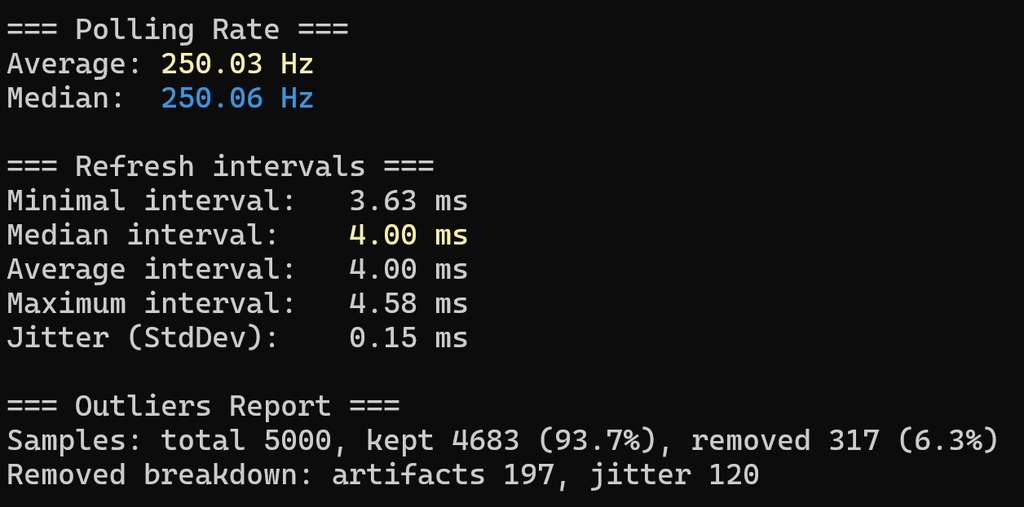
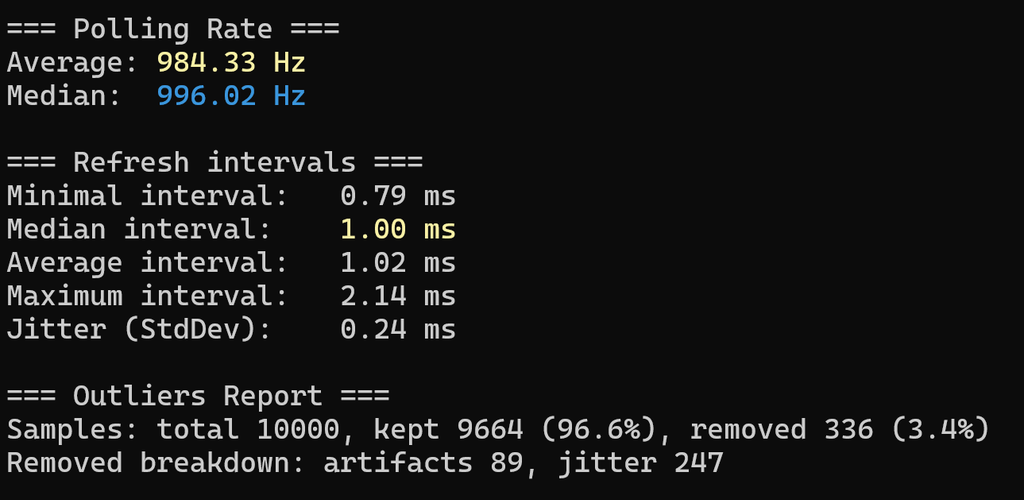
The 8BitDo Ultimate 3 for Xbox has Hall Effect impulse triggers. This is to be expected from an Xbox licensed controller at this price point. The trigger vibrations work as expected and has a similar feel to Xbox Series controllers. I had a pretty nice experience playing Forza Horizon 6 with this on both PC and Xbox. But the caveat here is that the trigger vibrations don’t work in tournament mode (1000Hz). It only works in the lower polling rate mode (250Hz). This is rather disappointing for a controller that can be used on a PC and costs as much as this does, even though it makes sense from an Xbox controller point of view.
The triggers feel nice. There’s an appropriate amount of tension in the triggers, but there’s a pretty significant amount of deadzone in the triggers – both internal and external. Calibration in the Ultimate Software X doesn’t seem to fix this either. This took some getting used to when playing games like Forza.
Additionally, the controller also has trigger stops – although these aren’t what I expected. The trigger stops are simply trigger stops, and they don’t have a tactile microswitch mechanism. All they do is put a stop to the trigger’s motion. It feels okay, but microswitch trigger stops are like a standard feature in pricy controllers like this one at this point.
Shoulder Bumpers
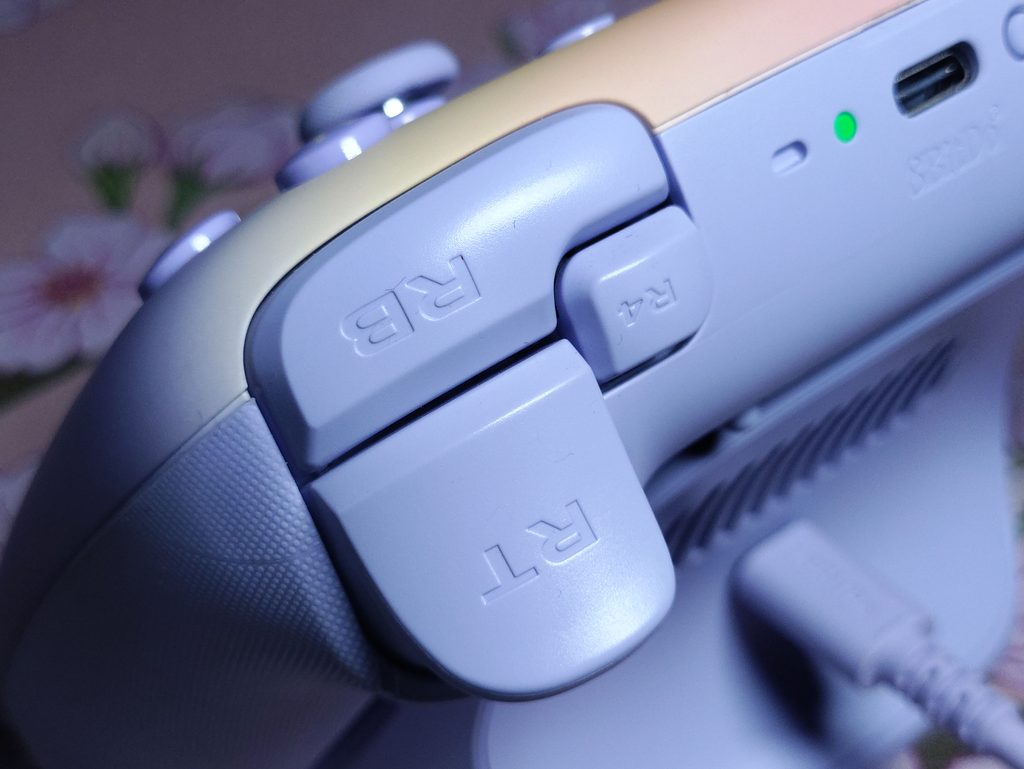
The main bumpers feel quite good. They’re mechanical buttons with clear, crisp tactility. I don’t like the convexity of these bumpers, but it’s not a big deal. It doesn’t take too much force to press the bumpers, so the shape doesn’t cause any finger pains. The bumpers have the pivot towards the centre of the controller, leading to more force needed to actuate them as you press closer and closer towards the inside. I also wish that there was some texture or stippling on the triggers to get a more firm, confident grip.
The main bumpers sit alongside a pair of extra “fast bumpers” (L4 and R4). They are also mechanical, clicky buttons. These extra bumpers need more force to actuate – as much force as it needs to actuate the main bumpers at the very inside point. They can be mapped to any button on the controller without needing the software.
Back Buttons
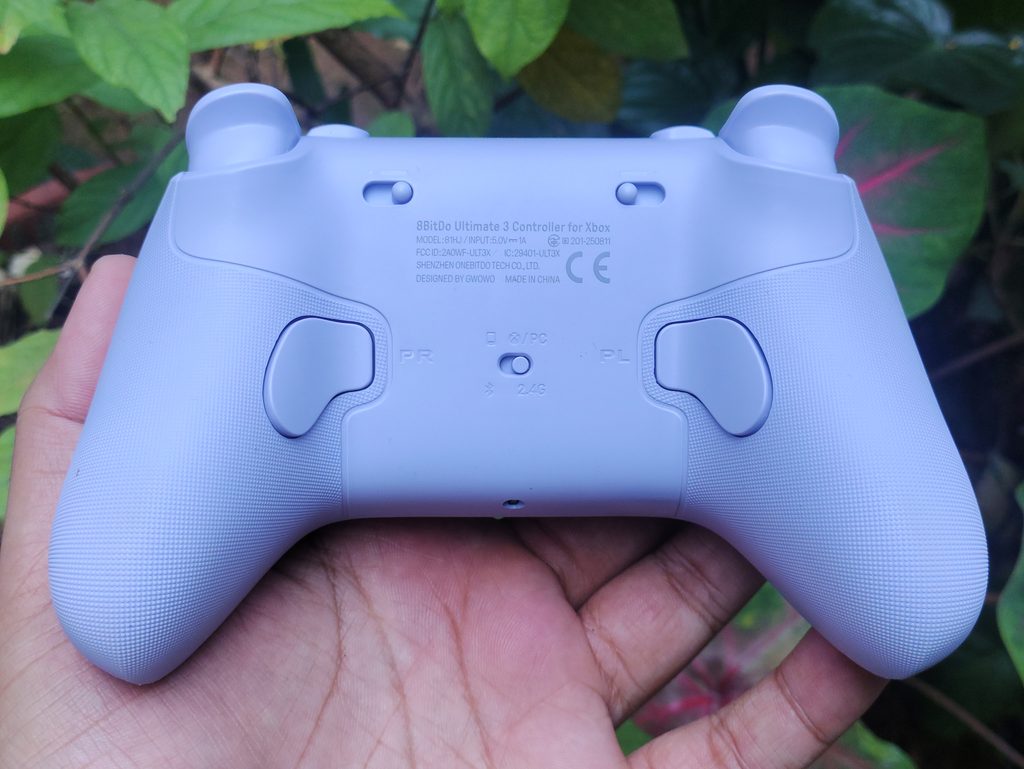
The Ultimate 3 for Xbox features one pair of back buttons. They’re mechanical, but they feel less clicky in comparison to the bumpers. Their position is great and I have no trouble reaching these buttons. They lie in a natural, ergonomic position.
Wireless Charging Dock
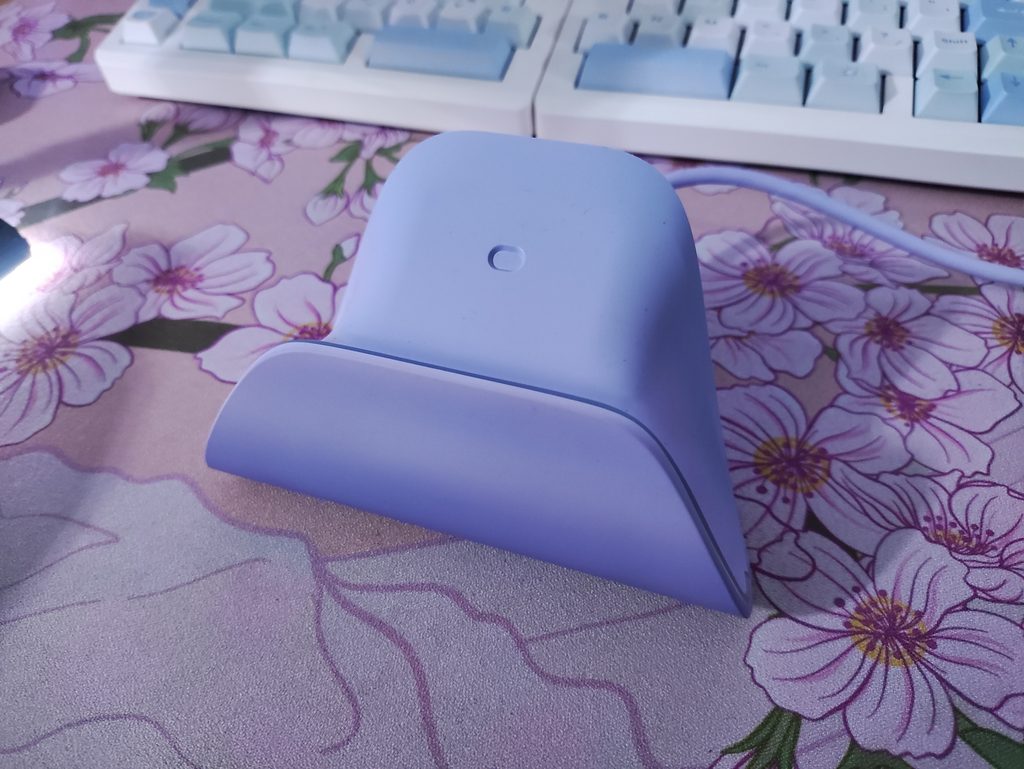
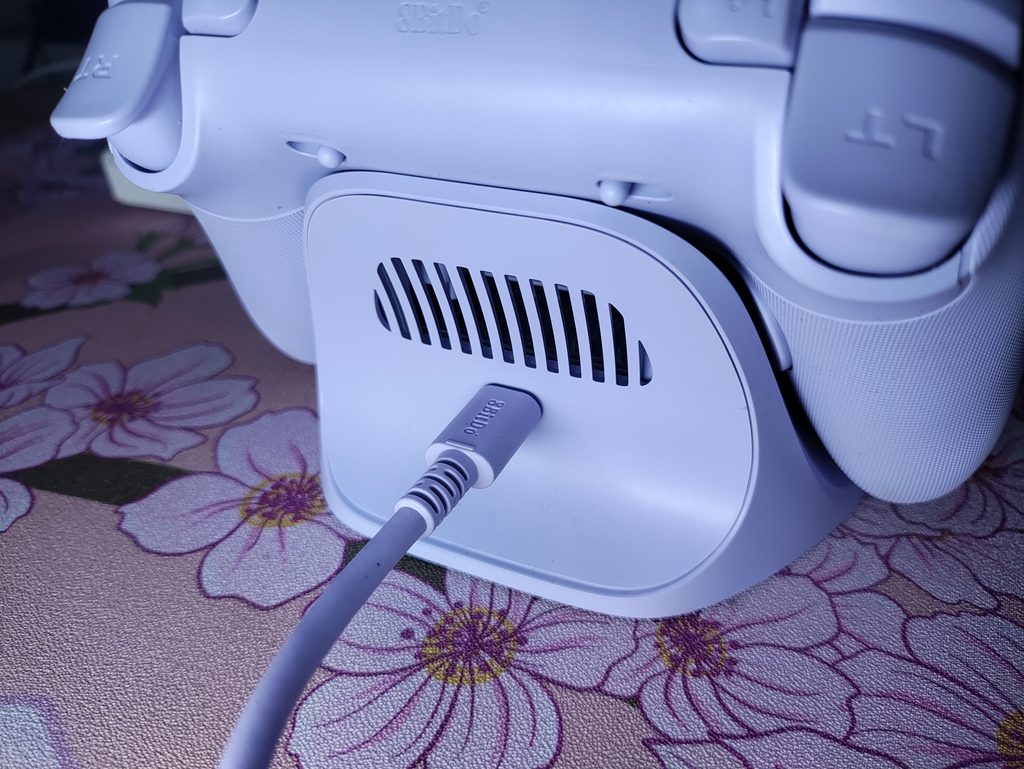
This is a big part of the Ultimate 3’s package. The included charging dock charges wirelessly with no exposed contact pins using magnetic alignment to line the controller up, and reconnects the controller automatically when you lift it off (this is disabled by default but can be enabled in the app). The 2.4GHz adapter can stay in the dock, and if you connect the dock to your PC over USB, it brings the adapter physically closer to the controller while in use which theoretically improves connection stability. Also, it uses one less USB port on your PC. Speaking of, the 2.4GHz adapter uses a USB-C port rather than the usual USB-A port.
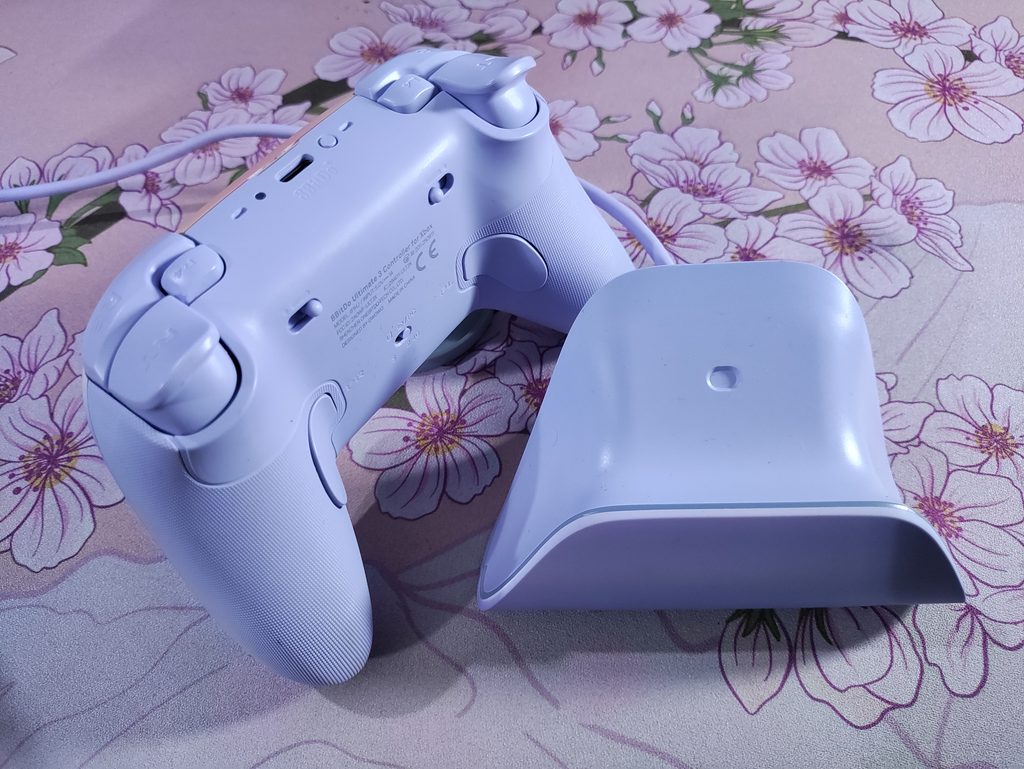
In my experience, the controller sometimes doesn’t “snap” onto the perfect position on the dock. Since it’s wireless charging, the controller still charges, but it looks a little skewed. Most of the time it falls in perfectly though, and starts charging. When the controller charges, the dock’s LED strip lights up in an orange colour, which adds to the “dusk” theme of the controller. I don’t really know why they went for fully wireless charging instead of contact pins. I don’t have any complaints, but perhaps it would have made this controller a bit more affordable?
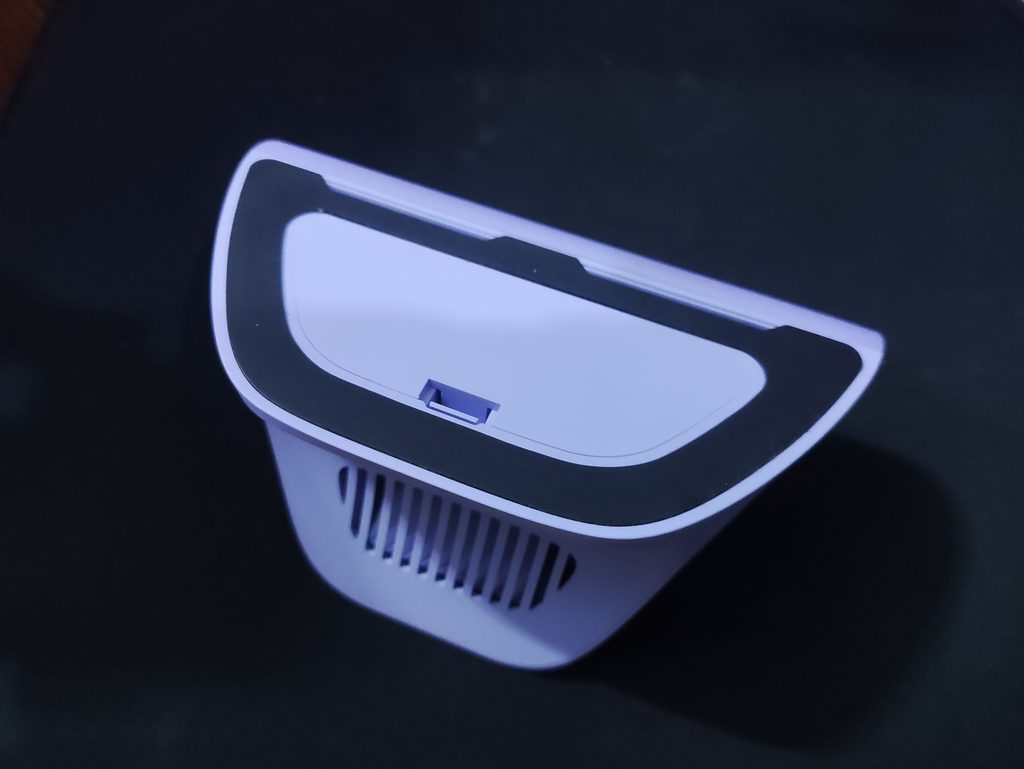
The dock is built very well and the package feels premium and complete with the controller. Underneath the dock there is a large rubber foot all around the border to prevent it from moving around on the desk. It works well. Coverage of the launch also says that the dock has overload protection and foreign object detection. I… didn’t test these claims as I didn’t want to damage this beauty lol.
Connection & Latency
On both PC and Xbox, the Ultimate 3 can connect over 2.4GHz and wired USB-C. Technically, it features 1000Hz polling rate. But the problem is that the trigger vibrations are disabled when you put the controller in tournament mode, which is the only way to get 1000Hz polling rate out of this controller. This is such a weird caveat honestly. I’ve seen plenty of controllers that have trigger vibrations AND high polling rates. When you turn off tournament mode to enable trigger vibration, you get a polling rate of 250Hz. While this isn’t a less enjoyable experience, I don’t like the idea of having compromises of this kind when I’m spending a crisp Benjamin on this controller. This only affects PC users because Xbox doesn’t support 1000Hz anyways. I’m hoping that this won’t be a thing in the non Xbox release of this controller.
Anyways, in terms of latency, the 8BitDo Ultimate 3 feels quite good in all modes. Even in casual mode (I’m gonna call it this when tournament mode is disabled), the 250Hz doesn’t cause much latency. I don’t have the exact measurements, but it feels pretty good. I recorded it with my phone’s slow motion camera, and the findings seem to indicate a good latency performance. It’s a rather crude method of verifying this though, so I’ll update this post later when Gamepadla publishes their numbers.
I haven’t faced any wireless signal interference issues even when using multiple wireless peripherals simultaneously
I also tested the controller’s Bluetooth mode with my Android tablet, and all seems well.
Software & Customization
The 8BitDo Ultimate 3 for Xbox uses 8BitDo’s Ultimate Software X, like all other Xbox licensed 8BitDo products. This software allows you pretty good level of customization on the controller. Before I list out the issues, you can see the interface and available settings in these screenshots. I like that there is pretty granular control of things like the stick curve and deadzones.
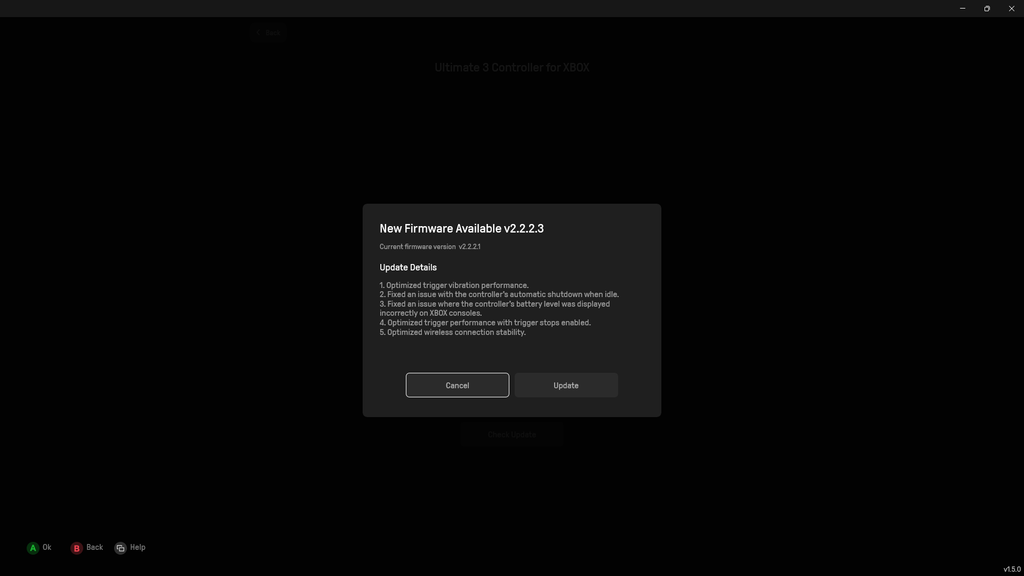
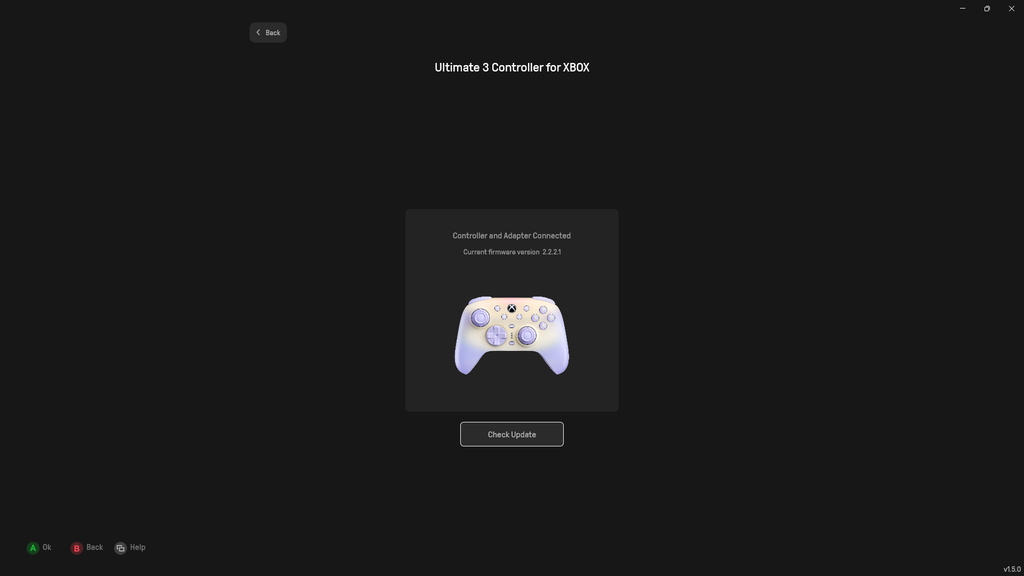
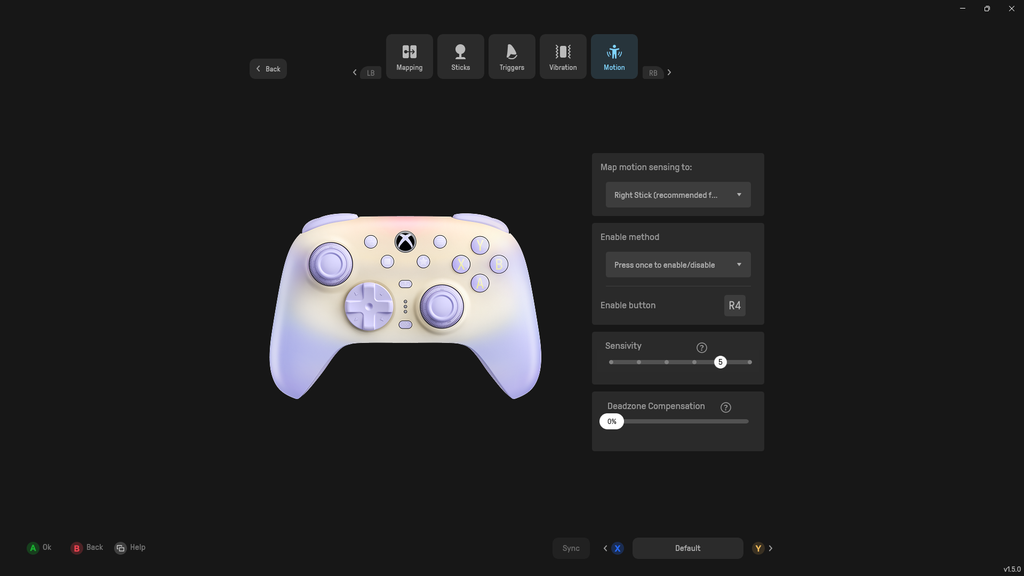
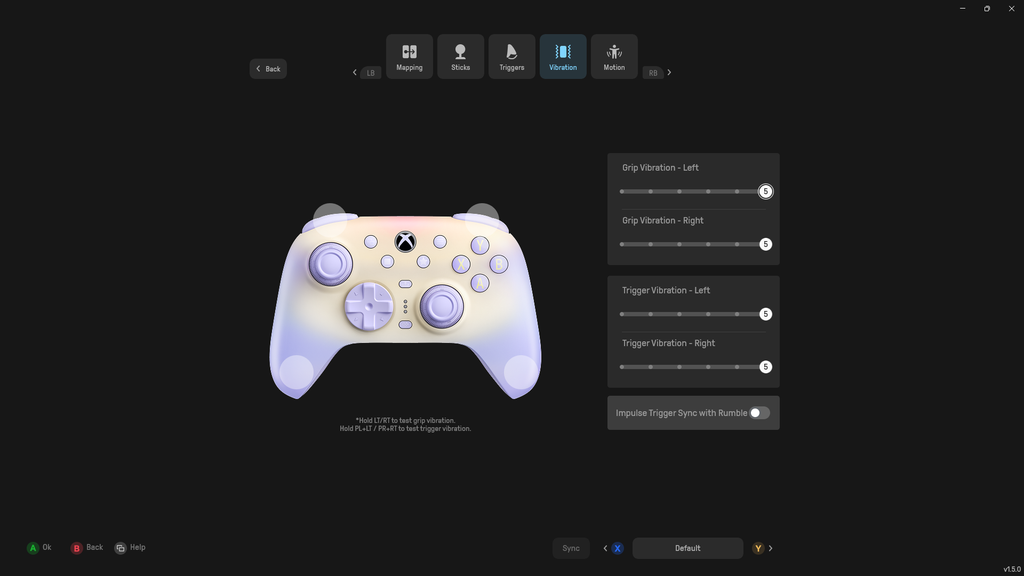
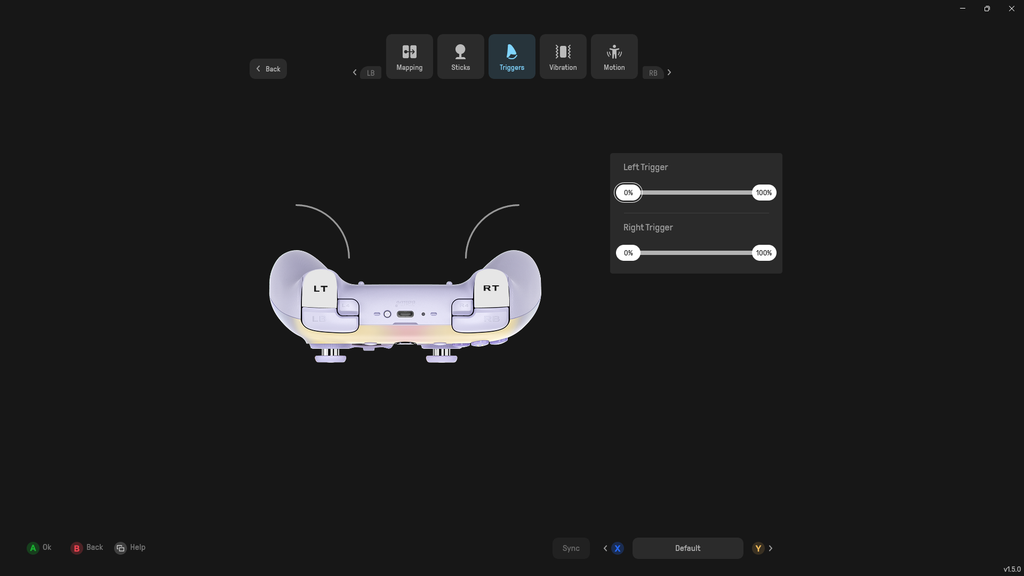
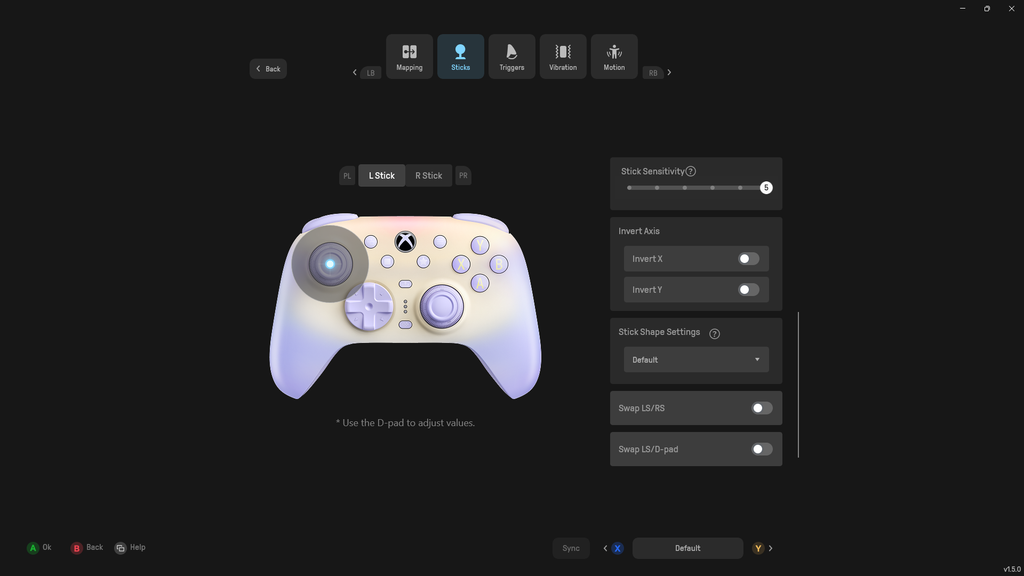
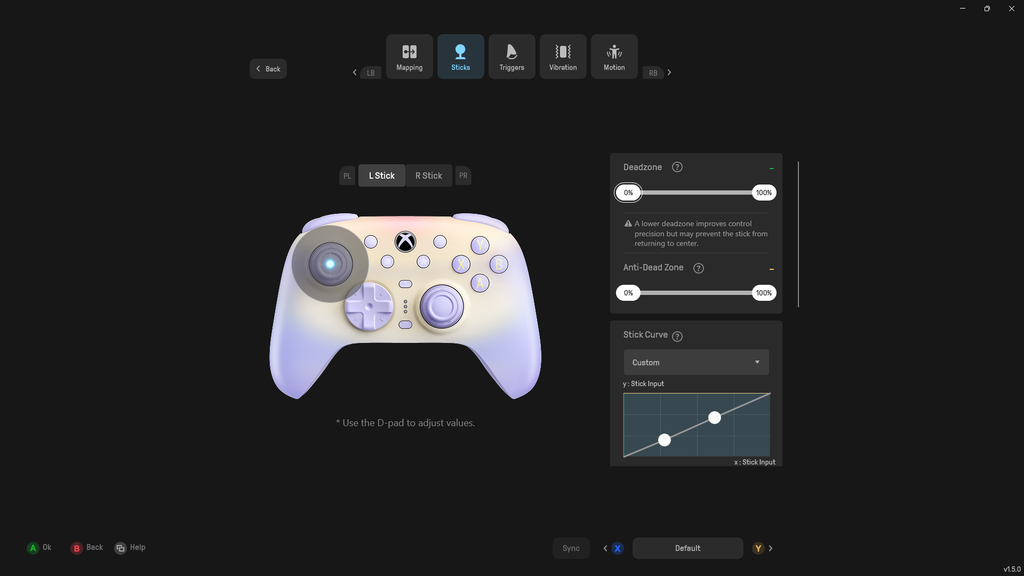
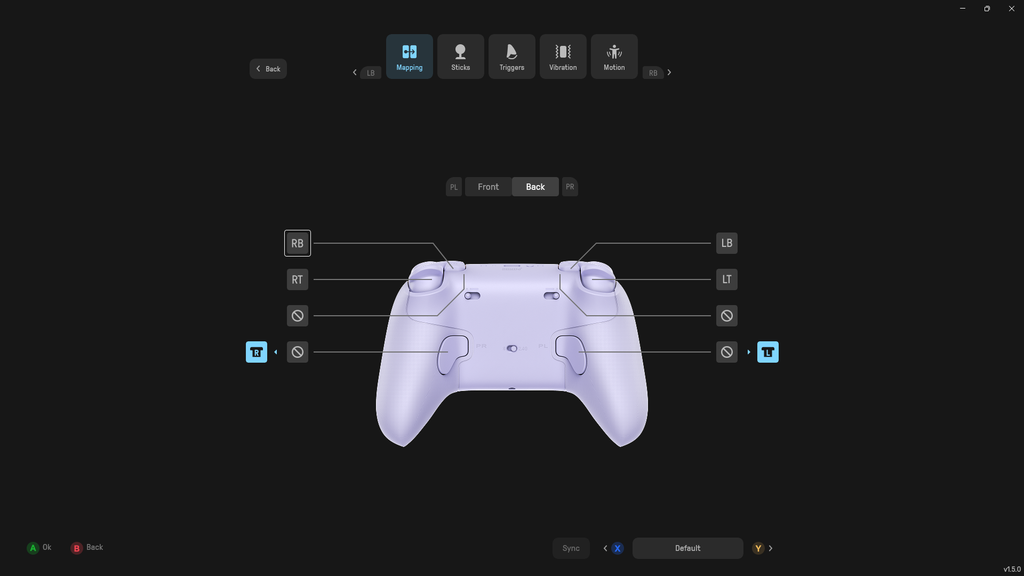
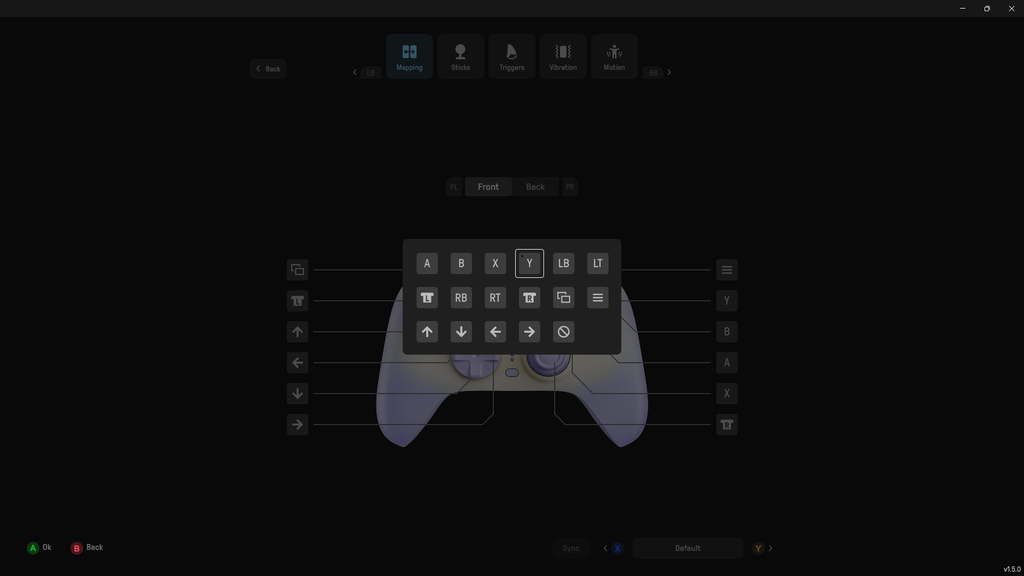
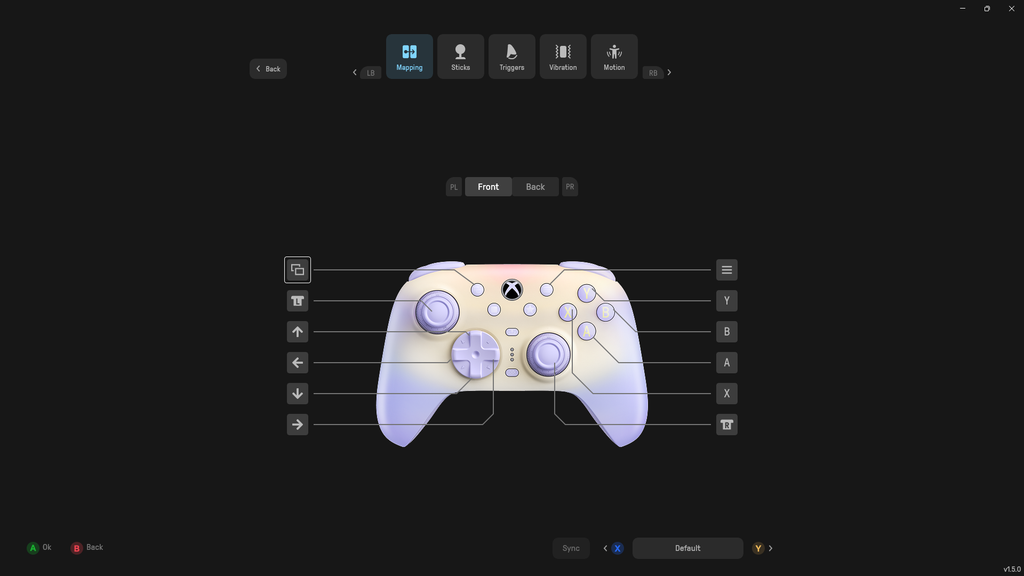
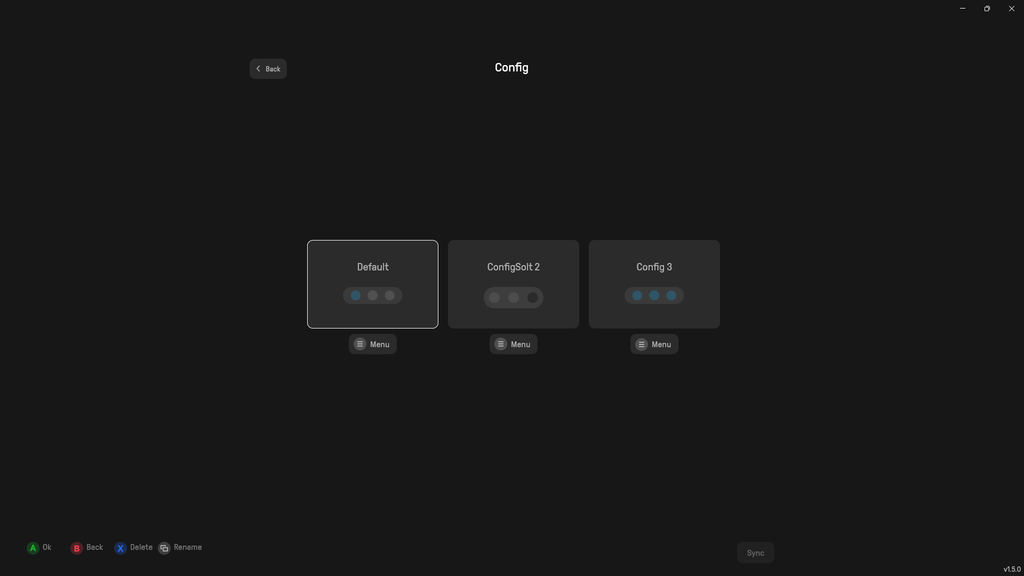
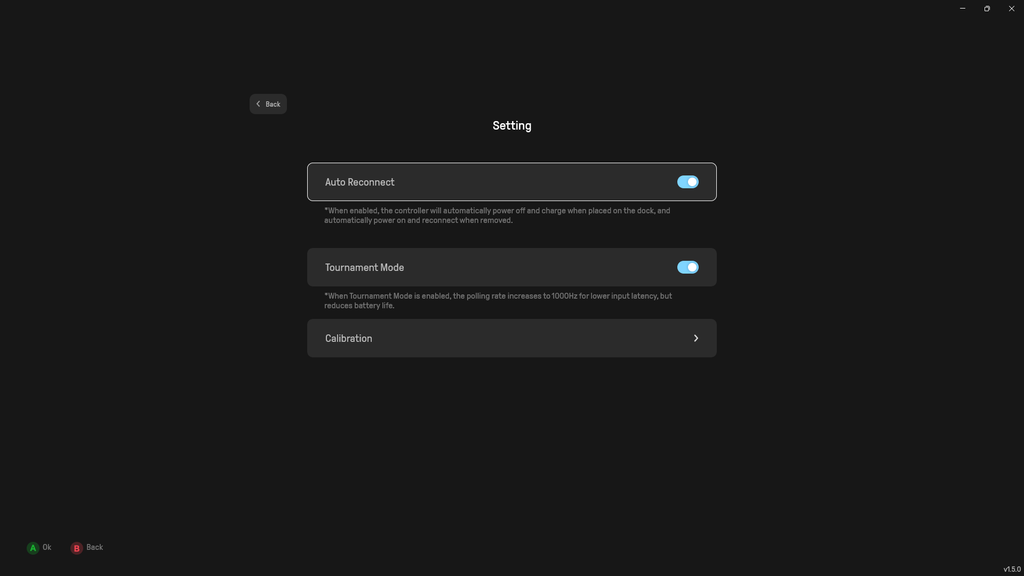
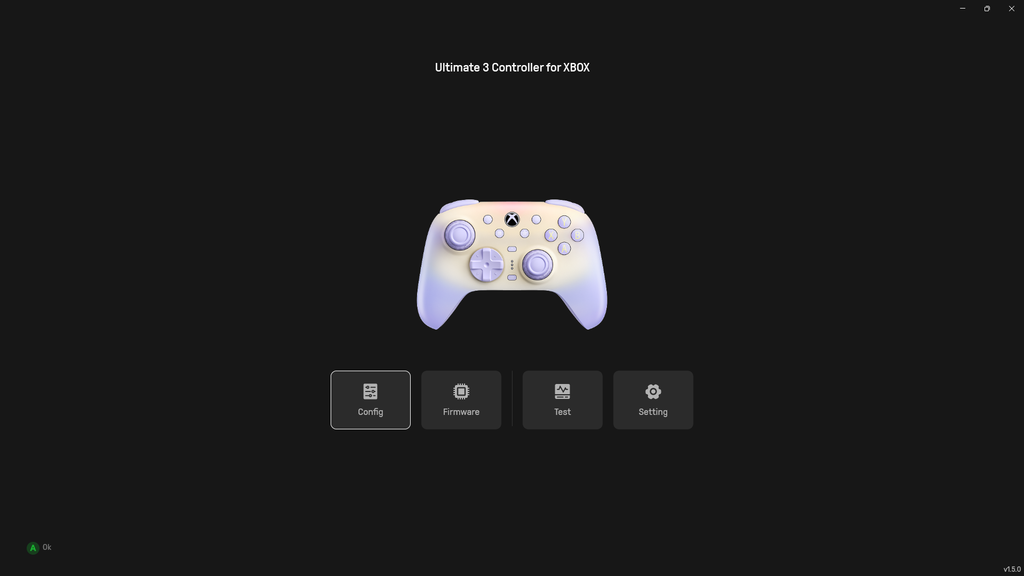
Here is a list of things that I find to give a somewhat poor experience in the software X app:
- The controller unpairs from the software every time you tab out or do anything else. This one thing has been the most annoying part of any controller software that I’ve ever used.
- There is no granular control for polling rate. “tournament mode” puts the controller at 1000Hz but also disables trigger vibration
- The only menu in the entire software that can be scrolled is the “Sticks” section, and 8BitDo decided to make it scroll in the middle of the screen. I actually completely missed half of this menu because of this on my initial testing process.
I wish you could change the lighting on the dock through this software as well. While the orange light looks good, I would really like a matching lavender colour instead.
Xbox Specific Features
Since this is an officially Xbox licensed controller, I spent a decent bit of time testing it on my friend’s Xbox Series X. On this console, the Ultimate 3 connects over either 2.4GHz or wired USB. Bluetooth is for mobile devices only, so it doesn’t come into play on a console.
There are two ways to set up the 2.4GHz adapter. You can leave it in the dock and connect the dock to your console with the included cable. 8BitDo says this extends the wireless signal and reduces latency, (my friend’s room only allowed me to test this claim till 7 metres away). Or, if your dock lives somewhere other than next to your console, you can pull the adapter out and plug it into the console’s USB port directly.
The PC-only features are the 1000Hz polling rate and the gyroscope. Everything else carries over to console: the TMR sticks with the Force Ring, trigger stops, back buttons and L4/R4 bumpers, impulse triggers, wireless connectivity, and the 3.5mm headphone jack. In practice, you’re not missing much on Xbox, and the tournament mode trade-off I mentioned earlier doesn’t apply to you at all, since Xbox doesn’t support 1000Hz controllers anyways.
Other Important Stuff
Haptics
The Ultimate 3 has four vibration motors, covering the handles and the triggers. The intensity and detail in the handle rumblers is pretty good. It feels similar to an Xbox controller, just slightly more premium due to the heft of this controller. The trigger vibrations are alright. I do like it, but I’ve been spoilt by stronger vibrations in controllers like Flydigi Vader 5 Pro.
Gyroscope
The Ultimate 3 features a 6-axis, PC only gyroscope. It works in both wired and 2.4GHz mode. It’s pretty accurate and works fine. I’m not an avid gyro user so I can’t judge it on a high level. But in my testing, it works well.
Battery Life
With the 1000mAh battery in this controller, you get about 20 hours of play in casual mode. In my testing, it took about 5 hours to fully charge the controller from dead to 100%.
Audio Jack
Since this is an Xbox licensed controller, it comes with a 3.5mm audio jack. This works with PC as well as Xbox. The audio quality is indistinguishable from my PC’s motherboard audio jack, and there is no hissing or artifacts. Audio latency is minimal in wireless mode, and not noticeable in wired mode.
Conclusion
The 8BitDo Ultimate 3 for Xbox is a big ergonomic step up for 8BitDo. And at the price of $100, it fills the gap between the $50 Ultimate 3 mode and the $150 Ultimate 3E well.
It isn’t flawless, though. On my unit the D-Pad is loose, the sticks aren’t perfectly centred, and the triggers have a lot of deadzone. PC players also have to choose between 1000Hz polling and trigger vibration, and the software needs work. Since these are based on one unit, and a pretty early one at that, you should look at other reviews before purchasing this controller.
Here is a summarised list of the good and bad things that stood out to me in the 8BitDo Ultimate 3 for Xbox:
Pros
Things I liked about this controller
- Flared, more ergonomic shape that avoids the cramping of the older boxy design
- Excellent build quality and a very nice soft-touch faceplate
- Smooth TMR sticks with a Force Ring adjustable from about 40gf to 80gf, and almost no centre-bump
- 2.4GHz wireless on both Xbox and PC, with the adapter stored in the dock
- Impulse triggers, four vibration motors, a 6-axis gyro (PC), and a 3.5mm headphone jack
- About 20 hours of battery life, good perceived latency, and no interference in my testing
- Granular stick curve and deadzone controls in the software
Cons
Things I disliked about this controller
- The D-Pad on my unit is very loose and comes off easily
- Sticks aren’t perfectly centred on my unit (3% and 2% inner deadzone needed)
- Trigger vibration is disabled in 1000Hz tournament mode, and there’s no granular polling rate control
- Significant trigger deadzone that calibration doesn’t fix
- Trigger stops aren’t mechanical microswitch
- Ultimate Software X has annoying quirks: it disconnects from the controller when you tab out
- Gyro and software customization aren’t avaialble on Xbox
So who is this controller for?
I think the 8BitDo Ultimate 3 for Xbox is, as the name suggests, suitable for Xbox-first users. The wireless capability and gorgeous aesthetics make this a fairly unique controller.
If you want an Xbox controller with a lot of creature comforts, that also just so happens to work with a PC, and has super unique aesthetics that will turn heads, then the 8BitDo Ultimate 3 for Xbox is a good choice for you. On console, you give up only the features that are PC-only anyway, which means the gyro and the 1000Hz polling rate. You keep the sticks, the Force Ring, the back buttons, the dock and the headphone jack, at a lower price than Microsoft’s Elite Series 2 Core.
But if you’re a PC first user, you’re probably better off spending this $100 on a different controller like the Flydigi Vader 5 Pro. Or you can wait and see if 8BitDo launches a non Xbox version of the Ultimate 3.

Hello! 🥰 I'm Fang.
I like gaming and related tech. I enjoy learning more, and sharing my experiences through my review videos and blog posts. Have fun! 💖


