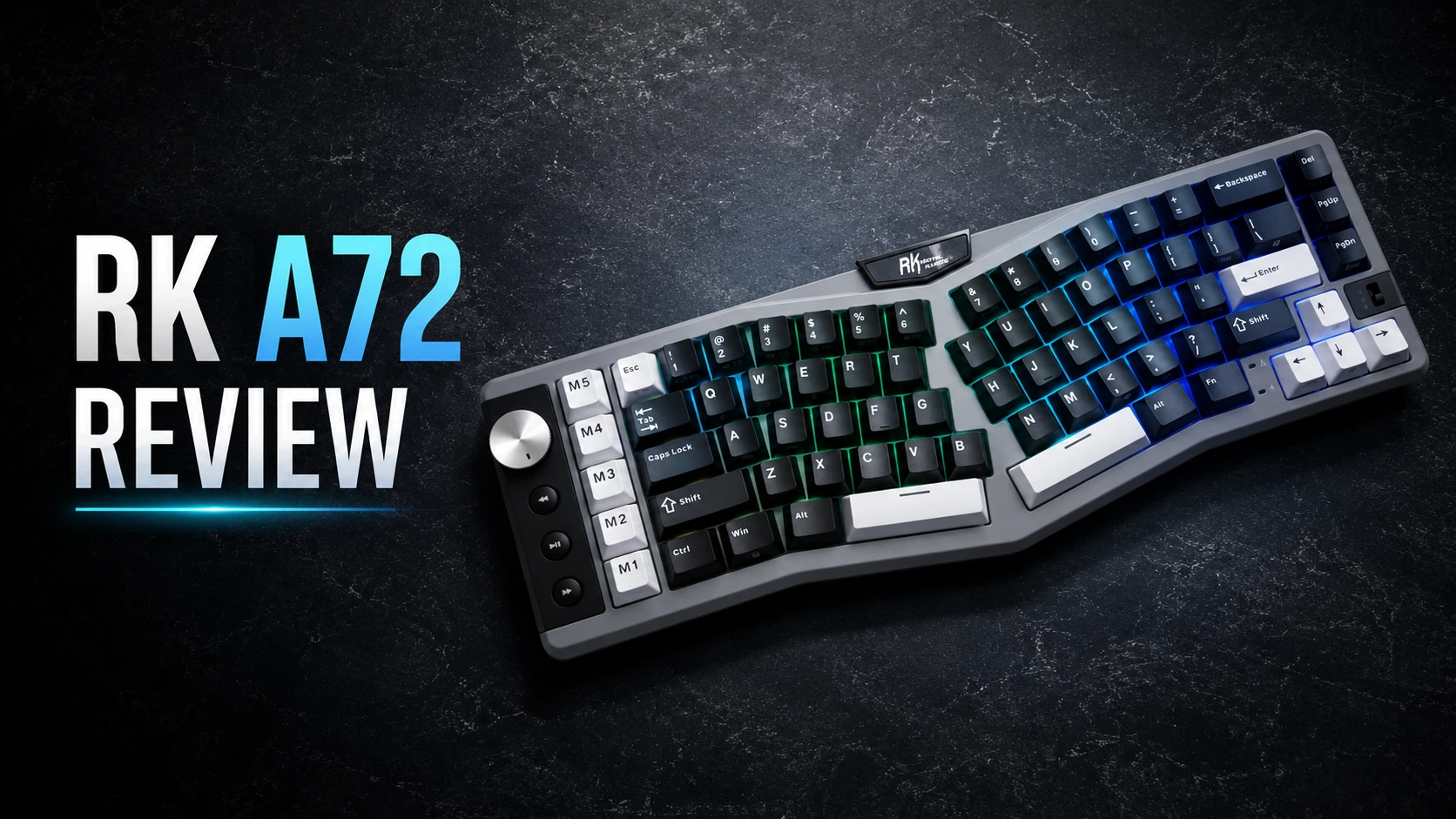
Epomaker Tide Alice is a mechanical keyboard featuring an Alice layout that focuses on combining ergonomic design with a solid aluminum build and a feature set aimed at customization. In this review, we take a closer look at how it performs, from typing feel and acoustics to software flexibility and long-term comfort.
What is the Alice Layout?
The Alice layout is one of the ergonomic keyboard layouts designed to improve comfort during long typing sessions.
Traditional keyboards force your wrists to angle outward just to keep your fingers properly aligned with the keys. This unnatural bend is known as ulnar deviation. Over time, it can contribute to increased fatigue and repetitive strain injuries (RSI). In some cases, it may even lead to compression of the median nerve in the carpal tunnel, which can result in pain, tingling, and numbness in the fingers, a condition known as carpal tunnel syndrome. People who work on a computer all day long, especially those who type extensively, are at an increased risk of developing carpal tunnel syndrome.
The Alice layout features two slightly angled clusters of keys separated by a V-shaped gap between them. Its purpose is to keep your wrists in a more neutral, straighter position while you type. That natural position minimizes ulnar deviation, which results in less pressure on the median nerve and noticeably less strain during long typing sessions. It also allows your arms and shoulders to open up a bit, leading to a more relaxed posture that can help reduce shoulder tension.
Unboxing: What’s Inside?
The Epomaker Tide Alice arrives in a sturdy cardboard box that feels solid from the moment you pick it up. Inside, the keyboard is well protected by thick foam inserts on all sides, ensuring it stays secure during shipping and reaches you in perfect condition.

One accessory I was particularly happy to see included is the dust cover. For me, it’s an essential addition to any keyboard. While it’s easy to find a universal replacement for a regular keyboard, the unique ergonomic curves of an Alice layout make it difficult to find something that fits. That’s why I really appreciate that Epomaker includes one in the box from the start. By the way, the dust cover itself is quite thick and sturdy, not one of those flimsy, thin ones you sometimes get.
Another surprise was finding a screwdriver and an Allen wrench included in the package. That said, they make perfect sense considering the keyboard’s enthusiast-oriented nature. If you ever decide to open the case for modifications, maintenance, or simply out of curiosity, having the required tools readily available is a nice touch.
The package also includes a few spare switches, which is always good to see. They can come in handy if a switch ever fails.
The only accessory that feels slightly underwhelming is the USB cable. It’s a basic rubber cable that gets the job done, but for a keyboard in this price range and category, I would have preferred to see at least a braided cable included.

Design and Build Quality
The Epomaker Tide Alice is a 65% Alice keyboard with 66 keys in an ANSI layout and a knob. The keyboard features a fixed 5-degree typing angle.
This version of the Alice layout features a single B key rather than the split dual-B arrangement found on some other Alice boards. Some users prefer having two B keys, while others don’t see much value in it. Ultimately, it comes down to personal preference and individual typing habits. A note worth mentioning is that the single-B implementation allows the two key clusters to sit slightly closer together, which may make the transition a bit easier for people trying an Alice layout for the first time.

The Tide Alice comes with a CNC‑machined aluminum case, and for me this is one of the highlights of the entire keyboard. The moment I took it out of the box and picked it up, it immediately felt like I was holding a solid chunk of aluminum At 1.6 kilograms, the weight is substantial. It feels dense and premium, and as someone who appreciates aluminum keyboards, I was very satisfied with the heft of the Tide Alice.
The build quality is rock solid — no creaks, no flex, and no manufacturing defects, exactly what you’d expect from such an impressive case. The anodized finish is also excellent. I carefully inspected the board and couldn’t find any blemishes, inconsistencies, or imperfections.

Design-wise, the Tide Alice follows a minimalist approach. The black case paired with black keycaps and golden legends looks stylish and understated. A detail I particularly appreciate is the complete lack of visible branding. There are no oversized logos or unnecessary design elements competing for attention, which helps maintain the keyboard’s minimalist appearance.
The aluminum knob fits naturally into the overall design. It’s relatively small, finished in black, and doesn’t draw excessive attention to itself. More importantly, it performs very well. Rotation feels extremely smooth, while the detents remain distinct enough to provide satisfying tactile feedback. It is also nearly silent, which is a nice bonus for anyone planning to turn this keyboard into a quieter build with silent switches.

Looking at the back of the keyboard, you’ll find a USB‑C port on the left side along with an on/off toggle. On the right side, there’s a dedicated storage compartment for the wireless dongle, where it is securely held in place by a magnet. This may seem like a small detail, but it’s worth highlighting. Aluminum keyboards often omit dongle storage entirely because integrating such a compartment into a CNC aluminum case adds complexity and manufacturing cost. The fact that Epomaker included it here is a welcome touch that adds convenience.

Flipping the keyboard over reveals a mirror-polished stainless steel weight that immediately catches the eye. The bottom also features four circular rubber feet which, combined with the board’s substantial 1.6 kg weight, ensure that it stays firmly planted on the desk. Once positioned, the Tide Alice simply doesn’t move around during use.

Regarding the backlighting, the keyboard features south-facing LEDs. I didn’t notice any flickering or strobing, which is an important detail for users who are sensitive to this kind of effect.
Out of the box, the lighting looks fairly dim. However, I found that the LEDs themselves are actually bright, and the limitation in light diffusion mainly comes from the switches. The stock switches have opaque top housings that don’t let much light pass through, which significantly reduces the RGB effect.

So if you’re into RGB, the fix is pretty straightforward: you just need to install switches with more translucent housings that allow better light diffusion. In the photo below, I’ve included an example of how the lighting looks with a few semi-transparent switches installed. With fully transparent switches, the effect would likely be even more pronounced and vibrant.

Connectivity and Battery
The keyboard comes with tri-mode connectivity, supporting Bluetooth, 2.4 GHz wireless, and a wired USB-C connection via a detachable cable. It offers a 1,000 Hz polling rate in wired and 2.4 GHz modes, ensuring a very responsive experience. Bluetooth mode supports pairing with up to three devices simultaneously, making it easy to switch between setups without reconnecting each time.
Switching between connection modes is done entirely through keyboard shortcuts:
- Fn + Q/W/E = Bluetooth channel 1/2/3
- Fn + P = 2.4G
- Fn + R = Wired Mode
Across all modes, the connection proved stable and reliable, with no lag or dropouts.
It’s also nice to see a dedicated On/Off switch, but what I appreciate even more is its placement on the rear of the keyboard. Unlike many keyboards that hide the power switch under the Tab or Caps Lock key, it’s easily accessible here and much more convenient to use.

The keyboard is powered by a 4,000 mAh battery, which provides pretty solid battery life in daily use. With RGB turned off, I got around 3–4 weeks of use on a single charge. Naturally, enabling backlighting reduces battery life quite significantly, which is expected.
To save power, the keyboard automatically enters sleep mode after a period of inactivity. Throughout my testing, I never bothered turning it off overnight and simply left it in sleep mode without any issues.
To check the battery level, press Fn + Enter. The keys from 1 to 0 will light up green to indicate the battery percentage. For example, if keys 1 through 6 light up, it means the battery is at 60%.
Note that the battery charges as long as the keyboard is connected via USB, regardless of the On/Off switch position or the selected connection mode (wired or wireless).
Software – Unlocking the Potential
Tide Alice is fully compatible with QMK/VIA. The firmware source code is available on Epomaker’s GitHub.
Not familiar with QMK/VIA? Here’s a quick explanation:
QMK is a highly customizable mechanical keyboard firmware that offers extensive control over a keyboard’s functionality. VIA is essentially a web driver for keyboards based on the QMK firmware. It lets you remap keys in real time, set up layers, assign macros, change preset lighting effects, and create profiles – all without needing to install any extra software. It works directly in your browser regardless of whether you’re on Windows, Linux, or macOS. It’s incredibly user-friendly and convenient.
For more experienced users, QMK provides a wide range of advanced keycodes for creating complex key combinations, implementing media controls, controlling mouse movements, etc. For example, QMK supports tap and hold functionality, where tapping a key performs one action, while holding the key performs a different action. This feature allows you to access additional functions on a key without needing to switch layers.
Having access to the firmware source code also allows users with the right skillset to build their own custom QMK firmware with unique features.

To have VIA detect your keyboard, you’ll need to upload a JSON configuration file (only once), which you can easily download from the manufacturer’s website. VIA recognizes the keyboard in both wired and 2.4G wireless modes. This is quite unusual, as most keyboards only work with VIA in wired mode, so that’s definitely a plus here.
Tide Alice supports 7 programmable layers. The rotary knob is also fully customizable, allowing you to scroll through pages, zoom in and out, or perform a variety of other functions. By the way, you can set up these layers to work as different on-board profiles and switch between them whenever you want.
Mod-Tap and Layer-Tap features work perfectly, with no issues whatsoever.
Keycaps
The Tide Alice comes with double-shot PBT keycaps in a classic Cherry profile. The only exception is the spacebars, which are dye-sub PBT instead of double-shot, possibly because there are no legends on them anyway.
PBT plastic ensures long-lasting durability and resistance to shine, even after long-term use. The surface has a slightly textured finish that gives a pleasant feel. The wall thickness is around 1.5 mm on average, which contributes to a deeper and more solid sound profile.

The legends are crisp and clear, and the double-shot process ensures that they are practically eternal — legends simply won’t wear off no matter how much you type.
Visually, I am a huge fan of their minimalistic and restrained aesthetic. The black and gold looks super clean on this board, giving it a very sophisticated and premium vibe without being overly flashy or loud.

When it comes to the spacebars, they use the standard Alice layout sizes—2.25u on the left and 2.75u on the right. This means finding an aftermarket keycap set down the road won’t be a headache at all. Pretty much any decent, solid keycap set on the market nowadays includes these specific Alice spacebars in the base kit or a compatibility extension pack, so you are fully covered if you ever want to swap them out and customize the look.
Overall, the keycaps feel really solid, and I’m satisfied with them — especially since double-shot keycaps aren’t something you often see on prebuilt boards.
Switches and Stabilizers
The Tide Alice comes with Epomaker Zebra switches pre-installed. These are nice linear 5-pin switches. Here are specifications for reference.
They come pre-lubed from the factory and feature a POM stem. As a result, they feel extremely smooth, and I didn’t notice any scratchiness at all. There’s also no noticeable spring ping, which is very nice. They have a dust-proof stem design. The stem wobble is quite minimal, which makes them feel stable during typing. The switches themselves have a soft and slightly deep creamy sound profile.
From my own testing, the initial force is about 30gf and the actuation force, as stated in the official specs, is 40gf, which makes them pretty lightweight. Epomaker Zebra switches feature an extended 21mm spring, which affects the overall feel. It gives the switches a noticeably energetic and satisfying rebound. Even though they don’t require much force to press, they don’t feel overly light either — there’s still a pleasant sense of responsiveness under the fingers that keeps them feeling controlled and balanced.

In general, I’m pleasantly surprised by these switches, especially by how smooth they are. The only real downside is the black top housing, which doesn’t let RGB shine through very well. But if RGB isn’t a priority for you, then aside from that, these are genuinely excellent switches.
The keyboard supports universal 5-pin hot-swapping, which makes it really easy to experiment with different switches. If you ever feel like trying something new, swapping them out takes just a few moments and doesn’t require any soldering.
The stabilizers here are plate‑mounted, and they do their job well. They come well-lubed right from the factory. I didn’t notice any annoying rattling or ticking, which keeps the larger keys sounding clean and consistent during use.
Structure and Mounting
When it comes to the internal structure, this keyboard relies on a gasket mount design, specifically a plate silicone socks‑style gasket mount. The implementation is done well — the board offers a noticeable yet balanced flex, giving it both comfort and stability during typing.
Speaking of the plate, it is made of FR4 and has flex cuts, further enhancing the flexibility. This design makes the keystrokes feel softer and more forgiving. Beneath the plate, there are three layers of sound-dampening materials:
- Poron Foam
- IXPE Switch Pad
- PET Sound Pad
The PCB is 1.2mm thick and also features flex cuts. There is no support for screw-in stabilizers. Under the PCB, you’ll find two more layers of dampening material, helping to control sound reverberation:
- Poron Case Foam
- PET Insulation Pad
In general, the internal structure feels well thought out. The total of five layers of foam combined with a well-implemented gasket system clearly contributes to both sound and typing feel.
It’s also worth highlighting how simple and straightforward the disassembly process is, especially considering that all the necessary tools are included in the box. You only need to remove the knob and unscrew four accessible screws, which are not hidden under rubber feet as is often the case. That’s it. I really appreciate how easy it is to take this keyboard apart. This makes maintenance and potential modifications much easier.
Typing Feel and Sound
The Tide Alice offers a very responsive typing experience right out of the box, largely thanks to its lightweight linear switches. The gasket mount implementation provides a moderate level of softness that successfully cushions bottom-out impacts without feeling overly bouncy. It strikes a great balance, giving you just enough flex to keep your fingers comfortable during long typing sessions, while remaining stable enough that it doesn’t distract you or slow down your typing speed.
When it comes to sound profile, the Tide Alice has a distinct marbly signature. It leans slightly toward the higher‑pitched side. In general, the sound is very clean, crisp, and well-defined.

One thing I particularly noticed is how well this keyboard preserves the unique sound signature of different switches. In many keyboards, the case and internal dampening tend to muffle and blur the sound, making every switch sound quite similar. That is not the case with this keyboard. I tested several different switches on the Tide Alice, and its overall sound signature changed noticeably with each one. This makes it a great platform for experimentation if you enjoy tuning your keyboard’s acoustics and chasing a specific sound profile.
Long-Term Experience
I’ve had the Tide Alice for ten months now, and it regularly finds its way back onto my desk whenever I’m not testing other keyboards.
Over this period, I haven’t run into any issues with it. The case doesn’t just give off an impression of quality at first glance — it truly delivers in long‑term use. No creaks or looseness, and no visible signs of wear. The anodization has held up perfectly, with no fading or discoloration. The stabilizers are still performing excellently, with no rattle showing up over extended use. The keycaps also remain pleasant to the touch, and most importantly, they haven’t developed any shine even after months of regular typing.
It’s also worth talking about the long-term experience with the Alice layout itself. When I first started using it, it felt a bit unusual, but to my surprise I adapted within just 2–3 days and was able to touch type on it without any issues. For reference, adapting to a split keyboard took me significantly longer. Based on my experience, I’d say this is a fairly beginner-friendly layout for anyone coming from a traditional keyboard.
Did it improve comfort for me? Yes, definitely. I don’t have issues like carpal tunnel syndrome or anything like that, but I often found myself slightly tilting a regular keyboard so that the left side sits higher than the right, creating a subtle diagonal angle. That’s actually what initially drew me to the Alice layout, since the way the keys are arranged naturally reflects that same diagonal positioning I found myself using with a regular keyboard and enhances it by aligning each side for its respective hand. Typing on it turned out to be genuinely comfortable for me, without needing to physically tilt the board. So if you notice yourself doing something similar, the Alice layout is definitely worth trying.
Pros and Cons
Final Verdict
After extended use, the Epomaker Tide Alice has proven to be a reliable keyboard that balances comfort, build quality, and customization. Its Alice layout sits in that interesting space between familiar and unusual, but becomes natural after only a short period of adjustment. The sturdy aluminum case, gasket mount, and thoughtful internal design provide a consistent typing feel and sound, while QMK/VIA support ensures flexibility for different workflows. The Tide Alice ends up being a well-executed interpretation of an Alice layout keyboard that effectively delivers on its ergonomic promises.

Controller and mechanical keyboard enthusiast. Tech reviewer, regularly sharing thoughts about gadgets and computer peripherals.