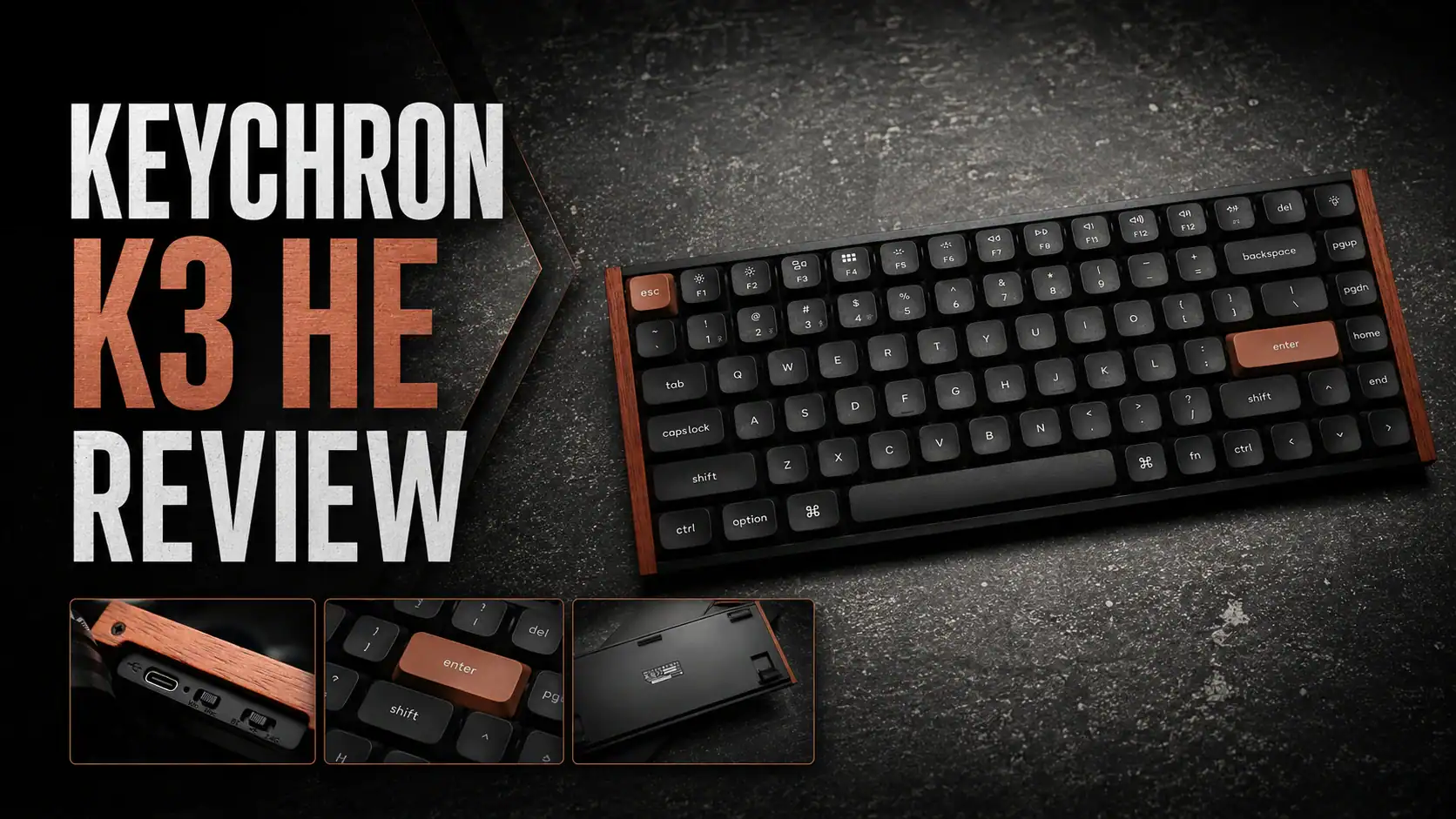
With the K3 HE, Keychron has stumbled upon a special combination of things that make it stand out in a sea of new Hall effect gaming keyboards, whether wired or wireless. The K3 HE offers solid value: at just $119.99, it’s affordable and delivers great ergonomics (for a non-split layout), satisfying typing feedback, the analogue keyboard customisation you’d expect, and great build quality. And it’s one of a very few low profile Hall effect keyboards.
Though it may take some getting used to, the 75% layout makes it significantly more familiar than most compact keyboards, and although it doesn’t have the build quality of a 2 kg CNC aluminium design, it’s compact and lightweight enough to fit into a backpack for a daily commute without compromising on build quality.
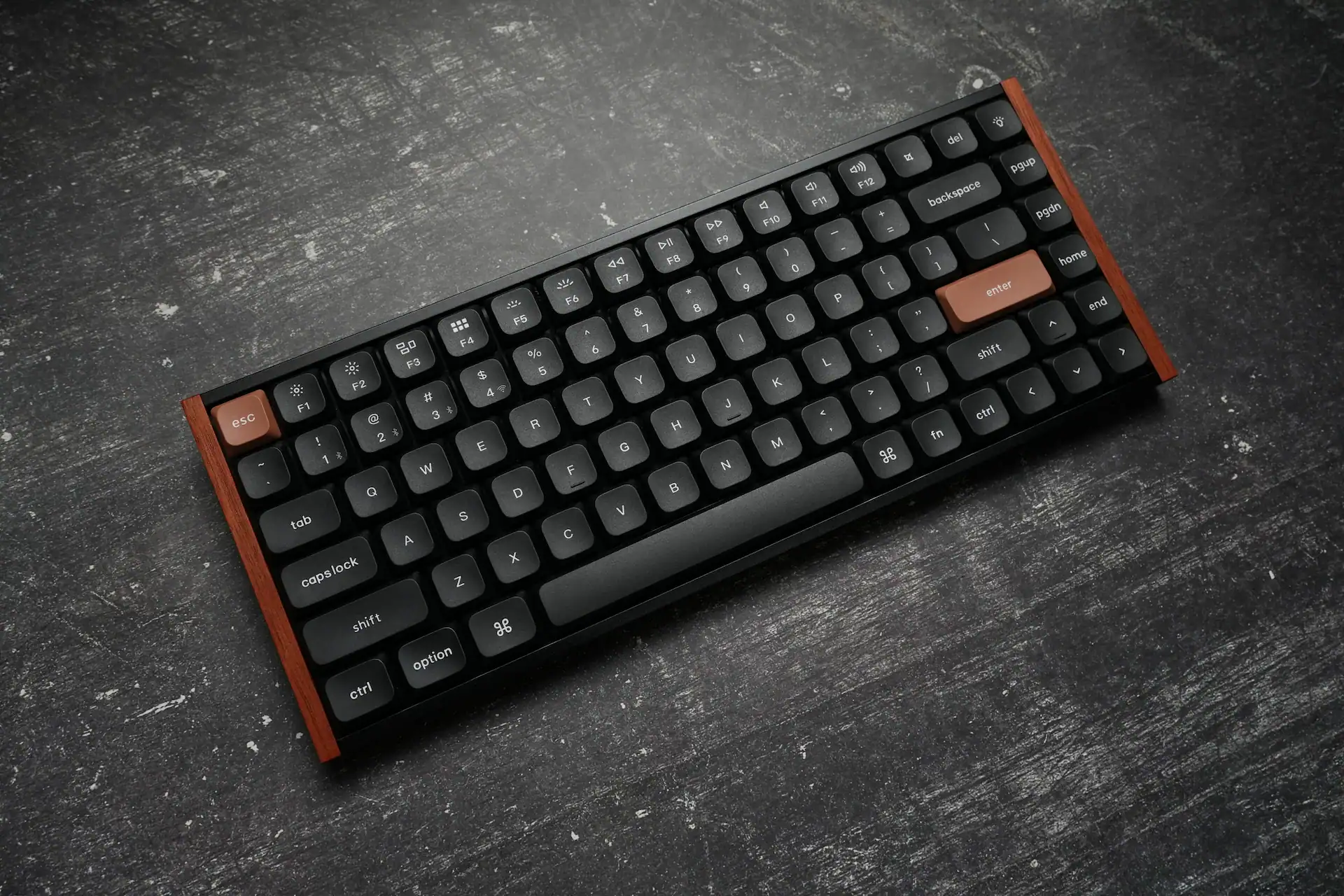
The Keychron K3 HE is a wireless, 75%, low-profile Hall effect gaming keyboard with Bluetooth and 2.4 GHz connectivity, double-shot PBT keycaps, and Keychron’s Ultra-Fast Lime Low-Profile Magnetic switches. It launched on Kickstarter as Keychron’s next-generation low-profile custom board, and it sits in an interesting spot — most HE gaming keyboards are full-height, so a slim, portable take on the category is quite rare.
There are two major — and one minor — drawbacks worth flagging up front. The first is that the keyboard basically locks you into Keychron’s proprietary low-profile HE switches. The Ultra-Fast Lime switches are smooth, with reasonable travel and just the right amount of texture, but if you prefer a lighter or heavier switch, you’re out of luck until Keychron launches another low-profile HE switch — which it may do, given prior history, but there are no guarantees. The second major flaw is the 1,000 Hz polling rate cap, which may matter to gamers who demand top-tier performance. I’ll come back to both.
What’s in the Box
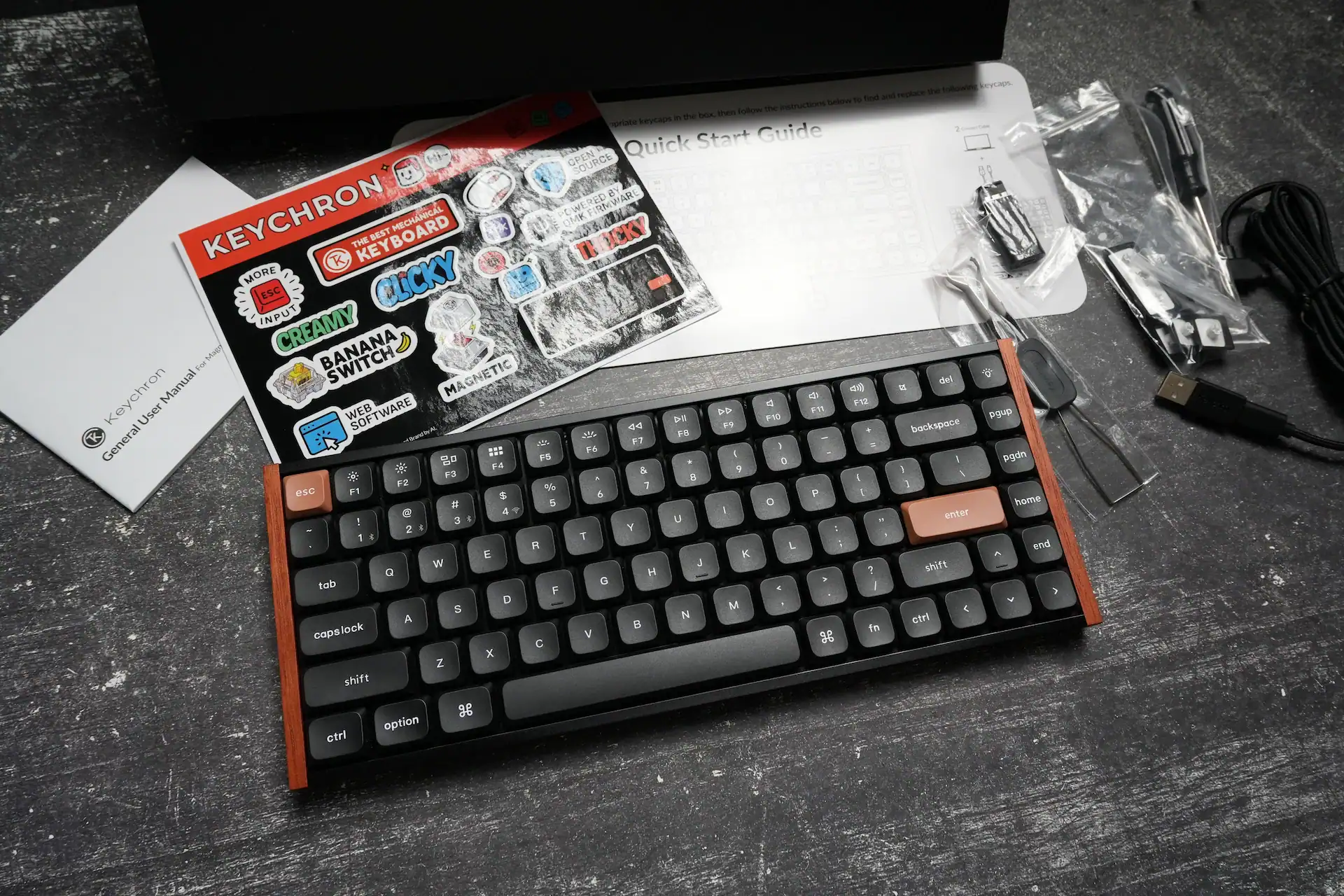
The unboxing is neat without being special, but the accessory kit punches above its price. You get the keyboard, a braided right-angled USB-C cable, USB-A-to-C and C-to-A adaptors, the 2.4 GHz dongle, a set of extra keycaps (to switch from the default macOS layout to Windows or an OS-agnostic layout), a combined keycap and switch puller, and — a nice touch — a screwdriver for those who want to modify the board.
Build Quality & Design
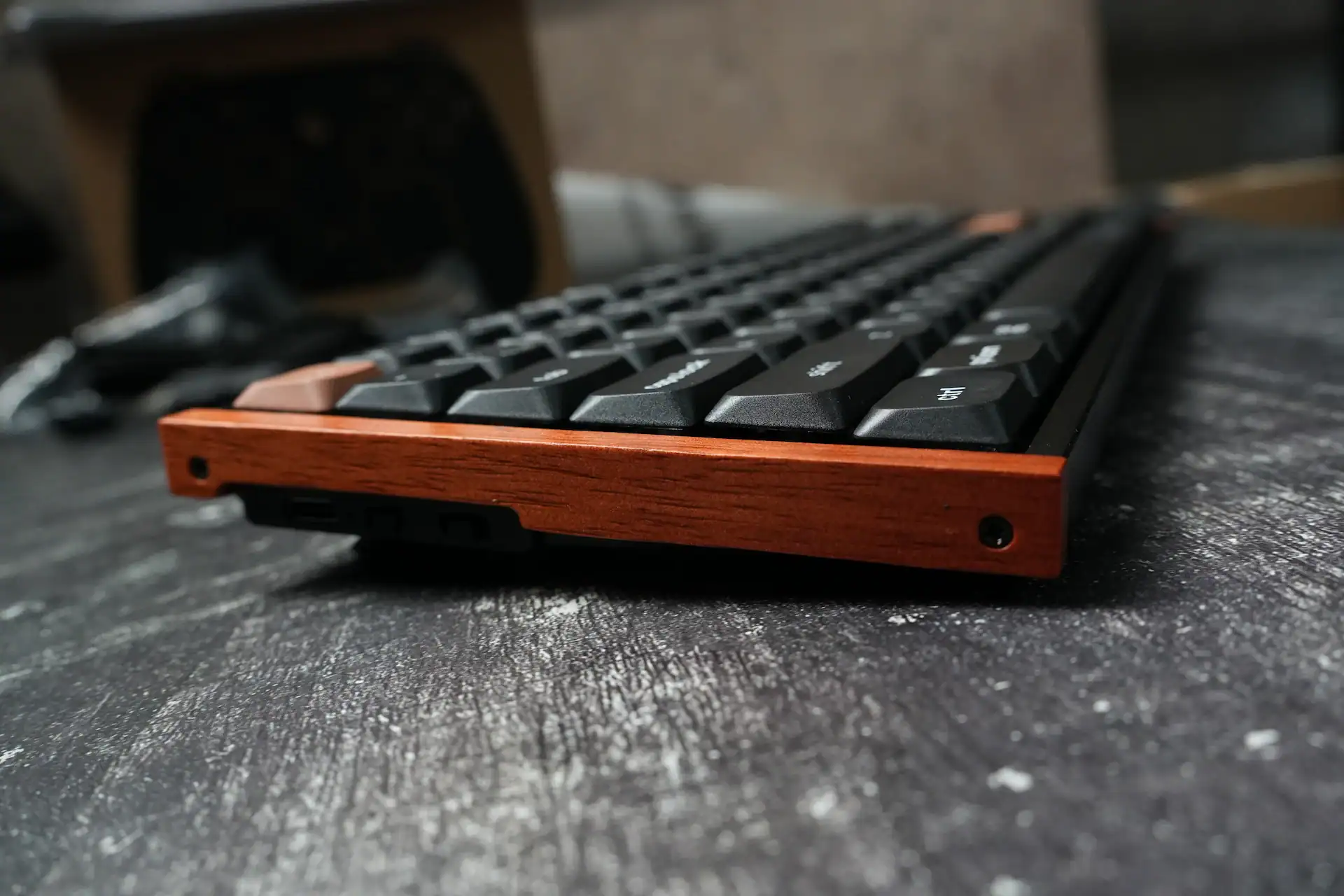
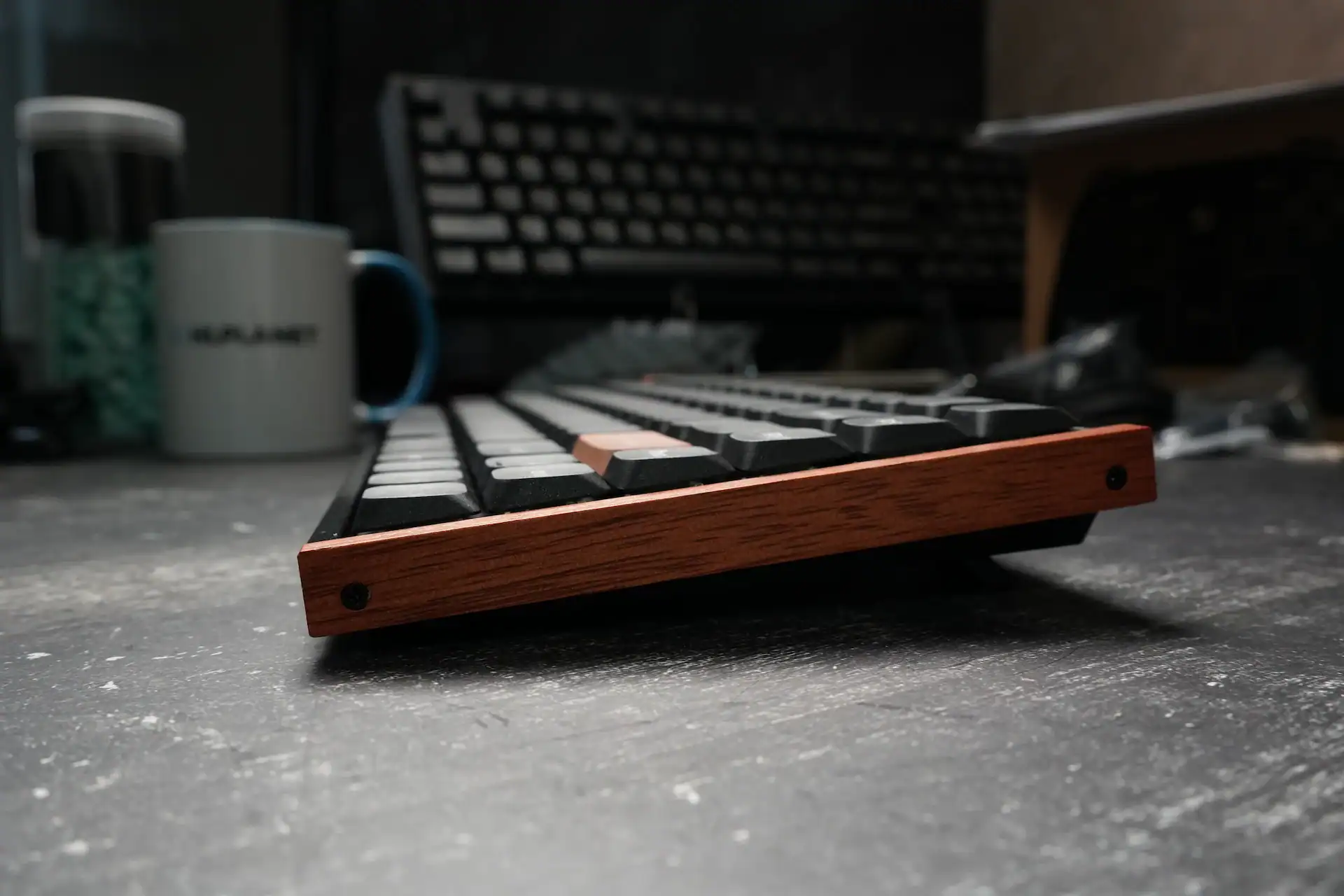
This is where the K3 HE earns its character. The shell is ABS plastic, but Keychron dressed it up with aluminium frames along the top and bottom and real rosewood panels along the sides. This is genuine rosewood rather than a printed grain finish, and it’s the standout design element — it makes the keyboard feel warm and premium without being gimmicky. The aluminium rails add much-needed rigidity to what is otherwise a plastic-bottomed board.
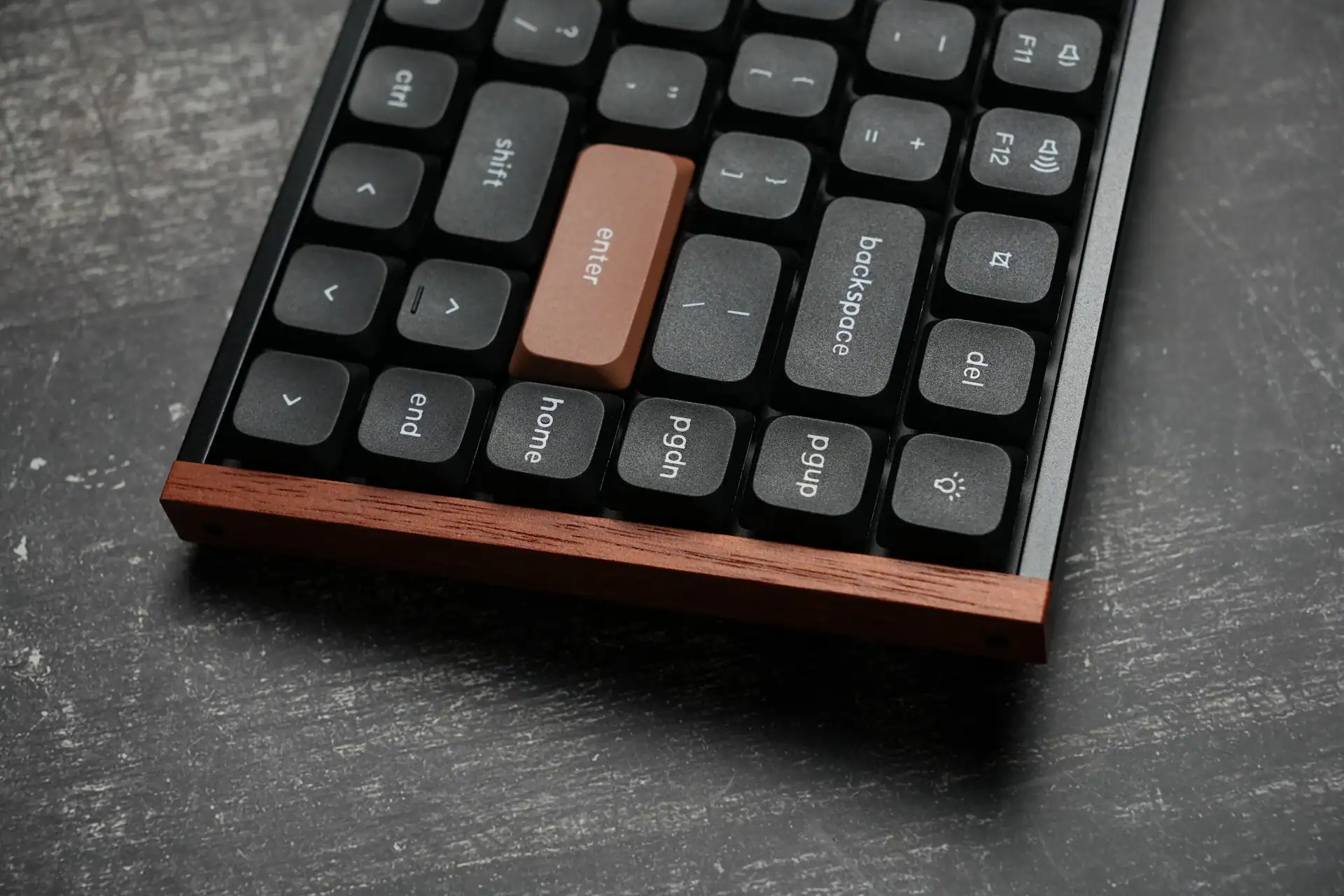
The keycaps are a real highlight at this price, where misaligned legends and inconsistent fonts are common. The K3 HE’s caps are thick LSA-profile double-shot PBT with a slight matte texture, consistent lettering, and a clean minimalist font. The function row carries secondary legends for the Fn layer. The orange ESC and Enter accents against the black-and-grey body are a tasteful touch.
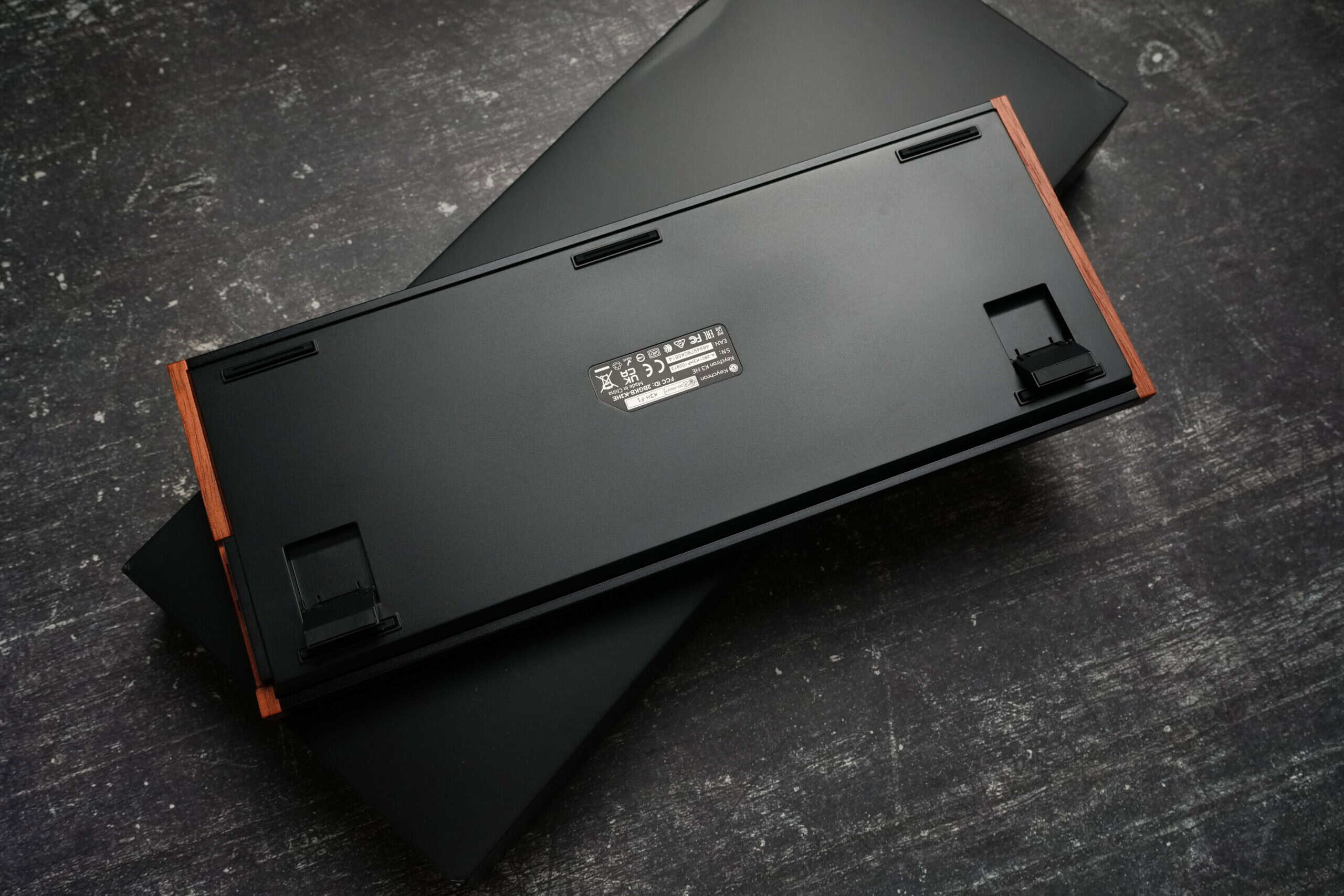
On the bottom you get rubber feet plus two-stage flip-out feet, giving you a choice of typing angles (the board is quite flat out of the box, which some will prefer). The feet hold well and don’t fold up accidentally when you shove the keyboard around.
Two build nitpicks. First, the wood accent panels thread directly into plastic, so they could strip if overtightened — and the wood itself may scratch over time. Second, the caps lock and right shift keys use clunky, low-quality stabilisers that feel out of place next to the genuinely excellent clip-in stabilisers on the rest of the long keys. You can remove the bad stabs with the included screwdriver without affecting typing, but it’s an extra step that shouldn’t be necessary.
Connectivity
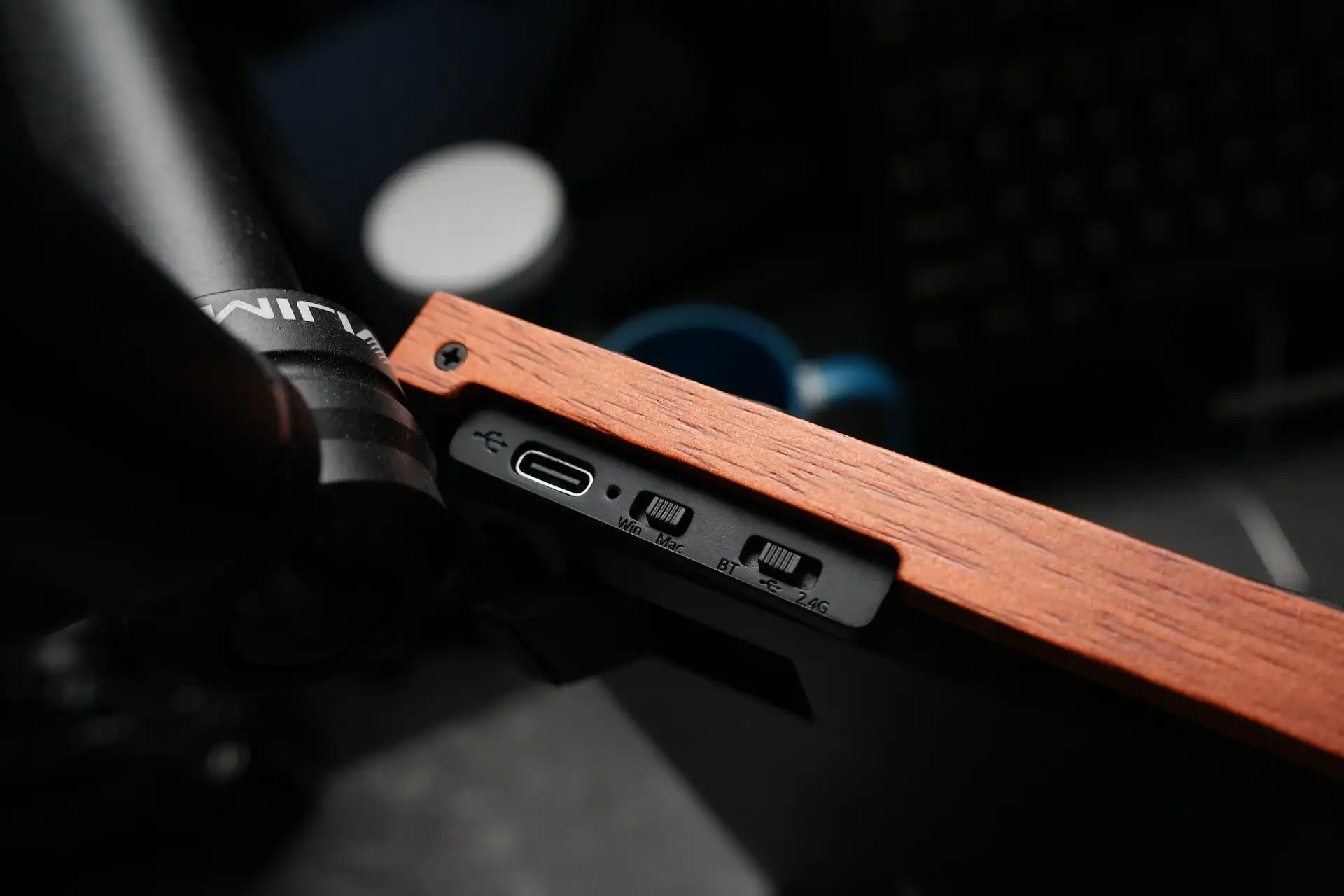
The K3 HE runs tri-mode: USB-C wired, Bluetooth 5.2, and 2.4 GHz via the included dongle. On the left edge you’ll find the USB-C port plus hardware toggles for Win/Mac and connection mode — a convenient, predictable setup. Bluetooth supports up to three devices via Fn + 1/2/3, and 2.4 GHz pairs with Fn + 4.
The trade-off is polling rate: 1,000 Hz over wired and 2.4 GHz, dropping to 125 Hz over Bluetooth. For a Hall effect board marketed partly at gamers, the 1,000 Hz ceiling is the headline limitation — most dedicated HE gaming keyboards now push 8,000 Hz. In practice, 1,000 Hz is perfectly fine for the vast majority of players, but if chasing the lowest possible latency is your priority, this isn’t the board for that, and it won’t appear near the top of our lowest-latency keyboards list.
Switches & Typing Experience
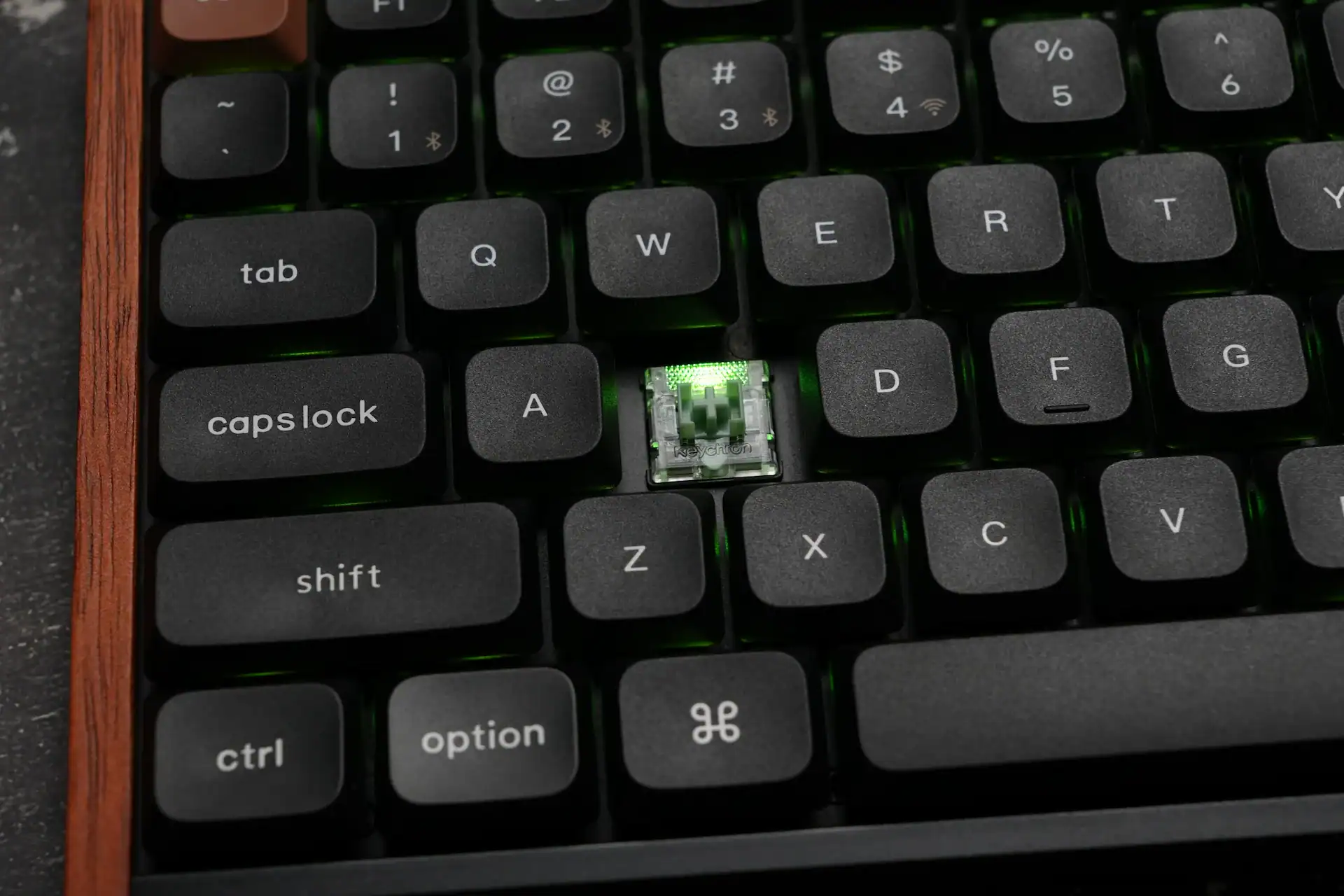
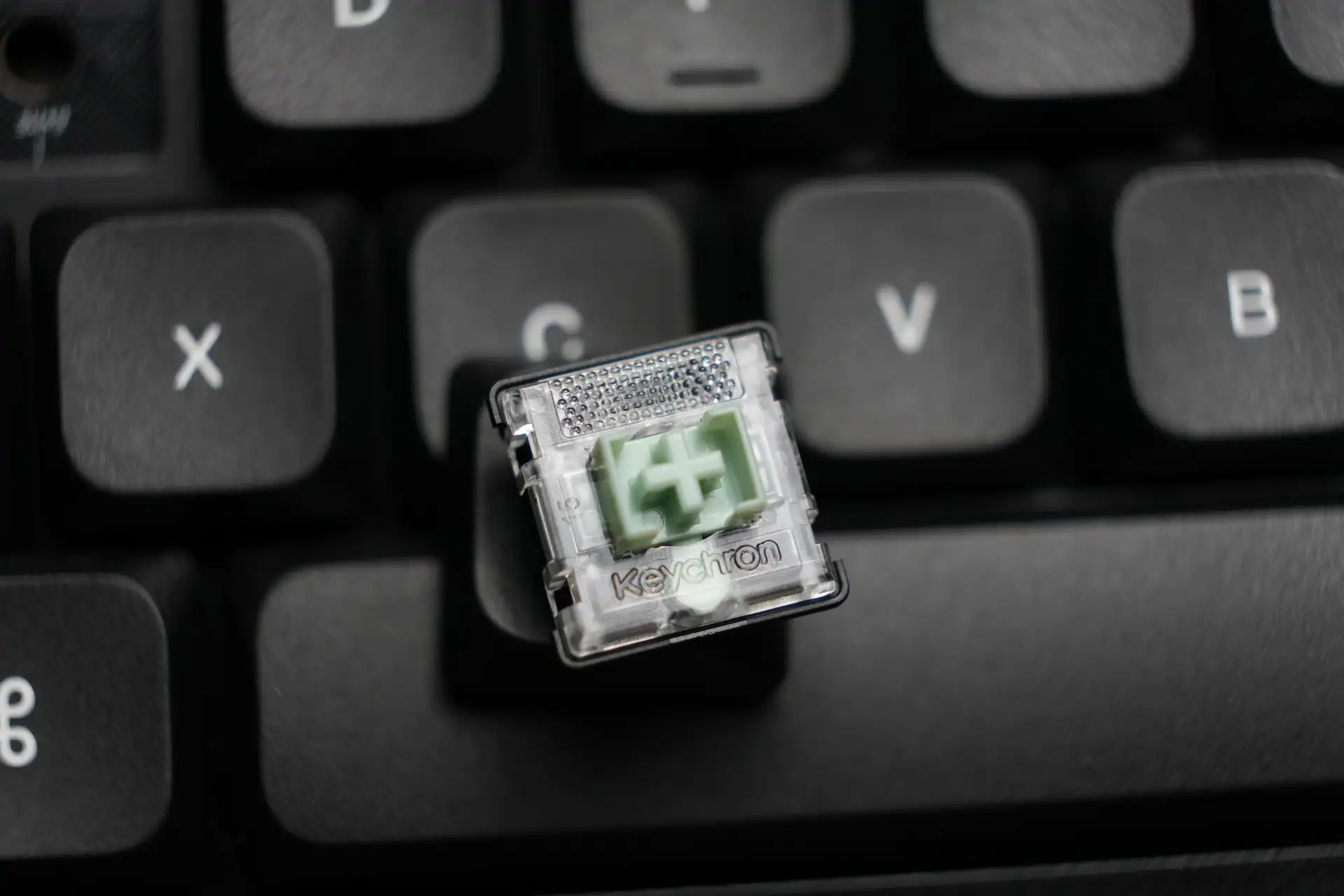
The K3 HE uses Keychron’s Ultra-Fast Lime Low-Profile Magnetic switches — pre-lubed POM linears with around 2.9 mm total travel, custom-built for the slim form factor. Despite the aggressive-sounding name, these aren’t featherweight esports switches; they carry slightly more resistance than some magnetic switches, with a mid-to-high actuation force. That’s not a criticism — the firmer feel helps prevent stray presses and suits everyday use, and the switches still react and rebound quickly.
The typing experience is satisfying. There’s no off-putting echo, reverb or ping from the case, thanks to a multi-layer acoustic design with sound-absorbing foam, EPDM and PET layers. Because the board is tray-mounted with an aluminium plate, there’s no flex when typing — whether that’s a positive or negative is personal preference. The switches produce a soft, controlled, mildly damped sound that’s quiet enough for an office or shared space, with near-zero wobble. The low-profile design is easy on the wrists over long sessions.
The big asterisk: while Keychron lists the K3 HE as hot-swappable, that only means you can swap in more of the same Ultra-Fast Lime switches. There’s no support for regular mechanical switches, and you can’t experiment with other magnetic switch options. If you value the switch flexibility of full-height HE boards like the IQUNIX EV63, this is a real limitation.
Customisation via Keychron Launcher
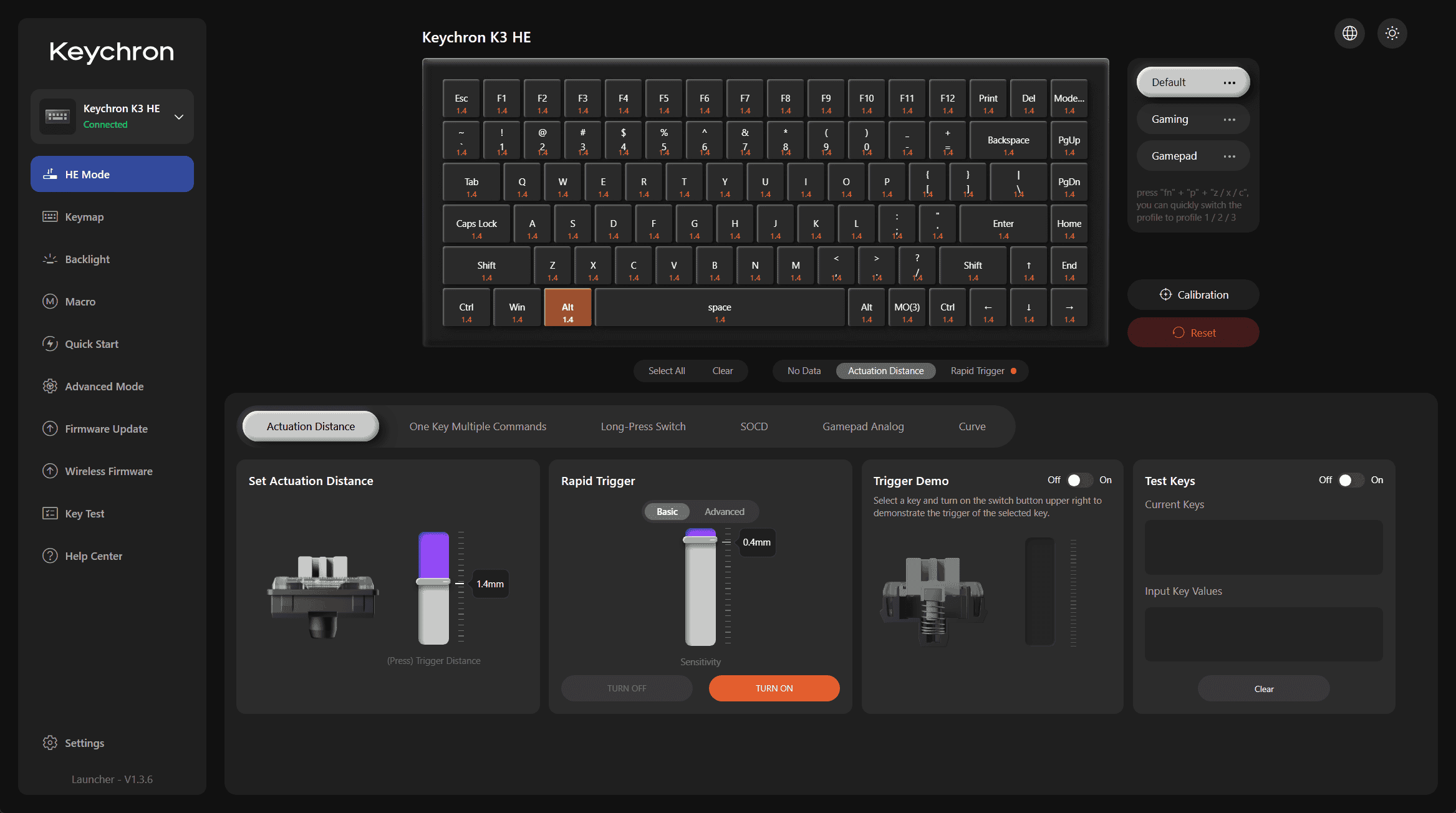
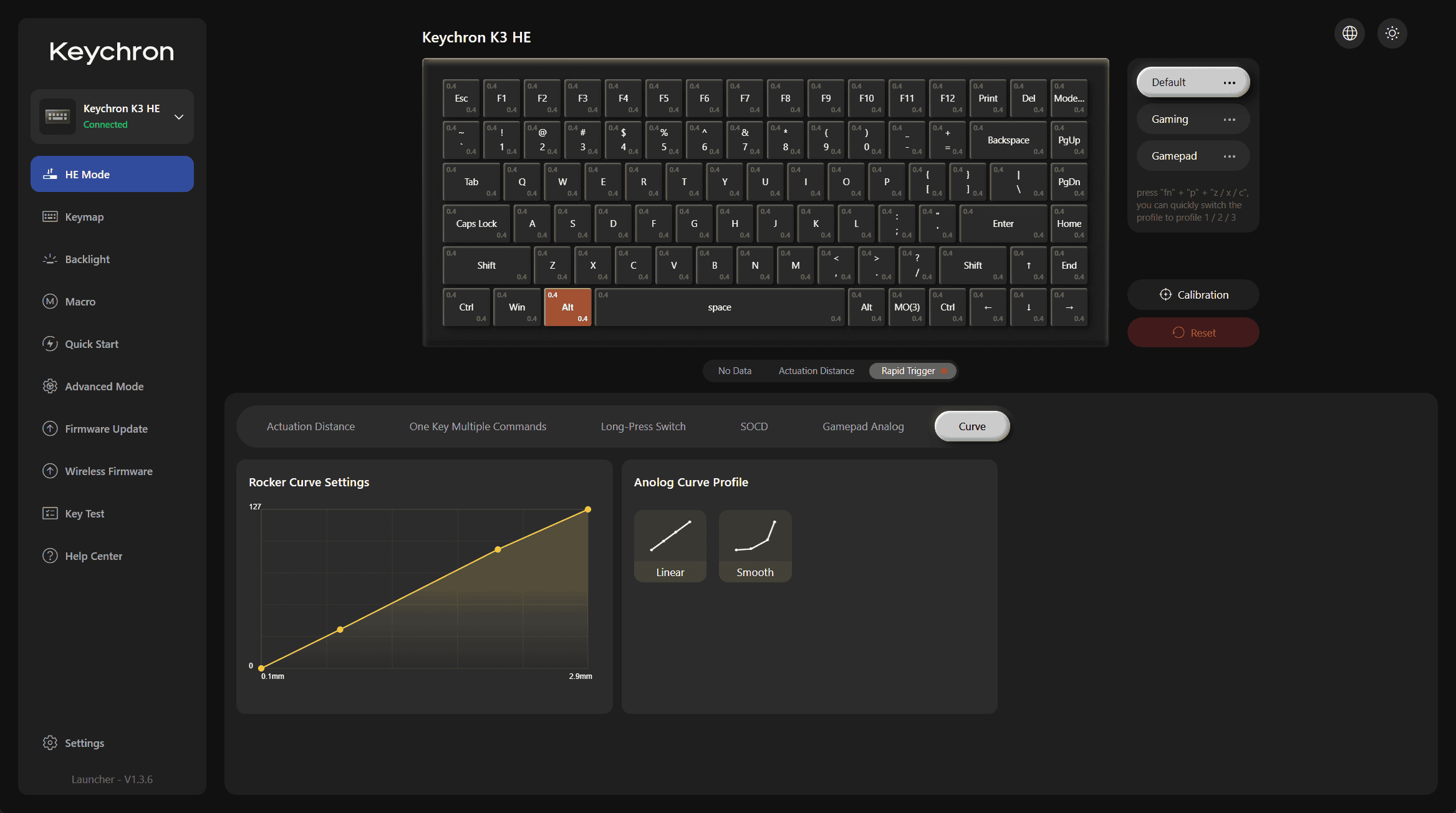
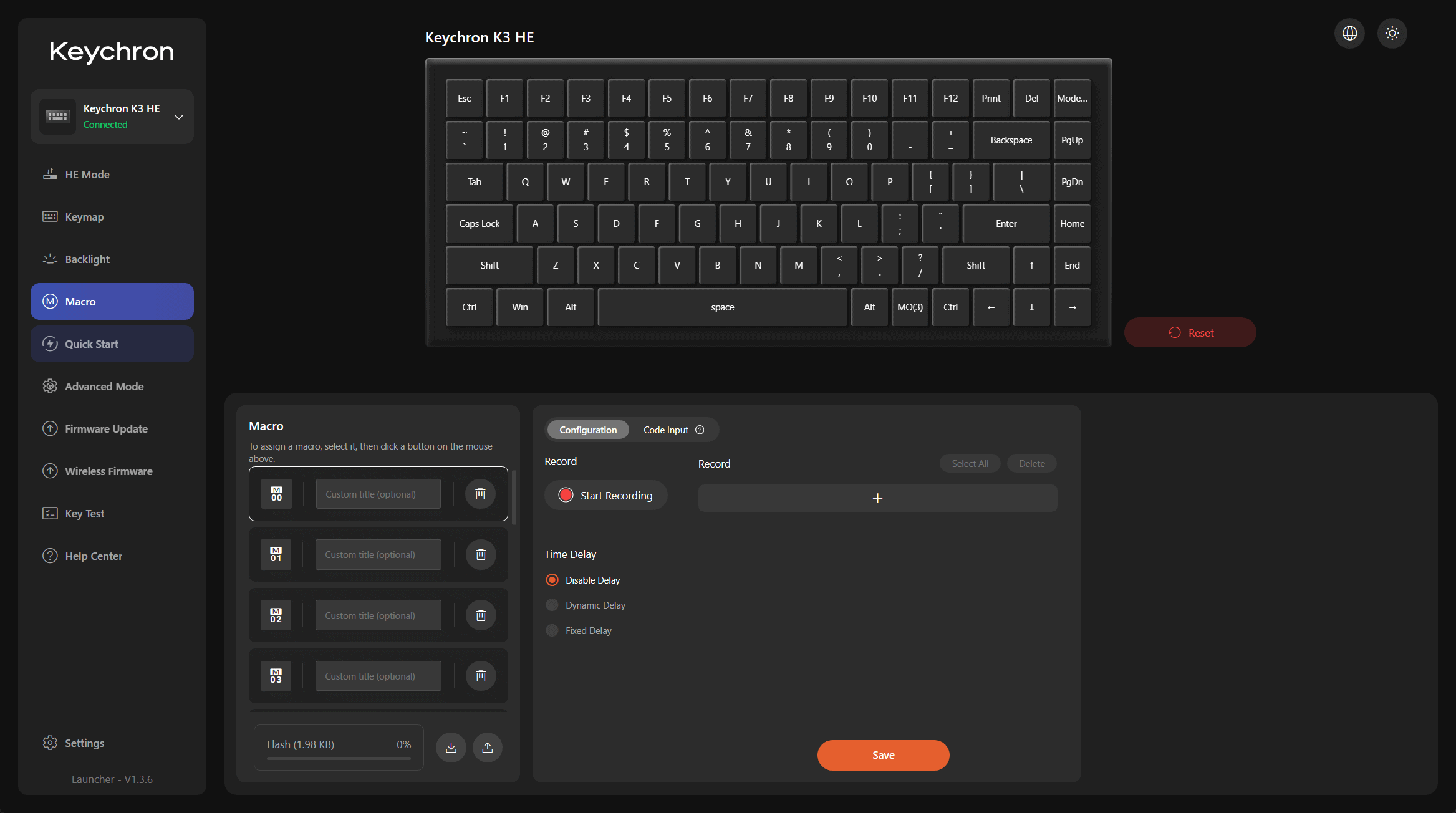
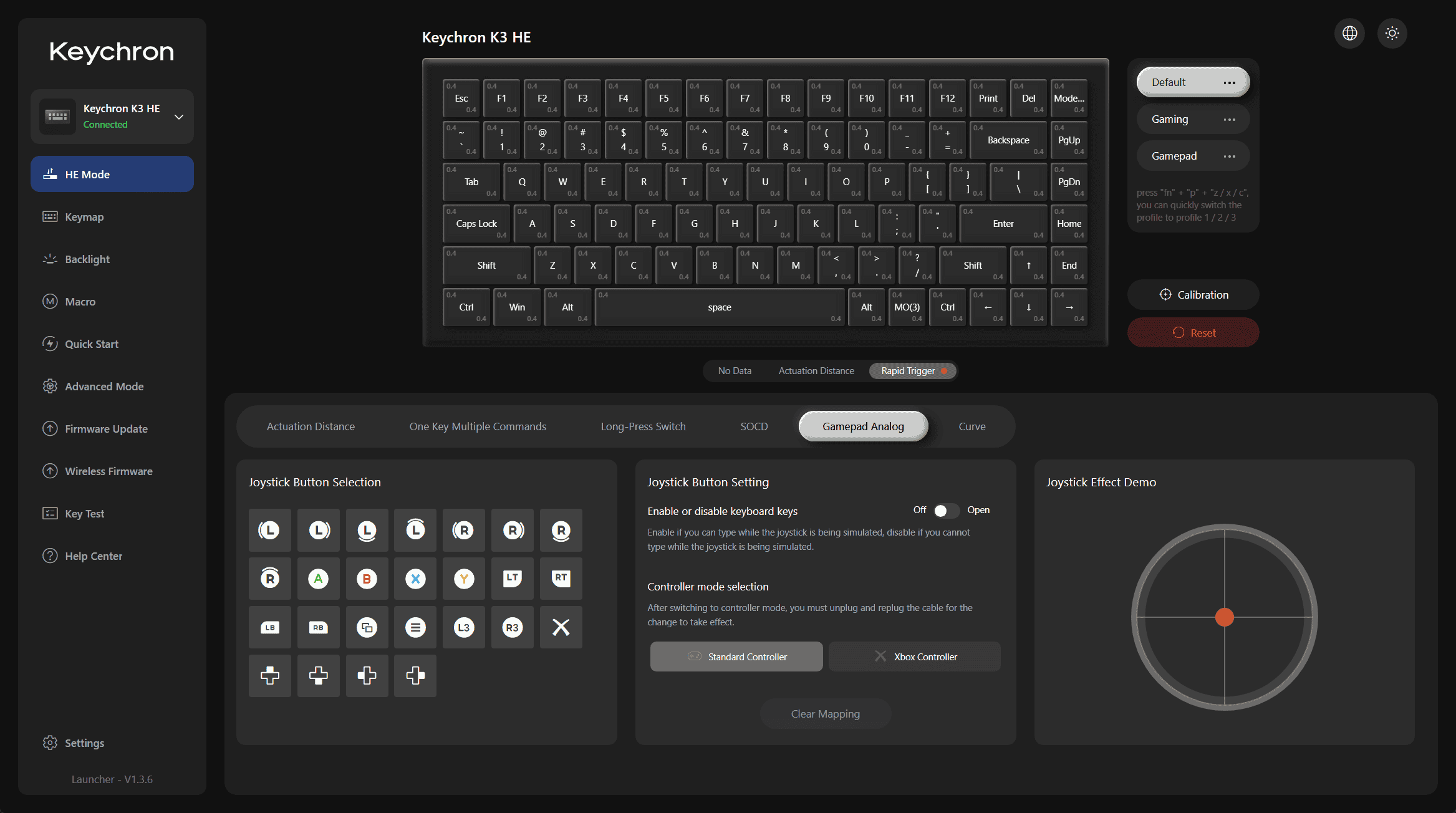
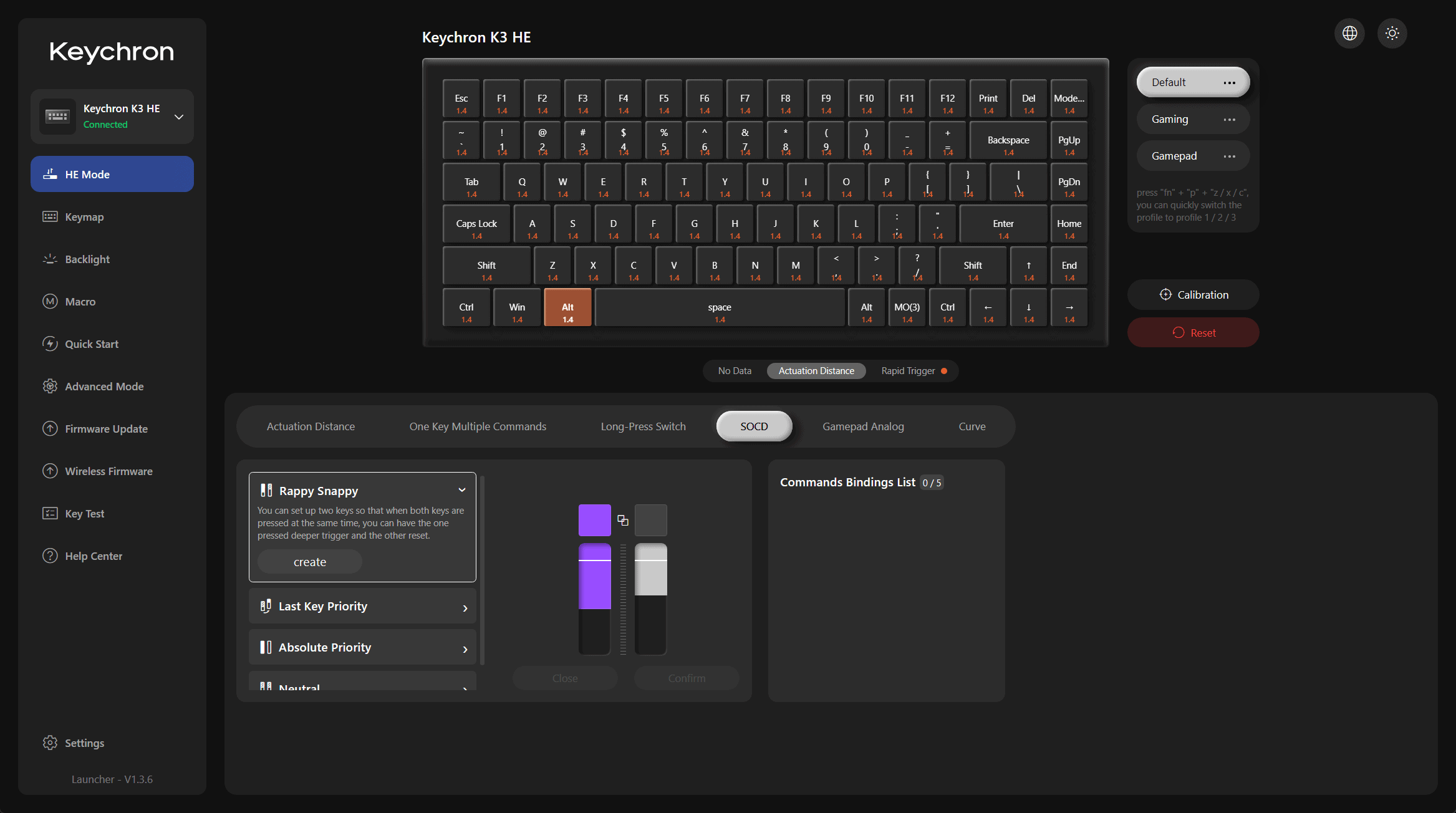
Customisation runs through Keychron Launcher, the browser-based utility — no installs, no constant updates. It’s feature-complete for an HE board: SOCD (Snap Tap / last-key priority), DKS (dynamic keystroke / 4-in-1 action keys), Rapid Trigger, adjustable actuation from 0.2–2.9 mm with 0.1 mm sensitivity, and even controller emulation via analogue input, which is rare and genuinely useful in racing games. In testing, everything worked as described with no missed inputs. You can store up to three on-board profiles and assign keys to switch between them.
One thing worth flagging for HE enthusiasts: at the most sensitive settings (0.2 mm actuation with 0.1 mm Rapid Trigger), some double inputs can occur, caused by the key bouncing slightly when topping out. Backing off to 0.3 mm resolves it completely. Given how small the difference is between 0.3 mm and the minimum, this isn’t a deal-breaker, but it’s worth knowing if ultra-sensitive settings are why you’re buying an HE board.
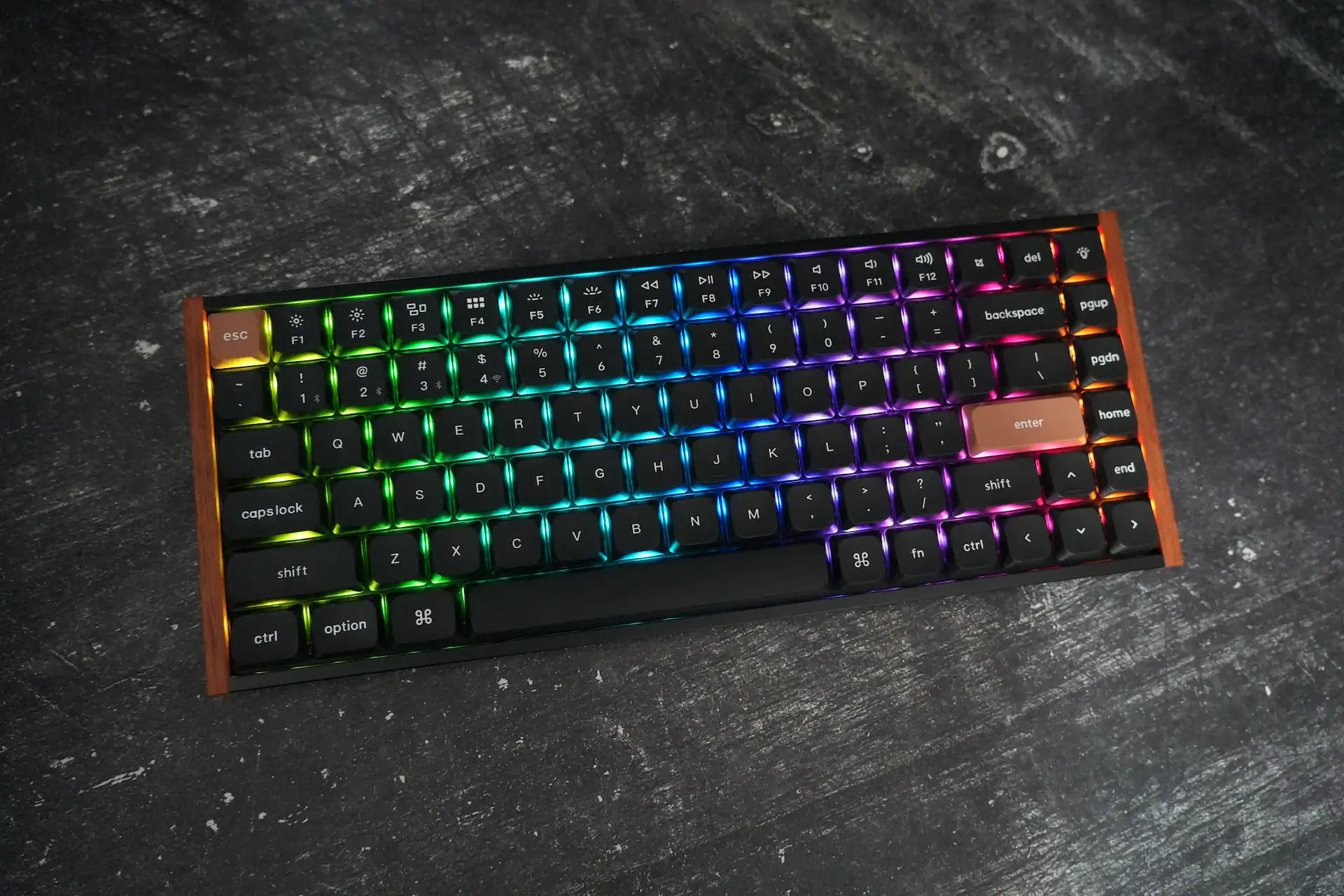
RGB is fully customisable in Launcher, including true per-key lighting — but the keycaps aren’t shine-through and the backlight is fairly dim, so it’s almost not worth the battery hit.
The Keychron Launcher is honestly one of the best keyboard apps I have used. Great UI and everything works.
Battery Life
The K3 HE packs a 2,600 mAh battery, rated up to 55 hours with the backlight off. That figure holds up in testing. Turn the backlight on over 2.4 GHz, though, and consumption climbs fast — around 3.6% per hour, or roughly 27 hours of real-world life at max brightness. Productivity users running it without backlighting will likely charge about once a week; heavy gamers using analogue features and full RGB will be charging every two or three days.
Specifications
| Keychron K3 HE | Specs |
|---|---|
| Layout | 75% · ANSI |
| Dimensions | 318.62 × 126 mm |
| Height | 22.0 mm back / 25.4 mm front (incl. keycaps) |
| Weight | 575 g |
| Frame material | Aluminium + wood (rosewood) |
| Bottom case | ABS plastic |
| Plate | Aluminium |
| Mounting | Tray mount |
| Switch | Keychron Ultra-Fast Lime Low-Profile Magnetic |
| Hot-swap | Yes, but Keychron’s Lime low-profile switches only |
| Keycaps | LSA double-shot PBT, not shine-through |
| Stabilisers | Plate-mounted |
| Connectivity | USB-C / 2.4 GHz / Bluetooth 5.2 |
| Polling rate | 1,000 Hz (wired & 2.4 GHz) / 125 Hz (Bluetooth) |
| NKRO | Yes (wired & wireless) |
| Rapid Trigger | Yes |
| Sensitivity | 0.1 mm |
| Actuation range | 0.2 – 2.9 mm |
| Dynamic keystrokes | 4-in-1 action keys |
| Backlight | North-facing per-key RGB |
| Battery | 2,600 mAh — up to 55 hours (no backlight) |
| Angle | 2° / 4.5° / 7.5° |
| Software | Keychron Launcher (web-based) |
| Compatibility | macOS / Windows / Linux |
| Price | $119.99 |
Conclusion — A travel keyboard for digital nomads who game
The Keychron K3 HE is a bit of a “jack of all trades, master of none” — and that’s not an insult. There are keyboards in Keychron’s own lineup that are better for pure gaming, and others that are better for battery life, ergonomics, or typing feedback, but the K3 HE performs well enough across all of them to justify the $119.99 asking price. The real rosewood rails, slim portable body, smooth switches and feature-complete software make it a genuinely pleasant board to live with.
If you want a low-profile, portable HE keyboard that’s equally happy on a commute or a desk, and you can live with the 1,000 Hz cap and the locked-in switches, the K3 HE is an easy recommendation. If you’re a competitive FPS player chasing maximum polling rate and switch flexibility, a full-height board like the IQUNIX EV63 or another option from our lowest-latency keyboards roundup will serve you better.
- Elegant design and solid build
- Compact layout and portable design
- HE switches are smooth and offer plentiful customisation
- Predictable, convenient wireless connectivity
- Superb software
- No cushioning on bottom-out
- Wood may scratch easily

I love testing and writing about new tech. I focus on keyboards and controllers. I'm also a gamer and an engineer. Check out my Twitter for keyboard and controller news and reviews.