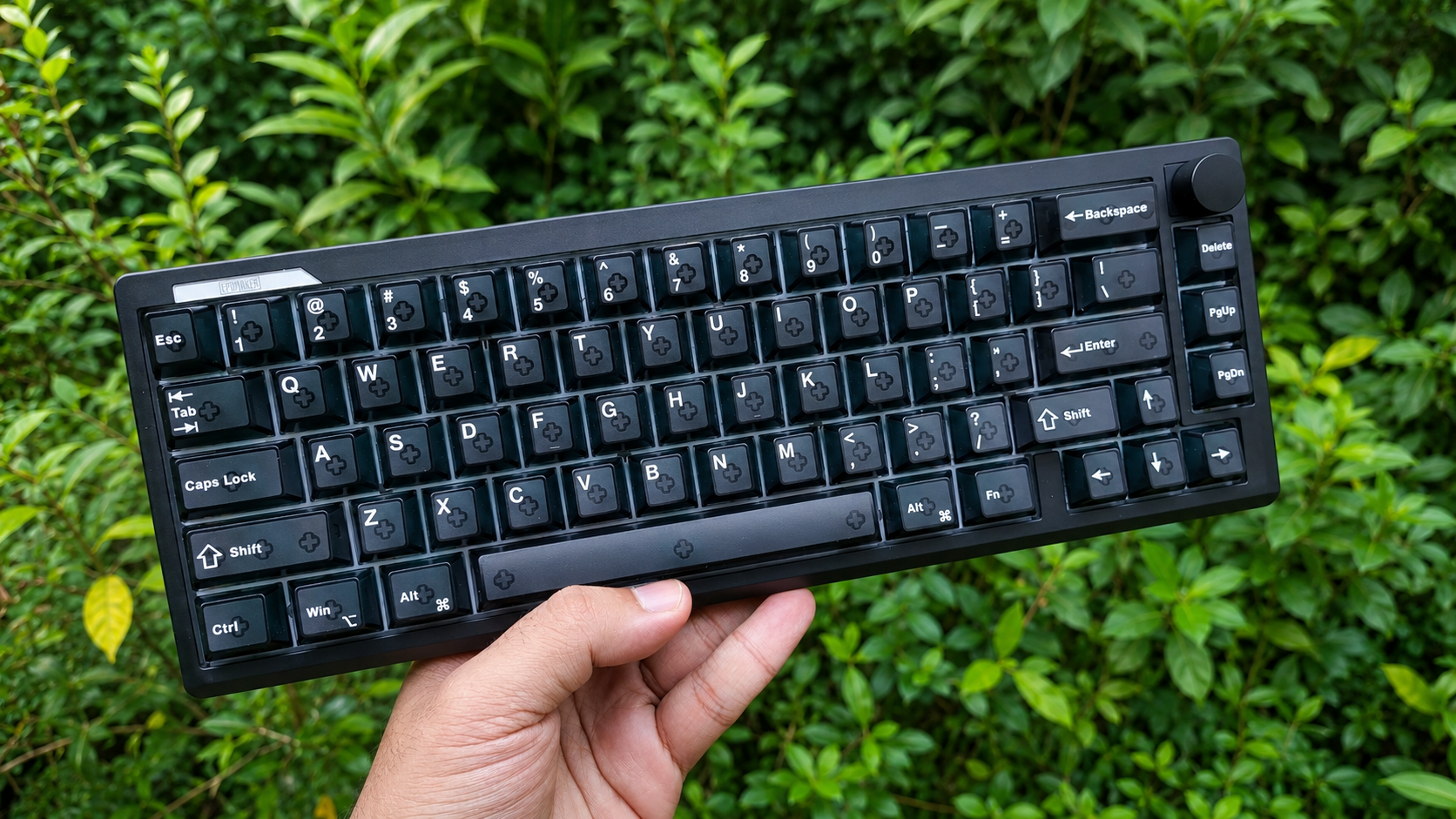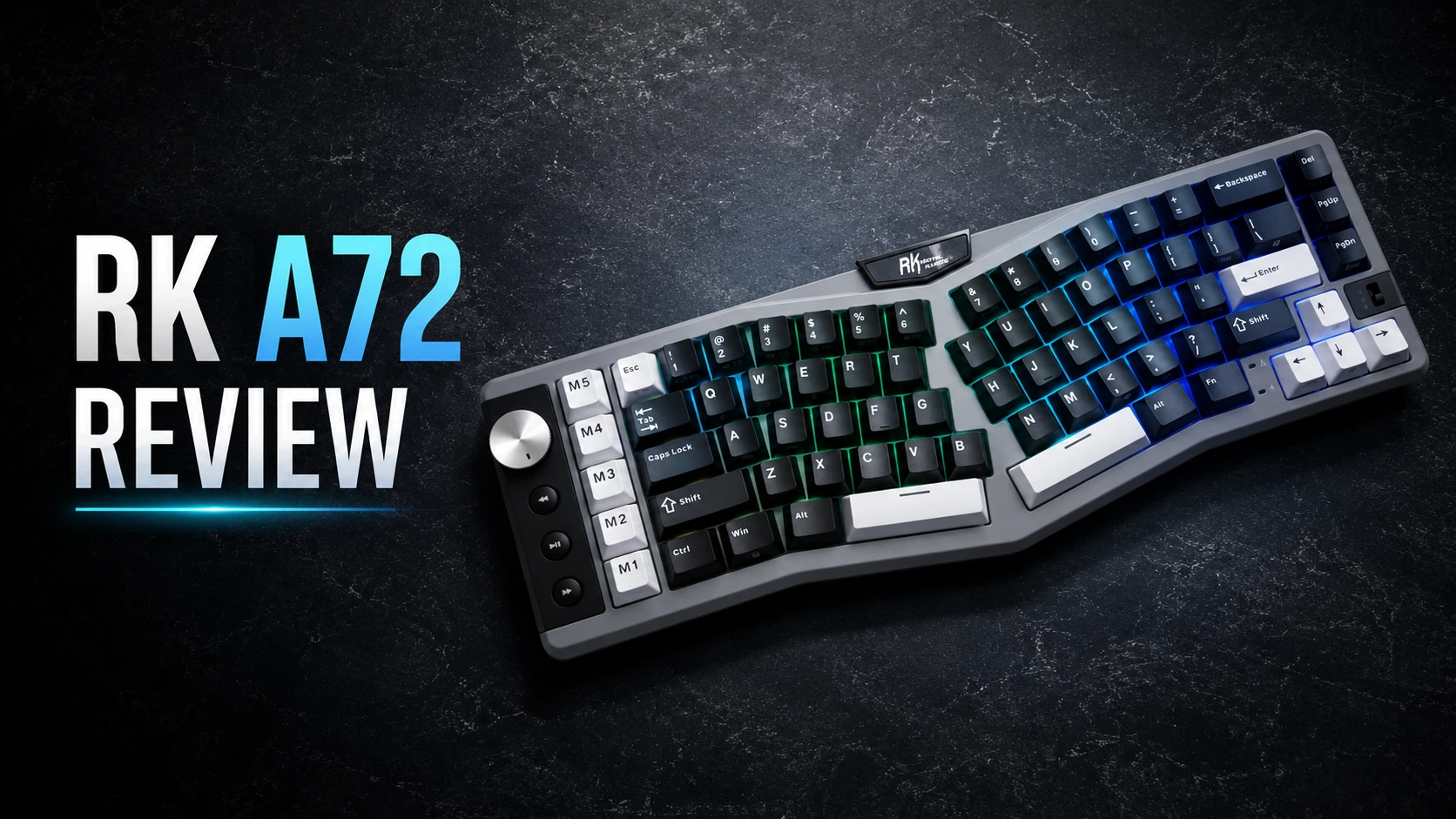
The RK A72 genuinely impressed me. At $89.99 (and often less with a discount code), it packs an ergonomic Alice layout, tri-mode wireless, a massive battery, a volume knob, five macro keys, hot-swap support, and PBT keycaps into one package. For anyone curious about the Alice layout without spending custom-keyboard money, this is one of the easiest entry points available.
Pros
- Comfortable ergonomic Alice layout reduces wrist strain
- Tri-mode connectivity (2.4G / Bluetooth / wired)
- Huge 7500mAh battery, up to 550 hours RGB off
- Volume knob + 5 programmable macro keys
- Hot-swappable, smooth pre-lubed switches
- Cherry-profile PBT keycaps
- Genuinely affordable
- Dongle stores inside the keyboard
Cons
- No ANSI/ISO keycap options beyond US QWERTY
- Larger footprint than a standard 68% due to the Alice split
- No wrist rest included

The RK A72 is Royal Kludge’s take on the ergonomic Alice layout — a 72-key, 68% board with a split, angled cluster designed to promote a more natural typing posture. I reviewed the version with Silent Purple switches, and after spending time with it, I came away more impressed than I expected for the price.
The Alice layout is the headline feature. Instead of a straight row of keys, the alphas are split into two angled halves that let your hands sit at a more natural angle, reducing the inward wrist rotation that flat keyboards force. It’s not a full split keyboard — the two halves are fixed on one board — but it captures much of the ergonomic benefit without the learning curve or price of a true split.
In the box: the keyboard, a USB-C cable, a combined keycap and switch puller, a few spare switches, the 2.4G dongle, and a user manual.
Design & Build

The A72 has a distinctive look. The left side houses a column of five macro keys (M1–M5), a metal volume knob, and three dedicated media buttons — a genuinely useful control cluster that sets it apart from most keyboards in this price range. The grey case with black and white keycaps and the RK nameplate at the top gives it a clean, slightly industrial aesthetic.
There’s also an RGB underglow light bar along the front edge that adds a nice accent when the keyboard is sitting on a desk. Per-key RGB handles the rest, with 15 lighting modes.
One pleasant surprise: weight. Royal Kludge lists the A72 at 1.35 kg, but my own scale measured it at just 927 grams. That’s genuinely light for a keyboard carrying a 7500mAh battery this size — it makes the board easier to move around and more travel-friendly than the spec sheet suggests, though the Alice layout’s wider footprint means it still takes up more desk space than a standard 68%.
The keycaps are Cherry-profile PBT, which resist the greasy shine that plagues cheaper ABS caps and hold their texture over time.
Connectivity

The A72 runs tri-mode: 2.4GHz wireless, Bluetooth 5.0, and USB-C wired, switchable via a toggle. It supports multi-device connectivity, so you can move between machines without re-pairing each time. A nice practical touch is that the 2.4G dongle stores inside the keyboard, so it stays with the board rather than getting lost in a drawer.
The polling rate is 1,000 Hz. That’s perfectly fine for typing, productivity and casual gaming, but it does mean this isn’t positioned as a competitive FPS keyboard the way an 8K Hall effect or TMR board would be. If maximum polling rate is your priority, look elsewhere; if you want comfort and versatility, the A72 delivers.
Switches & Typing Experience

I tested the A72 with the Silent Purple switches, and they’re excellent for the price. They’re smooth, quiet, and pleasant to type on for long sessions — the silent version in particular makes this a great choice for shared spaces or offices where you don’t want to disturb anyone. Combined with the Alice layout, extended typing sessions felt noticeably more comfortable than on a standard flat board.
The A72 offers three switch options:
| Linear Cream | Tactile Beige | Linear Silent | |
|---|---|---|---|
| Style | Linear | Tactile | Linear |
| Operating force | 45 ± 10 gf | 40 ± 10 gf | 37 ± 10 gf |
| Actuation point | 2 ± 0.4 mm | 2.5 ± 0.4 mm | 2 ± 0.4 mm |
| Total travel | 3.4 ± 0.4 mm | 3.4 ± 0.4 mm | 3.5 ± 0.4 mm |
| Lifespan | 50M | 50M | 50M |
| Sound | Soft | Soft thocky | Whisper-quiet |
| Best for | Daily work, casual gaming | Typing, productivity | Fast gaming, quiet offices |

The board is hot-swappable with support for both 3-pin and 5-pin switches, so you’re not locked into RK’s switches — you can drop in your own mechanical switches whenever you like. It’s a gasket-mounted design with a five-layer dampening stack (dual sound-absorbing foam, IXPE switch pad, silicone dampener and PET film), which gives it a soft, cushioned typing feel and keeps hollow or cavity noise well controlled.
Software & Features
Customisation runs through RK’s web-based driver at drive.rkgaming.com — no installation needed, works on both Windows and macOS. From there you can remap keys, program the five M1–M5 macro keys, configure the touch-sensitive nameplate (which can launch websites, trigger macros or run commands), and personalise the RGB lighting.
The web-only approach is convenient for quick access and cross-platform use, though some users prefer a full desktop application with more granular control. For what this keyboard is aimed at, the web driver covers the essentials well.
The macro keys and volume knob are the standout functional extras. Having five dedicated macro keys plus a knob and media controls is unusual at this price and genuinely useful for productivity — shortcuts, complex commands, and instant volume/media access without interrupting your workflow.
Battery Life

The 7500mAh battery is large for a keyboard, rated up to 550 hours with RGB off and around 54 hours with RGB on at full brightness. You can check the battery level with FN+ENTER. A full recharge takes roughly 14 hours, which is on the slower side, but with capacity this large you’ll be charging infrequently. What’s impressive is that RK fit a battery this big into a board that only weighs 927 grams on my scale.
Specifications
| Layout | 68% · 72 keys · Ergonomic Alice |
| Language | US QWERTY |
| Dimensions | 15.13 × 5.50 × 1.67 inches |
| Weight | 1.35 kg spec / 927 g measured |
| Connectivity | Bluetooth 5.0 / 2.4GHz / USB-C (tri-mode) |
| Polling rate | 1,000 Hz |
| Switch | Pre-lubed custom (Cream / Beige / Silent) |
| Hot-swap | Yes — 3-pin & 5-pin |
| Mounting | Gasket, 5-layer dampening |
| Keycaps | Cherry-profile PBT |
| Backlight | Per-key RGB + front RGB light bar, 15 modes |
| Controls | Volume knob, media keys, 5 macro keys (M1–M5) |
| Battery | 7500mAh — up to 550h (RGB off), ~54h (RGB on) |
| Charge time | ~14 hours |
| Software | Web-based driver (Windows & macOS) |
| Compatibility | Windows & macOS |
| Cable | 1.6m USB-A to USB-C |
| Price | $89.99 (often less with a code) |
Key Shortcuts & Controls
The A72 packs a lot of functionality into FN combinations and its dedicated keys. Here are the ones worth knowing.
Connectivity
- Wired: toggle switch to center position, connect USB-C
- Bluetooth: switch to “B”, long-press FN+Q/W/E to pair (stores 3 devices); tap FN+Q/W/E to switch between them. Pairs as “RK A72”
- 2.4G: switch to “G”, long-press FN+P to pair (pre-paired at factory)
- Touch nameplate: FN + touch the RK logo cycles the touch function; tapping the logo opens the web driver by default
Volume knob
- Clockwise: Volume + / Anticlockwise: Volume −
Macro keys (default bindings)
- M1 — Undo (Ctrl+Z)
- M2 — Cut (Ctrl+X)
- M3 — Select All (Ctrl+A)
- M4 — Paste (Ctrl+V)
- M5 — Copy (Ctrl+C)
These are remappable in the web driver, but the out-of-the-box editing shortcuts are a genuinely thoughtful default.
System switching
- FN+A — Windows mode
- FN+S — Mac mode
Navigation (secondary functions)
- FN+ESC — `~ | FN+Del — ScrLk | FN+PgUp — Pause | FN+PgDn — End
- FN+[ — PrtSc | FN+] — Ins | FN+’ — Home
- FN+1 through FN+= — F1 to F12
Lighting
- FN+↑ / FN+↓ — brightness up/down
- FN+← / FN+→ — effect speed down/up
- FN+, — switch backlight color
- FN+. — switch side light (RGB bar) effects
- FN+\ — cycle backlight mode
Other
- FN+ENTER — check battery level
- FN+Win — Windows key lock
- FN+Space (hold 3 sec) — restore factory settings
Multimedia (Windows, after FN+A): FN+F1 Computer, F2 Browser, F3 Mailbox, F4 Calculator, F5 Player, F6 Stop, F7 Last track, F8 Play/Pause, F9 Next track, F10 Mute, F11 Vol−, F12 Vol+. On Mac (FN+S), the F1–F6 keys map to screen and keyboard-backlight brightness instead.
Is it worth it then?

The RK A72 is one of the easiest ergonomic keyboards to recommend for anyone curious about the Alice layout. At $89.99 it undercuts nearly every other Alice board on the market while still delivering a comfortable typing posture, smooth hot-swappable switches, a big battery, tri-mode wireless, a volume knob, macro keys, and PBT keycaps. The silent switch option makes it especially good for offices and shared spaces.
It’s not a competitive gaming keyboard — the 1,000 Hz polling rate and mechanical (rather than Hall effect / TMR) switches make that clear — and the web-only software won’t suit everyone. But that’s not who this board is for. As a comfortable, versatile, well-built everyday keyboard with genuine ergonomic benefits, the A72 offers outstanding value, and I came away genuinely impressed.
If your priority is wrist comfort for long typing and work sessions rather than chasing the lowest latency, the RK A72 is well worth a look.
At $89.99 — and 10% off with code HLPLANET — the RK A72 is one of the easiest ergonomic keyboards to recommend at this price. Available in Sky Blue, Cloudy Black and Matcha Green, with Tactile Beige, Silent Purple or Linear Cream switches. → Get the RK A72
Tech reviewer, engineer and videographer.