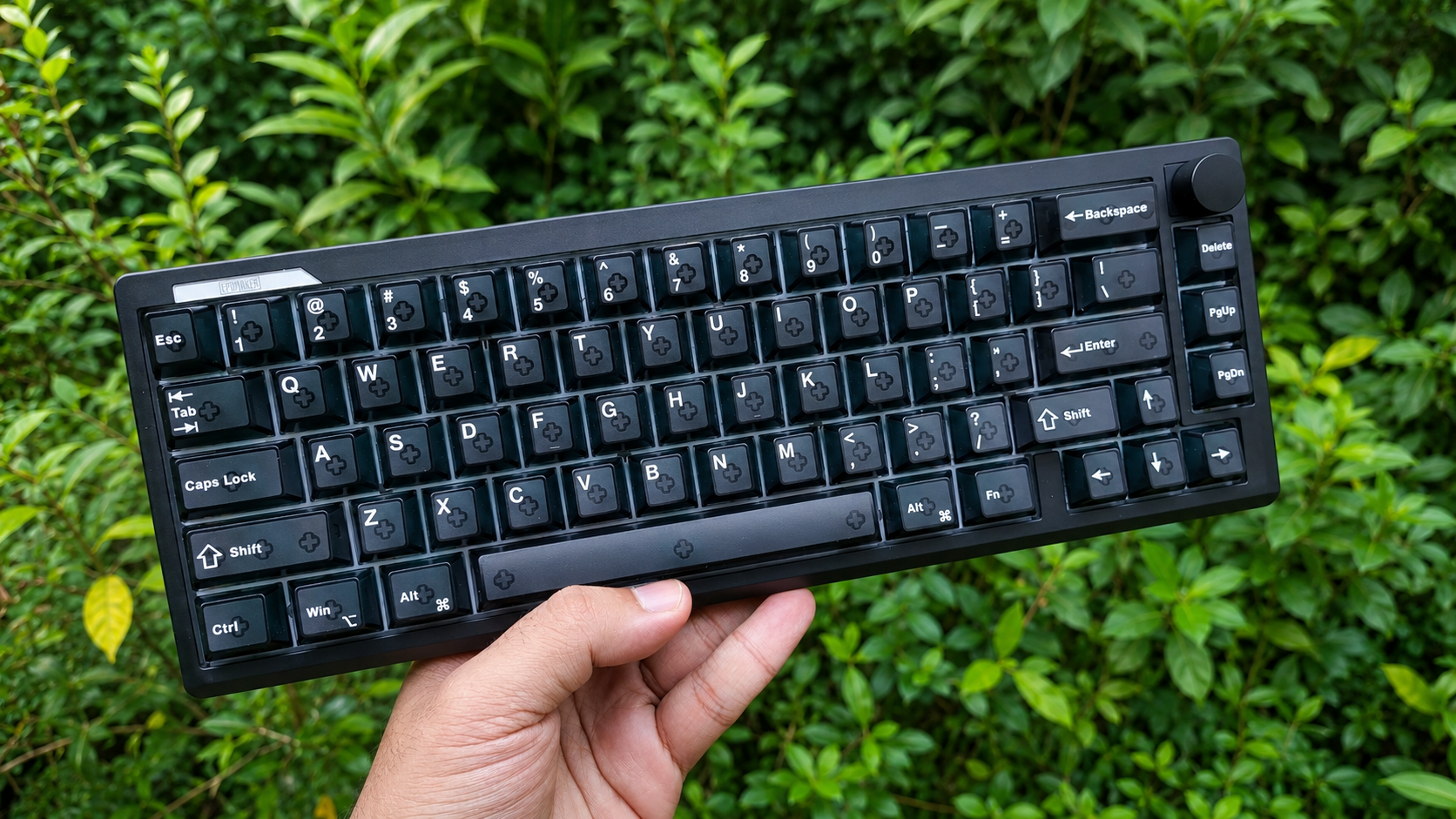
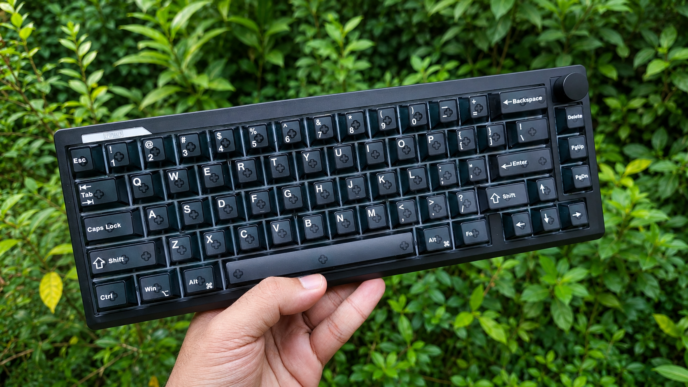
Low-profile keyboards have been carving out their own niche for a while now, and the L75 Air is XVX’s latest addition to that growing segment. It follows the now-familiar 75% layout, aiming to strike a balance between compactness and usability, and is designed as a lightweight everyday board that’s easy to carry around. At the same time, it’s interesting to see how XVX translates its recognizable design choices and ideas into a low-profile interpretation. With that in mind, it’s time to take a closer look at how it all comes together.
Unboxing: What’s Inside?

Inside the box, you’ll find the following:
- XVX L75 Air keyboard
- 2.4GHz wireless dongle
- USB-C to USB-A rubber cable
- 2-in-1 keycap and switch puller
- 2 spare switches
- Manual
The keyboard comes well protected inside the box, with foam padding that keeps everything secure during shipping. The included accessories cover all the essentials, so you have everything needed to get started right away, including two spare switches in case they are ever needed. The only small addition I would personally like to see in the box is a dust cover, which would help protect the keyboard when it’s not in use.

First Look
The XVX L75 Air is a 75% low-profile mechanical keyboard featuring an 80-key ANSI layout. The typing angle is approximately 4 degrees. One of the more noticeable differences compared to most other low-profile 75% keyboards is the presence of arrow key blockers as well as a clustered F-row design.

This layout choice can be particularly useful for touch typists, as the physical separation between key groups makes navigation by touch more reliable without looking down, while also reducing the chance of accidentally hitting adjacent keys. The clustered F-row also gives the top section a more structured and visually organized appearance overall. This makes the XVX L75 Air one of the few low-profile options that intentionally caters to users who prefer having clear key group separation and physical key blockers for better navigation and muscle memory.
The keyboard features a CNC-machined aluminum case. The build quality feels solid, with no noticeable creaking or flex in normal use. The anodization quality also appears to be good, with a clean and even finish that feels smooth and consistent across the surface.
Despite being made of aluminum, the keyboard weighs around 620 grams. This provides a good balance between rigidity and portability – it still delivers the typical solid feel associated with aluminum keyboards, while remaining light enough to carry around without much effort.

Design-wise, the L75 Air keeps things minimal, and the two RGB light strips near the Escape and Delete keys, along with the illuminated logo, help break up the otherwise minimalist design without overcomplicating the look. Another interesting design decision is that the screws are exposed and placed on the side edges of the keyboard rather than on the bottom, which is more common. This choice adds a more industrial, exposed aesthetic to the overall design. The white colorway also comes with topographic keycaps, which give it a more distinctive character if that’s the aesthetic you’re after.

What’s worth highlighting about those light strips is that they’re not purely decorative – both serve as status indicators. When triggered, they briefly light up for around 10 seconds to indicate a status change before returning to the configured lighting mode. The left light strip acts as a connection mode indicator – it changes color depending on the selected connection mode, flashes during pairing, and also lights up white when Caps Lock is enabled.

The right light strip functions as a battery indicator, flashing red when the battery is low, showing solid red while charging, and turning green when fully charged. It’s a clean, practical solution that keeps you informed without having to guess the keyboard’s current state.

Flip the keyboard over and you’ll find four elongated rubber feet. They’re grippy enough to keep the board firmly in place on the desk – no sliding around during typing or gaming sessions.

On the back, positioned roughly above the F12 key, sits the USB-C port for wired connection, with the connectivity mode switch right next to it – a straightforward placement that’s easy to reach without having to hunt for it.

The keyboard uses south-facing LEDs, and XVX clearly put noticeable effort into the lighting implementation. In fact, this might be the brightest and most vibrant RGB lighting I’ve come across on a low-profile keyboard. The backlight is bright, evenly distributed, and well saturated. It works particularly well with shine-through keycaps, allowing the legends to remain clearly visible even in darker environments.

One detail worth pointing out is the spacebar: while most keyboards place a single LED underneath it, the L75 Air uses five, spread across the length of the key. The result is a noticeably more uniform glow compared to the typical single-point illumination, and it pairs especially well with keycap designs like the topographic, spider web, or similar designs where you actually want the full surface of the spacebar to light up rather than just the center.

The lighting is also well-implemented in terms of stability, with no noticeable flicker, which can be important for users who are sensitive to PWM-based backlight modulation.
Connectivity and Battery
The keyboard supports tri-mode connectivity, meaning it can be used in three different ways: wired via USB-C, wireless over 2.4GHz, or through Bluetooth. In Bluetooth mode, it can be paired with up to three devices, allowing you to switch between them without re-pairing each time, which is useful if you regularly switch between a laptop, tablet, or phone. Both wired and 2.4GHz modes run at a 1000Hz polling rate, which helps ensure more responsive input with minimal delay, while Bluetooth operates at 125 Hz – a standard rate for that connection type.
One practical detail is the dedicated physical switch for changing connection modes. Instead of relying on key combinations or a hidden switch under Caps Lock like you’ll find on some boards, the mode selector is directly accessible at the back of the keyboard, making switching between wired, wireless, and Bluetooth easy and straightforward.

All three modes performed reliably – no dropouts, no connection issues, nothing that got in the way of regular use.
The keyboard comes with a 3700 mAh battery. In general, battery life is solid for a low-profile wireless keyboard, providing a comfortable amount of usage time, so I didn’t find myself needing to charge it frequently.
With RGB lighting enabled, the battery life is naturally reduced and lasts for around 5-6 days of regular use. This is still a respectable result, especially considering the brightness and overall quality of the RGB implementation, which tends to consume more power compared to more conservative RGB setups.

To help extend battery life, the keyboard automatically enters sleep mode after around 5 minutes of inactivity and wakes up quickly with minimal delay, so there is no noticeable inconvenience when resuming typing.
To check the battery level, press Fn + Spacebar. The keys from 1 to 0 will light up to indicate the battery percentage. For example, if keys 1 through 6 light up, it means the battery is at 60%.
Software – Unlocking the Potential
The XVX L75 Air is configured through VIA, which is good news for those who prefer using an established and well-known configuration tool instead of proprietary software.
Not familiar with VIA? Here’s a quick breakdown:
VIA is essentially a web driver for keyboards based on the QMK firmware. It allows you to remap keys on the fly, configure layers with high flexibility, create and assign macros, and change preset lighting effects – all without needing to install any extra software. VIA runs directly in your browser regardless of whether you’re on Windows, Linux, or macOS. It’s very convenient and user-friendly.

For enthusiasts and power users, QMK offers a wide range of advanced keycodes with options that go far beyond standard key remapping, allowing you to build highly customized multi-layer setups, create complex key combinations, implement media controls, and more. For example, QMK supports tap and hold functionality, where tapping a key performs one action, while holding the key triggers a different action, effectively expanding the functionality of a single key without switching layers.
Mod-Tap and Layer-Tap are both examples of this. Mod-Tap lets a single key act as a regular letter on a tap, but turn into a modifier – like Shift or Ctrl – when held. Layer-Tap works similarly: tap for a letter, but hold it and a secondary layer activates for as long as you keep the key pressed, giving you instant access to arrows, media controls, or whatever you’ve mapped there. The moment you release, you’re back to your base layer.
VIA requires the keyboard to be connected in wired mode in order to detect it. The first time you connect keyboard to VIA, you’ll also need to upload a JSON configuration file, available from the XVX website.
XVX L75 Air features 4 fully programmable layers.
I tested Mod-Tap, Layer-Tap, and One-Shot Layer features – and all three worked exactly as expected.

The manual includes a helpful list of shortcuts for controlling the keyboard’s main backlight, including lighting effects, colors, brightness, animation speed, and on/off control. While brightness and animation speed shortcuts are also documented for the two RGB light strips and the RGB logo (which act as a single synchronized lighting zone), the manual does not mention any shortcuts for changing their effects, switching colors, or turning that lighting zone off.
However, these functions are available in VIA, so they’re worth mentioning here in case someone finds them useful.
Fn + Right Shift cycles through the lighting effects for both the RGB light strips and the logo. Additionally, in the Keymap section under the CUSTOM tab, there are two related functions that are not assigned to any key by default but can be mapped to any key you like.
LG_HUI changes the lighting color for the light strips and logo.
LG_TOG, another unassigned keycode that turns the strips and logo lighting on and off, which may be useful if you want to disable all secondary lighting (indicator functionality still remains active).
IMD Tech Keycaps
The keyboard comes with low-profile shine-through keycaps made using IMD (In-Mold Decoration) technology, pioneered by XVX in keycap manufacturing. These are notably the first low-profile keycaps to use this manufacturing process.

IMD keycaps are known for their excellent light transmission properties, which allow for very even and vibrant RGB illumination. This is a big part of why the backlighting on this keyboard looks as good as it does. It also opens the door to more elaborate shine-through designs – the topographic pattern on the white colorway is a good example of what’s possible when the keycap itself is built around letting light through in a deliberate way.
It is worth noting that the L75 Air is one of the very few low-profile mechanical keyboards that comes with shine-through keycaps out of the box. This can be especially useful if you often work or type in the evening or in low-light environments, where illuminated legends make the keyboard much easier to use.

Another advantage of IMD construction is durability: the legends are embedded within the keycap’s internal structure and protected by an outer layer, so they won’t fade or wear off with extended use the way printed legends typically do.
The surface itself is not fully matte but instead has a slightly glossy sheen, which is something to keep in mind if you have a strong preference either way. At the same time, it wouldn’t really be accurate to call it fully glossy either. It sits somewhere in between, and this effect comes from the outer protective layer used in IMD keycaps, which gives the surface this slightly reflective finish without making it feel like traditional glossy plastic.
The keycaps use a uniform profile, meaning every key shares the same shape and height. In practice this means you can freely rearrange or swap keycaps without having to think about row compatibility or sculpting – a genuinely useful trait if you run an alternative layout or like to customize your setup.

As for the legends, both the black and white keyboard colorways are available with side-printed keycaps, featuring clean, sharp, and highly readable lettering with a pleasant, understated look. The black colorway is also available in a top-printed keycap variant, where the legends are designed in a retro Mac-inspired style, giving the keyboard a more nostalgic visual character while still maintaining good readability in everyday use. It’s also worth noting that the black here is a true deep black – not a dark navy or slightly tinted shade, which can sometimes be seen on other black keycaps.
One small difference worth mentioning is that the black keyboard with top-printed keycaps features a Win keycap, whereas the black and white keyboard color variants with side-printed keycaps use a keycap with the “Code” legend in its place. It’s a small cosmetic difference, but worth keeping in mind when choosing between the available color options.
Anyway, the switches use MX-style stems, so if you ever want to replace the keycaps, you’ll have a decent range of compatible low-profile sets to choose from.
Switches and Stabilizers
The XVX L75 Air comes equipped with low-profile Jerrzi Air switches.
For those interested, here are the official specifications:
The switches come factory lubricated and feel smooth right out of the box. Their medium actuation force makes them equally suitable for typing and gaming. I also like how responsive the switches feel under my fingertips. They have a lively bounce-back that makes each keystroke feel more satisfying.
I didn’t notice any spring ping or any scratchiness during use. Stem wobble is minimal, which is in line with what I’d expect from a well-made low-profile switches.
One distinctive feature of the Jerrzi Air switches is their fully transparent housing. It allows significantly more light to pass through compared to opaque housings, helping the keyboard’s RGB backlighting look brighter and more accurate in color – a natural complement to the shine-through keycaps and the overall RGB implementation on this board.

The keyboard supports hot-swap, so you can easily replace the switches without any soldering. This makes it simple to experiment with different ones or replace individual switches if needed, without disassembling the keyboard or using special tools.
However, it’s important to keep in mind that low-profile switches don’t follow a single unified standard. As a result, different keyboard manufacturers use different types of low-profile switches that aren’t interchangeable. In other words, not every low-profile switch will fit every low-profile board. Typically, low-profile keyboards are only compatible with a specific “family” of low-profile switches.
In terms of hot-swap compatibility, the L75 Air works with any switch that shares the same footprint as Cherry MX LP. That includes Cherry MX LP switches themselves, along with low-profile switches from Jerzzi, Huano, Redragon, and TTC KS32. Among these, you get a decent selection to choose from – linear and tactile options, different actuation forces, and even silent variants. That said, this switch family is less common than some of the other low-profile ecosystems out there, which is worth keeping in mind if you plan on doing a lot of switch experimentation down the line.

It’s also worth noting that the board supports both 3-pin and 5-pin switches – the PCB itself has the necessary holes for both. However, the foam dampening layer sitting on top of the PCB doesn’t have cutouts for the two additional plastic pins found on some low-profile switches, such as the switches from Jerzzi. This is likely because the stock switches are 3-pin, but it’s not really a problem – if you end up with one of the compatible 5-pin switches, just poke through the foam at those two spots yourself.
The stabilizers are generally fine. They come pre-lubed from the factory and feel consistent during use. There are no obvious issues like rattling or ticking on larger keys, and overall I didn’t have any complaints about their performance.

Structure and Mounting
The L75 Air uses a gasket-mounted design. This helps soften the bottom-out feel and reduces the amount of vibration transferred into the chassis, resulting in a more comfortable typing experience.
The plate itself is polycarbonate (PC) with flex cuts. Besides being more flexible than metal or FR4 plates, polycarbonate is translucent, allowing RGB lighting to pass through and diffuse across its surface, which is why you get that glow coming through the gaps between keys rather than just light concentrated directly under each switch. It creates a cleaner and more evenly distributed backlight. It’s a small detail, but it noticeably adds to the overall RGB effect on this board.

Underneath the plate sit three sound dampening layers:
- PORON Plate Foam
- IXPE Switch Pad
- PET Acoustic Film
Below that sits the PCB, 1.2mm thick and also featuring flex cuts. And underneath the PCB, there are two more layers:
- EPDM Case Foam
- PET Acoustic Film
That’s five layers of sound dampening in total, which is worth pointing out because XVX’s own product page only lists four. It’s a rare case of a keyboard actually offering more than what’s advertised.
Typing Feel and Sound
The typing feel leans toward the softer side, a result of the gasket mount working together with the polycarbonate plate and the flex cuts running through both the plate and PCB. There’s noticeable flex when bottoming out. Instead of feeling rigid, the keyboard absorbs some of the impact from each keystroke, which helps reduce fatigue during longer typing sessions and gives the board a slightly more forgiving character. At the same time, the flex isn’t excessive, so the keyboard still feels stable and consistent, maintaining a reassuring sense of control while typing.

In terms of sound, the L75 Air lands somewhere between clacky and poppy. It’s a lively, higher-pitched profile that leans more toward the fun side than the muted, quieter end of the spectrum. The larger stabilized keys – Space, Shift, Enter, Backspace – sound just as consistent as the rest of the board, rather than standing out in a bad way like sometimes happens on other keyboards. Just as important is what you don’t hear: no case resonance, no metallic ping, none of the harsh overtones that can make a keyboard sound cheap. The sound dampening layers are clearly doing their job here.
Pros and Cons
Final Verdict

The XVX L75 Air is a compelling option for anyone looking for a portable low-profile keyboard without giving up on build quality. It combines a lightweight yet rigid aluminum construction, vibrant RGB lighting, IMD shine-through keycaps, VIA support, and a comfortable gasket-mounted typing experience – all in a package that’s light enough to take with you without thinking twice about it. Whether it’s used as a daily keyboard at the desk or carried between different devices and locations, the L75 Air offers a balanced mix of portability, customization, and everyday usability.
XVX L75 Air is available for purchase from XVX store for $89.99 right now.

Controller and mechanical keyboard enthusiast. Tech reviewer, regularly sharing thoughts about gadgets and computer peripherals.