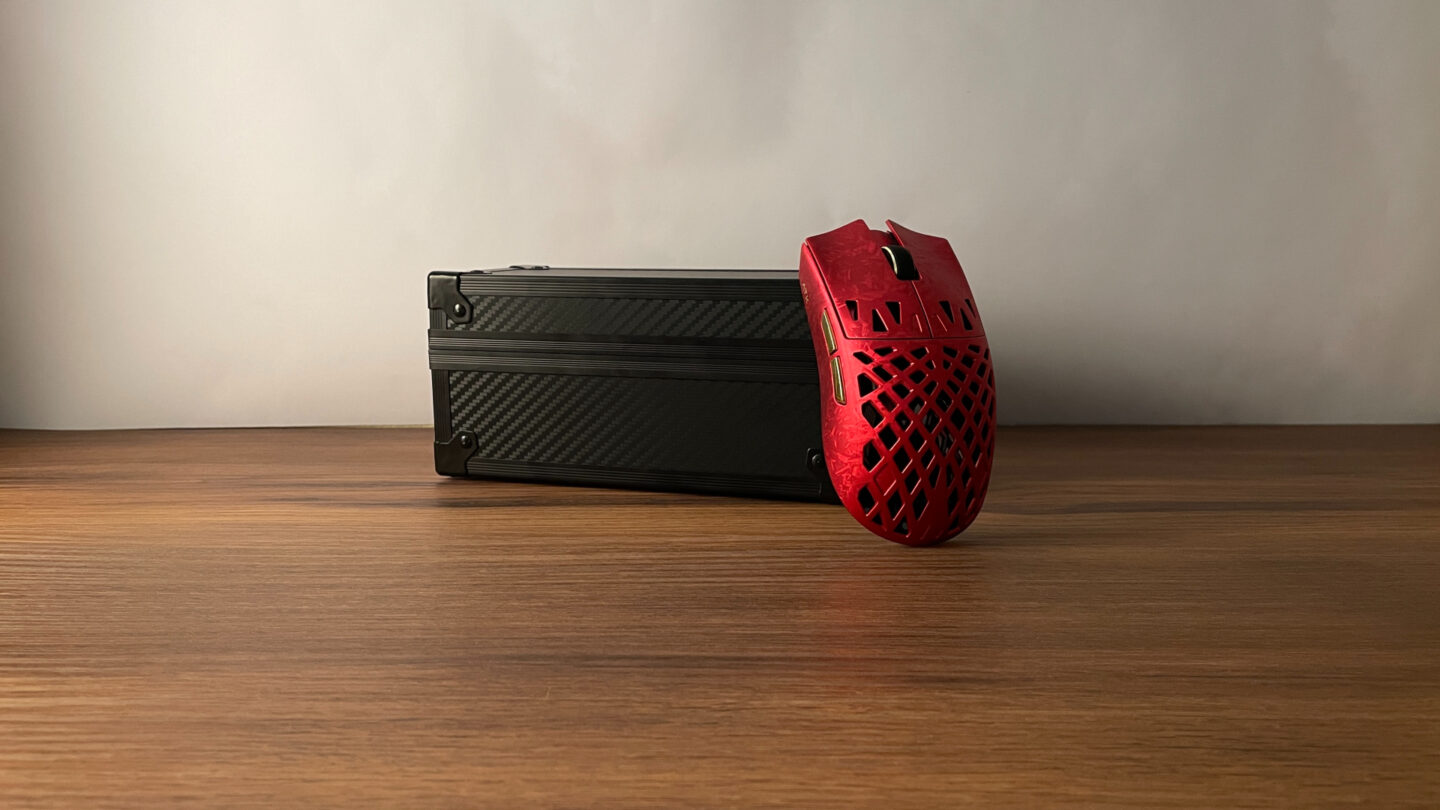
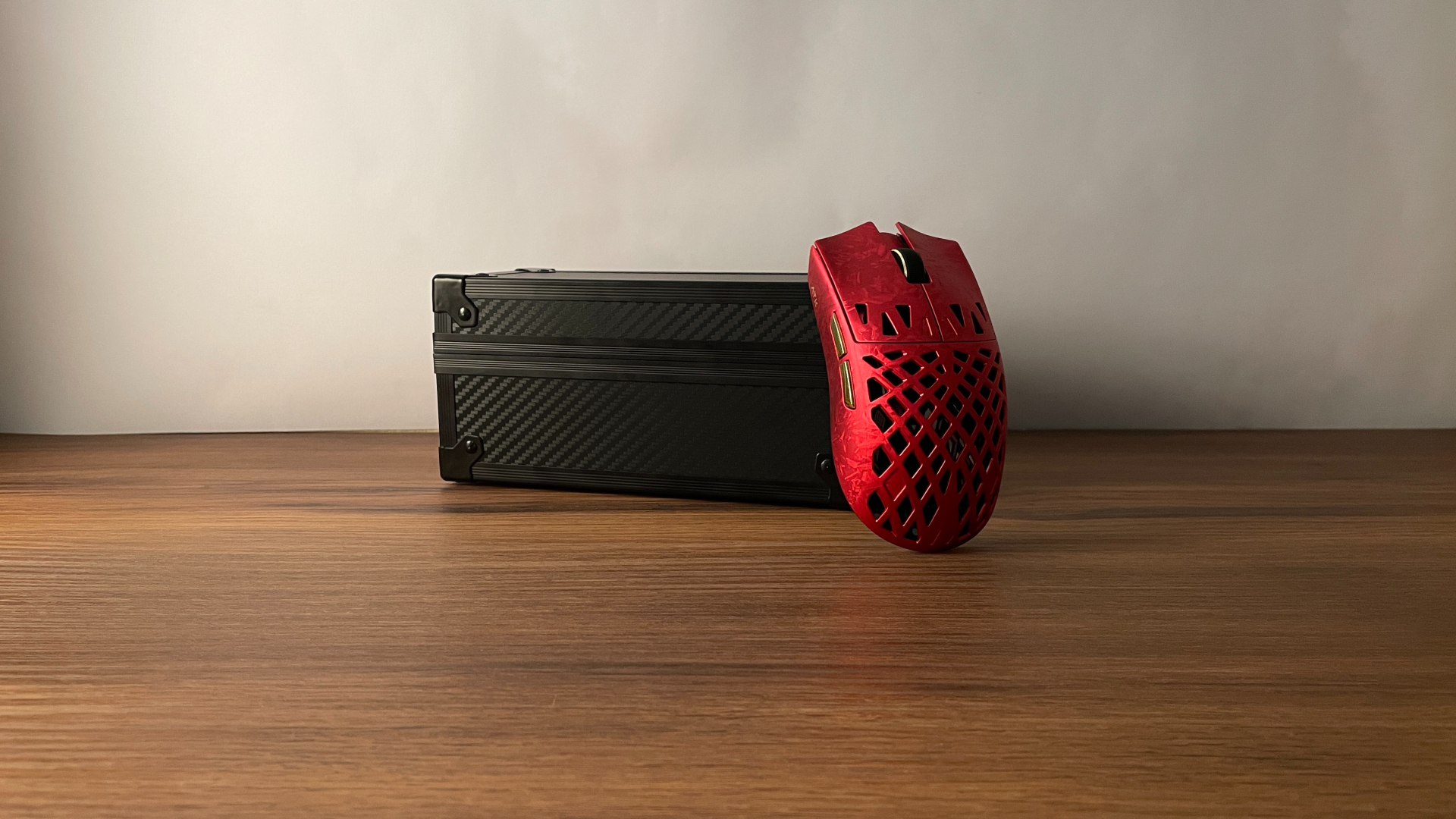

Today, we’re taking a look at a particularly interesting gaming mouse – the ATK Blazing Sky Ghost. It combines a hollowed-out carbon fiber composite shell with some seriously high-end hardware inside, making it one of those mice that looks just as good as it performs. I have the Ultimate+ version on the table, so let’s see how it actually feels to use.
| Models | Ultimate | Ultimate+ | Extreme | Extreme+ |
Extreme vs. Ultimate: The Choice
ATK offers the Ghost in four different versions: Ultimate, Extreme, Ultimate+, and Extreme+. The biggest choice here is between the Ultimate and Extreme models, which take slightly different approaches when it comes to microswitches, MCU, connectivity, and battery life.
The Ultimate versions use mechanical microswitches for the main clicks, while the Extreme models use optical microswitches. Optical microswitches are generally valued for being immune to developing double-click issues over time, but good mechanical microswitches can still last a very long time without problems (and, jumping ahead a little, the Ghost has very good mechanical microswitches). They also retain that familiar mechanical click feel that many people still prefer.
The MCU is another major difference. The Ultimate models are built around the Nordic nRF54L15, a high-end MCU with a stronger focus on power efficiency. The Extreme versions step up to the Nordic nRF54H20, which sits at the very top end in terms of performance, but also consumes noticeably more power. As a result, the Ultimate offers better battery life, while the Extreme can push latency slightly lower. Connectivity differs as well: the Ultimate is tri-mode and includes Bluetooth, while the Extreme supports only wired and 2.4 GHz wireless connections.
For me, the choice between the two is fairly straightforward. If optical microswitches and/or getting the lowest possible latency matter more to you than anything else, the Extreme is the version to get. If you would rather have better power efficiency, Bluetooth support, or simply prefer mechanical microswitches, the Ultimate makes more sense.
There is one more choice to make, though. If you are trying to keep the price down, ATK also offers non-Plus versions of both the Ultimate and Extreme. The main difference is the sensor: the Plus models come with the PAW3955 Master, while the regular versions use the PAW3950 Ultra. The latter is still a top-tier sensor, so if you are not chasing the absolute highest specifications available, the non-Plus models are a good way to get most of what makes the Ghost appealing at a more reasonable price.
Overall, I think offering four versions was a smart decision. Rather than forcing everyone into the same configuration, ATK gives you room to prioritize what matters most to you – whether that is maximum performance, better everyday usability, or simply a lower price.
I went with the Ultimate+ version, so that is the model I’ll be focusing on for the rest of this review.
Unboxing: What’s Inside?
The unboxing experience with the Ghost genuinely feels premium – there really isn’t a better word for it. The mouse comes in a black cardboard box, but opening it reveals a carbon fiber-textured armory case inside.
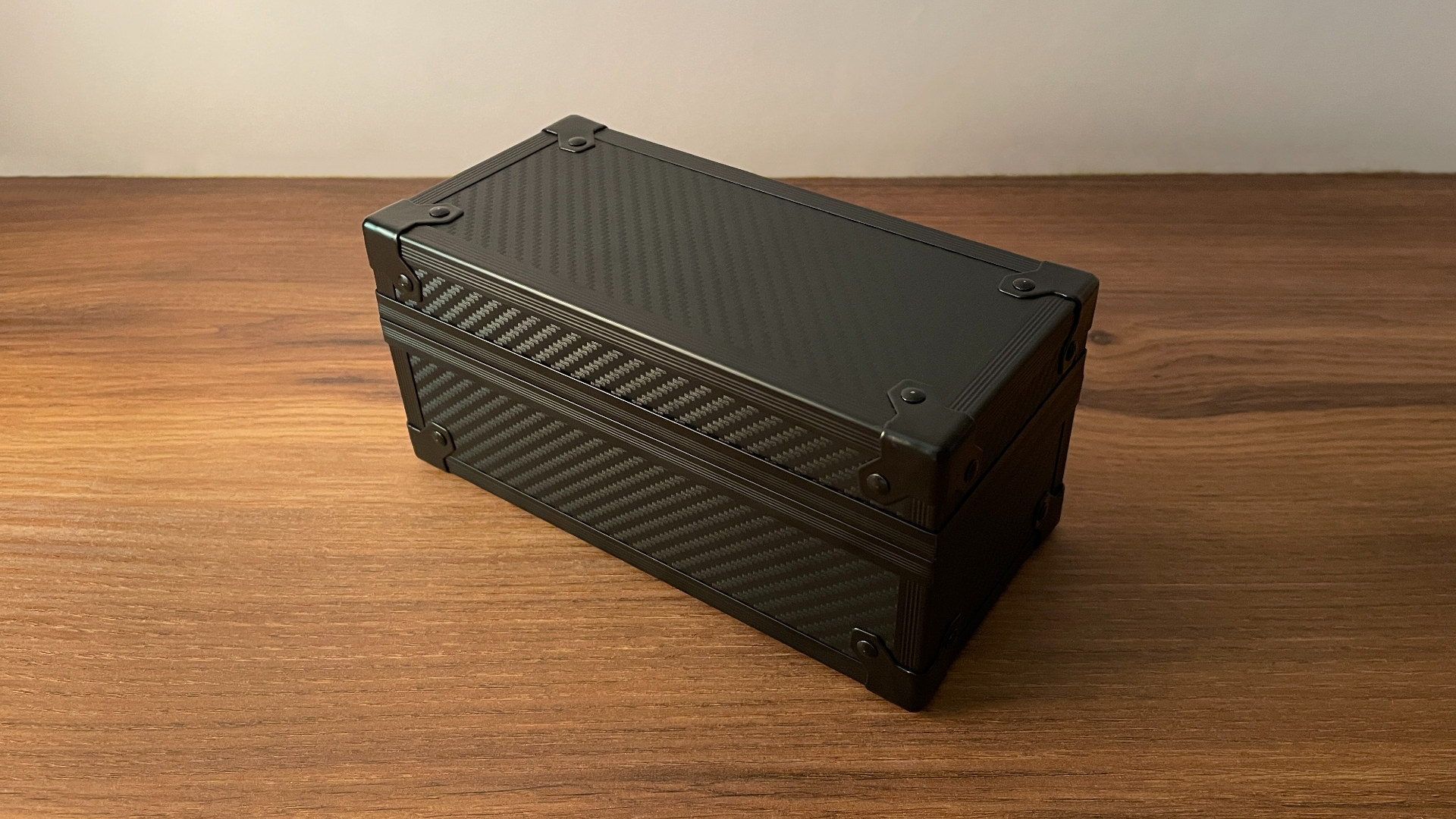
It provides excellent protection for the mouse during shipping and is clearly meant to be more than throwaway packaging. It looks great – the carbon fiber-style texture suits the whole Ghost aesthetic really well, and the case itself feels sturdy and thoughtfully made.

I can easily see it being used not only to store the mouse, but also to keep some accessories or other small gear organized. A very strong start before I even get to the mouse itself.
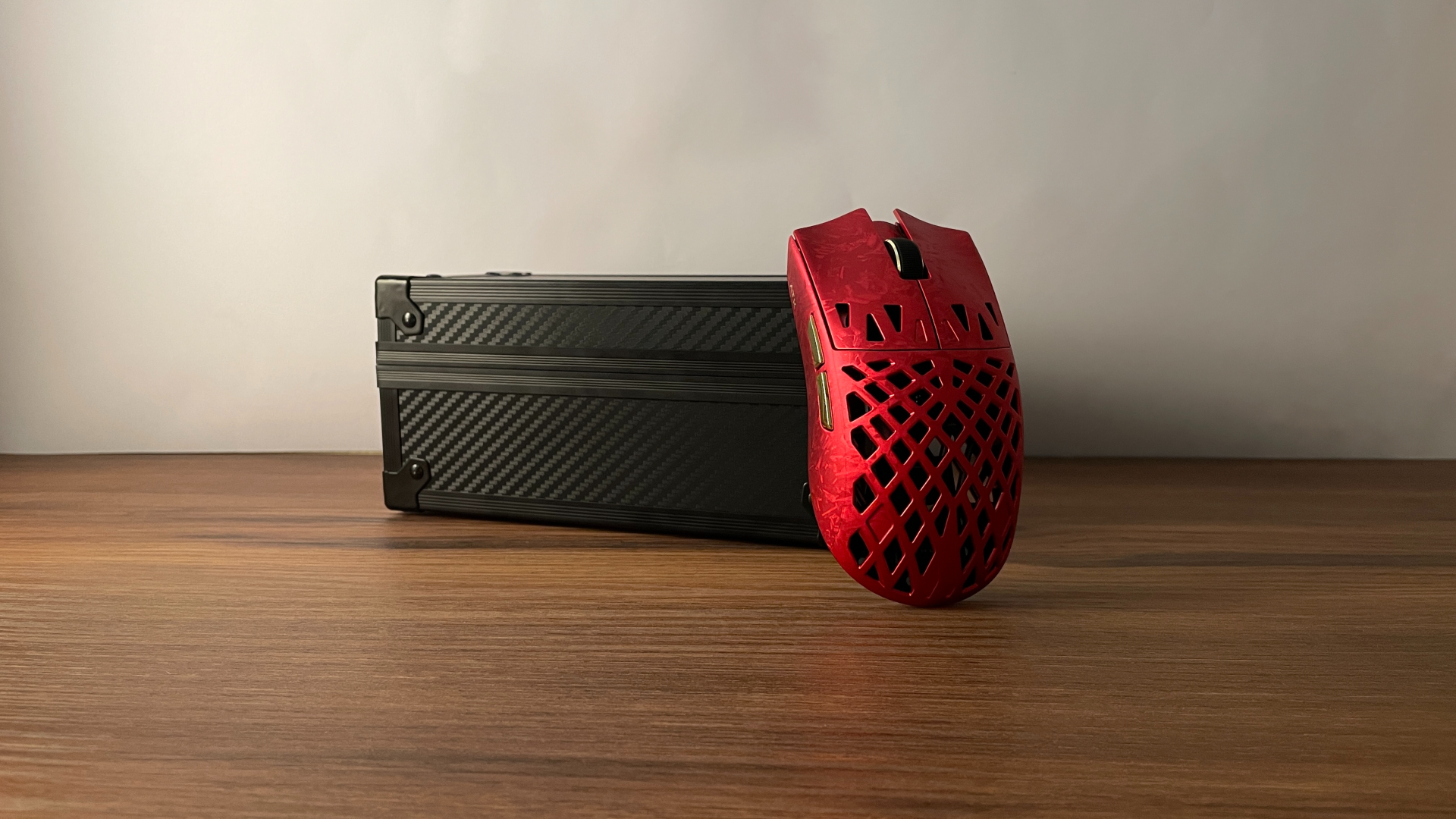
The lid of the case is held securely in place with magnets, and inside you’ll find:
- ATK Blazing Sky Ghost Mouse
- Gem 8K Wireless Dongle
- Braided USB-C to USB-A Cable
- Grip Tape Set
- 16 Additional Dot Skates (Small Size)
- Manual
- Warranty Certificate
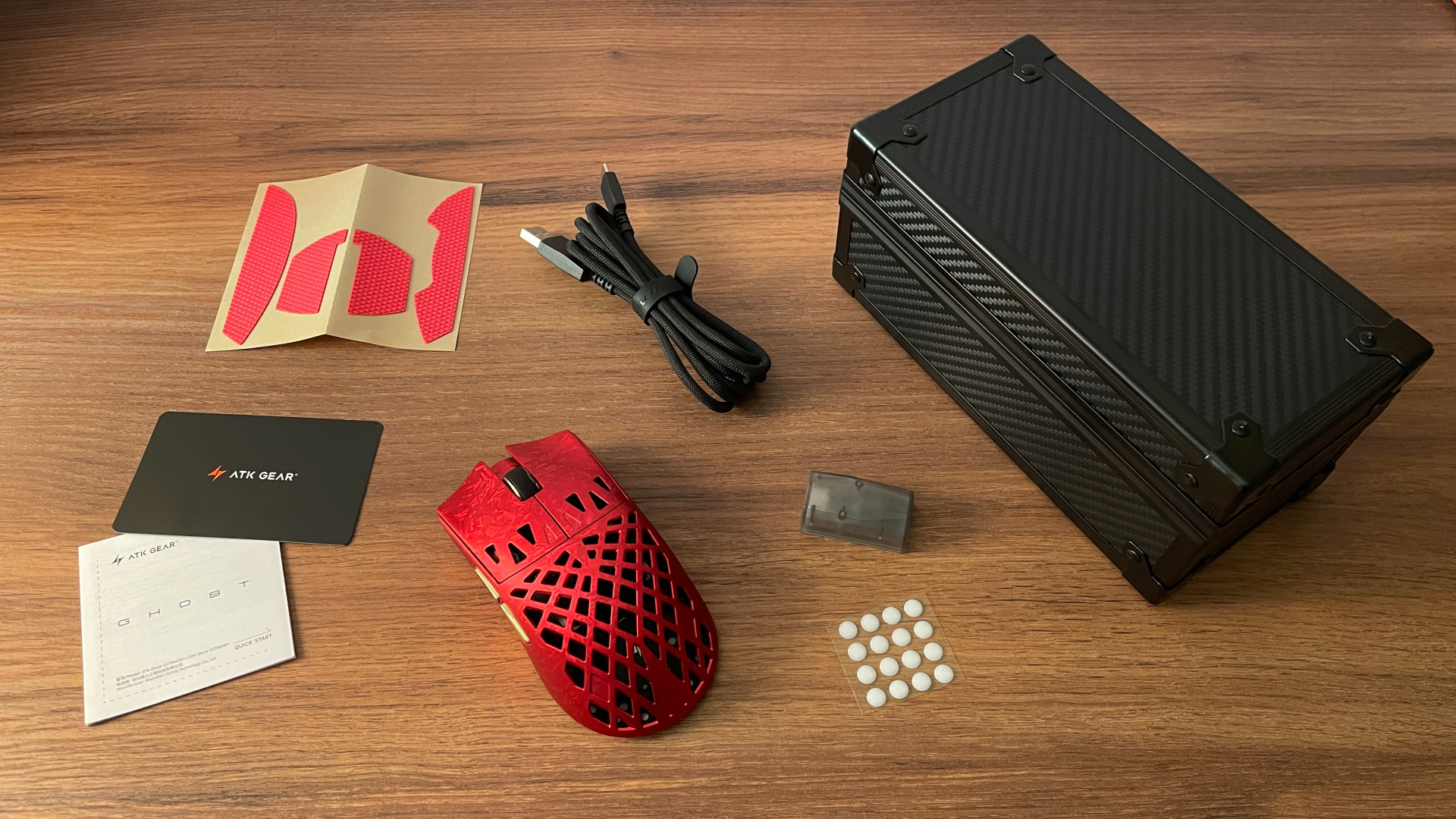
The grip tape set and additional dot skates are especially welcome additions. Having both included gives you more freedom to tune the mouse to your preferences without buying anything separately. The grip tape is useful if you want a bit more traction on the shell, while the 16 additional dot skates give you some room to experiment with glide or simply keep a few replacements on hand.
Overall, it’s a well-rounded accessory bundle that covers pretty much everything you’re likely to need right out of the box – although calling that armory case “just a box” feels almost unfair. I have a soft spot for this kind of thing, and I absolutely love what ATK has done here. That’s how you make a strong first impression.
A Closer Look
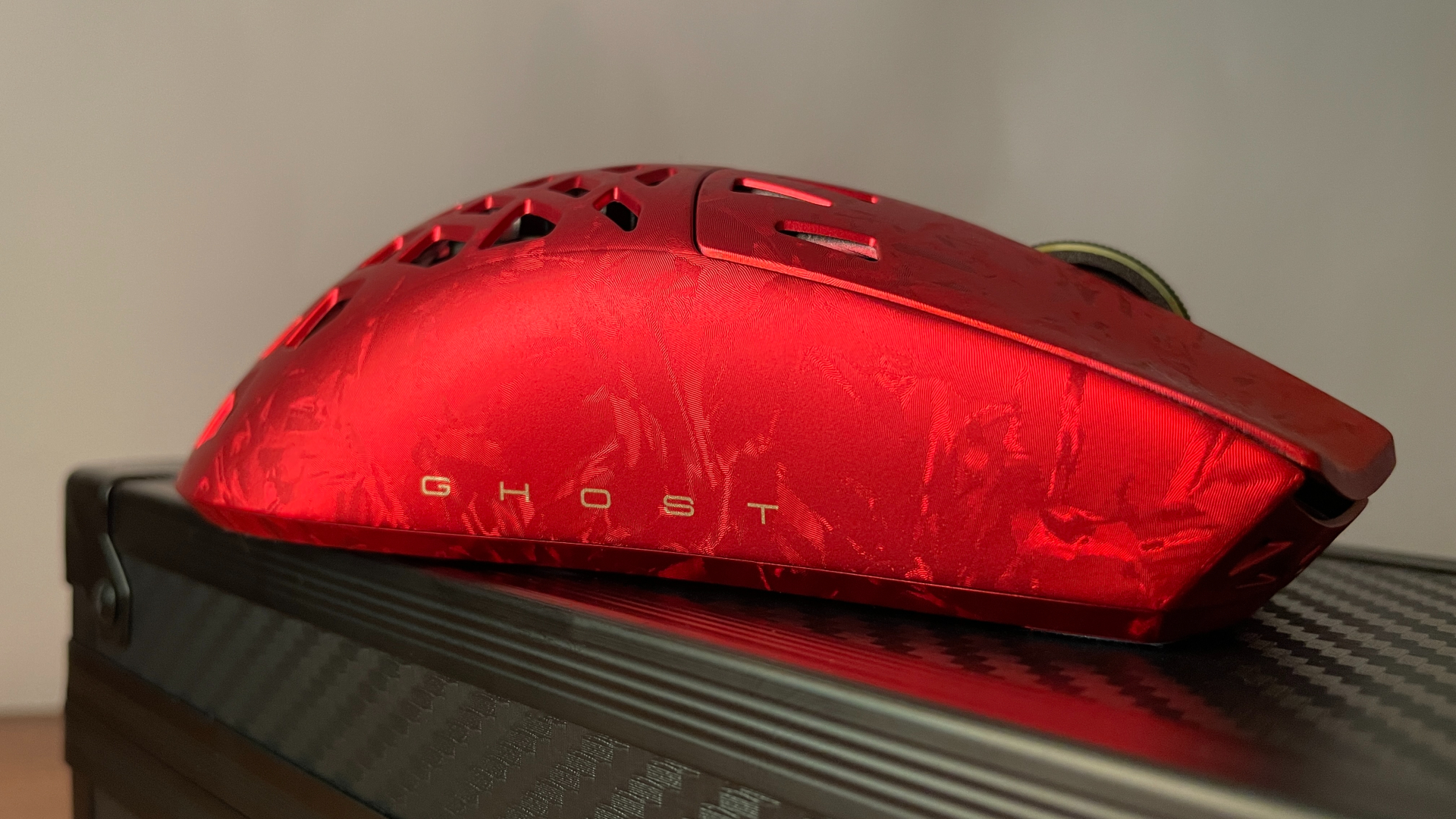
The ATK Ghost is built from a carbon fiber composite and has a hollowed-out shell design that gives it a very distinctive appearance. Interestingly, even the bottom of the mouse is made from the same carbon fiber composite material. That is not always the case with carbon fiber composite mice, where the upper shell may use the more exotic material while the bottom is still plastic. ATK clearly did not cut corners here, and using the same material throughout helps keep the entire structure rigid and consistent.
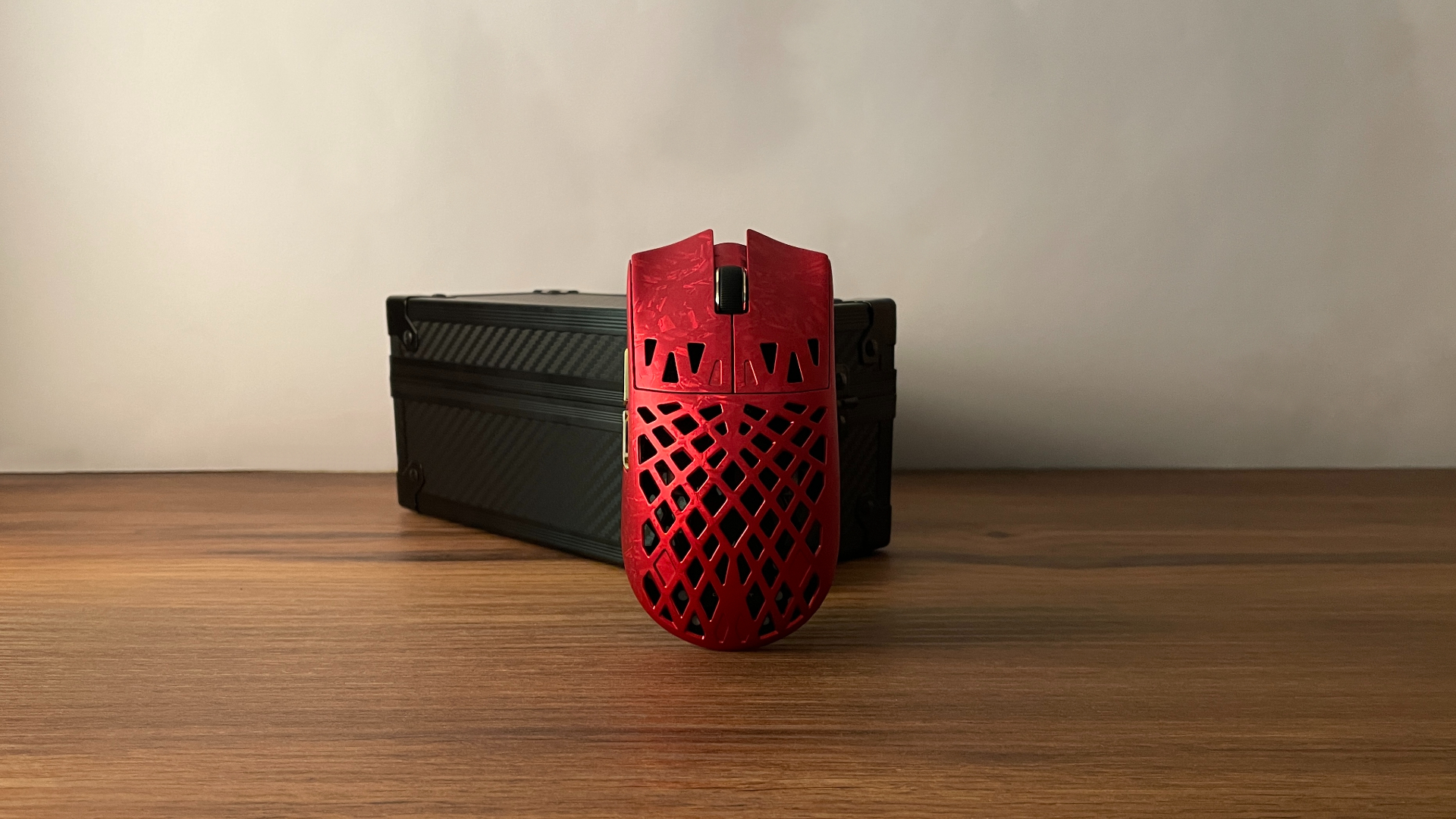
The open construction has a practical side as well. It helps reduce the overall weight, while the open shell allows for better airflow around your hand, which can help keep it cooler and more comfortable during longer sessions.
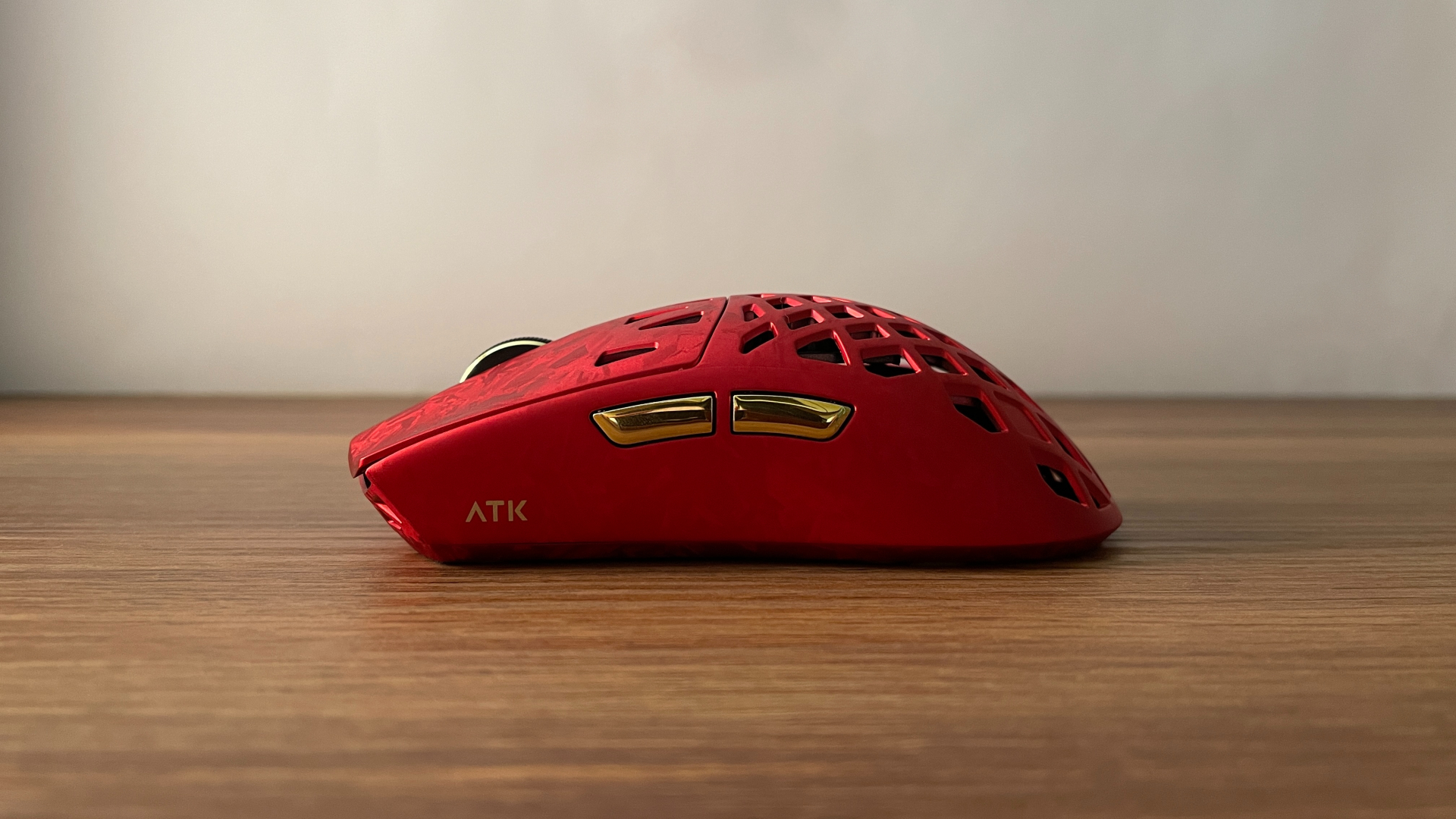
The surface has a distinctive woven carbon fiber pattern, but one thing worth pointing out is how smooth it actually feels under the fingers. I can barely feel the texture of the weave at all, especially compared to some other carbon fiber composite mice where the pattern is much more pronounced. So if you like the look of carbon fiber but do not enjoy a strongly textured surface, the Ghost strikes a very nice balance. ATK also mentions a nano coating, and compared to most plastic mice I have used, the surface does feel noticeably grippier and less slippery.
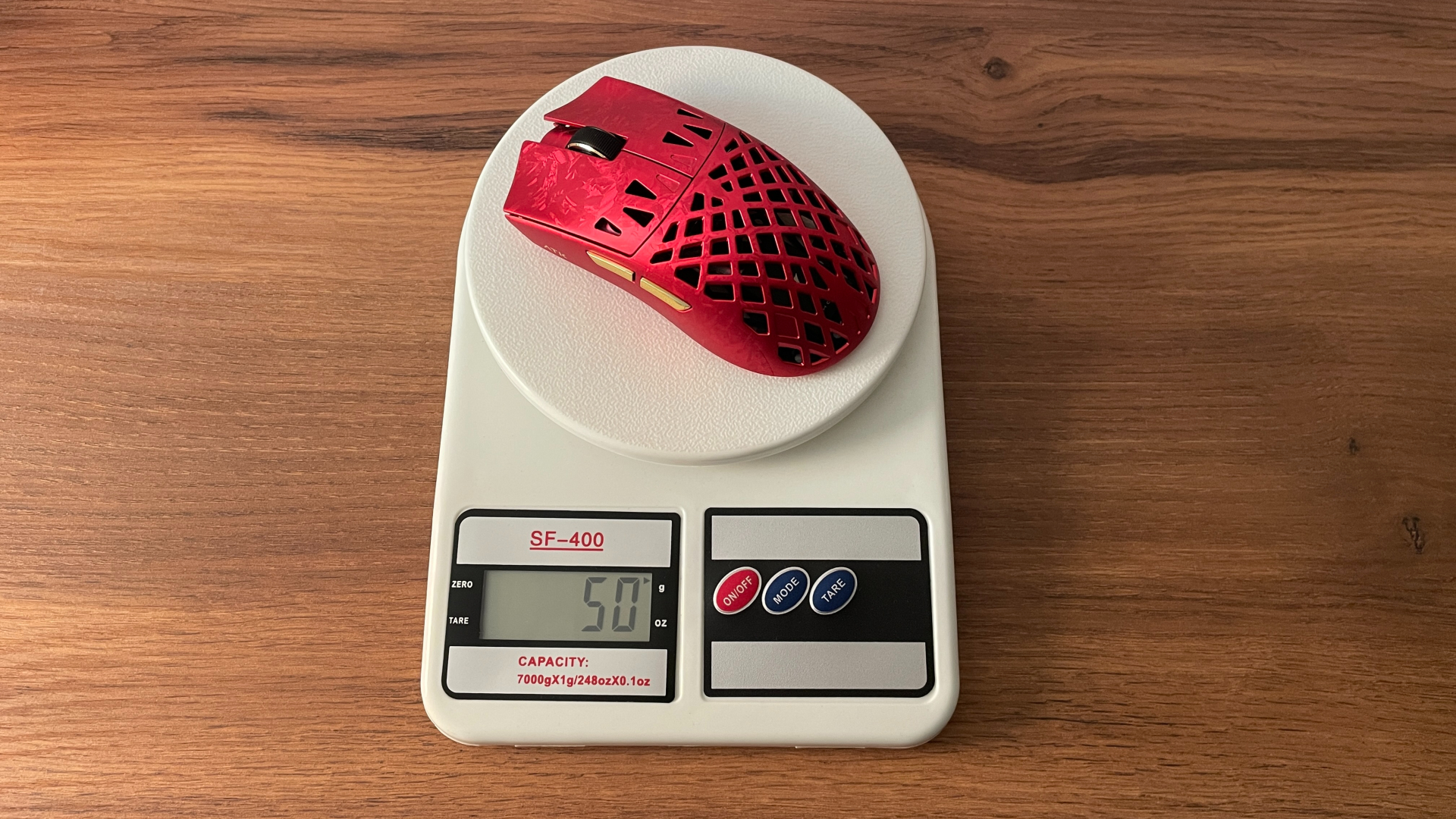
ATK rates the Ghost at 48 ± 3 g, and my unit comes in at 50 g, which is right within the advertised range. That firmly puts the Ghost into lightweight territory, and for me, around 50 g is close to the sweet spot. It is light enough to feel quick and effortless without becoming so extreme that the weight itself starts dictating who the mouse is for. As a result, I think it should work well for a fairly wide range of users and remain comfortable over longer sessions.
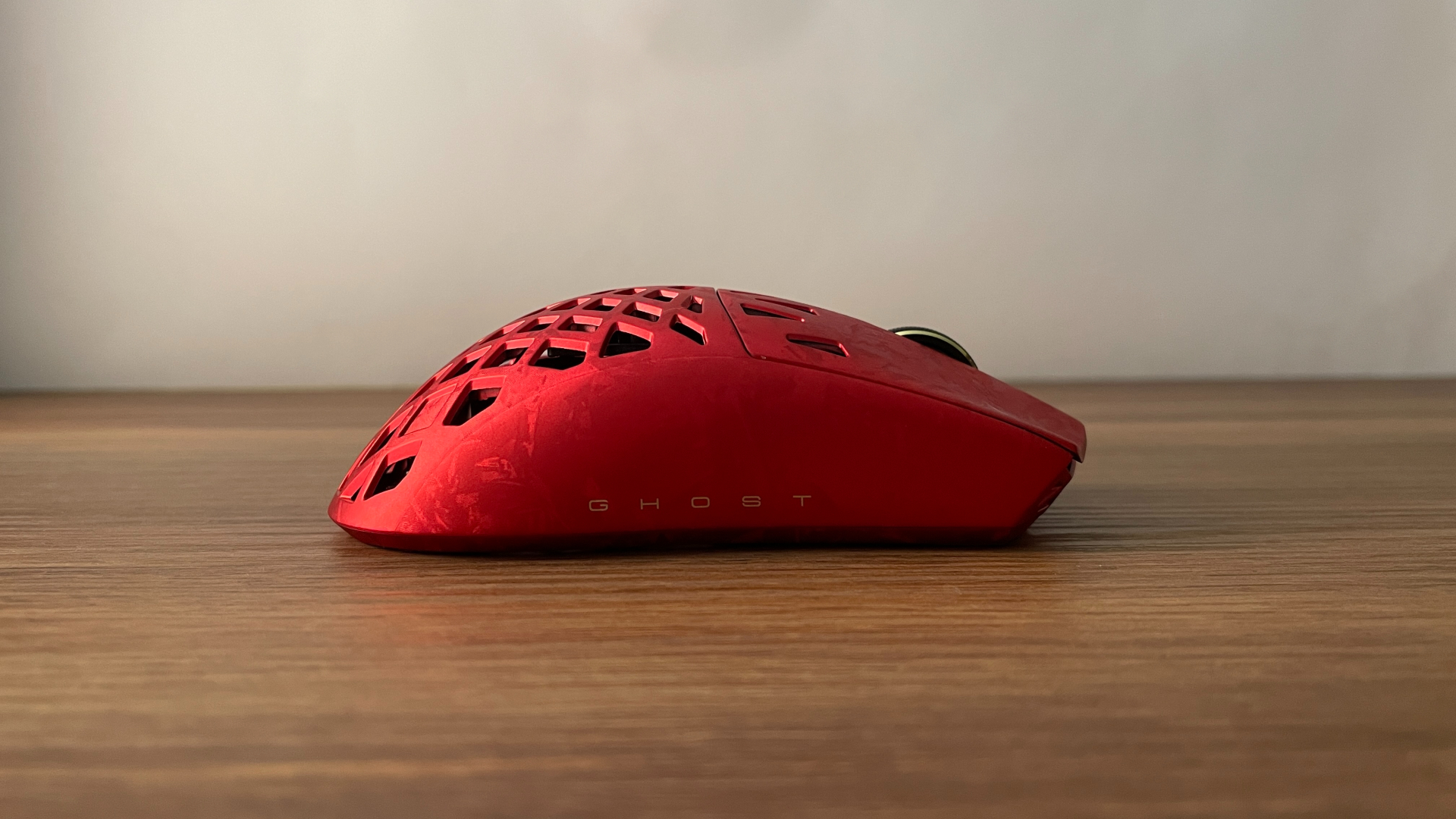
Despite the low weight and the hollowed-out construction, build quality is excellent. The carbon fiber composite gives the mouse a very rigid feel, and moderate pressure on the sides produces no noticeable flex. In fact, I could not find any meaningful flex anywhere on the shell, nor did I hear any creaking while gripping or squeezing it. Shaking the mouse does not reveal any rattles or loose components either. The sensor is firmly secured in place, and the bottom is perfectly flat.
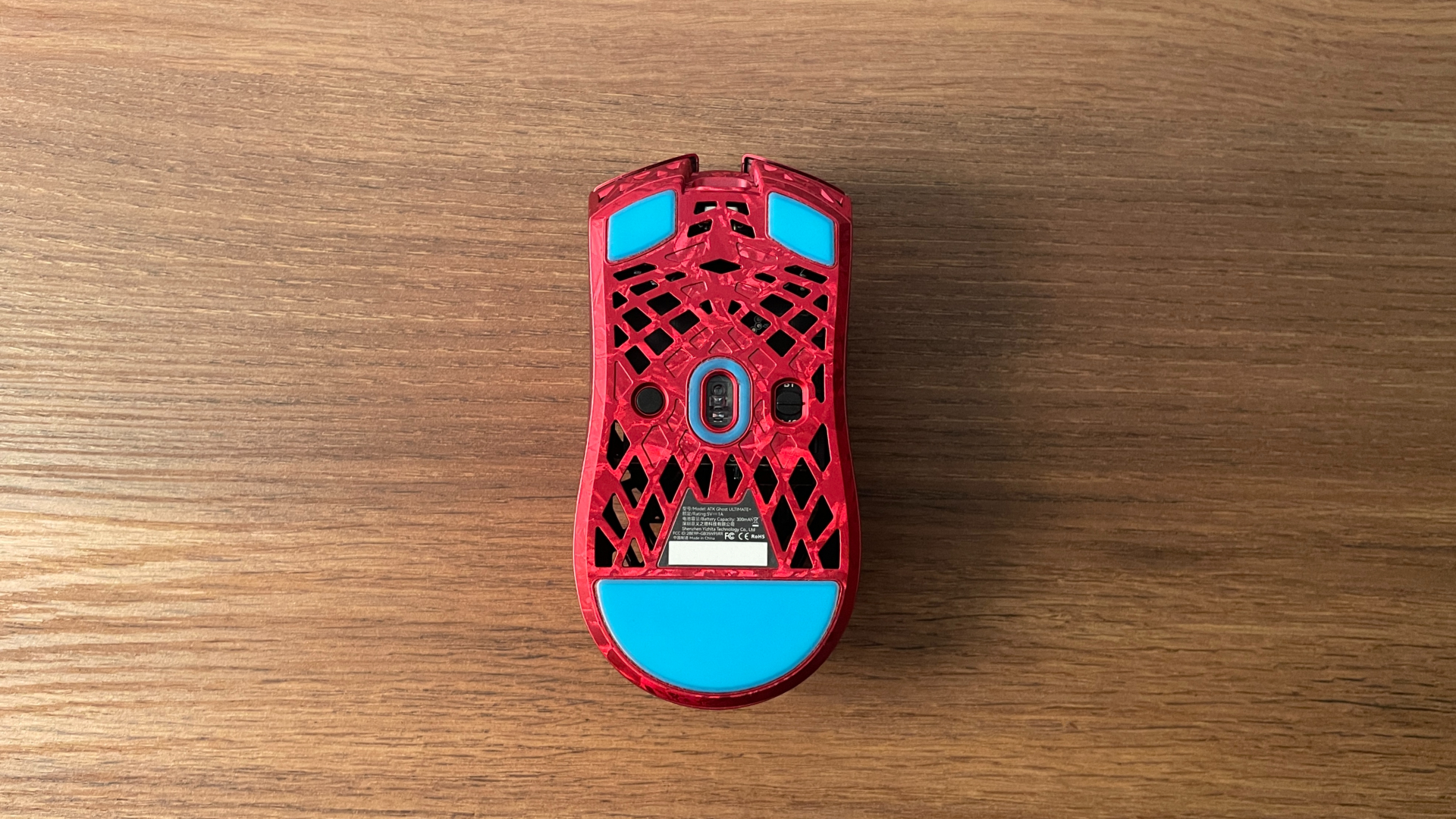
The stock PTFE skates deserve some credit too. They cover a fairly large surface area, have a two-layer design, and feel noticeably better than I would normally expect from stock mouse feet. Glide is smooth and well balanced, without feeling excessively fast or overly controlled. If you do want to experiment, though, ATK includes 16 additional dot skates in the box. Switching to those can give you a slightly faster glide while also shaving roughly 1–2 grams off the total weight, if that is something you care about.
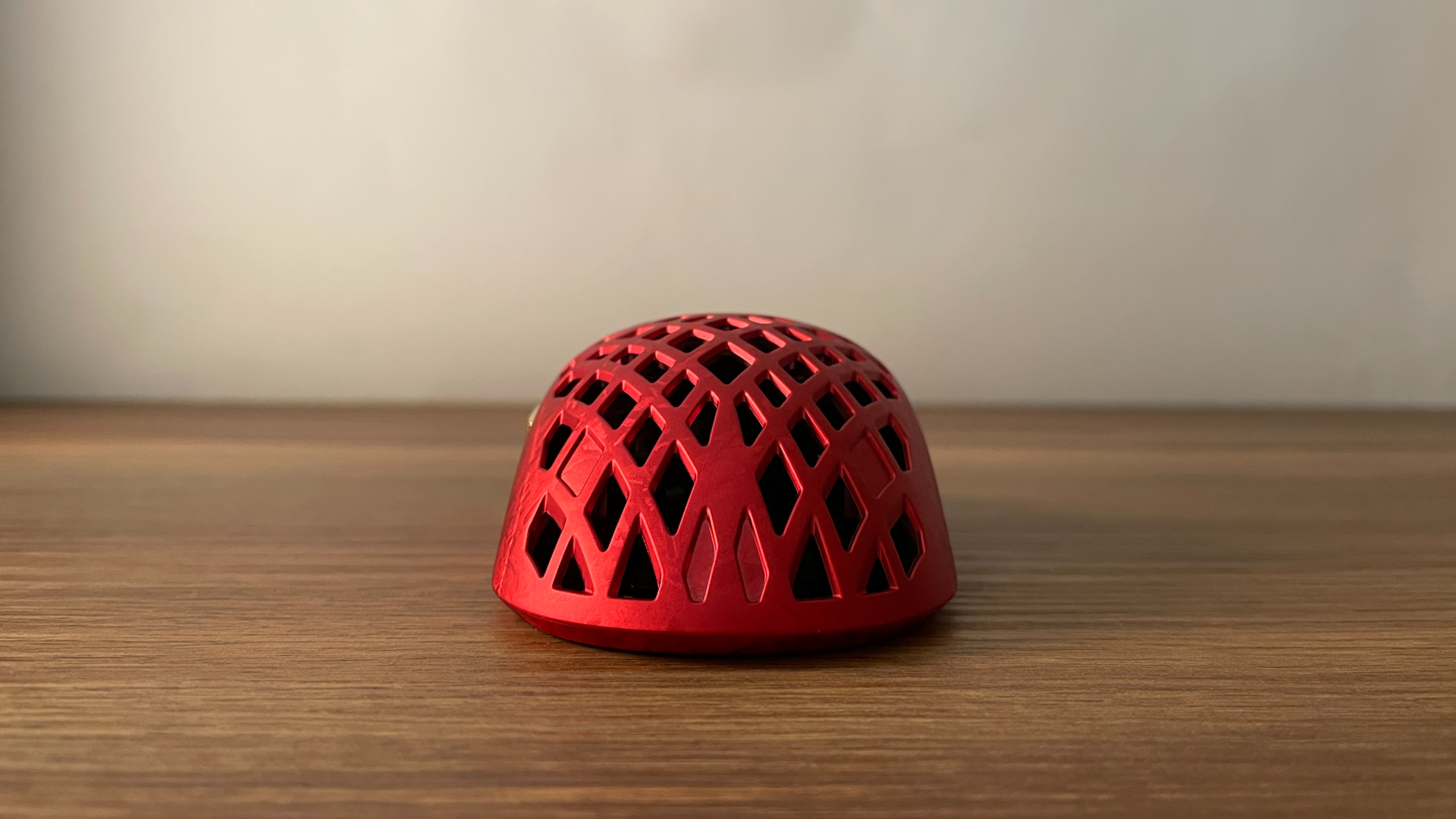
As for the overall design, I really like the balance ATK has found between restraint and personality. There are no flashy graphics or unnecessary visual elements, yet the exposed structure and carbon fiber pattern give the Ghost plenty of character on their own. It stands out without looking overdesigned, which is exactly the kind of approach I tend to prefer.
Shape & Ergonomics
The ATK Ghost is a medium-sized symmetrical mouse, and its shape immediately reminded me of the Razer Viper V3 Pro, just scaled down a little. It has a centrally positioned hump, relatively flat sides with a gentle inward curve around the grip area, and a subtle flare toward the rear. The main buttons also have shallow finger grooves that help guide your fingers into place. If you have used the Viper V3 Pro before, or another mouse with a similar shape such as the ATK X1, the Ghost should feel very familiar in hand.
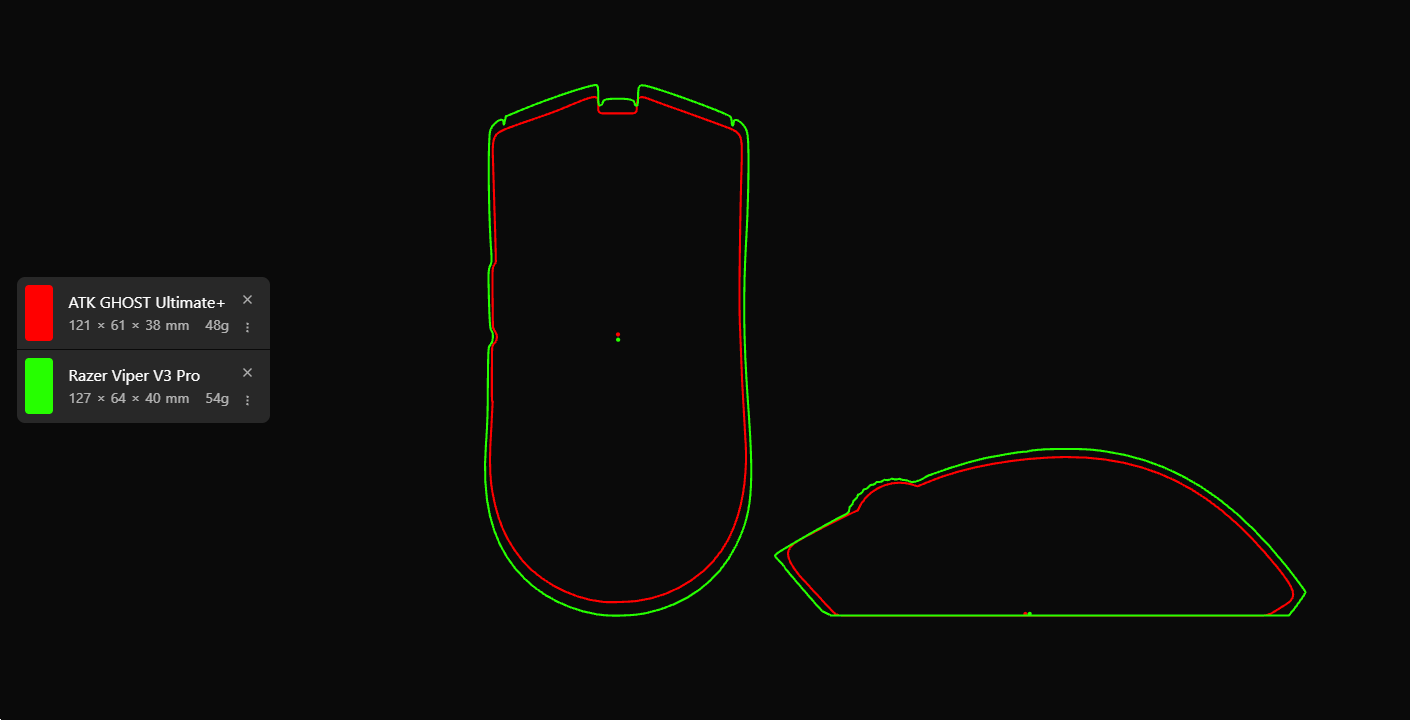
It is clear that the Ghost is best suited to small and medium-sized hands. My hands are medium-sized, and I found the shape extremely comfortable. What I particularly like is how versatile it is: I could comfortably use claw, fingertip, and even palm grip without the mouse ever feeling awkward. Claw and fingertip are naturally the best fit for this shape, but if you occasionally switch to a palm grip, the Ghost can accommodate that too. I really appreciated that flexibility, as the mouse never feels locked into one specific grip style.
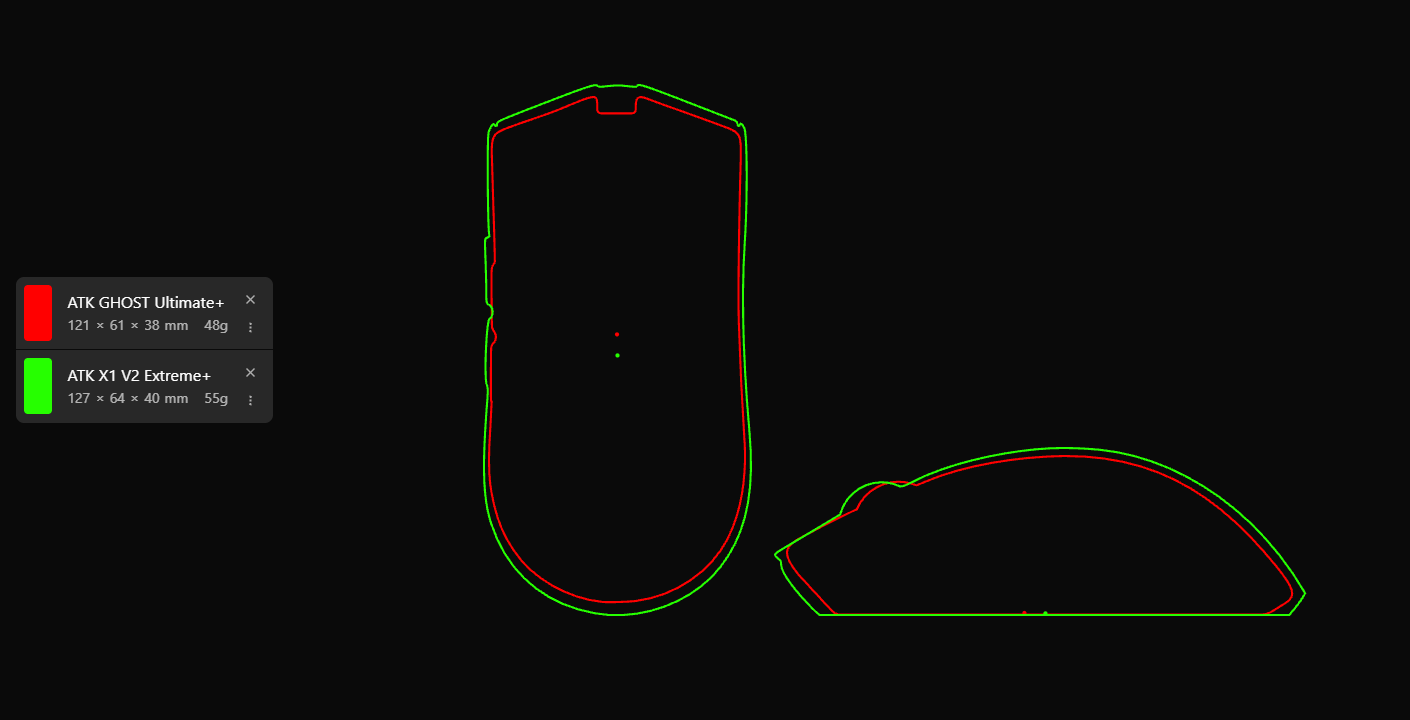
Weight distribution is another area where the Ghost is very well executed. The center of mass sits almost directly above the sensor and, just as importantly, very close to the line where I naturally grip the mouse from the sides – roughly in line with the space between the two side buttons. This positioning keeps the mouse balanced around the point where I actually control it, so quick flicks and sudden direction changes do not introduce any noticeable rotational drift. It also prevents the front or rear from feeling heavier than the other when lifting or repositioning the mouse. The result is a very neutral, predictable feel in hand, where the mouse simply follows my movements without fighting against the grip.
Buttons & Wheel
The Ghost follows a pretty standard control layout for a modern gaming mouse: two main clicks, two side buttons, and a clickable scroll wheel.
Starting with the main clicks, my Ultimate+ version comes with ATK Lightblade mechanical microswitches, and they feel excellent. The click is crisp, fast, and highly responsive, with less force required to actuate than average, but not so little that accidental clicks become a concern. For me, ATK has found a very good balance here. The click sound is clean and well defined too, without being excessively loud. As for the buttons themselves, there is a small amount of pre-travel and post-travel, but both remain well within what I would consider normal. Side travel is minimal, and the left and right buttons feel very consistent with each other.
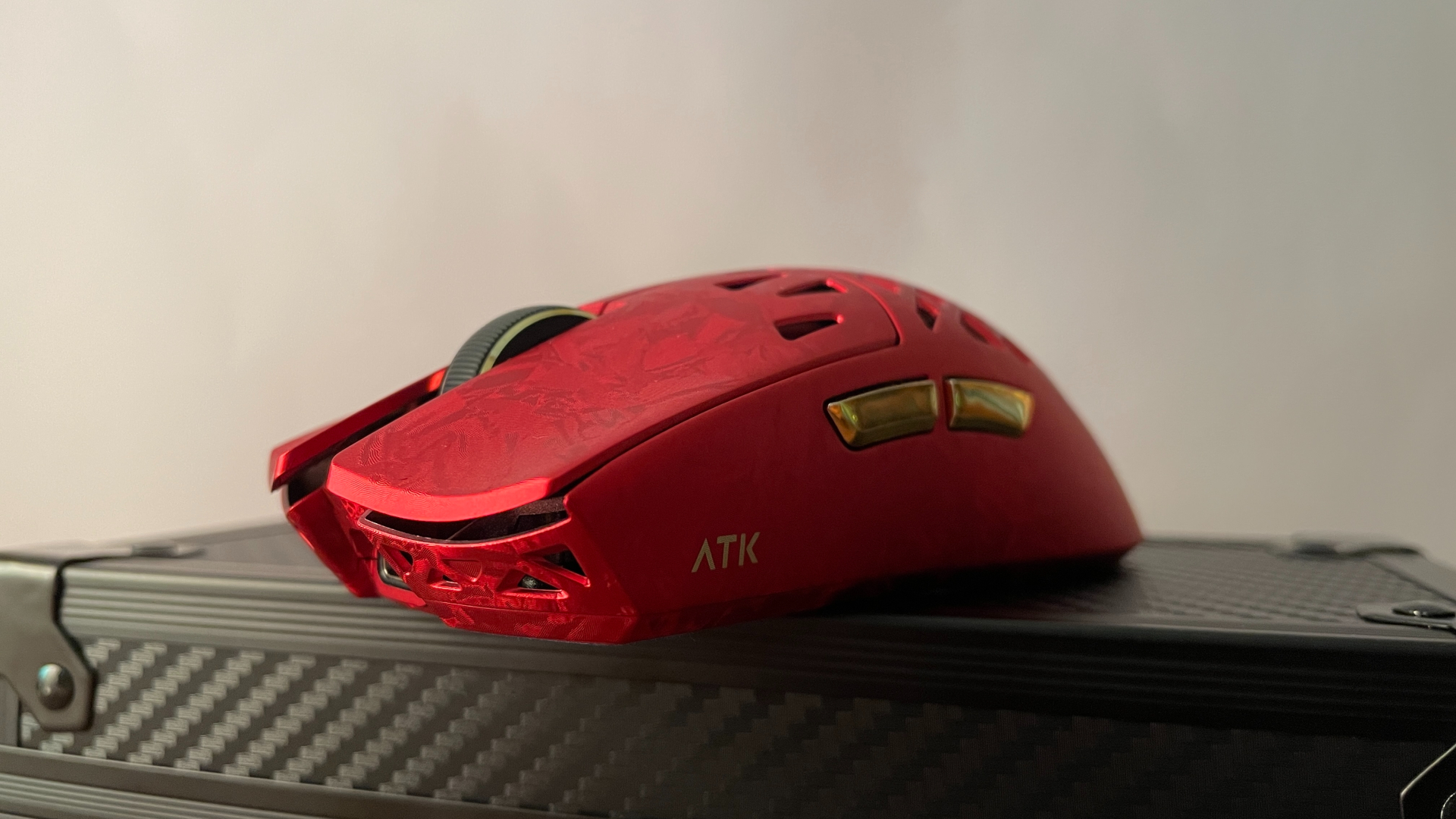
Moving to the side buttons, they use Huano mechanical microswitches and have a crisp, satisfying click without the mushiness that side buttons can sometimes suffer from. The force required to press them sits in the medium range, and their position directly above the natural resting area of my thumb makes both buttons very easy to reach. There is no noticeable wobble, while pre-travel and post-travel are present but kept fairly small. Both buttons feel consistent as well.
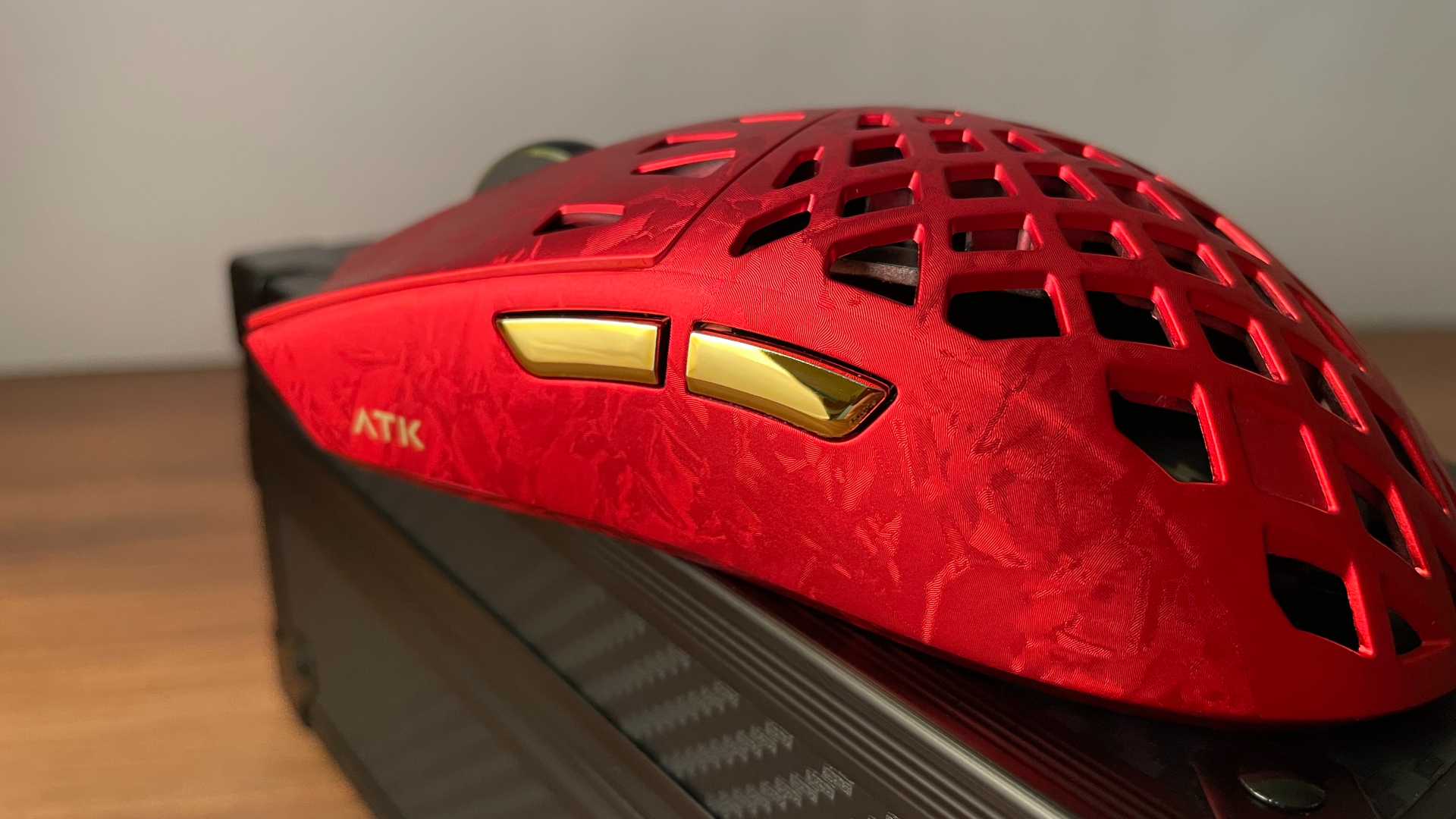
On the Silver, Red, and Purple variants, the side buttons have an electroplated finish that gives them a glossy appearance and matches the accent around the scroll wheel particularly well. The downside is that this finish tends to pick up fingerprints. It is a minor issue considering we are talking about just two small buttons, and the fingerprints are easy to wipe away, but it is worth keeping in mind if your hands tend to get sweaty. However, the Black version uses a different finish on the side buttons and does not have the same fingerprint problem.
Moving on to the scroll wheel, it is made of metal and has a rubberized textured surface that provides plenty of grip without feeling overly rough. Inside is a dustproof TTC Gold encoder, which is one of the best mouse wheel encoders on the market. The dustproof design is particularly welcome here, as keeping dust and debris away from the internal mechanism should help preserve consistent scrolling and improve long-term reliability.
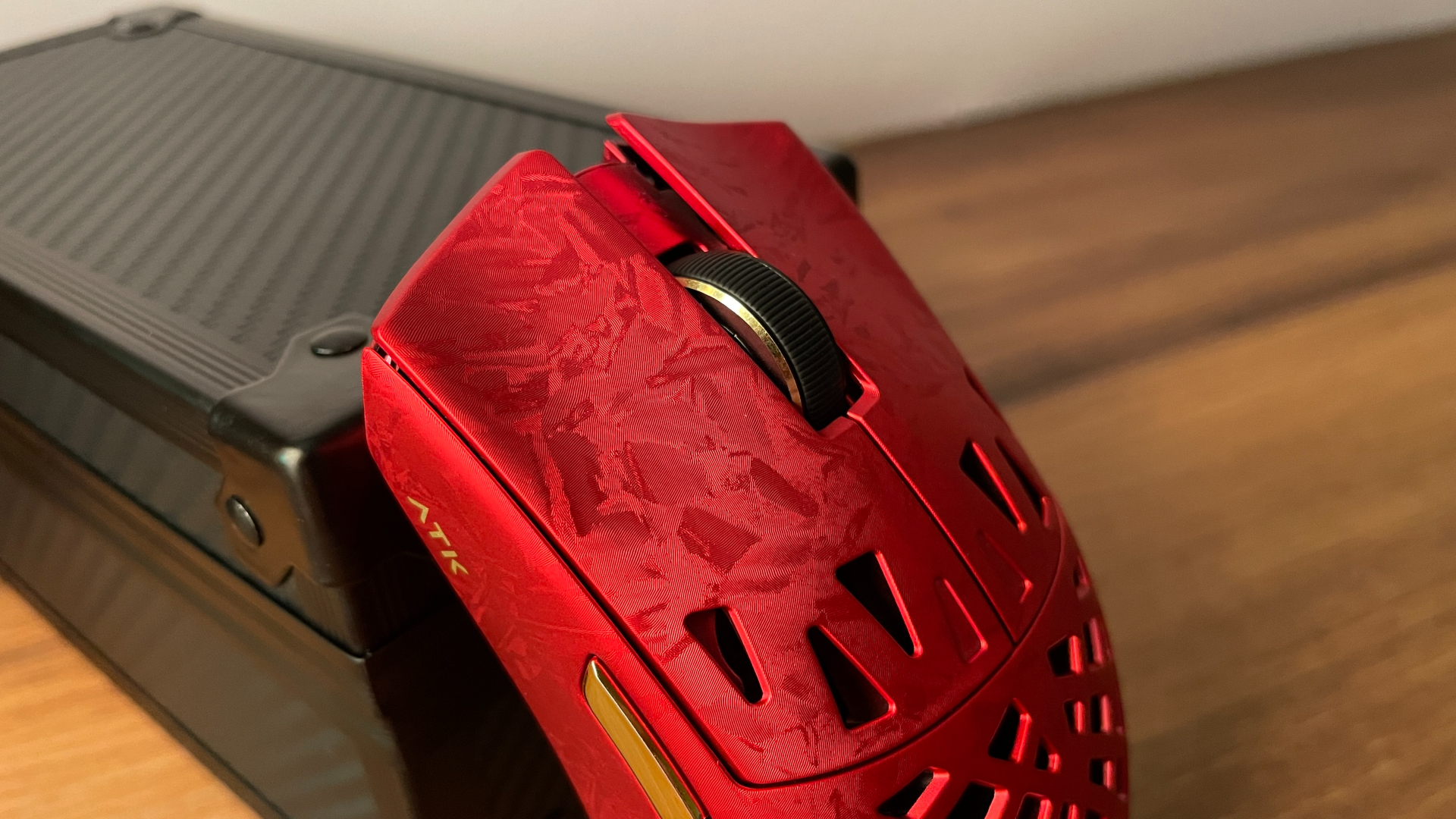
Scrolling itself is smooth and comfortable, with clearly defined and very tactile steps. There’s no squeaking, scraping, or other unwanted noise during scrolling. I especially like the middle click here. I am generally not a fan of the loud, sharp wheel clicks found on many gaming mice, but the Ghost takes a much more muted approach. The click is nicely dampened and feels very pleasant to press. I would not call it especially light, but it is definitely easier to actuate than on many mice, where the middle click tends to feel quite stiff.
Connectivity & Battery
The Ghost Ultimate+ is a tri-mode mouse, supporting wired USB-C, 2.4 GHz wireless, and Bluetooth connections. As I mentioned earlier, this applies to the Ultimate models, while the Extreme versions are dual-mode and drop Bluetooth altogether, which is worth keeping in mind if that matters to you.
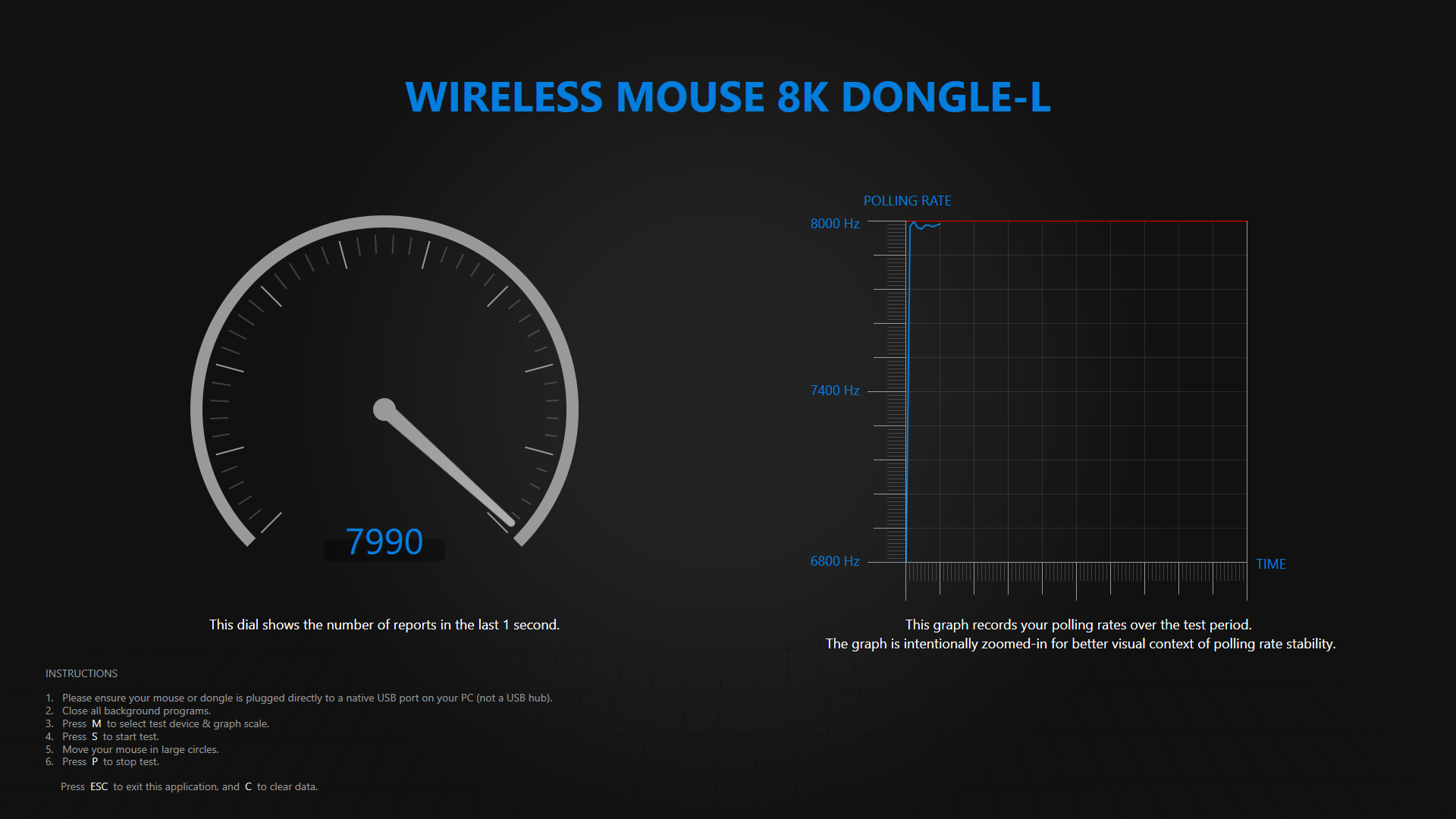
The 2.4 GHz connection has been completely reliable during my use. I specifically checked the mouse at 8000 Hz, and the advertised polling rate was maintained consistently without any noticeable instability. More generally, I did not encounter any connectivity issues in any mode, including Bluetooth – no dropouts, random disconnects, or other wireless quirks.
One thing worth noting is just how quickly the Ghost wakes from sleep. Of course, fast wake-up is nothing unusual for a modern wireless mouse, and most good models today wake up without any noticeable delay. Still, the Ghost feels almost as if it never went to sleep in the first place. Even the very first tiny movement that wakes it is registered instantly, with no sense that any part of that initial input gets lost.Power comes from a 300 mAh battery, and this is another area where the Ghost Ultimate+ impressed me. At 1000 Hz over 2.4 GHz, I was consistently getting around two weeks of use between charges, which is an excellent result for a modern wireless mouse with hardware this powerful. Naturally, increasing the polling rate puts more load on the battery, so running at 4000 or 8000 Hz will reduce runtime noticeably.
The wireless dongle has one particularly clever feature of its own. There is an LED indicator inside, and through the software you can configure it to reflect the mouse’s remaining battery level: green at 75% and above, yellow from 75% to 15%, and red below 15%.
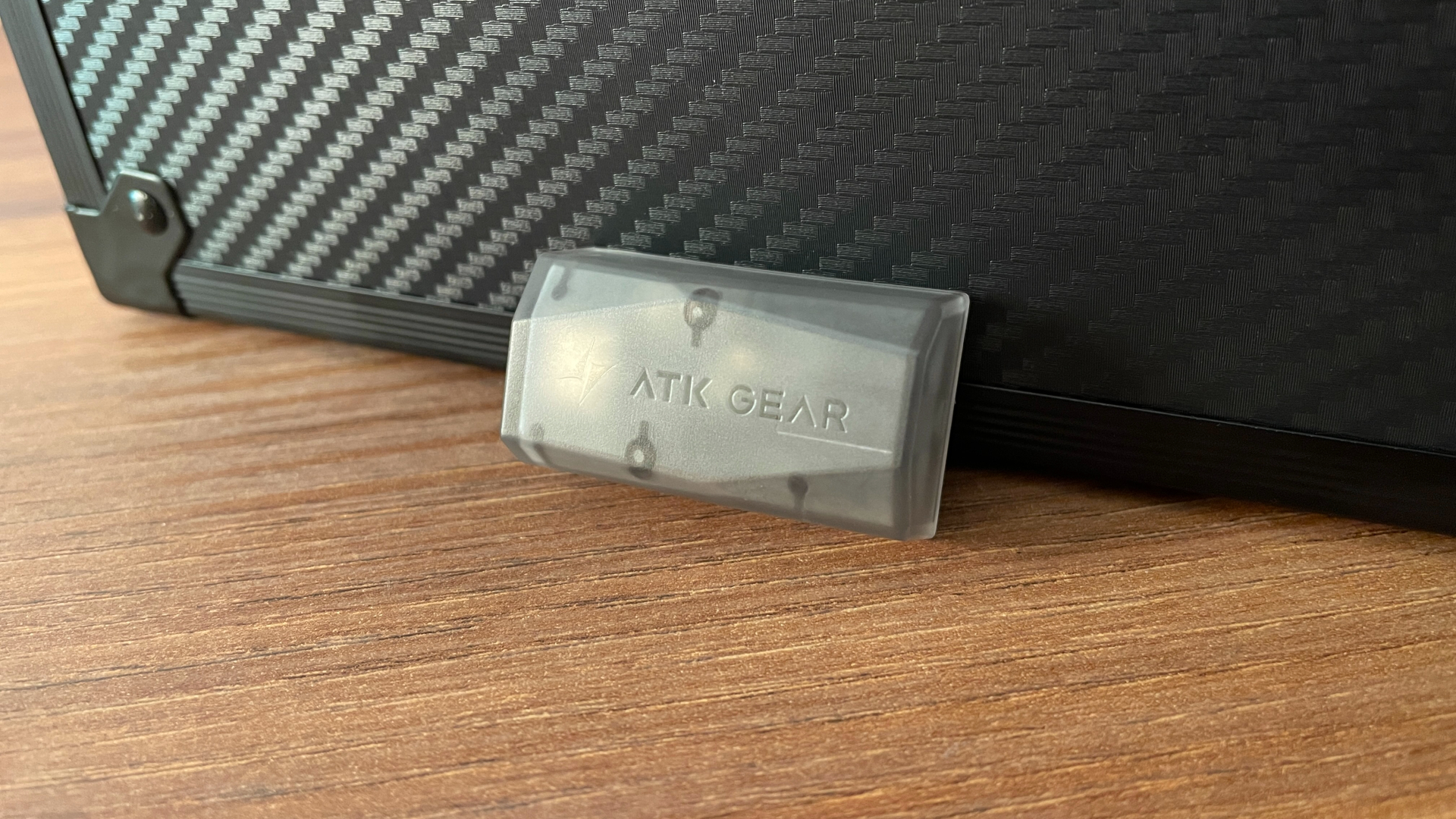
However, if you prefer not to have the dongle glowing all the time – for example, if having a constant light sitting in your peripheral vision in a dark room bothers you – there is another mode I like even more. The LED stays off during normal use and only turns red once the battery drops below 15%, giving you a clear low-battery warning without any unnecessary light the rest of the time. It is simple, unobtrusive, and genuinely useful. I am surprised this kind of feature is still not more common, and I am very glad ATK included it here.
ATK HUB Software
The ATK Ghost is configured through ATK HUB, and one of its biggest strengths is how accessible the software is. ATK HUB is available as a web app, so you can simply open it in a browser and change your settings without installing anything. This is especially convenient if you move between different computers or operating systems and do not want to keep another peripheral app installed everywhere.
At the same time, ATK also offers a traditional desktop version, which means you still have a locally installed option if you prefer one or want access to the software without relying on the web version. More unusually, the desktop app is available for both Windows and macOS. Having web, Windows, and macOS versions gives the Ghost exceptionally broad software support, so pretty much everyone should be able to find an option that works for them.
Another thing I really appreciate is that ATK HUB is not limited to mice. Virtually all ATK peripherals, whether they are mice, keyboards, or headsets, are managed through the same software. If you happen to build a setup around multiple ATK devices, having everything in one place is far more convenient than dealing with a separate application for each product, as is still the case with some brands.
Speaking of the software itself, ATK HUB has a modern, pleasant-looking interface, and there is even some room to customize its appearance with different background images and ready-made themes. More importantly, it is easy to navigate, with all of the settings divided logically into separate tabs.
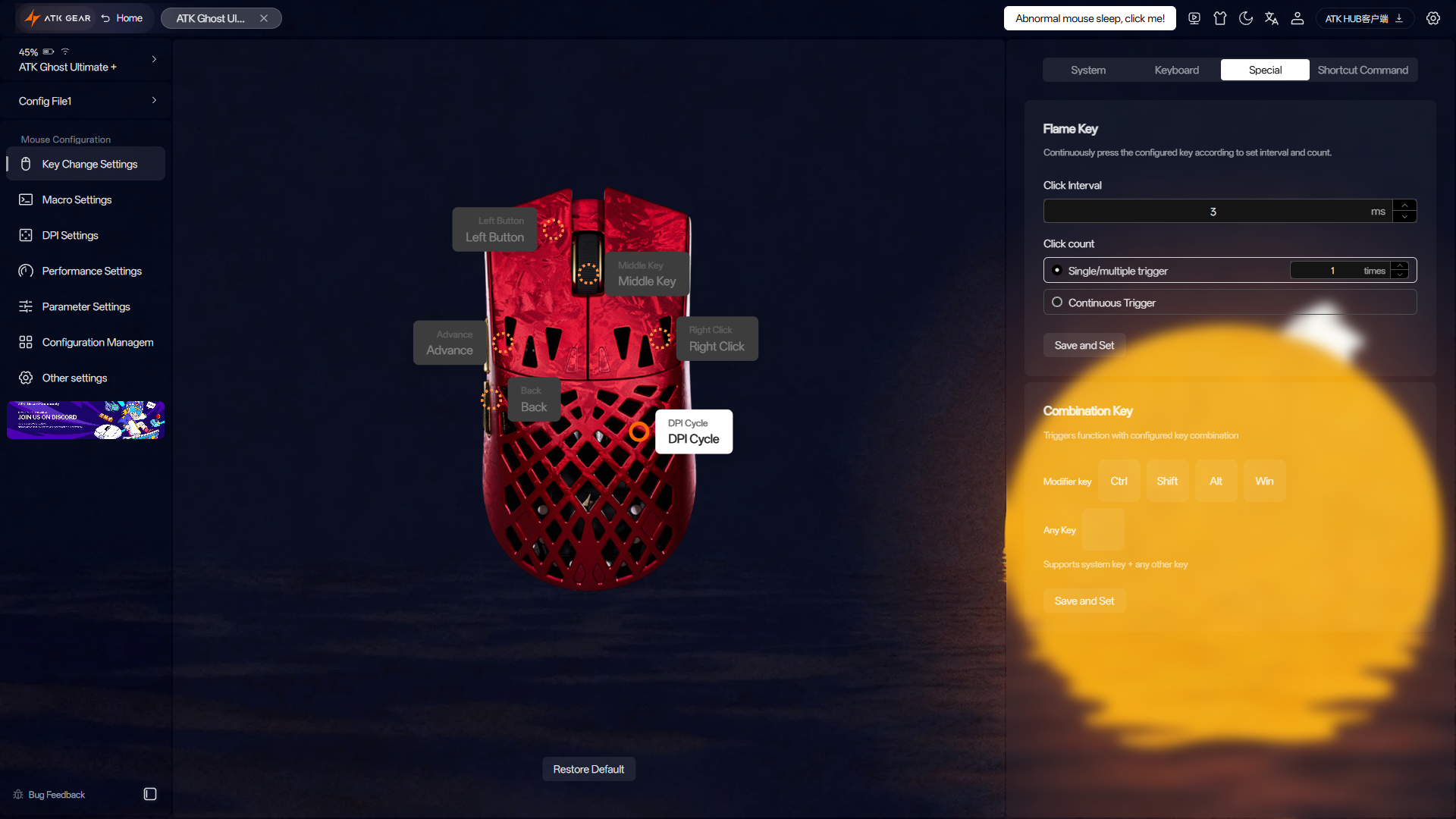
Key Change Settings. This is where you can remap the mouse buttons, and ATK gives you a lot of freedom here. Every button can be reassigned, including the DPI button on the bottom of the mouse (it can be reassigned to switch between onboard profiles!). You can assign a wide range of predefined actions, individual keyboard keys, and even key combinations. There is also a Flame Key function, essentially a configurable rapid-fire/autoclick feature where you can adjust parameters such as the number of clicks and the interval between them.
Macro Settings. As the name suggests, this section is dedicated to creating and configuring macros.
DPI Settings. Here you can create multiple DPI presets, assign a separate color to each one, and set the DPI in increments of 1 DPI. X- and Y-axis sensitivity can also be configured independently if you want different values for horizontal and vertical movement.
Performance Settings. This tab lets you select the polling rate and choose the sensor performance mode. The available options range from the more energy-efficient Basic Mode to ATK Shard Competitive Mode and ATK Shard Competitive Max Mode if you want to push the mouse as far as it can go. This gives you a useful choice between maximizing battery efficiency and prioritizing outright performance instead of forcing one behavior on everyone.
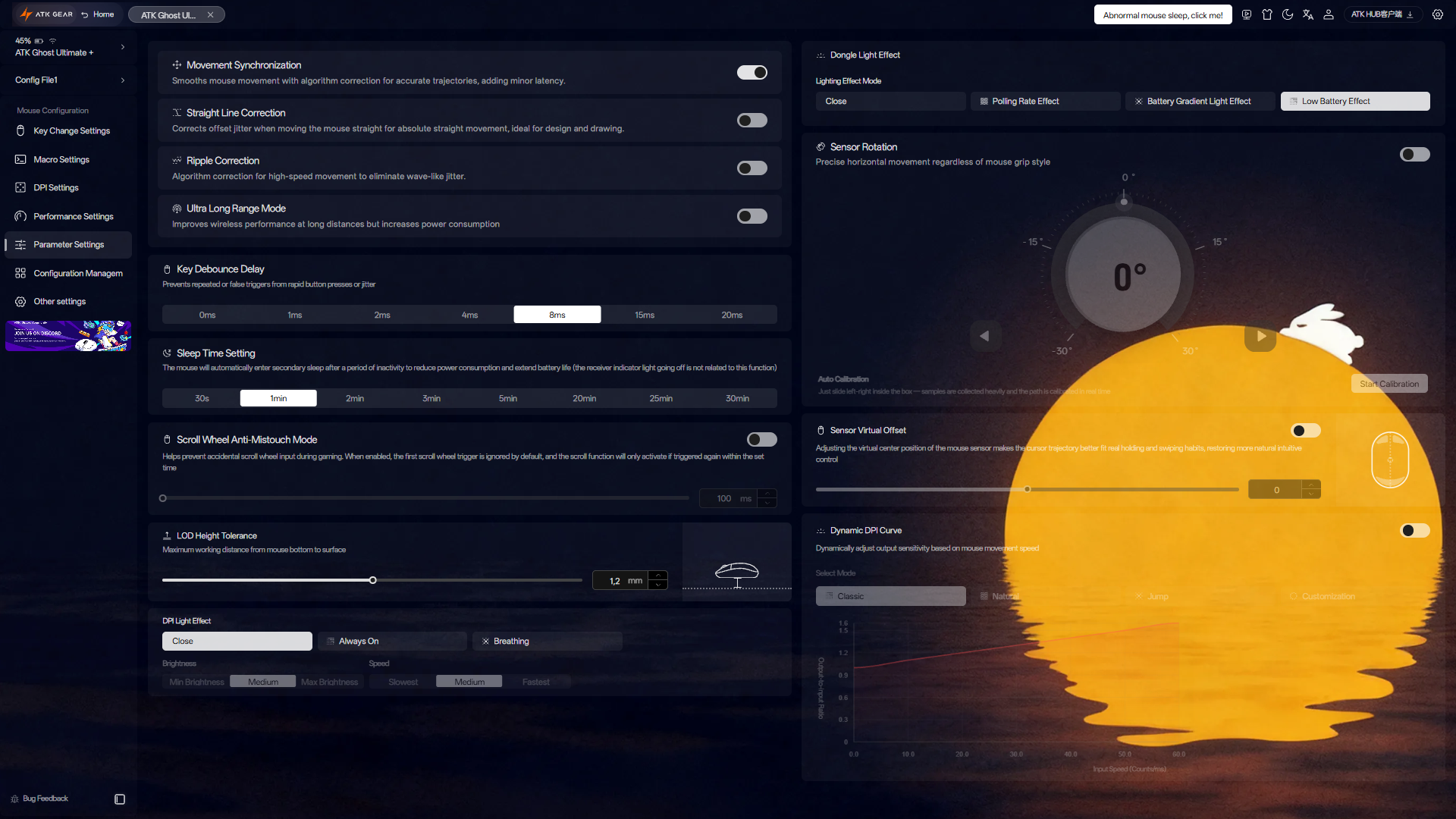
Parameter Settings. This section gives you access to a particularly wide range of additional settings:
- Movement Synchronization
- Straight Line Correction
- Ripple Correction
- Ultra Long Range Mode
- Key Debounce Time
- Scroll Wheel Anti-Mistouch Mode
- LOD Height (adjustable in 0.1 mm steps)
- Sleep Timer
- Mouse LED Indicator Behavior
- Dongle LED Indicator Behavior
- Sensor Rotation
- Sensor Virtual Offset
- Dynamic DPI Curve
There is a lot here, and most users probably will not need to touch every setting, but having this level of control available is a big plus if you like fine-tuning how your mouse behaves.
Configuration Management. This section handles the Ghost’s onboard profiles. You can manage them, import or export configurations, and save profiles to the cloud, which is useful for keeping your settings backed up and easy to restore when needed.
Other Settings. This tab shows the current firmware versions for both the mouse and dongle and lets you update them when necessary. This is also where you can reset the mouse or pair it with the wireless dongle.
ATK HUB also shows the mouse’s current battery level and provides quick access to the FAQ, user manual, ATK Discord server, and a few other useful resources, so most of what you might need for the mouse is accessible directly from the same interface.
Overall, ATK HUB is easily one of the best pieces of mouse software I have used so far. It is intuitive and easy to navigate, looks good, works across an unusually wide range of platforms, and offers an exceptional amount of control over the mouse. Software is definitely one of the Ghost’s strongest points.
Performance
As I mentioned earlier, the Ultimate+ version of the Ghost pairs the flagship PAW3955 Master sensor with the Nordic nRF54L15 MCU, along with support for an 8000 Hz polling rate. On paper, that is about as high-end as mouse hardware gets right now, but more importantly, the implementation here is just as good as the specifications suggest.

Tracking has been completely consistent. I never experienced any skips, spin-outs, jitter, or other sensor-related issues, and both slow, precise movements and fast swipes were registered exactly as they should be. The mouse feels extremely responsive without sacrificing that sense of predictability, which is ultimately much more important than any impressive number on a spec sheet.
Wireless performance has been equally reliable. The connection remained stable throughout use, with no dropouts or noticeable interruptions, and the Ghost had no trouble maintaining an 8000 Hz polling rate consistently. Of course, the practical difference between 1000 Hz and 8000 Hz is relatively small and becomes increasingly dependent on your monitor refresh rate, system performance, and personal sensitivity, but if you have the hardware to take advantage of it, the option is here and it works exactly as it should.
I really have nothing to criticize when it comes to performance. The Ghost Ultimate+ combines some of the best hardware currently available with an implementation that feels polished and dependable, and throughout my time with it, the mouse simply did exactly what I expected it to do.
Pros & Cons
Final Verdict
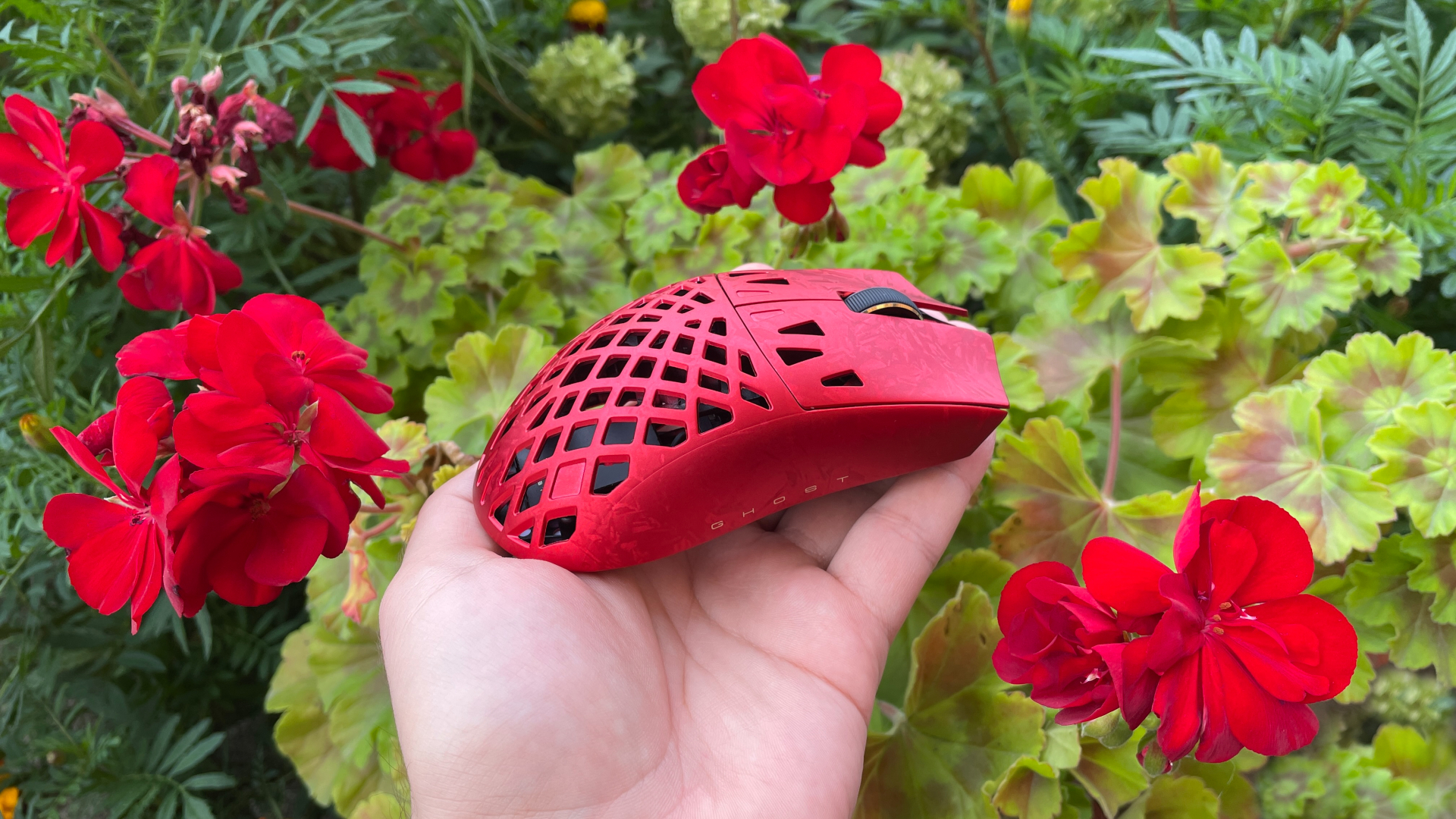
The ATK Blazing Sky Ghost turned out to be a genuinely great mouse. It combines a lightweight yet remarkably rigid shell with top-tier gaming performance, but more importantly, it does not feel like just another symmetrical gaming mouse. The hollowed-out carbon fiber composite shell and subtle visual accents give it an identity of its own. And the icing on the cake is ATK HUB, one of the most capable software solutions I have seen for a gaming mouse. ATK also did a good job with the extras – you get everything you need and a little more, including that excellent carbon fiber-textured storage case.
If you don’t mind its hollowed-out design, the Ghost is an easy mouse to recommend to anyone looking for a modern gaming mouse that looks as good as it performs without pushing the price too far.
You can get the the ATK Blazing Sky Ghost mouse starting at around $75. Our code HLPLANET gives you an additional 3% off.

Controller and mechanical keyboard enthusiast. Tech reviewer, regularly sharing thoughts about gadgets and computer peripherals.