


Magnetic keyboards are getting more advanced each year, but Dry Studio took a very different approach with the Battleye 74.5 RT. Inspired by the circular UI from Death Stranding, the team built a keyboard around a 1.7-inch detachable touchscreen that doubles as the Escape key. It’s a bold idea in a market where most keyboards stick to safe, minimal changes. The question is: does it work in practice, and is it worth the high asking price of around $281?
Design and Build Quality


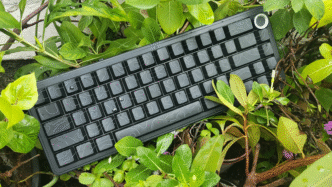
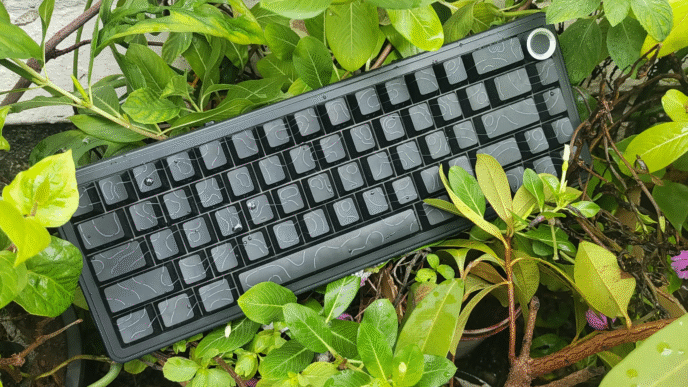
The Battleye 74.5 RT comes in an all-aluminum CNC case with premium weight (1393 g) and anti-slip rubber feet. The overall layout is 74.5%: compact like a 65%, but with dedicated F-keys. This makes it much more versatile for gaming and productivity than a typical 65% board, while still keeping desk space free.
Keycaps are PBT doubleshot and feel solid. Stabilizers come pre-lubed, with no rattle on larger keys. The typing sound is quite “thocky” thanks to the six-layer dampening structure with foam and pads. I really like it. Out of the box, it feels like a custom board, not just a mass-produced product.
Unique Touchscreen

The star of the show is the 1.7-inch HD touchscreen knob:
- Acts as an Escape key by default
- Lets you switch between 4 Rapid Trigger (RT) modes without drivers
- Displays real-time actuation depth whenever you press a key
- Supports custom wallpapers and logos (though limited – no GIFs yet)
In practice, the screen works well, but customization is still basic. You can set backgrounds or wallpapers, but you can’t yet assign extra functions like media control or system stats. With firmware updates, this could turn from “cool gimmick” into a real advantage.
Performance for Gaming

Performance is where this keyboard justifies its price.
- RT accuracy of 0.01 mm – ideal for competitive shooters
- Zero deadzone and no ghosting
- 16K scan rate / 8K polling rate / under 1 ms ms latency
- TTC King of Magnetic RGB magnetic switches – smooth, stable, and highly responsive
In testing, the Battleye 74.5 RT responded instantly. Rapid Trigger worked as expected: keys activate on press and deactivate on release with minimal delay. Even compared to other magnetic boards like Wooting or SteelSeries Apex Pro, it holds its ground in raw responsiveness.
One note: on very sensitive settings (0.01 mm, zero deadzone), some users may experience accidental activations. The fix is simple: add a slight deadzone in the web software to avoid unwanted inputs.
Typing and Comfort


Dry Studio included Leaf Spring RT 2.0, a mount that balances flex and stability. The typing feel is comfortable, with enough bounce for long sessions.
Another standout is the adjustable tilt legs: patented design that allows 6°–11° tilt in 0.5° increments. If you care about ergonomics or switching angles between gaming and typing, this is a real benefit.
Software and Customization
The keyboard uses a web-based device center (setrt.com). It’s easy to access and allows:
- Remapping keys
- Adjusting actuation point and deadzone
- Setting polling rate
- Lighting effects
- Screen wallpapers
The downside: some menus are not fully translated, and the screen customization is limited. Firmware updates could fix both issues, but right now, it’s definitely not one of the best in the market in terms of software.
Pros and Cons
Pros
- Premium build (full aluminum, PBT caps, dampened internals)
- Unique detachable touchscreen knob
- 0.01 mm rapid trigger accuracy
- Adjustable 6°–11° tilt with 0.5° precision
- Compact 74.5% layout with F-keys
- Excellent stabilizers and sound profile
Cons
- High price ($281) compared to alternatives
- Touchscreen customization feels limited
- Web software partly untranslated
- Some accidental inputs at zero deadzone
- No wireless option (USB-C wired only)
Verdict
The Dry Studio Battleye 74.5 RT is one of the most unique magnetic keyboards on the market. However, the price is steep, and the touchscreen still feels underutilized. If you want maximum software flexibility, keyboard like Wooting 80HE and Keychron K2 HE remain ahead. But if you want a compact, premium board with a cool screen and good performance, the Battleye 74.5 RT is worth considering.
Gamer and tech reviewer in my spare time.




The price is off putting… but the screen is a nice feature, I just don’t see myself spending this much on a keyboard