Epomaker is a name well known for it’s keyboard offerings. As of late, they’ve stepped into the gaming mouse space as well. Today, I will be reviewing one such mouse – the Epomaker Nex Lite. At a price point of just $35.99, the Nex Lite offers the creature comforts of it’s older brother, the Epomaker Nex Pro, but with more modest performance. Let me show you in this review what I mean.
UNBOXING – what’s in the box?
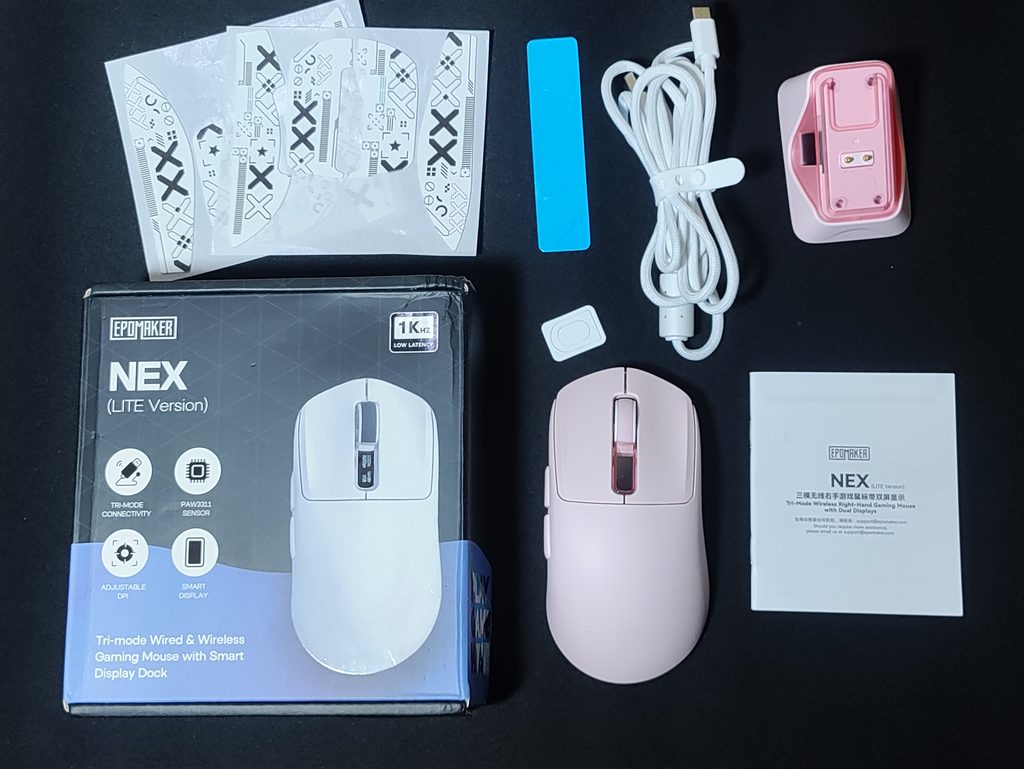
The Epomaker Nex Lite comes in a pretty well packed box. Inside the box, you find :
- The mouse (in the colour you chose)
- A user manual
- A USB-A to USB-C cable (braided, 1m long, light)
- Charging Dock
- 2 sets of printstream griptape (popular weapon skin in counter strike)
- 1 set of extra mouse skates
Pretty good extras in my opinion. I like that they gave two sets of griptapes.
Build Quality
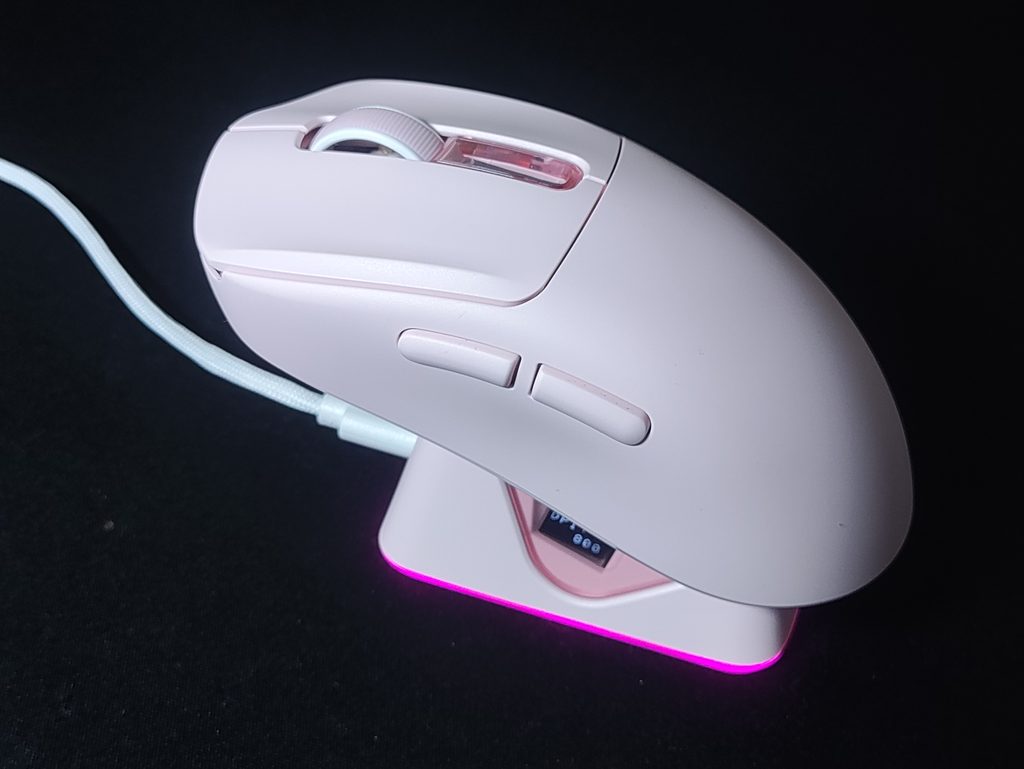
While the Epomaker Nex Lite isn’t aiming to be an “ultralight” mouse, it’s still quite light, coming in at a weight of about 65 grams.
As I’ve said before in my mouse buying guide, weight balance matters just as much as the actual weight. This is where the Nex Lite is a bit disappointing. The weight of the Nex Lite is significantly shifted towards the back. This makes the mouse feel a bit unbalanced when doing quick, precise flicks in tactical shooters or aim trainers. I think this balancing issue stems from the charging dock implementation. If you don’t mind a back-heavy mouse, this won’t be an issue for you.
The sensor is also not central. It’s placed a little forward from where your thumb naturally rests when holding the mouse. This isn’t necessarily a bad thing. All this means is that your wrist aim will be slightly more sensitive. I personally like a centered sensor, but a lot of professional esports athletes use mice with forward placed sensors.
The build quality of this mouse is pretty decent. It feels solid in the hands under regular use, but the sides flex a little bit when you squeeze it with even moderate strength. This indicates a lack of structural beams in this part of the mouse. It doesn’t creak or anything, and it won’t break under pressure.
There’s no rattling or noise of any kind when I shake the mouse.
What surprises me is that there is zero branding on the sides or top of the mouse. Most mice have a silkscreened logo on one of the sides, but the Nex Lite only has a sticker of branding on the underside

There’s a screen on the mouse underneath the scroll wheel. It displays the Battery Level, DPI, Connection Mode and the Polling Rate when the mouse is being charged. I just keep it turned off personally.
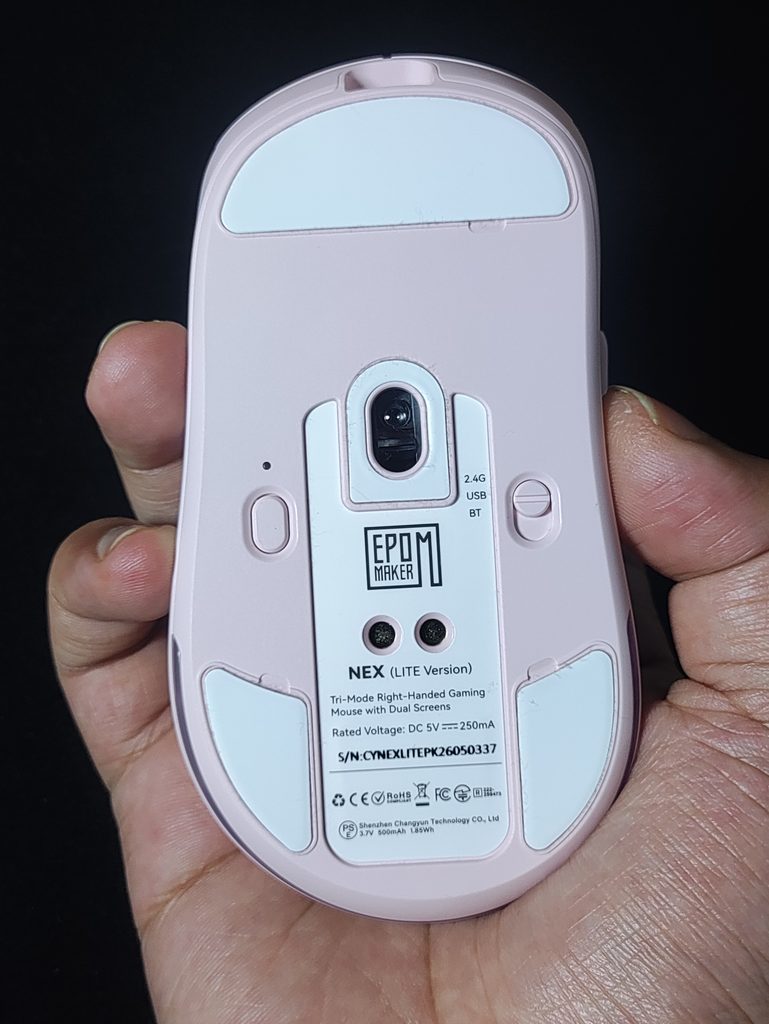
On the underside of the mouse, we see :
- PTFE mouse skates (with grooves to easily remove them)
- A dpi button
- A switch to toggle between 2.4ghz mode, Bluetooth mode, and power off
- Pogo pin sockets for charging dock functionality
- The sensor, which is placed a little forward
Aesthetics

One of the best features of the Epomaker Nex Lite is the Aesthetics it provides to your setup. It comes in four colours:
- White
- Black
- Pink
- Blue
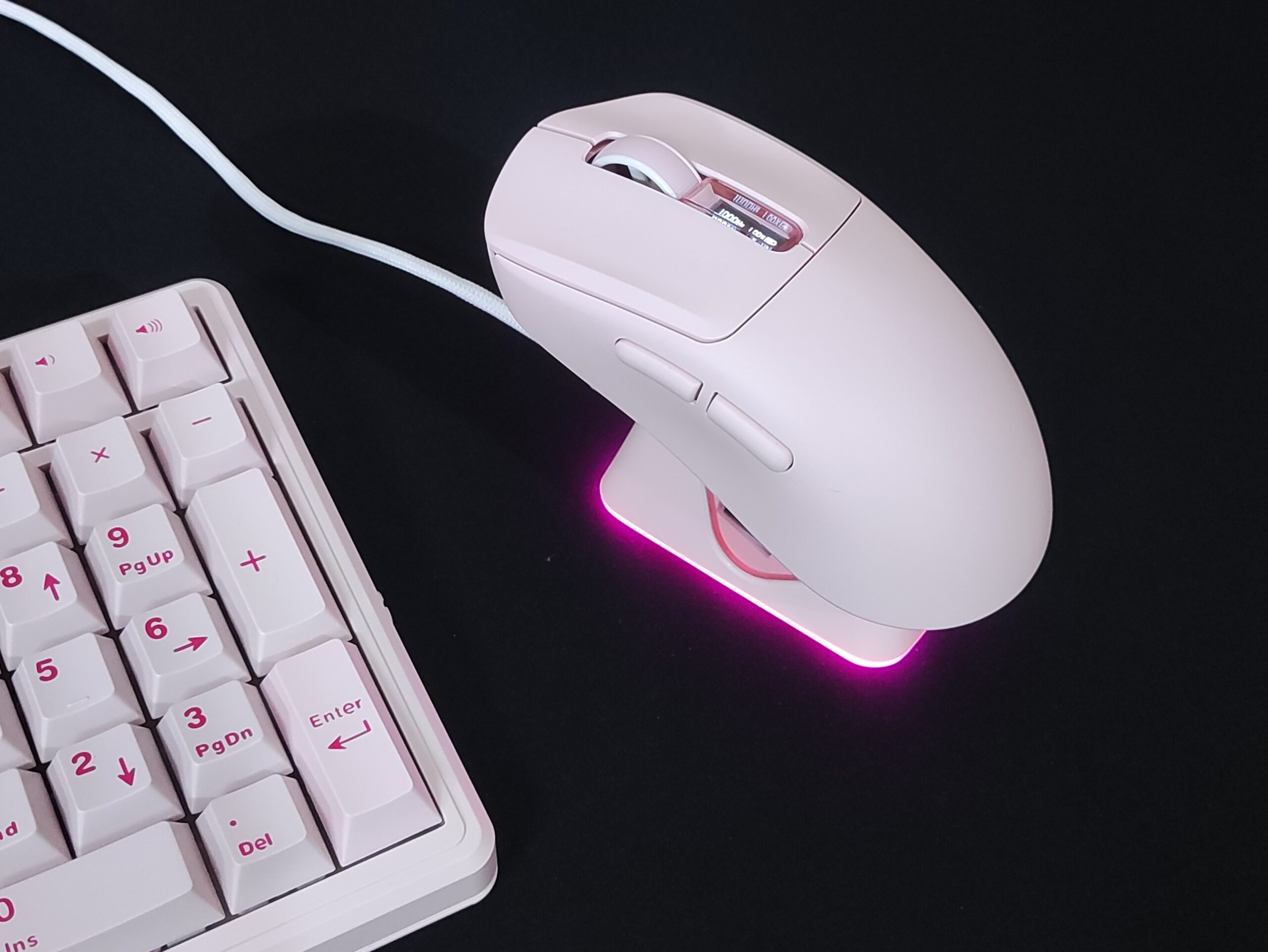
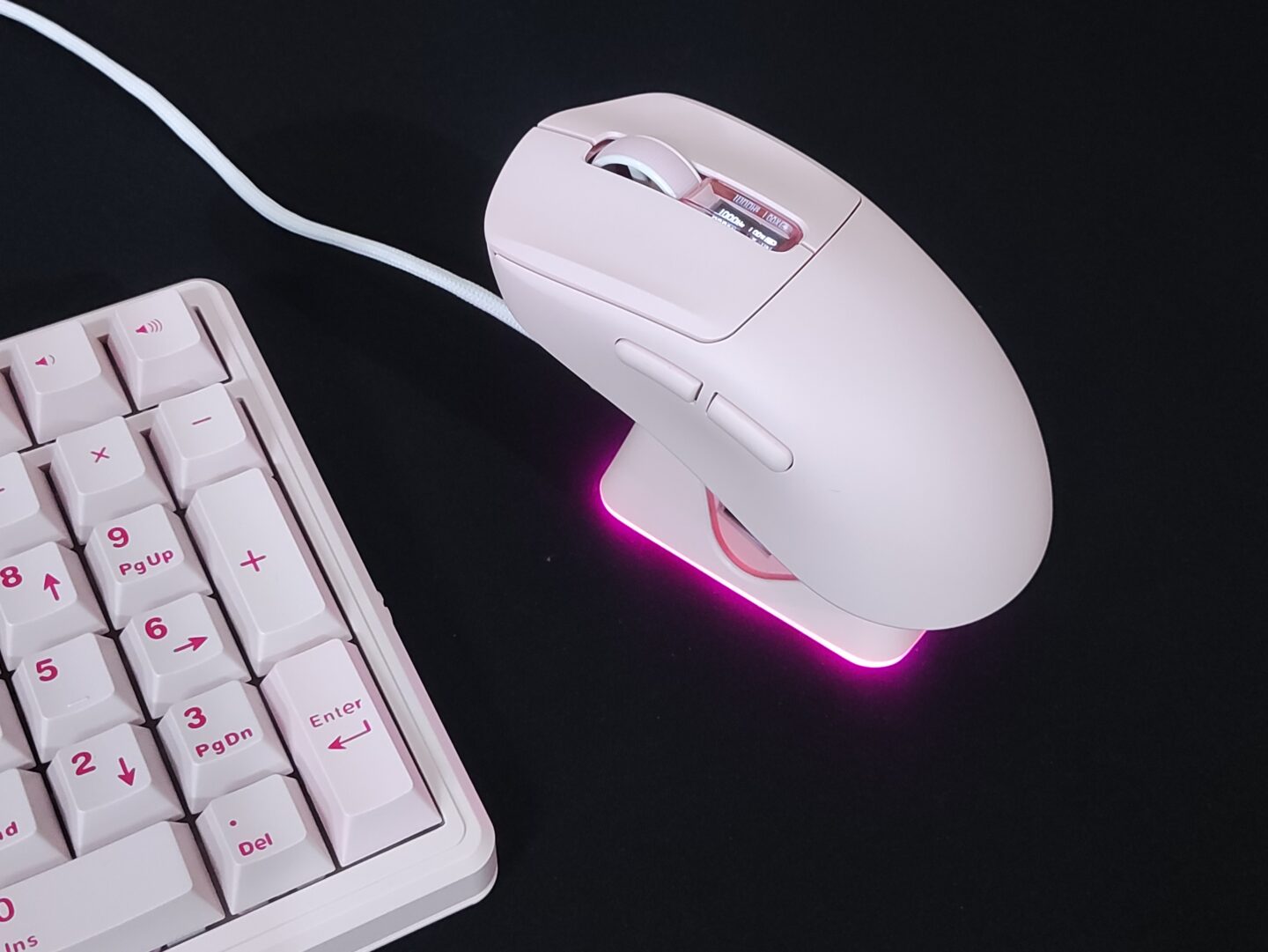
Combined with the tasteful RGB on the mouse and the dock, it’s quite eye catching. I got the pink colourway which looks great.
Shape & Ergonomics
Shape is King. This is a common phrase in the mouse enthusiast community. What this means is that even if a mouse has the best sensor in the world with the lowest latency and the most satisfying clicks, it’s all moot if the mouse doesn’t feel good to use in your hands.

The Epomaker Nex Lite has a shape of it’s own. It’s not a clone of any particular mouse shape. It’s a right handed ergonomic shape with the thumb buttons on the left side. The ergo tilt isn’t super aggressive, so it’s still well suited for gaming. The Nex Lite is suitable for a claw grip with medium to large sized hands, and a palm grip with small to medium sized hands.

The hump is slightly shifted towards the back rather than being exactly in the center of the mouse. It fits well for a palm grip, and doesn’t really affect claw or fingertip grip users since the hump isn’t very large.

The left side is pretty flat, with a slight concavity which is comfortable for your thumb. The right side is flat at the front and middle, and gradually becomes convex at the back, which is typical of ergonomic mice. This shape provides good support for your pinkie finger.

The left and right click mouse buttons have pretty deep comfort grooves which feels nice to use for me.
The Coating
The Nex Lite doesn’t seem to have any coating. The plastic isn’t glossy or smooth, but I would have liked it if there was some more texture to it. It gets slippery when my hands get sweaty over long gaming sessions.
It’s a good thing that the mouse includes two sets of grip-tape as you will most likely want to use it. But that changes the aesthetics of the mouse for the worse depending on the colourway you get, so you might want to consider aftermarket options like the Xraypad Geckos or Cicada Wings in a suitable colour.
PERFORMANCE
The Clicks

The Epomaker Nex Lite’s product page doesn’t specify what switches this comes with (which it absolutely should), but judging from the fact that it mentions a lifespan of 20 million clicks, they’re mechanical switches. Unlike the Nex Pro, which features optical switches and a 100 million click lifespan, there is a risk of developing double clicking issues in this mouse over the years.
Lifespan aside, the clicks feel and sound crisp. I wish the clicks were lighter though, as that results in better performance in games lending to a faster reaction speed. It would also reduce finger joint fatigue after long usage sessions, whether for gaming or for work.
There is a little bit of pre and post travel, and almost zero side-to-side wobble. All in all, the clicks feel stable.
The side buttons feel hollow and dull to click. They most likely use different switches from the main clicks. There’s no wobble to the buttons themselves, but the clicks feel pretty mediocre.
The Scroll Wheel
The scroll feels nice and soft, while maintaining tactility. The durability remains to be seen, as they haven’t mentioned anywhere on the product page what scroll wheel the Nex Lite uses and whether it is dustproof or not.
The Sensor
The Epomaker Nex Lite sports a basic PAW 3311 sensor, which is quite a dated sensor. It’s popular in budget mice, and it’s plenty good enough for high performance use cases. Technically, newer sensors are better. But practically, there won’t be a noticeable difference if the 3311 is implemented well.
It is popular consensus that higher polling rate and DPI beyond a certain point doesn’t matter in the real world. Even the best of the best professional E-Sports athletes are unable to tell the difference between 2000Hz and 8000Hz, and this is on insane spec monitors that go upwards of 500Hz refresh rate. Most regular gamers such as you and I have at most 240Hz refresh rate monitors. For us, 1000Hz is more than sufficient. This is why these older sensors are actually excellent value.
And I’m not saying this from hearsay. I own several high performance mice with various flagship sensors, and the Nex Lite’s sensor is literally indistinguishable while gaming.
The MCU (Micro Controller Unit)
This is a fairly important aspect of a gaming mouse. The MCU is essentially the brain of a gaming mouse.
A better, modern MCU can handle higher polling rates without any lag or stutter. The MCU is also what handles motion sync, which is an algorithm to make your cursor path more stable and jitter/noise free. A poor MCU can cause latency when doing all these processes.
The Epomaker Nex Lite doesn’t specify which MCU it uses. I don’t like that they don’t give you any of these details.
The Mouse Skates & Glide

The Epomaker Nex Lite comes with PTFE skates by default. They’re pretty standard quality and work well on all surfaces.
You can always swap out your skates and install dot skates if you want a different glide and feel. I prefer a super fast mouse, so I would install something like UltraGlide Ice dots on my unit.
Connection & Latency
The Epomaker Nex Lite has all three modes of connectivity – 2.4gHz, bluetooth, and wired. It works well in all modes, and there are no flaws or hiccups like lag or disconnections in my usage.
In 2.4ghz and wired mode, you get 1000Hz polling rate with 1ms of latency. And in Bluetooth mode you get 125Hz polling rate with about 8ms of latency.
Battery & Charging Dock
The Epomaker Nex Lite comes with a 500mAh battery. I haven’t tested the limits of its battery life, but I’ve gone 2 weeks without charging it and it’s still at 30%.

The charging dock is quite pretty. It matches the colour of your mouse well, and the mouse just snaps onto the dock when you place it on top. It’s a little finicky at first, but when you get used to the positioning it becomes seamless. It’s pretty stable on your desk and doesn’t slide around.

The RGB on the dock looks nice. The display shows the same info as the mouse’s display, but it shows it when the mouse is being used so you can keep track of the battery level.
The Software
The Nex Lite is compatible with Epomaker’s Web driver, the Epomaker Hub. It doesn’t have a downloadable software. This is great because you don’t have to download any shady Chinese app to customise your mouse.
In the software, you can customise the following-
- Firmware updates
- Remap buttons on the mouse
- Set macros
- Change the DPI and set DPI profiles to switch between on the fly (using DPI button on the bottom of the mouse)
- Set the polling rate from 125Hz to 1kHz
- Toggle on/off features like motion sync, straight line correction, ripple correction, etc (refer to images below for details)
- Change the key debounce time (higher debounce prevents accidental double clicks, or set it to low debounce if you want to spam the buttons)
- Change the sleep timer
- There are a total of 3 profiles you can save at a time. And you can have all the above settings set to different configurations for each profile


CONCLUSION
The Epomaker Nex Lite is a pretty decent option in the budget mouse market. You can definitely get mice with better raw specs and lighter weight than the Epomaker Nex Lite, but that’s not why you get this mouse. You get the Nex Lite for the aesthetic colour options, and the creature comforts it offers like the charging dock. I for one have enjoyed not having to think about plugging my mouse in at all.
I also don’t like how we don’t get exact details about the switches used in the mouse or the MCU in the mouse. It’s not like this is standard practice, even for Epomaker. They’ve given these specs for the other mice they offer, even the Nex Pro.
The Epomaker Nex Lite performs well, and if you don’t mind the few drawbacks, this is definitely a strong contender to consider, especially if you’re drawn to the QOL features. It’s especially ideal for people who work and play at the same setup.

Hello! 🥰 I'm Fang.
I like gaming and related tech. I enjoy learning more, and sharing my experiences through my review videos and blog posts. Have fun! 💖