


Vertical mice are no longer niche – they’re slowly becoming a must-have for anyone spending long hours at a desk. Designed to reduce wrist strain and promote a more natural hand position, these mice can make a real difference in comfort and productivity. But with more brands jumping in, which one actually gets it right?
In this comparison, I’m looking at three vertical contenders: the Keychron M5, the Razer Pro Click V2, and the classic Logitech MX Vertical. All promise ergonomic benefits, wireless convenience, and strong performance… but they take very different approaches when it comes to weight, features, and price.
The Keychron M5 stands out with its surprisingly high-end specs, including an 8000Hz polling rate and a much lower price tag. But can it match the premium feel of Razer or the proven comfort of Logitech?
Let’s break down what matters most – and which of these vertical mice is actually worth your money.
Comparing Keychron, Razer and Logitech vertical mice
Here’s a comparison table for the Keychron M5, Razer Pro Click V2 (Vertical Edition), and Logitech MX Vertical, focusing on specs and features relevant for ergonomics and gaming.
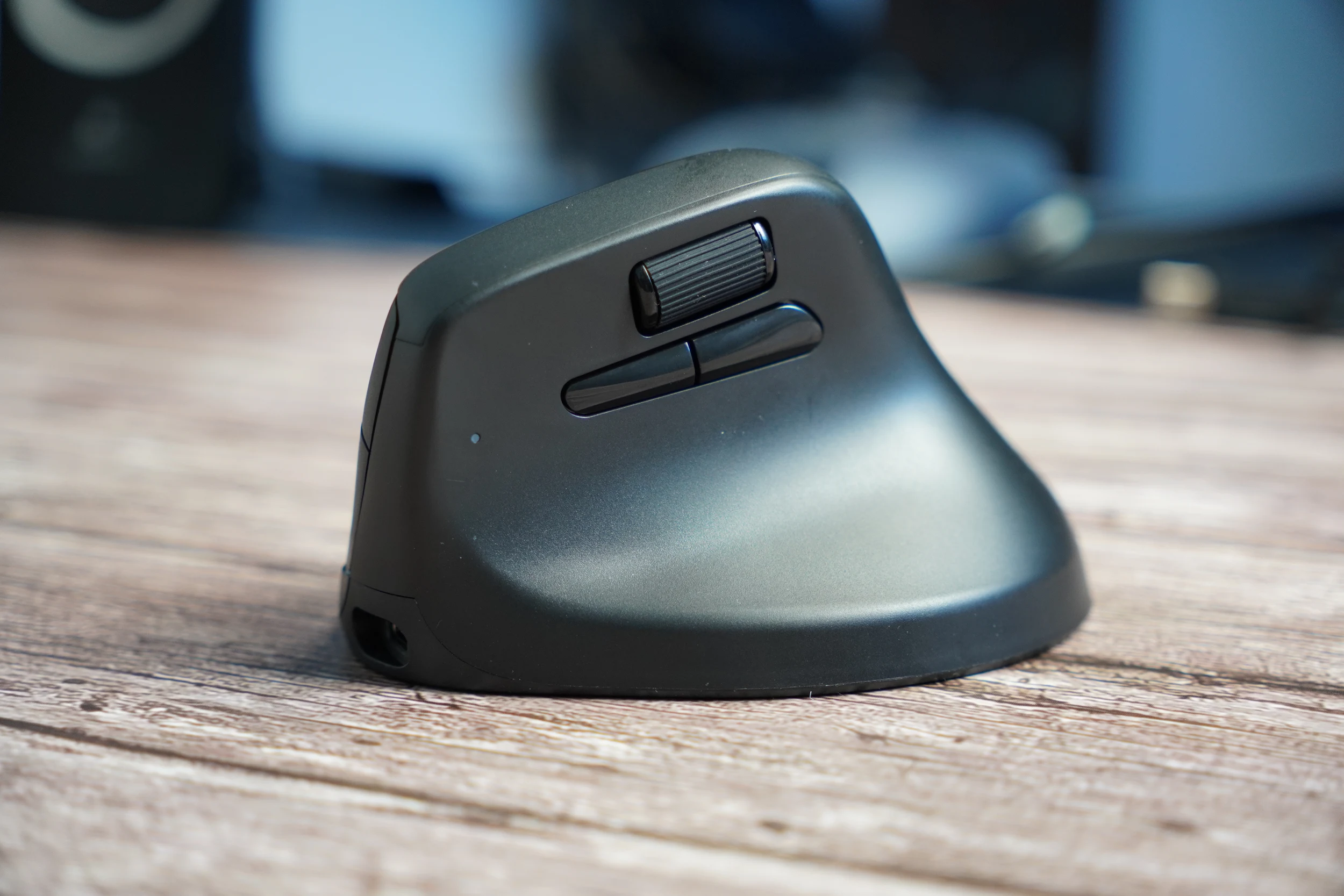
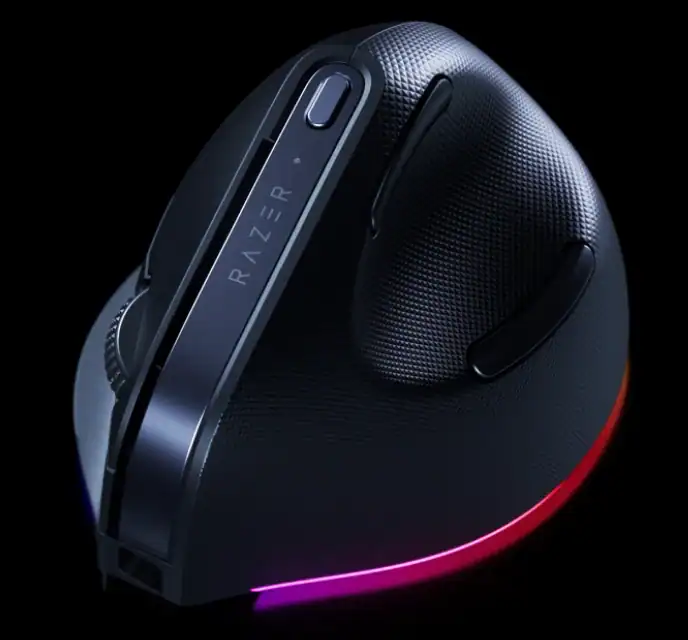
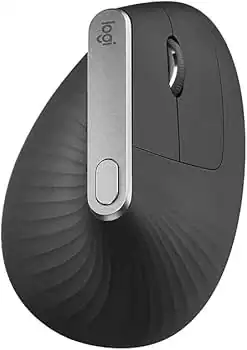
If you’re looking for a high-performance mouse for gaming with ergonomic shape, the Keychron M5 offers incredible value (check our Keychron’s M5 review), especially with its 8K polling rate. But if vertical ergonomics is a must, Razer Pro Click V2 and MX Vertical are more suitable, with Razer offering a better sensor and broader DPI range.
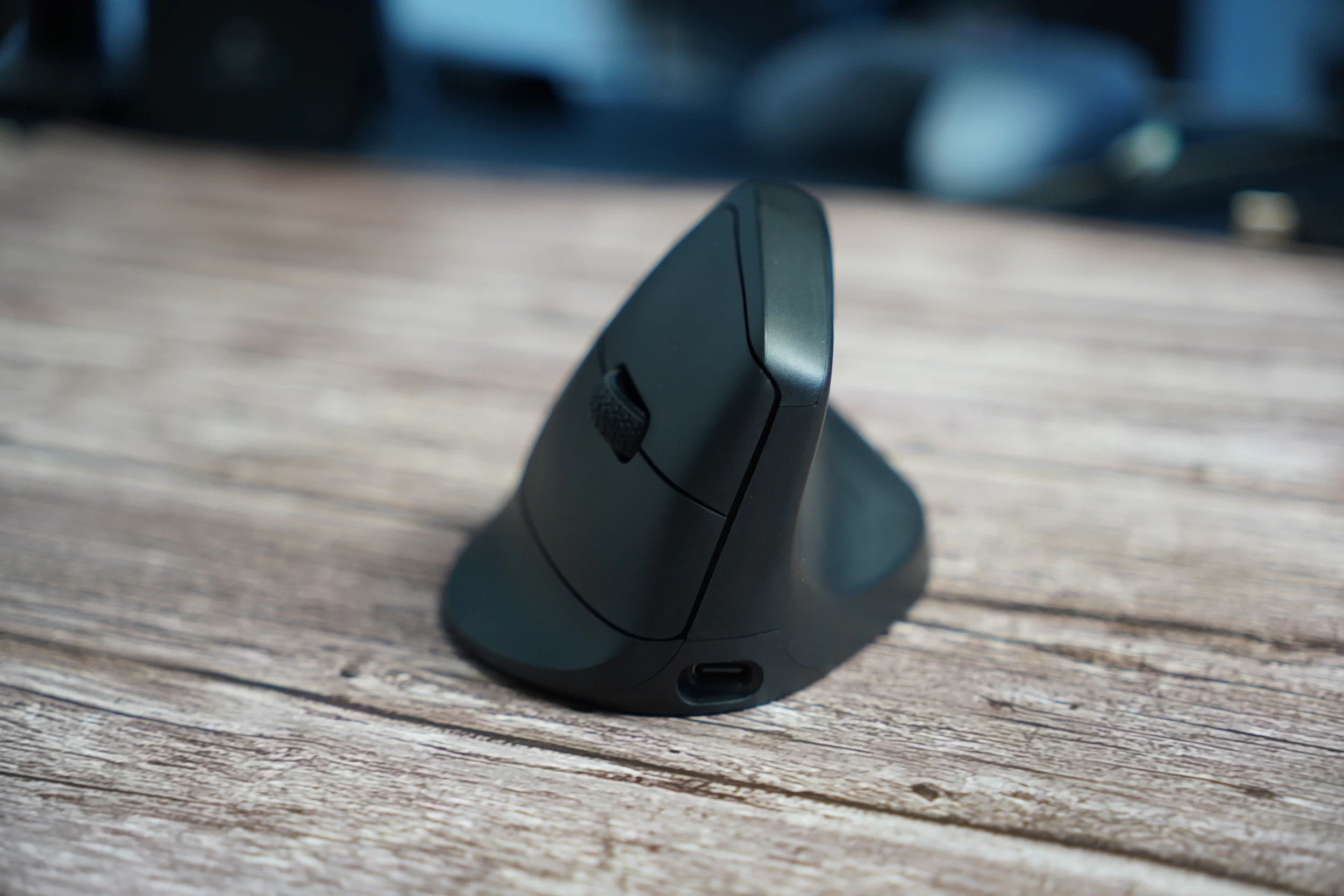
🖱 Keychron M5
Pros:
- ✅ Up to 8000 Hz polling rate – great for fast response and gaming, we measured wired latency at 0.9ms and Bluetooth latency at 8ms
- ✅ Very lightweight (97 g) for an ergonomic-style mouse
- ✅ Tri-mode connectivity (Bluetooth 5.3 / 2.4 GHz / Wired)
- ✅ Very affordable at $69
- ✅ Motion Sync and wide DPI range up to 30,000
- ✅ Rechargeable 600 mAh battery
Cons:
- ❌ Software is new and still maturing
- ❌ Build quality not as premium as Razer or Logitech
🖱 Razer Pro Click V2 Vertical Edition
Pros:
- ✅ True ergonomic vertical design with 71.7 degree angle
- ✅ High-end Razer Focus Pro 30K sensor
- ✅ Our measured latency is 3ms wired and 14ms Bluetooth
- ✅ Tri-mode connectivity
- ✅ Excellent build quality and feel
- ✅ Long battery life (up to 6 months)
- ✅ Works with Razer Synapse software (powerful customization)
Cons:
- ❌ Heavy at 149 g
- ❌ Pricey at $119.99
- ❌ AI button
🖱 Logitech MX Vertical

Pros:
- ✅ Comfortable vertical ergonomic design
- ✅ Good for productivity tasks and long hours of work
- ✅ Works well with Logi Options+ software
- ✅ Long battery life (up to 4 months)
- ✅ Well-built and widely supported
Cons:
- ❌ Low DPI range (400–4000) – not suitable for high-DPI tasks
- ❌ Only 125 Hz polling rate – laggy feel for gamers, our tests showed 13ms wired latency and 23ms Bluetooth latency
- ❌ Older sensor tech compared to Keychron and Razer
- ❌ $99.99 price for specs that are now behind the curve
⚖️ Summary Recommendation:
- For gaming + occasional work: 🥇 Keychron M5
- For all-day productivity + wrist comfort: 🥇 Razer Pro Click V2
- Budget ergonomic office use: 🥉 Logitech MX Vertical

I love testing and writing about new tech. I focus on keyboards and controllers. I'm also a gamer and an engineer. Check out my Twitter for keyboard and controller news and reviews.


