


As I mentioned in the first part of the O+ Excellence review, in this text we will discuss the possibilities of modifying this controller offered by the manufacturer. I invite you to read!

- 【Multi-Platform Support & Tri-Mode Connectivity】Compatible with Switch/Switch2, Windows 10/11, Android, iOS & Steam (not for xbox/ps). Supports 2.4GHz wireless, Bluetooth, and wired modes for smooth, lag-free gameplay
Sticks
I will start the review with analogs, because we do not have such an obvious choice here as in the case of other modulars. In this case, we have a few options:
- K-Silver TMR (JS16)
- Ginfull TMR (a model unknown)
- Alps Alpine RKJXV1224
- Puyao (or Favor Union FJR10K)
In terms of feel, the differences will be very noticeable under the finger. JS16 does not need to be discussed and introduced, because in this respect they do not differ from the very popular JH16 from the same manufacturer. Ginfull TMR are analogs that are definitely lighter than JS16, smoother and with a more linear spring, and additionally the switch under the analog (something I rarely discuss, but in the context of this analog is worth mentioning) works much more pleasantly than JS16. Alps, on the other hand, are probably the smoothest contact potentiometers known to mankind, slightly lighter than JS16, while FJR10K is definitely the heaviest and least smooth analogue.
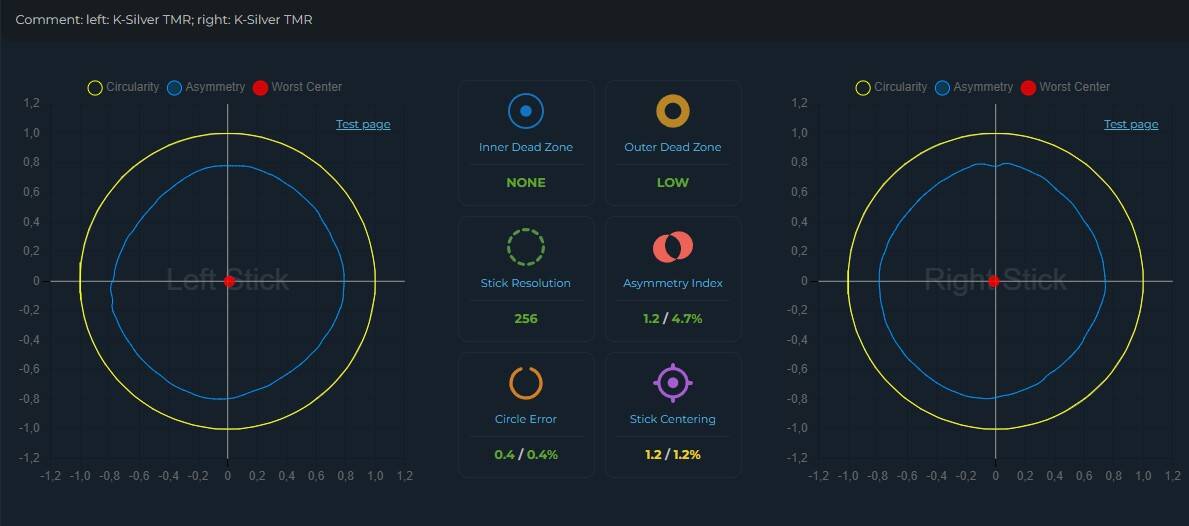
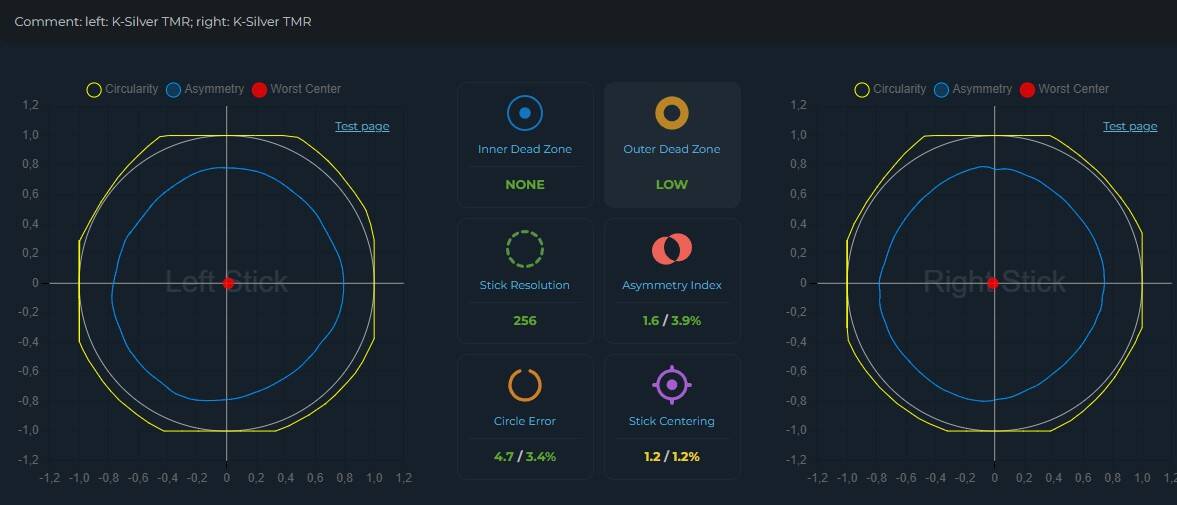
Let’s move on to the tests, because this is the most interesting aspect, since I said that the controller can be improved. Starting with JS16, analogue calibration changes from terrible to almost perfect, with a fairly small external dead zone and perfect asymmetry. Recentering is correct, around 3%, which is completely acceptable. Unfortunately, as is typical of JS16, the sensor works quite non-linearly, such is the charm of low-profile analogues.
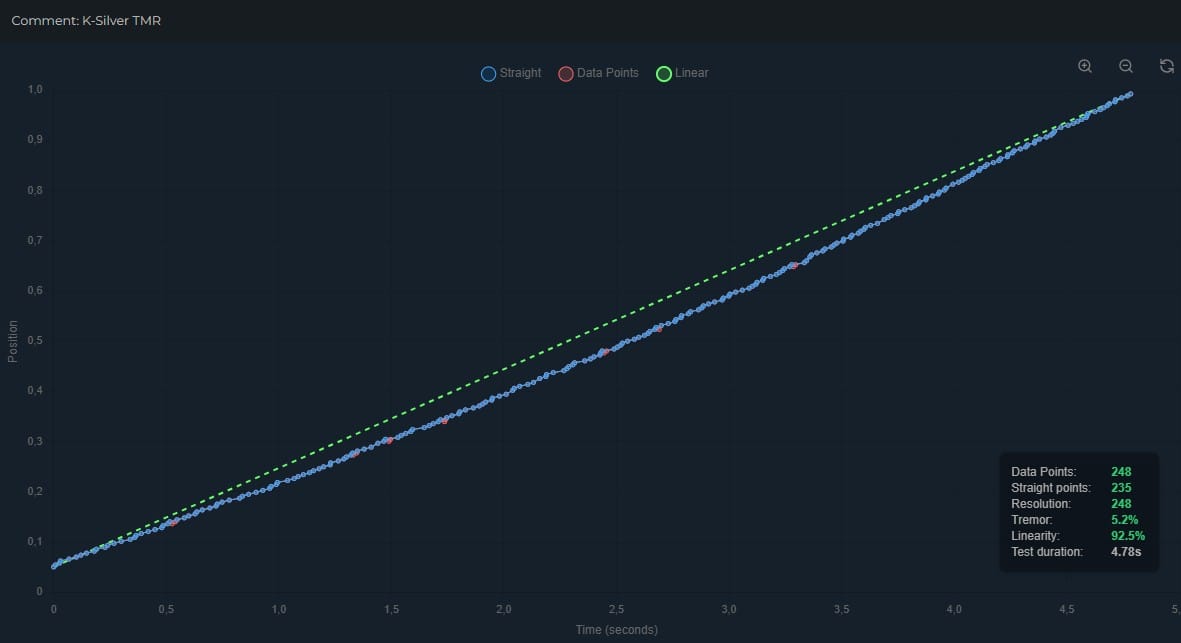
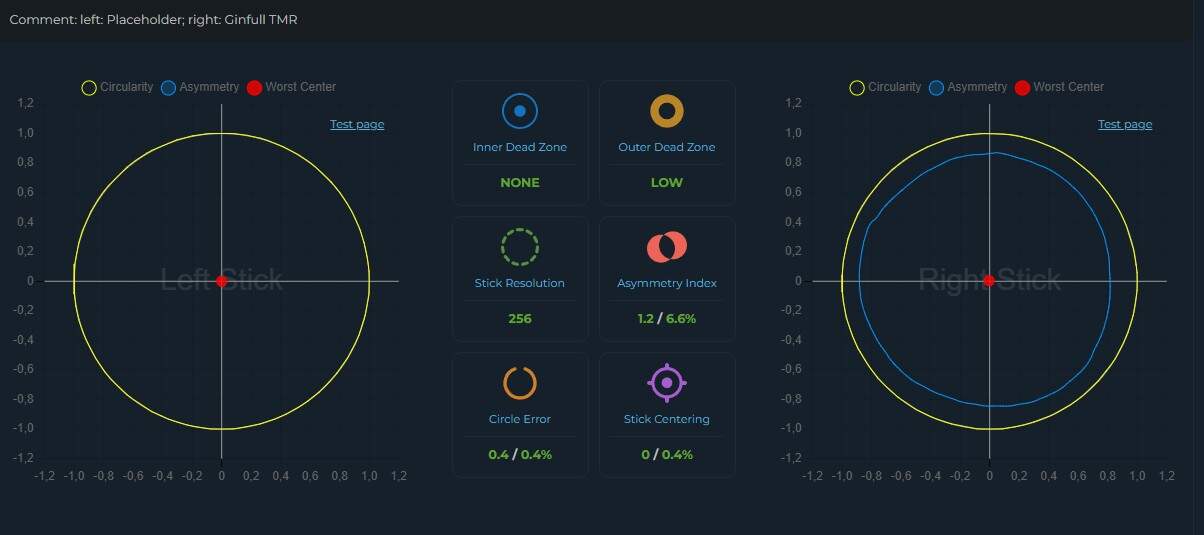
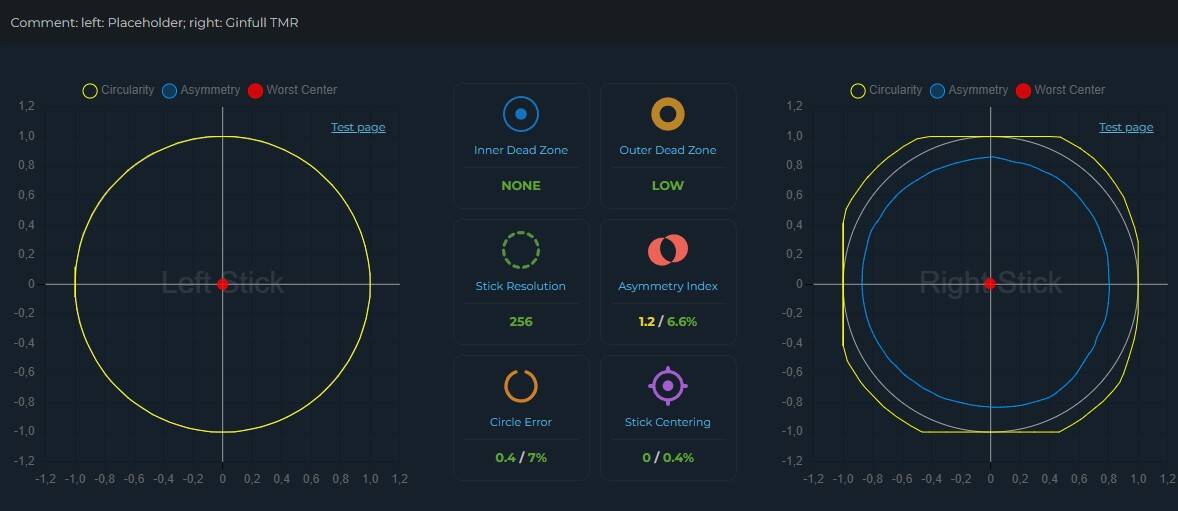
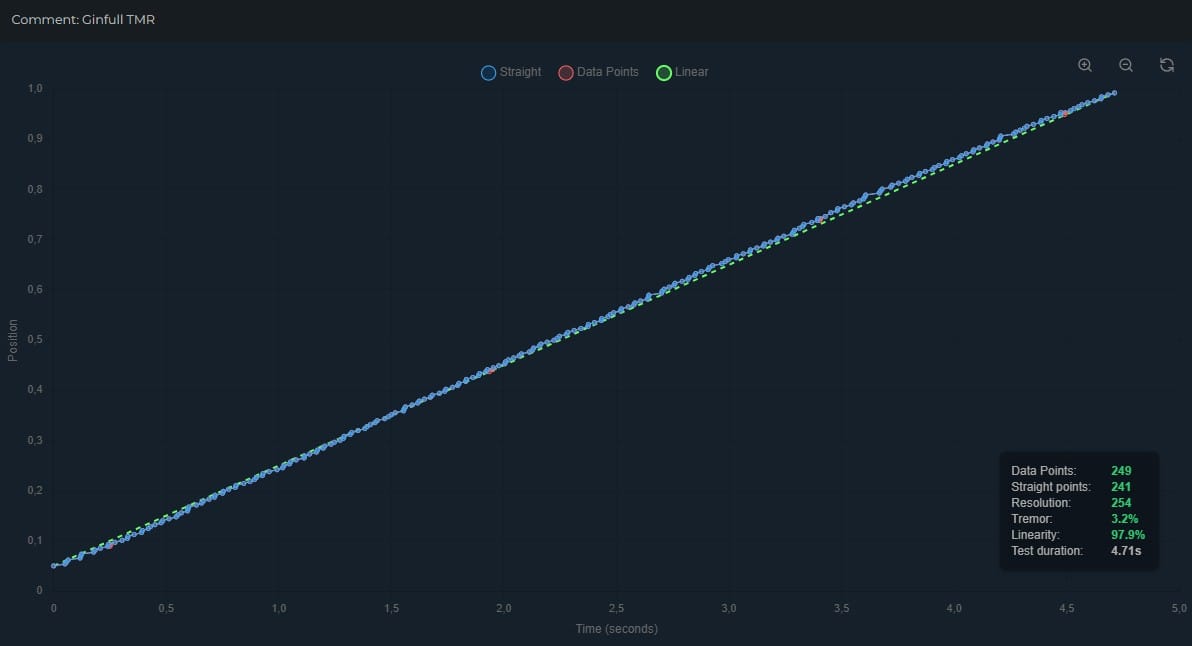
Now, all in white (or black, depending on the color version), Ginfull TMR enters. Analogue calibration may seem worse at first glance, but nothing could be further from the truth. The external dead zone is still perfectly calibrated, we have better recentering, and additionally the sensor linearity is simply perfect, around 98%.
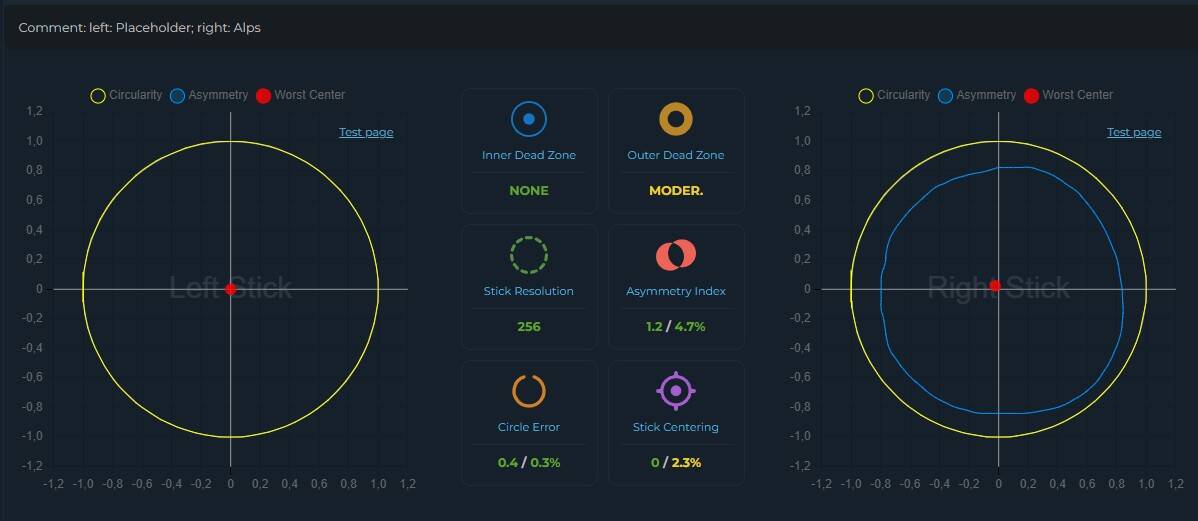
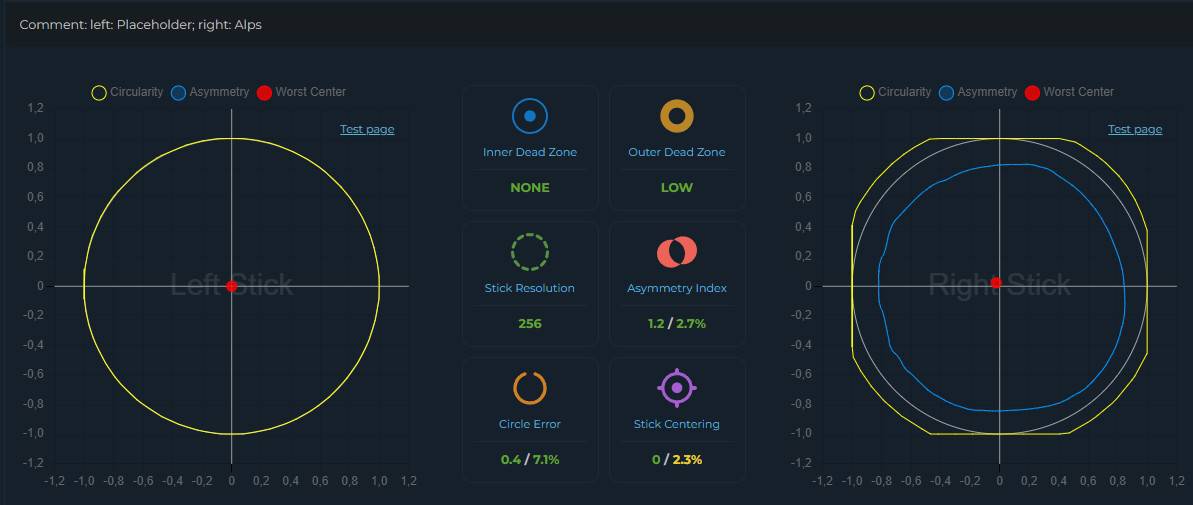
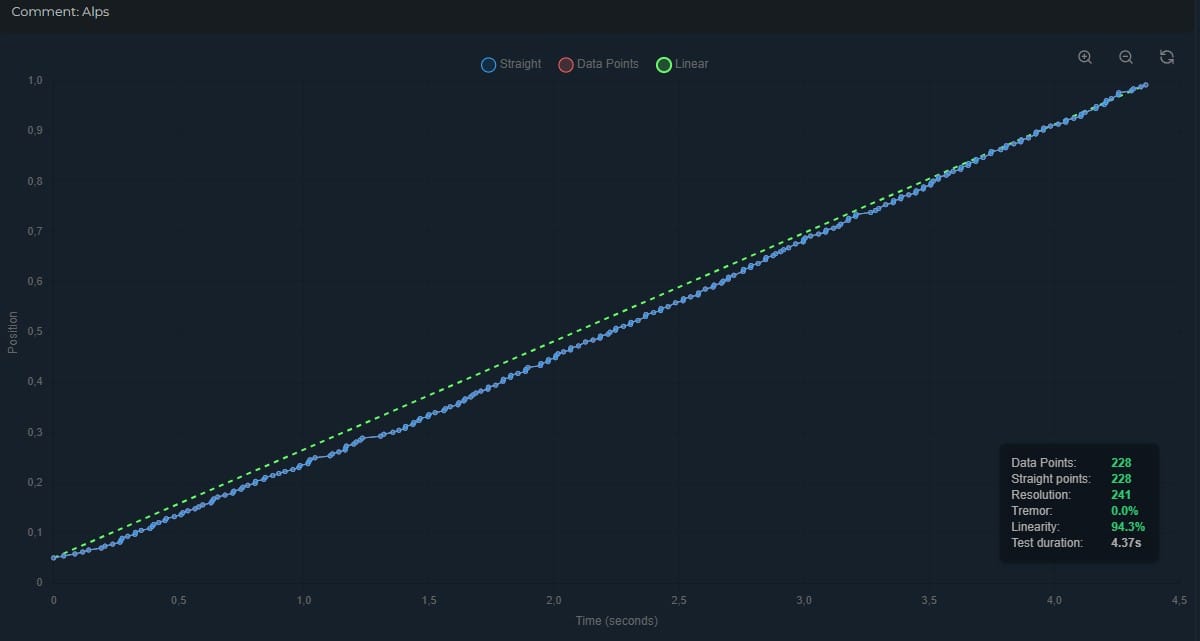
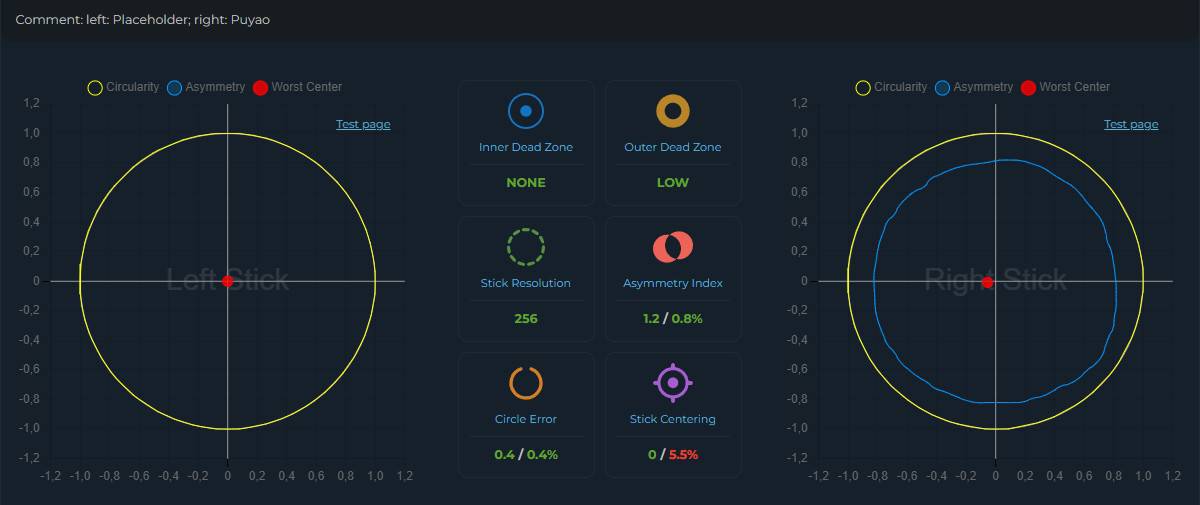
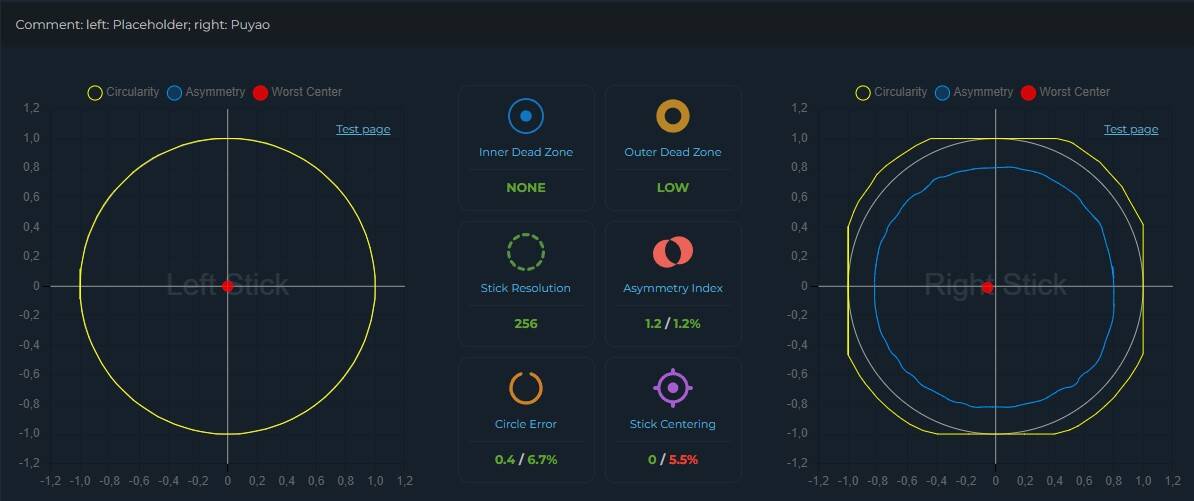
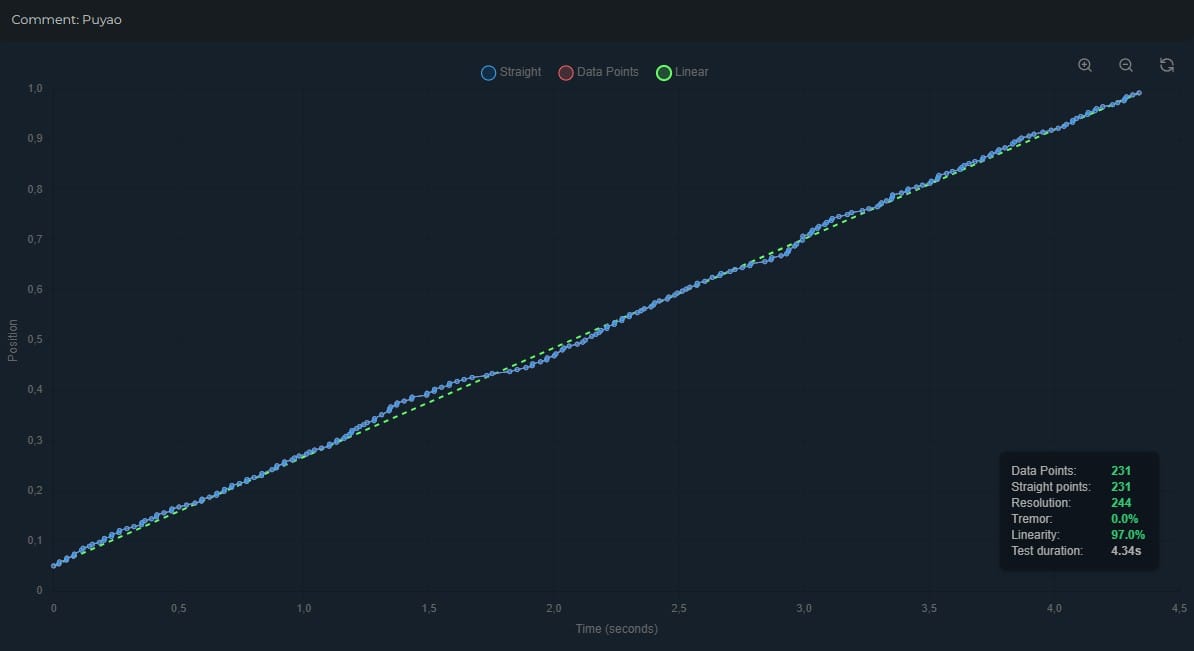
Unfortunately, as for the contactors that you can buy for the O+ Excellence, nothing special. The sensors are still quite linear and well calibrated (although the dead zones are slightly larger), as for contactors, but both the Alps and the FJR10K do not cope well with re-tuning (the latter in particular). Additionally, in the FJR10K, the curve, although more linear, is also more irregular.
It is also worth mentioning that if you look carefully, you can buy custom modules from Chinese friends, but I was not able to test this solution, so I will not comment on it.
Switches
As you can see, in the O+ Excellence you can replace the switches for ABXY. In addition to changing to membrane switches, you can also install optical switches. I will start with the latter. The travel and feel of the membranes are honestly some of the best I have had the opportunity to use. They are quite light, but at the same time they provide pleasant tactile feedback, which makes their use really comfortable.
However, when it comes to optical switches, they feel very similar to default mechanical switches, but with the difference that they have a slightly lower sound and the feel of the switch itself is slightly less dampened by the membrane above them. Additionally, it is worth remembering that opticals will give us a slightly better durability than classic mechanicals, so if this is an important issue for someone, it is worth considering them.
How about symmetrical?
One of the great advantages of modular controllers (at least most of them) is the fact that it can be reconfigured to a symmetrical layout. The same can be done with the O+ Excellence, with a small “but”. This can only be done if we buy an additional module and a faceplate. And this is where the problems begin. While the module itself goes in properly, the faceplate can be a pain. In my case, I had to “improve” it a bit with sandpaper in a few places to make everything match.
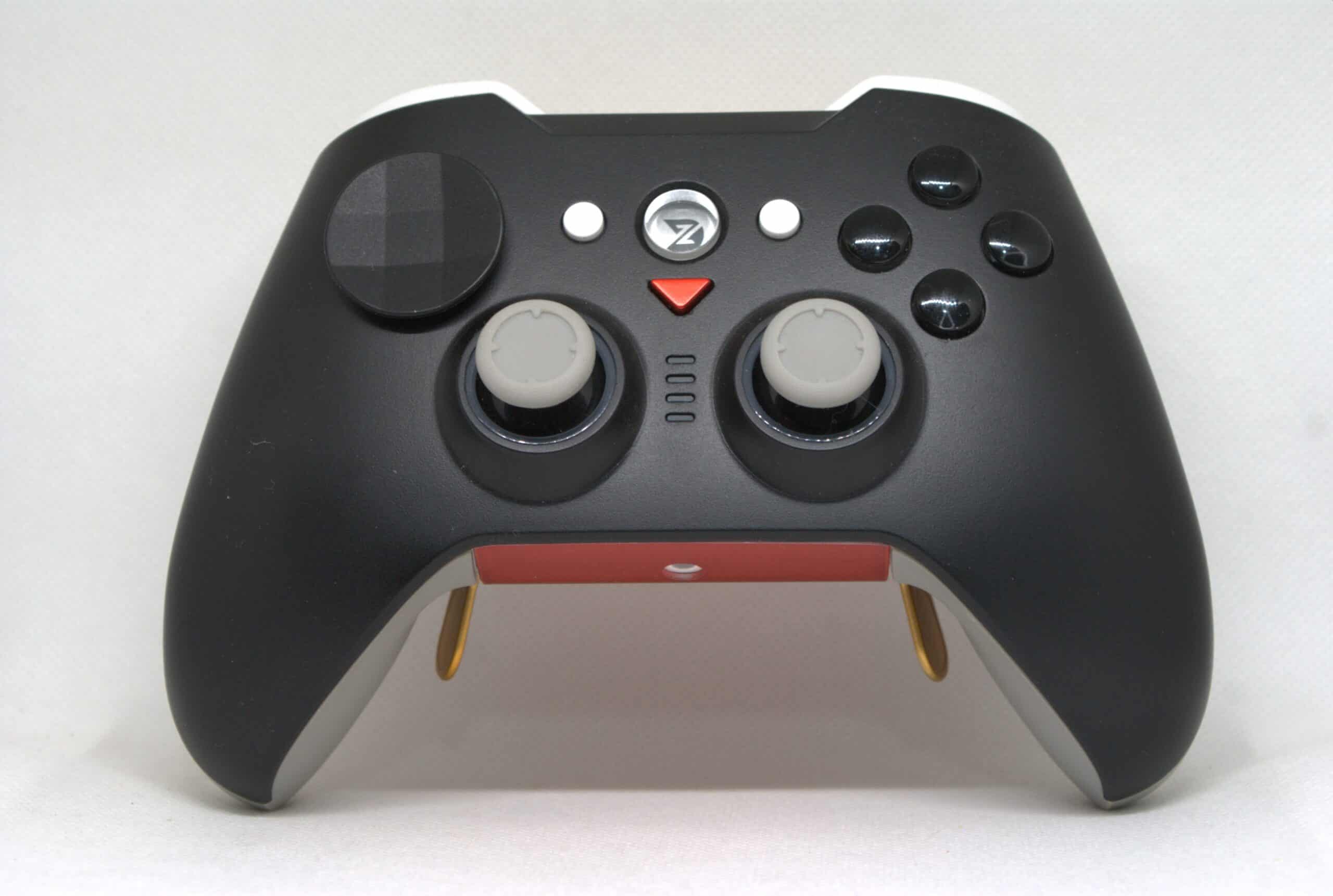
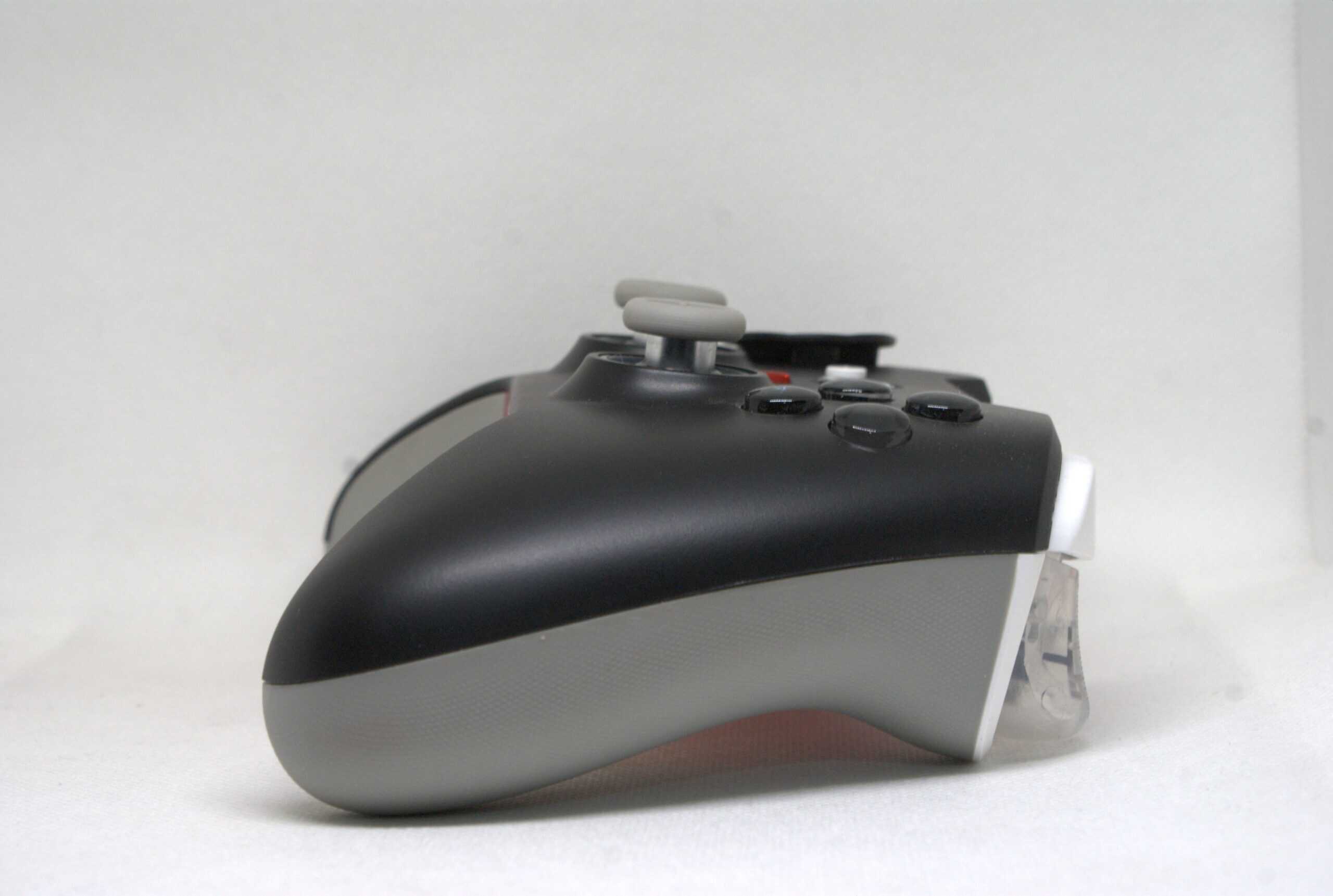
The second problem with the symmetrical layout in the case of the O+ Excellence is the D-Pad. I’m not sure if this is caused by the faceplate or not, but angled inputs on some overlays (especially the diamond-shaped one) are almost impossible to make. Another important aspect is the spacing of the analog sticks in the symmetrical layout, which in this case is small, which can sometimes cause our fingers to collide when making inputs in the opposite direction, especially if we use the higher sticks. In defense, a wider spacing would be uncomfortable with this controller shape, and despite everything, I think the ZD works perfectly as a symmetrical controller. It’s also worth mentioning quickly that changing the layout does not affect the calibration of the analog stick in any way.
Dock
I decided to devote a separate paragraph (or two) to the docking station. It’s not often that when I receive a product for testing that doesn’t have a standard dock, I have the opportunity to test it, but in this case I managed. Without beating around the bush, the dock for the O+ Excellence is… tragic, it’s a mess, a mess and a grave, the work of Satan and I don’t know what other offensive statements I can make without exaggerating. This is such a terrible design that I partly want to throw it out the window into the bushes behind the fence. What failed? Let’s start from the beginning.
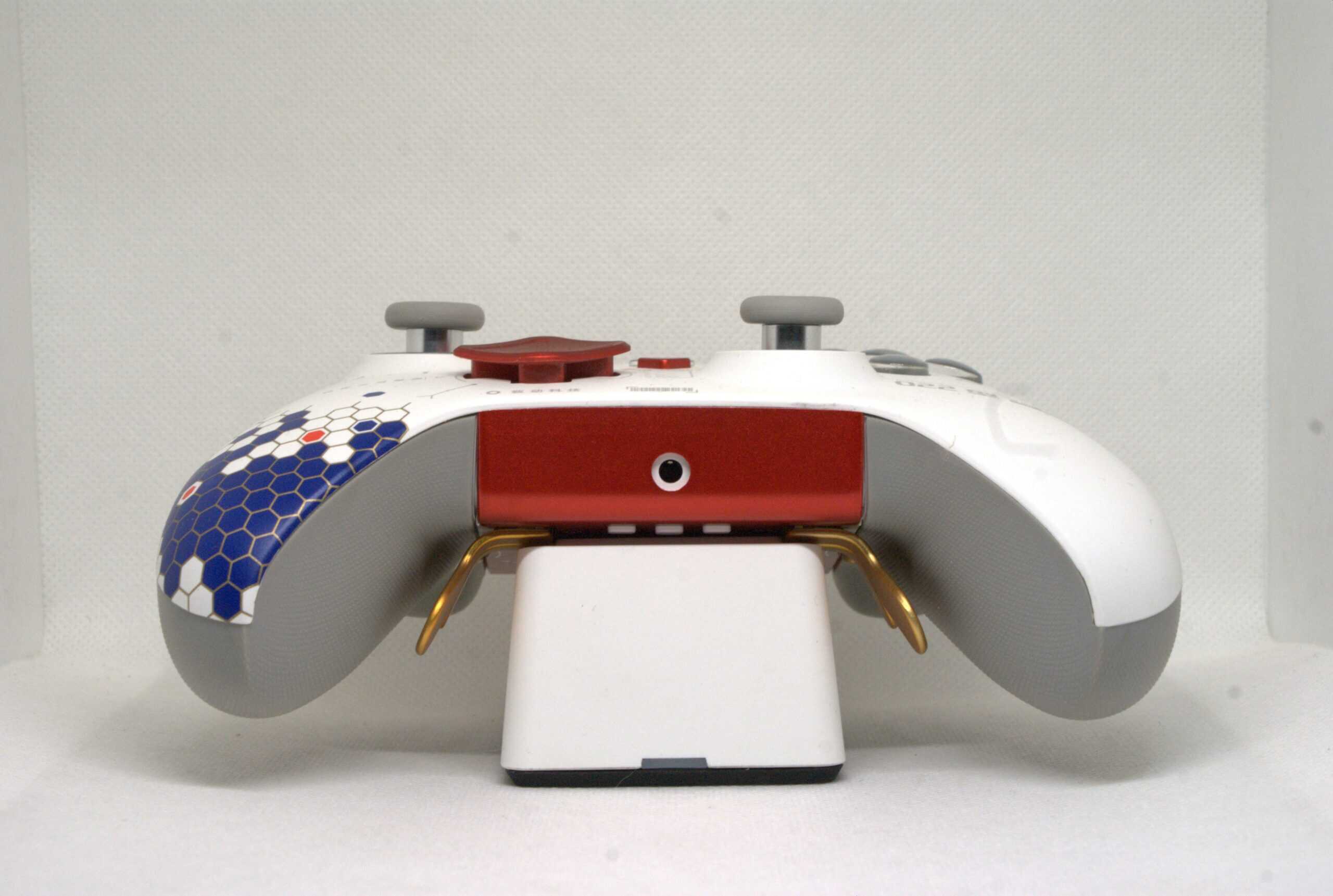
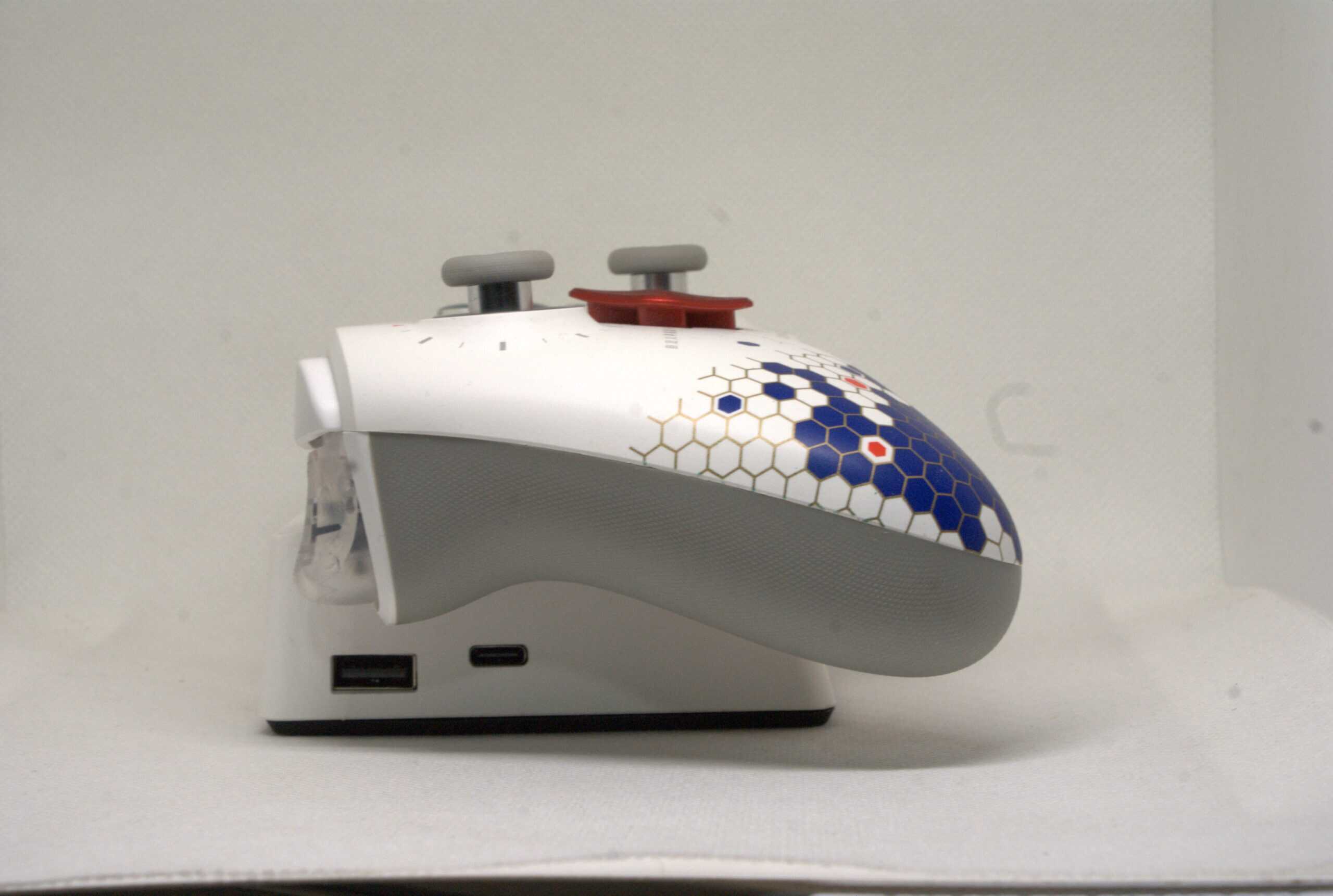
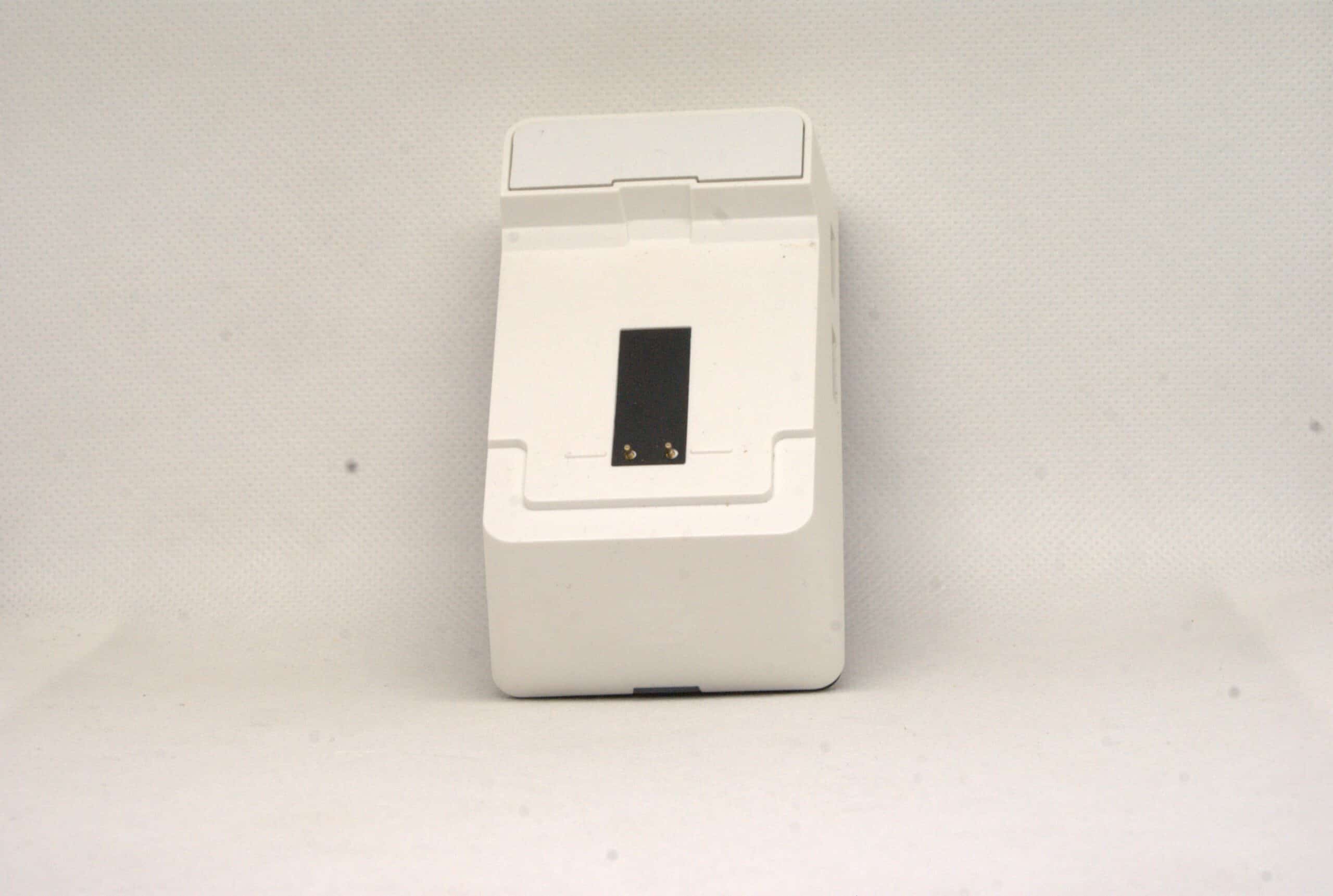
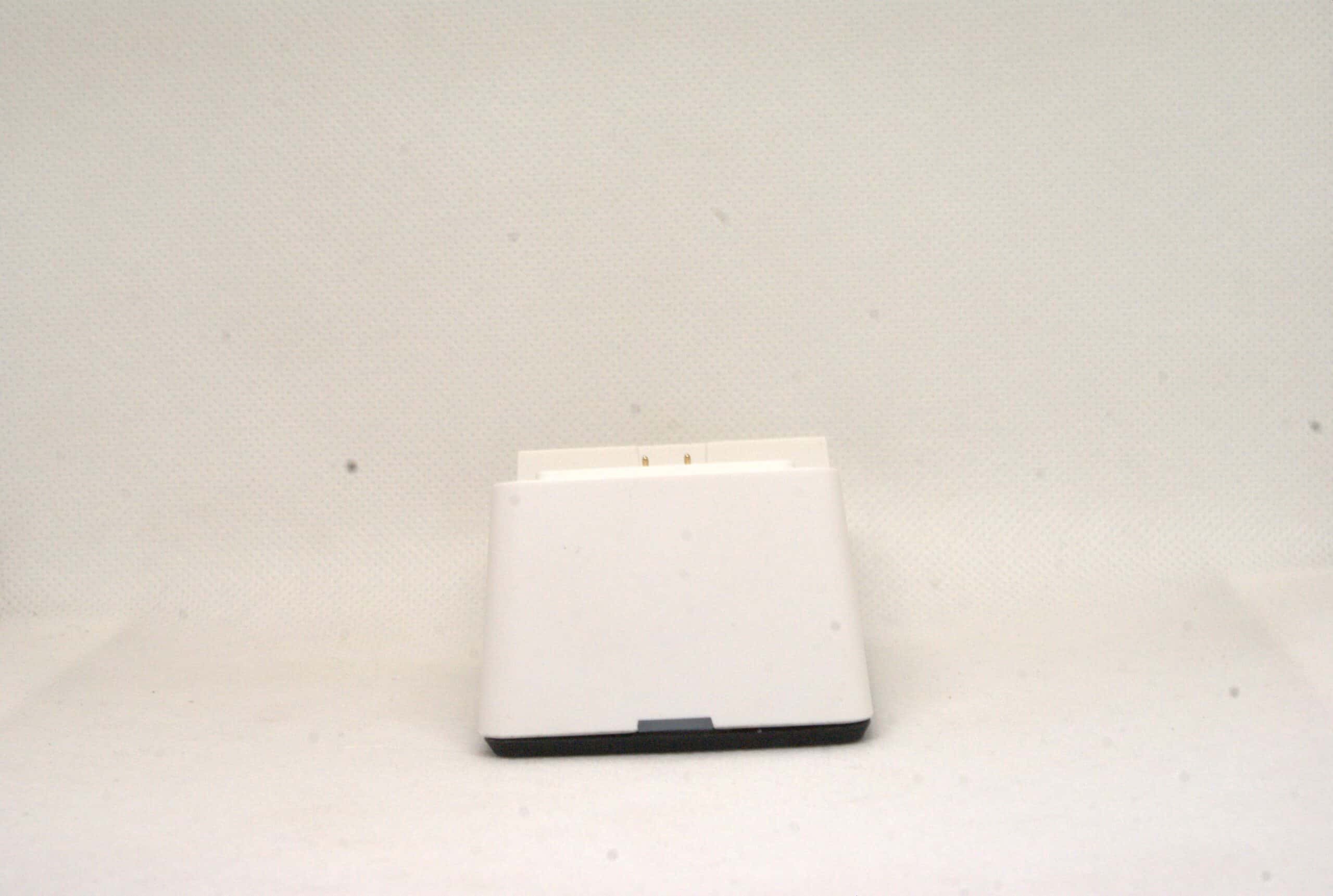
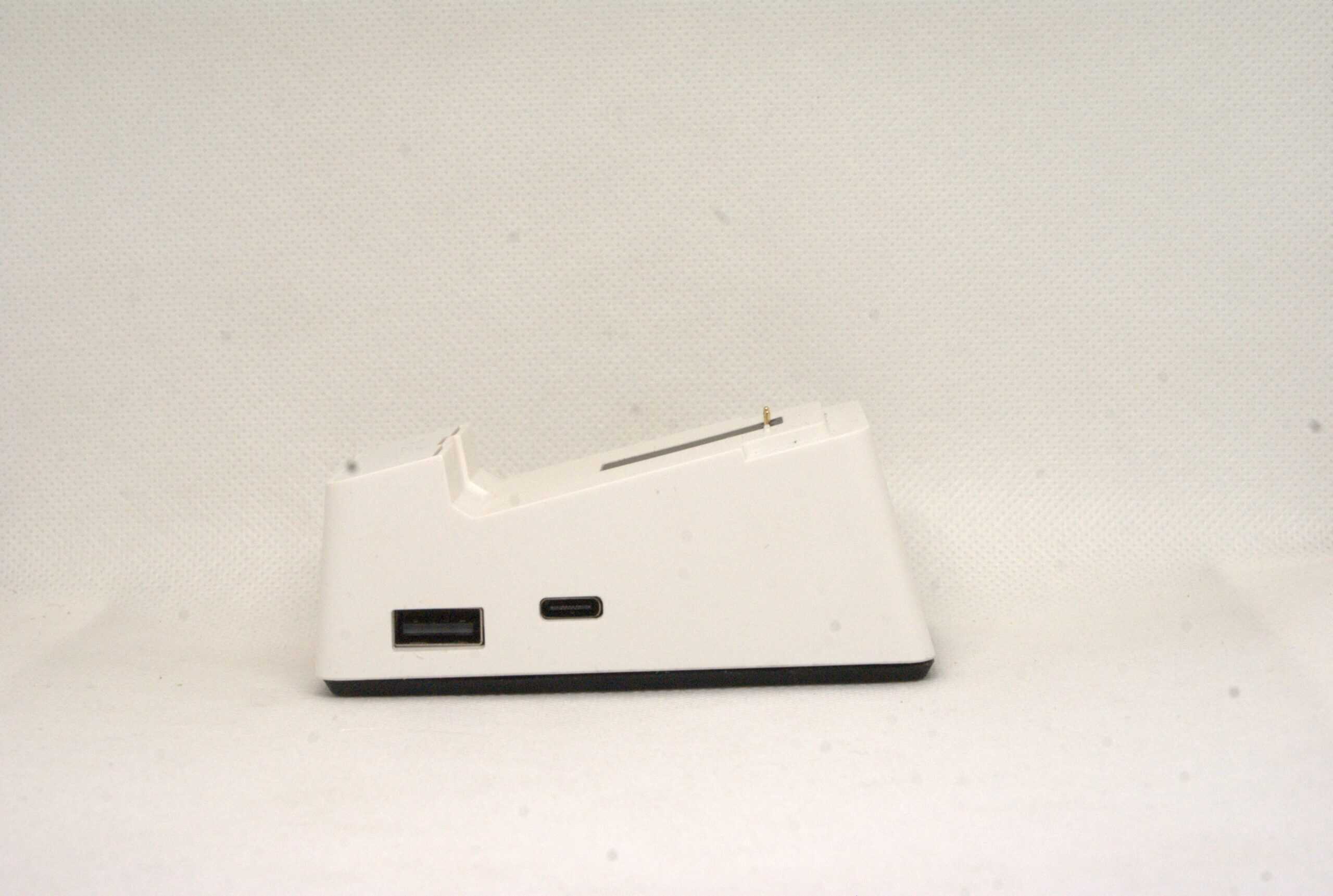
The dock for the O+ Excellence is a design very similar to what we can find in the case of, for example, the BigBig Won Rainbow 2 Pro or the PowerA OPS V3 Pro, except that in the case of both of these controllers, these docks work. Maybe I’m exaggerating a little, because the dock for the O+ Excellence supposedly fulfills its task, it is able to charge the controller, but with a small “but”. Putting a device on it is torture, it is very difficult to do it sensibly, and when you finally manage to do it, you can’t be sure if nothing has disconnected, because the controller restarts and pairs with the dongle again. And it’s not a matter of plugging the dongle into the dock, it just can’t be done and that’s it. The only thing that fixes it is unplugging the dongle from the computer. But not to say only bad things, the dock has one advantage, because it is also a USB hub with a total of 3 ports.
Summary of ZD O+ Excellence
Does this controller deserve all its hype and the fan base that defends it as the best controller on the market? Honestly, I think that’s a bit of an exaggeration. I still think that the O+ Excellence is one of the best controllers I’ve ever had in my hands, but only if we invest in additional analogues (or at least the left one, although I still think that both are unusable in terms of calibration). I also personally believe that a docking station created for this controller should not exist in this form, I would even go so far as to say that it is an unfinished product in this respect.
Despite everything, I can say with my hand on my heart that ZD O+ Excellence is a product worth recommending, with very few others at its level (although there are a few dangerous competitors coming).
The review was made possible thanks to the courtesy of the GadgetHyper store.
✅ Pros
- Very good build quality
- Almost unlimited customization
- Very decent performance in synthetic tests
- Very pleasant switches for the fingers
❌ Cons
- Symmetrical layout is average
- Dock has a terrible design
- Default analog joysticks are useless
- Modules must be purchased separately
I focus on reviewing PC controllers and sim racing accessories.


