The Pro series from 8BitDo has never really appealed to me. Its previous flagship, the Pro 2 Hall Effect, did not stand out from the competition. Apart from being a relatively cheap symmetric controller, it offered mediocre build quality, outdated technology, and only average features. That said, it was still a solid budget option in its category. Now 8BitDo has released its successor, the 8BitDo Pro 3 Bluetooth, and this is the model I am reviewing today.
8BitDo Pro 3 Packaging
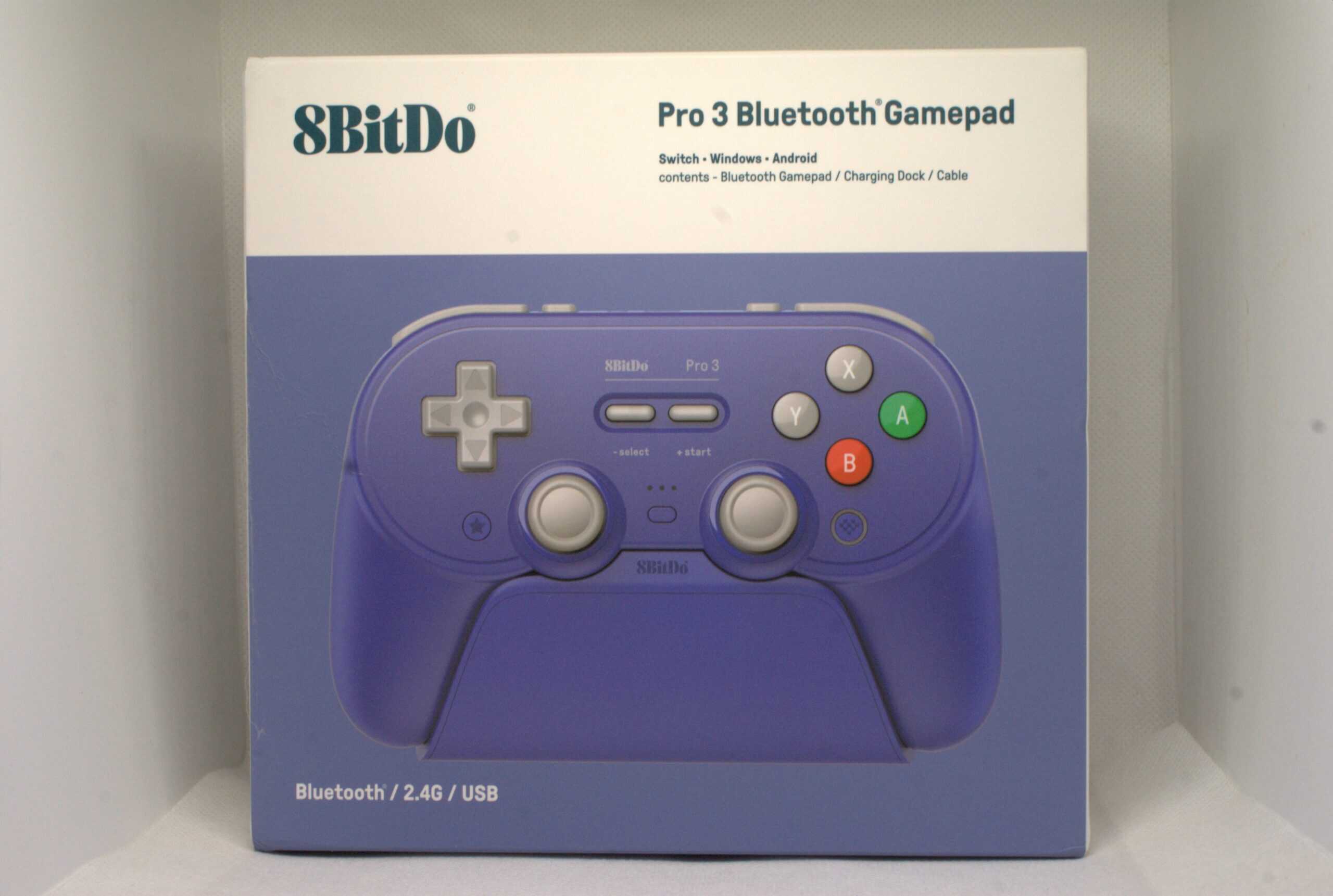
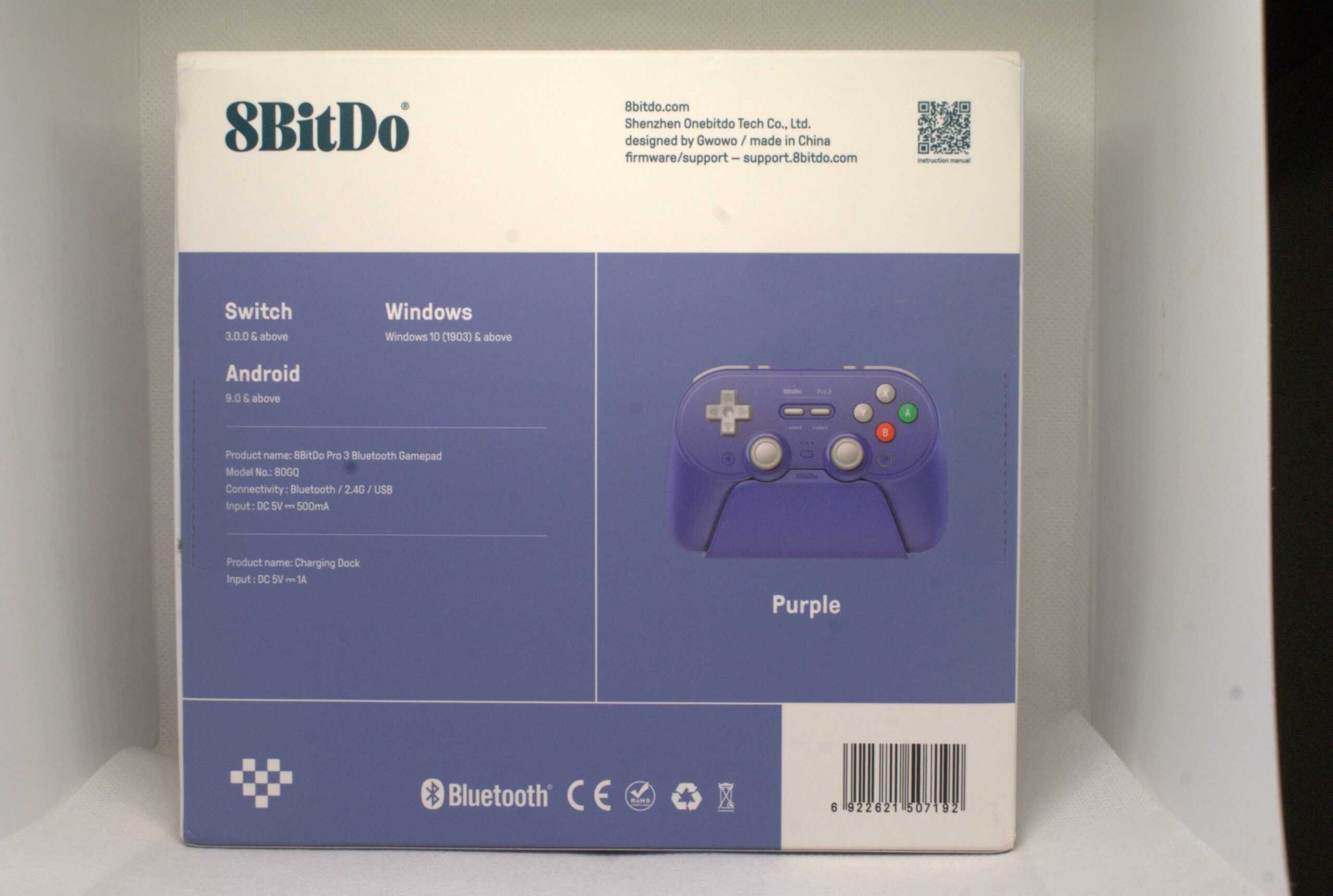
The 8BitDo Pro 3, like most 8BitDo controllers (and many other controllers), arrives in a box – I don’t think anyone expected that. But seriously, the Pro 3 arrives in fairly standard packaging, one might say – like every 8BitDo product. On the front of the packaging, we have a print of the controller against a background very similar to the color of the pad itself. On the back, we have a few prints with specifications. Inside you’ll find a controller, a docking station, and in an additional box, additional analog sticks and a USB-C cable.
8BitDo Pro 3 Specifications
- Layout: Symmetrical
- Compatibility: PC, Mobile, Nintendo Switch
- Connectivity: Wired, 2.4 GHz, Bluetooth
- Analogs: TMR (HallPi)
- Triggers: Hall Effect with trigger lock
- Main Switches: Membrane for ABXY, dome for D-Pad
- Secondary Switches: 2 on the back + 2 on the top
- Gyroscope: Present (Switch and Steam mode)
- Vibration Motors: Two, asymmetrical
- Battery: 1000 mAh
- Available Colors: Gray, Classic Gray, NGC Violet
- Docking Station: Included
- Price: Approximately $60
Specifications are based on the manufacturer’s website and our own observations.
First Impressions and Observations
I’ll start with the dock, as I already discussed the dongle in my review of the Ultimate 2 Wireless – it looks identical physically and has the same pros and cons. The dock included with the Pro 3 is also very similar to the one in the Ultimate 2. And since it’s very similar, like in the Ultimate, the controller isn’t held magnetically, but rests loosely on it. At the bottom of the front, like in the Ultimate, there’s an LED strip indicating charging. The USB-C port is also in the same place – in the concave part of the dock, and under the flap at the bottom, in addition to the dongle slot, there are a few additional accessories, which I’ll discuss in more detail in a moment.
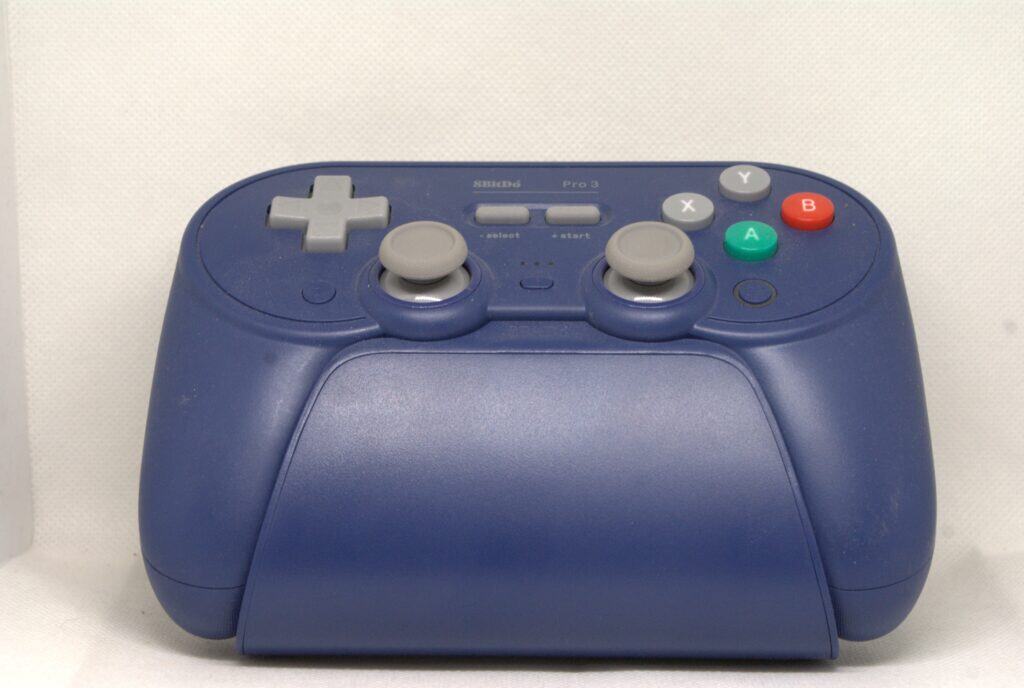
Moving on to the highlight (let’s hope it doesn’t end up in the coffin), the Pro 3’s shape is essentially identical to its predecessor and the Ultimate 2. Admittedly, the symmetrical layout and flat front (reminiscent of the Super Famicom controller) make them impossible to compare directly. While I found the Ultimate 2 (and probably always will) terribly uncomfortable, the Pro 3… I found it incredibly comfortable to use and consider it one of the most comfortable controllers I’ve held in my hands recently. Many people will probably disagree, but let’s remember that this is entirely subjective. However, today’s test device was the most comfortable to use of all the symmetrical controllers I own.
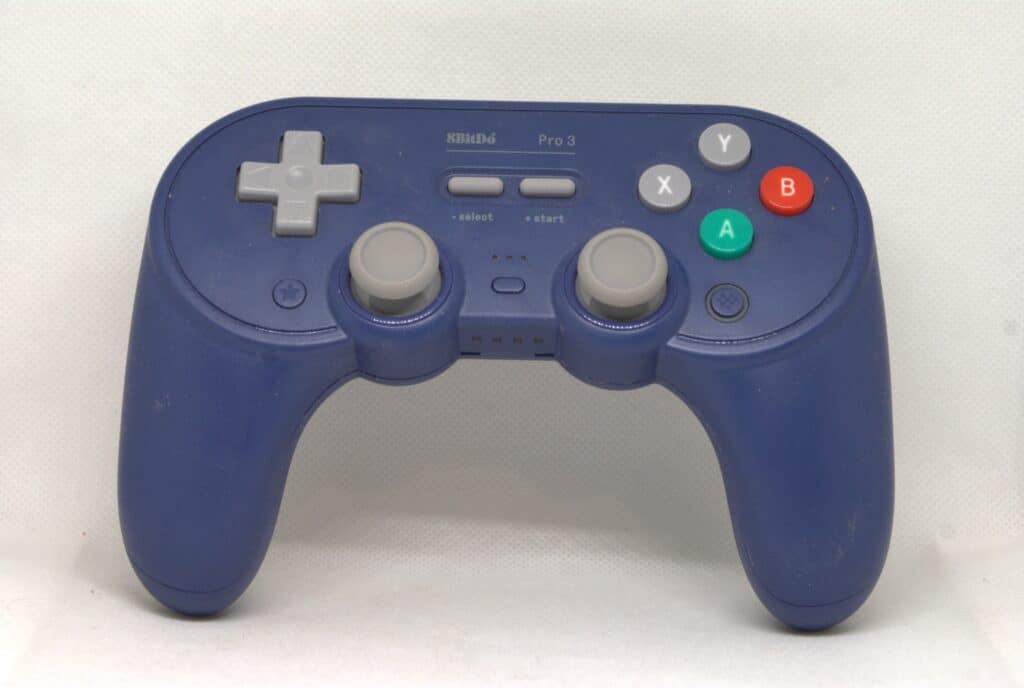
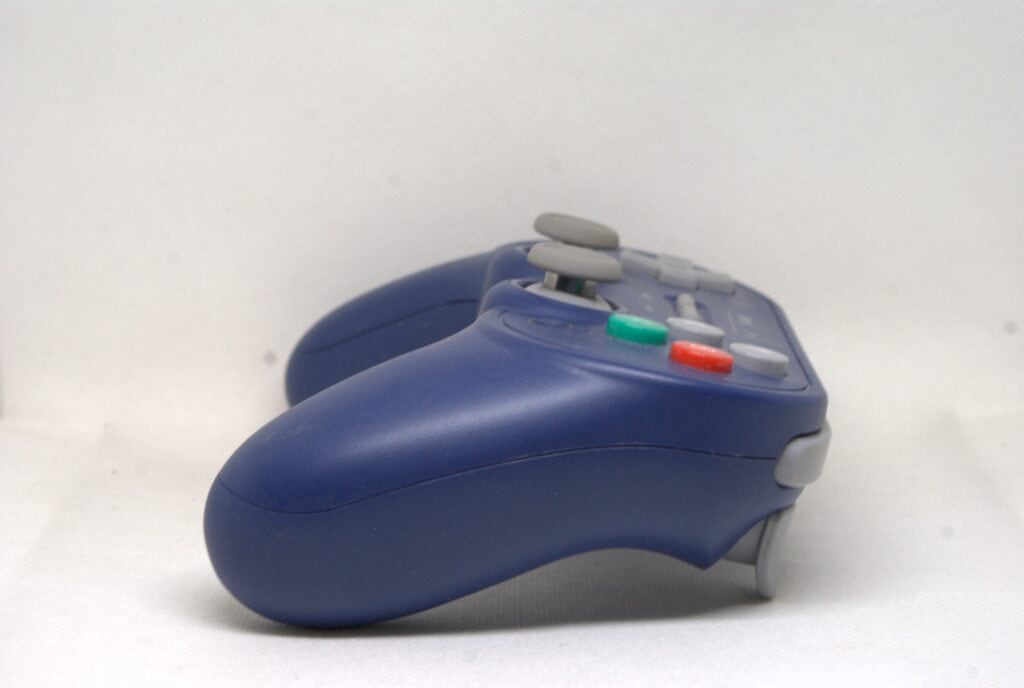
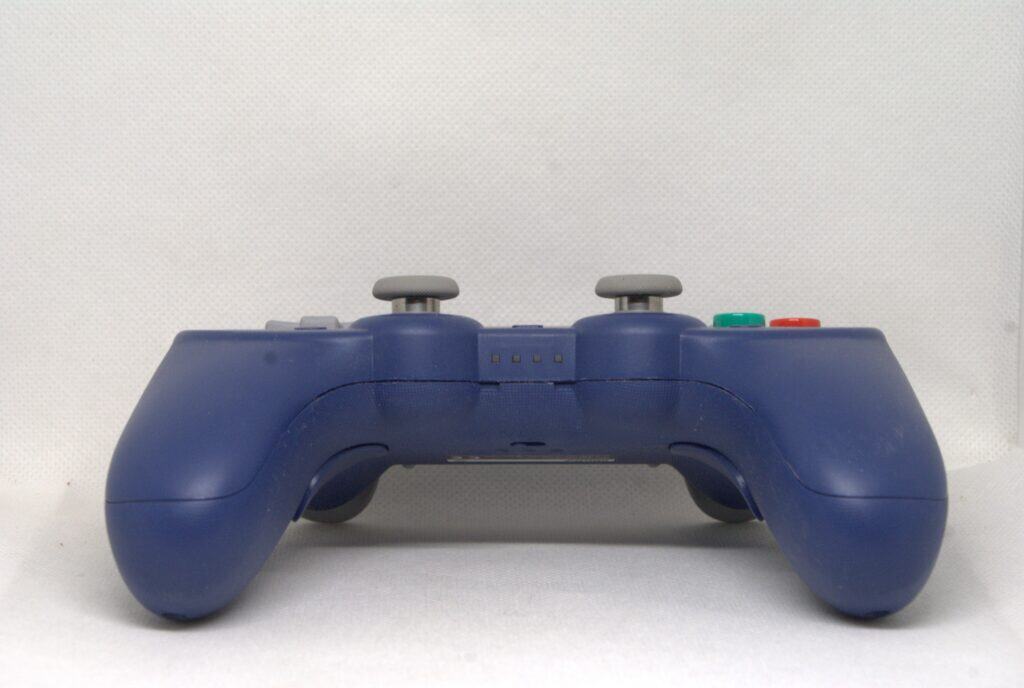
Briefly speaking, the build quality is very good, and the plastic quality is very pleasant. The grips are textured, so there’s no risk of discomfort from the rubber. They don’t rub your hand like a cheese grater (yes, I’m looking at you, Ultimate 2.4G), but they also don’t make the controller feel worse in your hands.
Joysticks
Moving on to the analog sticks, we have the well-known and quite popular HallPi platform with TMR sensors soldered directly onto the PCB (SMD). As for smoothness – honestly, as befits HallPi, it’s very good; they’re pleasantly tactile under the finger, but not to the point where their roughness causes discomfort. The analog sticks are equipped with anti-friction rings and POM rings, which – let’s be honest – is slowly becoming the industry standard.
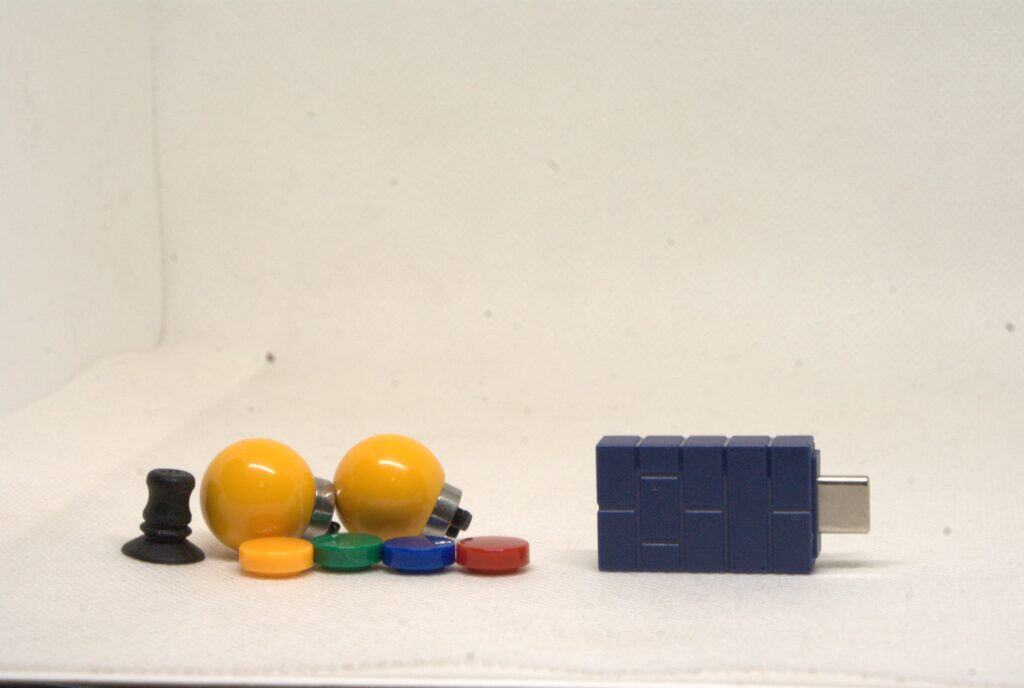
The analog stick tops themselves are nicely rubberized; they’re not the softest, but they don’t slip out of place under your finger. I don’t know if it’s a joke or not, but 8BitDo included tops with the Pro 3 that (if I understand correctly) are meant to imitate an arcade controller. These are made entirely of plastic and are slightly taller. I’m a bit lost on their purpose due to their lack of comfort, but I respect the manufacturer for having the courage to add such touches.
ABXY buttons
Another aspect is the face buttons. The ABXY face buttons are one of the most bizarre designs I’ve seen so far. But let’s start from the beginning: they use membrane switches, new ones I’ve never seen before. They feel quite pleasant (but loud), offer nicely tactile feedback, and their firmness is pleasantly light. Structurally, as far as I know, the Pro 3 uses the same membranes as the Ultimate 2C, 2, Pro 2, and other controllers from this manufacturer, so I wouldn’t expect a different experience here. The build is solid.
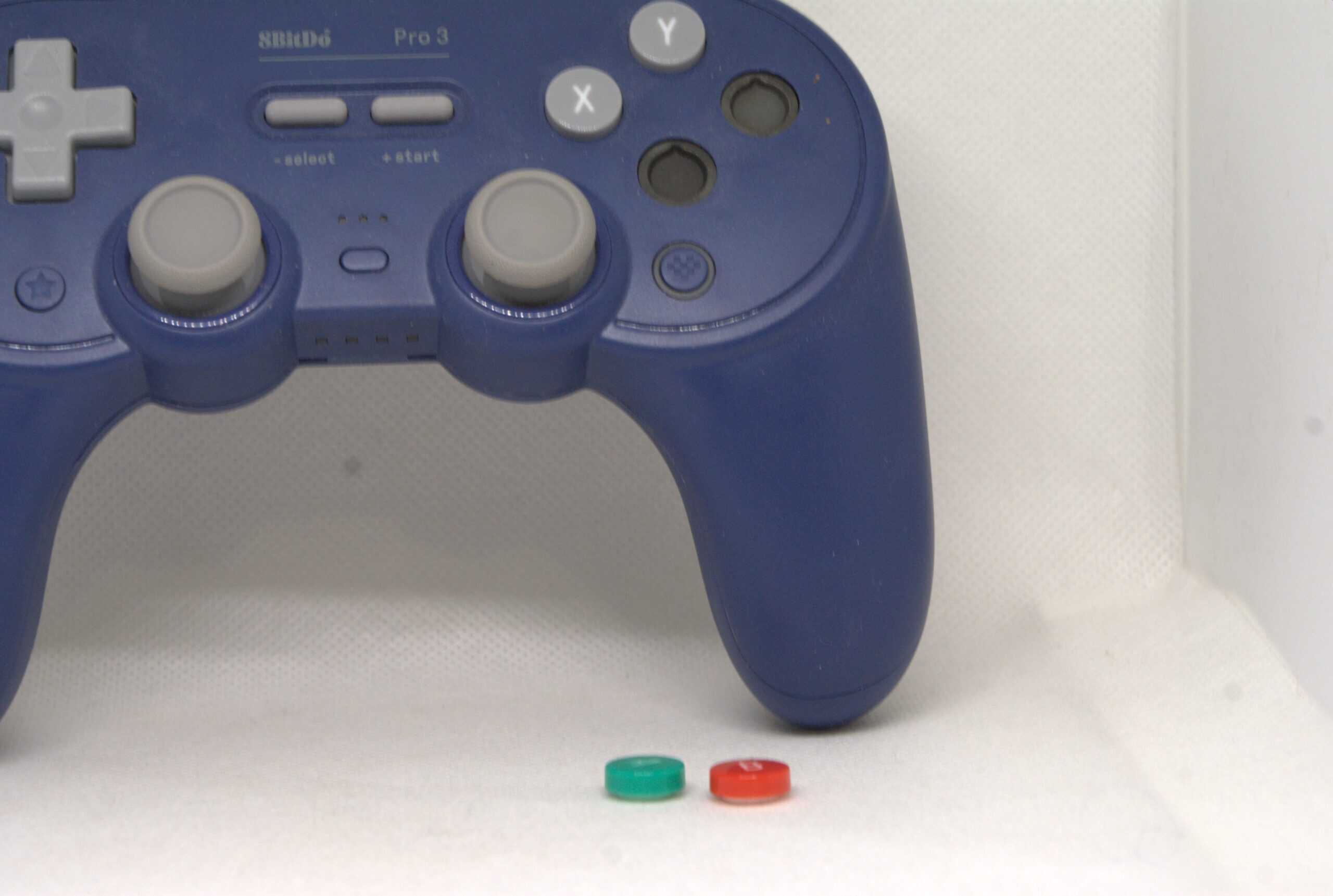
But the fun begins when we take a look at the bottom of the dock. Wait, a dock? Yes, because in the flap at the bottom of the dock, we find a large magnet, to which a strange device (whatever it’s called) is attached, along with four colored switches without emblems (another nod to the Super Famicom). By taking this device in our hands (or rather, between our fingers) and pressing it against a switch, we can remove it, as the switches are magnetically mounted. This means that not only can we change the layout of the Nintendo Switch buttons on the Xbox controller, but we can also create our own layouts using switches with and without emblems. The only thing I miss is additional gray and colored switches with emblems, but I still think the idea is very cool.
D-Pad
The D-Pad in the Pro 3 is once again the same design as in the Ultimate 2C and Ultimate 2 – a Super Famicom-style cross-shaped design based on dome switches with a rather pleasant, lightweight membrane. The design, similar to the models mentioned above, is very responsive, and the angle inputs are easy to implement and stable. In short, it’s very good. Unfortunately (or fortunately), we didn’t get the option of additional customization.
Triggers and bumpers
At the top, we find two triggers and two bumpers. Starting with the triggers, it’s based on Hall Effect sensors, which is almost an industry standard. The design itself, I’d say, is wider than tall. The attack angles aren’t the worst – it’s true that when fully depressed, they could be slightly lower, but they’re fully usable. The spring tuning is also very pleasant in my opinion – the travel isn’t too light, not too heavy, and very linear. We also have a trigger lock based on a microswitch. The pre-travel is pleasantly low, and the microswitch’s tactility isn’t hampered by the light spring. I’d even say I enjoyed using the Pro 3 with the trigger lock engaged rather than without.
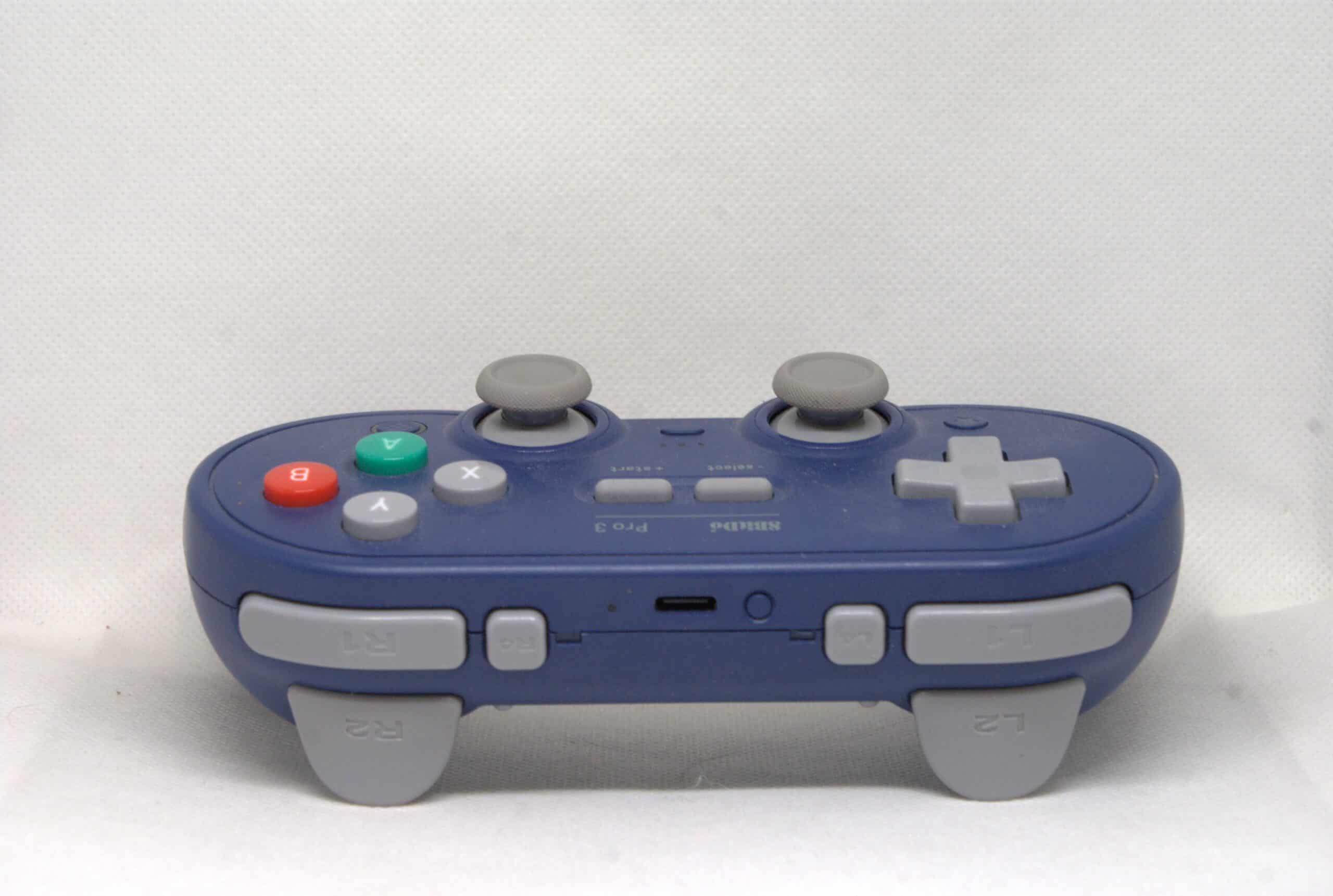
The next thing to mention is the bumpers. These are a… membrane design. And what’s more, I can say I fell in love with their feel. Yes, you read that correctly – I, a near-hater of membrane bumpers, believe the Pro 3’s design is superior to most microswitch-based designs. This is largely due to the slight angle of the membrane near the arc. This results in a slightly more perpendicular force being applied, with a slightly greater travel, which, paradoxically, is an advantage in this case. Moving on to the two remapable switches, they are quite small, positioned in line with the bumpers. However, the difference is that they are based on microswitches, without any real noticeable damper. Overall, there’s no point in dwelling on them – they’re simply great.
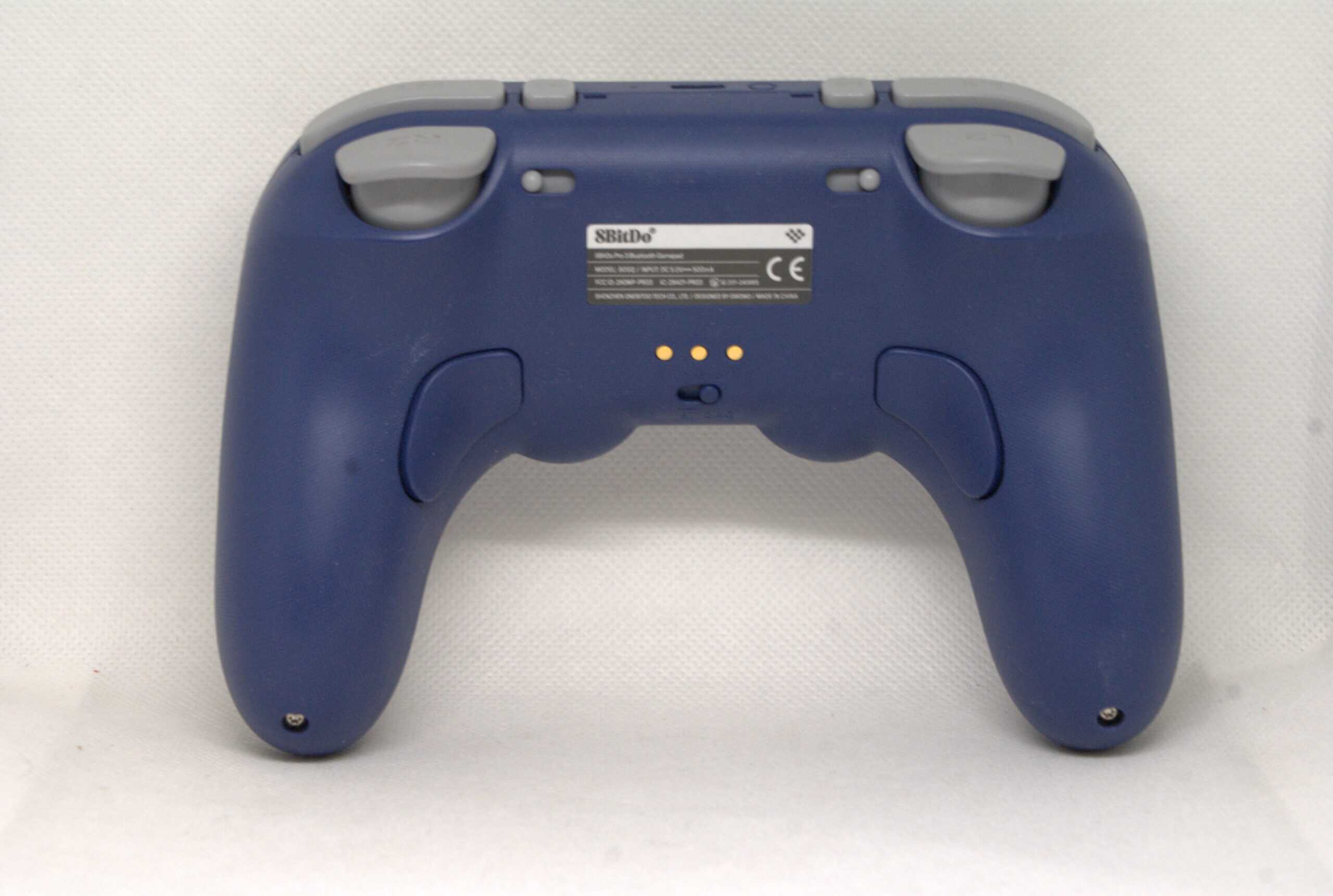
Moving on to the back, we have the mode switch and two additional paddles. Frankly, I don’t see the point in discussing them, as it’s an identical design to the Ultimate 2. At the bottom, aside from the LEDs for the Nintendo console, there’s nothing interesting.
Latency and calibration
Regarding synthetic tests, the Pro 3 performs decently, but not exceptionally well. Both the 6ms wired and 9ms dongle averages aren’t exceptional these days, but in my opinion, they’re perfectly adequate. The only drawback is that we only get a 250Hz polling rate. I understand that this isn’t a controller designed for esports, but we could still try to achieve better performance in this regard in 2025. Bluetooth performance in Switch mode is a pleasant surprise, offering around 11-12ms of latency.
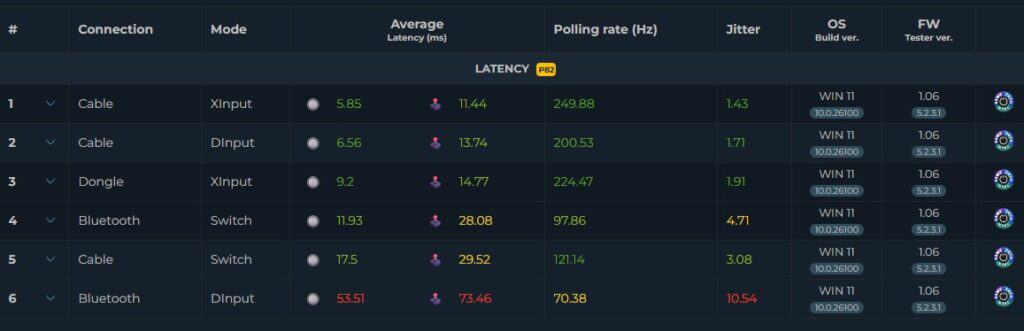
Regarding analog latency, wired is around 9ms, and at 2.4GHz, latency increases to around 15ms. These results are rather average, but fully usable. I’m more concerned about the regression in Switch mode over Bluetooth, as the increase is around 30ms, which isn’t quite as pleasant.
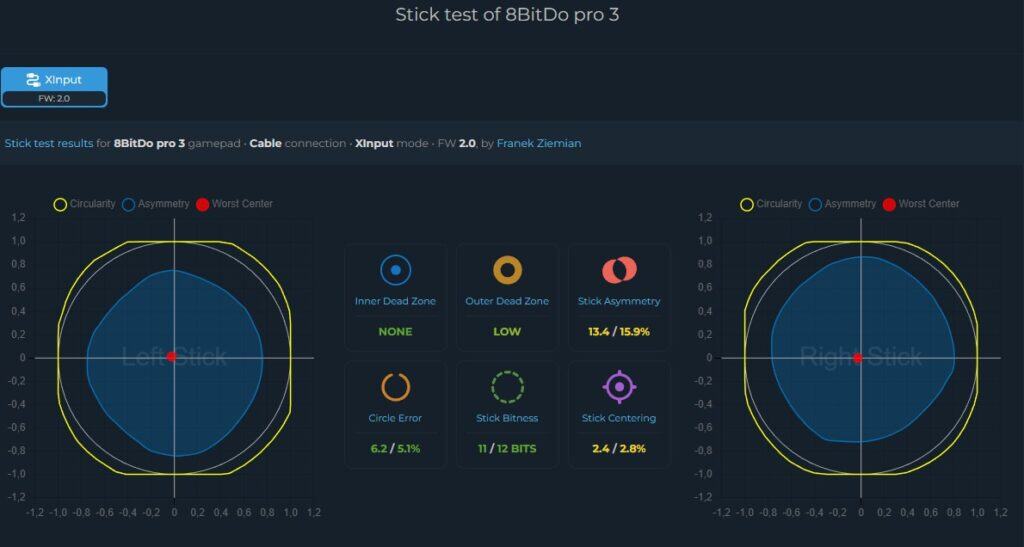
Regarding the analog calibration, I have no major complaints – the internal dead zone can be completely removed, and the external dead zone is small enough to be negligible. Asymmetry is also excellent. Realignment (which, however, is a gamble) is very good and shouldn’t be noticeable. The ADC resolution is within the limits of a 12-bit ADC. Unfortunately, I wasn’t able to conduct linearity tests with the Pro 3 due to deadlines and methodology issues.
Battery life is about 12 hours, which is fairly standard.
Software: Ultimate V2
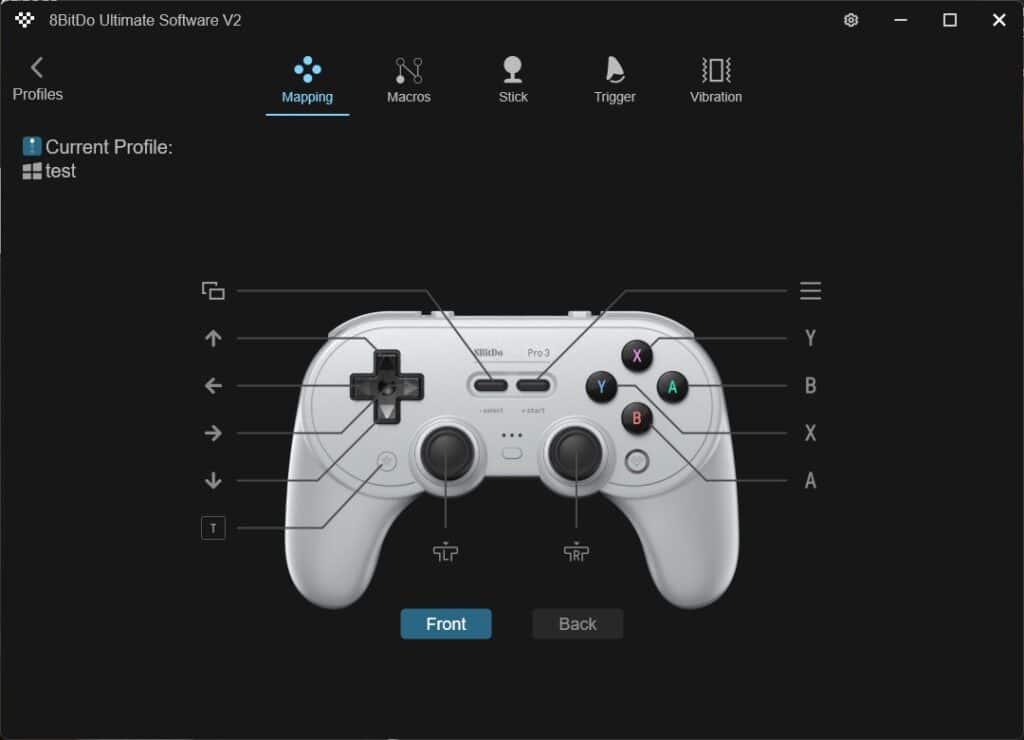
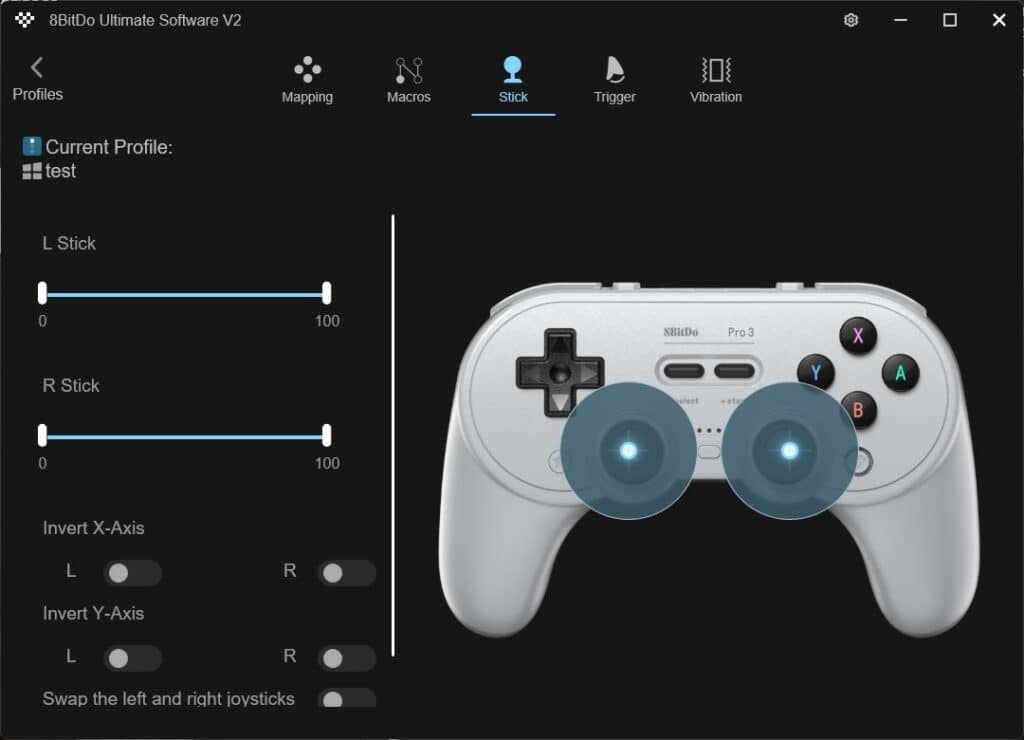
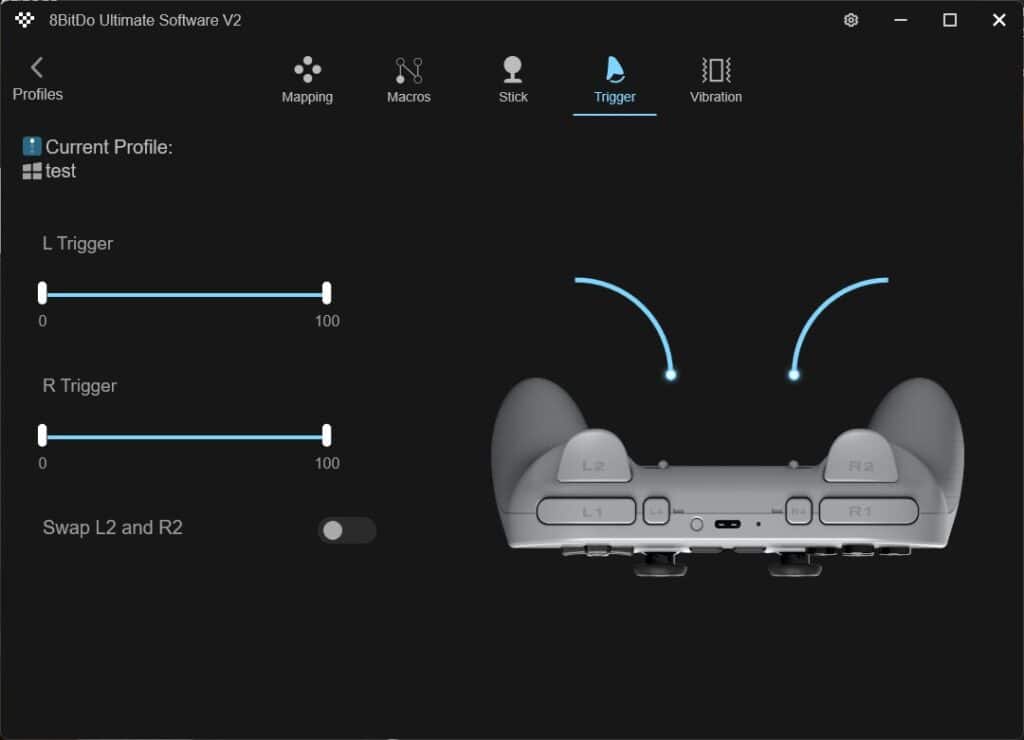
The Pro 3 runs, like other modern 8BitDo models, on the Ultimate V2 software. However, while I wasn’t particularly impressed with the Ultimate 2 software, in this case it seems to have received a light reskin and is now fully usable, though it’s far from ideal.
8BitDo Pro 3 Summary
Summary of the Pro 3 in one sentence would be a real struggle. Unfortunately, most people have a somewhat love-hate relationship with this manufacturer. I don’t want to take anything away from them, of course, because they make great, but unironically boring products. However, whatever else I say, the Pro 3 breaks that streak somewhat, and I honestly see no reason not to recommend it. Its design is outstanding, and the performance is absolutely spot-on. It may not be for everyone, but it will definitely find a wide audience.

- Very decent build quality
- All switches are well-tuned
- Quite decent performance
- Quite a wide range of features
- Software (despite improvements, it’s still not as good)
- There’s no equivalent to the Ultimate 2 Wireless
Review was possible thanks to Aknes store.
I focus on reviewing PC controllers and sim racing accessories.