
Today I have a new mouse on my review table – it’s the ATK Phantom, the brand’s latest flagship gaming mouse. It combines cutting-edge hardware with a lightweight carbon fiber shell, making it a very promising package on paper. Of course, impressive specs and materials do not automatically make a great mouse, so let’s take a closer look at how well it all comes together and whether the Phantom delivers on its promise.
Unboxing: What’s Inside?
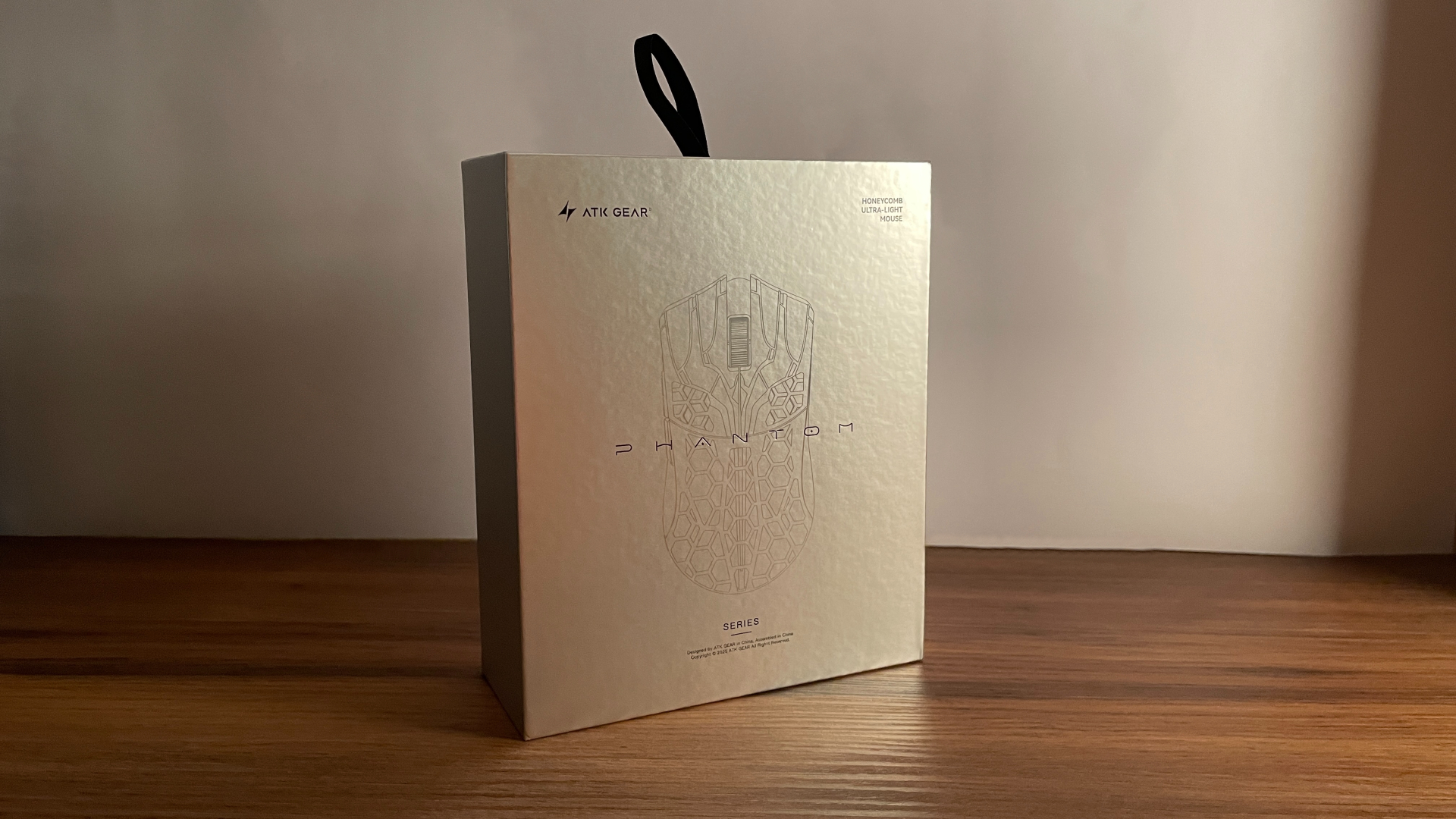
The ATK Phantom comes in a nicely designed cardboard box with a well-organized interior. The mouse sits front and center when you lift the lid, with the 2.4 GHz dongle placed right beside it.
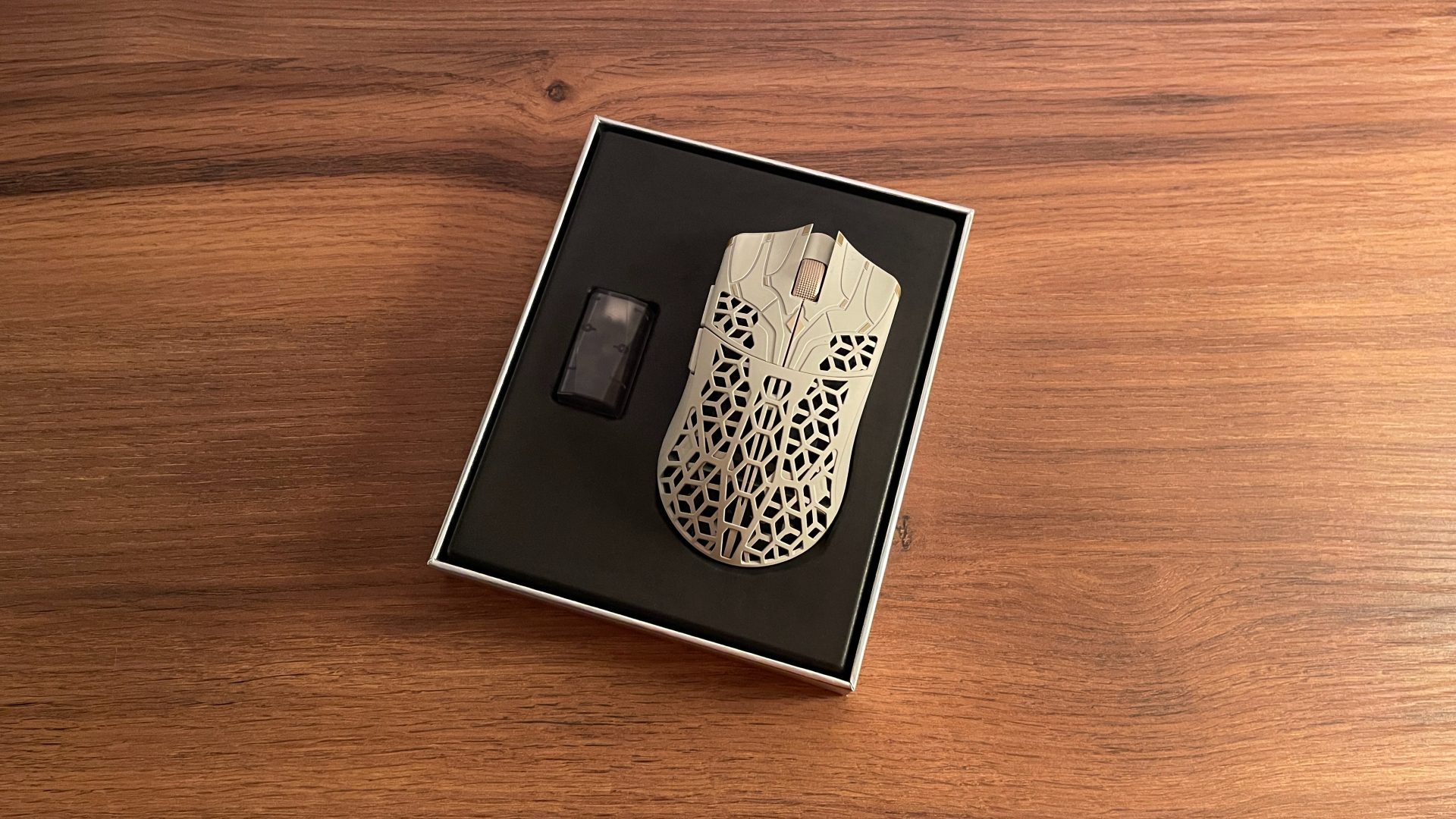
A separate compartment underneath holds the rest of the accessories. I have no idea whether the box is actually scented or whether my nose was playing tricks on me, but I could swear it had a grapefruit scent.
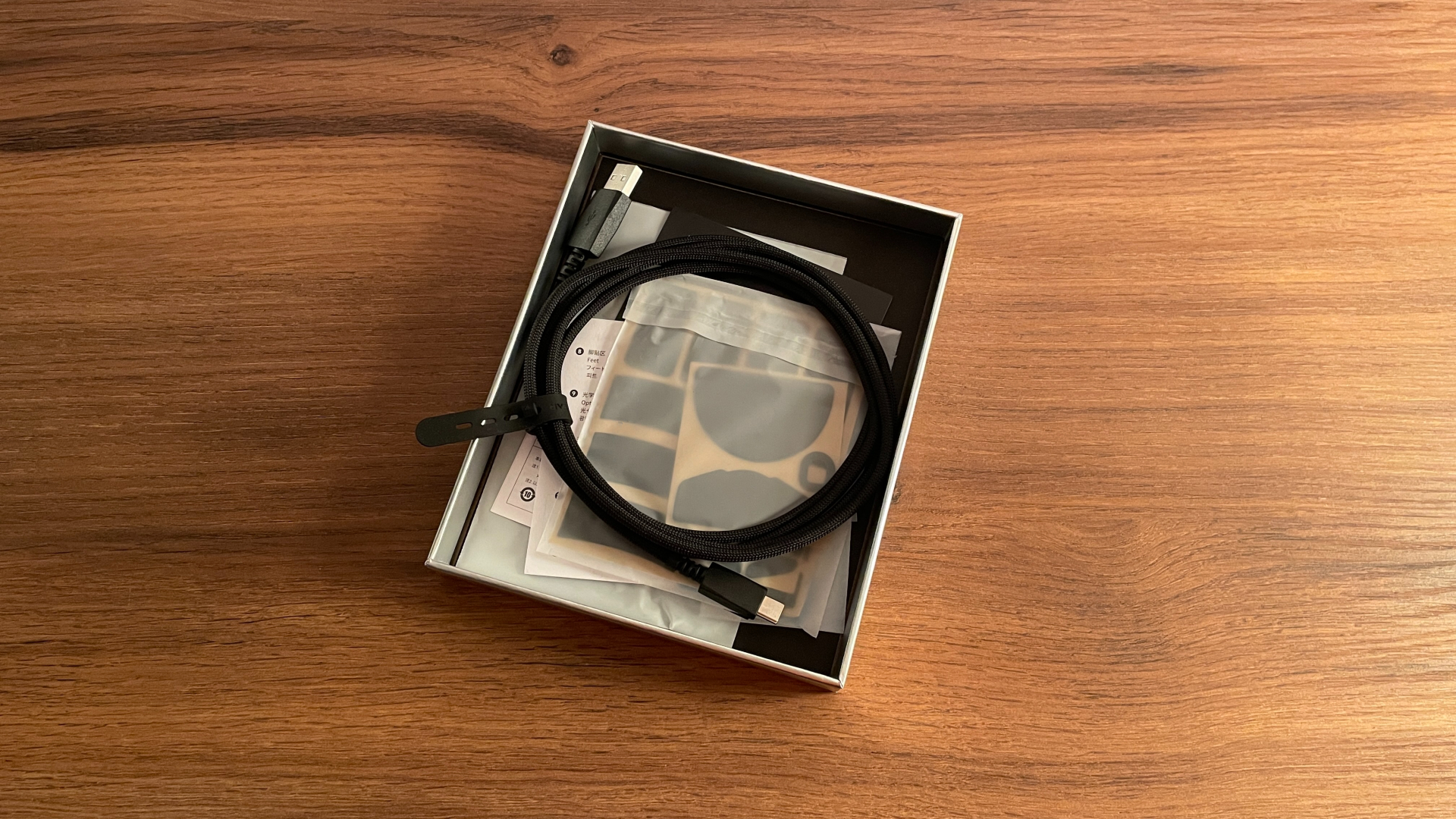
In total, the box contains:
- ATK Phantom Mouse
- Gem 8K Wireless Dongle
- Nano 8K Wireless Dongle
- Braided USB-C to USB-A Cable
- Grip Tape Set
- Spare Set of Large UHMWPE Skates
- Spare Set of Small UHMWPE Skates
- 20 Additional Dot Skates (Small Size)
- Quick Start Guide
- Safety Information Card
- Warranty Certificate
Overall, I am very happy with the accessory bundle. It is more generous than what normally comes with a gaming mouse.
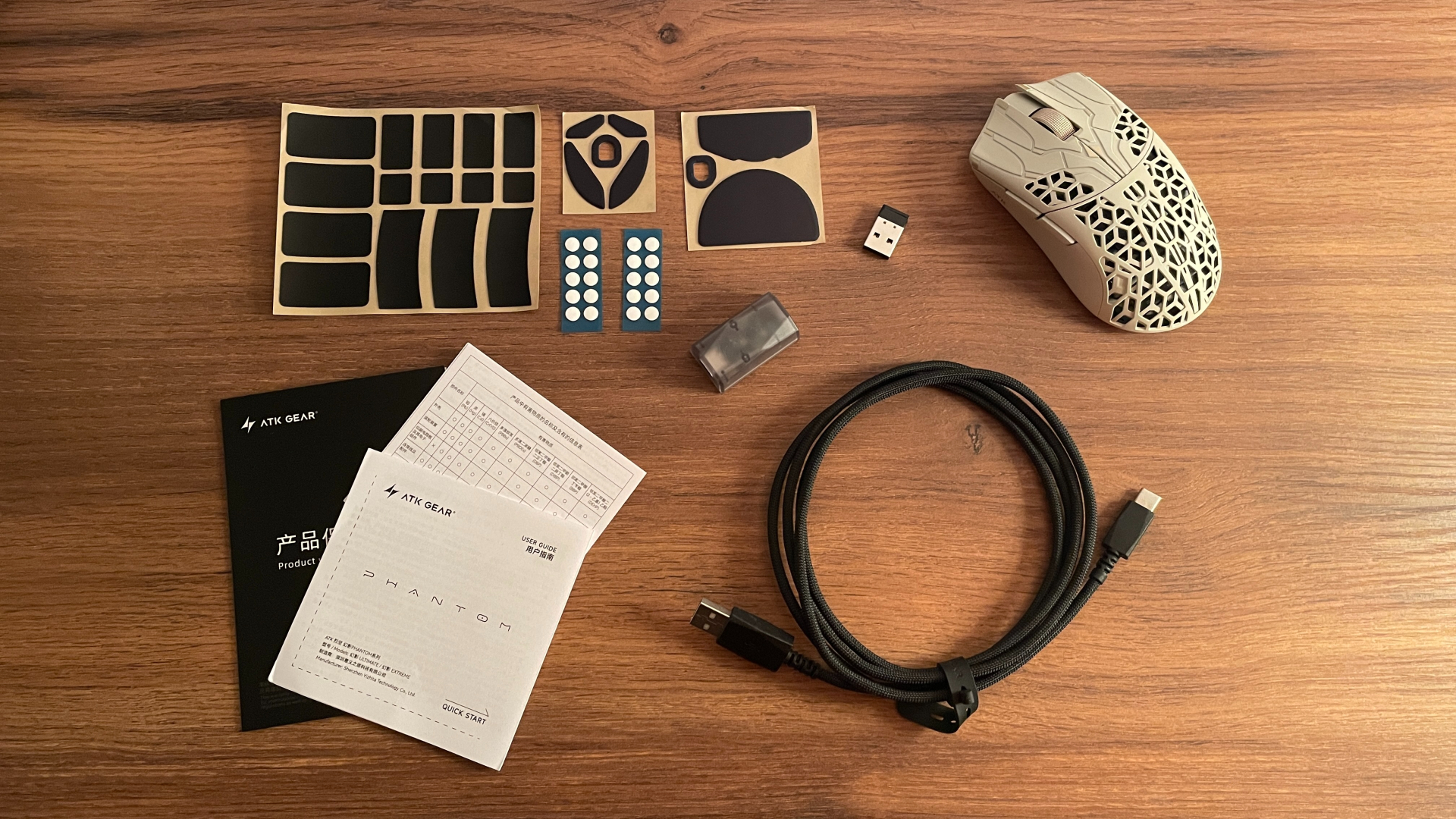
The three types of spare skates give you several ways to adjust the glide, the grip tape lets you add more traction wherever you need it, and the two different 2.4 GHz dongles give you more flexibility across different setups. There is enough here to tailor the Phantom closely to your preferences without having to buy anything extra.
The cable is good too. It is braided, carries ATK branding, and looks and feels like a proper part of the package rather than a cheap generic cable thrown into the box.
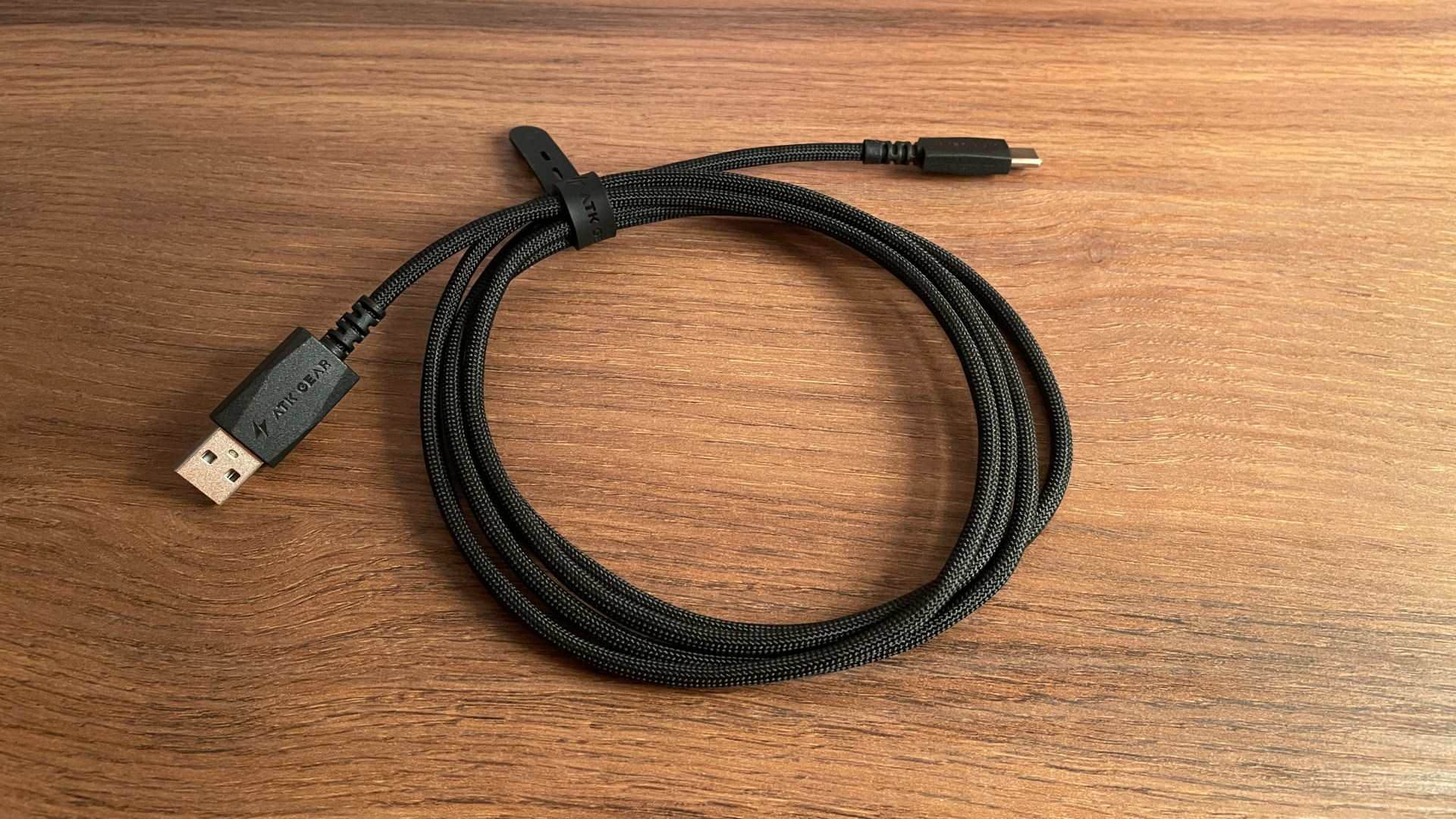
ATK also often runs promotions with free extras, such as a mouse pad or an arm sleeve, so depending on the current offer, the bundle may end up being even more generous.
A Closer Look
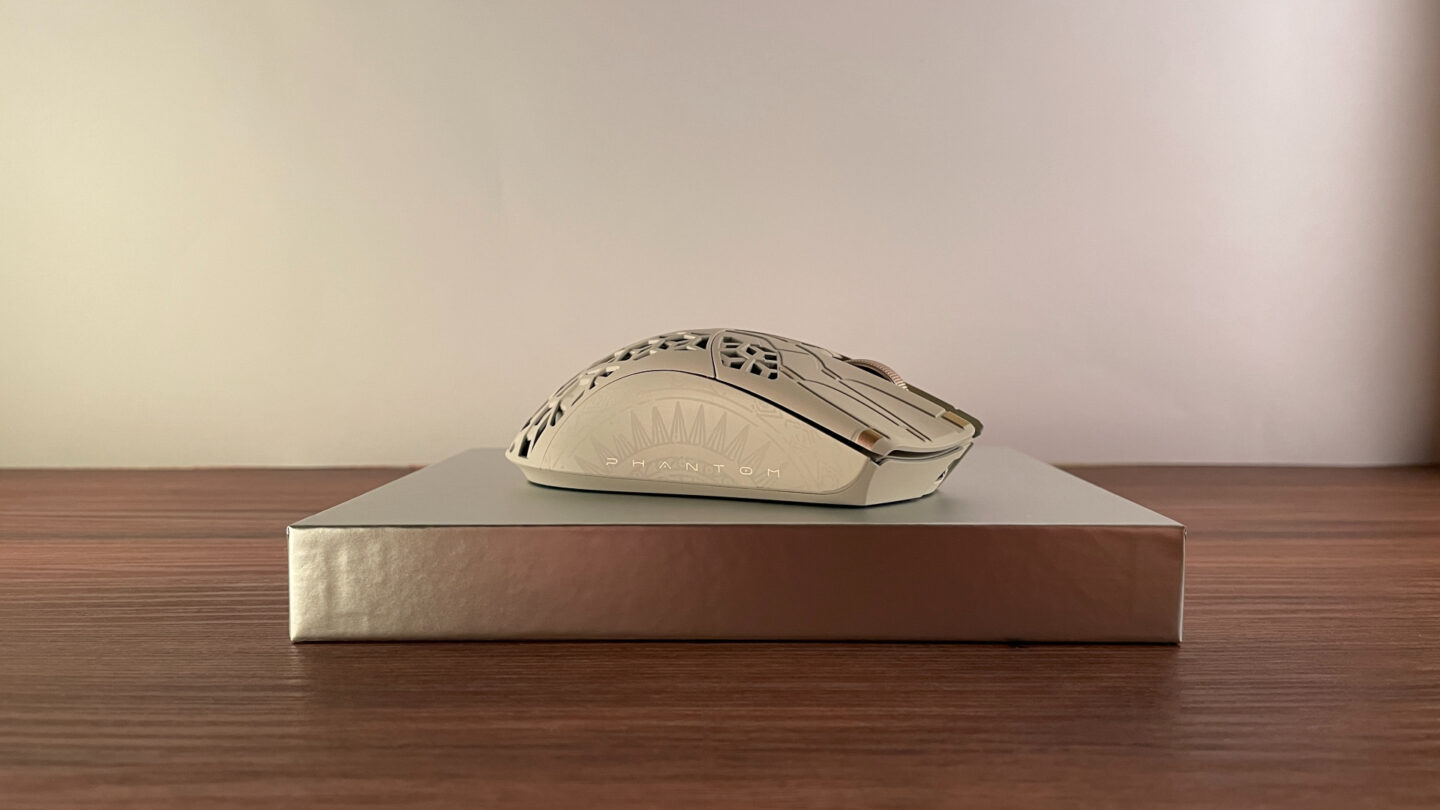
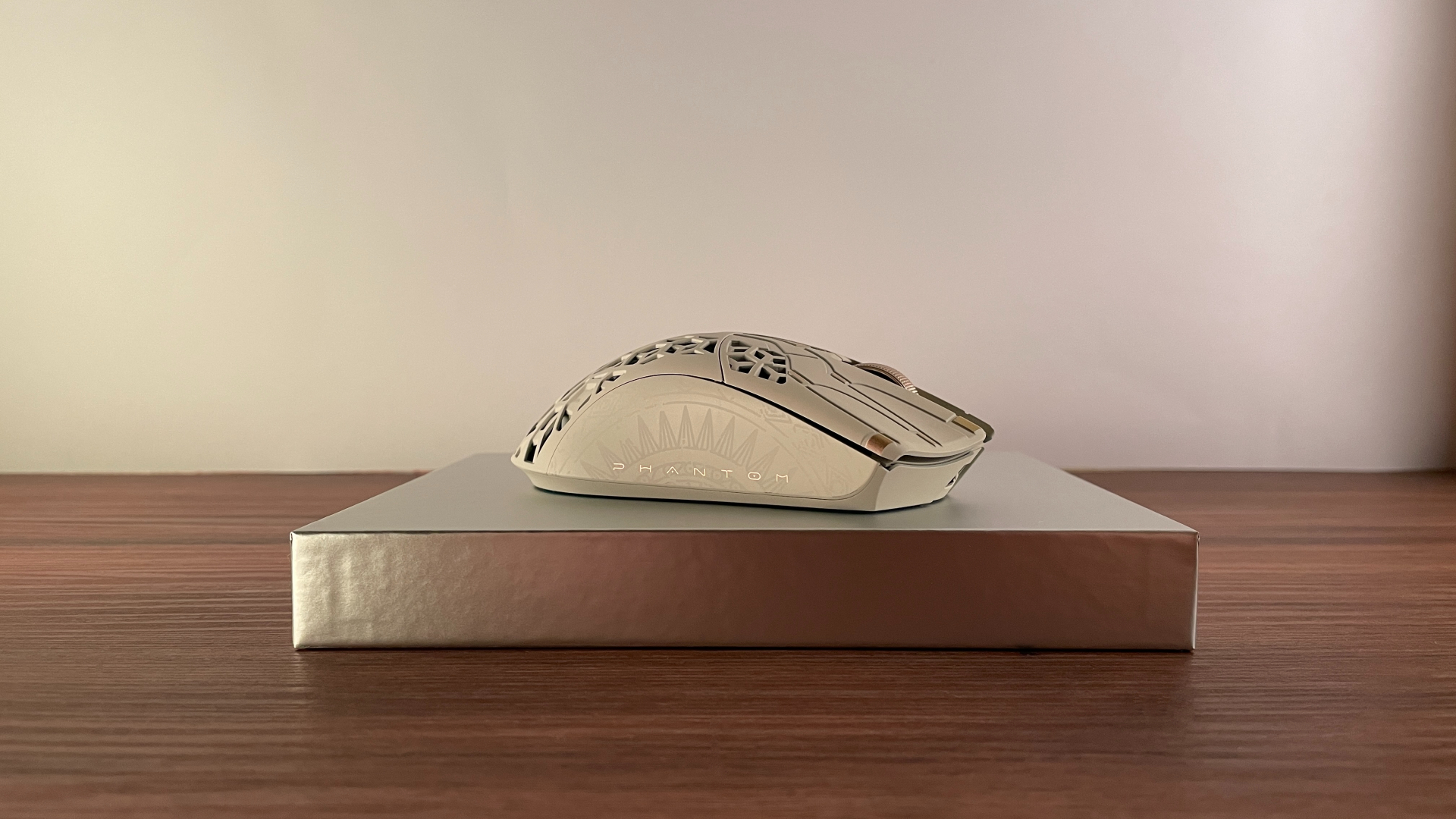
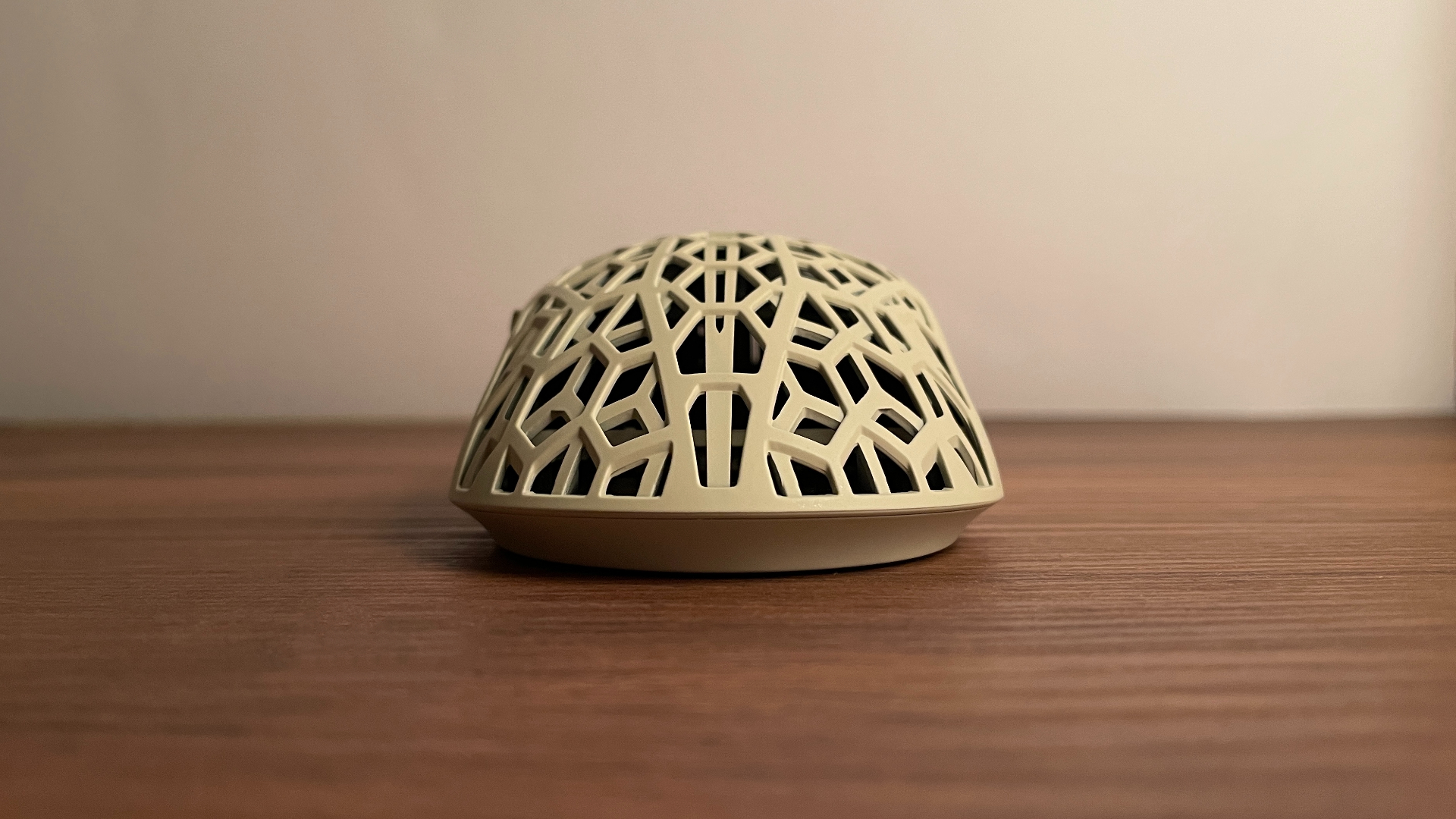
The ATK Phantom is made from a carbon fiber composite, a lightweight yet durable material, and features a hollowed-out shell with honeycomb-shaped cutouts. Whether this style looks appealing is entirely a matter of personal taste. Some people like perforated shells, while others prefer a traditional fully enclosed shell. Personally, I like perforated designs, and the Phantom’s cutout pattern is particularly appealing to me because it is noticeably more intricate than the simple round holes commonly found on perforated mice, which gives the mouse a more distinctive look.
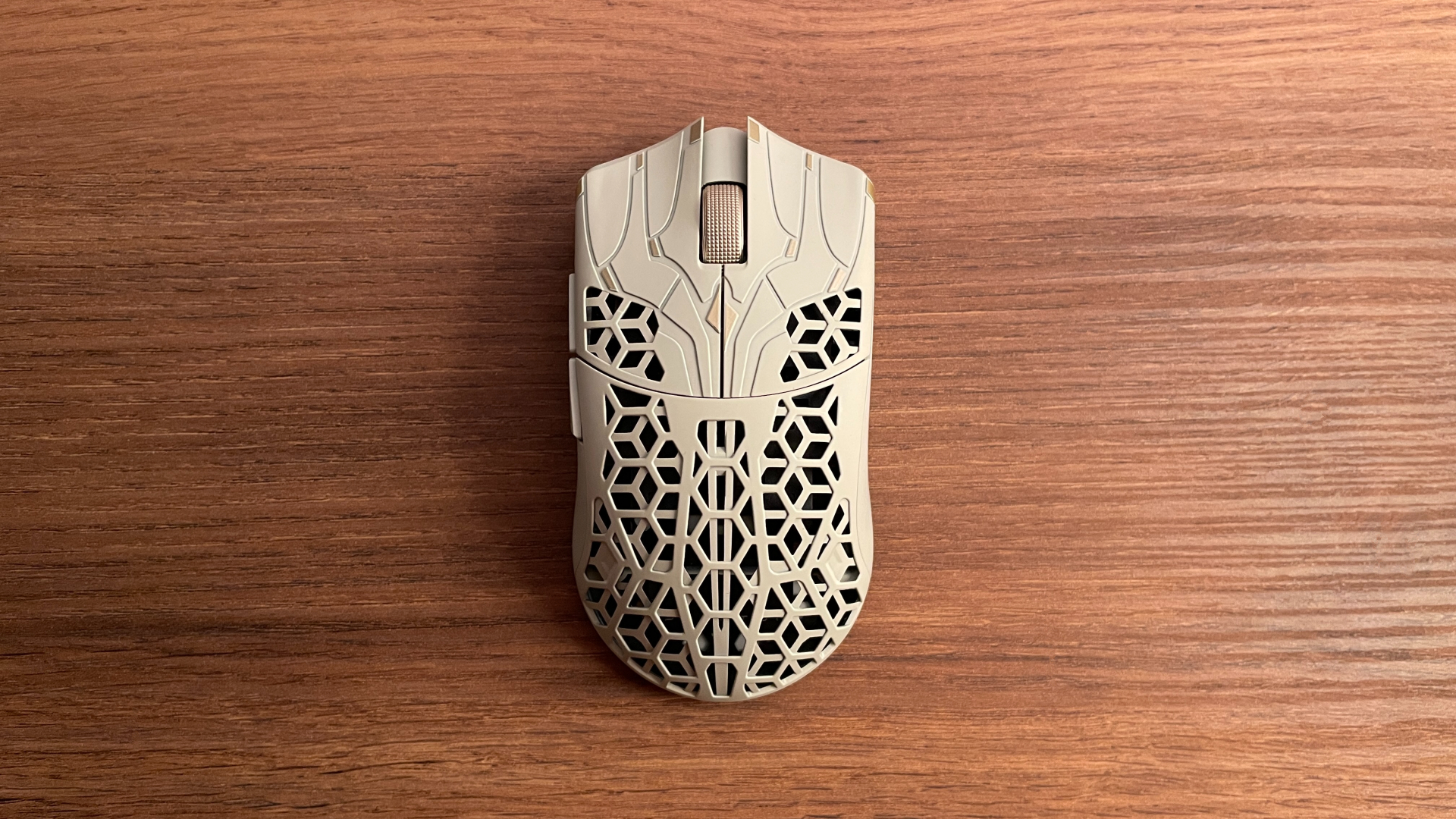
At the same time, I like that ATK kept the sides of the mouse fully enclosed. This adds rigidity to the shell and gives my thumb and fingers a solid, uninterrupted surface to grip, making the Phantom more comfortable to hold.
Hollowed-out shells also bring some practical benefits. Removing some material helps keep the overall weight down, while the open shell allows more air to circulate beneath the palm. I find that my hand stays cooler and drier as a result, which makes the mouse more comfortable to use over longer sessions.
The rest of the design works just as well for me. My Phantom comes in the Dune colorway, and its sand-colored shell pairs beautifully with the gold scroll wheel and matching accents on the main buttons. My favorite detail, however, is the decorative pattern running along both sides of the mouse. For some reason, it reminds me of Mayan motifs, although that may just be my interpretation.
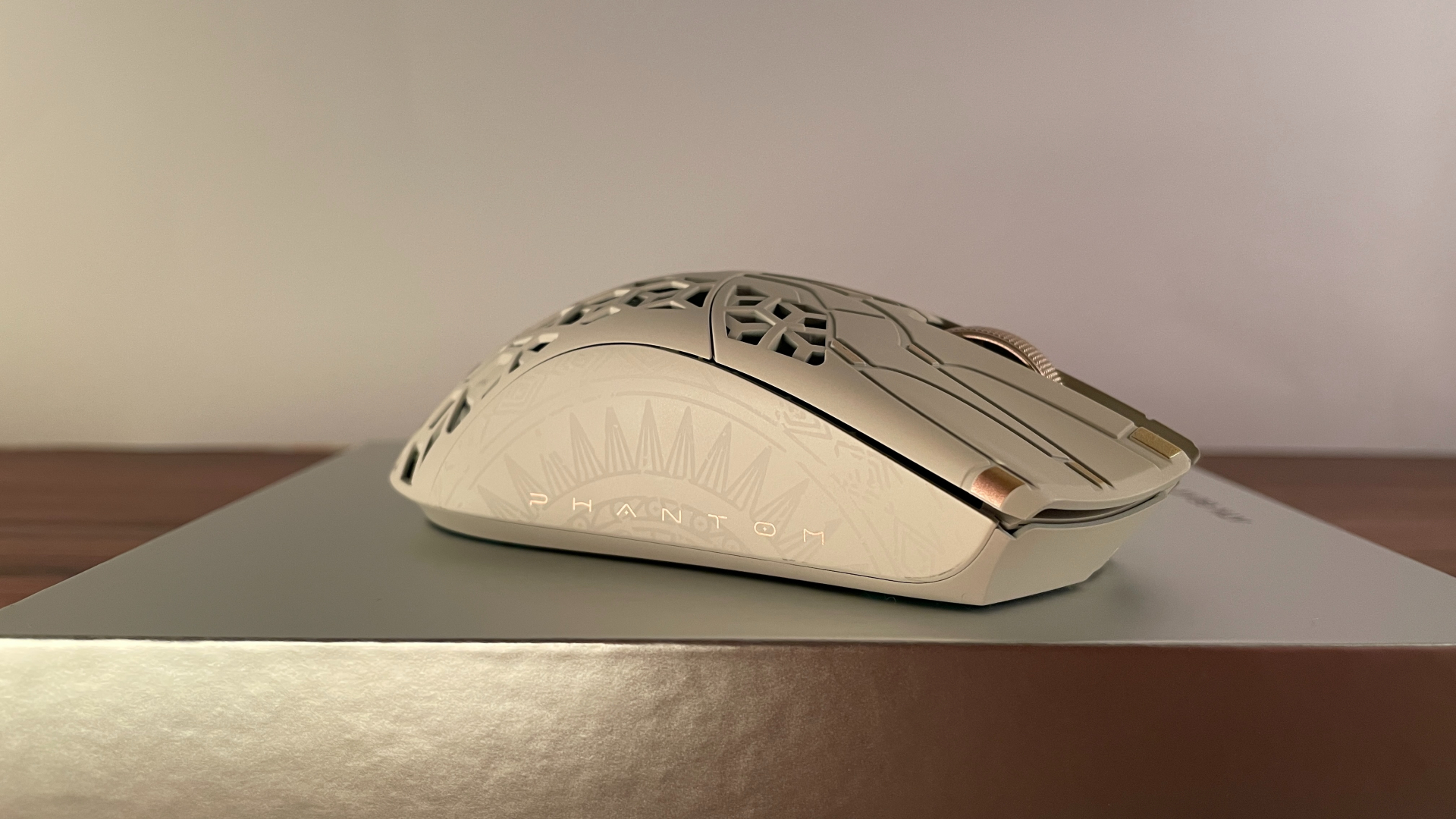
These side patterns are very subtle. They only become clearly visible from certain angles or when the light catches them, so I rarely notice them during normal use. At least that is the case with the Dune colorway; they may stand out more on some of the other versions. This subtle execution could be an advantage if the pattern is not entirely to your taste, as it is unlikely to become a distraction. Also, unlike ATK’s earlier carbon fiber mouse, the Ghost, the Phantom does not have a visible swirled carbon fiber pattern across its surface.
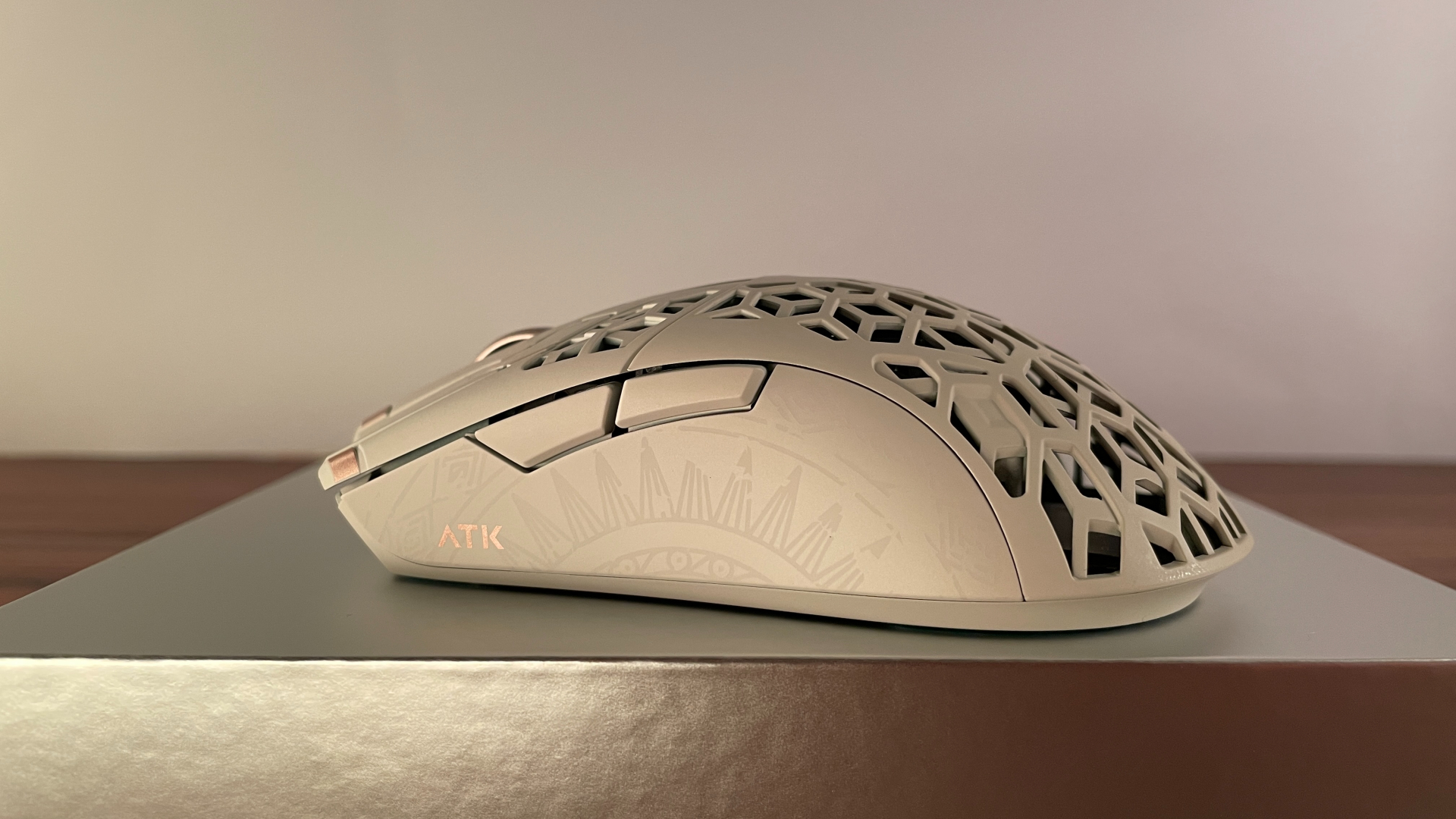
Beyond its appearance, I am very happy with how the Phantom feels in hand. ATK has applied what it calls an “all-new nano coating” to the shell, which makes it pretty grippy. It never feels slippery, and it becomes even grippier once my hand gets slightly damp during a longer session.
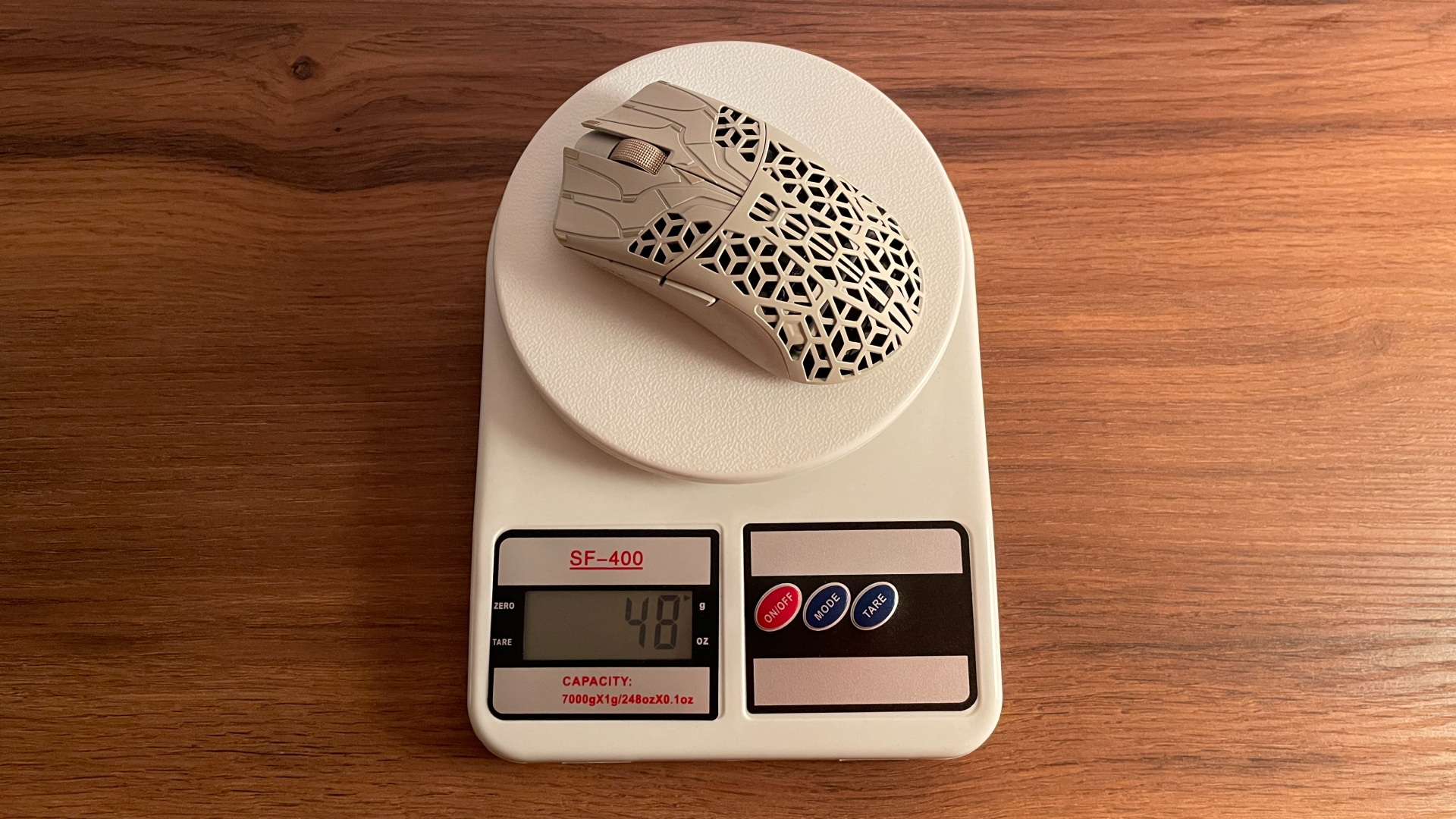
ATK lists the Phantom at 44 ± 3 g, but there is one thing: that number is for the mouse without any skates installed. My Phantom weighs 48 g with the stock skates. I am perfectly fine with that weight because I do not chase every last gram. A mouse around 50 g already sits in the sweet spot for me: it feels light, does not become tiring over long gaming sessions, and remains easy to move during fast flicks and sudden changes in direction. But if every gram matters to you, take this into account.
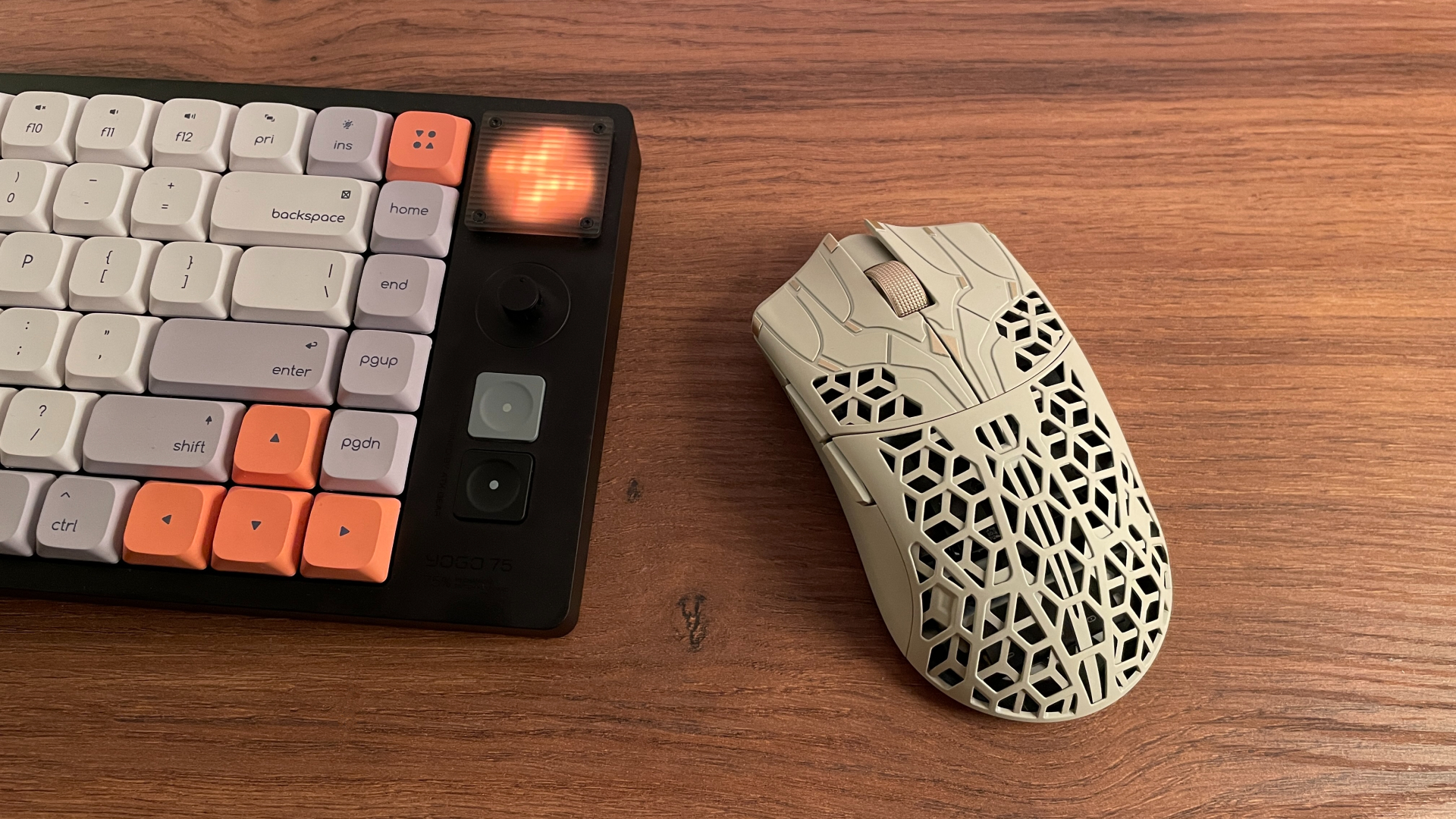
Anyone familiar with lightweight gaming mice will probably recognize that the Phantom bears a strong visual resemblance to a mouse from another brand, one that has often been criticized for inconsistent build quality. That made me especially curious to see how solid the Phantom would feel.
And it left me with a very positive impression. Applying moderate pressure to either side produces no flex or creaking, and pressing around the rest of the shell does not cause any unwanted noises. Nothing rattles when I shake the mouse, the bottom is completely flat and even, and the sensor is properly aligned within its opening, with no visible tilt. Maintaining this level of rigidity in a light, heavily perforated shell is important, and ATK delivers here.
Out of the box, the Phantom comes with large white dual-layer PTFE skates pre-installed. They are quite good, and I would describe their glide as balanced. They are neither overly controlled nor exceptionally fast, and I also like that they have a large surface area. I think, for many users, the stock skates should strike a very good balance between speed and control.
ATK also includes three additional sets of skates for anyone who wants something different. The first contains 20 small-sized dot skates. These are a great option if you want a faster glide, and switching to them also reduces the total weight of the mouse by roughly 2 g compared with the stock skates.
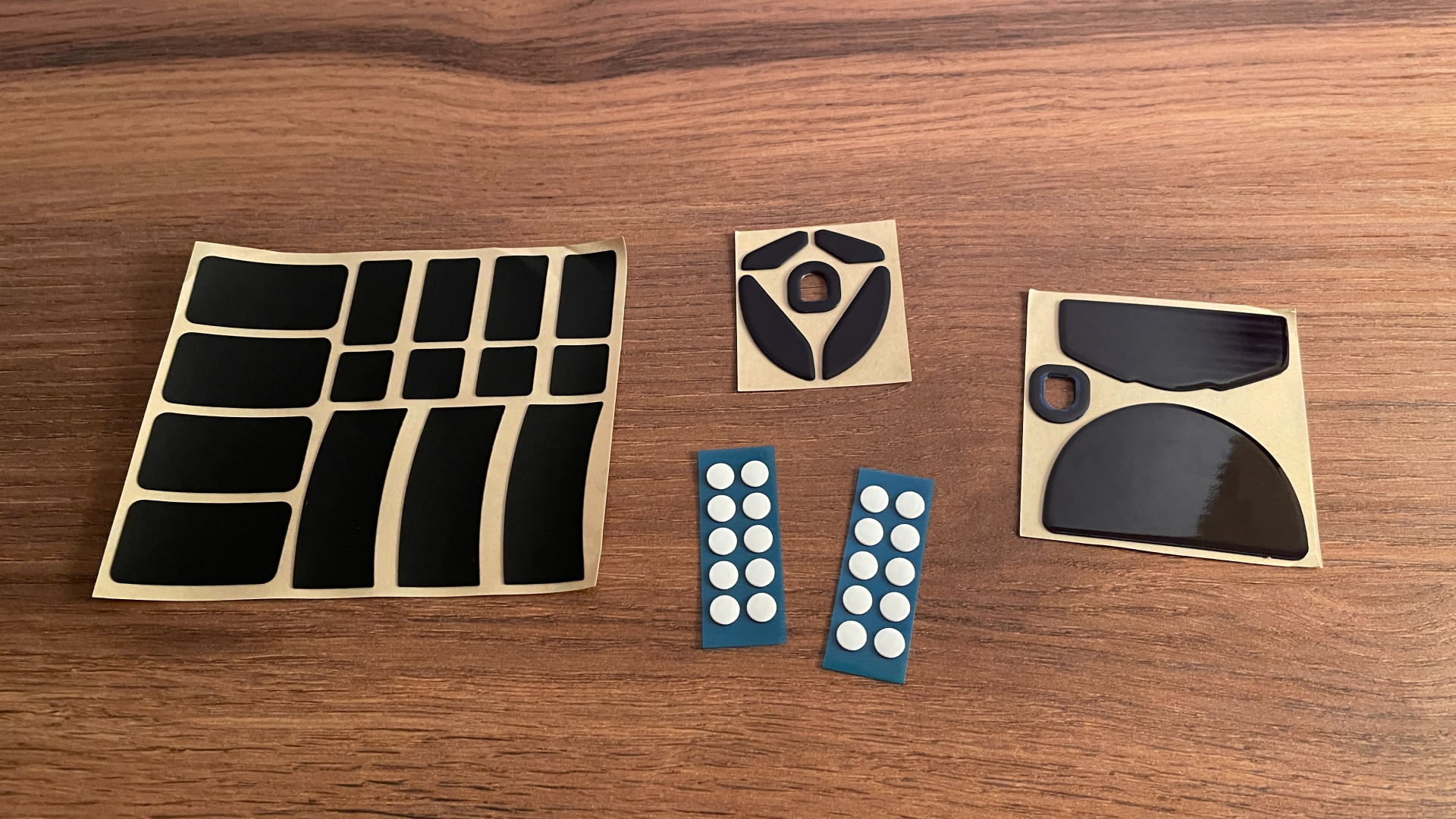
Next are the large UHMWPE skates. UHMWPE stands for ultra-high-molecular-weight polyethylene. The material’s high wear resistance makes these skates well suited to glass mouse pads. You can use them on other surfaces too if you prefer a slightly more controlled glide.
The third set is made from the same wear-resistant UHMWPE material but comes in a smaller size, giving you another option for adjusting the contact area and tailoring the glide to your preferences.
Shape & Ergonomics
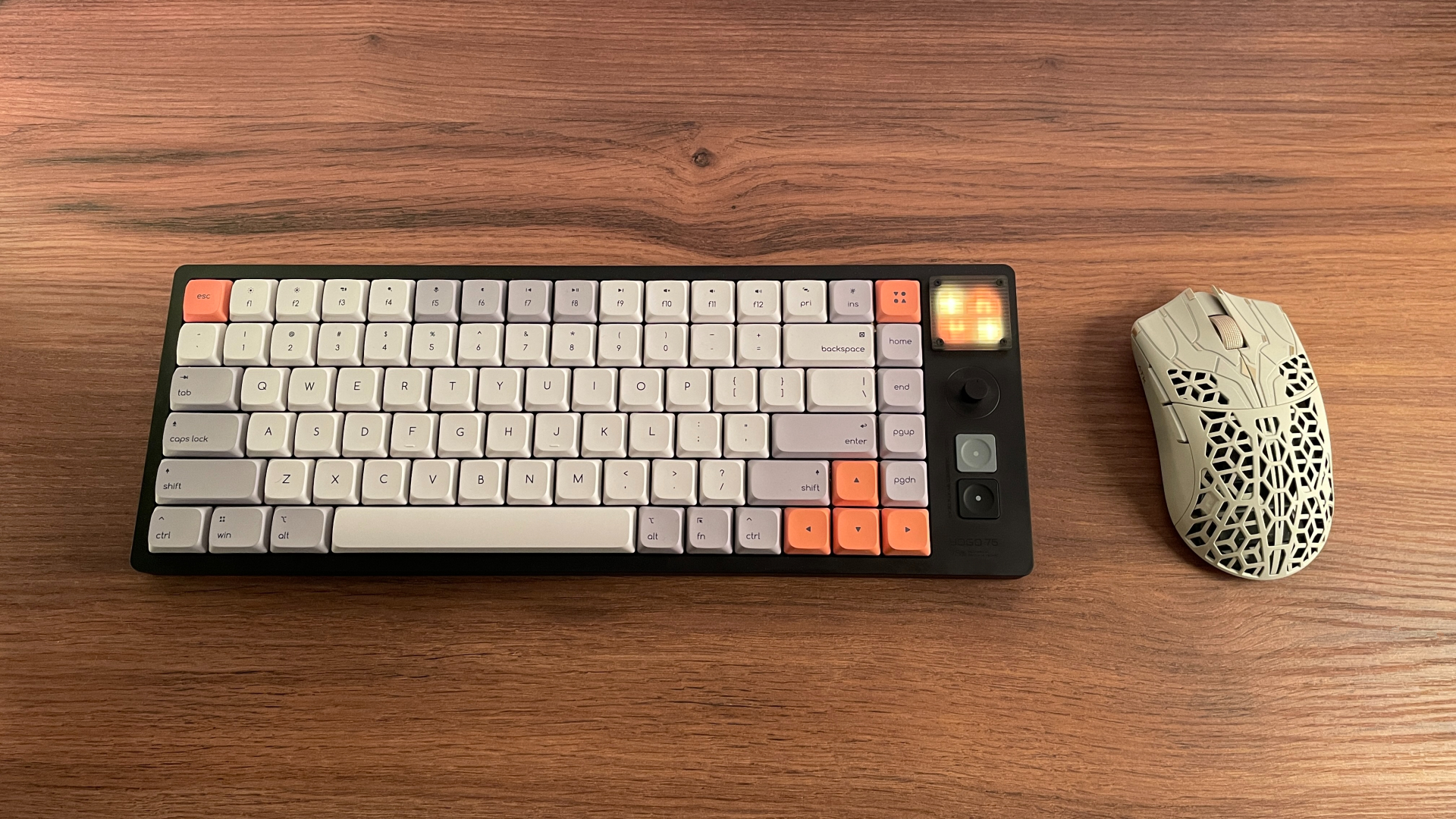
The ATK Phantom is a medium-sized symmetrical mouse. Shape-wise, it reminds me most of the Finalmouse ULX Medium, although it is not a one-to-one copy. The Phantom is slightly shorter, and its main buttons are shaped a little differently.
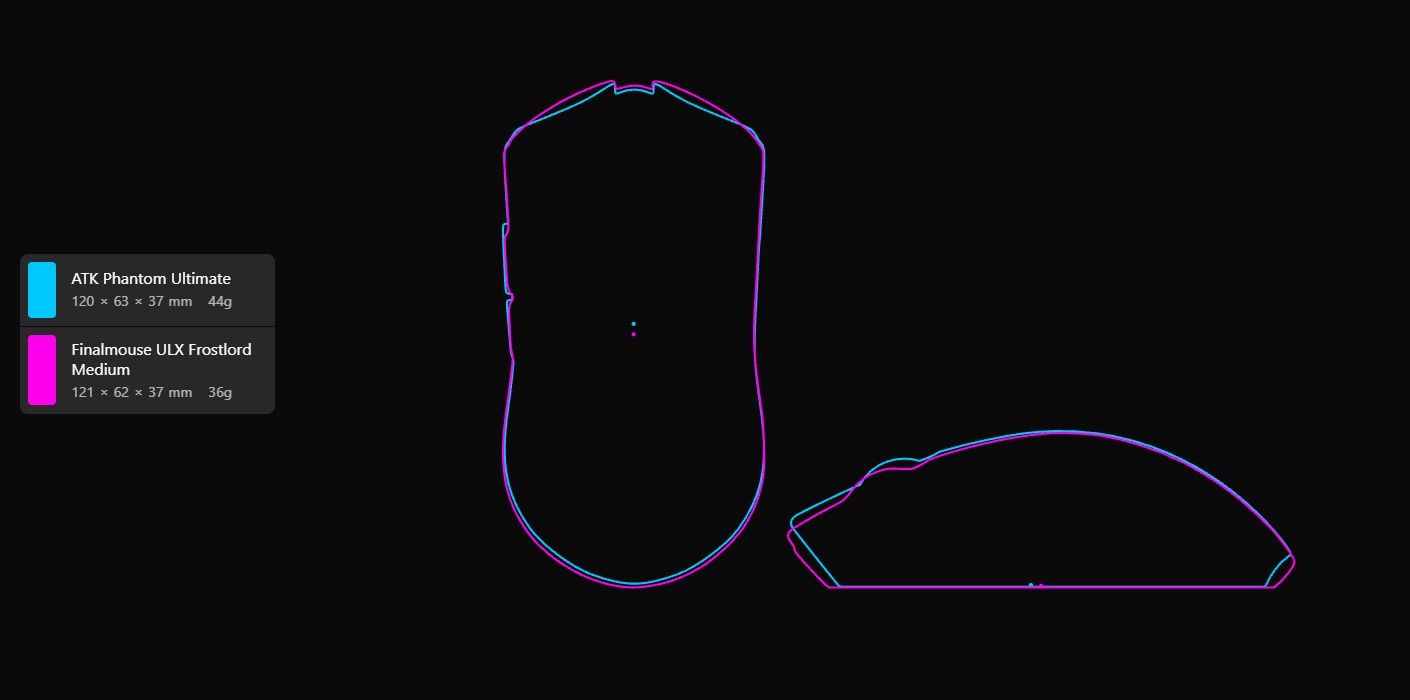
I would describe the Phantom’s shape like this: it is a fairly low-profile mouse with a relatively low hump that is not very pronounced. From above, the mouse narrows toward the middle. The sidewalls also have a subtle inward curve around the grip area. The back is fairly wide and rounded, with the shell gradually sloping downward toward the base.
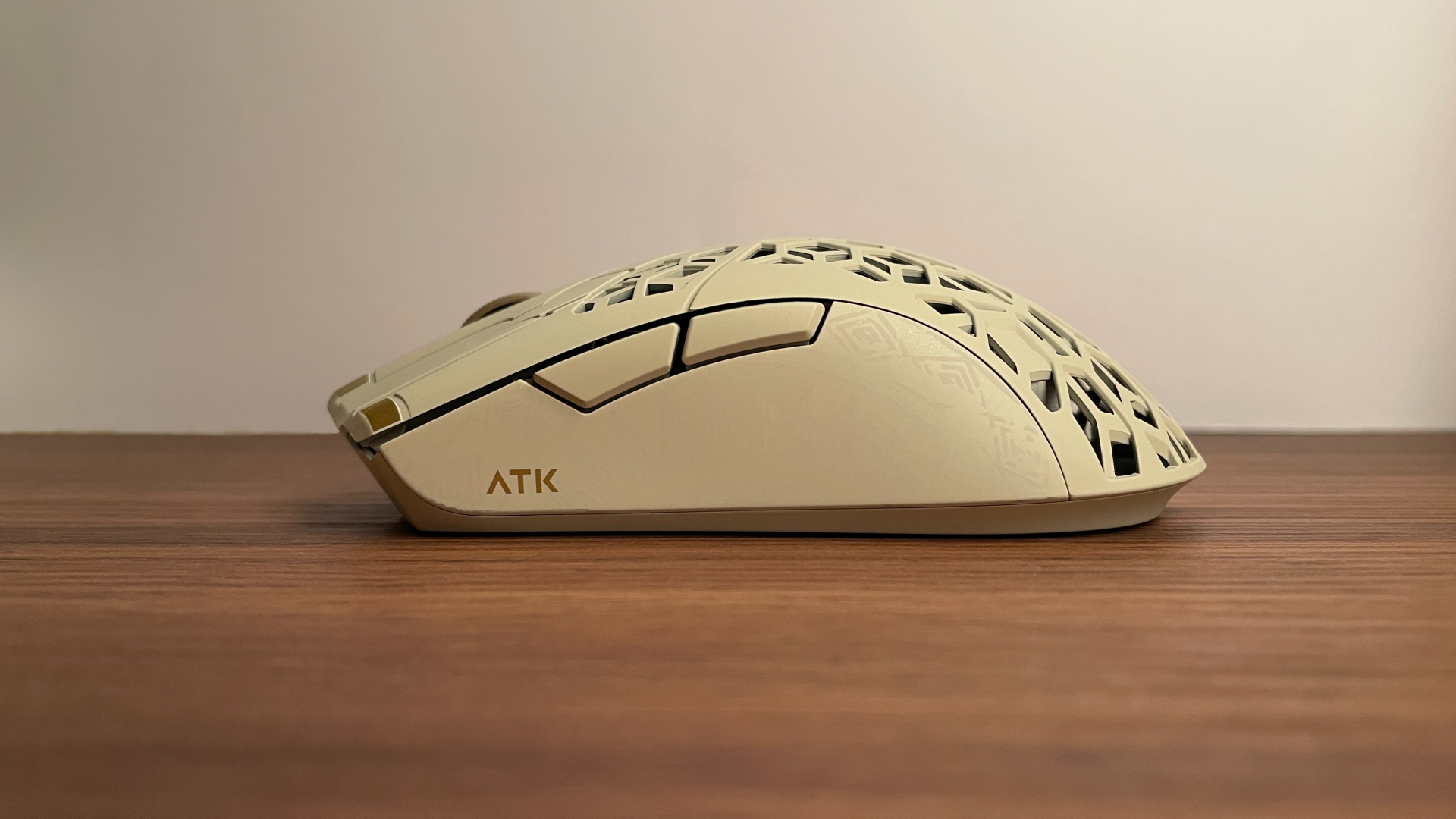
This shape should work particularly well for small and medium-sized hands and naturally favors claw and fingertip grips. My hands are medium-sized, and I was very comfortable using both fingertip grip and a relaxed claw grip. As for palm grip, I could never get fully comfortable because the mouse felt a little too short and low for my entire palm. Those with smaller hands may find palm grip more comfortable, though.
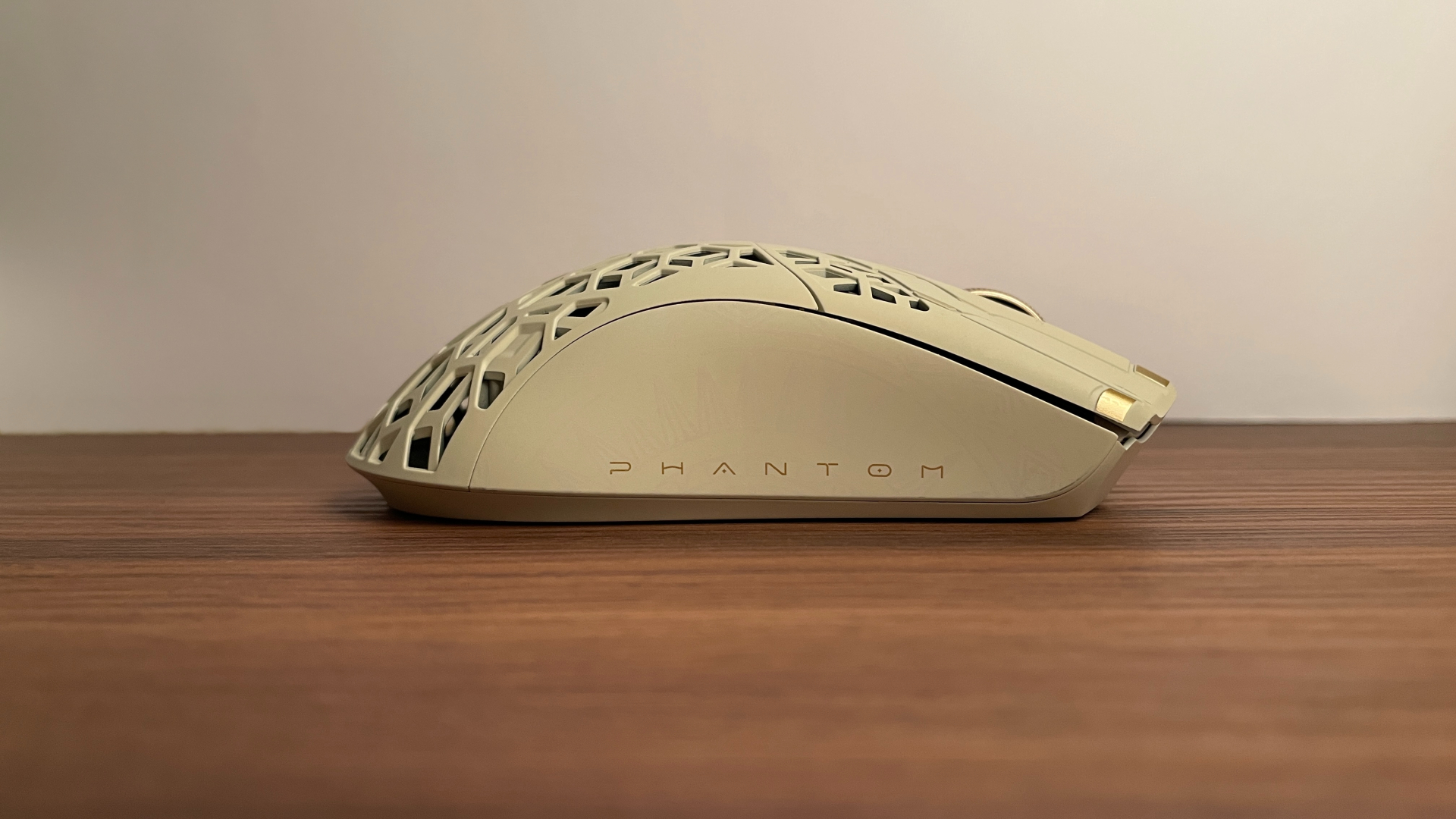
The weight distribution is done right. The center of mass lines up with the sensor, roughly where my thumb rests when I use a claw or fingertip grip. This puts the balance point between the fingers I use to control the mouse, resulting in natural, predictable, and precise cursor movement while also helping reduce rotational drift.
Buttons & Wheel
The ATK Phantom has a fairly standard button layout for a modern lightweight mouse: two main buttons, two side buttons, and a clickable scroll wheel.
The main buttons have shallow finger grooves that help guide your fingers into place. Both buttons also have thin decorative grooves cut directly into their surfaces. Personally, I like how they look, and I can barely feel them under my fingertips, so they do not affect comfort. There is very little pre-travel and a bit more post-travel, though still nothing out of the ordinary. The buttons have a small amount of side travel too, but not enough to be noticeable or cause any discomfort during use.
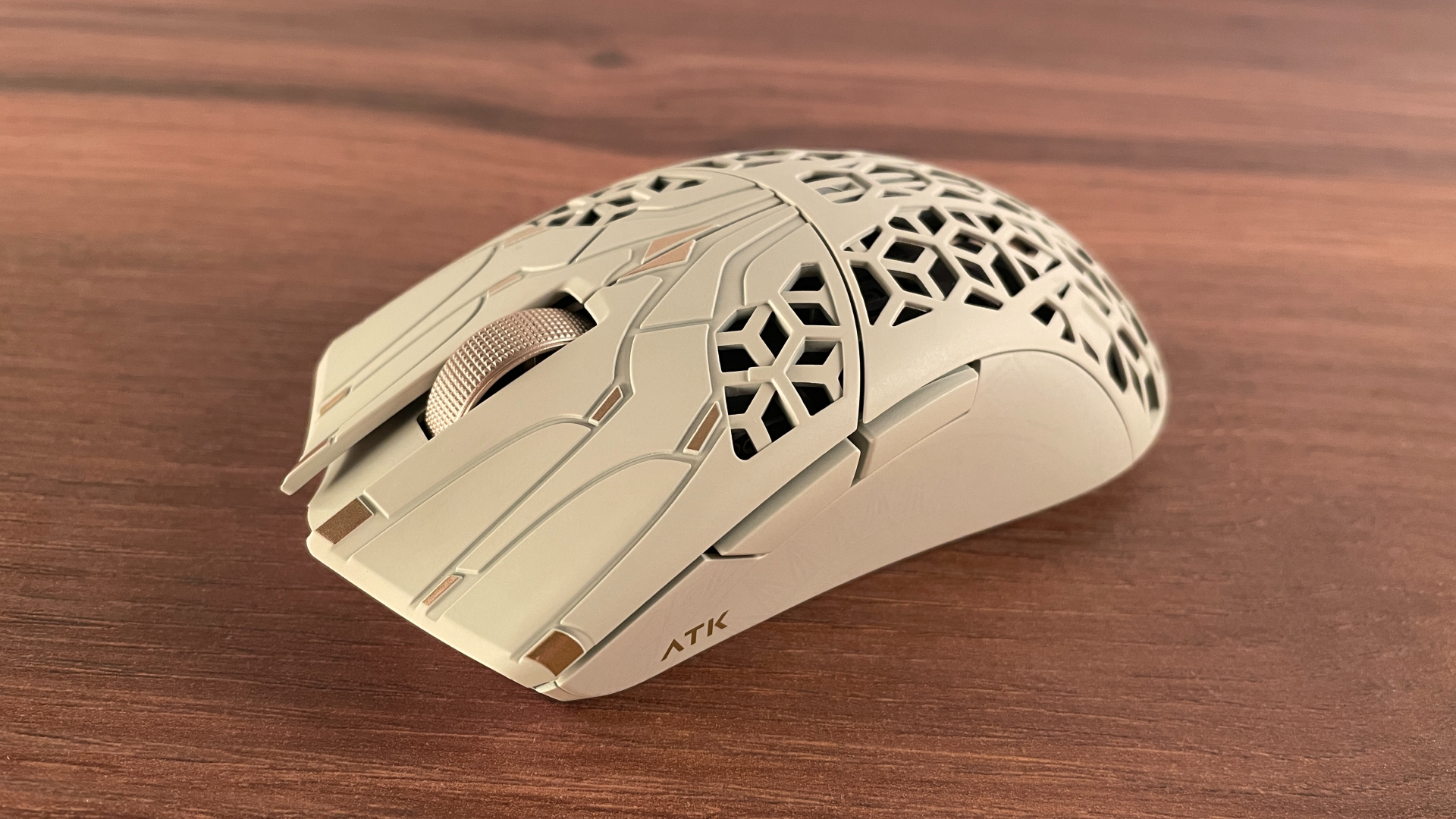
Beneath the main buttons are Omron optical switches, and they feel excellent. The clicks are fast and very crisp. Actuation force is about medium, and the buttons snap back quickly, making them great for spam clicking. They have the distinctive metallic note that Omron opticals are known for. If you have heard these switches in person before, you will probably recognize them immediately. Personally, I really like their sound. Optical switches are also immune to the double-clicking issues that can affect traditional mechanical switches over time, which is definitely a plus. Overall, ATK did a very good job with the main buttons.
Things get a little more interesting with the side buttons. They sit slightly farther forward instead of being centered along the side, which is the more common placement. That placement works very well with the claw and fingertip grips the Phantom is best suited for, though. With either grip, my thumb rests right below the buttons, almost exactly halfway between them. The back button is also smaller than the forward button. That sizing makes sense too, as a larger back button could get in the way when using either of those grips. Overall, the placement works very well for me, and I find the slightly unconventional look refreshing.
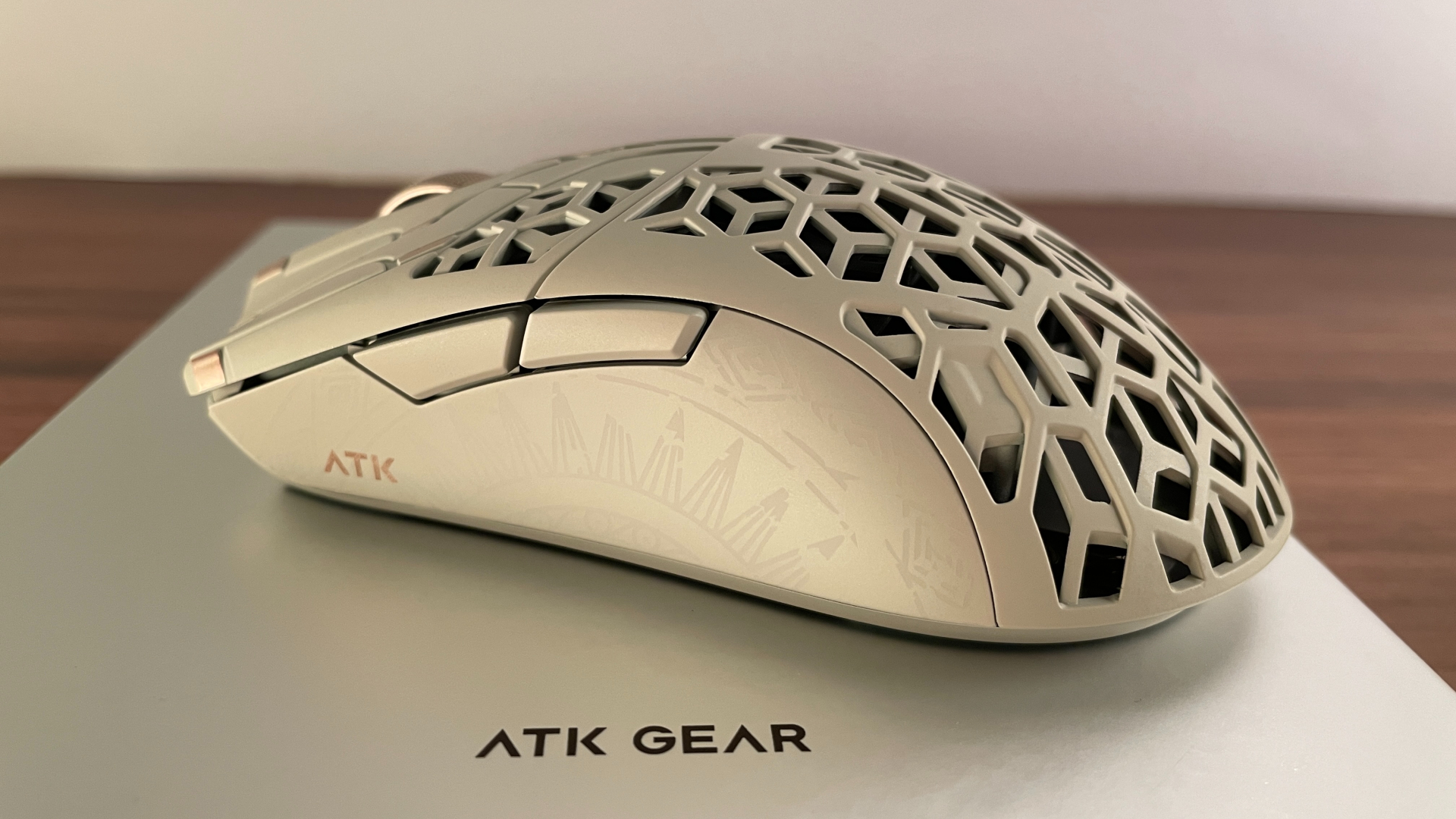
But their layout is not what impressed me most. What really surprised me was just how good the clicks feel and sound. When I took the mouse apart, I found ChangFeng Black Shell Milky White Dot microswitches inside. They have a medium actuation force, and each click feels very tactile and satisfying. The clicks sound slightly muted, but they are still crisp and clearly defined rather than dull or mushy. Pre-travel and post-travel are both minimal, and the buttons have no wobble at all.
The scroll wheel itself is made of plastic and has no rubber coating. Instead, its surface is covered in a fine dotted texture. The texture is fairly subtle but still provides enough grip. The wheel never felt slippery under my finger, and I had no trouble scrolling. ATK chose a Raesha optical encoder for the scroll wheel, and it’s really nice to see an optical encoder here. Because it detects movement optically rather than through physical contacts, it is less prone to the kind of wear that can eventually cause inconsistent or jumpy scrolling.
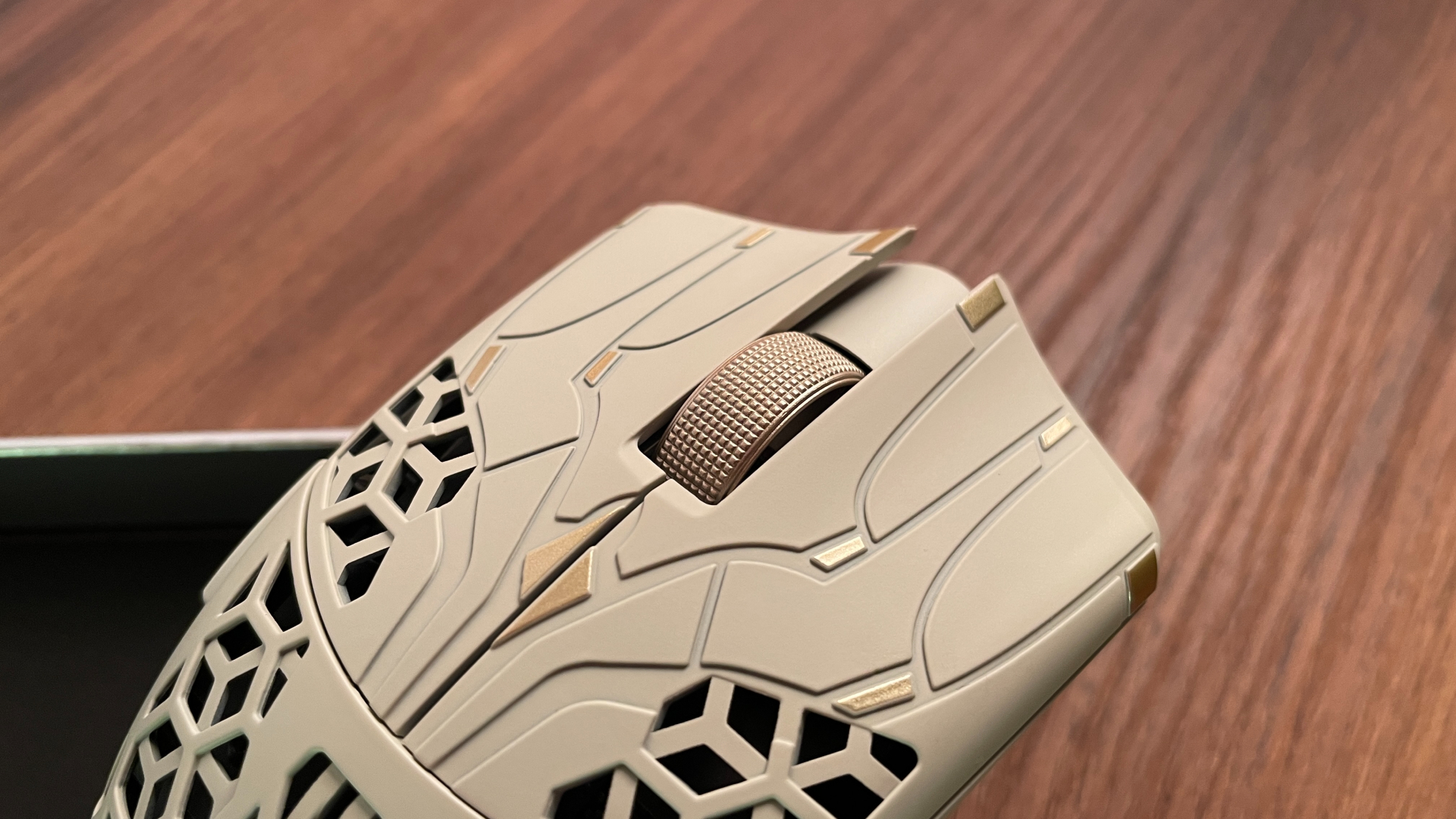
Scrolling feels smooth, and the individual steps are clear and tactile without making the wheel difficult to turn. This strikes a good balance between easy scrolling and clearly defined feedback from each step. I did not notice any squeaking, rubbing, or other unwanted noises while scrolling.
The scroll-wheel click feels good as well. Its actuation force is around medium, perhaps even slightly on the lighter side. Middle clicks on mice are often fairly stiff, but that is not the case here, making this one much easier to press repeatedly. The click is fairly quiet and slightly muted.
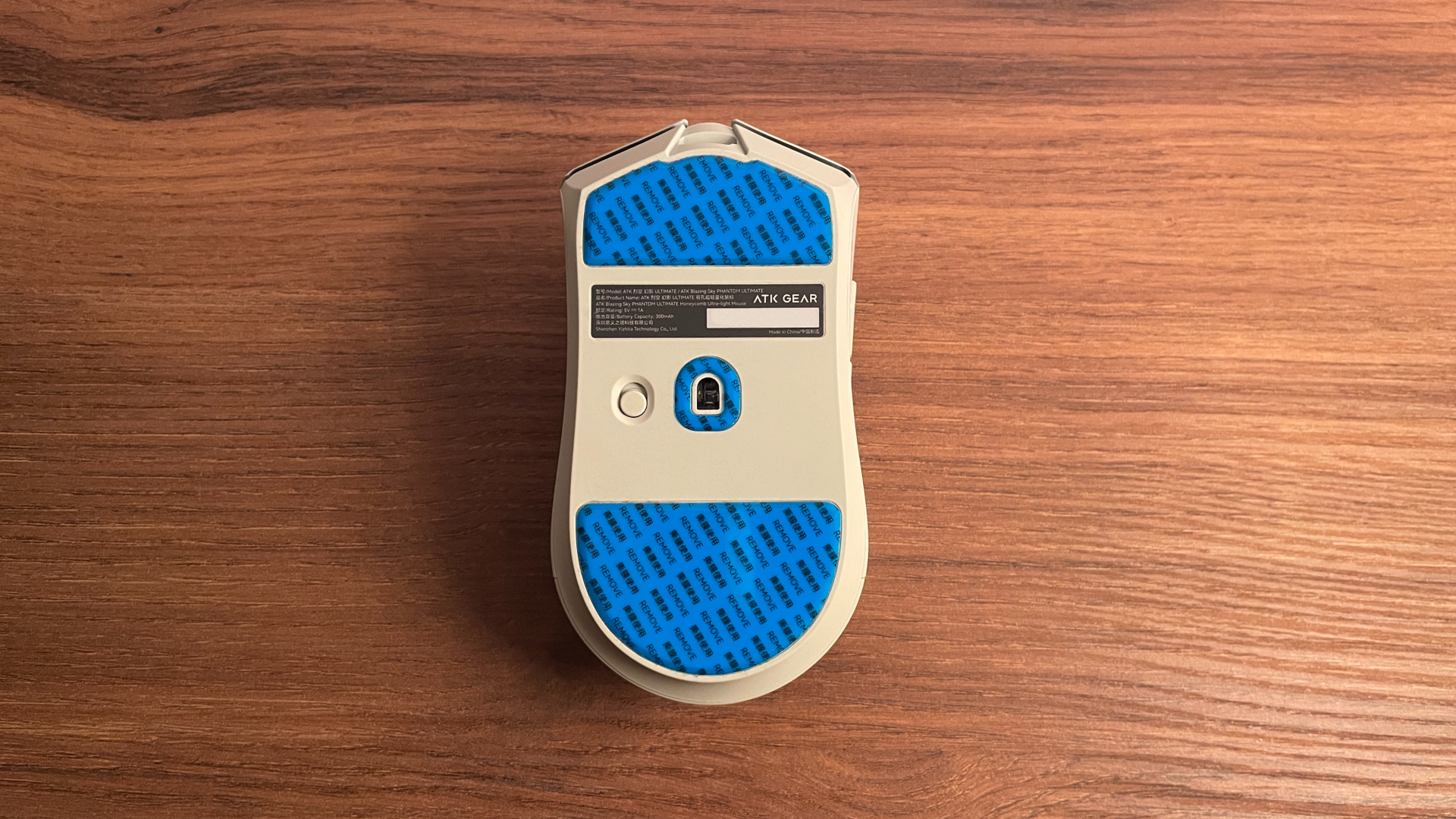
Finally, the underside of the Phantom has just a single switch for toggling between wired and 2.4 GHz wireless modes. The Phantom does not have a separate DPI button, which is often found on the bottom of many gaming mice. For many people, this will hardly matter, and I would not normally miss one myself. However, on ATK mice that do include this button, the software lets you freely remap it – for example, to cycle through onboard profiles or trigger any other command you prefer. That turns it into a genuinely useful extra. Because of that, I think this button would have been a welcome addition here.
Connectivity & Battery
The Phantom is a dual-mode mouse, meaning it supports two connection modes: wired and 2.4 GHz wireless. There is no Bluetooth, but that is not too surprising for a performance-focused gaming mouse. More and more manufacturers seem to be leaving Bluetooth out of their recent gaming mice. Whether that is a good or bad trend depends entirely on your use cases. Personally, I still think Bluetooth is always good to have as an extra option: it is battery-friendly and makes connecting to another device easy without having to move the 2.4 GHz dongle.
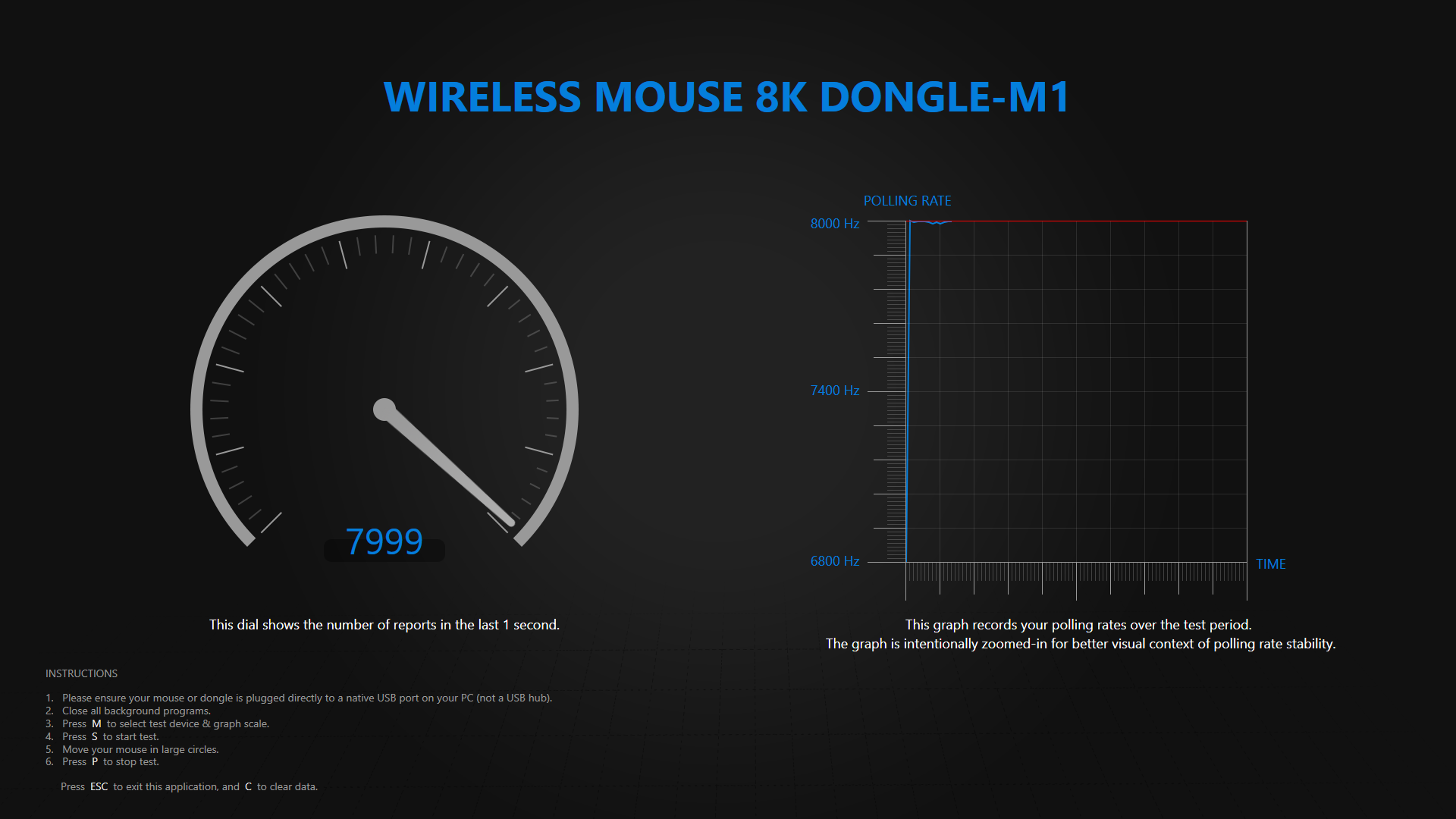
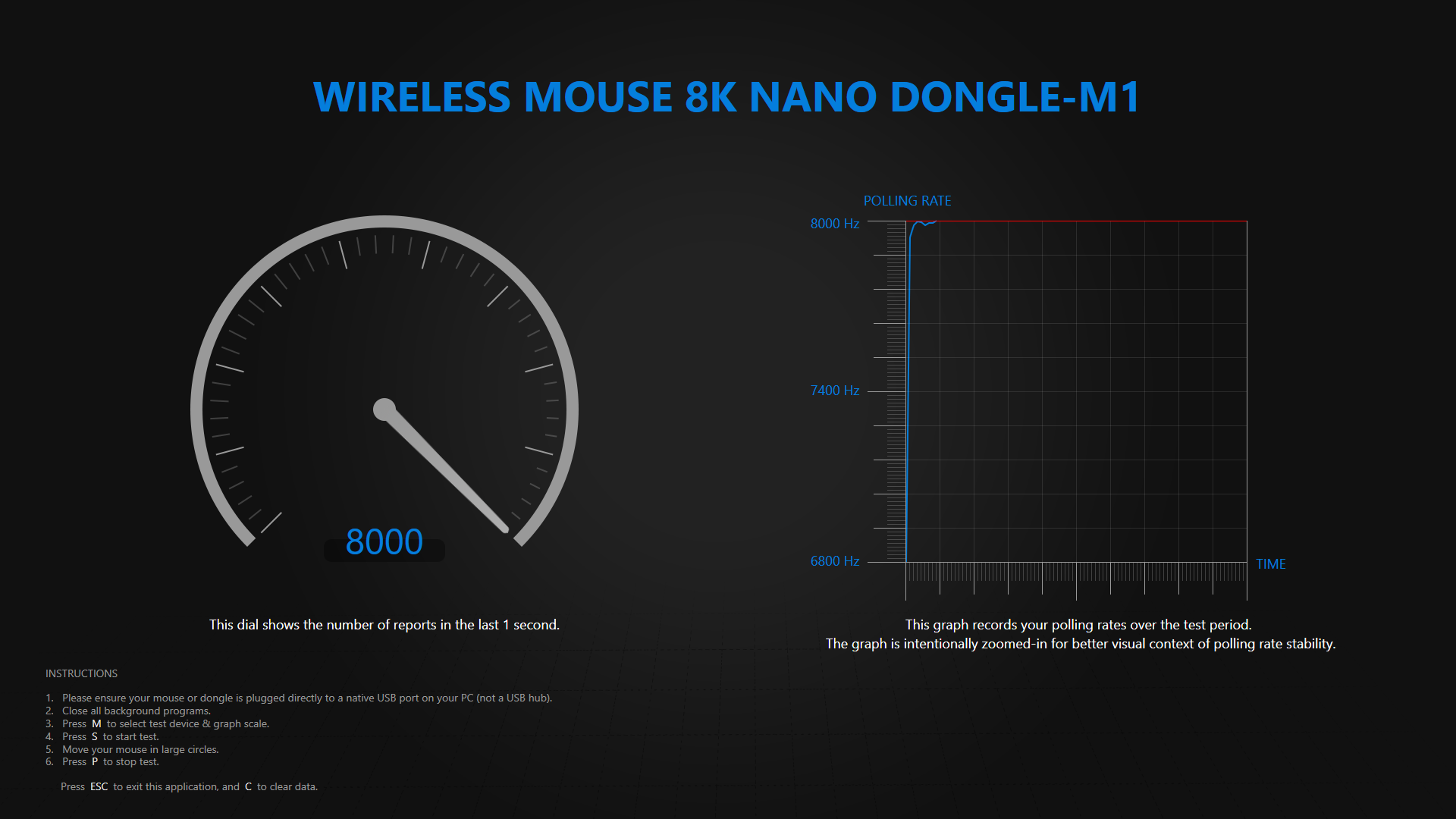
I used the Phantom mostly over 2.4 GHz wireless and spent time with both included dongles. The connection remained rock-solid with each one: no disconnects, dropouts, or other wireless issues. I also checked how consistently the mouse held its polling rate. It maintained the advertised maximum of 8,000 Hz without issue. The more practical 2,000 and 4,000 Hz settings were just as stable.
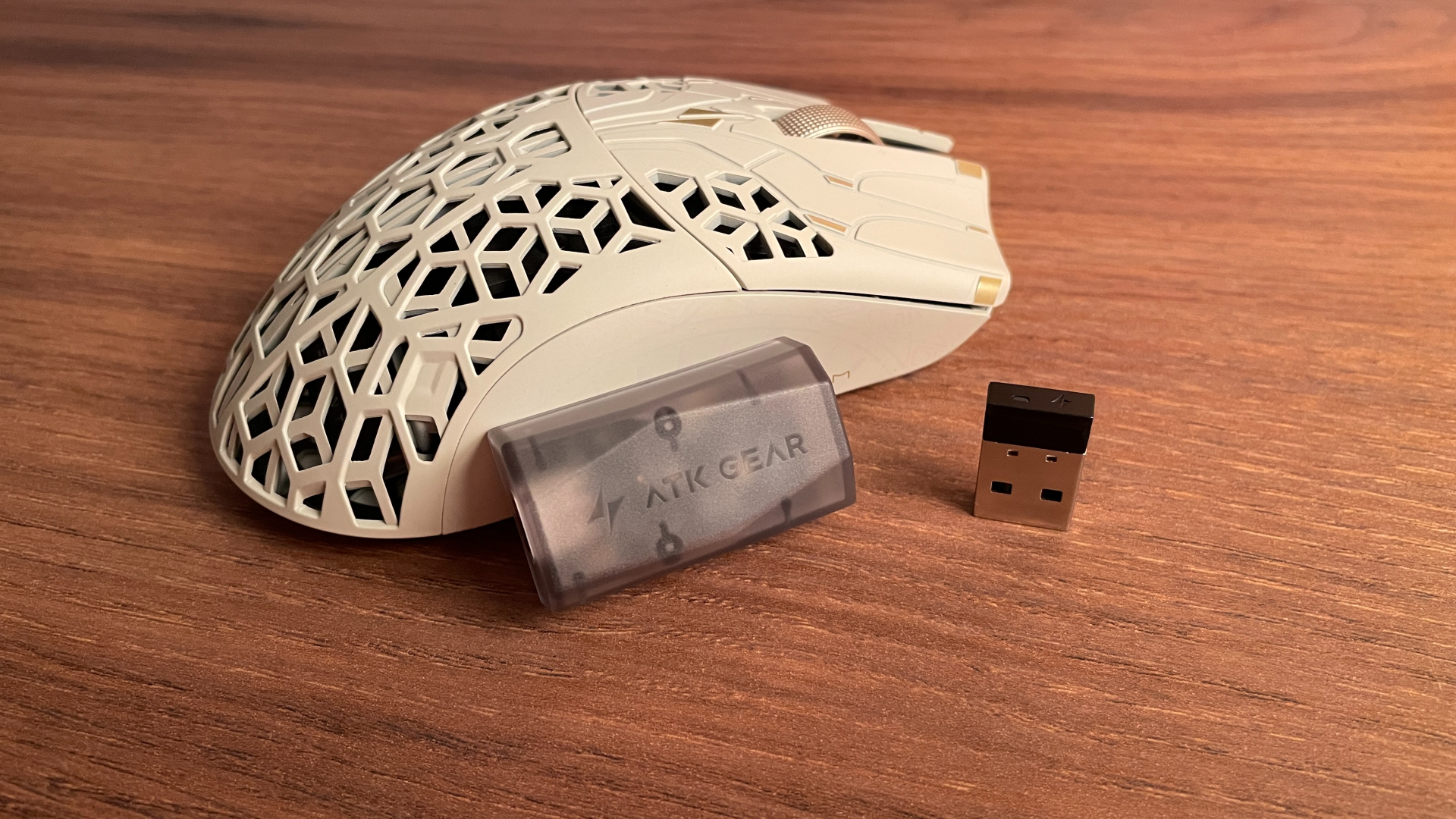
I particularly like that ATK includes two different 2.4 GHz dongles: the Nano 8K and Gem 8K. The two suit slightly different situations. The Nano 8K has a familiar USB-stick shape and plugs directly into a USB port. It is small, needs no additional cable, and is especially convenient for use with a laptop. The larger Gem 8K connects through the included USB-C cable, so it can be placed closer to the mouse. This can reduce wireless interference and potentially lower latency. Its larger housing should also have room for a bigger antenna, which could provide a stronger, more stable signal and better overall wireless performance, at least in theory. I genuinely like having both options in the box.
As for battery life, the Phantom has a built-in 300 mAh battery, and I was quite happy with how long it lasted. At 1,000 Hz, I got almost two weeks of use from a single charge. That runtime will be shorter at higher polling rates, of course.
To help stretch that runtime, the Phantom automatically enters sleep mode after a period of inactivity. This is standard for a modern wireless mouse, but the important part is how quickly it wakes up again. Even the slightest movement wakes the Phantom almost instantly, and it responds straight away rather than missing the first input, as some wireless mice occasionally do.
One more detail I like is that both the Nano 8K and Gem 8K have built-in LED indicators, and the software offers several ways to configure them. Two modes in particular stand out as especially useful for me. One turns the LED into a simple battery gauge: green when the charge is above 75%, yellow between 15 and 75%, and red below 15%. It does not show an exact percentage, of course, but a quick glance is enough to get a rough idea of how much charge is left.
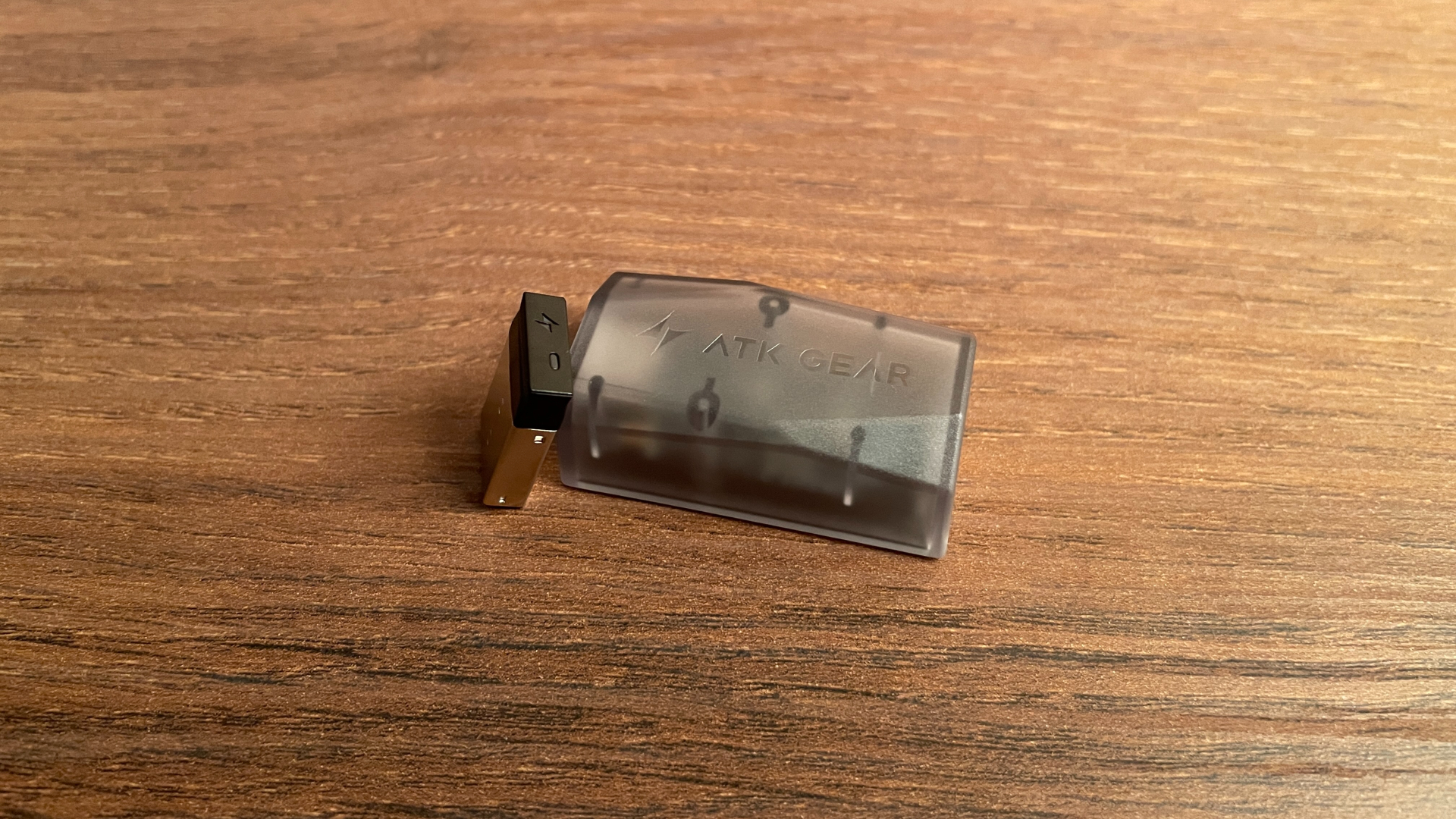
If you would rather not have the dongle glowing all the time, another mode keeps the LED off until the battery drops below 15%. It then lights up red, so you still get a clear warning when it is time to recharge without having the indicator lit constantly.
Overall, I think having the battery status visible directly on the dongle is genuinely useful. It saves you from opening the software just to see whether the mouse needs charging and makes it much less likely that the battery will run out unexpectedly.
ATK HUB Software
The Phantom is configured through ATK HUB, and the first thing ATK gets right is accessibility. You do not have to install anything, because the complete configurator is available as a web app that runs directly in a browser. This is useful not only if you would rather avoid installing another peripheral utility, but also if you regularly switch between different computers or even operating systems.
The browser is not your only option, though. ATK also offers traditional desktop apps for Windows and macOS, so anyone who prefers locally installed software is covered as well. The macOS version is particularly worth mentioning, as plenty of gaming peripheral apps remain Windows-only. This also gives you a useful fallback if the web app is ever unavailable or you temporarily lose internet access, so you are not completely dependent on the online configurator.
ATK HUB also acts as a shared control center for nearly the entire ATK ecosystem. Mice, keyboards, and headsets are all managed through the same software. So, if you own more than one ATK device, you can keep everything in one place instead of installing and learning a separate application for every product.
The interface of ATK HUB looks modern and is easy to navigate. You can even change the background image or choose from several ready-made themes, although the way the settings are organized matters more than the visual customization. Everything is divided into tabs based on its purpose.
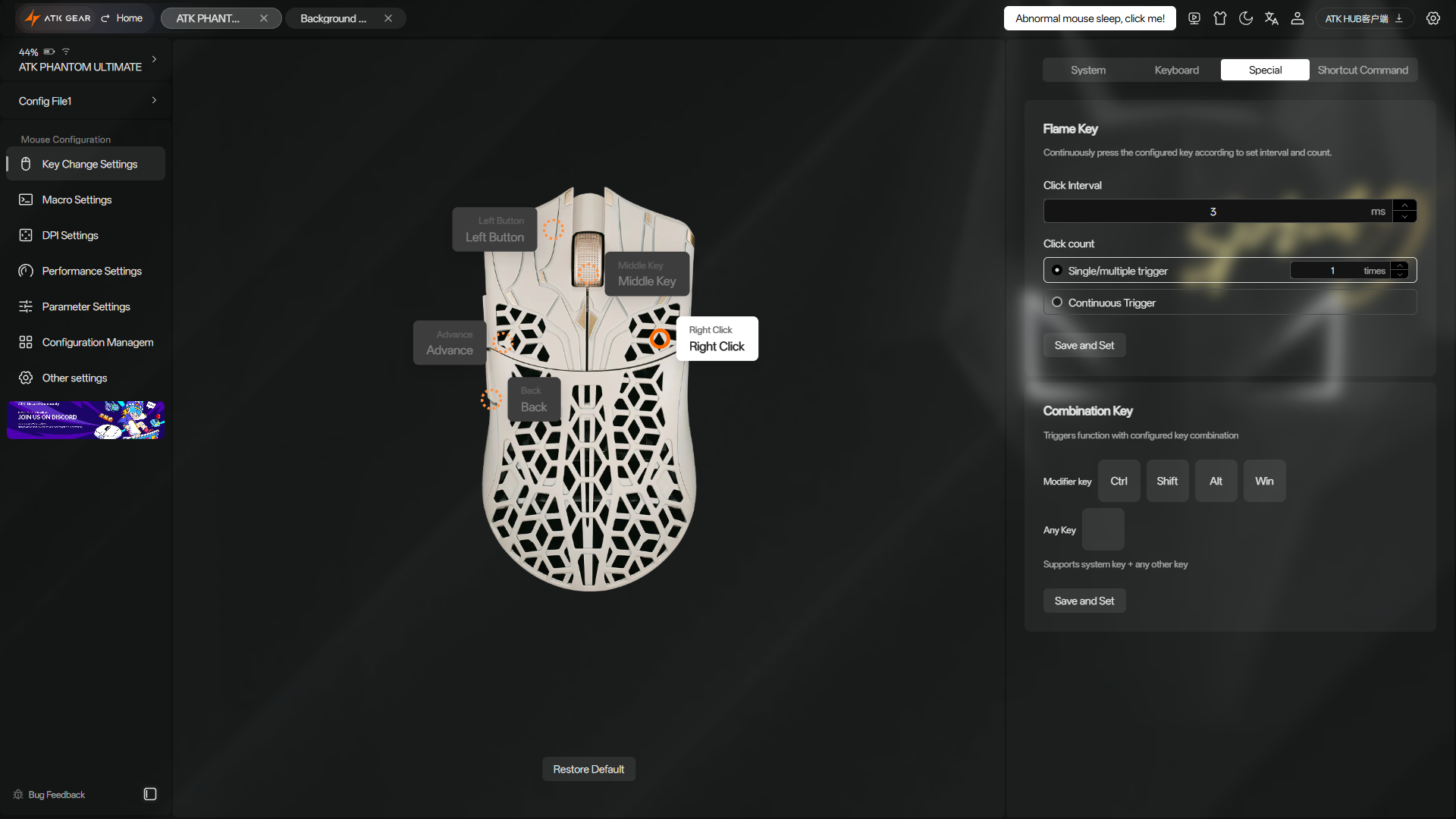
Key Change Settings handles button remapping. Every button on the Phantom can be assigned to a wide selection of predefined actions, individual keyboard keys, or custom key combinations. This tab also contains Flame Key, a configurable rapid-fire/autoclick function that lets you choose the number of clicks and the interval between them. More complex sequences can be created separately under Macro Settings.
The next two tabs cover the settings most people are likely to adjust first. DPI Settings lets you create multiple DPI presets, give each one its own color, and change sensitivity in increments of 1 DPI. The X and Y axes can also be adjusted independently if you prefer different sensitivity for horizontal and vertical movement.
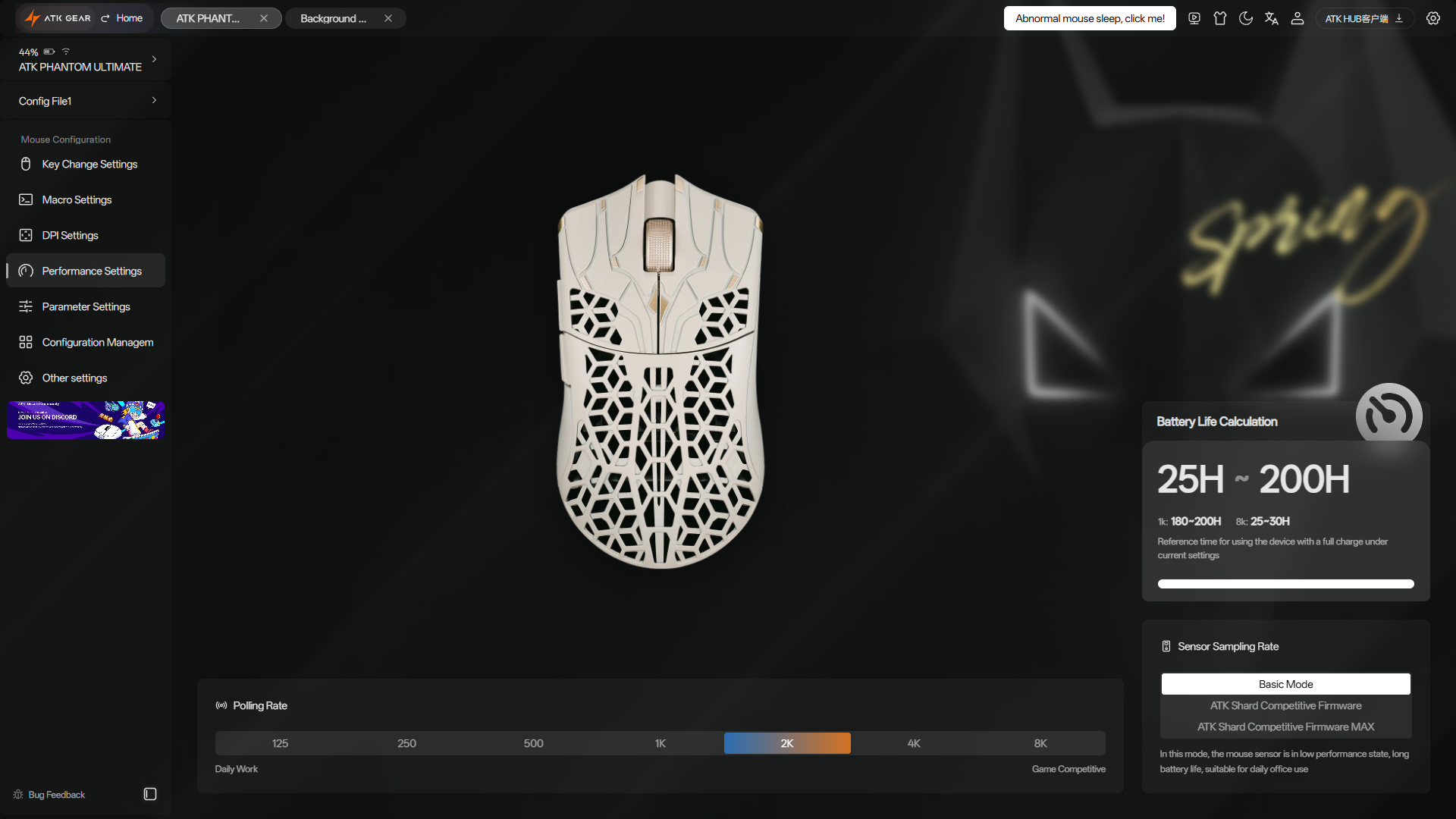
Performance Settings covers the polling rate and sensor performance mode. Basic Mode focuses more on power efficiency, while ATK Shard Competitive Mode and ATK Shard Competitive Max Mode push the mouse toward higher performance. This gives you the choice between preserving battery life and running the hardware as aggressively as possible. One particularly useful feature is that the page also shows the estimated battery runtime for your current combination of polling rate and sensor mode.
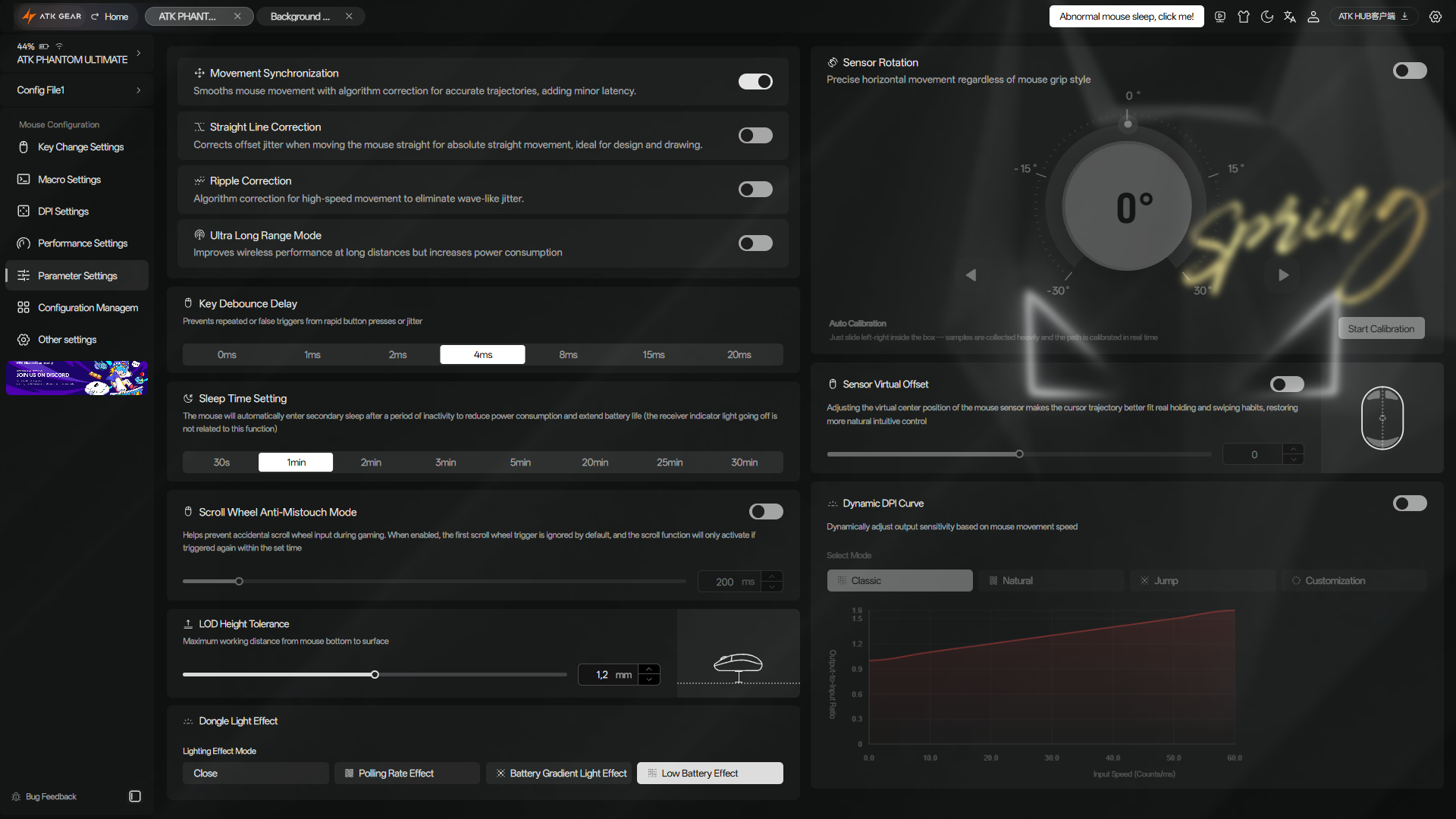
Most of the deeper customization is found under Parameter Settings. This page contains the following additional settings:
- Movement Synchronization
- Straight Line Correction
- Ripple Correction
- Ultra Long Range Mode
- Key Debounce Time
- Scroll Wheel Anti-Mistouch Mode
- LOD Height (adjustable in 0.1 mm steps)
- Sleep Timer
- Dongle LED Indicator Behavior
- Sensor Rotation
- Sensor Virtual Offset
- Dynamic DPI Curve
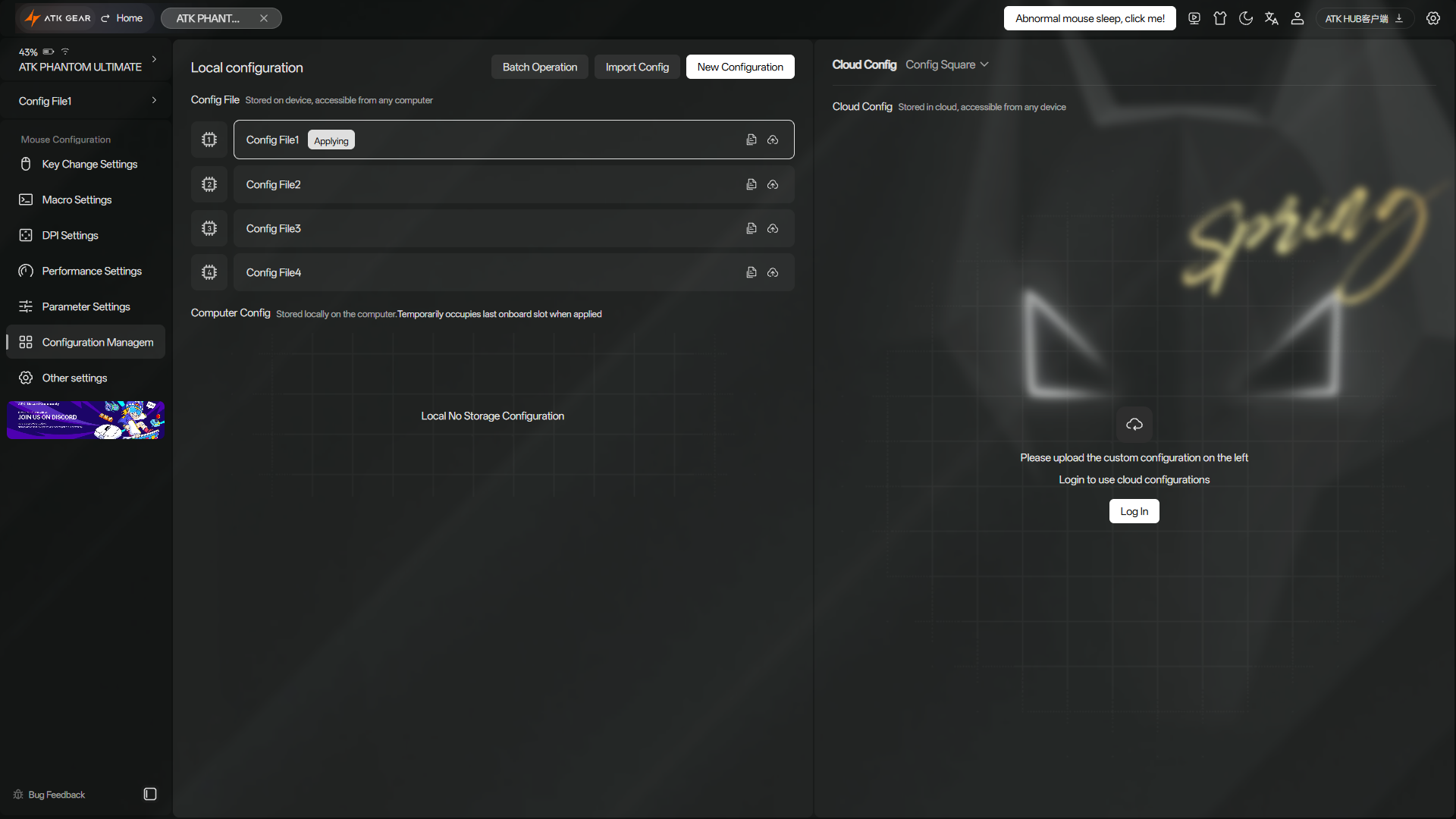
Profiles are handled under Configuration Management. Here you can manage the Phantom’s onboard profiles, import or export configurations, and save them to the cloud. This gives you both a backup and an easy way to restore your preferred settings when moving to another computer.
Finally, Other Settings. This tab shows the current firmware versions for the mouse and wireless dongle, lets you install updates, and includes options for resetting the mouse or pairing it with the wireless dongle, if needed.
ATK HUB also shows the current battery level and provides direct links to the FAQ, user manual, ATK Discord server, and other useful resources.
Having so many settings available makes it noticeably more advanced than the average mouse software. Add the browser version and desktop apps for both Windows and macOS, and it becomes one of the best mouse software packages I have used. Software is definitely one of the Phantom’s strongest points.
Performance
From a hardware standpoint, the Phantom is packed with some of the best components currently available for gaming mice: PixArt’s latest flagship PAW3955 Master sensor, a Nordic 54LM20 MCU, Omron optical switches for the main buttons, and a Raesha optical scroll-wheel encoder. It also supports an 8,000 Hz polling rate in both wired and wireless modes.
I am especially glad ATK chose the 54LM20 instead of the 54H20. Both come from Nordic’s latest generation of chips, although the 54H20 is the more powerful chip on paper. In real-world use, however, that extra performance is difficult to justify. 54H20-based models can end up with only half or even a third of the battery runtime, compared with 54LM20-based mice. Also, any improvement in performance or latency is far too small to notice in actual use. The 54LM20 is already more than powerful enough to deliver top-tier performance, so sacrificing that much battery life for a difference visible only in laboratory measurements would make little sense to me.
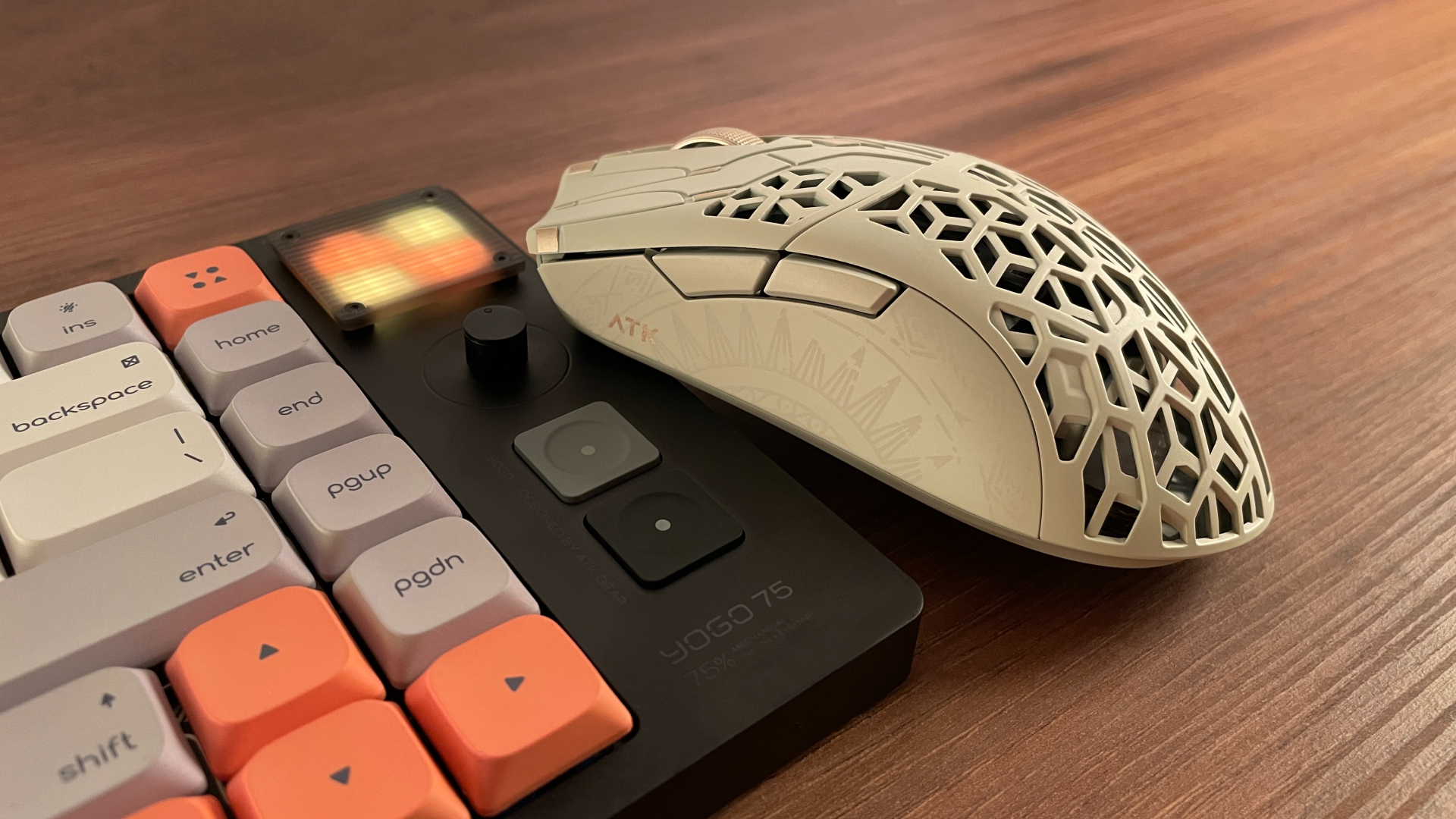
Flagship hardware alone does not guarantee great performance, since its implementation matters just as much. ATK got that part right here: In actual use, tracking has been completely consistent. I never experienced any skips, spin-outs, jitter, or other sensor-related issues. Slow, precise movements were registered just as reliably as fast swipes, and the mouse always felt extremely responsive. No complaints here.
Pros and Cons
Final Verdict
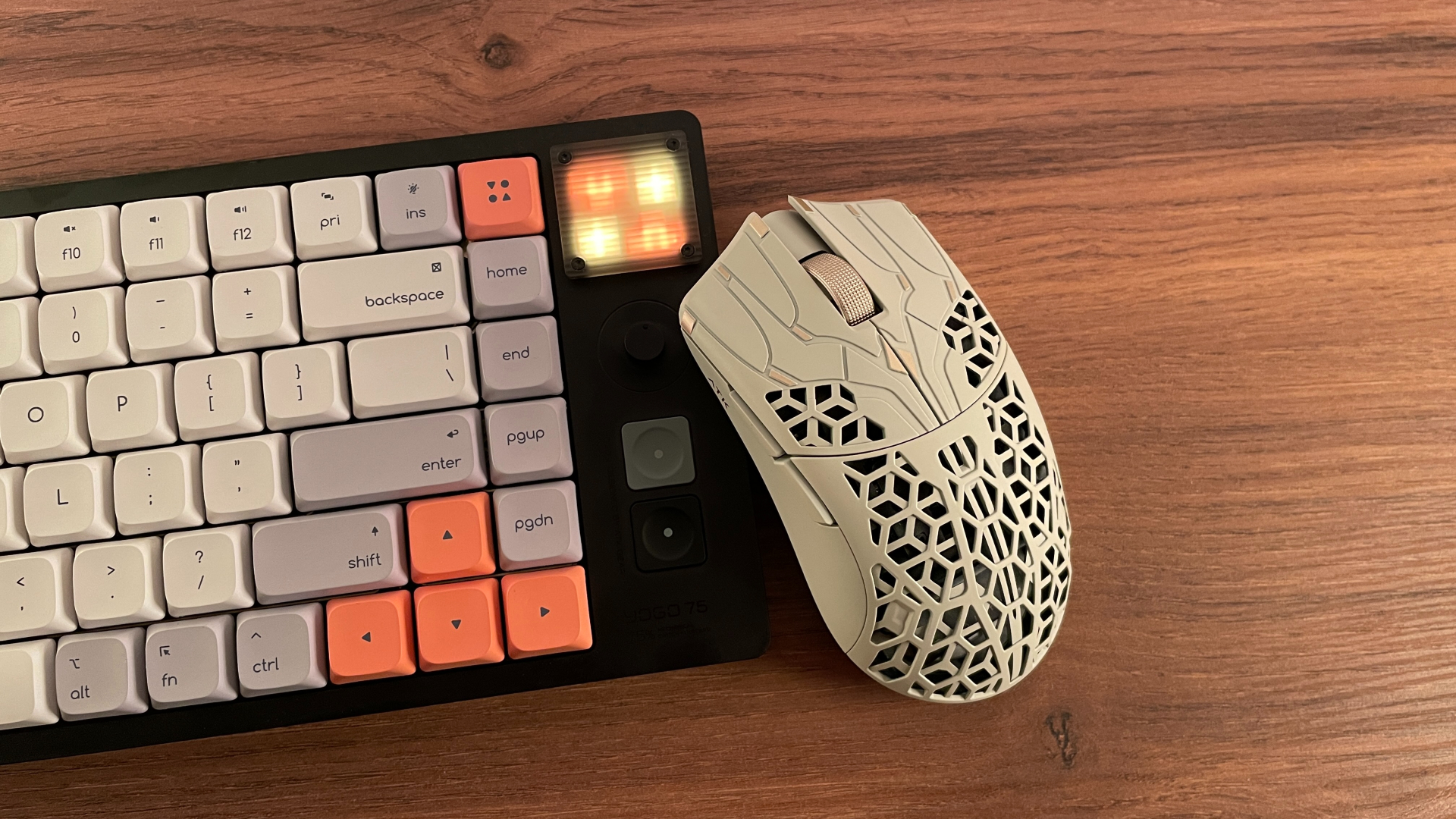
In the end, the ATK Phantom has left a very positive impression on me. It looks good, has excellent software, solid battery life, a nice grippy coating, and comes with quite a generous accessory bundle. Just as importantly, the carbon fiber composite shell feels rigid and well built.
Performance-wise, the Phantom is flawless. That is hardly surprising, given that it is backed by some of the newest and most capable hardware found in gaming mice today, including the PixArt PAW3955 Master sensor, the Nordic 54LM20 MCU, Omron optical switches, and a Raesha optical encoder.
Whether the Phantom is right for you mostly comes down to your grip style and how you feel about perforated shells. It is clearly best suited to fingertip and claw grips. If either is your usual grip and the design appeals to you, the Phantom will not disappoint – especially at its current price of around $100, which feels pretty reasonable for everything you get.

Controller and mechanical keyboard enthusiast. Tech reviewer, regularly sharing thoughts about gadgets and computer peripherals.