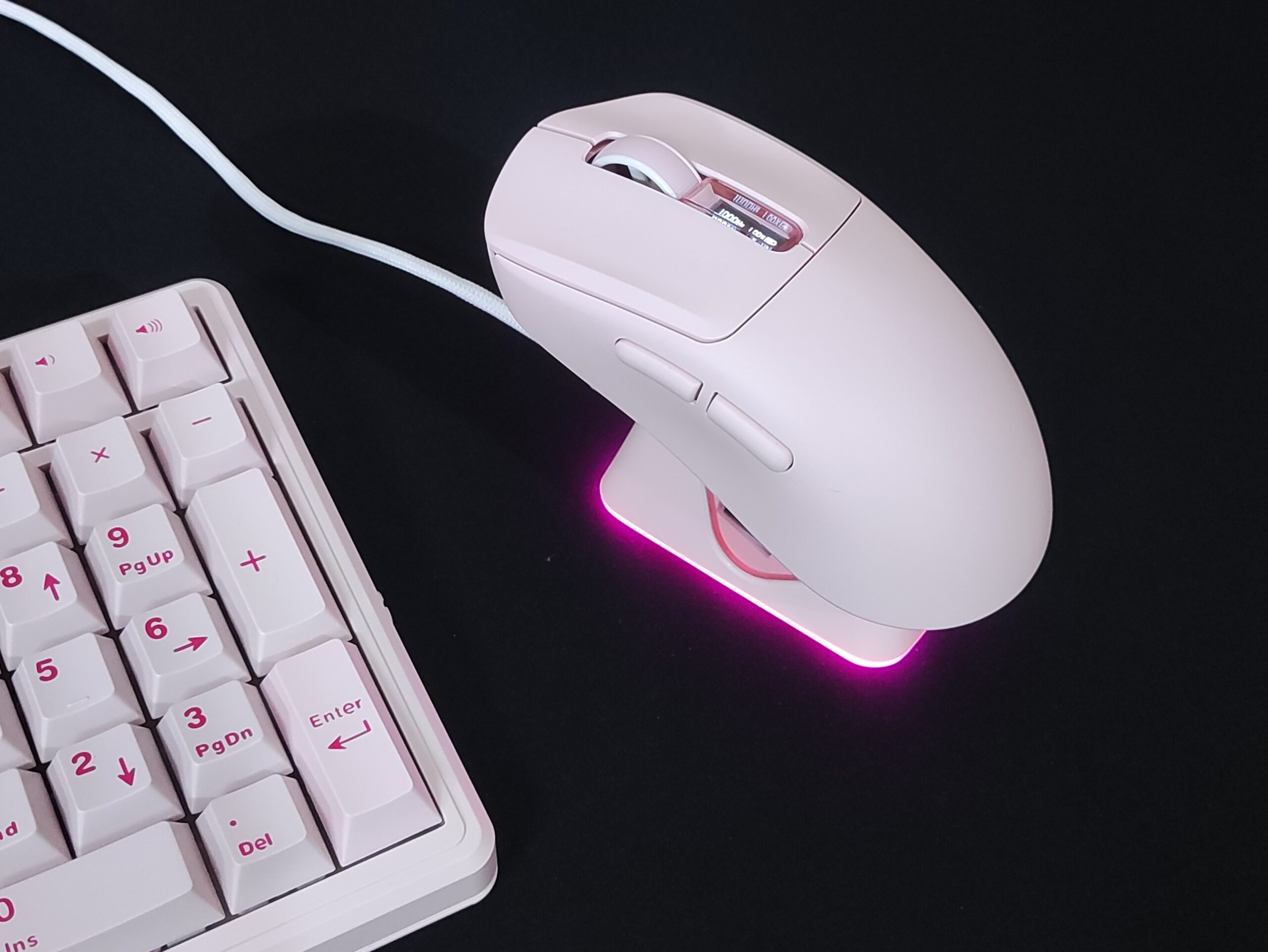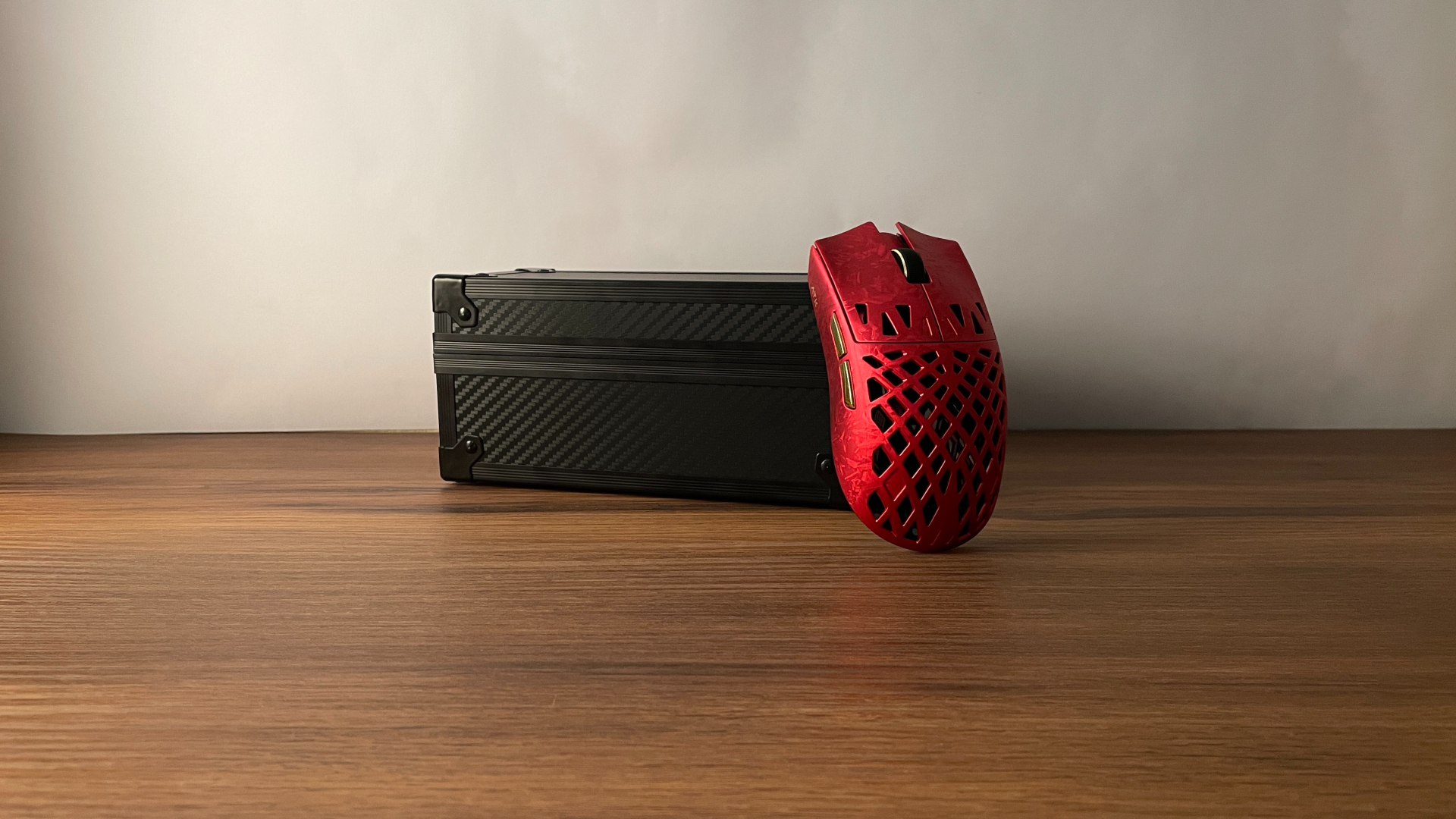
If you’re looking for a new mouse in 2026, you should probably try to look through all the smokes and mirrors. After spending over 2000 hours in tactical shooters with tens of mice, I’ve come the realisation that the most popular mouse is not automatically the most ideal mouse for you. Even with expensive and popular mice, there could be tiny flaws that ruin your aim. To help you find your ideal mouse, I would like to help you with this guide that will stay true for the next decade, because human anatomy won’t change.

#1 – The foundation: Shape is King
Before we start looking at a spec sheet to pick a mouse, the first thing we need to do is find our preference in shape. There’s a common phrase in the mouse community – Shape is King. Everything else is secondary.
Because if your mouse doesn’t fit in your hand properly, or is too small/large for your hands, or doesn’t fit the way you hold your mouse, then even top tier specs won’t make you aim well.
Your Grip – First of all, figure out how you hold your mouse. The three main ways to hold your mouse are:
- Fingertip
- Palm
- Claw
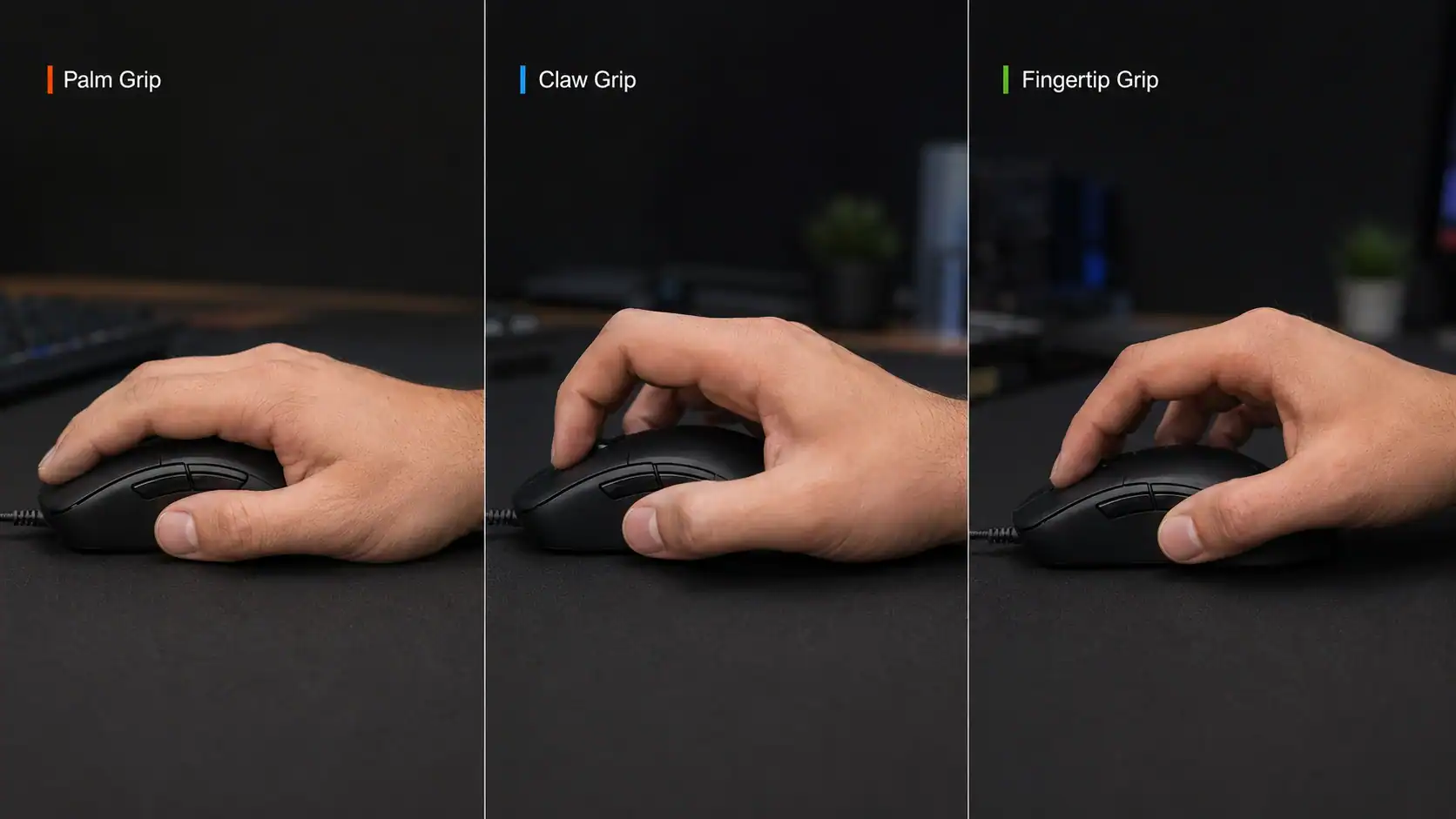
You want to pick a shape that suits your style of holding a mouse. I personally use a very aggressive claw grip. This feels natural to me because my hands are pretty large.

The main things to consider regarding the shape of a mouse are :
- the size and position of the hump
- the length and width of the mouse
- how flat the sides of the mouse are
For example, fingertip users can use much smaller mice and it would be comfortable for them. And palm grip users enjoy a tall hump usually. As a claw grip user, I prefer a small hump towards the center of the mouse.
Of course, preferences will change from person to person, but this is a general guideline. Pick your poison as per your preferences.


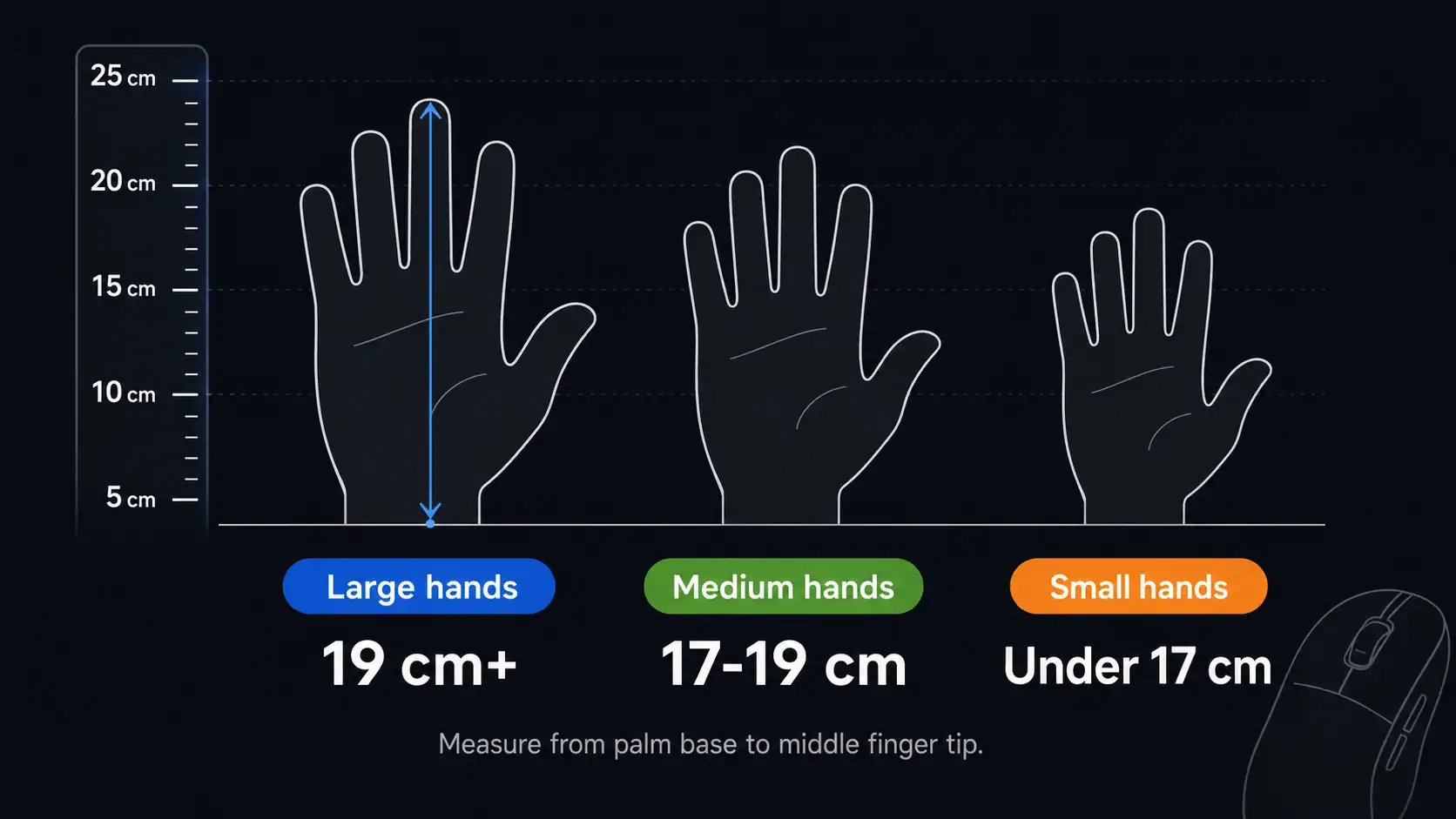
Depending on the size of your hand, you might wanna avoid certain mice. You measure your hand length from the tip of the middle finger to the start of your wrist. Broadly you can categorize yourself as having “small, medium, or large” sized hands. For example, people with small hands will most probably find the Razer Deathadder V4 Pro extremely uncomfortable, despite it being one of the most popular mice in the current market. Similarly, I find the otherwise well regarded WLMouse Beast X mini uncomfortable to use with my 21cm long hand.
If you have absolutely no idea where to begin, the Logitech G Pro X shape is a good, safe place to start. And note that I’m just referring to the shape. You don’t need to buy a $100+ mouse to use its shape. The current mouse market has plenty of “clone” options available. For example, the ATK A9 that I recently wrote a review of has variants that comes in at as low as $20.
If you already have a mouse that performs well but the shape is slightly off, consider trying out mouse griptape. This will add a tiny bit of thickness which might save you 50 bucks on a new mouse.
A few recommendations of varying shapes:
- Razer Viper V3 Pro – Large ambidextrous shape with a very short central hump. Great for claw grip users
- Razer Deathadder V3 Pro – Large ergonomic shape with a fairly tall bump. Great for palm grip users
- Logitech G Pro X Superlight – Large ambidextrous shape with a medium central hump. Versatile and suitable for all grip styles to some degree
- Zowie EC2-DW – Comes in various sizes. Ergonomic shape with medium forward heavy hump. Great for palm grip users
There are tons of mice to pick from, these are just some well regarded industry standards. You can always find clones of popular shapes from chinese brands like ATK and VXE for a significantly affordable price.
#2 – MCU & Firmware > Sensor
In 2026, you will find top tier sensors like the Pixart PAW 3395 in mice as cheap as $25. While this is great for us consumers, the MCU hiding behind this impressive spec is what really matters.
MCU stands for “Microcontroller Unit”. It is essentially the nervous system of a mouse. The MCU is responsible for coordinating the entire input pipeline – Processing sensor data, scheduling polling reports, managing button inputs, etc etc.
It determines the input latency, polling rate stability, and wireless performance. While the switches and sensor capture the movement and inputs, the MCU is what processes and coordinates this data before ir reaches the computer.
On the cheaper end of the market, you will find mice that have impressive sensors but a mediocre MCU. That’s like putting bicycle tires on a Lamborghini (this is an exaggeration to get my point across XD)
If your sensor can do 8khz polling rate, but you have a weak MCU, you won’t be able to use the mouse at 8khz. Having a poor MCU will also mean a more inconsistent signal. Higher connection jitter and micro-errors that can affect your pixel precision.
Speaking of 8kHz, that’s just not needed. Even if you have a top of the line 500Hz monitor, you won’t be able to tell the difference between 8000hz and 1000hz without a slow motion camera. Matter of fact, 8000hz polling rate will put more stress on your computer’s CPU which can lead to a lower in-game FPS or 1% lows (frame stutter). So you should probably stick to 1000 or 2000hz polling rate.
One of the advantages of going with a well regarded mainstream brand like Razer or Logitech is that any firmware bugs will most likely be fixed within a day or two. With cheaper Chinese alternatives, you should definitely check out reviews before you make the purchase, because bugs can take a while to fix, if at all. This is not a common occurrence, but it’s definitely something to keep in mind.
#3 – Weight Balance & Speed
In 2026, you’ll find mice weighing as low as 35 grams. While a super lightweight mouse is nice, after a certain lightness, you want to focus on the weight balance. I’ve used 35g mice that are front heavy which feel more sluggish and heavier than 50g mice with a good weight balance.
The general rule of thumb is to have the sensor in the middle of the bottom, where your thumb should naturally rest, and the center of mass should be at this exact point.

This ties in with point #4 to combine into the overall agility and control you’ll have with your mouse.
#4 – Skates & Surface
The stock skates that come with your mouse, while adequate, most likely don’t bring out all that your mouse has to offer in your hands. There’s a plethora of third party mouse skates available these days, but I recommend starting out with some dot skates. They’re inexpensive and very personalizable. Which skates you should pick will depend on the surface (mousepad) that you use and the experience that you desire.


Before I help you decide on your skates, let’s talk about the surface. In general, there are 2 major materials right now – cloth pads and glass pads. You’ll also find some unique materials like resin pads or even aluminium pads, but that is outside the scope of the discussion I want to have in this post.
In the images below are some of the different mouse surfaces I’ve used. I’ve used more, but this is one of each type.


I recommend starting out with a simple cloth surface because glass can be a little daunting as it offers almost no resistance and it’s very easy to lose control on it. It’s also quite fatiguing over time, but it offers a precise, consistent glide in return.
Cloth pads are widely categorised into three types – Control, Speed, and Hybrid.
Control pads will feel slow, have a lot more friction and takes more force to move your mouse on it. But they offer excellent… well, control. The stopping power provided by control pads helps with “flicks” in tactical shooters like counter strike and valorant. A great, affordable pad to start out with is the steelseries QCK, or the ATK99 which is a clone of the much pricier Artisan Type 99 mousepad.
Speed pads offer significantly smoother glide and a lower stopping power. These are generally better suited for games where you have to track your opponents’ movement while shooting at them, like Apex Legends or Call of Duty games.
I should mention cordura pads here. They’re always very fast mousepads made from a woven nylon fibres instead of regular cloth material. They’re something to consider, and I myself use one. They offer excellent durability and resistance to moisture, which is an important factor for me as I live in a pretty humid tropical country.

Hybrid pads lie somewhere in the middle of these two categories. They’re not ultra glidey like speed pads nor are they muddy like control pads. They offer benefits and cons of both types of pads.
You should pick your skates to compliment your mousepad. For example, if you buy a super muddy control pad like the Steelseries QCK, then you could opt for smooth Tiger Ice skates to provide you with a good glide and still maintain the stopping power of the mousepad.
#5 – Wired vs. Wireless
Wireless tech is essentially flawless now, so for 99.9% of players it’s the obvious pick. There are still purists who swear by wired gems like the OP1 8K V2, and they’re not wrong to — but consider what “good wired” actually costs you. To make a cable disappear you need a quality bungee, and once you’ve bought one you’re basically at flagship wireless prices anyway. Meanwhile budget wireless like the VXE R1 or Attack Shark gives you that freedom out of the box with no extra accessories. Unless you have a specific reason to go wired, don’t.
Putting It All Together
If you want this to hold up for the next decade, walk back through it in order:
Shape first — lock in the grip that fits your hand before anything else (#1). Then verify the brain — check Reddit and Discord for firmware stability, not just the spec sheet (#2). Get your weight balance right so the mouse feels agile rather than sluggish (#3). And finally, match your skates to your pad to kill any static tug (#4).
The best mouse is the one you forget you’re holding. When the gear disappears and all that’s left is the game, you’ve found your winner.

Hello! 🥰 I'm Fang.
I like gaming and related tech. I enjoy learning more, and sharing my experiences through my review videos and blog posts. Have fun! 💖