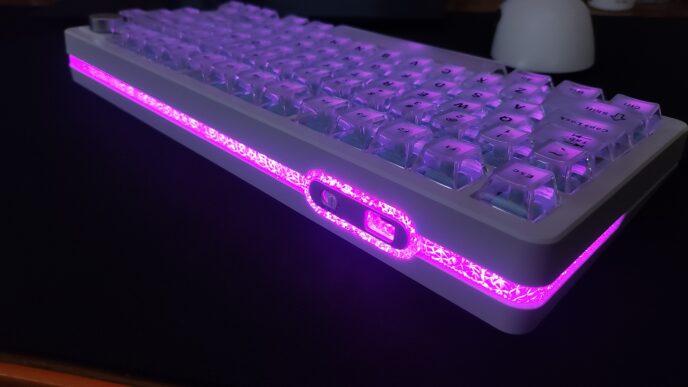
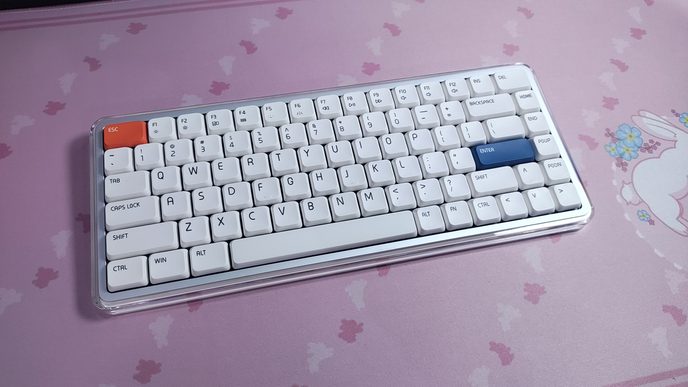
XVX recently released the Trooper63 HE, a new Hall Effect keyboard that takes a slightly different approach than most of its competitors. While many HE boards focus heavily on gaming performance, XVX has also put a lot of emphasis on the lighting, introducing its “Gemini Dual-Lighting RGB System.”
But the lighting isn’t the only thing that makes the Trooper63 interesting. After spending some time with it, I found that there’s quite a bit more to this keyboard than its eye-catching backlighting.
Unboxing: What’s Inside?
The keyboard comes in a simple cardboard box, and the package includes pretty much everything you could reasonably need out of the box, along with some extras.

Inside the box, you’ll find the following:
- Trooper63 Keyboard
- USB-C to USB-A Rubber Cable
- 2-in-1 Keycap and Switch Puller
- 2 Spare Switches
- Additional Keycaps Matching the Main Set
- Manual
It’s nice to see two spare switches included in the box. Having a couple of replacements ready to go can save you the hassle of looking for new ones later if one of the switches ever fails, especially considering how unique these switches are.

Another nice bonus is the additional set of accent keycaps, pre-installed on the keyboard. I’ll talk about them in more detail in the relevant section.
The only thing I found myself missing was a dust cover. It’s a small thing, but it’s always nice to have one included, especially on a keyboard with such an open-frame design.
First Look
The XVX Trooper63 is a 63% Hall Effect keyboard featuring 64 keys in an ANSI layout. It has a fixed typing angle of approximately 7°.

The 63% layout has become quite popular among Hall Effect boards lately, and I can completely understand why. What makes it special is that it retains the same overall footprint as a traditional 60% keyboard while adding dedicated arrow keys. In other words, instead of the 61 keys typically found on a 60% layout, you get 64 keys without increasing the size of the keyboard. Personally, I love this layout. I’m a fan of compact keyboards, but I also rely heavily on arrow keys, so getting both in the footprint of a 60% board feels like the best of both worlds.

The keyboard features an aluminum case with a powder-coated finish. Build quality is solid overall. I didn’t notice any creaking or unwanted flex, and even the thin sections between the cutouts feel surprisingly sturdy and don’t bend under normal handling. At around 670 grams, the Trooper63 is relatively light for an aluminum keyboard, although its low weight is hardly surprising given the open-frame construction of the case.

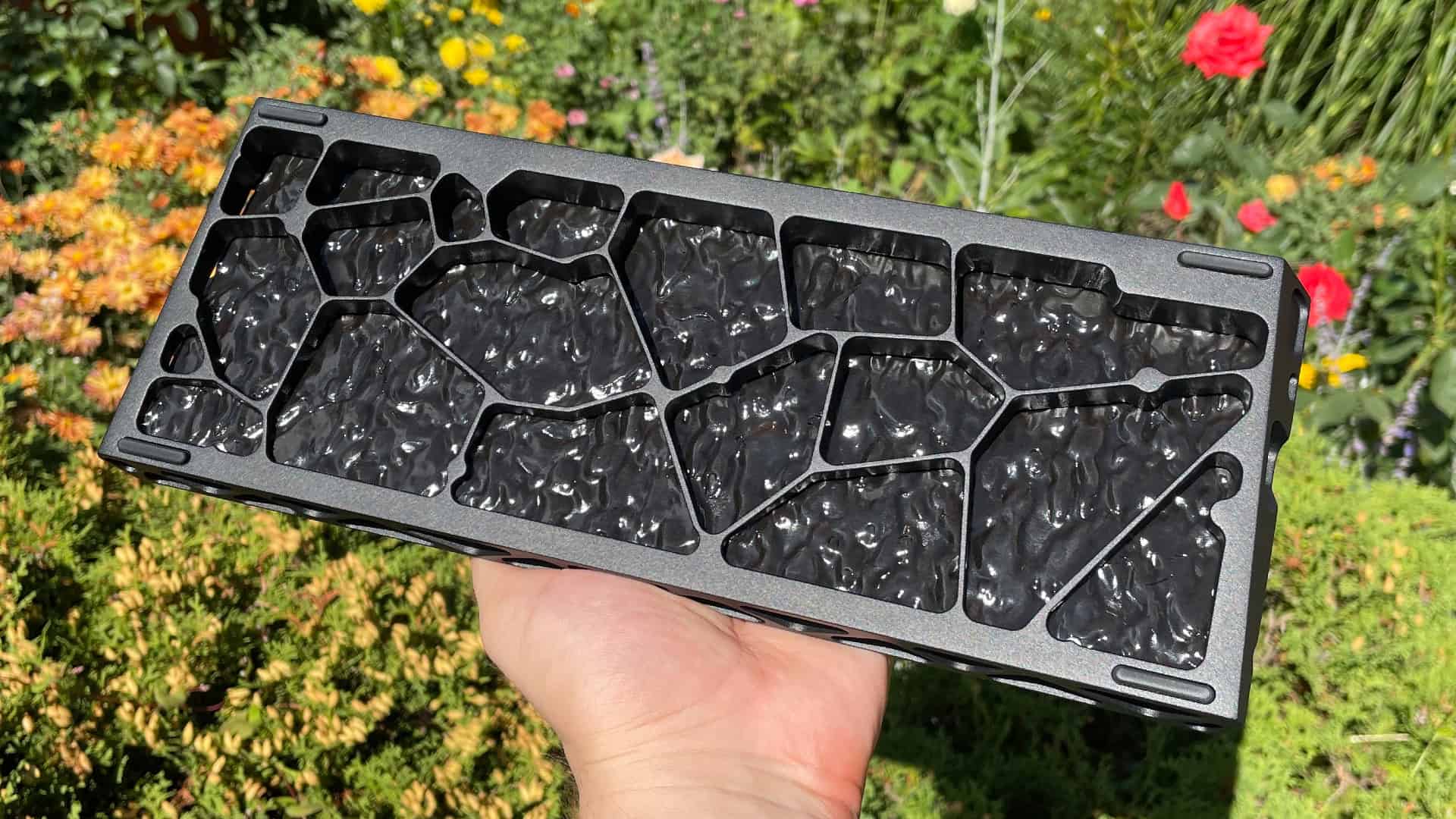
And the case is probably the first thing you’ll notice about the Trooper63. It features a skeletonized design that immediately reminded me of the Holy60 — the same bold, open structure with large cutouts that expose more of the keyboard’s internal components. It gives the Trooper63 a much more distinctive look, and I think this is one of those cases where the design itself becomes a big part of the keyboard’s appeal.

One detail that particularly caught my attention is a small section on the left side of the case near the Esc key. The geometry of the cutouts here differs from the rest of the case. These cutouts are designed to serve as attachment points for a keyboard strap, which may be a nice touch for those who like that sort of thing.

Flip the keyboard over and you’ll find that the bottom follows the same open-frame design language, featuring large Voronoi-patterned cutouts. You’ll also notice a plastic insert that covers the internal components. This helps protect the PCB and dampening materials from direct exposure through the openings while also reducing the amount of dust that can make its way inside the keyboard. There are also four rubber feet that keep the keyboard firmly in place and prevent it from sliding around on your desk.
Gemini Dual-Lighting RGB System
The lighting is easily one of the most distinctive aspects of the Trooper63. One of the advantages of Hall Effect technology is that it eliminates the need for traditional switch sockets, while the Hall Effect sensors themselves take up considerably less space on the PCB. That extra space opens the door to ideas that would be much more difficult to implement on a conventional mechanical keyboard.
XVX took advantage of that with what it calls the Gemini Dual-Lighting RGB System. In practice, the Trooper63 features two separate sets of LEDs for every switch position: one north-facing and one south-facing. The result is very bright and evenly distributed backlighting, with vibrant, well-saturated colors and a much stronger glow across the keyboard.

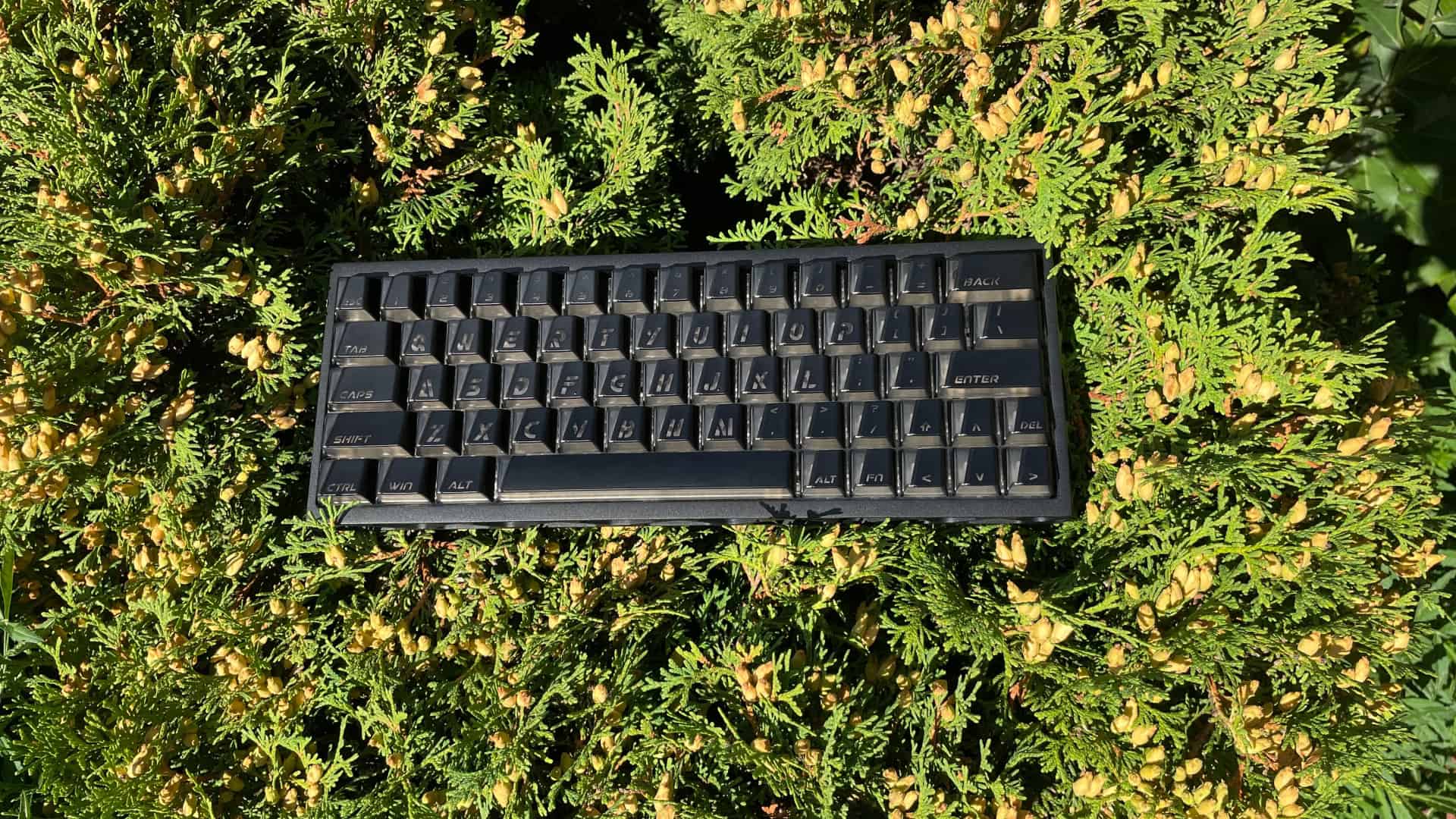
XVX didn’t stop there, either. There are also four additional LEDs underneath the spacebar, helping to distribute light more evenly across the entire length of the key. As a result, the spacebar looks much more uniformly illuminated instead of appearing bright only around its center. This is particularly nice with keycap sets that have a shine-through pattern spanning the whole spacebar, such as Topographic and similar sets, as the extra LEDs help illuminate the design much more consistently from end to end.

During my time with the keyboard, I did not notice any PWM-related issues, which is important for users like me who are sensitive to LED flickering. Unstable lighting can cause eye strain or discomfort during extended use, so it’s something I always pay attention to.

What’s particularly nice is that XVX didn’t focus solely on the hardware side of the lighting system. The software also gives you a good amount of control over the lighting.
There are 20 built-in lighting effects available. The north-facing and south-facing LEDs can be enabled or disabled independently, if for some reason you want to do so. Color customization is quite flexible, with support for HEX, RGB, HSL, HSV, CMYK, and CSS color formats The only thing I found myself wanting was a larger selection of lighting effects. I think having a few more options would be a nice touch for a keyboard this focused on RGB lighting.

All of this makes the Trooper63 a great fit for anyone who really enjoys bright, vibrant RGB lighting.
Connectivity
In terms of connectivity, things are pretty straightforward. The Trooper63 is a wired-only keyboard with a detachable USB-C cable, so there are no wireless modes or Bluetooth support to talk about here. On the other hand, you never have to worry about battery life, charging, or the keyboard unexpectedly running out of power in the middle of a gaming session.
Trooper63 Web Software
The Trooper63 uses a web-based driver, so there’s no need to download or install dedicated software on your computer. You can simply open the driver in a compatible browser and connect the keyboard to access its settings. I generally prefer this approach because it keeps things simple and avoids having another desktop application running in the background. It also makes the driver platform-independent, so you can access the keyboard’s settings whether you’re using Windows or macOS.
To make things even more convenient, the keyboard has a dedicated shortcut for opening the web driver. Pressing Fn + ] (with English set as the active input language on your computer) automatically opens your default browser and takes you straight to the web driver. In practice, I found this very convenient, since you don’t have to keep the driver bookmarked or go looking for it on XVX’s website every time you want to change a setting.
The web driver itself has all the essential features you’d expect from a Hall Effect keyboard, and the interface is fairly clean and easy to navigate.
The first tab, Performance, is where you’ll find most of the keyboard’s core Hall Effect settings. You can adjust the actuation point here, configure Rapid Trigger, and set the dead zones, as well as access the switch selector and calibration tools. There’s also a Travel Test, which lets you press any key and see its current travel depth displayed in real time. This can be useful for calibration and fine-tuning the settings to your liking. And honestly, seeing the key travel displayed on screen in real time just looks pretty cool.

The second tab is Lighting, which contains all the RGB controls I covered in the lighting section earlier.

The Custom Key tab is used for key remapping. In addition to the default layer, the Trooper63 gives you three extra Fn layers, giving you quite a bit of flexibility if you like creating more complex multi-layer setups.

Next is Advanced Key, which has a fairly extensive selection of more advanced Hall Effect features. This includes SOCD with four different modes, as well as DKS, MPT, MT, TGL, END, and Rappy Snappy. There is quite a lot to play around with here, especially if you want to go beyond the more basic Hall Effect features.

The Macro tab is where you can create and manage macros. The Trooper63 can store up to eight macros in its onboard memory, and the macro editor is surprisingly advanced, offering a good range of options for configuring your macros to get the exact behavior you want.

The My Config tab is used to manage the keyboard’s three onboard profiles. There’s also a “Coming Soon” section here, which suggests that XVX has more functionality planned for the driver in the future.

Finally, the Update/Restore tab provides information about the current firmware version and lets you update the keyboard when a new version is available. This is also where you can adjust the polling rate and keyboard sleep timer.
Overall, I have a pretty positive impression of the software. In a few areas, it actually provided more functionality than I expected, especially considering that the software is still relatively new. Hopefully, XVX will continue developing the driver and add more features over time, but even in its current state, it already covers everything I would consider essential for a Hall Effect keyboard.
Keycaps
The Trooper63 comes with a rather unusual set of keycaps that XVX calls Wedge PRISM. They are primarily made from polycarbonate (PC), with ABS applied to certain surfaces of the keycap. These are fairly thick keycaps, with a wall thickness of 1.5-1.6 mm, which generally has a positive effect on the typing sound.

The keycaps are based on the Cherry profile, although XVX has made a few notable changes. The sharp transitions between surfaces, normally associated with the Cherry profile, have been rounded off, giving the keycaps a much softer appearance. The top surface is also quite different from what you’d normally expect. Instead of being a simple sculpted dish, it features a distinct stepped design: after the main flat section, there is an angled transition leading to a second flat area that sits slightly lower. It’s an interesting design choice that gives these keycaps both a unique appearance and a unique feel under the fingers.
Speaking of feel, the surface is exceptionally smooth and almost silky to the touch. The stepped top surface initially felt a little unusual under my fingertips, but after about a day of use I completely got used to it and stopped noticing it altogether. What I continued noticing, though, were the rounded edges. They genuinely make the keycaps feel more comfortable during fast typing, especially when moving quickly between adjacent keys. It’s a subtle detail, but one that I ended up appreciating more than I expected.

The legends are quite large, easy to read and shine-through. XVX achieves this by molding an opaque ABS outer layer around a transparent polycarbonate core, with the legends left exposed so RGB lighting can pass through them. This construction should help the legends remain durable and resistant to wear over time.
The transparent polycarbonate is not limited to the legends, however. The front and rear walls of the keycaps, along with the angled section on the top surface, are also transparent. As a result, the lighting doesn’t just shine through the legends — the entire keycap becomes part of the lighting effect, which works particularly well with the Trooper63’s RGB implementation.

Overall, I think these keycaps fit the Trooper63 very well. Their unconventional design matches the keyboard’s skeletonized aesthetic and helps tie the whole look together.
The keyboard also comes with a small set of fully transparent accent keycaps, which are pre-installed out of the box. Unlike the main set, these keycaps are made entirely from polycarbonate. They use the same Cherry profile and have the same wall thickness as the stock keycaps, while the legends are applied using UV printing. It’s a nice bonus that gives you a bit of extra room for customization.
Gemini HE Switches
The Trooper63 comes equipped with Gemini HE switches, and I have to admit that these switches genuinely surprised me. But let’s start from the beginning.
The Gemini HE is a linear magnetic switch featuring a dust-proof stem, closed-bottom housing, and a transparent top housing. It also features something quite unusual: two LED diffusers, one on the north-facing side and another on the south-facing side. That alone makes the switch fairly unique, and it pairs perfectly with the keyboard’s Gemini Dual-Lighting System.
The switches come factory-lubricated and use a POM stem. POM is a popular stem material for a reason, as its low-friction properties help deliver a smoother keystroke. And smooth is exactly how these switches feel. I didn’t notice any scratchiness during use. Likewise, I didn’t hear any spring ping. As for stem wobble, there is slightly more of it than I would ideally like to see, but it remains well within acceptable limits.
The actuation force is on the lighter side, although they don’t feel excessively light in practice. Instead, I found them to be very well balanced for both gaming and typing. The 19 mm spring also contributes to a very clean linear feel throughout the keystroke. Since the spring is already slightly compressed even at rest, the force curve feels more consistent throughout the travel while also providing a snappy return.

But what really surprised me about the Gemini HE switches (and no, it’s not the dual diffusers, although they are certainly one of the switch’s most distinctive features) is just how thocky they sound. In fact, they are probably the thockiest magnetic switches I have come across so far. Some traditional mechanical switches that were specifically advertised as thocky didn’t sound nearly as thocky as these. Credit where credit is due.
That said, I’m talking specifically about the sound signature of the switches themselves, not the overall typing sound of the keyboard. The final sound profile of any keyboard is influenced by many other factors, including the case, mounting system, plate, dampening materials, and keycaps.
The Trooper63 is hot-swappable, so if you’d like to experiment with different options, you can easily do so. Just make sure the switches are physically compatible and have an N-pole-down magnet orientation.
As for the stabilizers, I have no real complaints. They come factory-lubricated and perform exactly as they should. I didn’t notice any rattle, ticking, or other unwanted noises from the larger keys.
Structure and Mounting
The Trooper63 uses a tray mount design. While tray mounting is nothing new, it remains one of the more common mounting styles in the Hall Effect space. Unlike traditional mechanical keyboards, Hall Effect boards generally benefit from a more rigid internal structure, as excessive flex can potentially affect the consistency of the magnetic sensing system. As a result, most manufacturers prioritize rigidity over softness, and XVX has taken a similar approach here.

The Trooper63 has a carbon fiber plate. Like the rest of the keyboard’s internal structure, the plate is designed with rigidity in mind and does not feature any flex cuts. Under the plate sits a three-layer acoustic stack:
- PORON Plate Foam
- IXPE Switch Pad
- PET Acoustic Film
Below that is the PCB itself. The PCB is 1.2 mm thick and, like the plate, has no flex cuts. It also does not support screw-in stabilizers. Below the PCB, XVX added two more acoustic layers:
- PET Acoustic Film
- PORON Case Foam
Overall, the Trooper63 includes what is essentially a complete foam package. This certainly helps reduce unwanted resonance and hollowness inside the case. Considering how the keyboard sounds in practice, I’d say those materials are doing their job.
The only detail that bothered me a little is the choice of white foam in the Phantom Black version. Since the Trooper63 uses an open-frame design, parts of the internal foam are visible through the cutouts in the case. On the black model, the white foam draws more attention than I’d prefer and slightly breaks the otherwise stealthy all-black look. However, this isn’t really an issue on the white or pink models, where the white foam blends in much more naturally with the rest of the design.

What is genuinely worth highlighting, however, is that both the case and the PCB are GH60-compatible. This is a surprisingly valuable feature that many people might overlook at first. If you ever decide to move the Trooper63 PCB into a different case, you’ll have access to a huge selection of GH60-compatible aftermarket options. Likewise, if you happen to like the Trooper63 case, there is a good chance you’ll be able to install other compatible PCBs in it.
For anyone interested in modifying or upgrading their keyboard in the future, this compatibility significantly expands the available customization options. Instead of being limited to the original configuration, you get a level of flexibility with the Trooper63 that is relatively uncommon among Hall Effect keyboards.
Gaming Performance
When it comes to gaming, the Trooper63 may not have the headline-grabbing specifications of some higher-end Hall Effect keyboards. It uses a 1000 Hz polling rate rather than the 8000 Hz polling rates that have become increasingly common in this segment.

That said, it is still a Hall Effect keyboard, which means you get access to virtually all of the features that have made Hall Effect keyboards so popular among gamers, such as adjustable actuation points, Rapid Trigger, SOCD, and other advanced features. More importantly, the keyboard never felt like it was holding me back in actual gameplay. Key presses felt responsive, movement inputs were registered consistently, and I never ran into any issues that made me question its gaming performance.
Unless you’re specifically looking for the highest-end specifications available today, the Trooper63 offers a solid gaming experience.
Typing Experience
As I mentioned at the beginning of this review, the Trooper63 managed to surprise me with more than just its lighting. In fact, it surprised me in an area where I wasn’t expecting much at all.
Because of the rigid construction that Hall Effect keyboards require to ensure precise sensing, the vast majority of HE keyboards — with very few exceptions — don’t offer a particularly impressive typing experience. Typically, they are relatively loud and lean toward a clacky sound profile. The Trooper63, however, doesn’t even hint at a clacky or higher-pitched sound signature. Instead, it sounds quite… thocky.
Yes, really. The overall sound is noticeably deeper and more muted than I expected. Considering the skeletonized aluminum case, carbon-fiber plate, and keycaps made mostly from polycarbonate, this is probably the last thing I expected to hear from this keyboard. Yet somehow, that’s exactly the sound XVX managed to achieve.
And then there’s the spacebar. Without exaggeration, it sounds fantastic. At this point, I’m not even comparing it to other Hall Effect keyboards. Plenty of traditional mechanical keyboards struggle to get the spacebar right. The Trooper63 doesn’t have that problem. The spacebar sounds remarkably consistent with the rest of the keys and, if anything, is actually more muted. It’s one of the best stock spacebar implementations I’ve come across in quite some time.
I also tried replacing the stock keycaps with a thick double-shot PBT set, which made the sound even deeper and more thocky. So, if you like fine-tuning your keyboard’s sound, the Trooper63 gives you some flexibility to do that.
When it comes to typing feel, the Trooper63 leans toward a more direct and controlled experience thanks to its tray-mount construction. Despite that, it doesn’t feel overly stiff under the fingers. The relatively light stock switches help balance out the firmness of the mounting style, so each keystroke feels easy and responsive without requiring much effort. This gives the Trooper63 a quick and lively typing feel that works well for both fast typing and gaming.
Pros and Cons
Final Verdict

The XVX Trooper63 HE proves that a Hall Effect keyboard doesn’t have to focus exclusively on gaming features and performance metrics. The Gemini Dual-Lighting RGB System is undoubtedly the star of the show, but what makes it work so well is how well the rest of the keyboard is built around it: the dual-diffuser Gemini HE switches, RGB-friendly shine-through keycaps, and software that offers a good level of lighting customization.
The skeletonized aluminum case gives the keyboard a distinctive look, while the typing acoustics managed to surprise me even more than the lighting itself, delivering a deeper and more muted sound profile than I would normally expect from a Hall Effect board. It may not be chasing record-breaking specifications, but as an overall package, the Trooper63 does a lot of things right.
And if you’re specifically looking for an RGB-heavy keyboard that fully embraces lighting rather than treating it as an afterthought, the Trooper63 is definitely worth considering.
You can also use the code HLPLANET for 10% off on XVX official store.

Controller and mechanical keyboard enthusiast. Tech reviewer, regularly sharing thoughts about gadgets and computer peripherals.